You shoot 200+ properties a year. You know the moment you walk into an empty apartment and see bare walls, scuffed floors, and zero furniture, this listing is going to sit on the market. The photos will look cold. Buyers will scroll past. And the agent will blame the photography.
Our articles are still written by humans!
Get human written articles in your Google feed.
Here are the numbers that matter, straight from the National Association of Realtors 2025 Profile of Home Staging: 83% of buyers’ agents said staging made it easier for a buyer to picture the property as their future home, 49% of sellers’ agents saw staging cut time on the market (30% a slight decrease, 19% a significant one), and 29% reported staging lifted the dollar value offered by 1% to 10%. Staging is not a magic multiplier, but it is one of the few listing decisions where the industry data actually agrees with the sales pitch.
But traditional staging costs $2,000–$6,000 per property. Most sellers won’t pay that. Most agents won’t either. So you deliver beautiful photos of empty rooms, and everyone loses.
AI virtual staging changes the math entirely. You upload a photo, the AI furnishes the room in any style, and you deliver a staged listing in minutes instead of days. Your cost: effectively zero. Your client’s result: a property that sells faster at a higher price.
This guide is written specifically for real estate photographers who want to add virtual staging to their workflow, how it works, what it costs, how to price it, and the exact process we recommend. Staging is only one step of the edit though, and it belongs last. If you want the whole sequence, from bracket merge and verticals through to the transformations, our guide to AI real estate photo editing covers where staging sits in it and which jobs AI has genuinely finished.
 FreeUpload listing photo · freeStage my listing photo for freeUpload an empty room and MeltFlex furnishes it for the listing, walls, windows and floor untouched. Your first AI design is free, no card needed.
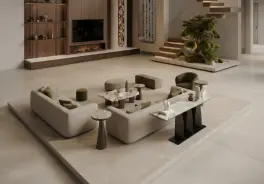

Watch: staging an empty room in seconds
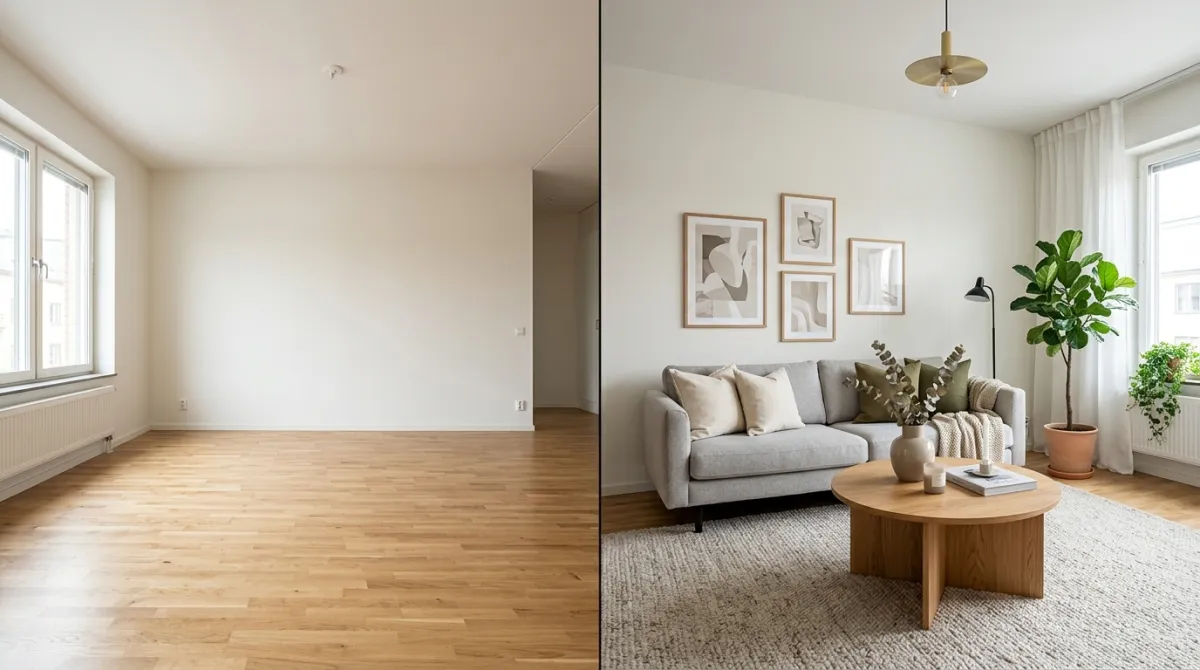
Before the numbers, here is the whole idea in 30 seconds, MeltFlex furnishing an empty room from a single photo. This is exactly what you would deliver to an agent instead of a cold, empty-room shot.

AI virtual staging in action, an empty room furnished from one photo in seconds.
Which virtual staging platform should a photographer use?
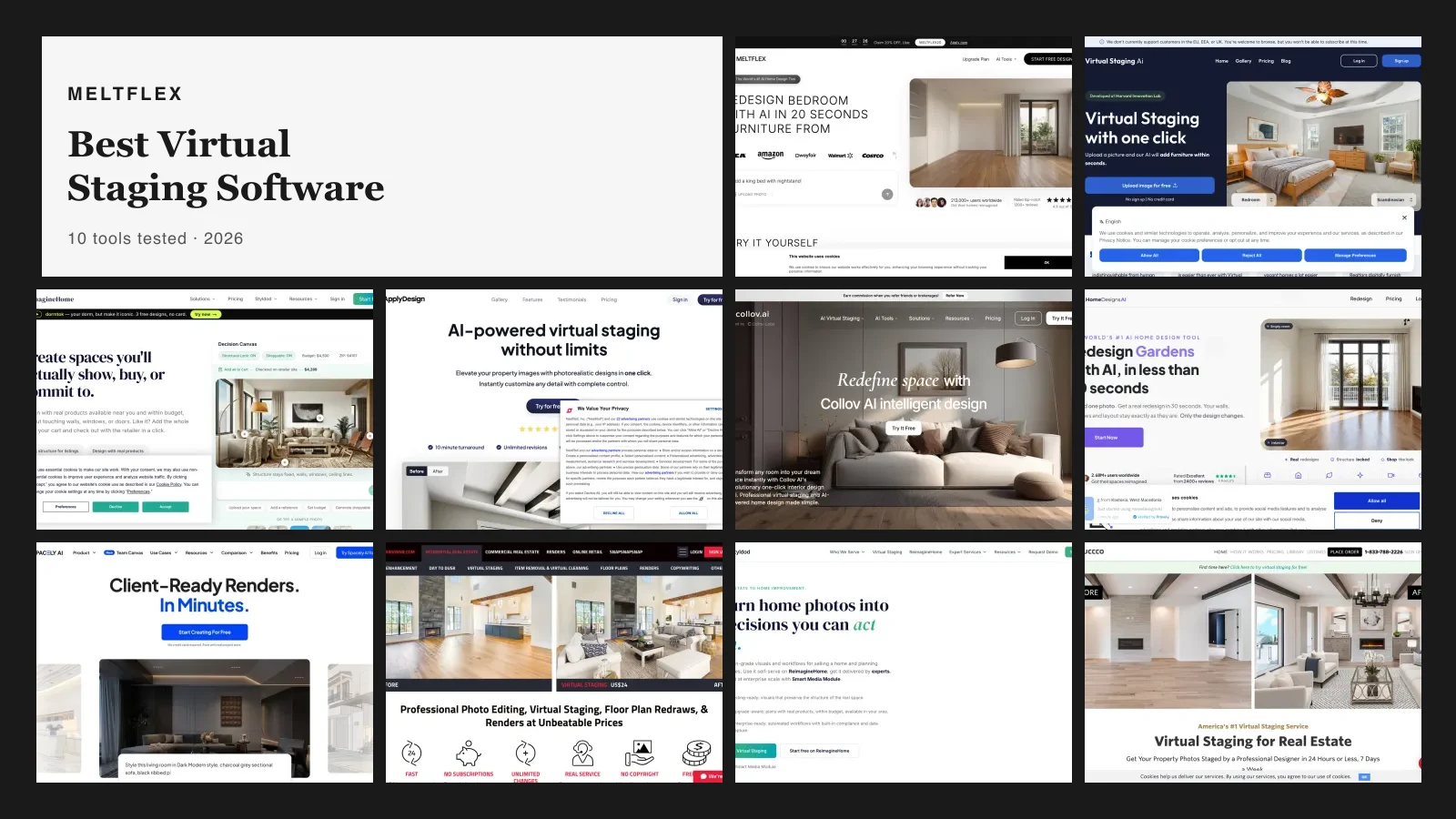
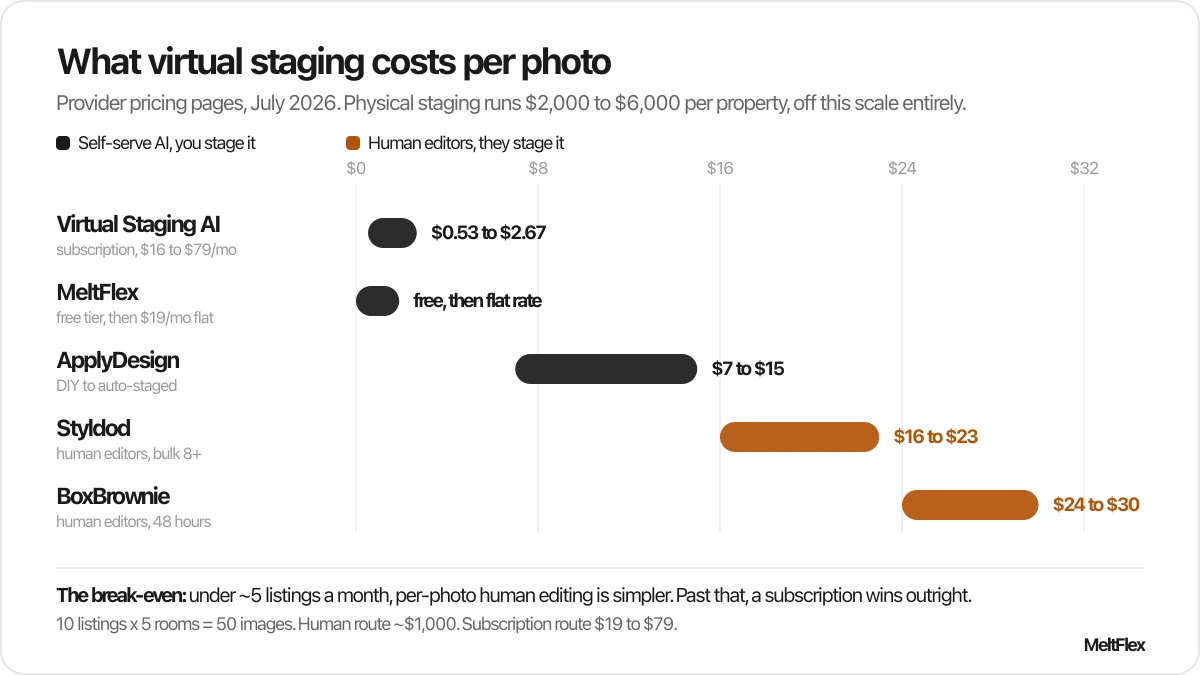
This is the question photographers actually ask, and most comparison posts answer it with a list of logos. The useful split is not brand by brand, it is who does the work. Human-edited services hand the job to a designer and bill you per photo. AI tools hand it to you and bill you per month. Below is what each one costs as of July 2026, taken from the providers’ own pricing pages.
How we priced this, and what we have skin in
Every figure above was read off each provider’s own pricing page on 25 July 2026, not copied from another comparison post. Two caveats worth knowing rather than glossing over. BoxBrownie serves a euro price on its EU-facing page and a lower dollar price elsewhere, so the exact number you see depends on where you load it from, which is why we give a range. ApplyDesign bills in credits rather than cash, so the per-image figures are the credit cost converted at their published bulk rate, and they get worse if you buy fewer than 20 credits at a time.
Disclosure: MeltFlex is our own product, so treat its row as an interested party rather than a neutral verdict. We have included it because leaving it out of our own comparison would be its own kind of dishonest, and we have listed the competitors’ genuine advantages next to it. If you shoot two listings a month, a per-photo service really is the better buy and no subscription of ours will beat it.
Prices in this category move. If you are reading this months from now, check the provider’s page before you quote a client, and tell us if something here has gone stale.
The honest read: if you shoot fewer than about five listings a month, a per-photo human service is simpler, because there is no subscription to justify in a slow month and no learning curve. Past that, the maths flips hard. At 10 listings a month with five rooms each, a human service at $20 per photo costs you $1,000, while a subscription tool covering the same 50 images costs $19 to $79. That is the entire argument, and it is why most working photographers moved to AI tools somewhere around the 2024 to 2025 mark.
The trade-off you are accepting is control. A human editor will match a difficult perspective and hide an awkward radiator without being asked. An AI tool gives you the result in seconds but expects you to re-run it when the first pass puts a rug through a floor vent. For most empty rooms that re-run takes 20 seconds, which is why the speed wins.
What staging actually costs you per listing
Run the numbers on one typical five room listing, so the margin is concrete rather than theoretical:
The subscription row is the one that changes a business. Your marginal cost on the eleventh listing is zero, so every staging add-on you sell after the plan pays for itself is close to pure margin. That is a different shape of business from reselling someone else’s editing at a markup.
The Business Case: Why Photographers Should Offer Virtual Staging
Let’s look at the numbers behind the real estate photography market:
- The average real estate photographer charges $150–$350 per property for standard photography (HomeAdvisor 2025).
- Virtual staging services charge clients $25–$75 per photo when outsourced to companies like BoxBrownie or VirtualStagingSolutions.
- A typical property needs 4–6 rooms staged, meaning $100–$450 in staging revenue per listing.
- With AI tools, your actual staging time per room drops to 30–60 seconds and your cost is near zero.
Here’s what that means for your business: if you photograph 200 properties per year and offer AI virtual staging as an add-on to just half of them, at $200 per property, that’s an extra$20,000 in annual revenue with almost no additional cost or time. You’re not outsourcing, you’re not renting furniture, and you’re not coordinating with a staging company. You do it yourself, from the same laptop where you edit your photos.
AI Virtual Staging vs. Traditional Staging: The Full Comparison
The key advantage for photographers specifically: you control the entire workflow. No waiting on a third-party staging company. No back-and-forth emails about furniture choices. You shoot the property, edit the photos, stage them with AI, and deliver everything to the agent the same day. That speed is a competitive advantage most photographers don’t have yet.
Before & After: What AI Virtual Staging Actually Looks Like
The best way to evaluate AI staging quality is to see it. Here are real before-and-after examples generated with AI, the same type of results you’d deliver to clients.
Living room: empty to move-in ready
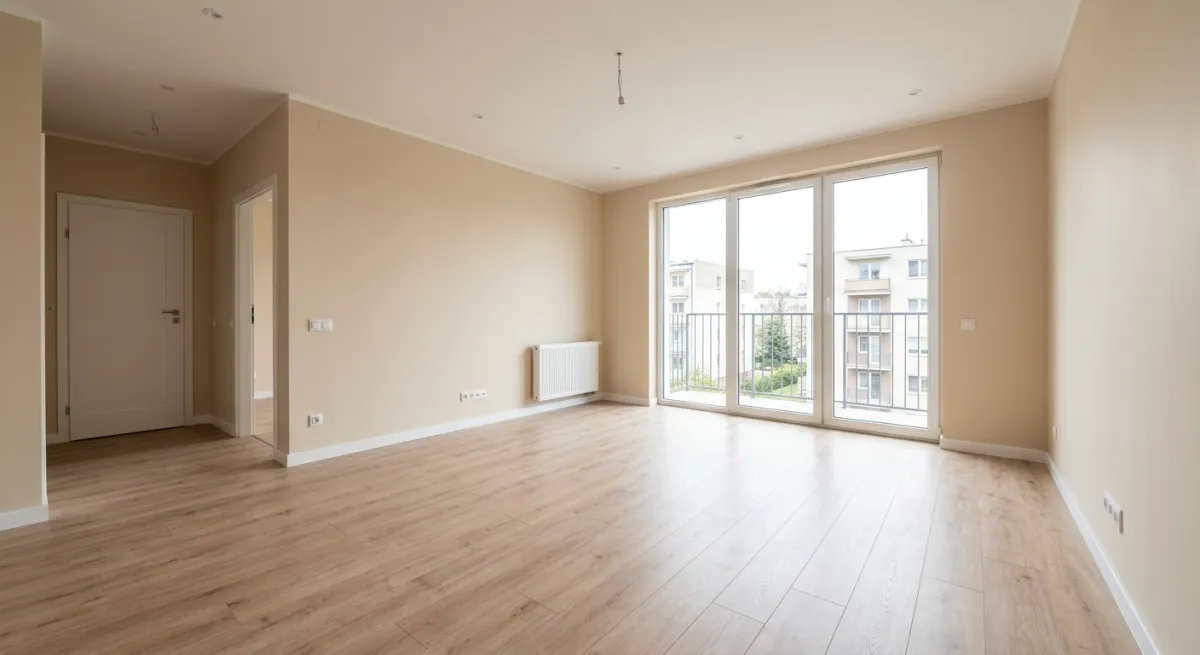
Before: An empty living room. Buyers see a box, they can’t visualize how their furniture would fit or where the sofa would go.
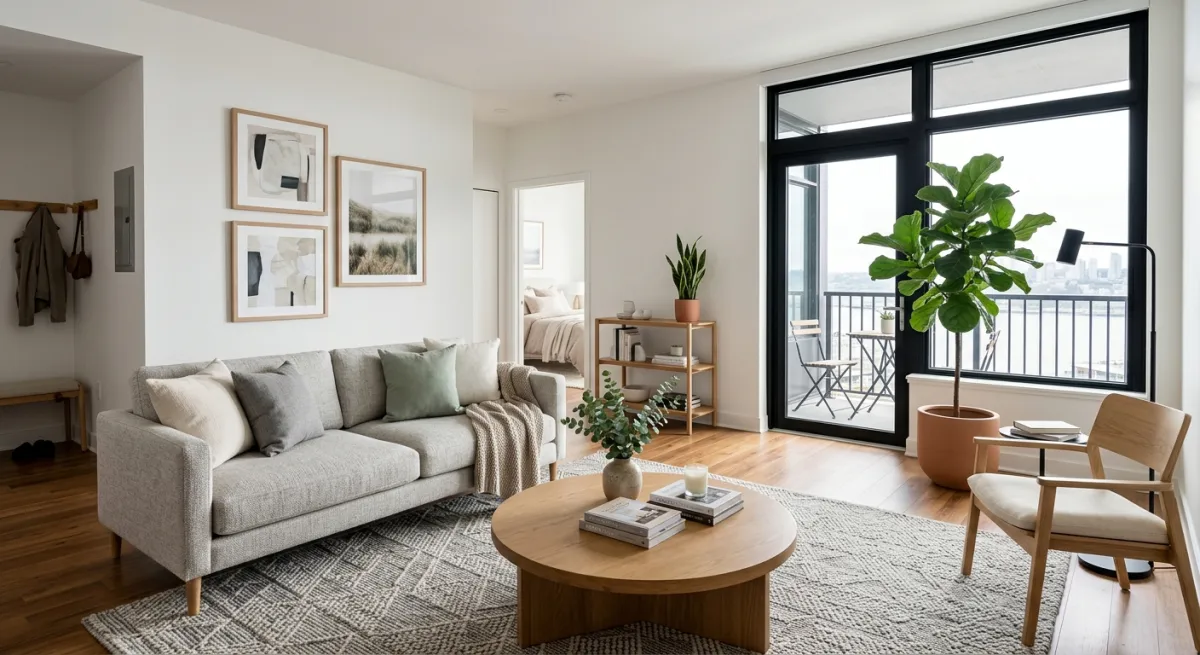
After: The same room, virtually staged in under 30 seconds. Scandinavian furniture, warm lighting, plants, the space now tells a story. Buyers can see themselves living here.
Bedroom: from bare to inviting
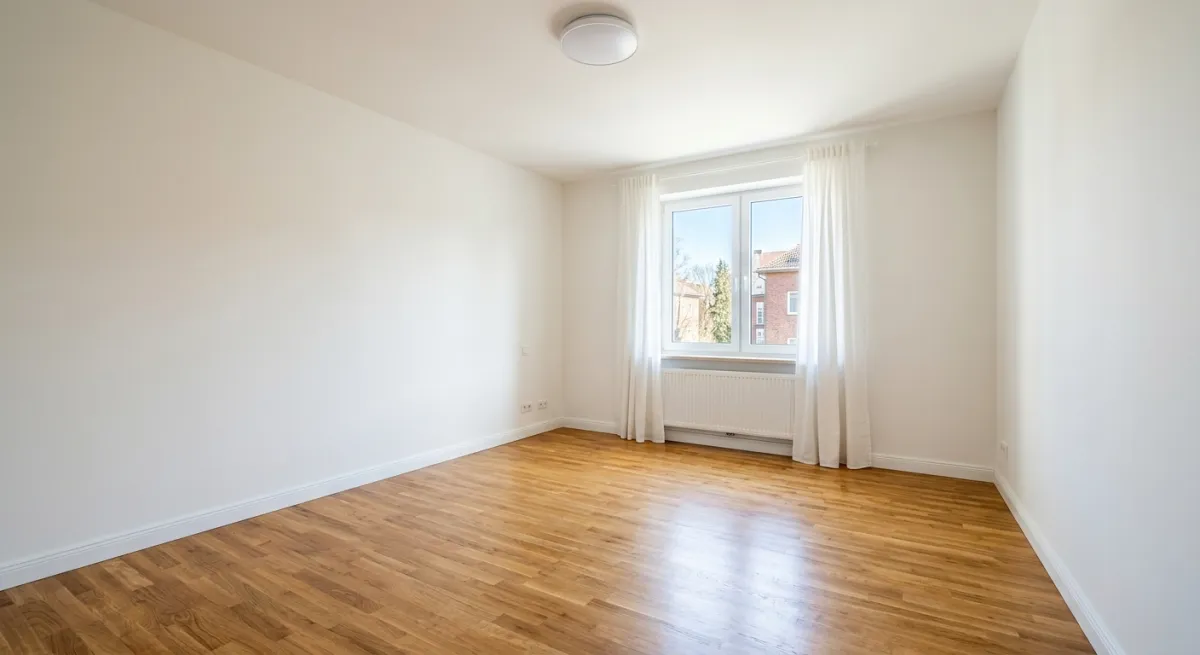
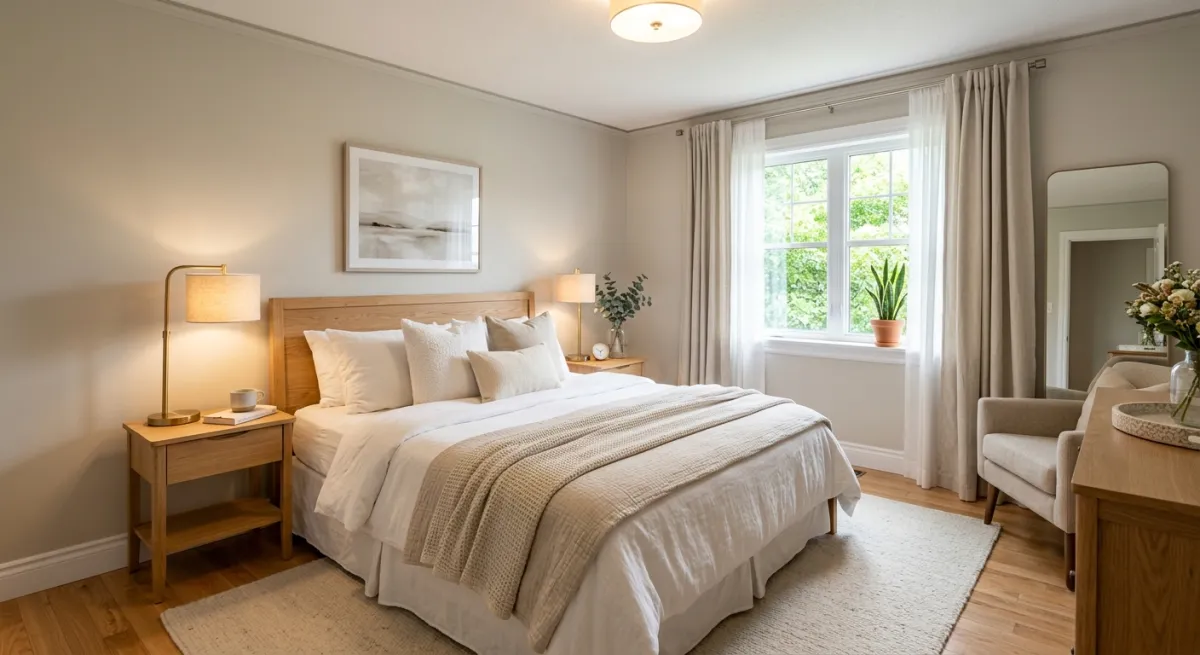
Empty bedrooms are the hardest rooms to sell. Buyers can’t judge proportions, “Will my king bed fit?” AI staging answers that question visually. NAR’s 2025 staging report found that 83% of buyers’ agents say staging makes it easier for buyers to envision the property as their future home.
Case study: one character home, staged four ways
Empty rooms and generic apartments are easy. The real test of AI staging is a character home, arched windows, tall ceilings, original oak floors, where the furniture has to respect the architecture instead of fighting it. Here is one real listing photo, digitally emptied and then restaged four different ways for four different buyers. Total time: under 15 minutes. This is also where the NAR finding about buyers picturing themselves in a home does the most work: a character property is the hardest kind to imagine yourself into when it is full of somebody else’s life, and the easiest to fall for once the architecture is doing the talking.
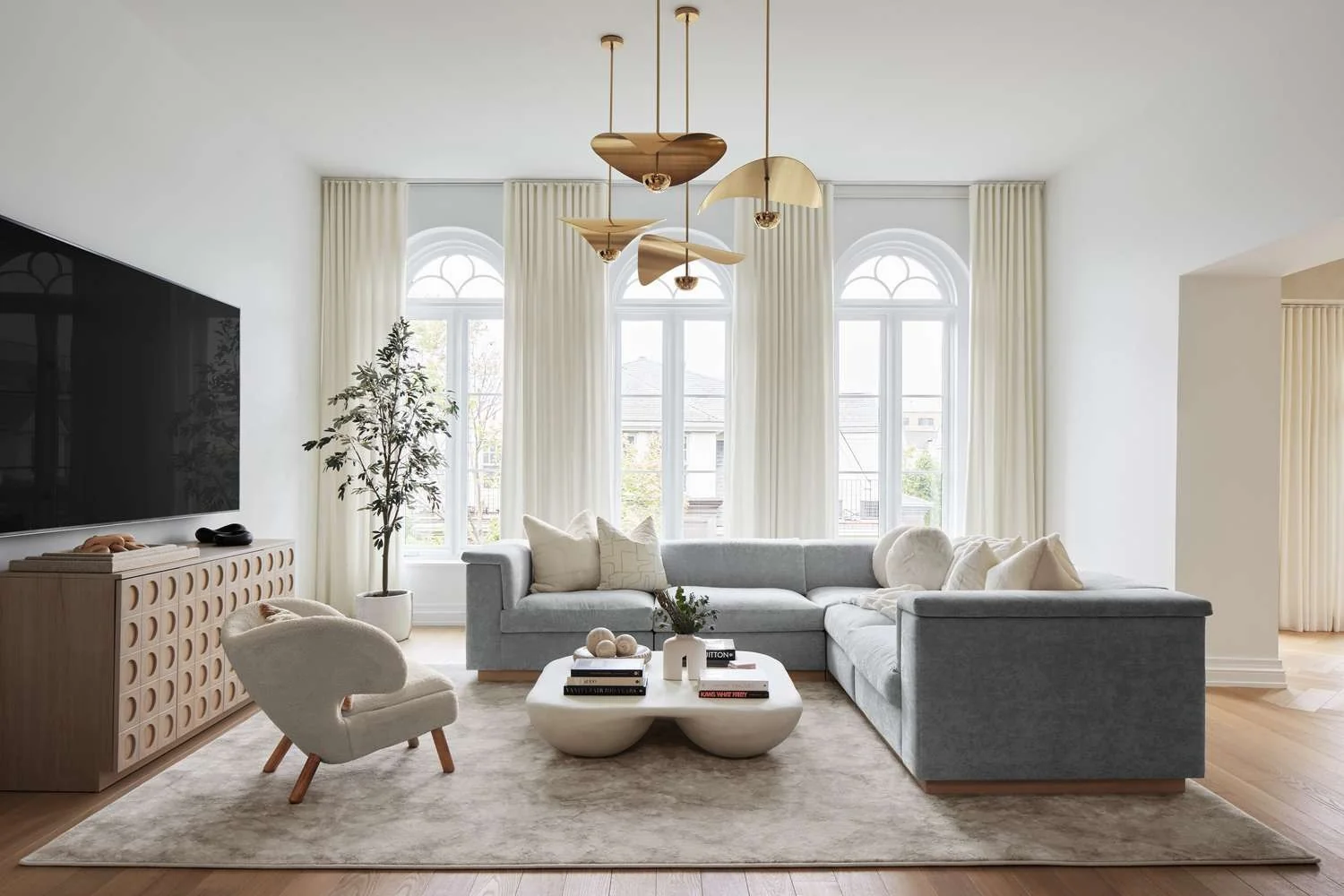
Before: beautiful, but intensely personal. A buyer sees the owner’s taste and lifestyle, not themselves.
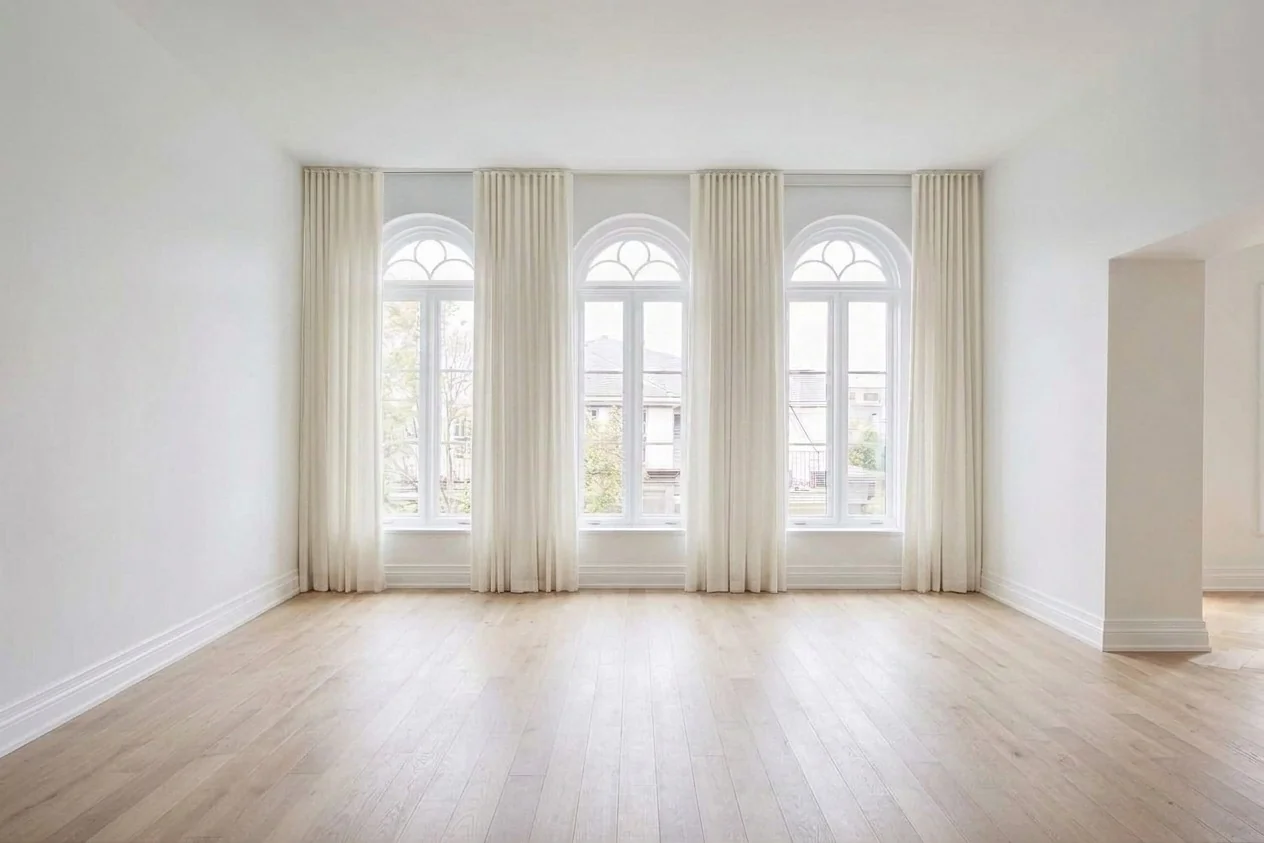
Empty in 12 seconds: now the arched windows and ceiling height do the talking. This is the shot a character-home listing should lead with, but almost never does, because physically emptying a lived-in home is unrealistic.
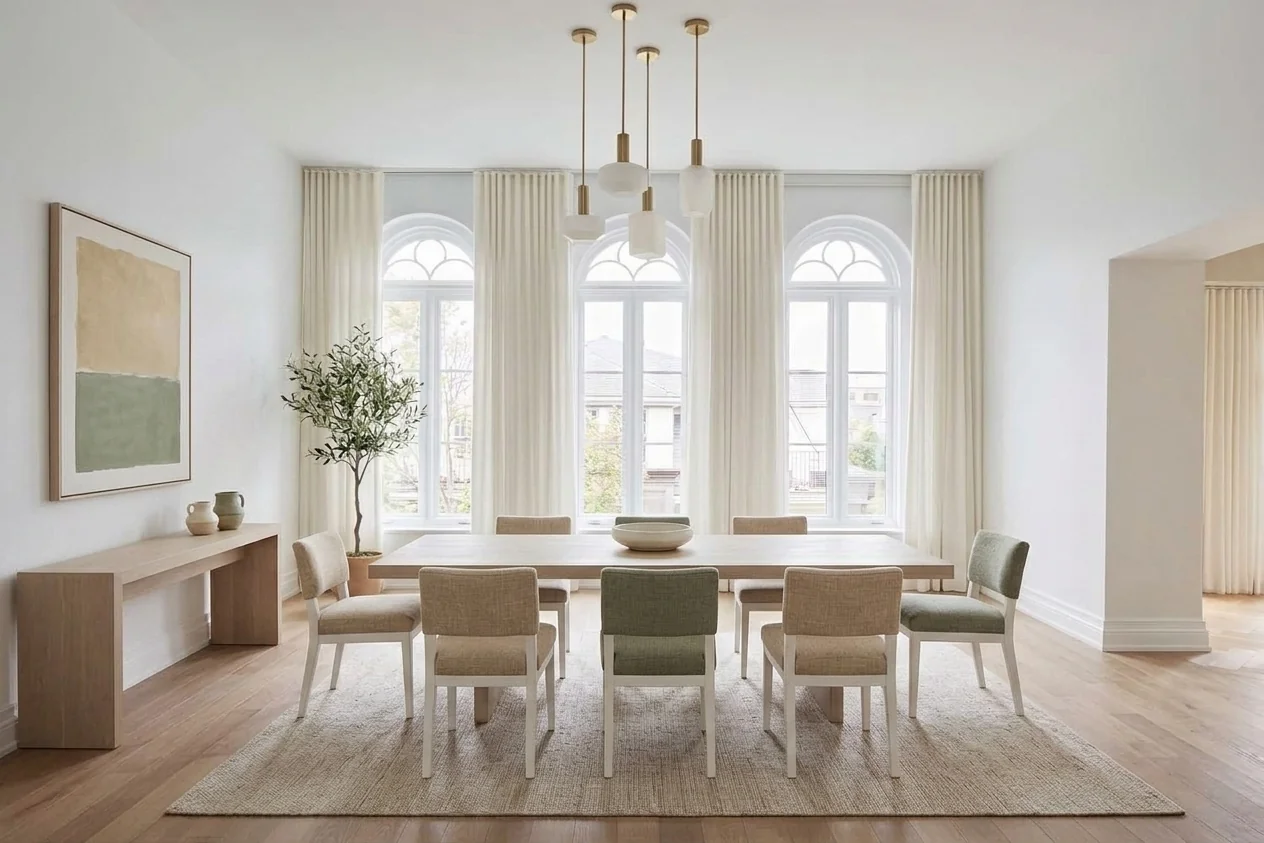
Stage 1, a dining room for the entertainer buyer. Staging the space as a dedicated dining room (not a living room) re-targets the listing to a higher-budget segment.
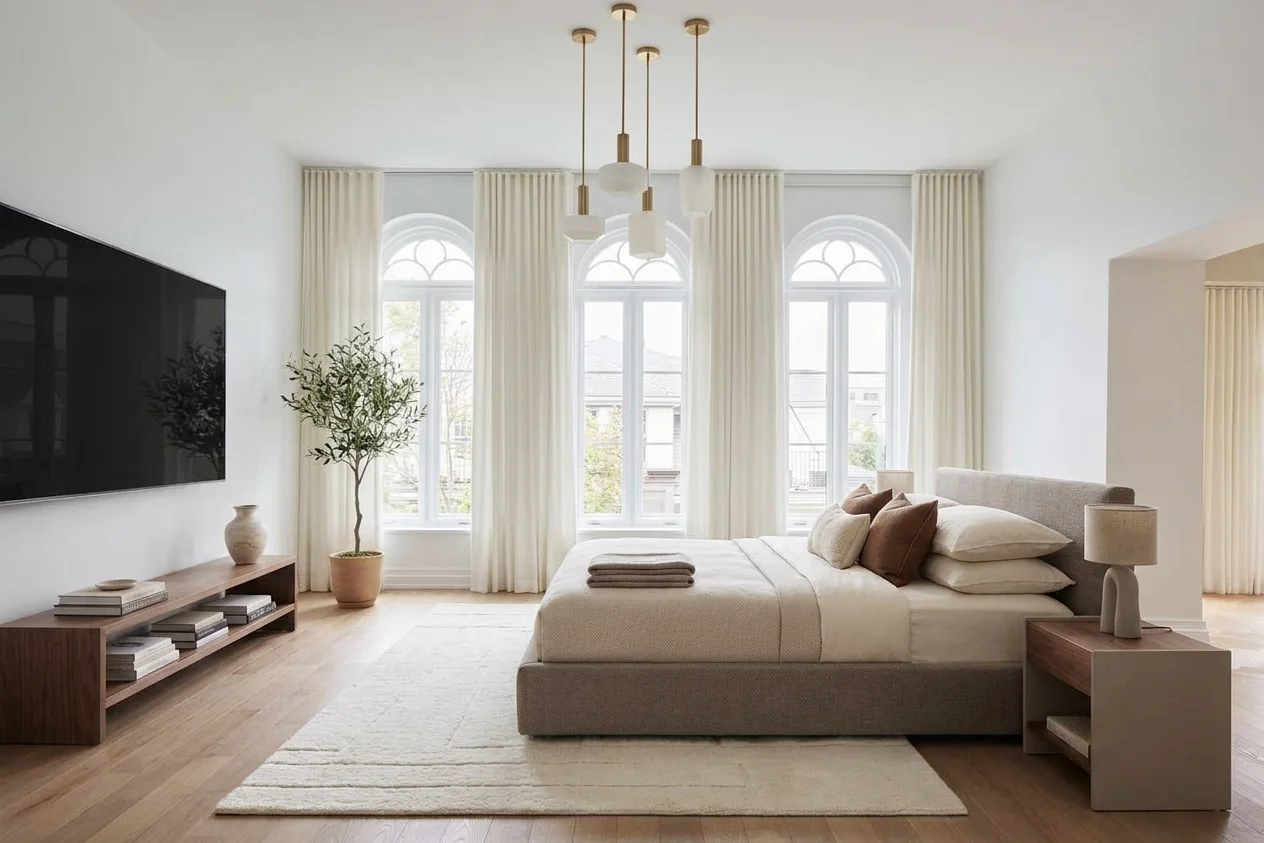
Stage 2, a primary bedroom suite. The same arches now frame the view from the bed, quietly repositioning the whole floor plan in the buyer’s mind.
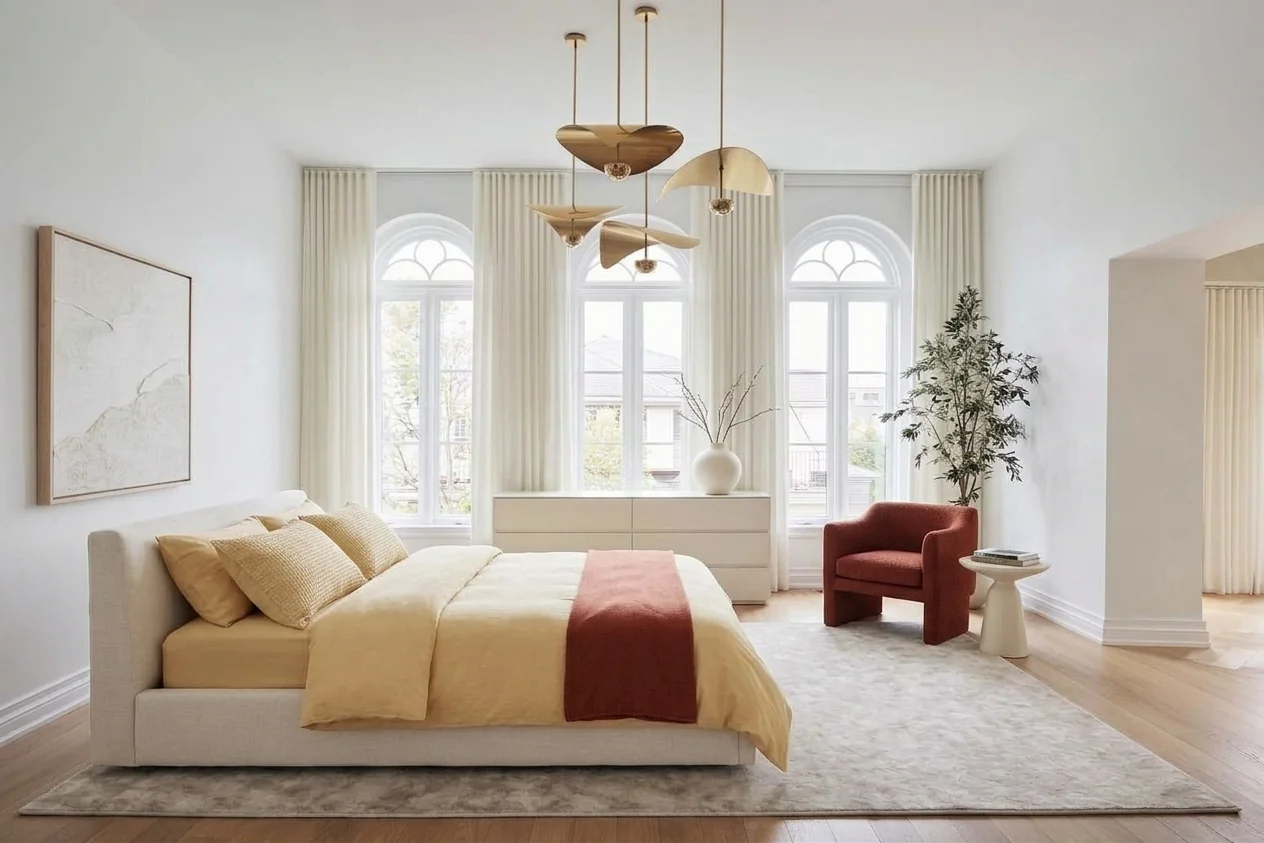
Stage 3, a warm terracotta palette. Warm earth tones read as lived-in and photograph well against original oak, which is why they suit a period room better than the safe cool grey most listings default to.
Same room, four buyers, one upload. That is the real advantage of virtual staging: you can show 2–4 options in the listing carousel and let different buyers find their own version of the space, instead of committing thousands to one physical staging direction. For the full commercial breakdown, see our virtual staging vs. physical staging cost data and our roundup of the best virtual staging software in 2026.
The 5-Step Workflow for Real Estate Photographers
Here’s the exact process we recommend for integrating AI virtual staging into your existing real estate photography workflow:
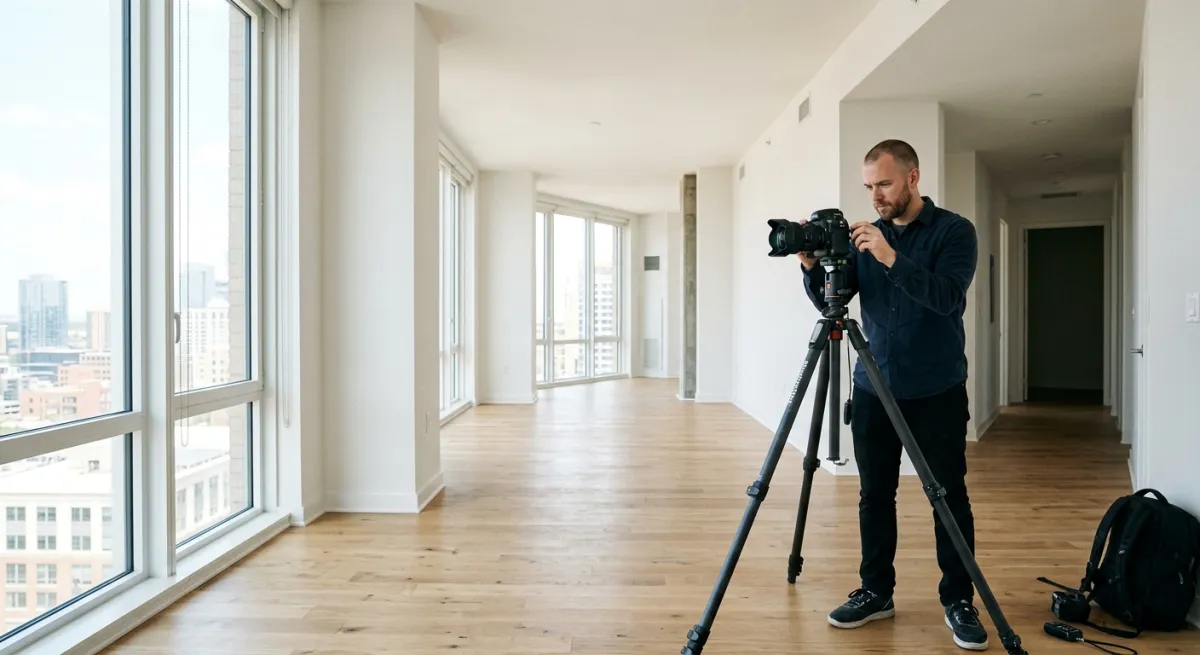
Step 1: Shoot the property as you normally would
No changes to your shooting process. Use your standard wide-angle lens (typically 10–24mm on APS-C or 14–35mm on full frame), shoot from corner positions for maximum depth, and bracket your exposures for HDR if you normally do. The AI works with any well-lit interior photo, it doesn’t need special angles or preparation.
Step 2: Edit and deliver the standard photo set first
Complete your normal editing workflow, white balance, exposure correction, lens correction, vertical straightening. Deliver the clean, empty-room photos to the agent as your base package. These are still needed for legal accuracy in listings.
Step 3: Upload empty rooms to MeltFlex for AI staging
Open MeltFlex, upload the edited empty-room photos, choose a style that matches the property’s target buyer (Scandinavian for modern apartments, Coastal for beach properties, Luxury for high-end listings), and generate. Each room takes under 30 seconds.
Step 4: Generate 2–3 style variations per key room
This is where AI staging gives you leverage that physical staging never could. For the living room and master bedroom, the two rooms that matter most in listings, generate 2–3 different style options. Let the agent or seller choose which resonates with their target buyer. A modern apartment might get Scandinavian and Industrial options. A family home might get Farmhouse and Coastal.
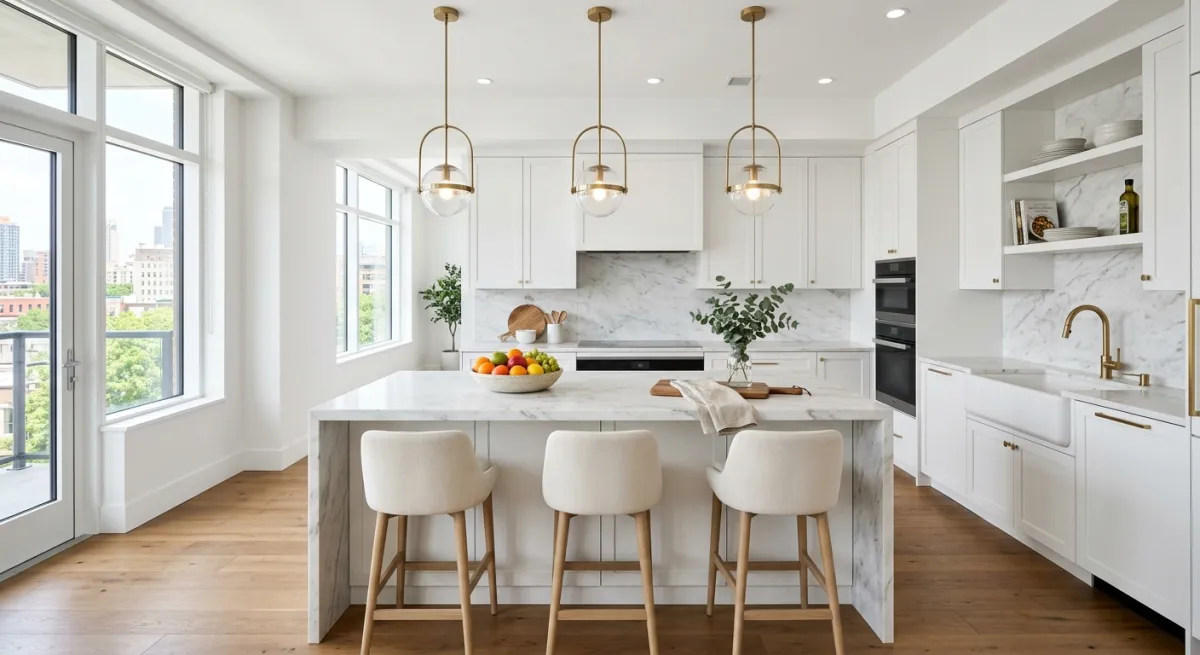
Step 5: Deliver staged photos as a premium add-on
Bundle the virtually staged photos separately from your standard package. Label them clearly as “Virtually Staged”, this is both a legal requirement and a selling point. The agent includes both the real photos and the staged versions in the listing, giving buyers the best of both worlds: accurate empty-room photos for due diligence, and staged photos for emotional connection.
How to Price Virtual Staging as a Photographer
Pricing AI virtual staging is straightforward because your marginal cost is near zero. Here’s what the market currently supports:
Compare that to outsourcing: BoxBrownie charges $24–$72 per photo with 24–48 hour turnaround. For a 5-room property, that’s $120–$360 in cost to you before any margin. With AI, your only cost is the subscription ($19/month) and 15–30 minutes of your time. The margin is essentially 100% after the subscription pays for itself, which happens with your first client.

What Agents and Sellers Actually Care About
After talking to dozens of real estate agents who use virtually staged photos, three things matter to them:
- Speed. They need listing photos within 24–48 hours of hiring you. If staging adds 3 days, they won’t order it. AI staging adds minutes, not days, this is your biggest selling point.
- Realism. The furniture needs to look like it could actually be in the room. Shadows, proportions, and perspective must match the photo. Modern AI models handle this well, the renders are photorealistic, not cartoonish like early virtual staging tools from 2020–2022.
- Style matching. A $250K starter apartment shouldn’t be staged with $50K worth of designer furniture. A luxury penthouse shouldn’t have IKEA basics. AI tools let you match the staging style to the property’s price point and target buyer, something physical staging companies rarely get right because they use whatever inventory they have.
Legal Requirements: What You Need to Know
Virtual staging is legal in all US states and most international markets, but there are rules:
- NAR guidelines: All virtually staged photos must be clearly labeled as “Virtually Staged” in the listing. This applies to MLS, Zillow, Realtor.com, and all listing platforms.
- Don’t alter the structure: AI staging should add furniture, not remove walls, change window sizes, or hide defects. Structural alterations in listing photos can be considered fraud.
- Include real photos too: Best practice is to include both the original empty-room photos and the staged versions. This protects the seller, the agent, and you as the photographer.
- Watermark or label during delivery: When delivering staged photos to agents, add a small “Virtually Staged” watermark or note in the file metadata. This prevents accidental use without disclosure.
Bottom line: virtual staging is standard practice in real estate marketing in 2026. As long as you disclose it, you’re on solid legal ground.
One update to that last point if you shoot for European clients. Since 2 August 2026, Article 50 of the EU AI Act has required a visible label on AI generated and AI manipulated images published in the course of a business, and a note buried in the file metadata does not satisfy it because an ordinary export or a portal re-encode strips metadata out. The label has to be burned into the picture. The EU AI Act rules for AI generated images explain who carries the duty when a photographer delivers files to an agent, which is not always the person you would expect.
Getting Started: Your First AI-Staged Property
If you want to test AI virtual staging before offering it to clients, here’s the simplest way to start:
- Pick 2–3 empty-room photos from a recent shoot (with the agent’s permission).
- Upload them to MeltFlex, it’s free to try.
- Generate staged versions in different styles (Scandinavian, Modern, Coastal).
- Show the before/after to the agent and ask: “Would this help your next listing?”
- If they say yes (they will), add staging as a line item on your next quote.
Most photographers who try it once never go back to delivering empty-room-only packages. The upgrade in perceived value, both for the listing and for your services, is immediately obvious.
Try the virtual staging AI tool free →
Frequently Asked Questions
Which virtual staging platform do real estate photographers recommend?
It splits by volume rather than by brand. Under about five listings a month, a human-edited per-photo service is simpler: Styldod at roughly $16 to $23 per image, BoxBrownie at about $24 to €30, both 24 to 48 hours, with no subscription to justify in a slow month. Past that the maths flips to self-serve AI: ApplyDesign from about $7 per image DIY, Virtual Staging AI at $16 to $79 a month for 6 to 150 photos, and MeltFlex free to $19 a month. At 10 listings a month of five rooms each, the human route runs about $1,000 against $19 to $79 for a subscription covering the same 50 images. The trade-off is control: a human editor handles an awkward perspective unprompted, an AI tool expects you to re-run the odd bad pass, which takes seconds. Full breakdown in the platform comparison above.
How much does virtual staging cost per photo in 2026?
Human-edited services charge per image, roughly $16 to $23 at Styldod and $24 to €30 at BoxBrownie, so $80 to $180 for a typical four to six room listing. AI tools price monthly, which is far cheaper per photo at volume: from about $7 per image at ApplyDesign, $0.53 to $2.67 per photo at Virtual Staging AI depending on plan, free to $19 a month at MeltFlex. Physical staging is the outlier at $2,000 to $6,000 per property. Photographers resell staging at $150 to $300 per listing whichever route they use, so the route decides your margin, not your price.
How much does AI virtual staging cost compared to traditional staging?
Traditional physical staging costs $2,000–$6,000 per property and takes 1–3 days to set up. AI virtual staging with tools like MeltFlex costs $0–$19/month and delivers results in under 30 seconds per room. Even premium virtual staging services charge $25–$75 per photo, still 95% cheaper than physical staging.
Is AI virtual staging legal for real estate listings?
Yes, AI virtual staging is legal in most markets, but listings must disclose that photos are virtually staged. The NAR (National Association of Realtors) requires that virtually staged photos are clearly labeled. Most MLS platforms accept virtually staged photos as long as they are marked accordingly.
Can real estate photographers offer AI virtual staging as a service?
Absolutely. Many real estate photographers now offer virtual staging as an upsell alongside their standard photography packages. With AI tools, you can stage an entire property in 15–30 minutes instead of outsourcing to a staging company. This lets you charge $100–$300 per property while your actual cost is near zero.
Does virtual staging actually help sell properties faster?
The industry data supports it, though not as dramatically as most marketing claims. In the NAR 2025 Profile of Home Staging, 49% of sellers’ agents observed that staging reduced time on the market, and 29% reported it lifted the dollar value offered by 1% to 10%. The strongest finding is about perception: 83% of buyers’ agents said staging made it easier for a buyer to envision the property as their future home, which is precisely the job an empty-room listing photo fails to do.
Does AI virtual staging work for older or character homes?
Exceptionally well. Older homes often have architectural features, arched windows, crown molding, high ceilings, original hardwood, that photograph beautifully once the room is furnished appropriately. AI virtual staging preserves these features while adding furniture that highlights them, and lets you show 2–4 different styles of the same room so each buyer can picture their own lifestyle in the space (see the character-home case study above).
Can AI handle unusual architecture like arched windows and tall ceilings?
Yes. The AI reads the room photo and respects the architecture it sees, arched window tops, tall ceilings, crown molding, ceiling medallions and original flooring, placing furniture that fits the real proportions of the space rather than pasting generic furniture into the scene.