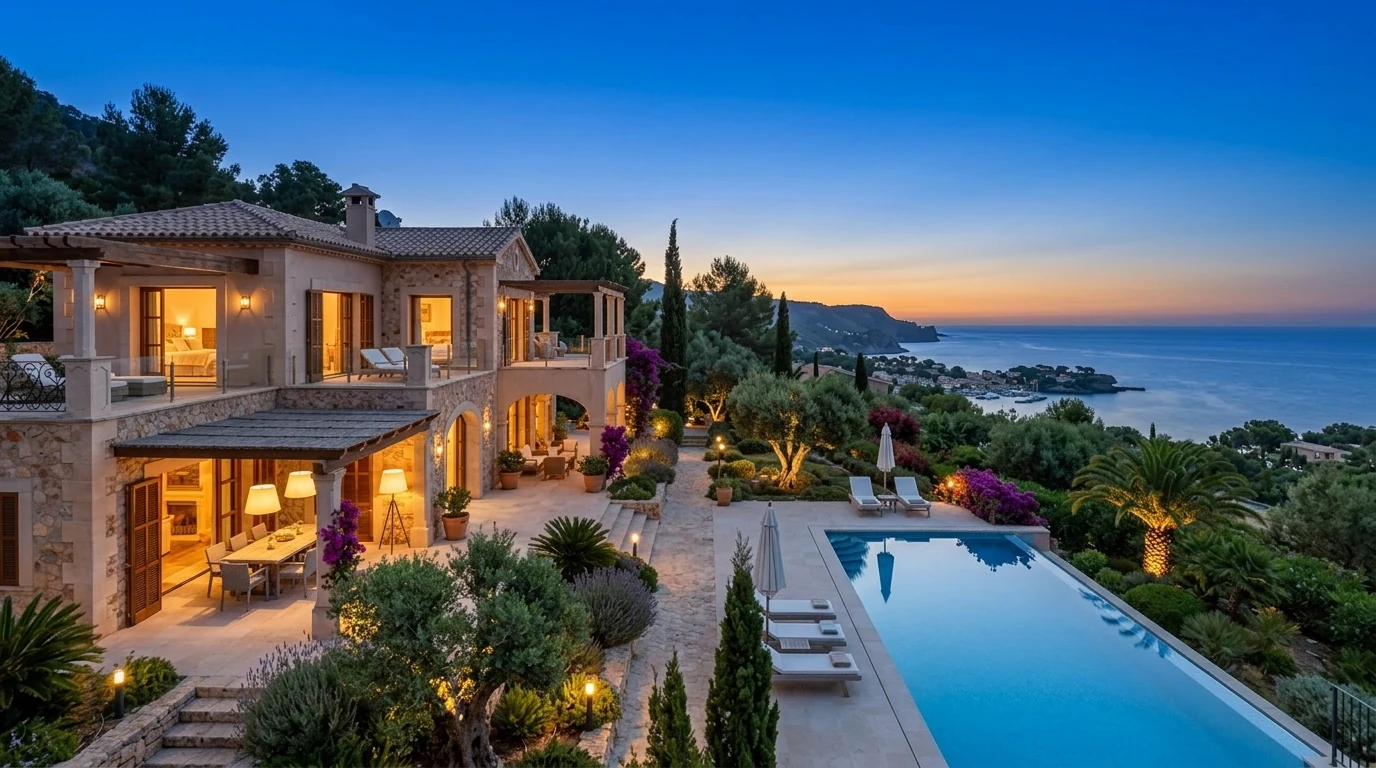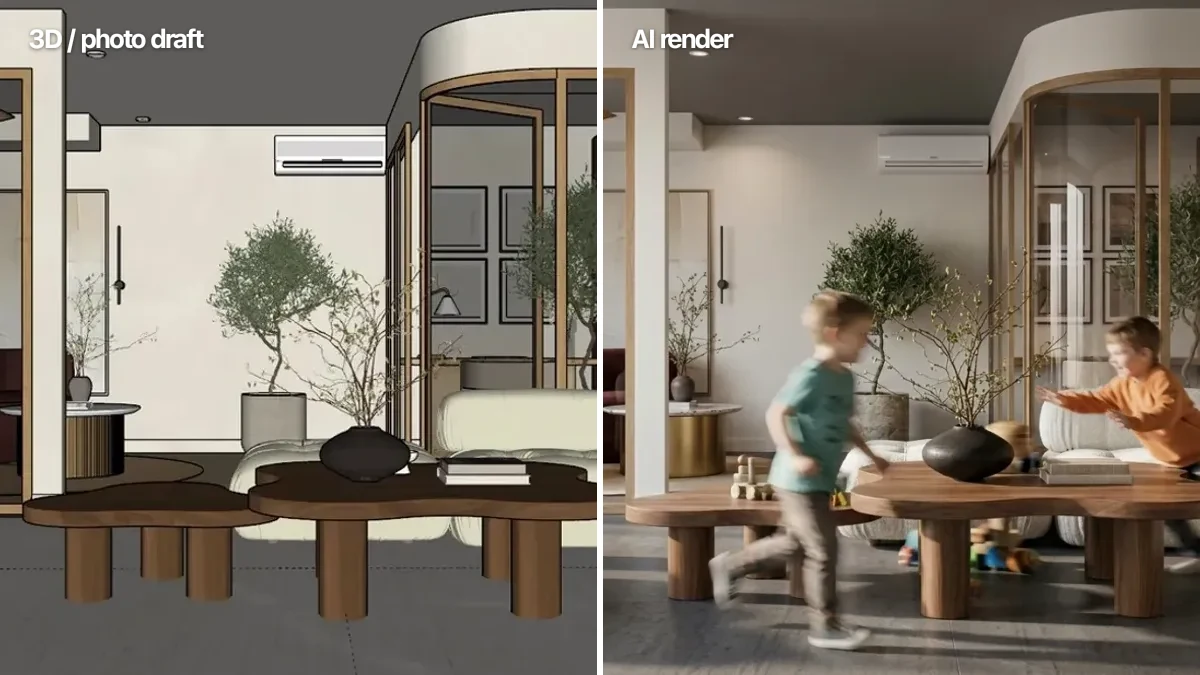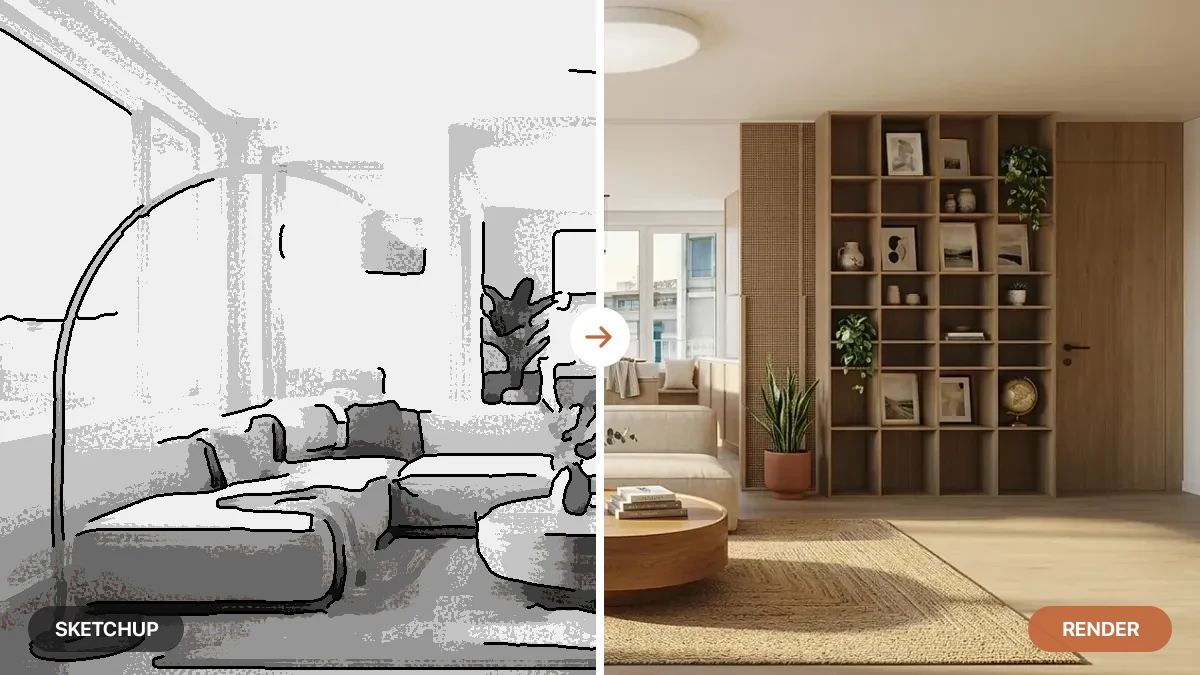
Every building starts as lines on a screen. The problem is that almost nobody, including the people paying for it, can look at a technical drawing and truly picture the finished room. Architectural rendering is how you bridge that gap: you take the plan and turn it into an image that looks like a photograph of a place that does not exist yet.
Our articles are still written by humans!
Get human written articles in your Google feed.
This guide is the plain-English version. What architectural rendering actually is, the main types you will run into, what each one is used for, what it costs and how long it takes, and how AI has rewritten the rules in the last couple of years. No software tutorials, no jargon for the sake of it.
Quick answer: Architectural rendering is the process of turning a building design, such as a floor plan or 3D model, into a realistic image that shows what the finished space will look like, with true light, materials, furniture and surroundings. It lets clients see and approve a design before anything is built, and a render can be a still image, an animated walkthrough, or an interactive 3D tour.
Key takeaways
- Rendering is design made visible. It turns a measured plan into a photoreal image of the finished space.
- There are five common types: interior, exterior, floor plan to 3D, aerial or site, and animated walkthrough or VR.
- It is used to sell and approve, not to build. Renders win clients, planning permission and buyers; blueprints tell builders how to construct.
- Traditional rendering is slow and skilled. A full 3D model, tuned materials and lighting, then hours of compute per image.
- AI changed the floor. Photo or sketch to photoreal in seconds, free to roughly 60 dollars a month, no 3D skills needed.
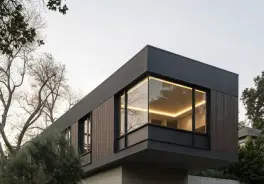

What is architectural rendering?
Architectural rendering is the craft of producing a realistic image of a building or space from a design, before it is built. You take the geometry, a 3D model, a floor plan or even a rough sketch, and you add everything that makes it look real: light and shadow, materials and textures, furniture, plants, people and the world outside the window. The result is a picture that reads like a photograph of a finished place.
The word covers a lot of ground. A “render” can be a single still of one room, a set of exterior shots of a whole building, a top-down view of a development, or a moving walkthrough you can pause and explore. The common thread is the goal: to communicate a design to people who cannot read construction drawings. It sits alongside related ideas like BIM, which is about the data and coordination behind a building, while rendering is about how that building will look.
It helps to be clear about what rendering is not. It is not a blueprint. A blueprint is a measured, technical drawing made for builders, all dimensions and construction detail. A render is made for humans, all atmosphere and realism. One answers “how do we build this,” the other answers “what will it look like when it is done.”
The 5 main types of architectural rendering
Most renders fall into one of five buckets. Knowing which one you need keeps a conversation with a designer or a tool from going in circles.
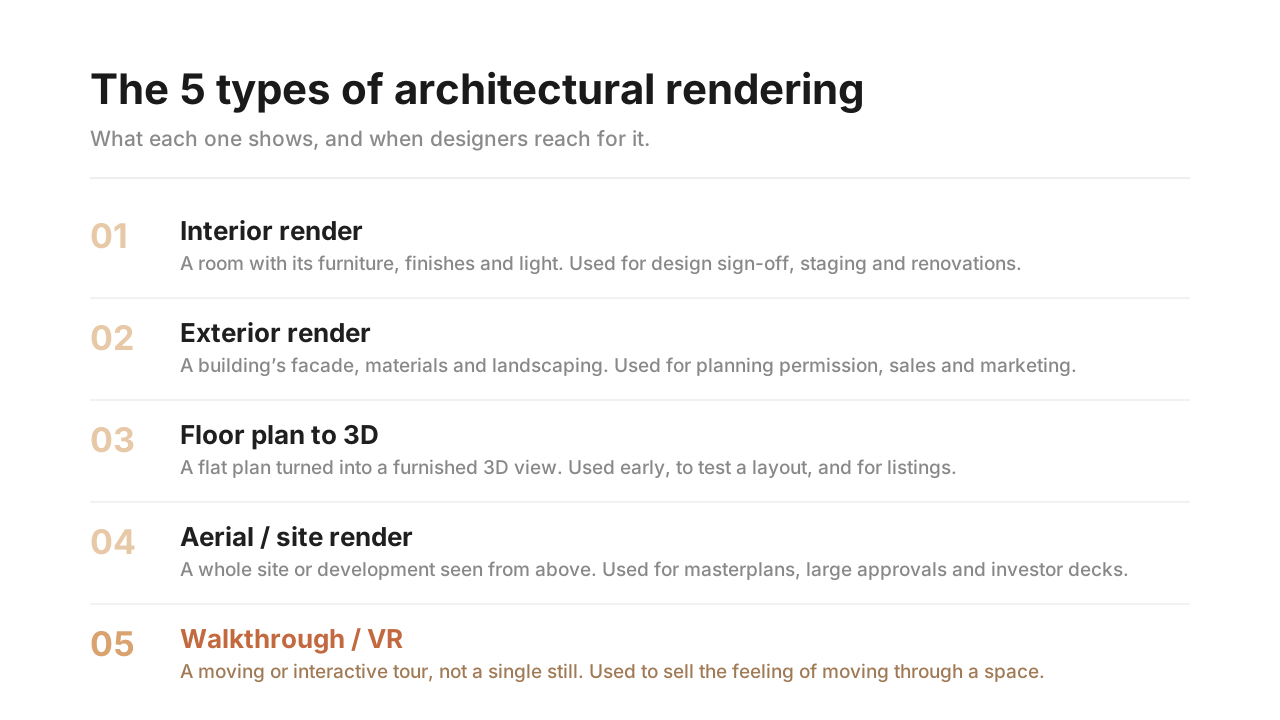
The first three are where most everyday work happens. Interior rendering is the busiest category by far, because it covers everything from a designer showing a client a new living room to an agent staging an empty listing. If you are turning a plan into a 3D view specifically, our guide to floor plan to 3D tools goes deeper on that one.
Which type of render do you actually need?
Most people do not need “a render,” they need a specific one for a specific decision. Match your situation to the row below and you will know what to ask for, and whether AI can do it today.
The pattern is clear: the more your project is an existing space seen at eye level, the more AI is ready for it today. The more it is a large, unbuilt, bird’s-eye project, the more a traditional studio still earns its place. The biggest single win sits in the top two rows, interior renders from a photo, which is also where most of the demand lives.
What is architectural rendering used for?
Rendering exists to answer one expensive question early: will this actually look good before we spend the money to build it. That shows up in a few concrete ways.
- Winning the client. A photoreal render sells a design far better than a drawing. People approve what they can picture, and they sign off faster when they can see it.
- Marketing and pre-sales. Developers sell apartments off-plan using renders, often before the foundation is poured. The image is the product until the building exists.
- Planning and approvals. Councils and committees use exterior and site renders to judge how a building will sit in its surroundings.
- Real estate and staging. Empty or dated rooms render into furnished, modern spaces so buyers connect with the listing. This is where AI virtual staging has taken off.
- Renovations. Homeowners and designers preview a redesign on a photo of the actual room before committing to demolition or a furniture order.
In every case the render is a decision tool. It moves the moment of “I can see it now” to the front of the project, where changes are cheap, instead of the end, where they are not.
Traditional rendering vs AI rendering
For decades, “architectural rendering” meant one workflow: build a full 3D model, assign materials, set up lights, position a camera, and let a render engine like V-Ray, Lumion or D5 compute the image, sometimes for hours. It produces stunning, fully controllable results, and it is still the gold standard for hero shots. The catch is that it takes a trained 3D artist, a powerful machine, and real time per image.
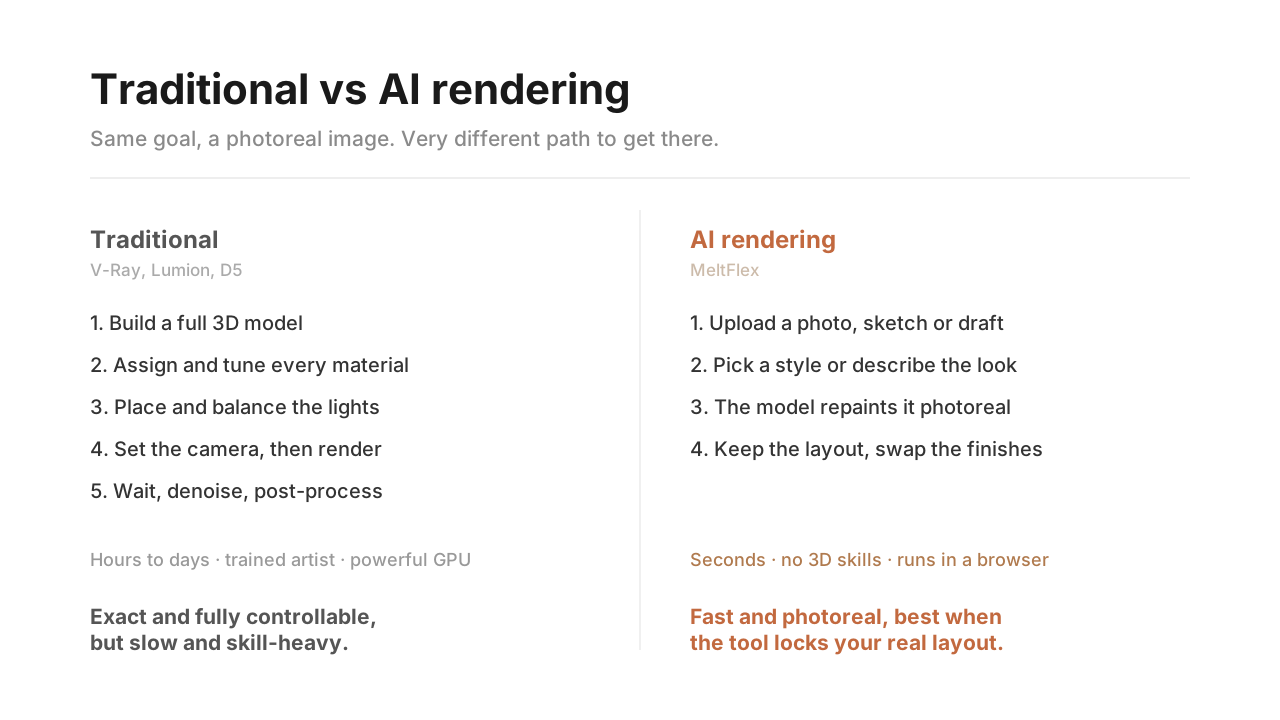
AI rendering flips the workflow. Instead of building a scene and computing light physically, an AI image model takes a photo, a sketch or a rough 3D draft and repaints it into a photoreal image in seconds, drawing on the millions of real photographs it was trained on. There is no shader to tune and no model to build. The trade-off is control: a physical renderer reproduces your exact geometry, while a weak AI tool can drift and invent unless it is built to lock your original layout. The strong ones keep your real space, which is the whole point.
How much does architectural rendering cost?
This is the question everyone actually wants answered, and the honest version is “it depends, and it just dropped a lot.” Traditional studio rendering is priced per image and scales with complexity. AI rendering is priced like software, a flat subscription or free credits. The figures below are the ranges studios themselves publish in their 2026 cost guides, from NoTriangle Studio, VisEngine and MyArchitectAI. They describe the market, not one fixed price list, so treat them as a real starting point rather than a quote.
Studio figures: NoTriangle Studio and VisEngine 2026 cost guides. AI tool figures: published pricing for D5 Render (~$38–$48/mo), MyArchitectAI (from $29/mo), Vizcom ($49/mo) and Veras ($59/mo), each with a free tier.
The takeaway is not that AI is simply cheaper. It is that AI removes the per-image cost almost entirely. A single luxury interior still from a studio can cost more than a whole year of an AI tool, which means you can try ten design directions for less than the price of one traditional render. For high-stakes hero images a studio still earns its fee. For everything else, exploring layouts, staging listings, previewing a renovation, the economics now point hard at AI.
How long does architectural rendering take?
Traditional rendering is measured in days. Building and cleaning the 3D model is the slow part, then materials and lighting, then the actual render compute, then revisions. Studio cost guides put a standard still at one to three weeks end to end once you count the back-and-forth, with fast-turnaround studios delivering simpler interiors in as little as two to three days. Browser-based 3D suites like Coohom compress that a lot (our honest Coohom review covers where it helps and where it drags), but you still have to model the room first.
AI rendering is measured in seconds to minutes. You upload your input, choose a look, and the image arrives almost immediately, so revisions are not a new round-trip, they are just another generation. That speed is the real shift. When a render costs you nothing and arrives instantly, you stop treating it as a precious final deliverable and start using it as a thinking tool while you design.
How AI changed architectural rendering
The biggest change AI brought is not just speed or price, it is that you no longer need a 3D model at all. For any existing space, a photo is enough. That single fact opens rendering up to everyone who was locked out by the software skill barrier: homeowners, agents, small design studios, anyone with a phone camera and a room they want to reimagine.
We see exactly that pattern building MeltFlex. The people reaching for AI rendering most are not the big studios with 3D teams; they are homeowners, agents and small design practices who have a photo and need it to look finished by tomorrow, not in three weeks. The skill barrier, not the price, was the real gate, and that is the part AI quietly removed. If you want the practical version of this, we have a full walkthrough on how to render architecture with AI in about 20 seconds.
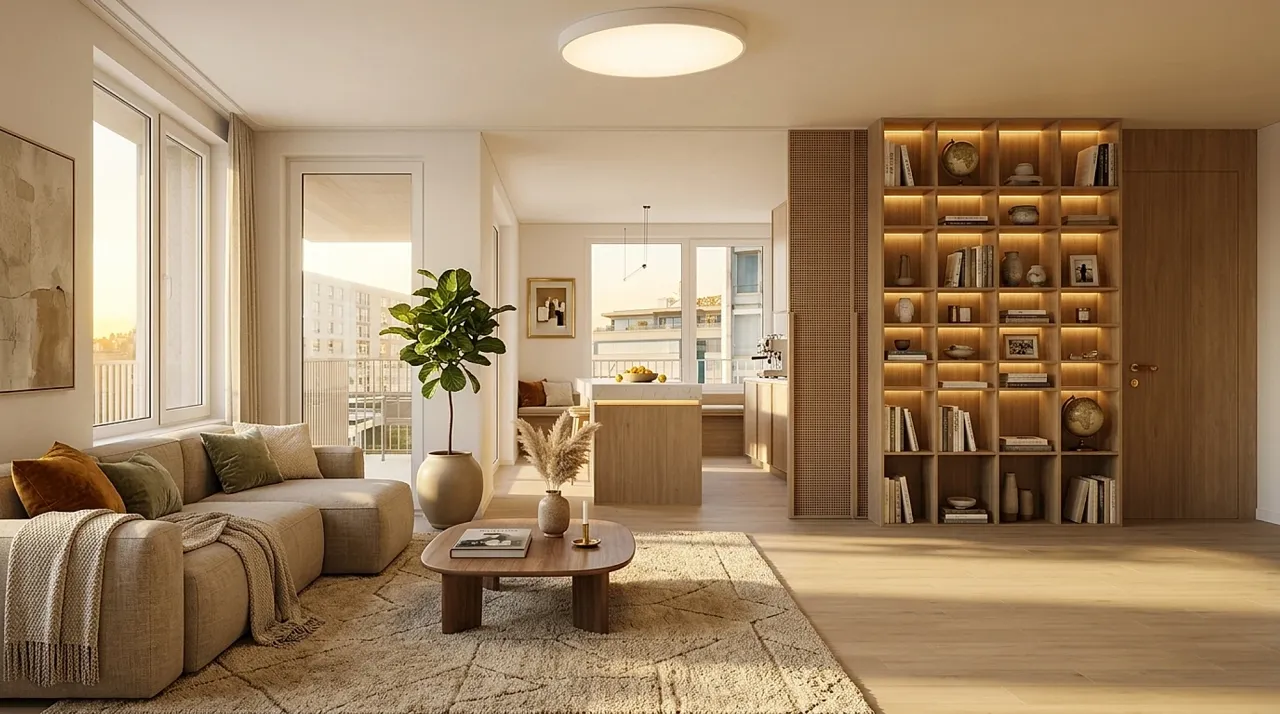
A photoreal interior produced with AI rendering: real light, believable materials and correct scale, generated from an input rather than a hand-built 3D scene.
This is the lane MeltFlex sits in. You upload a photo of a real room and it renders a redesigned version while keeping the true walls, windows, layout and light, then furnishes it with photoreal materials and real, shoppable products. Because it starts from your actual space, it sidesteps the warped geometry and invented details that make weaker AI renders look fake. If you want the full landscape, our comparison of the best AI architectural rendering tools tests eight of them on price, realism and whether they hold your layout.
A photo is not the only way in. A hand sketch works too, which is the part of this shift that matters most to architects: in this video a rough exterior sketch becomes a photoreal render in seconds, with the building’s proportions kept.

Good enough for a concept meeting. For a planning submission or a marketing hero shot, the traditional pipeline above still wins on control.
None of this retires traditional rendering. A render farm and a skilled artist still produce the most controlled, highest-end images in the world. But for the everyday work that makes up most of the demand, picturing a renovation, staging a listing, testing a layout, winning a client, AI rendering turned a slow, expensive, specialist task into something anyone can do in the time it takes to read this sentence.
Frequently asked questions
What is architectural rendering in simple terms?
Architectural rendering is the process of turning a building design, like a floor plan or 3D model, into a realistic image that shows what the finished space will actually look like, with real light, materials, furniture and surroundings. It lets people see and approve a design before anything is built. A rendering can be a still image, an animated walkthrough, or an interactive 3D tour.
What is the difference between a rendering and a blueprint?
A blueprint or floor plan is a technical, measured drawing that shows dimensions and how a building is constructed, made for builders. A rendering is a realistic picture made for people, showing how the finished space will look and feel with materials, light and furniture. A blueprint answers how to build it; a rendering answers what it will look like when it is done.
What are the main types of architectural rendering?
The five most common are interior renders (rooms and finishes), exterior renders (facades and landscaping), floor plan or 2D-to-3D renders (a plan turned into a furnished 3D view), aerial or site renders (a whole development from above), and animated walkthroughs or VR (a moving or interactive tour through the space rather than a single still image).
How much does architectural rendering cost?
It varies widely. As of 2026, studio cost guides (NoTriangle Studio, VisEngine) put a single interior still at roughly $250 for an entry image up to $2,500 for luxury work, exteriors at $500 to $4,000, and animated walkthroughs at $5,000 to $20,000 or more per project. AI rendering tools changed the floor: most have a free tier, with paid plans from about $29 to $59 per month, and deliver results in seconds instead of days.
Can AI do architectural rendering?
Yes, and it is now the fastest path for many projects. AI rendering tools take a photo, sketch or rough 3D draft and produce a photorealistic image in seconds, without building a full 3D model or learning a render engine. For existing spaces, tools like MeltFlex render straight from a photo while keeping the real walls, windows and layout, which is ideal for renovations, real estate and quick design options.