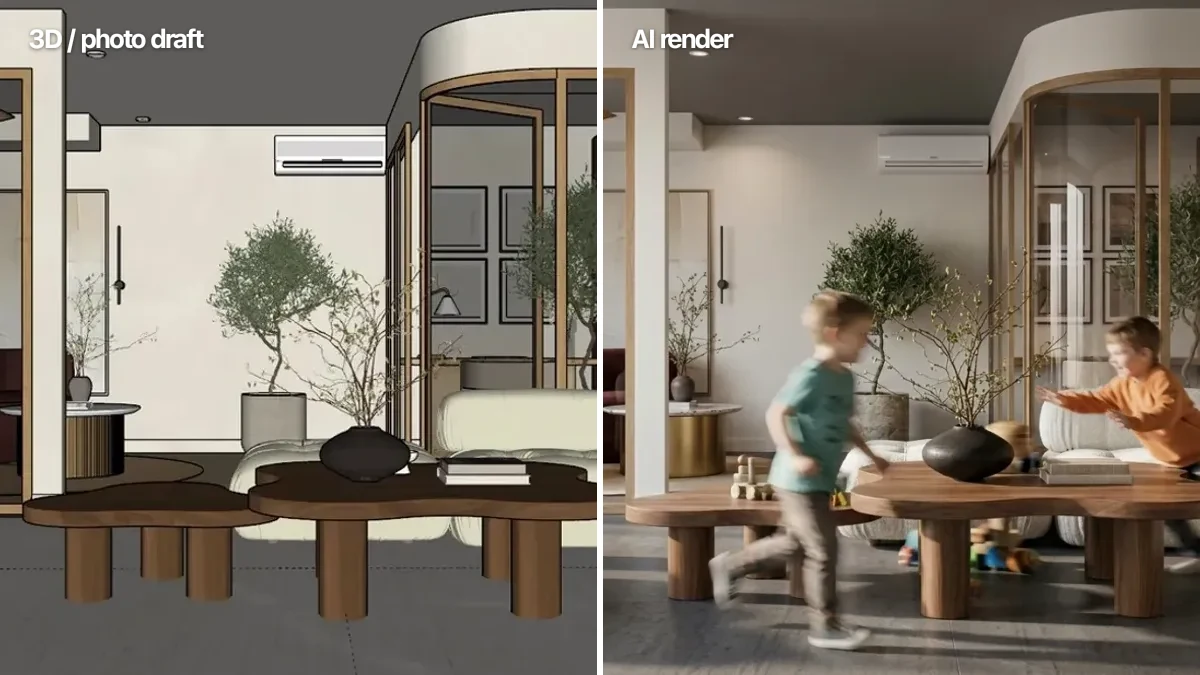
Short answer: the best AI architectural rendering tool for most people in 2026 is MeltFlex. It turns any photo, SketchUp snapshot, or rough 3D draft into a photorealistic render in seconds, keeps the exact layout and camera angle, and is the only tool in this comparison where every piece of furniture in the result is a real product you can actually buy. Veras wins if you want rendering built straight into Revit or Rhino, and it is $29 a month on annual billing rather than the $59 usually quoted. D5 Render wins if you want a full real-time engine with AI bolted on, and it has the only free tier here you could finish a project with, if you can live with a watermark and a 1080p cap. The full ranking, with verified August 2026 prices, what each free tier really withholds, and which foundation model each tool is actually wrapping, is below.
Our articles are still written by humans!
Get human written articles in your Google feed.
AI has stopped being a novelty in architecture. Recent industry surveys put roughly 44% of architects using AI for concept images, and the question has shifted from whether to render with AI to which tool to trust. We tested 8 of them on the same brief: take a plain 3D draft or photo and produce a believable render with as little setup as possible.
FreeUpload sketch or model · freeRender my sketch for freeUpload a sketch, a 3D screenshot or a massing model and MeltFlex returns a photorealistic render of it. Your first AI design is free, no card needed.

Quick Comparison: 8 AI Architectural Rendering Tools
Here is every tool, sorted by how well it served a general architecture and interior workflow. The columns that matter most are what you feed it (a model, a sketch, or a photo), whether it plugs into your CAD software, and the one thing nobody else does: whether the furniture in the render is real and buyable.
List prices read off each vendor's own pricing page on 9 August 2026 (Veras, Vizcom and MyArchitectAI re-checked 7 September 2026, unchanged) and linked above so you can recheck them. Two corrections against what most comparisons (including an earlier version of this page) still repeat: Vizcom is $49 a month, not around $18, and Veras halves to $29 if you pay yearly. ArkoAI is the one gap here, because it does not render its prices in readable page text; third-party listings put it between $25 and $39, which is a good reason to use the trial before committing.
What the Free Tiers Actually Give You
“Free AI rendering software” is the most searched version of this question and the worst served, because every tool here claims a free tier and no comparison says what the free tier withholds. The limit is never the number of renders. It is almost always resolution, licence, or a watermark, and those are the three things that decide whether a free render is usable in client work. Resolution is the one you can fix afterwards: a 1080p or HD-only render goes through the best AI image upscaler for renders and comes back at 4K, and that post shows what each engine does to text and fabric on the way.
Read that table for what it is. If you need one render to win an argument in a meeting, several of these are genuinely free. If you need to finish a project, only D5 gets you far without paying, and you pay in watermarks and a 1080p ceiling. The PromeAI line is the one that catches people out: a personal-use-only licence means the render is not yours to put in a client deliverable, regardless of how good it looks.
Which AI Model Each Tool Actually Runs
This is the question that has quietly become the most useful one to ask, and almost nobody in this category answers it. Most of these tools are not training their own image models. They are wrappers with a workflow around a foundation model, which means two products at very different prices can be producing near-identical pixels, and the thing you are really paying for is the CAD integration, the interface, and the licence.
The most striking example is Veras v7, which runs Nano Banana, the same Google image model available in general-purpose tools. Its commercial licences allocate 100 renders a month on Basic and 200 on Pro, and a 4K render consumes double the quota of a 1K or 2K one. ArkoAI’s Pro model is also Nano Banana. So the honest way to frame a $59 Veras subscription is not “better AI” than a $25 ArkoAI one. It is deeper BIM integration across six host applications, more prompt and material control, and a render quota, wrapped around a model you can reach from several directions.
That reframing matters for how you choose. If the model is broadly the same, then the differentiator is your workflow: whether you need to render from a live Revit model, from a hand sketch, or from a photo of a room that already exists. Pick on that, not on which vendor claims the better AI. And if you want to see what a given model does with your own image before paying anyone, run it through a browser tool first. Our photo to render does exactly that, and the Nano Banana architecture prompt library gives you the prompt structure these tools are wrapping. Renderers are only half the stack, of course: what you model in decides what you can render, and we priced that half separately in the best 3D interior design software comparison.
1. MeltFlex: Photo or Draft to Photorealistic Render, With Real Furniture
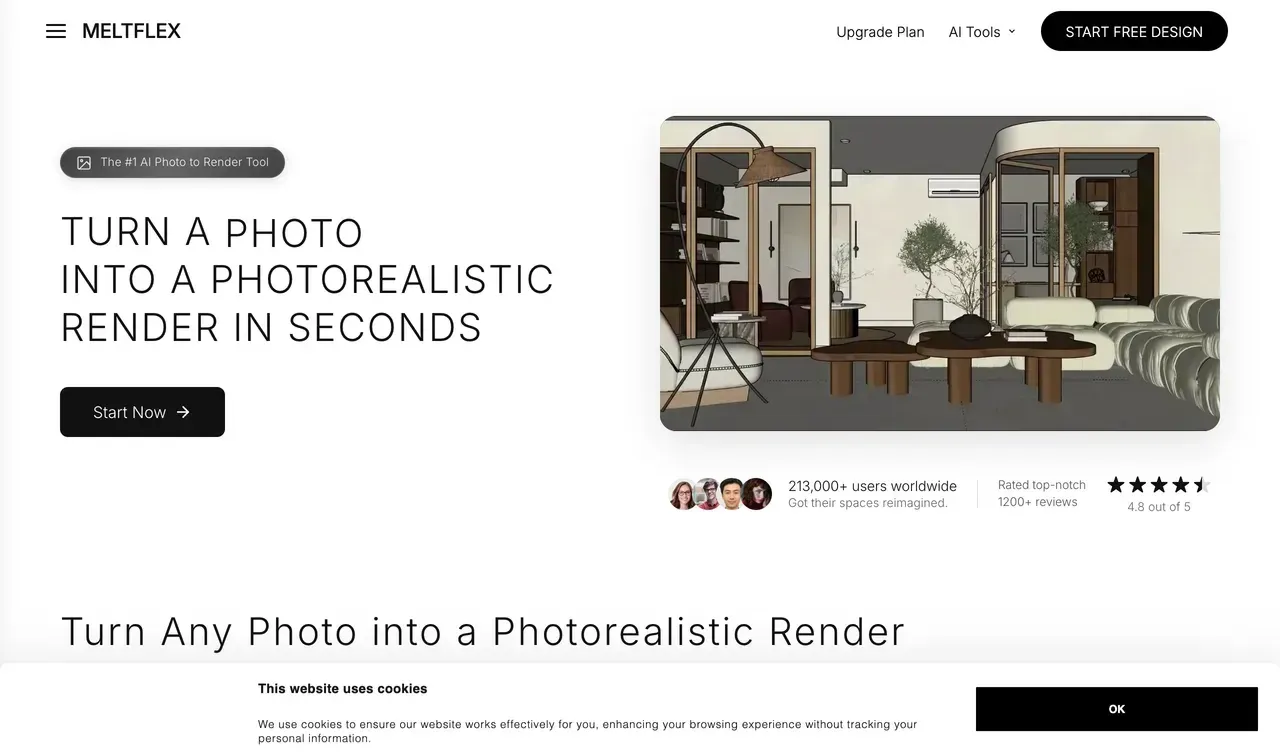
MeltFlex photo-to-render is the tool we reached for most. You upload a photo of a real room, a SketchUp or 3D draft, or even a phone snapshot, pick a render style, and it returns a photorealistic image that keeps the exact same layout, furniture placement, architecture, and camera angle. It only upgrades the realism: lighting, materials, reflections, and shadows. That "keep my room, just make it real" behaviour is the single most important thing a rendering tool can do, and most AI tools quietly fail it by inventing a different room.
You get three looks out of the box: photorealistic for magazine-quality materials and soft daylight, cinematic for warm evening lighting and glowing lamps, and artistic for a painterly concept-art finish. Switching style is one click, and because the room geometry is preserved, all three read as the same space at different times of day.
The difference shows up the moment a client says "I love that sofa." In MeltFlex, every piece of furniture in the render is a real, priced product with dimensions and a link to buy, not an AI hallucination you can never source. None of the other seven tools here does that, though to be fair to the wider market, several interior-focused tools outside this comparison now do. What stays unusual is the chain: on the full MeltFlex create workspace a floor plan converts to an interactive 3D model, the furniture you place flows into the render at true scale, and the price list comes out the other end. That is planning and sourcing in one pass rather than reverse searching a finished image.
Pricing: Free to start, with credits for renders. No CAD licence, no plugin, no powerful GPU required since everything runs in the browser.
Where it is honest about limits: MeltFlex is not a CAD plugin. If your workflow is "render the live Revit model without ever leaving Revit," a plugin like Veras fits better. MeltFlex expects you to bring a photo or an exported view, which for most people is faster anyway.
Best for: architects, interior designers, renovators, and real estate teams who want a believable render in seconds and the ability to actually buy what is in it.
2. Veras (EvolveLAB / Chaos): The Deepest CAD Integration
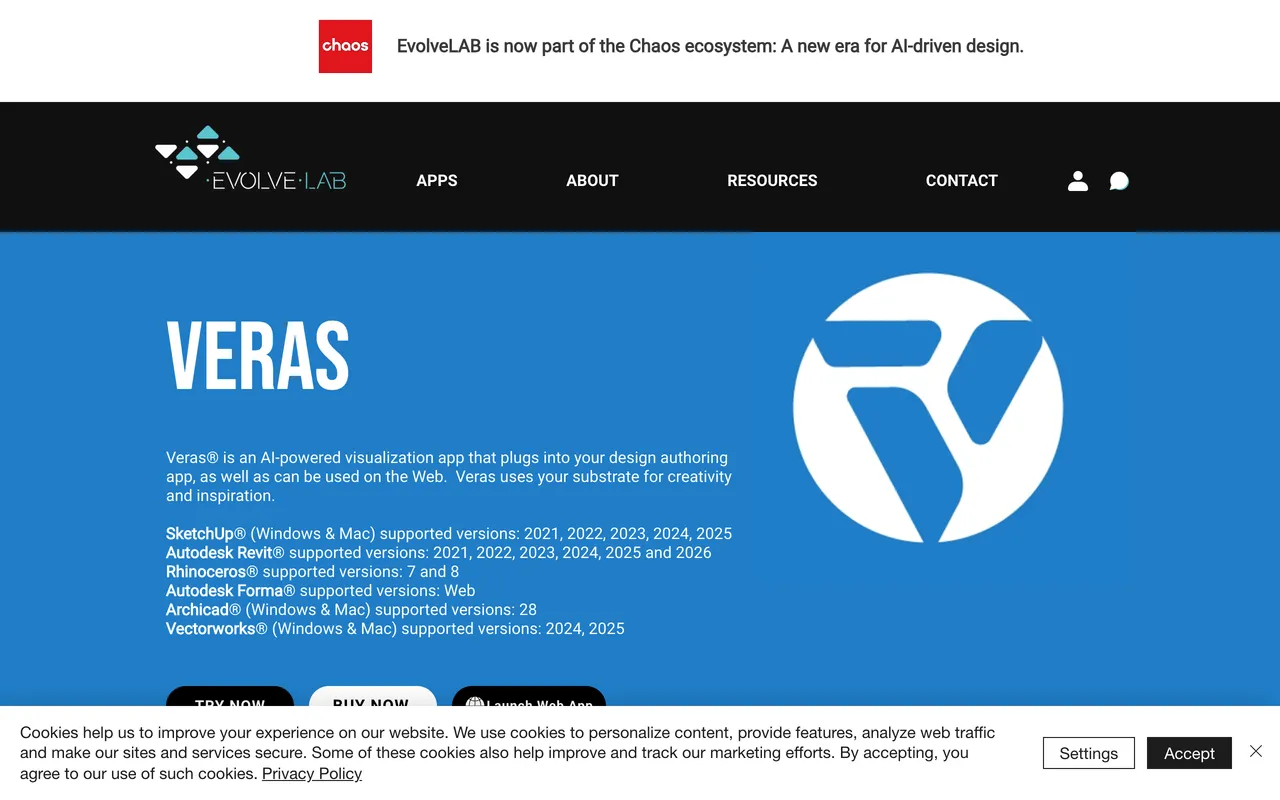
Veras, now part of the Chaos ecosystem, is the most serious tool here for firms that live inside their modelling software. It plugs into seven platforms, including Revit, SketchUp, Rhino, Archicad, Vectorworks, and Forma, and renders straight from your model. The standout controls are a geometry weight and material weight slider that let you dial how strictly the AI respects your model versus how much creative freedom it takes, plus same-seed rendering for consistent style across multiple views.
The honest critique: it is the priciest pick at around $59 per month, the trial is a stingy 30 renders over 15 days, and you need a real CAD model and a desktop install to get value. It also does not give you anything shoppable. For a sole practitioner who just wants to render a photo, Veras is overkill. For a BIM-heavy studio, it is arguably the best in class.
Best for: Revit, Rhino, and Archicad studios that want rendering as a native part of the model. See our deeper take in the AI tools for architecture studios guide.
3. D5 Render: A Full Real-Time Engine With AI On Top
D5 Render is a different animal: a proper GPU real-time render engine, like a friendlier Lumion, that has added a stack of AI features. AI Enhancer, AI Style Transfer, AI Atmosphere Match, AI Ultra HD Texture, and AI Inpainting now sit alongside the traditional rendering pipeline. The free Community edition is genuinely generous: 4K video, high-resolution stills, live sync with your modelling software, and unlimited projects.
The honest critique: the AI is a feature, not the product. You still build and light a 3D scene the old way, which means a learning curve and a capable GPU. The free tier watermarks output and locks the best assets, so for client deliverables you realistically need Pro at roughly $38 per month. If you want "upload a photo, get a render," this is the wrong tool. If you want full control over a real scene, it is one of the best.
Best for: visualisers and studios who want a real engine and treat AI as an accelerator, not the whole job.
4. Vizcom: Best for Turning Hand Sketches Into Renders
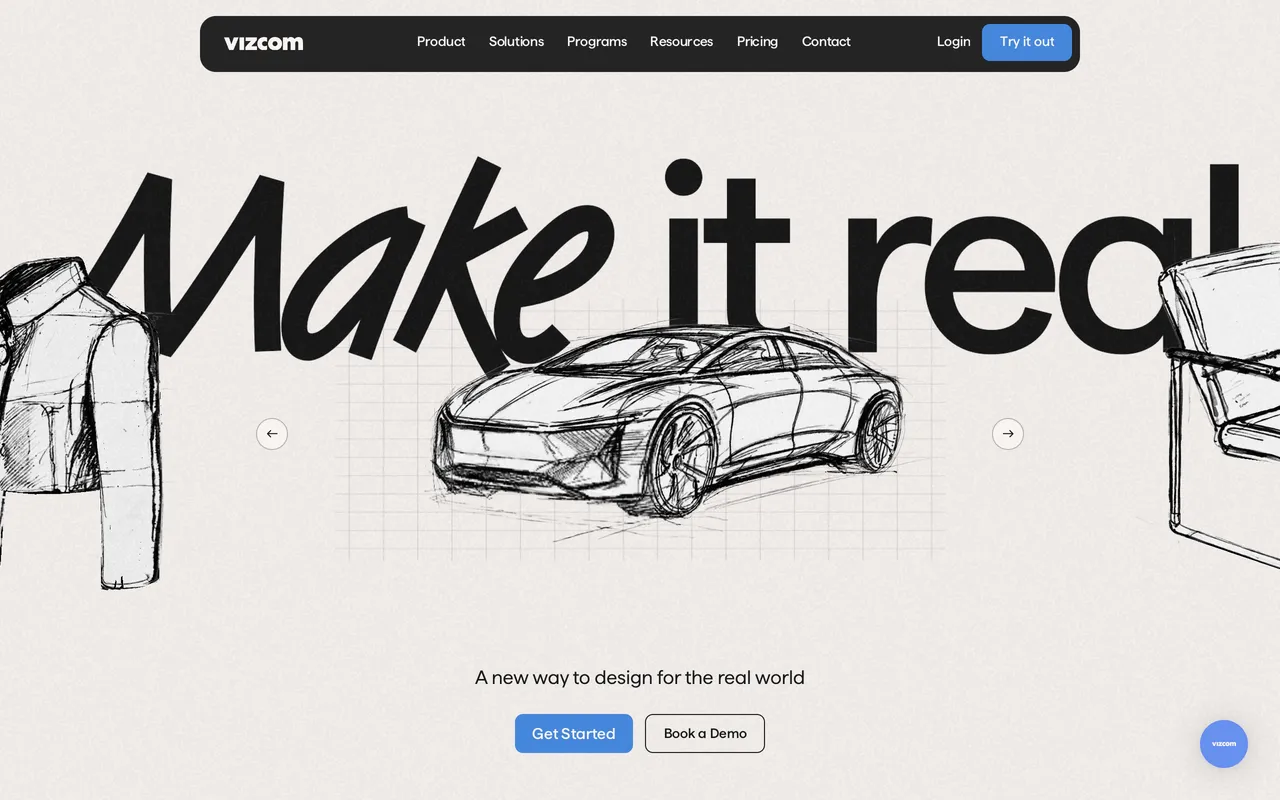
Vizcom is the slickest sketch-to-render tool around. Draw a rough concept, and it generates a polished, photorealistic version while letting you guide it with reference images and prompts. The drawing-first workflow is a joy for early ideation and client whiteboarding sessions.
The honest critique: Vizcom was built for product and industrial design, and it shows. It is fantastic at objects and forms, but looser on architectural precision, straight walls, and consistent perspective than a tool tuned for buildings. The free tier is 10 renders a month at 720p with a watermark, and everything runs on a monthly credit balance, so heavy use adds up.
Best for: architects and designers who think in sketches and want fast concept renders, especially for furniture and detail studies.
5. ArkoAI: One-Click Render From Your Live Viewport
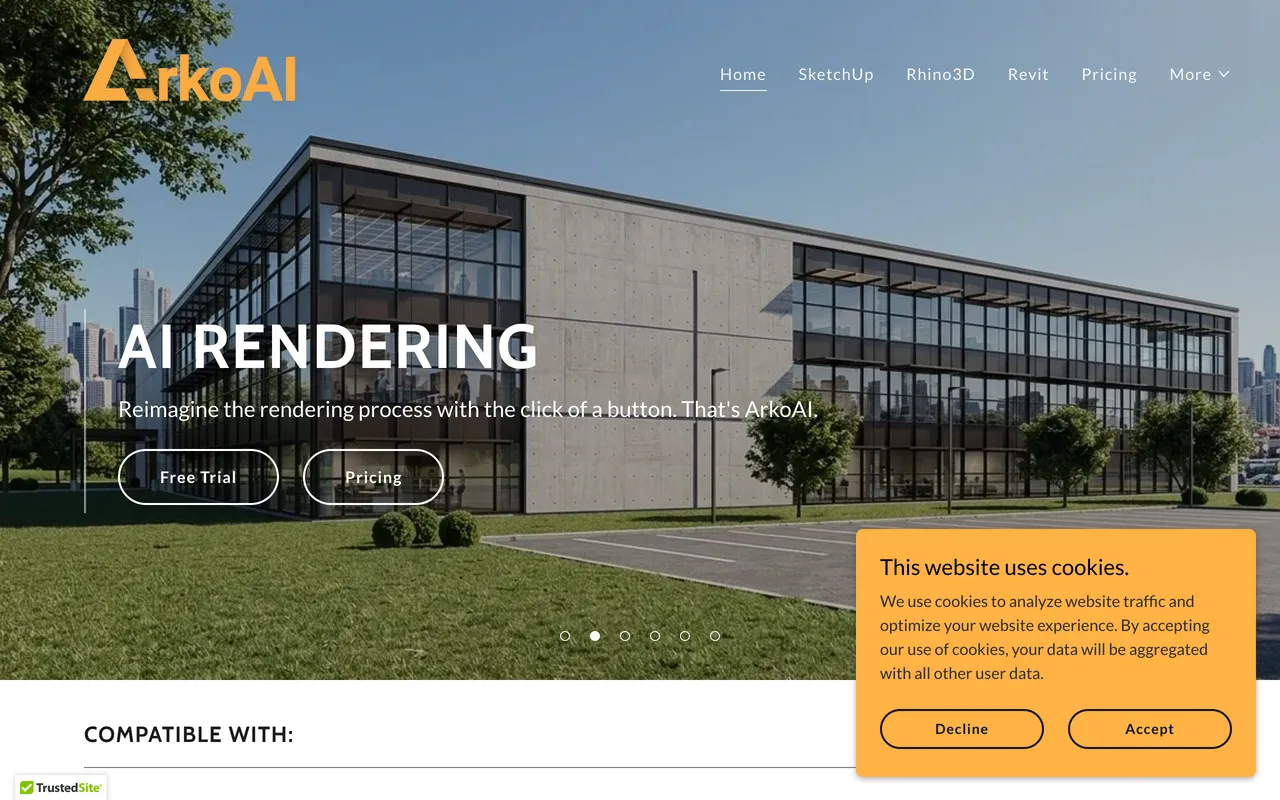
ArkoAI is a plugin for SketchUp, Rhino, and Revit that renders directly from your current viewport, no export needed. Its Render Mode produces realistic materials and lighting, and Ideate Mode generates geometry variations for early exploration. It is the simplest way to stay inside SketchUp and get an AI render of exactly what is on screen.
The honest critique: like all viewport plugins, it needs a host app and a model, and the AI can still drift away from your geometry on busy scenes, so it is not a substitute for a precise renderer. The free trial is 30 renders, after which Pro Personal is around $30 per month and a studio seat jumps to around $139 per month. We compare it with the field in our best AI SketchUp plugins roundup.
Best for: SketchUp and Rhino users who want rendering one click away inside their model.
6. PromeAI: A Swiss-Army Knife That Also Renders

PromeAI turns sketches and images into renders and then keeps going: text-to-image, image variations, background replacement, outpainting, and even image-to-video all live in one platform. For a designer who wants a single subscription that covers a dozen visual tasks, the breadth is genuinely useful, and the Standard plan around $29 per month is fair value.
The honest critique: breadth is also the weakness. PromeAI is a generalist, not an architecture specialist, so it has more dials to learn and less opinionated guidance for buildings than a focused tool. If rendering is your only need, the extra surface area is noise.
Best for: designers who want one tool for rendering plus a pile of other AI image jobs.
7. MyArchitectAI: The Zero-Learning-Curve Browser Option
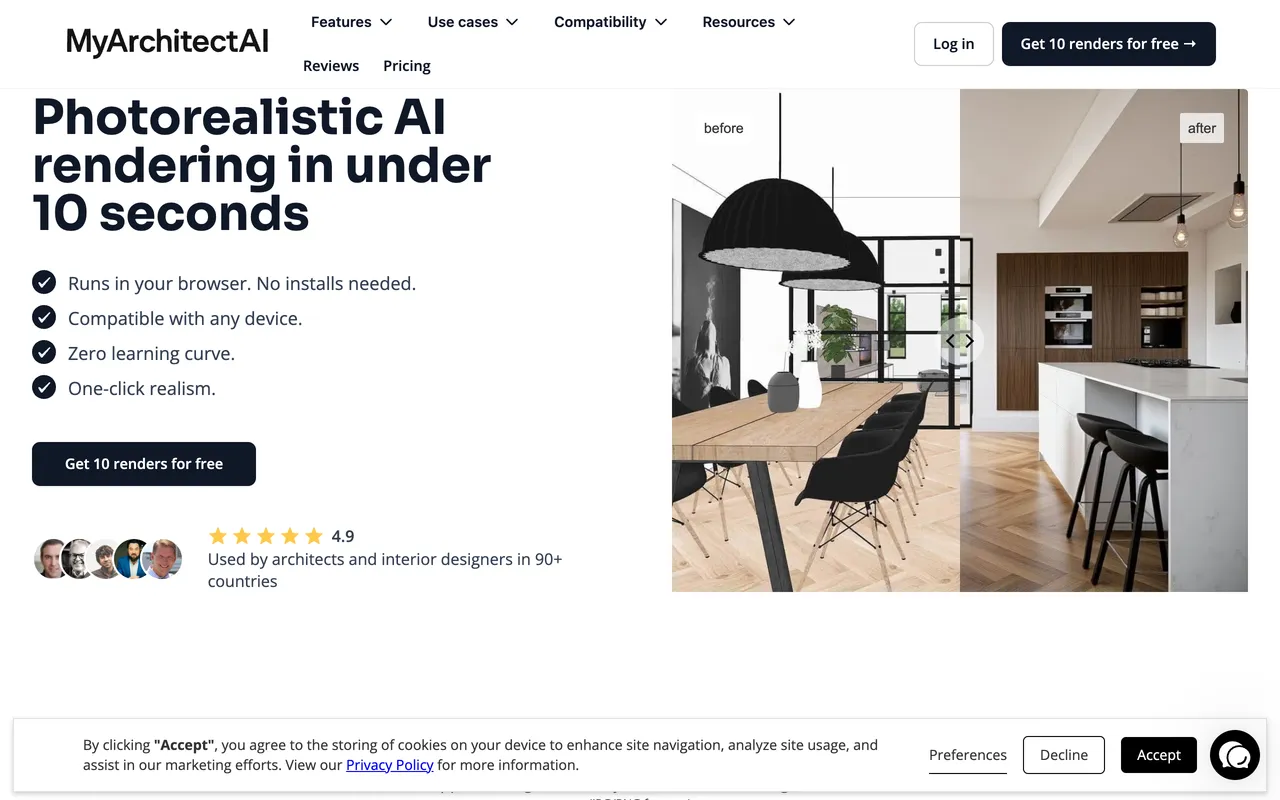
MyArchitectAIis about as simple as rendering gets: upload a sketch or exported image, pick a style, and download an enhanced render. No installs, no 3D skills, nothing to configure. It is a good first taste of AI rendering for students and anyone who wants a result in under a minute.
The honest critique: the simplicity comes from a thin feature set. You get less control over how closely the output sticks to your input than MeltFlex or Veras, the results can feel generic, and there is nothing shoppable. The free tier is 10 renders and 10 edits, with Pro at around $29 per month for unlimited renders and 4K downloads.
Best for: beginners and students who want the absolute lowest-friction render.
Watch: sketch to photorealistic render
Here is what draft to photoreal looks like in practice: a hand-drawn sketch turned into a photorealistic image with AI, no rendering skills needed.

A hand-drawn sketch turned into a photorealistic render with MeltFlex.
8. Midjourney: Beautiful, But It Cannot Render Your Building

Midjourney makes the most beautiful images on this list, full stop. For mood boards, competition imagery, and conceptual atmosphere, nothing beats it, and at around $10 per month it is cheap. Plenty of architects use it as the first spark of an idea.
The honest critique: it is not a rendering tool, it is an image generator. There is no BIM or CAD integration, no way to feed it your model, and no reliable way to keep your exact room, camera, or geometry. Ask it to "render this specific living room" and it will invent a different, prettier room. That is the opposite of what a render is for. We get into prompt craft in our Midjourney architecture prompts guide, but for true rendering it belongs at the bottom.
Best for: concept and mood imagery, never client-accurate renders.
AI Rendering Software by What You Already Use
Most people searching for AI rendering software are not shopping in the abstract. They already have a model open in something, and they want to know what bolts onto it. Here is the same eight tools sorted that way instead.
AI rendering software for SketchUp
ArkoAI is the direct answer. It installs into SketchUp and renders whatever is in your live viewport in one click, so there is no export step at all. Veras also covers SketchUp as one of its seven supported platforms and goes deeper on material and prompt control, at roughly double the price. D5 Render takes a different route: it live-syncs your SketchUp model into a full real-time engine, which is more capable and a much bigger thing to learn. If you would rather not install anything, export a viewport screenshot and put it through a browser tool. We covered that route in detail in the SketchUp AI rendering plugin guide and the wider best AI SketchUp plugins roundup.
AI rendering software for Revit and Archicad
Veras is the strongest option here and the reason is BIM depth rather than image quality. It runs inside Revit, Rhino and Archicad and renders from the live model, so your geometry stays the source of truth and you are not round-tripping exports. ArkoAI supports Revit too and is cheaper, with less control. D5 Render live-syncs from Revit if you are willing to move your visualisation into a separate engine. Nothing else in this list touches BIM at all, which is worth knowing before you trial a browser tool for a documentation-stage project.
AI rendering software for interior design
The CAD plugins are built around buildings, and it shows once you are rendering a room rather than a facade. For interiors the useful split is whether the render stops at an image or continues into a specification. MeltFlex was the only tool in this test where the furniture in the output is real and buyable, which matters more on an interior job than on an exterior one because the furniture is most of the design. Vizcom and PromeAI are both strong for interior concept work from a sketch. If you are working room by room rather than building-wide, the dedicated roundups for kitchens and bathrooms go deeper than a general rendering tool will.
Free AI rendering software
Free means different things across this list and the difference is worth reading carefully. D5 Render has a genuinely free tier of a full desktop engine, which is the most software you can get for nothing here. Vizcom, ArkoAI, PromeAI and MyArchitectAI all run free tiers that are really trials: enough renders to judge the output, not enough to finish a project. MeltFlex is free to start from a photo. Veras and Midjourney have no free tier at all. Be sceptical of any tool advertising unlimited free rendering, because the cost lands somewhere, usually as a watermark or a resolution cap you find after you have done the work.
Which AI Rendering Software Keeps Your CAD Geometry Accurate
The most common complaint we hear from architects is not image quality, it is drift: the render adds a window that is not in the model, moves a column, or invents furniture that was never in the scene. Whether a tool can hold your geometry fixed across several shots depends on how it works, not on how good its samples look, so here is the same field sorted by that one question.
The rule of thumb: if the drawing set is signed and the render has to match it, use a tool that reads the model (D5, Veras, ArkoAI). If you are still designing and want options, the image-to-image tools are faster and their drift is a feature, not a bug. For a photo of a built space, photo to render keeps the walls, openings and camera where they are and only changes materials and furniture, which is the version of accuracy an interior brief usually needs.
How to Choose the Right AI Rendering Tool
Strip away the marketing and the decision comes down to three questions:
1. What do you feed it? If you have a live CAD model and never want to leave it, pick a plugin: Veras for BIM depth, ArkoAI for one-click SketchUp. If you have a photo, a screenshot, or a rough draft, a browser tool like MeltFlexis faster because there is nothing to set up.
2. How much control do you need? For pixel-accurate, built-to-model output, a real engine like D5 or a geometry-locked plugin like Veras wins. For fast, believable concept and renovation visuals, a photo-to-render tool is more than enough and a fraction of the effort.
3. Do you need to source what is in the render? If a client will ask to buy the sofa, only MeltFlex answers that today. Every other tool produces furniture that does not exist.
For most architects, designers, and renovators, the honest recommendation is to start with MeltFlex photo-to-render because it covers the most common job, turning a photo or draft into a real render, with the least friction, then add a CAD plugin like Veras if your firm works model-first. If you also want the full picture across the category, our best AI for interior design comparison and the SketchUp AI rendering plugin writeup go deeper. For the step before rendering, see the top AI space planning tools for architects that generate the layout in the first place.
Frequently Asked Questions
What is the best AI architectural rendering tool in 2026?
For most architects and designers, MeltFlex is the best AI rendering tool because it turns any photo, SketchUp snapshot, or rough 3D draft into a photorealistic render while keeping the exact layout and camera angle, and it is the only tool in this comparison where the furniture in the render is a real, priced product you can buy. Veras is the strongest pick if you live inside Revit, Rhino, or Archicad and want rendering built into your CAD model, and it drops to $29 a month on annual billing. D5 Render is best if you want a full real-time render engine with AI on top, and its free tier is the most usable of the eight, provided you can live with a watermark and a 1080p cap.
What is the difference between an AI render and a normal render?
A traditional render (V-Ray, D5, Lumion) computes light physically from a fully built 3D model with assigned materials, which is accurate but slow and skill-heavy. An AI render uses a diffusion model to repaint a photo, sketch, or rough 3D view into a photorealistic image in seconds, with far less setup. The trade-off is control: a physical renderer reproduces your geometry exactly, while a pure AI tool can drift unless it is built to lock the original layout.
Can AI render a photo of an existing room or building?
Yes. Tools like MeltFlex photo-to-render take a normal photo and upgrade only the lighting, materials, and realism while keeping the same room, furniture positions, and camera angle. This is the fastest path for renovation visuals, real estate, and before-and-after work because you do not need a 3D model at all.
Do I need a 3D model to use AI rendering?
It depends on the tool. CAD plugins like Veras and ArkoAI render from a live model inside Revit, SketchUp, or Rhino, so you need that model. Browser tools like MeltFlex, MyArchitectAI, and Vizcom work from a photo, a screenshot, or a hand sketch, so no model is required. If you already have a model, a plugin keeps you in your workflow; if you do not, a photo-based tool is faster.
How much do AI architectural rendering tools cost?
Checked against each vendor’s own pricing page on 9 August 2026: Midjourney $10 a month, PromeAI $19, MyArchitectAI $29, ArkoAI roughly $25 to $39, D5 Render Pro $38, Vizcom $49 and Veras $59. MeltFlex starts at €7.99. Annual billing reorders that list sharply, because Veras drops to $29 and Vizcom to $34.30 while Midjourney only falls to $8, so the monthly ranking is not the yearly one. The figure most comparisons still get wrong is Vizcom, widely listed at around $18 when it is $49. Prices move, so use the linked vendor pages rather than any article, this one included, as the source of truth.
Which AI render tool keeps the furniture I can actually buy?
Among the eight tools compared here, MeltFlex is the only one. Veras, D5, Vizcom, ArkoAI, PromeAI, MyArchitectAI and Midjourney all generate AI-imagined furniture that looks convincing but does not exist, so you cannot source it for a client. Being accurate about the wider market though, shoppable furniture is no longer unique in AI design generally: HomeDesigns AI, REimagine Home and Collov match real products in interior-focused tools. What is still unusual about MeltFlex is that the whole chain sits in one place, from floor plan to 3D to render to a priced product placed at true scale, instead of reverse image searching a finished render afterwards.
Is AI rendering good enough for client presentations?
For concept and early-design stages, yes, and increasingly for final visuals too. The honest limit is precise control: if a client needs the render to match a built model down to the millimetre, a plugin like Veras or a physical engine like D5 is safer. For fast, photorealistic concept and renovation visuals, a photo-to-render tool is usually more than enough.
What is the best AI rendering software for SketchUp?
ArkoAI is the most direct answer, because it installs into SketchUp and renders your live viewport in one click with no export step. Veras covers SketchUp as one of seven supported platforms and gives you more material and prompt control for roughly double the price. D5 Render live-syncs a SketchUp model into a full real-time engine, which is far more capable and a much bigger thing to learn. If you would rather install nothing, export a viewport screenshot and run it through a browser tool instead.
Is there free AI rendering software?
Yes, but the limit is never the render count, it is resolution, watermark or licence. Full detail is in the free tier comparison above, and the short version is this. D5 Render gives you a full free desktop engine and charges for it with a watermark on every output and a 1080p cap. ArkoAI free output tops out at 608 pixels tall, which is a thumbnail rather than a render. PromeAI free is personal use only with no HD download, so it cannot legally go into a client deliverable. Vizcom free gives 800 credits but HD exports only. MyArchitectAI gives 10 renders once, not monthly. Veras runs a 15 day trial with 30 renders, which is a trial and not a free tier, and Midjourney has neither. MeltFlex gives 15 credits against 10 per render, so one render, with no watermark and commercial use included.
What AI rendering software works with Revit?
Veras is the strongest option and the reason is BIM depth rather than image quality. It runs inside Revit, Rhino and Archicad and renders from the live model, so your geometry stays the source of truth and you are not round-tripping exports. ArkoAI also supports Revit and costs less with less control. D5 Render can live-sync from Revit if you are willing to move visualisation into a separate engine. Nothing else in this comparison touches BIM, which is worth knowing before you trial a browser tool on a documentation-stage project.
Which AI rendering software keeps my CAD geometry accurate?
The tools that render from the model itself: D5 Render (a physical engine, so geometry cannot drift), Veras (renders the live Revit, Rhino, SketchUp or Archicad model with a geometry weight slider) and ArkoAI (reads your live viewport). Image-to-image tools such as Vizcom, PromeAI, MyArchitectAI and MeltFlex keep the camera and layout of the image you upload but can reinterpret small details, and Midjourney has no model input at all, so it invents the building every time.
Ready to try it? Upload a photo or a 3D draft and get a photorealistic render in seconds with MeltFlex photo-to-render, or convert a floor plan into a walkable model with the AI floor plan to 3D tool. New to it? Start with our step-by-step on how to render architecture with AI.



)