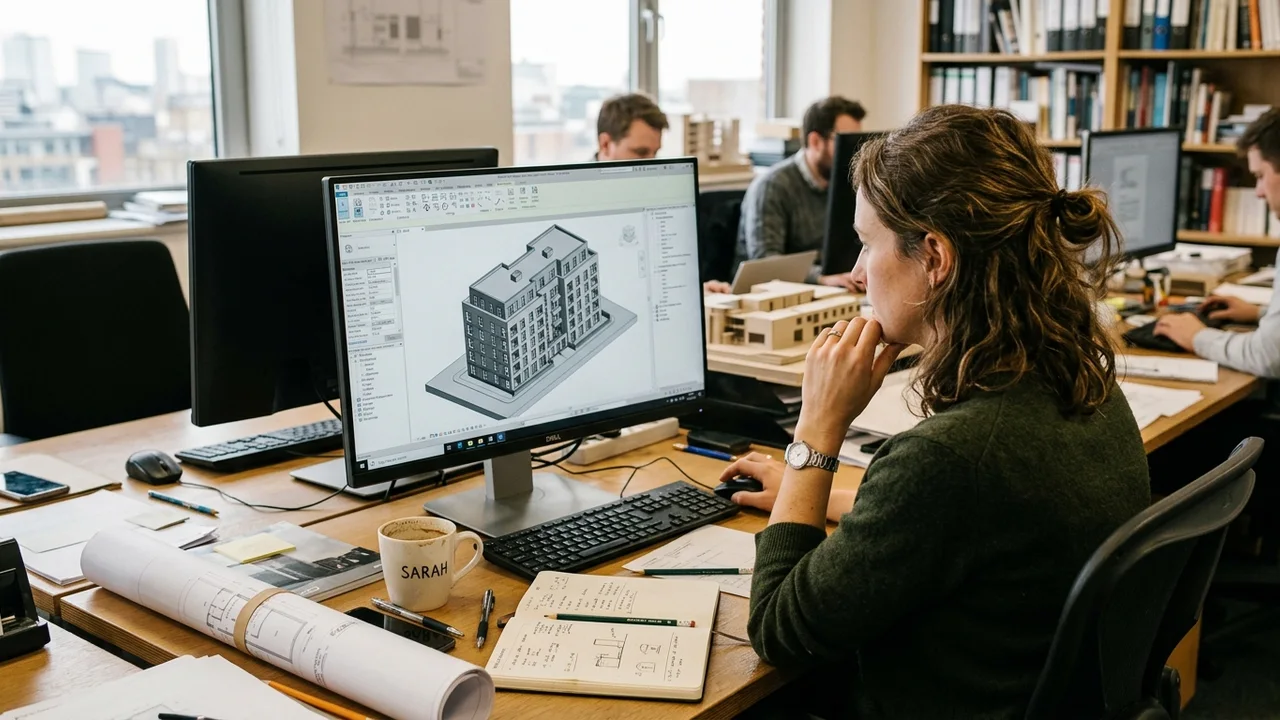
Imagine a ventilation pipe that runs straight through the spot where a big steel support beam is meant to go. Nobody notices, because one team drew the pipe and another team drew the beam, each on their own separate plans. The problem only shows up later, on the building site, when the beam is already in place. Now the work has to be torn out and redone: extra cost, a week lost, and a few angry phone calls.
Our articles are still written by humans!
Get human written articles in your Google feed.
This is exactly the kind of problem BIM is built to prevent. BIM (short for Building Information Modeling) means putting the whole building into one smart 3D model on a computer, where the shapes and all the facts about them live in the same place. Because everything sits in one model, the pipe and the beam are checked against each other on screen, long before anyone starts building. Instead of dozens of separate drawings that people have to keep matching up by hand, everyone works from the same single, up-to-date version.
The rest of this guide explains it in plain words: what BIM really is, how it is different from old-style CAD drawings, what those “4D” and “5D” labels mean, which programs people use, and where AI fits in. No filler.
Key takeaways
- BIM stands for Building Information Modeling. It is one shared, data-rich 3D model used to design, build and operate a project, plus the collaborative process around it.
- BIM is not just a 3D model. The value is the “I”: every object carries information (material, cost, performance, manufacturer), so the model is a database, not a drawing.
- CAD draws a building; BIM models the information about it. In BIM each element exists once and every view, schedule and quantity updates automatically.
- The dimensions add layers of data: 3D geometry, 4D time, 5D cost, 6D sustainability, 7D facility management, all layered onto the same model.
- BIM spans the whole lifecycle from concept to demolition, and increasingly it is required, not optional, on public projects.


What is BIM? A plain-English definition
BIM (Building Information Modeling) is the process of creating and using one shared digital model of a building that holds both its geometry and its data, so that everyone who designs, builds and operates it works from the same source of truth. The official definition, from the ISO 19650 standard, calls it the use of a shared digital representation of a built asset to support design, construction and operation and to form a reliable basis for decisions.
Two ideas are doing the heavy lifting there. First, shared: architects, structural and MEP engineers, contractors and the eventual owner all reference the same model rather than passing around private copies of drawings. Second, information: the model is not just a picture of the building, it is a structured database you can query, measure, cost and analyse. That combination is what turns a design file into, as the standards put it, a shared knowledge resource for the entire project lifecycle.
A quick note on the term itself. People use “BIM” to mean three slightly different things: the model (the data-rich 3D file), the process (the way teams collaborate around it), and the management of that information over time. When someone says “we do BIM,” they usually mean all three.
BIM is not just a 3D model
This is the most common misunderstanding about BIM, so it is worth being blunt: a pretty 3D model is not BIM. You can build a detailed 3D shape with no useful information attached, and that is just 3D modeling. What makes it BIM is the “I”, the information baked into every object.
In a BIM model, a wall is not a set of lines. It is an intelligent object that knows it is a wall, that it is 200 mm thick, that it is two layers of plasterboard on a steel stud, and it carries its own fire rating, acoustic performance, cost and manufacturer. A window knows its U-value. A door knows its hardware schedule.
Multiply that across a whole building and the model becomes a searchable database. How many doors are there? How much concrete do you need? Which components are due for servicing in year ten? You get the answer straight from the model instead of counting by hand.
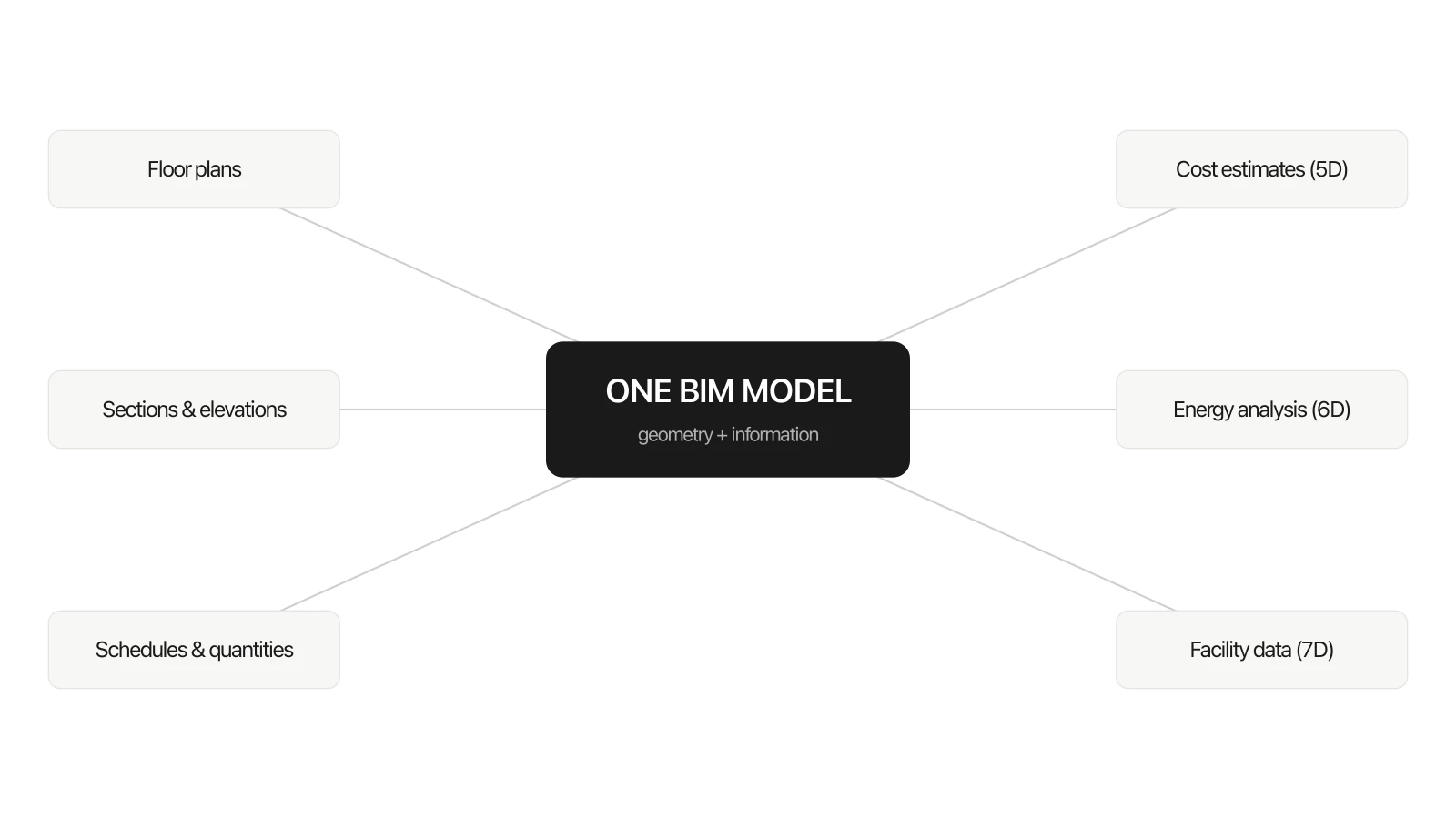
This is the whole idea in one picture: you build the model once, and every drawing, schedule, cost and analysis is pulled from it. Change the model and they all update together.
BIM vs CAD: what actually changed
The clearest way to understand BIM is to compare it with the thing it replaced. CAD (Computer-Aided Design) digitised the drawing board: instead of drafting by hand, you draft on a screen. It is faster and tidier, but the output is still a set of independent drawings. Move a wall in a 2D CAD plan and the section, elevation and schedule have no idea it changed. You update each one by hand, and any one you forget quietly becomes an error on site.
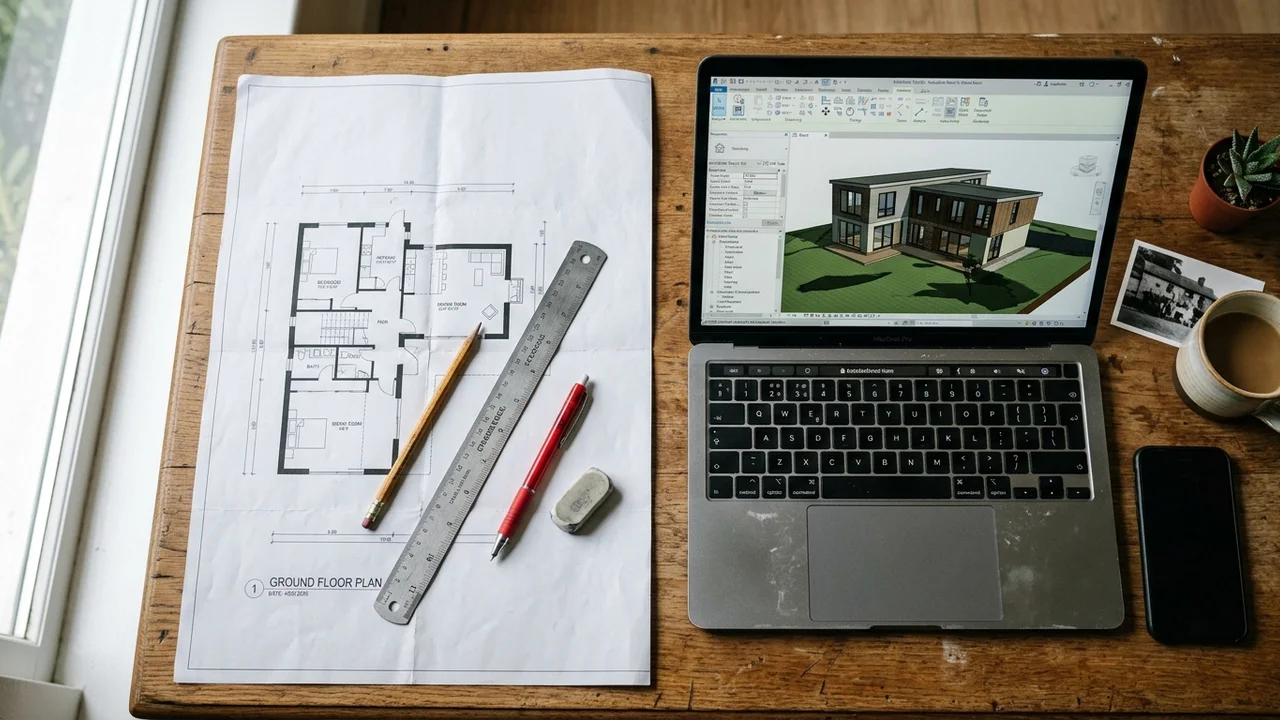
CAD draws the building (left). BIM models the information about it (right), so every view, schedule and cost comes out of one place instead of being maintained separately.
BIM works the other way around. You model the building once, as a set of intelligent objects, and every drawing, schedule and quantity is a view derived from that single model. Change the wall and the plan, the section, the elevation, the door schedule and the material take-off all update at once, because they are all just different windows onto the same data. That is the structural difference, summarised:
So is AutoCAD a BIM tool? No. AutoCAD is CAD. The dedicated BIM authoring tools are applications like Revit and Archicad, which we cover below.
The dimensions of BIM: 3D, 4D, 5D, 6D and 7D
You will constantly hear about “4D” or “5D” BIM. These are not extra spatial dimensions. They are extra layers of information attached to the same 3D model, and each one answers a different question about the building.
The point of the dimensions is that the model keeps earning its keep. The same geometry the architect draws in 3D becomes the contractor’s 4D construction sequence, the quantity surveyor’s 5D cost plan, the sustainability consultant’s 6D energy model and, finally, the facility manager’s 7D operations record. Nobody rebuilds the information each time, they just keep adding to it. Some firms talk about 8D (safety) and beyond, but 3D to 7D covers what almost everyone means in practice.
BIM maturity: Levels 0 to 3
Separate from the dimensions is the idea of BIM maturity, which is really a measure of how collaboratively a team actually works. The widely used UK model describes four levels:
- Level 0: Unmanaged 2D CAD. Drawings on paper or as isolated files, no real collaboration. This is where the industry started.
- Level 1: A mix of 2D and 3D CAD with some shared standards and a common data environment, but each discipline still works in its own models.
- Level 2: Each discipline keeps its own model, but they are federated, meaning combined and coordinated in a shared environment with a common data format. This is the level mandated on UK public projects and the practical target for most firms today.
- Level 3: A single, fully integrated model that everyone works on in real time in the cloud (“Open BIM”). It is the direction of travel, enabled by digital twins and live collaboration, rather than universal reality yet.
Maturity is about behaviour, not software. A team can own Revit and still be working at Level 1 if they are emailing files around instead of coordinating in a shared environment.
LOD: Level of Development, explained (100 to 500)
A model element is not equally trustworthy at every stage of a project. Early on, a “wall” might just be a rough block showing intent. Later it carries exact dimensions, materials and the manufacturer’s product code. LOD, short for Level of Development, is the standard scale for describing how reliable an element is, so nobody measures a budget or orders steel off a placeholder.
A useful distinction: Level of Detail is how much an element looks like the real thing, while Level of Development is how much you can trust it for decisions. A model can look highly detailed and still be low LOD. What matters is reliability, not polish.
How BIM works across the building lifecycle
The real payoff is that one model serves the whole life of a building, usually described in four stages: plan, design, build and operate. The model is not thrown away and rebuilt at each handover. It is passed along and made richer at every step.
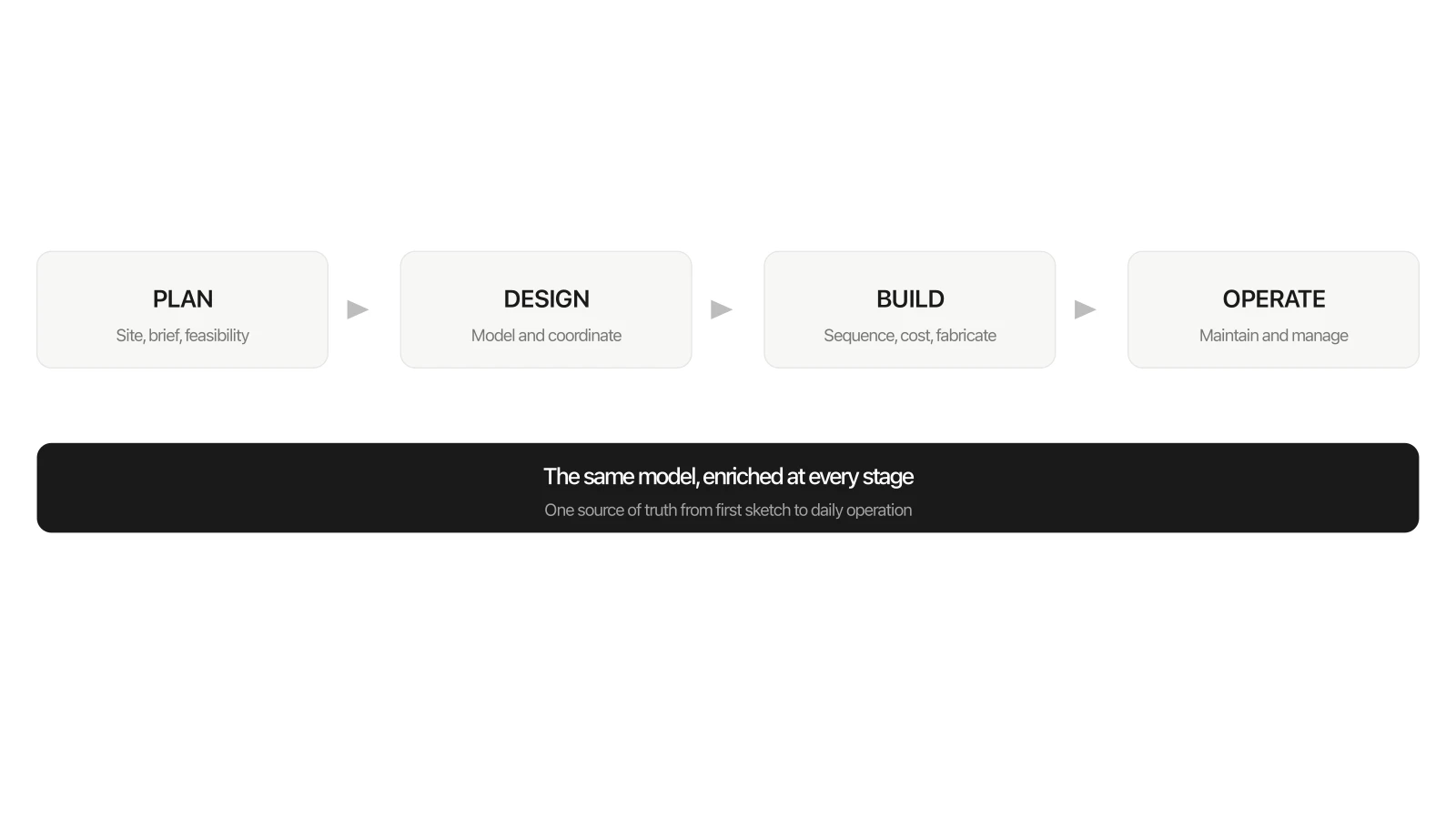
One model carries through all four stages, getting richer as the project moves from an idea on a screen to a building people use every day.
- Plan. Site context, existing conditions and feasibility get captured, often with reality data such as laser scans and GIS, so the earliest decisions are based on the real site instead of guesswork.
- Design. Architecture, structure and building services are modeled and coordinated in the same space. The classic example, a duct running straight through a beam, gets caught on screen during design rather than by a confused crew on site.
- Build. The model drives accurate quantities, the construction schedule (4D) and the cost plan (5D), and feeds straight into fabrication. As the building changes on site, those changes are recorded back into the model so it stays honest.
- Operate. At handover the owner gets more than a building. They get a digital record of every component, so a facility manager can find the right valve, check a warranty or plan a refit in seconds instead of digging through a box of paper drawings nobody has updated in years.
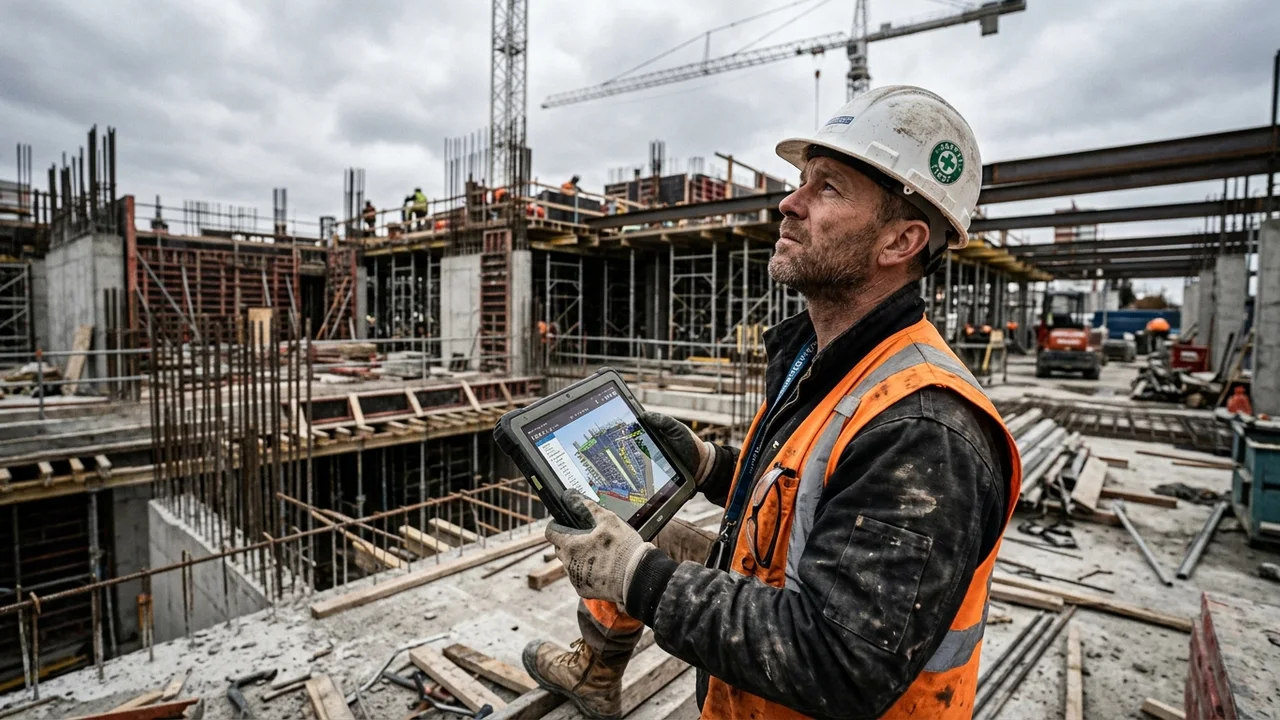
On site, the model lives on a tablet. The crew checks the real structure against the latest model, not a paper print that might be three revisions out of date.
The operate stage is also where you hear the term digital twin. A digital twin is a BIM model wired up to live data from the finished building (sensors, energy use, how the rooms are actually used) so the virtual version and the real one stay in step. BIM is what makes a useful digital twin possible in the first place, because the structured data is already sitting there, ready for the sensors to plug into.
The benefits of BIM
Every advantage of BIM traces back to the same root cause: one coordinated source of truth instead of many scattered documents that drift out of sync.
The problem BIM attacks is well documented. McKinsey found that large construction projects typically run 20 months behind schedule and up to 80% over budget, and that construction productivity has grown barely 1% a year for decades. A separate NIST study put the cost of poor data interoperability in US facilities at $15.8 billion a year, and roughly two-thirds of that landed on the owners who run the building, not the people who designed it. BIM is the industry’s main answer to both numbers: tighter coordination up front, and data that survives past handover.

When the architect, the structural engineer and the contractor all work from the same model, they are literally looking at the same thing. Most of the old coordination arguments simply stop happening.
- Fewer costly errors. Clash detection surfaces conflicts while they are still cheap to fix, during design. On one airport project, McKinsey reported that 5D BIM cut construction time by three to five months through faster clash detection and rework avoided. The expensive surprises move off the site and onto the screen.
- Better collaboration. When everyone references the same model, the misunderstandings that come from working in separate files largely disappear.
- Faster, more reliable estimating. Quantities come straight from the model instead of being counted by hand off a stack of drawings, which makes take-offs far faster and much harder to get wrong.
- Decisions you can test before you commit. You can try sequencing, phasing and design options digitally before a cent is spent on site.
- Sustainability built in. Energy analysis, daylighting and material assessments run directly against the model, early enough to actually change the design rather than just report on it.
- A usable asset after handover. The owner ends up with a living record of the building, not a box of drawings that were out of date the day the doors opened.
And this is not only for skyscrapers. A two-person studio gets a lot of it almost for free: reusable families and templates, a door schedule that counts itself, and quantities you can hand a client without losing a weekend to a calculator.
One honest caveat the brochures skip: BIM has real upfront costs. Software, training, and a genuine change in how people work. The returns are well documented, but they come from doing BIM properly, not from buying the software and carrying on exactly as before.
BIM software: the main tools
There is no single “BIM program.” A typical project uses several tools across a few categories:
- Authoring (modeling): Autodesk Revit, Graphisoft Archicad, Vectorworks, Allplan and Bentley OpenBuildings. SketchUp, Rhino and Forma are common for early conceptual work.
- Coordination & clash detection: Navisworks, Solibri and BIMcollab, used to federate models from different disciplines and find conflicts.
- Common data environment (CDE): Autodesk Construction Cloud, Trimble Connect and Aconex, the shared space where every model and document lives.
- Visualization & rendering: V-Ray and Corona for photorealistic stills, Enscape for real-time walkthroughs, and a fast-growing set of AI rendering tools.
Standards and who requires BIM
BIM only works at scale if everyone structures information the same way, which is what standards are for. The two you will hear most often:
- ISO 19650. The international standard for managing information across the lifecycle of a built asset using BIM. It is the global reference point and the successor to the earlier UK BIM standards.
- National BIM Standard for the United States (NBIMS-US). Consensus standards and best practices for the built environment in the US.
BIM is also increasingly mandatory rather than optional. The UK has required BIM Level 2 on centrally procured public projects since 2016 (now governed by the UK BIM Framework), and a growing list of countries and large owners, including major government agencies and institutions, now require BIM deliverables. For many firms, the question is no longer whether to adopt BIM but how quickly.
openBIM, IFC and COBie: how data moves between tools
Here is a problem the glossy overviews skip. One firm models in Revit, another in Archicad, and the contractor checks it in Solibri. For BIM to work across that mix, the data has to be readable by everyone, not locked inside one vendor’s file format. That is what openBIM means, and it rests on a few pieces worth knowing by name:
- IFC (Industry Foundation Classes). The open, vendor-neutral file format for exchanging BIM models between different software, maintained by buildingSMART. If a model exports clean IFC, almost any BIM tool can open it.
- COBie. A structured, spreadsheet-friendly way to hand over the non-graphical data an owner actually needs to run the building (equipment lists, warranties, spare parts), so the 7D information is not trapped inside the 3D geometry.
- BEP and EIR. The BIM Execution Plan (BEP) and Exchange Information Requirements (EIR) are the documents that agree, before a project starts, who models what, to which LOD, in which format. Unglamorous, and the reason BIM projects do not collapse into chaos halfway through.
Where AI and rendering fit into BIM
The newest layer on top of BIM is AI, and it is showing up in three places. Generative design uses the model’s constraints to explore thousands of layout or structural options automatically. Machine learning is improving clash detection and predicting schedule and maintenance risk from model data. And AI rendering is collapsing the time it takes to turn a model into a convincing image. Visualization that used to take hours of manual lighting and material setup now takes seconds.

AI rendering closes the gap between a working model and a finished, photorealistic visualization in seconds.
Visualization is where BIM and AI most obviously meet the rest of us. A model is precise but abstract; a photorealistic render is what a client, a buyer or a homeowner actually understands, whether the goal is previewing a renovation or pitching a scheme. Tools that used to demand a specialist and a render farm are being replaced by AI that produces a finished image from a model, a sketch, or even a single photo of a real room.
Turn a space into a photorealistic design in seconds
- From photo to finished render. Upload one photo of a real room and MeltFlex redesigns it while keeping your walls, windows and layout.
- Real, shoppable furniture. Every piece maps to an actual product with a current price, not just a render.
- Floor plan to 3D and video. Take a flat plan to a 3D space and walkthrough, fast.
- Free to start. No credit card, results in about twenty seconds.
AI does not replace BIM. The model is still the source of truth; AI just makes the information inside it faster to generate, check and communicate.
Common challenges and how to start
The biggest barriers to BIM are rarely technical. They are the cost of software and training, the disruption of changing established habits, and skepticism from people who have delivered projects fine without it. The proven way through is not a big-bang rollout:
- Start with a pilot. Pick one controlled project rather than converting everything at once.
- Invest in training and appoint a BIM lead. Someone needs to own standards, templates and quality.
- Measure and share the wins. Track the time and rework you save early, and use it to bring skeptics along.
- Treat it as a change program, not a software purchase. The technology is the easy part; the way of working is the point.
The bottom line
BIM is the shift from drawing a building to modeling everything you know about it. It started as a better way to draft and has become a framework for managing information, coordinating teams and making decisions across the entire life of a building, from the first feasibility study to the day it is renovated or torn down. With standards maturing, mandates spreading and AI making the model faster to build and communicate, BIM is no longer an optional upgrade. It is becoming the baseline of how the built environment gets designed and delivered.
Frequently asked questions
What is BIM in simple terms?
BIM stands for Building Information Modeling. It is the process of designing, building and operating a project from one shared, intelligent 3D model that holds both the geometry and the data of every part of the building, so everyone works from a single source of truth and a change in one place updates everywhere.
What is the difference between BIM and CAD?
CAD produces drawings made of lines and text that carry little information; change something and you redraw every view by hand. BIM produces a data-rich 3D model of intelligent objects, where each element exists once and every plan, section and schedule updates automatically. CAD draws a building; BIM models the information about it.
Is AutoCAD a BIM tool?
No. AutoCAD is a CAD drafting application without the object-based data that defines BIM. Autodesk’s dedicated BIM tool is Revit; other BIM authoring tools include Archicad, Vectorworks, Allplan and Bentley OpenBuildings.
What are the dimensions of BIM?
They describe the information attached to the model: 3D is geometry, 4D adds time and scheduling, 5D adds cost, 6D adds sustainability and energy, and 7D adds facility management data for operating the building. Each layers more intelligence onto the same model.
What is LOD in BIM?
LOD is Level of Development, a scale from 100 to 500 describing how reliable an element is: 100 is a rough concept, 300 is construction-level geometry, 400 is fabrication-ready and 500 is the verified as-built condition. It tells everyone how much they can trust a given element.
What is IFC and openBIM?
IFC (Industry Foundation Classes) is the open, vendor-neutral file format for exchanging BIM models between different software, maintained by buildingSMART. openBIM is the broader idea of sharing models in open formats like IFC instead of locking data inside one vendor’s tools, so an architect in Revit, an engineer in Archicad and a contractor in Solibri can all work from the same information.
Does BIM actually save money?
Yes, done properly, though it has real upfront costs in software and training. The savings come from catching clashes during design rather than on site, faster and more accurate cost estimating, and fewer change orders. McKinsey reported that 5D BIM cut three to five months off one airport project, and a NIST study put the cost of poor data interoperability in US facilities at $15.8 billion a year, most of it falling on building owners.
Where does AI fit into BIM?
AI shows up as generative design (exploring options automatically), machine learning (better clash detection and risk prediction), and AI rendering (turning a model or photo into a photorealistic image in seconds). It speeds up the work around the model rather than replacing the model itself.



%3F)