3D Room Planner: Design & Furnish Your Entire Apartment Before You Move In (2026)
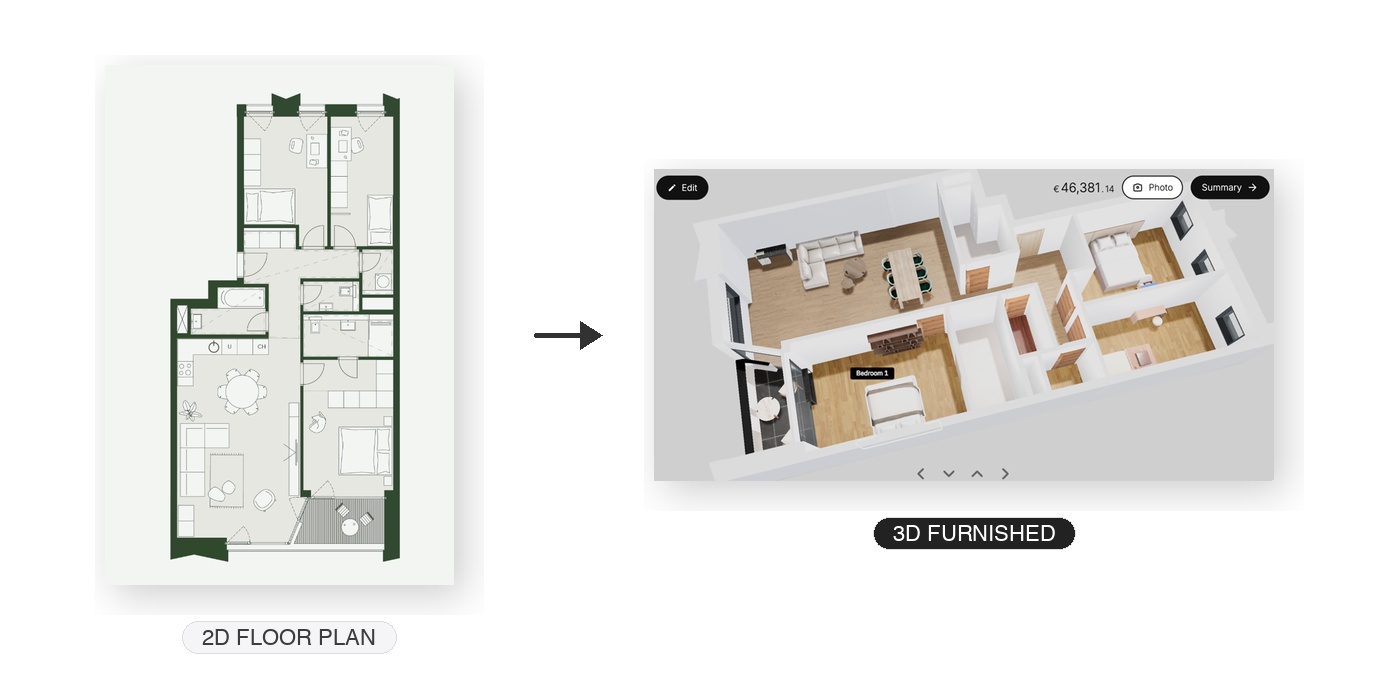
You just signed a lease or bought a new apartment. You have the floor plan from the developer. Now comes the hard part: figuring out what furniture to buy, where to put it, and whether it will actually fit. Do you guess? Do you measure everything with a tape measure and hope for the best? Do you hire an interior designer for thousands of dollars?
Or do you upload your floor plan to a 3D room planner and see your entire apartment — fully furnished, from every angle — before you spend a single euro?
In 2026, AI-powered 3D room planners make it possible to design every room in your apartment in minutes, not weeks. Upload a floor plan, get an interactive 3D model, place real furniture from real brands with real prices, and generate photorealistic renders that show exactly how your apartment will look. This guide walks you through the entire process.
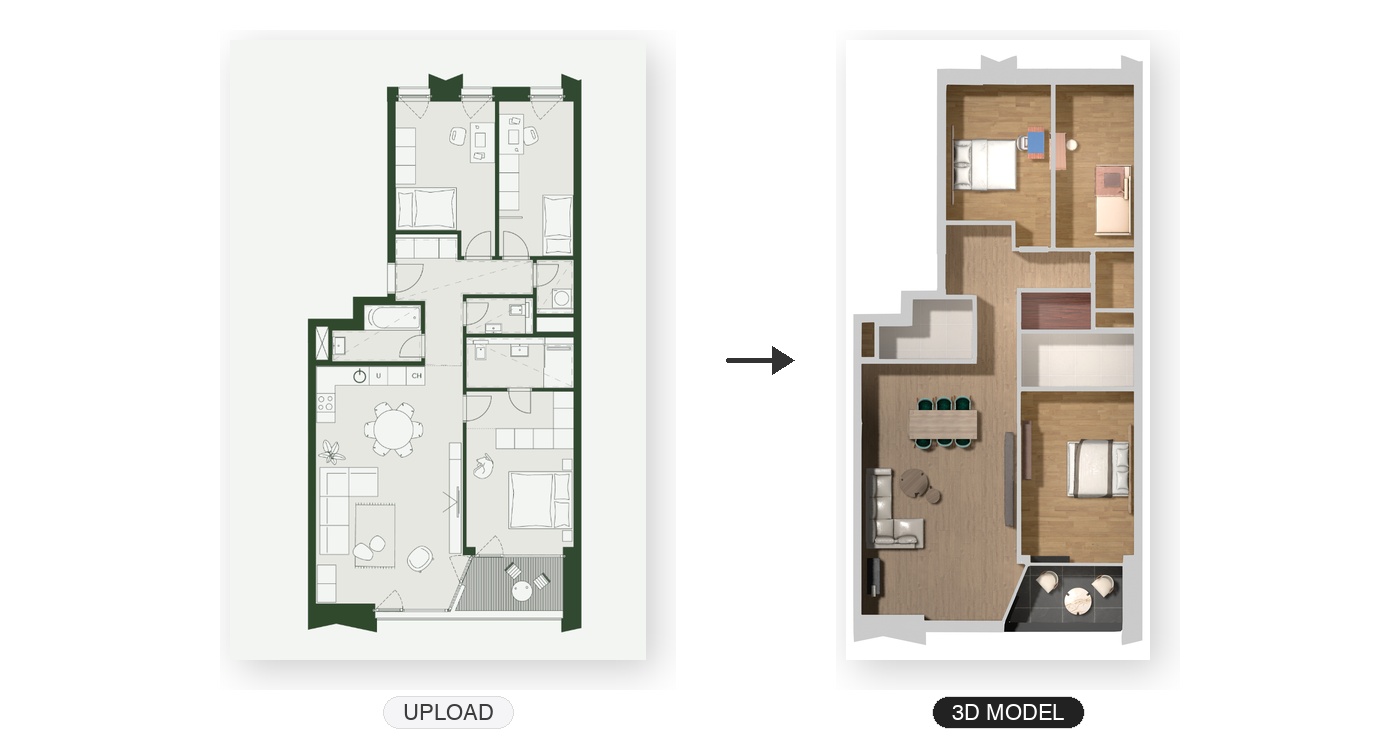
Upload any floor plan and the AI converts it into a furnished 3D model in seconds
What Is a 3D Room Planner?
A 3D room planner is a tool that lets you design and visualize rooms in three dimensions. Instead of staring at a flat floor plan and trying to imagine how furniture will look, you see a realistic 3D model of your space — complete with walls, windows, doors, and furniture at real-world scale.
Traditional 3D room planners required you to manually draw walls, set dimensions, and build the room from scratch. That process took hours and demanded some technical skill. AI-powered room planners like MeltFlex skip all of that: upload a floor plan image and the AI automatically converts it into a full 3D model in seconds. Walls, rooms, doors, and windows are detected and placed accurately without any manual work.
From Floor Plan to Furnished Apartment: How It Works
Step 1: Upload Your Floor Plan
Start with any floor plan — an architect's drawing, a developer's blueprint, a hand sketch on paper, or a photo from a real estate listing. Go to MeltFlex, upload the image, and the AI takes over. It identifies every room, wall, door, and window in the plan and converts it into a dimensionally accurate 3D model.
The entire conversion takes under 30 seconds. No tracing walls manually. No entering measurements. No CAD software. Just upload and get a walkable 3D apartment.
Step 2: Explore Your 3D Apartment
Once converted, you can navigate through your apartment in full 3D. Walk through rooms, look at the space from every angle, and get a true sense of the proportions. See which rooms are larger than expected. Spot the awkward corner that will be hard to furnish. Understand the flow between living room, kitchen, and bedrooms.
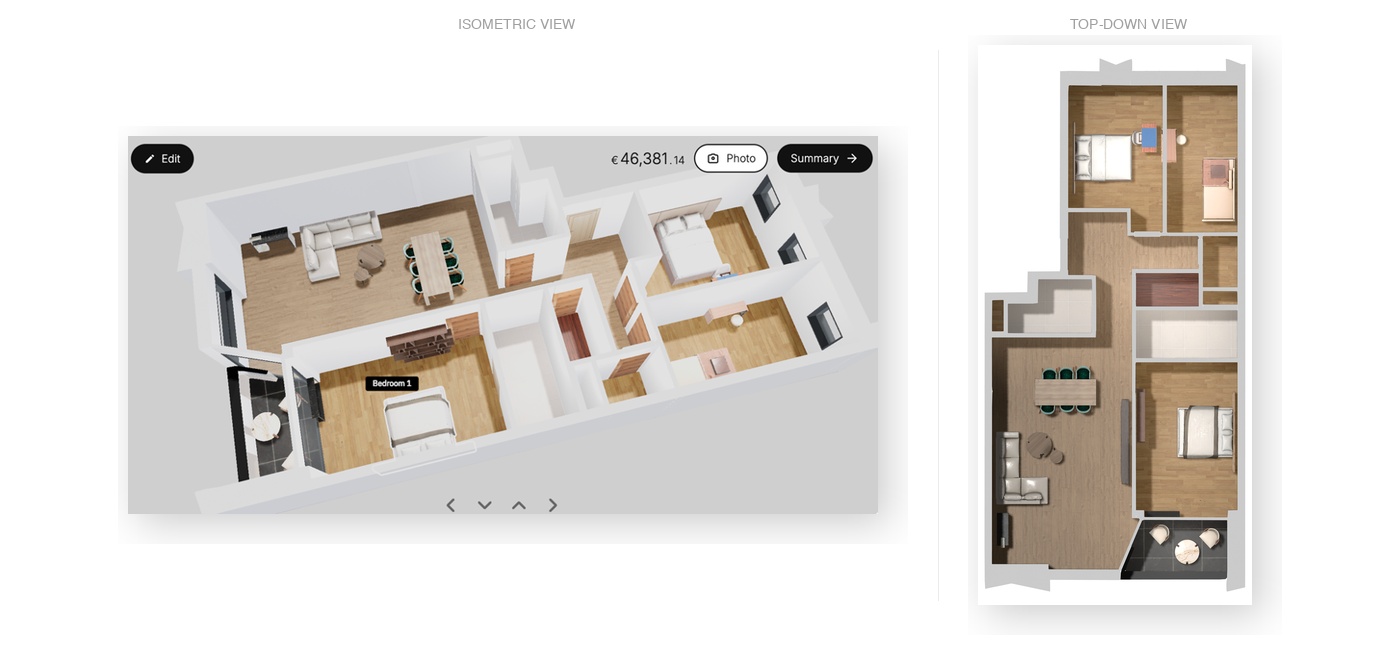
Two views of your 3D apartment — isometric with real-time pricing (left) and top-down layout overview (right)
Step 3: Place Real Furniture
This is where a 3D room planner becomes genuinely useful. Browse a catalog of real furniture from real brands — sofas, tables, chairs, beds, desks, shelves, lamps — and place them anywhere in your 3D apartment. Every piece shows real-world dimensions, so you know instantly whether that sectional sofa actually fits in your living room.
With MeltFlex, every furniture item has actual pricing and specifications. As you furnish rooms, you see a running total of your furniture budget. In the example above, furnishing an entire 3-bedroom apartment with premium pieces totals around €46,000 — but you can swap for budget-friendly alternatives and bring that number down to whatever fits your budget.
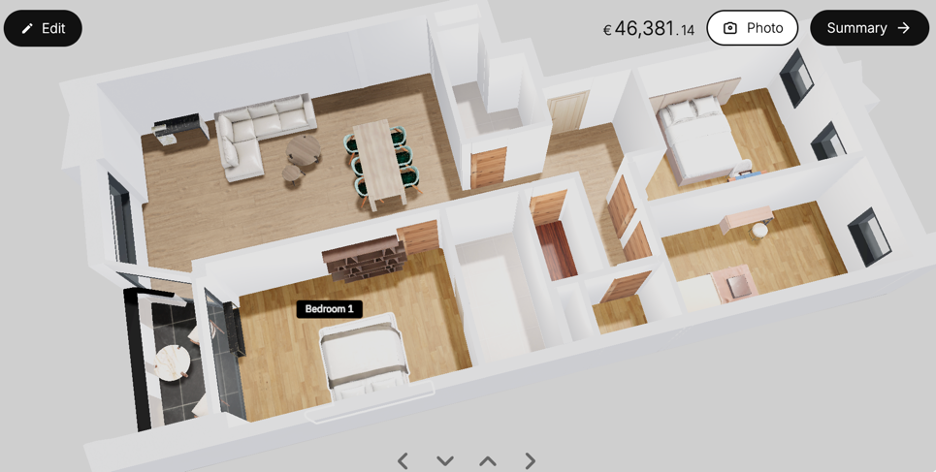
Place real furniture and see a running total — this 3-bedroom apartment comes to €46,381 fully furnished
Step 4: Generate Photorealistic Renders
Once you are happy with the furniture layout, generate photorealistic renders of each room. These are not wireframe previews or cartoonish 3D models — they are realistic images that show exactly how your apartment will look with natural lighting, material textures, and proper shadows.
Share renders with your partner, your family, or your contractor. Print them out for reference while shopping. Use them to compare two different sofa options in the same room. The renders take seconds to generate and look like professional interior photography.
Room-by-Room: What You Can Plan
Living Room
The living room is usually the hardest room to furnish because it serves multiple functions: relaxing, entertaining, watching TV, sometimes dining. A 3D room planner lets you test different layouts — L-shaped sofa vs two-seater plus armchairs, TV on this wall vs that wall, dining table in the corner vs separate dining area.
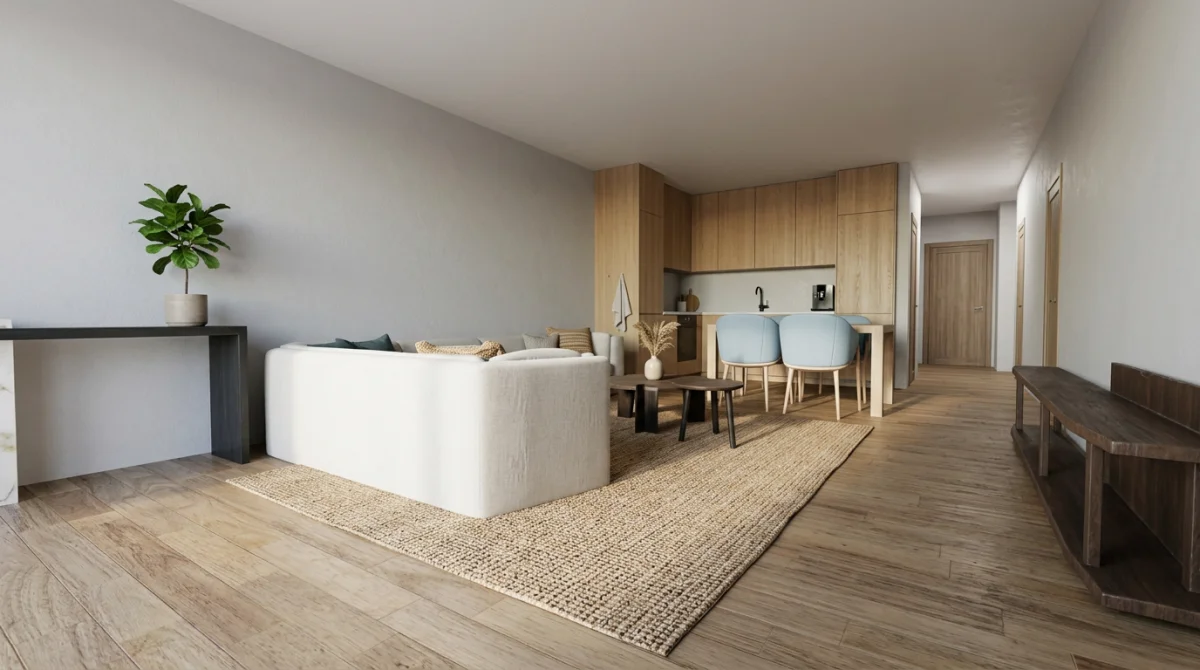
Living room render: warm Scandinavian style with real furniture — sofa, dining set, and kitchen in one space
Bedroom
Will a queen bed fit with two nightstands? Is there room for a desk in the corner? Can you add a wardrobe without blocking the door? These are questions you can answer in seconds with a 3D planner instead of finding out the hard way after delivery.
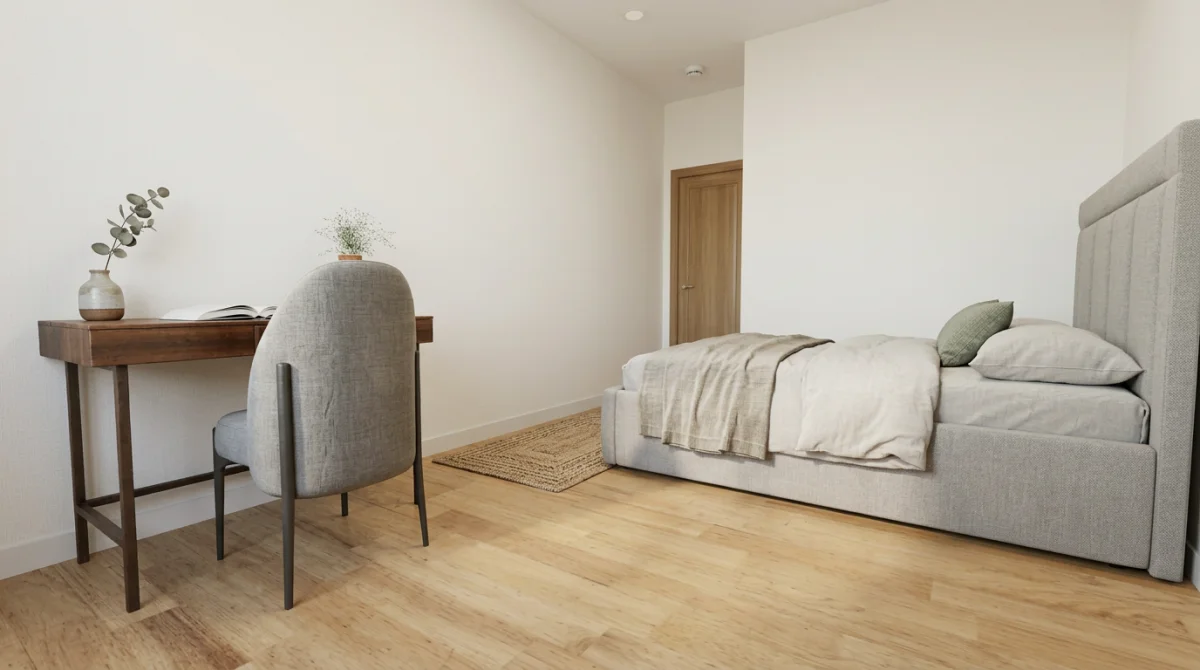
Bedroom with workspace: upholstered bed, walnut desk, and linen bedding — every piece is real and purchasable
Terrace and Outdoor Spaces
Do not forget your balcony or terrace. A 3D planner helps you figure out whether a bistro set fits, how to arrange seating for guests, and what the space feels like with plants and lighting. Outdoor spaces are often overlooked during planning and end up empty or cluttered.
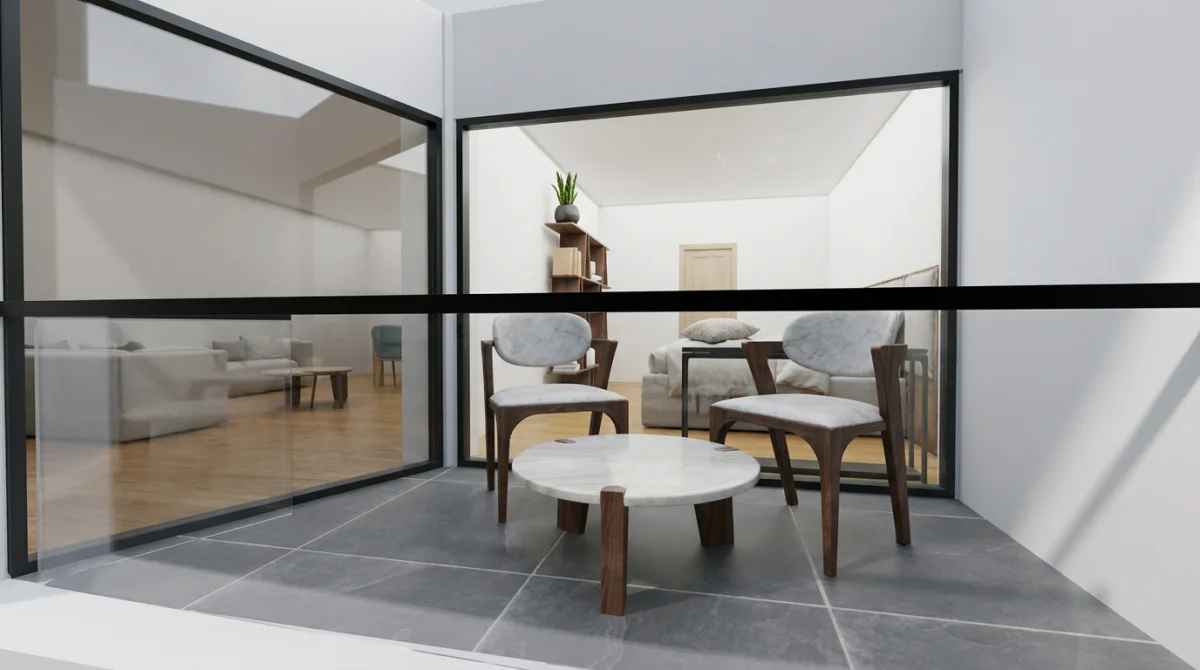
Terrace design: marble table and seating visible through floor-to-ceiling windows
Why Plan Furniture Before You Move In
Most people buy furniture reactively — they move in, stare at empty rooms, panic-buy a sofa from the first store they visit, and realize three months later it does not fit the space. Planning ahead with a 3D room planner solves every common furniture mistake:
- No more "it does not fit" moments. See real-world dimensions of every piece in your actual room before ordering. That 280cm sofa that looks perfect online might block your balcony door.
- Stay on budget. See the total cost of furnishing each room (and your entire apartment) as you design. Swap expensive pieces for alternatives without starting over.
- Avoid impulse purchases. When you have a complete furniture plan, you shop with intention instead of wandering through IKEA hoping something catches your eye.
- Coordinate style across rooms. See your entire apartment in one view. Make sure the living room, bedroom, and dining area feel cohesive instead of designing each room in isolation.
- Share the plan with others. Send photorealistic renders to your partner, roommate, or family. Make decisions together instead of arguing about abstract descriptions.
- Order everything at once. With a complete furniture list and budget, you can order everything before move-in day and have it delivered when you need it.
3D Room Planner vs Traditional Planning Methods
| 3D Room Planner (AI) | Tape Measure + Imagination | Interior Designer | |
|---|---|---|---|
| Cost | $0 – $30 | Free | $2,000 – $15,000 |
| Accuracy | Precise 3D model | Rough estimates | Professional |
| Time | 30 minutes | Hours of guessing | 2 – 6 weeks |
| Visualization | Photorealistic renders | Imagination only | Mood boards + renders |
| Real furniture | Yes (MeltFlex) | No | Selected by designer |
| Changes | Instant, unlimited | Start over | 1 – 2 revision rounds |
How to Get Started
- Get your floor plan. Ask your developer, real estate agent, or landlord for the floor plan. Even a photo of a printed plan works.
- Go to MeltFlex and create a free account.
- Upload the floor plan. The AI converts it to an interactive 3D model in seconds.
- Start furnishing. Browse real furniture, place pieces in your rooms, and see the total cost in real time.
- Generate renders. Create photorealistic images of each room to share and compare.
- Buy what you love. Every piece of furniture is real — add items to your cart and order directly.
Free credits on signup. No credit card required. Your entire apartment — designed, furnished, and priced — in under an hour.
Try MeltFlex 3D room planner free — upload your floor plan and furnish every room with real furniture before you move in. See prices, dimensions, and photorealistic renders of your future home.
Related guides: floor plan to 3D with AI, best AI interior design tools compared, AI room makeover before and after, new build apartment design, and buy furniture online with AI.

