
The room had been beige for nine years. Not a chosen, considered beige, just the beige it came with, the beige I kept meaning to do something about and never did. There was a brown leather sofa that had given up, a coffee table buried under mugs and unopened post, and two cardboard boxes in the corner that I had labelled “Kitchen Stuff” during a move I no longer remember.
So I did what any reasonable person avoiding their actual problems would do. I took a photo of it and decided to redesign the whole thing with AI, one step at a time, and write down exactly what happened at every stage.
Quick answer: yes, you can transform a room with AI from a single photo, and the result can be genuinely good. The trick almost nobody tells you is that it does not happen in one click. A real AI room transformation is a series of small, deliberate passes. Here is mine, six steps from a tired beige box to a room I actually wanted to sit in, with every mistake left in.
The short version
- One photo, one room, six passes. The first generation is never the one you keep, and that is the whole point.
- Strip the room back to empty first. It is much easier to design a blank space than to fight your existing clutter.
- Change one thing per pass: style, then furniture, then color, then light. Changing everything at once gives you mush.
- A pretty render is easy. The version worth keeping is the one that uses your real room and links to furniture you can actually buy.
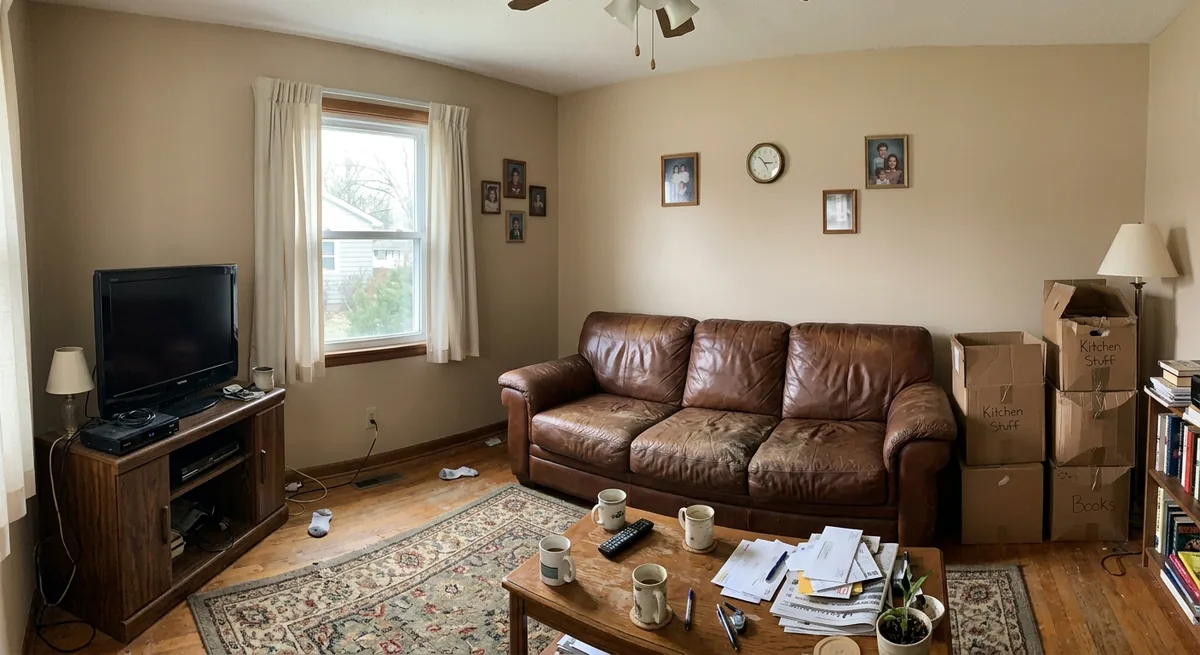
The starting point. Nine years of beige, one defeated leather sofa, and boxes I will clearly never unpack.
Why I did one room, slowly, instead of one click
I have tried the one-click apps. You upload a photo, tap “Scandinavian,” and three seconds later you get a room that looks lovely and nothing like a place a human lives. The furniture floats, the proportions drift, and you cannot buy a single thing in the picture. It is fun for about a minute.
This time I wanted to treat the AI like a junior designer I was directing, not a slot machine. One room, my real living room, changed in deliberate steps, with me making a decision at each stage. If you want the multi-tool, whole-apartment version of this experiment, I wrote that up separately in I let AI design my home. This is the opposite: a single space, followed all the way through.
There is a real reason to do this before spending money, not after. Home goods and furniture carry some of the highest return rates in retail, around 15 to 20 percent, and most of those returns are not faults, they are pieces that looked right online and were wrong in the actual room. Retailers who let customers visualize an item in their own space first report cutting returns by roughly 40 percent (a widely cited Shopify figure). Designing the whole room on screen before you buy anything is that same idea, scaled up. It is also not a niche habit: the AI interior design market is projected to grow from about $1.39 billion in 2025 to $1.76 billion in 2026, a 27 percent jump in a single year.
Step 1: Strip it back to an empty room
My first instinct was to jump straight to a style. That was wrong. When I asked the AI to “make this Scandinavian” with all my stuff still in frame, it tried to design around the leather sofa and the boxes, and the result was a confused hybrid of old and new. AI treats whatever is in your photo as something to keep.
So I went back a step and asked it to clear the room completely: remove the furniture, the rug, the curtains, everything, and leave a clean empty space. This is the single most useful move I made all day.
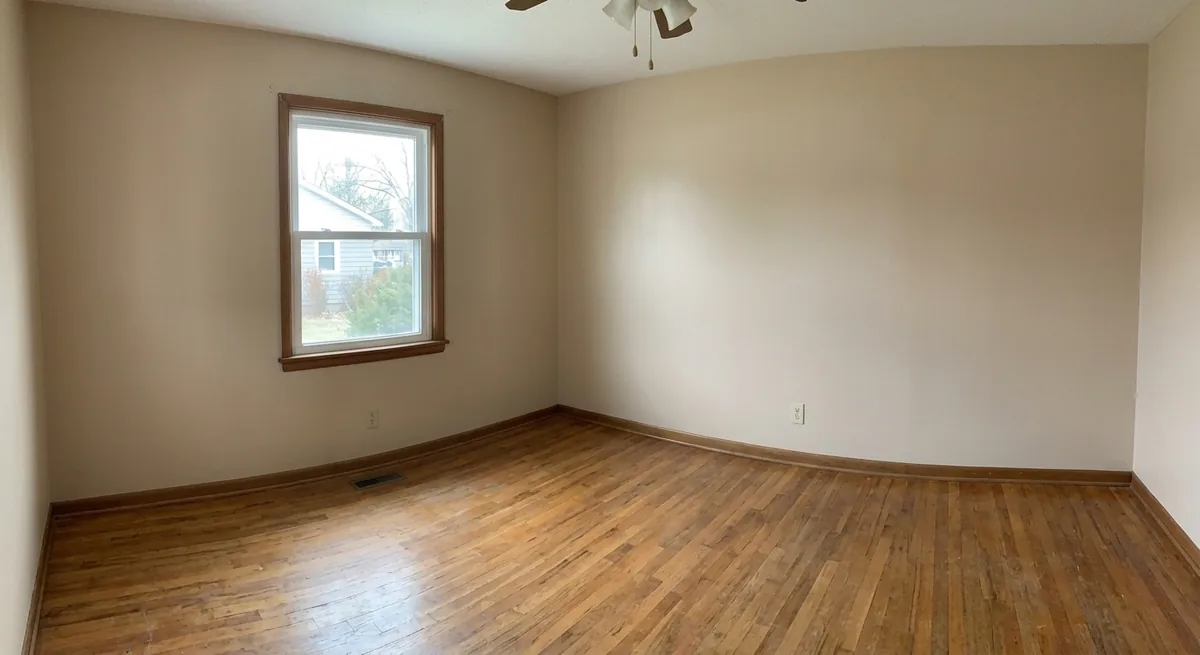
Same window, same wood floor, same awkward proportions, just empty. Now I had a blank canvas instead of a fight.
Notice what stayed identical: the window, the wood floor, the ceiling, the shape of the room. That is the part that matters. A good tool keeps your real architecture and only changes what you ask it to. A bad one quietly invents a new, more flattering room, which feels great until you remember you have to design the room you actually own.
Step 2: Commit to one style and stop hedging
With an empty room, I picked a direction: warm minimalist. Not cold, gallery-white minimalism, the warmer version with oatmeal linen, light oak, and a soft wool rug. I asked for the bare bones only: a sofa, a coffee table, a rug, a lamp. Nothing else yet.
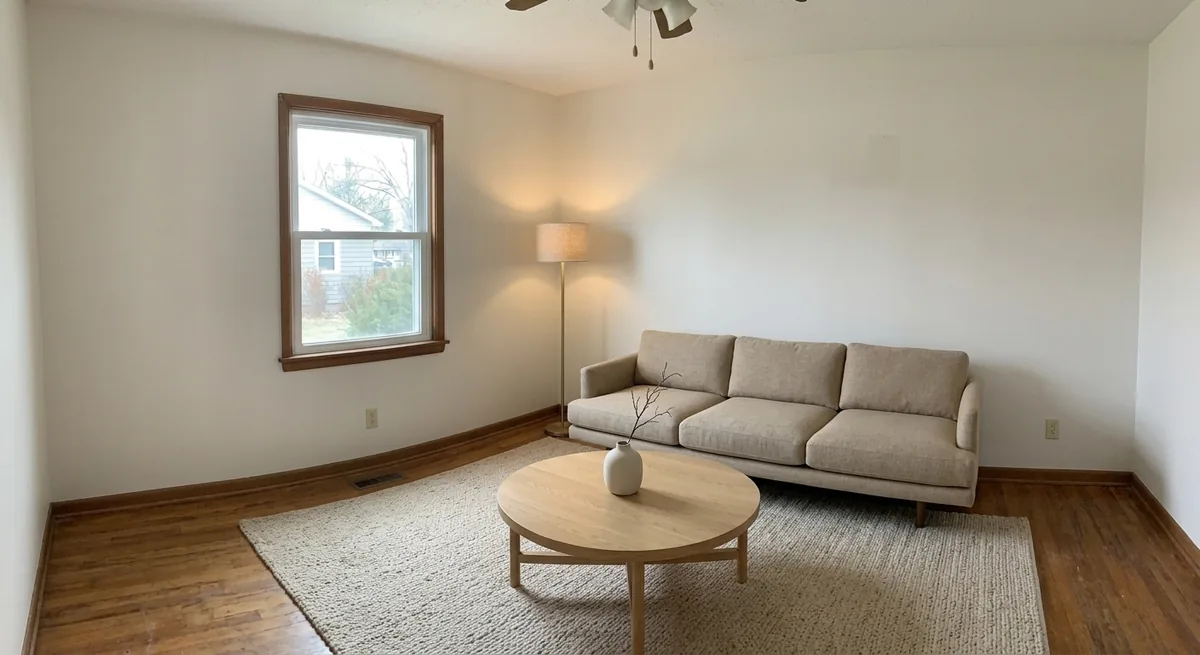
The skeleton of the room. Restrained on purpose. It is far easier to add than to untangle an overcrowded render.
The temptation here is to ask for everything at once, the full Pinterest board in one go. Resist it. When I tried that on an earlier attempt, the AI crammed in three side tables, a gallery wall, and a chaise that did not fit, and I could not tell which decision was working and which was fighting the room. One style, a few core pieces, then judge it. This is also the stage where you should run it a few times. I generated this four times and kept the calmest one.
Step 3: Add the pieces that turn a layout into a room
A sofa and a coffee table is a furniture showroom, not a home. The next pass was about the pieces that make a room feel considered: a pair of bouclé armchairs to actually talk to someone, a media console and a TV that lives somewhere sensible, one large piece of art, and a tall plant to soften the corner by the window.
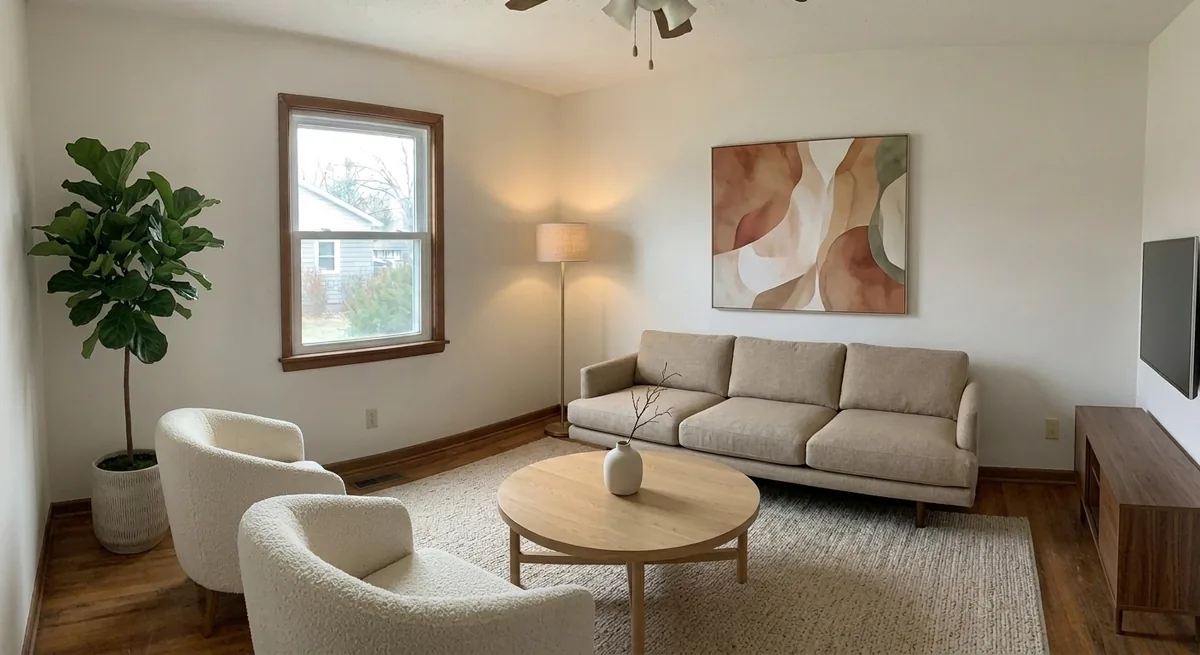
Same sofa, same rug, same lamp, now with somewhere to sit, something to watch, and something to look at.
Here is where keeping the previous furniture in place matters. Because I asked the AI to add to the existing scene rather than start over, the sofa, rug, coffee table, and lamp stayed exactly where they were. This is the difference between iterating and rerolling. If your tool throws away the last result every time you make a change, you are not designing, you are gambling.
Step 4: Color is the cheapest dramatic change you can make
The room was good now. Calm, complete, a little safe. So I did the one thing that always transforms a space more than people expect: I changed the color. I asked the AI to paint just the wall behind the sofa a warm sage green, swap the rug for a creamier wool, and add wood-slat blinds to the window.
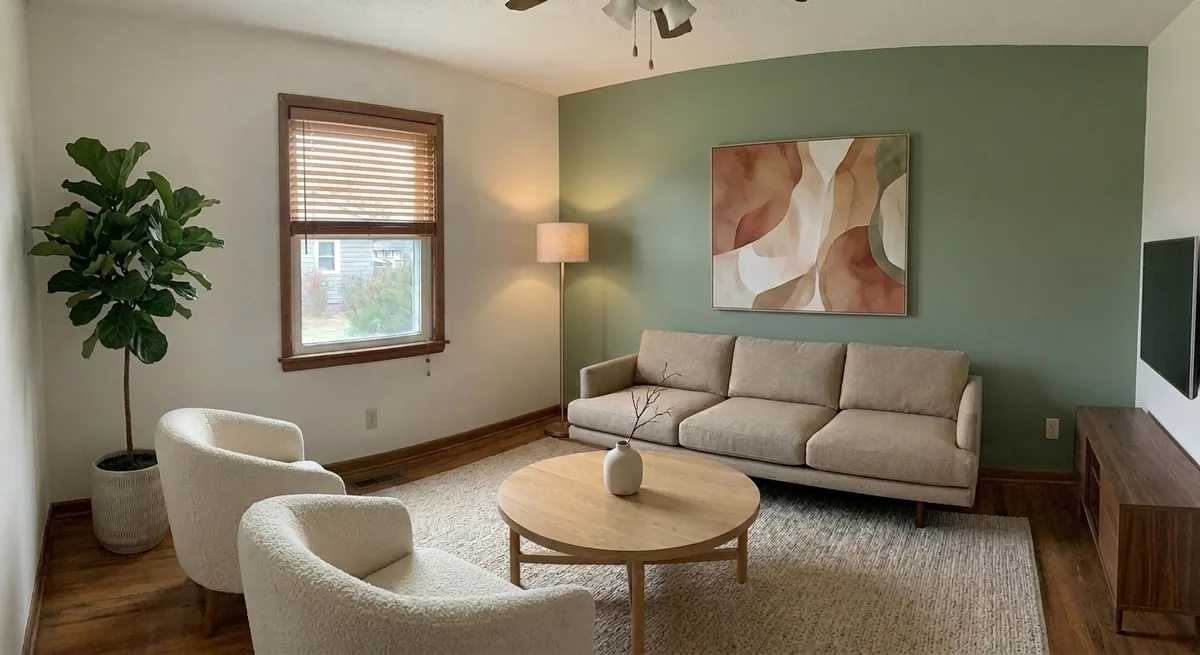
One green wall. Same furniture, completely different mood. This is the cheapest big swing in any room.
This is exactly the kind of decision AI is built to de-risk. In real life, painting a wall the wrong green is a weekend and a tin of paint you resent. On screen it is ten seconds, and you can try five greens before you commit. If color is the change you are nervous about, that alone is a reason to visualize first. I go deeper on this in our guide to choosing paint colors with AI.
Step 5: Light and the small things that sell it
The final pass was atmosphere. Daylight renders look like real-estate listings; warm lamplight looks like somewhere you want to be. I asked for evening lighting, a glowing floor lamp, soft shadows, then the styling that makes a room read as lived-in: floating shelves with books and ceramics, a knitted throw, cushions, a coffee-table book, a small vase of dried grasses.
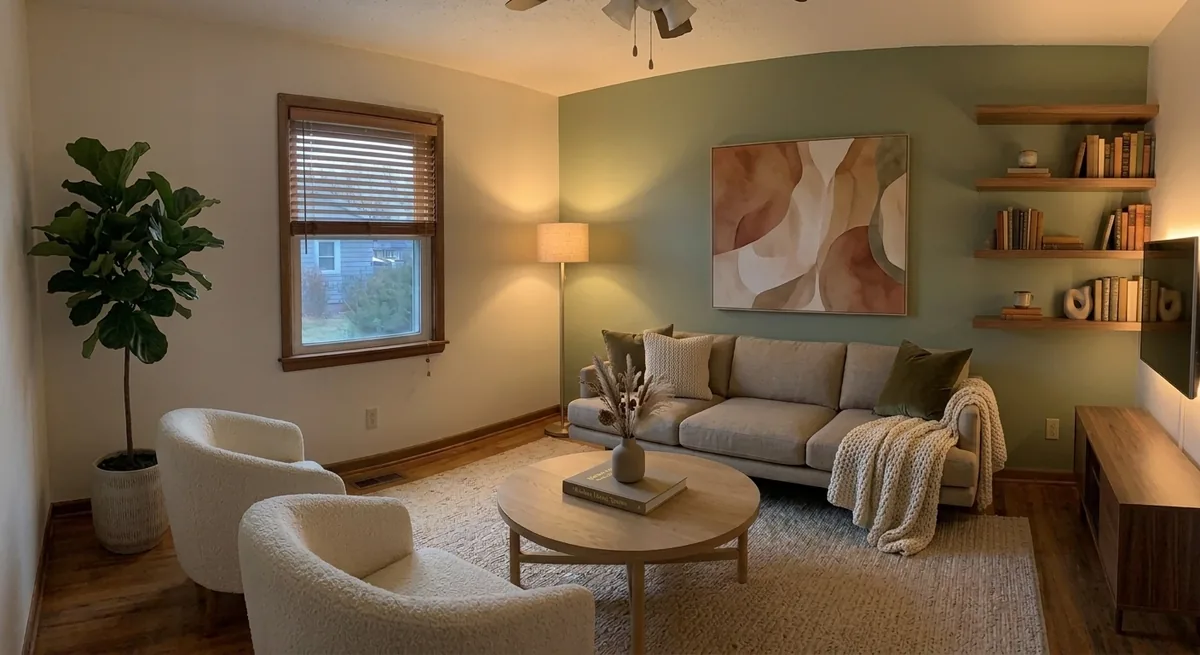
The finished room. Same four walls and window I started with, nine years of beige finally gone.
Is it perfect? No, and I want to be honest about that. The AI nudged the sofa slightly and tightened the framing on this last pass, which is the accumulation problem with chained edits: small drifts add up. If precise layout matters to you, lock the furniture earlier and change only finishes at the end. But as a picture of where this room could go, from the boxes-in-the-corner reality to something genuinely inviting, it does the job in a way a paint chip and my imagination never could.
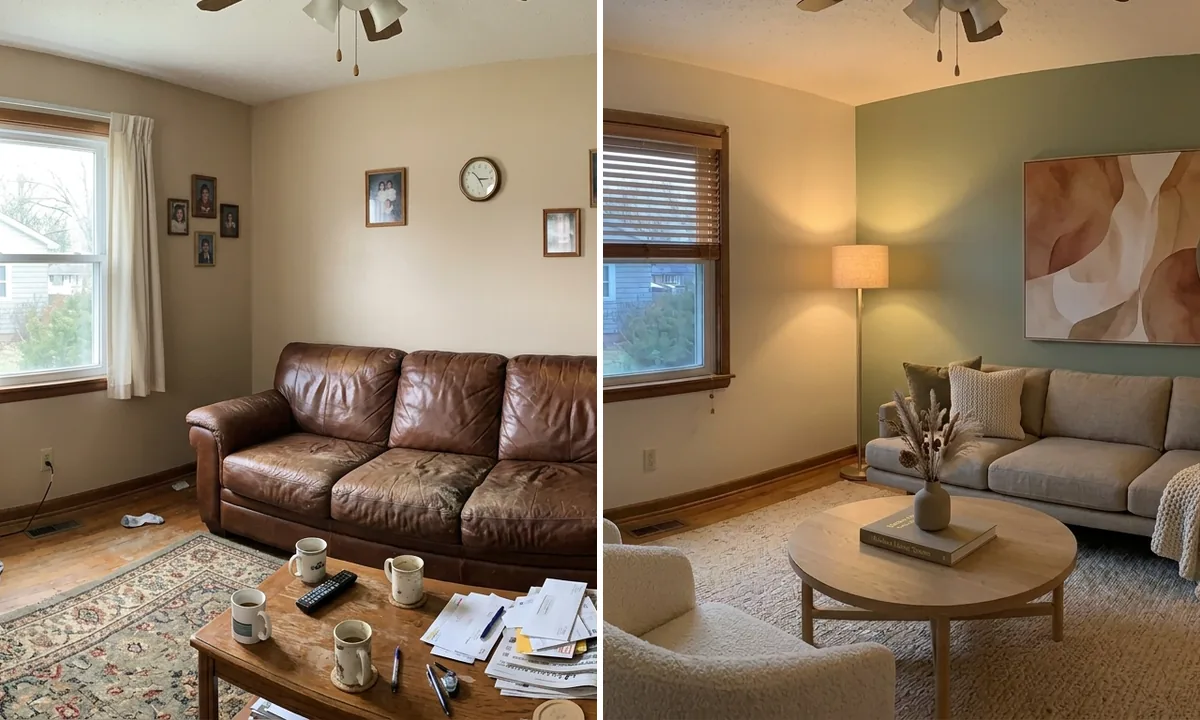
The before and after, side by side
Six passes, about fifteen minutes of actual work, and one decision at each stage. Here is where it started and where it ended.
Left: the room I was avoiding. Right: the same room, same window, after six AI passes.
The thing I keep coming back to is that none of this required throwing out my real room. Every step kept the window, the floor, and the bones of the space and changed only what I pointed at. That is what makes an AI render useful rather than just aspirational: it is a plan for the room you have, not a photo of a room you do not.
The six-step AI room transformation at a glance
If you want to copy the process on your own room, here is the whole thing in one table: what I changed at each step, and why it mattered.
| Step | What I changed | Why it matters |
|---|---|---|
| 1. Empty | Clear all furniture, rug, and clutter | You design a blank space instead of fighting old pieces |
| 2. Style | Add a sofa, table, rug, lamp in one style | Sets a clear direction without overcrowding |
| 3. Furniture | Add armchairs, media unit, art, a plant | Turns a layout into a room that functions |
| 4. Color | Paint an accent wall, swap the rug | The biggest mood change for the least risk |
| 5. Light | Warm lighting plus styling and decor | Makes the render read as lived-in, not staged |
| 6. Shop | Match each piece to a real product | Turns the final image into a buyable plan |
What actually made the difference
If you take one thing from this, let it be that AI room design rewards patience, not prompts. The people who say AI interior design “does not really work” are almost always the people who generated once, got a generic render, and stopped. The value is in the iteration.
A few rules I would now follow every time:
- Tidy and shoot in daylight. The photo is the foundation. A messy, dark photo gives a messy, confused redesign.
- Empty before you style. Clear the room in one pass so you are designing a blank space, not negotiating with your old furniture.
- One change per pass. Style, then furniture, then color, then light. You can only judge a decision in isolation.
- Keep the previous result. Use a tool that edits the last image instead of starting from scratch, or you will never build on progress.
- Insist on buyable furniture. A render you cannot shop is a mood board. A render where every piece links to a product is a plan.
That last point is where most tools quietly fail and where the whole exercise either pays off or does not. A redesign is only worth the time if you can actually recreate it. Tools like MeltFlex keep your real room and link the furniture in the result to live products from retailers like IKEA, Amazon, and Wayfair, with prices, so the final image doubles as a shopping list. And the visualization itself has measurable value: in the National Association of Realtors’ 2025 staging report, 83 percent of buyers’ agents said staging made it easier for buyers to picture a property as their home, and 29 percent reported it raised offers by 1 to 10 percent. Helping people see a finished room is not a gimmick, it moves decisions.
Frequently asked questions
How do I redesign a room with AI step by step?
Photograph the room in daylight, upload it to a tool like MeltFlex, and work in passes: clear the clutter, commit to one style, add the main furniture, then adjust color and lighting. Each pass builds on the last, so by the fourth or fifth generation you have a room you could actually build rather than a pretty first guess.
Can AI redesign a photo of my real room?
Yes, and that is where it is genuinely useful. You upload a photo of your actual space and the AI returns the same room reimagined while keeping your window, walls, and proportions. Quality depends heavily on the photo, so a bright, straight, decluttered shot beats a dim snap of a messy corner every time.
How many times should I regenerate a room before settling?
Expect to iterate. The first render is almost never the keeper, and most people stop too early. Running the same room through four or five focused changes is what separates a screenshot from a room you would actually live in.
Does AI interior design show furniture I can actually buy?
Most do not, which is the biggest letdown people hit. A smaller group, including MeltFlex, detects each piece in the result and links it to a real product with a price, turning a daydream into a shopping list.
What photo works best for AI room design?
Stand in a corner or doorway and take a wide shot capturing the floor, two walls, and the window, at eye level, in daylight. And tidy up first: AI treats clutter as furniture and will happily redecorate around your laundry.
Is AI room design free?
Partly. Most tools give you a handful of free generations, usually enough to transform one room. MeltFlex lets you start free with no credit card. After that, plans are typically in streaming-subscription territory, far below the cost of a human designer.
Try it on your own worst room
Everyone has the room they have been avoiding. Mine was beige for nine years. The honest surprise of this whole experiment was how quickly “I have no idea what to do in here” turned into a clear, buyable plan once I stopped expecting one click to do it.
Upload a photo of your room to MeltFlex, clear it, pick a direction, and change one thing at a time. If you want more inspiration first, see one living room in four styles, our decorate-from-scratch guide, or the full creations gallery for hundreds of real room transformations.