You built the model. Now you need an image a client reacts to, and you would rather not learn V-Ray to get one. That is what AI rendering plugins for SketchUp promise. Seven of them are worth your time in 2026: SketchUp AI Render, MeltFlex AI, D5 Lite, Veras, Arko AI, LookX AI and MyArchitectAI. Below is what each one costs as of August 2026, what its free tier actually lets you do, and where each falls short.
Our articles are still written by humans!
Get human written articles in your Google feed.
The short version
- Best free all-rounder: MeltFlex AI for photorealistic renders straight from a captured view.
- Best for real-time feedback: D5 Lite, free but capped at 2K output.
- Best for geometry control: Veras by Chaos, now sold in credits rather than a flat monthly fee.
- Best built-in option: SketchUp AI Render, included with Pro.
- Cheapest paid entry: LookX AI at 20 dollars per month, and it keeps a free plan.
- The rule of thumb: the tool that stays inside SketchUp and respects your geometry wins, not the one with the flashiest demo.
How we put this together. Four things decided each spot: does the plugin stay inside SketchUp instead of forcing you to a browser, does it respect your geometry instead of inventing a new room, how fast is the first usable image, and what does it really cost once the free tier runs out. Two disclosures, because they change how you should read this. MeltFlex is our own tool, so treat our placement of it with the scepticism you would give any vendor ranking itself, and check the free tiers yourself before you commit. And every price below was re-checked against each vendor’s own pricing page in August 2026, because several had moved since this article first went up. Where a vendor does not publish a number, we say so instead of guessing.
FreeUpload sketch or model · freeRender my sketch for freeUpload a sketch, a 3D screenshot or a massing model and MeltFlex returns a photorealistic render of it. Your first AI design is free, no card needed.

What one model actually looks like rendered
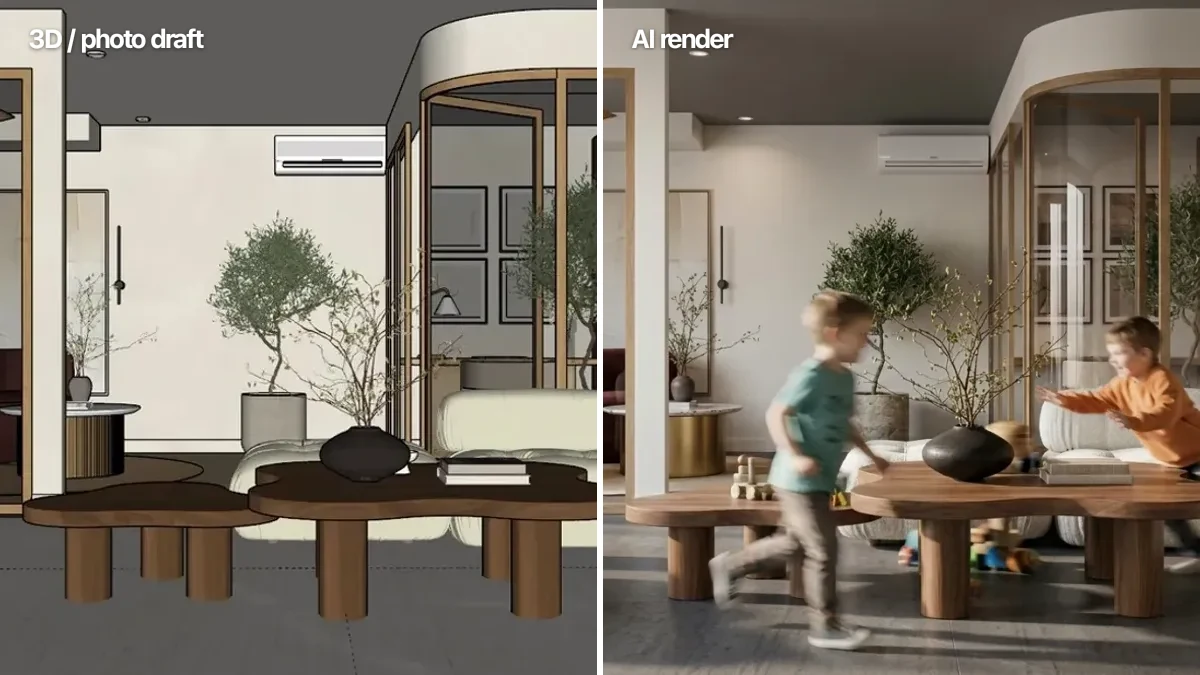
Every roundup like this shows you vendor marketing shots. Here is the opposite: one plain SketchUp living room, no materials, no lights, just geometry and edges, and the image that came back out of it.
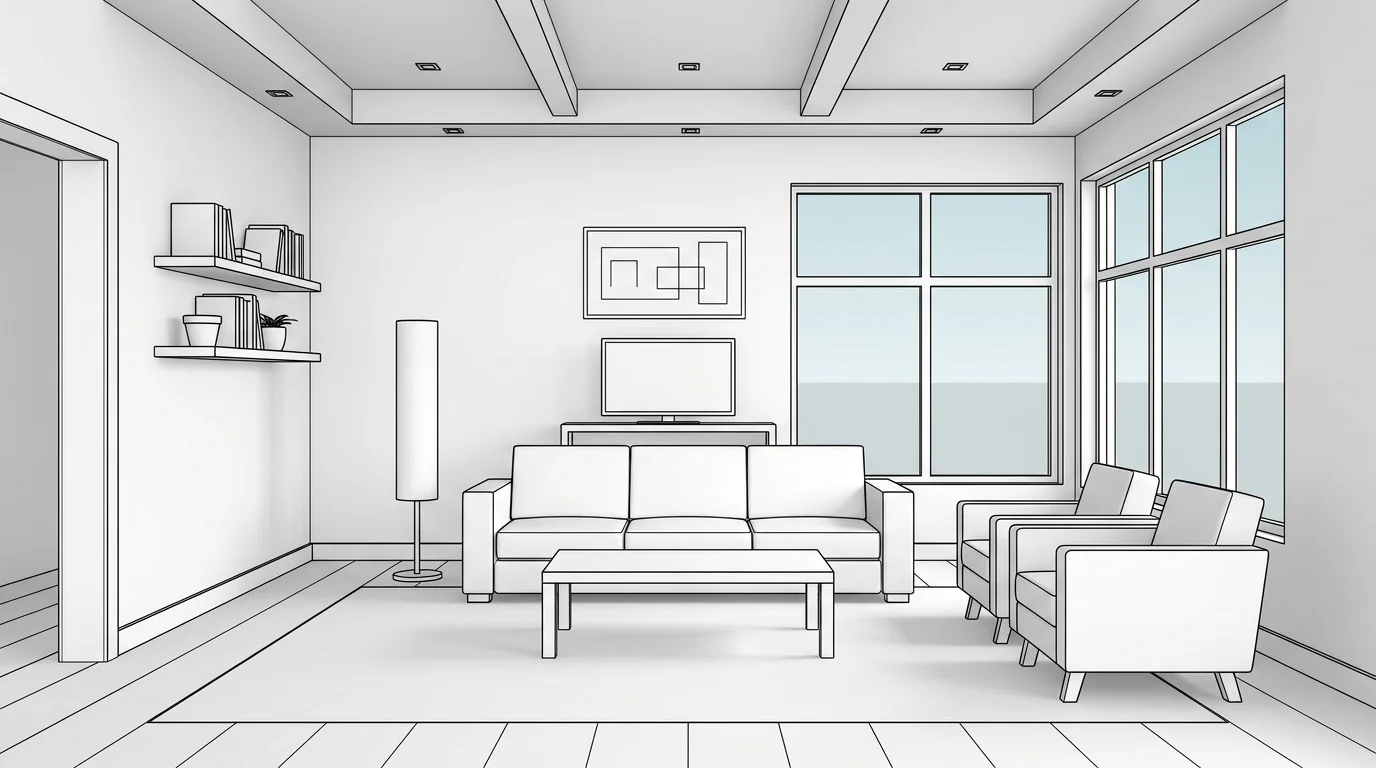
The input. A flat SketchUp view with no materials and no lighting.
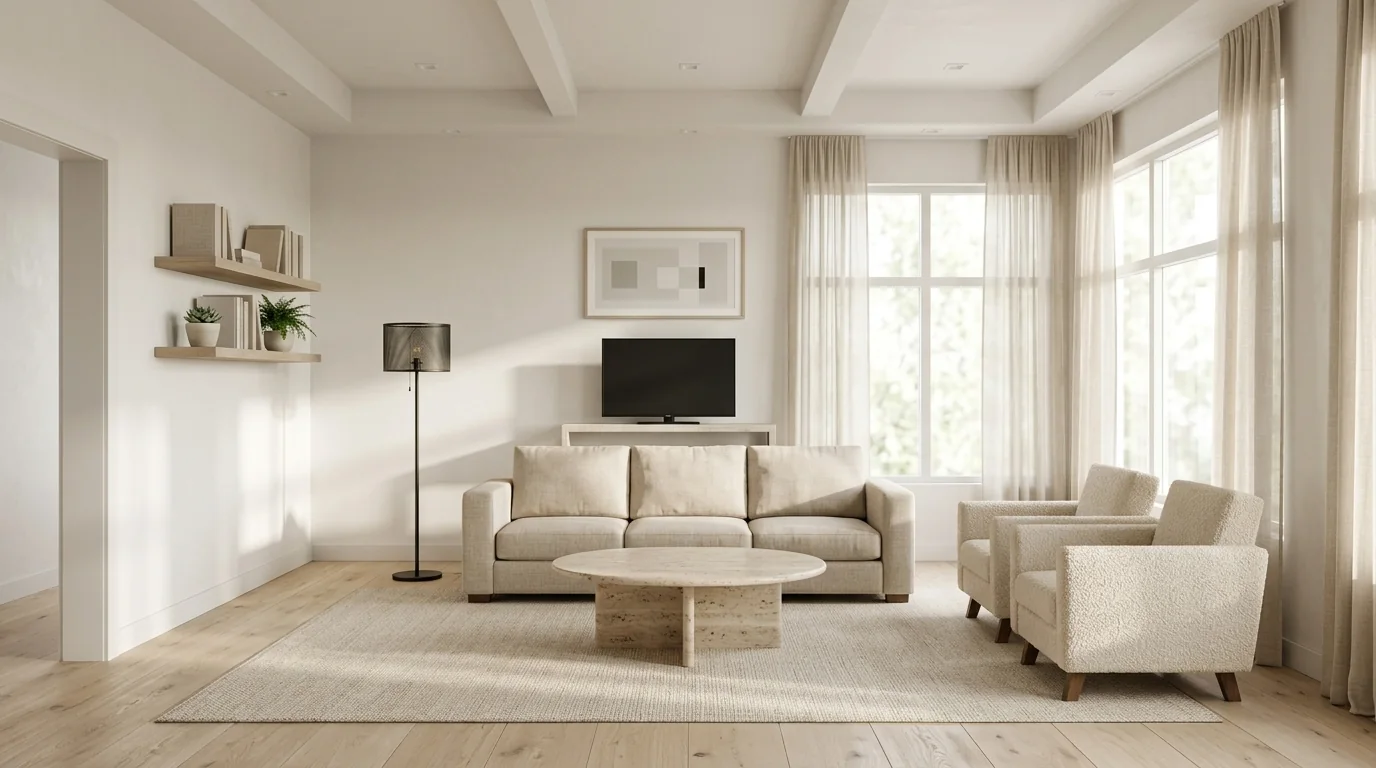
The output from MeltFlex, from that view, with no material assignment and no render settings.
What survived, and what did not. This is the part worth studying, because it is how you judge any tool on this list. The camera is identical. The ceiling beams, the two wall shelves and their contents, the framed picture, the TV and its unit, the window mullions and the corner glazing all land exactly where they were modelled. The sofa keeps its three-seat proportions and position.
Two things did not survive. The rectangular coffee table came back round, and the cylindrical floor lamp became a slim black stem with a drum shade. Neither is a disaster on a concept image, but if that coffee table was a specified product in a client presentation, you would have to fix it or reshoot. That is the honest limit of generative rendering in 2026 across every tool here, ours included: architecture holds, loose furniture drifts. Tools like Veras exist precisely because some projects cannot tolerate that drift, which is why it sits high on this list despite costing more.
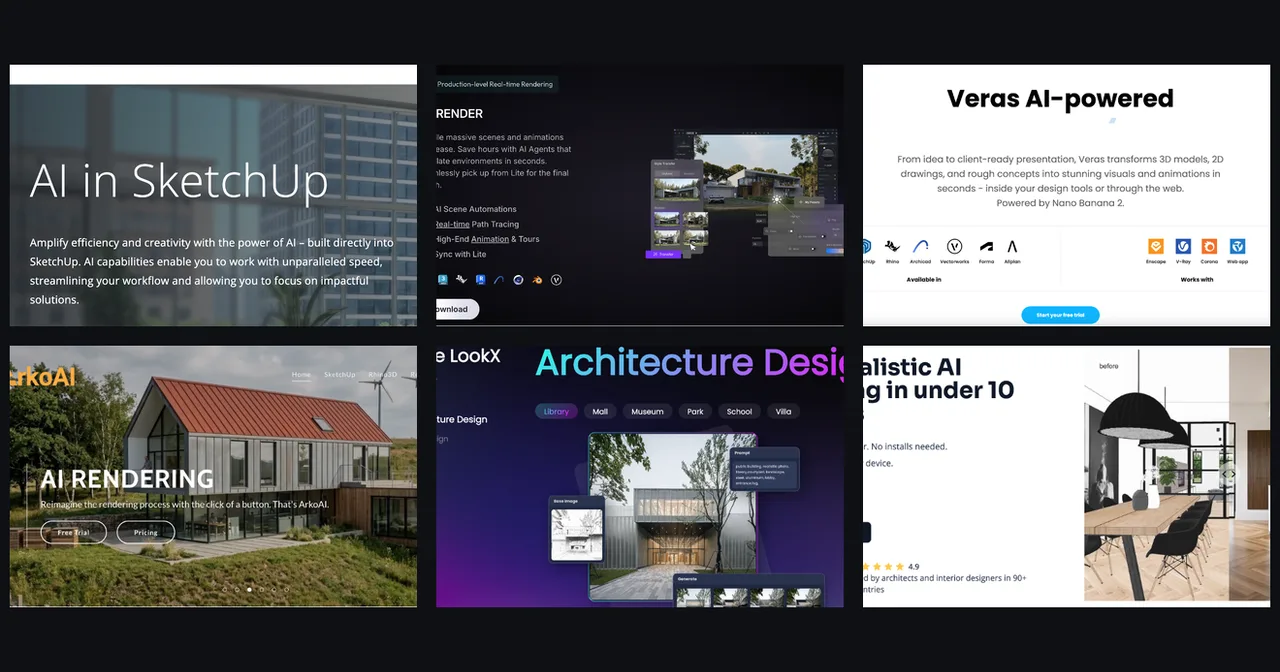
Why we are not showing the same test for the other six. Running a controlled comparison would mean paid seats on Veras, Arko AI, LookX and MyArchitectAI plus a desktop SketchUp Pro licence for the built-in tool, rendering the identical view in each on the same day. We have not done that, so we are not going to publish six images implying we did. The rankings above are based on what each tool documents, what its pricing page says, and what it is architecturally built to do. Treat the images in each section for what they are: the vendors’ own product screens, not our test results.
1. SketchUp AI Render (Official Generative AI)
SketchUp AI Render, previously known as Diffusion, is Trimble’s own generative AI tool, built directly into the core SketchUp environment and officially folded into SketchUp 2026.1.
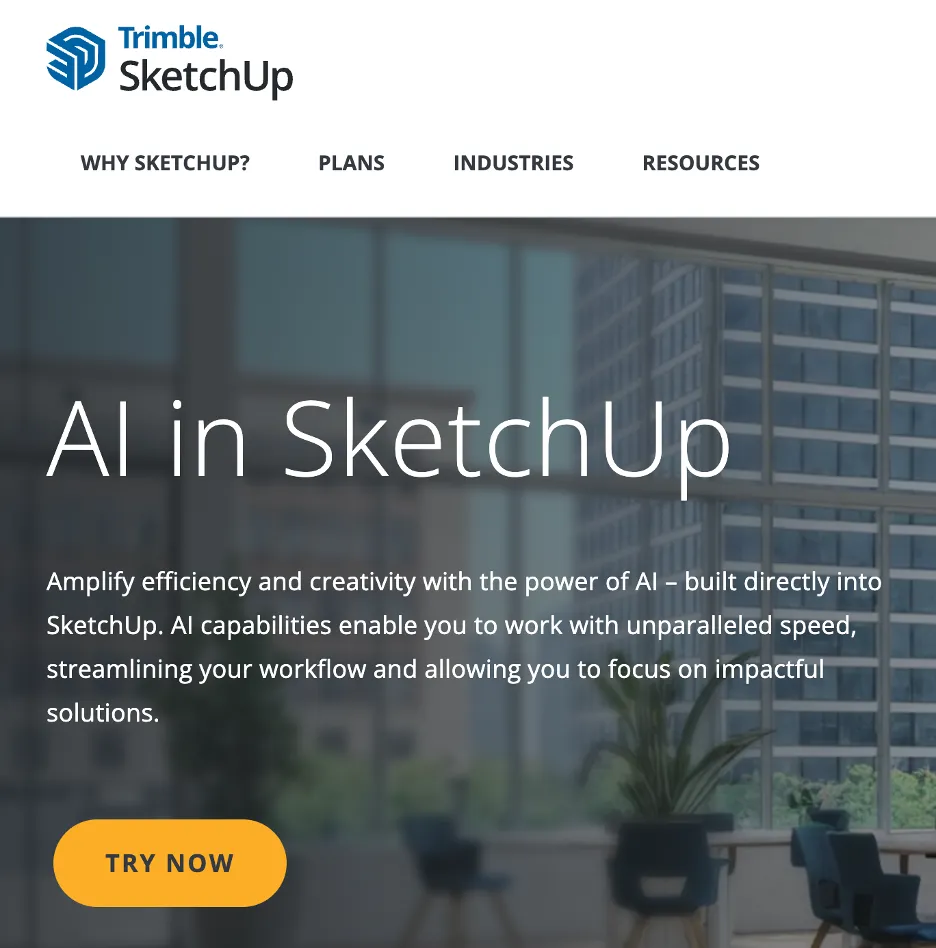
SketchUp AI Render is Trimble’s own generative AI, native to the viewport. Great for fast, stylized concept variations.
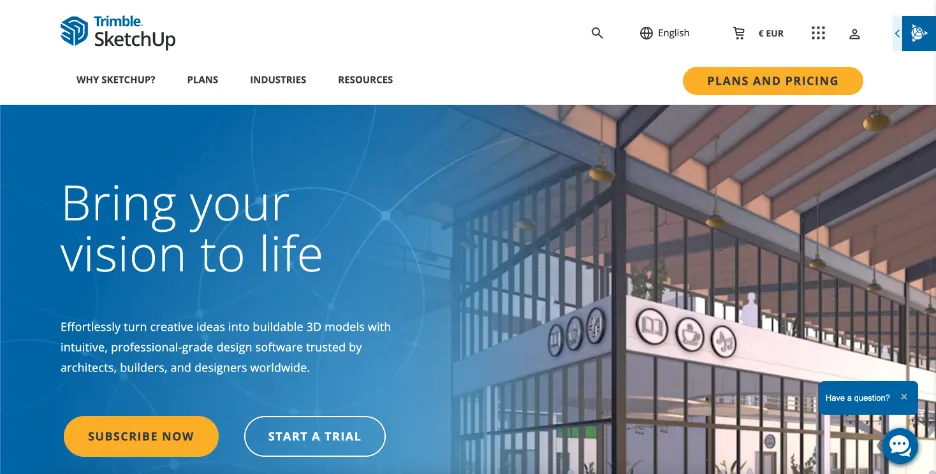
It lives inside the SketchUp platform itself, so there is nothing extra to install and your geometry is right there to render.
Where it shines. It is quick for early concept exploration, with ready-made presets and the option to write your own prompts. The respect-model-geometry control lets you decide how closely the AI sticks to your design, which makes it handy for generating quick mood-board variations live in front of a client.
Where it falls short. Results lean stylized rather than fully photorealistic, and material accuracy still varies. It is excellent for ideation and feedback loops, but most people treat it as a starting point rather than a final deliverable. Best for: quick design options during initial client calls. Price: included with SketchUp Pro.
2. MeltFlex AI (Photorealistic Render Straight From Your View)
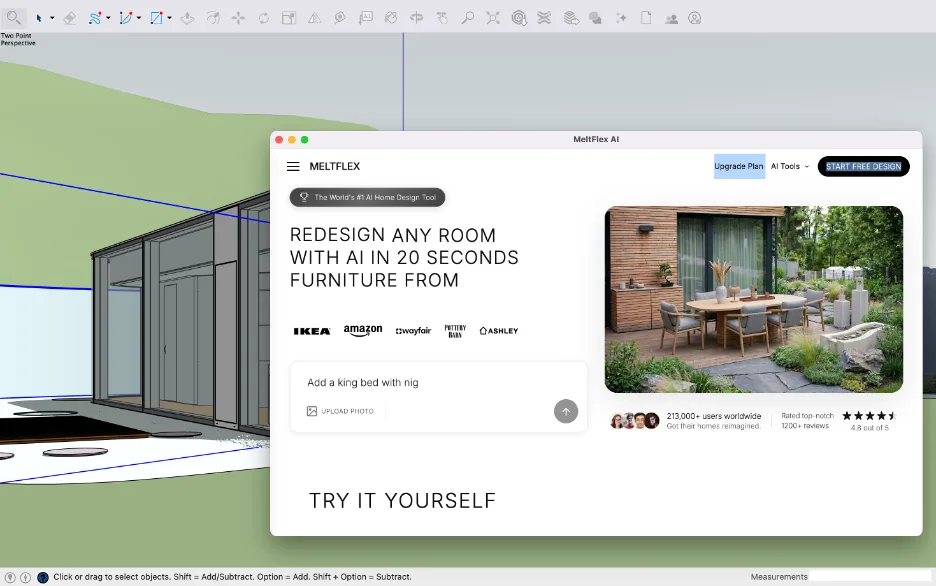
MeltFlex AI is a free SketchUp extension that captures your 3D viewport and turns it into a photorealistic render in about twenty seconds, without leaving SketchUp and without touching a render engine. Where most plugins on this list lean toward stylized concepts or real-time previews, MeltFlex is built around finished, client-ready photorealism from a plain model.
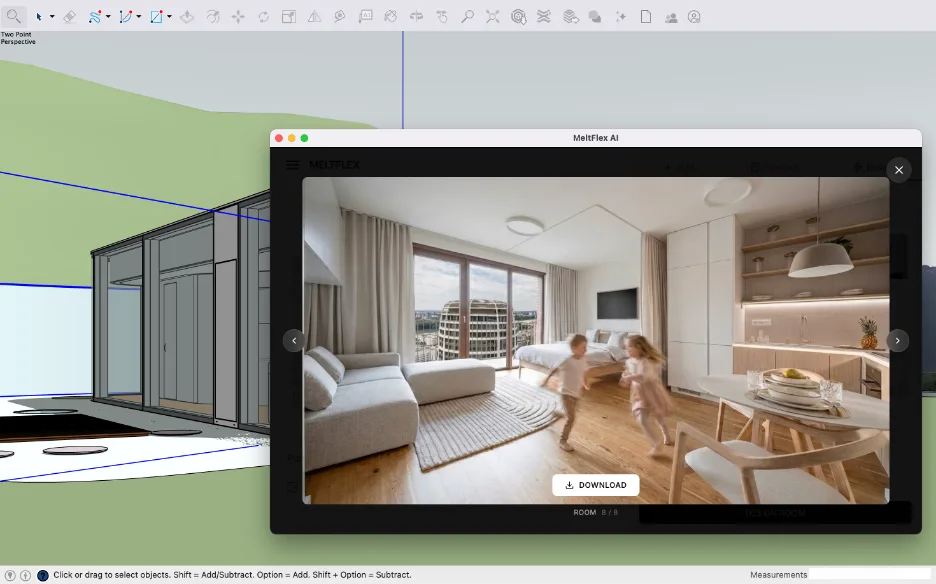
A finished render generated from a captured SketchUp view. From flat model to client-ready image without leaving the app.
Where it shines. The Capture View action sends your current viewport straight into the MeltFlex workspace as the starting image, so your real geometry is what gets rendered, not an invented room. You pick a room type and style or describe the look, and you get a photorealistic interior or exterior back in seconds, on any laptop, because everything runs in the cloud with no GPU required. Interior renders link to real, shoppable furniture from retailers like IKEA and Wayfair, so a render doubles as a sourcing list. The same workspace also handles exteriors, gardens, walls and floors, floorplan-to-3D, and AI video walkthroughs.
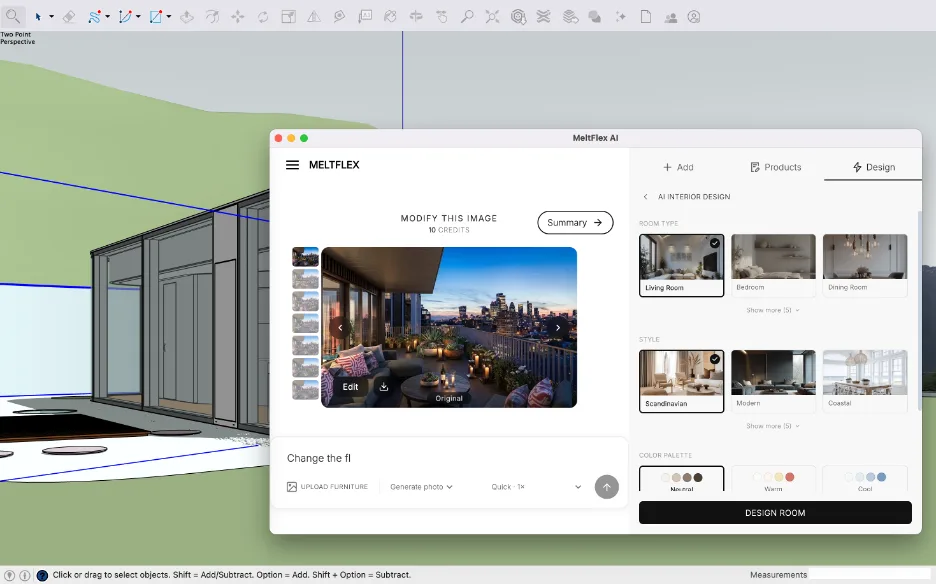
Pick a room type and style or write your own prompt, right inside SketchUp. No materials to assign, no lights to place, no render settings.
Where it falls short. MeltFlex focuses on AI generation rather than a live, orbit-and-it-updates real-time engine, so if you want continuous render feedback while you model, you will pair it with a real-time tool. For final, physically exact deliverables where every reflection must be measured, a traditional engine still has a place. And to hold ourselves to the same standard as everyone else on this list: the free tier is a credit allowance, not an unlimited plan, so a busy week of client revisions will run it down and push you to the paid tier. Best for: fast photorealistic interiors and exteriors for client presentations. Price: free to install with starting credits, Standard at 19 euros per month, reduced to 9 euros in lower-income countries.
Why MeltFlex sits near the top
- Render straight from your model. Capture View turns your 3D viewport into the input for a photorealistic image in one click.
- No render engine, no GPU. Everything runs in the cloud, so any machine produces a render in about twenty seconds.
- Real, shoppable furniture. Interior results link to actual products with prices.
- Free to start. Sign in with Google, Apple, or email and begin with free designs, no credit card.
Free and signed. Works on SketchUp 2017 and newer, on Windows and macOS. See the full plugin walkthrough.
3. D5 Lite (Real-Time Visualization With AI Concept Tools)
D5 Lite is an AI-powered real-time visualization plugin that runs directly inside SketchUp, and it has become a practical pick for freelancers and smaller studios moving quickly from sketch to developed concept without leaving the modeling environment.
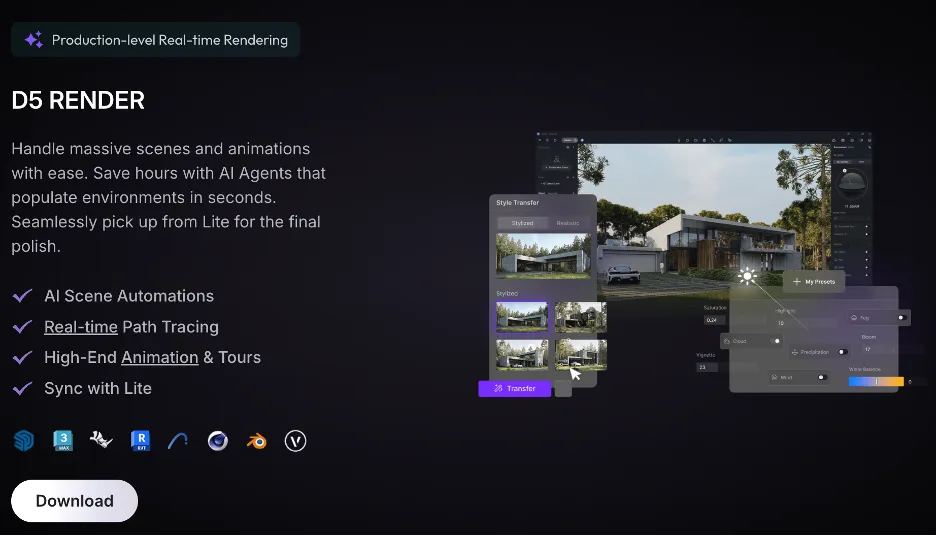
D5 Lite renders in real time inside the viewport, with AI concept generation and a one-click link to D5 Render for production output.
Where it shines. The D5 engine renders in real time inside the viewport, so lighting, materials, and atmosphere respond as you model and orbit, with no export or wait. AI Concept Generation produces styled variations from your current geometry as reference images while you keep working, and a one-click link sends the full scene to D5 Render for animation, VR, or polished production output.
Where it falls short. D5 Lite focuses on still visualization and concept exploration, while full animation and advanced post-production live in the companion D5 Render app. The free route also has two limits worth knowing before you build a workflow on it: D5 Lite caps output at 2K, and the free D5 Community edition is licensed for non-commercial use, so billable client work needs a paid seat. Best for: rapid AI ideation and live interactive presentations. Price: D5 Lite free with a 2K output cap, D5 Pro at 38 dollars per month or 360 dollars per year, Teams at 75 dollars per seat per month with a two-seat minimum.
4. Veras by Chaos
Veras is the AI rendering plugin from the Chaos family, built around staying true to your original geometry and materials, and it integrates tightly with SketchUp as well as Revit, Rhino, Vectorworks, and Archicad.
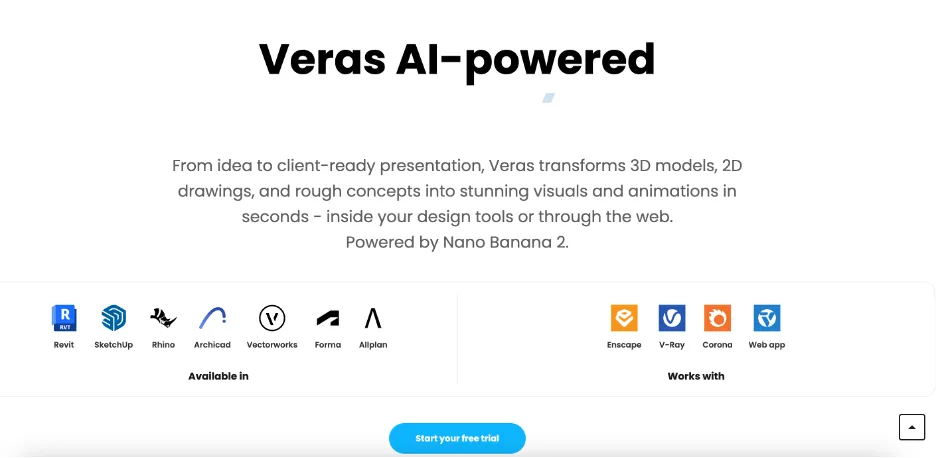
Veras by Chaos puts geometry and material control first, integrating across SketchUp, Revit, Rhino, and more.
Where it shines. Veras gives you unusually fine control over geometry and material overrides, so you decide exactly how much the AI is allowed to reinterpret your model. Render-region selection and negative prompts let you work with real precision, which makes it strong for mid-stage concept refinement where design intent must survive.
Where it falls short. Like most AI tools it rewards prompt practice, and a quick manual review afterward is wise to confirm the architectural details landed. The bigger change since we first published this list is commercial, not technical: Veras now runs on Nano Banana Pro and sells credits rather than a flat monthly seat, so your real cost depends on how many images you generate. Starter is around 190 euros a year for 500 credits a month, Pro lands near 261 dollars a year for 2,000, and unused credits do not roll over, which punishes the stop-start rhythm most project work actually has. Best for: precision iterations that need exact geometry control. Price: credit-based, roughly 16 to 22 dollars per month equivalent when billed annually, with a 14-day trial that includes 100 credits.
5. Arko AI
Arko AI is one of the earlier AI rendering plugins for SketchUp, and it keeps the process deliberately straightforward.
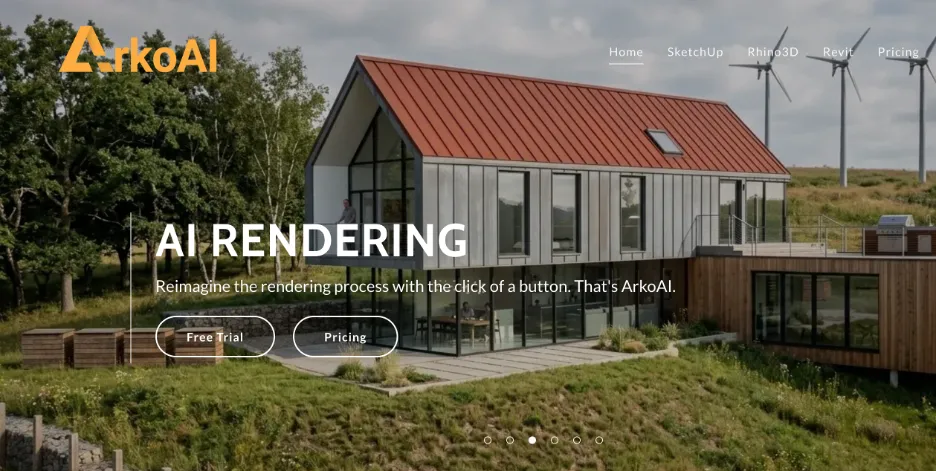
Arko AI keeps it simple: aim at the viewport, prompt, pick a style, generate. It works across SketchUp, Rhino, and Revit.
Where it shines. You aim at a viewport area, add a text or negative prompt, pick a style, and generate quickly. It works across SketchUp, Rhino, and Revit, which is convenient for freelancers who move between platforms, and the simple interface is good for fast mood-board ideas.
Where it falls short. Photorealism and deeper customization stay fairly basic, so outputs often need refinement for polished results. The free route is also thinner than it looks: you get 30 renders to try the plugin, and the free basic model caps uploads at 800KB and output height at 608 pixels, which is a thumbnail rather than something you put in front of a client. Seed control, negative prompts and 4K output all sit behind the paid plan. Best for: fast mood boards from text prompts in early ideation. Price: 29 dollars per month for Pro, with 30 free renders to test first.
6. LookX AI
LookX AI brings together real-time rendering, AI video generation, and the ability to train custom models on your own style.
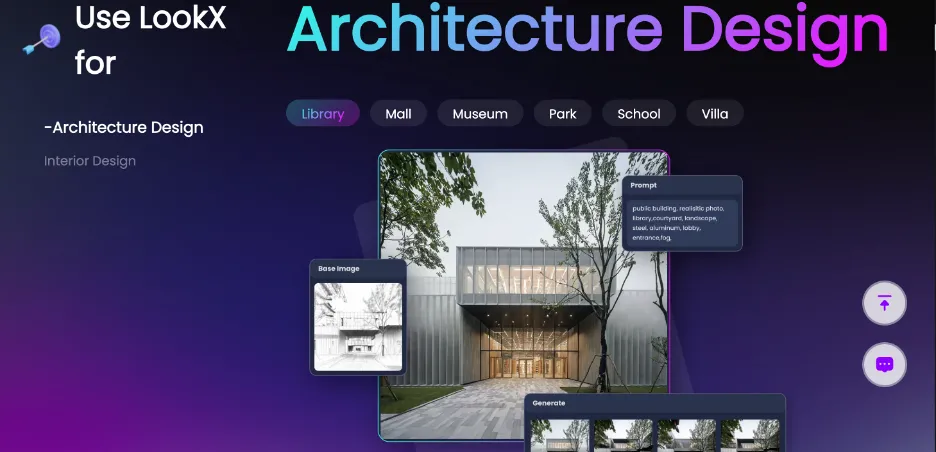
LookX AI adds video fly-throughs, style transfer, and custom model training on top of rendering, with SketchUp and Rhino plugins.
Where it shines. Beyond still images it generates short fly-through videos and applies style transfers from client reference images, and a shared community repository gives you a library of ideas to start from. Custom model training adds flexibility for firms that want a consistent house style.
Where it falls short. The feature set is large, so it can feel overwhelming at first and needs more setup than simpler tools. The credit system is the part to watch: image generation is unlimited on paid plans, but model training and upscaling burn X-points, so the interesting features are the metered ones. Best for: stylized videos that match a studio visual identity. Price: free plan with 100 X-points, 20 dollars per month or 199 dollars per year for 580 X-points monthly, 269 dollars per month for a five-seat team.
7. MyArchitectAI
MyArchitectAI is a browser-based AI renderer designed to work with models exported from SketchUp.
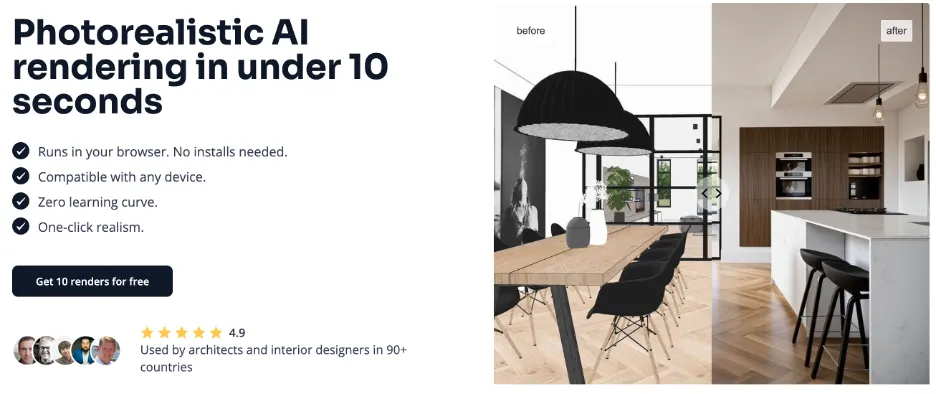
MyArchitectAI runs in the browser with no install, trading native viewport integration for quick, photorealistic cloud renders.
Where it shines. It produces strong photorealistic results, including style transfer and text-based edits, with no installation and quick turnaround, which some teams find convenient for final refinements.
Where it falls short. Because it works through uploads rather than as a native plugin, it pulls you out of the SketchUp viewport, which feels less fluid than tools that stay embedded. There is no permanent free tier either, just 10 renders on signup, so it is a trial rather than a way to work for nothing. Best for: browser-based polishing without local hardware. Price: 29 dollars per month Starter, 49 Studio, 99 for a five-seat team, with two months free on annual billing and 10 free renders at signup.
The verdict: 2026 AI SketchUp plugins compared
Prices re-checked against each vendor’s own pricing page on 10 August 2026. AI rendering vendors reprice often, so confirm before you buy.
Which SketchUp AI render plugins are actually free
Three of the seven are free in a way you can build a workflow on, and the difference between them matters more than the word “free” suggests.
Free enough to work with. MeltFlex AI gives you a credit allowance on a free account with no card, and the plugin itself never costs anything. D5 Lite is free permanently, with the two caveats above: 2K output, and the Community edition is non-commercial, so paid client work needs a seat. LookX AI keeps a free plan with 100 X-points, which is the most generous of the paid-first tools.
Free only as a trial. Arko AI gives 30 renders, Veras gives 14 days and 100 credits, MyArchitectAI gives 10 renders. These are evaluations, not free tiers, and all three stop.
Not free at all. SketchUp AI Render is bundled rather than free. It costs nothing extra, but only because you are already paying for SketchUp Pro, so a hobbyist on SketchUp Free cannot reach it.
One honest warning that applies to every credit-based tool on this list, ours included: a render you are happy with is rarely the first one. Budget three to five generations per final image and the cheap plans get expensive faster than the headline number suggests.
Which one to start with
Each of these solves a different part of the visualization process, and none does everything. Some are built for fast ideation, some for precision concept work, and a few for specific outputs like video. What we keep seeing is that the tools architects return to are the ones that reduce friction rather than add it, the ones that fit an existing workflow instead of asking you to build a new one around them.
For most freelancers and small teams, the smart move is to start with a free option and test it on the next real project. If photorealistic interiors and exteriors from a captured view are what you need, MeltFlex AI is free to install and renders in seconds with no GPU. If you want continuous real-time feedback while you model, D5 Lite is the natural first try. Install one, run it on a live shot, and keep the one that disappears into your workflow.
Two things worth knowing before you decide a plugin is the answer at all. If you only render occasionally, you may not need one: a plain screenshot pushed through photo to render gets you to the same place without installing anything, and the 3D model to photorealistic render walkthrough shows what that looks like from a grey SketchUp viewport. And if your shortlist is really about rendering rather than SketchUp specifically, the wider AI architectural rendering tools comparison covers the standalone engines that never touch your modeller. Whichever route you take, the input matters more than the tool, which is why the AI render prompts guide is worth ten minutes before your first generation.
Frequently asked questions
What are the best AI SketchUp plugins for architects in 2026?
SketchUp AI Render, MeltFlex AI, D5 Lite, and Veras lead the field, with Arko AI, LookX AI, and MyArchitectAI covering simpler ideation, video, and browser-based rendering. The right pick depends on whether you value speed, photorealism, geometry control, or staying inside the viewport.
Which AI SketchUp plugin gives the most photorealistic results?
MeltFlex AI and MyArchitectAI tend to produce the most convincing photorealism, because both generate a complete styled image rather than simulating light. MeltFlex does it from a captured view inside SketchUp in about twenty seconds.
Is there a free AI render plugin for SketchUp?
Three are free in a usable way. MeltFlex AI is a free extension with a starting credit allowance and no card required. D5 Lite is permanently free, though output is capped at 2K and the Community edition is licensed for non-commercial use only. LookX AI keeps a free plan with 100 X-points. Arko AI (30 renders), Veras (14 days and 100 credits) and MyArchitectAI (10 renders) offer trials rather than free tiers. SketchUp AI Render costs nothing extra but requires a paid SketchUp Pro seat.
How much do AI SketchUp rendering plugins cost in 2026?
Checked in August 2026: LookX AI is 20 dollars per month or 199 per year, Arko AI is 29 per month, MyArchitectAI runs 29 to 99 per month depending on seats, D5 Pro is 38 per month or 360 per year, and MeltFlex Standard is 19 euros per month with a reduced 9 euro tier in lower-income countries. Veras moved to credit-based pricing at roughly 190 euros per year for Starter and about 261 dollars per year for Pro. SketchUp AI Render is bundled with SketchUp Pro.
Do AI SketchUp plugins replace V-Ray or Enscape?
Not entirely. Traditional engines still win for final, physically exact deliverables. AI plugins win on speed, cost, and ease for concepts and client previews, which is why most architects now use both.
Does SketchUp have built-in AI rendering?
Yes. SketchUp AI Render, previously called Diffusion, is Trimble’s own generative AI and is built into the core SketchUp environment rather than installed separately. It is included with a SketchUp Pro subscription. Results lean stylized rather than photorealistic, so most people use it for fast concept variations during client calls and reach for a dedicated plugin when they need a finished image.
Which AI SketchUp plugin should a small studio start with?
Start with something free and test it on a live project before committing. If you want photorealistic interiors and exteriors from a captured view with zero setup, install MeltFlex AI. If you want real-time feedback as you model, try D5 Lite, keeping in mind the 2K cap and the non-commercial licence on the Community edition. Budget three to five generations per final image when you compare credit-based plans, because the first render is rarely the keeper.
Keep reading
- Top 8 AI space planning tools for architects, the generative tools that come before rendering.
- MeltFlex is now a SketchUp AI rendering plugin, the full Capture View walkthrough and install guide.
- Try MeltFlex free, upload a photo or capture a SketchUp view and render it with AI.
- Exterior design with AI, redesign a facade from your model.
- Creations gallery, hundreds of real AI room and building transformations.



)