MeltFlex AI Interior Design API: Add AI Room Redesign and Virtual Staging to Any App
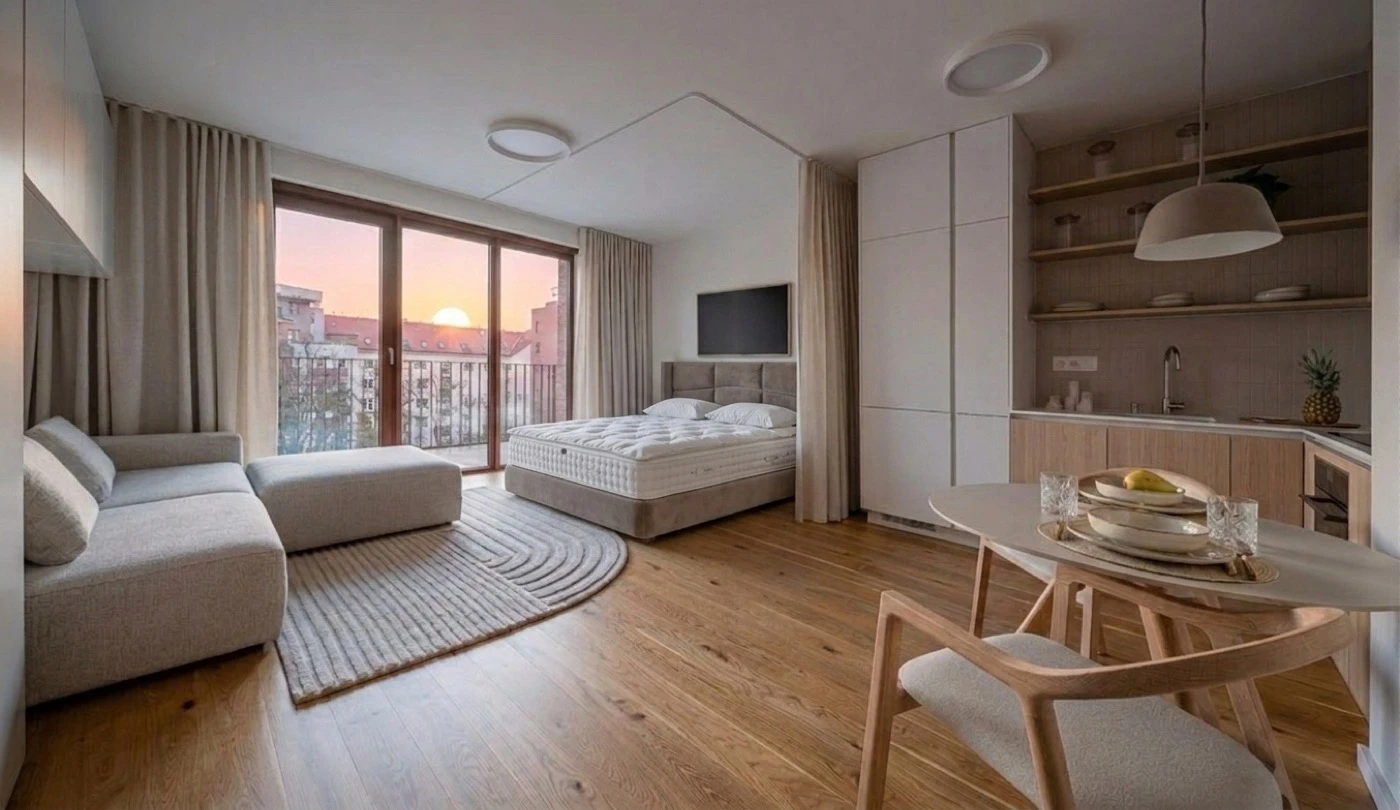
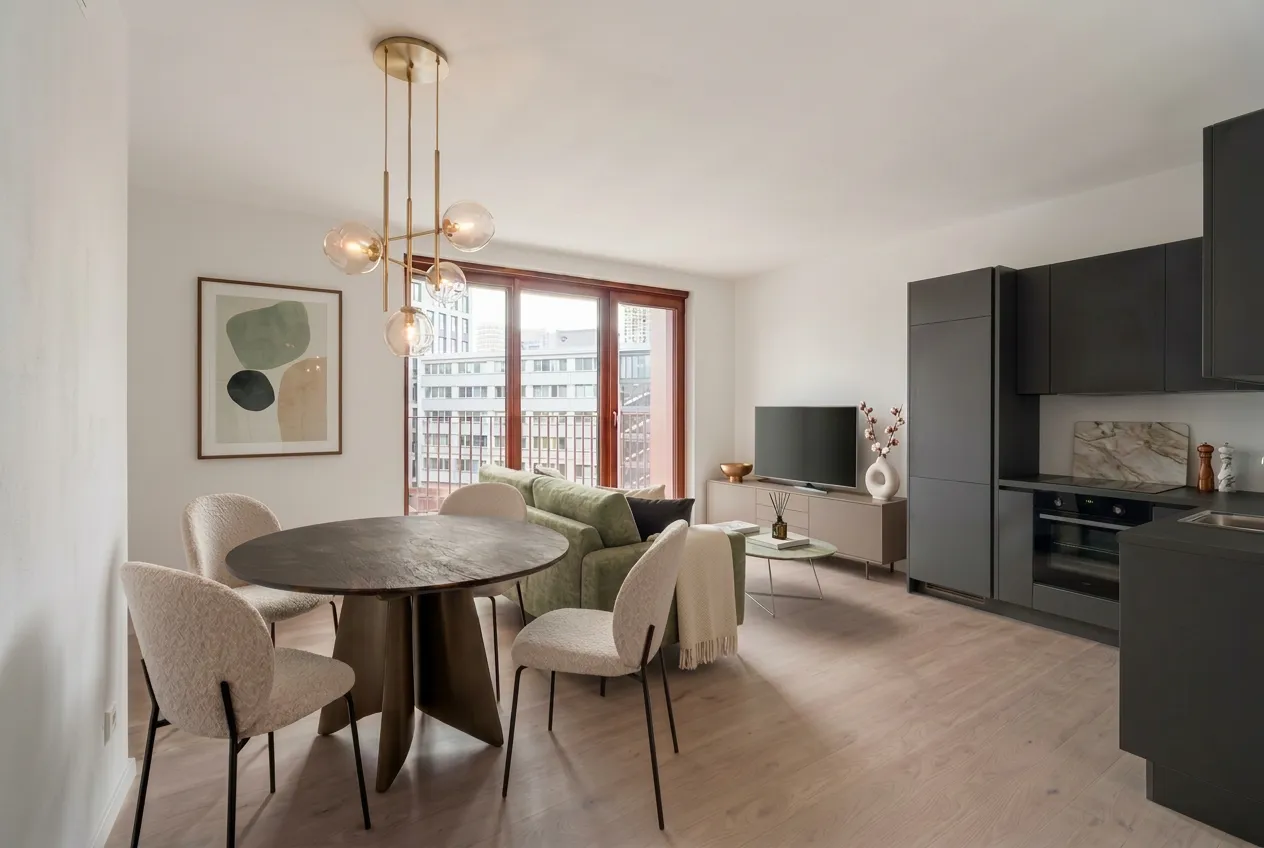
Short answer: the MeltFlex AI Interior Design API adds room redesign, virtual staging, and furniture placement to any product through one REST call. You POST a room photo and a style prompt, and get a photorealistic render back in under 30 seconds, with no model training, GPU infrastructure, or ML team required. Below: how it works, the endpoints, pricing, and an honest comparison with the alternatives.
Our articles are still written by humans!
Get human written articles in your Google feed.
If you are building a real estate platform, an interior design app, a furniture e-commerce site, or any product where users need to visualize how a room could look, you have two options. You can spend six to twelve months and $200,000+ building your own AI model for room transformation. Or you can add one API endpoint and ship the feature this week.
MeltFlex AI API is now available for developers. One REST endpoint. Upload a room photo, send a style prompt, get a photorealistic redesigned room back in under 30 seconds. No model training. No GPU infrastructure. No machine learning team.
This post covers exactly what the API does, how to integrate it, what it costs, and where it fits compared to alternatives like Decor8 AI, HomeDesignsAI, and SofaBrain. If you are evaluating AI interior design APIs for your product, this is everything you need to make a decision.
What Is the MeltFlex AI Interior Design API?
The MeltFlex AI API is a REST service that transforms room photos into photorealistic interior design visualizations. You send a room image and a text prompt describing the desired style. The AI analyzes the room geometry, lighting conditions, wall positions, and architectural features, then generates a completely new image with furniture, materials, colors, and decor placed naturally in the space.
It is not a filter. It is not an overlay. The AI understands spatial depth, perspective, shadow direction, and material properties. A generated image of a Scandinavian living room looks like a professional photograph of an actual Scandinavian living room, with correct light bouncing off the surfaces, shadows falling in the right direction, and furniture scaled proportionally to the space.
The API handles three distinct use cases through a single endpoint:
- Room redesign: Transform any room into any style with a text prompt. Empty rooms, furnished rooms, outdated rooms. The AI handles all of them.
- Furniture placement: Provide up to 10 reference images of specific furniture pieces and the AI places them naturally into the room. This is critical for furniture retailers and e-commerce platforms that need to show their actual products in context.
- Restyle: Take a previously generated result and apply a new prompt to iterate on the design. This enables conversational design workflows where users refine their vision step by step.
How the API Works: From Empty Room to Furnished Space in One Request
The integration is a single POST request. Here is the complete workflow:
Step 1: Send the Room Photo and Prompt
You send a POST request to https://www.meltflexai.com/api/v1/generate with your API key in the Authorization header. The body contains the room image (as a URL or base64 string) and a text prompt describing what you want.
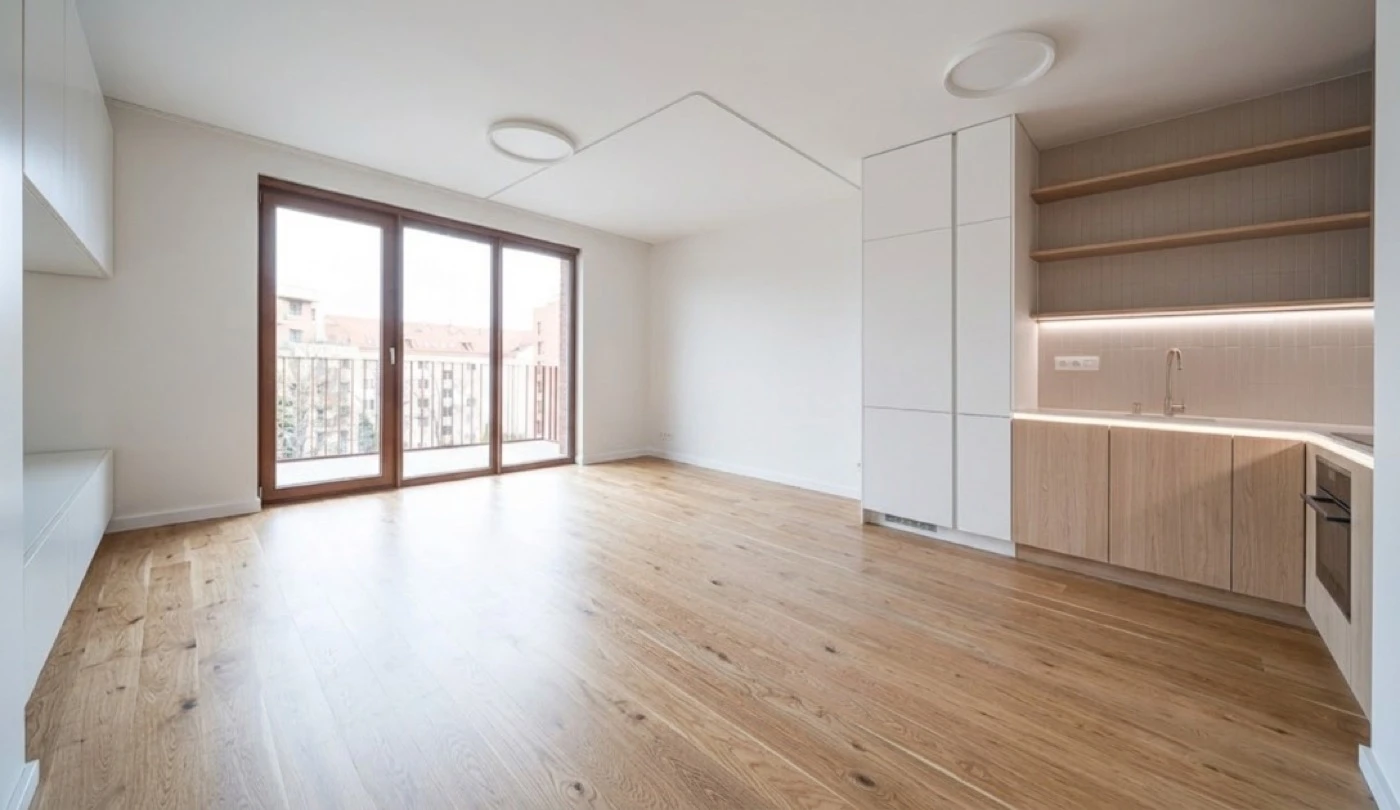
A minimal request looks like this:
curl -X POST https://www.meltflexai.com/api/v1/generate \
  -H "Authorization: Bearer YOUR_API_KEY" \
  -H "Content-Type: application/json" \
  -d '{
    "prompt": "Modern Scandinavian living room with light oak furniture, white linen sofa, wool rug, and brass floor lamp",
    "imageUrl": "https://example.com/empty-room.jpg"
  }'
Step 2: The AI Processes the Room
The API analyzes the room geometry, identifies walls, floor, ceiling, windows, and doors, calculates lighting direction and intensity, then generates furniture and decor that fits the space naturally. Processing takes 10 to 30 seconds depending on complexity.
Step 3: Receive the Result
The response contains a base64-encoded PNG image of the redesigned room, a success status, and the number of credits used. Decode the base64 string and you have a photorealistic interior design image ready to display in your application.
Furniture Placement: Show Your Actual Products in Any Room
This is the feature that separates MeltFlex from most competitors. Instead of generic AI-generated furniture, you can provide reference images of specific products and the API will place them naturally in the room.
Send up to 10 furniture reference images via the referenceImageUrls parameter. The AI understands the shape, color, material, and scale of each piece and positions them in the room with correct perspective, shadows, and spatial relationships.
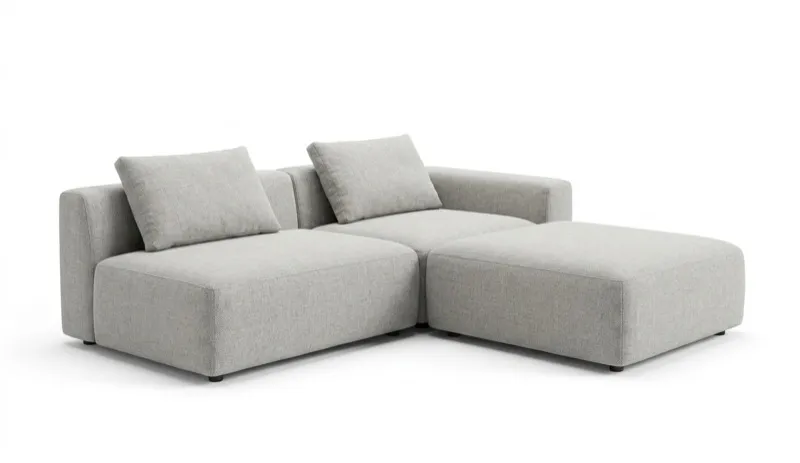
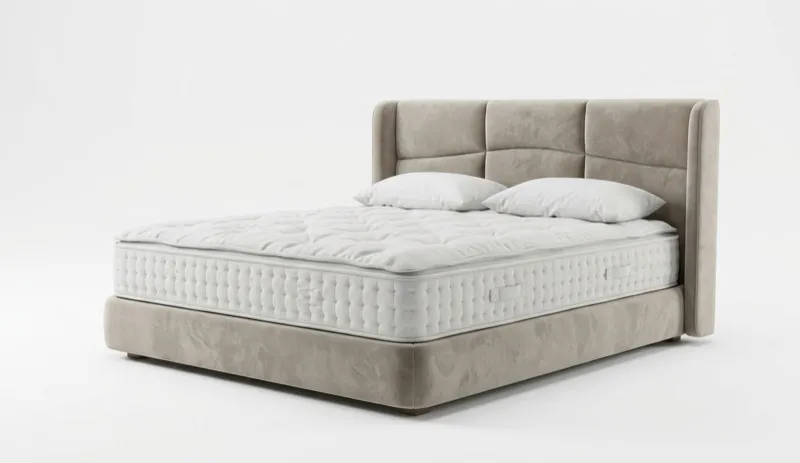
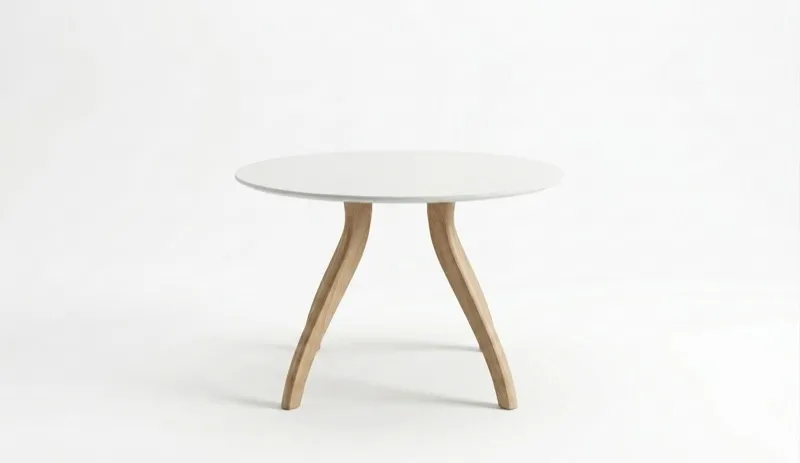
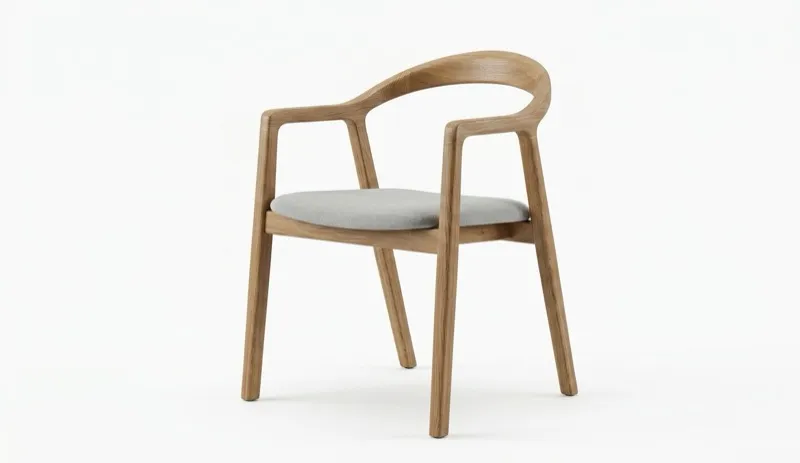
This is a direct revenue feature for furniture e-commerce. A customer uploads a photo of their living room, your app sends it to the MeltFlex API along with images of products from your catalog, and the customer sees those exact products in their actual room. The conversion impact is significant: customers who visualize products in their own space are measurably more likely to buy.
Restyle: Iterative Design Without Starting Over
The restyle capability lets users take a generated result and apply a new prompt without re-uploading the original photo. This creates a natural design exploration workflow:
- Generate an initial design: “Modern living room with gray sofa and marble coffee table”
- Restyle: “Make it warmer, add wood accents and a wool rug”
- Restyle again: “Change the sofa to dark green velvet”
Each iteration refines the design while maintaining spatial consistency. This is particularly valuable for interior design platforms where clients want to explore options before committing.
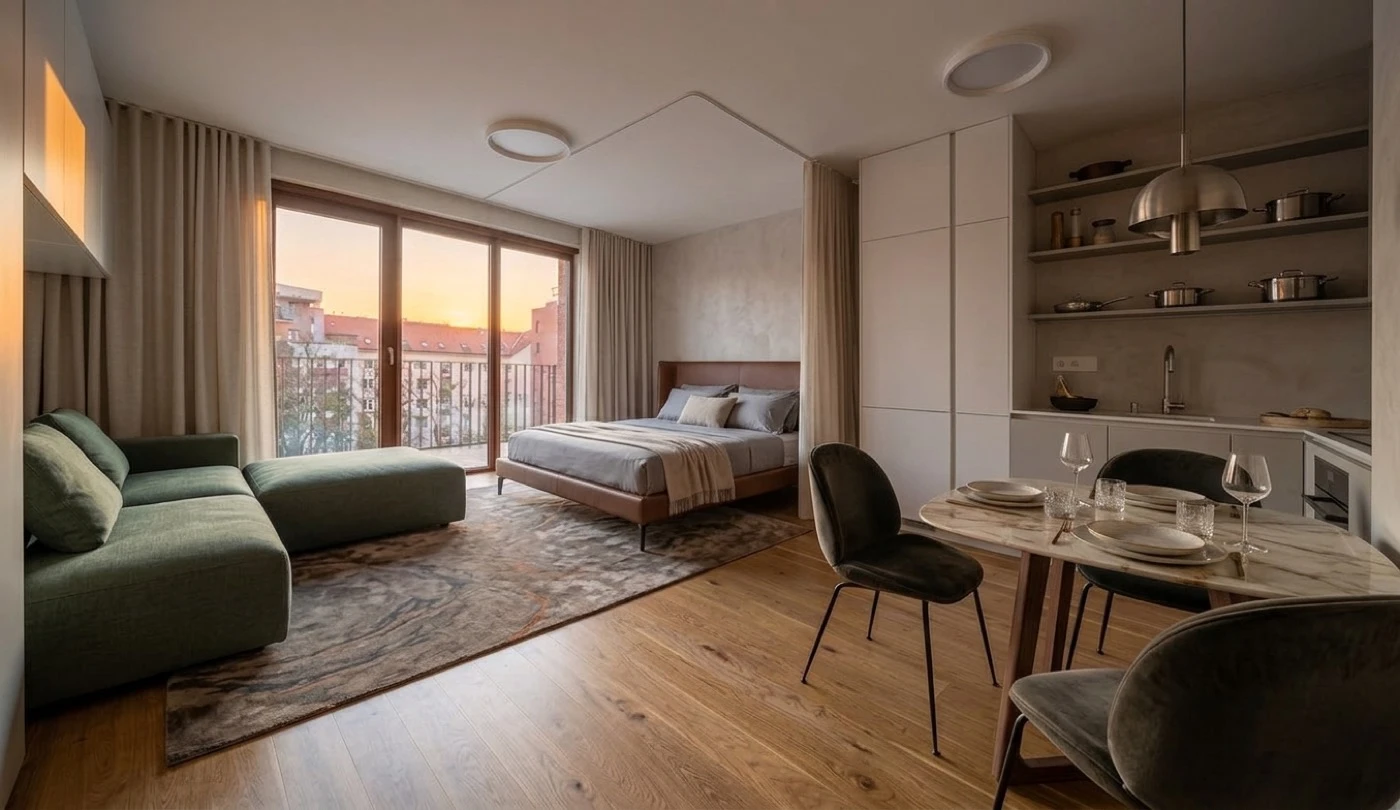
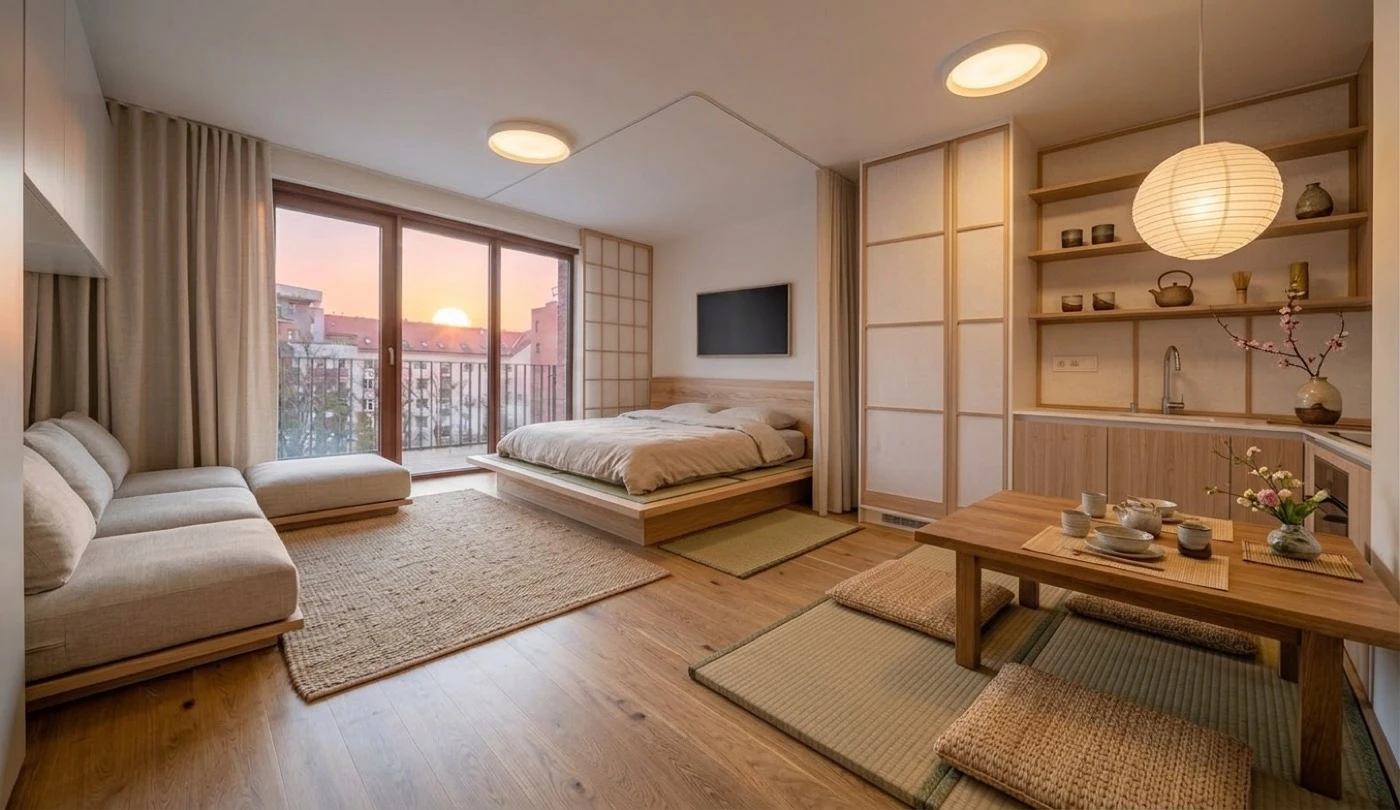
The same room restyled in Italian contemporary (left) and Japanese minimalist (right). Both generated from the same input through the restyle endpoint with different prompts.
Who Should Use This API: Five High-Value Use Cases
1. Real Estate Platforms and Virtual Staging
Staged homes consistently sell faster and for more than empty ones. The National Association of Realtors’ home-staging research documents that effect, and virtual staging delivers most of the lift at a fraction of the cost: traditional physical staging runs $2,000 to $6,000 per property, while AI virtual staging through the MeltFlex API costs cents per image and returns results in seconds instead of days.
Real estate platforms integrate the API to let agents stage listings instantly. Upload the empty room photos from the MLS listing, send them through the API with appropriate style prompts, and the listing goes live with professionally staged images the same day the photos are taken.
For a detailed guide on virtual staging workflows, see our real estate photography and AI virtual staging guide, and to try the same engine without writing code, use the virtual staging AI tool directly in the browser.
Watch: How Agents Use AI Virtual Staging
To see the end-user experience your integration would power, this overview from Inside Real Estate Photography walks through how agents apply AI virtual staging (and other AI tools) to real listings. It is a useful look at the demand your API would serve.

Video: “Incorporating AI in Real Estate Videos (Virtual Staging and More)” by Inside Real Estate Photography.
2. Interior Design Applications
Interior design apps use the API to let users explore styles before hiring a designer or buying furniture. The user uploads a room photo, tries different styles (modern, Scandinavian, industrial, Japandi), and narrows down what they actually want. This eliminates the back-and-forth that makes traditional design consultations expensive and slow.
For style inspiration, browse our guides on Scandinavian design, Japandi, quiet luxury, and our complete interior design styles comparison.
3. Furniture E-Commerce and Product Visualization
The furniture placement feature turns the API into a product visualization engine. Instead of generic room scenes, customers see your specific products in their actual room. A sofa retailer integrates the API so customers upload their living room photo and see exactly how the $1,200 sectional they are considering would look in their space, with correct scale, lighting, and color matching.
This directly reduces returns (the number one cost driver in furniture e-commerce) because customers make confident purchase decisions based on realistic visualizations rather than imagination.
4. Property Technology (PropTech)
Property management platforms, renovation estimators, and home valuation tools use the API to show what a property could look like after renovation. A PropTech platform that estimates renovation costs can pair the estimate with a visual (“here is what your kitchen would look like after the $15,000 remodel”), making the value proposition tangible and increasing conversion rates.
5. Architecture and Construction
Architects and construction companies use the API for rapid client presentations. Instead of spending hours in 3D rendering software for initial concepts, they photograph the existing space and generate multiple design directions in minutes. The API handles the visualization so the team can focus on structural and technical planning.
For more on how AI transforms the design-to-visualization pipeline, see our guide on how AI converts a floor plan to a 3D model, and our overview of the MeltFlex AI interior design API.
API Technical Reference
Endpoint
POST https://www.meltflexai.com/api/v1/generate
Authentication
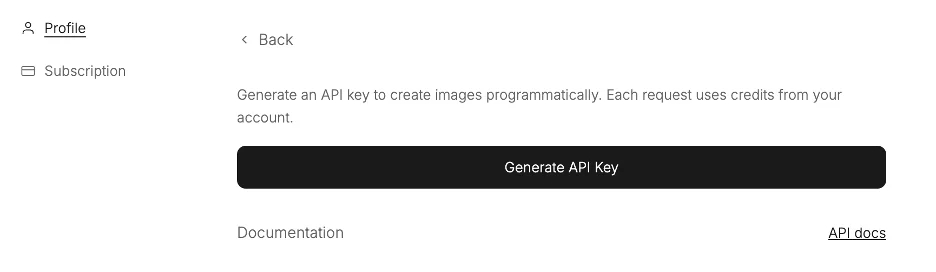
Bearer token in the Authorization header. Generate API keys from your MeltFlex dashboard. Each account supports up to 5 active API keys.
Request Parameters
prompt(required): Text description of the desired interior design style. Be specific. “Warm minimalist bedroom with oak platform bed, linen bedding, and terracotta accents” produces better results than “nice bedroom.”imageorimageUrl(one required): The room photo as a base64 string or a publicly accessible URL. Using URLs is recommended for faster processing and smaller request payloads.referenceImageUrls(optional): Array of up to 10 URLs pointing to furniture or decor images for the AI to place in the room.referenceProducts(optional): Array of metadata objects with item names for the reference images, helping the AI understand what each piece is.
Response
JSON object with success (boolean), image (base64-encoded PNG), and creditsUsed (number). Failed requests return an appropriate HTTP error code and a descriptive error message.
Rate Limits and Constraints
- Maximum request body: 15 MB
- Request timeout: 2 minutes
- Maximum reference images: 10 per request
- Minimum input image resolution: 1024px on the longest side (recommended)
- Rate limit: 429 responses include a Retry-After header. Implement exponential backoff
Pricing: What the API Actually Costs
Each API generation costs 10 credits. Failed requests are automatically refunded. API access requires an active subscription (any paid plan).
There is no per-image surcharge, no separate API fee, and no hidden costs for higher resolution outputs. You pay for credits and use them for generations. If a request fails for any reason (invalid image, server error, timeout), you get the credits back.
To put this in perspective: traditional physical home staging costs $2,000 to $6,000 per property. Manual virtual staging by a 3D artist costs $50 to $200 per image and takes 24 to 48 hours. AI virtual staging through the MeltFlex API costs a fraction of both and delivers in under 30 seconds.
How to Get Started in 3 Steps
1. Create Your Account and Subscribe
Sign up at meltflexai.com and subscribe to any plan to unlock API access. The free tier includes 2 complimentary designs so you can test the output quality before committing.
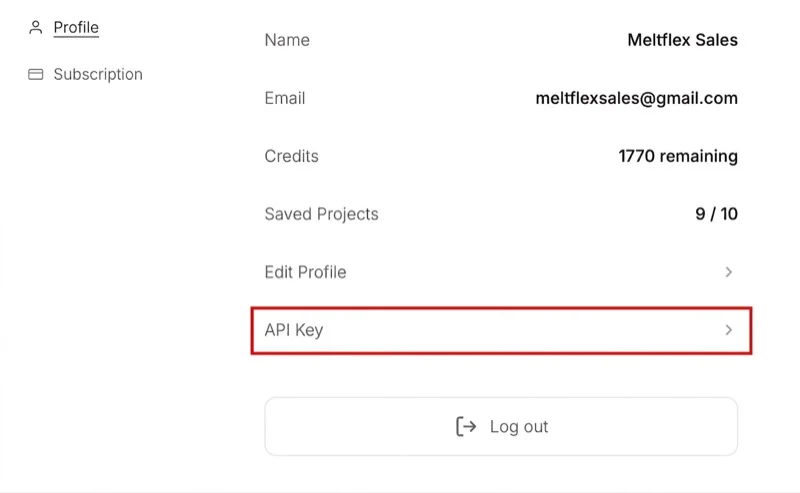
2. Generate Your API Key
Go to your account settings, navigate to the API section, and generate a new API key. Copy it immediately because it is only shown once. Store it securely in your backend environment variables. Never expose API keys in client-side code.
3. Make Your First Request
Send a POST request to the generate endpoint with your room photo and a prompt. Here is a complete Python example:
import requests

response = requests.post(
    "https://www.meltflexai.com/api/v1/generate",
    headers={
        "Authorization": "Bearer YOUR_API_KEY",
        "Content-Type": "application/json"
    },
    json={
        "prompt": "Modern Scandinavian living room with light oak furniture, white linen sofa, wool rug",
        "imageUrl": "https://example.com/my-empty-room.jpg"
    }
)

result = response.json()
# result["image"] contains base64-encoded PNG
That is the entire integration. Decode the base64 image string and display it in your application. Most developers go from zero to a working prototype in under 30 minutes.
MeltFlex API vs. Competitors: An Honest Comparison
There are several AI interior design APIs on the market. Here is how MeltFlex compares on the dimensions that actually matter for production integrations:
The key differentiators for MeltFlex are furniture placement with up to 10 reference images (critical for e-commerce), iterative restyling through a single endpoint (critical for design exploration workflows), and automatic refunds on failed requests (critical for production reliability).
Best Practices for Production Integrations
After working with developers who have integrated the API into production applications, these are the patterns that produce the best results:
- Use image URLs instead of base64: Sending a URL in the
imageUrlparameter is faster and keeps your request payload small. Base64 encoding a high-resolution photo can push your request close to the 15 MB limit. - Write specific prompts: “Modern minimalist bedroom with oak platform bed, white linen bedding, terracotta ceramic vase on nightstand, and sheer curtains” produces dramatically better results than “nice bedroom.” Specificity is the single biggest lever for output quality.
- Implement exponential backoff: If you receive a 429 (rate limit) response, wait and retry with increasing delays. Do not hammer the endpoint. It will extend your rate limit window.
- Call the API from your backend: Never expose your API key in client-side JavaScript. Route all requests through your server.
- Use high-resolution inputs: Images with at least 1024 pixels on the longest side produce noticeably better outputs. Low-resolution phone photos still work but the results improve significantly with better inputs.
Start Building with AI Interior Design Today
The MeltFlex AI API is live and available for integration now. Whether you are building a real estate platform that needs virtual staging, an interior design app that needs style visualization, or a furniture e-commerce site that needs product placement in customer rooms, the API handles the AI so you can focus on your product.
Read the full API documentation for complete endpoint details, error codes, and advanced parameters. Start with a free design to test output quality, then subscribe to any plan to unlock full API access.
If you are exploring AI interior design tools for personal use rather than development, try MeltFlex directly. Upload a photo of your room and see it transformed in under 30 seconds with no code required. For inspiration, browse our guide to the best AI interior design tools in 2026. And if you also need room dimensions or square footage from a photo, our guide to AI room measurement from a photo covers what is possible and how to wire it up.