
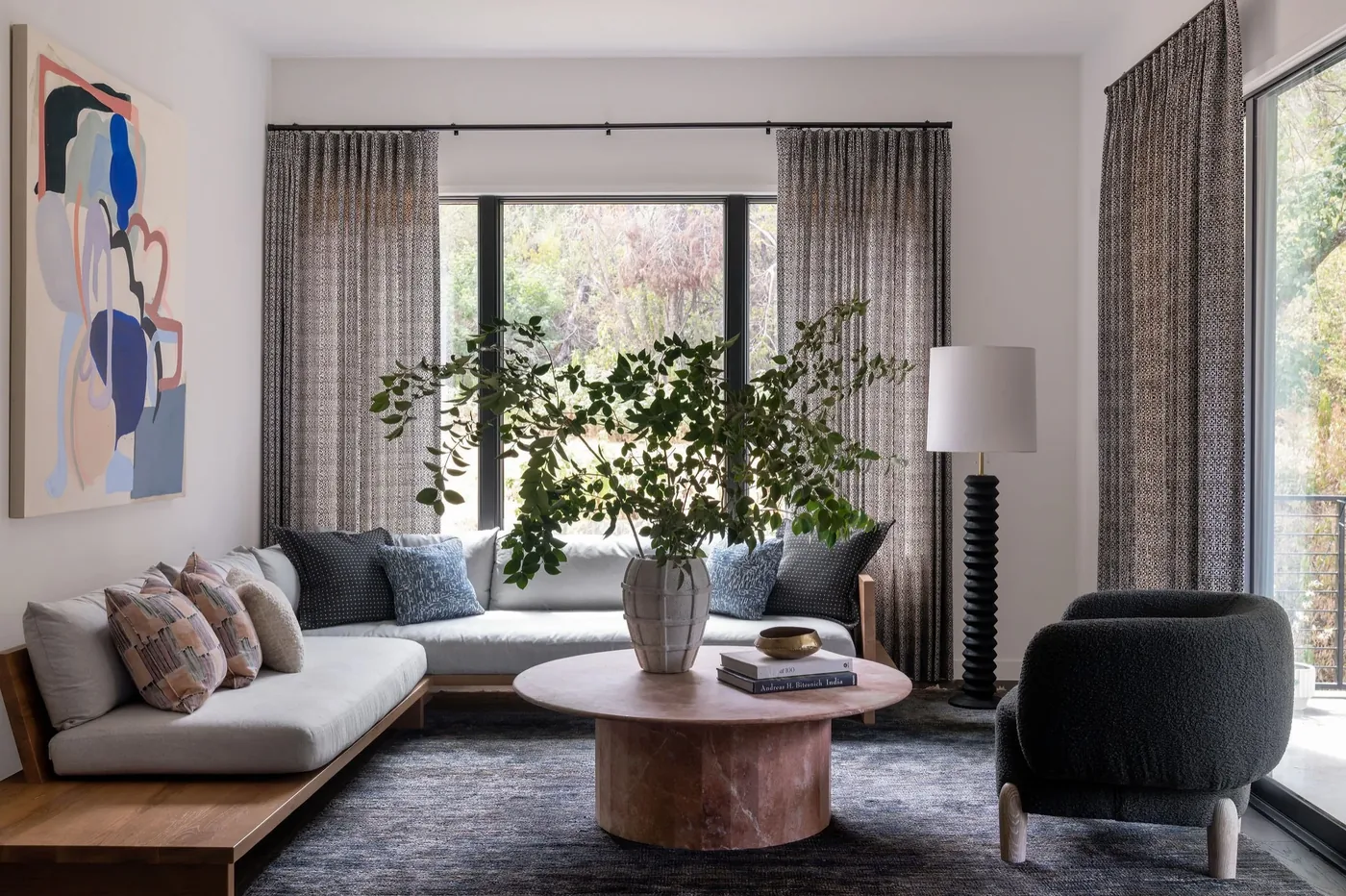
A professional home designer charges $2,000 to $12,000 per room. For a 3-bedroom apartment, that's $6,000 to $36,000 before you buy a single piece of furniture. We designed 4 rooms in one afternoon and saved over $1,000 compared to the cheapest online design service.
The tool? An AI home designer. You upload a photo of any room, pick a style, and get a photorealistic redesign in 30 seconds. The furniture in the image is real, priced, and purchasable. No downloads. No design degree. No waiting 4 to 8 weeks.
We tested it with 4 real rooms to show you exactly how much you can save. Every image below is a real AI result, not a mockup.
What Is an AI Home Designer?
An AI home designer is a tool that uses artificial intelligence to furnish and decorate rooms from a single photo. You don't need floor plans, measurements, or design knowledge.
Here's how it works in 3 steps:
- Upload a photo of any room (empty, furnished, or messy)
- Choose a style (Scandinavian, Modern, Coastal, Industrial, etc.)
- Get your design in 30 seconds with real furniture at real prices
Traditional interior design takes 4 to 8 weeks and costs $2,000 to $12,000 per room. An AI home designer delivers comparable visual results in half a minute for free.
We Tested It: 4 Real Rooms, Real Results
We took an empty room and ran it through MeltFlex's AI home designer. No retouching. No Photoshop. These are the raw AI outputs.
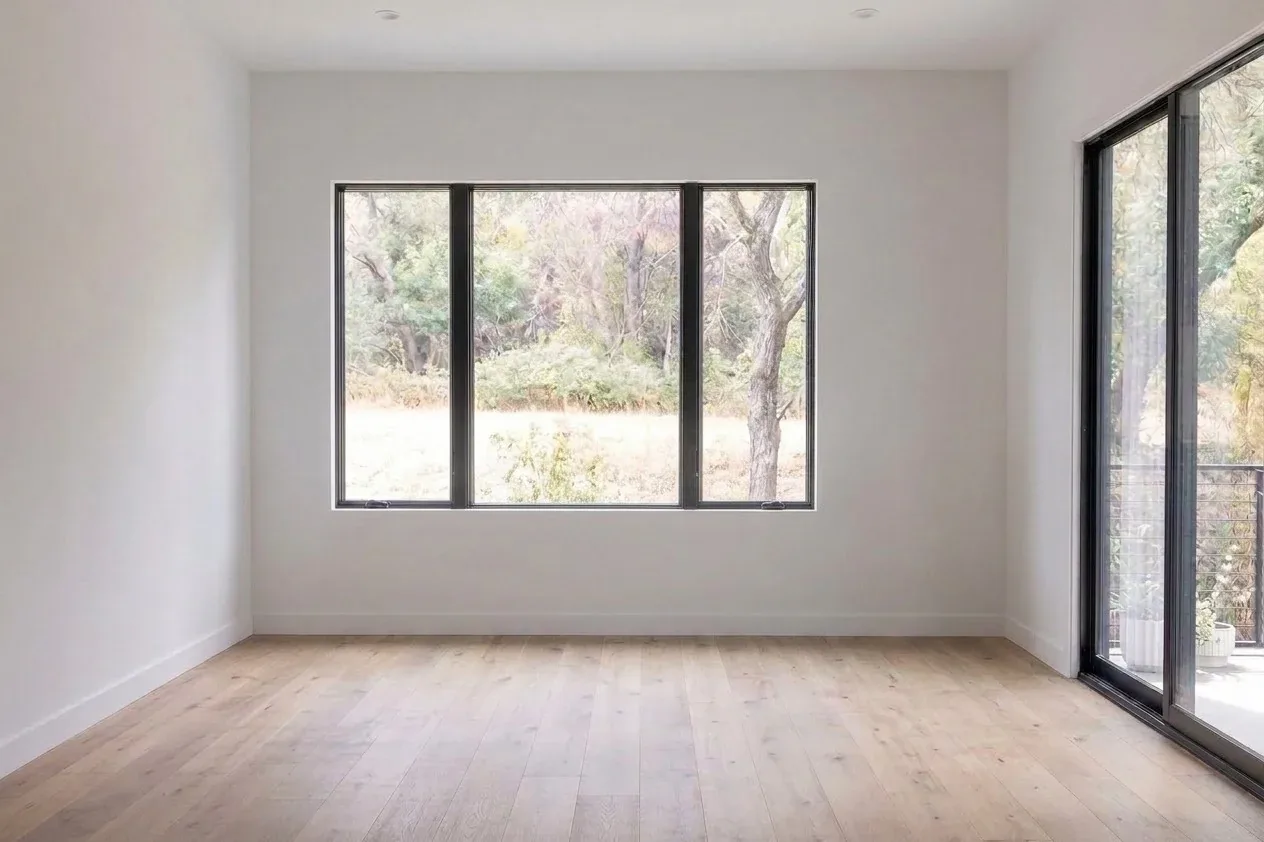
Room 1: Empty Room (Before)
This is where every design starts: an empty room with hardwood floors and large windows. No furniture, no personality, no idea where to begin. Sound familiar?
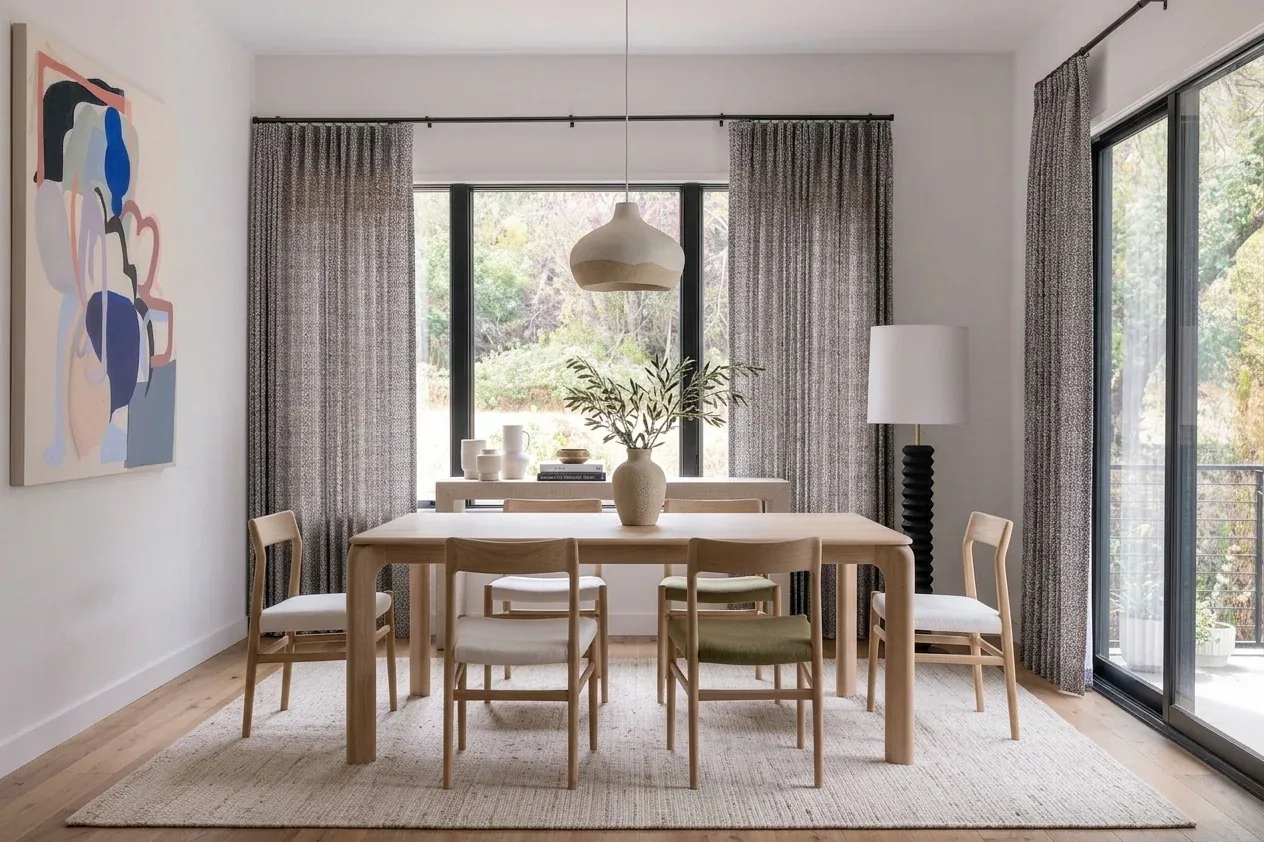
Room 2: Scandinavian Dining Room (30 Seconds Later)
Same room. One click. The AI added a dining table with 6 chairs, pendant lighting, sheer curtains, a jute rug, and wall art. Every piece is a real product you can buy.
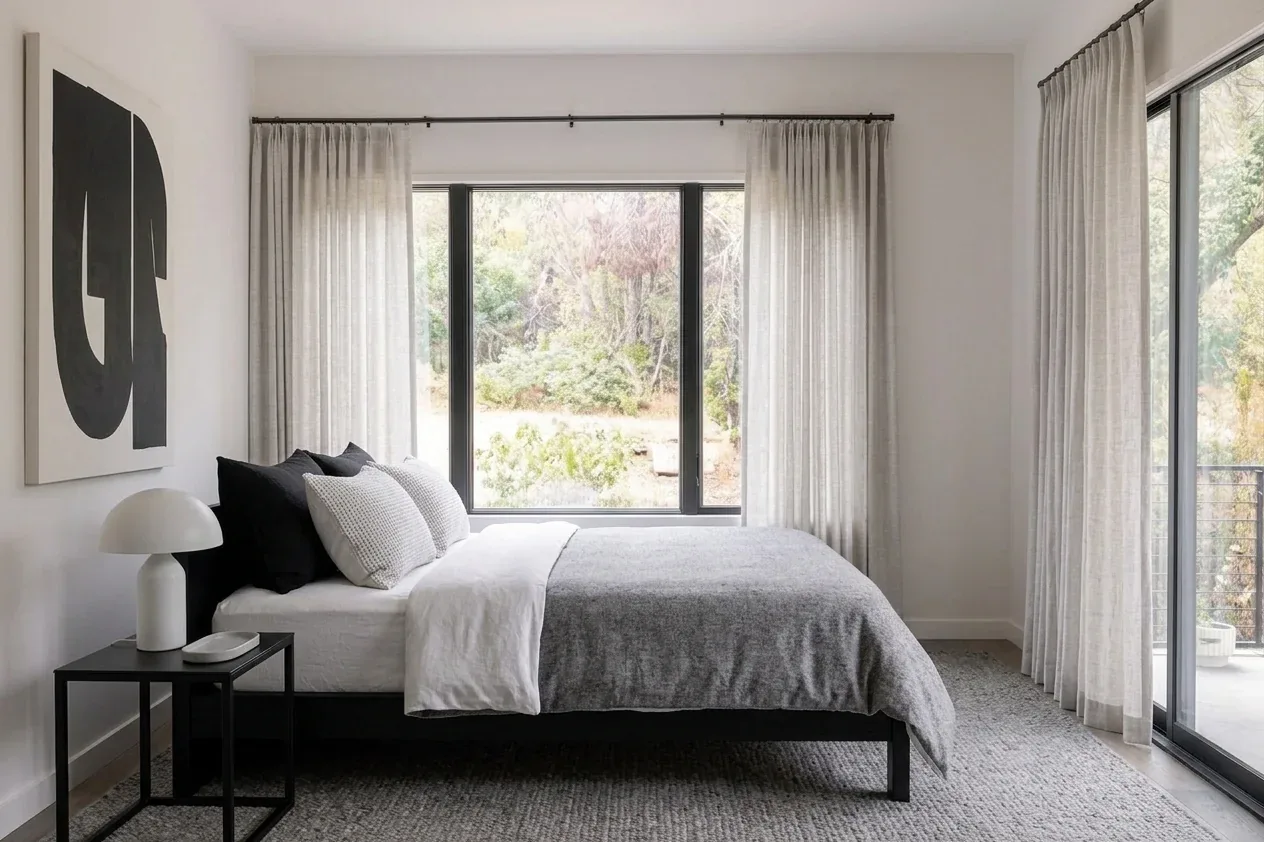
Room 3: Modern Bedroom Design
Different style, same room. The AI recognized the space could work as a bedroom and placed a platform bed, nightstands, a table lamp, and floor-length curtains. The color palette shifted to moody greys and blacks.
Room 4: Contemporary Living Room
Third style from the same empty room. A curved sectional sofa, a solid wood coffee table, an accent chair, floor lamp, and a bold area rug. The AI matched the curtain fabric to the existing window proportions.

Free Home Designer vs. Paid: What Do You Actually Get?
There are dozens of home designer tools in 2026. Most require downloads, subscriptions, or design expertise. Here's how they compare:
| Tool | Cost | Download? | Speed | Real Furniture? |
|---|---|---|---|---|
| Interior Designer | $2,000-$12,000/room | N/A | 4-8 weeks | Yes |
| SketchUp / AutoCAD | $119-$699/year | Yes | Hours to days | No (3D models) |
| Planner 5D / Homestyler | Free-$25/month | Optional | 30 min-2 hours | Some |
| AI Home Designer (MeltFlex) | Free | No | 30 seconds | Yes (with prices) |
The gap is not subtle. Traditional methods cost thousands and take weeks. Desktop software requires downloads and a learning curve. AI home designers are browser-based, instant, and free.
5 Things You Can Do With a Free Home Designer (That Most People Don't Know)
1. Try 8+ Design Styles on the Same Room
Upload one photo and switch between Scandinavian, Modern, Coastal, Industrial, Mid-Century, Luxury, Farmhouse, and Standard styles. Each generation takes 30 seconds. In 4 minutes, you've seen your room in 8 completely different looks.
2. Stage Empty Properties for Real Estate Listings
Virtual staging costs $100 to $300 per photo with traditional services. AI staging is free and instant. NAR data shows staged homes sell 87% faster and for 1 to 5% more than unstaged homes.
3. See Real Furniture at Real Prices Before You Buy
Unlike Pinterest mood boards that show $15,000 sofas, the AI home designer shows furniture you can actually afford and purchase. Every item has a name, a price, and a link. No more guessing if that coffee table fits your budget or your room.
4. Test Paint Colors and Flooring Without Samples
Changing wall colors and flooring in real life means paint swatches, sample orders, and guesswork. The AI shows you exactly how warm grey walls look with oak floors and a navy sofa. In your actual room. In 30 seconds.
5. Design Every Room in Your Home in One Afternoon
Living room, bedroom, dining room, kitchen, bathroom, home office. Upload 6 photos, run 3 styles each, and you have 18 professional designs in under an hour. Try doing that with an interior designer (spoiler: it would take 3 to 6 months and cost $12,000+).
How Much Does Home Design Actually Cost in 2026?
Here's the reality check most home design articles won't give you:
| Method | Cost Per Room | Time | Best For |
|---|---|---|---|
| Full-service designer | $2,000-$12,000 | 4-8 weeks | Luxury renovations |
| Online design service | $300-$1,500 | 1-3 weeks | One-room makeovers |
| DIY with Pinterest | $0 (furniture separate) | Weeks of browsing | Inspiration only |
| AI home designer | $0 | 30 seconds | Everyone |
Who Uses a Home Designer in 2026?
It's not just homeowners. Based on how people actually use AI home design tools, here are the 5 most common use cases:
- First-time renters and homeowners who have an empty space and zero idea where to start. 73% of first-time homebuyers say furnishing is more stressful than the purchase itself.
- Real estate agents who need virtual staging for empty listings. Staged homes sell 33 to 50% faster than empty ones.
- Airbnb and short-term rental hosts who want to test different furniture setups to maximize guest ratings and booking revenue.
- Anyone considering a renovation who wants to see the result before committing to a $10,000+ project.
- Interior design students and professionals who use AI to rapid-prototype concepts for clients in minutes instead of days.
7 Pro Tips for Getting the Best Results From an AI Home Designer
After generating hundreds of AI room designs, here's what actually makes a difference:
- Shoot in landscape mode. Landscape photos give the AI more room to work with and produce better furniture placement.
- Maximize natural light. Open curtains and shoot during the day. Well-lit rooms produce dramatically more realistic results.
- Stand in the doorway. Shooting from the entrance gives the widest angle and the most balanced composition.
- Try at least 3 styles. Your first instinct is not always the best. People are surprised how often their second or third choice wins.
- Use text prompts. Don't just pick a style. Add details: "warm tones, large sectional, no TV stand, lots of plants." The AI follows instructions.
- Test empty vs. furnished. The AI works with both. Curious what your furnished room looks like in a different style? Upload it as-is.
- Save and compare. Generate 5 to 10 variations, then compare them side by side. Patterns emerge: you might discover you always prefer rooms with warm wood tones.
How to Try It Right Now (Free, 30 Seconds)
No account required. No download. No credit card.
- Go to MeltFlex Home Designer
- Upload a photo of any room
- Pick a room type and style
- Click "Redesign" and wait 30 seconds
That's it. You'll see your room redesigned with real furniture from real brands at real prices. If you don't like the result, try a different style. Each generation is free.
For more design inspiration, check out our creations gallery with 50+ real before-and-after transformations. If you're furnishing from scratch, our apartment furnishing guide covers the complete process step by step. For a deep comparison of costs, see how much interior designers cost vs. the AI alternative. And if you want to compare MeltFlex against 8 other room designer tools, read our 9 room designers tested with the same room.

