


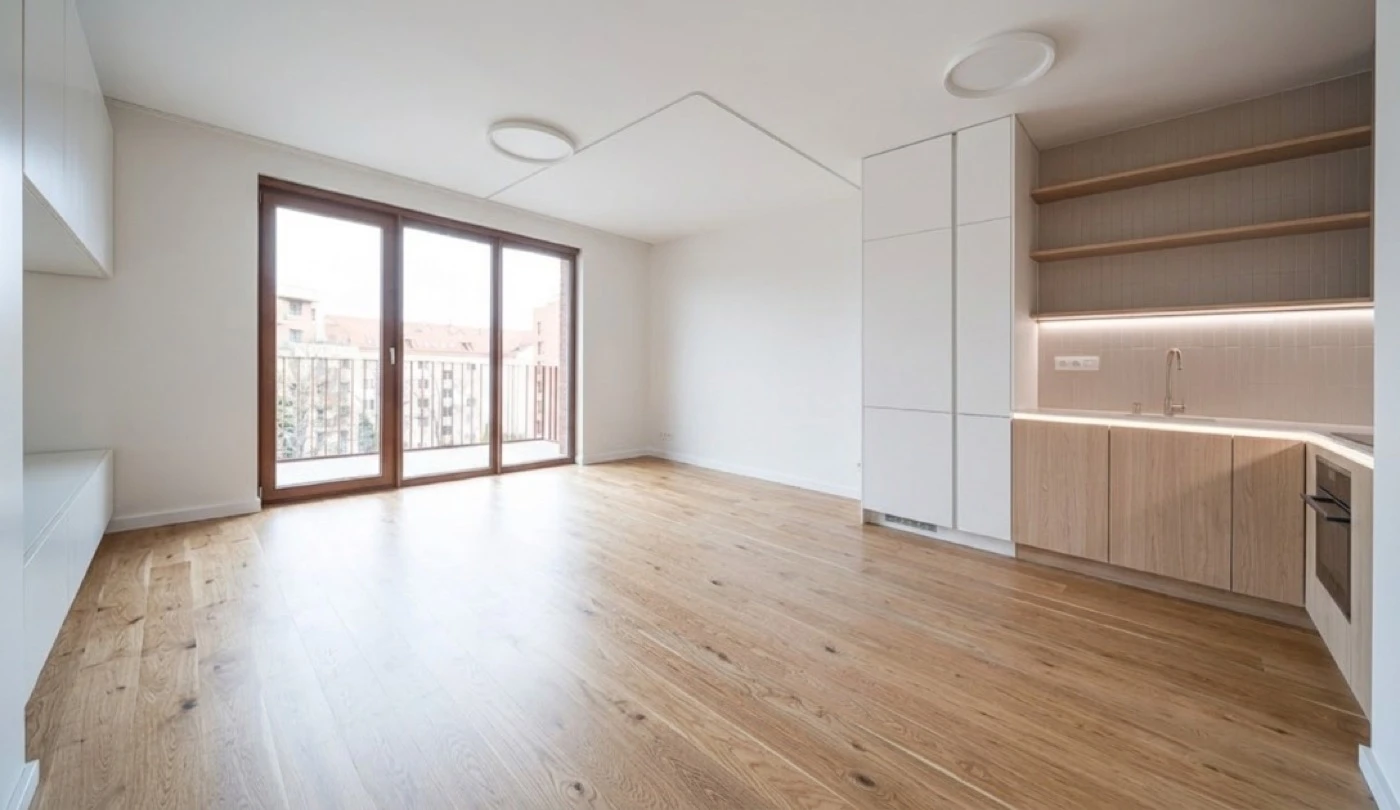
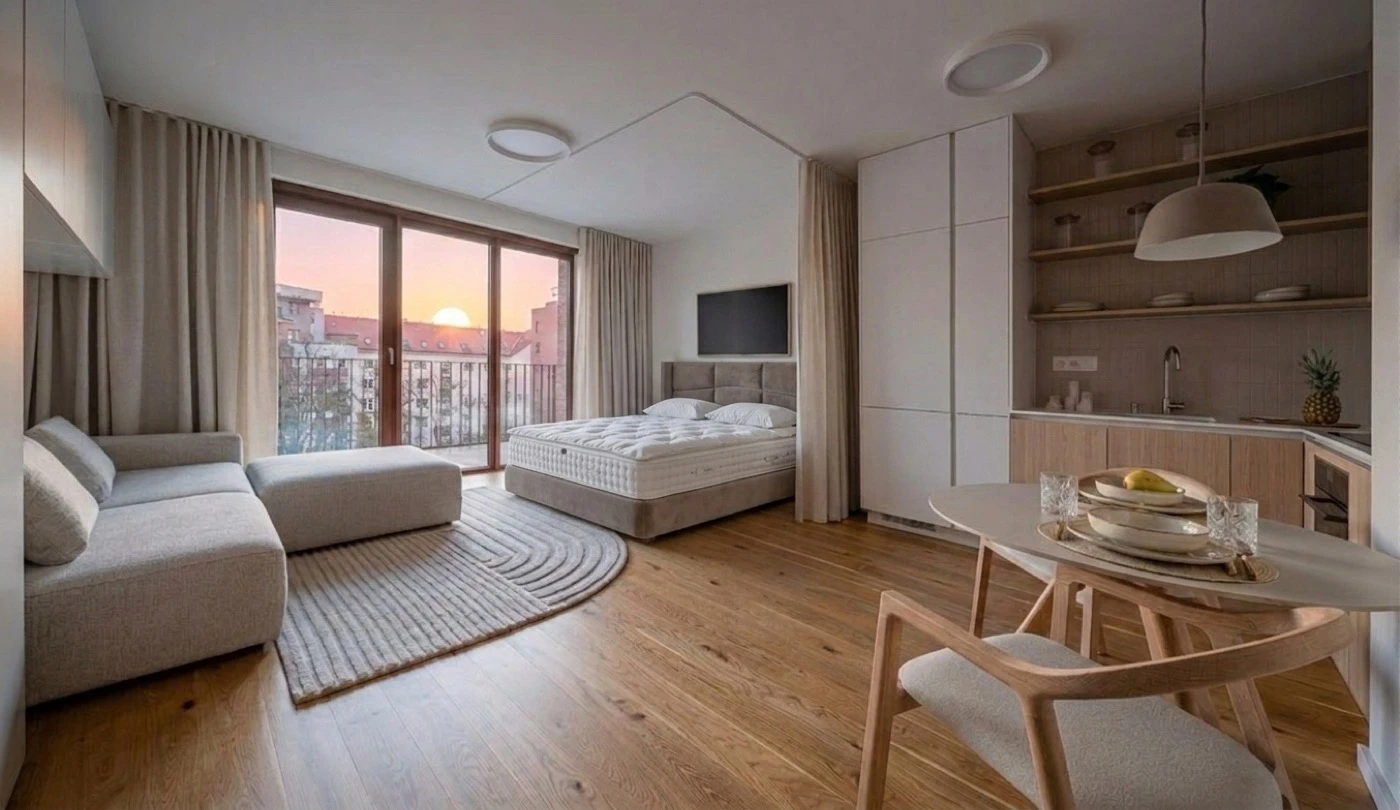
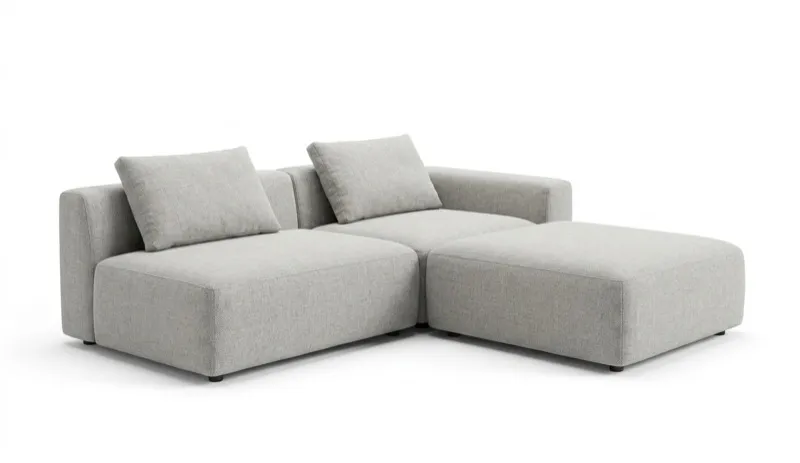

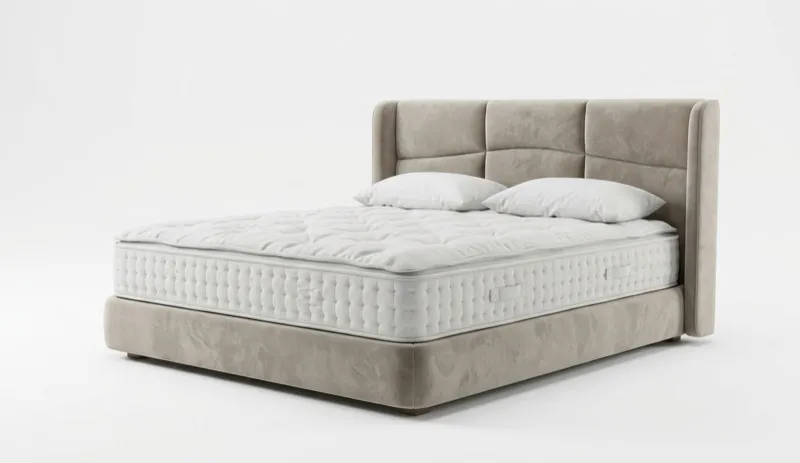


You want to see your room redesigned and then actually buy the furniture.
You're an agent who needs empty rooms to look furnished, fast.
You need a video or 3D walkthrough to present to a client or stakeholder.
You know what you want, you need to compare prices across stores.
Feature-by-feature comparison
We tested both tools head to head. Here's what each one actually delivers.
| AI Tool | MeltFlex AI | HomeDesigns AI |
|---|---|---|
| AI Interior Design | ✓ | ✓ |
| AI Layout Boost | ✓ | ✗ |
| AI Exterior Design | ✓ | ✓ |
| AI Garden Design | ✓ | ✓ |
| AI Walls Texture | ✓ | ✗ |
| AI Floor Restyle | ✓ | ✗ |
| AI Video Walkthrough | ✓ | ~ |
| Score | 7/7 | 3/7 |
See it for yourself
Drop in a photo of your room. You'll get a redesign with furniture you can actually order. No account needed.
The core difference
HomeDesigns AI has been around for a while and built up a user base with their "80+ design styles" and simple upload-and-generate workflow. But here's the thing: when you get your redesigned room, the furniture in it doesn't exist. It's AI-generated imagery that looks nice but you can't order any of it.
They do have a "Furniture Finder" feature that tries to match rendered items to real products you can purchase. But it's a post-render lookup, so the furniture in your design isn't the actual product. There's no price comparison across stores, no exact match guarantee, and no shopping cart.
MeltFlex works differently. Every piece of furniture in your AI room design is a real product from IKEA, Amazon, Wayfair, Pottery Barn, or Ashley. You see the exact price, dimensions, and a link to buy it. You can compare the same item across all five stores and grab the best deal.
HomeDesigns AI is an inspiration tool. Great for mood boards. But if you want to actually buy the furniture and furnish the room, MeltFlex is the only one that gets you there, with real products, real prices, and video to bring it to life.
Real furniture & shopping
This is where the gap is widest. When MeltFlex redesigns your room, every item in the image comes from a real store. You get the name, price, dimensions, and a link to buy it from whoever has the best deal. HomeDesigns AI just gives you a pretty picture and hopes you figure out the rest.
- Real products from IKEA, Amazon, Wayfair, Pottery Barn, Ashley
- Price comparison across all 5 stores side by side
- Direct buy links, click and order
- Set a budget ("furnish under $2,000") and it stays within it
- See exact dimensions in the 3D workspace
- Shopping cart that handles multiple retailers
- Furniture in renders is AI-generated, not real
- "Furniture Finder" links to similar items after render
- No price comparison between stores
- No shopping cart
- No budget-aware generation
- No exact dimensions for furniture shown
| Feature | MeltFlex | HomeDesigns AI |
|---|---|---|
| Real furniture in renders | ||
| Price comparison (5 stores) | ||
| Direct buy links | ||
| Shopping cart | ||
| Budget-aware generation | ||
| Exact furniture dimensions | ||
| Multi-retailer checkout |
HomeDesigns AI has a "Furniture Finder" feature that links you to similar-looking items after your render is complete. It's a step above nothing, but the items shown in the render aren't the actual products. It's a best-guess match after the fact. There's no guarantee on style, size, or price accuracy. With MeltFlex, the furniture in your render is the product. Check the community gallery to see it in action.
Worth knowing: People regularly save hundreds of dollars by comparing the same piece across IKEA, Amazon, and Wayfair with MeltFlex. HomeDesigns AI offers no cross-store comparison at all, so you're on your own to find and price furniture separately.
AI room design quality
HomeDesigns AI claims "stunning photorealism" and "80+ design styles." Fair enough, their renders do look decent. But "photorealism" alone isn't a differentiator in 2026. Every serious AI design tool produces good-looking rooms. The question is what you can do with the output.
Design styles
MeltFlex has over 25 curated styles including Modern, Scandinavian, Japandi, Mid-Century Modern, Industrial, Farmhouse, Coastal, Minimalist, Bohemian, Art Deco, and more. You can explore them in the AI design tool. HomeDesigns AI advertises 80+ styles on their Pro plan (40+ on Individual), with some sources claiming up to 200+. Their library is broader, though many are niche variations of the same aesthetic.
Where MeltFlex goes further
The real difference isn't the number of styles. It's what happens after the render. MeltFlex designs use real furniture, so every design is a room you can actually put together. Plus you get 4K output, structural editing (walls, windows), and a full 3D workspace. Read more on the MeltFlex blog.
HomeDesigns AI offers "AI Intervention" levels (Very Low to Extreme) which controls how much the AI changes your space. That's fine for quick inspiration, but it doesn't give you the precision of MeltFlex's structural editing or the ability to walk through your design in 3D.
| Capability | MeltFlex | HomeDesigns AI |
|---|---|---|
| Photorealistic renders | ||
| 25+ design styles | ||
| Plain-language prompts | ||
| Real furniture in output | ||
| Structural editing (walls, windows) | ||
| 4K output | ||
| AI intervention levels |
Both produce nice-looking renders. The difference: MeltFlex designs are shoppable and actionable. HomeDesigns AI designs are images you can save but not act on. In 2026, pretty pictures aren't enough.
Video generation & 3D workspace
HomeDesigns AI recently added video generation and 2D-to-3D floor plan conversion, but only in their premium Expert plan, which costs significantly more than their Individual or Pro tiers. These features are treated as paid add-ons, not part of the core product.
MeltFlex includes video walkthroughs in every plan: Standard, Pro, and Mega. You get 9:16 (Instagram, TikTok) and 16:9 (YouTube, client presentations). The full 3D workspace, floor plan conversion, and model export (GLB, OBJ, FBX) are all included from day one, no premium tier required.
- Video walkthroughs in every plan
- 4K photo output
- Full 3D workspace included
- Floor plan to 3D conversion
- Model export (GLB, OBJ, FBX)
- Interiors, exteriors, and landscapes
- Video only in Expert plan (premium add-on)
- No 4K output
- 2D-to-3D only in Expert plan
- No full 3D workspace to walk through
- No model export (GLB, OBJ, FBX)
- Interiors, exteriors, and gardens
| Output type | MeltFlex | HomeDesigns AI |
|---|---|---|
| Standard photo renders | ||
| 4K resolution | ||
| Video walkthroughs | ||
| Full 3D workspace | ||
| Floor plan to 3D | ||
| 3D model export (GLB, OBJ, FBX) | ||
| Interior design | ||
| Exterior design | ||
| Garden & landscaping |
If you're a real estate agent, a video walkthrough of a staged listing is worth more than a dozen still photos. If you're a designer presenting to clients, video and 3D walkthroughs close deals. Developers can also generate designs programmatically through the MeltFlex API.
MeltFlex includes what HomeDesigns AI charges premium for. Video, 3D workspace, floor plan conversion, and model export come standard with MeltFlex. HomeDesigns AI gates these behind their most expensive tier. For the same or lower price, MeltFlex gives you the full toolkit.
Virtual staging for real estate
Staging is a major use case for both tools. The data is clear: staged homes sell 87% faster and for up to 17% more. Both MeltFlex and HomeDesigns AI can take an empty room and fill it with furniture. But the similarities end there.
What HomeDesigns AI does
HomeDesigns AI generates AI-furnished room images. The renders look nice. They claim 2.5 million users across 170+ countries. But the furniture in those renders isn't real, and buyers can't purchase what they see. Video walkthroughs are only available in their premium Expert plan, and there's no full 3D workspace for spatial presentations.
What MeltFlex does differently
MeltFlex stages with real furniture people can actually buy. When a buyer sees your listing and thinks "I love that living room," they can order the exact sofa, table, and rug. That's a real differentiator for agents. On top of that, MeltFlex generates video walkthroughs, exports 3D models for presentations, and runs faster (10-20 seconds). Plans start at $19/month, or $12/month yearly. Questions? Check the FAQ.
| Feature | MeltFlex | HomeDesigns AI |
|---|---|---|
| Virtual staging | ||
| Real, purchasable furniture | ||
| Video walkthroughs | ||
| 3D model export | ||
| 4K resolution output | ||
| 10-20s generation speed | ||
| Garden & landscaping staging |
For virtual staging, MeltFlex wins on every axis that matters: real furniture, video, speed, 3D, and pricing. HomeDesigns AI gives you a staged image and that's where it ends.
Speed & generation time
- 10-20 seconds per design, consistently
- No throttling based on plan tier
- Easy to iterate through multiple styles quickly
- Same speed on free and paid plans
- Claims "under 30 seconds"
- Free tier: 10 credits at signup, then paid
- "Precision+" and HD upgrades add extra time
- Speed varies by server load
The speed difference matters most when you're iterating. Trying Scandinavian, then Japandi, then Mid-Century on the same room, and with MeltFlex you can run through six options in the time HomeDesigns AI finishes three or four. And that's assuming HomeDesigns AI hits their best-case "under 30 seconds" claim.
There's another friction issue with HomeDesigns AI: their free tier gives you 10 credits at signup and that's it. Once those are used, you need a paid plan to continue. MeltFlex lets you generate a design free without even creating an account, no signup required.
Pricing comparison
Let's cut through the marketing. HomeDesigns AI uses aggressive "Early Bird" scarcity pricing that makes it hard to know what you'll actually pay. Here's a clear breakdown. See all MeltFlex plans for full details.
Entry-level plans
- 650 credits per month
- Up to 100 AI-generated images
- Real furniture from 5 brands
- Price comparison across retailers
- 3D workspace + floor plan conversion
- Video generation
- No watermarks
- Annual billing available
- 100 designs per month
- 40+ styles (limited selection)
- No real furniture matching
- No price comparison
- No 3D workspace
- No video generation
- Standard quality only
- Personal license only
At the entry level, the monthly pricing is similar with yearly billing, and both land around $12/month. The difference is what you get. MeltFlex at $12/month (yearly) gives you 650 credits with every feature included: real furniture, video, 3D workspace, price comparison. HomeDesigns AI at ~$12/month (yearly) gives you 100 designs without any of those features. Same price, vastly different value.
- 650 credits per month
- Real furniture from 5 brands
- Price comparison across retailers
- 3D workspace + floor plans
- Video generation
- No watermarks
- 100 designs per month
- No real furniture
- No price comparison
- No video generation
- No 3D workspace
- Standard quality only
Higher-tier plans
- 2,250 credits per month
- Up to 340 images
- Every feature included
- 30 saved projects
- Priority email support
- 3D export (GLB, OBJ, FBX)
- Video generation
- Commercial license
- Unlimited designs per month
- 80+ styles (full selection)
- HD quality, newest AI model
- Commercial license
- No real furniture matching
- No 3D workspace or export
- No video (Expert plan required)
- No price comparison
HomeDesigns AI Pro is cheaper at $29/month (~$17/mo yearly) and gives you unlimited designs with their newest AI model. But look at what's missing: no real furniture, no video (requires Expert plan upgrade), no 3D workspace, no price comparison, no model export. You're getting more flat images, not more capability. MeltFlex Pro at $59/month ($24 yearly) includes every feature: real furniture, video walkthroughs, full 3D workspace, and the ability to actually act on what you see.
- 2,250 credits per month
- Every feature included
- Video walkthroughs
- 3D export (GLB, OBJ, FBX)
- Priority email support
- Real furniture from 5 brands
- Unlimited designs per month
- 80+ styles, HD quality
- Commercial license
- No video (Expert plan required)
- No 3D workspace or export
- No real furniture
The real question: Do you want more flat images or more capabilities? HomeDesigns AI gives you volume: lots of 2D renders at a decent price. MeltFlex gives you designs you can act on: buy the furniture, present in video, explore in 3D. At $24/month (yearly Pro) that's a complete design platform, not just a render generator.
Which tool is right for you?
- Want to redesign a room and then actually buy the furniture
- Need 4K photos or video walkthroughs
- Work on both interiors and exteriors
- Like comparing prices across IKEA, Amazon, and Wayfair
- Want results in 10-20 seconds
- Have floor plans you want to turn into 3D
- Need to present designs to clients with video
- Are a homeowner who's actually going to buy furniture
- Want a 3D workspace for spatial planning
- Only need quick inspiration images, not actionable designs
- Want high volume of renders (1,000/month) without extras
- Need garden/landscaping visualization specifically
- Don't plan to buy furniture based on the designs
For most people (homeowners redesigning a bedroom, designers presenting to clients, agents staging listings) MeltFlex gives you more for less. It's not just a render tool; it's a complete design-to-purchase platform. Running a larger team? Check out MeltFlex for Enterprise. HomeDesigns AI has its place if all you need is a high volume of inspiration images with no intent to act on them. For everyone else, it's not close. Get in touch if you need help choosing.
Ready to try it?
Upload a photo, pick a style, and get a design with real furniture from IKEA, Amazon, and Wayfair. Free to start, no account needed. Have more questions? Browse community answers or read the FAQ.
Frequently asked questions
Is MeltFlex AI better than HomeDesigns AI for interior design?
For most people, yes. MeltFlex shows you real, purchasable furniture from IKEA, Amazon, and Wayfair in every design. HomeDesigns AI generates nice-looking rooms but the furniture in them is AI-generated and not purchasable. If your goal is to redesign a room and then actually buy the pieces you see, MeltFlex is built for that. HomeDesigns AI is more of an inspiration tool.
Can I buy the furniture shown in HomeDesigns AI renders?
Not exactly. HomeDesigns AI has a "Furniture Finder" feature that tries to match rendered items to real products you can buy. But the furniture in your render isn't the actual product. It's AI-generated, and the Finder links you to visually similar items after the fact. There's no price comparison across stores and no guarantee the match is accurate. With MeltFlex, the furniture in your render IS the real product: same item, same price, direct buy link from 5 retailers.
Which tool is cheaper, MeltFlex AI or HomeDesigns AI?
Both offer yearly billing discounts. MeltFlex Standard is $19/month ($12/mo yearly) for 650 credits with every feature included: real furniture, video, 3D workspace, price comparison. HomeDesigns AI Individual is $27/month (~$12/mo yearly) for 100 designs but without real furniture, price comparison, or shopping cart. Their Pro is $29/month (~$17/mo yearly) with more styles but still no real furniture matching. The key difference: MeltFlex includes video, 3D, and real furniture at every price tier. HomeDesigns AI locks video and 3D behind their premium Expert plan.
Does HomeDesigns AI offer video generation?
Only in their premium Expert plan, which costs significantly more than their Individual or Pro tiers. Video and 3D floor plan features are treated as paid add-ons, not core features. MeltFlex includes video generation (9:16 and 16:9) in every plan, including Standard. If video matters to your workflow, MeltFlex gives you that from day one without paying for a premium tier.
Which tool is faster at generating designs?
MeltFlex delivers designs in 10-20 seconds consistently. HomeDesigns AI claims "under 30 seconds" but real-world performance varies. Their free tier gives you 10 credits at signup to test the platform. When you're iterating through styles on the same room, MeltFlex's speed advantage compounds quickly.
Does HomeDesigns AI have a 3D workspace?
HomeDesigns AI added 2D-to-3D floor plan conversion in their Expert plan (premium tier), but it's a paid add-on, not included in their Individual or Pro plans. MeltFlex has a full 3D workspace in every plan where you can walk through rooms, convert floor plans into 3D, and export models in GLB, OBJ, and FBX formats.
Can I use either tool for real estate virtual staging?
Both can stage empty rooms with furniture. The key difference: MeltFlex stages with real, purchasable furniture. Buyers can literally order the pieces they see in your listing photos. Staged homes sell 87% faster and for up to 17% more, and when buyers can actually buy the furniture, that's an extra conversion point no other tool provides.
Do I need an account to try either tool?
MeltFlex lets you generate a design for free without creating an account. Just upload a photo and go. HomeDesigns AI requires you to sign up and gives you 10 free credits to test the platform. MeltFlex gets you to a result faster with less friction.

