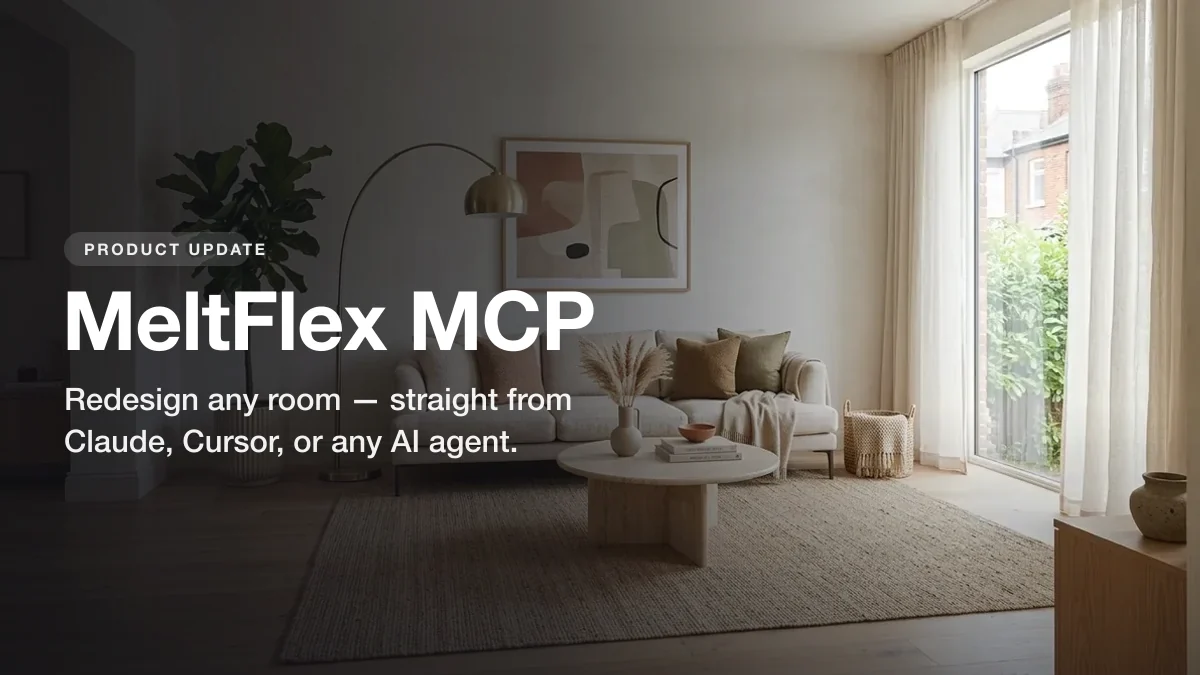
MeltFlex now has an MCP connector, and it changes where interior design happens. Instead of opening our app, uploading a photo, and clicking through a flow, you can stay inside the tool you already work in, Claude, Cursor, Claude Desktop, Windsurf, Codex, VS Code, or any agent that speaks the protocol, describe the room you want, attach a photo, and get a photorealistic redesign back in the conversation. No second editor, no copy-pasting between tabs, no separate billing to set up.
Our articles are still written by humans!
Get human written articles in your Google feed.
We will be straight about the scope, because that is the whole point of this connector: it does one thing, and does it well. It is not a thirty-model everything-studio. It turns a room photo into a believable redesign, on your own credits, from inside any agent. This guide covers what it is, what it can do, how to connect it in about a minute, and where it actually fits. If your agent loads markdown skills rather than MCP servers, the same tools ship as Claude skills for interior design instead.
The short version
- Design from inside your agent. Connect once and redesign rooms from Claude, Cursor, Claude Desktop, Windsurf, Codex, VS Code, or any MCP client.
- Four tools, no ceremony.
generate_interiorrestyles a room photo,generate_videoturns a render into a walkthrough clip,floorplan_to_3dconverts a 2D plan into a 3D model,check_creditsreports your balance. - Your key, your credits. Each user connects their own MeltFlex account. From 8 credits per redesigned image, billed to you, refunded on failure.
- Setup takes a minute. One command in Claude Code, or a small JSON block in the others. No separate sign-in flow.
- It is also a CLI. The same package runs from your terminal, so you can script redesigns without an agent at all.



What MeltFlex MCP is
MCP, short for Model Context Protocol, is an open standard that gives AI agents secure access to external tools. Claude and most modern agents support it natively. MeltFlex ships a small MCP server, the meltflex-mcp package, that exposes our interior generation as tools any agent can call. Connect the two and your chat thread becomes a place where you can actually redesign rooms, not just talk about them.
Under the surface it is deliberately thin. The server is a client over the MeltFlex API, the same engine behind our app, so it inherits everything the API already enforces: your credits, your limits, your refunds. That is also why it is safe to hand an agent: the connector cannot do anything you could not already do with a single API request using the same key.
The kind of result that comes back in your chat: a photorealistic redesign of a real room, saved to disk as a file you can use.
What you can do through the connector
The surface is small on purpose. There are exactly four tools, and you will mostly use the first one.
generate_interior(from 8 credits). Restyle a room photo into a photorealistic redesign. You give it aprompt(the style and pieces you want) and animage(a file path, URL, or data URL). Optionally you passreference_imagesto anchor specific furniture or decor, and anoutput_pathto choose where the result is written. It saves the finished image to disk and returns the path.generate_video. Turns a room photo or render into a short cinematic walkthrough clip, the same video engine as the app, priced per clip in credits.floorplan_to_3d(100 credits). Converts a 2D floor plan image into a 3D model file you can open in a viewer or pass on to other tools.check_credits(free). Reports your account balance and the cost of each operation, so the agent can tell you what a batch will spend before it spends it.
Since the v0.5 release, generate_interior also takes four options that used to be app-only: a resolution switch (512, 1K or 2K output at no extra credit cost), a design level (a cheaper lite pass at 8 credits, the default at 10, or a pro mode that reasons harder about materials and light for 15), a mask input (paint part of the source photo solid red and the prompt applies only to that region, so you can redo one wall and keep the rest untouched), and variations (up to three takes on one prompt in a single call, with any failed take refunded).
The reference-image input is the quietly powerful part. You can hand it a photo of an actual sofa, a paint swatch, or a piece you already own, and the redesign will build around it instead of inventing furniture you can never find. That is the difference between a pretty picture and a plan you can act on, and it is the same capability that powers shoppable results in the MeltFlex app.
How to connect it, step by step
Setup takes about a minute. You add MeltFlex as an MCP server in your client, authenticate with your API key once, and start prompting. Here are the two most common clients; the full setup page covers the rest.
Claude Code is a single command, then a one-time sign-in:
claude mcp add meltflex -- npx -y meltflex-mcp
npx -y meltflex-mcp auth mf_sk_xxxxxxxxxxxx
Cursor, Claude Desktop, and Windsurf use the standard MCP config shape. Drop this into your client’s mcp.json (or claude_desktop_config.json), with your own key embedded so there is no separate sign-in:
{
  "mcpServers": {
    "meltflex": {
      "command": "npx",
      "args": ["-y", "meltflex-mcp"],
      "env": { "MELTFLEX_API_KEY": "mf_sk_xxxxxxxxxxxx" }
    }
  }
}
You generate your key in account settings (it looks like mf_sk_…). Once the server shows as connected, you just ask in plain language:
Here’s my living room /Users/me/room.jpg, redesign it in warm minimalist style with a low linen sofa, light oak, and a big jute rug. Bright daylight.
The agent calls generate_interior, the redesign renders, and the finished image lands on your disk with the path returned in chat. From there you iterate the way you iterate on anything in that thread: change the style, swap a piece, run another room.
How it works under the hood
Three pieces do the work. Your agent reads your intent and turns plain language into a structured generate_interior call, picking up context from the conversation so “now try it darker” means the right thing. MCP is the secure bridge that lets the agent call the tool, with your API key staying in your environment and the agent only ever seeing the result, never the credential. MeltFlex runs the actual generation, the same engine as our app and API, deducts the credits, saves the image, and hands the file path back.
From your side it looks like one prompt. Underneath, the credit is deducted before the render and automatically refunded if the generation fails, so a bad call never quietly costs you. Nothing about the billing or the limits moves to the client; it all stays server-side where it belongs.
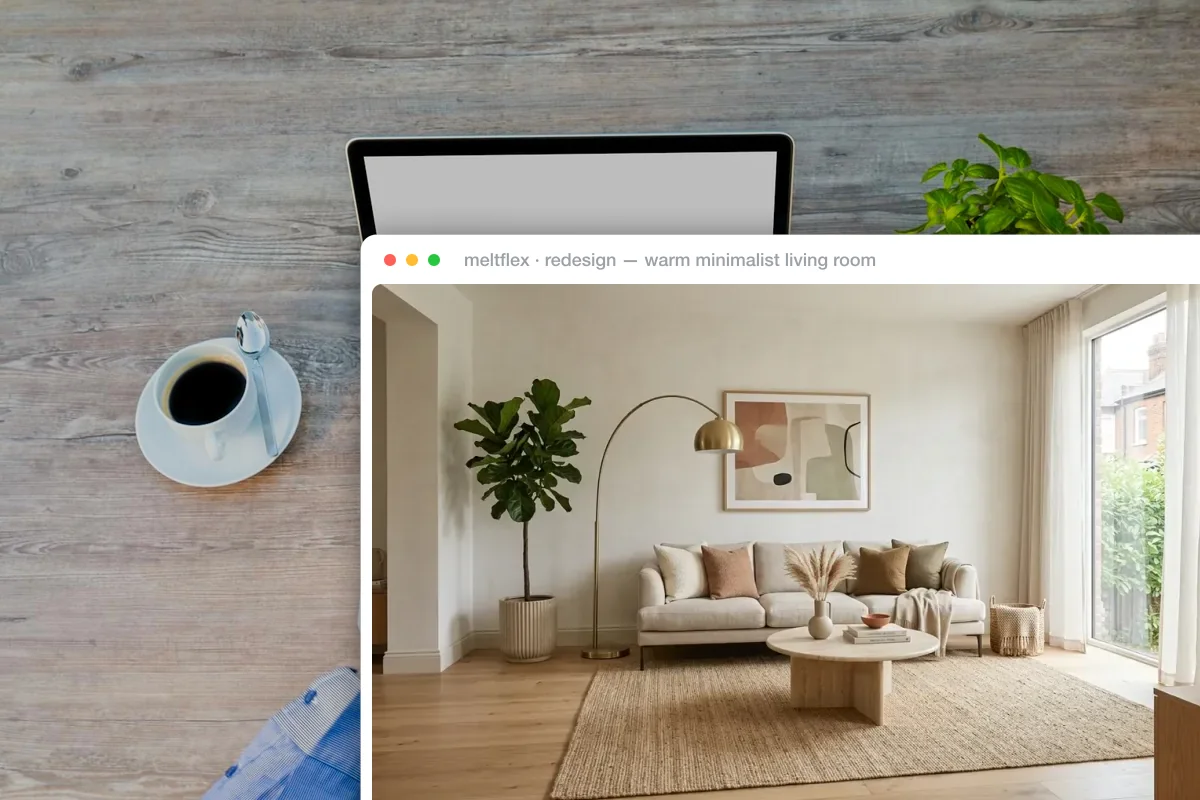
The redesign comes back where you already work. No second app, no separate editor, no exporting between tools.
Three ways to use it
1. One redesign, in seconds. The simplest path. Point it at a photo, describe the look, and the redesign comes back in the same chat. Good for a single room, a quick “what would this look like”, or testing a style before you commit.
2. Anchor it to real furniture. Pass reference images of pieces you actually want, a specific sofa, your existing dining table, a paint colour, and the redesign builds around them instead of guessing. This is how you go from a mood board to something you can genuinely buy and place.
3. Wire it into your own work. Because the server is also a CLI and a thin API client, developers can script it. A real-estate team can batch-stage a folder of empty listing photos from Claude Code or the terminal; an app can shell out to the same package. One brief, many rooms, all on your own credits.
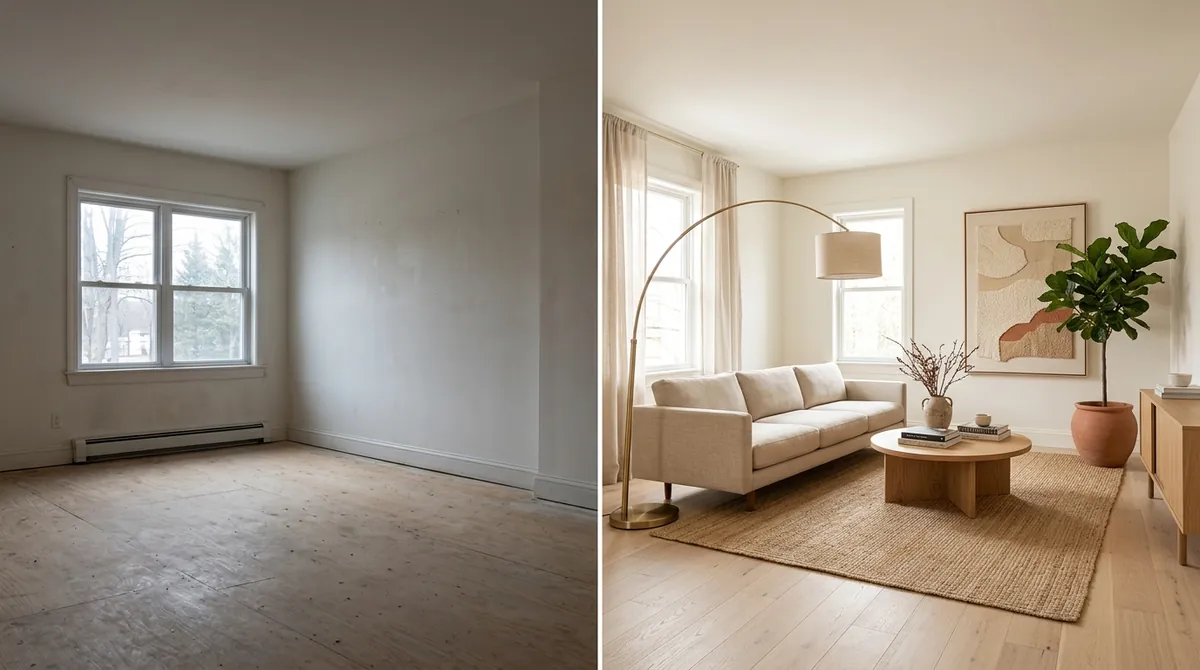
A single generate_interior call: the same room, before and after. The window and proportions stay put while the styling changes.
Who it is for
- Homeowners and renters who already live in Claude or Cursor and would rather redesign a room in the same thread than learn another app.
- Interior designers generating quick client-ready concepts mid-conversation, anchored to real pieces through reference images.
- Real-estate teams virtually staging empty listings at volume, scripted from Claude Code or the CLI rather than clicked one at a time.
- Developers building interior features into their own products, using the MCP server or the CLI as the fastest way to call MeltFlex without writing API plumbing first.
Requirements
- A MeltFlex account with an API key (any active subscription). New accounts can generate a key in settings.
- An MCP-capable client, Claude Code, Cursor, Claude Desktop, Windsurf, Codex, VS Code, or any other agent that speaks the protocol. Or just the terminal, via the CLI.
- Credits. A redesign costs 8 to 15 credits depending on the design level, billed to your own account. Checking your balance is free, and failed generations are refunded.
That is the whole setup. The connector runs against your existing MeltFlex credits, so there is nothing extra to install on the server side and no separate billing to negotiate.
Why this matters
Interior visualization has lived behind its own door for years: a separate app, a separate login, a separate place you go when you want to see a room differently. Every one of those context switches is friction, and friction is where ideas quietly die between “I wonder” and actually seeing it.
MCP removes the door. The moment your agent can redesign a room without you leaving the conversation, the cost of trying an idea drops to a sentence, and when trying is that cheap, you try more. That is the real win here, not raw speed but a short enough loop that you actually iterate, and iteration is where rooms get good. We kept the connector narrow precisely so that loop stays fast: one clear job, done well, wherever you already work.
Connect MeltFlex to your agent
- One-minute setup. One command in Claude Code, or a small JSON block in Cursor, Claude Desktop, Windsurf, Codex, or VS Code.
- Your key, your credits. Runs under your own account, from 8 credits per redesign, refunded on failure.
- Redesign in chat. Send a photo, describe the look, get a photorealistic room back as a file. Video walkthroughs and floor plan to 3D run from the same chat.
- Also a CLI. Script redesigns from the terminal with the same package.
Frequently asked questions
What is MeltFlex MCP?
MeltFlex MCP is a connector that lets any AI agent that speaks the Model Context Protocol, Claude, Cursor, Claude Desktop, Windsurf, Codex, VS Code, and others, generate photorealistic interior redesigns directly from chat. It runs as a small server (the meltflex-mcp npm package) that exposes MeltFlex’s image generation as tools your agent can call. You describe the room you want and attach a photo. The agent calls the tool and a redesigned image comes back, saved to disk. It is a thin client over the MeltFlex API, so everything it can do is something the API already does, and every generation is billed to your own MeltFlex credits.
Which AI agents and clients does it work with?
Any client that speaks the Model Context Protocol. We document one-step setup for Claude Code, Cursor, Claude Desktop, Windsurf, Codex, and VS Code, but the same command / args / env config works for any MCP-capable agent. The same package also runs as a plain command-line tool, so you can generate redesigns straight from your terminal without an agent at all.
Do I need an API key, and whose credits are used?
Yes. Each user authenticates with their own MeltFlex API key (any active subscription works). You generate one in your account settings and pass it through the MELTFLEX_API_KEY environment block, or run meltflex auth. Every generation is billed to your own account, 8 to 15 credits per redesigned image depending on the design level, and checking your balance is free. The server runs under your account, so there is no shared pool or surprise billing.
Is the MCP connector safe?
It adds no new attack surface. Anything the connector can do is already doable with a normal request to the same MeltFlex API using the same key, and your key stays on your side. The agent only ever sees the tool results, never your credentials. Credit limits, refunds, and rate limits all live server-side, and a failed generation is automatically refunded.
Where do the generated images go?
The generate_interior tool saves the finished redesign to disk and returns the file path, so the image lands as a real file you can open, edit, or drop into a project. You can pass an output_path to control exactly where it is written. Nothing is locked inside the chat thread.
Can I use it from the terminal instead of an agent?
Yes. The same meltflex-mcp package is also a CLI. Install it with npm install -g meltflex-mcp (or run it with npx), authenticate once with meltflex auth, then run meltflex generate to redesign a room photo from the command line and meltflex credits to check your balance. The MCP server and the CLI are the same tool wearing two hats.
Keep reading
- Higgsfield MCP, the same idea for video generation, with its OAuth flow taken apart.
- MeltFlex as a ChatGPT plugin, and the six other ChatGPT plugins worth adding for architects and designers.
- The MeltFlex MCP setup page, with config for every supported client.
- The MeltFlex CLI, the same tool from your terminal.
- The MeltFlex API, the layer the connector is built on, for adding redesign and virtual staging to any app.
- How to redesign a room with Nano Banana Pro, and where a purpose-built tool keeps your real room.
- Try MeltFlex in the app, upload a photo and see a redesign with furniture you can buy.