How to Redesign Any Room With Nano Banana Pro: A Step-by-Step 2026 Guide (and 4 Things It Still Gets Wrong)

Open any design corner of the internet right now and someone is redesigning their living room with Nano Banana Pro, Google’s Gemini 3 image model. The before-and-afters are genuinely impressive, the renders look photoreal, and it is free to start. So it is a fair question: can you skip the interior designer, skip the dedicated apps, and just use Nano Banana to redesign your whole home?
Our articles are still written by humans!
Get human written articles in your Google feed.
Mostly yes, and partly no. We build an AI room redesign tool, MeltFlex, so we have spent a lot of time with every model that touches interiors. Nano Banana Pro is the best general image model for interior concepts we have used. It is also missing the four things that turn a pretty picture into a room you can actually build and furnish. This guide gives you the exact workflow that gets good results, the prompt formula that does the heavy lifting, and an honest account of where it breaks, so you know when to use it and when to reach for something else.
The short version
- It works from a photo. Upload a wide, daytime shot of your room and describe the restyle. Pro handles materials and lighting better than any general model.
- The prompt formula matters more than the model. Style + key furniture + materials + colors + lighting, in one specific sentence, beats vague prompts every time.
- It reinvents your room. Windows move, proportions drift, and you rarely get the same room twice. Great for ideas, risky for a real renovation.
- It cannot be shopped. Beautiful sofa, no idea what it is, what it costs, or whether it fits. That gap is where a purpose-built tool earns its place.
- Best workflow: use Nano Banana to explore the look, then a room-redesign tool to lock it to your real room and real, buyable furniture.
What Nano Banana Pro actually is
“Nano Banana” was the codename for Gemini 2.5 Flash Image, the Google model that went viral in August 2025. Nano Banana Pro is the higher-end successor built on Gemini 3 Pro Image, generally available since June 2026: sharper, much better with materials and text, native output up to 4K, and stronger at multi-image fusion, accepting up to 14 reference images in one prompt and blending them into one coherent scene. On 6 October 2026 Google released Nano Banana 2.1, which closes most of that gap: it also renders native 4K and takes 14 reference images, at about a quarter of Pro’s price, and it is the image model the Gemini app is rolling out to everyone. If a render still comes out too small, an AI image upscaler fixes that. Everything in this guide works the same on either model.
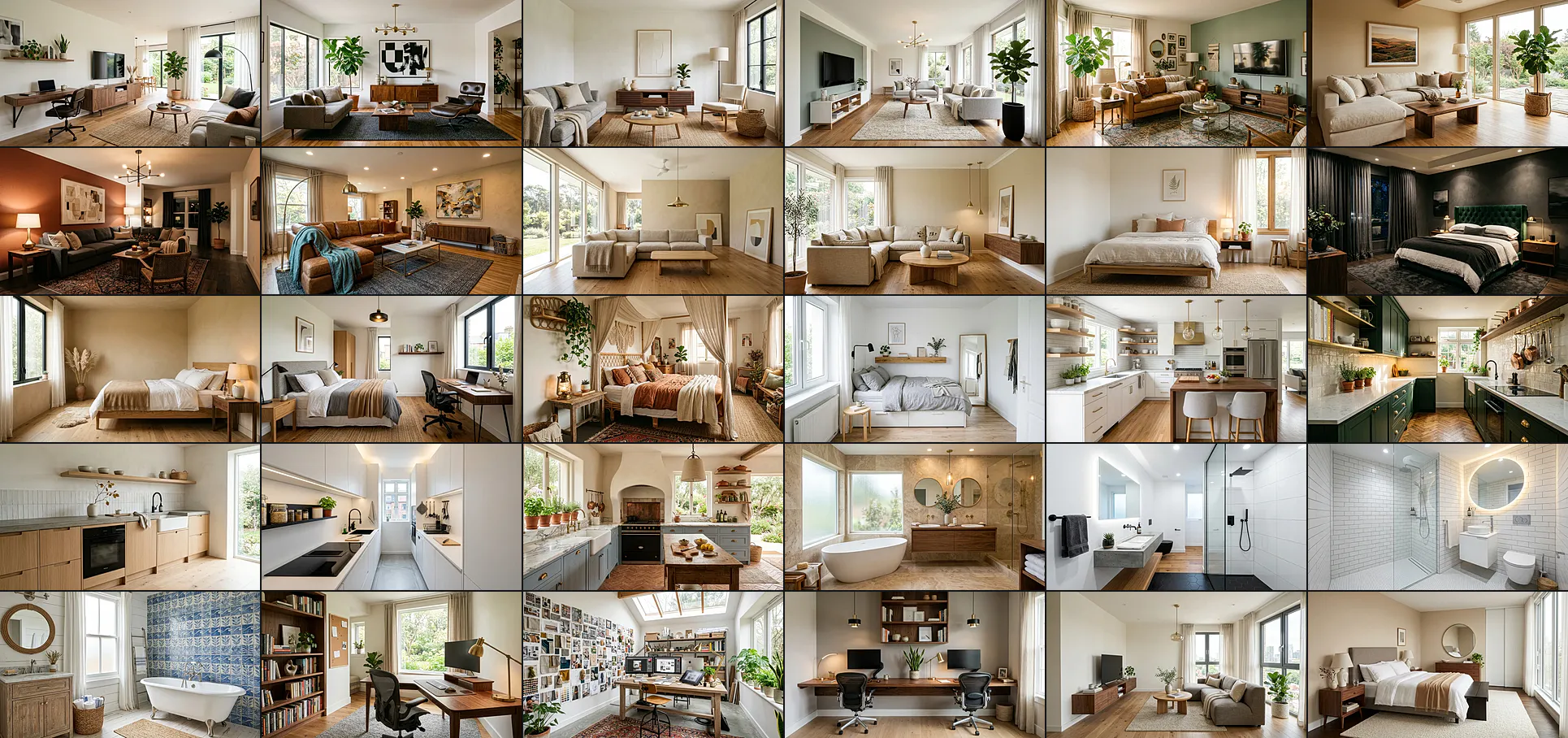
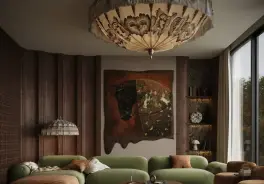
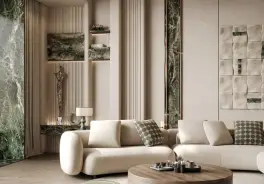
The reason it took over interior design feeds is that it was built to edit a real photo, not just generate one from text the way Midjourney or DALL-E do. Upload your room and it understands the space, then restyles it while holding on to far more of the original than older models ever could. It is also unusually good at the details that make an interior read as real. In one published test it produced correctly proportioned furniture in about 88 percent of renders, against roughly 70 percent for Midjourney, and it told matte, satin and gloss finishes apart where other models defaulted to one generic sheen. That material accuracy, the grain of oak versus walnut, fabric that reads as bouclé rather than plastic, is its real edge. Here is the kind of output it produces across rooms and styles.
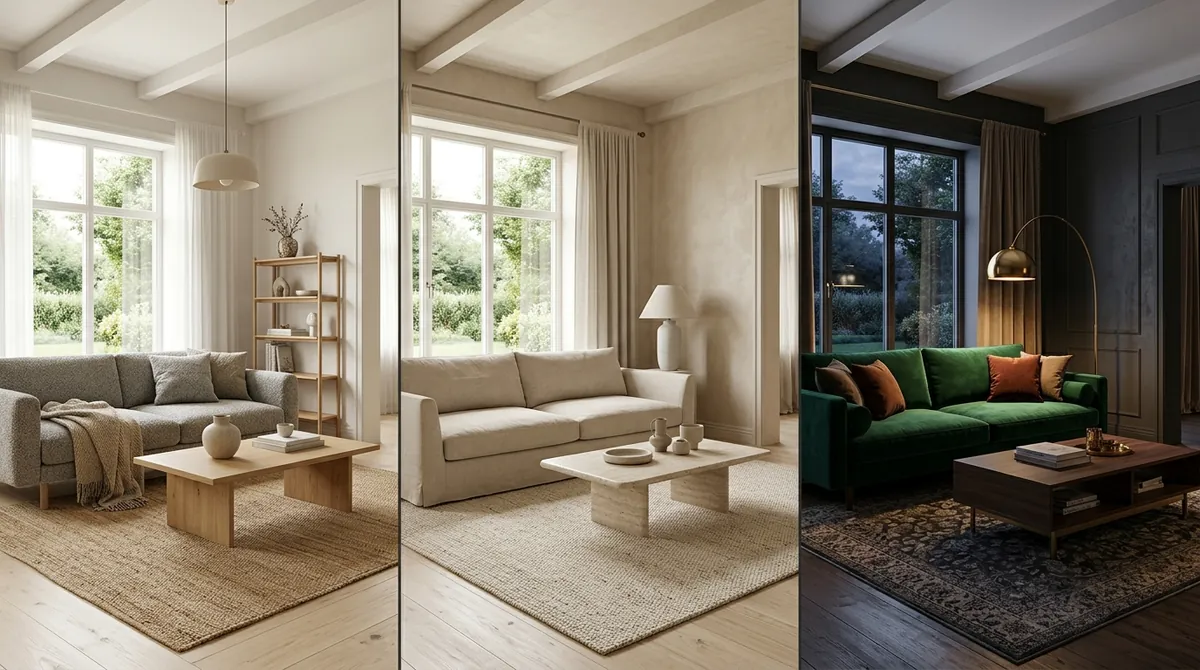
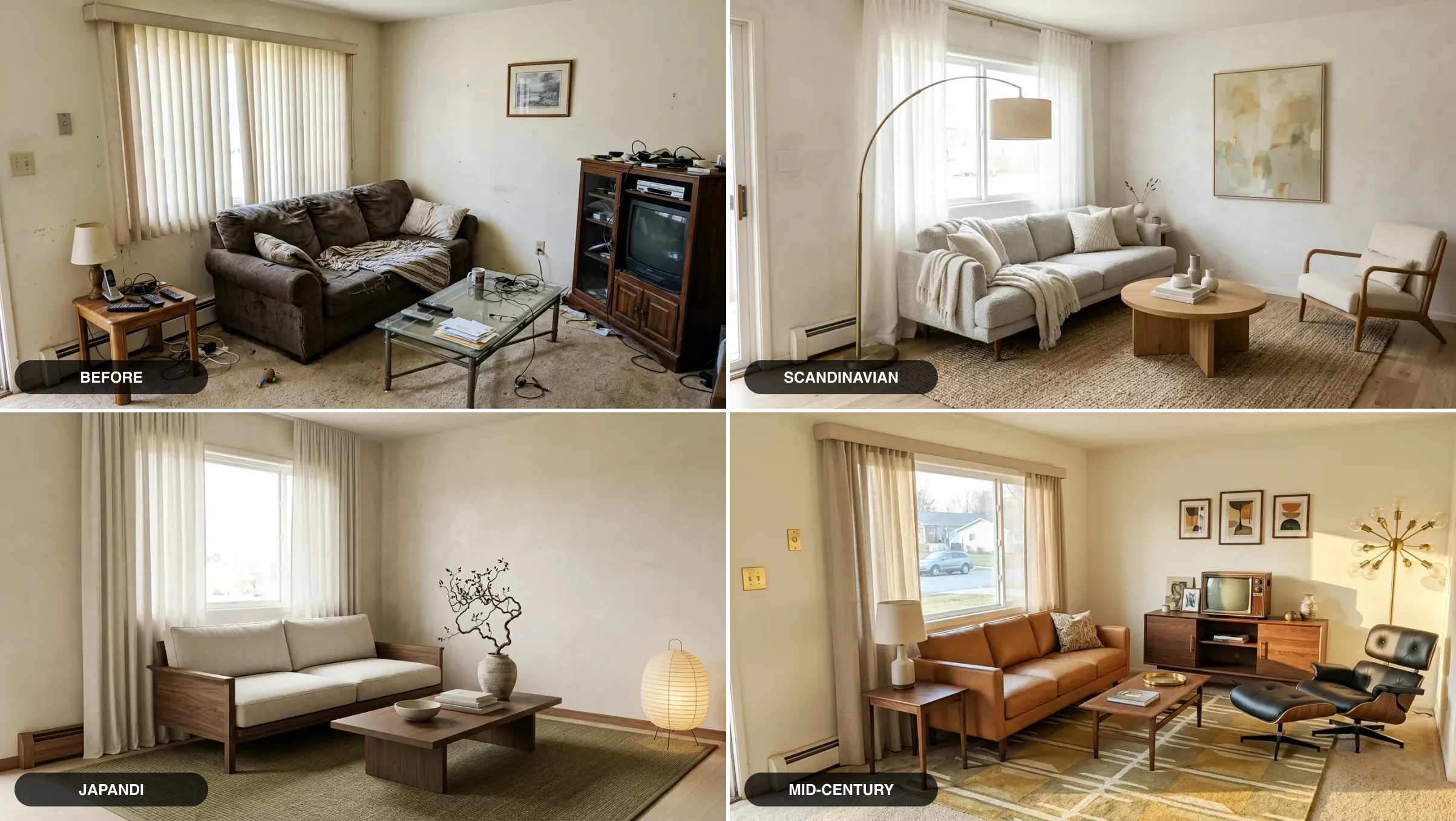
The same room, three styles, generated in seconds. This is exactly what Nano Banana Pro is best at: fast, photoreal exploration with believable materials and lighting. The limitations are about everything that happens after the picture.
Nano Banana Pro or Nano Banana 2.1? What changed in October 2026
Google shipped two models in eight days. Nano Banana 2.1 (6 October) is now the default image model and does what used to need Pro: 4K output and up to 14 reference images. Gemini 4 Argon (13 October) is the new top reasoning model; it plans the room, but the redesign image still comes from Nano Banana. For most room redesigns we now start on 2.1 and only switch to Pro when one detail keeps coming out wrong.
Read 14 October 2026 from the Gemini API pricing, the Nano Banana 2.1 model page, the DeepMind model card and Google’s Gemini 4 Argon announcement. Nano Banana 2.1 replaces Nano Banana 2 (Gemini 3.1 Flash Image) at roughly half the price per image. On Google’s own preference tests it scores 1050 for text-to-image against 990 for Nano Banana 2 and 935 for Pro, and 1026 for general editing against 938 and 939. Those are Google’s numbers, not ours. In our own side by side of ten real room prompts on 13 October, Nano Banana 2.1 finished in about 20 seconds at 1K, roughly twice as fast as GPT Image 2.5, but it was also the model more likely to repaint a wall or reshape a facade you did not ask it to touch. Say what must stay. The prompt order that held best when we ran 40 room prompts through it is in our Nano Banana 2.1 prompts for interior design.
How to redesign a room with Nano Banana Pro, step by step
The whole flow takes a couple of minutes. The quality of your result is decided almost entirely by the photo you give it and the specificity of your instruction.
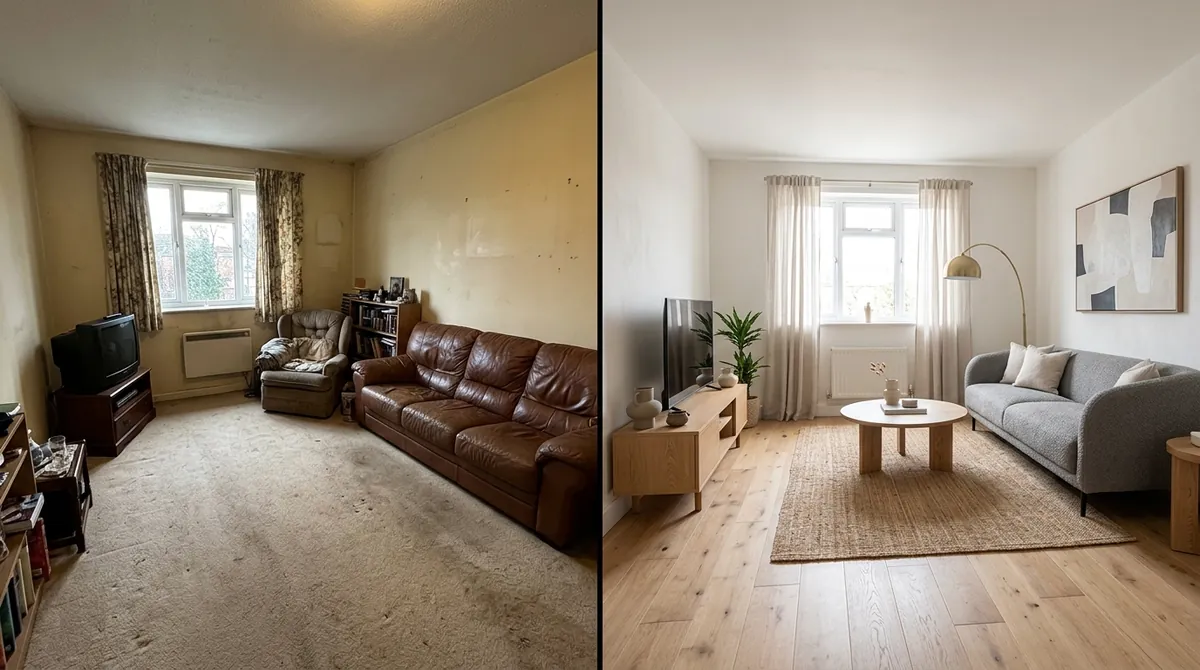
Before and after from a single uploaded photo. The window stays in the same place, which is the good news, but watch how much of the rest the model is free to reinvent, which is the catch we get to below.
1. Take the right photo. Shoot the whole room, wide, in daylight, from a corner so two walls are visible. A bright, uncluttered, eye-level photo gives the model the geometry it needs. A dim, tight, cluttered snapshot is the single most common reason redesigns come out warped.
2. Upload it and describe the restyle in one specific sentence. Open Nano Banana Pro in the Gemini app or AI Studio, attach the photo, and tell it exactly what you want, naming the style, the key furniture, the materials, the colors, and the lighting. Add “keep the existing layout, walls and windows” if you want it to stay close to your real room.
Redesign this living room in a warm Scandinavian style. Keep the existing layout, walls and window. Replace the furniture with a low grey bouclé sofa, a round solid-oak coffee table, a cream linen armchair, a jute rug, and an arc floor lamp. Light oak flooring, off-white plaster walls, one large abstract artwork. Bright, natural daylight. Calm, editorial, photorealistic.
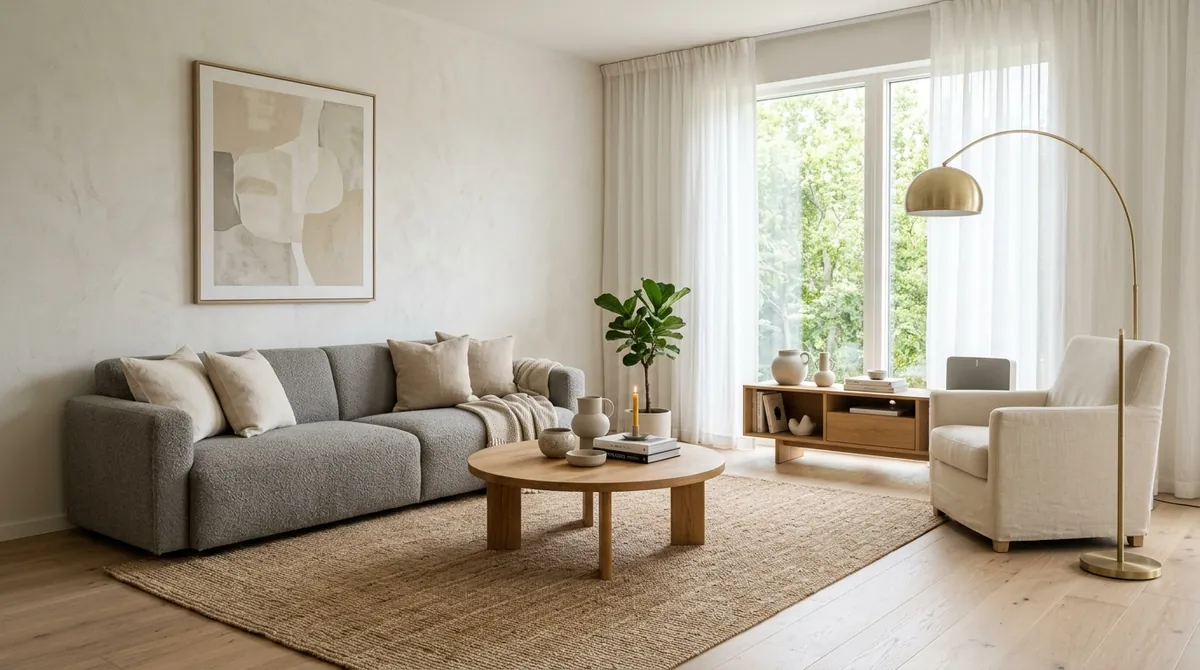
The result from the exact prompt above. Notice how the materials read correctly, the oak, the linen, the plaster wall, which is where Pro is strongest.
3. Refine conversationally. This is the part people miss. You do not have to nail it in one shot. Reply in plain language: “make the sofa deeper and a warmer grey,” “swap the artwork for a mirror,” “add more plants,” “evening lighting instead.” Each turn refines the last image, which is the most useful thing Pro does for design.
4. Generate variations. Ask for the same room in three different styles to compare directions before you commit. This is where general models shine: pure, fast exploration.
The prompt formula that gets usable results
Vague prompts (“make this room modern”) get vague rooms. The formula that consistently works names five things:
- Style (Scandinavian, Japandi, warm minimalist, mid-century, quiet luxury)
- Key furniture (the sofa, table, bed, storage, lighting, by shape and material)
- Materials (oak vs walnut, bouclé vs leather, travertine, brushed brass)
- Colors (a tight palette, not “colorful”)
- Lighting and mood (bright daylight, warm evening, editorial, cozy)
If you want the work done for you, we keep two large, copy-paste libraries that are tuned for exactly this model: 40 Nano Banana prompts for interior design (including a dedicated image-to-image section with the lock-and-change edit formula this guide uses, demonstrated on a real room photo) and 52 Gemini prompts for interior design. They are the fastest way to skip the trial and error, and the second one includes a Nano Banana vs ChatGPT vs Midjourney comparison if you want to see how the models differ. And if you work in the Gemini app itself rather than AI Studio, our Gemini room design tutorial, or the Nano Banana prompts for real estate if you are staging a listing covers the app workflow end to end, including a reusable interior designer skill (the replacement for Gems) that briefs the model once for every future room.
Where Nano Banana Pro still breaks (the honest part)
This is the section the breathless tutorials skip. Nano Banana Pro is a superb image model and a weak renovation tool, and the gap between those two things is where people get burned. Four problems, in order of how much they matter.
1. Spatial consistency is unreliable. This is the documented weakness, and it is the big one. The model is brilliant on material and colour and shaky on geometry. Designers testing it on the same room across several generations watched a door migrate to a new wall and the whole room flip to its mirror image; ask for a different angle and elements drift out of place. One reviewer summed it up exactly right: it is a great engine for ideation, not a replacement for documentation. So the render looks like your room, but you cannot trust it to be your room down to the wall you are actually furnishing.
2. You cannot shop a single thing in it. The sofa is gorgeous and completely imaginary. Nano Banana cannot tell you what it is, who makes it, what it costs, or whether it fits through your door. You are left reverse-image-searching a render that corresponds to no real product, which is the most frustrating part of designing this way: you fall in love with a room you have no way to actually build.
3. It does not give you the same room twice. Generate the same prompt again and you get a different layout, different art, a different rug, and it takes constant re-prompting to keep details from drifting. That is fine for exploring and painful the moment you want one design you can lock, document, and hand to a partner or contractor.
4. It has no sense of cost, scale, or whether anything fits. There are no dimensions, no prices, no budget. A render can show a four-metre sectional in a room that physically cannot hold one, and the model will never warn you. The believable picture quietly hides the one question that decides every real project: can I afford this, and will it fit.
The fix: keep your real room, and buy what you see
None of this means Nano Banana is the wrong tool. It means it is half the workflow. Use it to explore the look freely, then move to a tool built specifically to do the part it cannot: hold your real room steady and connect the design to furniture you can actually buy. That is the exact problem we built MeltFlex to solve.
What a purpose-built room tool adds on top of Nano Banana
- Keeps your real room. Same layout, same window, same footprint, restyled, so the result is your space, not a look-alike.
- Buy what you see. Each piece links to the exact product with a real price, from retailers like IKEA, Amazon and Wayfair, not a render of something that does not exist.
- A real budget, not a guess. You get the actual items in the design with a running total you can plan around.
- More than a render. Sub-minute results, a before-and-after of your own room, plus floor-plan-to-3D and walkthrough video.
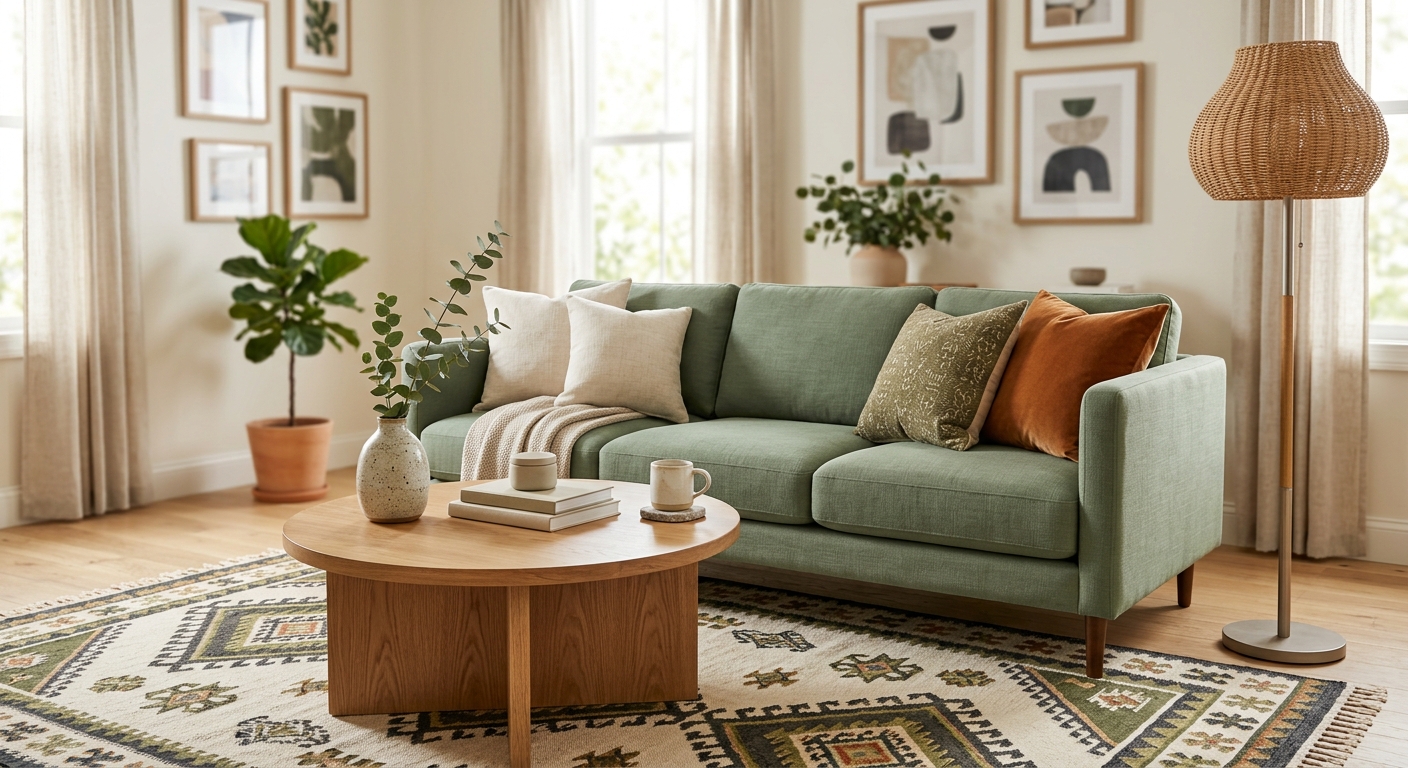
The difference in one image: tap a piece and the exact product opens with a real price. That is the step that turns a beautiful Nano Banana render into a room you can start buying this week.
Is Nano Banana better than Midjourney for interior design?
For interiors specifically, usually yes, and for one clear reason: control. Midjourney still wins on pure artistry, so if you want a dramatic, magazine-cover mood it often looks more beautiful out of the box. But interior design is not an art contest, it is a precision job, and that is Nano Banana’s territory. It edits your actual photo instead of inventing a scene from scratch, keeps furniture proportions believable far more often, reads materials more accurately, and lets you direct changes piece by piece. For room redesign and home staging, that controllability beats Midjourney’s prettier-but-vaguer output. We put the full breakdown, including where ChatGPT lands, in the comparison table inside our Gemini prompts for interior design guide.
When to use Nano Banana vs a purpose-built tool
You do not have to choose a side. Match the tool to the job:
- Use Nano Banana Pro when you are exploring styles, building a mood board, testing a wild idea, or you do not need the result to match your exact room. It is the better playground.
- Use a room-redesign tool like MeltFlex when you want the design to sit inside your real room, when you intend to actually buy the furniture, or when you need a budget, a before-and-after, or something you can show a partner or contractor.
If you want to see how the wider field of dedicated tools compares, including the ones that do shoppable designs, we ranked the field in the best AI interior design tools compared.
Frequently asked questions
Can Nano Banana Pro redesign a room from a photo?
Yes. It accepts an image as input and was built to edit real photos, so you can upload your room and ask it to restyle the space. It keeps far more of your room than older models, but on bigger restyles the layout can still drift, so treat the result as a strong concept rather than an exact plan.
Is Nano Banana good for interior design?
For generating realistic concepts, it is one of the best general models available. For an actual renovation it is weaker, because its spatial consistency is unreliable, it cannot link to buyable furniture, and it gives no prices or dimensions.
Is Nano Banana better than Midjourney for interior design?
For interiors, usually yes. Midjourney is more artistic, but Nano Banana edits your actual photo, keeps furniture proportions believable more often, and reads materials more accurately, which matters more for real room redesigns and staging.
Is Nano Banana Pro free?
There is a free tier, but the Gemini app now runs Nano Banana 2.1 by default and free accounts get only limited Pro access in Google Flow. On the API neither has a free tier: Pro is $0.134 per 1K or 2K image, 2.1 is $0.0336. The free Gemini tier is enough to get a feel for it; heavy iteration hits the cap fast.
What is the difference between Nano Banana and Nano Banana Pro?
Nano Banana was Gemini 2.5 Flash Image (August 2025). Pro is the successor built on Gemini 3 Pro Image: sharper, better with materials and text, larger output, and stronger multi-image fusion. Both share the same core limitation, unreliable spatial consistency. In October 2026 Google released Nano Banana 2.1, the update to Nano Banana 2, which matches Pro on 4K output and 14 reference images at about a quarter of the price and scores above it on Google’s own editing tests.
How do you redesign a room with Nano Banana Pro?
Open Nano Banana Pro in the Gemini app or Google AI Studio, upload a clear, wide, daytime photo of the whole room, and write one specific instruction: the style, the key pieces of furniture, the materials, the colors, and the lighting you want. Keep the existing layout and windows in the prompt if you want it to stay close to your room. Generate, then refine conversationally (“make the sofa deeper, warmer wood, add a large window”). The full prompt formula and 30-plus copy-paste prompts are linked below.
Why doesn’t Nano Banana keep my real room exactly?
Because it is a generative image model, not a room editor. It works by painting a brand new image that matches your prompt and is loosely guided by your photo, rather than editing the actual pixels of your space. That is why walls shift, windows move, and proportions drift between generations. If you need the redesign to sit inside your real room, with the real layout and window, and link to furniture you can actually buy, you need a tool built specifically for that job rather than a general image model.
Keep reading
- Nano Banana prompts for interior design, copy-paste prompts tuned for this model.
- Nano Banana architecture prompts, the same model pointed at buildings: exteriors, facades and sketch-to-render.
- 52 Gemini prompts for interior design, with a Nano Banana vs ChatGPT vs Midjourney comparison.
- How to redesign a room from a photo, the version that keeps your real room.
- our test of 14 AI interior design tools, the test that actually separates them.
- Try it on your own room, upload a photo and see it redesigned with furniture you can buy.



)