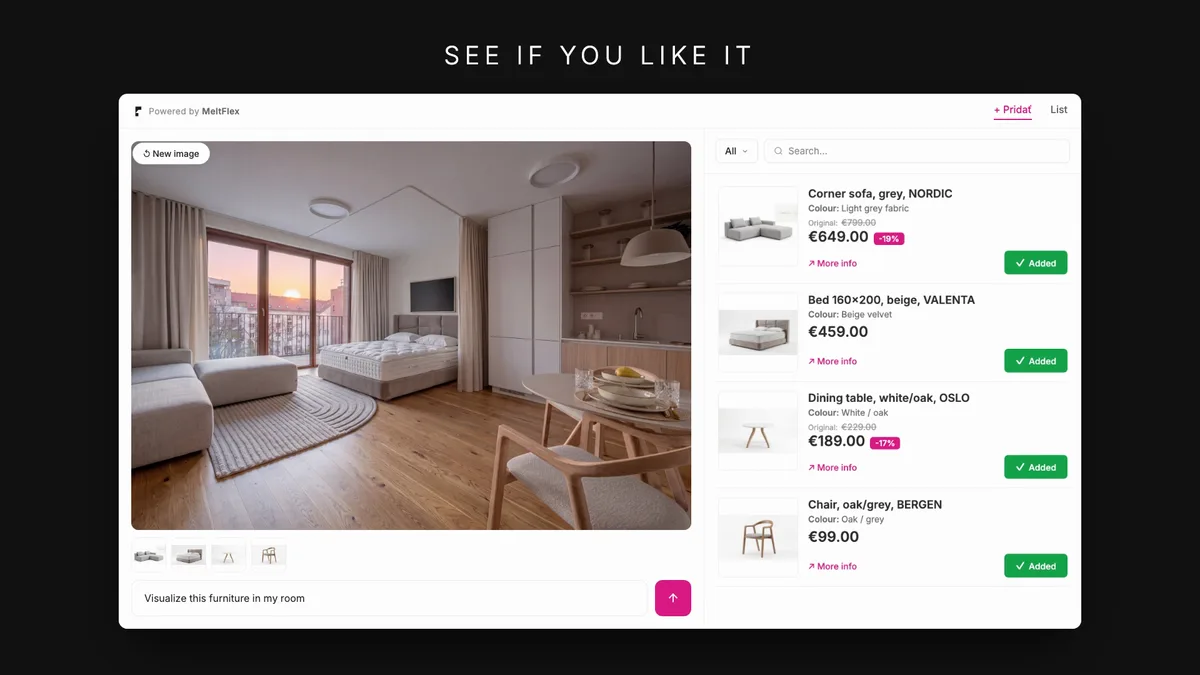
To change furniture in a photo, you no longer need Photoshop: upload the room photo to an AI redesign tool, select or describe the replacement furniture, and the AI swaps the pieces while keeping the room’s layout, lighting and perspective intact. The result is a photorealistic image of your actual room with the new furniture in place, generated in about 30 seconds. The fastest way to run it is the AI furniture changer, which scopes the swap to one piece — the sofa, the chairs, the table or the rug — and leaves the rest of the room untouched. This guide walks through a real example step by step, with the original photo and every generated result shown unedited.
Our articles are still written by humans!
Get human written articles in your Google feed.
You walk into a room and think: "These chairs need to go." Maybe it is your office meeting room with outdated swivel chairs. Maybe it is your dining room and the chairs do not match the table. Whatever the reason, you want to see how different furniture would look, without buying anything yet.
In 2026, AI room redesign makes this possible in seconds. Upload a photo of your room, pick the furniture you want to try, and the AI generates a photorealistic makeover. No interior designer, no 3D modeling skills, no guesswork.
If the piece you are after is in a photo rather than on a product page, the free find furniture from a photo tool draws a box around every sofa, chair and table in the picture, names each one by colour and kind, and searches the web for it with one Google Lens click. The first search needs no account.
In this article, we walk through a real example, replacing office chairs in a meeting room with Scandinavian dining chairs, step by step. You will see exactly how AI furniture replacement works and how you can use it for your own space.
Watch: a room redesigned from one photo
This whole guide is one idea: a photo in, a redesigned room out. Here is that workflow running in real time on a bedroom; the written steps below apply it to a meeting room, but the process is identical for any space.
A bedroom redesigned from one photo, the same AI furniture-replacement workflow in real time.
The Starting Point: A Real Room Photo
Here is the room we are working with. A meeting room with a wooden table, blue upholstered office chairs, and abstract wall art. The chairs are functional but feel outdated for the space. The goal: try a completely different chair style to see if it transforms the room.
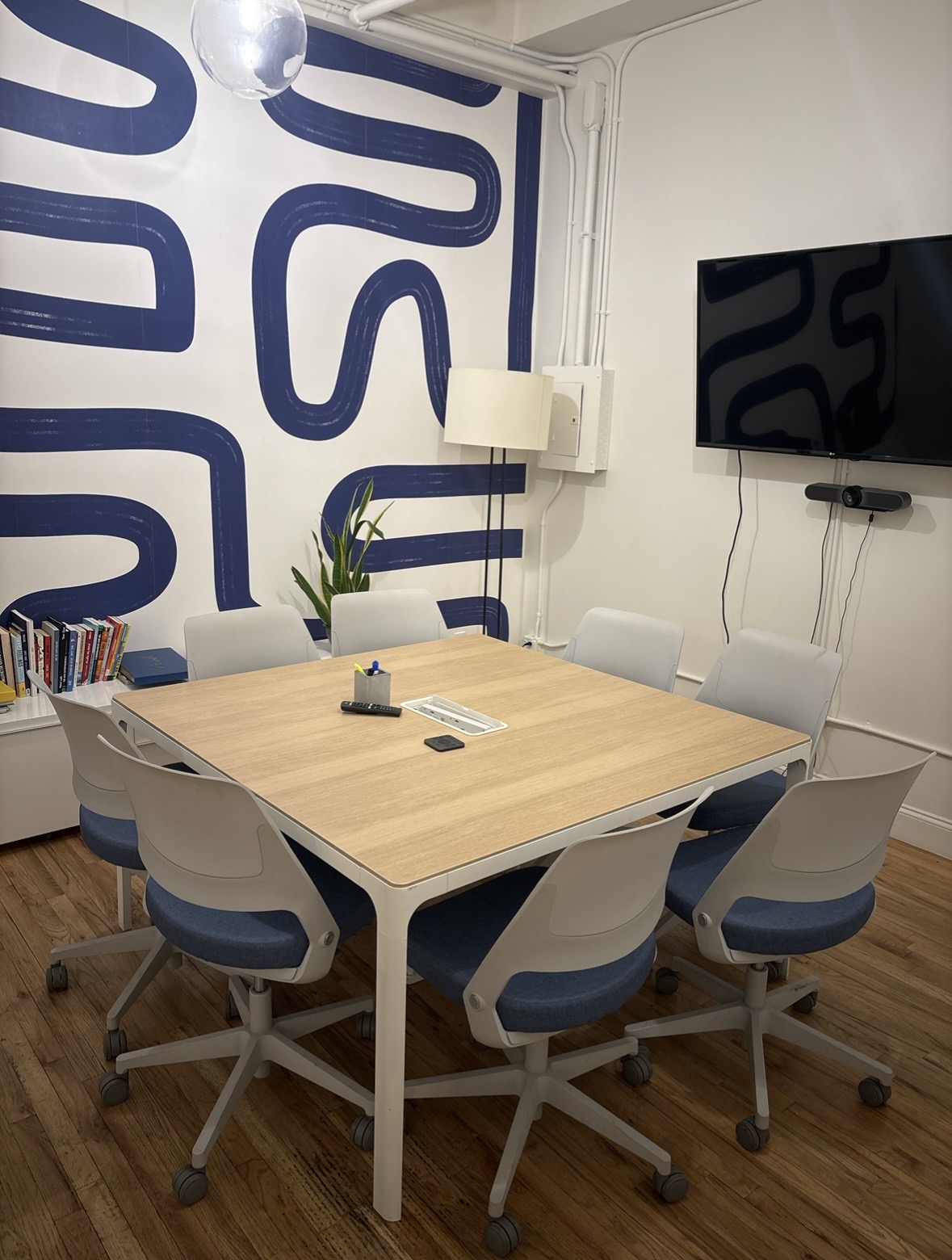
This is all you need to start an AI room redesign, a single photo taken with your phone. No measurements, no floor plan, no special equipment. The AI analyzes the room layout, lighting, and perspective directly from the image.
How to Change Furniture in a Photo: Step by Step
Step 1: Upload Your Room Photo
Open the AI interior design tool and upload your room photo. The platform works on both desktop and mobile, you can snap a photo of your room and upload it immediately from your phone. Once uploaded, the photo becomes the canvas for your AI room makeover.
Step 2: Browse Real Furniture from the Catalog
This is what makes MeltFlex different from generic AI image editors. Instead of describing furniture in vague terms, you browse a real furniture catalog with actual products, prices, and dimensions. Filter by category, chairs, tables, sofas, lighting, and find exactly what you want to try in your space.
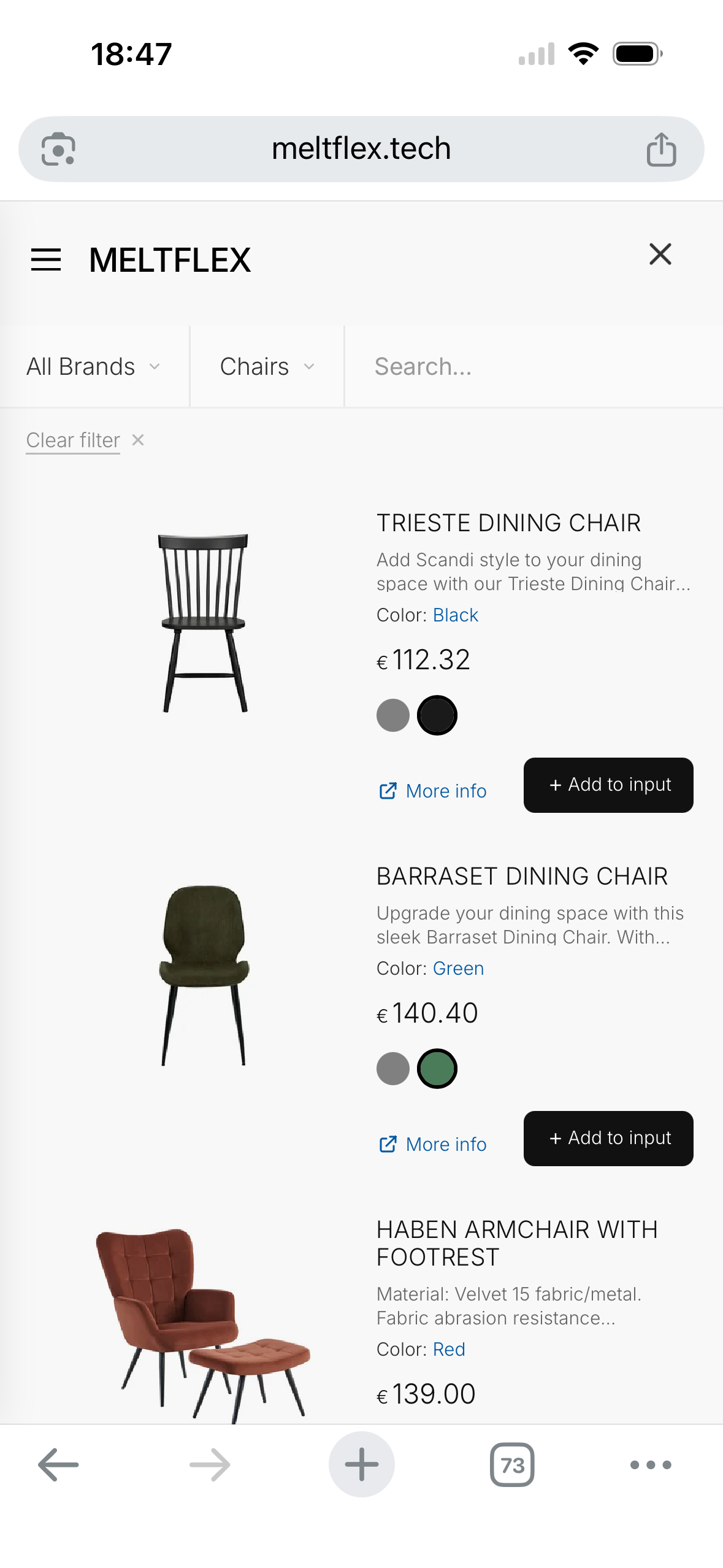
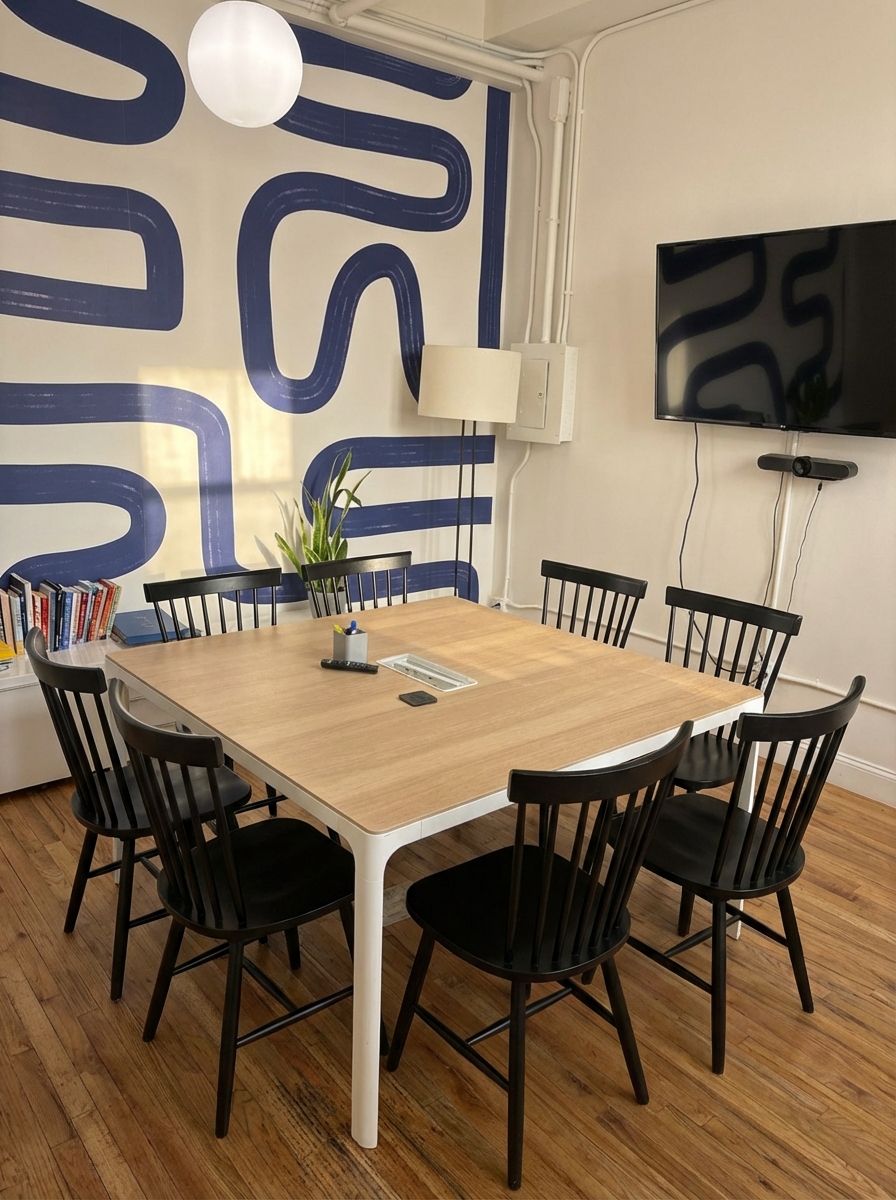
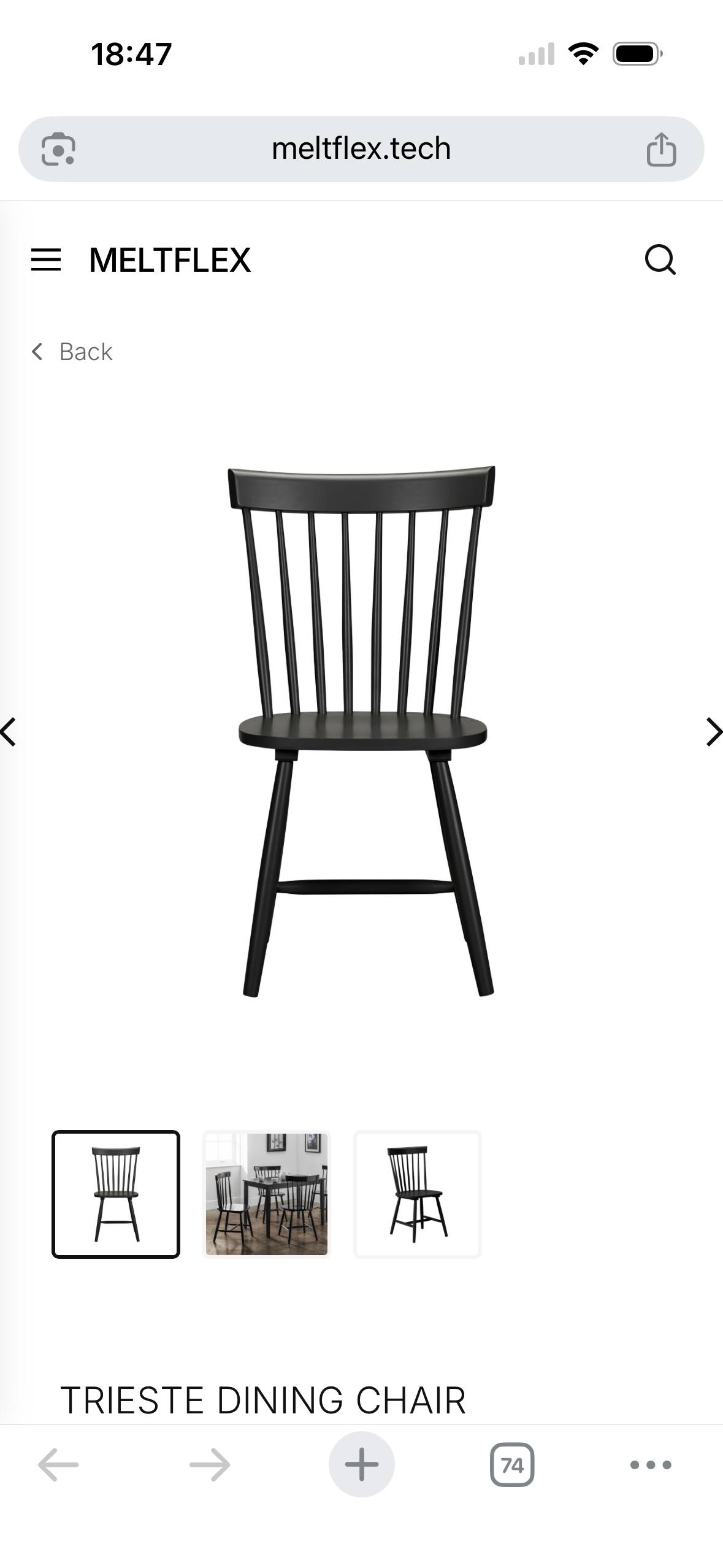
For this makeover, we chose the Trieste Dining Chair, a black Scandinavian spindle-back design at €112.32. The catalog shows full product details including materials, dimensions, and multiple views so you know exactly what you are trying in your room.
Step 3: Tell the AI What to Change
Here is the key step in AI furniture replacement. You write a simple text prompt describing what you want, and attach the furniture piece as a reference image. In our case, the prompt was: "Change those chairs to this ones" with the Trieste Dining Chair attached as a reference.
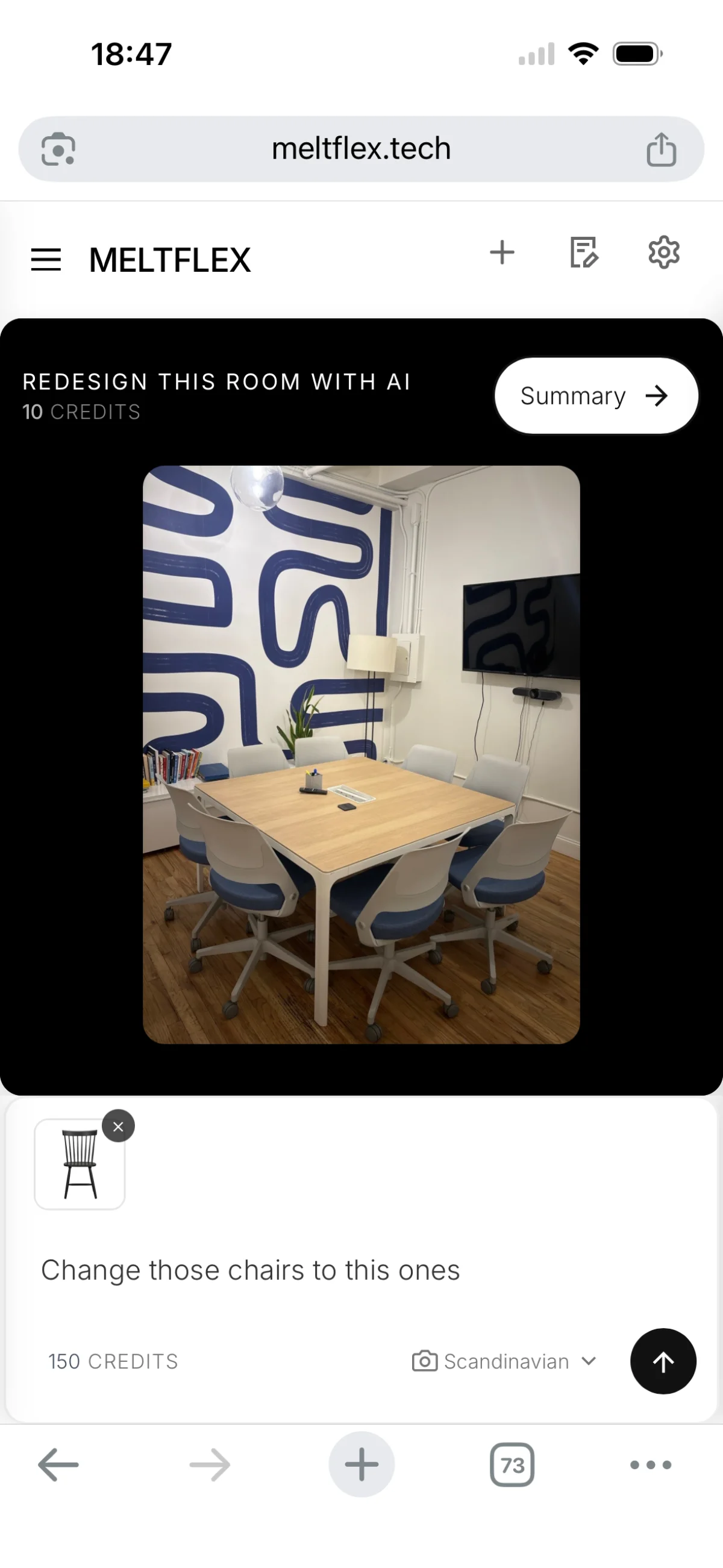
The prompt does not need to be perfect. The AI understands natural language, you can say "replace the office chairs with these", "swap the blue chairs for black wooden ones", or simply "change the chairs". The reference image tells the AI exactly which style, color, and design to use.
Step 4: AI Generates Your Room Redesign
Within seconds, the AI produces a photorealistic redesign of your room. Same walls, same table, same artwork, but the blue office swivel chairs are replaced with elegant black Trieste Dining Chairs. The result looks like the room was actually refurnished and professionally photographed.

Look at the details. The AI preserves the room's natural lighting, the wooden table grain, and the wall art. The new chairs sit naturally in the space with correct proportions and realistic shadows. This is not a crude Photoshop job, it is a genuine AI room transformation that shows you what the room would actually look like with different furniture.
Go Further: Change the Mood, Not Just the Furniture
AI room redesign is not limited to swapping individual pieces. Once you see the new chairs, you might want to take it further. In the same session, you can ask the AI to change the entire mood of the room, lighting, colors, atmosphere.
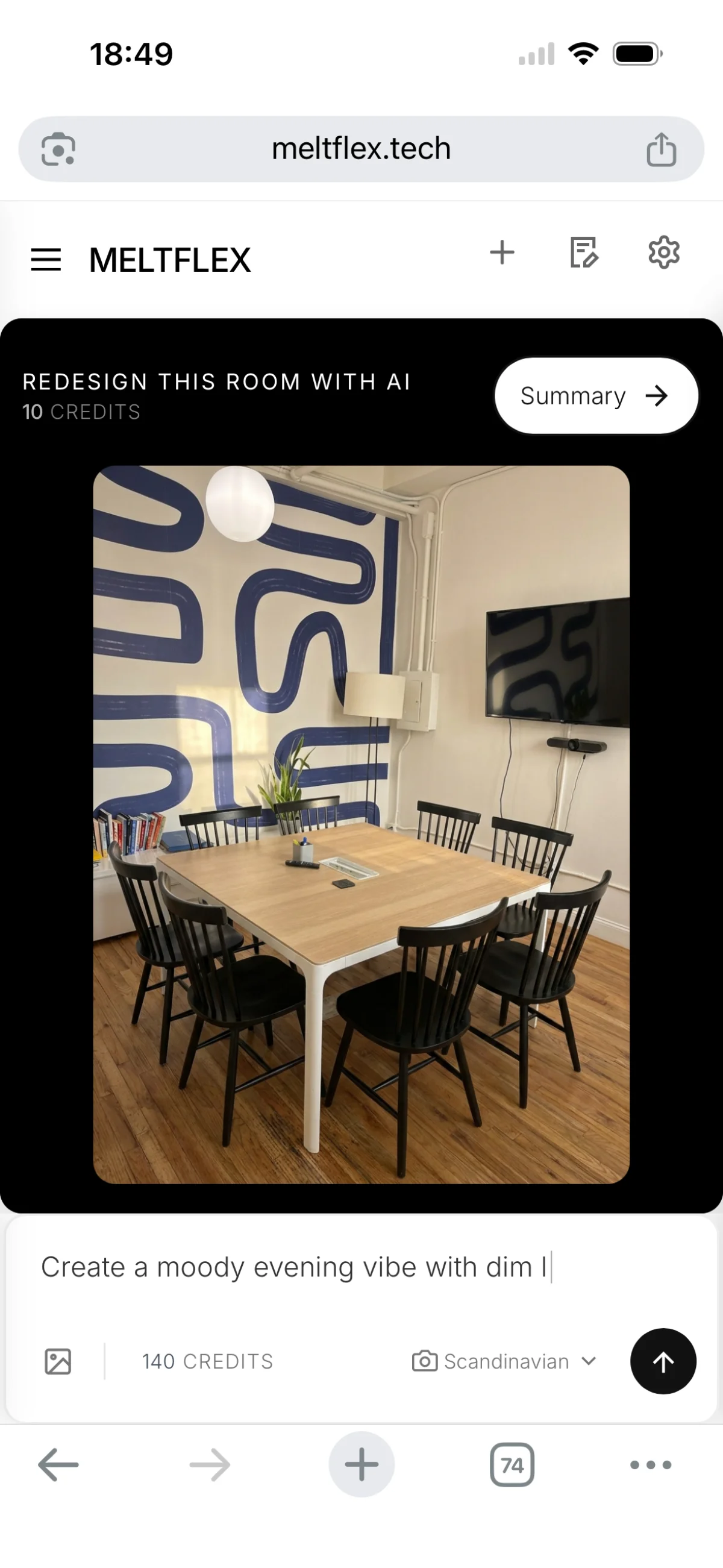
In this example, the next prompt was "Create a moody evening vibe with dim lighting". The AI takes the redesigned room and transforms the atmosphere, warmer tones, softer lighting, evening ambiance. You can iterate as many times as you want, trying different vibes until you find the perfect look for your space.
Before and After: Office Chair Replacement Results
Here is the full before and after room redesign side by side. Same room, same photo angle, same lighting conditions, the only difference is the furniture. The blue office swivel chairs are gone, replaced with black Scandinavian Trieste Dining Chairs.
The render itself took about 30 seconds; the whole session, from uploading the photo to this result, was around two minutes. No designer, no Photoshop, no 3D modeling. Just a room photo, a furniture reference, and a one-line prompt. The AI handled the rest: matching perspective, preserving shadows, blending the new chairs naturally into the existing space.
This is why AI furniture replacement is replacing traditional mood boards and showroom visits. Online furniture returns run at roughly 19% to 23% of orders, and the usual reasons are wrong size and wrong look, exactly the two things you catch by seeing the actual piece in your actual room before spending anything. If the black chairs do not work, try white ones. Try wood. Try upholstered. Each variation takes seconds, not weeks.
When It Fails (And How to Fix It)
Honesty section: not every generation comes out perfect on the first try, and pretending otherwise would be marketing, not a guide. Three failure modes come up most often in our own use:
- Chair count drift. Ask the AI to swap six chairs and it occasionally renders five or seven. Fix: state the count in the prompt ("replace all six chairs") and regenerate; it usually lands on the second attempt.
- Warped thin details. Spindle legs, wire frames and glass edges are the hardest geometry for image models. If legs look bent, regenerate; if it persists, try a photo taken more straight-on.
- Backlit or dark photos. A photo shot against a bright window gives the AI too little information about the furniture in shadow. Shoot with the window behind you or at your side, in daylight, and results improve immediately.
One more honest caveat: the render shows you style and mood with convincing proportions, but it is not a measurement. Before buying, check the product dimensions against your space, our furniture fit calculator does this in ten seconds for doorways, stairs and elevators.
Frequently Asked Questions
How do I change furniture in a photo without Photoshop?
Use an AI room redesign tool instead of a photo editor. In MeltFlex, upload the photo, select or describe the replacement furniture, and the AI regenerates the image with the swap applied. Unlike manual editing, it handles perspective, shadows and lighting automatically, so the new furniture looks photographed rather than pasted in.
Can I redesign a room from just a photo?
Yes. MeltFlex lets you upload any room photo, taken with your phone or camera, and use AI to replace furniture, change styles, and generate a photorealistic redesign. No floor plan, no 3D modeling, no design experience needed.
How does AI furniture replacement work?
You upload a photo of your room, select furniture from a real product catalog (or describe what you want in a text prompt), and the AI generates a new version of your room with the furniture swapped. It preserves the room's layout, lighting, and perspective while placing new furniture naturally with correct proportions and shadows.
Can I try different furniture in my room before buying?
Yes. MeltFlex connects AI room redesign with a real furniture catalog. Every catalog piece you see in the redesign is a real product with pricing and dimensions, and links to its product page. Try as many options as you want, see photorealistic results in your actual room, and open the product page to buy when you find the right piece.
Does AI room redesign work for offices and commercial spaces?
Yes. AI room redesign works with any interior space, offices, meeting rooms, co-working spaces, restaurants, and more. Upload a photo and describe what you want to change. The example in this article shows a meeting room chair replacement.
Is AI room redesign free?
MeltFlex offers free credits for AI room redesign. Upload your room photo and generate your first redesigns at no cost.
Try It Yourself: Redesign Your Room From One Photo
Ready to see what your room could look like with different furniture? All you need is a photo. Open MeltFlex, upload a picture of any room in your home or office, browse real furniture from the catalog, and generate a photorealistic AI room redesign in seconds.
No design skills. No expensive consultations. No guesswork. Just a photo and the furniture you want to try, the AI handles everything else.
For more interior design inspiration, check out our guides on designing your home with AI, AI living room design prompts, and converting a 2D floor plan to a 3D model.