






1
MeltFlex CLI for any AI
Generate interiors, video and 3D from your terminal, or run it as an MCP server
2
Connect and start creating
Sign in when the browser opens, then ask Claude Code to run meltflex generate on a room photo, or run it yourself in any terminal.
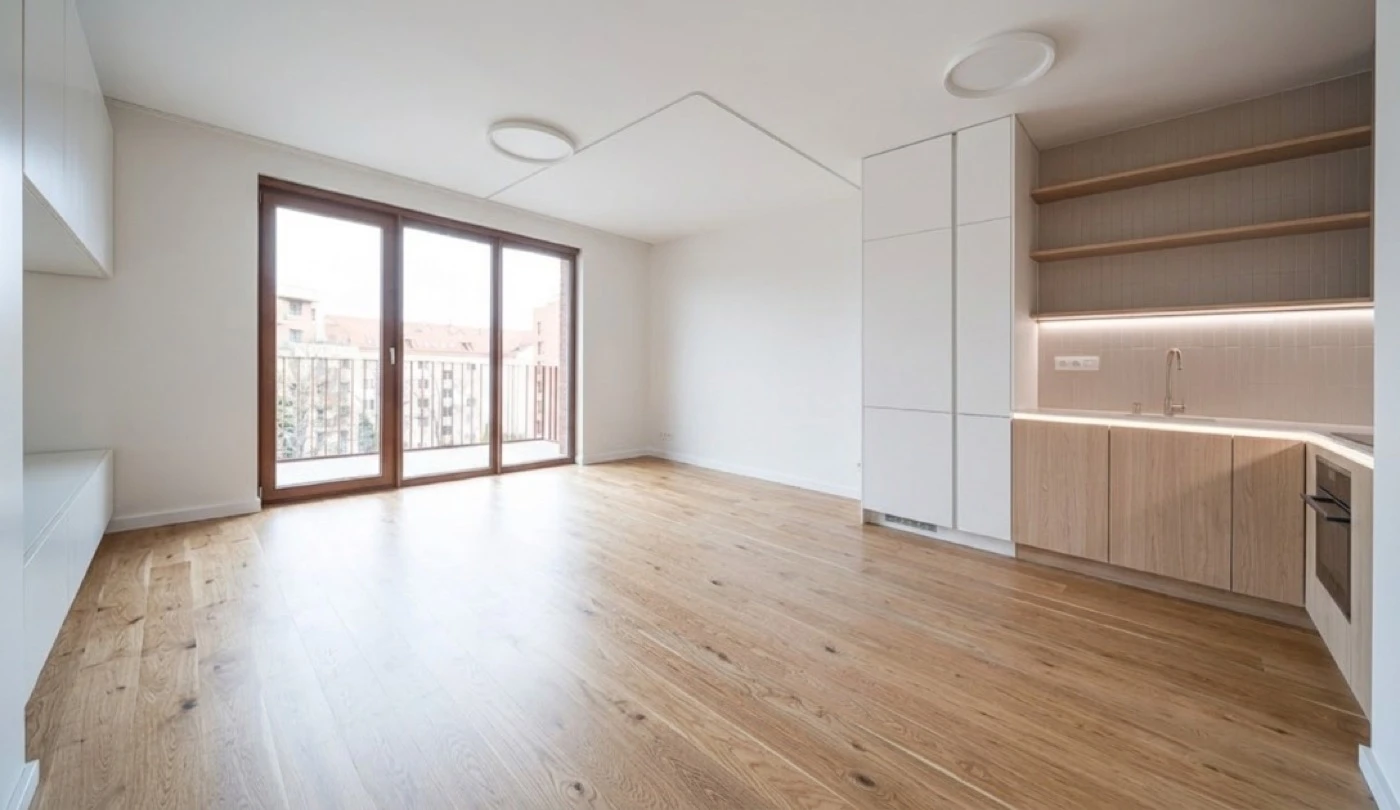
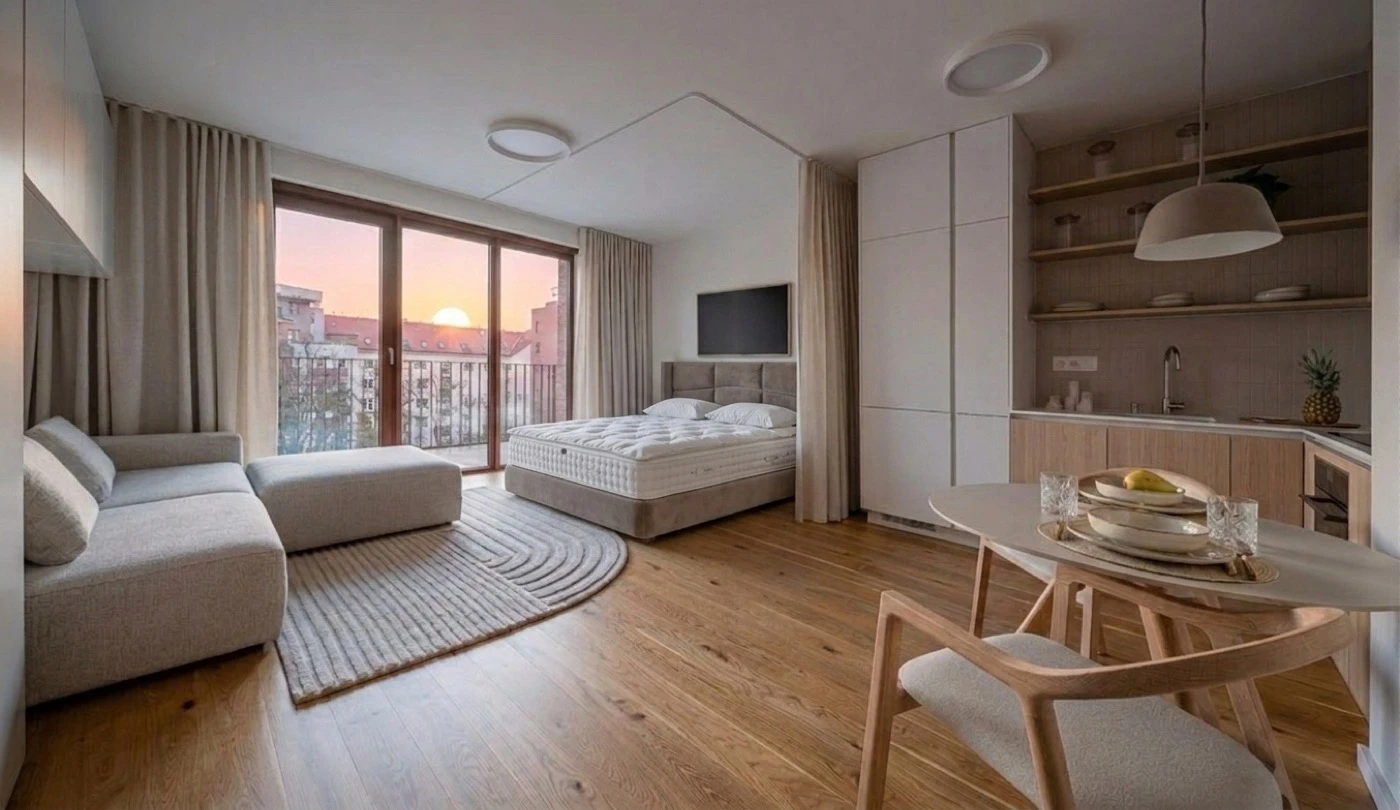
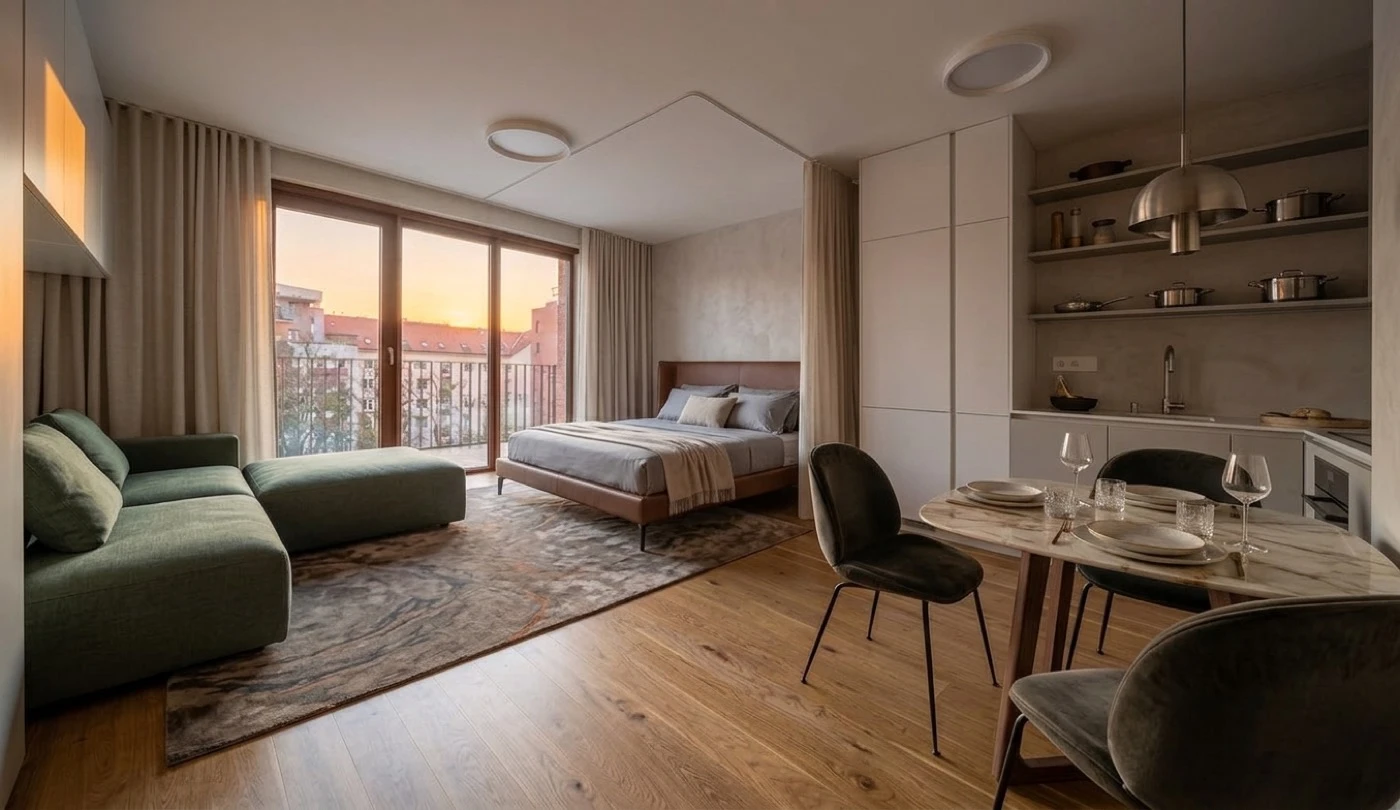
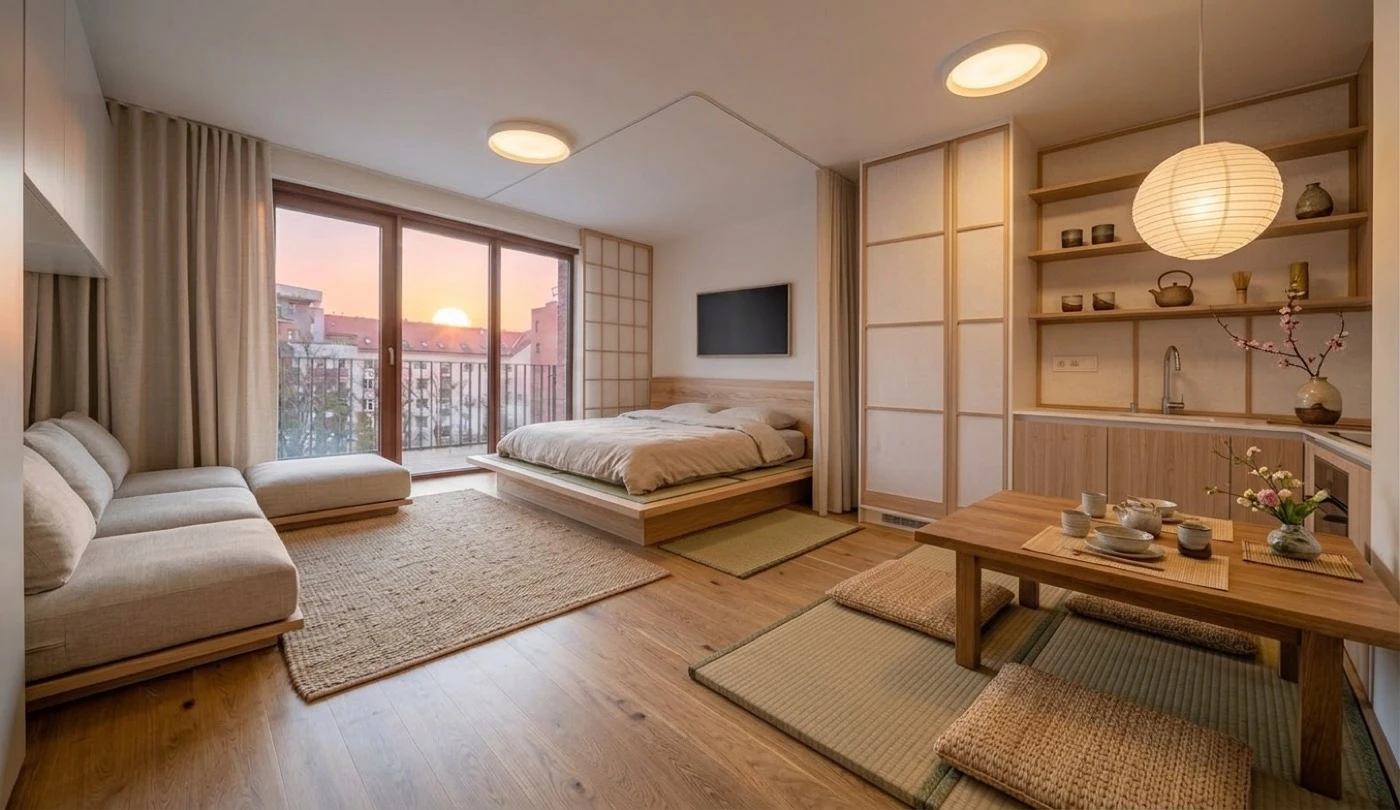
The MeltFlex CLI turns a room photo into a photorealistic redesign straight from your terminal. The same binary also runs as an MCP server so AI agents (Claude Code, Cursor) can generate through it.
It is a thin client over the MeltFlex API: you sign in to your own account and every generation is billed to your account credits. It enforces nothing itself — credits and access are governed server-side.
Terminal-native
One command generates and saves a redesigned interior to disk.
Agent-ready
Run with no arguments to expose tools to any MCP client.
Your account
Authenticates with your API key; spends your own credits.
What you can build
Furniture placement is the flagship, but meltflex generate is prompt-driven, so the one command covers the whole MeltFlex tool suite. Change the prompt (and, for material swaps, add a --ref image) and you get a different tool.
Room structure — walls, windows, flooring and fixtures — is preserved by default. For surface and fixture swaps (floors, walls, doors, windows, stairs), say explicitly what to change and what to keep. The starter prompts below already do this.
| Use case | Example --prompt |
|---|---|
| Interior design | Redesign in warm Scandinavian style with light oak floors and linen textiles |
| Layout boost | Rearrange the existing furniture into a more open, functional layout; keep the same pieces |
| Exterior design | Restyle the facade in modern farmhouse style; keep the building's structure |
| Garden design | Design this outdoor space as a low-maintenance Mediterranean garden with gravel paths and olive trees |
| Walls texture (+ --ref material swatch) | Change the wall finish to warm greige micro-cement; only change the walls |
| Floor restyle (+ --ref flooring sample) | Replace the flooring with wide-plank European oak; only change the floor |
| Stairs design | Restyle the staircase with open oak treads and a slim black steel railing; keep its position |
| Doors design | Replace the interior doors with black-framed steel-and-glass doors; keep everything else |
| Windows design | Change the windows to slim black aluminium frames; keep the wall openings |
| Kitchen design | Redesign the kitchen in handleless matte-white style; keep the footprint and plumbing |
| Bathroom design | Redesign the bathroom in warm spa-minimalism; keep the layout and plumbing |
| Photo to render | Turn this 3D draft / SketchUp screenshot into a photorealistic interior photograph |
Preview a flooring or wall material by passing it as a reference — the same --ref mechanic used for furniture:
meltflex generate \
  --image ./living-room.jpg \
  --ref ./oak-floor-sample.jpg \
  --prompt "Replace the flooring with this wide-plank oak. Only change the floor; keep the walls, furniture and lighting unchanged." \
--out ./new-floor.pngFour more capabilities have their own commands: meltflex video turns a still into a cinematic walkthrough, meltflex floorplan converts a 2D floorplan into a 3D GLB model, meltflex furniture turns one furniture photo into a 3D GLB model, and meltflex world turns a room photo into an explorable 3D world.
Install
Requires Node.js 18 or newer.
# Run on demand (no install)
npx -y meltflex-mcp <command>

# …or install globally for a shorter `meltflex` command
npm install -g meltflex-mcpRunning meltflex with no command starts the MCP server on stdio. See the MCP guide to wire it into an agent.
Authenticate
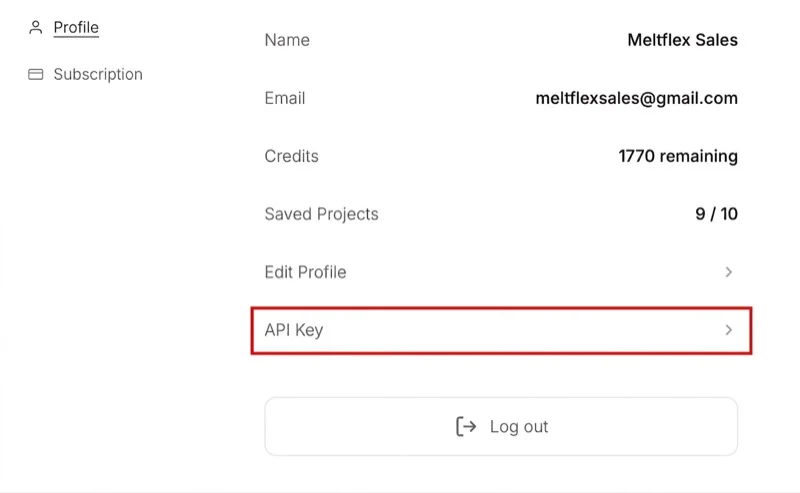
You need an active subscription (any paid plan). Once subscribed, open your account settings and click API Key under Profile:
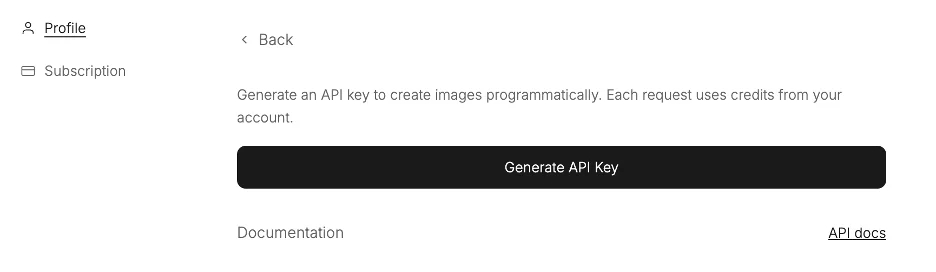
Then click Generate API Key. The key is shown only once — copy it immediately.
Save the key once with the CLI:
# Sign in via your browser (recommended) — opens a tab, click "Authorize CLI"
meltflex auth login

# …or save an existing key manually (stored in ~/.meltflex/config.json, chmod 600)
meltflex auth mf_sk_xxxxxxxxxxxx

# Verify
meltflex whoami
# → Authenticated (key mf_sk_xxxxxx…) → https://www.meltflexai.comAlternatively, set the MELTFLEX_API_KEY environment variable — it takes precedence over the saved file and is convenient for CI.
Commands
| Command | Description |
|---|---|
meltflex | Start the MCP server over stdio (used by AI agents). |
meltflex auth login | Sign in via your browser and save the key automatically (recommended). |
meltflex auth <mf_sk_…> | Save an existing API key to ~/.meltflex/config.json. |
meltflex whoami | Show authentication status and target host. |
meltflex credits | Show your credit balance and per-operation costs. |
meltflex generate | Generate a redesigned interior and save it to disk. |
meltflex video | Animate a still into a cinematic walkthrough MP4 (Veo 3.1). |
meltflex floorplan | Convert a 2D floorplan image into a downloadable GLB 3D model. |
meltflex furniture | Turn one photo of a furniture piece into a textured GLB 3D model. |
meltflex world | Turn a room photo or render into an explorable 3D world (.spz + viewer link). |
generate
Transform a room photo. Costs 10 credits per image (lite −2, pro +5), auto-refunded on failure.
| Flag | Required | Description |
|---|---|---|
-i, --image | Yes | Source room photo: local file path, http(s) URL, or data URL. |
-p, --prompt | Yes | Redesign instruction. Room structure is preserved unless you say otherwise. |
-r, --ref | No | Reference furniture image to place in the room. Repeatable (up to 10). |
-q, --quality | No | Output resolution: 512, 1K, or 2K (sharpest). Defaults to auto. |
-l, --level | No | Design level: lite (faster, −2 cr), quick (default), or pro (most detailed, +5 cr). |
--mask | No | Region edit. The image must have the area to change painted solid red; the prompt applies only there. |
-n, --count | No | Generate a batch of 1–3 variations. Files get an index suffix (-1, -2, …). |
-o, --out | No | Output file. Defaults to ./meltflex-output/interior-<timestamp>.png. |
meltflex generate \
  --image ./living-room.jpg \
  --prompt "Redesign in warm Scandinavian style: light oak floor, beige linen sofa, soft daylight" \
  --out ./redesign.png

# → ✅ Saved to ./redesign.png
# → Credits used: 10Sharper, most-detailed render — plus three variations to choose from:
meltflex generate \
  --image ./living-room.jpg \
  --prompt "Modern minimalist living room, warm oak floor, low grey sofa" \
  --quality 2K \
  --level pro \
  --count 3 \
  --out ./redesign.png

# → Generating 3 variations…
# → ✅ Saved 3 variations:
# →   • ./redesign-1.png
# →   • ./redesign-2.png
# →   • ./redesign-3.png
# → Credits used: 45video
Animate a still image (a MeltFlex render or any interior photo) into a short cinematic walkthrough. Costs 100 credits for a 4-second clip, 150 for 8 seconds. Generation is asynchronous and typically takes 30 to 120 seconds.
| Flag | Required | Description |
|---|---|---|
-i, --image | Yes | Source still: local file path, http(s) URL, or data URL. |
-d, --duration | No | 4 (default, 100 credits) or 8 (150 credits). |
-a, --aspect | No | 16:9 (default) or 9:16. |
-p, --prompt | No | Direct the camera or mood. Defaults to a slow cinematic dolly. |
-o, --out | No | Output .mp4. Defaults to ./meltflex-output/walkthrough-<timestamp>.mp4. |
meltflex video \
  --image ./living-room-render.jpg \
  --duration 4 \
  --aspect 16:9 \
  --out ./walkthrough.mp4

# → Generating a 4s walkthrough… (this can take 30–120s)
# → ✅ Saved to ./walkthrough.mp4
# → Credits used: 100 • Generated in 42.28sfloorplan
Convert a flat 2D floorplan image into a downloadable GLB 3D model. Costs 100 credits. Drop the GLB straight into three.js, Blender, Unity or any glTF viewer.
| Flag | Required | Description |
|---|---|---|
-i, --image | Yes | Source 2D floorplan (JPEG, PNG or WebP): file path, URL, or data URL. |
-o, --out | No | Output .glb. Defaults to ./meltflex-output/model-<timestamp>.glb. |
meltflex floorplan \
  --image ./2d-floorplan.png \
  --out ./model.glb

# → ✅ Saved to ./model.glb
# → Credits used: 100furniture
Turn one photo of a furniture piece into a textured, downloadable GLB 3D model, the same engine as the AI 3D Furniture Generator. Costs 75 credits, refunded if the build fails. Takes about 2 to 3 minutes; the command waits and prints progress. Best input: one piece, front three-quarter view, plain background, nothing cropped.
| Flag | Required | Description |
|---|---|---|
-i, --image | Yes | Photo of one furniture piece (JPEG, PNG or WebP): file path, URL, or data URL. |
--untextured | No | Bare geometry only, no texture pass. Faster and smaller, same price. |
-o, --out | No | Output .glb. Defaults to ./meltflex-output/furniture-<timestamp>.glb. Signed USDZ/FBX/OBJ links are printed too. |
meltflex furniture \
  --image ./armchair.jpg \
  --out ./armchair.glb

# → Building a 3D model from the photo… (this takes about 2–3 minutes)
# → ✅ Saved to ./armchair.glb
# → Hosted URL: https://…/meshes/api_….glb
# → USDZ (signed, ~72 h): https://assets.meshy.ai/…
# → Credits used: 75world
Turn a room photo or render (for example a generate result) into an explorable 3D world you can look around and walk through, the same engine as AI 3D Interior Design. 30 credits for a draft world (about a minute), 200 for hd (about five minutes). Prints the permanent world id and a hosted viewer link, and saves the .spz splat file.
| Flag | Required | Description |
|---|---|---|
-i, --image | Yes | Room photo or render: file path, URL, or data URL. |
-m, --model | No | draft (default, 30 credits) or hd (200 credits, sharper up close). |
--name | No | A label for the world, up to 64 characters. |
-o, --out | No | Output .spz. Defaults to ./meltflex-output/world-<timestamp>.spz. |
meltflex world \
  --image ./living-room-render.jpg \
  --model draft \
  --out ./living-room.spz

# → Building a draft 3D world… (about a minute)
# → ✅ World ready: 8641d179-d7c6-4b39-94b6-101a420e8d80
# → Open in a browser: https://marble.worldlabs.ai/world/8641d179-…
# → Splat saved to ./living-room.spz
# → Credits used: 30credits
Check your balance before a batch of generations.
meltflex credits

# → MeltFlex account (you@studio.com)
# → Balance: 930 credits  (earned 1000, spent 70)
# → Cost per operation:
# →   • photo: 10
# → • video: 100 …Examples
Place specific furniture
Pass one or more --ref images to drop exact products into the room. The AI matches their colors, materials and proportions.
meltflex generate \
  --image https://your-cdn.com/empty-room.jpg \
  --prompt "Place these furniture items naturally in the room" \
  --ref ./sofa.jpg \
  --ref ./dining-table.jpg \
--out ./furnished.pngEdit only one part of the room
Paint the area you want to change solid red in any image editor, then pass--mask. The prompt is applied only to the red region and the rest of the room is preserved exactly.
# First paint the area to change SOLID RED in the image (any editor),
# then --mask applies the prompt ONLY to that red region:
meltflex generate \
  --image ./room-red-marked.png \
  --prompt "Put a large green velvet armchair in the red area" \
  --mask \
--out ./edited.pngNotes & limits
- Subscription: API keys require an active subscription (any paid plan).
- Credits: 10 per image (lite −2, pro +5) × the number of variations, deducted upfront and refunded automatically for any variation that fails.
- Inputs: MeltFlex restyles an existing photo — it does not generate rooms from scratch.
- Security: your key lives only on your machine; revoke it anytime in settings.

