






1
MeltFlex MCP for any AI agent
Generate interiors, video walkthroughs and 3D models directly from your AI agent
2
Connect and start creating
Sign in when the browser opens, then ask Claude Code to redesign a room photo, animate it into a walkthrough or turn it into a 3D model.
Connect your agent
Pick your MCP client:
Add the MeltFlex server with one command:
claude mcp add meltflex -- npx -y meltflex-mcpThen sign in with your API key:
npx -y meltflex-mcp auth mf_sk_xxxxxxxxxxxxYou can also authenticate the CLI directly: meltflex auth mf_sk_….
Where to find your API key
You need an active subscription (any paid plan). Once subscribed, open your account settings and click API Key under Profile:
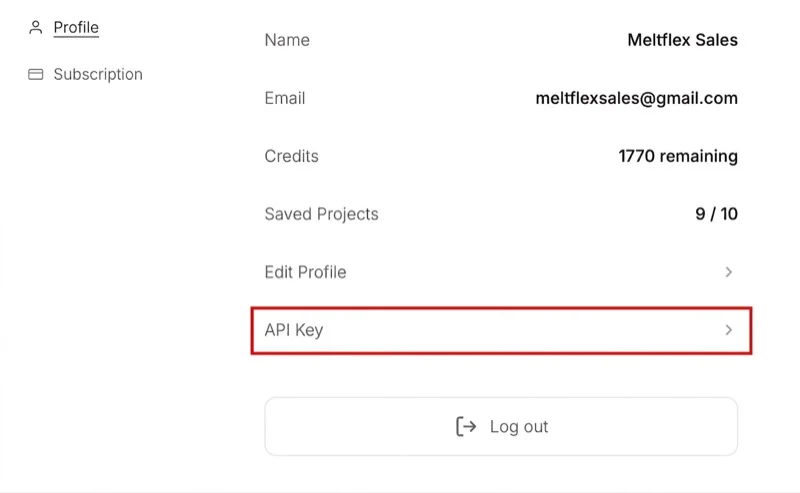
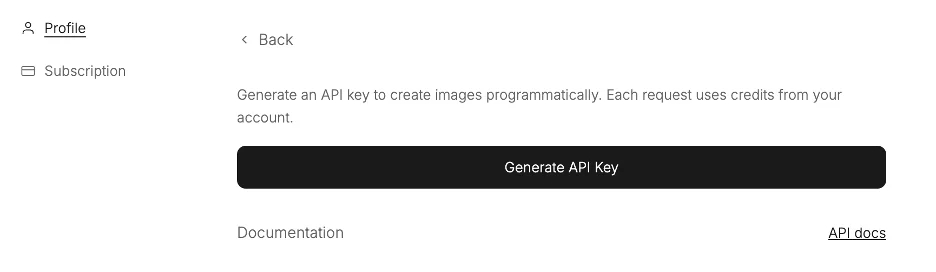
Then click Generate API Key. The key is shown only once — copy it immediately.
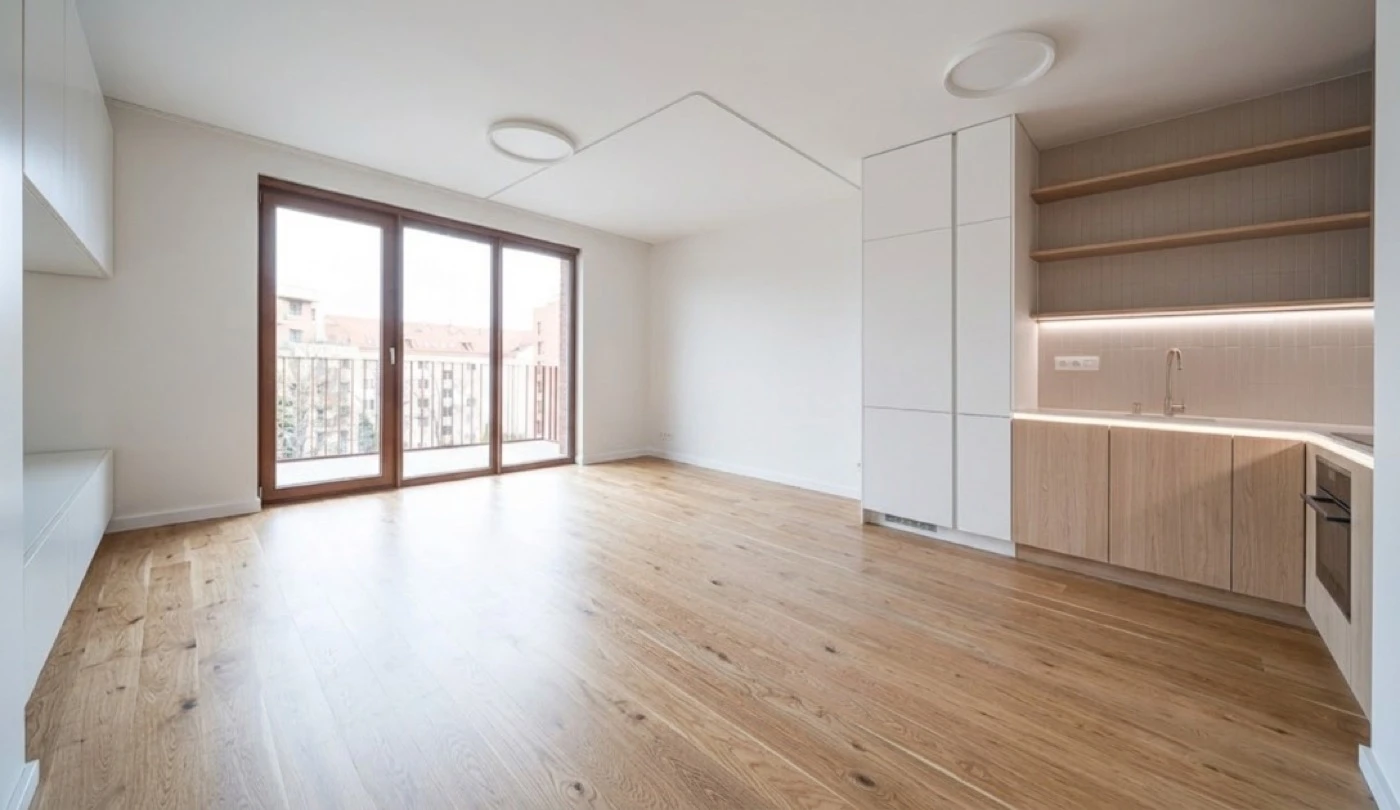
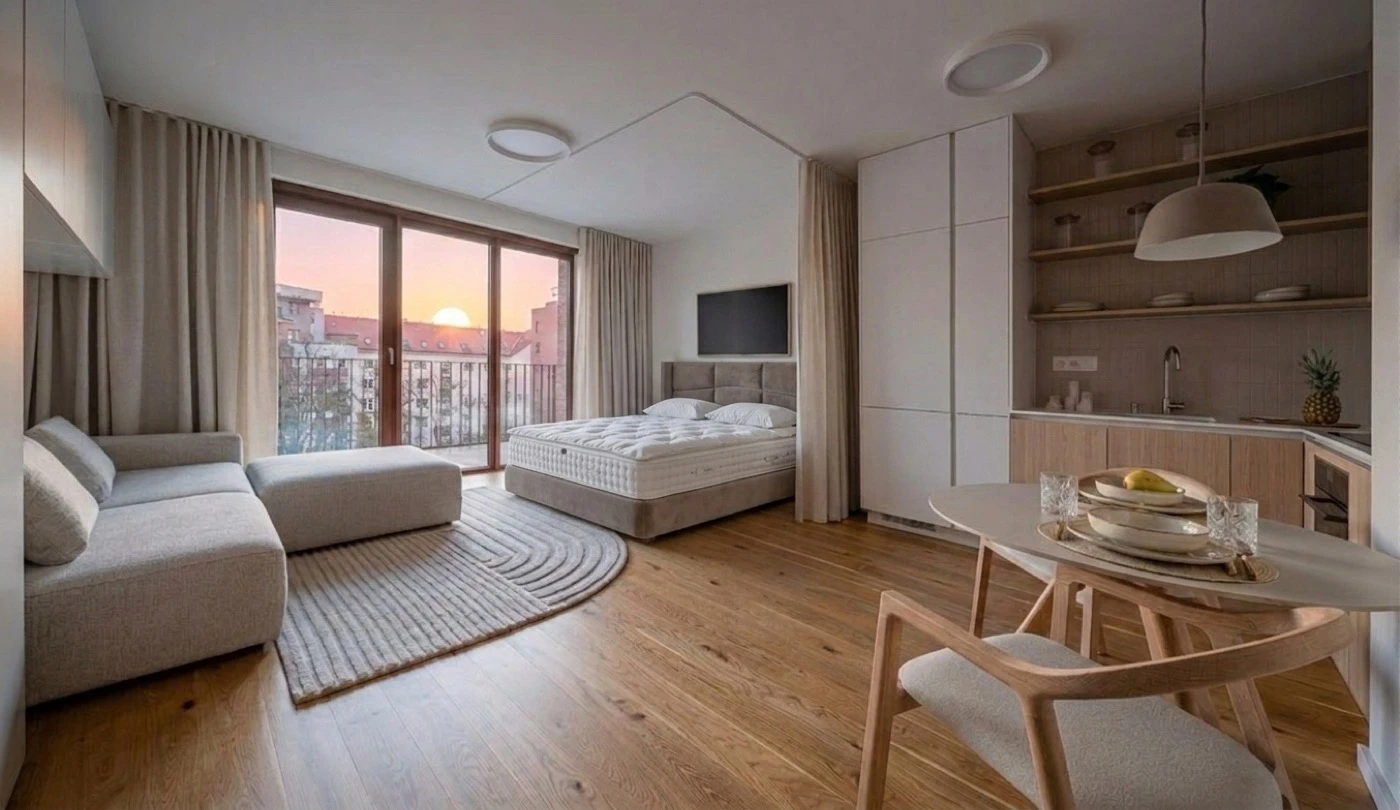
Then just ask in chat — e.g. “Here's my living room /Users/me/room.jpg — redesign it in warm minimalist style.”
Overview
Connect MeltFlex to your workflow and redesign rooms directly from your prompts. The MeltFlex MCP server exposes generation as tools any agent can call.
Each user connects their own MeltFlex account; every generation is billed to that account's credits. The server is a thin client over the MeltFlex API.
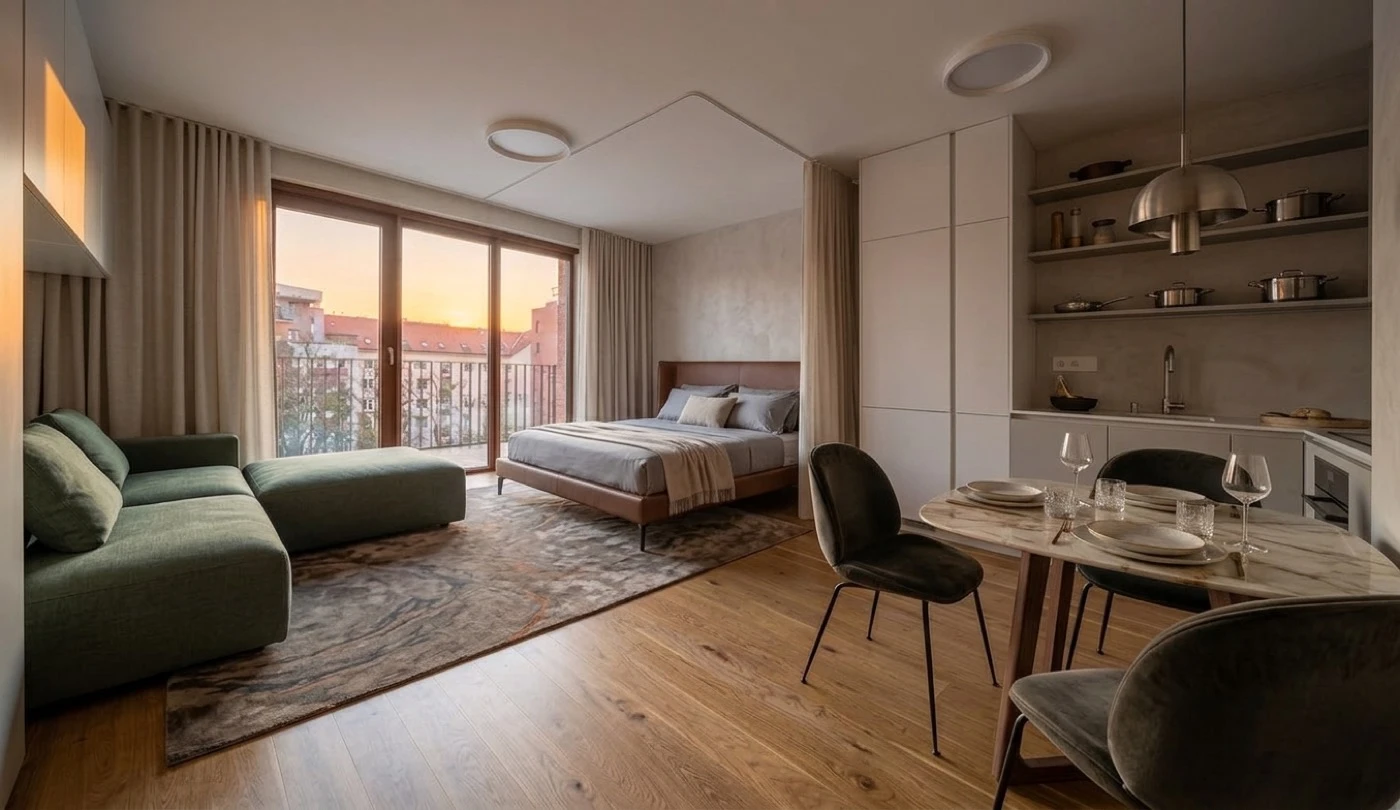
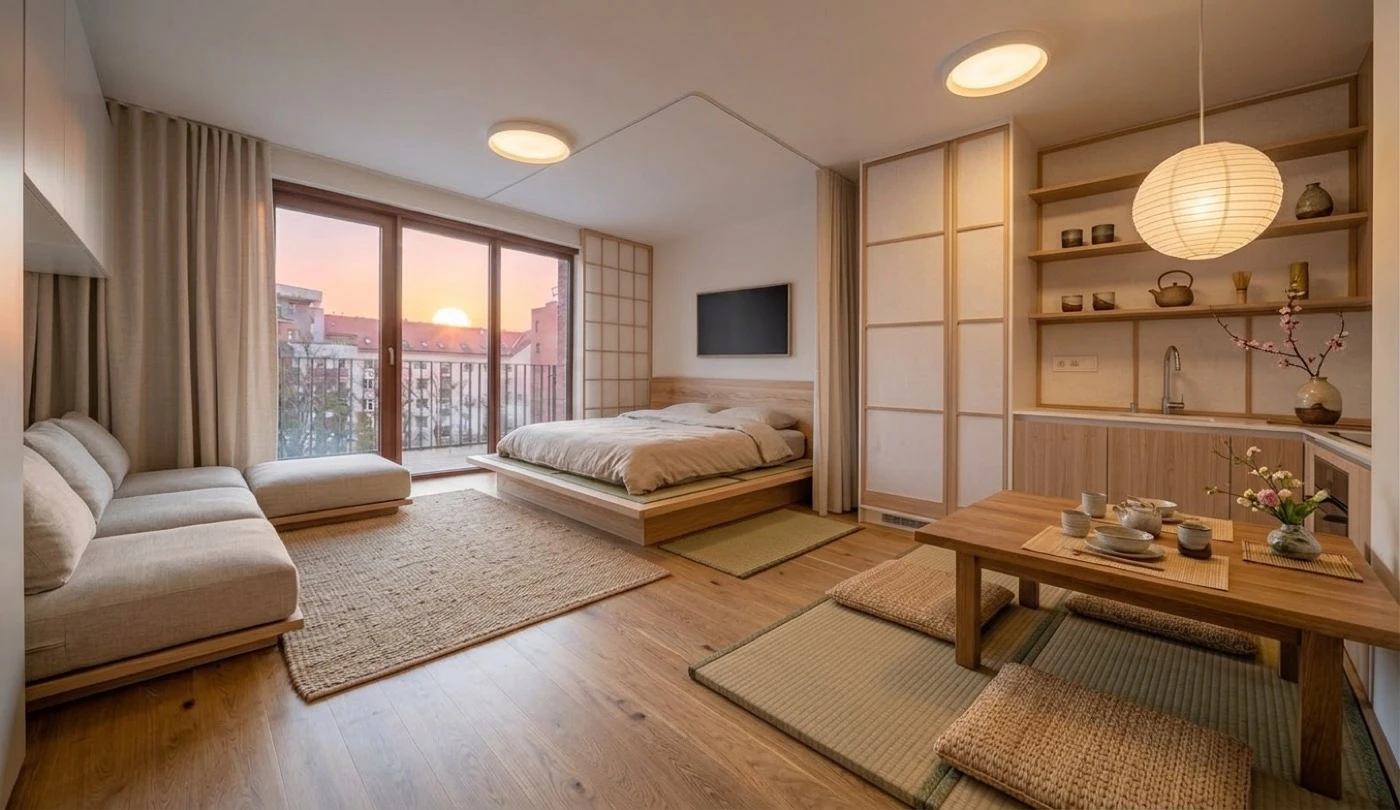
What you can build
Furniture placement is the flagship, but generate_interior is prompt-driven — so the one tool covers the whole MeltFlex suite. Your agent just varies the request (and attaches a reference image for material or product swaps).
| Use case | Example ask in chat |
|---|---|
| Interior design | “Redesign this room in warm Scandinavian style with light oak floors” |
| Layout boost | “Rearrange the furniture in this room into a more open, functional layout” |
| Exterior design | “Restyle this facade in modern farmhouse style; keep the structure” |
| Garden design | “Turn this yard into a low-maintenance Mediterranean garden” |
| Walls texture (+ reference) | “Change the walls to micro-cement; keep everything else” |
| Floor restyle (+ reference) | “Replace the floor with this oak sample; keep everything else” |
| Stairs · doors · windows | “Restyle just the staircase / doors / windows; keep the rest” |
| Kitchen · bathroom | “Redesign this kitchen (or bathroom); keep the footprint and plumbing” |
| Photo to render | “Turn this 3D draft into a photorealistic interior photo” |
Structure (walls, windows, flooring, fixtures) is preserved by default, so for surface and fixture swaps just tell the agent what to change and what to keep. Four more tools go beyond stills: generate_video (cinematic walkthroughs), floorplan_to_3d (2D floorplan → GLB model), furniture_to_3d (furniture photo → GLB model) and generate_world (room photo → explorable 3D world).
Tools
| Tool | Description | Cost |
|---|---|---|
generate_interior | Restyle a room photo into a photorealistic redesign. Prompt-driven, so it covers the whole suite (interiors, floors, walls, exteriors, kitchens and more — see What you can build). Inputs: prompt, image (path/URL/data URL), optional reference_images, resolution (512/1K/2K), design_level (lite/quick/pro), mask (red-region edit), variations (1–3 batch), optional output_path. Saves each result to disk. | 10 cr/image lite −2 · pro +5 |
generate_video | Animate a still (a render or interior photo) into a cinematic walkthrough MP4 (Veo 3.1). Inputs: image, optional prompt, duration_seconds (4/8), aspect_ratio, output_path. Saves the MP4 to disk. | 100–150 credits |
floorplan_to_3d | Convert a 2D floorplan image into a downloadable GLB 3D model. Inputs: image, optional output_path. Saves the GLB to disk. | 100 credits |
furniture_to_3d | Turn one photo of a furniture piece into a textured GLB 3D model (plus signed USDZ/FBX/OBJ links). Inputs: image, optional textured (false = bare geometry), output_path. Waits about 2 to 3 minutes and saves the GLB to disk. | 75 credits |
generate_world | Turn a room photo or render into an explorable 3D world (Gaussian splats): returns the permanent worldId, a hosted viewer link, and saves the .spz file. Inputs: image, optional model (draft/hd), name, output_path. | 30 (draft) / 200 (hd) credits |
check_credits | Report the account's credit balance and per-operation costs. | free |
Remote server (ChatGPT and other hosted clients)
Everything above runs the MCP server on your own machine and authenticates with an API key. Hosted clients cannot do that: they have no shell and no place to keep a key. For those there is a remote server that signs you in with your MeltFlex account instead.
https://www.meltflexai.com/api/mcpAdd that URL as a connector and the client walks you through a MeltFlex consent screen. There is no key to paste and nothing to install. The same five tools are available, and generations are charged to the account you signed in with, exactly as they are in the app.
| Detail | Value |
|---|---|
| Transport | Streamable HTTP, POST only (stateless — there is no session to resume) |
| Authentication | OAuth 2.1 with PKCE, or Authorization: Bearer mf_sk_… for scripts |
| Discovery | /.well-known/oauth-protected-resource and /.well-known/oauth-authorization-server |
| Client registration | Dynamic (RFC 7591) — a client registers itself, no manual setup |
| Requirement | An active MeltFlex subscription. Generations spend that account's credits. |
Long jobs do not block a tool call: create_walkthrough and create_3d_furniture return a job id straight away and the agent calls check_job until the video or model is ready. You can see every connected app, and disconnect any of them, under Settings, Connected Apps.
Configuration
| Variable | Default | Purpose |
|---|---|---|
MELTFLEX_API_KEY | — | API key (mf_sk_…). Overrides the saved config file. |
MELTFLEX_BASE_URL | https://www.meltflexai.com | Override for staging or self-host. |
FAQ
Do I need an API key?
Yes. Each user authenticates with their own MeltFlex API key (any active subscription). Generate one in account settings, then pass it via the MELTFLEX_API_KEY env block or meltflex auth.
Whose credits are used?
Your own. The server runs under your account and every generation is billed to your account credits — 10 per image.
Is it safe?
The MCP layer adds no new attack surface: anything it can do is already doable with a request to the same API using the same key. Credit limits, refunds and rate limits all live server-side.
My client isn't listed — can I still use it?
Any client that speaks the Model Context Protocol works. Use the standard command / args / env config shown above.
Where do generated images go?
The generate_interior tool saves the result to disk and returns the file path. Pass output_path to control the location.

