Interior Plant Design With AI
put Fig TreesOlive TreesMonsterasSnake PlantsPalmsPothos in your room






Interior Plant Design With AI




Add Plants to Your Room
One Room, One Plant at a Time
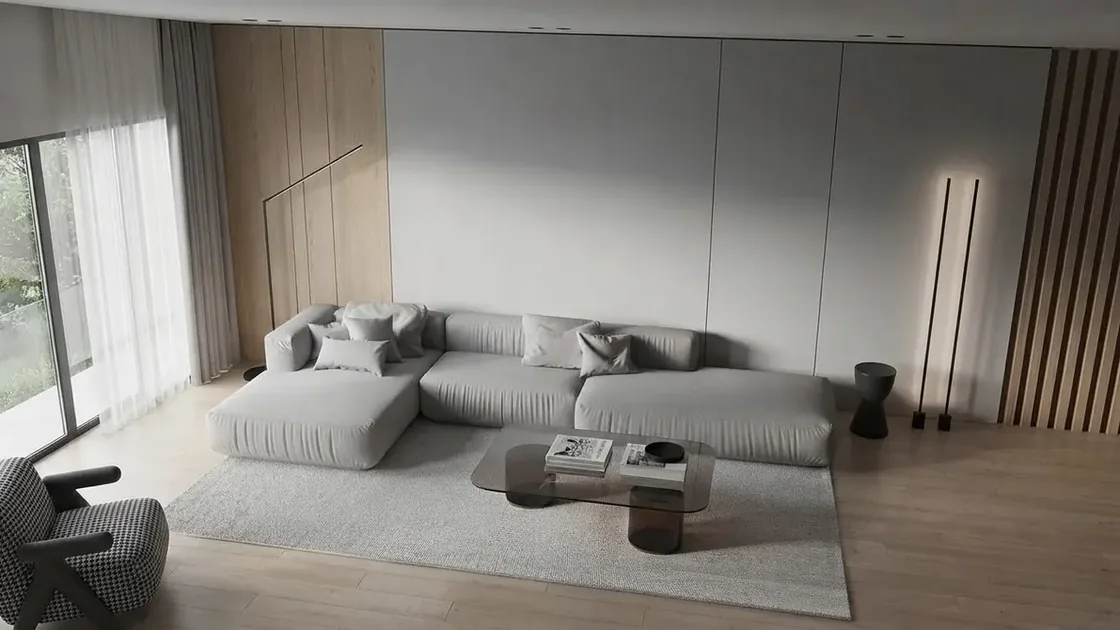
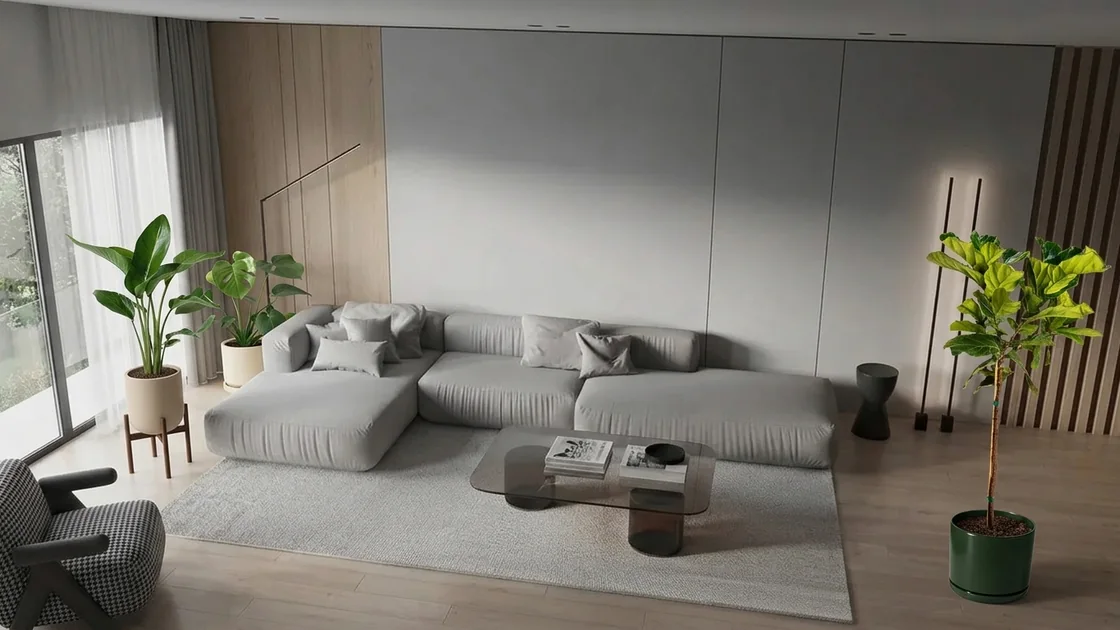
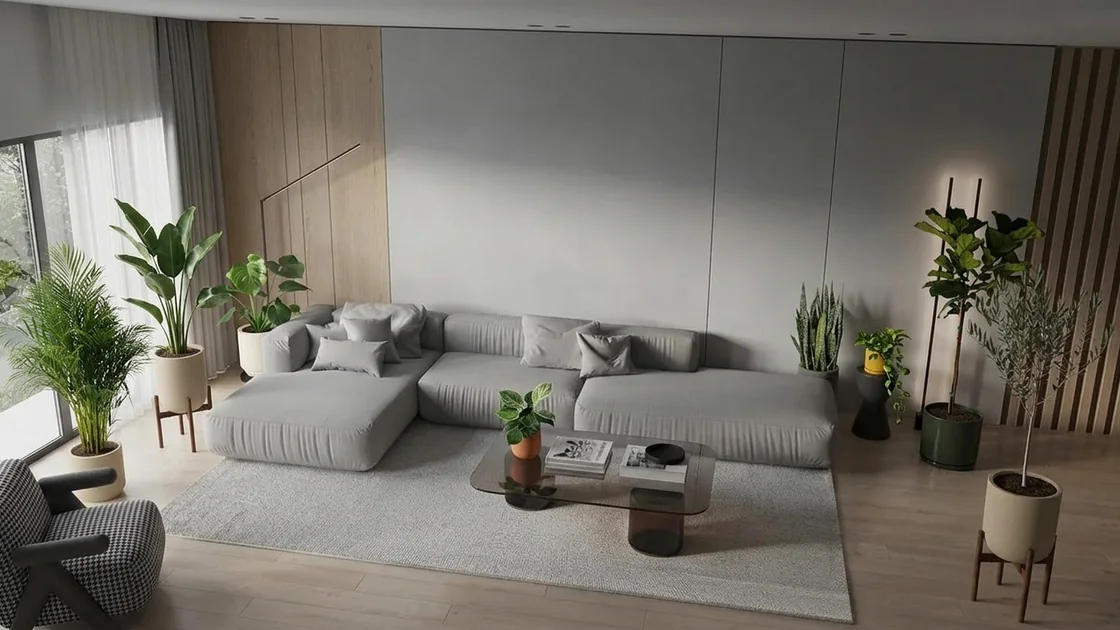
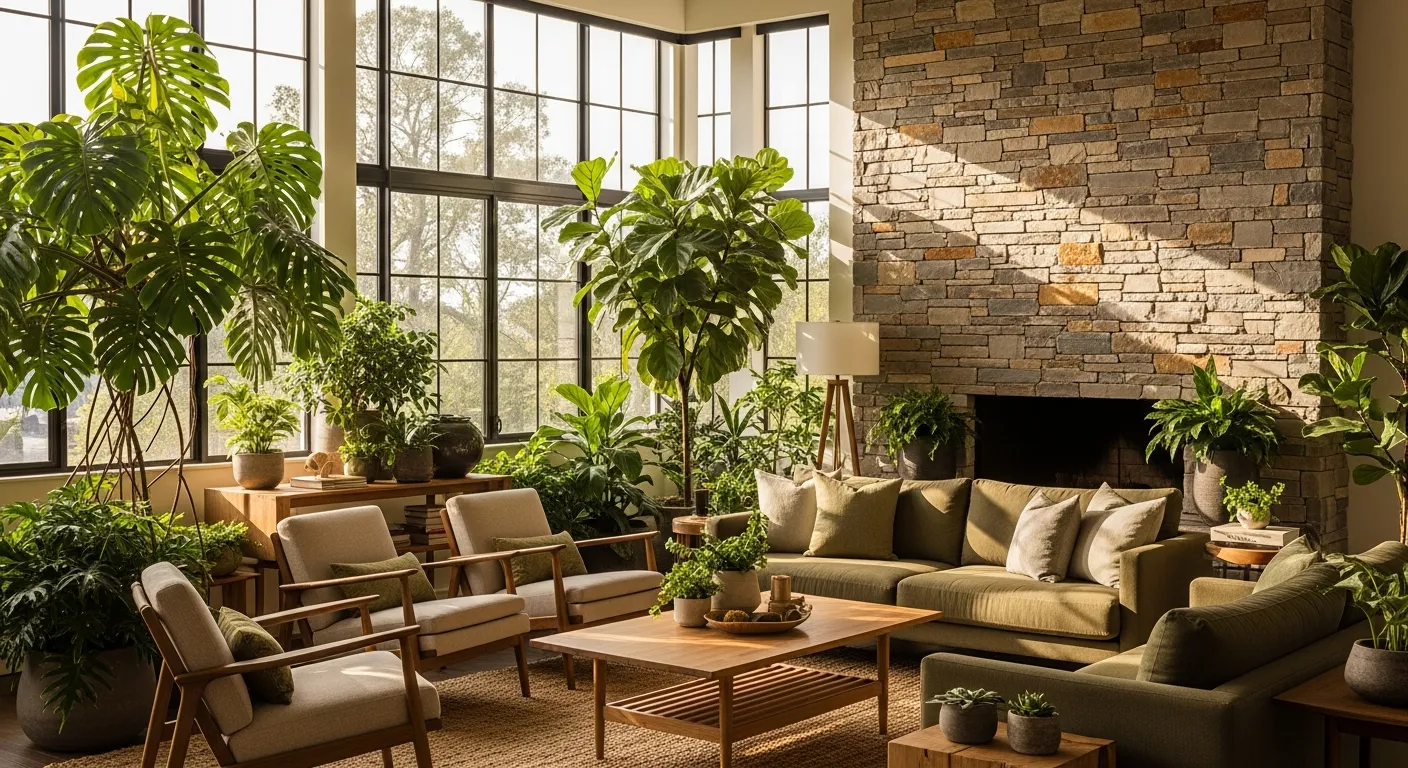
Before · OriginalThe room as photographed. Every step below adds one plant and changes nothing else.
Planting outside rather than in? The AI garden design tool redesigns a yard or patio from a photo, and the AI furniture changer swaps the sofa or the rug the plant stands next to.
A $200 Fiddle Leaf Fig Is a Guess Until It Is in the Room
Plants are bought from a photo on a beige backdrop and judged in a living room with a sofa, a window and a rug. The question is never whether the plant is pretty. It is whether this plant, at this height, in this corner, makes the room better.
Homeowners & Renters
Large floor plants cost $150 to $400 and arrive in a box you do not want to send back. Renters can rarely paint or replace furniture, so plants are one of the few changes they are free to make, which makes getting the size and spot right worth the extra minute.
Agents & Stagers
A listing photo of a bare corner reads as empty. One well-placed tree reads as finished. Adding a plant to the existing photo is quicker than restaging, and it leaves the furniture the seller already has exactly where it is.
Designers & Plant Stylists
Clients nod at a plant list and then ask what it will look like. Showing their own living room with the proposed plants in it, at their real sizes, settles the scheme in one image instead of a mood board.
Upload the room, paint the spot and pick the plant. MeltFlex AI places that exact plant, in its own pot and at its real height, into your photo and holds everything else still. Try the fiddle leaf fig, then the olive tree, in the same corner, and keep the one that works.
Real Plants, Your Own Room
Plant Design in Your Own Room, Before You Buy
Plants are the cheapest way to make a room feel finished, and the easiest to get wrong. A tree that looks generous in a shop photo turns out to be a stick in a big room, or a monstera that seemed small swallows the side of the sofa. Seeing the plant in a photo of your own room, at the height you are actually buying, answers the question a product page cannot.
Pick the plants, the AI finds the spots
Tick up to four plants and press the button: each one goes where it would naturally stand, a tree on the floor in a corner, a pothos trailing from a shelf, and the sofa, the rug and the light from the window stay exactly where they were. If a plant lands in the wrong place, say so in the chat ("move the fig next to the window") and compare the same corner with a fiddle leaf fig, then an olive tree, then nothing, deciding with your eyes rather than a size chart.
Real plants with real heights
The catalog holds 140 plants from The Sill, each with the sizes it is sold in, from 2-inch succulents to 8-foot fiddle leaf figs. A realistic height goes into the instruction, so a fiddle leaf fig is drawn as a tree next to your sofa rather than a houseplant of no particular size. Filters cover low light, pet-friendly and easy-care plants, and if the plant you want is not there, upload a photo of it from any shop, faux plants included.
Where plants usually work
Most living rooms have three spots that take a plant well: an empty corner, which wants one tall floor plant rather than three small ones; the end of the sofa or a reading chair, which takes a medium plant at about arm height; and a shelf, sideboard or windowsill, where a trailing pothos or a small tabletop plant adds life without taking floor space. Bright corners suit olive trees and birds of paradise, dim ones suit snake plants, ZZ plants and dracaenas. For the wider idea of bringing nature into a room, see our biophilic interior design guide.
Where this sits next to the other tools
Plants are usually the last layer of a room. To change the furniture they stand next to, use the AI furniture changer. To restyle the whole room, use AI interior design. To plan where the furniture goes first, the AI room layout planner rearranges what you own, and for a yard or patio the AI garden design tool does the same job outdoors.
Live now
Weekly Creator Contest $10,000
Make your design in MeltFlex and submit by Sunday. Any room, any style.




Affiliate program


Share MeltFlex, earn $2,000+ a month
30% of every subscriber you bring, every month35 subscribers ≈ $2,100
Frequently Asked Questions
What is interior plant design?
Interior plant design is choosing which indoor plants go in a room, how big they are and where they stand, so the plants work with the furniture, the light and the way the room is used instead of being dotted around wherever there was space. MeltFlex AI does the visual part of it: you pick real plants and it places them into a photo of your own room, so you can judge the choice before buying anything.
How do I see what a plant will look like in my room?
Upload a photo of the room and tick up to 4 plants from the catalog of real plants from The Sill, or upload a photo of any plant. MeltFlex AI writes the instruction for you and places each plant in a natural spot (a floor plant in a corner or beside the sofa, a trailing plant up on a shelf) at a realistic size, with a contact shadow, and leaves the rest of the photo untouched. A render takes about 30 seconds. To move a plant, just tell the AI in the chat, for example "put the olive tree next to the window".
Where should I put plants in my living room?
Start with the spots a room usually lacks height or life in: an empty corner (one large floor plant such as a fiddle leaf fig, an olive tree or a bird of paradise, 4 to 6 ft tall), the end of the sofa (a medium plant that reaches roughly arm height), and a sideboard, shelf or windowsill (a trailing pothos or a small tabletop plant). Match the plant to the light at that spot: low-light plants like snake plants, ZZ plants and cast iron plants for dim corners, and sun lovers like olive trees and birds of paradise within a few feet of a bright window. Try each spot in the tool before you commit, because a plant that looks small in a shop often fills a corner at home.
Which large indoor plants work best in a living room corner?
In a bright corner: fiddle leaf fig, bird of paradise, olive tree, ficus Audrey or a majesty palm, all of which reach 4 to 6 ft and read as a tree. In a dim corner: a tall snake plant, a dracaena, a cast iron plant or a ZZ plant. The catalog marks low-light and pet-friendly plants, and the Floor plants & trees category holds the large ones with their real heights, so the AI draws them at the size you would actually receive.
Will the plant be drawn at the right size?
Each catalog plant carries the sizes the shop sells it in, and a realistic height goes into the instruction (the larger sizes up to about 6 ft for floor plants and trees, the small pot size for tabletop plants), so the AI scales the plant against the furniture around it rather than guessing. For a plant you upload yourself there is no shop size to go by, so add the height in the chat if it matters, for example "make it about 5 ft tall".
Can I use a plant from another shop, or a fake plant?
Yes. Switch to Upload your own and add a photo of the plant: a product shot from Home Depot, Lowe's, IKEA, Costco or Etsy, a faux plant listing, or a photo of a plant you already own. The AI works from that photo instead of the catalog.
Can I filter for low-light or pet-friendly plants?
Yes. The catalog has filters for low light, pet-friendly and easy care, plus five types: floor plants and trees, tabletop plants, trailing and climbing plants, flowering plants, and succulents and cacti.
Does the room itself stay the same?
Yes. Only the plants are added. The walls, floor, furniture, windows, camera angle and lighting stay as they were, which is what makes it possible to compare the room with and without the plant, or with two different plants in the same spot.
Can I buy the plants I place?
Every catalog plant links to its page at The Sill, a plant shop in New York that ships across the US, with its price. MeltFlex is not affiliated with The Sill and does not sell plants; the catalog simply lets you try real, buyable plants instead of generic ones.
Is the interior plant design tool free?
MeltFlex AI is free to start. A new account gets 15 credits and placing a plant costs 10, so your first plant in your own room is free. More placements come with a paid plan.

