The best AI kitchen design tool depends on the job. To restyle the kitchen you already have and end up with real pieces you can order, use MeltFlex. For the most free restyles, start with REimagineHome (5 free designs, no card). To pay once instead of monthly, VisualizeAI sells credit packs from $9. If you are moving cabinets, not just changing them, start in a floor plan tool such as Homestyler or Planner 5D. The comparison table, the free tiers and a short review of each tool are below.
Our articles are still written by humans!
Get human written articles in your Google feed.
The short version
- Best overall for a real kitchen: MeltFlex, for its kitchen-specific controls (style, cabinet and countertop pairing, hardware, layout) and real catalog furniture.
- Best free: REimagineHome, 5 designs, no card. Runner-up VisualizeAI, 6 credits, no card, no subscription after.
- Best for moving cabinets: Homestyler (unlimited free 1K renders) or Planner 5D.
- Skip for your own kitchen: Midjourney and plain image generators. They invent a different room every time.
- Every price in this post was read on the vendor's own pricing page on 29 September 2026.
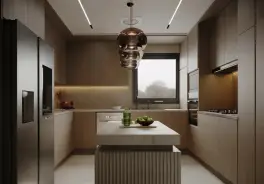
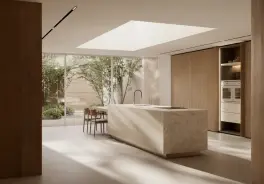
Which AI kitchen design tool is best for which job?
An AI kitchen design tool takes a photo of an existing kitchen, or a plan, and returns the same room with new cabinets, countertops, backsplash, hardware, flooring and lighting, usually in under a minute. They split into three kinds, and picking the wrong kind is the most common reason people give up on them:
- Photo restylers (MeltFlex, REimagineHome, VisualizeAI, Remodel AI, Collov AI, Interior AI, RoomGPT): you upload a photo and get your own kitchen back in a new style. Fast, realistic, but they do not measure anything.
- 3D planners with AI (Homestyler, Planner 5D, Spacely AI): you build or import the room, place cabinets to size, then render. Slower, but the layout is real.
- Image generators (Midjourney, Adobe Firefly): good for mood boards, weak at keeping your room.
Match the tool to what you are actually doing:
- Refacing or repainting cabinets, new countertop and backsplash: a photo restyler. MeltFlex if you want to set the exact cabinet color, countertop and hardware, REimagineHome if you want it free.
- A few restyles, no subscription: VisualizeAI, one-time packs from $9.
- Moving the sink, adding an island for real, full remodel: Homestyler or Planner 5D, then restyle the result. Our guide on how to design a kitchen layout has the clearance numbers.
- Seeing the remodel tier by tier on one photo: our AI kitchen remodel before and after.
- Pure inspiration: Midjourney, knowing it will not be your kitchen.
How do the 12 AI kitchen design tools compare?
Read the table by the columns that match your job. “Keeps your layout” is about whether the walls, window and cabinet run stay put in a photo redesign. “Real products” means the tool connects the picture to things a store actually sells.
Prices from each vendor's pricing page on 29 September 2026, US dollars unless noted. Homestyler showed €6.27 a month billed yearly from our EU connection. Midjourney's plan page blocked our check, so we do not quote a number. Prices move; treat this as a snapshot.
How we compared them
We read every price, free allowance and feature straight off each vendor's own site on 29 September 2026, and we checked MeltFlex's numbers in its product code rather than in its marketing. We have used most of these tools on real kitchen photos over the past months, but we did not run all twelve on one identical photo for this update, so the verdicts below are about what each tool is built to do and where it tends to break, not a side-by-side quality score. Where a vendor hides a number, the table says so instead of guessing. MeltFlex is our own product; we explain below where it wins and where another tool is the better choice.
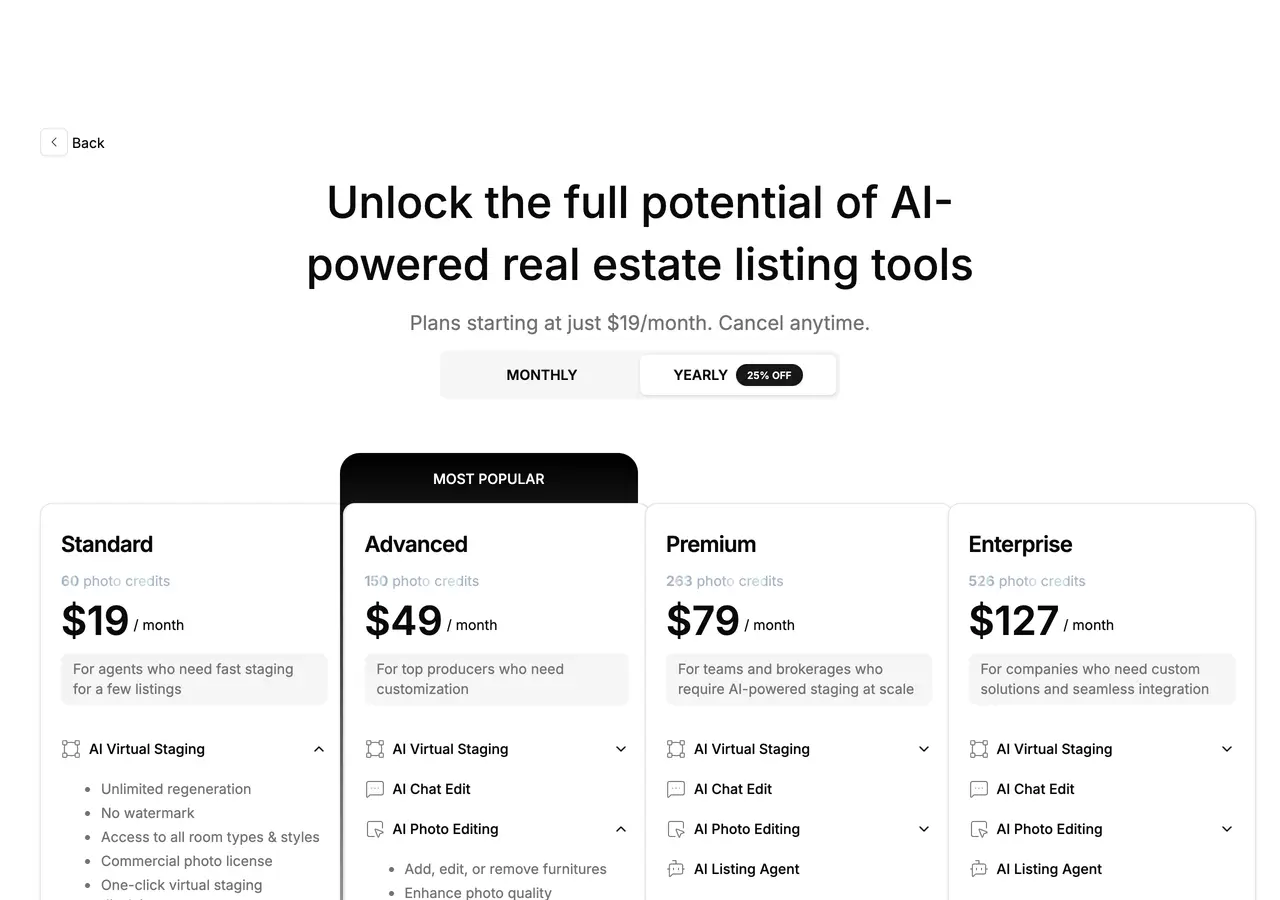
Screenshots captured 1 August 2026; the numbers in them were re-read on 29 September 2026 and had not changed.
What is the best free AI kitchen design tool?
REimagineHome gives the most free photo redesigns without a card: 5 designs. VisualizeAI is close with 6 free credits and no subscription waiting afterwards. If you want the free run to go further than a picture, MeltFlex lets you place real IKEA pieces into the result on the free plan. Here is exactly what each free tier gives you before the paywall:
For the same question across every room, not just kitchens, see free AI interior design tools, checked.
What can an AI kitchen design tool actually change?
Almost everything you can see, and almost nothing you would need a plumber for. A photo restyler redraws the image, so it can swap:
- Cabinet fronts and color: slab, shaker, fluted, painted or wood.
- Countertop and backsplash: quartz, marble, concrete, terrazzo, tile.
- Hardware: brass, matte black, chrome, nickel, bronze or handleless.
- Lighting, flooring and wall color.
- Small layout moves in the picture: an island, a peninsula, open shelves, tall units.
What it cannot do is tell you whether that new island leaves the 42 inches of walkway a working kitchen needs, or whether the dishwasher door will hit it. That is why the layout decision belongs in a plan and the look belongs in a photo tool.
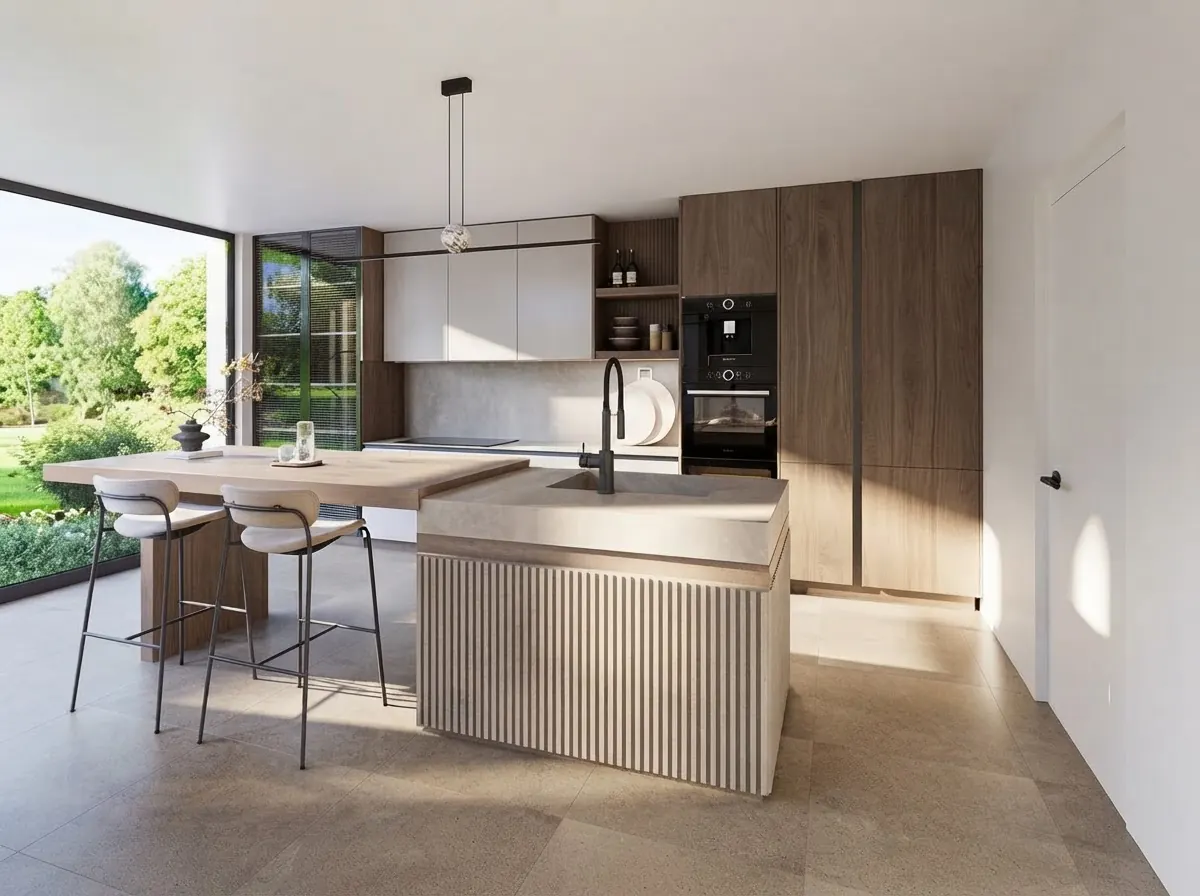
This is also where the tools differ most. Most photo restylers give you a style dropdown and a text box. The MeltFlex AI kitchen design tool splits the brief the way a kitchen showroom would: 8 styles, 10 cabinet and countertop pairings (Oak + Quartz, Walnut + Marble, Sage + Carrara, Navy + Quartz, Black + Concrete and more, or upload your own material), 6 hardware finishes, and 5 layout options starting with Keep layout. Picking “Sage + Carrara, brass, keep layout” gives the model a far tighter brief than “make it modern”. If you are not sure which pairing to try, our kitchen trends 2027 guide shows which cabinet colors and materials the surveys say are rising.
Which kitchen styles does AI design best?
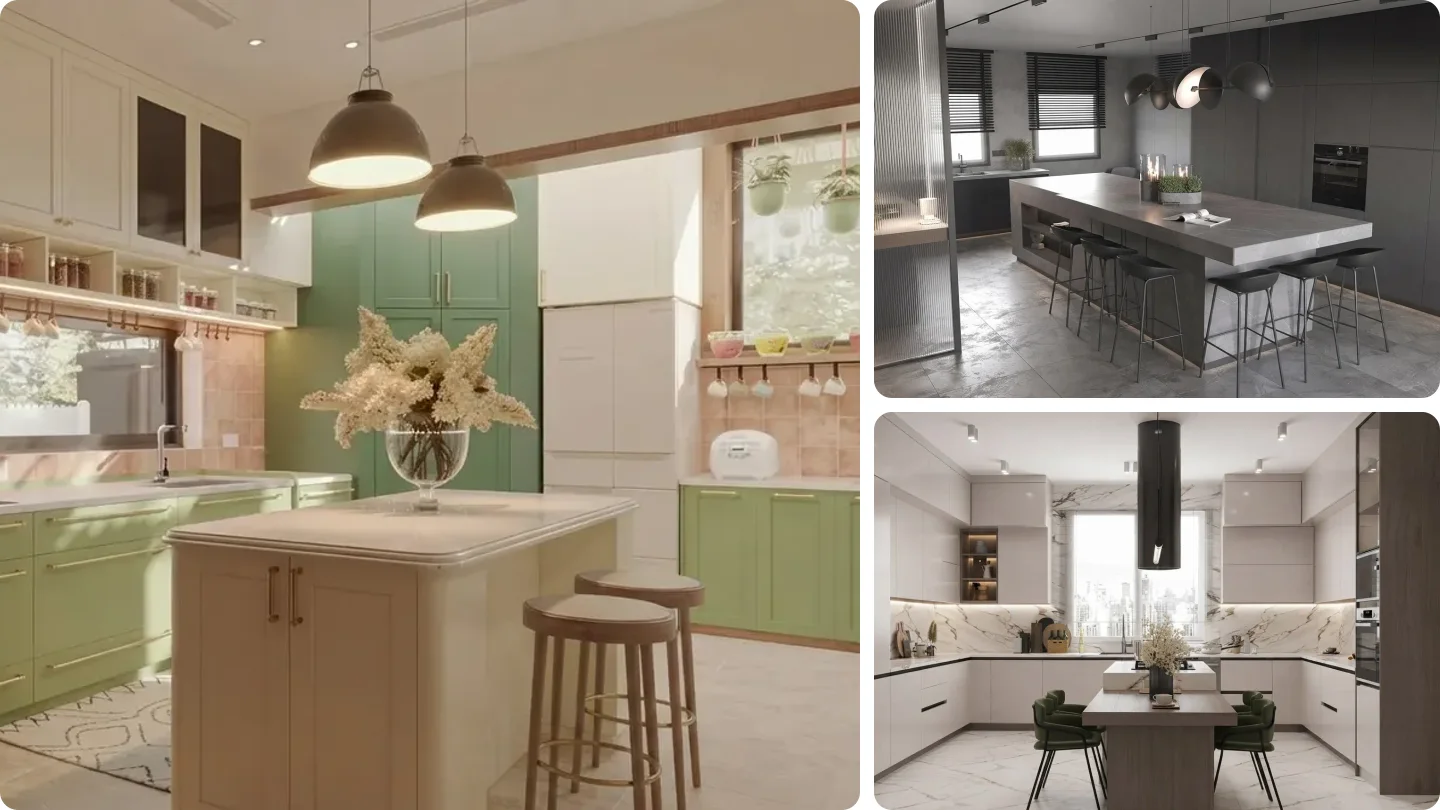
Styles with clear, repeatable rules come back most convincingly. These are the eight directions most AI kitchen tools, MeltFlex included, handle well, each shown as a finished render from our gallery so you can judge the look, not the software.
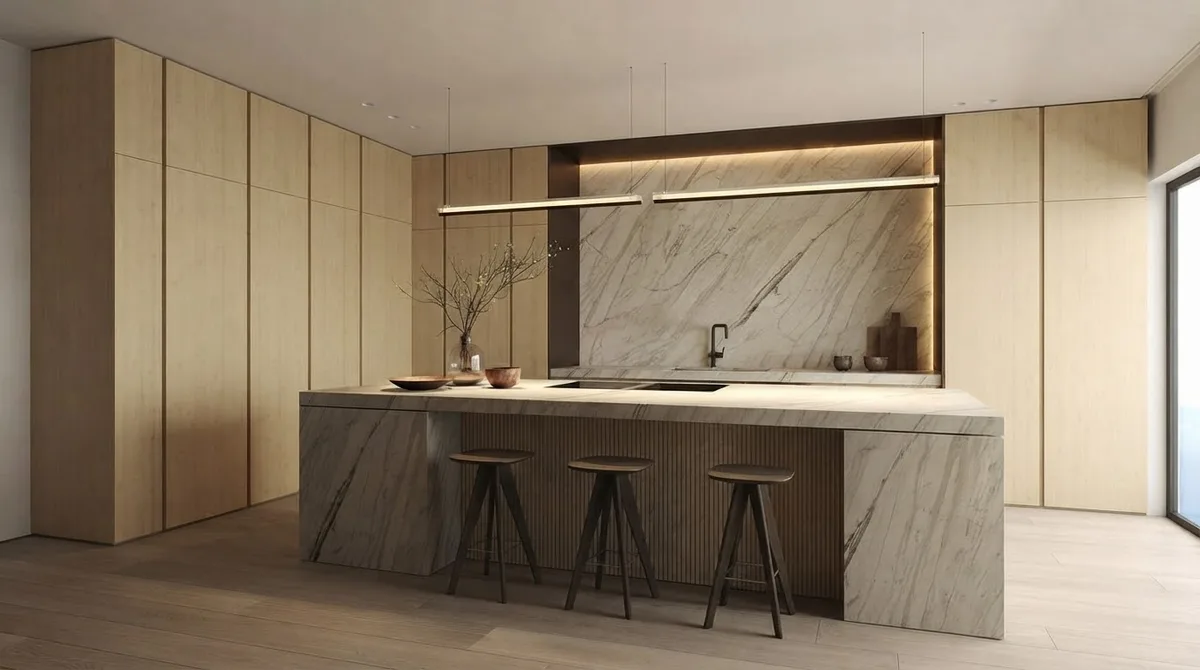
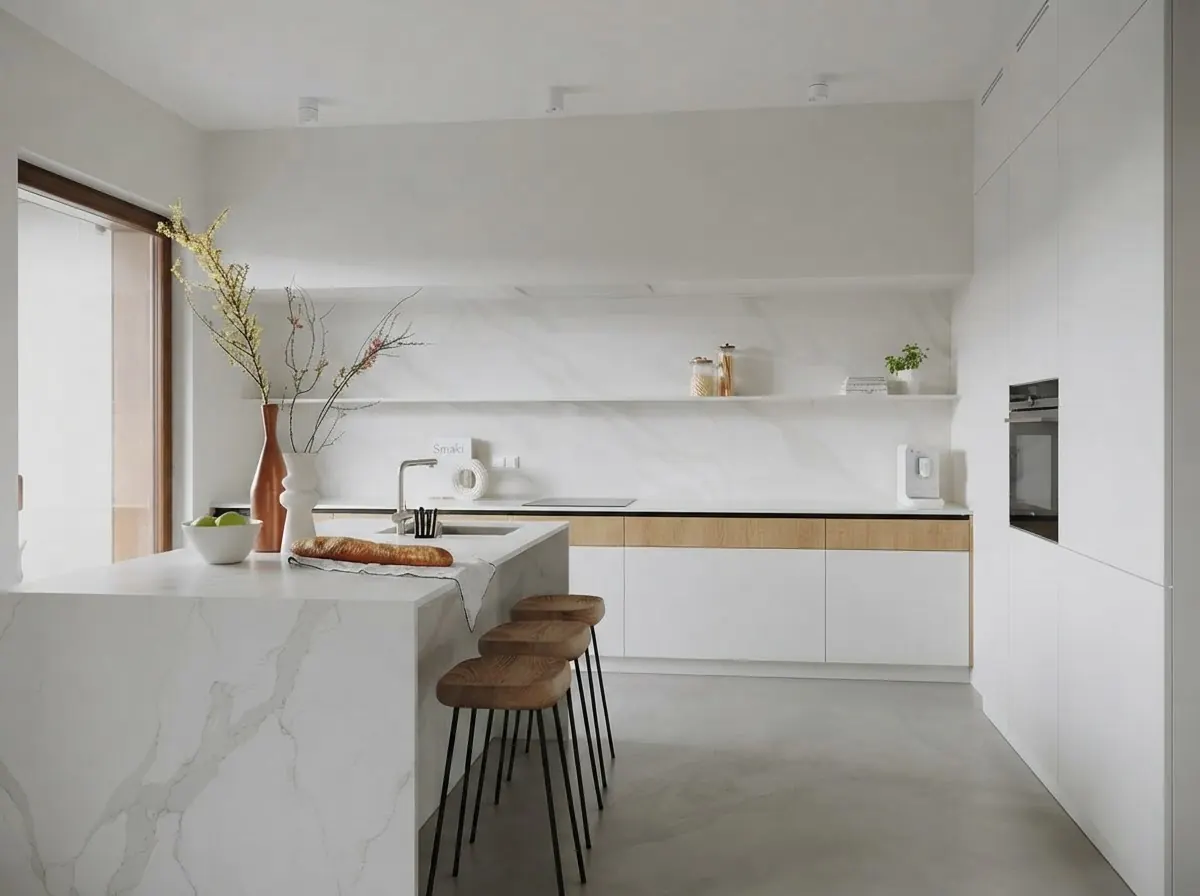
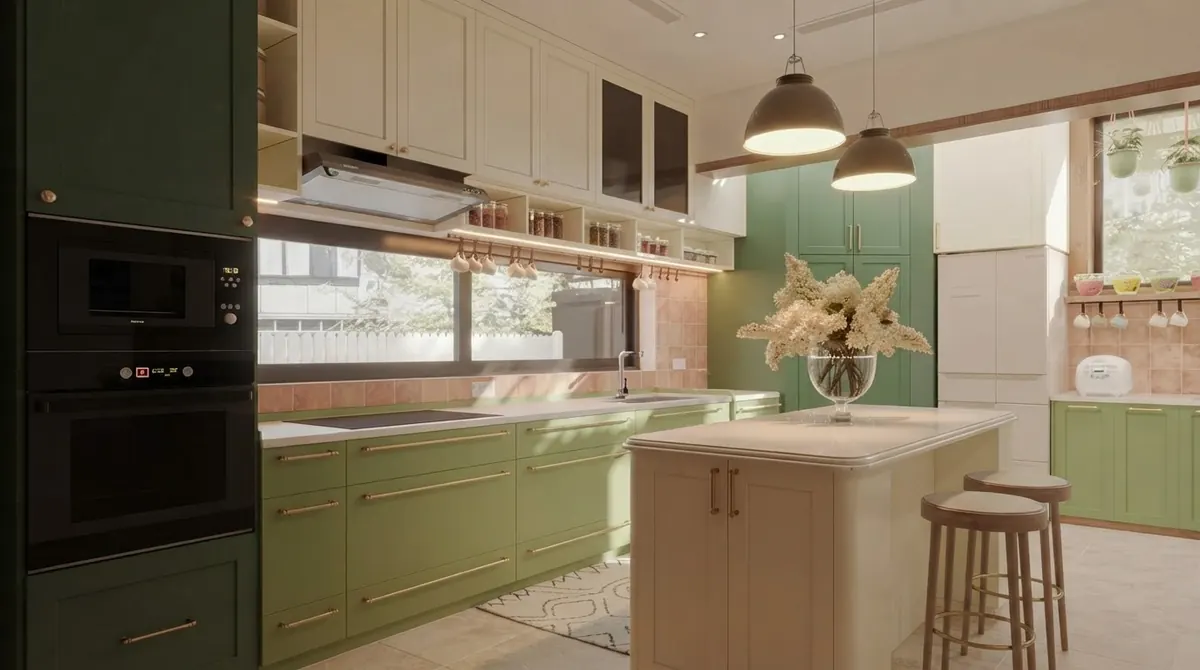
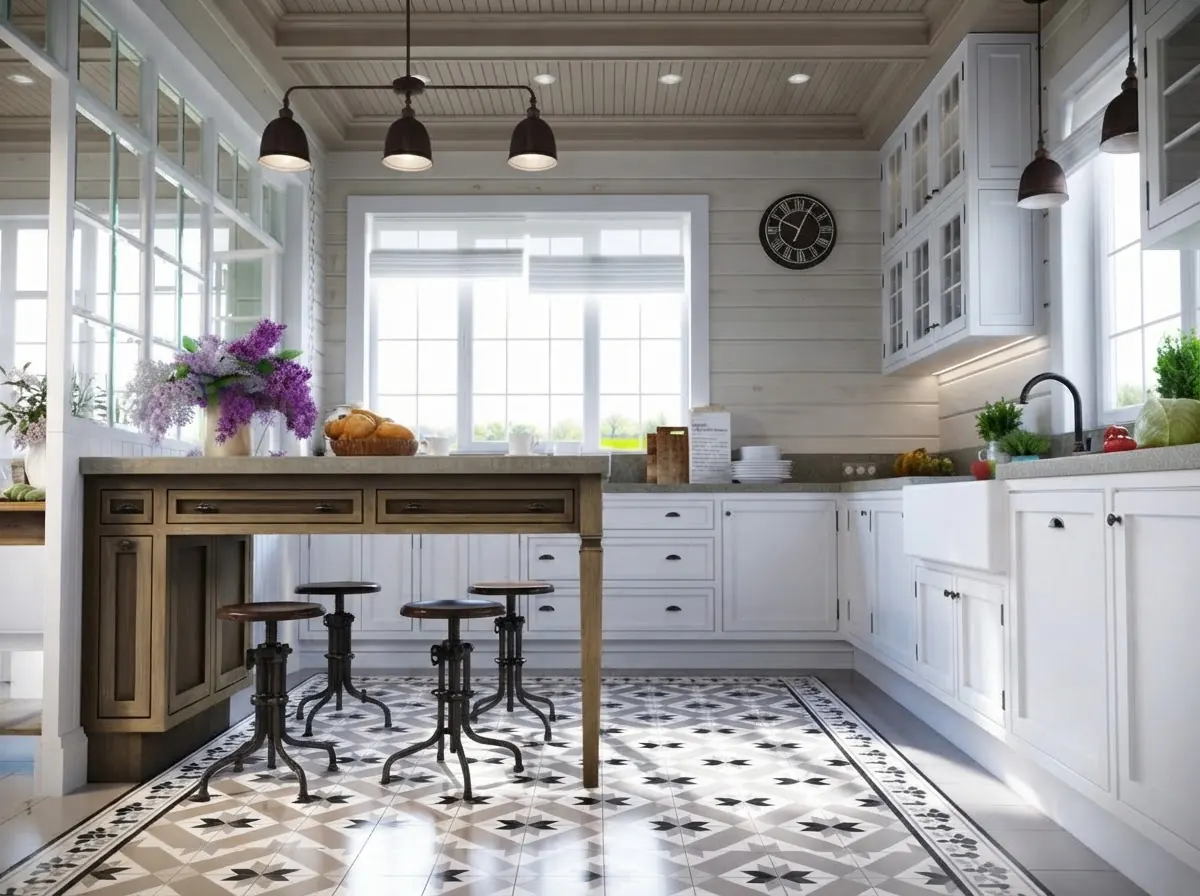
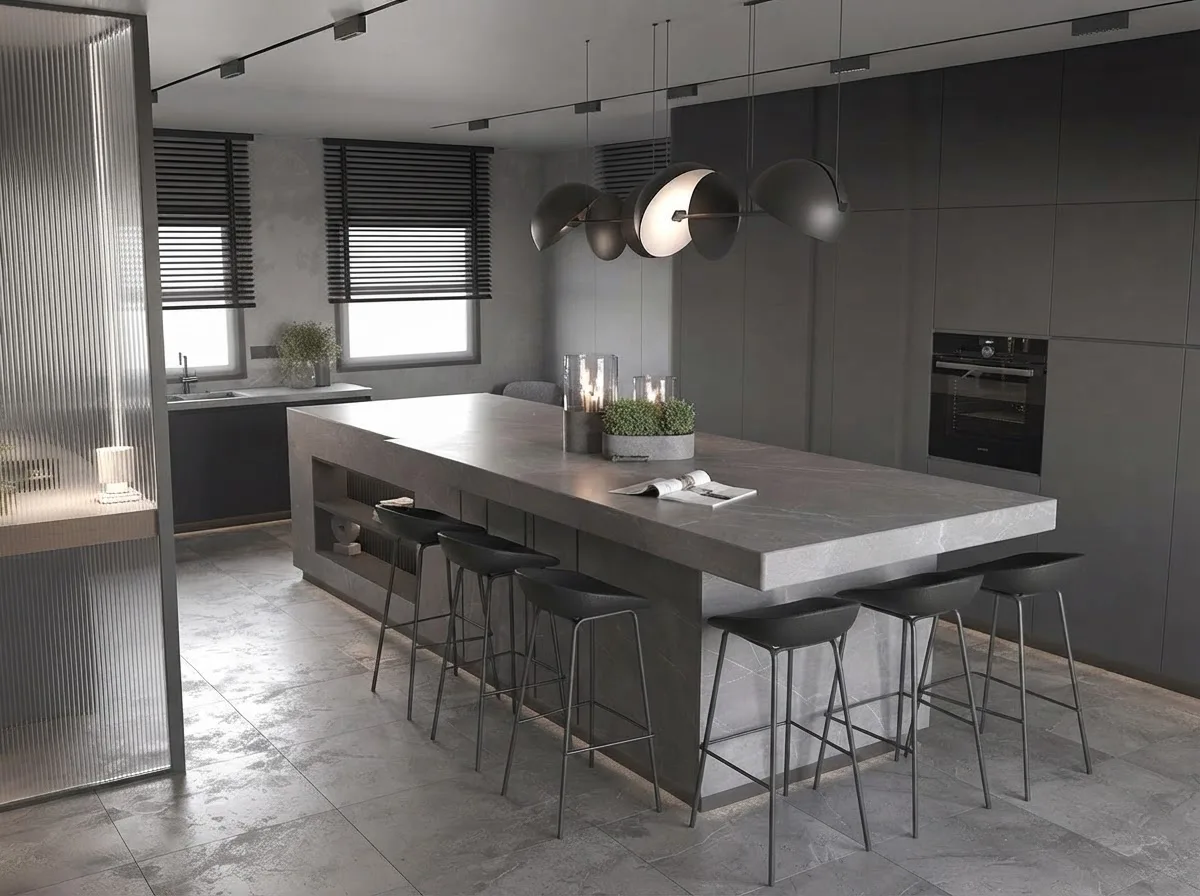
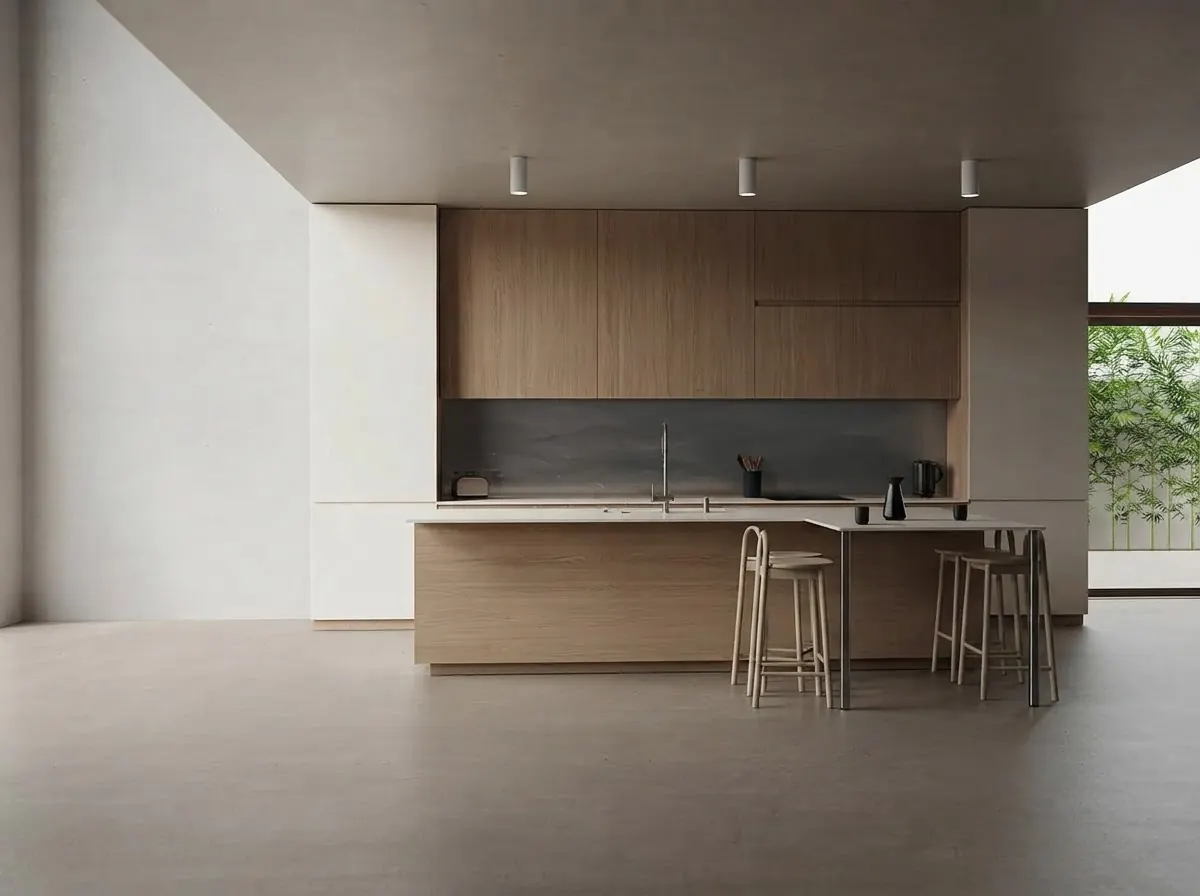
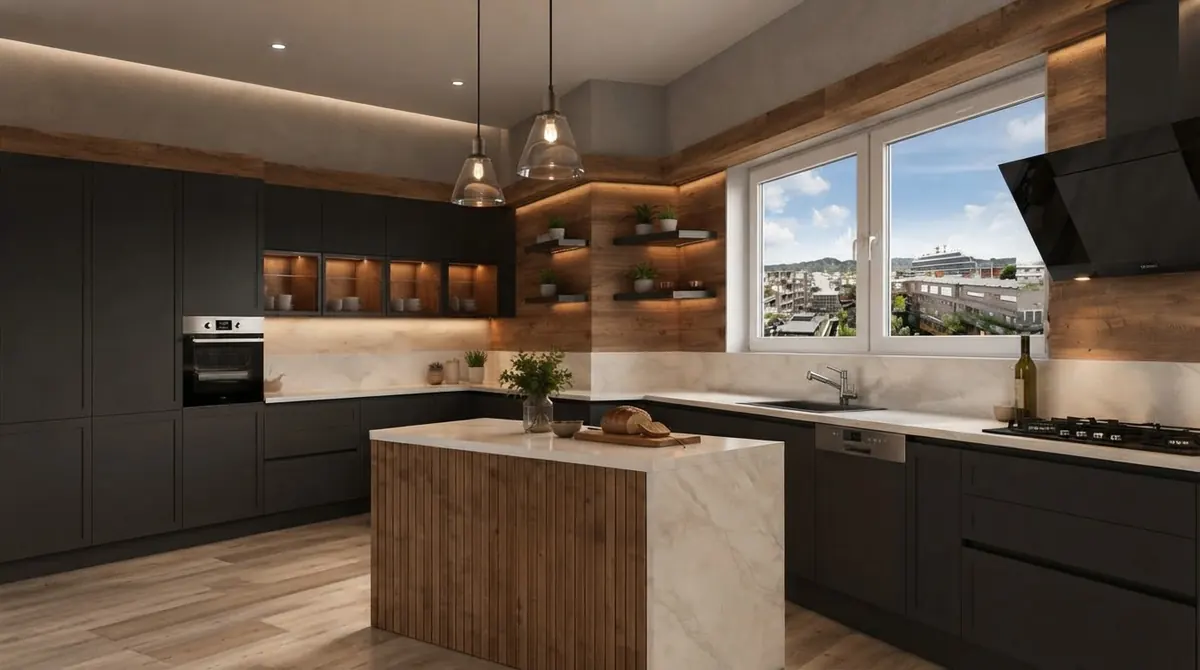
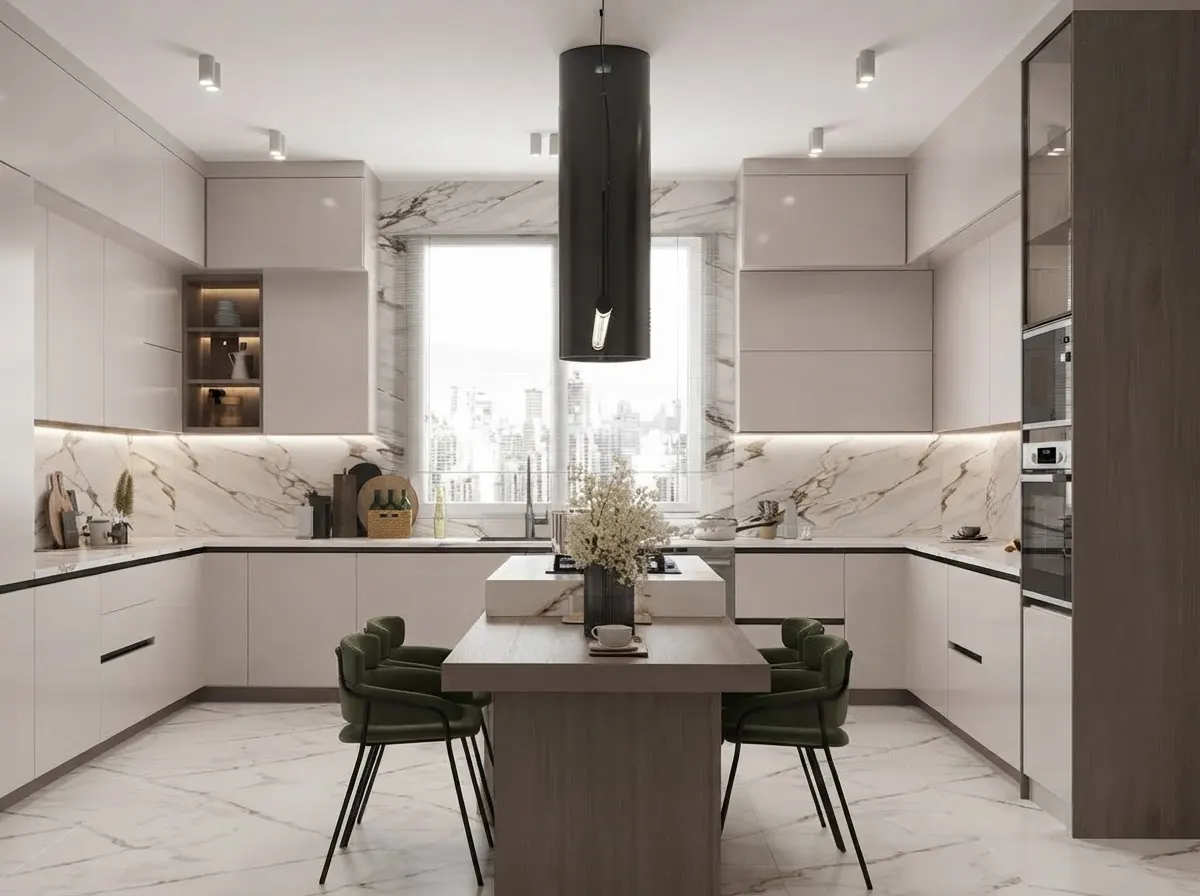
For the copy-paste brief behind each look, see our 35 AI kitchen design prompts.
Can AI change your kitchen layout, or only the style?
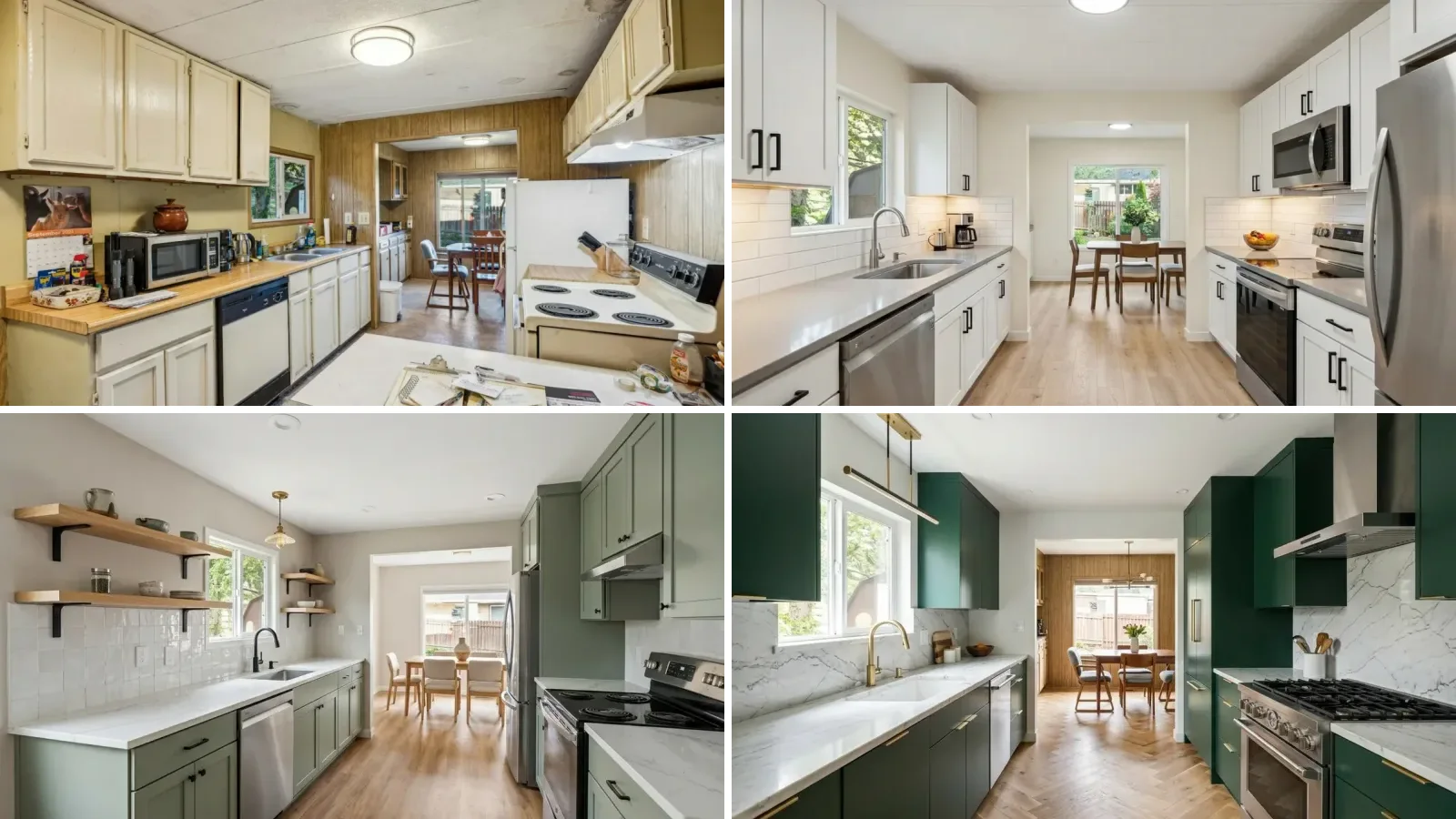
Mostly the style, and that is usually what you want. Moving a sink, a range or a wall is the expensive part of a remodel; refacing, new countertops and hardware are where the visible change comes from for the money. A photo tool can draw an island where there was none, but it has not measured the room. A galley kitchen like the one below looks spacious in a render because the camera is wide, not because the aisle is.
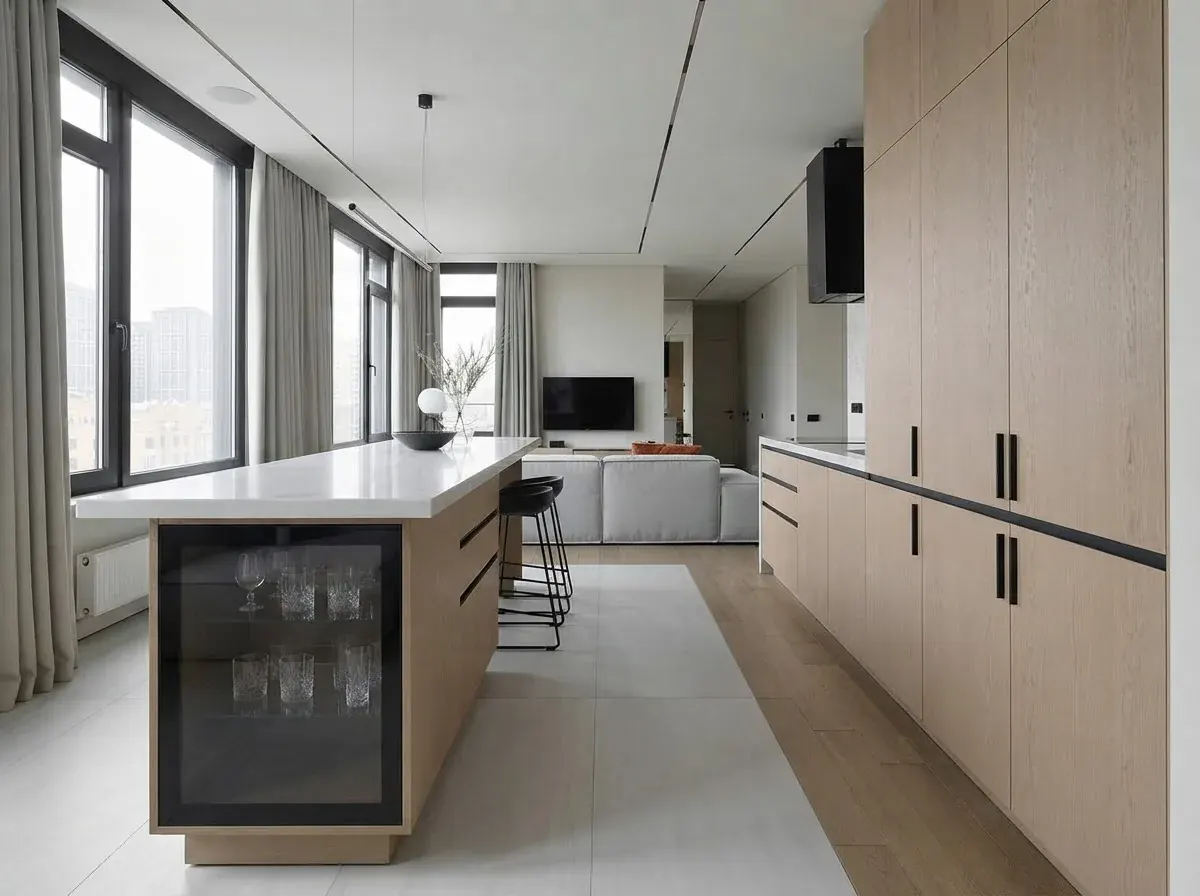
So work in this order: settle the layout with the numbers (work aisles, landing space, appliance clearances) in a planner or with our kitchen layout guide, then take a photo or a render of that layout into a restyler to decide the look.
AI kitchen design tool reviews: the honest verdict on each
Ranked for a homeowner redesigning a real kitchen. Each one wins something; each one has a catch.
1. MeltFlex: best for turning your real kitchen into a plan you can shop
Upload a photo on the AI kitchen design page, choose style, cabinet and countertop pairing, hardware and Keep layout, and it restyles your kitchen in place. The difference from the rest of the list is what happens after the picture: you can place real furniture from retailer catalogs into the render (IKEA on the free plan; Wayfair, Amazon, Pottery Barn, Ashley, West Elm, Walmart, Costco and Rooms To Go on a subscription), so the stools and pendants in your plan are products that exist, and on desktop it finds the furniture in any render and opens a visual search for it. It is also on the App Store and Google Play with the same account. The catch: cabinets and countertops are rendered, not linked to a supplier, free renders are watermarked, and the free catalog is IKEA only.
Try it on your own kitchen
- One redesign without an account on desktop, then 15 free credits on signup.
- Kitchen-specific controls: 8 styles, 10 cabinet and countertop pairings, 6 hardware finishes, 5 layout options.
- Real pieces in the picture: place catalog furniture from real retailers into the result.
2. REimagineHome: best free restyler
Five free designs without a card, and it generally respects the cabinet run and the window. The paid Essential plan is $14 a month for 30 credits; real product discovery sits on the higher Pro plan. The catch: fewer kitchen-specific controls, so you steer with presets and chat edits, and there is no official phone app.
3. VisualizeAI: best if you hate subscriptions
One-time packs: $9 for 60 credits, $19 for 150, $39 for 350, and each design variant costs 1 credit. Six free credits without a card. For a single kitchen project, this is the cheapest honest option on the list. The catch: presets can drift from the style you picked, and nothing in the result links to a product.
4. Remodel AI: best for high-volume trying
Three free designs, then Pro at $29 a month ($349 a year) for 1,000 designs a month, with paint, floor and object removal tools. Good if you want to generate dozens of variations. The catch: the free renders are standard quality with a watermark, and it is a general room tool rather than a kitchen specialist.
5. Homestyler: best free kitchen planner
A real drag-and-drop 3D planner with cabinets to size, and unlimited free renders at 1K. 2K and 4K renders need a paid plan from about $7 a month billed yearly. The catch: you build the kitchen yourself, and renders look more like a catalog than a photo of your house.
6. Planner 5D: best for measuring before you restyle
Free with half the furniture catalog; Premium at $19.99 a month or $59.99 a year adds AI floor plan recognition, the full catalog and 100 monthly credits in its AI Studio. The catch: standard renders look game-like, and the AI features are credit-limited.
7. Spacely AI: best for designers who already draw
Forty trial credits with no watermark, sketch-to-render and point-and-edit, with SketchUp, Revit and AutoCAD integrations on paid plans. Credit top-ups start at $9 for 200. The catch: plan prices now sit behind a login, and it is more tool than a homeowner needs.
8. Collov AI: best style library
$19 a month for 60 credits, five watermarked trial images, and a large set of polished styles aimed at listing photos. The catch: built for staging rooms to sell, and it happily invents lighting and cabinets.
9. Interior AI: best for moody, realistic renders
55+ styles and some of the most photographic output here. Now $49 a month, or $29 a month billed yearly, and its site lists no free tier. The catch: the most expensive entry point on the list, and the layout can wander.
10. RoomGPT: best quick gut check
The simplest before and after: upload, pick a style, done. The catch: little control over cabinets or hardware, and it still publishes no plan prices on the pages we could load.
11. Adobe Firefly: best for editing one area
Generative fill is handy for swapping a backsplash or a light fixture in an existing photo. Free daily generations; Standard is $9.99 a month. The catch: an image editor, not a kitchen designer: no styles, no layout awareness.
12. Midjourney: best for mood boards only
Beautiful kitchens, and useful for deciding what you like. The catch: it generates a new kitchen instead of redesigning yours, so nothing in the image fits your walls. We could not verify its current prices this month. Our Midjourney interior prompts cover it for inspiration.
Which AI kitchen design app works on a phone?
MeltFlex has an app on the App Store and Google Play that shares one account and one credit balance with the web tool, so you can shoot the kitchen and redesign it on the same phone. Homestyler and Planner 5D ship full planner apps.
Search “AI kitchen” in the App Store and you will also find single-purpose kitchen apps. One example, KitAI, is free to download but charges $7.99 a week, $14.99 a month or $49.99 a year, and on 29 September held 4.1 stars from 119 ratings, with several reviews about slow loading and failed generations. Weekly billing is a signal to read the reviews before starting a trial. Also check the developer name: REimagineHome and RoomGPT publish no official app, so store listings under those names come from someone else. The wider field is in our comparison of the best AI home design apps.
How much does AI kitchen design cost compared with a remodel?
The software is the cheap part. Here is how the costs line up:
Remodel figures: Zonda Cost vs Value Report 2025, US national averages. Tool prices: vendor pricing pages, 29 September 2026.
The useful comparison is not the AI tool against a designer. It is a month of AI renders against one wrong decision on $28,000 of cabinets and stone. The full breakdown by scope is in our AI kitchen remodel post, and AI interior design vs hiring a designer covers the design fee side.
How do you get a good result from any AI kitchen tool?
- Shoot wide, in daylight. Stand in the doorway or a corner so the photo shows the cabinet run and the window. Dim, yellow photos give muddy renders.
- Clear the countertops. The AI redraws the toaster and the dish rack as part of the design.
- Name three things, not one. Cabinet color and door style, countertop material, hardware finish. “Sage shaker, white quartz, brass” beats “modern”.
- Say what must not move. “Keep the window, sink and layout”, or use the tool's keep-layout option.
- Change one thing per round. If you change cabinets and floor at once, you cannot tell which one you liked.
- Upload a reference photo of a kitchen you saved, if the tool accepts one. It is closer than any style word.
Prompts that work in any tool with a text box:
- “Restyle this kitchen with sage green shaker cabinets, a white quartz countertop, a zellige tile backsplash and brushed brass pulls. Keep the window, sink and layout exactly as they are.”
- “Warm minimal kitchen: flat oak fronts, handleless, a light stone countertop, one linear pendant over the island. Same footprint, same camera angle.”
- “Two-tone kitchen: matte black base cabinets, white uppers, a walnut open shelf, matte black hardware. Do not move the range or the window.”
More in ChatGPT interior design prompts and Gemini interior design prompts.
Watch: an AI kitchen redesign
A real before and after: an existing kitchen redesigned with AI from a single photo in MeltFlex.

Is AI kitchen design worth it?
Yes, as the cheapest way to make the look decision before you pay for it. An afternoon of renders tells you whether sage shaker suits your light or whether white slab feels cold, which is exactly the decision people otherwise make from a 3 inch door sample in a showroom. It is not a substitute for measuring, a cabinet order or a contractor. Use a planner for the layout, a photo tool for the look, and if you want the finished picture to come with real pieces you can order, start with your own kitchen photo in MeltFlex.
Frequently asked questions
What is the best AI for kitchen design?
For redesigning the kitchen you already have, MeltFlex is our pick: it restyles your own photo with kitchen-specific controls (8 styles, 10 cabinet and countertop pairings, 6 hardware finishes and a Keep layout option), and lets you place real furniture from retailer catalogs into the result. REimagineHome is the best free starting point with 5 free designs and no card. Homestyler or Planner 5D are better when you are moving cabinets rather than restyling them, because they start from a floor plan.
Can AI design my kitchen for free?
Yes, for a few rounds. REimagineHome gives 5 free designs without a card, VisualizeAI 6 free credits without a card, Spacely AI 40 trial credits, Remodel AI 3 free designs, Collov AI 5 watermarked trial images, and MeltFlex one redesign on desktop without an account plus 15 credits on signup (one more kitchen render at 10 credits). Homestyler renders at 1K without limits on its free plan if you build the kitchen in its 3D planner. No tool gives unlimited free photo redesigns.
Is there a free AI kitchen design tool without login?
A few let you try before creating an account. MeltFlex runs one redesign of your kitchen photo on desktop without signing in (on a phone it asks you to sign in first). Most others, including REimagineHome, VisualizeAI and Remodel AI, need an email signup before the first render, although none of those three asks for a card on the free tier.
Can AI redesign my kitchen from a photo?
Yes. Upload a wide, daylight photo of the kitchen, pick a style or describe the cabinets, countertop and hardware you want, and the tool returns the same room with new finishes. Good tools keep the window, the walls and the cabinet run where they are. Clear the countertops first, because the AI redraws clutter as part of the design.
Can AI change my kitchen layout or just the style?
Photo tools mostly change finishes: cabinet fronts, countertops, backsplash, hardware, lighting and color. Some can add an island, a peninsula or open shelves in the picture, and MeltFlex has those as layout options next to Keep layout. None of them checks clearances or plumbing, so treat a new island in a render as an idea to measure, not a plan. To really test a new layout, start in a floor plan tool such as Homestyler or Planner 5D.
What is the best AI kitchen design app for iPhone and Android?
MeltFlex has an app on the App Store and Google Play that shares one account and credit balance with the web tool, and Homestyler and Planner 5D ship full planner apps. Search results for AI kitchen apps also show single-purpose apps such as KitAI, which costs 7.99 dollars a week or 49.99 a year and holds 4.1 stars from 119 ratings, with reviews that mention slow loading. Check the developer name before installing: REimagineHome and RoomGPT publish no official app.
How much does an AI kitchen design tool cost?
From nothing to about 50 dollars a month, as read on each pricing page on 29 September 2026. VisualizeAI sells one-time packs from 9 dollars for 60 credits. REimagineHome starts at 14 dollars a month, Collov AI at 19, Remodel AI at 29 (or 349 a year), Interior AI at 49 (or 349 a year), Planner 5D Premium at 19.99 a month or 59.99 a year, Adobe Firefly Standard at 9.99, and MeltFlex Standard at 19 euros a month or 12 euros a month billed yearly. A real kitchen remodel costs thousands to tens of thousands of dollars, so the software is the cheap part.
Do AI kitchen design tools show products I can buy?
Some do, in different ways. REimagineHome Pro has real product discovery, Collov AI works with branded products, and MeltFlex lets you place real pieces from IKEA on the free plan and from Wayfair, Amazon, Pottery Barn, Ashley, West Elm and others on a subscription, and finds the furniture in a render so you can search for it. Cabinets, countertops and tile in a render are not linked to a product by any tool we checked: you still take those to a kitchen showroom or supplier.
Are AI kitchen design tools worth it?
Yes, as a cheap way to decide on a direction before paying for a designer or a showroom quote. They are good at showing whether sage shaker or white slab suits your room and light. They do not measure, check appliance clearances or produce cabinet orders, so the final plan still needs a tape measure, a kitchen planner or a professional.
Which kitchen styles does AI render best?
Styles with clear rules come back most reliably: modern handleless, Scandinavian pale wood, sage or cream shaker, farmhouse, industrial dark with concrete, warm minimal oak, two-tone and classic white with marble. Highly ornate or one-off custom details are where the AI invents things. Naming the cabinet color, countertop material and hardware finish gets you closer than a single style word.
Keep reading
- AI kitchen remodel before and after, one kitchen photo pushed through three remodel budgets.
- 35 AI kitchen design prompts, the copy-paste briefs for every style above.
- How to design a kitchen layout, the aisle and clearance numbers to settle first.
- Best AI bathroom design tools, the same comparison for the other wet room.
- Best AI interior design tools compared, the whole-home version.
- Can AI design a kitchen?, the two-minute answer.



%3A%2012%20Compared%2C%20Free%20%2B%20Paid)