Short answer: we re-checked every free tier on 29 September 2026, and "free" now means five different things. For redesigning a room you will actually furnish, MeltFlex’s free AI interior design tool gives the most useful free result: your real room, with real furniture placed at true scale. For the most free generations, Spacely AI (40 credits, no watermark). For a free redesign where every piece is shoppable, Havenly. For unlimited-feeling experiments, Gemini or ChatGPT, if you are happy writing prompts and buying nothing from the picture. Two tools that used to be free, DecorAI and Interior AI, now want a card first.
Our articles are still written by humans!
Get human written articles in your Google feed.



The Best Free AI Interior Design Tools, by Job
- Best overall for a real room: MeltFlex. Keeps your room from the photo and fills it with real IKEA furniture at true size on the free tier.
- Most free generations: Spacely AI. 40 trial credits and no watermark.
- Free and shoppable: Havenly. The AI redesign costs nothing, and the pieces link to its marketplace.
- Free experimenting with your own prompts: Gemini or ChatGPT.
- Free virtual staging for a listing: REimagineHome. 5 designs, no card.
- Free floor plans: Planner 5D. Unlimited projects, but its AI is paid.
There are dozens of AI interior design tools that call themselves free, and editorial tests keep finding the same gap between the claim and the product: Apartment Therapy tried 13 free AI interior design tools and recommended three. The useful question is not "is it free" but "what can I finish before it asks for money".
Everything below is a browser tool. Phone apps behave differently and usually bill weekly, which we broke down in the best AI home design app comparison.
What Free Actually Gets You (Checked 29 September 2026)
Free tier only: how much you can make, whether it is watermarked, whether you need an account or a card, and what the first paid step costs. Every figure comes from the vendor’s own site on 29 September 2026. Where a vendor hides a number until you sign in, the table says so instead of guessing.
Two patterns stand out. The generous free tiers (Spacely, the general AI models) give you volume but invented furniture. The tools that show real products (MeltFlex, Havenly, REimagineHome’s upper plans) give you fewer free runs, because each one is doing more than drawing a picture.
How We Checked
In September 2026 we went back through each tool’s own product page, pricing page and help center, without creating new accounts, and recorded what a new free user gets today. We did this because free tiers change faster than any other part of these products: since our August update, one tool added a card wall, one started hiding its result behind a plan, and Google stopped publishing Gemini’s daily image number. The renders shown on this page are from our earlier hands-on tests and from our own gallery; the numbers are from 29 September.
Two limits on that check. OpenAI’s and Canva’s pages refused our requests, so their rows describe how the products work rather than a figure we could confirm this month. And several vendors show prices in your local currency, so the numbers you see may differ from ours.
One disclosure up front: MeltFlex is our own tool. We rank it first for a specific reason, explained in its section, and we name its catch the same way we name everyone else’s. If your job is volume, or a free designer-curated shopping list, another tool on this page is the better pick, and we say which.
Watch: 12 AI Interior Design Tools Put to the Test
For an outside opinion before you pick, this review from Lydia Patel runs a dozen AI interior design tools through a head-to-head and lands on which ones are worth it. If you want the short answer instead, it is in is AI interior design worth it.

Video: “I Tried 12 AI Interior Design Tools (Not Midjourney): My Verdict” by Lydia Patel.
1. MeltFlex: Best Free Result for a Room You Will Actually Furnish
Best for: seeing your own room redesigned with furniture that exists, at the size it really is, before you buy anything.
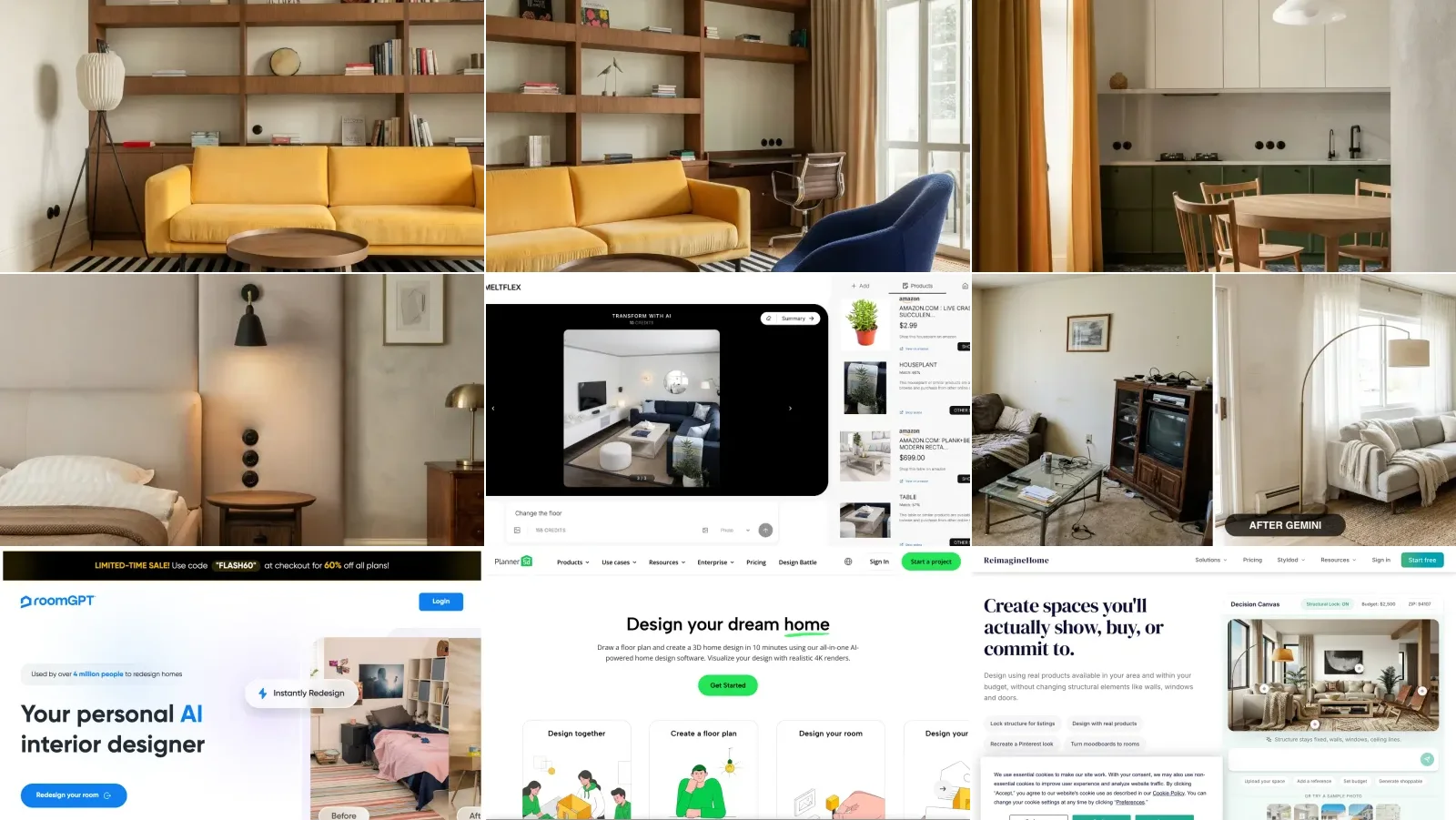
Most free tools answer "what could this room look like". MeltFlex answers "what will this room look like with these pieces in it". You upload a photo of your room, pick one of 25+ styles, and the redesign keeps your walls, windows and layout while it changes the things you would actually change. With furniture placement on, it puts real catalog products into the room at their real dimensions, and the Products panel lists each one with its price and a link to buy it.
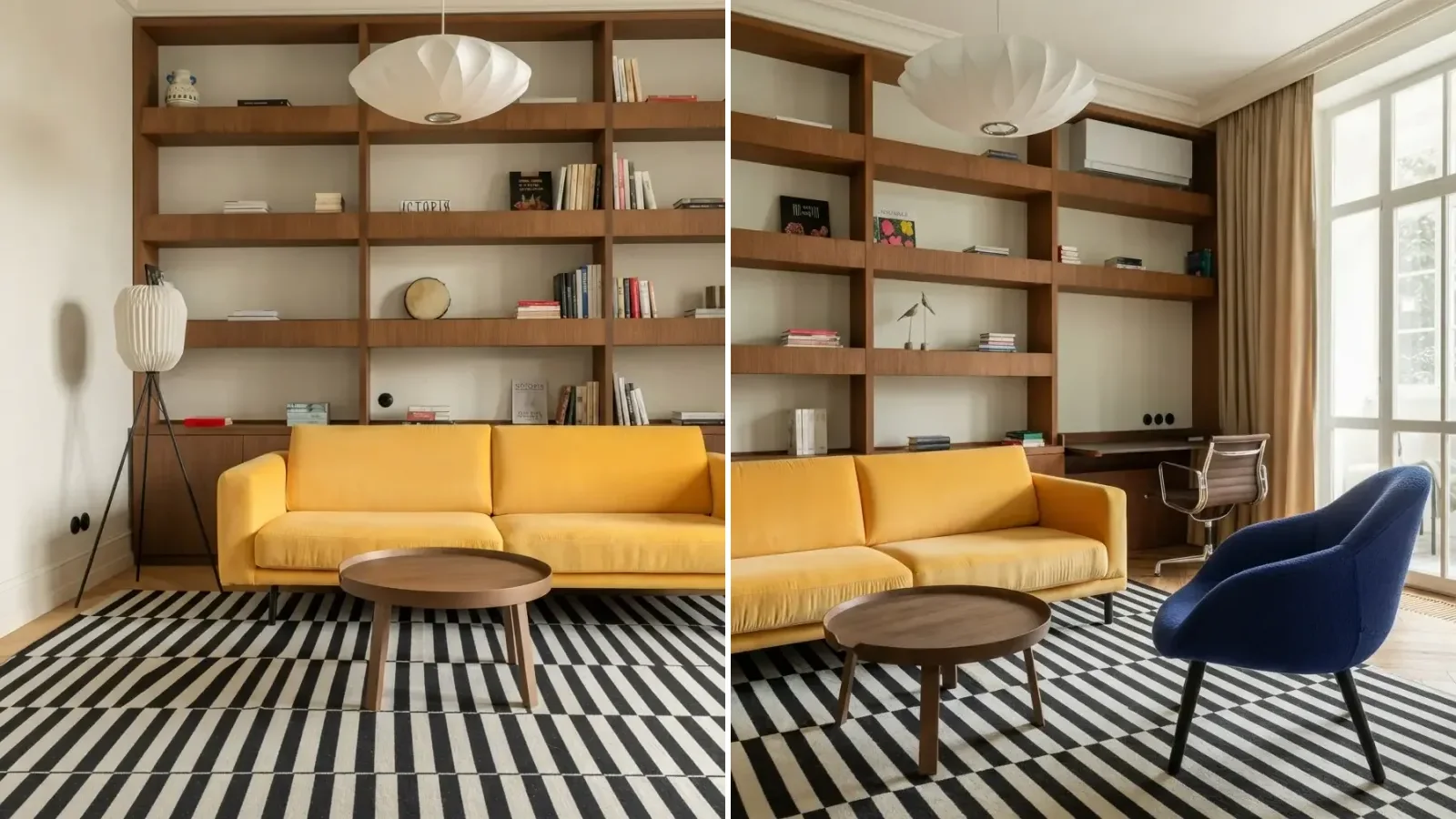
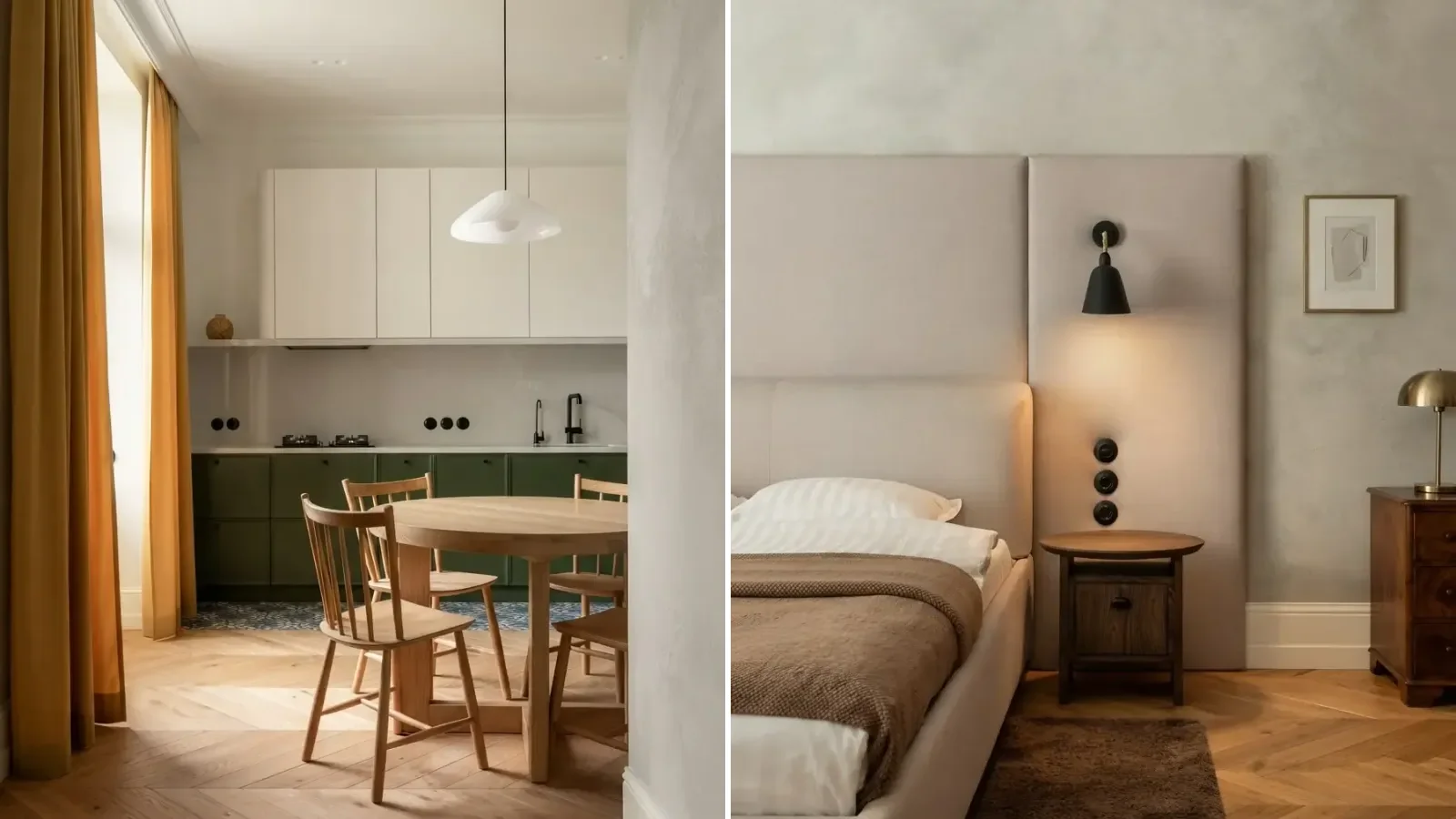
A real creation from our public gallery: “renovating an old parisian apartment with herringbone floors, mixing vintage pieces like a yellow sofa with a graphic striped rug.” One prompt, carried through the living room, kitchen and bedroom.
Here is exactly what free gets you, because this is our tool and precision matters more than flattery:
- No account: one full design on a computer. On a phone, the free flow asks you to sign in before the first result.
- At signup: 15 credits. A photo redesign costs 10, or 15 with real furniture placed in the room, so that is one more render.
- Catalog: the IKEA range on free; Wayfair, Amazon, Pottery Barn, Ashley, Walmart, West Elm and the other brands, 9 in all, on paid plans.
- Watermark: free renders carry a small meltflexai.com mark; every paid plan removes it.
- First paid step: Standard, €19 a month or €12 a month billed yearly, with 490 credits a month.
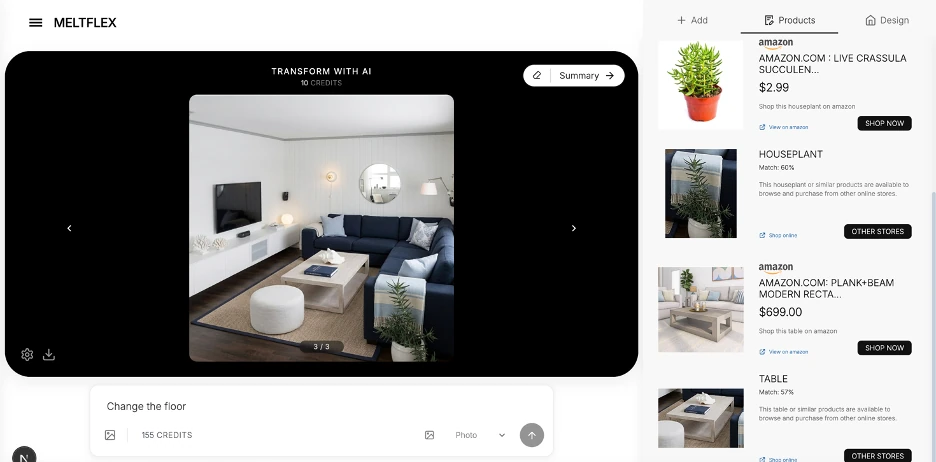
The workspace after a render: the Products panel lists what was placed, with prices and shop links.
Why it ranks first, even with a smaller free allowance than Spacely or Gemini: the free result is one you can act on. An invented sofa in a pretty render tells you nothing about whether a real sofa fits between your radiator and your door. The same free account also opens the rest of the toolkit, from the AI kitchen design tool and bathroom design tool to floor plan to 3D and virtual staging, so one set of credits covers the whole home rather than one room type.
The catch: the free tier is a taste, not a workflow. Fifteen credits is one render, free output is watermarked, and the multi-brand catalog needs a subscription. If you want forty free tries to explore styles, start with Spacely and come back when you are choosing furniture.
Redesign your room free with MeltFlex →
2. Spacely AI: Most Free Generations
Best for: exploring lots of styles before you commit to anything.
Spacely has the most generous free tier of the dedicated tools we checked: a free-forever plan with 40 trial credits, and its pricing page says the free output is watermark free. That makes it the best place to try ten styles on the same room without paying. Its subscription prices only load after you sign in, so we could not confirm them; top-up packs are 200 credits for $9 and require a subscription.
Pros: the largest free allowance, no watermark, a proper interior design interface rather than a chat box.
The catch: the furniture is generated, not real products, so a result tells you about style, not about what to buy or whether it fits.
3. Havenly AI: Free, With Shoppable Furniture
Best for: a free redesign that turns straight into a shopping list from one retailer’s curated catalog.
This is the biggest change since our last update. Havenly, the online design service, now offers a free AI redesign with "no subscription and no commitment", and says every piece in the result is real and connected to its designer-curated marketplace, so you can buy it in the app. It publishes no cap on free generations.
Pros: free, and the furniture exists. For anyone who wants to be told what to buy, that is a strong combination.
The catch: the catalog is Havenly’s marketplace, and the product nudges you toward its paid human designers ($199 a room online). If you want a specific retailer, or want to compare brands, MeltFlex’s catalog covers IKEA free and nine brands on paid.
4. Gemini and ChatGPT: Free, If You Write the Prompts
Best for: quick experiments and lots of variations, with no design tool to learn.
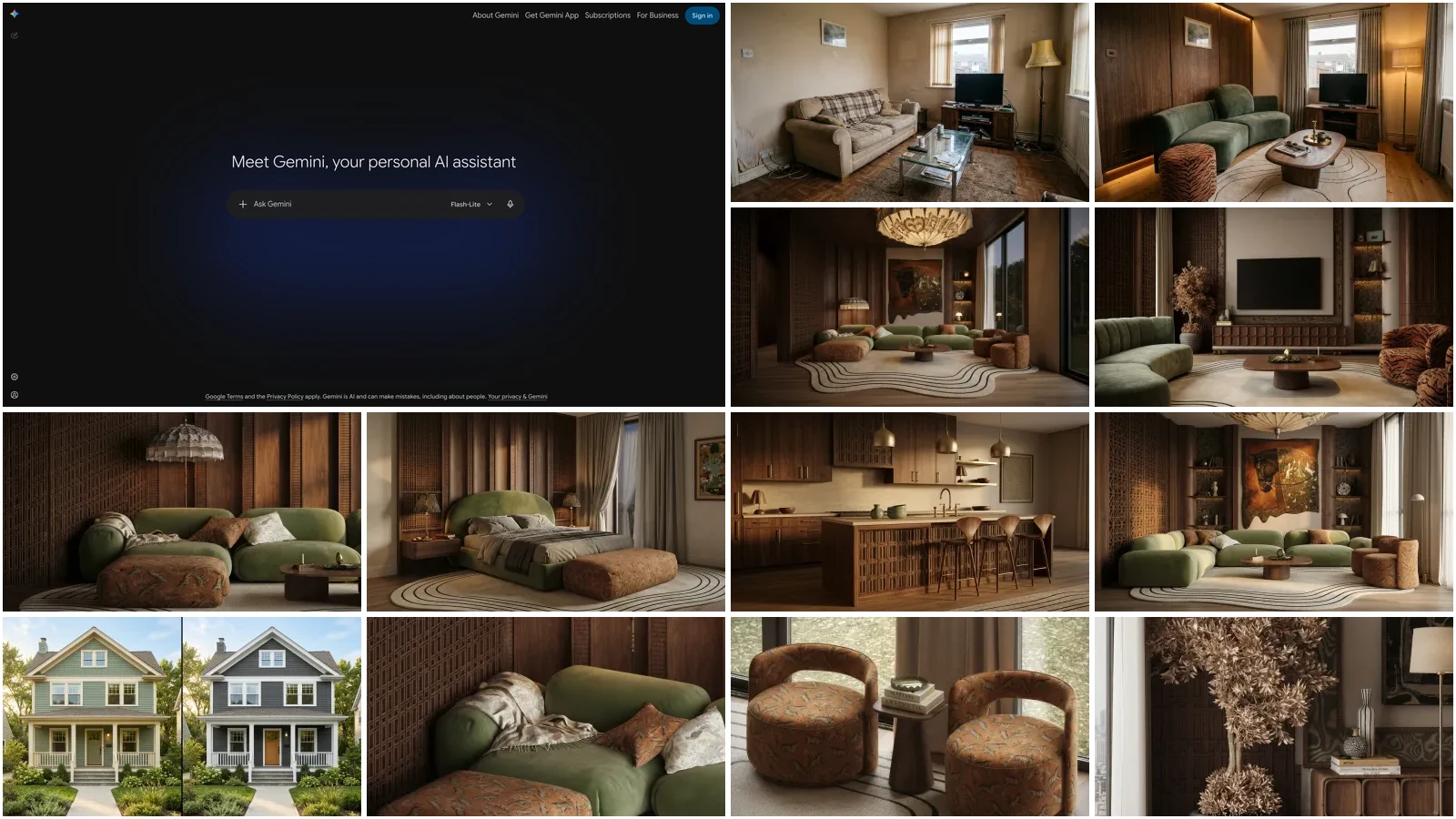
Both general AI models restyle a photo of your real room on a free account. Upload it, describe the change in plain language, and iterate in the conversation. Neither publishes a fixed daily number anymore: Gemini describes its free image limit as "standard" with paid plans at two to four times that, and OpenAI gives free ChatGPT users a small daily allowance. Gemini also puts a visible sparkle watermark on images made on free accounts.
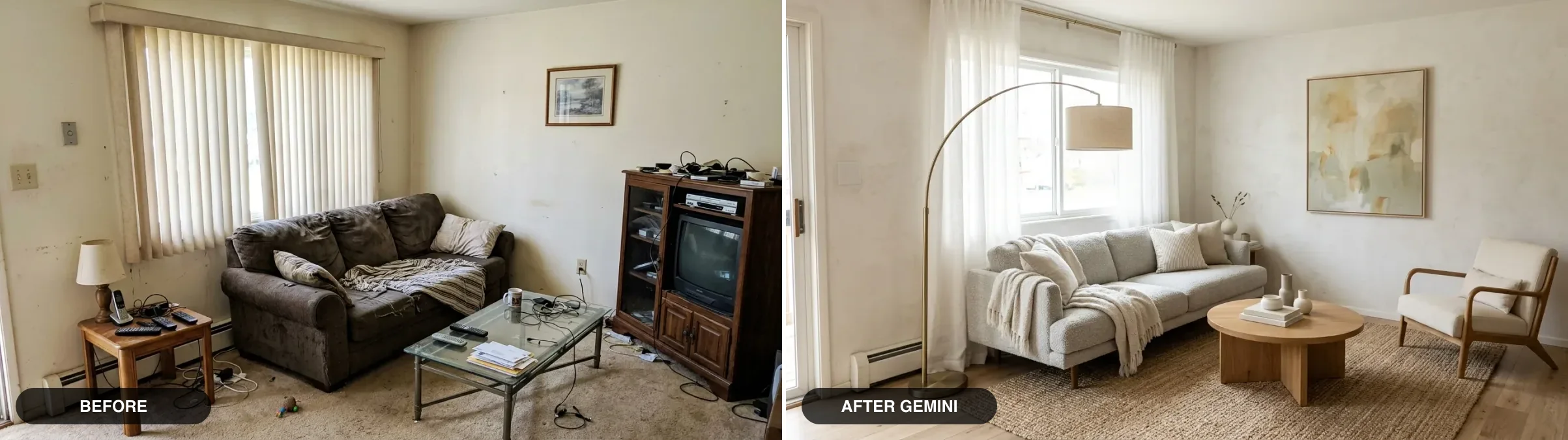
A real room restyled with Gemini from one photo and a text prompt. Strong output, but nothing in it is a real product.
In our experience Gemini holds the walls, windows and camera angle of your photo more reliably, while ChatGPT is stronger at planning the room in words and generating from a written brief. For either, the prompt does most of the work: our walkthroughs of designing a room with Gemini and designing a room with ChatGPT cover the wording, and we keep tested libraries of Gemini and ChatGPT interior design prompts.
The catch: you are the interface. No style buttons, no room presets, no furniture data. Sizes drift, windows sometimes move, and nothing in the image can be bought.
5. REimagineHome: Best Free Start for Virtual Staging
Best for: real estate agents staging listing photos.
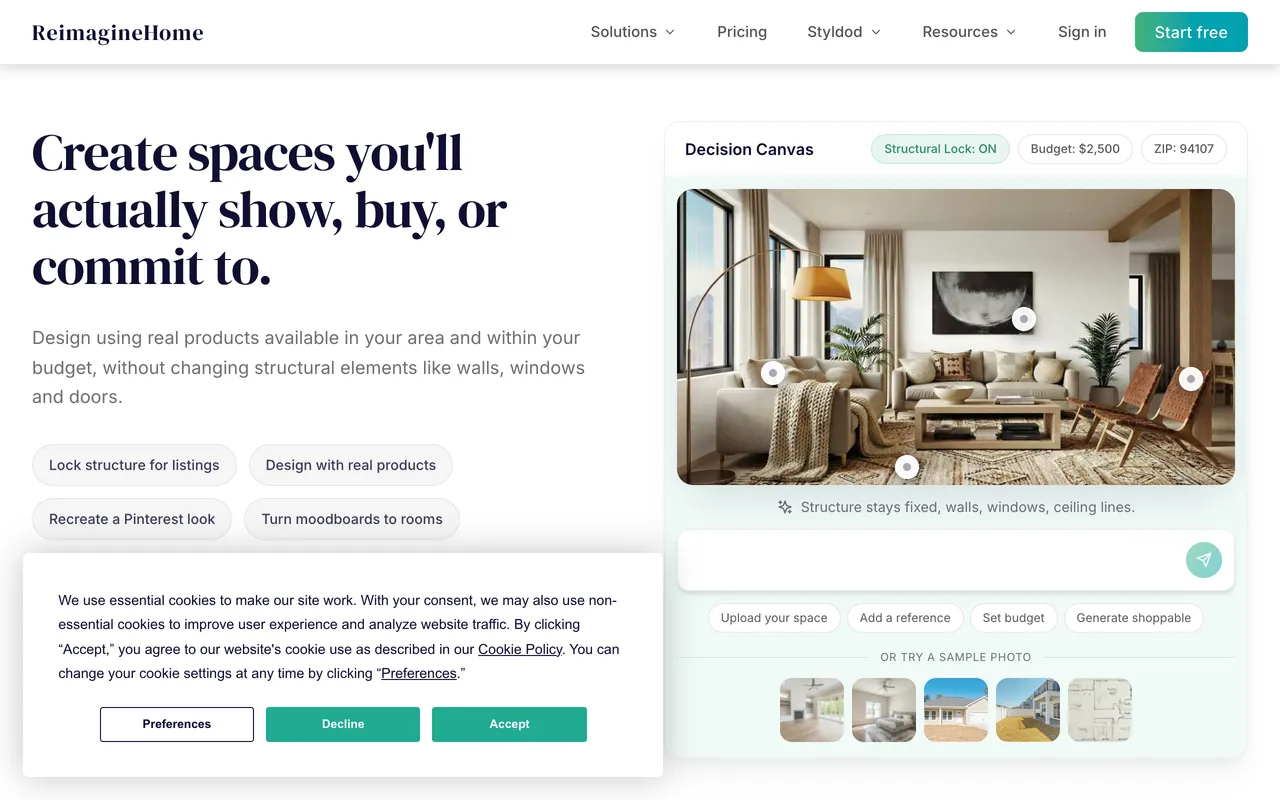
REimagineHome gives every new user 5 free designs at the same quality as its paid plans, with no card. It is built around staging: its canvas locks walls, windows and structure while restyling, which avoids the classic failure where the AI helpfully moves a doorway. The Essential plan is $19 for 30 credits and 20 a month after that; its real-product discovery starts on the $36 Pro plan, not on Essential. Before you publish a staged photo, check the virtual staging software comparison for the disclosure rules.
The catch: five designs go quickly, and it is built for listings, not for planning a room you will live in.
6. Home Design AI
Best for: trying interiors, exteriors and gardens in one place.
Home Design AI ranks near the top of Google for "best AI home design free". You get a free credit when you log in, although the site does not say how many, and paid plans start at $9.99 a month or $119 a year, with "no watermark downloads" listed as a paid feature. If exteriors are the job, compare it with our free AI exterior design tool and AI garden design tool.
The catch: an unpublished free allowance, and generated rather than real furniture.
7. Planner 5D: Best Free Floor Planner
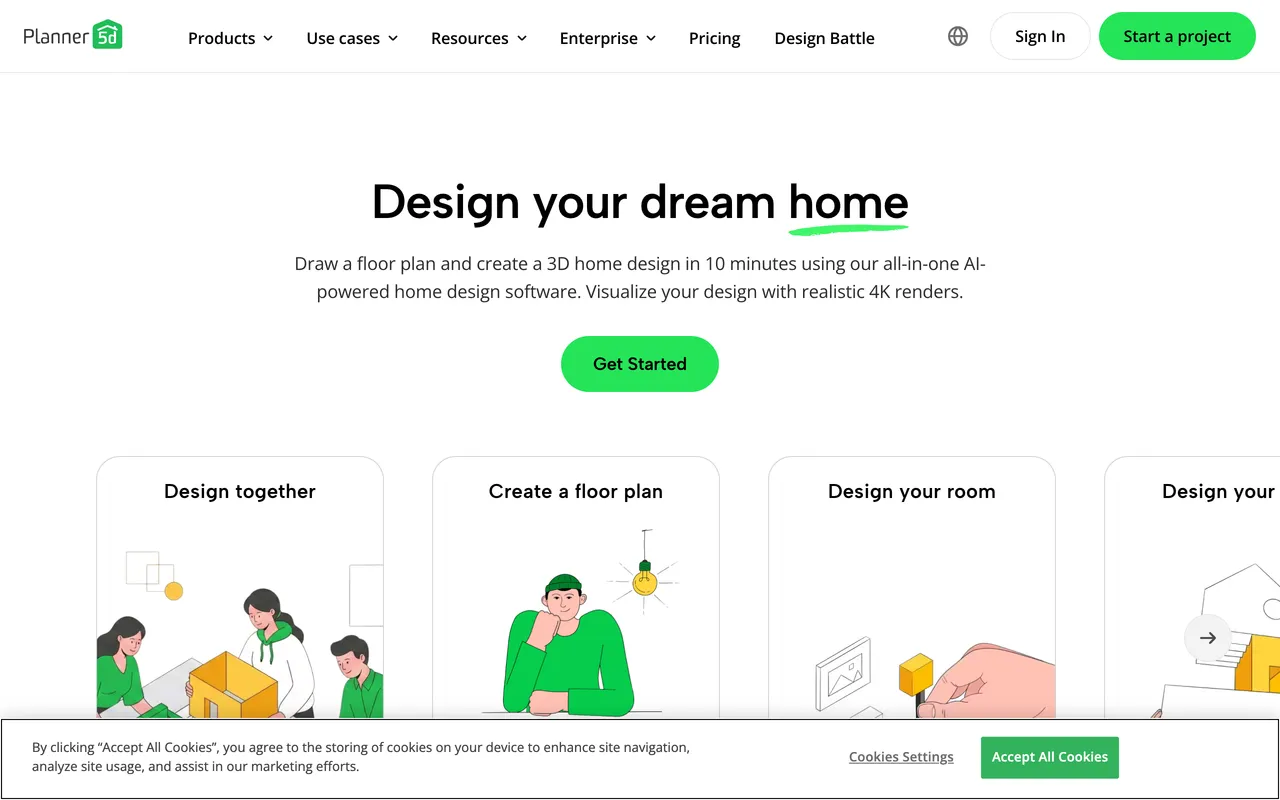
Best for: drawing a floor plan and placing furniture in 2D and 3D.
Planner 5D is a room planner, not an AI photo tool. The free plan gives unlimited projects and half the furniture catalog, which is genuinely useful. Everything AI is on Premium, listed at 19.99 a month or 59.99 a year, which now includes 100 AI credits a month for its AI Studio.
The catch: on free, your result is a clean 3D model rather than a photo, and there is a real learning curve. If you already have a plan drawn, our free floor plan to 3D tool turns it into a furnished 3D view in one step.
8. Canva: Best for Mood Boards
Best for: turning a concept into a presentable board, if you already use Canva.
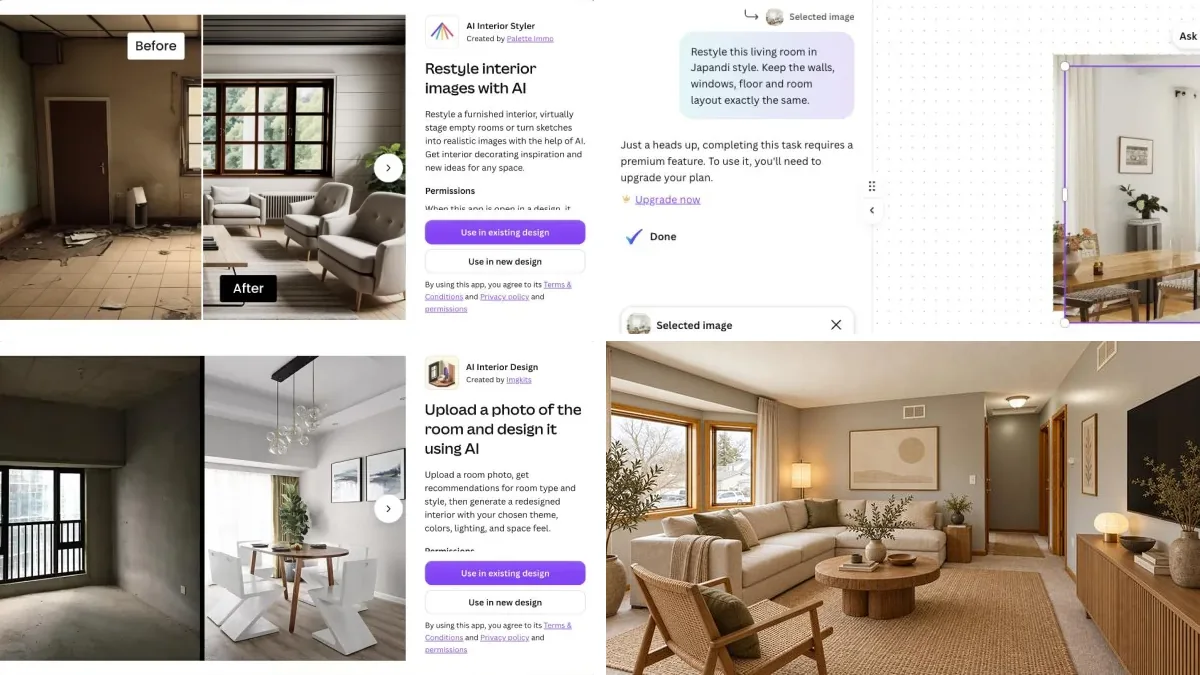
"Canva AI interior design" is really two things. Canva’s own image generator creates interior concepts from a prompt and drops them straight into the editor. Separately, apps inside Canva’s marketplace restyle an uploaded room photo, and they are not Canva’s: AI Interior Styler is made by Palette Immo, and it needs its own credits whatever Canva plan you are on. Canva blocked our check this month, so we could not re-confirm the free allowance; our Canva AI interior design walkthrough has the screenshots from our hands-on test.
The catch: stylized rather than measured, and the photo-restyling part is a third-party app with its own paywall. Canva’s real strength is what comes after: our guide to building an interior design mood board shows how to use it.
9. HomeDesigns.ai
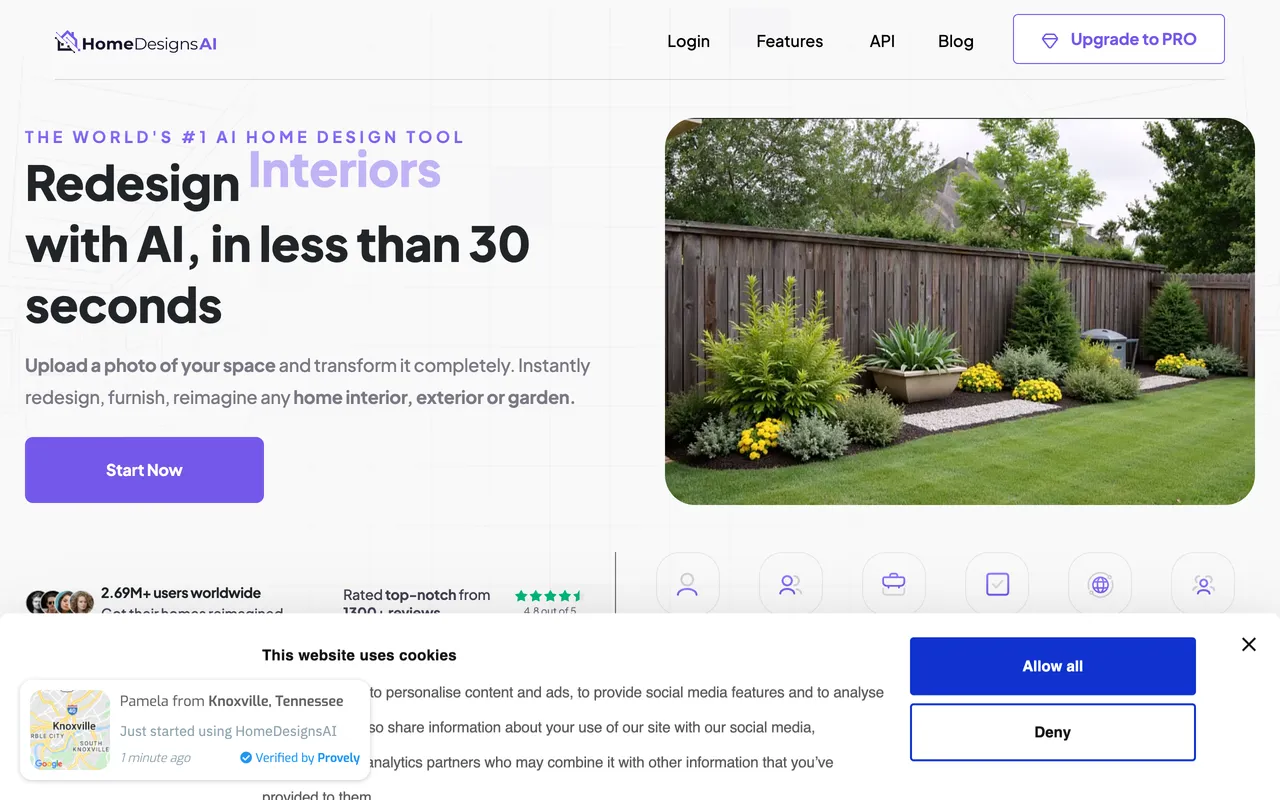
HomeDesigns.ai covers rooms, gardens and facades and claims shoppable furniture. On paper the free tier refreshes, with 3 new credits every 24 hours once you run out. In practice its own flow shows "Your redesign is ready! Pick a plan to see your result", which is a paywall wearing a free label. Paid starts at $22 a month, or $9 a month billed yearly.
10. RoomGPT

RoomGPT went viral in 2023 as the original upload-a-photo, pick-a-style tool, and it still ranks for "free AI interior design". It no longer earns that ranking. The free allowance and prices are hidden until you log in, its pricing page returned an error when we checked, and the site runs a permanent 60% off banner. When Spacely gives 40 free credits and REimagineHome gives 5 designs up front, a tool that will not tell you what free means is not a free tool.
Not Free Anymore
Two tools that still appear in "free AI interior design" lists have no real free tier today:
- DecorAI (decorai.io): a one-day trial with 3 designs, and the trial asks for a card. After that it is $24 a month. Several different apps use the DecorAI name, so check the domain before you trust a review.
- Interior AI (interiorai.com): no free tier at all. Pro is $49 a month, or $29 a month billed yearly.
Which Free AI Interior Design Tool Should You Use?
- You are about to buy furniture for a real room: MeltFlex. Your room, real products, real sizes.
- You want to try as many styles as possible for free: Spacely AI, then bring the winner to MeltFlex to furnish it.
- You want someone to tell you what to buy, free: Havenly.
- You like writing prompts: Gemini for editing your photo, ChatGPT for planning in words.
- You are staging a listing: REimagineHome, or MeltFlex’s virtual staging tool for real furniture.
- You are drawing a floor plan: Planner 5D.
- You are building a client board: Canva.
The pattern to take away: free tools are good at showing a direction and weak at telling you what to buy. Use the generous ones to decide on a style, and a catalog-based one to decide on the pieces. If you would rather know what the pieces add up to first, see what it costs to furnish a house.
Free With No Account: What You Can Finish for $0
Every free tier above runs out. These do not, because most of them are planning tools rather than image generators, so they cost almost nothing to run. They are ours, so treat the list with that in mind, but every line in it is something you can check without signing up.
The honest limit: only the first two are AI image tools, and both stop after one result. The calculators are free for good because they do arithmetic, not rendering. Used together they cover the part of a room project that free AI renderers skip, which is whether the things you like will fit.
Frequently Asked Questions
Is there a free AI tool for home interior design?
Yes, several, but every one of them has a limit. On 29 September 2026: MeltFlex gives one design without an account on a computer plus 15 credits at signup, Spacely AI gives 40 trial credits with no watermark, REimagineHome gives 5 free designs with no card, Havenly's AI redesign is free, and Planner 5D lets you draw unlimited floor plans for free. Gemini and ChatGPT also restyle room photos on free accounts, with daily limits their makers no longer publish as a fixed number.
Which app is best for interior design for free?
For redesigning a real room you plan to furnish, MeltFlex: it keeps the room from your photo and places real furniture at true scale, from the IKEA catalog on the free tier. For the most free generations, Spacely AI (40 credits, no watermark). For a free redesign where the furniture is shoppable, Havenly. For drawing a floor plan, Planner 5D. For listing photos, REimagineHome.
Which AI is 100% free?
None without limits. The general models come closest: Gemini and ChatGPT both generate room images on a free account, but both cap how many you get per day, and Gemini puts a visible sparkle watermark on free images. Every dedicated interior design tool runs on credits or a trial, and two we checked (DecorAI and Interior AI) have no free tier at all without a card.
Is Gemini or ChatGPT better for interior design?
For restyling a photo of your own room, Gemini is usually better: it keeps the walls, windows and camera angle of the photo more reliably and edits in conversation. ChatGPT is good for planning, lists and describing a style, and its images work well from a written brief. Neither knows real products or dimensions, so neither can tell you whether a sofa fits or what it costs.
Is RoomGPT free to use?
Not in any useful way anymore. RoomGPT does not show its free allowance or prices until you log in, its pricing page returned an error when we checked, and the site runs a permanent 60% off banner. It was the default free answer in 2023; in 2026 Spacely, REimagineHome and MeltFlex all give you more before paying.
Can ChatGPT decorate a room?
It can suggest a layout, a palette and a shopping list, and on a free account it can generate a few images of a restyled room per day. What it cannot do is keep your exact room: furniture sizes drift, windows move, and nothing in the image is a product you can buy. Use it to find a direction, then a dedicated tool to see that direction in your actual room.
Do free AI interior design tools require a credit card?
Most do not. MeltFlex, REimagineHome, Spacely, Planner 5D and Havenly all start without a card. DecorAI's one-day trial asks for a card, and Interior AI has no free tier, so a card is the only way in.
Which free AI design tools add watermarks?
MeltFlex watermarks free renders with meltflexai.com (removed on every paid plan), and Gemini adds a visible sparkle to images on free and Google AI Pro accounts. Spacely says its free output is watermark free, and DecorAI's three trial designs are not watermarked either. Paid tiers of REimagineHome, Home Design AI and HomeDesigns.ai list "no watermark" as a paid feature.
Can I use free AI tools for virtual staging?
Yes. REimagineHome gives 5 free designs and is built for listings. MeltFlex's virtual staging tool furnishes an empty room with real catalog furniture on the same free credits. Check your listing site's disclosure rules before publishing a staged photo, and never use a staged image to hide a defect.
How accurate are free AI interior design tools?
The room is usually right and the furniture usually is not. Pure image generators (Gemini, ChatGPT, RoomGPT, Canva) invent the furniture, so sizes drift and nothing can be bought. Tools built on real catalogs show furniture that exists: MeltFlex places each product at its real dimensions, and Havenly links every piece to its marketplace. For anything you are about to spend money on, use a tool that knows the product and its size.
Which interior design tools are completely free with no sign up?
Few AI renderers are, because every image costs the vendor money. What is genuinely free without an account are the planning tools: a paint color finder that reads a color from your photo and matches it to real paints, a rug size calculator, and a furniture fit calculator that checks whether a sofa gets through your door. On the AI side, MeltFlex gives one full room redesign and one floor plan without an account on a computer, and Gemini and ChatGPT need a free account.
Start Designing for Free
Upload a photo of your room to MeltFlex and see it redesigned with real furniture at real size, with no card and no design experience. The first design needs no account on a computer. Once you know which room you want, compare the full field in our best AI interior design tools compared, including the paid options.



)