Interior AI Alternatives: 6 Cheaper (and Free) AI Interior Design Tools for 2026


Interior AI, the tool from Pieter Levels that helped kick off the whole AI interior design space, still produces genuinely good renders. But it has one thing standing between it and a lot of would-be users: no free tier. The cheapest plan is around 29 dollars a month, it is web only, and it covers fewer tools than some newer options. If that is what sent you looking, this is the honest shortlist. If price is the whole question, we also checked what each tool gives for $0 in 11 free AI interior design tools.
Our articles are still written by humans!
Get human written articles in your Google feed.
Below are six Interior AI alternatives worth trying in 2026, compared on the things that actually decide it: whether there is a free way in, what it costs, and whether it does more than just generate a pretty picture. We build one of these tools, so we will be upfront about where it wins and where it does not.
Quick answer: the best Interior AI alternative for most people is MeltFlex, because it is free to start and it places real, shoppable furniture at true scale in your actual room, not just a styled image. Remodel AI is the strongest free-tier all-rounder, and RoomGPT is the cheapest paid option. Interior AI itself still leads on sketch-to-render if that one feature is your priority.
FreeUpload photo · freeRedesign my room for freeUpload a photo and let MeltFlex design your space. Your first AI design is free, no card needed.


Why People Look for an Interior AI Alternative
Interior AI is not a bad tool. The reasons people move on are specific and practical:

- No free tier, and no trial. You pay before you generate a single design. Most alternatives let you try at least one design free.
- The cheap tier is the weak tier. Pro is 49 dollars a month (349 a year, about 29 a month), but Interior AI labels that tier "low quality". The genuinely realistic renders, virtual staging and 3D walkthrough videos only unlock on Premium (99 dollars) and Ultra (199 dollars).
- It reinvents your room. Only its specific 3D Vision mode tries to keep your real walls and windows; the default modes often generate a different room entirely, a recurring complaint in reviews.
- It stops at the image. There is no real-furniture layer, just a Google Lens link to search for lookalikes. No prices, no buy list, nothing placed to true scale.
- No floor plans, web only. No 2D-to-3D floor plan tool, and no dedicated app.
None of that makes Interior AI a bad tool, it is fast, broad, and great for bulk style exploration. It just means that for a lot of people, especially anyone who wants to test before paying, keep their actual room, or buy the furniture, there is a better fit.
The Best Interior AI Alternatives, Compared
Here is the shortlist at a glance, then a note on each. Prices are 2026 figures and change often, so check each site before you commit.
Prices are 2026 figures pulled from each tool's own pricing page and change often, so confirm before you buy. Two things stand out in that table. First, Interior AI is the only tool here with no free way in at all. Second, only three tools place real, buyable furniture in your room, MeltFlex, ReimagineHome and Collov, and only MeltFlex pairs that with floor-plan-to-3D and true-to-scale placement. The rest give you a styled picture, which is fine for inspiration but not for actually furnishing a room.
1. MeltFlex, the Free-to-Start Pick With the Full Pipeline
We will be straight about the bias: MeltFlex is ours, so weigh this section accordingly. It earns the top spot for one specific reason: it is the only tool here that runs the whole job in one place and is free to start. Upload a floor plan and it becomes an interactive 3D model. Upload a room photo and it redesigns the space while keeping your real walls, windows and proportions. And every piece it places is a real product from IKEA, Amazon, Wayfair, Pottery Barn and Ashley, shown at true scale with live prices and links to buy.
To be fair, MeltFlex is not the only tool that places real furniture, ReimagineHome and Collov do too, and we cover them below. What none of them do is combine floor-plan-to-3D, a room-accurate photo redesign, to-scale shoppable furniture and a video walkthrough in a single free-to-start tool. That pipeline is the difference.
Upload a photo of a room, empty or dated, pick a style, and you get a photorealistic redesign that keeps your real walls, windows and proportions:
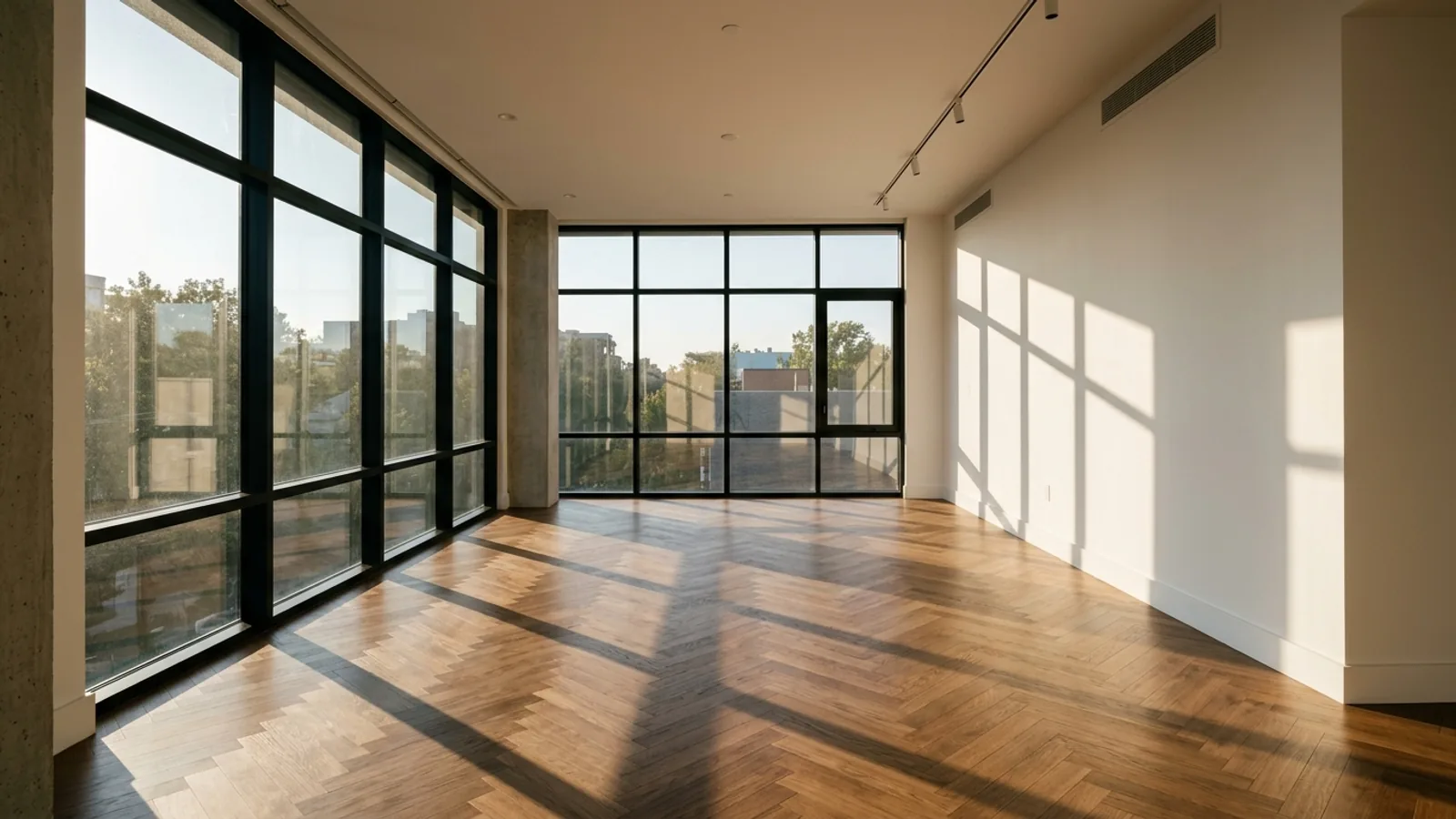
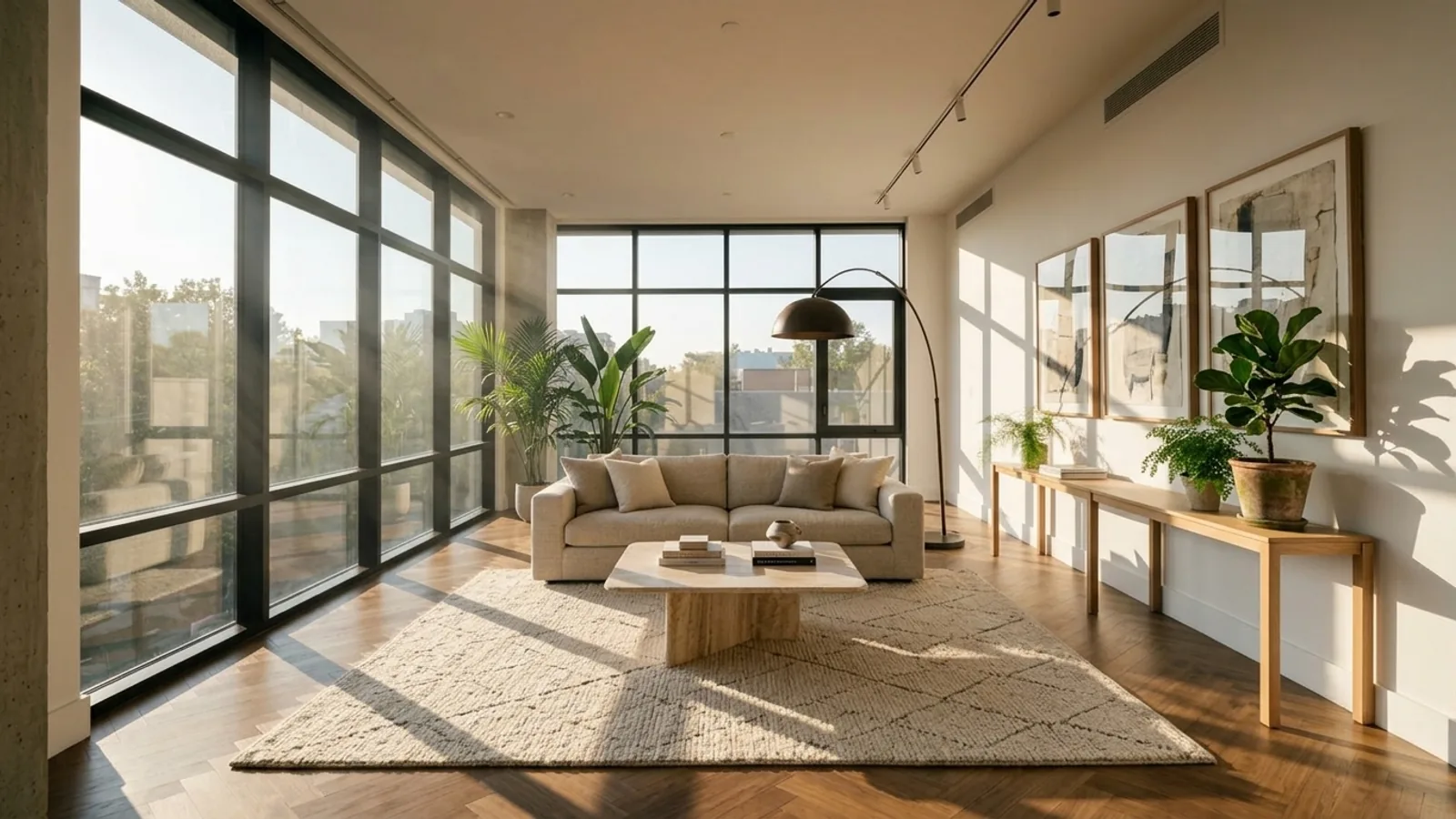
A MeltFlex redesign, a real room furnished with shoppable pieces placed to scale. This is the output Interior AI does not give you: not just an image, but furniture you can price and buy.
The honest catch: MeltFlex does not do sketch-to-render. If turning a hand-drawn sketch into a photoreal render is your one must-have, Interior AI or DecorAI still win there. It is also a newer, smaller brand than Interior AI, and for pure high-volume real-estate staging Interior AI's 5,000-to-25,000-designs-a-month tiers are built for scale in a way MeltFlex is not. For everyone else, especially anyone who wants to try it free and actually buy what they design, MeltFlex is the stronger everyday tool. Try a free redesign here.
2. ReimagineHome, the Most Photorealistic (and Also Shoppable)
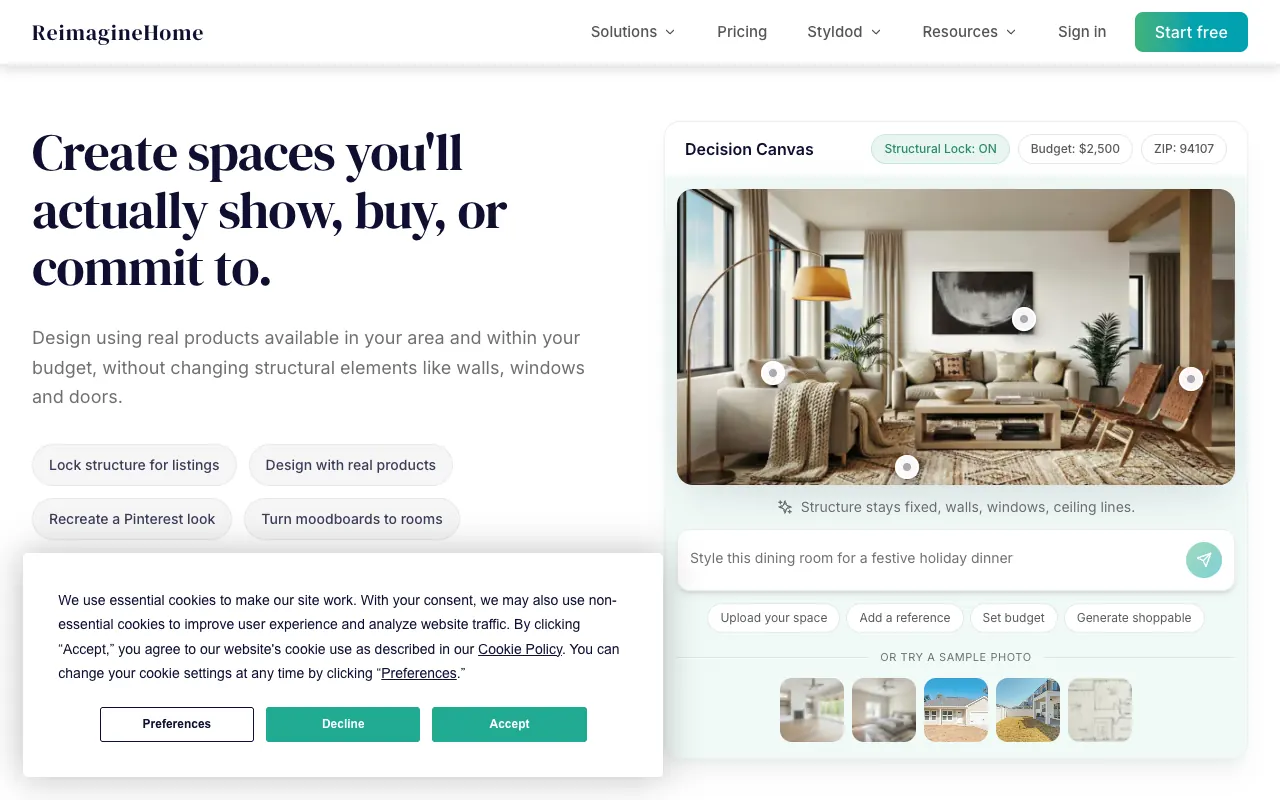
If output realism is what you want, ReimagineHome (by Styldod) is the one to beat. Reviewers repeatedly rate it the most photorealistic staging in the category with the least effort, and it was named best overall AI virtual staging for 2026 by HousingWire. Like MeltFlex, it has a real shopping layer: it surfaces actual products from IKEA, West Elm, Target and Wayfair with a budget filter. It is also the cleanest credit economics here, chat and idea exploration cost zero credits, so you only pay for renders you keep.
Free tier is 5 designs at full quality with no card, then plans run from 14 dollars a month (Essential) up to 99 (Agency), with the useful conversational and real-product features on the 49-dollar Pro tier. The honest catch: it is staging-image focused, no floor-plan-to-3D and no native video or 360 tours, and it can still misplace or warp furniture, so it needs a review pass. It is the closest real rival to MeltFlex on the shopping side, and genuinely better on raw render realism today.
3. Remodel AI, the Best Free-Tier All-Rounder

Remodel AI is the closest like-for-like swap for Interior AI as a pure redesigner, and it has the broadest toolset here: 8 tools including interior, exterior, landscape, virtual staging, object removal, wall paint, floor replacement and furniture swap, across 30-plus styles. It runs on a current-generation Flux model, it is on iOS, Android and web, and the free tier gives you 3 designs with no card. Paid plans are Pro 29 dollars a month, Premium 49, Ultra 99. The honest catch: no shopping layer (you get an image, not a buy list), no floor plans and no video, and the brand is heavily self-promotional with 4-plus near-identical copycat domains, so double-check you are on remodelai.io. As a straight redesigner with a genuine free way in, it is excellent.
4. Spacely AI, the Pick for Architects and CAD Users
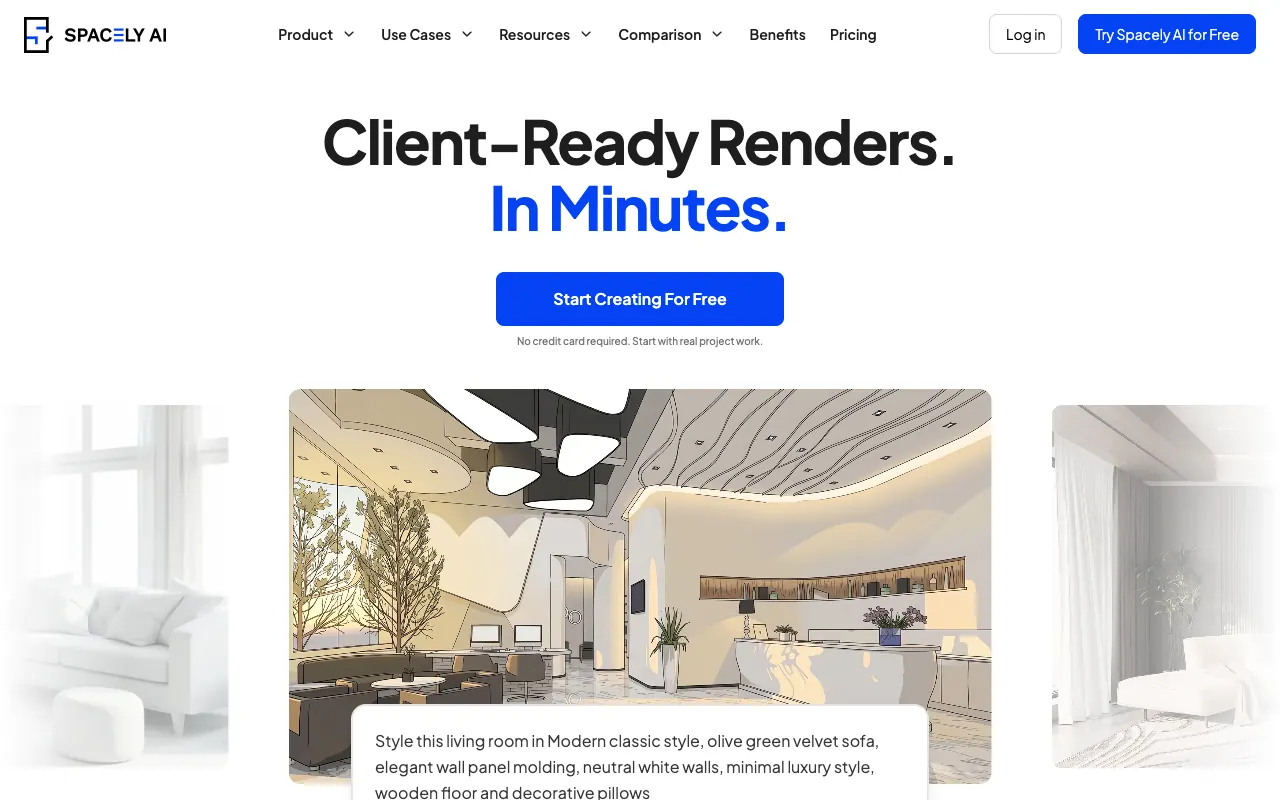
Spacely AI is the tool for professionals already working in 3D software. It plugs into SketchUp, Revit, AutoCAD and Rhino, renders straight from a viewport, and gives you granular Point-and-Edit control over individual walls, floors and objects, with 4K output and a commercial license even on the free tier (40 trial credits). Paid from 20 dollars a month (Personal) to 80 (Agency), credit-based, with an API on the mid tiers. The honest catch: it is narrow, interior rendering for designers and architects, not bulk real-estate staging, and it lacks fine masking tools for truly precise architectural work. If you live in SketchUp or Revit, though, nothing else here fits your pipeline as well.
5. Collov AI, for High-Volume Real-Estate Staging

Collov is built for real-estate marketing at volume. It bundles what rivals sell separately: AI virtual staging, 360-degree panorama tours, short video walkthroughs, and twilight, sky and lawn edits for listing photos, at roughly 7 dollars a room versus hundreds for traditional staging. It also has a real-product shopping integration and an API for brokerages. Free trial is small and watermarked; paid from 19 dollars a month (Standard) to 127 (Enterprise), with the tours and video on the 79-dollar Premium tier. The honest catch: it is optimized for listing media, not design precision, so it is weaker for iterating a considered interior, and reviewers note slightly dim exterior-light realism. For an agent staging a lot of listings, it is one of the best-value picks here.
6. RoomGPT, the Simplest and Cheapest

RoomGPT is the fastest, simplest one-click restyle, and it is open source, so developers can self-host or fork it. It is built on Stable Diffusion with ControlNet, which keeps your room's basic geometry, and it has a big, trusted brand behind it. Pricing is credit-based, roughly 9 dollars for 30 credits, with a stingy 1 free credit on sign-up. The honest catch: it is a one-trick tool with no edit or iterate mode (dislike a result and you burn another credit), the model is dated versus 2026 Flux-based tools, layouts sometimes hallucinate (furniture in impossible spots), and pricing is hidden behind login. Fine for a quick, low-stakes mockup; not for a design you plan to build. We keep a fuller RoomGPT alternatives guide too.
7. InstantInterior, DecorAI and GenRoom

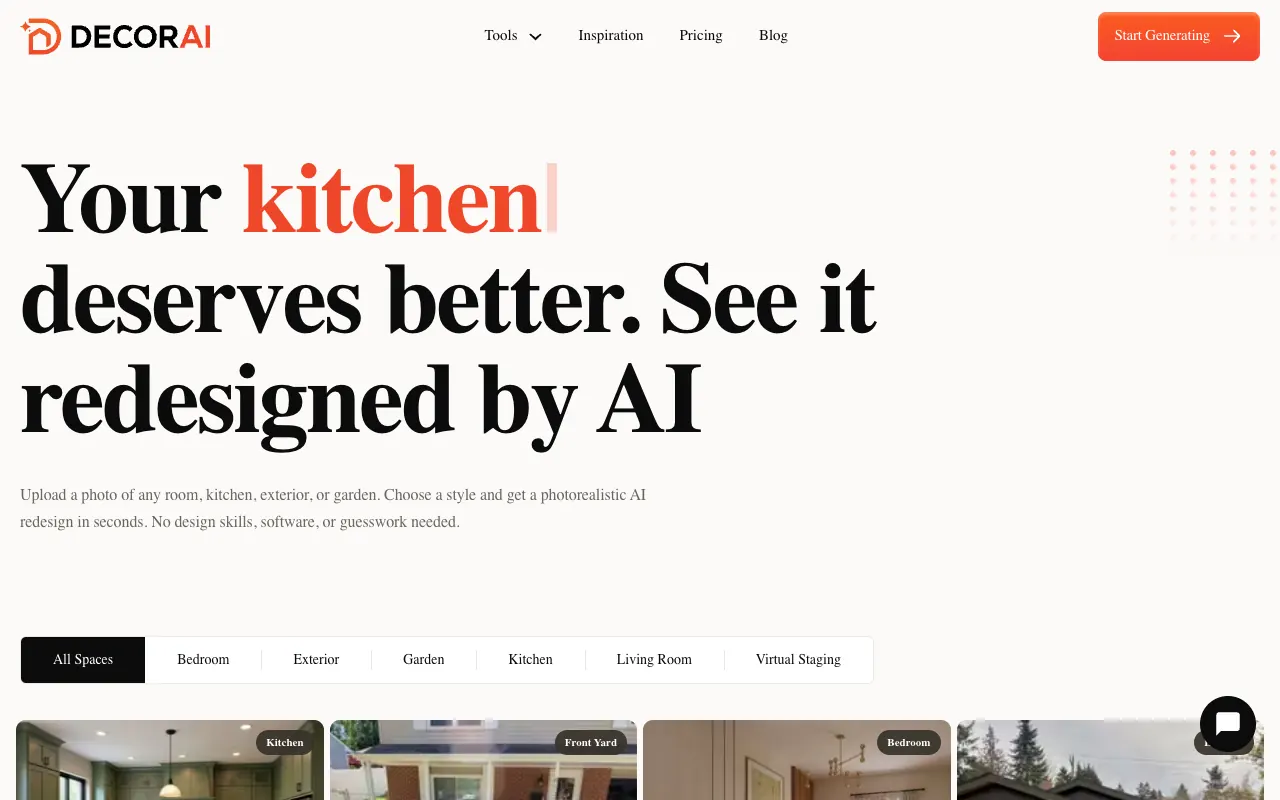
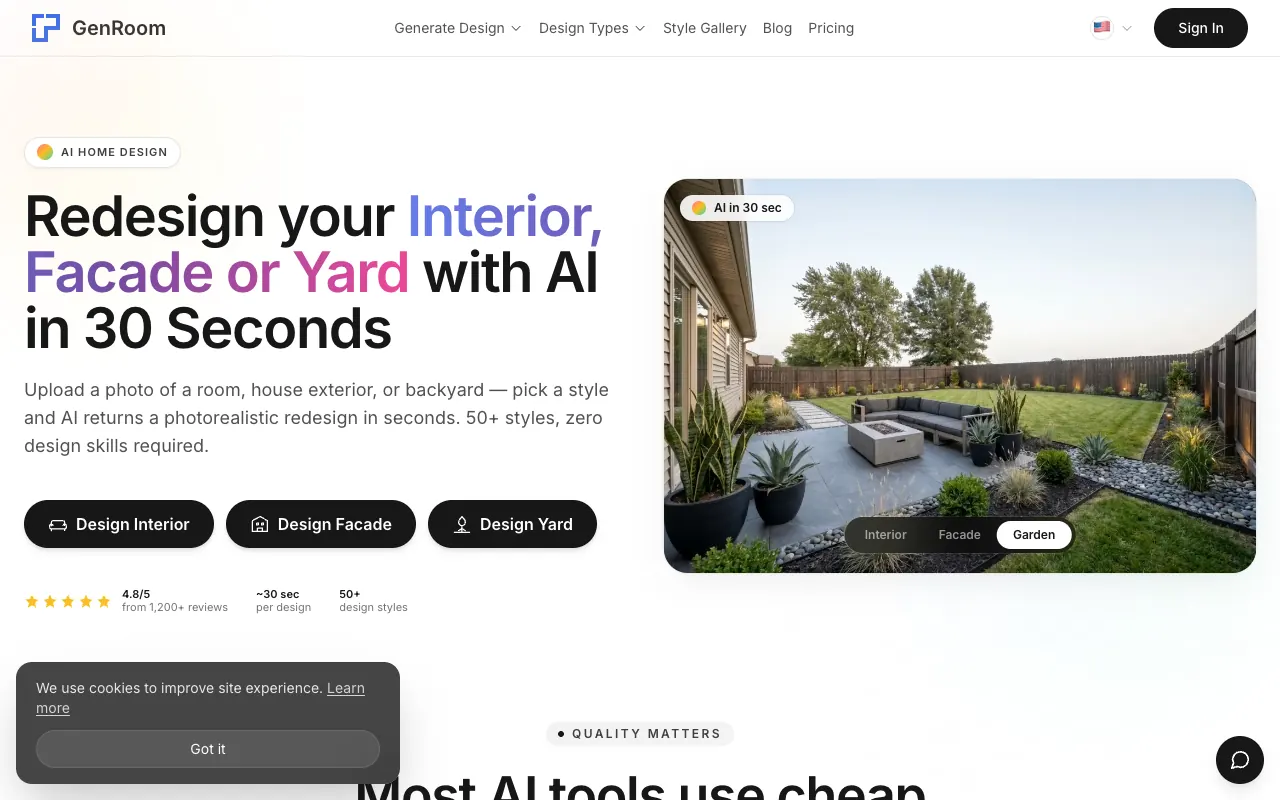
Three more worth knowing, each with a specific angle. InstantInterior is the cheapest per render at volume (from 27 dollars a month monthly, about 13.50 billed annually, up to 4K), aimed at high-volume staging, though independent reviews are thin and mixed. DecorAI (decorai.io, from 24 dollars a month after a 7-day trial) has the best partial-edit tools here: a real brush-based inpaint to redesign just one area, plus video, floor-plan-to-3D and sketch-to-render, so it is the most capable pure editor on this list. One warning: "DecorAI" is a crowded name with several unrelated look-alike apps, so make sure you are on decorai.io. GenRoom is the cheapest one-off, from 9.99 dollars for a credit pack with 6 free credits, no subscription. Note that its marketing headline of "unlimited generations for 9.90 a month" is not real, its own pricing page sells one-time credit packs only, so budget for credits, not unlimited use. None of the three has a real-furniture shopping layer.
Interior AI vs MeltFlex, Side by Side
Since this is the swap most people are weighing, here is the direct comparison:
Which Interior AI Alternative Should You Pick?
The right choice depends entirely on the one thing you care about most. Match yourself to a row:
- You want to try before paying: MeltFlex, ReimagineHome or Remodel AI, all give you free designs with no credit card.
- You want to actually buy the furniture: MeltFlex (to scale, with the full pipeline) or ReimagineHome (named retailers, budget filter).
- You want the most photorealistic render: ReimagineHome, with MeltFlex close behind.
- You are a real-estate agent staging lots of listings: Collov AI (cheap volume plus 360 tours and video) or Interior AI (5,000-plus designs a month on its higher tiers).
- You are an architect or designer in SketchUp / Revit: Spacely AI, nothing else here fits a CAD pipeline as well.
- You want the cheapest option: RoomGPT or GenRoom's one-off credit packs, accepting more basic output.
- You need sketch-to-render or brush-level edits: Interior AI or DecorAI.
- You want the whole job, floor plan to 3D to a furnished, buyable room to a walkthrough, in one free-to-start tool: MeltFlex.
How to Switch From Interior AI
Switching takes a minute. Take the same room photo you would feed Interior AI, open the MeltFlex redesign tool, upload it, and pick a style. You will get a photorealistic redesign of your real room, and this time the furniture in it is real and shoppable. If you want the full comparison landscape first, we tested and ranked the whole field in our guide to the best AI interior design tools.
The bottom line: Interior AI is a good tool that made a lot of people care about AI interior design in the first place. But if a free way in or actually buying the furniture matters to you, one of the alternatives above, MeltFlex included, will fit better. Start with a free redesign and decide with your own room in front of you.



%20AI%20Interior%20Design%20Tools%20for%202026)