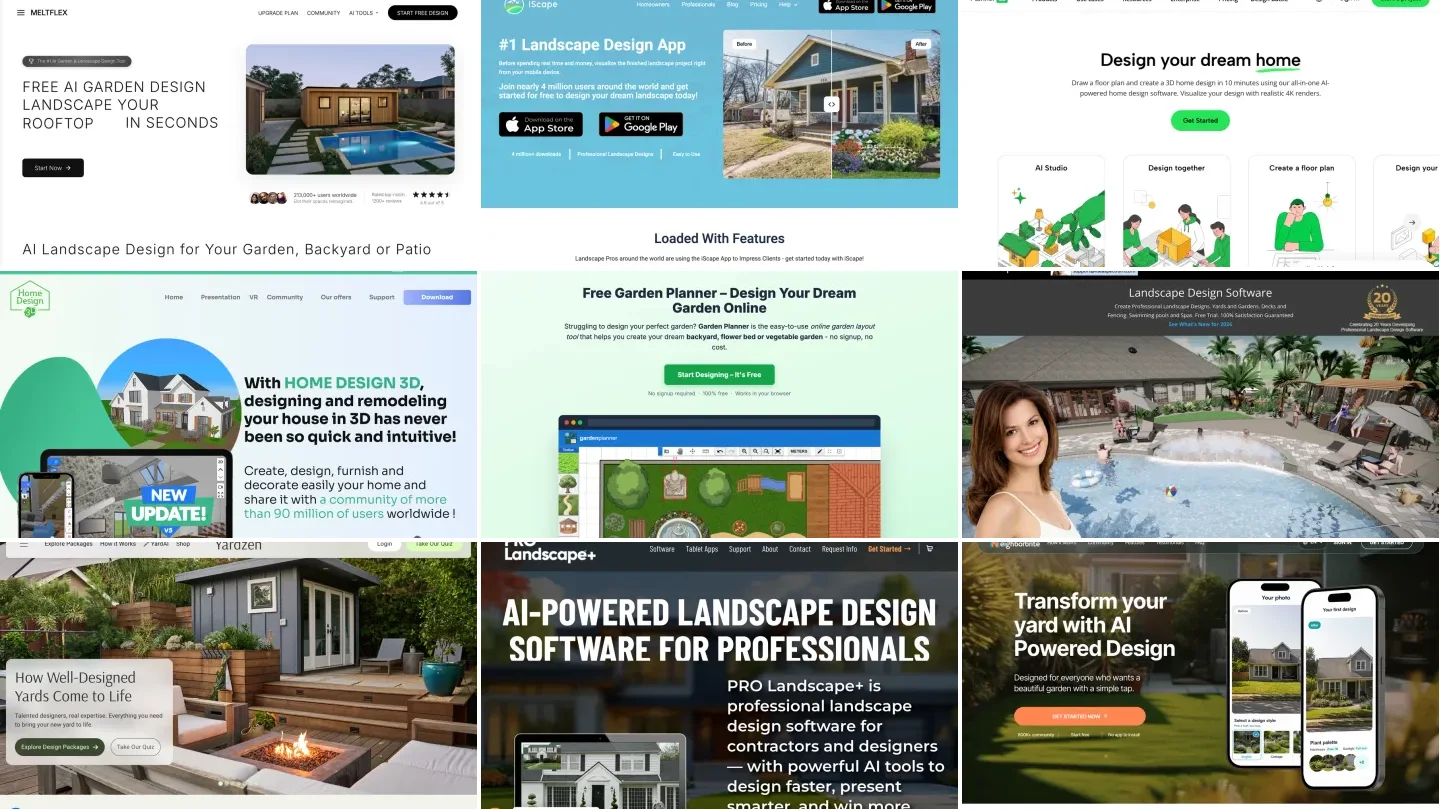
The best landscape design app depends on what you want to hold at the end. If it is a picture of your own yard redesigned, use iScape on iPhone or iPad, PRO Landscape Home on a tablet, or an AI tool such as MeltFlex from any browser. If it is a measured layout you can build from, use Planner 5D or Homestyler on any device, or Realtime Landscaping on a Windows PC. If it is a planting plan with no account and no cost, Garden Planner runs free in the browser. We compared twelve apps and tools on price, platform, free tier and whether they work from a photo, with every price read off the vendor's own page on 5 September 2026 and captured in the screenshots below. One of the twelve changed business entirely while we were writing this, which is a reminder of why the dates matter.
Our articles are still written by humans!
Get human written articles in your Google feed.
The short answer: which app for which job
Two things the table hides. First, "landscape design app" means two different products that people search for with one phrase: apps that decorate a photo and apps that draw a plan. Most disappointment with these tools comes from buying one when you needed the other, so the rest of this page is organised around that split. Second, every free tier here is free for looking and paid for exporting. If you need a PDF for a contractor, budget for one month of a paid plan, or read the Yardzen section.
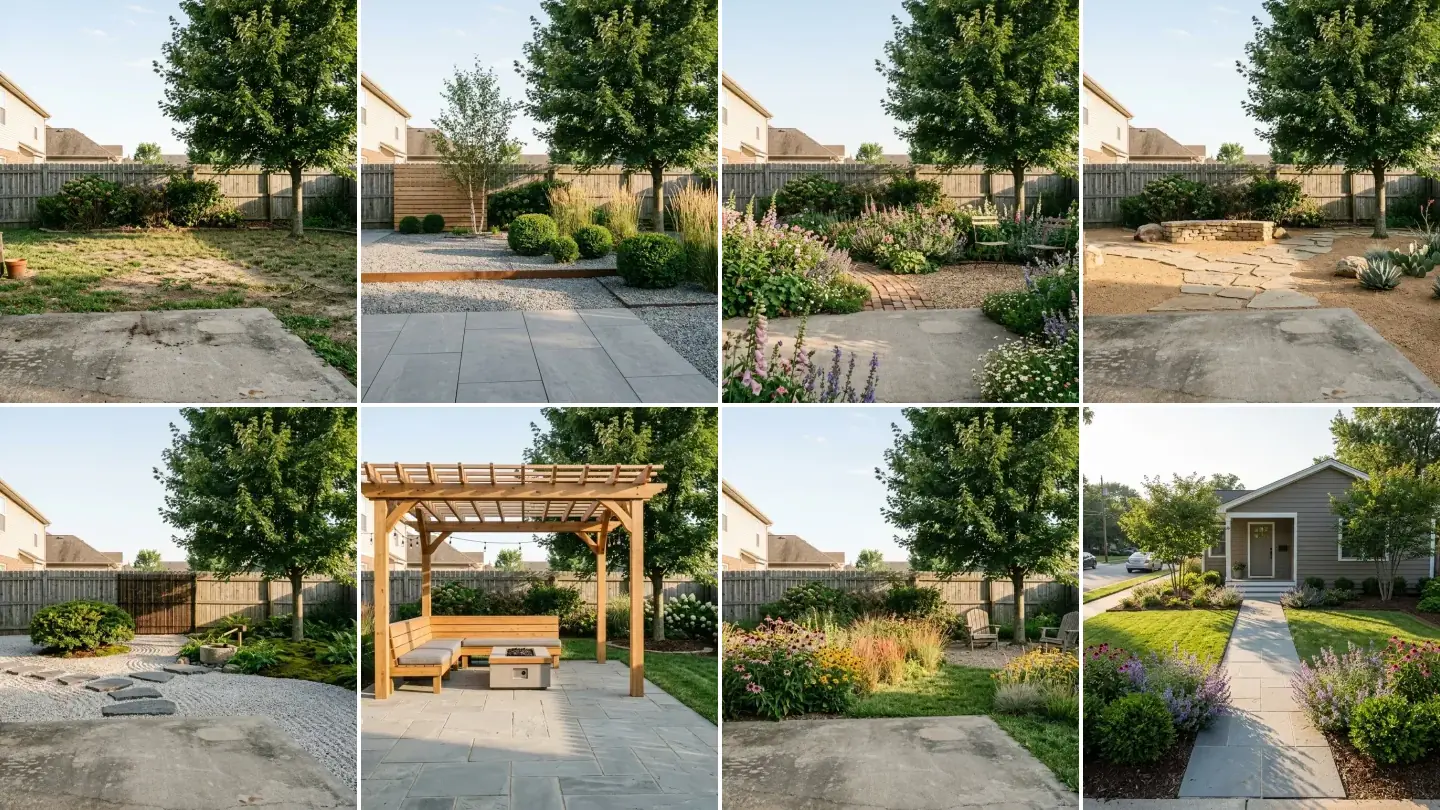
One backyard photo, four directions
Before the app-by-app detail, here is what "design from a photo" actually produces when it works. This is a real, ordinary backyard: patchy lawn, a fence, the neighbours' roofs. We pushed the same photo through our own engine four times with four briefs. The fence line, the house and the sky do not move; only the design does.
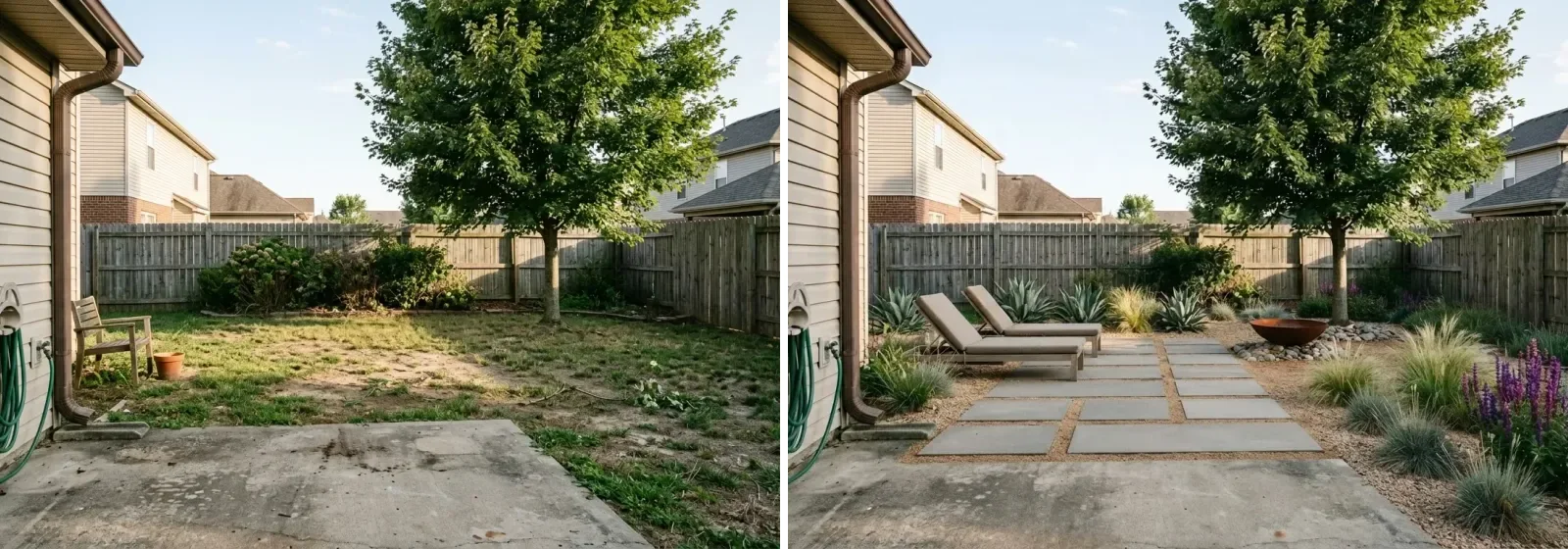
Left, the photo as shot. Right, a modern low-water brief through the MeltFlex garden design tool. This is the picture you want before you open a layout app, because it settles the style argument in a minute.
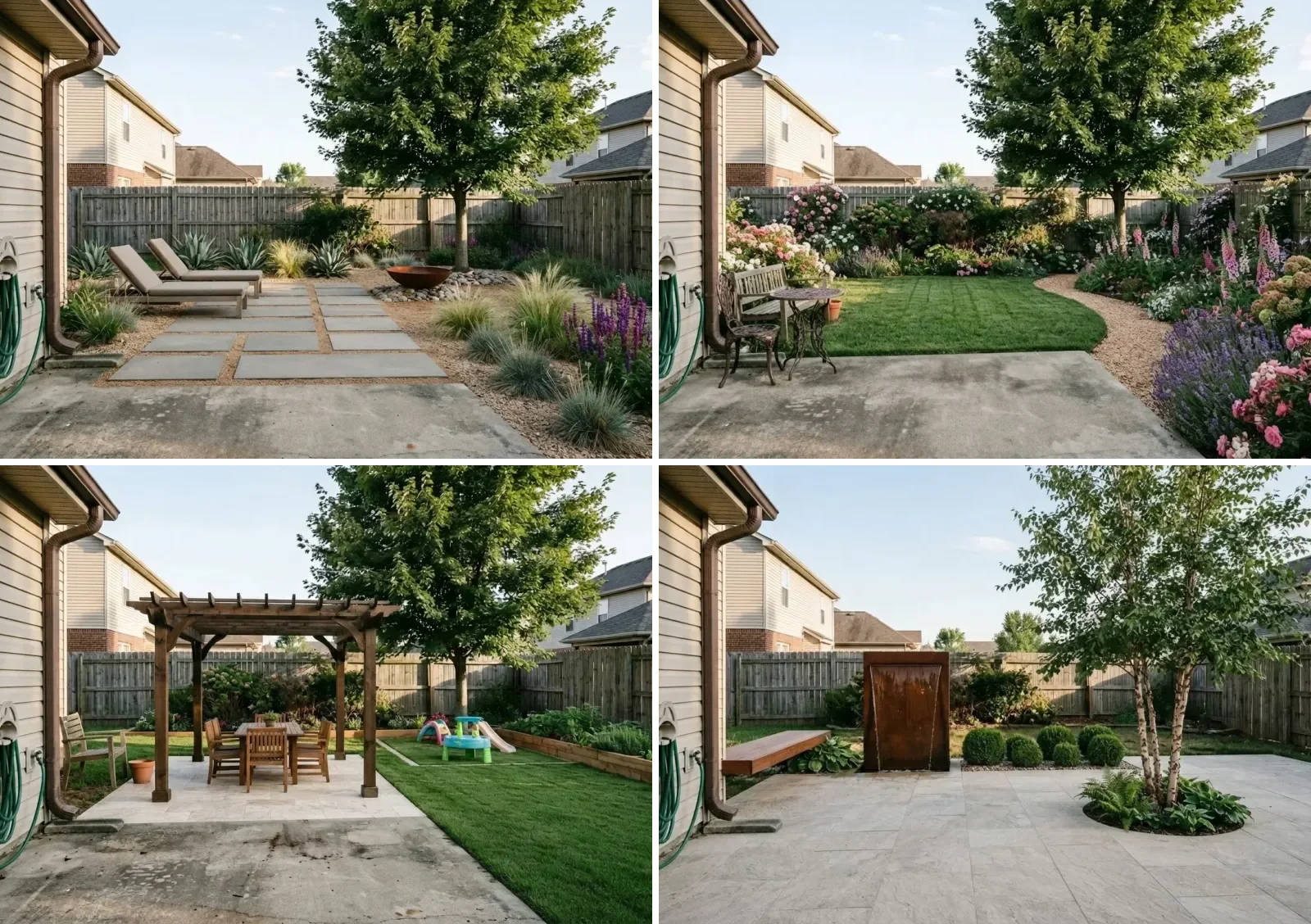
Same yard, four briefs: modern low-water, cottage borders, family patio with pergola, and a minimal courtyard. Every one keeps the real boundary, which is the first thing to check in any photo-based tool.
The honest limits: a picture like this tells you what you like and roughly what fits, but it is not a plan. It has no dimensions, no plant counts, no levels. That is the job of the layout apps below, and the reason the best workflow is a photo tool first, a layout tool second. If the AI side is what you are after, our roundup of AI landscape design tools tests twelve of them on the same yard; this page is about the apps you draw with.
The comparison table
Prices as shown on each vendor's own page on 5 September 2026, US dollars. iScape's Android rating, Home Design 3D's exact store price and SmartDraw's individual plan vary by store and region; those three are marked approximate in the text.
Best landscape design apps for iPhone and iPad
iScape: the photo-based standard on iOS
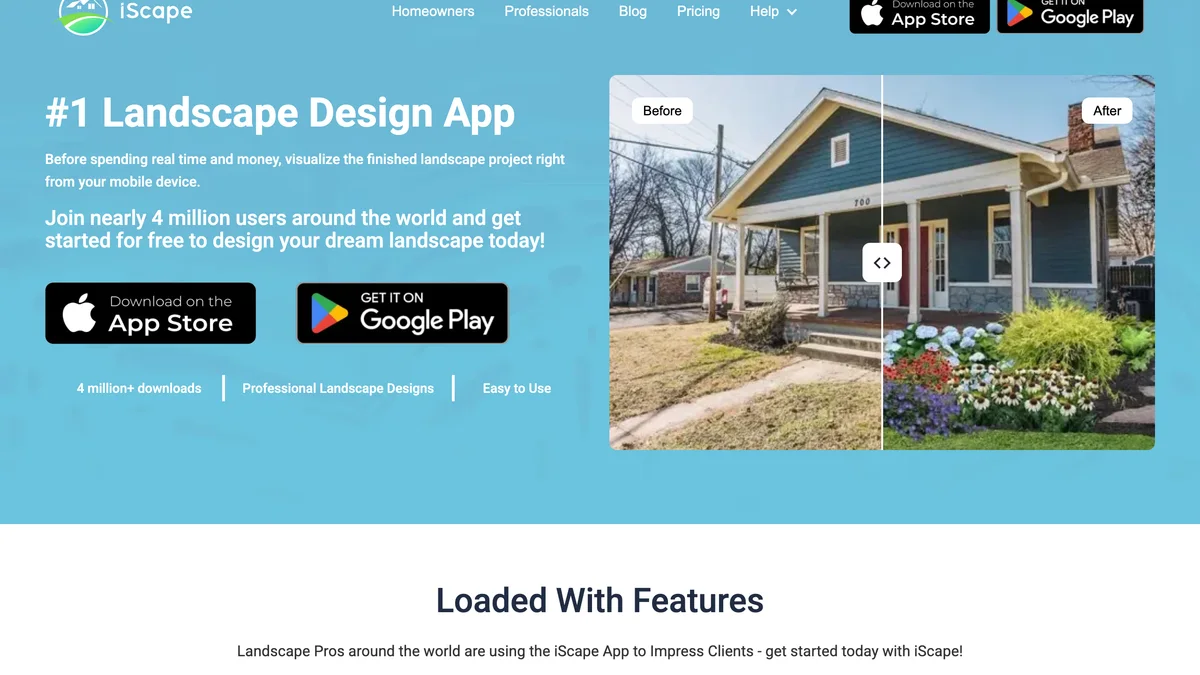
iScape is the app most people mean when they say landscape design app, and on an iPhone or iPad it earns that. You photograph the yard, then drag plants, mulch, pavers and edging onto the picture at roughly the right scale, in 2D or a 3D view, with an AR mode on supported devices. The result is a collage rather than a render, and it looks like one, but it is fast and it uses real plant photography, which is what a garden centre wants to see. The free plan saves two designs with a limited library; iScape Pro, at $29.99 a month or $299.99 a year on the pricing page, unlocks the full library, image uploads and a proposal tool that is really aimed at landscapers quoting jobs. The App Store rating sits around 4.6 from roughly 29,000 ratings, and the recurring complaint in the low reviews is crashes in AR mode on busy designs, which matched our reading of the reviews.
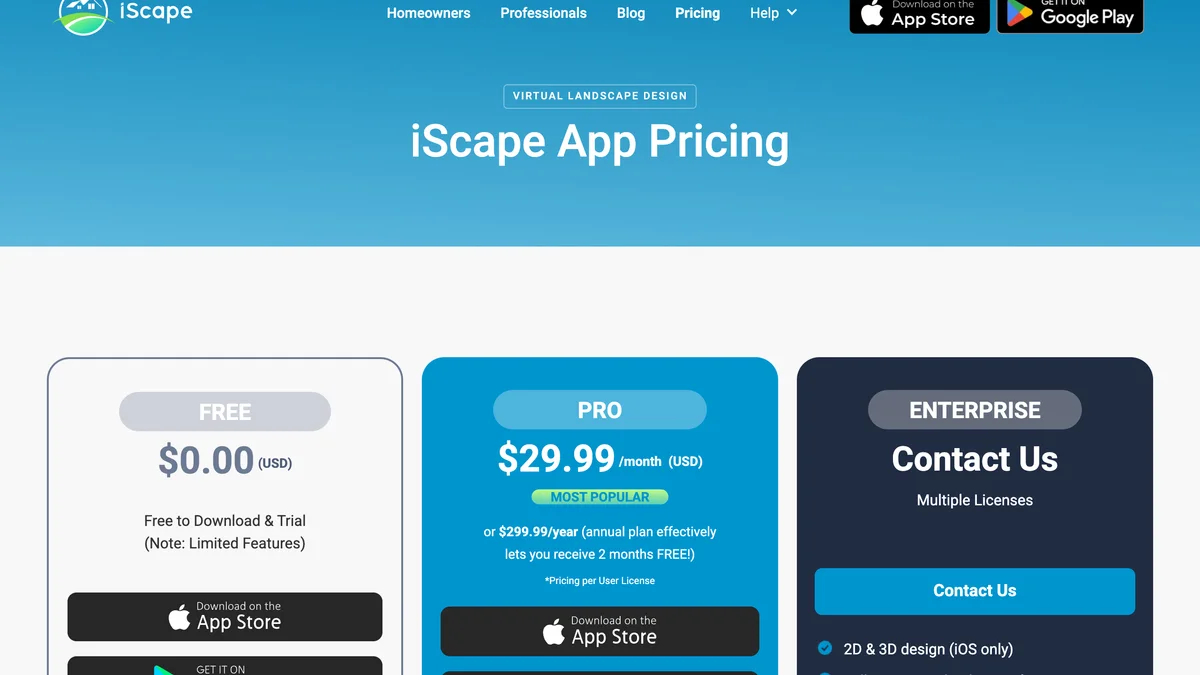
iScape's pricing page, 5 September 2026. Note the line that 2D and 3D design is iOS only; the Android app is 2D.
Home Design 3D Outdoor and Garden: the cheapest 3D layout
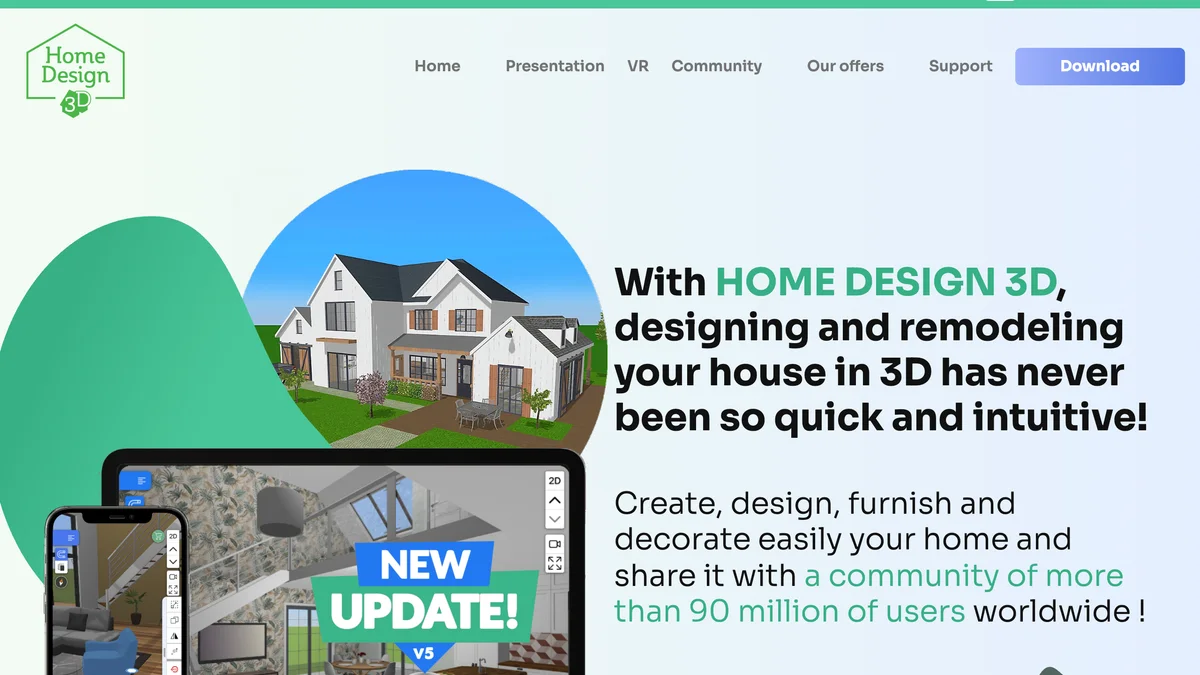
A one-time purchase, priced under five dollars in the US stores, that draws a yard to scale and lets you furnish it in 3D with a catalogue of plants, fences, pools and outdoor furniture. It is a phone app first, so the interface is thumb-sized and the catalogue is smaller than Planner 5D's, but for the price of a coffee it does the job the free tiers of the bigger apps gate: a full 3D layout you can save and share. It does not use your photo.
PRO Landscape Home: free plants-on-photo for tablets

The homeowner spin-off of PRO Landscape, the software many contractors quote from. On an iPad or Android tablet you photograph the house, then drop photographic trees, shrubs and materials onto it, much like iScape, for free, with an optional one-time library purchase. It is the best free answer to "put plants on a picture of my house" on a tablet, and the catch is that it is a tablet app: on a phone the library thumbnails are too small to work with. The company's own site now leads with PRO Landscape+ for professionals and its companion apps, so find the Home app in the store directly.
Best landscape design apps for Android
Planner 5D: the cross-platform layout app
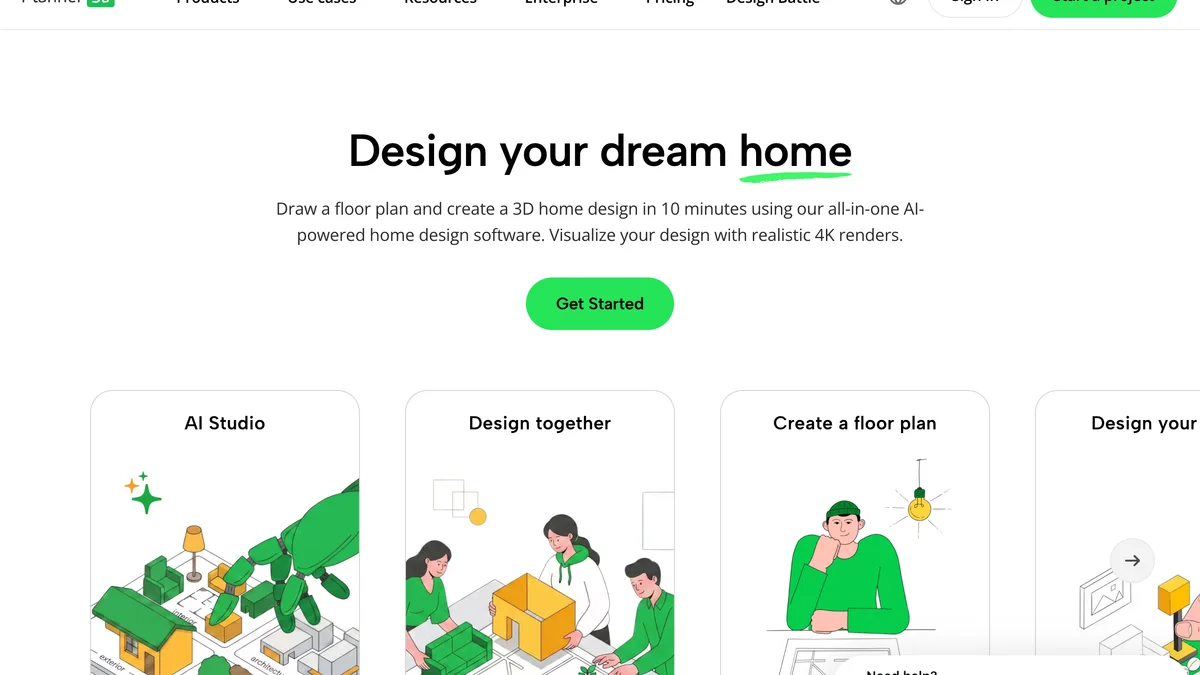
Planner 5D is the app to pick if you have an Android phone, an iPad and a laptop and want one project that opens on all of them. You draw the plot to scale in 2D, drop in the outdoor catalogue of lawns, decking, pools, fences and plants, and flip to 3D. The free plan gives unlimited projects with half of the catalogue; Premium is $19.99 a month or $59.99 a year and adds the full catalogue, standard renders and the AI floor plan recognition that reads an uploaded plan into 3D. There is a Professional tier at $49.99 a month or $399.99 a year with 4K renders and CAD export that most homeowners will never need. It designs in its own 3D scene rather than on your photo, so the house in the render is Planner 5D's house, not yours.
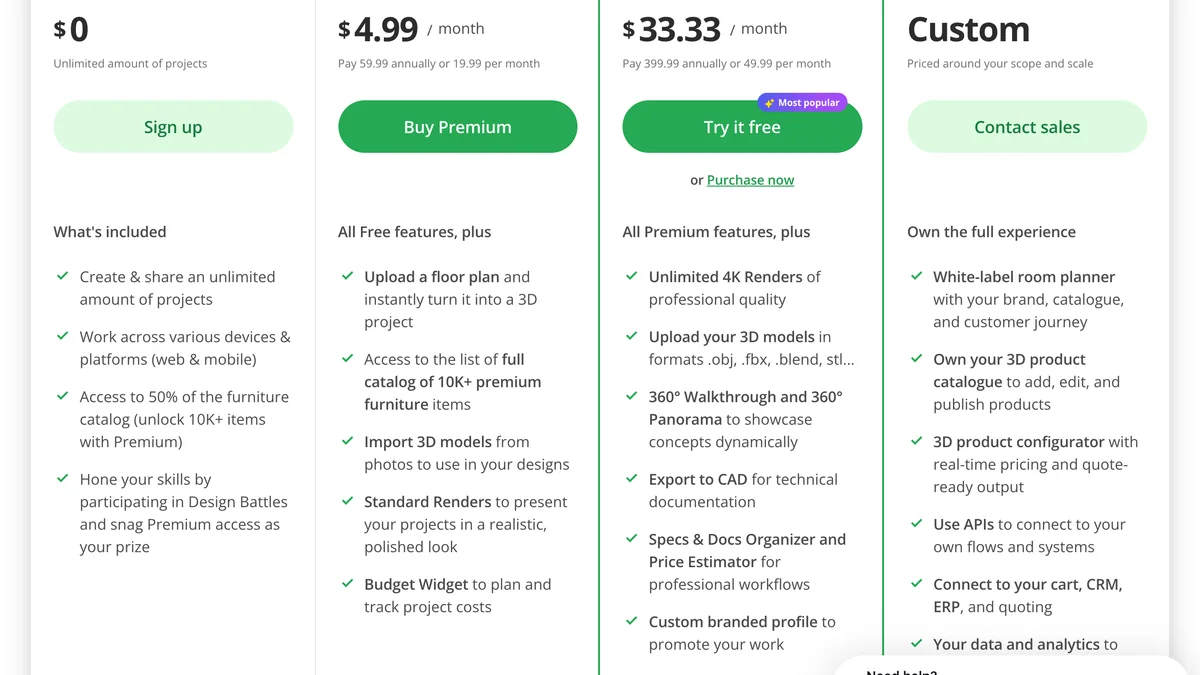
Planner 5D's pricing table, 5 September 2026. The annual Premium price works out at five dollars a month, which is the number most reviews quote.
Homestyler: free renders that are actually free
Homestyler is an interior planner that has grown an outdoor side: porches, parametric fencing, pools and a garden border generator in its AI tools. Its free plan is unusually generous, with unlimited 1K renders, and the paid tiers are the cheapest in this list at $6.80 a month for Pro+ and $11.80 for Master+, prices read off the pricing page in September 2026. Like Planner 5D it builds a 3D scene rather than editing your photo. It is the right pick if the yard is one part of a whole-house project you are already planning in it, and a reasonable pick on its own if you want renders without paying.
On Android specifically: iScape has an Android app since 2023 but it is 2D only and its Play Store rating trails the iPhone version by a wide margin, so on Android we would start with Planner 5D for layout and PRO Landscape Home on a tablet for photo mockups, and use iScape only if a particular plant library matters to you.
Best free online landscape design tools
MeltFlex Garden Design: a render of your own yard in a minute
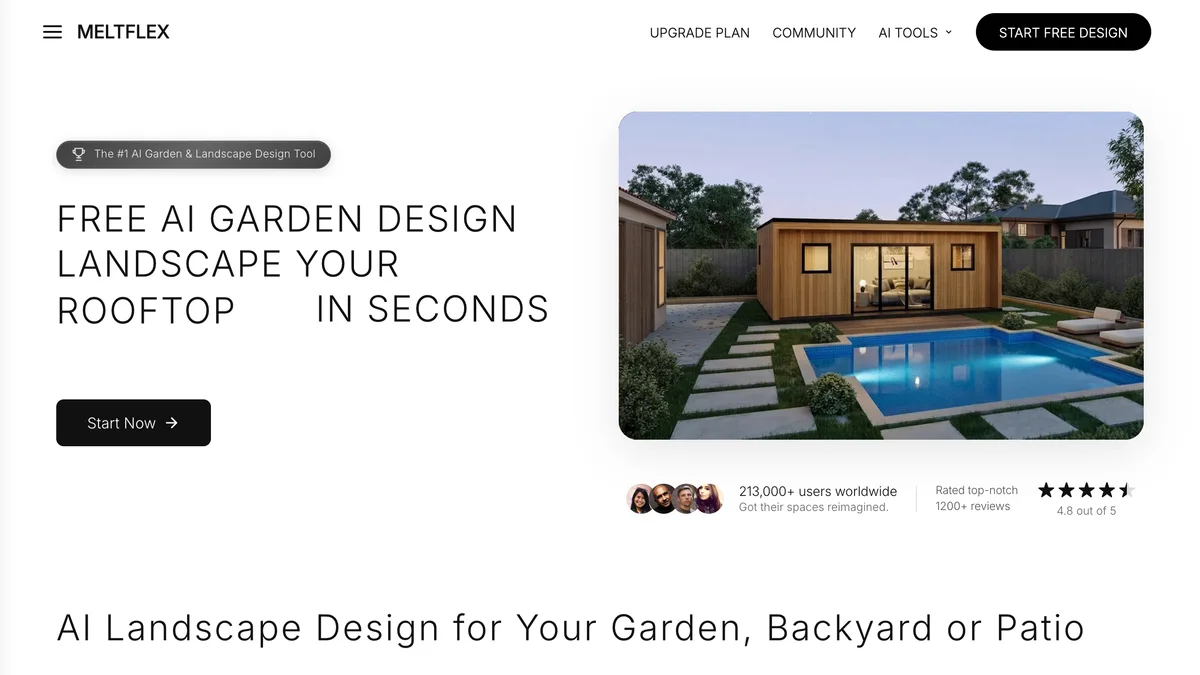
Our own tool, so read this paragraph knowing that. MeltFlex works from a photo: upload the yard, pick a style or type a brief, and it redraws the garden while keeping the house, the fence and the boundary where they are. The four renders at the top of this page are what it produced from one photo in about four minutes total. It does not draw a measured plan and it will not count your plants; it answers the question the layout apps cannot, which is what the yard could look like. There are free renders on sign-up and a subscription after that, in your local currency on the plans page. The same engine handles the house facade, which matters for front yards where the paint and the planting are one decision.
Garden Planner: a free plan with no account
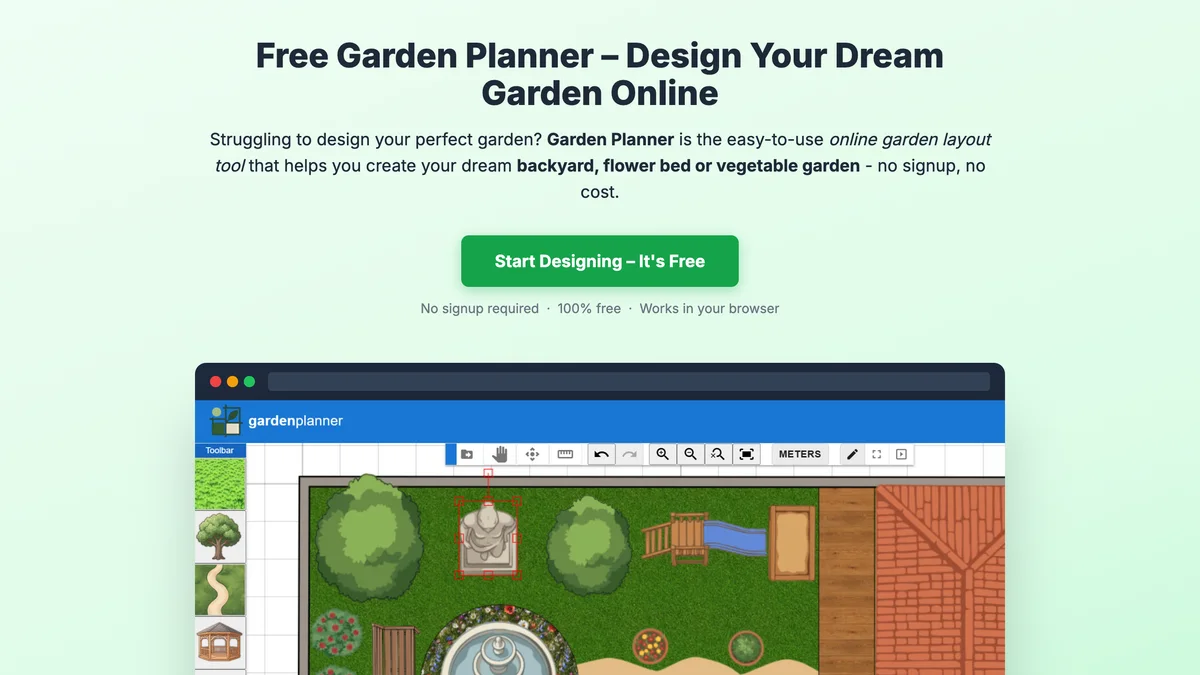
Gardenplanner.net is the free tool we would send a relative to. It runs in a desktop browser with no registration, draws a top-down plan to real-world scale in metric or imperial, has around seventy objects across plants, structures, surfaces, paths, furniture and shapes, saves to five slots and exports PNG, PDF or SVG. It also has a hook for pasting the plan into ChatGPT, Gemini or Claude for a written analysis, which is a neat way to get a second opinion on spacing. The trade is realism: it is a diagram, not a picture, and it is not built for phones.
Gardena myGarden: plans with sprinkler zones
Gardena's browser planner is free with a registration and exists to sell irrigation, which is exactly why it is useful: it is the only free tool here that plans sprinkler coverage alongside the beds and lawn. Draw the plot, place beds, paths and lawn, then lay out the watering system on top. If you are redesigning a lawn-heavy yard in a dry state, run the plan through here once even if you design elsewhere.
SketchUp Free: a real 3D model in the browser
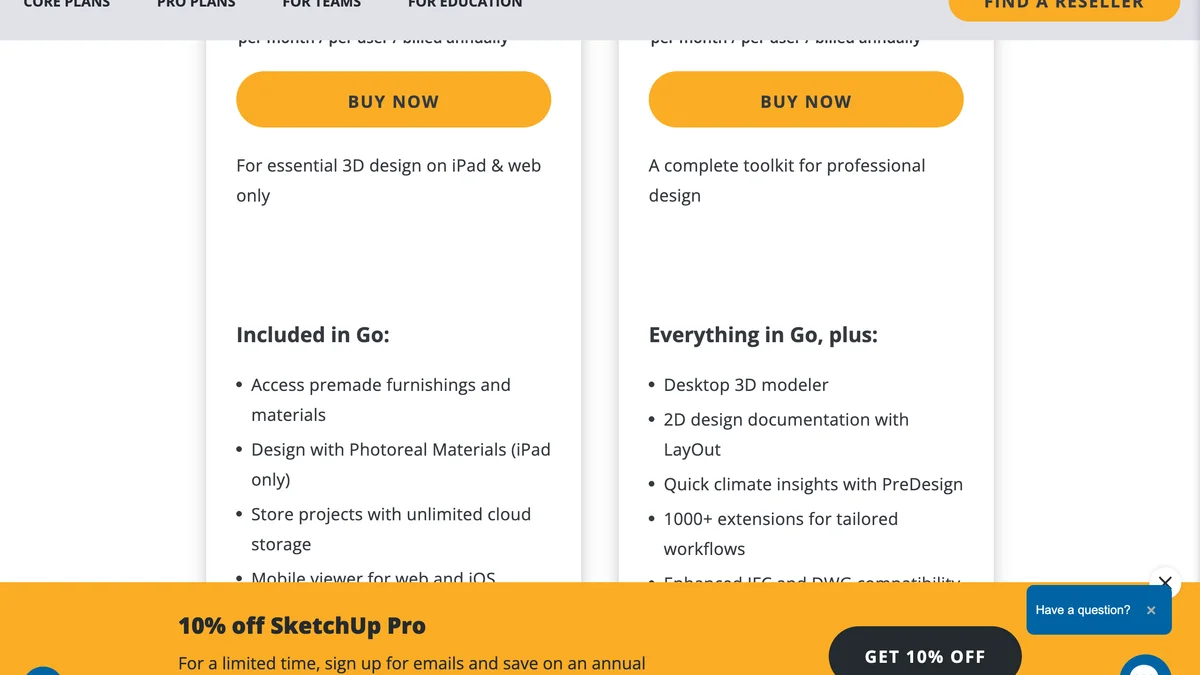
SketchUp is not a landscape app, it is a 3D modeller that landscape architects use, and the free web version is enough to model a yard, its levels and a deck to the inch if you are willing to learn it. The paid tiers, Go at $10.75 a month and Pro at $33.25 a month on annual billing per the plans page, add the iPad app, the desktop modeller and the extension library, where plant and terrain tools live. Pick it when the problem is a slope, a retaining wall or a deck, the things the consumer apps flatten. For a flat yard with beds and a lawn it is more tool than you need.
A note on Canva, which ranks for this search: it offers landscape design templates, which are illustration layouts for presenting a plan, not a tool for designing one. It is useful for the pretty board after the plan exists, and nothing else on this list.
Desktop software when you need real plans
Realtime Landscaping: one-time purchase, Windows
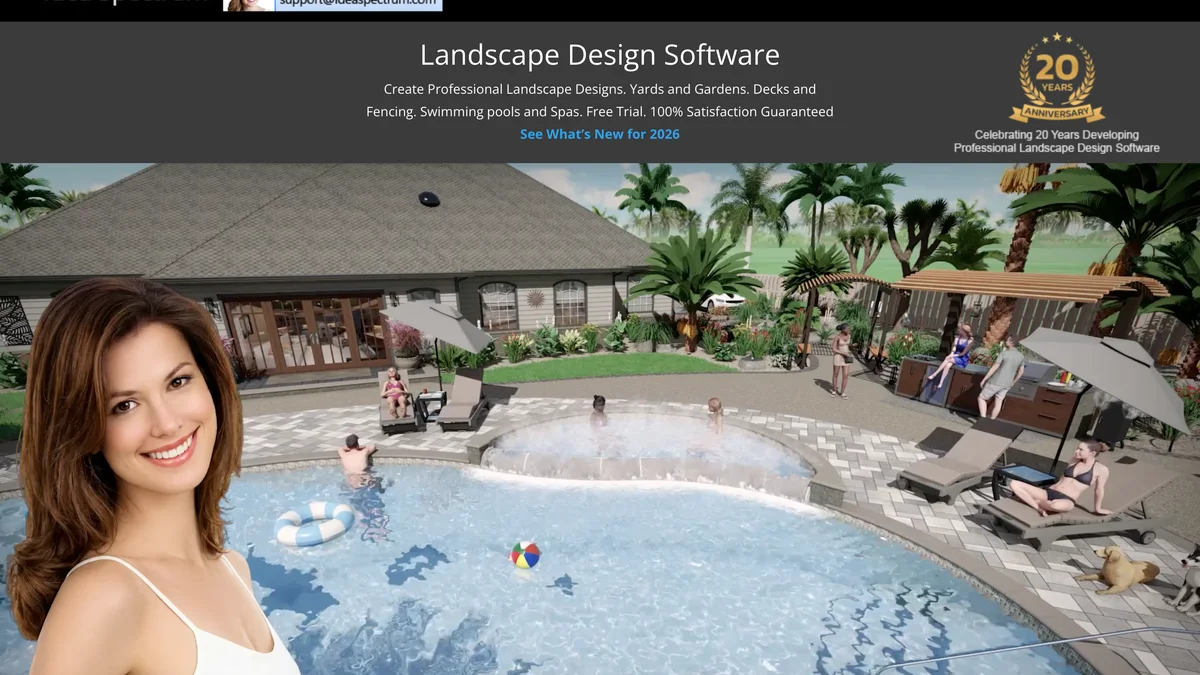
Realtime Landscaping is the closest thing to a homeowner CAD package: Plus at $149, Pro at $279 and Architect at $599 as one-time purchases on the Idea Spectrum site, no subscription, upgrades optional. It runs on Windows, models terrain and levels properly, has a large plant library with growth over time, and produces walkthroughs and plan sheets. Photo import for designing over a picture of your house sits in the higher tiers. If the project involves grading, a pool or a contractor who wants dimensions, this is the buy; if it is a border and a patio, it is overkill.
SmartDraw: a diagram to hand over
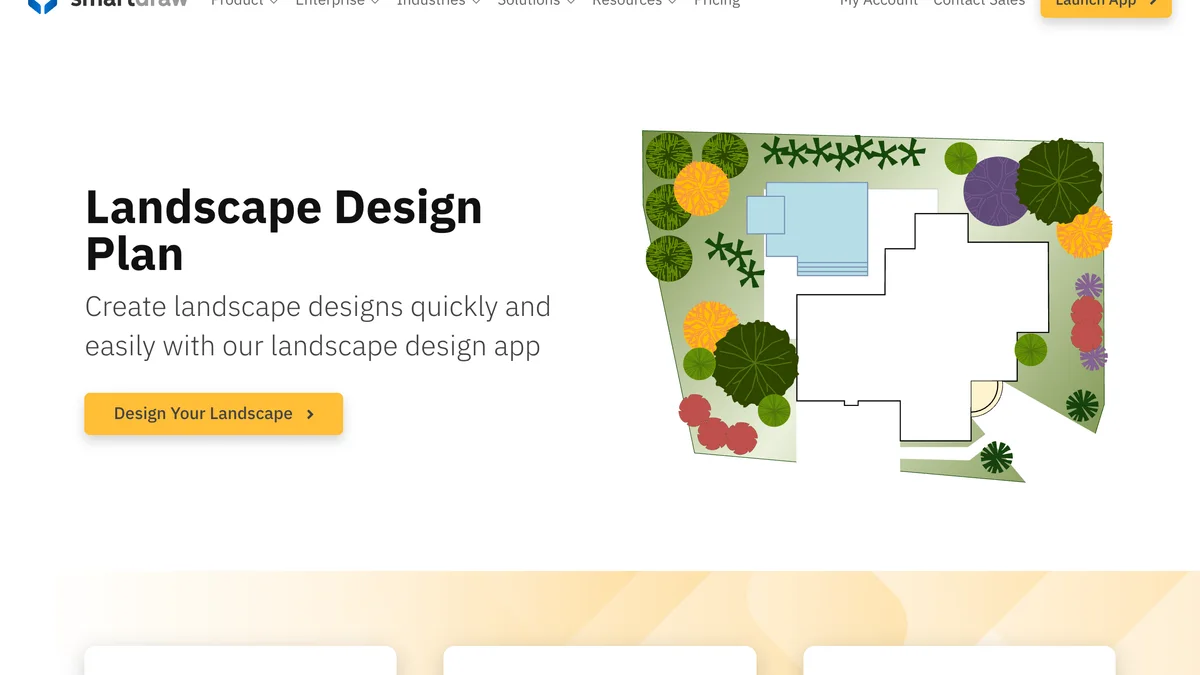
SmartDraw is a general diagramming tool with landscape templates and symbol libraries. At roughly ten dollars a month for an individual plan, depending on where you buy it, it is the fastest way to produce a clean, scaled, labelled plan to send to a contractor, and the wrong tool for deciding what the yard should look like. Use it after the decision, not before.
When you want a person: Yardzen
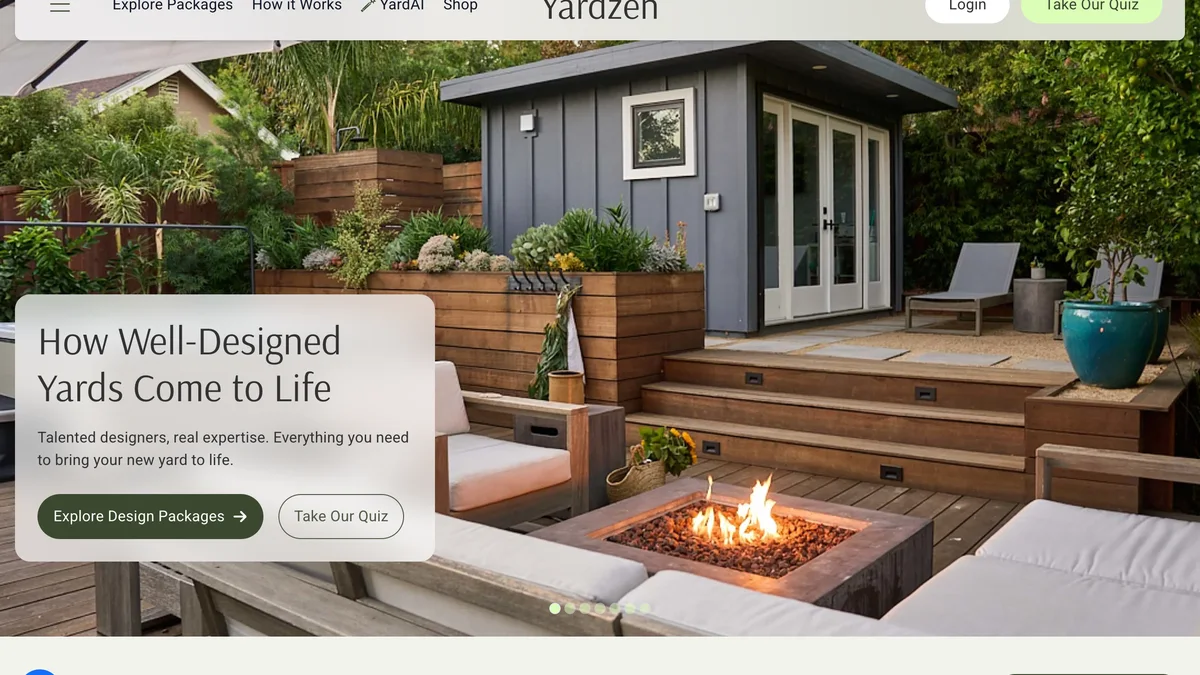
Yardzen is not an app, it is a design service with a dedicated project manager and human designers, and it belongs on this list because it is what people buy when the apps run out. For a backyard, the Essential package is $995 for planting and hardscape design delivered as build-ready CAD plans, with no renders and no revisions included (a revision round is $295); Classic is $1,395 and adds photorealistic renders and a project manager; Signature is $1,995 with day-to-night renders and a cost advisor. The Classic Full Yard package, front and back, is $1,695, delivered in 5 to 10 business days with a $395 expedited option. Those prices are from Yardzen's own package pages on 5 September 2026, and the site now also fronts a YardAI feature, which tells you where the whole category is heading. The maths: a month of iScape Pro plus a month of Planner 5D Premium is under $50 and gets a confident amateur most of the way; Yardzen gets a contractor a drawing they will actually quote from.
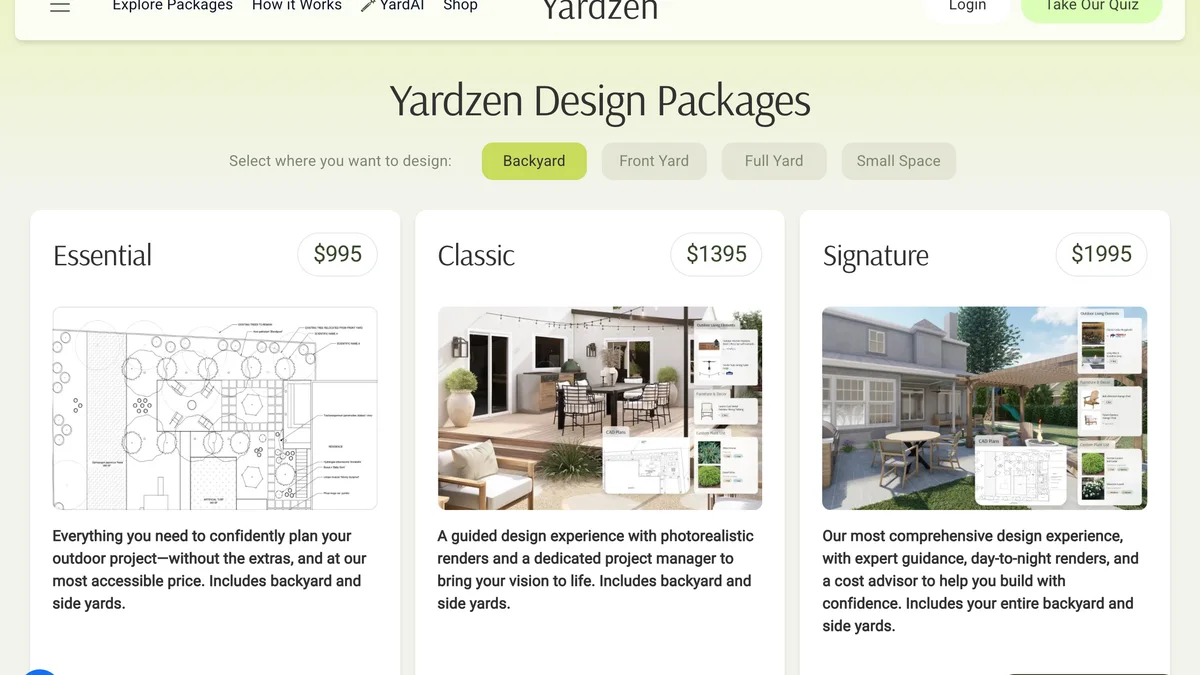
Yardzen's package page on 5 September 2026 with the backyard tab selected. Switch to full yard and Classic becomes $1,695.
Where the AI apps fit
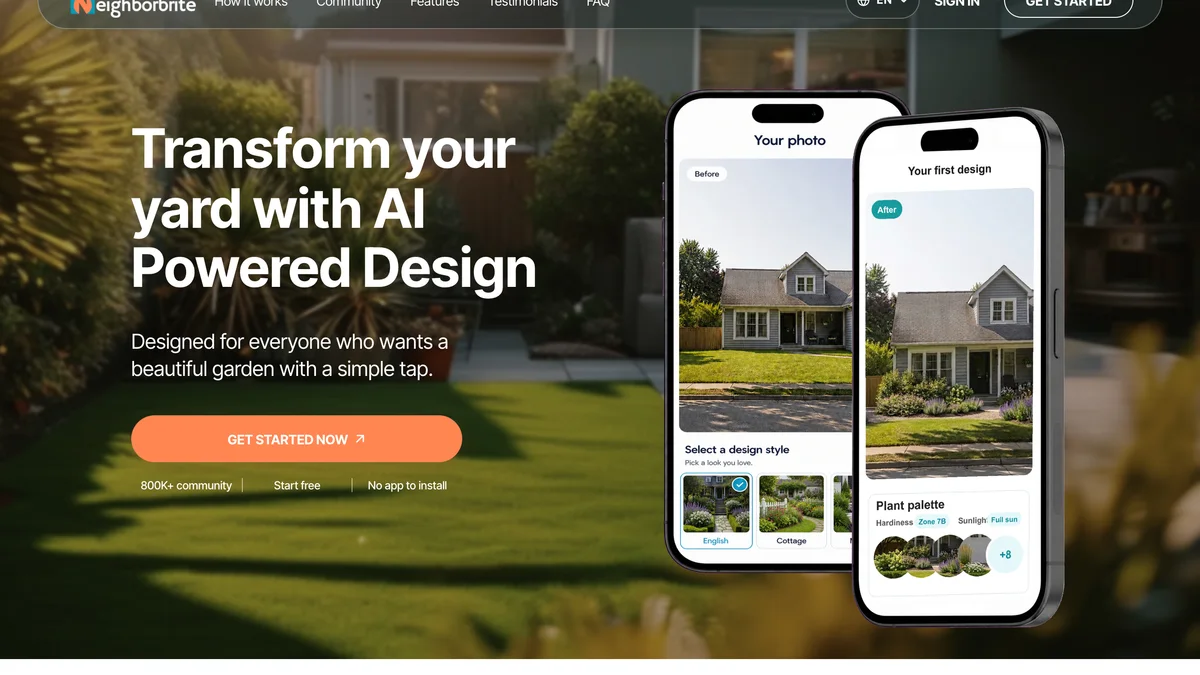
The AI landscape apps, MeltFlex, Neighborbrite, DreamzAR, Gardenly and the rest, do one thing the apps above do not: they redraw your actual photo in a new style, realistically, in under a minute. They also do not do the thing the apps above do: measure, count, export. Treat them as the first step, and give them a real brief: our AI landscape design prompts are 40 of them, each rendered on one yard. We tested twelve of the tools on one yard in the AI landscape design tools roundup, including the three ways they fail, and the free AI garden design tools post covers the no-cost end. For the wider picture of what AI can and cannot do for a house, the design-your-home-with-AI guide is the overview.
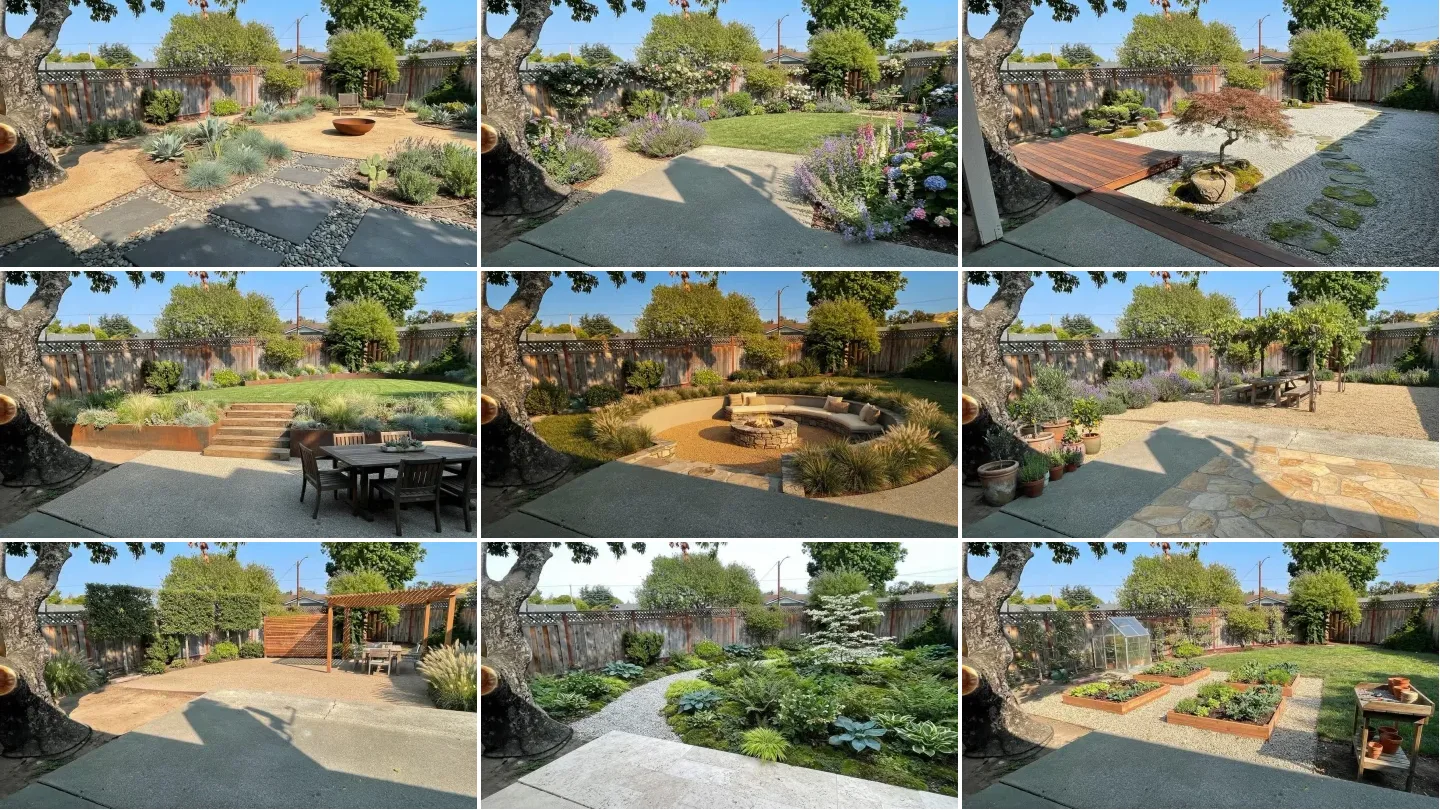
Here is what that looks like in one of them. A single photo of an outdoor space is redesigned several times, from modern landscaping to a relaxed green retreat, without anyone drawing a plan.

This is the picture half of the job. The measured plan and the plant list still come from the other apps above.
How we put this together, and what changed while we did
Every price on this page was read off the vendor's own pricing page on 5 September 2026 and captured in the screenshots you see; where a page did not state a price, such as PRO Landscape Home's library purchase or Home Design 3D's store price, the text says approximate and the table says so. The four yard renders are ours, produced through the MeltFlex engine from one real backyard photo; we did not run the same photo through the other apps for this page, because most of them are layout tools that do not take a photo at all, and the ones that do were covered in the AI roundup.
One thing changed while we wrote it. Home Outside, the simple drag-and-drop app that most older lists recommend, now presents itself on its own website as a garden-centre service: customers answer a questionnaire at the store or on their phone and receive a planting plan designed by Julie Moir Messervy's studio using plants the store stocks, with the site explicitly stating the plans are not AI generated and recruiting garden centres as founding partners for autumn 2026. Whether the consumer app stays in the stores, we cannot say; we left it out of the table rather than quote a price for a product that is being replaced. Check the store listing before you rely on it.
What we did not do: we did not build the same yard in all twelve tools to the inch, we did not test the Android versions on more than one device, and we did not verify store ratings beyond reading them on the day. If a rating or price has moved since, the screenshot date tells you how stale we are.
Start with the picture
Whichever layout app you settle on, the cheapest mistake to avoid is drawing a plan for a style you have not seen on your own yard. Upload one photo, run three briefs, and take the winner into iScape or Planner 5D to measure it. The garden design tool does the first part in a minute; if the front of the house is part of the job, the exterior design tool runs on the same photo. For ideas on what to ask for, the guides on designing a garden layout, backyards without grass and backyard privacy are the three most useful starting briefs, and the outdoor furniture guide covers what goes on the patio once the plan exists.
Frequently asked questions
Is there an app for landscape design?
Yes, and there are three kinds. Photo-based apps such as iScape, PRO Landscape Home and MeltFlex put plants and materials onto a picture of your actual yard. Layout apps such as Planner 5D, Homestyler and Home Design 3D Outdoor let you draw the yard to scale and furnish it in 3D. Plan tools such as Garden Planner and Gardena myGarden draw a top-down planting plan in the browser. Pick by what you want out: a picture to react to, a 3D model to walk through, or a plan to hand to a contractor.
What is the best free landscape design app?
For a photo of your own yard, iScape on iPhone (two saved designs on the free plan) and PRO Landscape Home on iPad or Android tablet. For a scaled layout, Planner 5D free covers unlimited projects with half the catalogue, and Homestyler free gives you unlimited 1K renders. For a planting plan with no account at all, Garden Planner at gardenplanner.net is free and runs in the browser. None of the free tiers export a contractor-ready plan; that is where the paid versions and services start.
What is the best landscape design app for iPad?
iScape, because the iPad is the one place it offers both 2D and 3D design, plus AR on supported devices, with a free plan and a Pro plan at $29.99 a month. PRO Landscape Home is the free alternative for putting plants on a photo, and SketchUp for iPad is the choice if you want a real 3D model, on the Go plan at $10.75 a month billed annually.
What is the best landscape design app for Android?
Planner 5D, which runs the same on Android, iOS and the web and has the deepest outdoor catalogue of the cross-platform apps. iScape now has an Android version, but it is 2D only and the store rating lags the iPhone version. Home Design 3D Outdoor and Garden is the cheapest 3D option on Android at a one-time price under five dollars, and PRO Landscape Home covers photo mockups on Android tablets.
Which landscape design app lets me upload a photo of my yard?
iScape, PRO Landscape Home and MeltFlex work directly from a photo. iScape and PRO Landscape Home let you place plant and material images onto the picture by hand; MeltFlex and the AI tools redraw the whole yard from a prompt and keep your fence, house and boundary in place. Planner 5D and Homestyler can import a photo as a reference but design in a separate 3D scene.
Is iScape free?
There is a free plan: two saved designs, a limited plant and hardscape library, and 2D plus 3D design on iOS (2D only on Android). The full library, unlimited designs, image uploads and the proposal tool need iScape Pro at $29.99 a month or $299.99 a year, prices read off the iScape pricing page in September 2026. A free trial of Pro is offered to first-time users.
Can Planner 5D do landscape design?
Yes. Planner 5D has an outdoor catalogue of plants, fences, pools, decking and garden furniture, and you design the lot the same way you design a room, to scale in 2D with a 3D view. The free plan gives unlimited projects with half the catalogue; Premium is $19.99 a month or $59.99 a year for the full catalogue and standard renders. It is a layout tool rather than a photo tool, so it will not show your actual house.
Should I use an AI landscape app or a regular one?
Use both, in that order. An AI tool such as MeltFlex or Neighborbrite gives you a realistic picture of your own yard in a new style in under a minute, which is the fastest way to decide what you like. A layout app such as Planner 5D or iScape then turns the idea into a measured plan with plant counts. The AI picture is for deciding; the layout is for building. Our separate roundup covers the AI tools in depth.