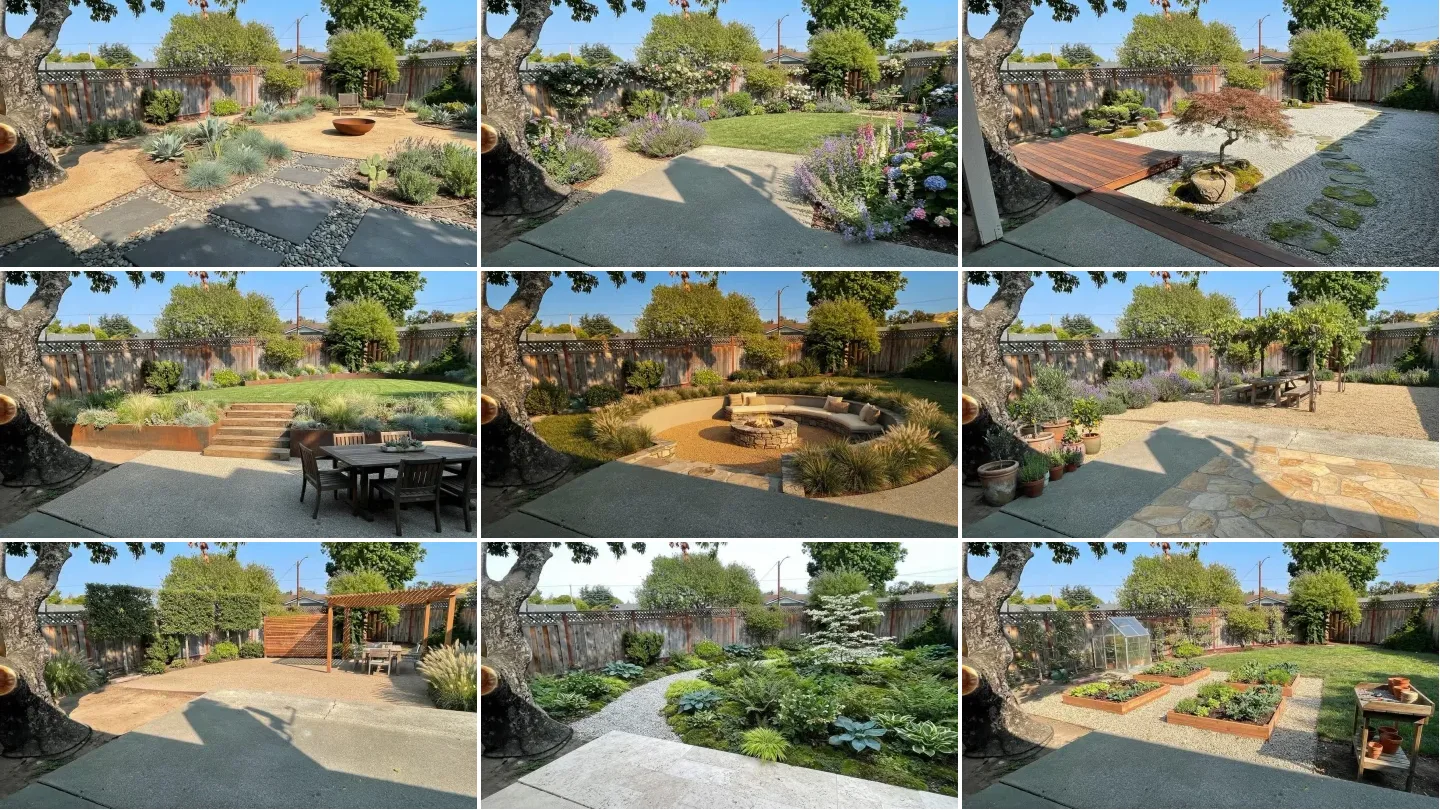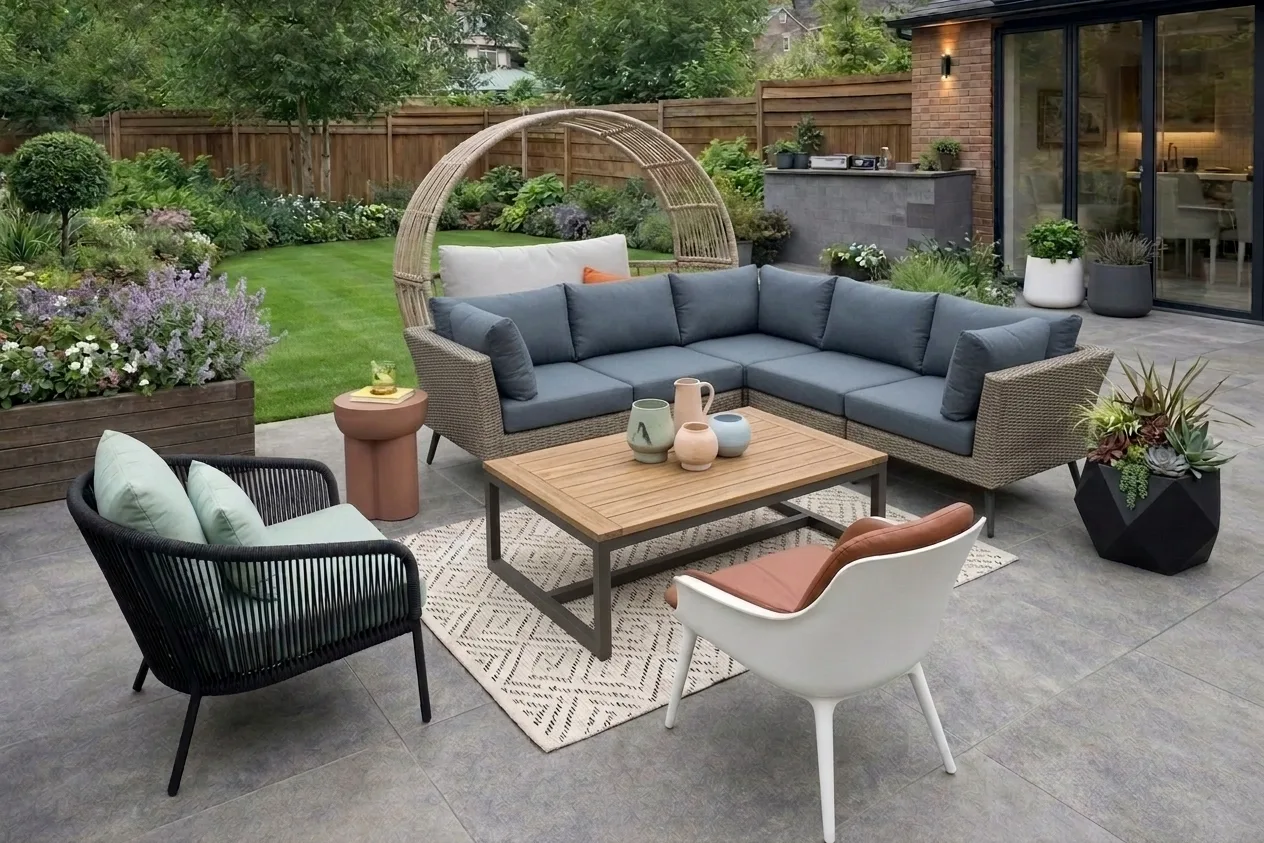
The yard below is the one I kept coming back to while writing this. Patchy lawn worn to bare soil in the traffic lines, a stained concrete slab poured hard against the back door, a weathered six foot timber privacy fence, one maple offset to the right, and a hose coiled on the wall. It is not derelict. It is just undesigned, which is the condition most American back yards are actually in, and it is exactly the kind of input these AI landscape design tools ask you to upload.
Our articles are still written by humans!
Get human written articles in your Google feed.
Quick answer: Neighborbrite is the best free entry point and the only tool here that filters plants by your location and climate. iScape and DreamzAR are the strongest phone apps, and iScape and Hadaa are the two that claim to turn a design into a materials list a contractor can price. Our own free AI landscape design tool is the one to reach for when you want to control surfaces, planting density and how the boundary is treated rather than pick a single style from a dropdown. Verified prices, honest free tiers and the three tests most of these tools fail are below.
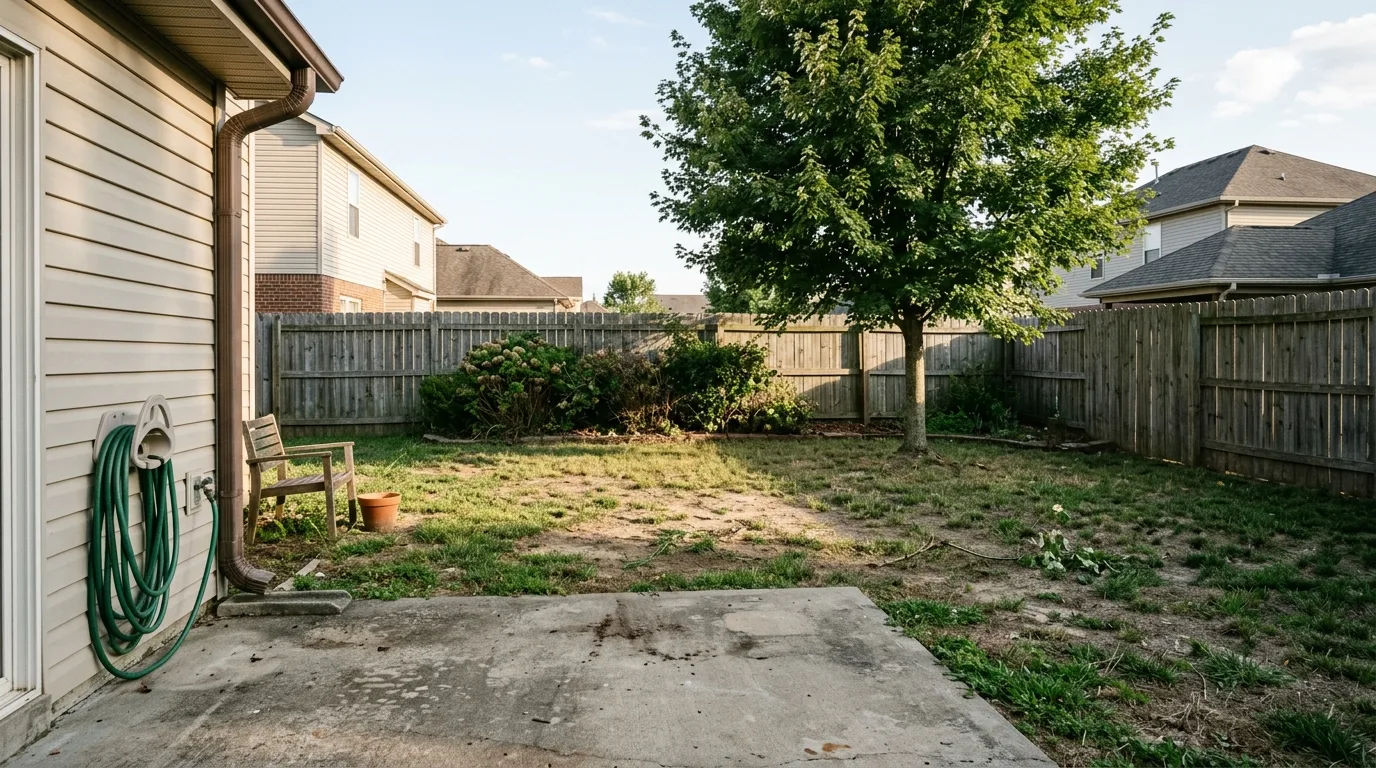
The test yard. Every redesign further down started from this exact file, fed to the model as an image rather than described in words, so the after shots are genuinely this yard.
The short version
- The test that matters is whether the tool keeps your fence line. Move the boundary and you are looking at a design for somebody else's yard.
- Almost none of these tools know what will survive where you live. The USDA updated its Plant Hardiness Zone Map in 2023 and about half the country shifted a half zone warmer, and the generators have no idea.
- A render is not a plan. No levels, no drainage, no quantities, so no contractor can price it.
- Lawn and landscape work has unusually good cost recovery at resale, which is the real argument for rehearsing the look before you commit.
The short answer: which tool for which job
AI landscape design is software that takes a photograph of a yard and returns the same space with new planting, paving, structures and lighting applied, usually in under a minute. The good ones redesign the yard you photographed. The weak ones generate a different yard on the same street.
Pick by the job you are actually doing:
- You want to try the idea for nothing. Use Neighborbrite. Free, browser based, and it filters plants by where you live.
- You want to stand in the yard and see it at scale. Use iScape or DreamzAR. Augmented reality is the one thing a website cannot do.
- You are quoting the work for a client. Use iScape. It is the only tool here that produces a materials inventory and a branded PDF proposal.
- You want to control the design, not just the style. Use our AI landscape design tool for a backyard or front yard, where paving, ground treatment, planting density, features and boundary are separate controls.
- You are replacing lawn with something drought tolerant. Any of them will render it. Only Neighborbrite and DreamzAR will tell you what the plants are called.
- You want a whole project priced once, not monthly. Use Hadaa, which charges per project and claims a bill of quantities, or GenRoom credit packs from 9.99 dollars.
The comparison table
Every price below was read off that tool's own pricing page on 2 August 2026 and screenshotted. They move often, so treat them as a snapshot rather than a quote. Where a pricing page returned nothing, the row says so instead of guessing.
Two things jump out of that table. The first is how wide the price range is for what is broadly the same operation, from 9 dollars once to 790 pounds a year. The second is the fifth column. Out of twelve tools, one advertises that it checks your plants against where you live.
The three tests these tools should pass
Style is the easy part and every tool here does it competently. The differences show up on three questions that decide whether the render is useful or merely decorative.
Test one: does it keep your yard?
The fence line is the single most important thing in the input photo, because it is how the model works out the size and shape of the space. When a tool moves it, everything downstream is wrong: the planting quantities, the paving area, the cost. A design for a yard four feet wider than yours is not a design, it is a picture.
This is also the test where I caught our own engine failing, which I will come back to below, because it is the most useful thing in this article.
Test two: will the planting survive where you live?
A generated image has no botanical knowledge. It has seen millions of photographs of gardens and it will reproduce whatever looks right next to the style word you picked, with no reference to your winter.
This matters more than it used to. The USDA released a new Plant Hardiness Zone Map in 2023, its first update since 2012, built from 13,412 weather stations compared with 7,983 for the previous version. About half of the country shifted to the next warmer half zone. The map now runs to 13 zones, each split into an A and a B half. That is the reference every plant list should be checked against, and almost none of these tools do it for you. (USDA Agricultural Research Service)
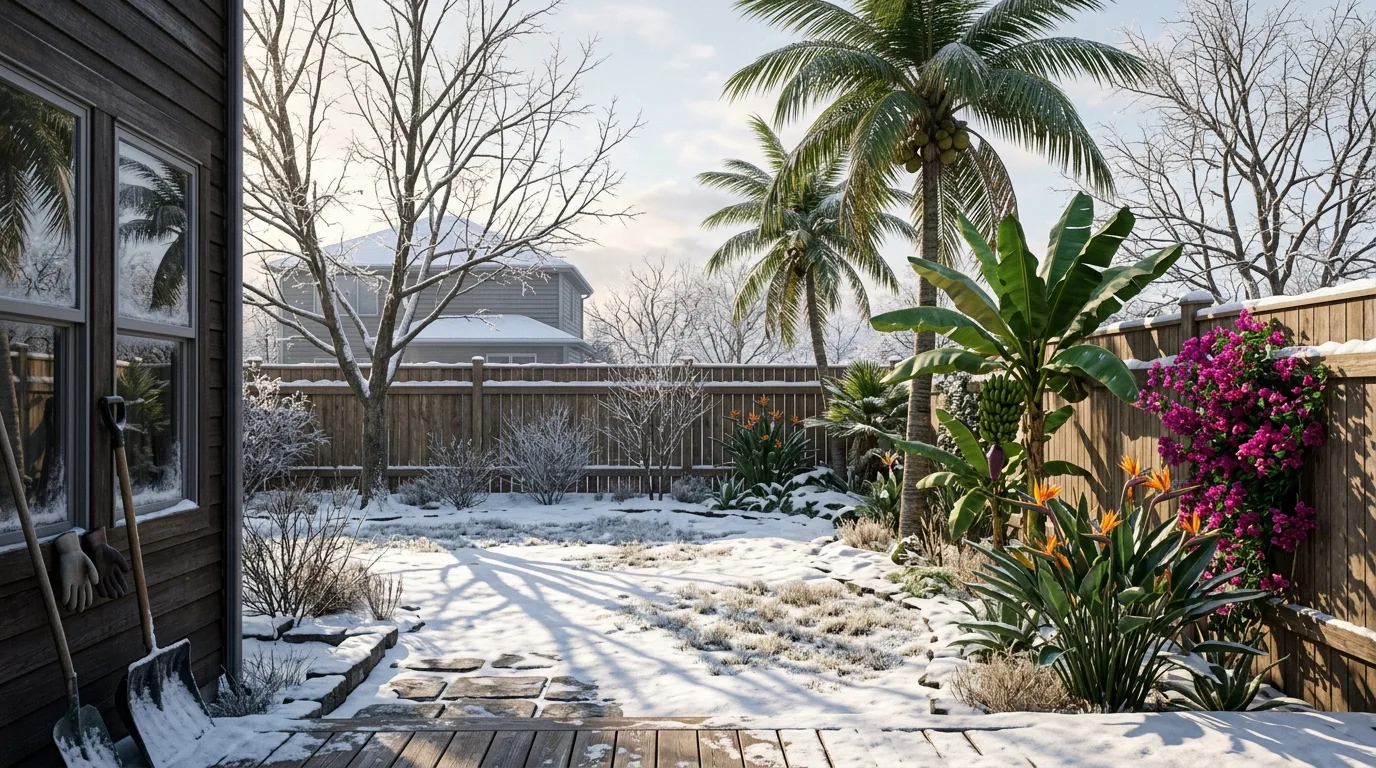
This render is technically excellent and horticulturally impossible. Palms, banana and bougainvillea in flower, in snow, under bare deciduous trees. Nothing in the image generation stack knows that is wrong, and the more convincing the lighting gets, the harder the error is to notice.
Test three: could anyone actually build it?
Renders are lit and textured to a standard that flatters bad construction logic. Paths that arrive at a wall with no step, pergola posts at four different heights under a level beam, a fence that changes height halfway along its run with no post at the transition. These read as fine at a glance and fall apart the moment a contractor looks at them.
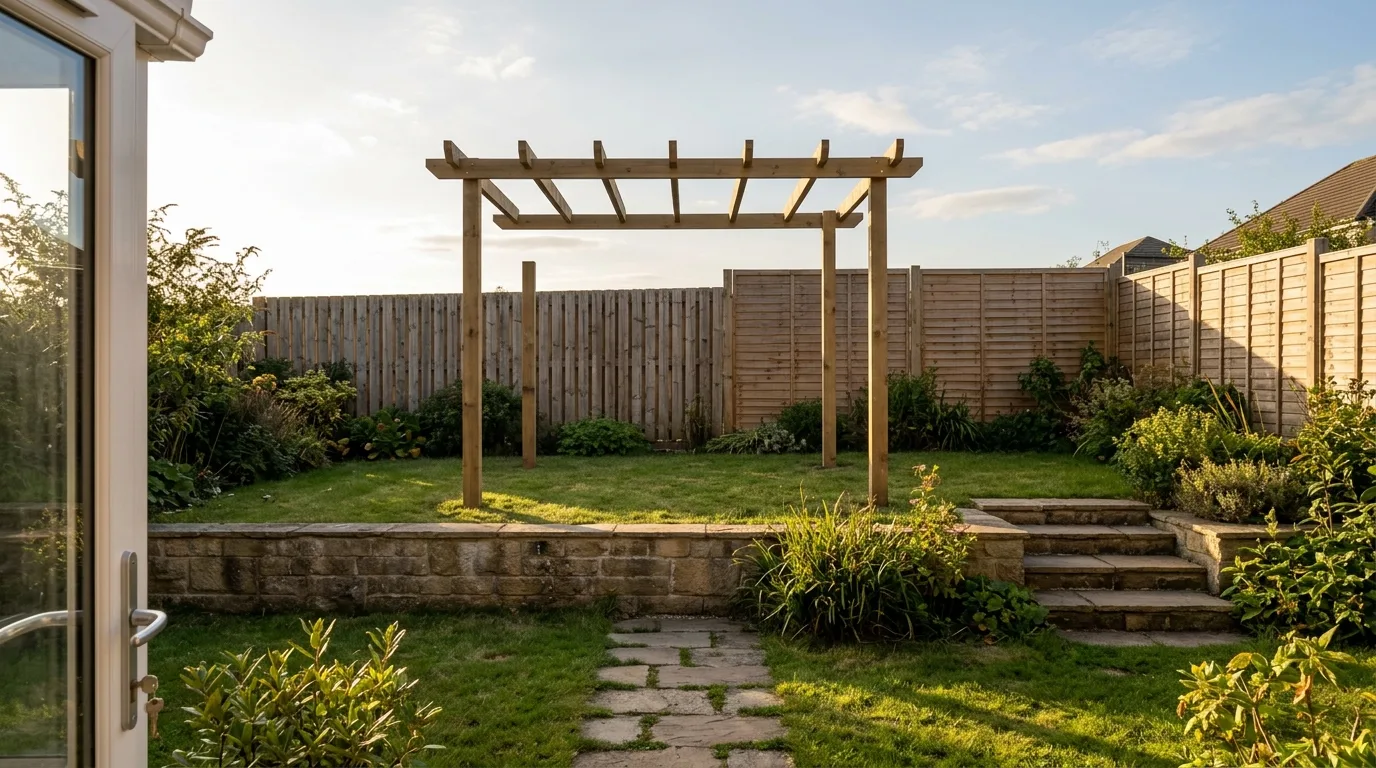
Every impossibility in this frame was asked for deliberately, but I have seen all four of them arrive uninvited. Look at the pergola posts, then follow the path to where it meets the wall.
How I put this together, and what I did not do
I want to be exact about the method, because most roundups in this category are vague about it on purpose.
What I did: I opened every tool's live product page and pricing page on 2 August 2026, captured both, and read the numbers in this article off those captures rather than off a press release or a competitor's comparison post. Where a pricing page returned an empty document, the table says so. Feature claims such as location based plant lists, augmented reality and PDF proposals are taken from each vendor's own product page and are attributed as claims, not as things I verified in use.
What I did not do: I did not run the same yard through all twelve render engines. That would be the ideal test and it is a much larger piece of work than it sounds, because several of these tools are paid, two are phone only, and comparing outputs fairly means matching style, aspect ratio and prompt across twelve different interfaces. So this is a verified pricing and capability audit, not a render bake-off. If you see a roundup claiming it scored twelve landscape generators out of ten each, ask how.
The renders in this article were all produced on one engine, ours, from the single before photo at the top. They are here to show what the three tests look like in practice, not to prove our engine beats eleven others.
The tools, and what each one is actually for
1. MeltFlex, the one with real controls instead of a style dropdown
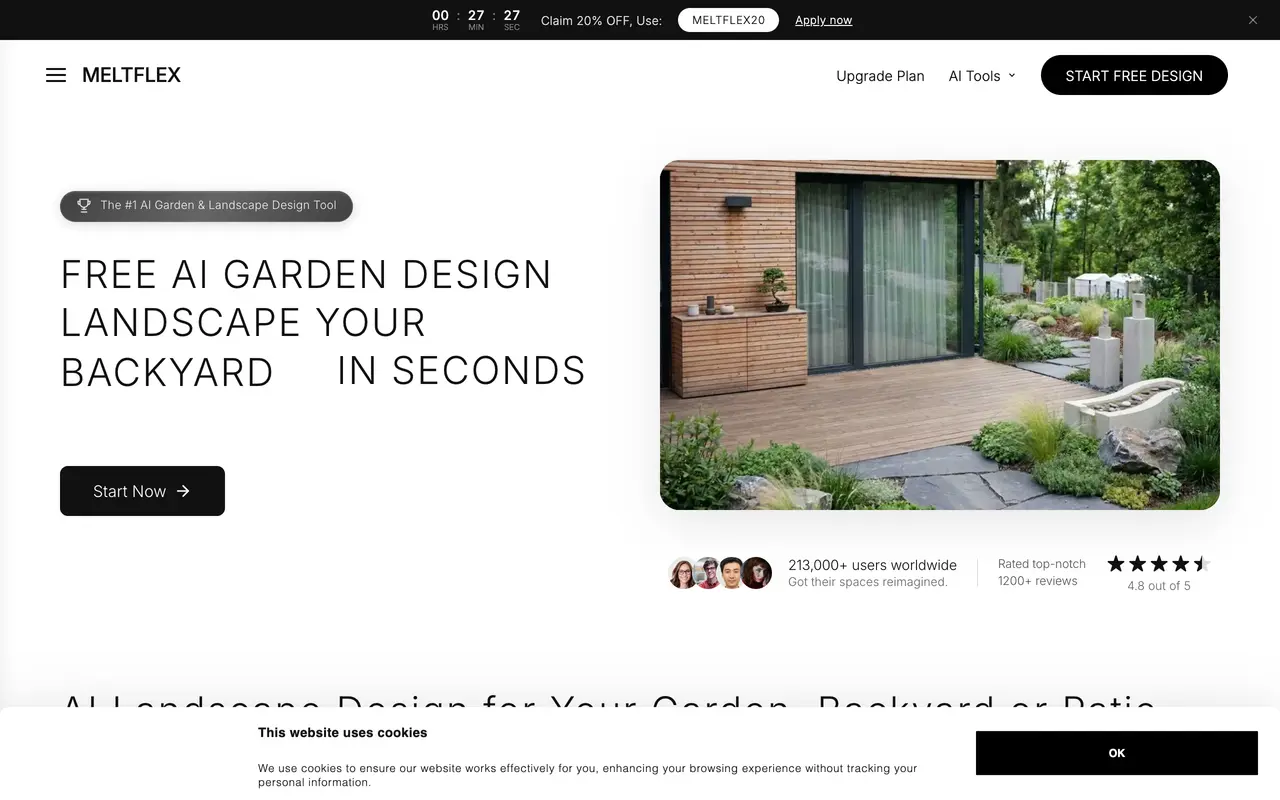
Our own tool, so read this section with that in mind. It leads on control granularity, not on style count or price.
Best for: Controlling the design rather than the style · Free tier: Yes · Paid from: €19/mo (regional, from €9) · Climate aware plants: No · AR: No
Disclosure first: I work on this one, so treat the placement as a conflict of interest and the facts as checkable. What separates it from most of this list is that the yard is not one dropdown. Paving and surfaces, ground treatment, planting density, a feature such as a pergola or fire pit, boundary treatment and lighting are all separate controls, so you can hold five decisions and change one. That is the difference between browsing styles and designing something. Try the free AI landscape design tool here.
The catch: no climate filtering on plants, no augmented reality, and no materials inventory. On the plant hardiness test it fails exactly like most of this list, and I would rather say that here than let you find out in a garden centre. If your priority is a plant list you can trust, Neighborbrite is the better first stop.
The controls are easier to show than to list. This walkthrough uploads a yard, picks a style, then picks a greenery level (lush, balanced, flower rich or an edible garden) and generates the result.

Note what it does not show, because the tool does not do it: no plant list checked against your zone.
2. Neighborbrite, the best free option and the only climate aware one

Neighborbrite claims 800,000 registered users, 20 million designs generated and reach in 170 countries.
Best for: Trying it for nothing · Free tier: Free to use · Paid from: Not published on the pricing page · Climate aware plants: Yes, by location · AR: No
The one tool in this group that addresses test two head on. Its product page describes a location based plant list that optimises suggestions using the user's location and climate so that recommended plants will thrive in their specific yard conditions. Nobody else here makes that claim. It is browser based with nothing to install, and the free tier is the whole product rather than a teaser.
The catch: the pricing page returned an empty document when I captured it, which means I cannot tell you what happens when you outgrow free, and that is a real unknown to walk into. The interface is also the most consumer-simple here, which is a virtue at the start and a limit later.
3. iScape, the only one a contractor can quote from
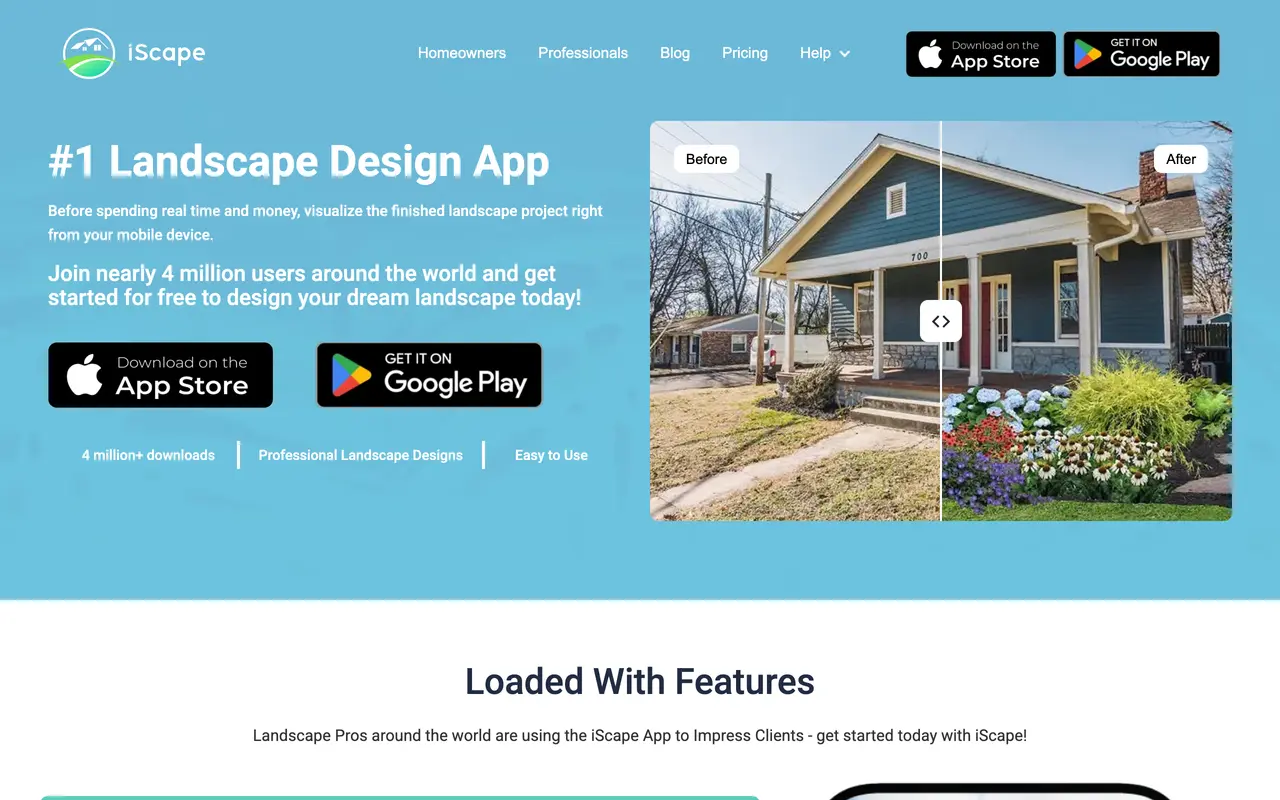
iScape claims close to 4 million downloads and sells to landscape professionals as well as homeowners.
Best for: Quoting the job · Free tier: Free to download and trial · Paid from: $29.99/mo or $299.99/yr · Climate aware plants: Not stated · AR: Yes
This and Hadaa are the two that take test three seriously. Alongside 2D and augmented reality design on a photo of the site, Pro users can generate a complete inventory of materials used in a design and export a customisable PDF proposal with pricing and business details. That is the gap between a picture and a document somebody can act on. Hadaa claims the same thing more cheaply, but iScape is the one selling it to professionals who have to stand behind the number.
The catch: it is the most expensive subscription here at 29.99 dollars a month, the free tier is explicitly reduced access to the plant library, and it is a phone app, so if you want to work on a laptop this is the wrong tool.
4. DreamzAR, the deepest plant library and chat editing
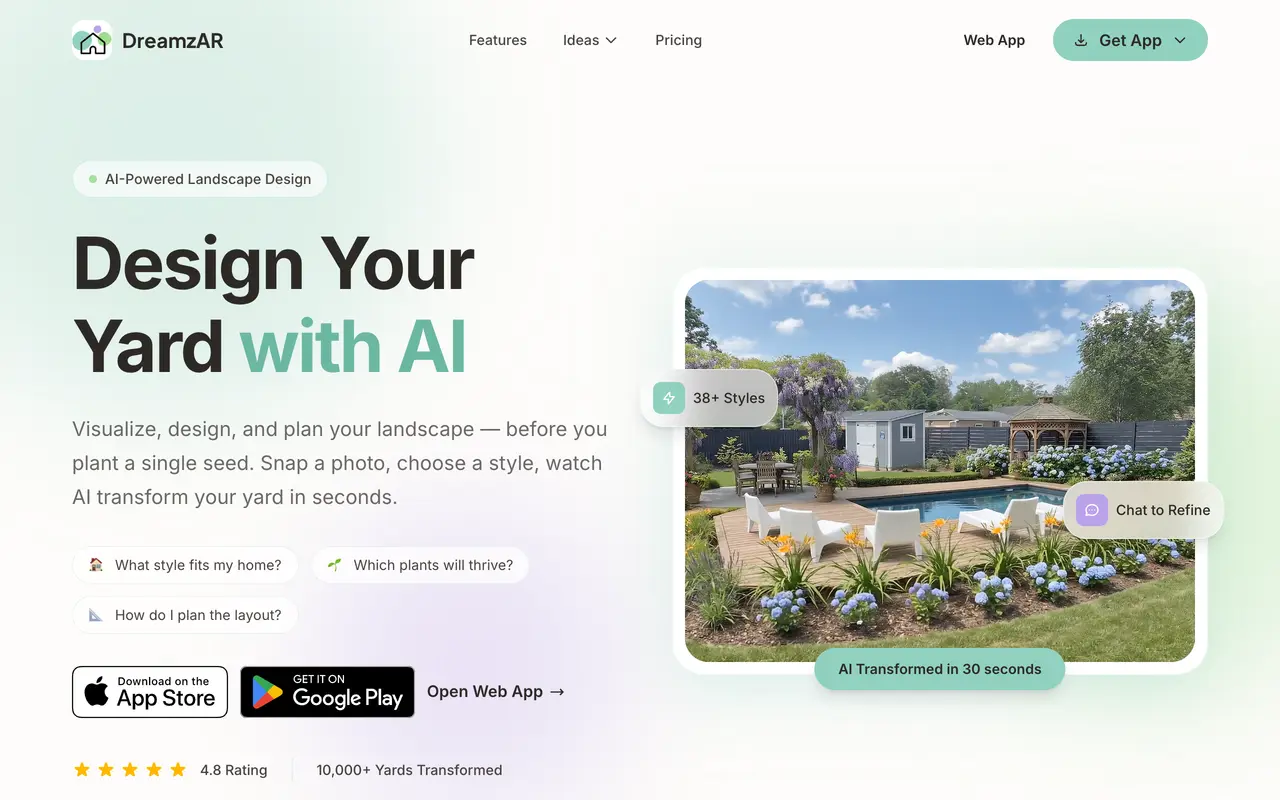
DreamzAR pairs a generator with a 2,000 plant library and a chat interface for iterating on a design.
Best for: Refining a design by chat on a phone · Free tier: Not published · Paid from: $16.60/mo billed $199/yr, or $19.99 monthly · Climate aware plants: 2,000+ plant library · AR: Yes
The most interesting interaction model in the group. Instead of regenerating from scratch when something is wrong, you describe the change and it applies it, which maps far better onto how people actually iterate on a garden. It claims 38 or more styles and a library of over 2,000 plants, which is the second best answer to the hardiness problem here even if it is a library rather than a filter.
The catch: no free tier is published, so the entry price is 199 dollars for a year or 19.99 a month, which is a lot to commit before you know whether it handles your yard.
5. DreamYard, the fastest way to a free concept
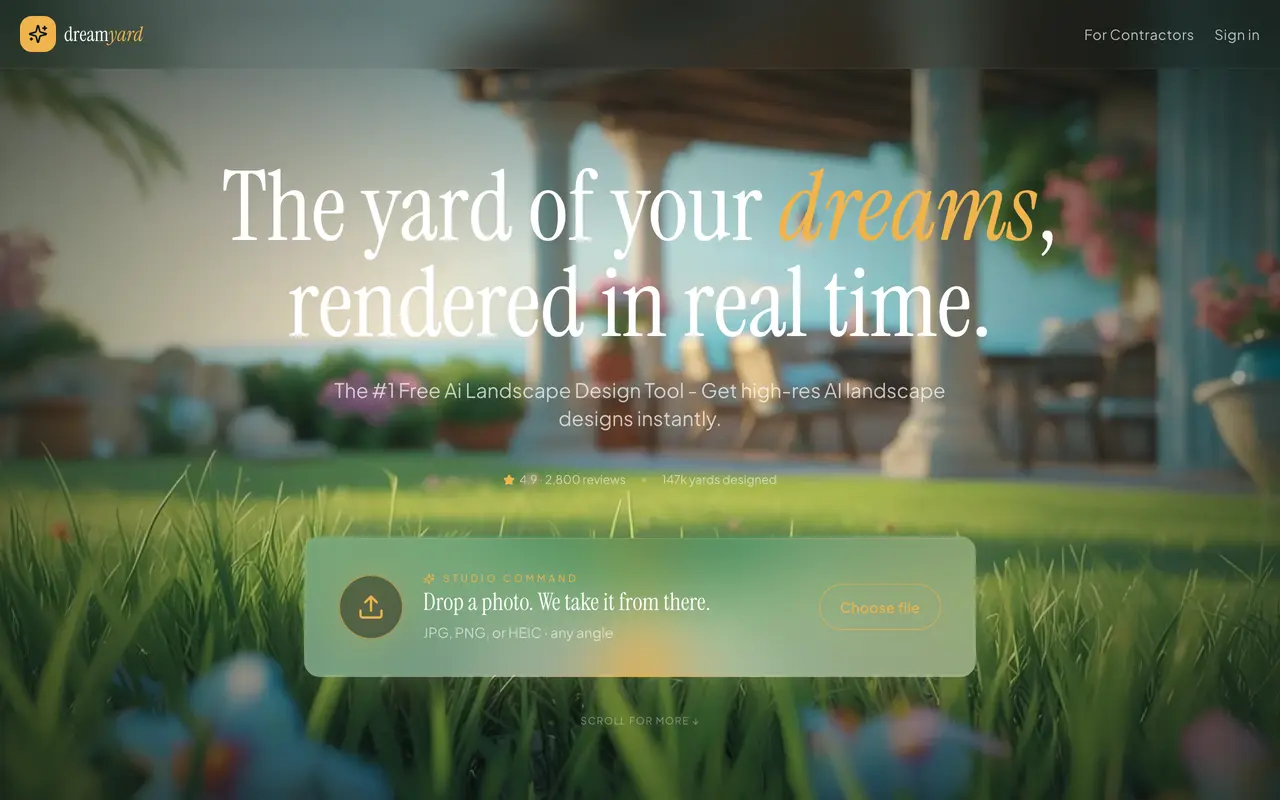
DreamYard displays a 4.9 rating from 2,800 reviews and 147,000 yards designed, and lists ten styles from Xeriscape to English Garden.
Best for: Fast free concepts · Free tier: Advertised as unlimited · Paid from: Pricing page returned nothing · Climate aware plants: No · AR: No
Positions itself as the number one free AI landscape design tool and quotes roughly 47 seconds per transformation. The style list is the most US-specific here: Modern, Mediterranean, Cottage, Xeriscape, Japanese, Prairie, Tropical, Farmhouse, Desert Modern and English Garden, which reads like it was built from search demand rather than from a designer's taste.
The catch: its own homepage runs a section inviting you to ask ChatGPT, Perplexity and Claude about DreamYard, which is a company optimising for what language models say about it. Worth knowing when you meet its name in an AI answer. Its pricing page also served an effectively empty document on capture, so the word unlimited is doing unverified work.
6. Gardenly, the cheapest honest subscription
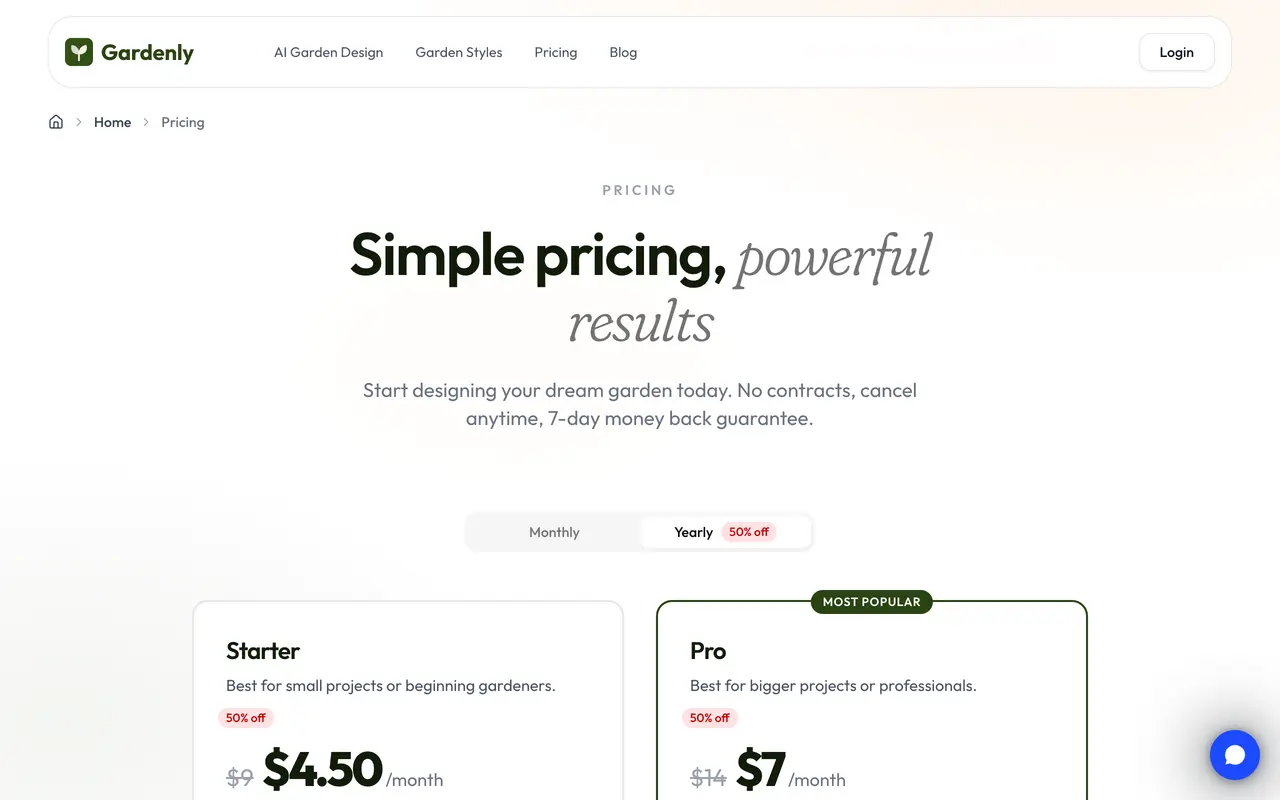
Gardenly splits its plans purely by credit count, with every feature available on both tiers.
Best for: The cheapest real subscription · Free tier: No · Paid from: $4.50/mo billed $54/yr (20 credits) · Climate aware plants: No · AR: No
Refreshingly simple pricing. Two tiers, 4.50 dollars a month billed annually at 54 dollars for 20 credits, or 7 dollars a month billed at 84 dollars for 100 credits, and the page states plainly that every feature is in every plan and the only difference is the number of design credits. One credit is one redesign. Leftover credit packs never expire.
The catch: no free tier at all, so there is no way to see the output quality on your own yard before paying. At 54 dollars that is a small bet, but it is still a bet.
7. RemodelAI, if the yard is part of a whole house project
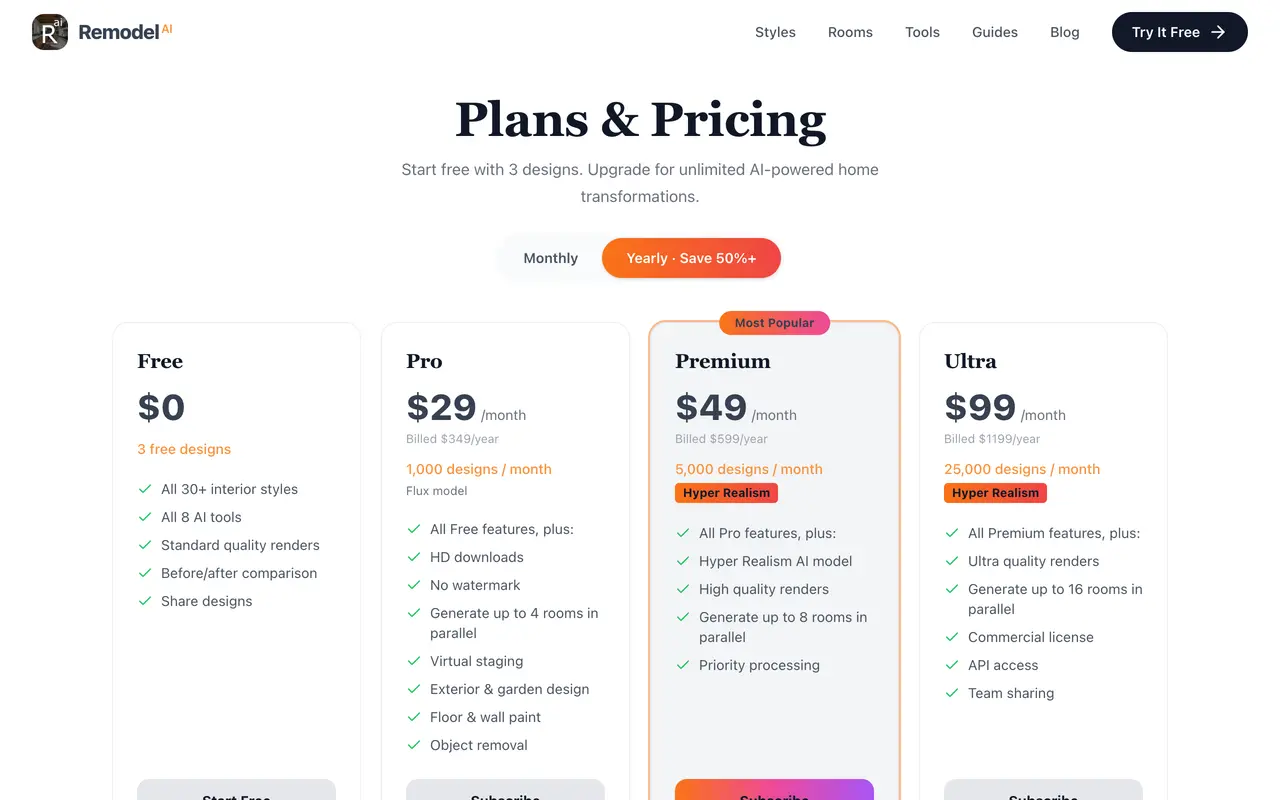
RemodelAI bundles interior, exterior and yard tools into one subscription rather than selling landscape separately.
Best for: Whole house projects that include the yard · Free tier: 3 designs · Paid from: $29/mo billed $349/yr · Climate aware plants: No · AR: No
Sensible if the landscaping is one part of a bigger renovation, because you are not paying for a landscape subscription and an exterior subscription separately. Free tier is 3 designs, Pro is 29 dollars a month billed at 349 a year for 1,000 designs, with 49 and 99 dollar tiers above it.
The catch: the yard is a mode inside a general remodelling tool rather than the product, so you get breadth instead of depth. It also publishes its own comparison posts scoring itself against the field, which is worth remembering when you meet those posts in search results.
8. Hadaa, one payment per project, and it claims a bill of quantities
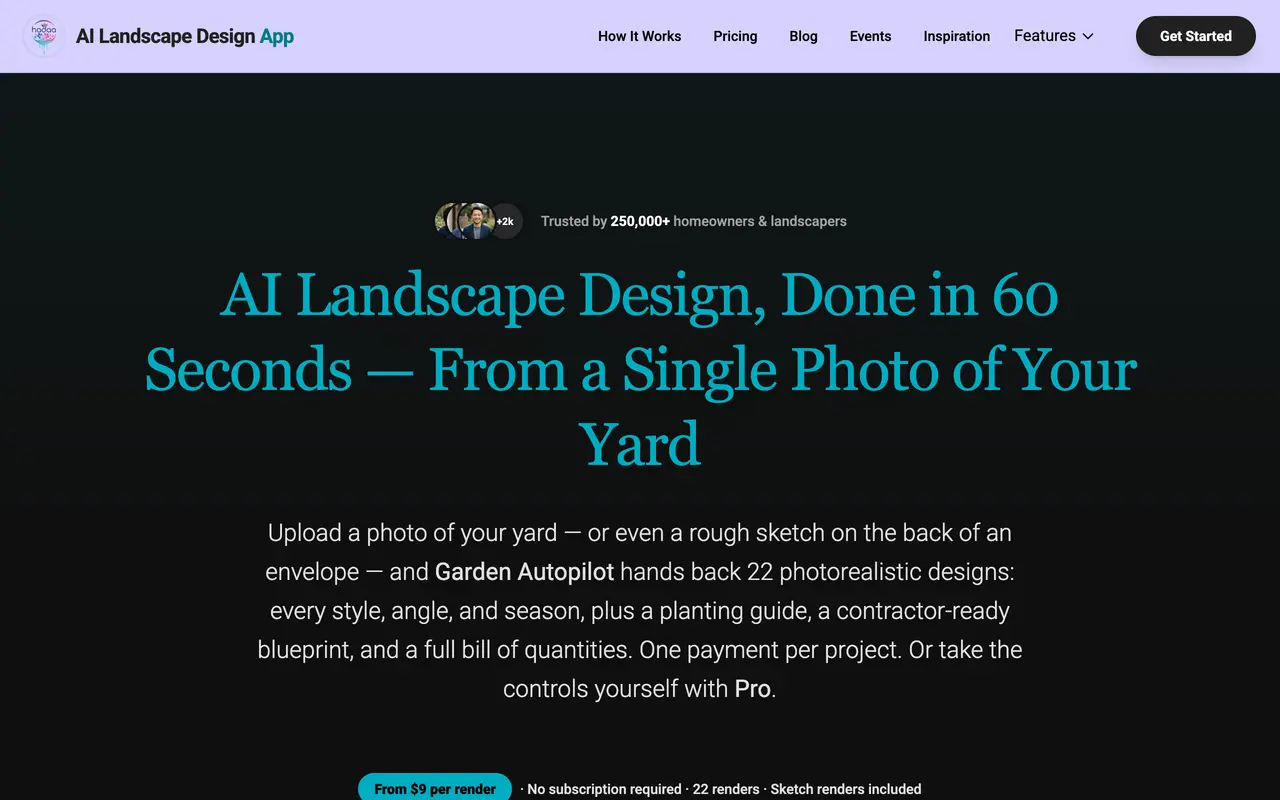
Hadaa charges once per project rather than by the month, and claims 250,000 homeowners and landscapers across 180 countries.
Best for: A whole project in one payment · Free tier: No · Paid from: $9 per render, one payment per project · Climate aware plants: Planting guide claimed · AR: No
I nearly got this one wrong, so it is worth being precise. Hadaa is not selling you a single picture for nine dollars. Its product page describes uploading between 1 and 14 photos and receiving 22 renders per project, 8 style variations and 8 angles plus seasons, together with a planting guide, a contractor-ready blueprint and a full bill of quantities, for one payment per project with no subscription.
If that bill of quantities is real, Hadaa is answering test three as directly as iScape does, at a fraction of the price and without a yearly commitment. That is the most interesting claim on this page.
The catch: it is a claim, and it is the one I would most want verified before recommending it, because a bill of quantities generated from a photograph with no measured survey has to be estimating areas from pixels. Treat the quantities as a starting figure to argue with, not a number to order materials against.
9. GenRoom, credits that do not expire monthly
GenRoom sells credit packs valid for 180 days rather than monthly allowances that reset.
Best for: Occasional use without a monthly reset · Free tier: No · Paid from: $9.99 for 36 credits · Climate aware plants: No · AR: No
Credit packs at 9.99 dollars for 36, 19.99 for 100 and 39.99 for 300, each valid for 180 days. If you design a yard in bursts over a summer rather than in one sitting, that is a materially better deal than a monthly allowance you keep forfeiting.
The catch: yard design is one of three modes alongside interior and facade, so the outdoor-specific controls are thinner than in a dedicated landscape tool.
10. Home Design AI, the cheapest monthly entry

Home Design AI runs landscape as one page inside a much larger interior and exterior suite.
Best for: Cheapest monthly entry across many room types · Free tier: No published free tier · Paid from: $9.99/mo billed $119/yr · Climate aware plants: No · AR: No
The broadest suite here, with landscape sitting next to interior, exterior and a floor plan tool. Pricing runs 9.99 dollars a month billed at 119 a year, then 24.99 billed at 299, then 49.99 billed at 599, with credits that expire monthly.
The catch: credits expiring monthly is the opposite of GenRoom's model and worse for the way most people plan a yard, in bursts. Breadth again comes at the cost of outdoor-specific depth.
11. VisualGPT, if you want video out as well
VisualGPT prices in credits and lets you spend them on images or on video.
Best for: Bundling stills with short video · Free tier: Log in free · Paid from: $72/yr for 100 credits a month · Climate aware plants: No · AR: No
The credit model covers both images and video, up to 100 images or 12 videos a month on the entry tier at 72 dollars a year, rising to 500 images or 65 videos at 180 dollars. If you want a short moving flythrough of a proposed yard rather than stills, that is a genuinely different offer.
The catch: it is a general purpose visual tool with a landscape page attached rather than a landscape product, and the credit maths takes real effort to compare against flat subscriptions.
12. Gendo, the one built for professionals

Gendo aims at practices rather than homeowners, and prices accordingly.
Best for: Landscape architects working from CAD · Free tier: £0 with unlimited generations, no card · Paid from: £66/mo billed £790/yr · Climate aware plants: No · AR: No
The odd one out, and useful precisely because it is. Gendo targets professionals doing large scale landscape architecture from CAD rather than homeowners with a phone photo. The free tier is genuinely generous, zero pounds with unlimited generations and no credit card, with paid plans at 79 pounds a month or 66 billed annually at 790.
The catch: the paid pricing is a professional tool's pricing and makes no sense for one back yard. If you are a homeowner, use the free tier and ignore the rest.
What went wrong in my own renders
This is the part I would normally be tempted to leave out. Every image in this article came from one before photo through one engine, with an explicit instruction to preserve the house wall, the fence line, the boundary and the mature tree. Five of the six redesigns held. One did not.
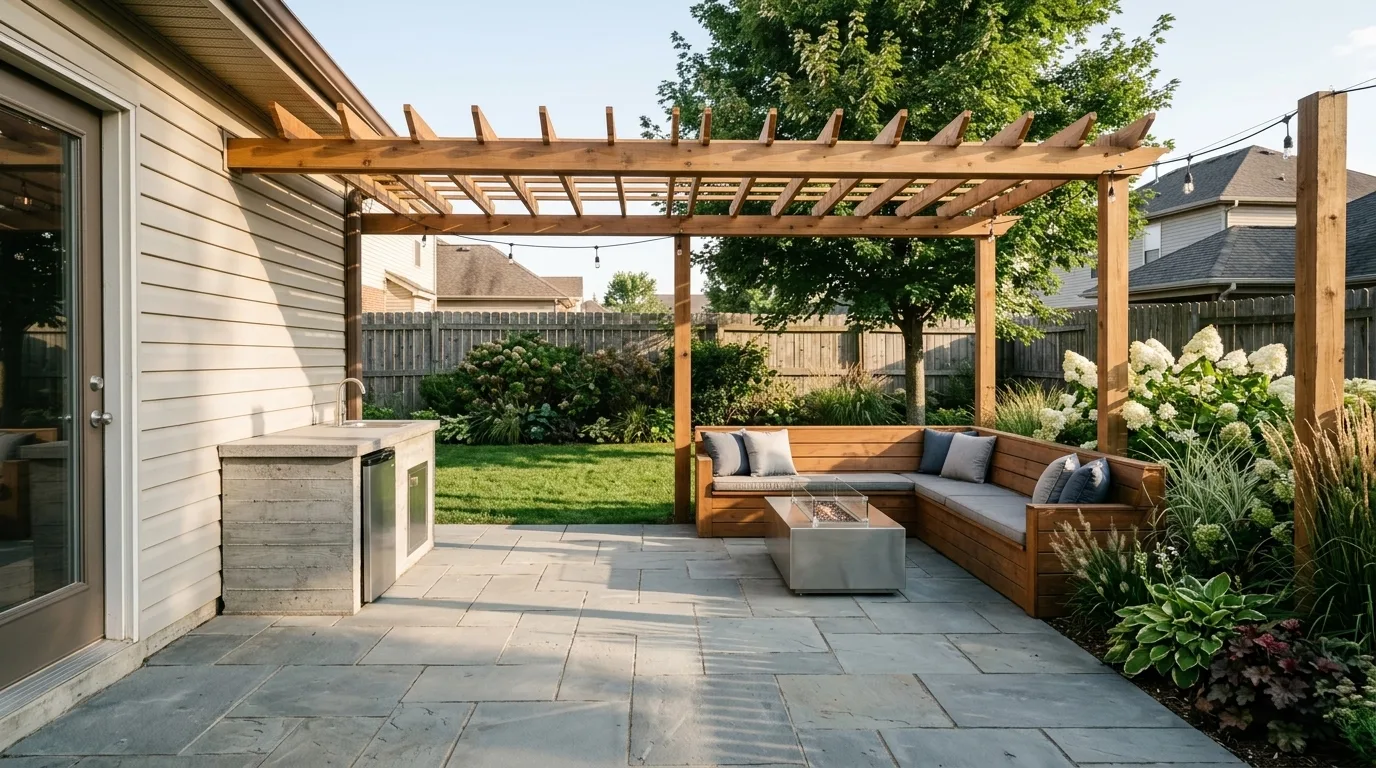
Compare this against the before photo at the top. The cream vinyl siding wall has become a glazed door, the coiled green hose has vanished, and an outdoor kitchen counter has been fused into the house. The yard looks great. It is not the same house.
Nothing in the output flags any of that. The lighting is consistent, the shadows fall the right way, the materials are convincing. It took a side by side comparison with the source photo to notice, and the thing that gave it away was the missing hose, not the missing wall.
I regenerated it with a stricter instruction naming the siding, the downspout and the hose explicitly, and it held. That is the practical lesson and it applies to every tool on this list: name the things you want kept, then check them one at a time against your photo. Do not check whether the render is beautiful. Check whether it is your yard.
Six styles on one yard
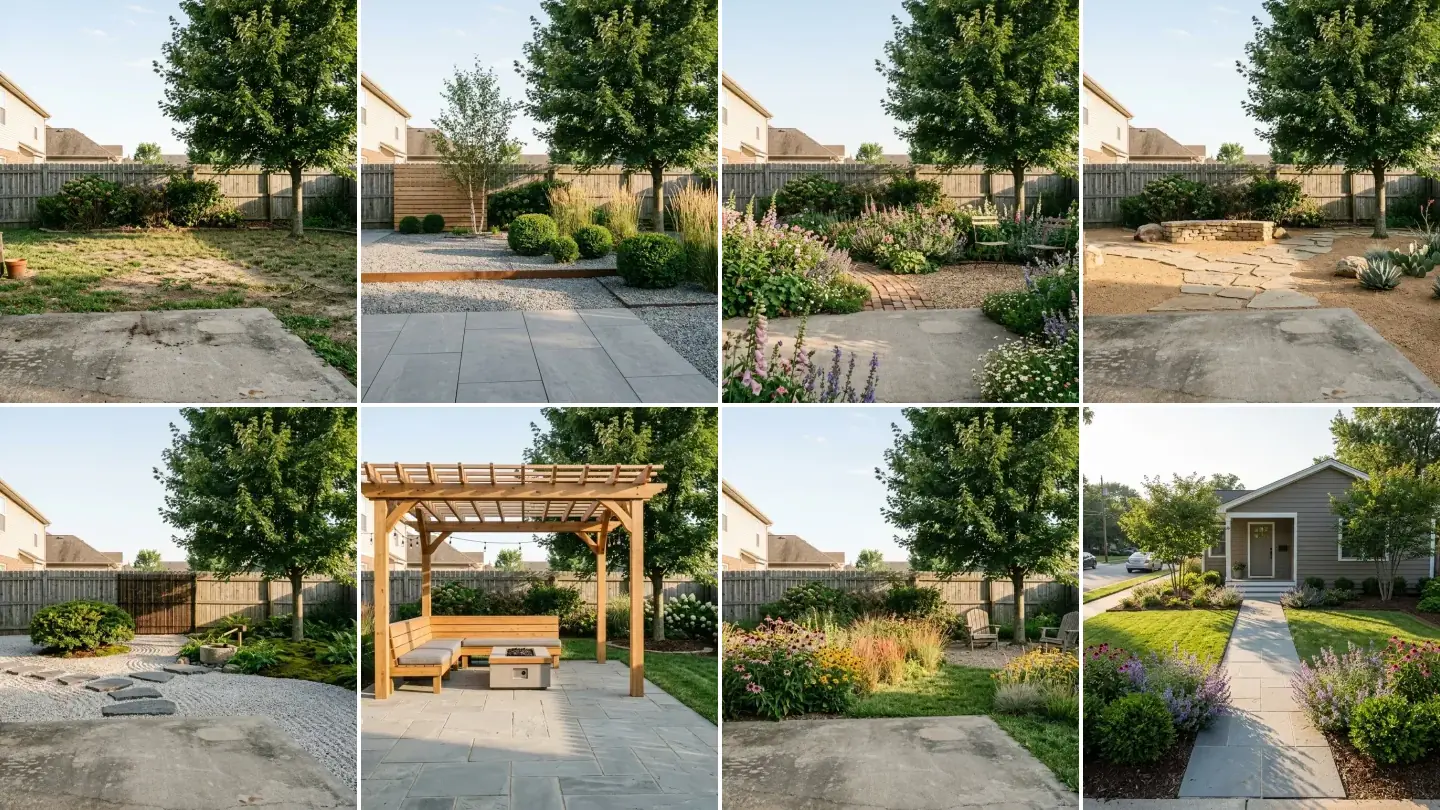
Style names mean very little until you see them applied to the same space. These are the same before photo, same camera position, same fence.
Modern minimal. Large format pavers, gravel bands, clipped forms and a lot of deliberate empty space. The cheapest looking style to render and one of the most expensive to build, because it is nearly all hardscape.
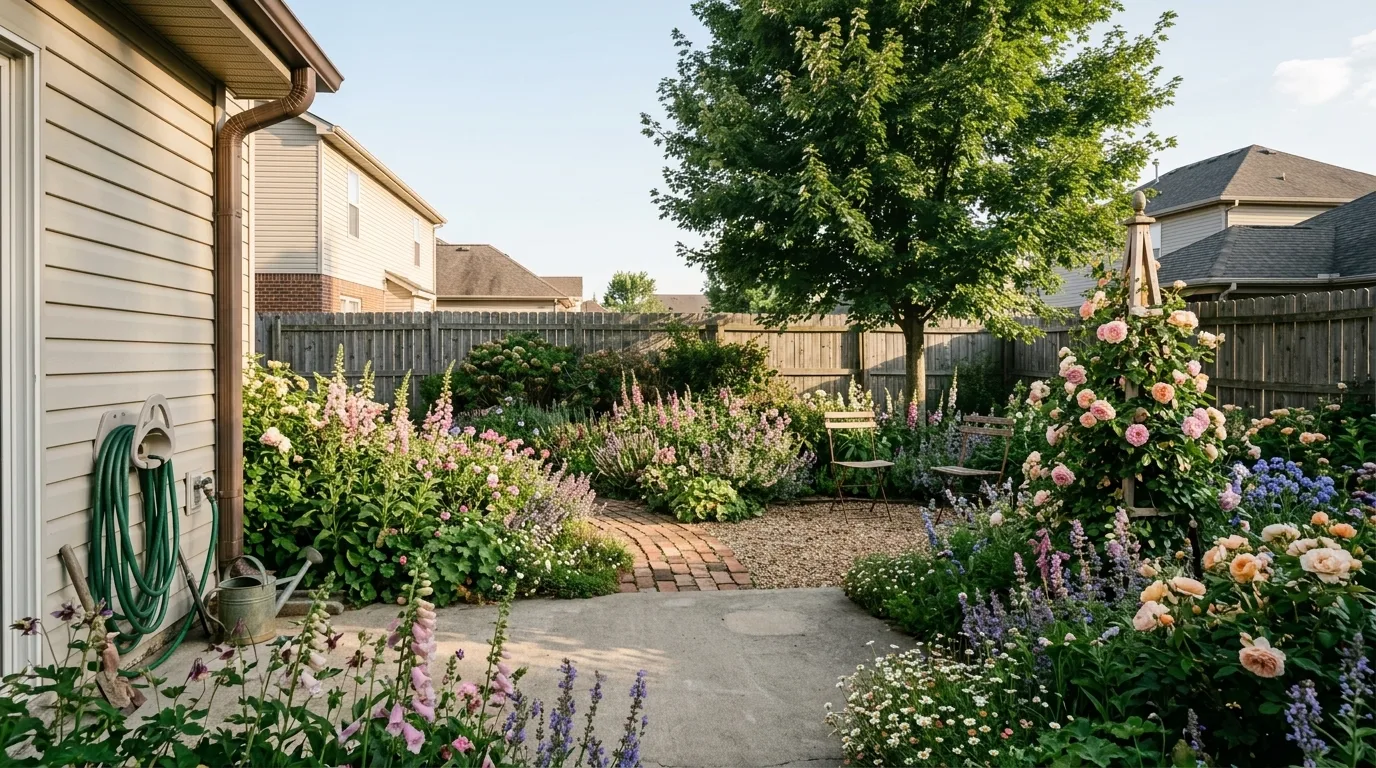
English cottage. Deep mixed borders, a brick path, planting spilling over every edge. Cheap to install and by far the most maintenance of anything here, which no render will ever tell you.
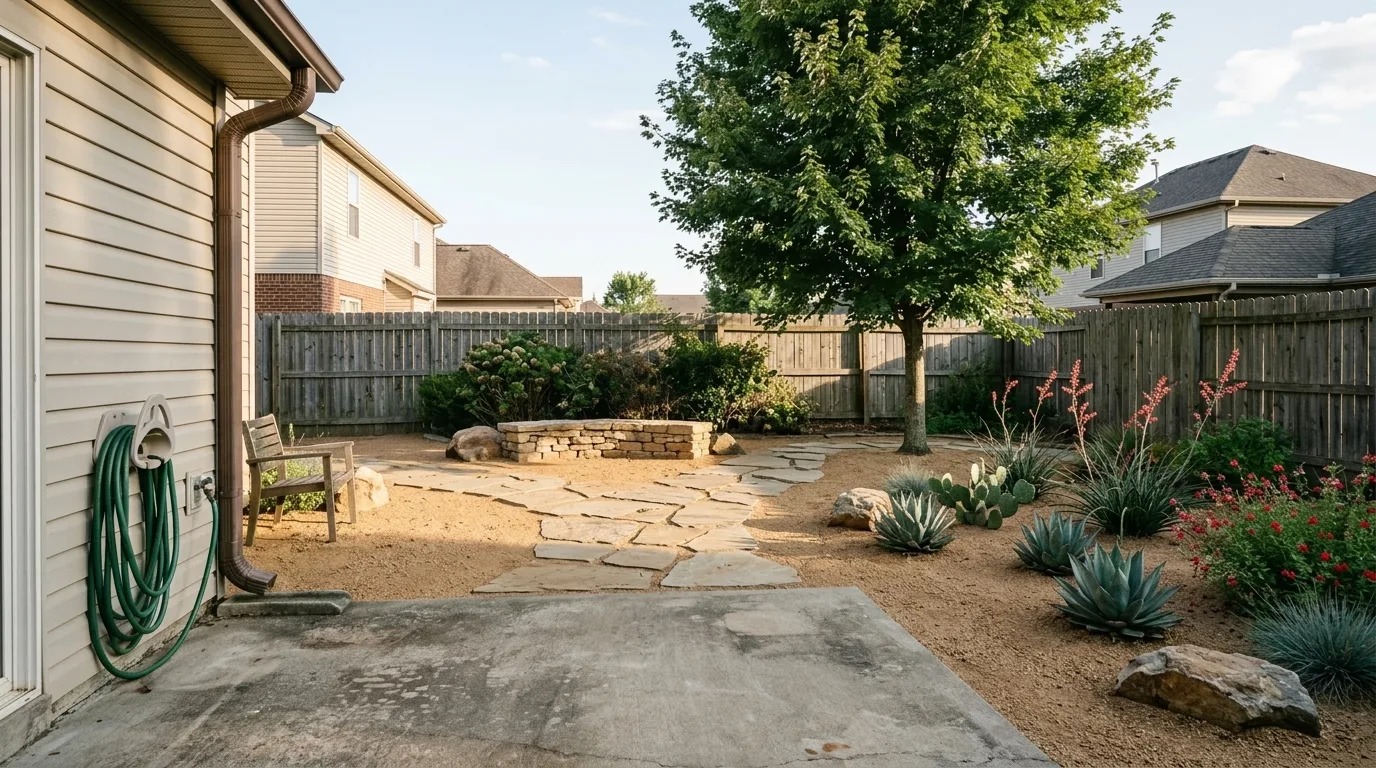
Xeriscape. No lawn at all, decomposed granite, flagstone and desert adapted planting. This is the style where test two matters most, because agave and prickly pear rendered into the wrong zone is an expensive mistake.
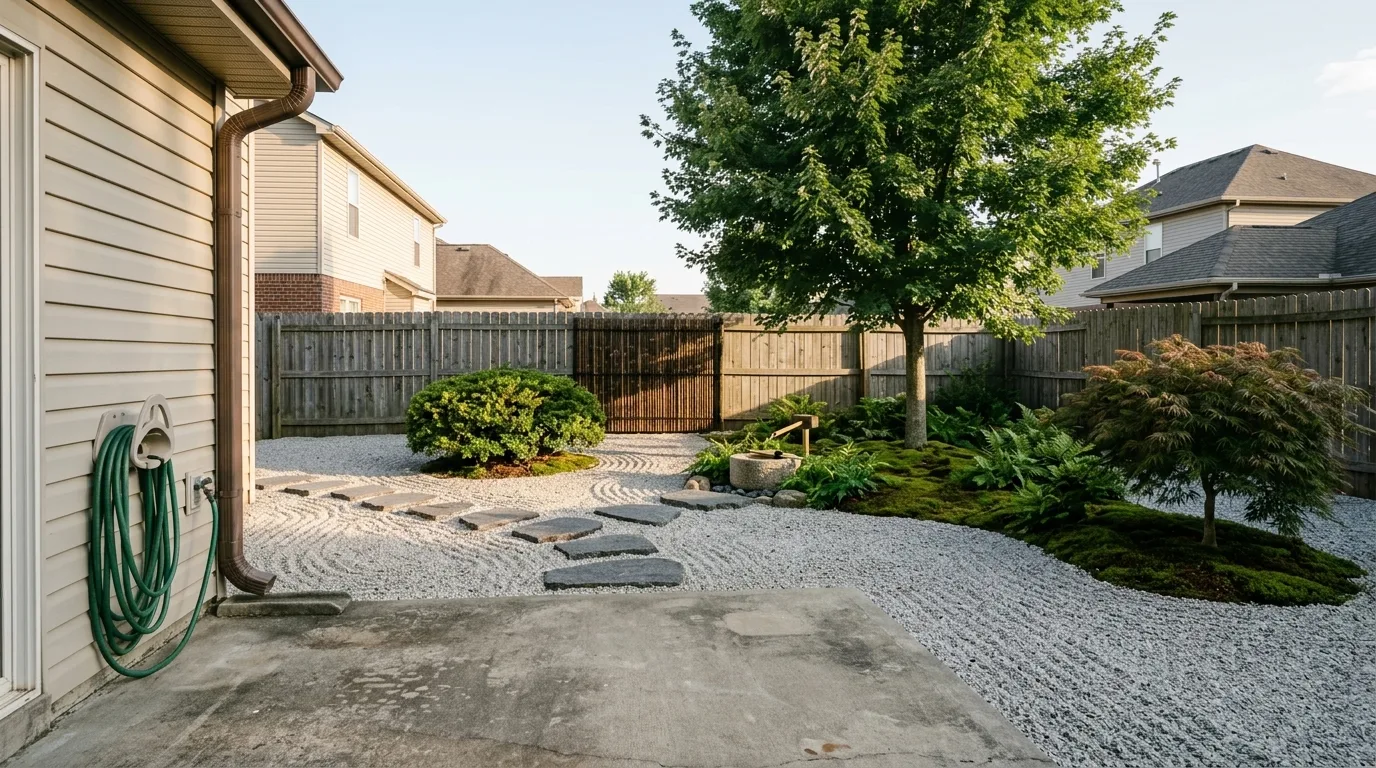
Japanese influenced. Raked gravel, granite stepping stones, one sculptural maple. The style AI renders most flatteringly and executes worst, because the whole effect depends on the placement of about six objects.
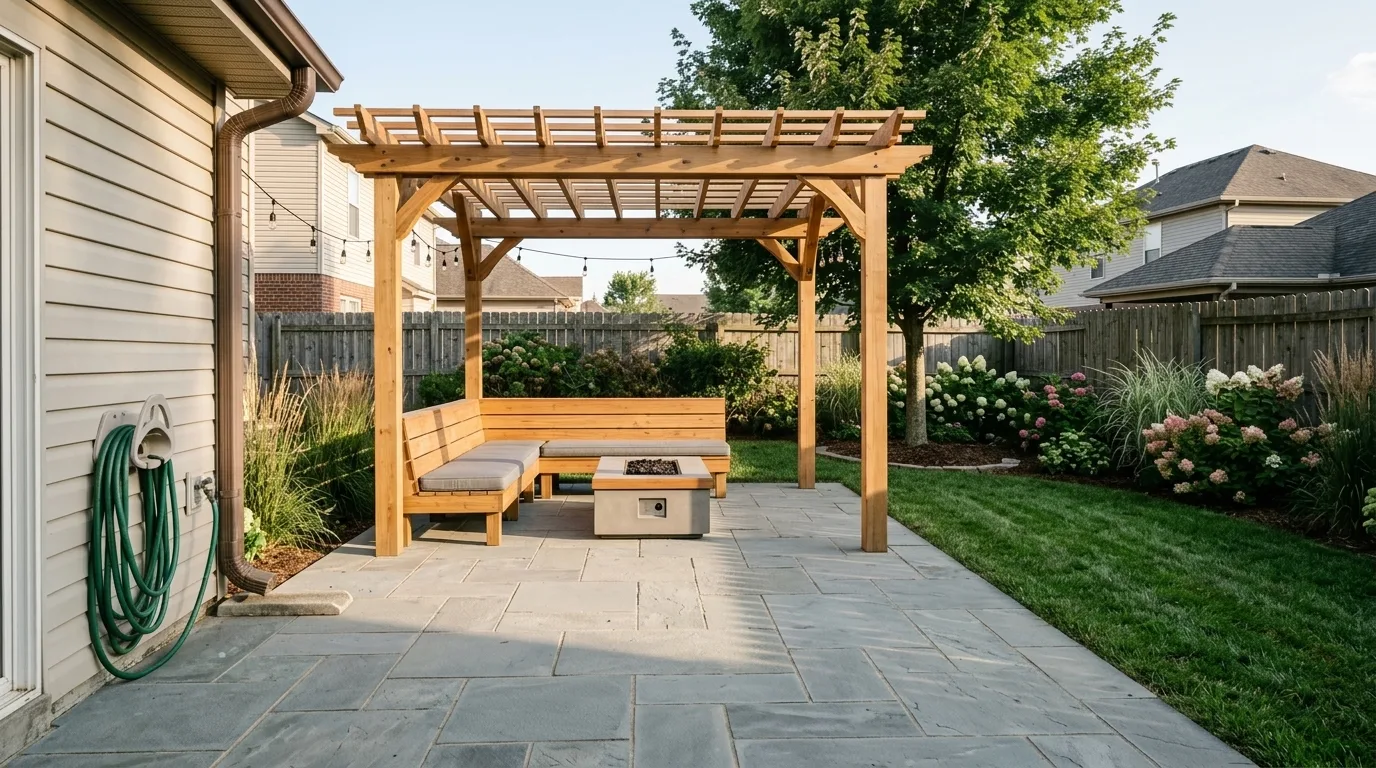
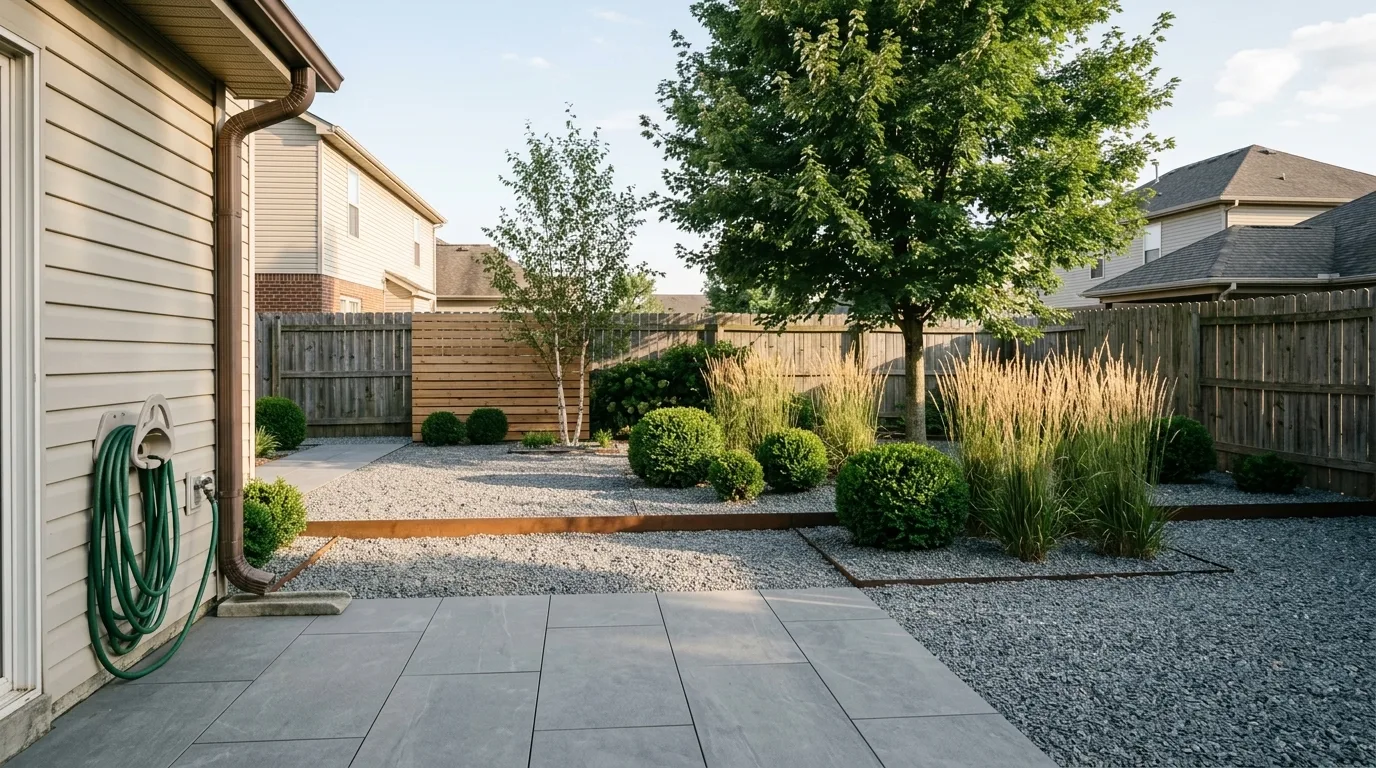
Outdoor living. Pergola, bluestone, built in seating, fire table. This is the regenerated version after the first attempt rebuilt the house, and you can see the hose and the siding are back where they belong.
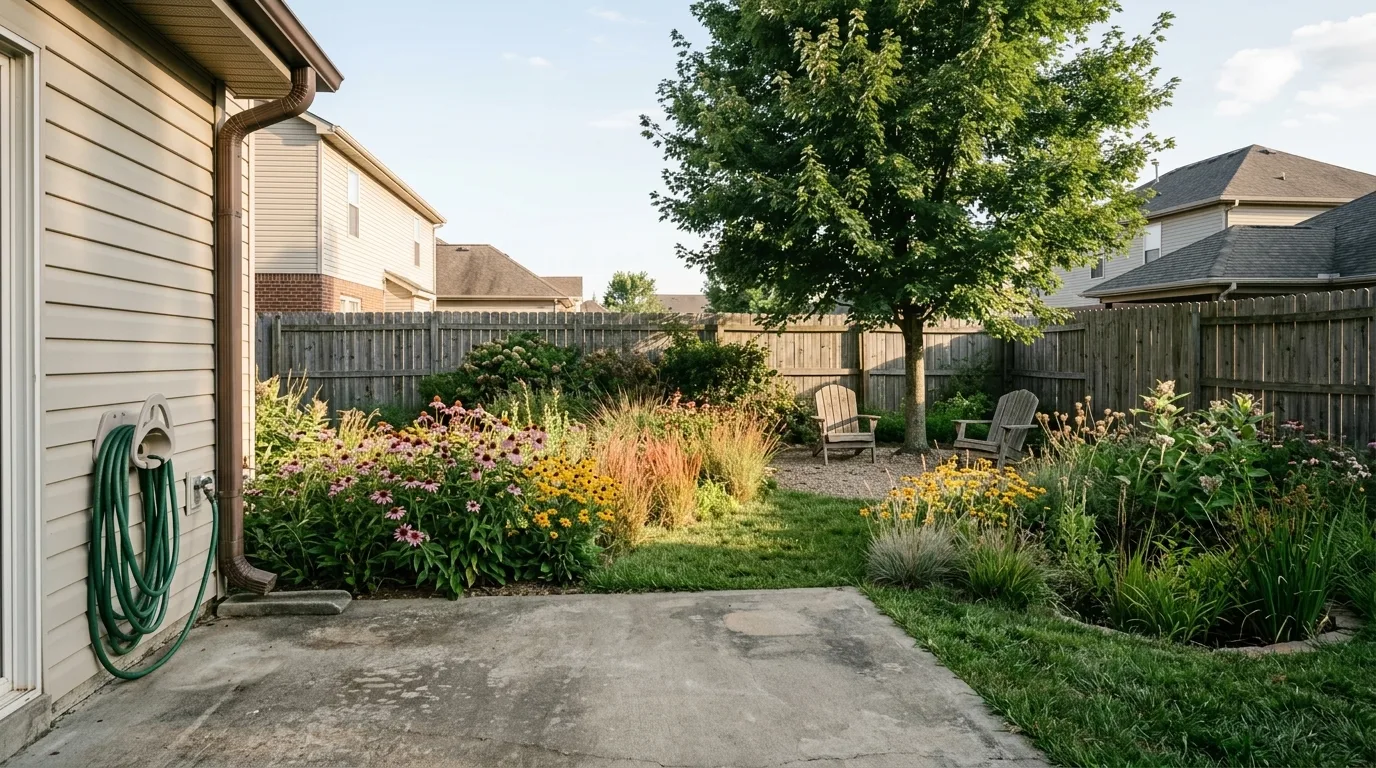
Native prairie. Most of the lawn replaced with drifts of coneflower, bluestem and switchgrass, with a mown path cut through. The one style on this list that gets better if the render looks slightly untidy.
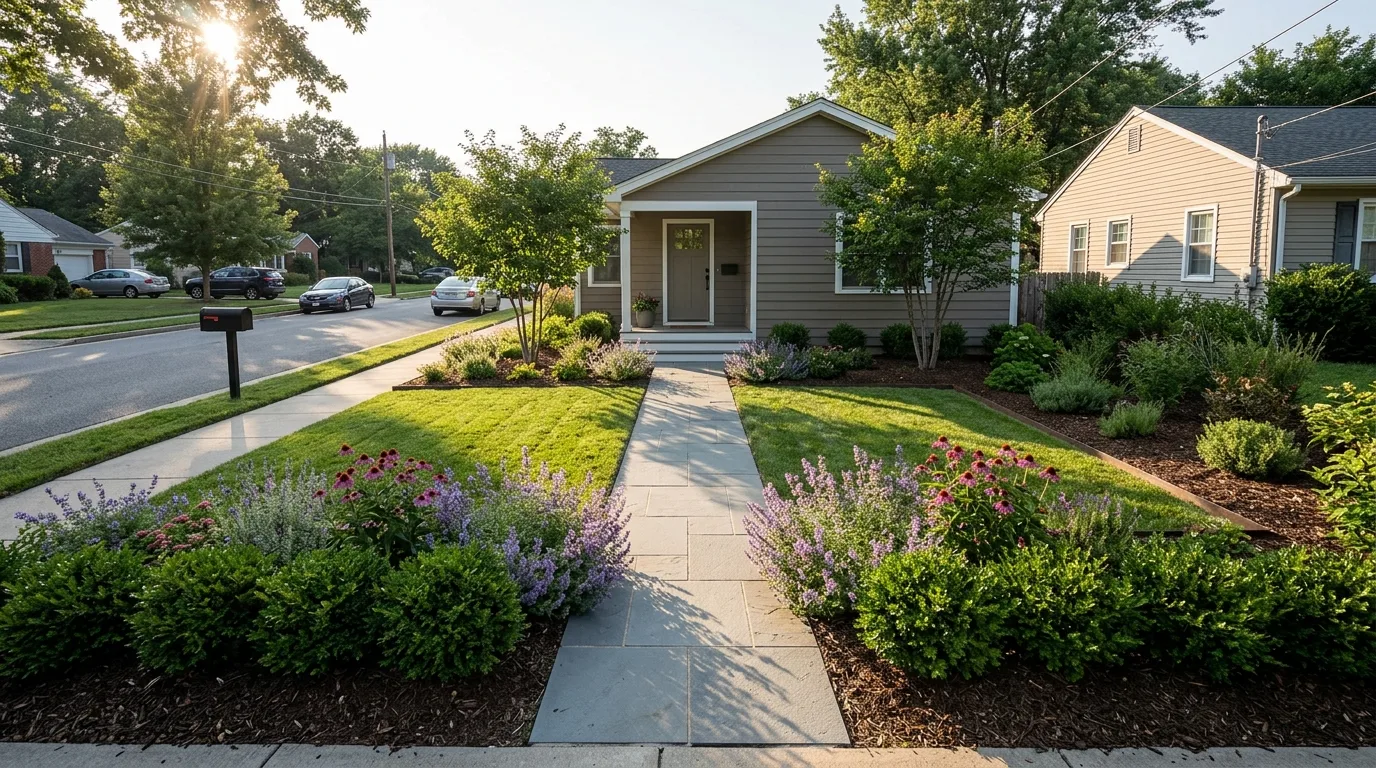
Front yards are a different job from back yards. The design has to work from a moving car at 25 miles an hour, which is why almost everything that works out front is simple, repeated and symmetrical.
The same yard, six times of day
Style is what people shop for. Light is what actually decides whether a yard is pleasant to be in, and it is the thing every one of these tools quietly ignores, because they render a single flattering afternoon and stop.
These six frames are the same outdoor living design from the section above, same pergola, same paving, same fence, same hose on the wall. The only variable is the light. It is also a fair test of the render engine, because a model that invents its geometry will change the pergola when you change the sun, and a model that is genuinely editing the photograph will not.
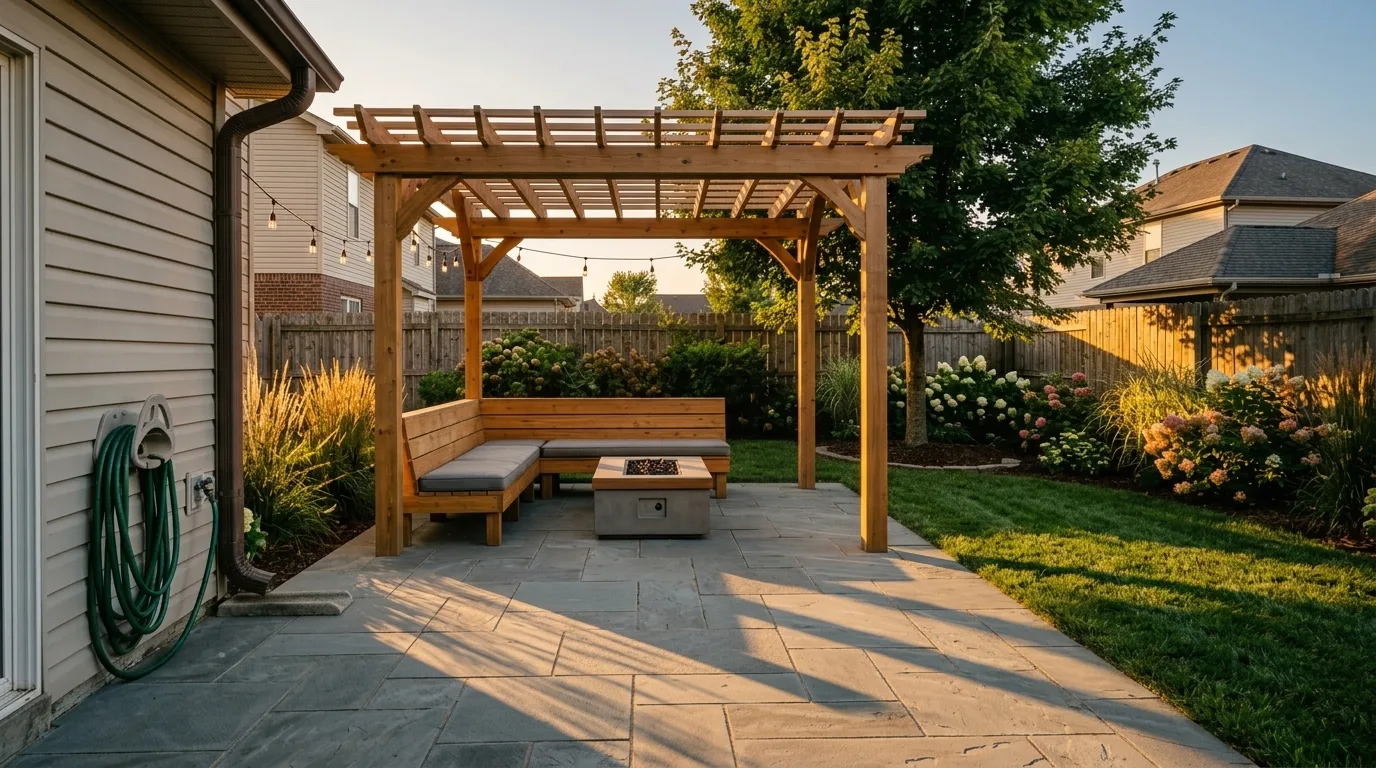
Golden hour, sun low and left. This is the light every tool in this article renders by default, because it flatters everything. Note the rafter shadows striping the paving, which is the one thing a pergola actually does for most of the day.
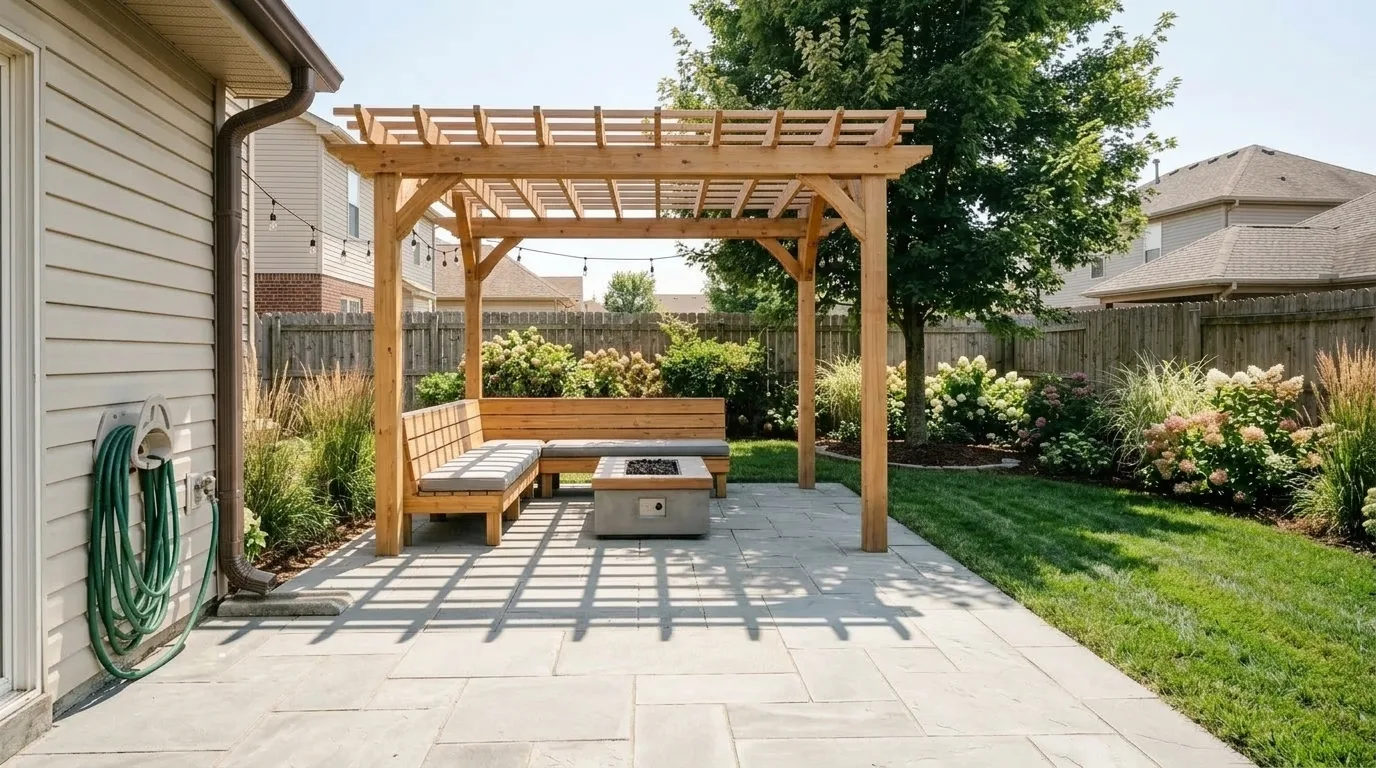
High noon, and the honest one. Short hard shadows, hot highlights on the stone, dappled canopy shade across the seating. This is the light a yard gets for most of its usable hours, and it is the light nobody puts in a portfolio.
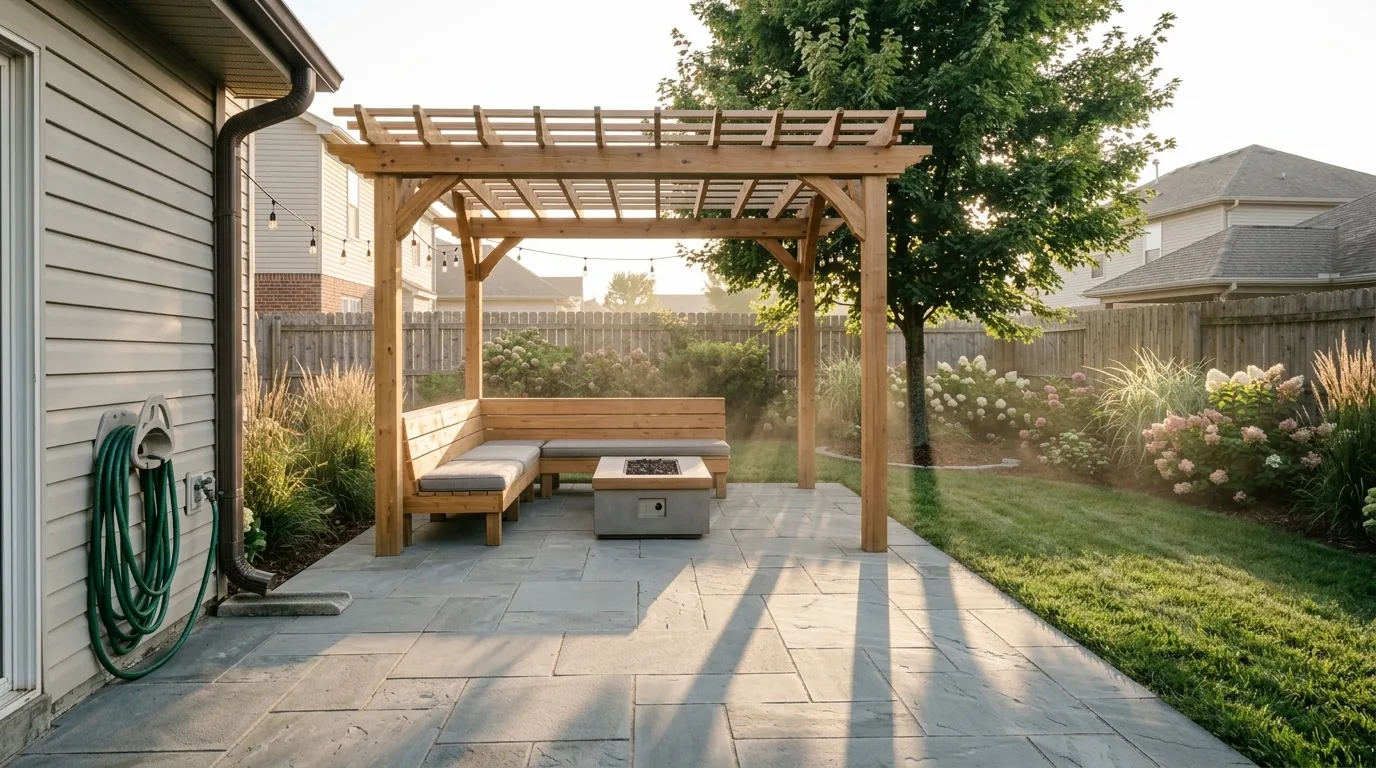
Early morning, shooting into the sun. Grasses and hydrangea go translucent when they are backlit, which is the single best argument for putting planting on the east side of a seating area rather than the west.
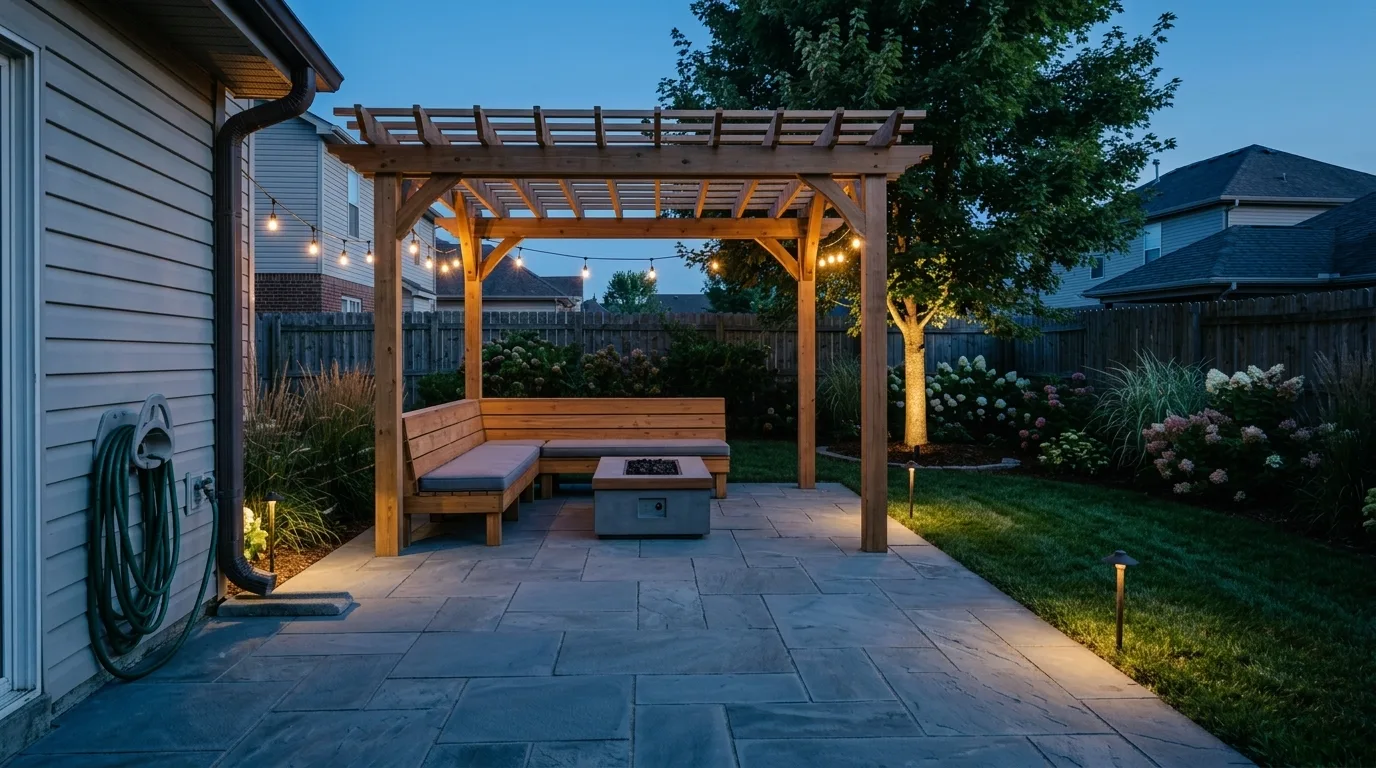
Blue hour, the twenty minutes that sell outdoor lighting. Warm fittings read against cool ambient sky. If you are budgeting lighting, this is the effect you are paying for, and it lasts about as long as it takes to finish a drink.
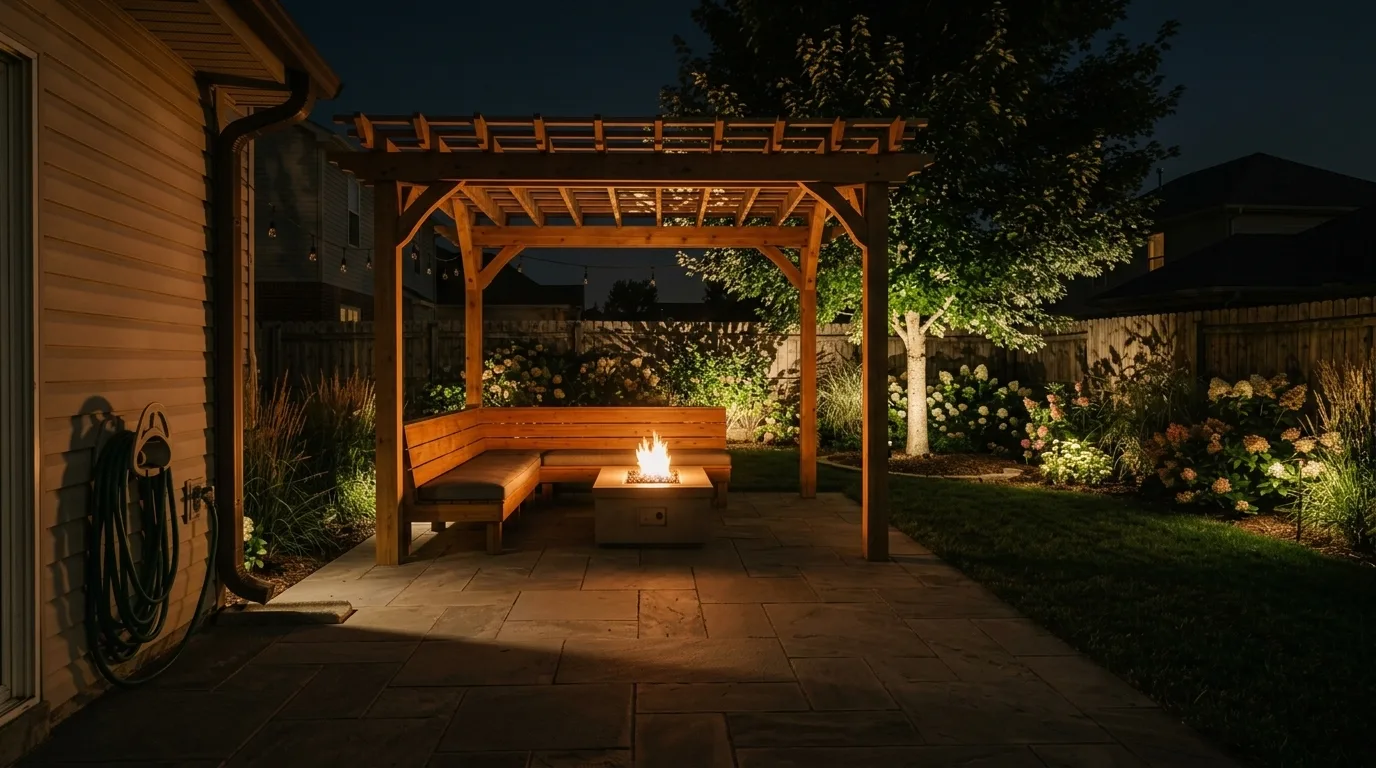
Full night, lit only by the yard's own fittings. Uplighting the tree does more work than anything else here, because it gives the eye something beyond the pool of light you are sitting in. Without it the fence becomes a black wall.
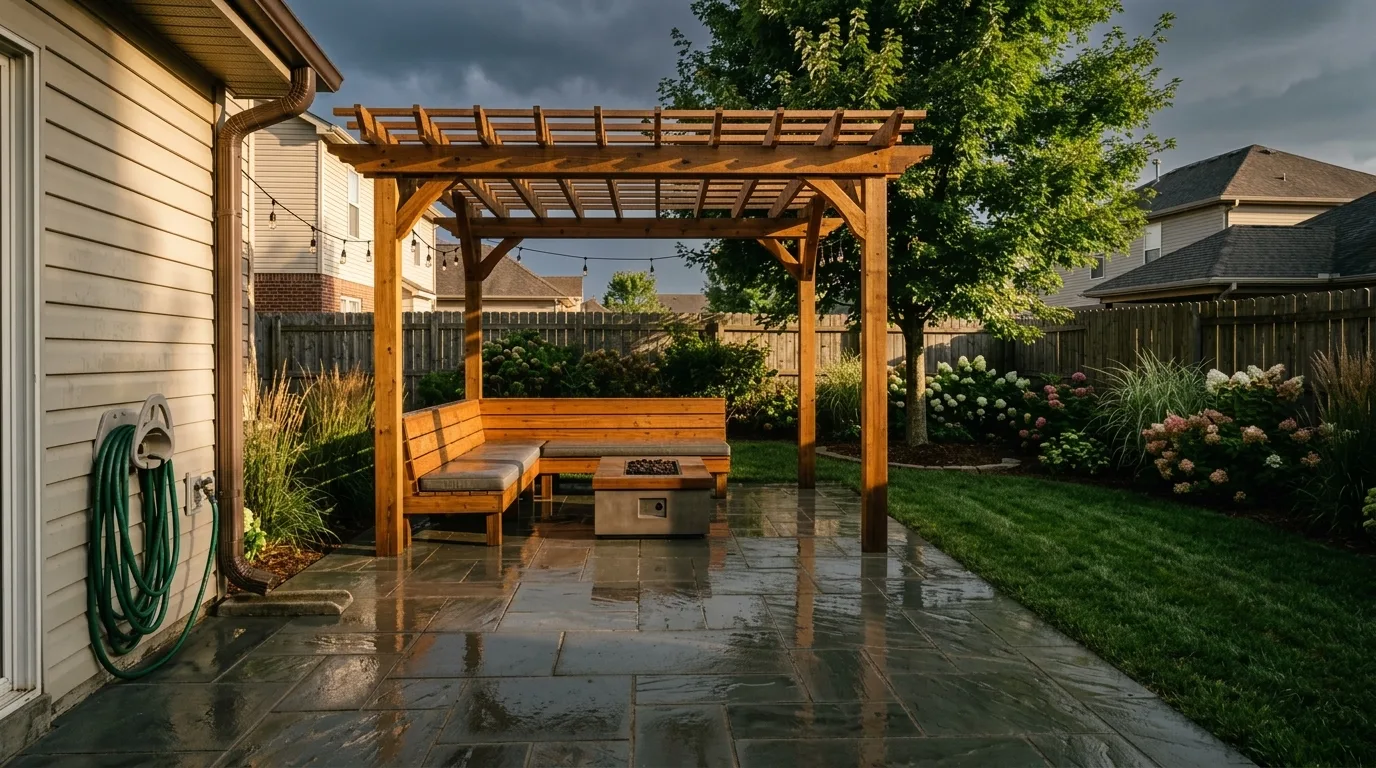
After the rain. Wet paving turns into a mirror, which is worth knowing before you choose a very smooth stone for a seating area that faces the evening sun.
Two practical things fall out of this. The first is that if you are choosing paving, ask the tool for noon rather than golden hour, because that is when the glare problem shows up. The second is that landscape lighting is the cheapest change on this page and the only one that alters the yard for half of every day, and almost none of these tools will design it for you unless you ask.
What this actually saves you
The financial argument for rehearsing a yard before building it is stronger than for most home improvements, for two reasons.
The first is that landscape work recovers unusually well at resale. In the 2023 Remodeling Impact Report on outdoor features, produced jointly by the National Association of Realtors and the National Association of Landscape Professionals, standard lawn care service showed a cost recovery of 217 percent and landscape maintenance 104 percent, the two highest figures in the study. (NAR and NALP)
The second is that the design itself is a real line item. DreamYard states on its own homepage that professional landscape architects charge 2,000 to 5,000 dollars just for initial designs. Against that, a 9 dollar render or a free tier is not a competitor to a designer. It is a cheap way to arrive at the designer already knowing what you want, which is the conversation that gets shorter and cheaper.
How to photograph your yard so the AI does not invent one
The input photo determines more of the result than the choice of tool. Six things, ten minutes.
- Shoot from the back door, standing. Hold the camera at eye level. Phone-at-hip shots foreshorten the ground plane, and the ground plane is the thing being redesigned.
- Get the whole boundary in frame. The fence line is how the model works out how big your yard is. Crop it and the tool will invent a boundary, usually a more generous one than you own.
- Shoot in real sun, not flat overcast. Overcast light gives the model no shadow information, so it picks a sun direction at random.
- Move the bins, the hose reel and the trampoline. Anything sitting on the ground gets rebuilt into the design, occasionally fused into a wall.
- Take a second frame from the far corner. One angle hides level changes. A shot looking back at the house is the fastest way to spot a design that ignored your slope.
- Check the result against the photo. Follow the fence end to end, find your mature tree, check the shadows. If the boundary moved, it is a different yard.
My pick
If you are starting from nothing and want to spend nothing, start with Neighborbrite, because the plant list being checked against where you live is worth more than any amount of extra style choice.
If you are going to build the thing, iScape and Hadaa are the two that end in something resembling a document a contractor can price. iScape at 299.99 dollars a year is the safer choice if you are quoting work for other people. Hadaa is the better bet if this is your own yard and you want it priced once.
If you want to design rather than browse, our own AI landscape design tool gives you paving, ground, planting, features, boundary and lighting as separate decisions, which is the difference between changing one thing and rolling the dice again. It will not check your plants against your zone. Do that yourself against the USDA map, whichever tool you end up using.
Frequently asked questions
What is the best AI landscape design tool in 2026?
There is no single winner, because these tools do different jobs. Neighborbrite is the best free starting point and the only one in this group that filters plant suggestions by your location and climate. iScape and DreamzAR are the strongest phone apps, both with augmented reality, and iScape and Hadaa are the two that claim to turn a design into a materials inventory you can hand to a contractor. MeltFlex is the one to use when you want control over surfaces, planting density and boundary treatment rather than a single style dropdown. Judge them on whether the output is buildable in your climate, not on which render is prettiest.
Is there a genuinely free AI landscape design tool?
Yes. Neighborbrite is free to use with no app install, and Gendo has a free tier at zero pounds with unlimited generations and no credit card. DreamYard advertises unlimited free concepts on its homepage. RemodelAI gives you 3 free designs before asking for money. MeltFlex has a free tier as well. The honest caveat is that free tiers are sized to let you judge a tool, not to finish a project, and several of them apply a watermark or hold back the full resolution file.
Can AI redesign my backyard from a photo?
Yes, and it is the most useful thing these tools do. You upload a photo of the yard, choose a style, and the tool returns the same space with new planting, paving and features. The photo decides the result more than the tool does. Shoot the whole boundary from standing height in real sunlight, and the redesign will stay inside your actual yard. Crop the fence out and the model will invent a boundary, almost always a larger one than you own.
Will AI pick plants that survive in my climate?
Usually not, unless the tool is explicitly built to. Most of these generators produce an image, and an image has no idea what USDA hardiness zone you are in. Neighborbrite is the exception in this group, advertising plant suggestions filtered by the user location and climate, and DreamzAR ships a plant library of over 2,000 species. Everything else will happily render a palm in a snow belt. Always check the plant list against the USDA Plant Hardiness Zone Map before you buy anything.
How much does AI landscape design cost compared to a designer?
The AI tools in this comparison run from free to about 30 dollars a month, with pay-per-render options from 9 dollars. DreamYard states on its own homepage that professional landscape architects charge 2,000 to 5,000 dollars just for initial designs. The two are not substitutes. An AI render is a way to decide what you want before you pay a designer or a contractor to work out whether it can actually be built on your grade and drainage.
What is the difference between AI landscape design and AI garden design?
Mostly vocabulary and scale. Landscape and yard are the American terms and tend to cover the whole property, including the front yard, driveway edge and hardscape. Garden is the British term and usually implies planting. The tools are the same, but the search results are not, and a tool that markets itself as a garden designer often has a planting bias while a landscape tool leans toward hardscape, grading and structures.
Do AI landscape design apps work on iPhone and Android?
Some are native apps and some are websites that work in a phone browser. iScape and DreamzAR are proper mobile apps with augmented reality, which is the one feature a browser cannot match, because it lets you stand in the yard and see the design at scale. Neighborbrite deliberately advertises that there is no app to install. If augmented reality matters to you, that narrows the field to two.
Can I give an AI landscape render to a contractor?
Not on its own. A render has no dimensions, no levels, no drainage, no plant schedule and no quantities, so a contractor cannot price it. iScape generates a materials inventory and a PDF proposal, and Hadaa claims a contractor-ready blueprint with a full bill of quantities, which are the closest things in this group to something a professional can quote from. For everything else, treat the render as a brief that shows intent, and expect the contractor to redraw it properly before anyone digs.
Keep reading
- Best landscape design apps, the layout and photo apps (iScape, Planner 5D, Homestyler, Yardzen) with prices read off each vendor in September 2026.
- AI landscape design prompts, 40 copy-paste prompts for ChatGPT, Gemini and Nano Banana, every one rendered on the same yard.
- Backyard privacy ideas that actually block the view, with the sightline maths for an overlooked yard.
- No grass backyard ideas, nine lawn alternatives on one yard with the real maintenance each one needs.
- Best free AI garden design tools, the same field in British garden vocabulary, with outdoor furniture costs.
- How to design a garden layout, the planning step that should come before any render.
- Best AI exterior design tools, for the half of curb appeal that is the house itself.
- Outdoor furniture ideas for a patio, once the hardscape is decided.
- Why AI renders look fake, the failure modes behind every bad image above.
- Best AI interior design tools compared, the same three-test method run indoors.
- Best AI architectural rendering tools, if you have a CAD model rather than a photo.
- AI garden furniture design, for furnishing the space you just designed.
- AI exterior design tool, to restyle the facade the yard sits against.
- Photo to render, if what you have is a sketch or a model rather than a photograph.



)