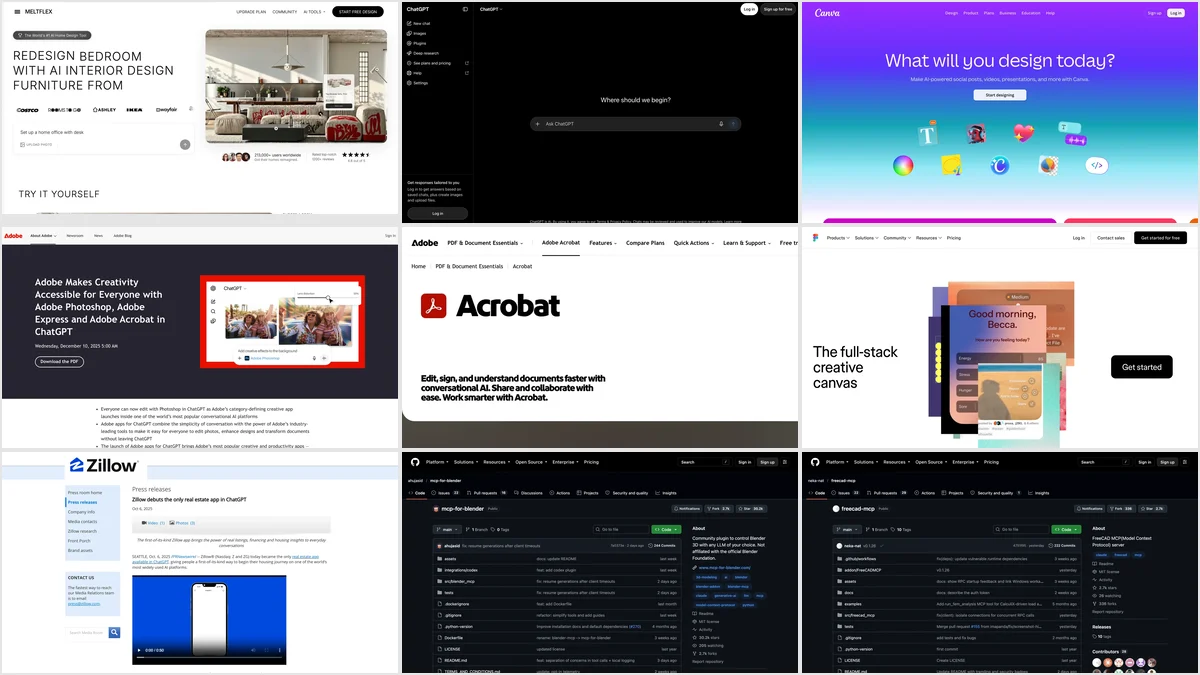
Real estate agents get the most out of ChatGPT in two places: writing (listing descriptions, social posts, follow up emails, plain English explanations of a CMA or a contract clause) and, since apps became plugins, doing real work inside the chat. Zillow, Redfin and Realtor.com search listings in it, Canva builds the flyer, Adobe fixes the photos and Acrobat assembles the disclosure packet. A staging plugin furnishes an empty room in the listing photo you attach. What it still cannot do is take responsibility: Fair Housing, accuracy and photo disclosure stay with you.
Our articles are still written by humans!
Get human written articles in your Google feed.
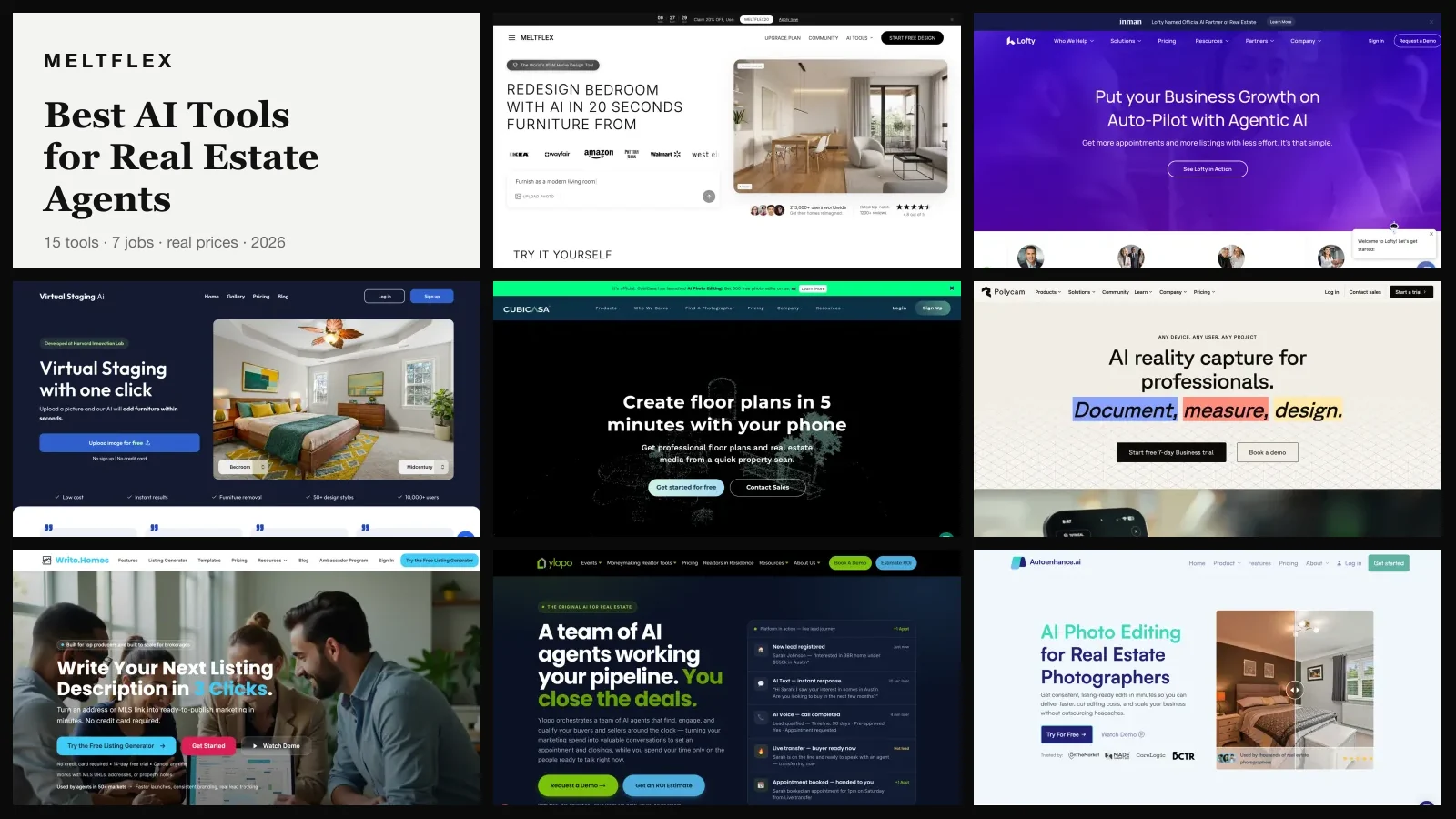
Most guides on this topic are lists of prompts written in 2023 and lightly updated. This one is built on what ChatGPT looks like in October 2026, and on two things we ran ourselves on October 13: a virtual staging job through a plugin, and a listing description with a deliberate Fair Housing trap. I studied real estate economics before starting MeltFlex, and MeltFlex makes one of the plugins below, so I will say plainly where it fits and where it does not. The other plugins are compared from their makers’ own announcements, not tested by us on live listings.


The short version
- Best use: first drafts of listing descriptions, social posts and emails, from a fact sheet you control. NAR’s 2026 Technology Report: 75% of agents who use AI use it for listing descriptions.
- Plugins worth adding: Zillow, Redfin or Realtor.com for market context, MeltFlex for staging, Canva for flyers, Adobe for photos and PDFs, DocuSign for agreements.
- Fair Housing: the Act applies to AI written ads. In our test ChatGPT caught “young families” and “retirees” but kept a church landmark. Read every draft.
- Staging: label it. California’s AB 723 has required a disclosure and a link to the original photo since January 1, 2026.
- Privacy: on Free and Plus, turn off model training in Data Controls and keep client financials out of the chat.



What can ChatGPT actually do for a real estate agent in 2026?
More than write, less than people claim. NAR’s 2026 Technology Report, released September 22, 2026, found that 23% of Realtors use AI daily and another 25% weekly, while only 12% neither use it nor plan to. The jobs they use it for are the ones below, and the right column is the honest version of how well ChatGPT does each one.
| Job | How you do it in ChatGPT | How well it works |
|---|---|---|
| Listing description | A prompt with a fact sheet | Very well, if you forbid invented features and read it for Fair Housing |
| Social posts and emails | Prompts, Canva plugin for the graphic | Well; it needs your voice and local detail or it sounds generic |
| Market context | Zillow, Redfin or Realtor.com plugin | Good for a quick look; not a CMA and not your MLS |
| Virtual staging | A staging plugin such as MeltFlex | Good with a plugin; ChatGPT’s own image model moves windows |
| Photo fixes | Adobe Photoshop plugin | Fine for exposure and color; it does not restyle a room |
| Contracts and disclosures | Acrobat or DocuSign plugin, or paste a clause | Useful for summaries; never a substitute for your broker or attorney |
| Pricing a home | Nothing reliable | Poor; it has no live MLS comps and will still give you a number |
- How
- A prompt with a fact sheet
- How well
- Very well, if you forbid invented features and read it for Fair Housing
- How
- Prompts, Canva plugin for the graphic
- How well
- Well; it needs your voice and local detail or it sounds generic
- How
- Zillow, Redfin or Realtor.com plugin
- How well
- Good for a quick look; not a CMA and not your MLS
- How
- A staging plugin such as MeltFlex
- How well
- Good with a plugin; ChatGPT’s own image model moves windows
- How
- Adobe Photoshop plugin
- How well
- Fine for exposure and color; it does not restyle a room
- How
- Acrobat or DocuSign plugin, or paste a clause
- How well
- Useful for summaries; never a substitute for your broker or attorney
- How
- Nothing reliable
- How well
- Poor; it has no live MLS comps and will still give you a number
Which ChatGPT plugins are useful for real estate agents?
Plugins are what ChatGPT calls the outside apps you can use inside a chat. OpenAI launched them as “apps” on October 6, 2025, with Zillow and Canva among the first partners, and its help center now says the Plugin Directory “is available across ChatGPT plans,” while installing a given plugin depends on your plan, workspace, role and region. You call one by typing @ and its name, from the + menu, or from Plugins in the sidebar. These eight are the ones that map to an agent’s week.
| Plugin | What it does for an agent | Launched in ChatGPT | Cost |
|---|---|---|---|
| Zillow | Listings with photos, maps and prices, for sale and rentals | October 6, 2025 | Free |
| Redfin | MLS fed listings, neighborhood and market questions | February 6, 2026 | Free |
| Realtor.com | Listing previews, affordability, neighborhood comparisons | March 30, 2026 | Free |
| MeltFlex | Virtual staging and restyling of your own listing photos | In OpenAI review | Credits, 15 free |
| Canva | Flyers, social posts, listing presentations | October 6, 2025 | Free, some Pro features |
| Adobe Photoshop and Express | Exposure and color fixes, quick social graphics | December 10, 2025 | Free |
| Adobe Acrobat | Merge, compress, redact and extract from PDFs | December 10, 2025 | Free |
| DocuSign | Create, analyze and act on agreements | June 2, 2026 | Needs a DocuSign account |
- For an agent
- Listings with photos, maps and prices, for sale and rentals
- Launched
- October 6, 2025
- Cost
- Free
- For an agent
- MLS fed listings, neighborhood and market questions
- Launched
- February 6, 2026
- Cost
- Free
- For an agent
- Listing previews, affordability, neighborhood comparisons
- Launched
- March 30, 2026
- Cost
- Free
- For an agent
- Virtual staging and restyling of your own listing photos
- Launched
- In OpenAI review
- Cost
- Credits, 15 free
- For an agent
- Flyers, social posts, listing presentations
- Launched
- October 6, 2025
- Cost
- Free, some Pro features
- For an agent
- Exposure and color fixes, quick social graphics
- Launched
- December 10, 2025
- Cost
- Free
- For an agent
- Merge, compress, redact and extract from PDFs
- Launched
- December 10, 2025
- Cost
- Free
- For an agent
- Create, analyze and act on agreements
- Launched
- June 2, 2026
- Cost
- Needs a DocuSign account
One thing to understand before you install the portal plugins: Zillow, Redfin and Realtor.com built them for buyers, and every one of them routes a serious buyer to its own tour booking, its own agents or its own financing. For you they are research tools. They will not send you leads, and a buyer who starts a search in ChatGPT is a buyer the portal is trying to keep.
Zillow: listings and prices inside the chat
Zillow was a launch partner and, at the time, the only real estate app in ChatGPT. Its release says it shows “listing photos, property details, maps and pricing” for “most listing types, including rentals and homes for sale by agents or owners,” with tours, agent contact and financing handed back to Zillow. For an agent it is the fastest way to answer “what else is listed near this one, and at what price” in the middle of writing an email. OpenAI launched apps outside the European Economic Area, Switzerland and the UK, and pilot partners in the markets where their services exist, so treat Zillow as a US tool.
Redfin: MLS fed search with follow up questions
Redfin followed on February 6, 2026. Its listings are “updated directly from the MLS,” and the app handles follow up questions in plain language, such as homes within 10 miles of a hospital or with a fenced backyard and a pool, then offers a tour, a Redfin agent or financing. If you already use Zillow for market context, Redfin is the one to compare against for fresher listing status.
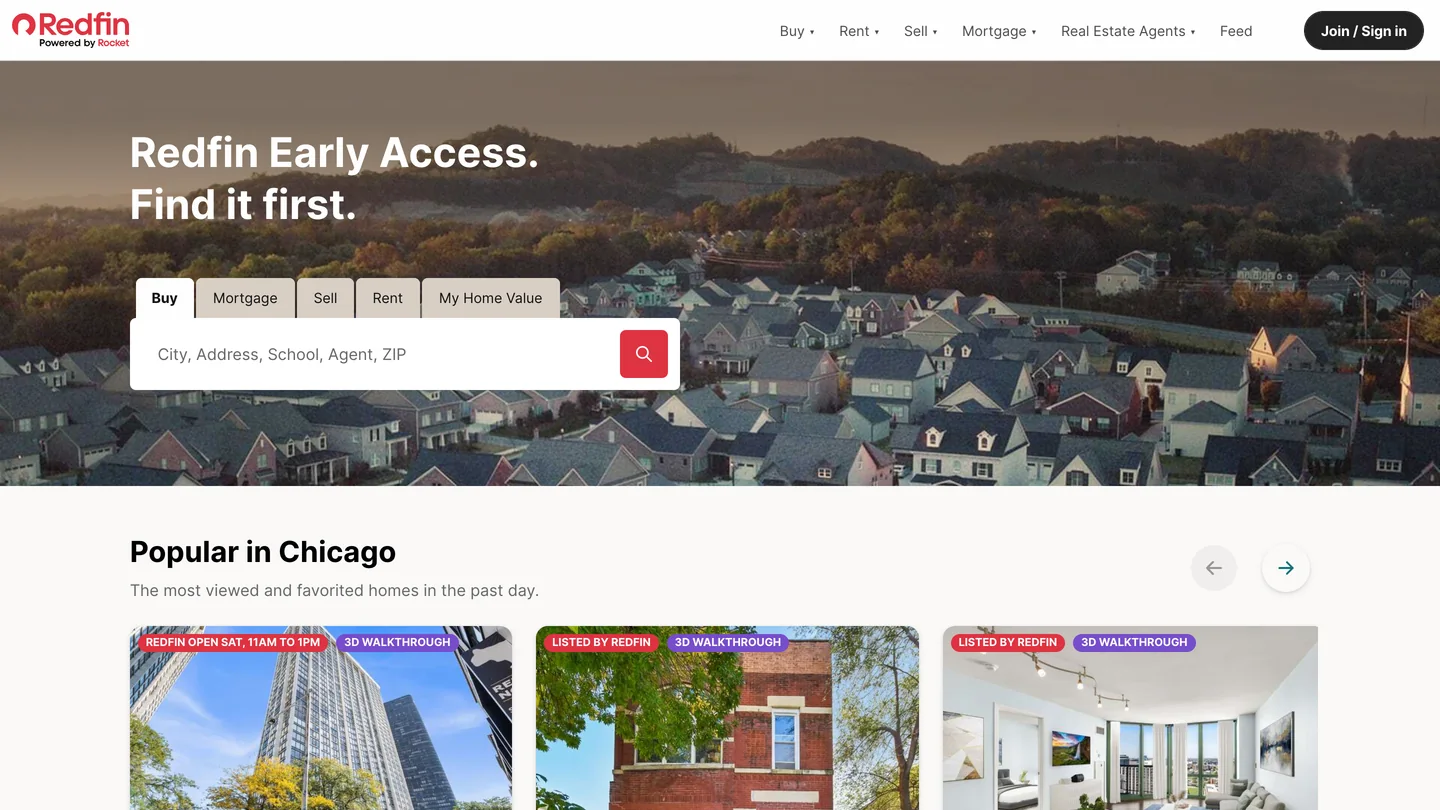
Redfin’s homepage, captured October 13, 2026. The ChatGPT app searches the same listings.
Realtor.com: affordability and neighborhood comparisons
Realtor.com launched its app on March 30, 2026, according to Real Estate News and HousingWire. It leans toward first time buyers: affordability estimates, neighborhood comparisons and listing previews that send high intent users back to Realtor.com, and the company says MLS data is not used for training. For rentals, CoStar says Apartments.com joined in August 2026 with unit availability, fees, floor plans and Matterport tours; that is CoStar’s own claim and we have not checked it.
MeltFlex: virtual staging from the listing photo you attach
This is ours, and it does one job: it restyles or stages a photo of a real room while keeping the walls, windows and doors where they are. That matters for listings more than for anything else, because ChatGPT’s own image model repaints the whole picture, and a staged photo where the window has moved a foot is not a photo of the listing anymore. On October 13, 2026 I attached a photo of an empty living room and typed one sentence: @MeltFlex virtually stage this empty living room for a listing, warm modern style that appeals to young buyers. Starting with @MeltFlex makes ChatGPT send the request to the plugin instead of its own image model.
Before spending anything, ChatGPT showed an approval card that named the job and the price: a staged image for a real estate listing, 10 credits, charged to the MeltFlex account I had signed in with. Allow once, and it ran.
The result came back in about 23 seconds: a beige sofa, an oak coffee table and console, a rug, plants and a floor lamp, in the same room with the same balcony doors, floor and wall outlets. Two honest notes from that run. First, the model replaced the bare ceiling wires with a ceiling light and a pendant that the apartment does not have. That is the kind of change a buyer notices at the showing, and it is why every staged photo needs a label (more on the rules below). Second, ChatGPT added its own picture under the answer: a photo of a different apartment, pulled from a Dutch listing site. It looked like part of the result. It was not. Before you download anything from a chat, make sure it is your listing.
How to add it today: the MeltFlex plugin is in OpenAI’s review for the Plugin Directory. Until it is listed, Business and Enterprise workspaces can connect it in developer mode with https://www.meltflexai.com/api/mcp, and anyone can do the same staging in the browser with our AI virtual staging tool. A render costs 10 credits, a new account gets 15, and failed renders are refunded. Where it is not the answer: it does not write copy, price homes or edit floor plans, and for 200 empty rooms at the lowest price per photo a per photo staging service may cost less; our AI tools for real estate agents guide compares them.

The MeltFlex homepage, captured October 13, 2026. The plugin runs the same engine.
Canva: flyers, social posts and listing presentations
Canva was also a launch partner, and in 2026 it gained full design creation in the chat: describe a just listed post, an open house flyer or a listing presentation, and Canva returns editable designs you can revise in plain language before opening them in Canva. Canva’s help page says the plugin works on free and paid ChatGPT personal accounts but not yet in the EU or China. The useful pairing: stage the empty rooms, then ask Canva to put the before and after on a just listed post, with the “virtually staged” label on the image.

Canva’s homepage, captured October 13, 2026.
Adobe Photoshop and Express: photo fixes and quick graphics
Adobe brought Photoshop, Express and Acrobat to ChatGPT on December 10, 2025, free, globally, on desktop, web and iOS. Photoshop fixes exposure, contrast and color on a selected part of a photo, which is the dim bedroom shot from a phone; Express makes quick social graphics. Lighting and color fixes like these are also the edits California’s disclosure law leaves out, so they are the safe kind of retouching.

Photoshop’s page on adobe.com, captured October 13, 2026, cropped above the price, which adobe.com showed us in euros.
Adobe Acrobat: disclosure packets and contracts
The Acrobat plugin merges the seller disclosures, inspection report and HOA documents into one packet, compresses a scanned file small enough to email, extracts text and tables so ChatGPT can answer questions about them, and redacts names and account numbers before a document goes to a buyer’s agent. Look at every redacted page before you send it.
The Acrobat page, captured October 13, 2026, cropped before the price card on the right.
DocuSign: agreements without leaving the chat
DocuSign announced its ChatGPT and Codex integration on June 2, 2026 (press release), for creating, analyzing and acting on agreements in the chat. It needs your DocuSign account, and your brokerage almost certainly has rules about which forms can be sent from where, so check with your broker before you use it on a live transaction. If your CRM is HubSpot, its connector lets ChatGPT search your contacts and deals on paid ChatGPT plans; other real estate CRMs had no ChatGPT plugin we could confirm.
Docusign’s homepage, captured October 13, 2026, with a regional banner cropped off the top.
Can ChatGPT write an MLS listing description that is Fair Housing safe?
It writes a good one, and it catches most of the Fair Housing problems, but not all of them. We tested it on October 13, 2026 on the free plan with no plugins. The prompt gave it a dozen facts about a three bedroom house and three “notes” of the kind agents actually write, each one a Fair Housing trap: “perfect for young families,” “walking distance to St. Mary’s church” and “great neighborhood for retirees.” It had to use only the facts and then list every risky phrase and what it did with it. The prompt we used is close to number 1 in the prompts below, with the three traps added as notes.
The description was 621 characters, used every fact and invented nothing, which is better than many first drafts by people. It dropped “young families” (familial status) and “retirees” (age) and explained why. But it kept “St. Mary’s Church is within walking distance,” reasoning that a neutral landmark is generally fine. Some MLSs and brokerages would accept that; many tell agents to leave religious landmarks out entirely. We would cut it: it adds nothing a buyer cannot see on a map, and it is the one line in the ad that could be read as a signal. That is the pattern to expect. ChatGPT is a good first filter and a bad last one.
Two facts worth knowing. HUD withdrew its 2024 guidance on advertising through digital platforms, effective September 17, 2025, but the Fair Housing Act did not change and applies to every ad, whoever or whatever wrote it. And NAR’s guidance for brokerages (March 24, 2026) is blunt: “AI-generated content should not go straight from prompt to publication.”
What are the best ChatGPT prompts for real estate agents?
The ones that hand ChatGPT your facts and limit what it may add. Every prompt below follows the same rules: facts in, a length or format, a ban on invented features, and a request to flag risk. Replace the brackets, and paste the facts from your MLS input, not from memory.
1. MLS listing description
Write an MLS listing description, max [900] characters, for this home. Facts: [paste the fact sheet]. Use only these facts and do not invent features or measurements. Lead with the strongest feature, not "Welcome to". Then list any phrase that could raise a Fair Housing concern and what you replaced it with.
2. Fair Housing check on any copy
Review this real estate ad for Fair Housing risk. Flag any wording that describes the people who should live here rather than the property: family status, age, religion, race, national origin, sex, disability, and any local protected classes I name: [list]. Suggest a neutral rewrite for each. Ad: [paste]
3. Just listed social post
Write three Instagram captions for a new listing, each under 60 words, with a different hook: one about the kitchen, one about the location, one about the price point. Facts: [paste]. No hashtags in the text, then give me 8 local hashtags for [city, neighborhood].
4. Open house invitation
Write a short open house email to my sphere for [address], on [date and time]. Three sentences about the home from these facts: [paste]. Add one line asking them to forward it to anyone who is looking. Warm, not salesy.
5. Follow up after a showing
Draft a follow up text to a buyer who saw [address] today. They liked [what they liked] and worried about [concern]. Answer the concern with these facts only: [facts]. Under 50 words, end with one question.
6. Explain a CMA to a seller
Explain this comparative market analysis to a seller who expected a higher price, in plain English, in five short paragraphs. Use only these comps and numbers: [paste]. Be honest about the gap and say what would change the number. Do not add comps.
7. Summarize a contract clause
Summarize this clause for a first time buyer in plain English, then list the questions they should ask their attorney or my broker. Do not give legal advice. Clause: [paste]
8. Price reduction conversation
Help me prepare for a call with a seller whose home has had [number] showings and no offers in [days] days. Give me three ways to open the conversation about a price reduction, the two objections I will most likely hear, and a calm answer to each.
9. Neighborhood overview from your own notes
Turn my notes into a 150 word neighborhood overview for a listing page. Notes: [parks, commute times, shops, schools district name only]. Describe places and distances, never the people who live there. Do not add anything that is not in my notes.
10. Virtual staging brief (with a staging plugin)
@MeltFlex virtually stage this empty [room] for a listing in a [warm modern / Scandinavian / transitional] style. Keep the walls, windows, doors, floor and ceiling exactly as they are and do not add light fixtures.
11. Flyer (with the Canva plugin)
@Canva make a one page open house flyer for [address] using these facts: [paste]. Put the staged photo first with a small "Virtually staged" label on it, and the date, time and my contact details at the bottom.
12. Market context (with a portal plugin)
@Redfin show homes for sale within 1 mile of [address] with [beds] bedrooms between [price range]. Then summarize the price per square foot range in one paragraph. I will check these against the MLS.
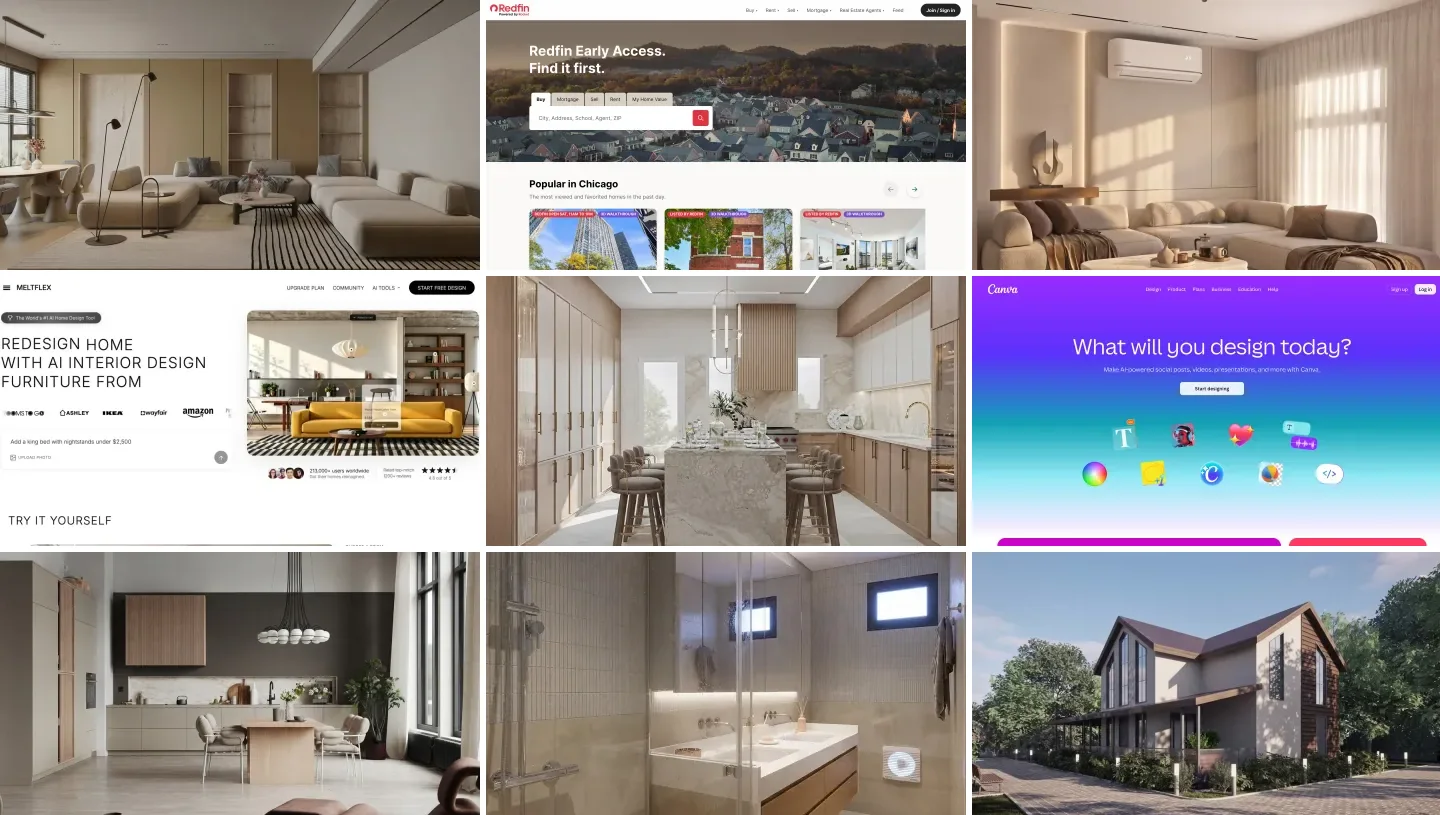
Prompt 10 includes the line we learned from our own test: tell the model not to add light fixtures. The two kitchens below are renders from our gallery, to show what the style words look like; for more image prompts see our real estate image prompts and our real estate video prompts.


Do you have to disclose virtually staged listing photos?
Yes, in practice everywhere, and by statute in California. NAR’s Code of Ethics requires Realtors to “present a true picture in their advertising,” and Standard of Practice 12-10 extends that to internet content and images and prohibits “use of misleading images.” It does not name virtual staging, but a staged photo with no label is exactly the kind of image it describes.
California made it specific. AB 723, in force since January 1, 2026, covers listing photos altered “through the use of photo editing software or artificial intelligence,” including added or removed furniture, paint, flooring and views. It requires a “reasonably conspicuous” statement on or next to the image, plus a link, URL or QR code to the original, and on websites the agent controls, the unaltered photo itself. Lighting, white balance and cropping are excluded, and a willful violation is a crime under the state’s Real Estate Law. Your MLS may have its own labeling rule on top of this.
| Edit | Disclose under AB 723? | Our advice everywhere |
|---|---|---|
| Exposure, white balance, cropping | No | Fine |
| Adding furniture to an empty room | Yes, label plus the original | Label it on the photo |
| Changing wall color or flooring | Yes | Label it, and say what changed |
| Adding light fixtures, as our test did | Yes, it alters the property | Prompt against it, or remove the photo |
| Replacing a view or removing power lines | Yes | Do not do it |
- AB 723
- No
- Our advice
- Fine
- AB 723
- Yes, label plus the original
- Our advice
- Label it on the photo
- AB 723
- Yes
- Our advice
- Label it, and say what changed
- AB 723
- Yes, it alters the property
- Our advice
- Prompt against it, or remove the photo
- AB 723
- Yes
- Our advice
- Do not do it
More on staging itself, including what it costs and how buyers react, is in our guides to AI virtual staging for real estate and real estate photography with AI staging.
What should agents never paste into ChatGPT?
Anything you would not put in an email to a stranger. OpenAI’s help center says that on Free, Go, Plus and Pro plans it “may use information accessed from apps to train our models” if Improve the model for everyone is on, while on Business, Enterprise and Edu plans it does not by default. So:
- Leave out: client names with phone numbers, pre-approval letters, bank statements, Social Security numbers, offer amounts on an active negotiation, and anything a seller told you in confidence.
- Turn off: Improve the model for everyone, in Settings, Data Controls, if you are on a personal plan.
- Check the number: square footage, lot size, taxes and HOA fees. ChatGPT repeats what you give it and fills gaps confidently; a wrong number in an MLS listing is your problem, not OpenAI’s.
- Do not ask it for a price. It has no live MLS comps, and it will still give you a confident figure.

Exterior shots carry the listing on every portal, and they are where AI edits most often cross the line: a greener lawn, a bluer sky, a power line removed. Render from our gallery.
Which ChatGPT plan does a real estate agent need?
A solo agent can start free; a team that handles client data should be on Business. The free plan wrote our listing description and Fair Housing review without trouble. Paid personal plans add ChatGPT Work for longer, multi step tasks, which OpenAI says replaced agent mode. Business is the plan where client data stays out of training by default and where, according to OpenAI’s help center, developer mode lets a brokerage connect custom tools.
| You are | Plan | Plugins to start with |
|---|---|---|
| New or part time agent | Free | Canva, Adobe Express |
| Busy listing agent | Plus | Zillow or Redfin, a staging plugin, Canva, Photoshop |
| Team or brokerage | Business | The above plus Acrobat, DocuSign, your CRM connector |
| Home stager or photographer | Plus | A staging plugin, Photoshop, Canva |
- Plan
- Free
- Start with
- Canva, Adobe Express
- Plan
- Plus
- Start with
- Zillow or Redfin, a staging plugin, Canva, Photoshop
- Plan
- Business
- Start with
- The above plus Acrobat, DocuSign, your CRM connector
- Plan
- Plus
- Start with
- A staging plugin, Photoshop, Canva
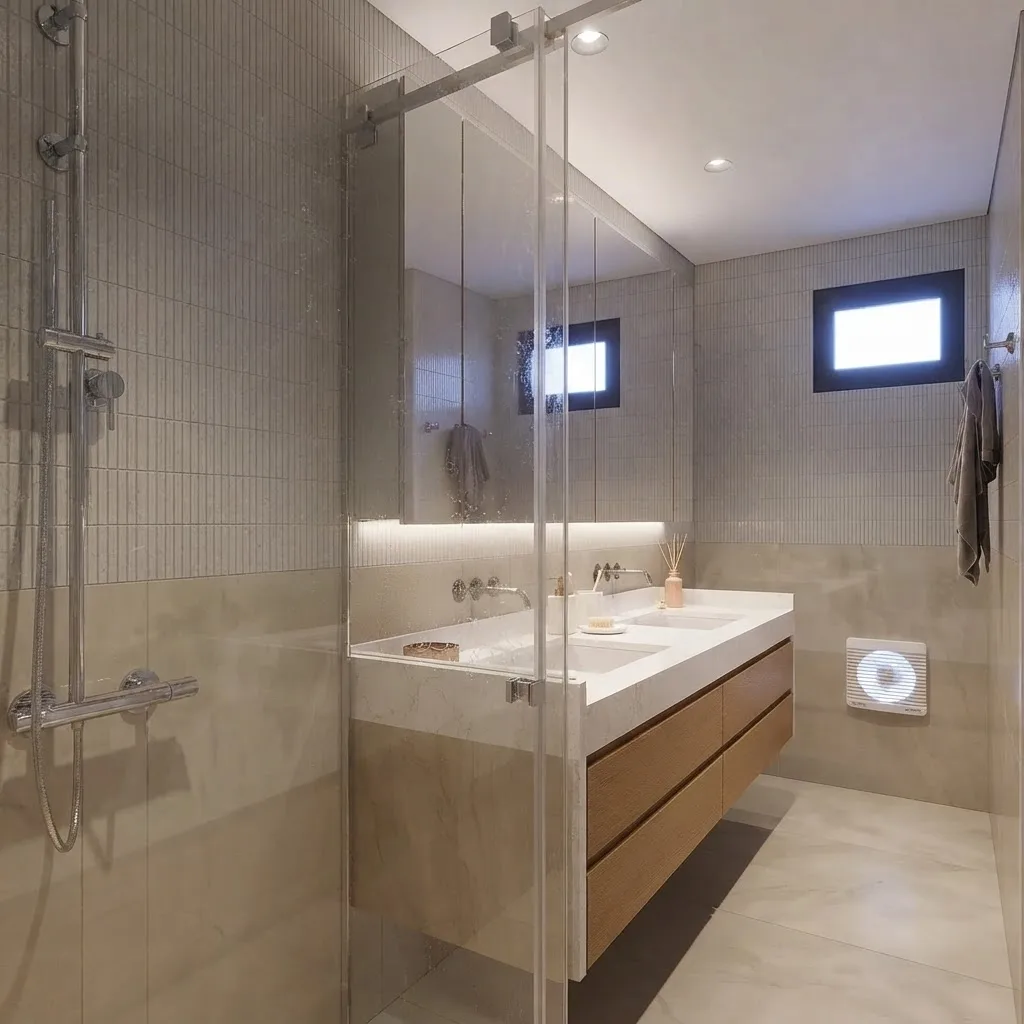
Bathrooms are the room staging helps least and photo fixes help most: straighten, brighten, declutter, label anything you changed. Render from our gallery.
Stage your listing photos with MeltFlex
- Keeps the real room. Walls, windows, doors and floors stay where they are.
- In the browser or in ChatGPT. The same engine as the plugin we tested.
- One photo, under half a minute. 10 credits a render, 15 free to start.
- Beyond stills. Turn a staged room into a walkthrough video, or a floor plan into a 3D view.
How we tested, and our sources
Both tests were run by us on October 13, 2026, in one ChatGPT account on the free plan. The staging test used the MeltFlex plugin (version 1.0.5, the build in OpenAI’s review), an empty living room photo from our own sample set, and one sentence. The images on this page are tool homepages we captured that day and renders from our gallery; neither is output from the tests, which we describe in words. The listing test used the prompt shown in full in the section above, with no plugins. One run each: run them again and the wording will differ.
The plugin facts come from each maker’s announcement, read on October 13, 2026: OpenAI’s launch of apps in ChatGPT (October 6, 2025), Zillow, Redfin, Adobe and OpenAI’s help center on the Plugin Directory, app data and developer mode. Realtor.com and DocuSign come from trade press and press release copies linked in their sections, and Apartments.com from CoStar’s own statement, which we could not verify. The rules come from NAR’s 2026 Code of Ethics, NAR’s brokerage AI guidance, California’s AB 723 bill text and the Federal Register notice withdrawing HUD’s guidance. Nothing here is legal advice; your broker and your MLS have the final word.
Plugins launch every month. We will update this page when the MeltFlex plugin is listed and when another portal or CRM ships a ChatGPT plugin, and the date at the top says when we last did.
ChatGPT for real estate agents: FAQ
How can real estate agents use ChatGPT?
The jobs that pay off are writing and visuals. Agents use it to draft MLS listing descriptions from a fact sheet, social posts and emails, to explain a CMA or a contract clause in plain English, and, through plugins, to search listings on Zillow, Redfin and Realtor.com, design flyers in Canva, fix photos in Adobe Photoshop and virtually stage empty rooms with MeltFlex. NAR's 2026 Technology Report found that among agents who use AI, 75% use it for listing descriptions, 56% for social media posts and 52% for emails.
What are the best ChatGPT plugins for real estate agents?
Zillow, Redfin and Realtor.com for listing search and market context, MeltFlex for virtual staging of your own listing photos, Canva for flyers and social posts, Adobe Photoshop and Express for photo fixes, Adobe Acrobat for disclosure packets and contracts, and DocuSign for agreements. Most agents need three or four of these, not all of them, and the portal plugins are built for buyers, so they are research tools for you, not lead tools.
Can ChatGPT write MLS listing descriptions?
Yes, and it does it well when you give it a fact sheet and tell it not to invent features. In our October 2026 test it turned a dozen facts into a 621 character description with no made up features. Always check square footage, room counts and upgrades against the listing data before you publish, because ChatGPT will happily repeat a wrong number you gave it, and keep your MLS character limit in the prompt.
Is it legal to use ChatGPT for real estate listing descriptions?
Yes, but you are responsible for what it writes. The Fair Housing Act applies to every ad whether a person or a model wrote it, so phrases like "perfect for young families" or "great for retirees" are as risky from ChatGPT as from you. HUD withdrew its 2024 guidance on digital advertising in September 2025, but the Act itself did not change. NAR's advice to brokerages is that AI content should not go straight from prompt to publication.
Can ChatGPT virtually stage a listing photo?
Not reliably on its own, because its built in image model redraws the whole room and can move windows or change the floor. With a staging plugin it can: we attached an empty living room and asked MeltFlex to stage it, and about 23 seconds later got the same room furnished, with the same windows, floor and outlets. Check every staged photo before it goes on the MLS, because the model can also add things that are not there, such as light fixtures.
Do you have to disclose virtually staged photos?
In practice, yes. NAR's Code of Ethics requires a true picture in advertising and its Standard of Practice 12-10 bans misleading images. California's AB 723, in force since January 1, 2026, requires a conspicuous statement on or next to any listing photo altered with editing software or AI, including added furniture, plus a link or QR code to the original, and the unaltered photo on websites the licensee controls. Many MLSs have their own labeling rules, so check yours.
Is it safe to put client information into ChatGPT?
Keep it out unless your plan and your brokerage policy allow it. On Free, Go, Plus and Pro plans, OpenAI says it may use information accessed from apps to train its models if the Improve the model for everyone setting is on; on Business, Enterprise and Edu plans it does not by default. Leave out names, phone numbers, financial details and anything from a pre-approval letter, and turn the training setting off in Data Controls.
Is ChatGPT free for real estate agents?
The free plan writes listing descriptions, emails and social posts, and the Plugin Directory is available across plans, although whether a given plugin installs depends on your plan, region and workspace. Paid plans add longer tasks in ChatGPT Work, which replaced agent mode. A team brokerage that wants client data kept out of training by default and developer mode for custom tools needs ChatGPT Business.
Keep reading
- The best AI tools for real estate agents, the standalone apps with their real prices.
- ChatGPT plugins for architects and designers, the design side of the same Plugin Directory.
- AI virtual staging for real estate, costs, rules and results.
- The best AI video generators for real estate, for listing reels.
- Try AI virtual staging on your own listing photo.