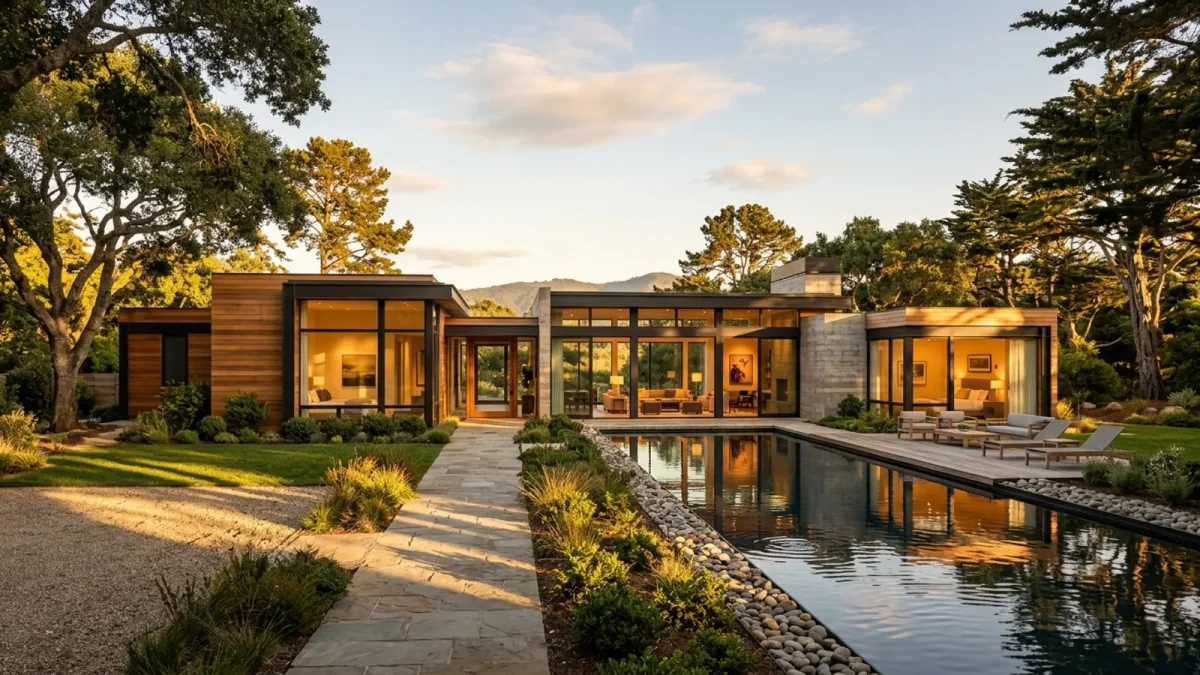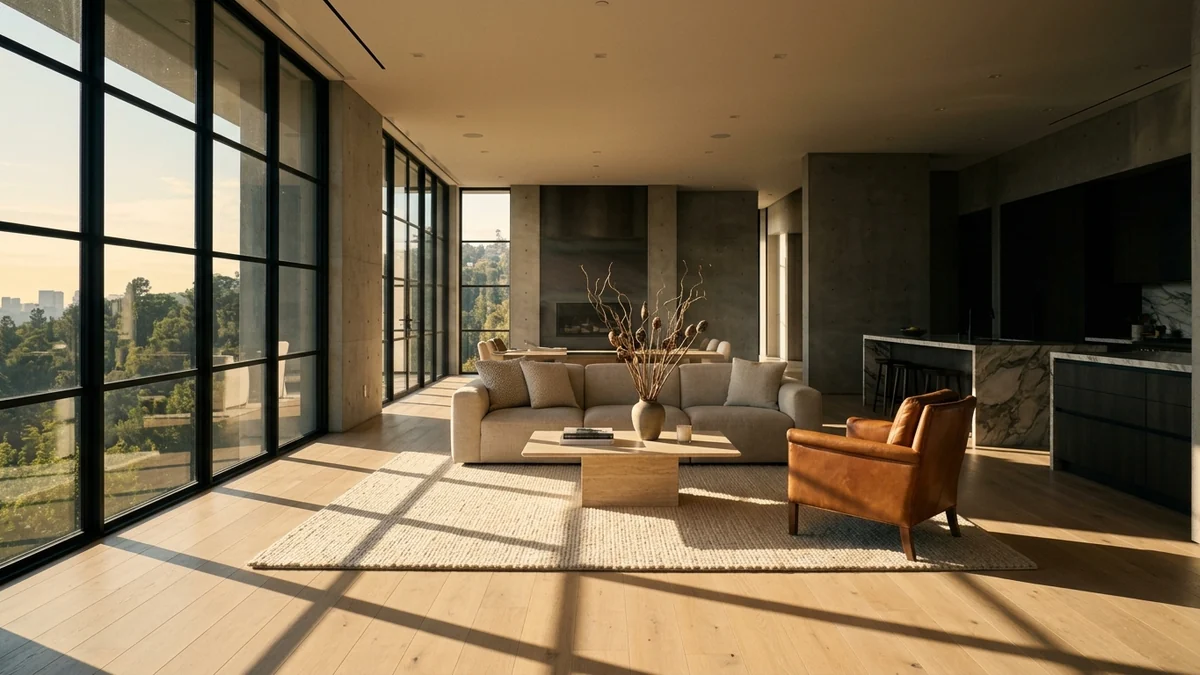
A real estate video prompt that works describes one small camera move, not the room: “use the uploaded image as the first frame, a slow push forward of about ten percent, keep the room exactly as photographed, keep vertical lines straight.” We ran 29 prompts like that through Google Veo 3.1, each on a single listing style photo, and kept every clip. 12 did what we asked, 9 half did it, and 8 failed, mostly by moving the wrong way or by inventing parts of the house. All 29 are below with the clip each one made, so you can see the difference before you spend credits on your own listing.
Our articles are still written by humans!
Get human written articles in your Google feed.
These are not prompts we wrote for an article. They are the prompts behind the shot gallery in our AI video walkthrough tool, where every card plays the clip that its own text produced. Most prompt lists for listing videos stop at the text, and a prompt that reads well tells you nothing about whether the model will invent a staircase. Showing the output is the only honest way to publish them, including the eight that went wrong.
The short version
- Small forward and backward moves are safe. Seven of eight plain push-ins, pull-backs and walks worked; small arcs and a sideways slide worked too.
- Vertical moves are not. All three crane moves failed: one rose instead of lowering, one slid sideways, one cut to a staircase that is not in the photo.
- The photo beats the words. Every prompt that described a starting frame the photo did not have (“begin tight on the stone”) failed.
- Light changes need more than 4 seconds. Dusk lamps worked; sunrise, moving sunbeams, sunset and rain barely registered.
- Check every clip before it goes on a listing. Two of our clips added things the house does not have, which is a disclosure problem, not just a quality one.
How we tested these real estate video prompts
Each clip was generated in August 2026 with Veo 3.1 Fast through Google’s API: image to video, 4 seconds, requested in 16:9, one render from our design gallery as the first frame and the same negative prompt every time. We used renders rather than client listings so we could publish them, and they behave like the photo a listing agent uploads: one fixed viewpoint, real furniture, daylight from a window. The clips on this page are re-encoded to 720 pixels wide to keep the page light. Two prompts (the chandelier tilt and the stair descent) had already been re-run on a better suited photo after a first failed take; the clips here are those second tries, and both still failed.
Model change since the test: Google lists 22 October 2026 as the shutdown date for the Veo 3.1 preview models on the Gemini API, and our video walkthrough tool moved to Gemini Omni 1.1 Flash on 10 October 2026. The 29 verdicts below are Veo 3.1 Fast results and we have not re-run all of them on Omni. Two practical differences when you reuse these prompts there: Omni has no duration setting, so start the prompt with “A 4-second video.”, and it has no negative prompt field, so add the things to avoid as an “Avoid: …” sentence. Prices and the shutdown table are in our Veo 3 listing video guide.
We judged each clip on the question an agent would ask: did the camera do what the prompt said, and did the house stay the same house? We pulled the first, middle and last frame of every clip and compared them side by side, which shows direction, distance and anything that appeared or vanished. It is a coarse method. It cannot see a two pixel flicker, and a light change that is obvious in motion can look like nothing in three stills, so where a clip sat on the line we called it “partly” rather than “worked”.
The real estate video prompt formula
Every prompt below is built from the same five parts, in the same order. The order matters less than the discipline: one move per clip, a number on the move, and an explicit list of what must not change. Runway says the same in its own image to video prompting guide: the image already defines the room, so the prompt should “focus almost exclusively on motion”.
The keep clause we use for interiors, word for word, is: “Keep the room exactly as photographed: walls, doors, windows, furniture and materials stay fixed, no layout changes, no new objects, no geometry warp. Keep vertical lines straight.” Exteriors swap in the building, its openings and its planting. It is in every interior prompt below, and it did not save the eight failures, which is the most useful thing this test showed: a keep clause lowers the risk, it does not remove it.
Results: which prompts worked
The full scorecard, in the order the prompts appear below. Click a name to jump to its clip.
Exterior and curb appeal video prompts
Exterior shots open most listing videos, and they are the easiest to get right: there are fewer straight interior lines for the model to bend. None of the three invented anything; the only shortfall was a light change that never arrived.
Prompt 1: Golden hour approach to the pool
“Use the uploaded image as the first frame. The camera pushes steadily forward toward the pool, a clear dolly-in of about twenty percent across the shot, no rotation and no roll. Late golden-hour sun rakes across the limestone, the water surface ripples and the olive leaves stir in the breeze. Keep the building and landscape exactly as photographed: massing, openings, planting and materials stay fixed, no new structures, no geometry warp. Keep vertical lines straight. Ambient outdoor sound: cicadas and a soft breeze.”
Worked. Moves toward the pool with the limestone, the stairs and the olive trees intact. It reads more as a gentle rise than a straight dolly, but nothing was invented.
Prompt 2: Slow pan at sunset
“Use the uploaded image as the first frame. Very slow pan to the right, three to five degrees only, level horizon. Across the shot the light deepens from late afternoon into a full sunset, shadows lengthening and the sky warming to amber. The linen drapes move gently. Keep the building and landscape exactly as photographed: massing, openings, planting and materials stay fixed, no new structures, no geometry warp. Keep vertical lines straight. Ambient outdoor sound: a soft breeze and distant sea.”
Partly. The small pan to the right is clean. The “afternoon into sunset” light change barely registers in four seconds, so treat this as a pan prompt, not a twilight prompt.
Prompt 3: Drift toward a house in the trees
“Use the uploaded image as the first frame. A very restrained aerial drift forward of about ten percent toward the dark pavilion, no rotation, no roll, no change of altitude. This is the same photograph in motion: the same overcast light, the same misty broadleaf woodland, the same rocks and stream. Do not add or replace any vegetation, do not add bamboo, do not add paths, decking or walkways, do not brighten the scene. Only the mist and the canopy move, and reflections shift on the glass. Keep the building and landscape exactly as photographed: massing, openings, planting and materials stay fixed, no new structures, no geometry warp. Keep vertical lines straight. Ambient forest sound: soft wind and distant birds.”
Worked. The woodland, the rocks and the pavilion stay exactly as photographed. This prompt names what not to add (bamboo, paths, decking) and Veo obeyed every item.
Entry and walkthrough video prompts
This is the shot buyers mean by “walkthrough”: the camera moving through the house rather than looking at a room. Forward moves were the most reliable thing we tested, as long as the path is already visible in the photo.
Prompt 4: Walk through the archway
“Use the uploaded image as the first frame. The camera walks forward at eye level on a smooth gimbal, traveling about twenty-five percent deeper into the space and passing under the archway already in front of it, so the edges of the opening slide out past the frame. Level throughout: no rotation, no roll, no rise, no bob. Do not invent a room beyond the opening: bring the space already visible through it closer, nothing more. Light travels across the floor as the camera passes. Keep the room exactly as photographed: walls, doors, windows, furniture and materials stay fixed, no layout changes, no new objects, no geometry warp. Keep vertical lines straight. Quiet ambient room tone.”
Worked. Walks down the hall toward the front door and passes under the arch cleanly. Nothing appears that was not in the photo, which is what the “do not invent a room beyond the opening” sentence is for.
Prompt 5: Walk down the hallway
“Use the uploaded image as the first frame. A steady eye-level walk about twenty percent further down the hallway, following the corridor that is already there. The camera holds its height and its heading exactly: no rotation, no roll, no bob. The wall lights pass and their glow slides across the panelling. Do not add doors, openings or corridors that are not in the photograph. Keep the room exactly as photographed: walls, doors, windows, furniture and materials stay fixed, no layout changes, no new objects, no geometry warp. Keep vertical lines straight. Quiet ambient room tone.”
Partly. It moves forward, then turns left into the laundry, which is exactly the heading change the prompt told it not to make. Usable only if the room it turns into is one you want to show.
Prompt 6: Gentle push into the entrance hall
“Use the uploaded image as the first frame. Gentle centered push-in, a slow zoom of about ten percent, no pan and no tilt and no roll. The only other motion is tiny specular shifts of light across the beaded chandelier and the polished floor. Keep the room exactly as photographed: walls, doors, windows, furniture and materials stay fixed, no layout changes, no new objects, no geometry warp. Keep vertical lines straight. Quiet ambient room tone.”
Worked. Did what it says. The push is small enough that the bead chandelier and the polished floor never warp, and it is the safest opening shot in the whole set.
Living room video prompts
Living rooms carry most listings, so this is where a reliable move matters most. Four of five held up; the one that did not failed by moving too much, not too little.
Prompt 7: Push in through daylight
“Use the uploaded image as the first frame. A slow, steady push forward of about ten percent into the room, no pan and no tilt. Very light dust motes drift through the shaft of daylight from the window, and the reflections on the glass and the polished wood shift softly. Keep the room exactly as photographed: walls, doors, windows, furniture and materials stay fixed, no layout changes, no new objects, no geometry warp. Keep vertical lines straight. Near silence, only a faint room tone.”
Worked. A clean push of about ten percent; the marble TV wall and the shelving stay straight. The dust motes are hard to see at phone size, so do not count on them to sell the shot.
Prompt 8: Pull back to reveal the room
“Use the uploaded image as the first frame. A slow dolly backward of about fifteen percent so a little more of the room enters the frame at the edges, no rotation and no roll. Reveal only what a slightly wider lens would already have seen: do not invent new walls, new rooms or new furniture at the edges. The sheer curtains sway a little. Keep the room exactly as photographed: walls, doors, windows, furniture and materials stay fixed, no layout changes, no new objects, no geometry warp. Keep vertical lines straight. Quiet ambient room tone.”
Worked. Opens the room up as asked. The new strip at the left edge is plain wall, which is what “reveal only what a wider lens would already have seen” buys you.
Prompt 9: Sideways slide with parallax
“Use the uploaded image as the first frame. A lateral tracking move to the left of about twelve percent of the frame width, level and without rotation or zoom. Because the table edge sits close to the lens and the shelving stands far behind it, the foreground slides visibly faster than the background: that parallax, the sense of real depth between the two, is the whole point of the shot. Keep the room exactly as photographed: walls, doors, windows, furniture and materials stay fixed, no layout changes, no new objects, no geometry warp. Keep vertical lines straight. Quiet ambient room tone.”
Worked. The best clip in the set. The log table slides past faster than the shelving behind it, and that difference is what makes a still photo read as a real space.
Prompt 10: Small arc around the sofa
“Use the uploaded image as the first frame. A slow arc around the curved sofa, eight to ten degrees only, the camera holding it at the center of frame while the wall and joinery behind it swing past. The camera stays level so vertical lines remain straight. Warm light shifts across the upholstery as the angle changes. Keep the room exactly as photographed: walls, doors, windows, furniture and materials stay fixed, no layout changes, no new objects, no geometry warp. Keep vertical lines straight. Quiet ambient room tone.”
Worked. A small arc around the boucle sofa, held in the center of the frame. Subtle and believable, and the verticals stay straight.
Prompt 11: Fire in the fireplace
“Use the uploaded image as the first frame. The camera barely moves, a very slight drift forward of a few percent. The fire in the fireplace burns: flames flicker and their warm light plays across the sofa, the stone surround and the polished wood. Everything else in the room stays still. Keep the room exactly as photographed: walls, doors, windows, furniture and materials stay fixed, no layout changes, no new objects, no geometry warp. Keep vertical lines straight. Quiet crackle of a fire and a low room tone.”
Partly. The fire burns convincingly, but the camera drifted right and forward by far more than “a few percent”. Asking for a nearly still camera plus one moving element got us a moving camera anyway.
Kitchen and bathroom video prompts
Kitchens and bathrooms are where buyers look at materials, so these prompts try to get close to stone, timber and metal. That is also where we lost the most: three of four fell short, two of them outright.
Prompt 12: Small orbit toward the window
“Use the uploaded image as the first frame. A tiny orbit, five to eight degrees only, arcing gently toward the window so the view beyond opens up. Keep vertical lines straight. Outside, the light shifts softly as clouds pass. Keep the room exactly as photographed: walls, doors, windows, furniture and materials stay fixed, no layout changes, no new objects, no geometry warp. Keep vertical lines straight. Quiet ambient room tone.”
Worked. A small, believable arc toward the window; the verticals held and the cabinet run stayed intact.
Prompt 13: Rack focus from the countertop
“Use the uploaded image as the first frame. The camera stays in place. A slow rack focus: begin sharp on the marble countertop in the foreground, then shift focus smoothly to the shelving and cabinetry behind it, the foreground falling into soft bokeh. Keep the room exactly as photographed: walls, doors, windows, furniture and materials stay fixed, no layout changes, no new objects, no geometry warp. Keep vertical lines straight. Quiet ambient room tone.”
Failed. No rack focus at all: Veo pushed toward the island instead. The prompt asks it to begin sharp on a foreground countertop that the photo does not frame that way.
Prompt 14: Pull out from the stone
“Use the uploaded image as the first frame. Begin tight and pull out: the camera eases backward about twenty percent, starting close enough that the veining of the stone fills the lower frame and ending with the whole island and the light above it in shot. Reveal only what a wider lens would already have seen: no new walls, no new furniture arriving at the edges. Keep the room exactly as photographed: walls, doors, windows, furniture and materials stay fixed, no layout changes, no new objects, no geometry warp. Keep vertical lines straight. Quiet ambient room tone.”
Failed. It pushed in rather than pulling out. Like the rack focus, the prompt asks the clip to “begin tight” on a photo that is already wide, and the photo won.
Prompt 15: Graze along the wall
“Use the uploaded image as the first frame. The camera glides slowly sideways along the wall at a shallow raking angle, traveling about ten percent to the right and staying very close to the surface, so the grain of the timber and the sheen of the metal read as material rather than as a room. Highlights travel along the ridges as it passes. No rotation, no roll, no zoom. Keep the room exactly as photographed: walls, doors, windows, furniture and materials stay fixed, no layout changes, no new objects, no geometry warp. Keep vertical lines straight. Quiet ambient room tone.”
Partly. It grazes the travertine as asked, then runs into the column, so the last second is a blurred close-up of stone.
Bedroom and light change video prompts
These prompts hold the camera still and move the light instead. It is the most tempting idea for a listing (dusk, sunrise, rain) and in four second clips the weakest: only the lamps switching on clearly worked.
Prompt 16: Dusk with the lamps coming on
“Use the uploaded image as the first frame. The camera holds completely still. Outside the window the daylight drains away into blue dusk, and as it goes the lamps and wall lights glow up warm one after another until the room is lit by lamplight alone. No object moves; only the light changes. Keep the room exactly as photographed: walls, doors, windows, furniture and materials stay fixed, no layout changes, no new objects, no geometry warp. Keep vertical lines straight. Quiet ambient room tone.”
Worked. The ceiling cove and the bedside lamps warm up while nothing in the room moves. The daylight outside fades less than we asked, but the lamplight change reads clearly.
Prompt 17: Curtains moving, camera still
“Use the uploaded image as the first frame. The camera is locked off on a tripod and does not move at all. The sheer curtains breathe slowly in the air, a barely perceptible sway, and the light behind them shifts softly. Nothing else in the room moves. Keep the room exactly as photographed: walls, doors, windows, furniture and materials stay fixed, no layout changes, no new objects, no geometry warp. Keep vertical lines straight. Near silence, only a faint room tone.”
Partly. The curtains move, harder than “barely perceptible”, and the “locked off” camera still creeps toward the bed.
Prompt 18: Sunrise timelapse on the wall
“Use the uploaded image as the first frame. A timelapse from a locked-off tripod: the camera never moves while the daylight races. The patch of sun on the textured wall sweeps across it and shrinks, the shadows swing round, and the light warms from early dawn to full morning. Furniture, walls and finishes stay perfectly still and sharp: only light and shadow move. Keep the room exactly as photographed: walls, doors, windows, furniture and materials stay fixed, no layout changes, no new objects, no geometry warp. Keep vertical lines straight. Near silence, only a faint room tone.”
Partly. Nothing broke, but the “timelapse” moves the shadows by a fraction. A buyer scrolling past would see a still photo.
Prompt 19: Sunlight crossing the desk
“Use the uploaded image as the first frame. The camera is locked off on a tripod and does not move. Across the shot the bars of sunlight falling through the window creep slowly across the desk and the floor and their edges sharpen, as though half an hour passes. Nothing in the room moves. Keep the room exactly as photographed: walls, doors, windows, furniture and materials stay fixed, no layout changes, no new objects, no geometry warp. Keep vertical lines straight. Near silence, only a faint room tone.”
Partly. Same result: the bars of light barely move in four seconds. Light-only changes need more time than a short clip gives them.
Prompt 20: Rain on the window
“Use the uploaded image as the first frame. The camera does not move. Rain runs down the outside of the tall window in slow streaks, the light beyond is flat and grey, and the wet glass throws soft moving shadows into the room. Nothing inside moves. Keep the room exactly as photographed: walls, doors, windows, furniture and materials stay fixed, no layout changes, no new objects, no geometry warp. Keep vertical lines straight. Soft rain against the glass and a low room tone.”
Partly. No damage, but the rain is hard to see and the room keeps its sunny shadows instead of turning flat and grey. The light in the photo won over the words.
Pool, gym, closet and staircase video prompts
Amenities sell premium listings, and this group holds most of our failures. Vertical camera moves and staircases are where Veo starts inventing architecture, so check every one of these clips before it goes near a listing.
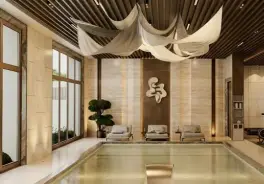
Prompt 21: Push out over an indoor pool
“Use the uploaded image as the first frame. A slow, steady push forward of about ten percent out over the water, no pan and no tilt and no roll. The warm lamps hold their glow, the pool surface shimmers and the planting stirs very slightly. Keep the room exactly as photographed: walls, doors, windows, furniture and materials stay fixed, no layout changes, no new objects, no geometry warp. Keep vertical lines straight. Quiet water and a low room tone.”
Worked. A smooth push over the water; the loungers, the planting and the lit ceiling stay put.
Prompt 22: Tilt up to the ceiling
“Use the uploaded image as the first frame. The camera stays in place and tilts slowly upward, eight to ten degrees, leaving the water and settling on the sculptural ceiling above. The forms overhead catch the light and their shadows shift as the angle changes, and the pool surface ripples faintly below. No zoom, no pan, no roll. Keep the room exactly as photographed: walls, doors, windows, furniture and materials stay fixed, no layout changes, no new objects, no geometry warp. Keep vertical lines straight. Quiet lapping water and a low room tone.”
Worked. A modest tilt up toward the fabric ceiling; the pool and the gym equipment stay where they were.
Prompt 23: Dolly zoom in a home gym
“Use the uploaded image as the first frame. A dolly zoom: the camera pushes forward about ten percent while the lens widens by the same amount, so whatever sits at the center stays exactly the same size in frame while the walls, floor and ceiling stretch away behind it. The frame stays level, no rotation and no roll, and no object moves or changes its own shape: only the perspective opens out. Keep the room exactly as photographed: walls, doors, windows, furniture and materials stay fixed, no layout changes, no new objects, no geometry warp. Keep vertical lines straight. Quiet ambient room tone.”
Partly. A plain push-in, not a dolly zoom: the rack and the bench slide out of frame instead of the room stretching behind a fixed subject.
Prompt 24: Water light on stone walls
“Use the uploaded image as the first frame. The camera barely moves, a drift forward of two or three percent. The pool surface ripples gently and its caustics dance across the dark stone walls and the ceiling in shifting nets of light. Nothing else moves. Keep the room exactly as photographed: walls, doors, windows, furniture and materials stay fixed, no layout changes, no new objects, no geometry warp. Keep vertical lines straight. Quiet lapping water and a low room tone.”
Failed. The light from the water turned into bright, lightning-like cracks running across the stone walls. That artifact makes the clip unusable for a listing.
Prompt 25: Drop down onto the closet island
“Use the uploaded image as the first frame. A vertical crane move straight down: the camera lowers about fifteen percent in height, holding the island in the center of frame the whole way, so the cabinetry rises past the edges. No pan, no rotation, no roll, no zoom. Small glints travel across the brass and the glass as the height changes. Keep the room exactly as photographed: walls, doors, windows, furniture and materials stay fixed, no layout changes, no new objects, no geometry warp. Keep vertical lines straight. Quiet ambient room tone.”
Failed. It rose instead of lowering: the island sinks out of the bottom of the frame and more of the ceiling comes in.
Prompt 26: Tilt down from the chandelier
“Use the uploaded image as the first frame. The camera stays in place and tilts slowly downward, five to eight degrees, beginning on the hanging chandelier and settling on the round table below it. Small glints shift across the fitting as the angle changes. No zoom, no pan, no roll. Keep the room exactly as photographed: walls, doors, windows, furniture and materials stay fixed, no layout changes, no new objects, no geometry warp. Keep vertical lines straight. Quiet ambient room tone.”
Failed. It went the other way, pulling back and up toward the chandelier instead of settling on the table. The prompt asks it to begin on the chandelier, which the photo never framed.
Prompt 27: Track past the mirror
“Use the uploaded image as the first frame. A smooth lateral tracking move to the right: the camera slides sideways by about fifteen percent of the frame width, staying level, with no rotation and no zoom. The reflection in the mirror slides across it as the angle changes. Keep the room exactly as photographed: walls, doors, windows, furniture and materials stay fixed, no layout changes, no new objects, no geometry warp. Keep vertical lines straight. Quiet ambient room tone.”
Failed. The camera tracked left, not right, and the dark door at the edge of the photo grew until it covered half the frame.
Prompt 28: Rise up the stairwell
“Use the uploaded image as the first frame. The camera rises smoothly and slowly up through the stairwell on a crane, no rotation and no roll, revealing the flight above. Warm recessed lighting glides along the stone as the camera lifts. Keep the room exactly as photographed: walls, doors, windows, furniture and materials stay fixed, no layout changes, no new objects, no geometry warp. Keep vertical lines straight. Quiet ambient room tone.”
Failed. The worst result in the test. Instead of rising, the clip dissolves about a second in to a different shot: a white marble staircase with glass rails that is not in the photo at all. A clip like this misrepresents the house.
Prompt 29: Sink past the landing
“Use the uploaded image as the first frame. The camera sinks straight downward on a crane, losing about fifteen percent of its height beside the balustrade while holding its heading and its framing, so the ceiling rises out of the top of the frame and the level below opens up beneath the rail. This is a pure vertical move: no forward travel, no sideways drift, no rotation, no roll, no tilt. The balustrade's verticals stay perfectly straight. Keep the room exactly as photographed: walls, doors, windows, furniture and materials stay fixed, no layout changes, no new objects, no geometry warp. Keep vertical lines straight. Quiet ambient room tone.”
Failed. It slid sideways to the railing instead of sinking, and framed artworks that the photo never showed appeared on the right.
Why AI listing videos fail: four patterns
The eight failures were not random. Almost all of them fall into one of four patterns, and each one has a cheap fix.
- The prompt describes a frame the photo does not have. “Begin sharp on the countertop”, “begin tight on the stone”, “begin on the chandelier”: three prompts, three failures. The first frame is the photo, so write the move as starting from the photo as it is. If you want to start close, crop the photo first.
- Vertical moves invent architecture. Rising up a stairwell, sinking past a landing and dropping onto an island all failed, and two of them added things to the house. A tilt (the camera turning up, not moving up) worked. Keep the camera on the floor.
- Direction words are a coin toss. “To the right” went left; “down” went up. Choose moves that still look right in either direction, such as a push-in or a small arc, or budget a second take.
- Four seconds is too short for time to pass. Sunrise, moving sunbeams, sunset and rain all barely moved. Lamps switching on worked because it is a big change in a small time. If you want a twilight shot, edit the photo to dusk first and animate that.
One failure fits none of these: the indoor pool whose rippling light became white cracks across the walls. Moving water light is a hard case, and the safe prompt for a pool is a slow push over it, which worked, not a close study of its light.
The negative prompt we send with every clip
Veo takes a separate negative prompt, and Google’s Veo prompt guide is specific about how to write it: do not use instructive language such as “no walls” or “don’t show walls”, just name what you do not want. Ours is a plain list:
people, faces, pets, text overlay, watermark, subtitles, logo, warped geometry, melting walls, bending vertical lines, duplicated rooms, distorted proportions, flicker, popping, cartoon, illustration, morphing furniture, new objects appearing
“People” and “faces” come first for a reason: a generated stranger walking through a listing is a person who does not live there, in a house a buyer is judging. If you restyle the furniture on purpose, drop the last two items; otherwise the prompt asks for a change its own negative list forbids.
Using these prompts in Kling, Runway and Higgsfield
We generated every clip here in Veo, so the results are Veo’s. The prompts are plain English with no Veo specific syntax, and they should carry over, but test a couple before you trust them on a listing. A few practical notes from our tool guides:
- Veo: the prompts work as written, and our Veo 3 for real estate guide covers access and cost.
- Kling: paste the negative list into Kling’s own negative prompt field rather than the main prompt; its default negative prompt is replaced the moment you type your own, so paste the whole list. Our Kling AI for real estate walkthrough covers credits per clip, and the Kling interior design prompts library has more room by room text.
- Runway: keep the prompt about motion only, as Runway’s guide asks; see Runway for real estate.
- Higgsfield: its camera presets do part of the job the move sentence does here, so shorten the prompt to the motion and the keep clause; our Higgsfield real estate prompts and presets guide lists the presets that held up.
If you are still choosing a tool, our comparison of the best AI video generators for real estate compares eight of them on price, input and clip quality, and Luma for real estate covers one more option, and for interiors rather than listings, our guide to the AI video generator for interior design covers what a clip costs per plan and which model runs underneath.
A 30 second listing video from six prompts
A listing video does not need 29 shots. It needs six safe ones in a sensible order, each from its own photo. Built only from prompts that worked in this test:
Six 4 second clips make 24 seconds, about right for a social post; 8 second clips make a 48 second tour. If the rooms are empty, stage the photos first and animate the staged version: our virtual staging tool furnishes an empty room, and the Nano Banana real estate prompts cover decluttering and twilight edits for the still photo. The video walkthrough tool runs this exact prompt set on your own photo: pick the shot, upload, and a 4 second clip costs 100 credits, an 8 second one 150. For the caption and the posting, our roundup of the best AI for social media posts compares nine tools.
Do you have to disclose AI video in a listing?
A camera move over a real photo shows the real house. A clip that swaps in a staircase the house does not have, or adds art the photo never showed, does not, and two of our 29 did exactly that without being asked. Treat AI video the way the rules already treat edited photos: California’s AB 723 requires digitally altered listing photos to be disclosed, with access to the original, and our virtual staging disclosure rules guide covers the state by state picture. Small moves on real photos, every clip checked, anything restyled labeled. For the rest of an agent’s AI stack, see our AI tools for real estate agents roundup.
Frequently asked questions
What is a good prompt for a real estate video?
A good real estate video prompt describes motion, not the room. Anchor the photo as the first frame, ask for one camera move with a size ("a slow push forward of about ten percent"), name one small thing that moves (curtains, light, water), and end with a keep clause: walls, windows, furniture and materials stay exactly as photographed and vertical lines stay straight. In our test of 29 prompts on Veo 3.1, plain forward and backward moves written this way were the most reliable: seven of the eight worked.
How do you make a real estate walkthrough video with AI from listing photos?
Use an image to video model (Veo, Kling, Runway, Luma or Higgsfield), give it one listing photo at a time with a short motion prompt, and generate a 4 to 8 second clip per photo. Six clips are enough for a 25 to 30 second listing video: an exterior, the entry, the living room, the kitchen, a bedroom and one amenity. Check every clip frame by frame before you stitch them, because the model can add objects that are not in the house.
Which camera movements work best for AI listing videos?
Slow push-ins, pull-backs, small arcs of five to ten degrees and sideways slides with parallax. In our test those worked in 10 of 11 clips. Vertical crane moves (rising up a stairwell, dropping onto an island) failed in all three tries, and two prompts moved in the opposite direction to the one we asked for. Pick moves that still look fine if the model gets the direction wrong.
Why does AI video add rooms or objects that are not in the photo?
Because once the camera moves past what the photo shows, the model has to invent the rest. In our test that happened on staircases and vertical moves: one clip dissolved into a staircase that is not in the photo and another added framed artworks the photo never showed. A keep clause and a negative prompt reduce it but do not stop it, so keep moves small and reject any clip that shows something the house does not have.
Should I use a negative prompt for Veo real estate videos?
Yes, as a plain list of things you do not want. Google's Veo prompt guide advises against instructive words such as "no" or "don't" in the negative prompt and recommends naming the unwanted elements instead. Ours is: people, faces, pets, text overlay, watermark, subtitles, logo, warped geometry, melting walls, bending vertical lines, duplicated rooms, distorted proportions, flicker, popping, cartoon, illustration, morphing furniture, new objects appearing.
Do these prompts work in Kling, Runway or Higgsfield?
We only generated these clips in Veo 3.1 Fast, so we cannot promise the same results elsewhere. The structure carries over: Runway's own image to video guide says effective prompts "focus almost exclusively on motion" rather than describing what is in the image, which is how these are written. Kling has a separate negative prompt field, so move the negative list there; Higgsfield adds its own camera presets on top of the text.
Do I have to disclose AI video in a real estate listing?
Treat it the way you treat a virtually staged photo. California's AB 723 already requires listing photos that were digitally altered to be disclosed, with access to the original, and a clip that adds a painting or changes a staircase misrepresents the property in the same way. Use AI motion on real photos, keep the moves small, label anything you restyled, and check the rules of your MLS and state.
Sources
- Google Cloud, Video generation prompt guide: camera terms, and negative prompts written as a list of unwanted elements rather than “no” or “don’t”. Checked 6 October 2026.
- Runway, Image to Video Prompting Guide (Gen-4.5): image to video prompts should focus almost exclusively on motion. Checked 6 October 2026.
- MeltFlex test: 29 clips generated with Veo 3.1 Fast in August 2026 for the video walkthrough tool, judged from their first, middle and last frames on 6 October 2026.