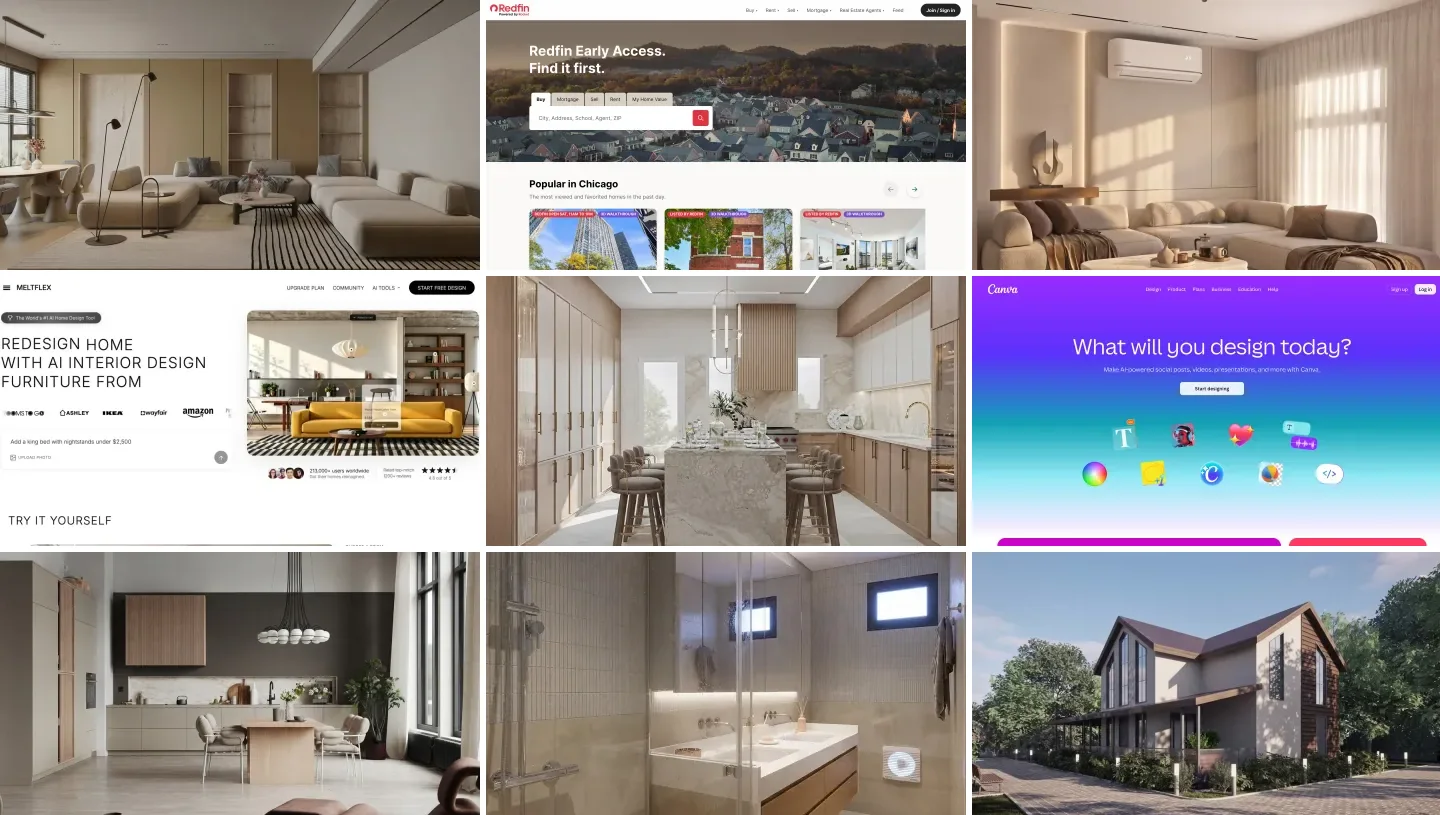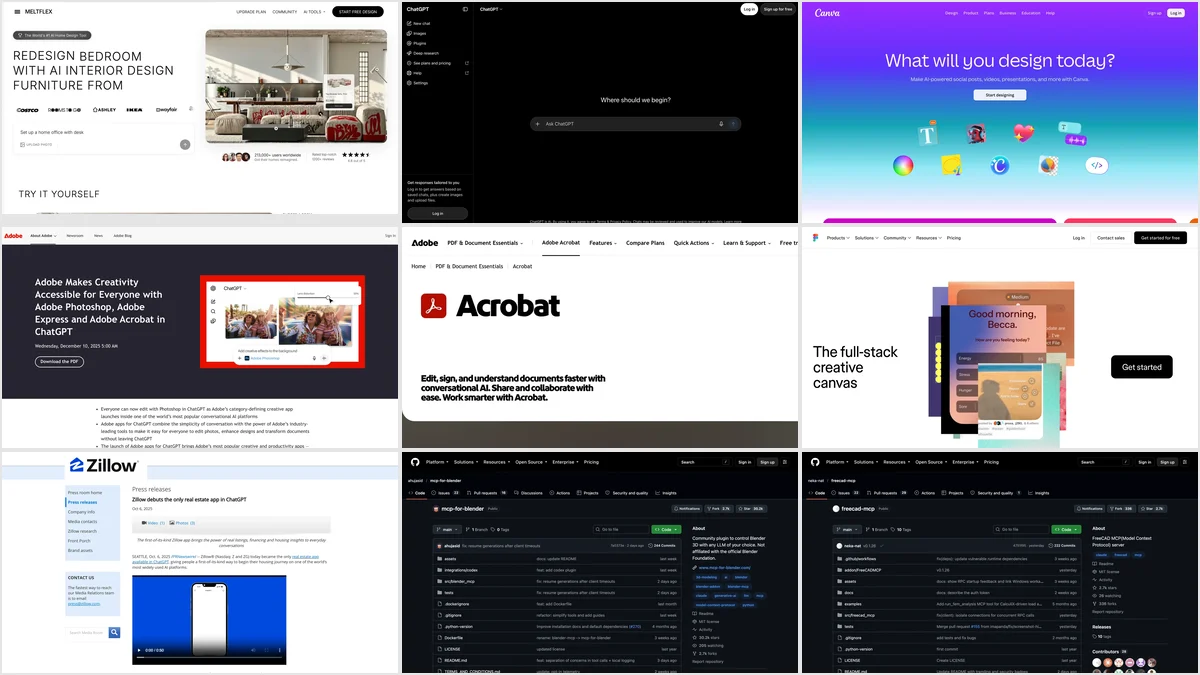
The best ChatGPT plugins for architects and interior designers in 2026 are MeltFlex for redesigning a photo of a real room with furniture you can buy, Canva for mood boards and client decks, Adobe Photoshop and Acrobat for site photos and drawing sets, Figma for diagrams, and Zillow for US listing context. If you need 3D, Blender and FreeCAD MCP servers can be connected through developer mode. Plugins are what ChatGPT has called its MCP apps since July 9, 2026, so “ChatGPT MCP” and “ChatGPT plugins” now mean the same thing.
Our articles are still written by humans!
Get human written articles in your Google feed.
We wrote the Claude Code version of this list in June, and the most common question since has been whether the same setup works in ChatGPT. Mostly yes, with two catches: the design tools on the ChatGPT side are different, and a few that architects care about, SketchUp first among them, only exist on the Claude side. I run MeltFlex, so I will say plainly where our plugin fits and where it does not. The MeltFlex screenshots below are from our own ChatGPT session. The other six are compared from their vendors’ pages and launch coverage, not tested by us on client work, and I say so where it matters.
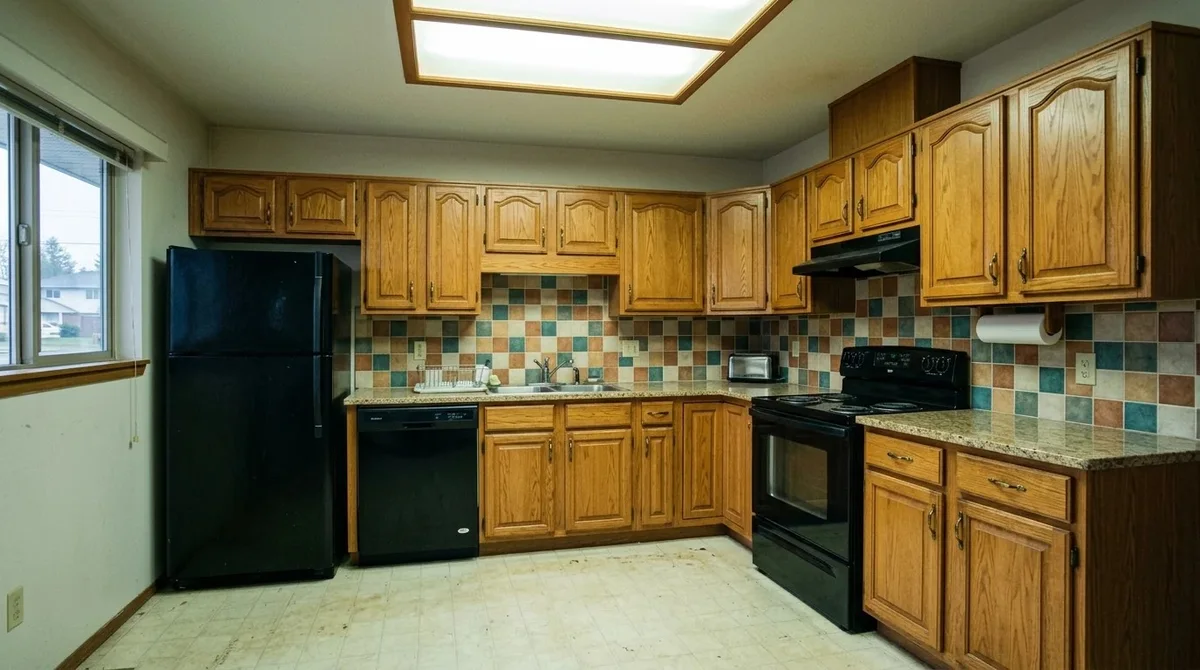
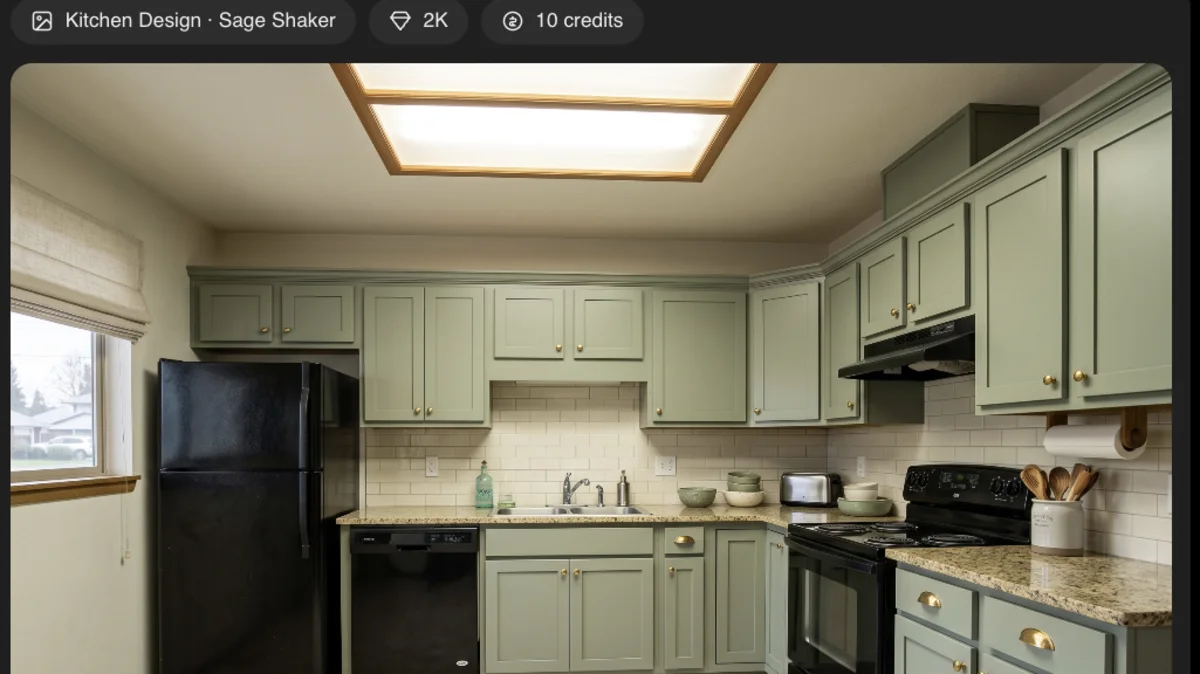
Our own run in ChatGPT: the photo we attached (left) and the card MeltFlex returned (right) after one sentence, “Redesign my kitchen with the Sage Shaker style”. The window, the ceiling light and the appliances stay where they are.
The short version
- Redesign a real room: MeltFlex, because it keeps your walls, windows and doors and restyles only the design.
- Boards and client decks: Canva, now able to build and edit full designs inside the chat.
- Photos and PDFs: Adobe Photoshop for site and portfolio photos, Acrobat for drawing sets and spec books. Both free.
- Diagrams: Figma, for FigJam bubble diagrams and Figma Slides, not for production files.
- 3D: Blender and FreeCAD MCP servers, through developer mode, for people who already know those tools.
- Missing: SketchUp, Revit and Rhino have no ChatGPT plugin. SketchUp’s connector is Claude only; see how to connect Claude to SketchUp, or how to connect ChatGPT to SketchUp through Codex instead. AutoCAD has no plugin either; AutoCAD MCP servers are the route there.



Which ChatGPT plugins are best for architects and interior designers?
Here are all seven in one table, roughly from interiors to heavy architecture. The last column matters more than it looks: a plugin in the directory works for most people in a couple of clicks, while developer mode needs a paid plan and a bit of patience.
| Plugin | Best for | What you get back | Cost | How you add it |
|---|---|---|---|---|
| MeltFlex | Interior designers, stagers, kitchen and bath | Photoreal redesign of your real room, video walkthrough, 3D furniture | Credits, 15 free | Developer mode today |
| Canva | Mood boards, client decks | Editable Canva designs | Free, some Pro features | Plugin Directory, not in the EU |
| Adobe Photoshop | Site and portfolio photos | Edited image, opens in Photoshop on the web | Free | Plugin Directory |
| Adobe Acrobat | Drawing sets, spec books, contracts | Compressed, redacted or extracted PDFs | Free | Plugin Directory |
| Figma | Bubble diagrams, presentations | FigJam boards, Figma Slides | Free with a Figma account | Plugin Directory, not in the EU |
| Zillow | Stagers, residential designers | Listings on a map, in the chat | Free | Plugin Directory, US only |
| Blender / FreeCAD MCP | 3D massing, simple CAD parts | Live edits to your own scene or model | Free, open source | Developer mode + a tunnel |
- Best for
- Interior designers, stagers, kitchen and bath
- What you get back
- Photoreal redesign of your real room, video walkthrough, 3D furniture
- Cost
- Credits, 15 free
- How you add it
- Developer mode today
- Best for
- Mood boards, client decks
- What you get back
- Editable Canva designs
- Cost
- Free, some Pro features
- How you add it
- Plugin Directory, not in the EU
- Best for
- Site and portfolio photos
- What you get back
- Edited image, opens in Photoshop on the web
- Cost
- Free
- How you add it
- Plugin Directory
- Best for
- Drawing sets, spec books, contracts
- What you get back
- Compressed, redacted or extracted PDFs
- Cost
- Free
- How you add it
- Plugin Directory
- Best for
- Bubble diagrams, presentations
- What you get back
- FigJam boards, Figma Slides
- Cost
- Free with a Figma account
- How you add it
- Plugin Directory, not in the EU
- Best for
- Stagers, residential designers
- What you get back
- Listings on a map, in the chat
- Cost
- Free
- How you add it
- Plugin Directory, US only
- Best for
- 3D massing, simple CAD parts
- What you get back
- Live edits to your own scene or model
- Cost
- Free, open source
- How you add it
- Developer mode + a tunnel
1. MeltFlex: can ChatGPT redesign your real room?
Yes, and this is the job ChatGPT is worst at on its own. Ask ChatGPT’s built in image model to restyle a living room photo and it repaints the whole picture: the window slides a foot to the left, the ceiling gets taller and the room you get back is a lookalike, not your room. That is fine for inspiration and useless for a client who wants to see their own space. The MeltFlex MCP server sends the photo to a model that is instructed to keep the structure and change only the design, so the walls, windows and doors stay exactly where they are.
Inside ChatGPT it shows up as six tools. browse_presets opens a picture gallery of the same 15 design tools and more than 200 style presets you see on our site: AI interior design, virtual staging, kitchen design, bathrooms, exteriors, gardens, walls, floors, stairs and more. generate_interior does the redesign, with up to three variations side by side. create_walkthrough turns a still into a 4 or 8 second walkthrough video, and create_3d_furniture turns a photo of one piece into a textured GLB model, the same engine as our 3D furniture generator.
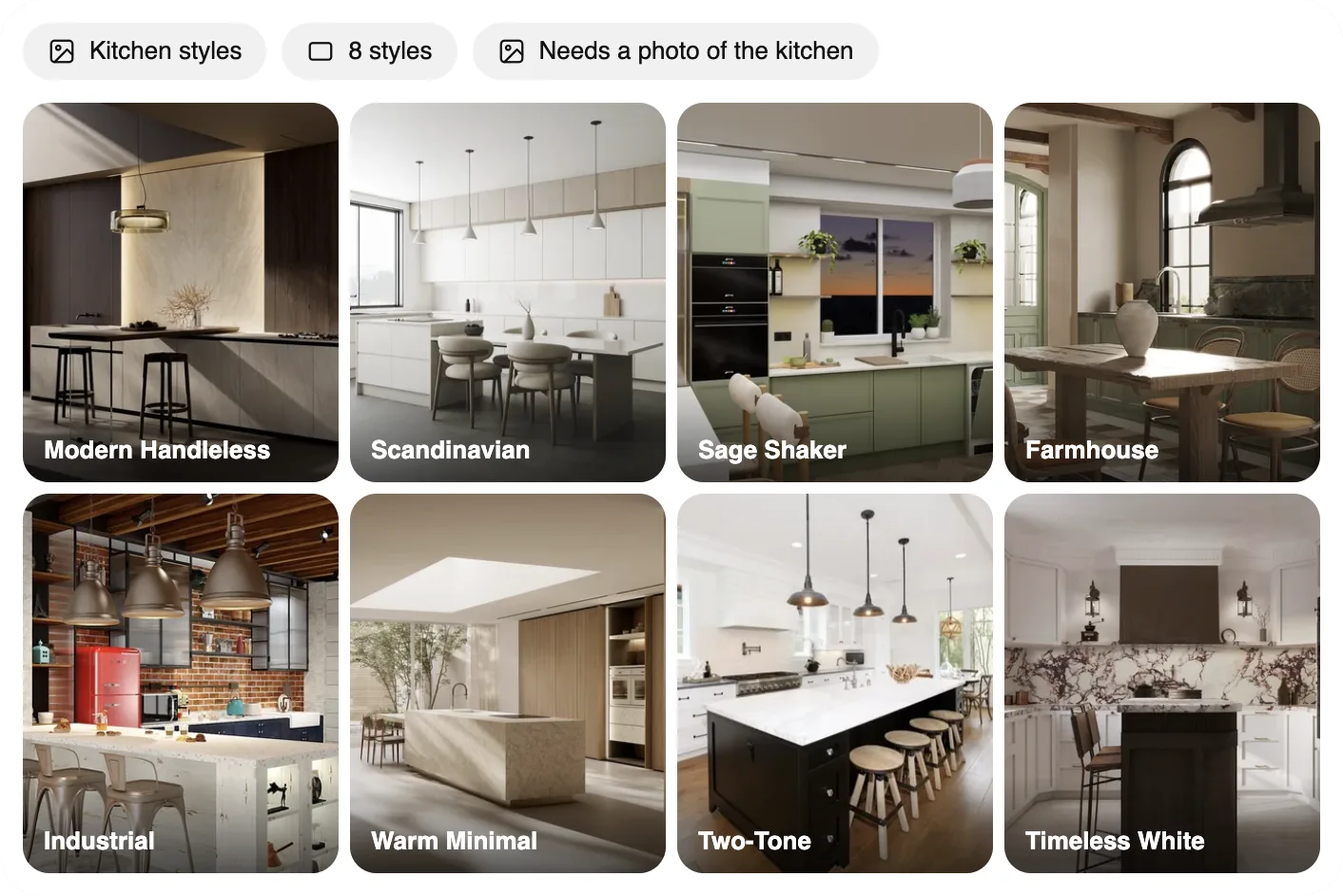
Asking for kitchen styles returns a gallery, not a wall of text. Clicking a tile asks ChatGPT to apply that style to your photo.
The part that matters most for designers is the furniture. Attach a photo of a sofa you are specifying, or a rug the client already owns, and the redesign is built around that exact piece instead of a generic one, which is the difference between a mood picture and a plan you can actually order. A render costs 10 credits, a walkthrough 100 or 150, a 3D model 75, and anything that fails is refunded automatically. A new account starts with 15 credits, enough for one render.
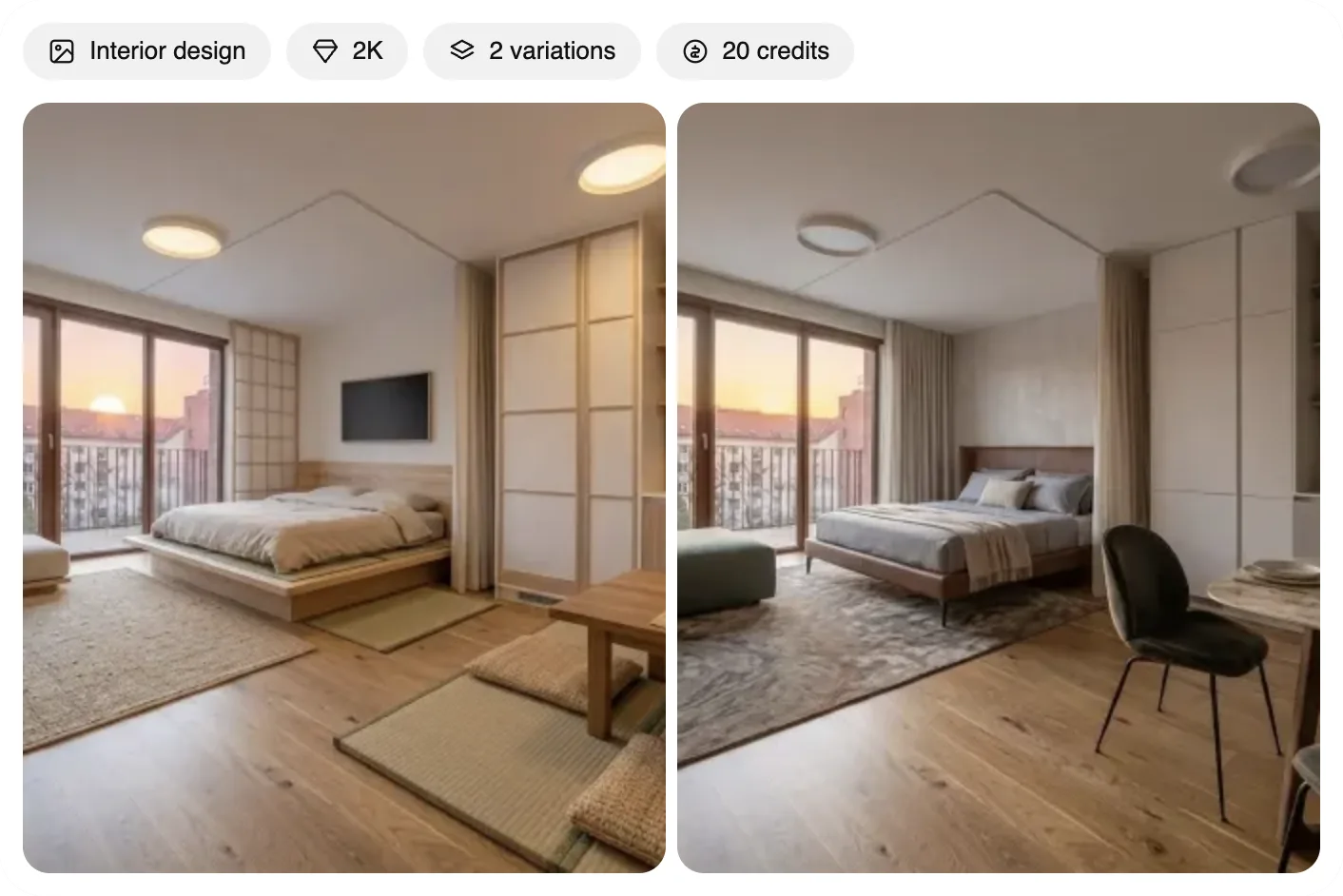
Two looks for one bedroom in a single call. Same balcony door, same floor, same light, so the client compares styles, not rooms.
How to add it today: MeltFlex is not in OpenAI’s Plugin Directory yet, so for now you connect it in developer mode with this URL, and you sign in with your MeltFlex account instead of pasting a key:
https://www.meltflexai.com/api/mcp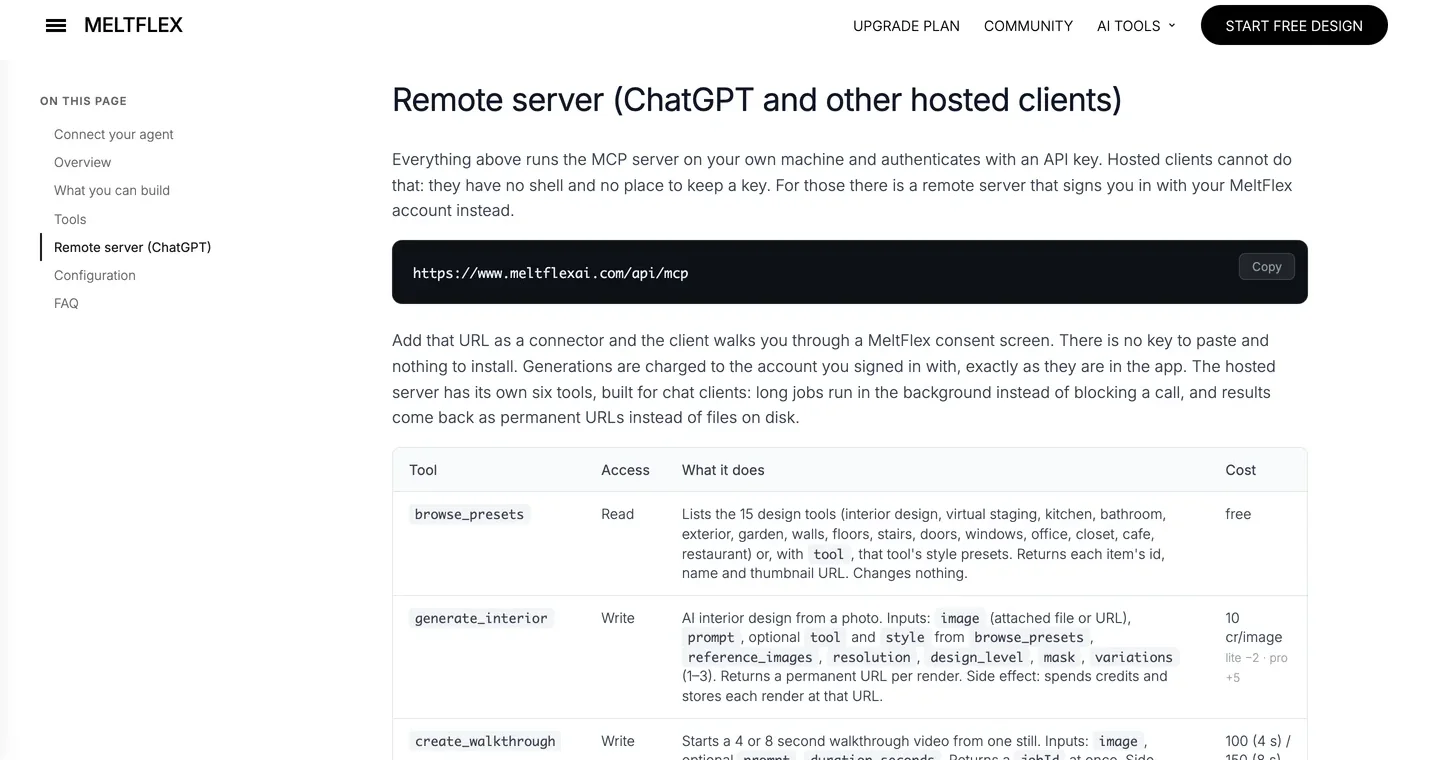
The ChatGPT section of our MCP page, captured October 8, 2026: the URL to paste and every tool with its credit cost.
Honest take: it is deliberately narrow. It will not draw a floor plan, check a code requirement or model a building. One quirk we hit in our own testing: after the first render, ChatGPT sometimes answered a follow up with its own image model instead of calling MeltFlex, and that answer had the moved window problem again. Start each request that needs your real room with @MeltFlex and it goes to the right place every time.
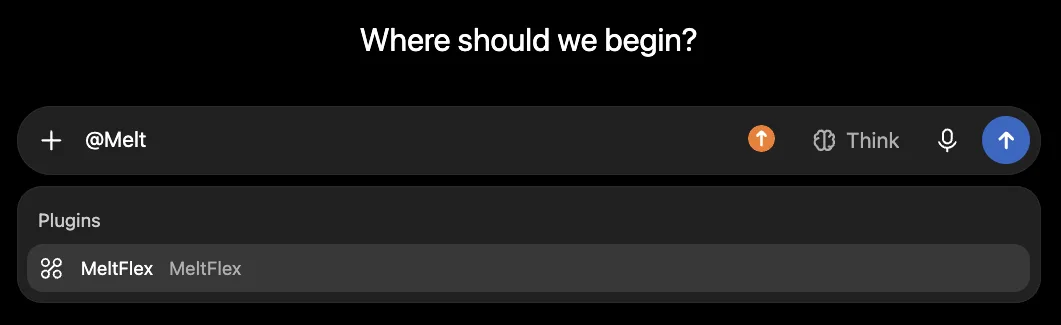
Typing @ and the plugin name sends the request to MeltFlex instead of ChatGPT’s own image model.
2. Canva: can ChatGPT make mood boards and client decks?
Yes, and this is the plugin with the most obvious payoff for a studio. Canva was one of the launch partners when OpenAI opened apps in ChatGPT in October 2025, and in 2026 it gained full design creation inside the chat: you describe a presentation board or a client deck, Canva returns slide previews in the conversation, and you revise them in plain language before opening the file in Canva to finish. The output is an editable design, not a flat picture, which is the whole point. Canva’s own help page says the app works on free and paid ChatGPT personal accounts but is not yet available in the EU or China.
Canva’s homepage, captured October 8, 2026. The ChatGPT app connects to the same account.
Honest take: use it for the documents around the design, not the design itself. Concept boards, proposals, project one pagers and social posts are where it saves real hours. Some features still need Canva Pro, and your brand kit may not carry into the chat, so check the first deck before you send it to a client. A good pairing: redesign the room in MeltFlex, then ask Canva to lay the before and after into a board.
3. Adobe Photoshop: can ChatGPT edit site and portfolio photos?
Yes, for everyday fixes. Adobe brought Photoshop, Express and Acrobat to ChatGPT on December 10, 2025, free and without a Creative Cloud subscription. Photoshop in ChatGPT adjusts a selected part of an image, changes exposure, contrast and brightness with sliders or plain language, and applies creative effects such as Glitch and Glow, and every result has an “Open in Photoshop” button that hands the file to Photoshop on the web. Express covers quick graphics like invitations and social posts. Adobe says all three are free to ChatGPT users globally, on desktop, web and iOS.
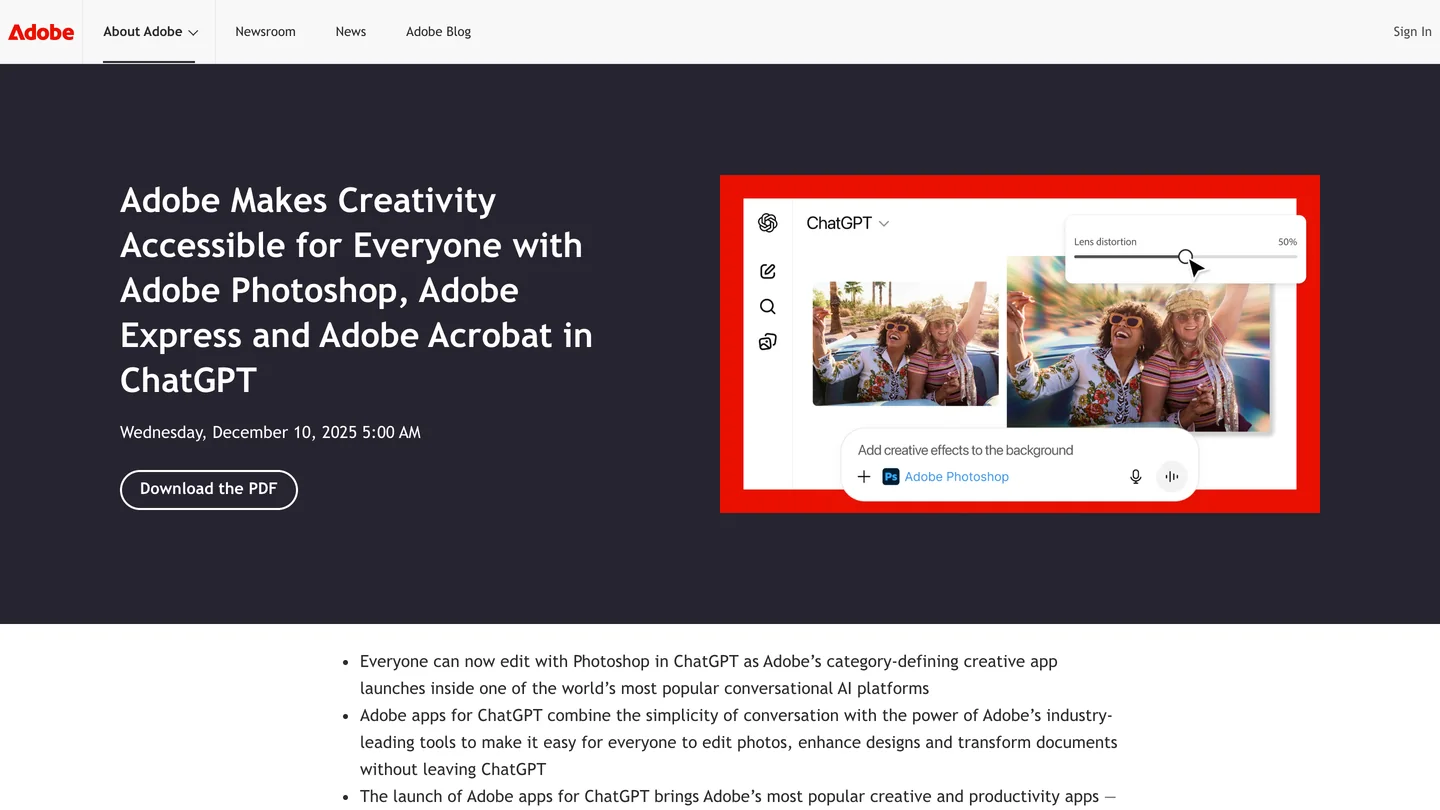
Adobe’s own announcement of Photoshop, Express and Acrobat in ChatGPT, December 10, 2025 (captured October 8, 2026).
Honest take: it is a good fix for the dim site photo or the slightly crooked portfolio shot, and it is free, so there is no reason not to add it. It is not a redesign tool: it edits the pixels you have, it does not replace a sofa or restyle a kitchen. For that you still want a model that understands rooms.
4. Adobe Acrobat: can ChatGPT handle drawing sets and spec PDFs?
Partly. The Acrobat plugin came in the same December launch, and its jobs are the unglamorous ones every architecture office has: compress a 200 MB drawing set so it fits in an email, merge consultant PDFs into one set, extract the text or tables from a spec book so ChatGPT can answer questions about it, and redact names, addresses and prices before a set goes to a contractor or a portfolio.
The Acrobat homepage, captured October 8, 2026. We cropped off the price card on the right because adobe.com showed it to us in euros.
Honest take: it reads and edits PDFs, it does not read drawings the way an architect does. Do not expect it to understand a section or check dimensions on a sheet. For redaction on anything legal, look at the result page by page before it leaves the office.
5. Figma: can ChatGPT draw bubble diagrams and presentations?
Yes, in FigJam and Figma Slides. Figma was also a launch partner, but the plugin is narrower than the name suggests: Figma’s own help page says ChatGPT only supports FigJam and Figma Slides, so it cannot create or edit files in Figma Design. It works on any Figma plan. For an architect that still covers adjacency and bubble diagrams, program flow charts, phase timelines and the concept deck.
Honest take: useful early in a project, when the thinking is diagrams. Figma says the plugin is not available in the EU, which rules it out for European studios for now. If your client decks already live in Canva, you probably do not need both.
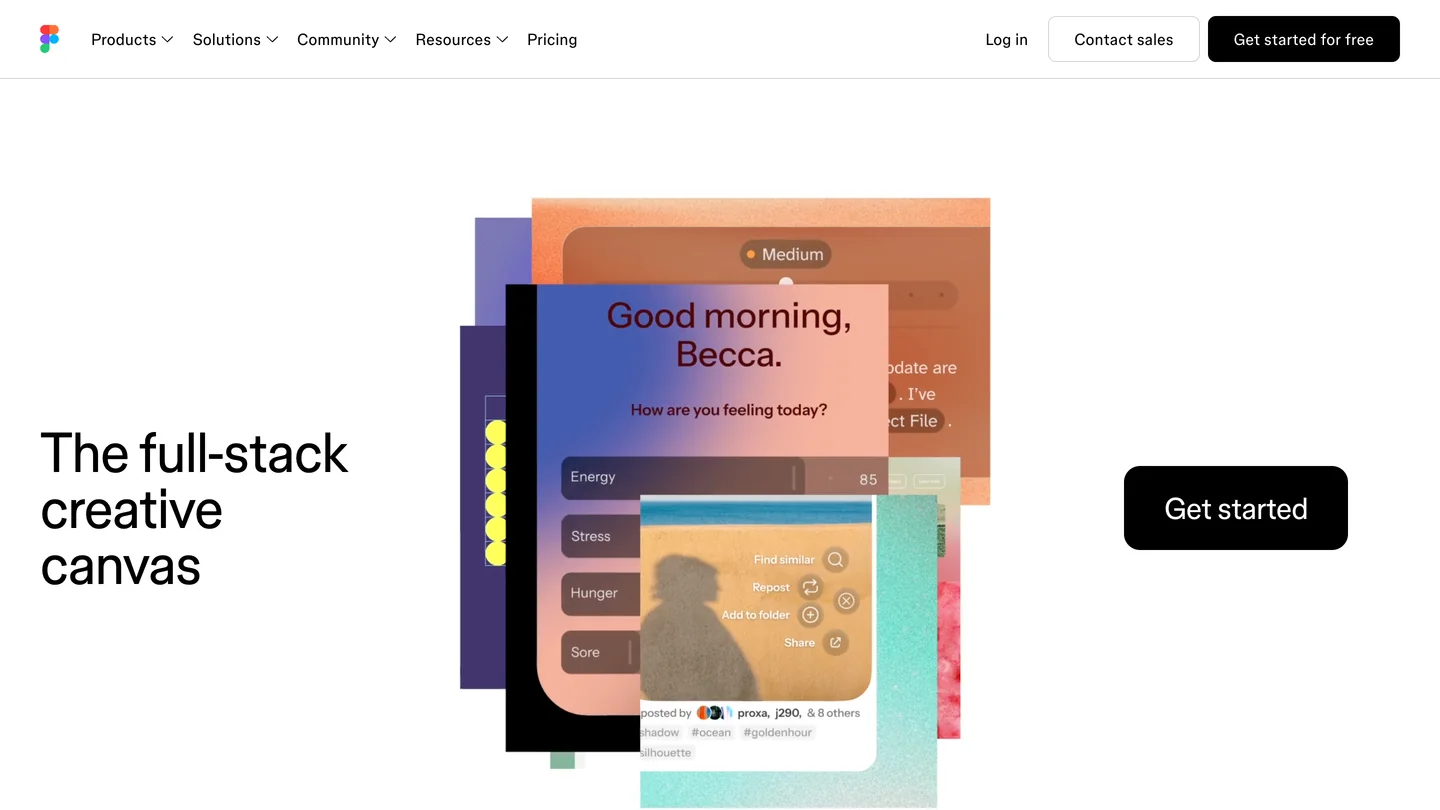
Figma’s homepage, captured October 8, 2026. In ChatGPT only the FigJam and Slides side is reachable.
6. Zillow: is there a ChatGPT plugin for stagers and residential designers?
Yes, if you work in the US. The Zillow plugin, another launch partner and the only real estate app in ChatGPT at launch, answers questions like “what can I afford nearby” with listings, photos, maps and prices inside the conversation, for homes for sale and rentals, then sends you back to Zillow to book a tour. For a home stager or a residential designer, that is market context in a sentence: what comparable homes in the neighborhood look like when they are listed, or what a client’s new house looked like before they bought it.
Honest take: it is a search tool, not a design tool, and it is only useful in the US. Where it earns its place is in the staging workflow: look at the competing listings, then stage your own empty rooms with virtual staging so the listing photos stand out against them.
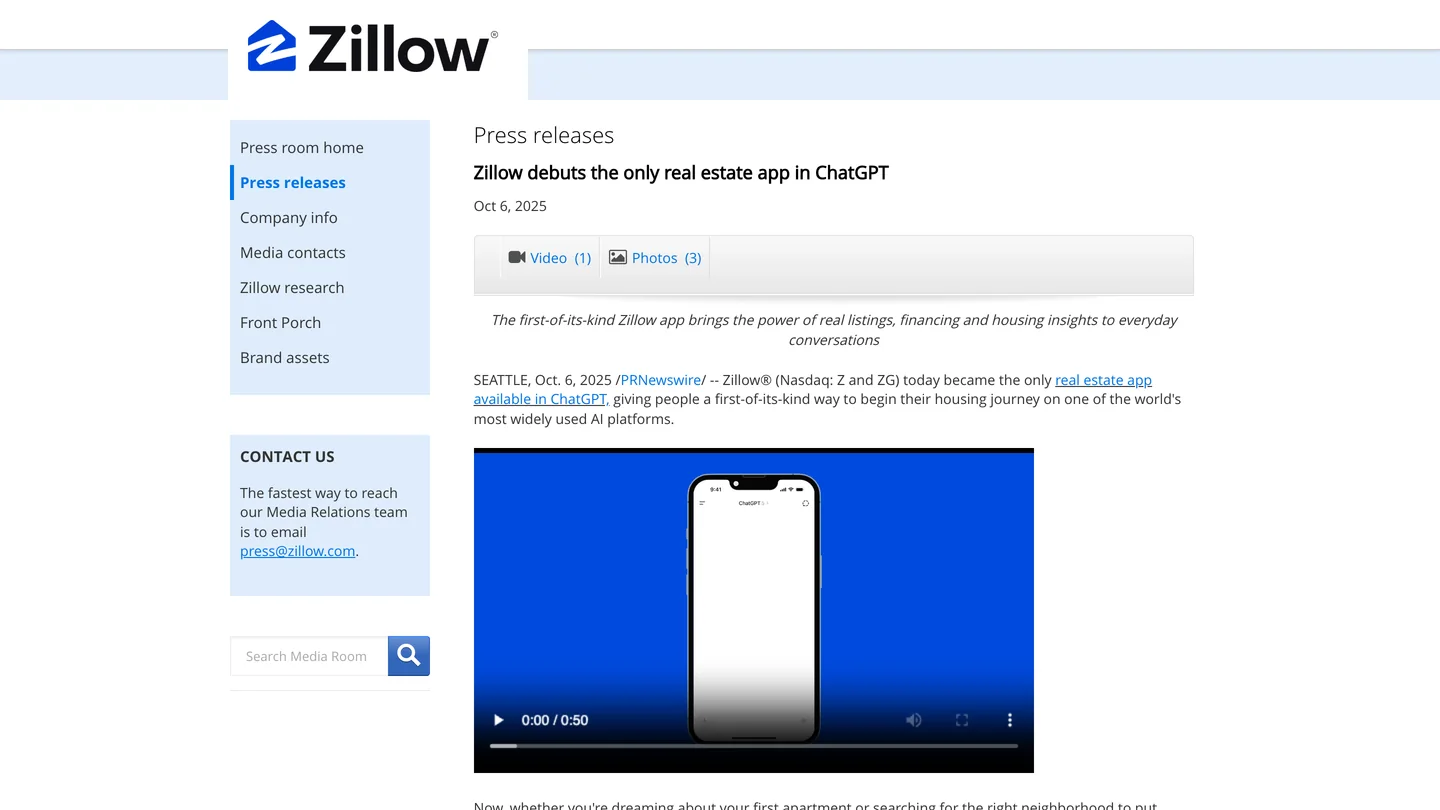
Zillow’s own release from October 6, 2025. We show the press page because zillow.com served our capture browser a bot check.
7. Blender and FreeCAD: can ChatGPT model in 3D through MCP?
Yes, but only through developer mode, and only if you are willing to set it up. Neither has a plugin in the directory. The open source Blender MCP server (the repository was renamed mcp-for-blender in 2026) is the standard way to control Blender by talking to it, and FreeCAD has community MCP servers, such as freecad-mcp, that Fabbaloo reported can create and edit simple 3D parts from ChatGPT. The catch is that ChatGPT cannot reach a program running on your laptop. These servers run locally, so you need an HTTPS tunnel (ngrok is the usual one) in front of them, and the original Blender MCP talks over a raw socket, so it also needs an HTTP bridge before ChatGPT can see it.
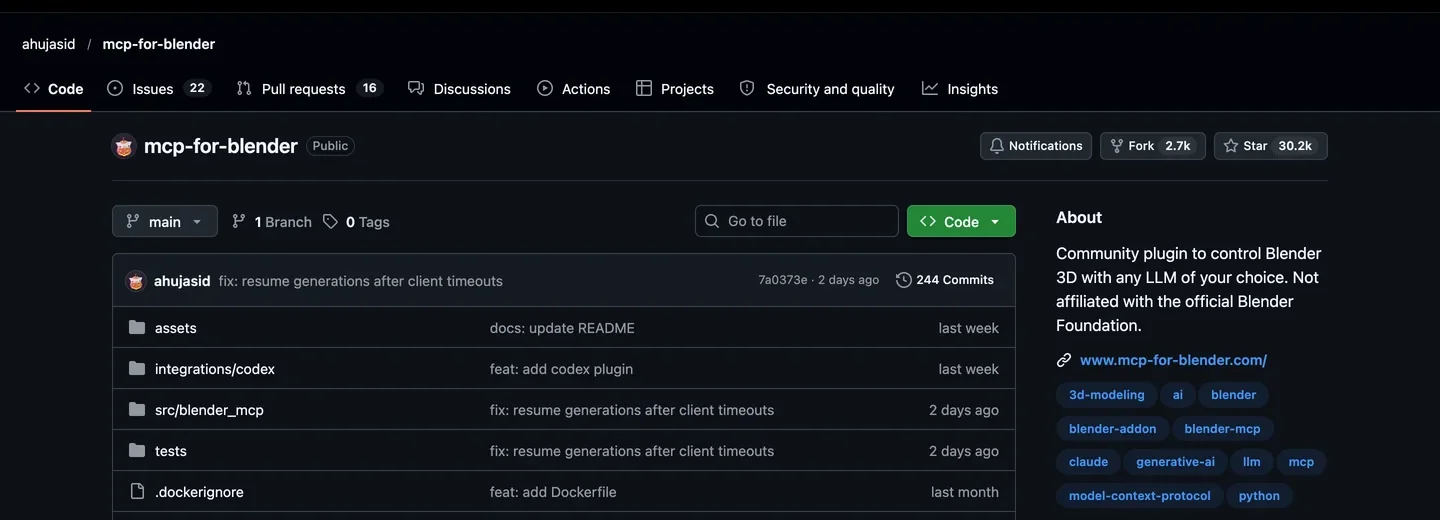
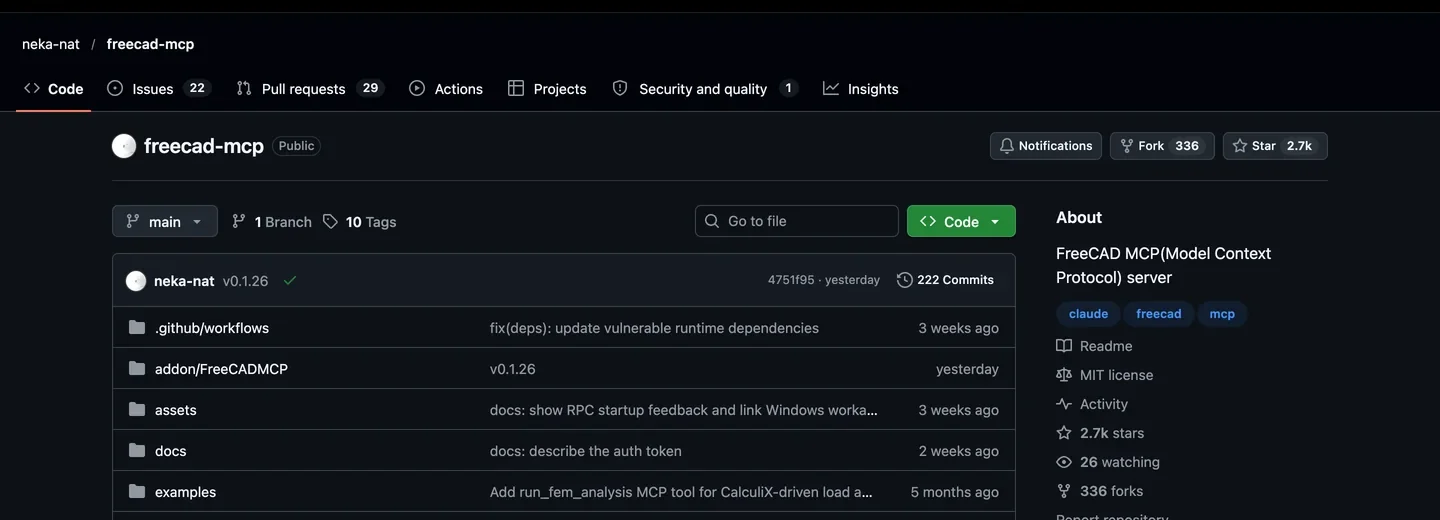
The two open source servers, captured October 8, 2026: Blender MCP (top) and freecad-mcp (bottom). Neither is an OpenAI plugin; both run on your own computer.
Honest take: this is a weekend project, not a two minute install, and it is the same tools that work with one command in Claude Code. If 3D modeling by conversation is the main reason you want an AI agent, our Claude Code MCP list is the better starting point. If you only need a model of a single furniture piece, MeltFlex’s 3D tool does that in ChatGPT with no setup, and a floor plan can go through our floor plan to 3D converter.
Plugin Directory or developer mode: which one do you need?
There are two ways a plugin gets into ChatGPT. The difference decides who in your studio can use it and how much you have to trust it.
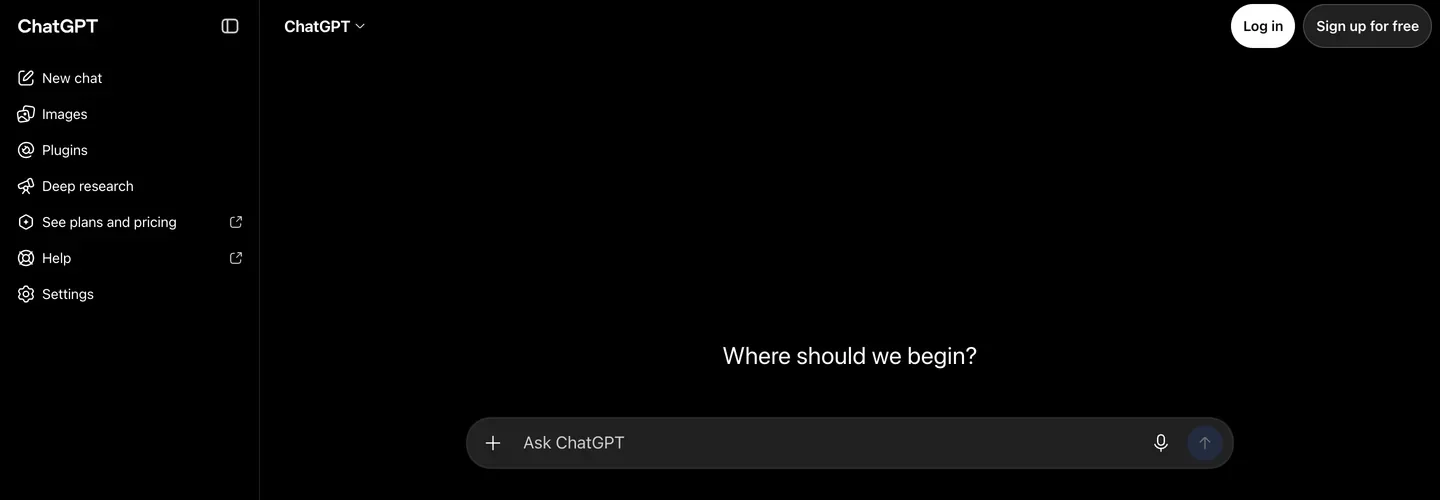
ChatGPT, captured October 8, 2026. Plugins now has its own entry in the sidebar, where Apps used to be.
| Plugin Directory | Developer mode | |
|---|---|---|
| What it is | Plugins reviewed and listed by OpenAI | Any remote MCP server you add by URL |
| Plans | Most plans, including Free (regions vary) | Paid plans, Plus or higher, on the web |
| Setup | Click Connect, sign in | Turn on developer mode, paste the URL, sign in |
| Local tools (Blender, FreeCAD) | Not possible | Possible with an HTTPS tunnel |
| Trust | Reviewed by OpenAI | Not reviewed, full read and write tools |
| On Business and Enterprise | Admins choose which plugins are allowed | An admin may have to enable it first |
- What it is
- Plugins reviewed and listed by OpenAI
- Plans
- Most plans, including Free (regions vary)
- Setup
- Click Connect, sign in
- Local tools (Blender, FreeCAD)
- Not possible
- Trust
- Reviewed by OpenAI
- On Business and Enterprise
- Admins choose which plugins are allowed
- What it is
- Any remote MCP server you add by URL
- Plans
- Paid plans, Plus or higher, on the web
- Setup
- Turn on developer mode, paste the URL, sign in
- Local tools (Blender, FreeCAD)
- Possible with an HTTPS tunnel
- Trust
- Not reviewed, full read and write tools
- On Business and Enterprise
- An admin may have to enable it first
How do you add a custom MCP server to ChatGPT?
The menu labels have moved twice in a year, from connectors to apps to plugins, so expect small differences on your screen. The steps themselves have stayed the same:
- Open ChatGPT on the web and go to Settings, then the apps or plugins section, then Advanced settings, and turn on Developer mode. On a Business or Enterprise workspace, an admin may need to allow it first.
- Create a new app (in recent builds: Plugins, Add, Create MCP app). Give it a name and paste the server URL. For MeltFlex that is
https://www.meltflexai.com/api/mcp. - Pick OAuth if the server asks for it. ChatGPT opens a sign in window for that service. For MeltFlex you sign in with your MeltFlex account and click Allow access; nothing is installed and no key is copied.
- In a new chat, type
@and the app name, attach a photo if the tool needs one, and ask in plain language.
You can see and disconnect every connected app later, on the ChatGPT side under its apps settings and on the MeltFlex side under Settings, Connected Apps. If you would rather build on MeltFlex yourself, the same engine is available as a REST API and a command line tool.
Which plugins should each kind of studio install?
Two or three is the right number. Every extra plugin is one more thing ChatGPT has to choose between, and it does not always choose well.
| You are | Install | Why |
|---|---|---|
| Interior designer | MeltFlex, Canva | Show the client their own room redesigned, then put it on a board |
| Home stager or agent | MeltFlex, Zillow, Photoshop | Stage empty rooms, check the competing listings, fix the photos |
| Architect, small practice | Acrobat, Figma, Canva | Drawing sets, early diagrams, proposals |
| Architect doing 3D | Blender MCP (developer mode), or Claude Code | Model by conversation; the setup is easier in Claude |
| Kitchen and bath designer | MeltFlex, Canva | Try cabinet colors and countertops on the client’s own kitchen photo |
- Install
- MeltFlex, Canva
- Why
- Show the client their own room redesigned, then put it on a board
- Install
- MeltFlex, Zillow, Photoshop
- Why
- Stage empty rooms, check the competing listings, fix the photos
- Install
- Acrobat, Figma, Canva
- Why
- Drawing sets, early diagrams, proposals
- Install
- Blender MCP (developer mode), or Claude Code
- Why
- Model by conversation; the setup is easier in Claude
- Install
- MeltFlex, Canva
- Why
- Try cabinet colors and countertops on the client’s own kitchen photo
What is ChatGPT still bad at for design work?
Three things, and it is better to know them before a client meeting than during one. First, ChatGPT has no CAD or BIM plugin worth the name: no Revit, no Rhino, no ArchiCAD, and SketchUp went to Claude (the ChatGPT to SketchUp workarounds run through the desktop app, not a plugin). Second, it picks tools on its own, and it does not always pick the plugin you meant, which is why the @ mention matters more than any prompt trick. Third, everything here shortens the loop between an idea and seeing it. None of it replaces the eye that decides whether the idea was good.
If you mostly want better prompts rather than plugins, our ChatGPT prompts for interior design and architecture render prompts cover the text side, and our guide to designing a room with ChatGPT explains where its own image model helps and where it moves your windows.
Add MeltFlex to ChatGPT
- No install. Paste one URL in developer mode and sign in with your MeltFlex account.
- Keeps your real room. Walls, windows and doors stay where they are; only the design changes.
- 200+ presets as pictures. Kitchens, bathrooms, staging, exteriors, gardens and more, picked from a gallery.
- Real furniture. Attach a photo of a real piece and the redesign is built around it.
- Beyond stills. Walkthrough videos and 3D furniture models from the same chat.
How we put this list together
Every tool screenshot was captured on October 8, 2026 from that tool’s own site, with cookie banners hidden rather than clicked. The MeltFlex section is first hand: the screenshots come from our own ChatGPT session on October 4, 2026, run in developer mode while we prepared our Plugin Directory listing, and from our plugin’s result cards rendering real outputs. The other six plugins are compared, not tested on client work, from these sources, read on October 8, 2026: OpenAI’s launch post for apps in ChatGPT (October 6, 2025, which names Canva, Figma and Zillow among the first partners), OpenAI’s help center note on the move to the Plugin Directory (July 9, 2026), Adobe’s announcement of Photoshop, Express and Acrobat in ChatGPT (December 10, 2025), Canva’s help page for ChatGPT, Zillow’s release (October 6, 2025), Figma’s help page for ChatGPT and Trimble’s SketchUp Claude connector announcement.
Plugin lists, plans and regions change every few months. We will update this page when MeltFlex is listed in the Plugin Directory and whenever a CAD or BIM tool ships a ChatGPT plugin, and the date at the top says when we last did.
ChatGPT plugins for architects and designers: FAQ
What are the best ChatGPT plugins for architects and interior designers?
For redesigning a photo of a real room with furniture you can buy, MeltFlex is the strongest pick, because it keeps the walls, windows and doors where they are and only restyles the space. For mood boards and client decks, Canva. For retouching site and portfolio photos, Adobe Photoshop, and for drawing sets and spec books, Adobe Acrobat. Figma covers diagrams and slides, and Zillow gives US listing context. If you need 3D, Blender and FreeCAD MCP servers can be connected through developer mode, but they take real setup. Most studios need two or three of these, not all seven.
Does ChatGPT support MCP?
Yes. Every plugin in ChatGPT that talks to an outside service is an app built on the Model Context Protocol, the same open standard Claude uses. OpenAI launched apps in ChatGPT on October 6, 2025 with an Apps SDK built on MCP, and on July 9, 2026 it moved them into the Plugin Directory and started calling them plugins. You can also connect any remote MCP server yourself in developer mode.
How do I add a custom MCP server to ChatGPT?
Turn on developer mode in ChatGPT settings (it sits under the apps or plugins settings, in Advanced settings), then create a new app, give it a name and paste the server URL, for example https://www.meltflexai.com/api/mcp for MeltFlex. If the server uses OAuth, ChatGPT opens a sign in window for that service. After that you mention the app by name with @ in a chat. The server has to be reachable over HTTPS, so a tool that only runs on your own computer needs a tunnel first.
Can ChatGPT render my real room instead of making up a new one?
Not reliably on its own. ChatGPT's built in image model redraws the whole picture, so windows move, ceilings change height and the room you get back is a lookalike. A plugin like MeltFlex sends your photo to a model that is told to keep the structure of the room and change only the design, so the windows, doors and proportions stay put. You can also pass a photo of a real sofa or rug and the redesign is built around it.
Are ChatGPT plugins free?
The plugins themselves cost nothing to add, but the service behind each one has its own pricing. Adobe made Photoshop, Express and Acrobat in ChatGPT free at launch. Canva works with a free account, though some features need Canva Pro, and it is not yet available in the EU. Figma and Zillow cost nothing extra to use inside ChatGPT. MeltFlex runs on MeltFlex credits: a new account gets 15, enough for one render at 10, and failed generations are refunded. Connecting your own MCP server in developer mode needs a paid ChatGPT plan, Plus or higher.
Is SketchUp available in ChatGPT?
Not as of October 2026. Trimble's SketchUp connector is built for Claude, and Trimble's own help page names Claude as the only supported AI provider. If SketchUp is central to how you work, that is a reason to run Claude next to ChatGPT rather than a reason to wait.
Should I use the Plugin Directory or developer mode?
Use the Plugin Directory whenever the tool you want is listed there, because OpenAI has reviewed it and it works on more plans and devices. Use developer mode only for servers that are not listed yet, for your own internal tools, or for open source servers like Blender MCP. Developer mode gives the server full read and write tools, so only connect servers you trust.
Keep reading
- The 7 best MCP servers for architects in Claude Code, including Blender, Grasshopper and Rhino.
- How MeltFlex MCP works in Claude, the full walkthrough of redesigning a room from a chat.
- Claude skills for interior design, the other half of an agent setup.
- Higgsfield MCP, the video side of the same idea.
- ChatGPT for real estate agents, the Zillow, Redfin and staging plugins plus tested listing prompts.
- best AI tools for architects, if you want apps rather than plugins.
- Best AI interior design tools compared, the standalone tools side by side.
- Try MeltFlex in the browser, upload a room photo and see it redesigned with furniture you can buy.