
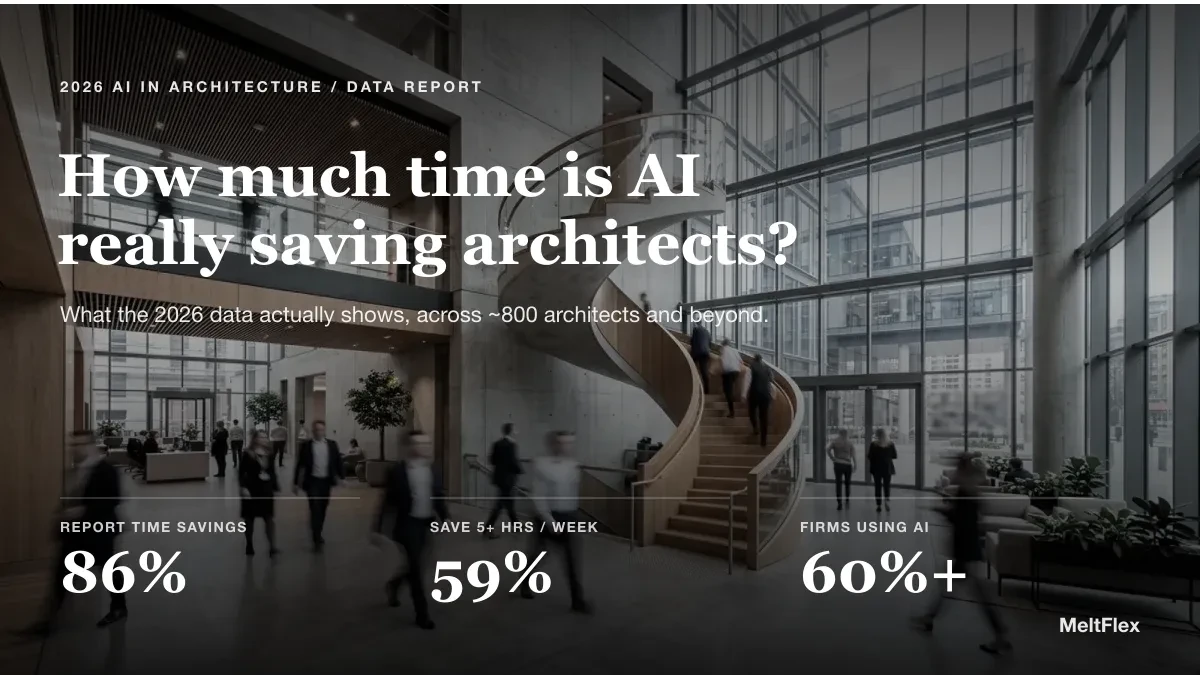
Every architecture practice is being told to adopt AI, usually with a vague promise that it will save time. So it is worth asking the blunt question and answering it with data rather than vibes: how much time does AI actually save architects?
Our articles are still written by humans!
Get human written articles in your Google feed.
Key findings
- 86% of AI-using architects report time savings; 59% save 5 or more hours a week (Chaos and Architizer, 2026).
- The biggest savings are visual: concept design (48%) and image enhancement (40%).
- Mid-sized firms gain most, with 30% saving 10 to 15+ hours a week; the largest firms gain proportionally less.
- Across all jobs the average is lower, about 2.2 hours a week (Federal Reserve Bank of St. Louis, 2025), so architecture runs ahead of the pack.



The Short Answer
Most architects who use AI save at least 5 hours a week, and a large majority report meaningful time savings overall. In the 2026 Chaos and Architizer survey of nearly 800 architects, 86 percent of AI users reported at least some time savings and 59 percent saved 5 or more hours every week. The gains are real, but they are concentrated in specific tasks, they vary a lot by firm size, and they run ahead of what the average worker in other industries sees. The rest of this piece breaks down exactly where those hours come from.

Where the hours are won or lost: the modern studio, half physical models and half screen. AI is changing the balance of that day.
What the 2026 Data Shows
The clearest dataset comes from the Chaos and Architizer State of AI in Architecture 2026 report, which surveyed close to 800 architects and designers worldwide in late 2025. Two headline numbers stand out. First, adoption has crossed the tipping point: around 60 percent of firms are now actively using AI. Second, of those users, the overwhelming majority feel the time saving in their week.
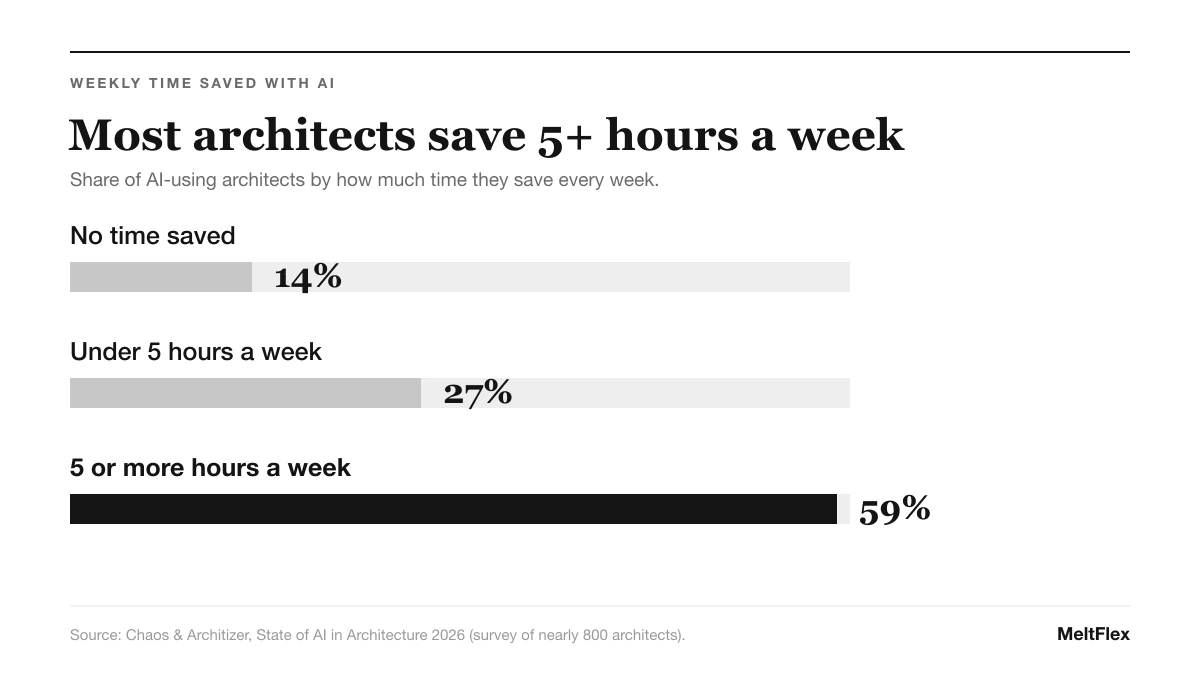
Most AI-using architects save 5 or more hours a week. Source: Chaos and Architizer, State of AI in Architecture 2026.
Five hours a week is not a rounding error. Over a working year that is the better part of six full weeks of time returned to design, client work, or simply going home earlier. And that is the median experience, not the best case. The satisfaction data tells a similar story: among architects who describe themselves as very satisfied with AI, 62 percent have fully embraced it rather than dabbling, which hints that the returns compound the more seriously a practice uses the tools. The single biggest slice of that saving is visualization, which is why it is worth learning how to render architecture with AI in about 20 seconds.
Watch: One Architect Replaces a Workflow With AI
Numbers describe the saving; watching it is more convincing. In this walkthrough, a licensed architect runs his whole drawing-to-render process through a single AI tool and shows where the hours actually disappear, which is a useful reality check on the survey data above.

A licensed architect runs a full workflow through one AI tool. Video by Adrian Mazur on YouTube. It lands on the same place the data does: the biggest savings are in drawing and visualisation.
Where AI Saves the Most Time
The hours are not spread evenly across the workflow. When architects were asked where AI saves them the most time, two answers dominated, and both are visual.
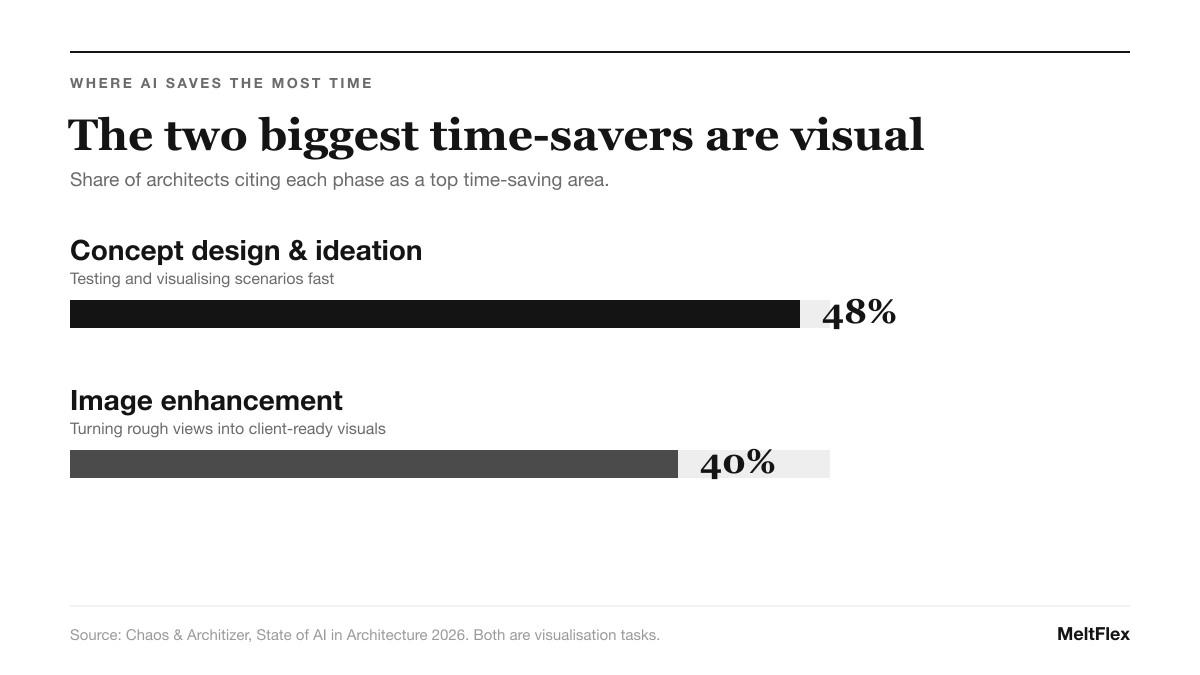
The two biggest time-savers are concept design and image work. Source: Chaos and Architizer 2026.
The takeaway is that AI is not yet saving most architects meaningful time on technical documentation or code compliance. It is saving time in the early, iterative, visual part of a project, the part where you are exploring options and trying to show a client what a space could feel like. That is a useful thing to know before you buy a tool: the return is largest at the front of the process.
How Firm Size Changes the Picture
One of the more surprising findings is that bigger does not mean better when it comes to time saved. You might expect large firms to extract the most from AI, but the data shows the opposite curve.
Mid-sized firms hit the sweet spot: big enough to have real production volume for AI to accelerate, small enough that a new tool can be adopted without months of process change and sign-off. In the largest practices, the raw time AI saves is partly absorbed by the review, coordination and standardisation those firms need, so the net gain per person is smaller. For a small studio, the lesson is encouraging: you do not need scale to benefit, and you can often move faster than the big firms.
The Honest Counterpoint
It would be easy to stop at the survey numbers and declare AI a five-hour-a-week miracle. It is worth being more careful, because architecture is running well ahead of the wider economy.
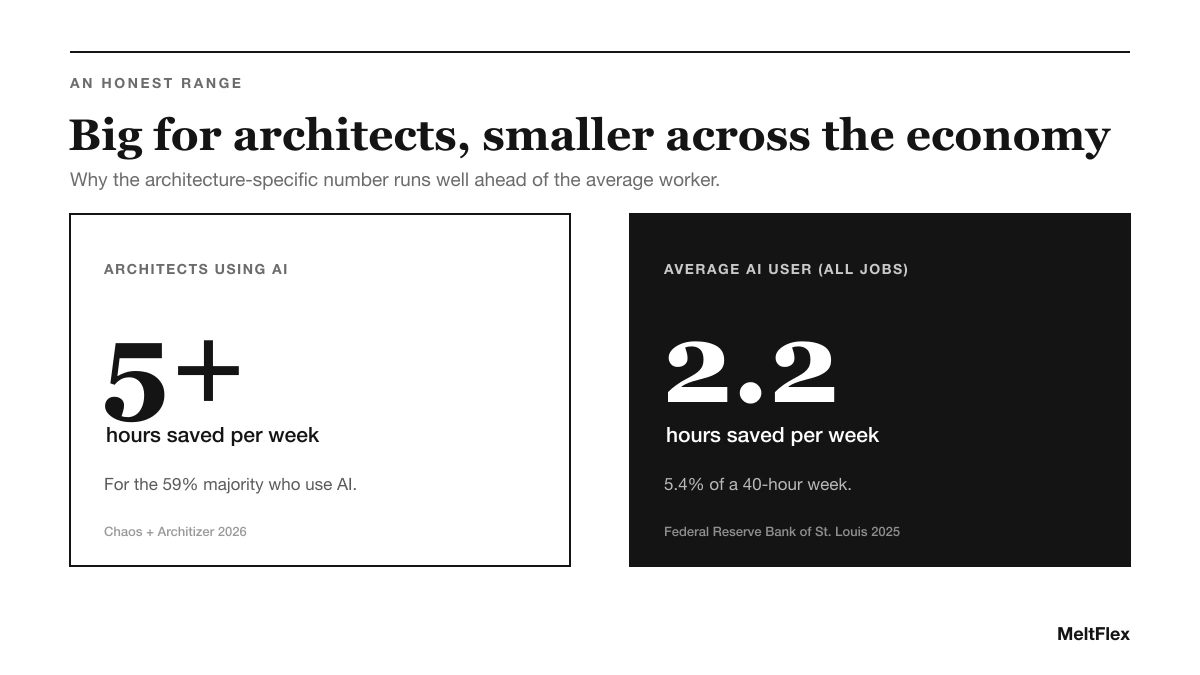
Architecture-specific savings run well ahead of the economy-wide average. Sources: Chaos and Architizer 2026; Federal Reserve Bank of St. Louis 2025.
Across all jobs, the numbers are more modest. Research from the Federal Reserve Bank of St. Louis found that the average generative AI user saves around 5.4 percent of their work hours, roughly 2.2 hours in a 40-hour week. So why is architecture so far ahead? Because architecture is unusually loaded with exactly the work current AI is best at: generating images, exploring visual options, and producing client-facing visuals. McKinsey estimates generative AI could eventually automate activities that absorb 60 to 70 percent of employee time, but the gains show up first in the professions whose day-to-day is visual and generative. Architecture is near the front of that queue.
The honest read: AI is a real productivity tool for architects, not a magic multiplier. The size of the gain depends almost entirely on which tasks you point it at, which is exactly why the visual tasks matter so much.
Why the Biggest Wins Are Visual
Put the two data points together, concept design and image enhancement as the top time-savers, and a strategy falls out of it. The fastest way for an architect to actually feel the five-hours-a-week saving is to attack visualisation, because that is where the tools are most mature and the manual work is most expensive.
Think about what a single client-ready visual used to cost: hours in a rendering engine, or a few hundred dollars and a few days outsourced. That is the work AI collapses. Instead of one hero render per option, you can generate and compare several in the time it used to take to set up one. The saving is not just the hours, it is the number of options you can now afford to explore before you commit, which is the part clients actually feel.

A client-ready visualisation like this used to mean hours in a render engine or days outsourced. It is the single most-cited place AI gives architects their time back.
Our guide to the best AI architectural rendering tools and the broader roundup of AI tools for architects map out the wider stack, and the brief-to-render AI workflow shows where visualisation slots into a real project.
How to Actually Capture Those Hours
The gap between architects who save 5 hours a week and those who save none is not talent, it is where they aim the tool. Based on the data, the highest-return move is to put AI on your concept visuals and your client-ready images first, before worrying about documentation or admin.
This is exactly what MeltFlex is built for. You upload a photo of a real space, a sketch, or a model view, describe the direction, and get a photorealistic render back in seconds, keeping the real geometry and light. It turns the single most-cited time-saving task, producing client-ready visuals, into something you do in the flow of a meeting rather than overnight. For studios weighing up the wider tooling decision, our take on how small studios win clients with AI and the best AI space planning tools for architects are good next reads.
Want the visualisation hours back? Try MeltFlex free and turn your next concept into a client-ready render in the time it used to take to open your rendering software.



)