Here is the uncomfortable truth about running an interior design business: most of your week is not design. It is proposals, emails, sourcing, scheduling, content, spec sheets and revisions. The actual creative work, the part you trained for and the part clients pay a premium for, gets squeezed into the gaps.
Our articles are still written by humans!
Get human written articles in your Google feed.
AI does not change what makes you good. It changes how much of your week you get to spend on it. Used well, it clears the administrative drag and collapses the slow steps of visualisation and documentation, so a two-person studio can deliver like a ten-person one. Used badly, it produces generic moodboards and soulless copy that make you look like everyone else.
This is a practical guide to the second outcome. Below are 15 ways interior designers are using AI in 2026 to win better clients, cut project time and grow revenue, grouped by the four stages of a project. We will be honest about where AI shines, where it falls flat, and where MeltFlex fits, because the one thing that wins clients faster than anything else is showing them their own room transformed, and that is exactly the gap most AI tools miss.
Key takeaways
- AI is a leverage tool, not a replacement. It removes the grunt work so you bill more hours on taste, sourcing and client relationships.
- The biggest wins are visualisation and admin. Concept renders drop from days to minutes, proposals from hours to minutes.
- Client-facing visuals only work if they keep the real room. A render of the client’s actual space with shoppable furniture closes deals; a generic stock room does not.
- Run a small stack, not one magic tool. One tool to capture the space, one to visualise it, one to write and run admin.
- You stay the taste. Every output below still needs your eye. AI gets you to a strong draft fast; the value you add is the last 20 percent.
Adoption is no longer a fringe thing. AI use among interior designers tripled in a single year, from 9% in 2023 to 29% in 2025, with another 20% planning to adopt soon, according to the 1stDibs 2026 Interior Design Trends report reported by WWD. Tellingly, the two things designers use AI for most are renderings and presentations, exactly the client-facing work in this guide. The market backs it up: Grand View Research values AI in interior design at about $3.3 billion in 2025, on track to top $15 billion by 2033 (a 20.9% CAGR). The studios moving now are building a head start that gets harder to catch every quarter.
The MeltFlex tool in practice: a room photo in, a photorealistic redesign out, with real, shoppable furniture. This is the engine behind several of the moves below.
FreeUpload photo · freeRedesign my room for freeUpload a photo and let MeltFlex design your space. Your first AI design is free, no card needed.

Stage 1: Use AI to win the right interior design clients
Most studios lose money before a project even starts: chasing leads that were never a fit, and pitching with moodboards that do not land. AI helps you qualify faster and pitch harder.
1. Profile a client’s style before the first call
Walking into a discovery call blind wastes the first hour on guesswork. Feed an AI assistant a few of the client’s saved Pinterest images, their brief, even their Instagram, and ask it to summarise the recurring aesthetic, palette and likely budget tier. You arrive already speaking their language. Pair it with a short visual style quiz before the call and you start the project aligned instead of three revisions deep.
2. Turn a brief into instant moodboards
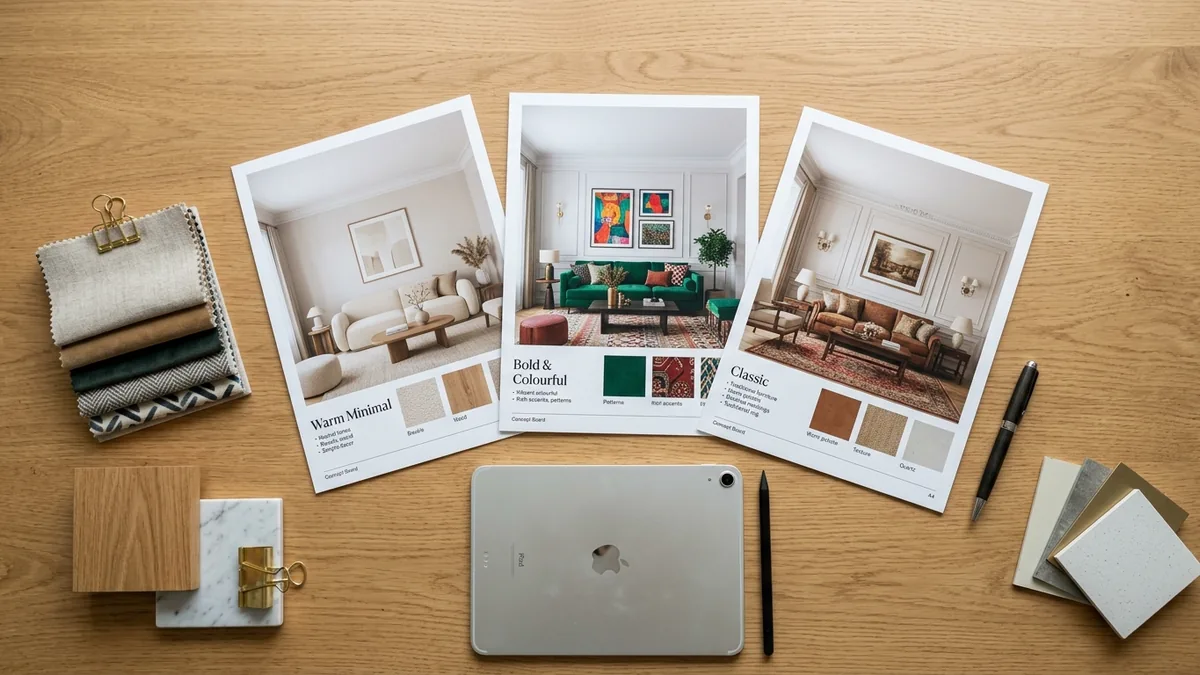
Image generators are a fast warm-up for direction, not a deliverable. Drop the brief into a tool like Midjourney or Nano Banana and you get a dozen mood directions in minutes to react to. The trap is shipping these straight to clients: AI moodboards show furniture that does not exist and rooms that are not theirs. Use them to find the direction quickly, then translate it into real, sourceable pieces. Our interior design prompt guide has the exact prompts that get usable directions instead of noise.
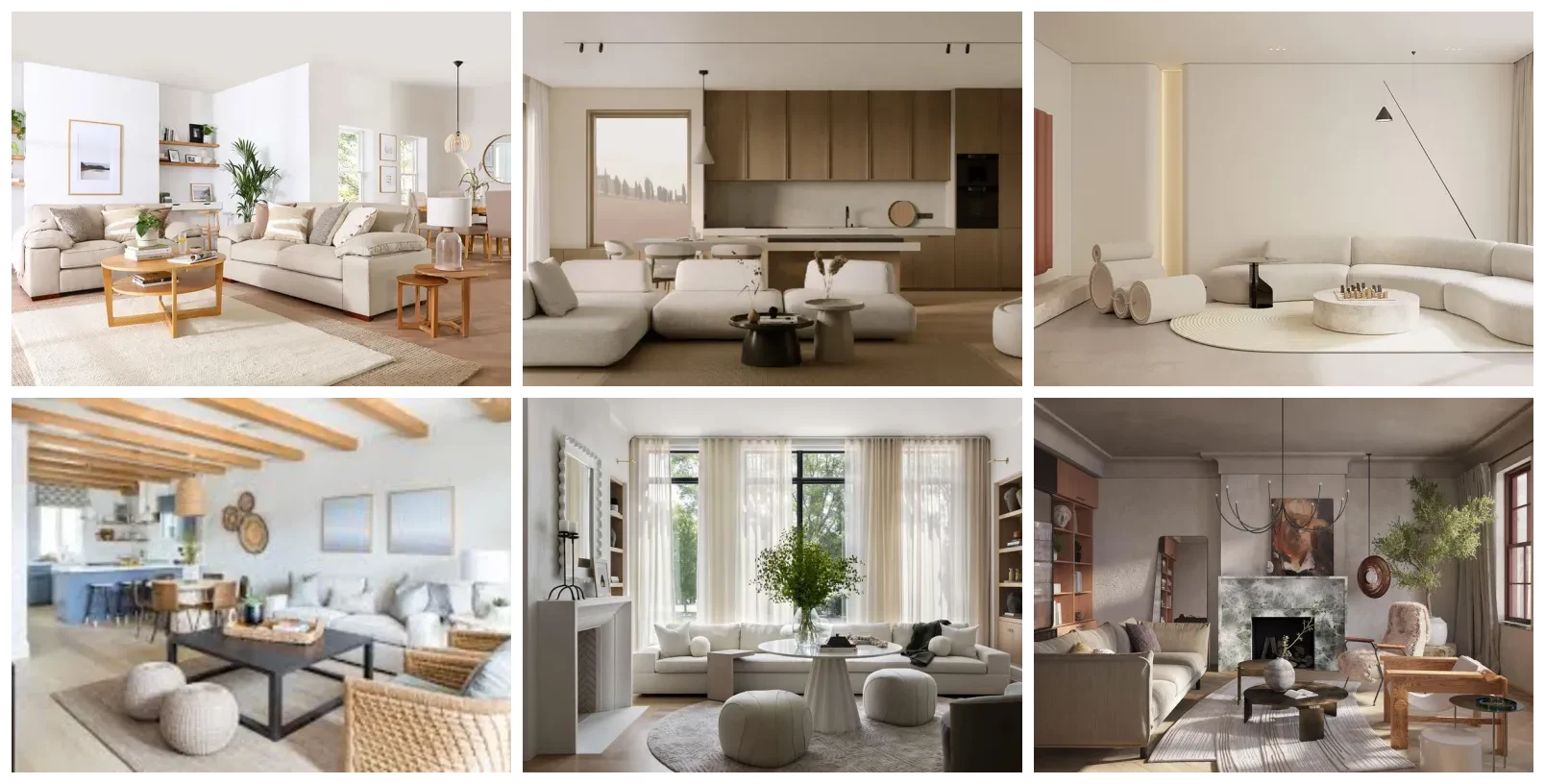
Six directions at a glance. A moodboard like this takes minutes to assemble and gives a client something concrete to react to before you commit to one look.
3. Show the client their actual room transformed
This is the single highest-leverage move in the whole list. Nothing closes a project like a prospect seeing their own living room, with their windows and their proportions, restyled in the direction you are proposing, before they have signed anything. A generic AI render of someone else’s room does not do this. It looks like a screensaver.
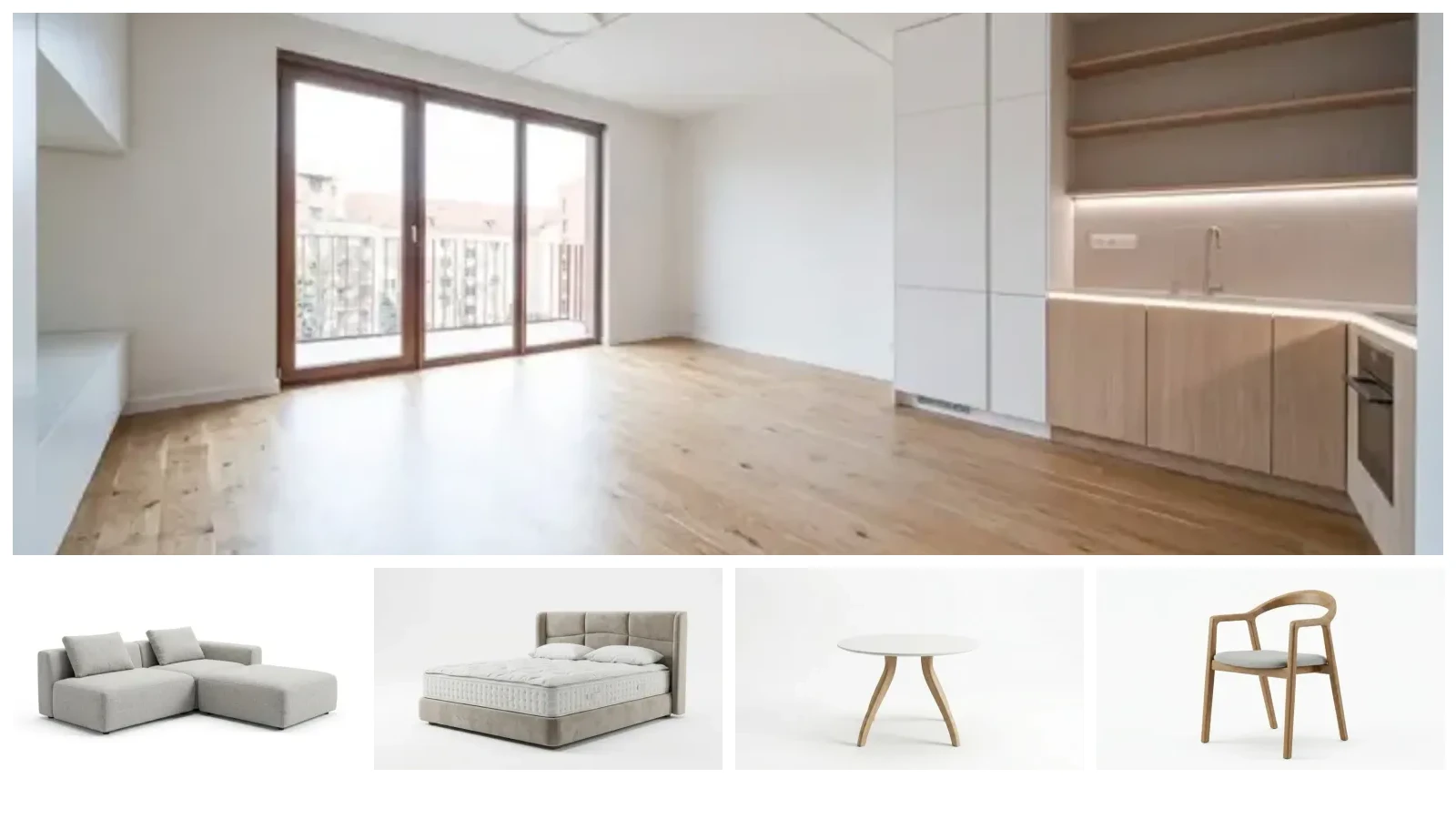
This is exactly what MeltFlex was built for. You upload a photo of the client’s real room and it renders your proposed style into that space while keeping the architecture intact, in seconds. Even better, the furniture in the result is real and shoppable, so the render doubles as a starting spec. Walk into a pitch with the client’s own room shown three ways and your close rate climbs. It is no accident that renderings and presentations are the two tasks designers hand to AI first: that is where it visibly wins the work, and an in-room render is the most persuasive version of it.
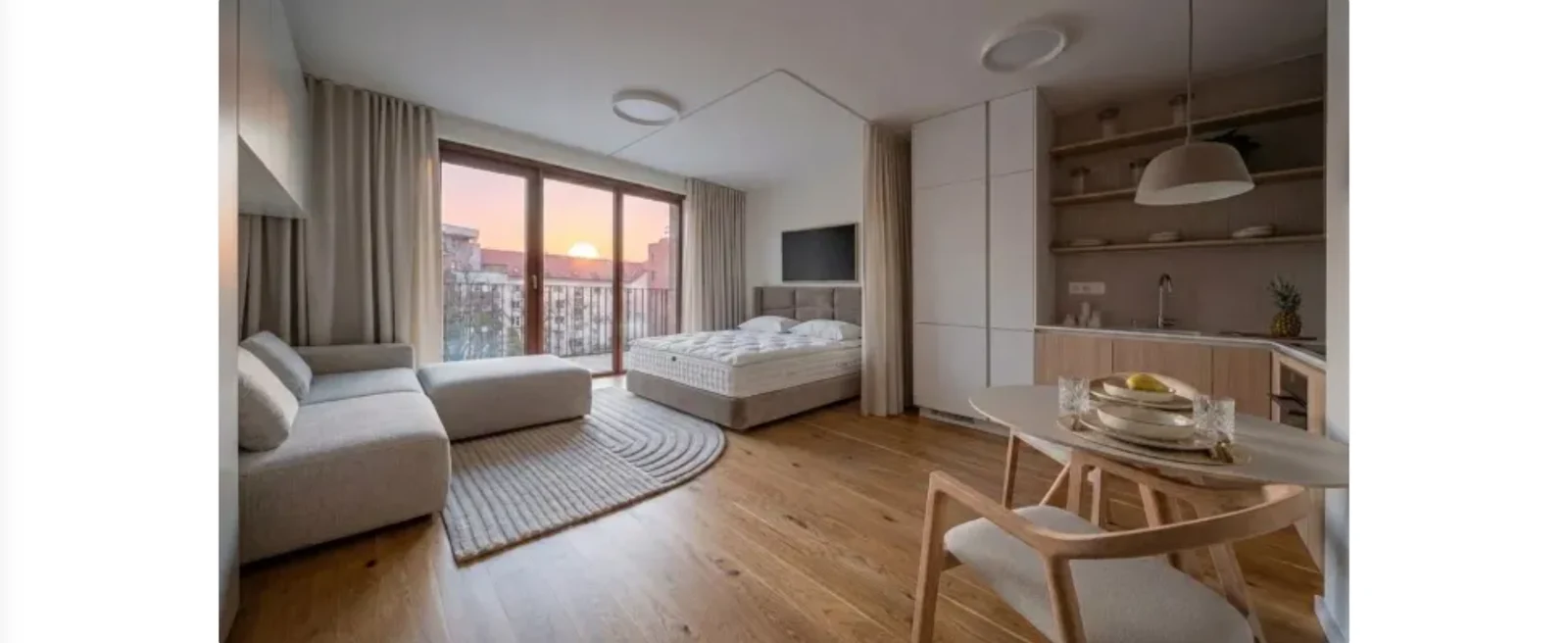
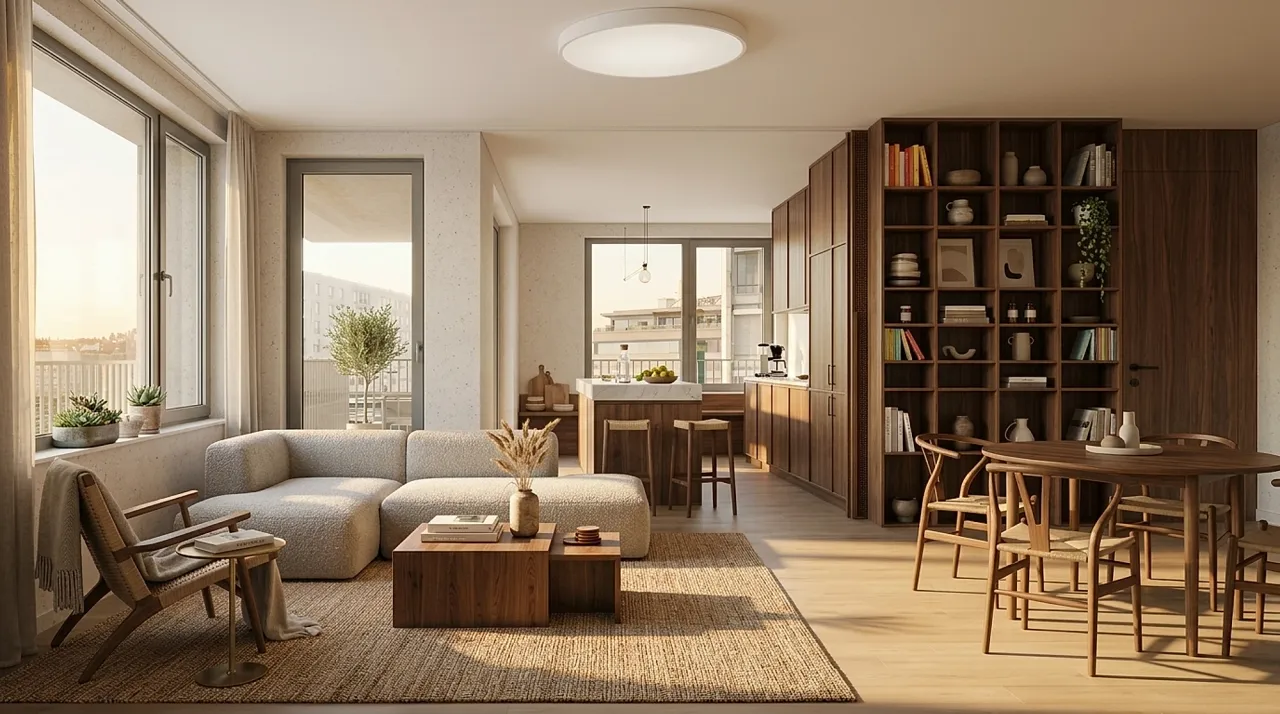
The empty room and reference furniture at the top of this article, rendered in seconds: same room, same windows and light, fully furnished with the exact pieces, ready to put in front of the client.
Pitch with their room, not a stock one
- Keeps the real space. Same windows, walls, floor and light, so the render reads as honest.
- Shoppable furniture. Every piece links to a real product, so the concept is already half a spec.
- Seconds, not days. Show three directions live in the meeting instead of booking a follow-up.
4. Score and qualify leads automatically
Not every enquiry deserves a proposal. Build a simple scoring prompt or form that rates each lead against your filters, budget band, timeline, project type and scope, and flags the ones worth a call. You stop pouring unpaid hours into mismatched projects and protect your time for work that pays. This alone can be the difference between a busy year and a profitable one.
Stage 2: Run your interior design studio with less admin
Admin is where solo designers and small studios quietly lose their evenings. This is the least glamorous use of AI and often the most valuable.
5. Draft proposals and scopes in minutes
A proposal is 80% structure you reuse and 20% specifics. Give an assistant your past proposal as a template plus the new project’s details and it returns a complete first draft in your format: scope, phases, deliverables, timeline. You edit for voice and price instead of starting from a blank page. A three-hour job becomes thirty minutes, and you send proposals while the lead is still warm.
6. Triage the inbox
AI email tools summarise long threads, draft replies in your tone, auto-tag enquiries and surface what actually needs you today. The goal is not to automate away the human touch with clients, it is to stop spending an hour each morning sorting before you have done a single creative thing.
7. Automate scheduling and project tasks
Tools like Motion, ClickUp and Notion now use AI to self-assign tasks, re-plan your day when a site visit overruns, and keep multiple projects from colliding. For a studio juggling six jobs at different phases, this is the difference between things slipping and things shipping.
8. Build branded templates once, reuse forever
Contracts, questionnaires, client welcome guides, care instructions: have AI draft and format the boilerplate once, in your brand voice, then reuse it on every project. You get the polish of a studio with a dedicated ops person without hiring one.
Stage 3: Market your interior design business with AI
Most designers are brilliant at the work and inconsistent at being seen. AI fixes the consistency problem, as long as you keep your own voice in the loop.
9. Never stare at a blank content calendar again
Ask AI to turn one project into a month of content angles tailored to your ideal client: the sourcing story, the before and after, the mistake you fixed, the trend you avoided. You go from "I have nothing to post" to a full calendar in fifteen minutes, then add the real detail only you know.
10. Polish your copy and get found on Google
Feed your rough website and blog copy to AI to tighten structure, fix tone and weave in the phrases clients actually search, "interior designer in [city]", "small living room ideas", and so on. Done right, this is how a studio site starts pulling in organic leads instead of relying only on referrals. If you want to see how deep this can go, our comparison of AI interior design tools is itself an example of SEO-led content built to rank.
11. Script reels and videos without the dread
Short-form video drives the most reach for design studios right now, and writing scripts is the bottleneck. Give AI your idea and it returns a punchy hook, structure and caption. You stay the face and the voice; it just kills the blank-page friction that stops you posting.
12. Get more 5-star reviews with warm, personal asks
Reviews are social proof that compounds. Have AI draft a personal, specific review request referencing the actual project, so it reads like you wrote it at your desk, not a template blast. More reviews mean more trust, which means more enquiries that close.
Stage 4: Deliver interior design projects faster (and look more expensive)
This is where AI has changed the craft itself, especially visualisation and specification.

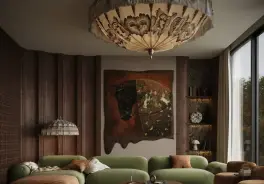
Delivery is where AI changed the craft itself: concepts this polished used to take days of 3D work. This is a real MeltFlex render.
13. Generate photorealistic concepts in hours, not days
Traditional 3D rendering means modelling the room, placing furniture, setting lights and waiting. AI render tools collapse that into minutes, which means you can show a client three directions in a single meeting and refine live. The catch, again, is fidelity to the real space. A render that invents a room sets the wrong expectation. MeltFlex keeps the client’s actual room and lighting, so the speed of AI comes without the "but that is not my house" problem. See it run end to end in our case study of a veteran designer using AI.
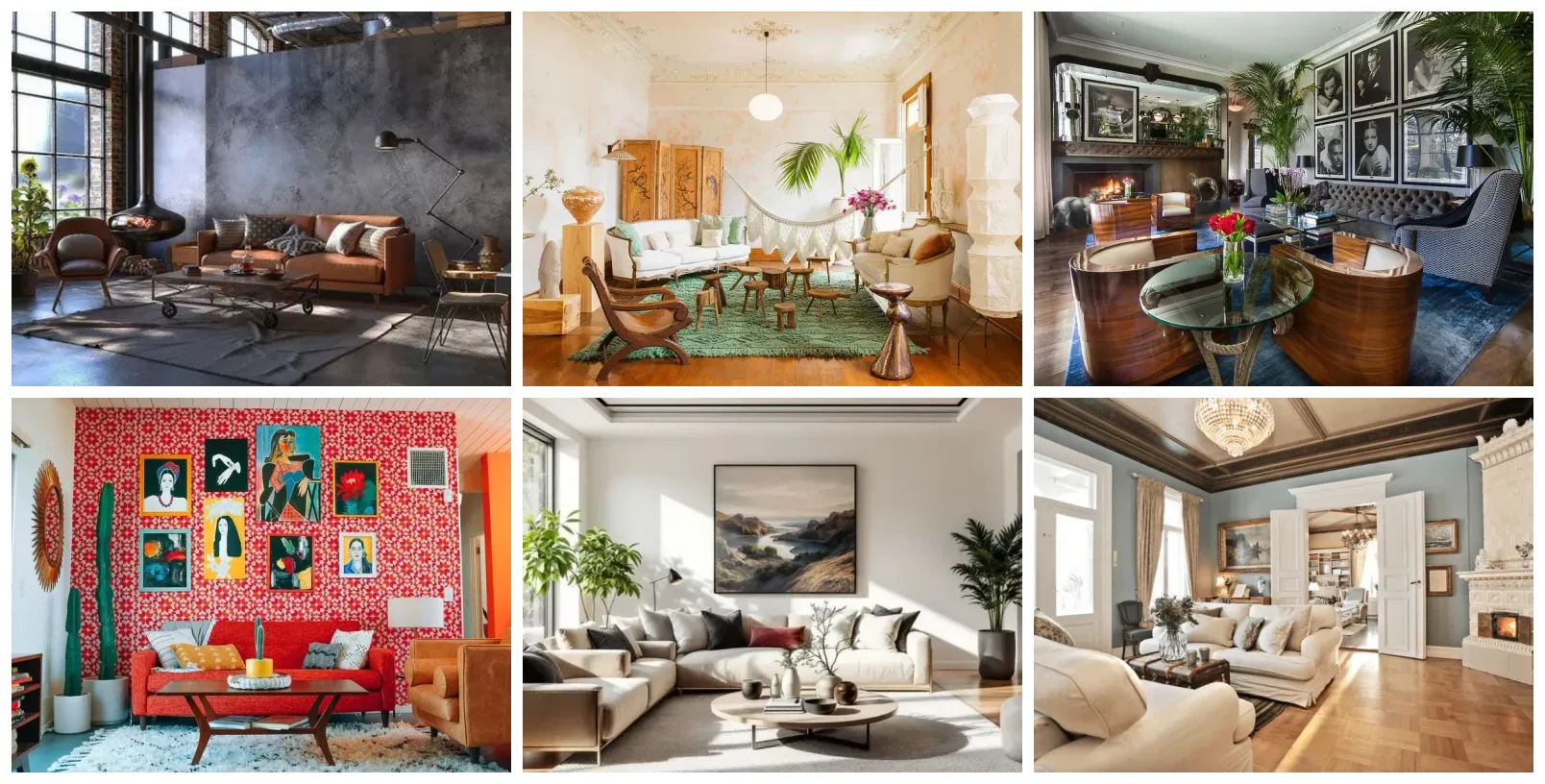
From industrial to maximalist: AI lets you show a client any direction quickly, then refine the one they react to. Browse the full style examples.
14. Test color and material pairings instantly
Before you order a single sample, use AI to preview how a palette, wood tone and fabric read together under the room’s real light. It is a sounding board, not a decision-maker: it surfaces combinations to consider and catches clashes early, then you make the call with your trained eye. Pair it with a real-room render and you can show the client warm oak versus walnut in their own space before committing a cent.
15. Speed up FF&E specs and sourcing
FF&E, furniture, fixtures and equipment, is back-end work that eats hours: building spec sheets, chasing dimensions, finding alternatives when something is discontinued. AI accelerates the data wrangling, and because MeltFlex renders with real, shoppable products, the concept render already carries the product links, so your spec sheet starts half done. That is the loop interior designers have wanted for years: design it, see it in the real room, and have the buy list fall out the other end. It is the same engine behind the furniture-store visualizer we built for Kondela, pointed at a studio’s workflow instead of a shop’s.
Where AI helps an interior design business most, at a glance
Not all 15 are equal. Here is the honest read on effort versus payoff, so you know where to start if you only adopt three things this quarter.
If you take only three from this list, take these: render the real room (3 and 13), draft proposals fast (5), and turn the render into a spec (15). They touch the two numbers that decide whether a studio grows, close rate and hours per project.
The honest take: where AI cannot grow your design business
We build AI tools for designers, and we will still tell you straight: AI does not give you taste, it does not manage a client’s anxiety on install day, and it does not take the fall when a contractor goes off-script. It writes a confident proposal for a project you should have declined just as easily as for a good one. The judgement is yours.
The designers who win with AI are not the ones who hand it the whole job. They are the ones who use it to delete the parts of the week that were never the point, the admin, the slow renders, the blank content calendar, and pour the reclaimed hours back into the craft and the client. That is the whole game: same talent, far more of it reaching the people who pay for it.
Put the highest-leverage one to work today
- Upload a client’s real room. Get a restyled, photorealistic render in seconds, not days.
- Pitch in their own space. The fastest way to lift your close rate is showing them their room, transformed.
- Render to spec. Real, shoppable furniture means the concept already carries the buy list.
Designing for studios or retailers at scale? MeltFlex offers a branded embed and an API so you can run real-room rendering inside your own workflow or site. See the MeltFlex for business page, or go deeper with AI tools for architecture studios and Claude Code MCP tools for designers.
Frequently asked questions
Can AI replace interior designers?
No. AI replaces the slow parts of the job, not the judgement. It can draft a proposal, generate a render, or suggest a palette in minutes, but it cannot read a client in a meeting, make a room feel like them, or take responsibility for a build. The designers winning with AI in 2026 treat it as an assistant that clears the grunt work so they spend more billable hours on taste, sourcing and relationships, which is the part clients actually pay for.
What is the best AI tool for interior designers?
There is no single best tool, the strongest studios run a small stack: one tool for capturing and measuring the space, one for visualising it, and one general assistant (ChatGPT or Claude) for writing and admin. For client-facing visuals, pick a tool that keeps the client’s real room instead of inventing a generic one, and that links to furniture you can actually buy. That combination, a true-to-room render plus shoppable products, is what makes a render usable in a proposal rather than just pretty.
How do interior designers use AI to get more clients?
Three ways move the needle. First, faster and more vivid concepts at the pitch stage, showing a prospect their own room transformed before they have signed, which dramatically raises close rates. Second, consistent marketing, using AI to keep a steady flow of on-brand posts, reels and SEO articles so new leads keep arriving. Third, better lead qualification, using AI to score enquiries against budget and scope so you spend your time on the projects worth winning.
Is AI interior design rendering accurate enough to show clients?
For concept and early-design stages, yes, provided the tool renders the client’s actual room rather than a stock one. A render that keeps the real windows, proportions and light reads as honest and sets expectations correctly. It is not a substitute for technical construction drawings or a final photoreal CGI on a high-budget project, but for selling a direction and helping a client commit, an accurate in-room render is more persuasive than a moodboard and far faster than a manual 3D model.
How much time does AI save an interior design studio?
It varies by studio and task, with the biggest savings in visualisation and admin. In practice, a client concept that took two to three days of manual 3D work can drop to minutes, a proposal from about three hours to thirty minutes, and a month of social content from a full day to under two hours. The realistic headline: AI gives a small studio the output of a much larger one without adding headcount.