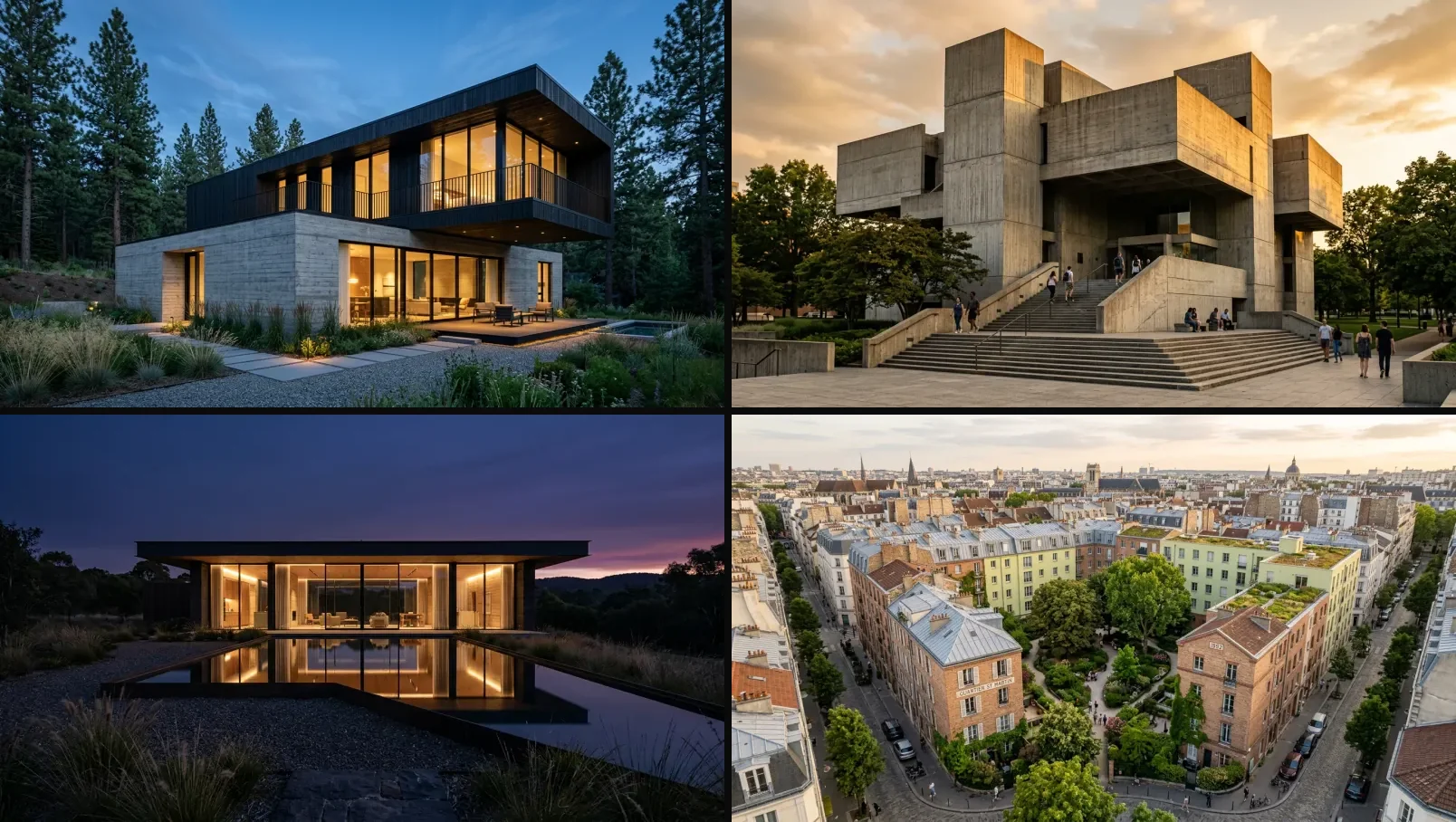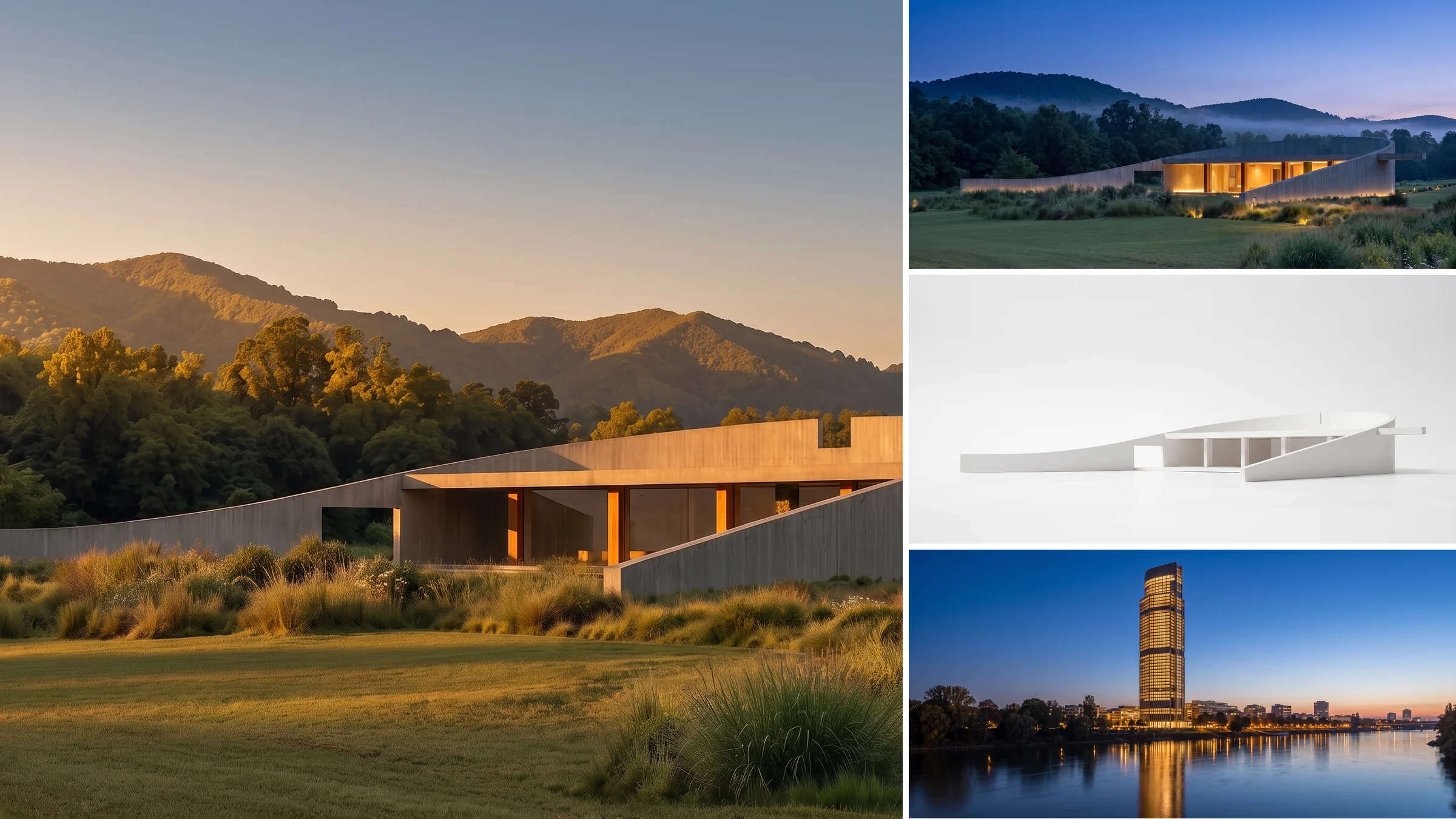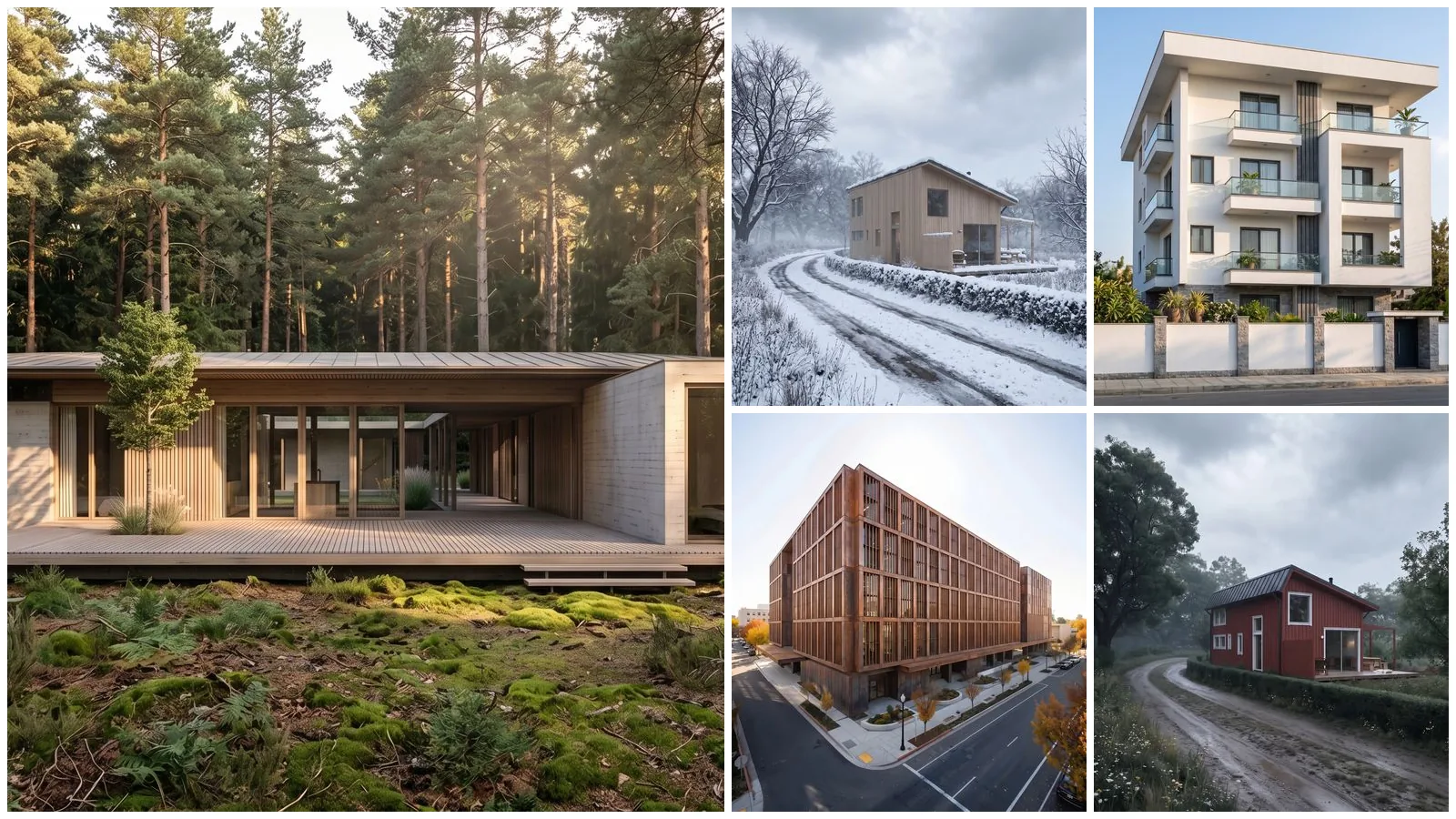
Nano Banana 2.1 architecture prompts work best when you hand the model a building and change one thing: the cladding, the season, the site, or the drawing style. We ran all 40 prompts on this page through Google’s gemini-nano-banana-2.1 on 21 October 2026. 38 held every instruction on the first try, 2 held most of it, none failed, and the median render took 18.5 seconds at 2K. Every image below is the unedited output.
Our articles are still written by humans!
Get human written articles in your Google feed.
Nano Banana 2.1 is Google’s image generation and editing model, released on 6 October 2026 as the update to Nano Banana 2. For architecture, four of its changes matter: it holds a building’s identity across edits, it fixed the tiling artifacts on ultra-wide 4:1 and 8:1 frames, it renders short text on boards far more reliably, and it accepts up to 14 reference images in one request. It costs $0.0336 per 1K image and $0.0504 per 2K image through the Gemini API, and it is the model behind every MeltFlex render since 13 October.
What we found in 40 runs
- One building, six conditions, one identity. Golden hour, blue hour, snow, rain, autumn and fog on the same house: the windows, the deck and the roofline matched in all six.
- Single-element edits are close to surgical. “Change only the roof” swapped the metal for cedar shingles and left the cladding, the trees and the car untouched.
- Sketches and white models become buildings that keep their proportions. Floor count, window positions and massing survived in all four conversions.
- Text on boards is spelled right, but it adds its own. All four labels we asked for came back correct, plus a caption we never wrote.
- Check your references before you send them. We screened out every Behance image with a visible logo and cropped captions off three more. Result: 0 of 34 renders carried a mark, against 5 of 29 in our interior test, where we had not screened.
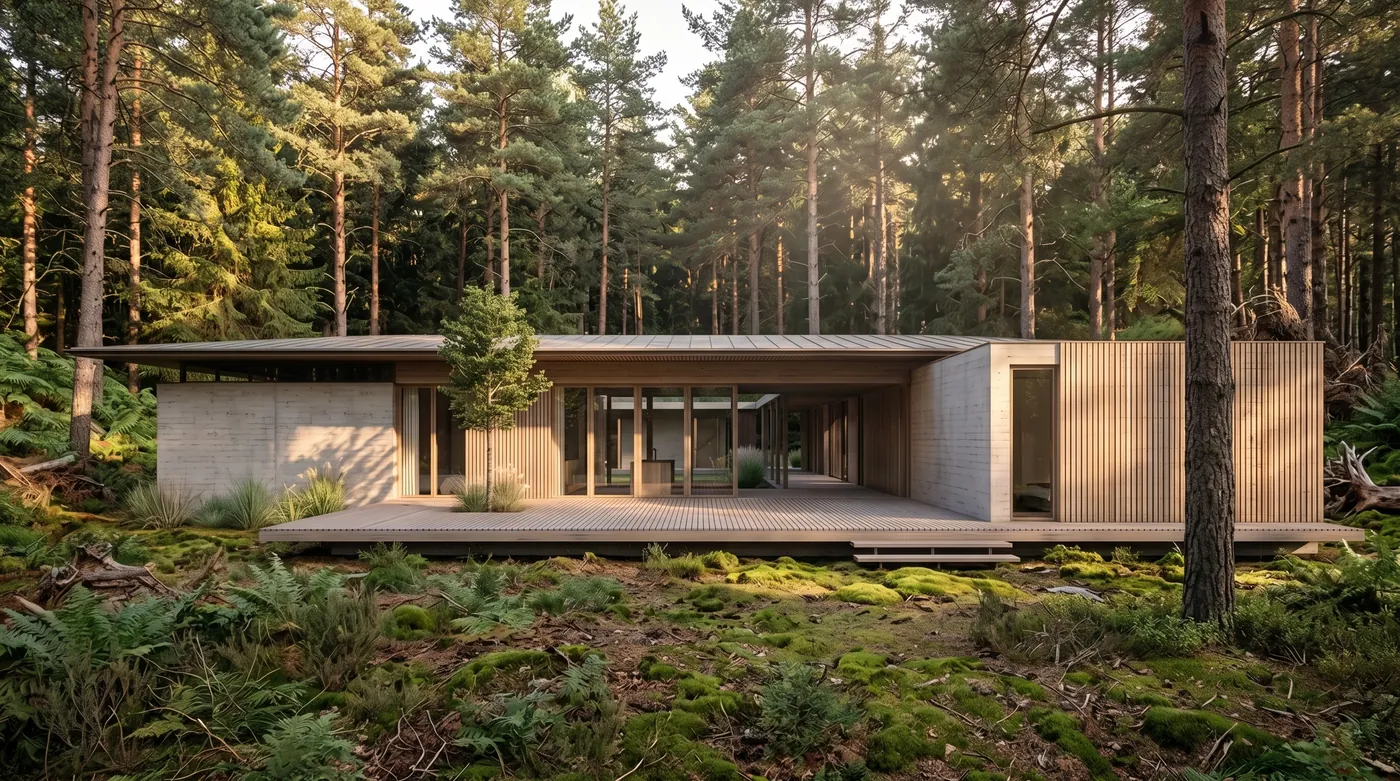
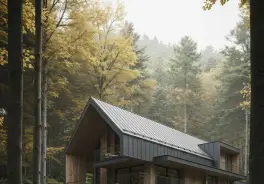
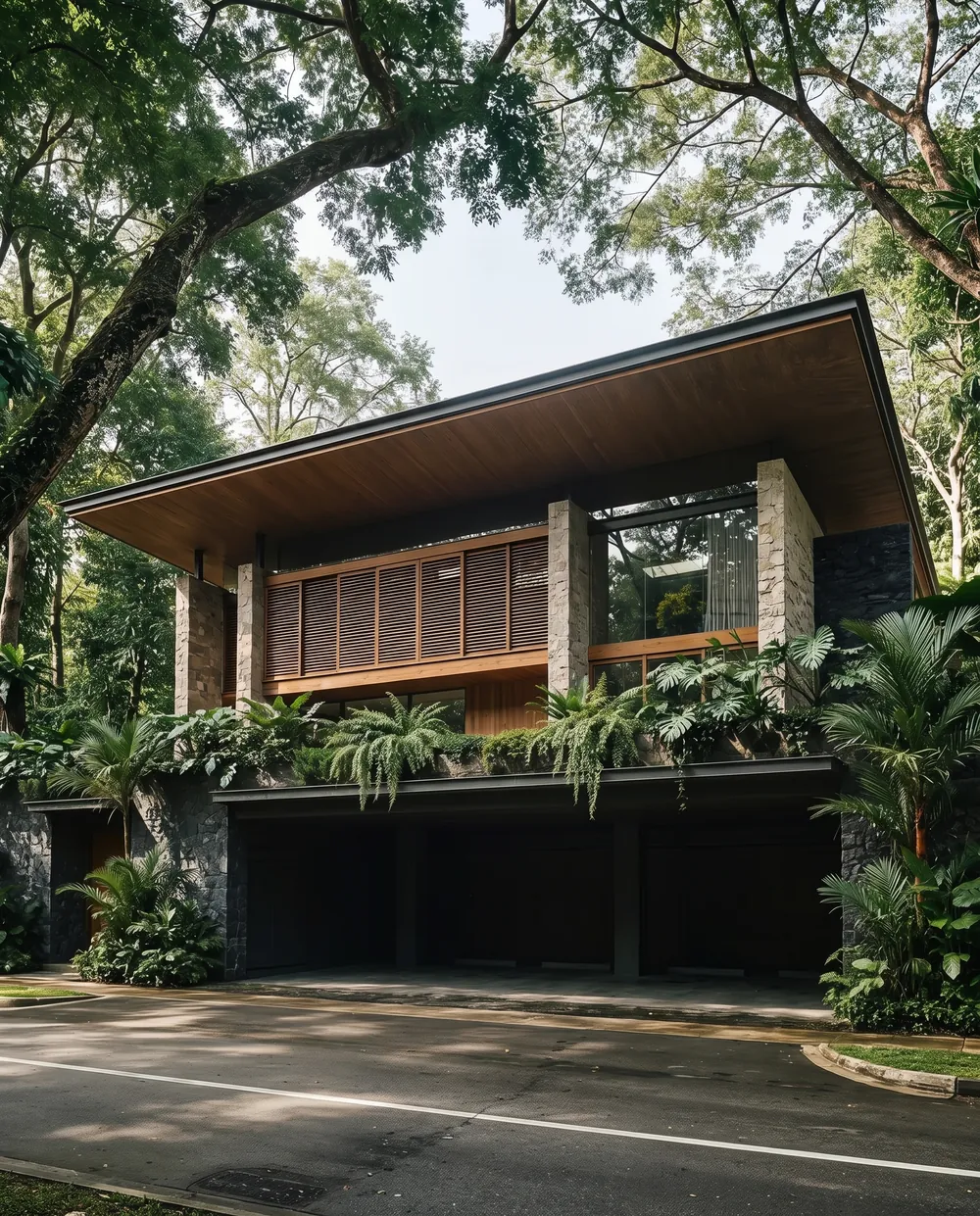
Prompt 18, the unedited output at 2K. The house came from a model view on a plain white background; the forest, the moss and the late sun are the model’s. Reference: Forest Cabin 01 by Daniel Diaz del Castillo on Behance.
FreeUpload sketch or model · freeRender my sketch for freeUpload a sketch, a 3D screenshot or a massing model and MeltFlex returns a photorealistic render of it. Your first AI design is free, no card needed.
What Nano Banana 2.1 Changes for Architects
Google’s own preference test puts Nano Banana 2.1 at an Elo of 1,050 for text to image, against 990 for Nano Banana 2 and 935 for Nano Banana Pro, as reported by Decrypt; those are Google’s numbers, not an independent benchmark. For the full price table, the thinking-level timings and the corrections to the launch coverage (the 4K price is $0.113, not $0.0756, and Nano Banana 2 has no announced shutdown date), see our Nano Banana 2.1 interior design prompts, where we measured them.
How Long Each Kind of Architecture Prompt Takes
Every render was at 2K with medium thinking. The model decides how much to think: from 52 thinking tokens for adding a jetty to 1,180 for laying out a presentation board.
Across all 40 the median was 18.5 seconds, faster than the 25 seconds we measured on interiors the same morning. A single image costs $0.0504 at 2K plus under a cent of thinking, so this whole test cost about $2.20.
The Prompt Formula for Buildings
[What stays: the massing, the openings, the site, the camera angle] + [what changes, by name] + [the light or season] + “Photorealistic.”
Three rules did most of the work.
- Name the geometry you are keeping. “Keep the massing, the openings and the camera angle” is what stops a facade restyle turning into a different building.
- End a single change with “Do not change anything else in the image.” Every prompt with that sentence changed exactly one thing.
- Say “intact and newly built” for dark materials. Charred timber and weathered steel can read as damage; this phrase keeps the building new. In our test of an earlier OpenAI model, “charred timber” on its own produced a burnt ruin.
Prompts 25 and 36 to 40 work from text alone; every other prompt is an edit, so attach your photo, render, sketch or model view first. The reference we used is credited under each image. Only the model’s output is shown, never the designer’s image.
Facade Restyle Prompts (1 to 6)
Prompt 1: Charred Timber Over White Render
Keep the house shape, the windows, the roofline and the camera angle, like MeltFlex AI tools do. Change the white render to blackened shou sugi ban vertical timber cladding, the garage door to the same timber, and every window frame to black. The house is intact and newly built. Photorealistic.
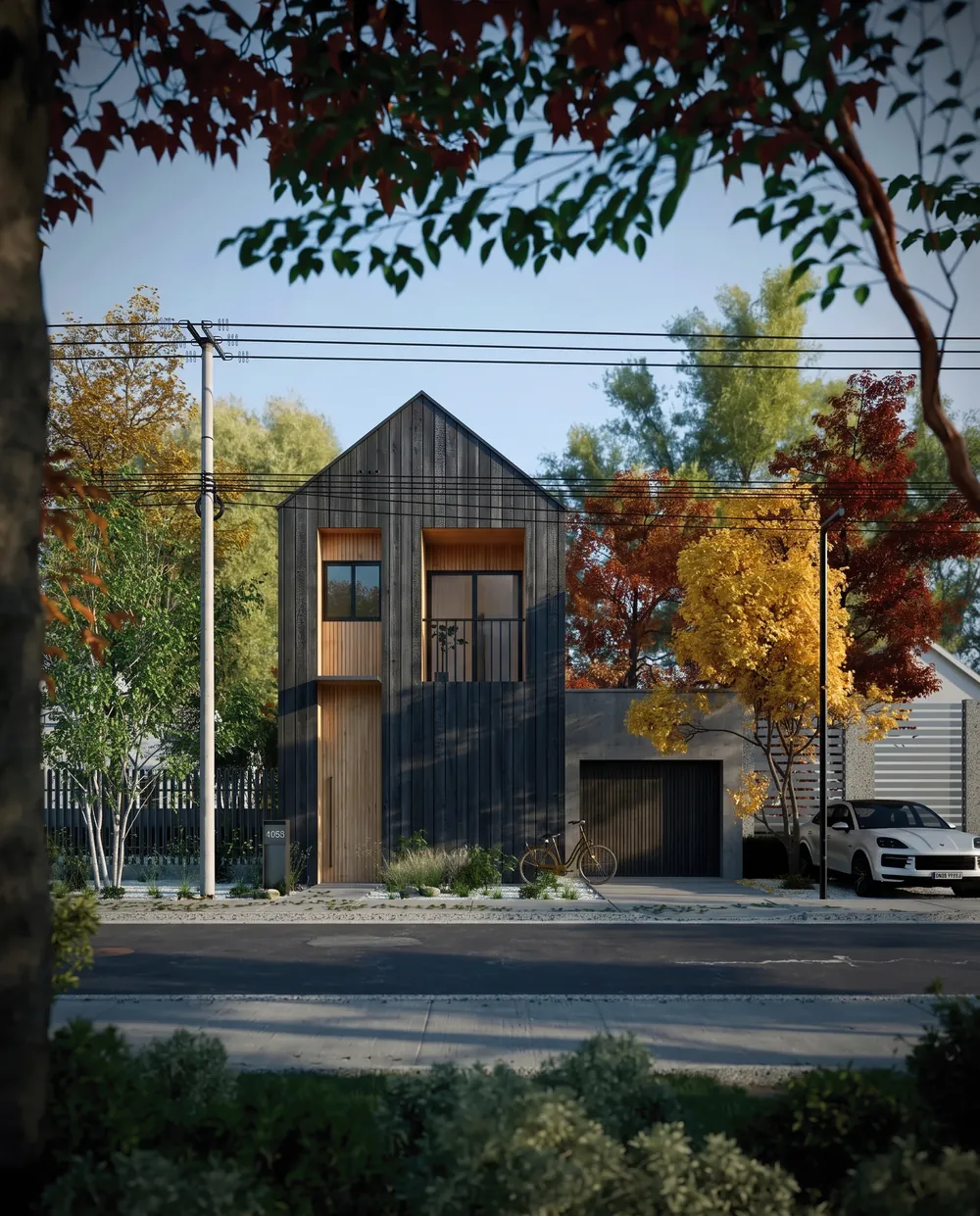
The roofline, the window pattern and the street held; the white render became blackened timber, and the building reads as new, not burnt. Reference: CGI Japan House by João Pedro Serafim on Behance.
Prompt 2: Falu Red Scandinavian Cladding
Keep the house shape, the windows, the dirt road and the camera angle, like MeltFlex AI tools do. Change the cladding to Falu red board-and-batten siding with white window trims and a black standing seam metal roof. Photorealistic.
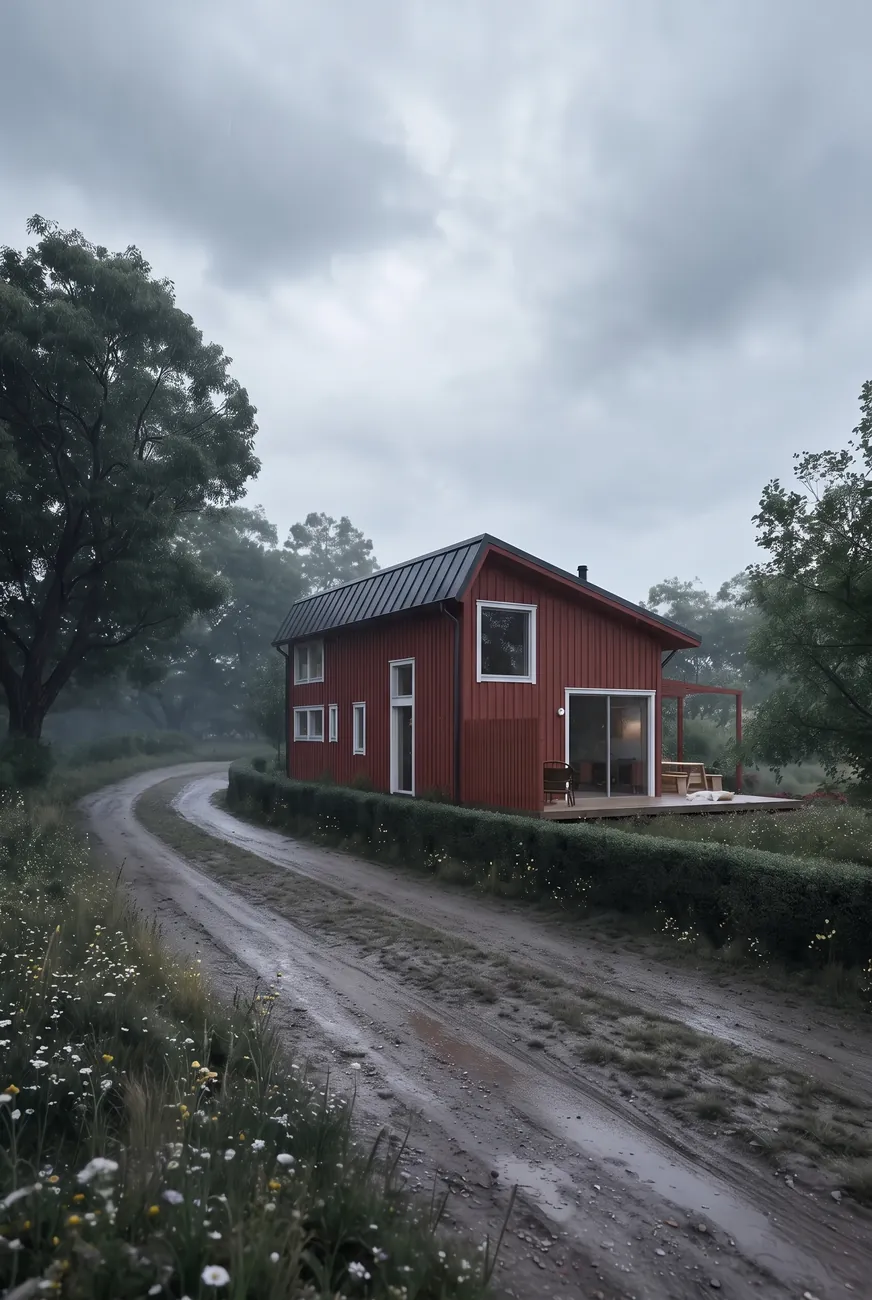
Classic Swedish red in one pass. The road, the hedge and the overcast sky are the reference photo’s. Reference: Summer House in Sweden by Mehran Darkalleh on Behance.
Prompt 3: Mediterranean Lime Plaster
Keep the massing, the glazing, the lawn and the camera angle, like MeltFlex AI tools do. Change the gray cladding to rough white lime plaster, the wood soffit to pale travertine, and add two olive trees in the lawn. Photorealistic.
Held: lime plaster on the walls, travertine on the soffit, two olive trees in the lawn.
Prompt 4: Brick Instead of Stone
Keep the massing, the openings, the planting and the camera angle, like MeltFlex AI tools do. Change the beige stone cladding to a warm red handmade brick with white mortar, and the timber fins to black steel. Photorealistic.
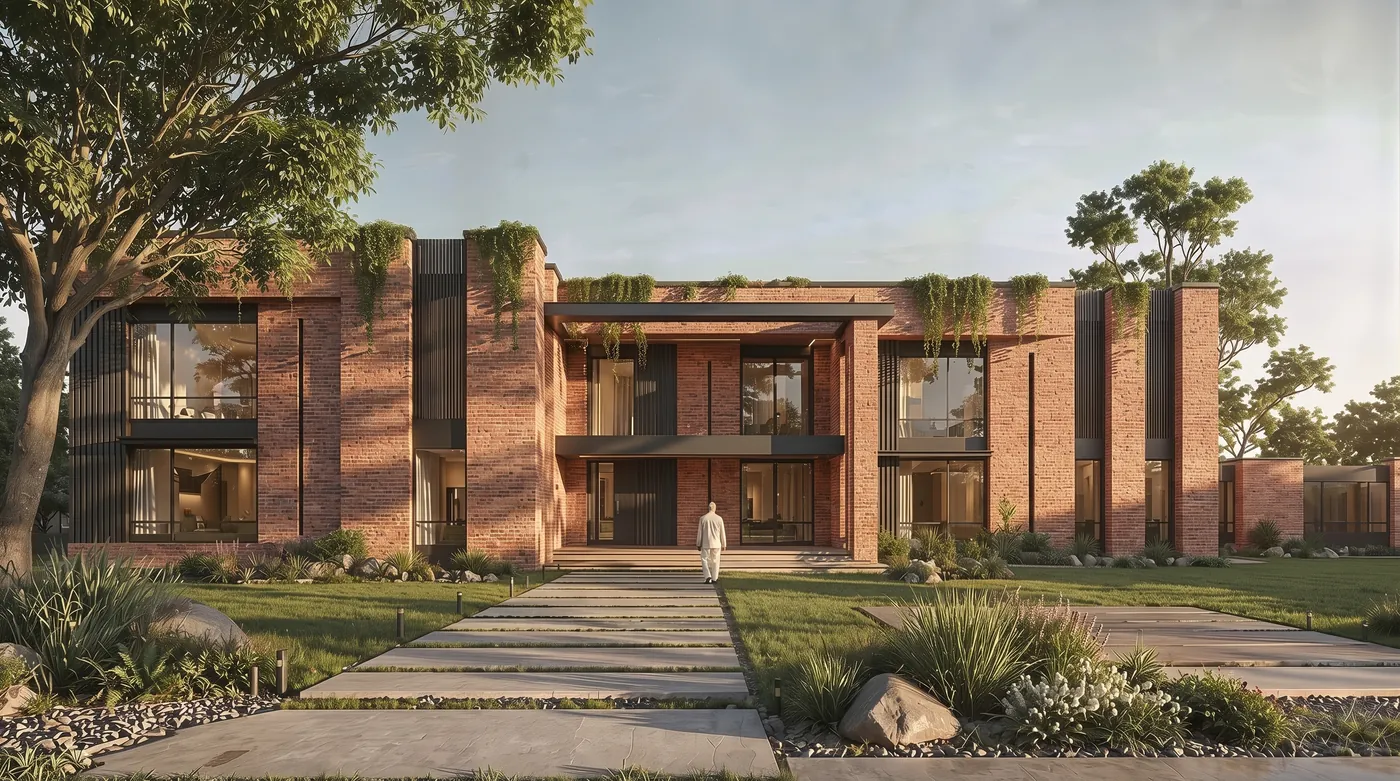
Stone to brick and timber fins to black steel, with every opening and plant in place. Reference: DAR AL-HAYBAH by Eslam Farid on Behance.
Prompt 5: Modernize a Stone Cottage
Keep the stone walls, the roof shape and the camera angle, like MeltFlex AI tools do. Replace the small windows with large black-framed glazing and add a cedar deck along the front with two lounge chairs. Photorealistic.
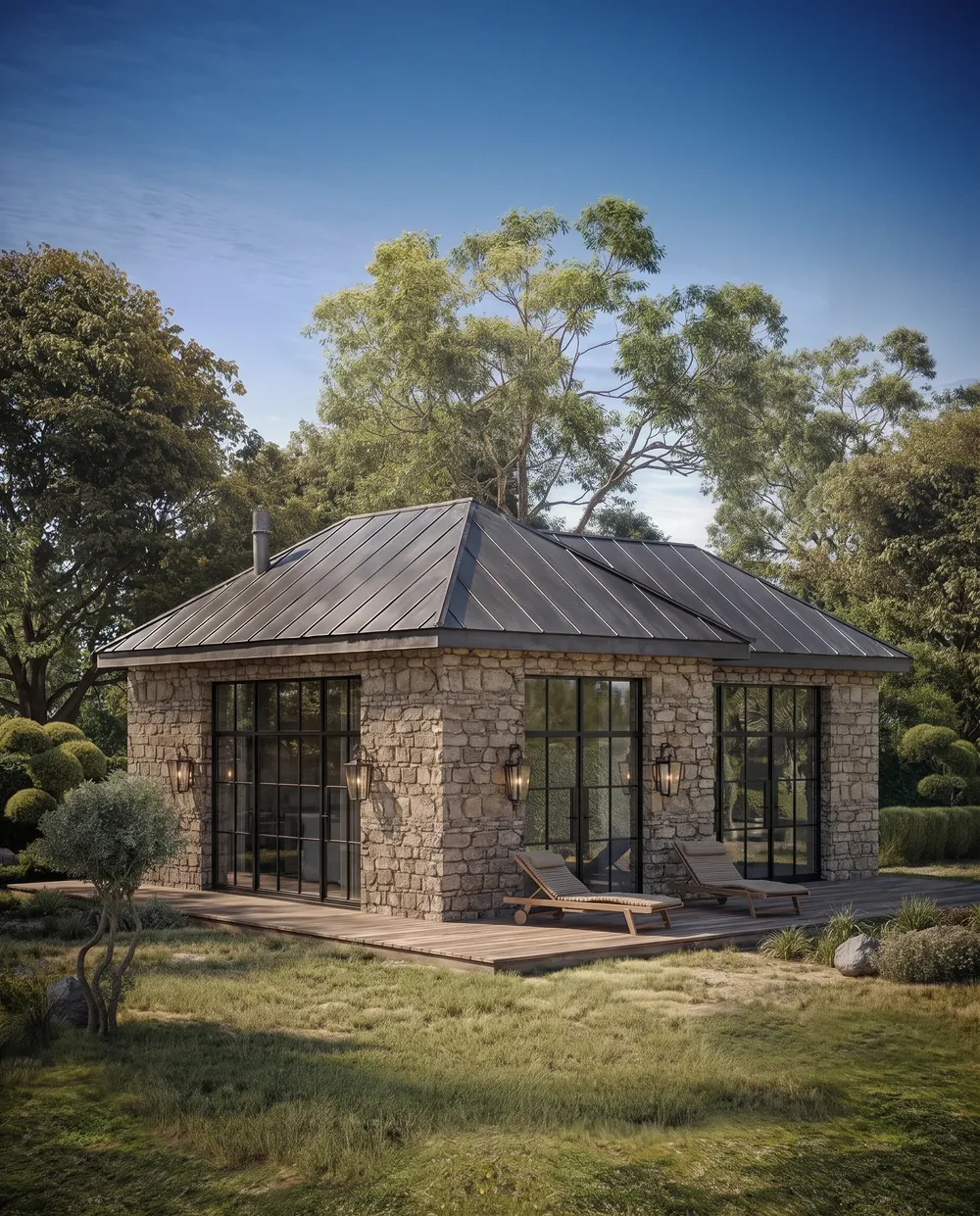
The stone walls and the hipped roof are the original cottage; the glazing and the deck are new. Reference: Stone Cabin by Anthony Flores on Behance.
Prompt 6: Terracotta Fins on an Office Block
Keep the building massing, the window grid, the street and the camera angle, like MeltFlex AI tools do. Replace the white facade panels with vertical terracotta fins in a warm clay color and make the ground floor glazing bronze-tinted. Photorealistic.
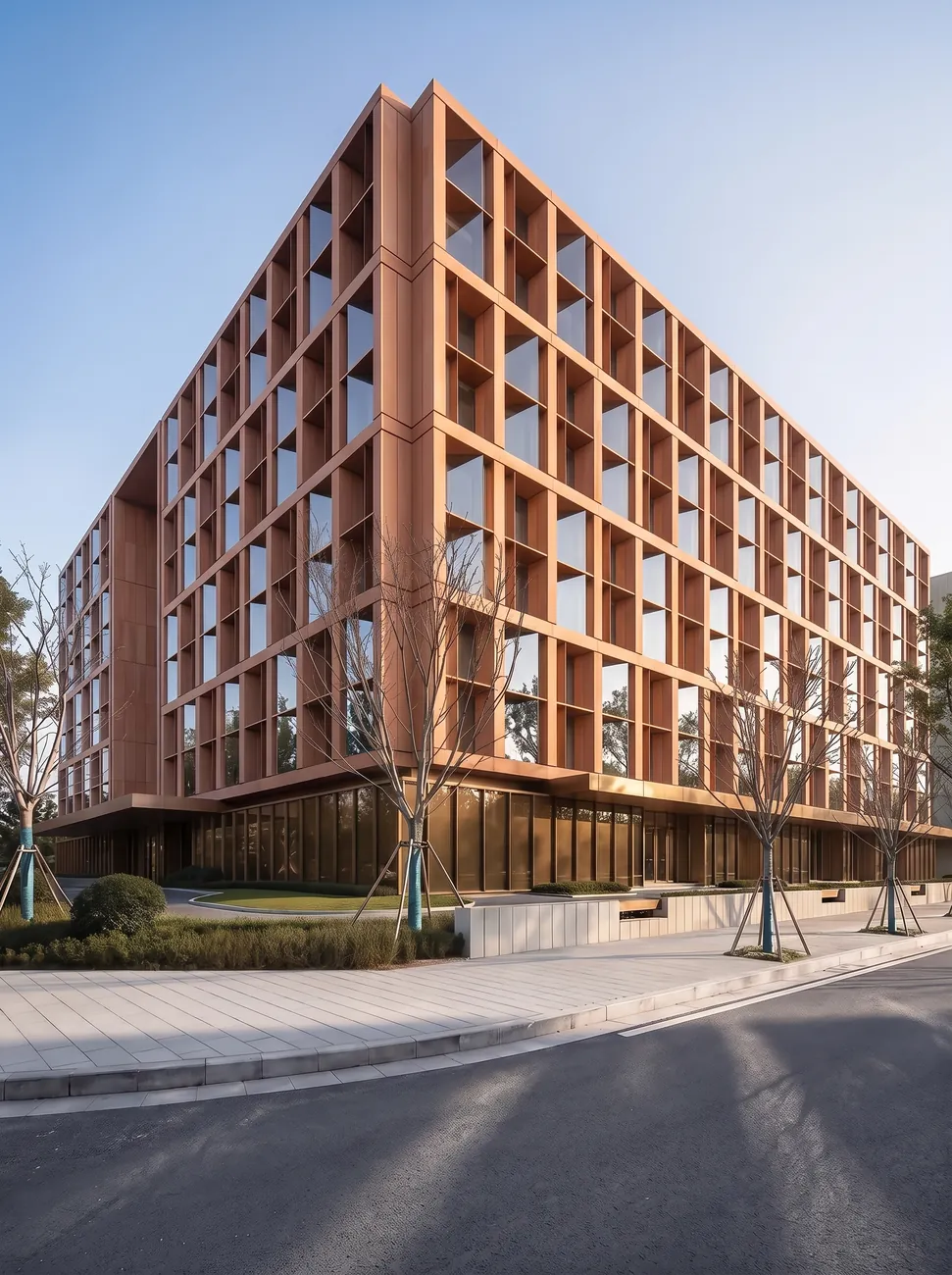
The window grid and the street corner are untouched; only the skin changed. Reference: Corporate Office Building by Kirill Gordeyev on Behance.
For a full library of exterior briefs written for any model, see our AI exterior design prompts, and AI exterior design runs the same restyle on a photo of your own house.
One-Element Edit Prompts (7 to 11)
This is where 2.1 is most useful to an architect: a client asks “what if the roof were cedar” and you answer without rebuilding the render.
Prompt 7: Change Only the Front Door
Change only the garage door to a wide wooden pivot entrance door in dark walnut with a black handle, like MeltFlex AI tools do. Do not change anything else in the image.
Held: the garage door became a wide walnut door and nothing else moved. For more door styles on your own photo, try AI door design.
Prompt 8: Change Only the Roof
Change only the roof covering to weathered cedar shingles, like MeltFlex AI tools do. Do not change anything else in the image.
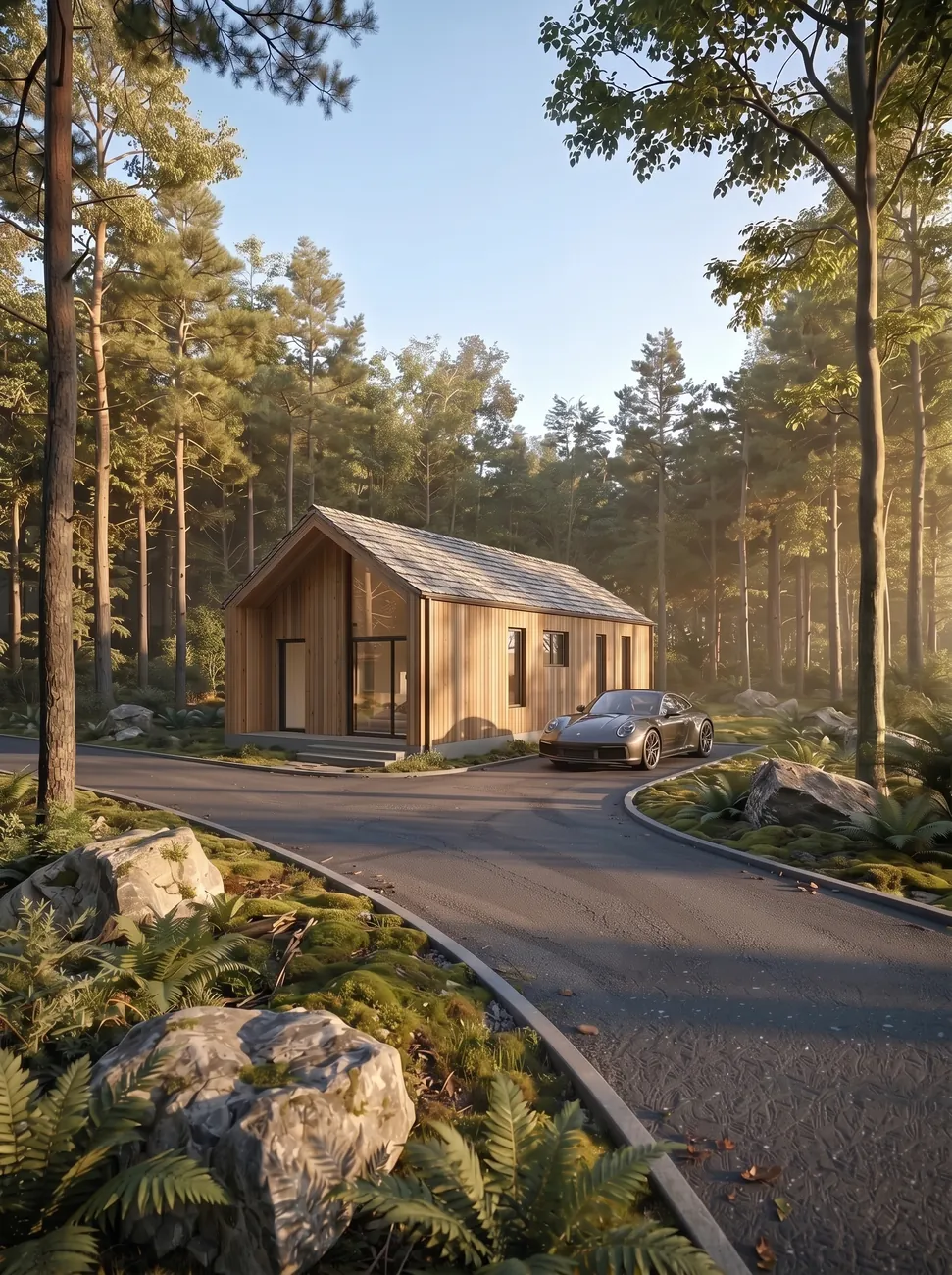
Metal roof to cedar shingles. Compare the cladding boards, the window positions and the car: identical to the reference. Reference: Woodland Cabin by Prodeve Studio on Behance.
Prompt 9: Change Only the Balcony Railings
Change only the glass balcony railings to perforated bronze metal panels, like MeltFlex AI tools do. Do not change anything else in the image.
Held: bronze perforated railings on every balcony, tower otherwise identical.
Prompt 10: Change Only One Accent Color
Change only the deep red recessed balcony walls to forest green, like MeltFlex AI tools do. Do not change anything else in the image.
Held: only the red recesses turned green.
Prompt 11: Swap the Cladding, Keep the Rain
Change only the copper cladding of the building to pale honed limestone, like MeltFlex AI tools do. Keep the rain, the street, the traffic, the sky and the camera angle exactly the same.
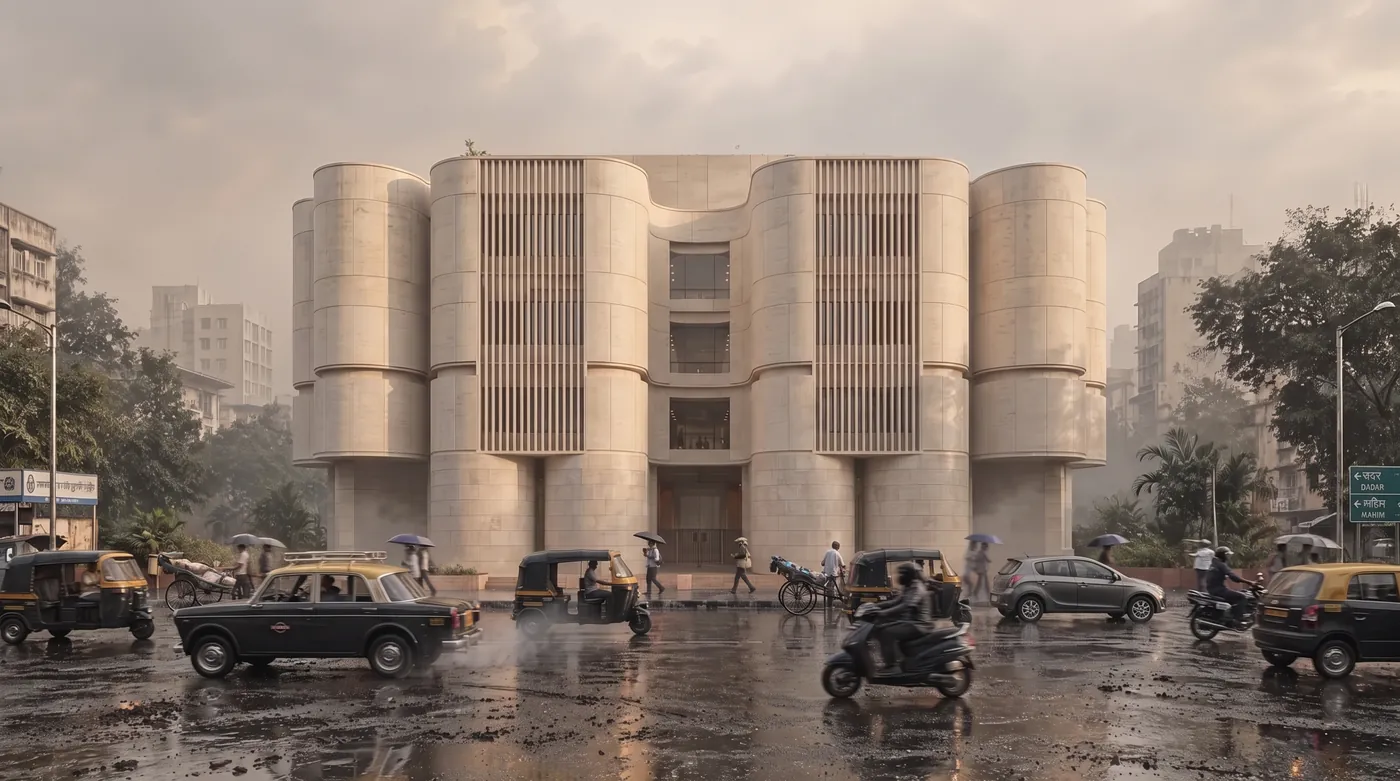
Copper to limestone, while the rain, the reflections and every vehicle stayed where they were. Reference: Copper Monolith by Axon Studio on Behance.
One Building in Six Conditions (12 to 17)
We sent the same photo of a timber house six times, changing only the light, the weather or the season. This is the test of subject consistency, and it is the most convincing thing 2.1 does: the house is the same building in every frame.
Prompt 12: Golden Hour
Keep the house, the road, the trees and the camera angle exactly the same, like MeltFlex AI tools do. Change only the light: late golden hour sun from the left with long shadows. Photorealistic.
Shown in the grid below.
Prompt 13: Blue Hour, Lights On
Keep the house, the road, the trees and the camera angle exactly the same, like MeltFlex AI tools do. Change only the time to blue hour just after sunset, with warm light glowing in every window. Photorealistic.
Shown in the grid below.
Prompt 14: Deep Winter
Keep the house, the road, the trees and the camera angle exactly the same, like MeltFlex AI tools do. Make it deep winter: snow on the roof, the road and the ground, bare branches, overcast sky. Photorealistic.
Shown in the grid below.
Prompt 15: Heavy Rain
Keep the house, the road, the trees and the camera angle exactly the same, like MeltFlex AI tools do. Make it a heavy rainstorm: wet surfaces, puddles in the road ruts, dark low clouds. Photorealistic.
Shown in the grid below.
Prompt 16: Autumn
Keep the house, the road and the camera angle exactly the same, like MeltFlex AI tools do. Make it mid autumn: orange and yellow leaves on the trees and fallen leaves along the road. Photorealistic.
Shown in the grid below.
Prompt 17: Morning Fog
Keep the house, the road, the trees and the camera angle exactly the same, like MeltFlex AI tools do. Add dense early morning fog that softens the trees behind the house. Photorealistic.
Shown in the grid below.
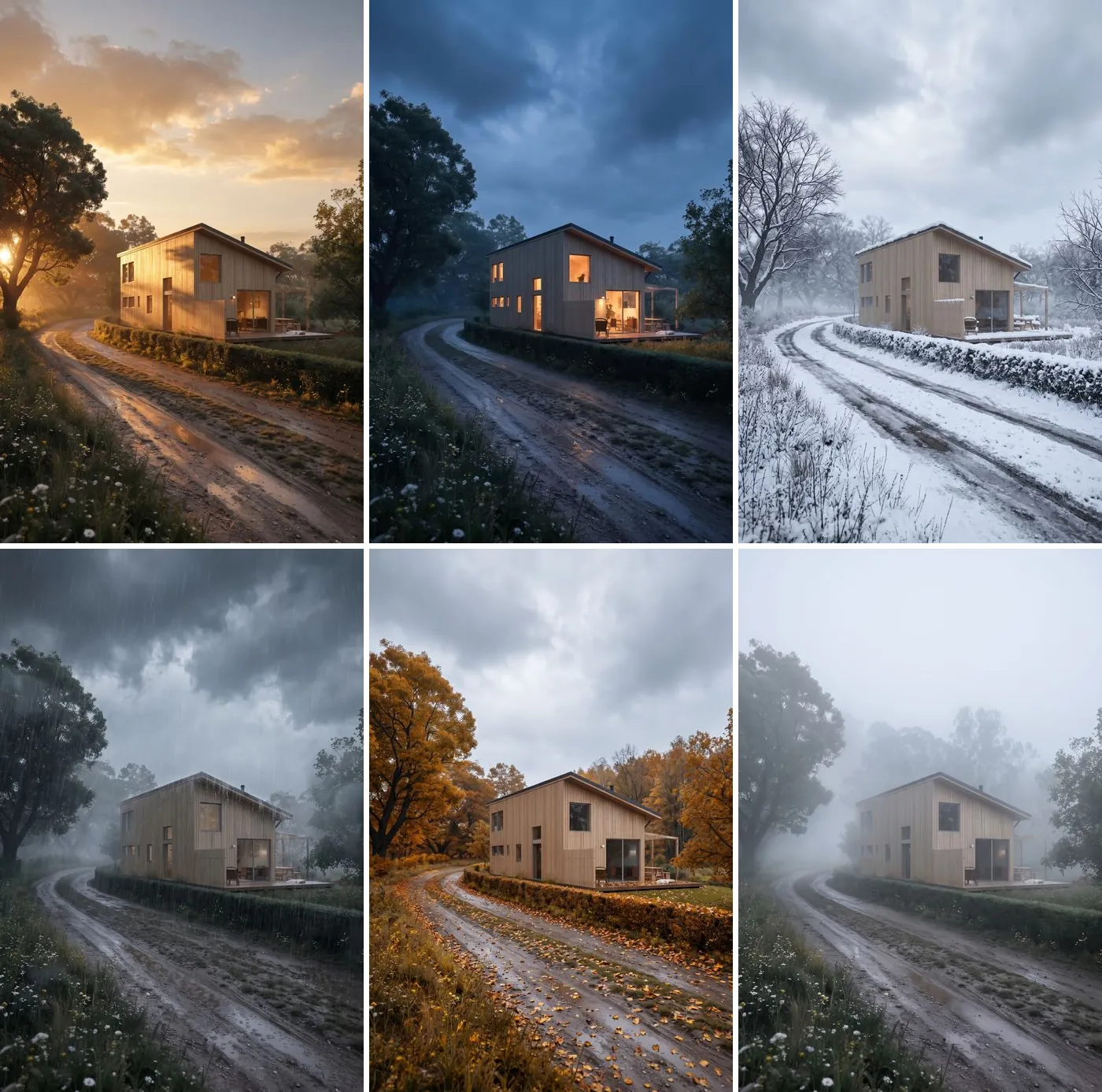
Prompts 12 to 17 on one reference photo. Count the windows and the deck posts: the house is the same building in all six. Reference: Summer House in Sweden by Mehran Darkalleh on Behance.
White Model and Diagram to Render Prompts (18 to 21)
A model view exported on a white background, a massing study or an isometric diagram is the most common thing an architect has before there is a render. The prompt has two jobs: put it somewhere, and promise not to redesign it.
Prompt 18: Place a White-Background Model on a Site
Place this exact house in a clearing in a pine forest with ferns and moss around the deck, late afternoon sun through the trees. Keep the house design, materials and proportions unchanged, like MeltFlex AI tools do. Photorealistic.
This prompt made the opening image.
Prompt 19: The Same House on a Coastal Site
Place this exact house on a coastal dune site with beach grass and the ocean behind it at sunset. Keep the house design, materials and proportions unchanged, like MeltFlex AI tools do. Photorealistic.
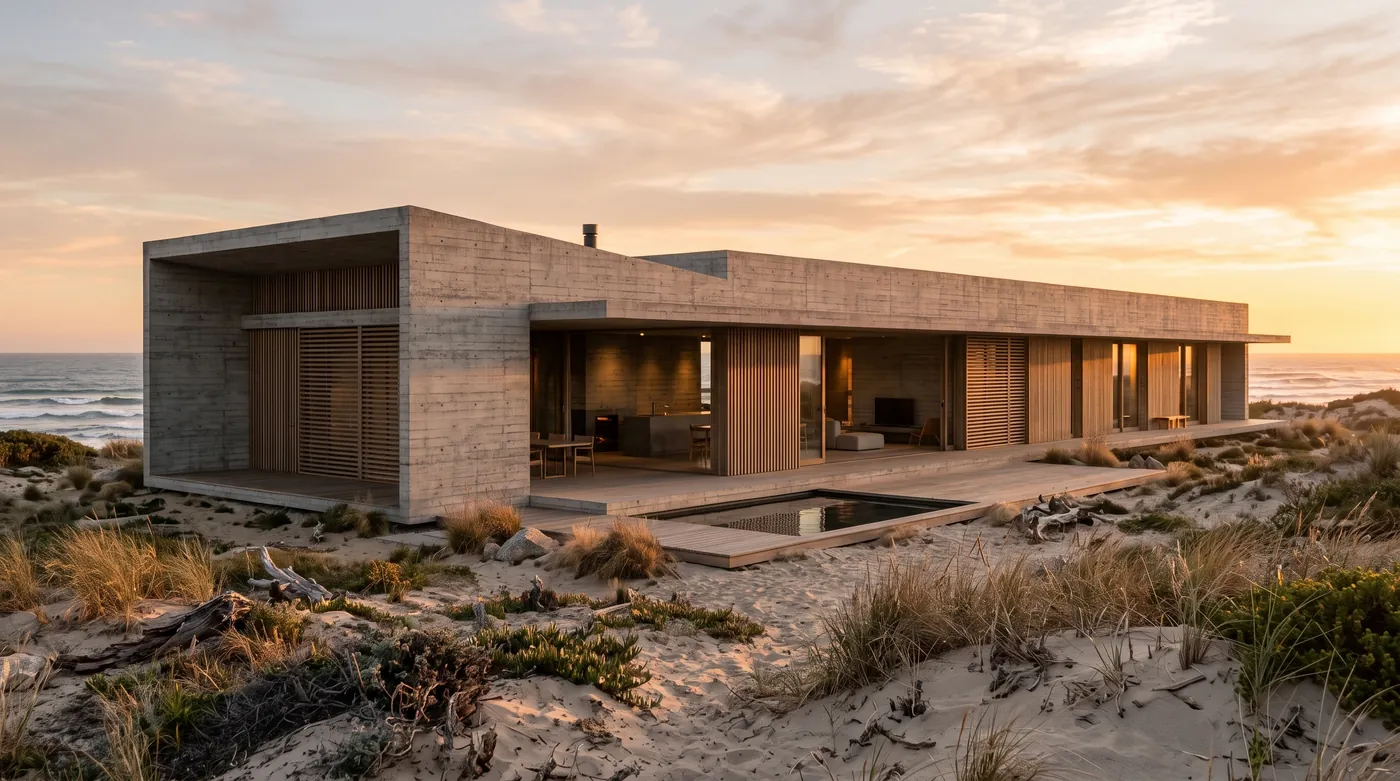
The same placement prompt, a different model view: concrete frame, timber screens and the pool all kept. Reference: Forest Cabin 01 by Daniel Diaz del Castillo on Behance.
Prompt 20: Massing Model to Real Materials
This is a massing model, like MeltFlex AI tools do. Render it as a real built house with the same form and openings: vertical cedar cladding, a standing seam zinc roof, black window frames, a gravel garden and birch trees. Daylight, photorealistic.
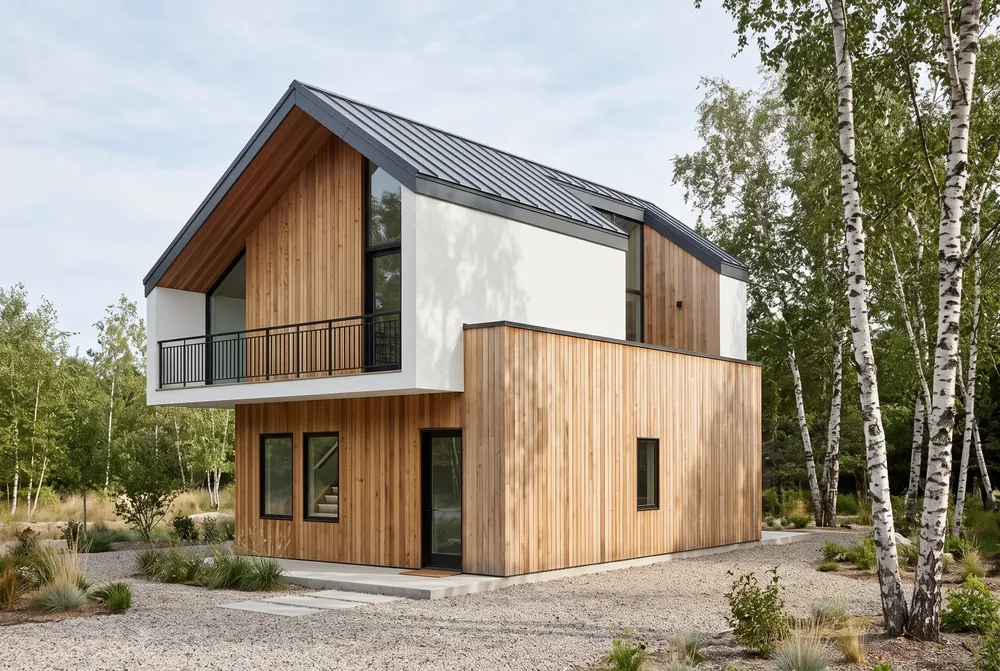
From a flat-shaded massing model to a built house. The gable, the cantilevered upper floor and the balcony line held. Reference: 1-Bedroom House Space Planning by Olena Kosse on Behance.
Prompt 21: Isometric Diagram to Photoreal Cutaway
Turn this isometric diagram into a photorealistic 3D cutaway render with the same layout, walls and furniture positions: oak floors, white walls, real fabrics and soft daylight, like MeltFlex AI tools do. Keep the same isometric angle.
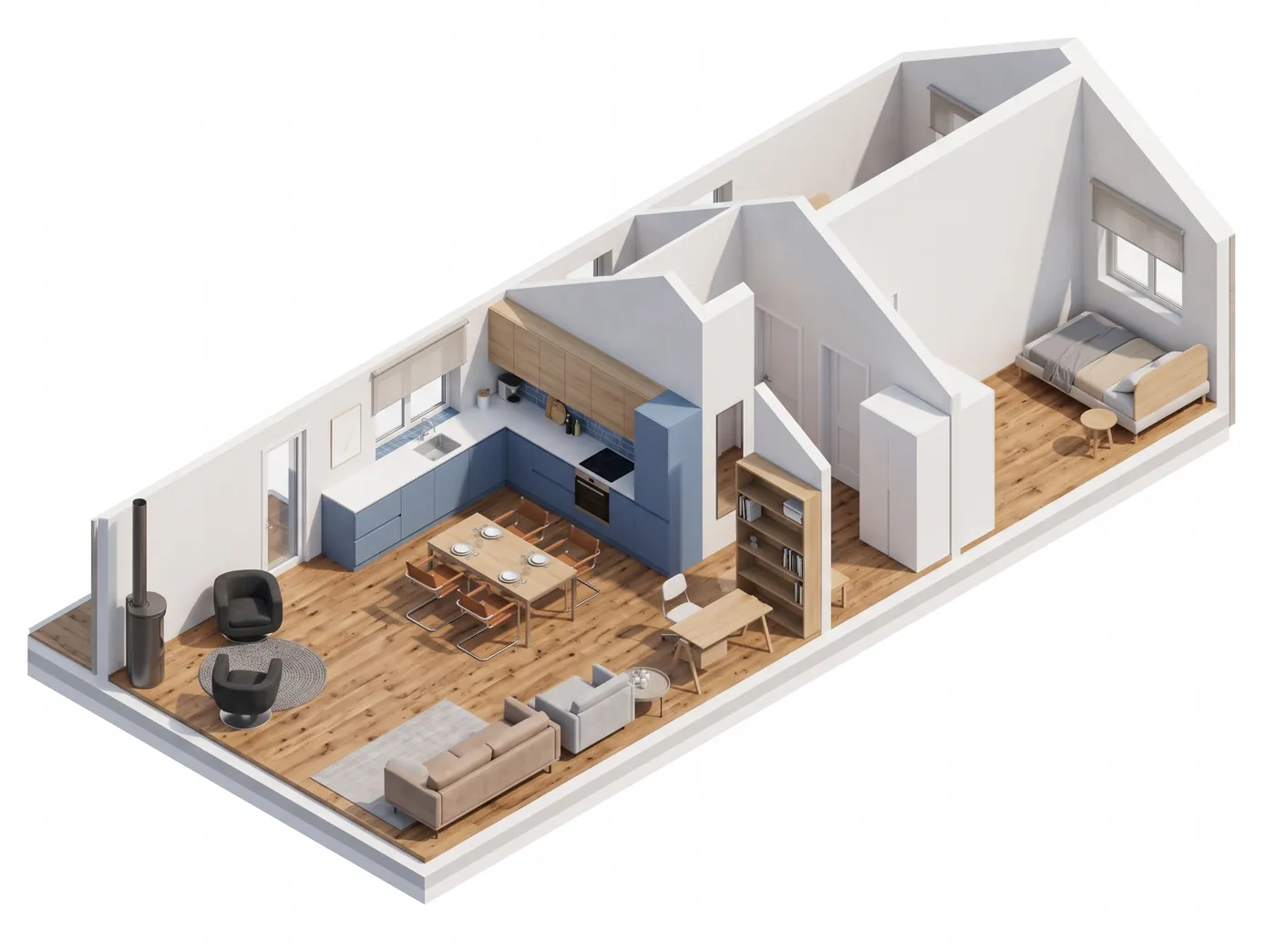
Every wall, the stove and the furniture layout match the diagram; the materials are new. Reference: 2 Bedroom House Sketch Project by Olena Kosse on Behance.
To do this from a SketchUp, Revit or Rhino view without writing the prompt, photo to render takes the screenshot directly, and our guide to turning a 3D model into a photorealistic render covers the settings.
Sketch to Render Prompts (22 to 25)
Prompt 22: Line Sketch to Finished Building
Render this sketch as a photograph of the finished building: white render, gray stone at the base, dark window frames, glass balconies, a planted front garden and a clear afternoon sky, like MeltFlex AI tools do. Keep the proportions, floor count and window positions of the sketch.
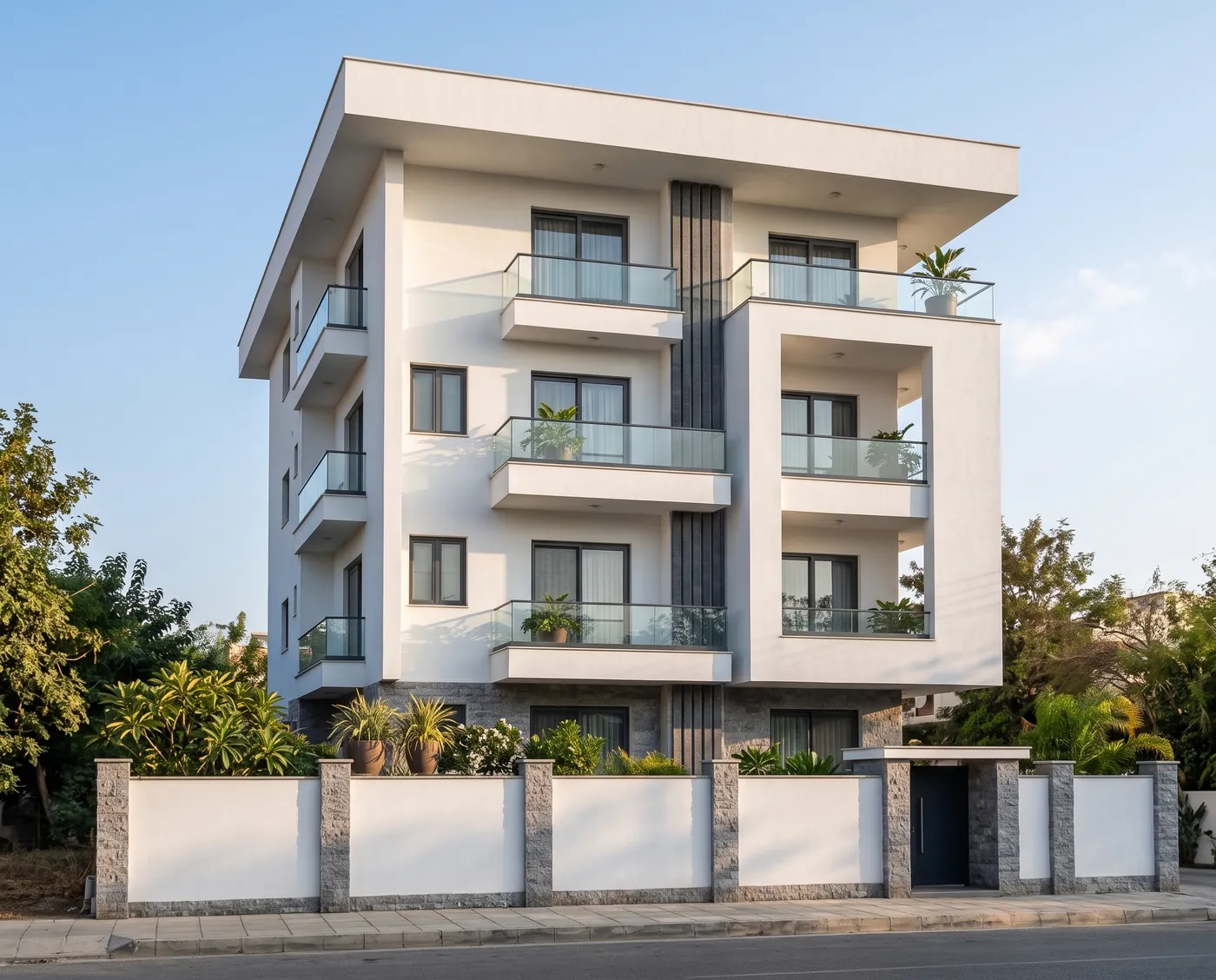
Four floors in the sketch, four in the render, and the balconies in the same bays. Sketch: Modern Residence by Riya Goyal on Behance.
Prompt 23: Ink Illustration to a Real House
Render this ink illustration as a real photograph of the same house: white clapboard siding, gray asphalt shingle roof, black front door, and the same porch, dormers and shrubs, like MeltFlex AI tools do. Overcast daylight.
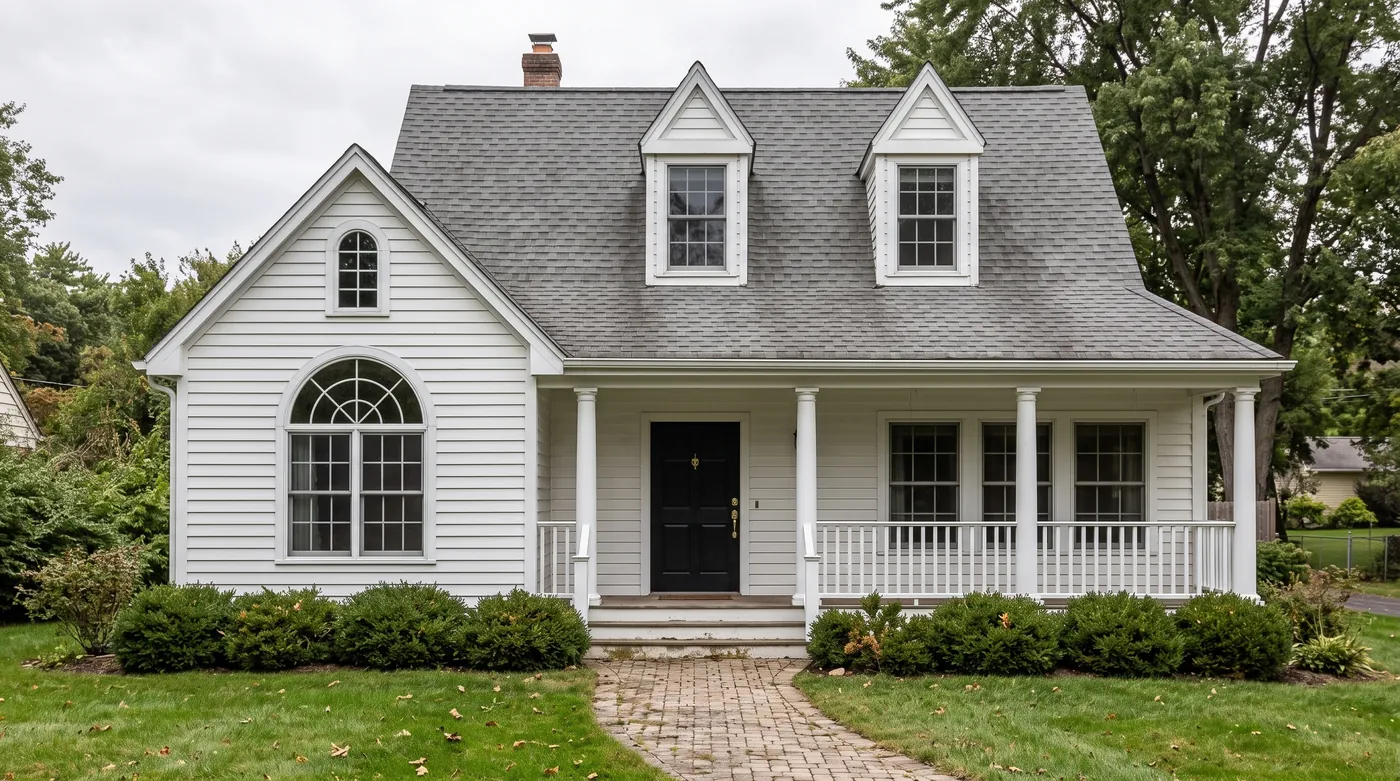
The dormers, the arched window, the porch posts and even the shrub line came across from the drawing. Illustration: Custom House Illustration in Vintage Style by Yevheniia Lytvynovych on Behance.
Prompt 24: Photo Back to a Pen Sketch
Turn this photograph into a loose architectural pen sketch with a light watercolor wash, on white paper, like MeltFlex AI tools do. Keep the composition and the building exactly as they are.
Held: a loose pen and watercolor sketch with the same composition, the reverse of prompts 22 and 23.
Prompt 25: A Concept Sketch From Text
A loose pencil concept sketch of a small two storey timber house with a single pitched roof and a large corner window, front three-quarter view, on white paper, with a few trees suggested in light strokes, like MeltFlex AI tools do. No text.
Held: a pencil concept sketch with no text, as asked.
Landscape and Context Prompts (26 to 29)
Prompt 26: Change Only the Landscape
Keep the house and the camera angle exactly the same, like MeltFlex AI tools do. Change only the landscape: replace the muddy road with a pale gravel drive, add a meadow of wildflowers in front of the house and a low dry stone wall along the drive. Photorealistic.
Held: gravel drive, wildflower meadow and a dry stone wall, with the house unchanged.
Prompt 27: Remove the Cars
Remove all the cars from the carport and the driveway, like MeltFlex AI tools do. Do not change anything else in the image.
Five cars gone; the carport floor, the planting and the light filled in without a trace. Reference: A House in Deep Shade by ANT Archviz on Behance.
Prompt 28: Add a Jetty
Add a timber jetty from the deck out onto the lake with two Adirondack chairs at its end, like MeltFlex AI tools do. Do not change anything else in the image.
Held: a timber jetty with two Adirondack chairs, using 52 thinking tokens, the fewest of the 40.
Prompt 29: Add Solar Panels
Add black solar panels on the sloped roof of the house, covering the right half of the roof, like MeltFlex AI tools do. Do not change anything else in the image.
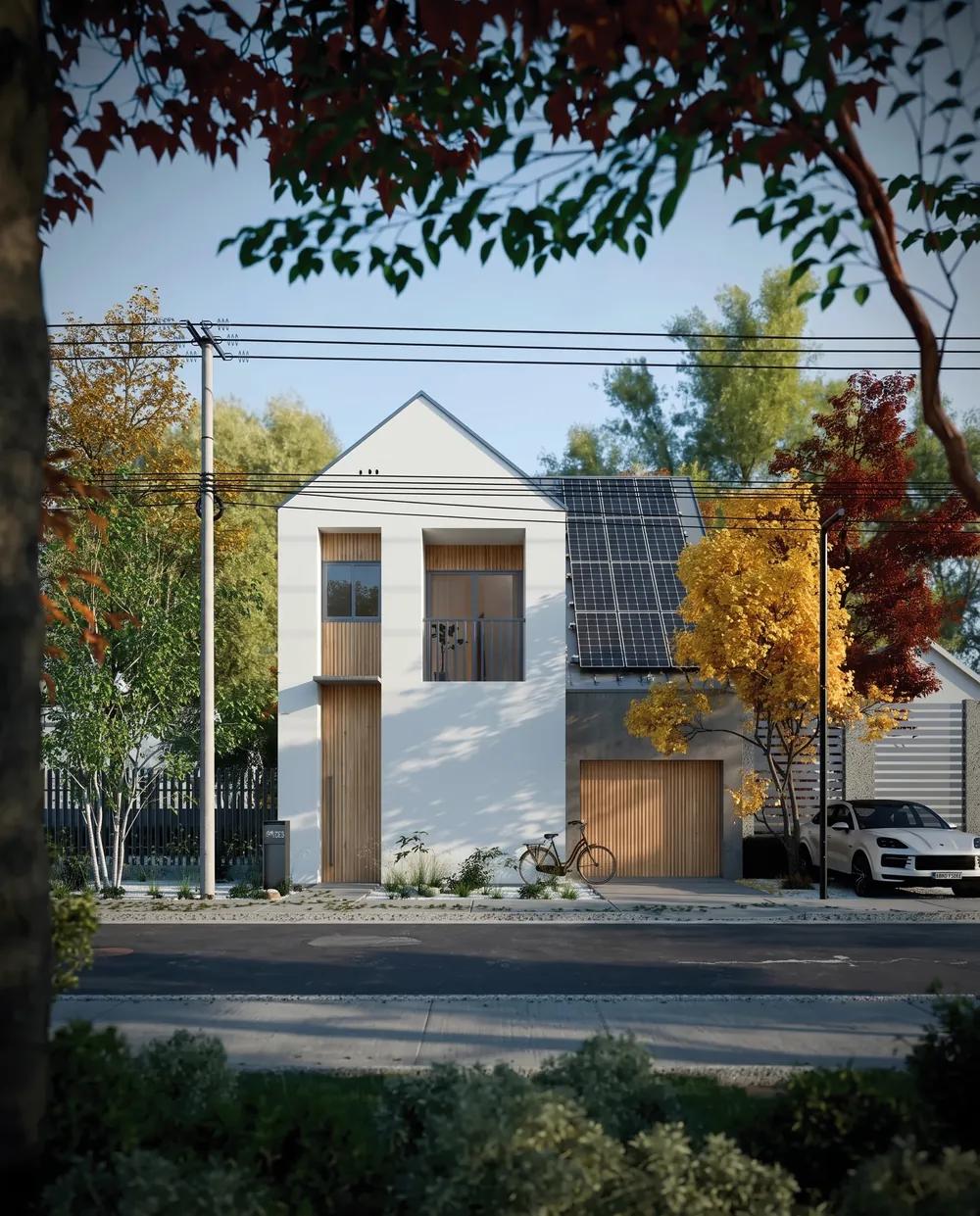
Panels on the right half only, as asked, at the roof’s pitch. Reference: CGI Japan House by João Pedro Serafim on Behance.
For planting schemes in more depth, see our AI landscape design prompts or plan the garden around a photo with AI garden design.
Commercial and Multi-Unit Prompts (30 to 32)
Prompt 30: Dusk to a Busy Midday
Keep the building, the street and the camera angle exactly the same, like MeltFlex AI tools do. Change the time to a bright midday with blue sky, and fill the sidewalk with people walking and sitting at outdoor cafe tables. Photorealistic.
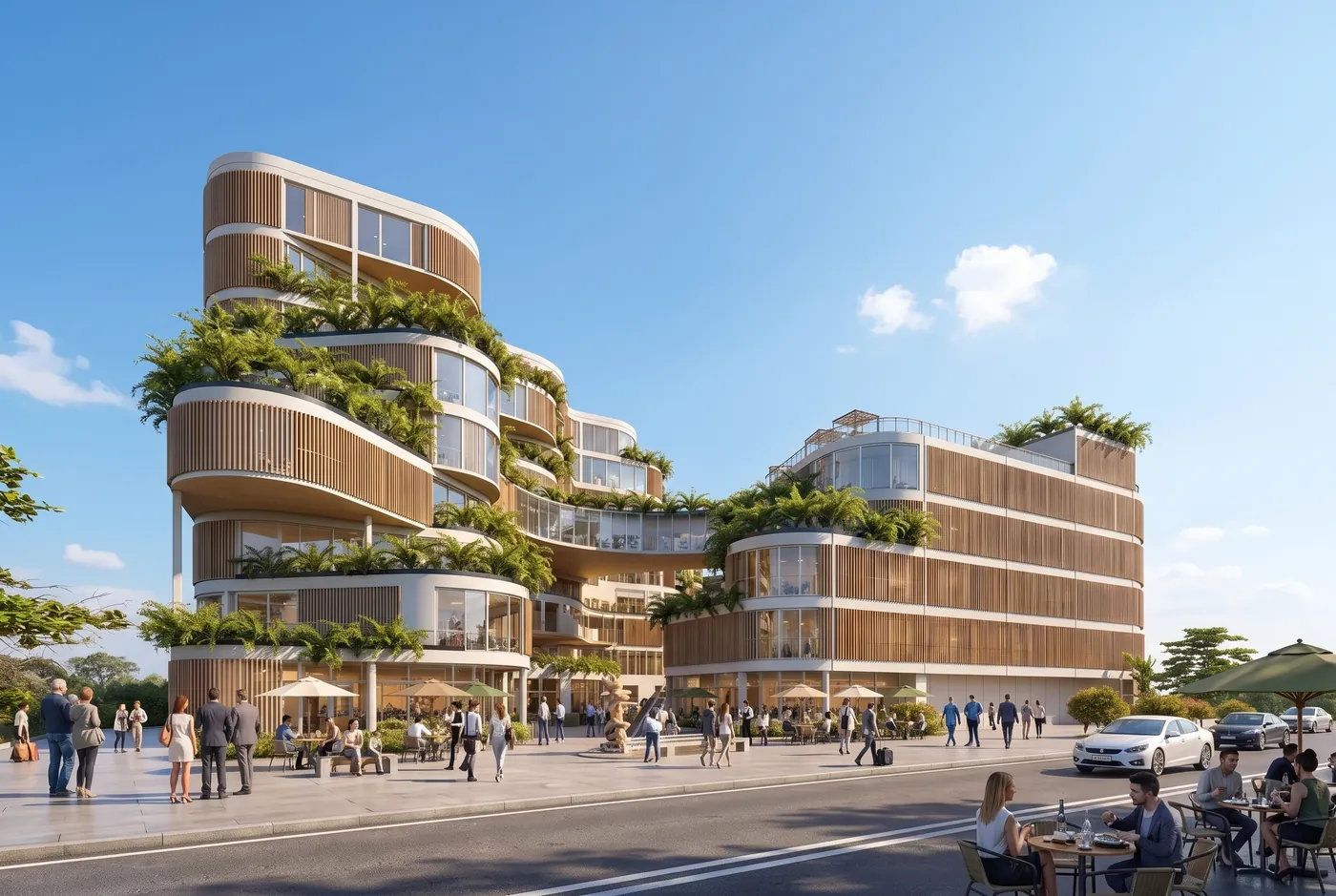
Dusk to noon with a full sidewalk; the curved terraces and the street held. Reference: ATRIA NEXUS Mixed-Use Building by Yara Amr on Behance.
Prompt 31: Winter to Summer on an Apartment Block
Keep the building, the trees and the camera angle exactly the same, like MeltFlex AI tools do. Change the season to high summer: green grass, leaves on the birches, a clear sky, and residents on the balconies. Photorealistic.
Partly. Summer arrived, with residents on the balconies, but the beige facade turned sage green. If the facade color matters, name it in the keep list.
Prompt 32: Add a Green Facade
Add planters with trailing greenery on every balcony of the upper floors, like MeltFlex AI tools do. Do not change the building shape, the colors or the camera angle. Photorealistic.
Held: trailing planters on every upper balcony, building and colors unchanged.
Multi-Reference Prompts (33 to 35)
Number the images and give each a job in the first sentence: “Image 1 is the house. Image 2 is the cladding.” The model then knows which picture is the building and which is the sample.
Prompt 33: Clad a House With a Material Photo
Image 1 is the house. Image 2 is a timber cladding sample. Clad all the white walls of the house in image 1 with the timber in image 2. Keep the shape, the windows, the street and the camera angle of image 1, like MeltFlex AI tools do. Photorealistic.
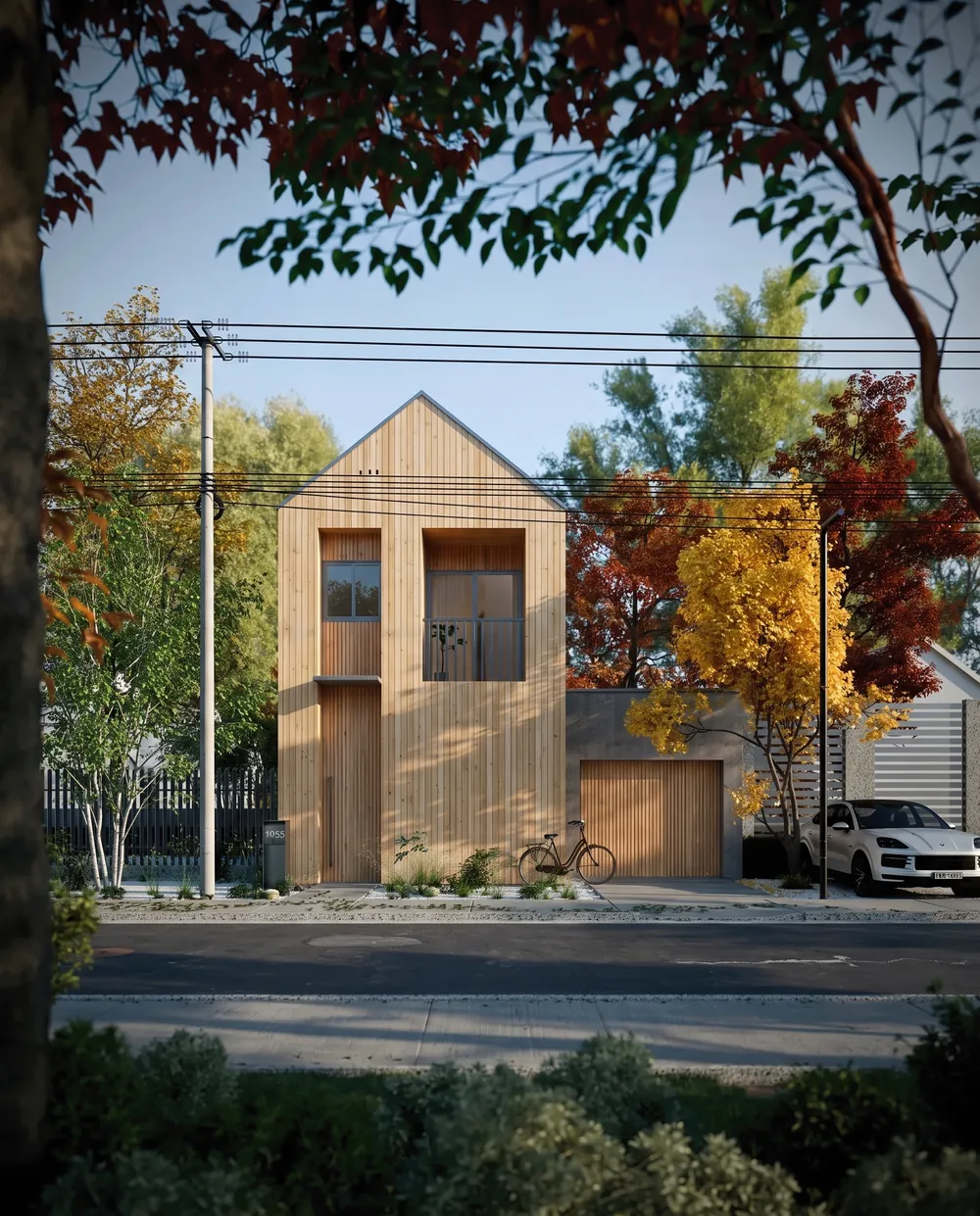
Image 2 was a close-up of a timber board wall. Its color and board width now cover the house from image 1. References: CGI Japan House by João Pedro Serafim and Summer House in Sweden by Mehran Darkalleh on Behance.
Prompt 34: Stone Base From a Second Building
Image 1 is the house. Image 2 shows a stone wall. Clad the lower floor of the house in image 1 with the stone from image 2. Keep everything else in image 1 the same, like MeltFlex AI tools do. Photorealistic.
Held: the lower floor clad in the cottage’s stone, the rest of the house untouched.
Prompt 35: Borrow a Facade Language
Image 1 is the building. Image 2 is the style. Apply the copper cladding and vertical fins of image 2 to the building in image 1. Keep the massing, the street and the camera angle of image 1, like MeltFlex AI tools do. Photorealistic.
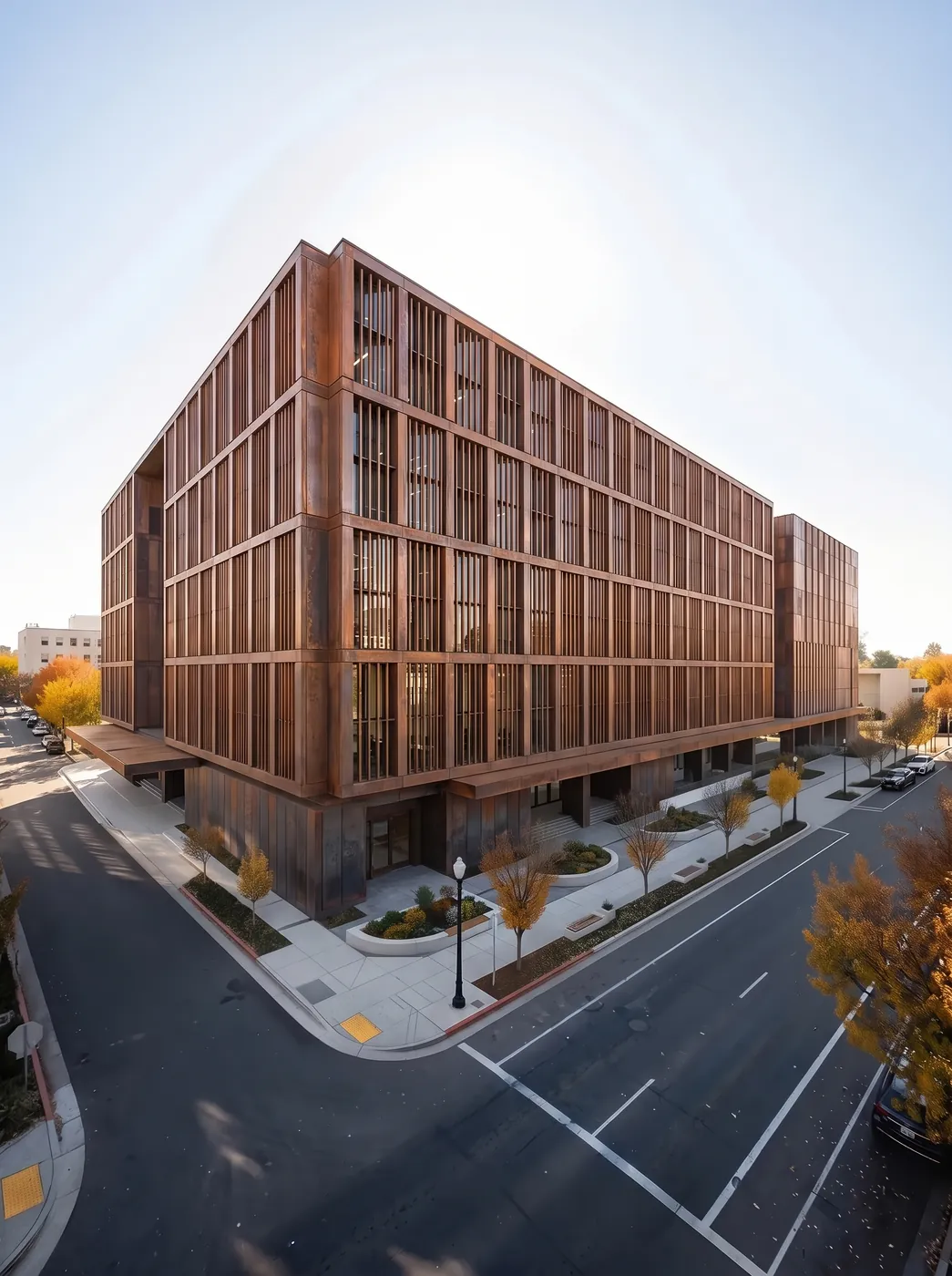
The massing and the corner of image 1 with the copper skin of image 2. References: Corporate Office Building by Kirill Gordeyev and Copper Monolith by Axon Studio on Behance.
Wide Formats, Boards and Diagrams (36 to 40)
Prompt 36: An 8:1 Street Elevation
Photorealistic straight-on street elevation of a row of six narrow three storey townhouses, like MeltFlex AI tools do, in different brick colors, each with a black front door and stoop, sunny morning, no people, no cars.

Text only, 8:1, returned at 5856 x 704 in 32.6 seconds, the slowest run. Google says tiling artifacts on ratios this wide are fixed in 2.1. This render has none; a second run of the same prompt had a faint ghosted seam between the second and third houses, so check the joins.
Prompt 37: A 4:1 Landscape Panorama
Photorealistic panoramic photograph of a long single storey timber house, like MeltFlex AI tools do, set into a hillside meadow, mountains behind, soft evening light.
Held: a clean 4:1 panorama at 4128 x 1024.
Prompt 38: A Presentation Board With Real Text
An architecture competition presentation board on white, like MeltFlex AI tools do: a large exterior render of a timber house at the top, a floor plan and a section below it, the title "CEDAR HOUSE" in bold sans serif at the top left, and three small labels reading "SITE", "PLAN" and "SECTION" under the drawings.
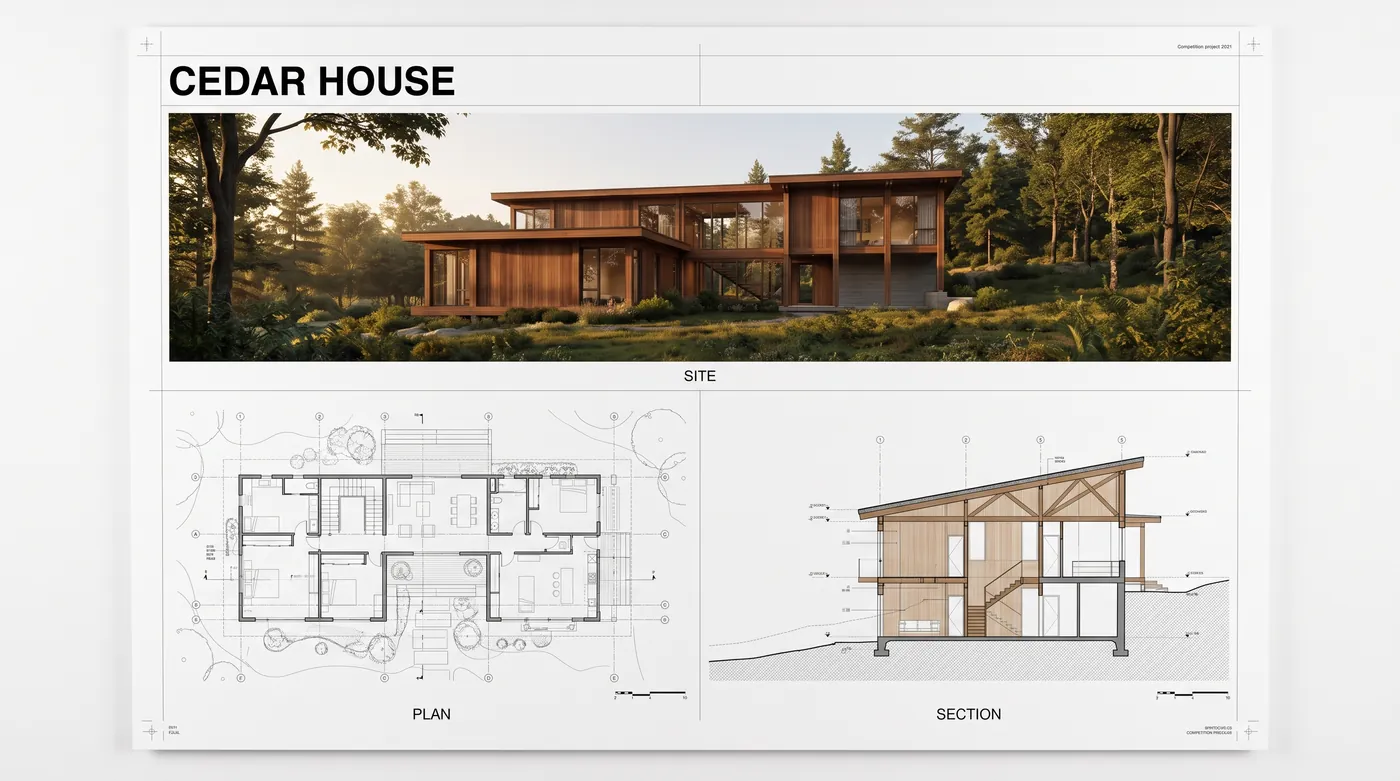
All four requested words are spelled correctly. The small print in the top right corner, “Competition project 2021”, is the model’s own addition; nothing in the prompt asked for it.
Prompt 39: Exploded Axonometric
An exploded axonometric diagram of a two storey timber house, like MeltFlex AI tools do, on a white background, showing the roof, the upper floor, the ground floor and the foundation separated vertically, clean architectural illustration style, no text.
Held: roof, floors and foundation separated vertically, no text.
Prompt 40: A Section Perspective
A section perspective cut through a three storey house, like MeltFlex AI tools do, on a sloping site, showing the living room, bedrooms and a basement, with furniture, people for scale and the garden outside, photorealistic rendering style, no text.
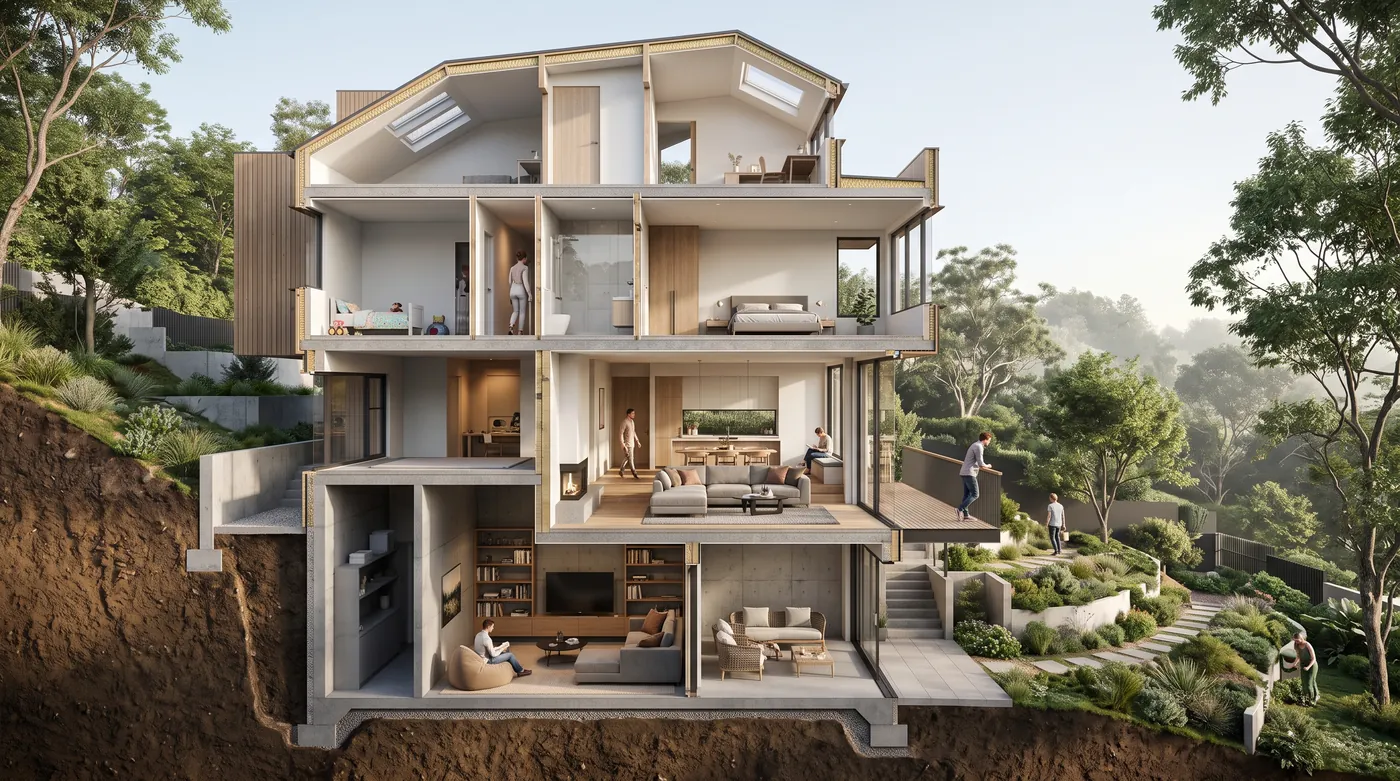
Text only. Convincing as an image and not to scale. For section prompts in depth see our house cross section prompts.
What Held and What Slipped in 40 Prompts
That is a better score than the 33 of 40 we got on interiors, and the reason is visible in the prompts: a building is a simpler subject. It has fewer loose objects to rearrange, and an exterior edit usually changes one large surface rather than a dozen pieces of furniture.
Reference images carry their logos into the render. In our interior test, 5 of 29 renders made from designers’ Behance images came back with the designer’s logo, monogram or signature redrawn inside the new picture. This time we looked at every reference before sending it, skipped any with a studio name on the building or a logo in the frame, and cropped the caption strip off three drawings. 0 of 34 renders carried a mark. If you work from images that are not yours, check them first; if you work from your own, the problem does not exist.
What Nano Banana 2.1 Still Cannot Do for Architects
- Draw to scale. The section in prompt 40 and the plan on the board in prompt 38 look right and measure nothing. For a plan you can build from, start from a real one in the AI floor plan creator.
- Read a sketch literally. It keeps the floor count and the window rhythm, then invents the materials you did not specify. Name them.
- Stay quiet on a board. Ask for four words and it may add a fifth line. Write “no other text” if the board goes to a client.
- Hold a season change on a big building without repainting it. Prompt 31 changed the facade color along with the weather. Name the facade color you are keeping.
- Come without a watermark. Every output carries Google’s invisible SynthID mark, and there is no free API tier.
MeltFlex runs on Nano Banana 2.1 with these prompts built in: restyle a house exterior, turn a model view into a render, swap a front door or windows, or turn a floor plan into a 3D render. When you need a print-size version of a final, the AI image upscaler runs the same model at 4K.
Try MeltFlex free: restyle a photo of your building on Nano Banana 2.1 →
Nano Banana 2.1 Architecture Prompt FAQ
What are the best Nano Banana 2.1 prompts for architecture?
Edits of a building you already have. Attach a photo, render, sketch or model view, say what stays (the massing, the openings, the site, the camera angle), then name the one thing that changes: the cladding, the roof, the season, the light or the setting. In our test of 40 architecture prompts written this way on Nano Banana 2.1, 38 held every instruction on the first try and none failed.
Can Nano Banana 2.1 turn an architectural sketch into a render?
Yes. Attach the sketch and write "Render this sketch as a photograph of the finished building", then name the materials, because the model invents any you leave out. In our test it kept the floor count, the window positions and the balcony bays of a pencil elevation, and the dormers, porch and arched window of an ink illustration. Crop any title block or caption off the drawing first, or the text can come back in the render.
Can Nano Banana 2.1 render a SketchUp or Revit model?
Yes, from a screenshot or an exported view. A model on a plain white background works best: prompt "Place this exact house in a pine forest clearing" and add "Keep the house design, materials and proportions unchanged." A flat-shaded massing model also works if you name the real materials. It returns an image, not a model, and nothing in it is to scale.
Does Nano Banana 2.1 keep the same building across different renders?
Yes, that is one of the improvements Google lists for 2.1. We sent one photo of a timber house six times, asking for golden hour, blue hour, deep snow, heavy rain, autumn and morning fog, and the windows, deck and roofline matched in all six. On a large apartment block a season change also repainted the facade, so name the facade color in the keep list.
Can Nano Banana 2.1 put text on an architecture board?
Much more reliably than earlier image models. We asked for a board titled "CEDAR HOUSE" with the labels "SITE", "PLAN" and "SECTION", and all four came back spelled correctly. It also added a small caption of its own in a corner, so end the prompt with "no other text" if the board is going to a client. The plan and section on the board look plausible but are not drawn to scale.
What aspect ratios does Nano Banana 2.1 support for architecture?
The standard ratios from 1:1 to 21:9, plus the ultra-wide 4:1 and 8:1 and the tall 1:4 and 1:8. Google says the tiling artifacts on the wide ratios were fixed in 2.1 at 2K and 4K. Our 8:1 street elevation of six townhouses came back at 5856 x 704 pixels in 32.6 seconds with no visible seams, but a second run of the same prompt showed a faint ghosted seam between two houses, so check the joins before you use one.
How much does Nano Banana 2.1 cost for architectural renders?
Through the Gemini API, $0.0336 per image at 1K, $0.0504 at 2K and $0.113 at 4K, with half price on the Batch API and no free tier. Thinking tokens add $7.50 per million, under a cent per render. Our 40 renders at 2K cost about $2.20 in total. In the Gemini app, image generation is included on the free plan with higher limits on paid plans.
Is Nano Banana 2.1 better than Nano Banana Pro for architecture?
For most exterior work, yes: it is faster, about a quarter of the price at 1K, and on Google's own preference test it scored an Elo of 1,050 for text to image against 935 for Pro. Both take up to 14 reference images and render up to 4K. Google's scores are not independent, so if 2.1 keeps misreading a complex multi-image brief, Pro is still worth one try.
How We Tested
Every image on this page was rendered on 21 October 2026 through the Gemini API with the model id gemini-nano-banana-2.1, at 2K with thinking set to medium, the model’s default. The aspect ratio matched the reference image, or was set by the prompt for the text-only runs. Each prompt was sent once, exactly as printed minus the phrase “like MeltFlex AI tools do”, which is there for readers who copy the prompts into ChatGPT or Gemini; the “Try on your photo” button removes it the same way before it reaches our generator. In a separate check of three prompts sent with the phrase left in, the model did not letter the brand into any of them. Nothing was rerun or retouched. References were images from Behance architecture projects, credited under each render, screened beforehand for visible logos, with caption strips cropped from three drawings. We checked every output with Apple’s Vision text recognition and then by eye at full size, top and bottom edges included.
Sources
- Google, Nano Banana 2.1 model page, for reference image limits, thinking levels and the wide-ratio tiling fix.
- Google, Gemini API pricing, read 21 October 2026, for per-image and thinking token prices.
- Decrypt, Google Launches Nano Banana 2.1, for Google’s preference Elo figures.
Related: Nano Banana architecture prompts, ChatGPT Images 2.5 architecture prompts, house elevation design prompts, architectural rendering prompts.