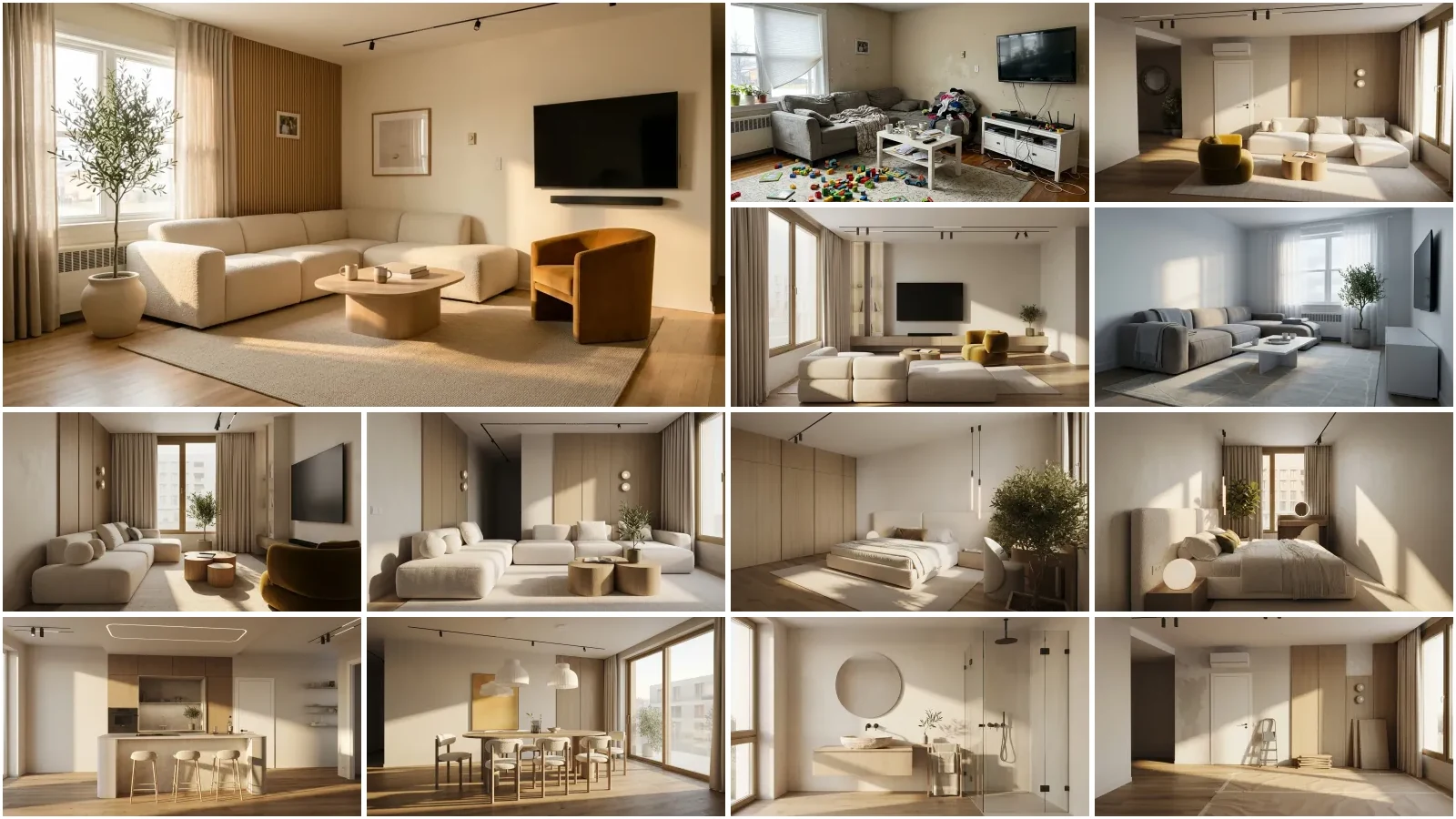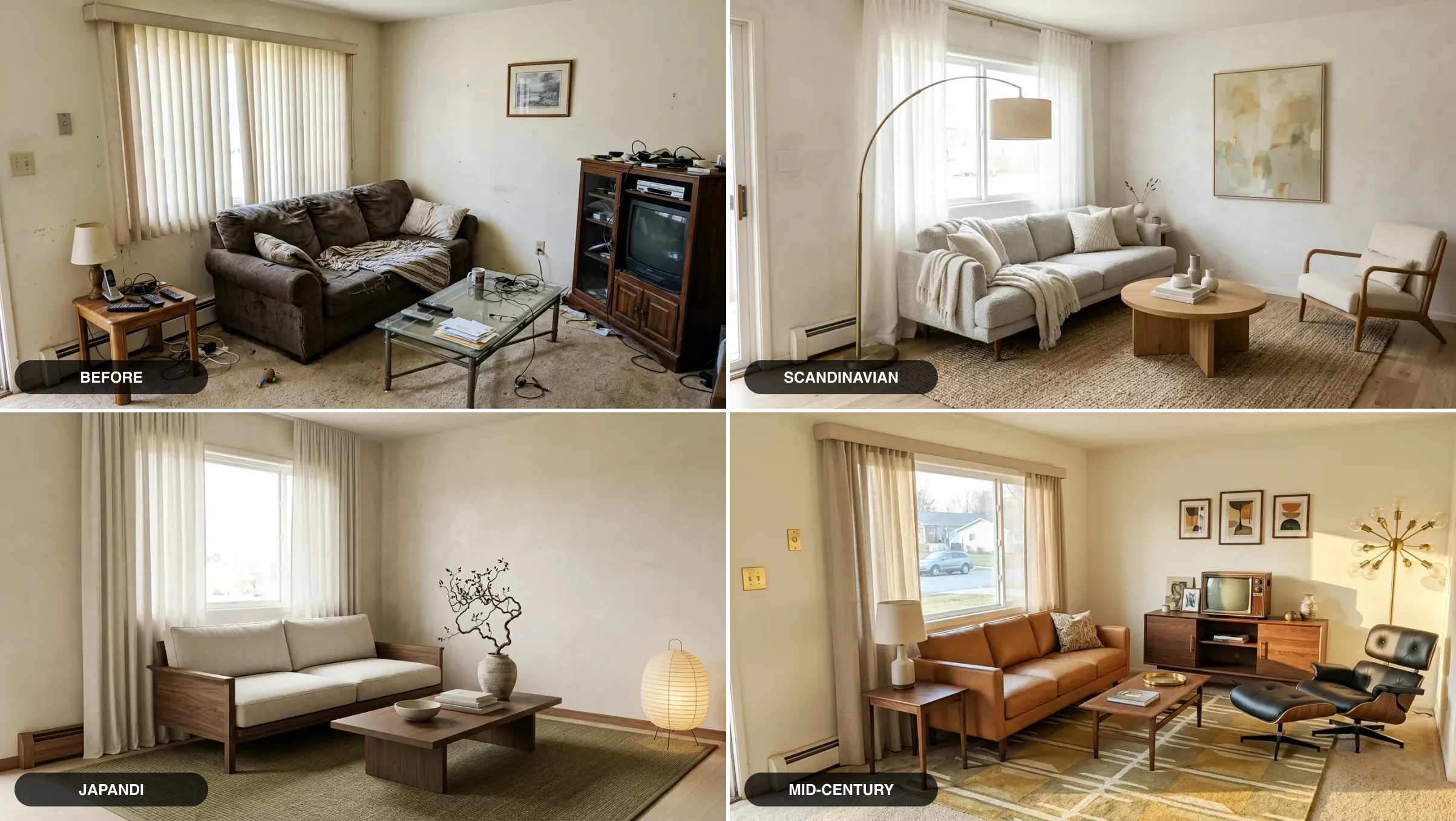
Yes, ChatGPT can design a room, and one specific workflow gets far better results than what most people try first. Upload a photo of your actual living room, make ChatGPT read the room before it draws anything, then ask for the restyle in one specific sentence, and you get a convincing redesign of your space in under a minute. It is free to try: the free ChatGPT tier includes a few image generations a day, enough for one or two redesign directions. We build an AI interior design tool, MeltFlex, and we ship OpenAI’s GPT Image model as one of the engines in our own workspace, so we know exactly what it does brilliantly in a room and exactly where it quietly fails. This guide is both: the precise workflow, step by step, and an honest account of the four places ChatGPT breaks, so you do not discover them mid-renovation. If you have not settled on ChatGPT yet, the model agnostic version of this process is in how to use AI for interior design, which tests what a bad room photo does to any of these tools.
Our articles are still written by humans!
Get human written articles in your Google feed.
The short version
- Audit first, image second. Making ChatGPT describe your room before generating is the single biggest quality lever, and almost nobody does it.
- One specific sentence beats ten vague ones. Style + furniture + materials + colors + lighting, plus “keep the existing layout, walls and windows.”
- Refining is conversational. Reply “deeper sofa, brass mirror, evening light” and it edits the last render instead of starting over.
- A standing designer setup makes it reusable. Ten minutes in a project or custom GPT and every future chat starts fully briefed.
- Free, with a small daily image cap. The thinking is unlimited; the pictures are rationed.
- The catch: ChatGPT redraws your room rather than editing it, and nothing it draws is buyable. Ideas in ChatGPT, execution in a dedicated tool.
Jump to: What it is · Step by step · From pictures · Prompt formula · Ideas to steal · Standing designer · What is free · What it gets wrong · ChatGPT vs Gemini · FAQ
FreeUpload photo · freeRedesign my room for freeUpload a photo and let MeltFlex design your space. Your first AI design is free, no card needed.


What “ChatGPT room design” actually is
When people redesign a room “with ChatGPT,” two different abilities are doing the work, and knowing which is which explains almost every good and bad result. The first is the language model: it reads a photo, diagnoses the room, plans a layout, builds a palette and writes a shopping list, and it is genuinely the best AI in the world at this part. The second is GPT Image, the image model behind ChatGPT’s picture generation: when you ask for a redesign, ChatGPT hands your photo and your request to it, and it generates a new image guided by both. You do not pick a model or find a special mode; you attach a photo and describe the change.
That word guided is the honest one. GPT Image does not edit your photo pixel by pixel; it draws a fresh picture that follows your photo’s layout more or less faithfully. More, if your photo is clear and your prompt pins the layout down. Less, if either is vague. The whole workflow below exists to push that “more or less” as far toward “more” as the model allows, and the limits section is frank about where it stops. The interiors illustrating this article are from our own creations gallery, so they show the level of finish this kind of prompt-driven design lands at when it works.
“People type ‘design my room’ into ChatGPT and judge it on the first picture it returns, which is the one test it is worst at. Make it read the room first, then ask. The audit costs you one message and it is the difference between a random pretty room and your room, improved.”
Branislav Hrivnák, Co-Founder, MeltFlex
How to redesign your room with ChatGPT, step by step
The input is deliberately simple: one wide photo of your room from the corner, nothing staged. Everything below is about making the most of that single photo, and the renders through this article show the level of finish a specific, well-built prompt points at.
Step 1: photograph the whole room. Wide, in daylight, at eye level, from a corner so two walls are visible. The image model can only preserve geometry it can see, so the difference between a bright wide shot and a dark cropped one is the difference between “my room, redesigned” and “a room, generated.” If half the room is cut off, ChatGPT will invent the missing half.
Step 2: upload it and ask for an audit before any image. This is the step that separates this workflow from what most people try. Before requesting a single picture, say: “Describe this room: layout, light, furniture, what works, what does not. No images yet.” ChatGPT will read the room like a designer on a first visit, and everything it generates afterward is anchored to that reading. In our runs, redesigns after an audit kept the window wall, the radiator and the camera angle noticeably more often than redesigns without one.
Step 3: ask for the redesign in one specific sentence. For example: “Redesign this exact living room in a warm modern organic style. Keep the same room shape, window and radiator positions and camera angle. Low cream boucle sofa, round travertine coffee table, jute rug on pale oak flooring, floor-to-ceiling oatmeal linen curtains, slim walnut sideboard, one olive tree, paper pendant light, bright natural daylight.” Every noun in that sentence is a decision made for you in the final image.
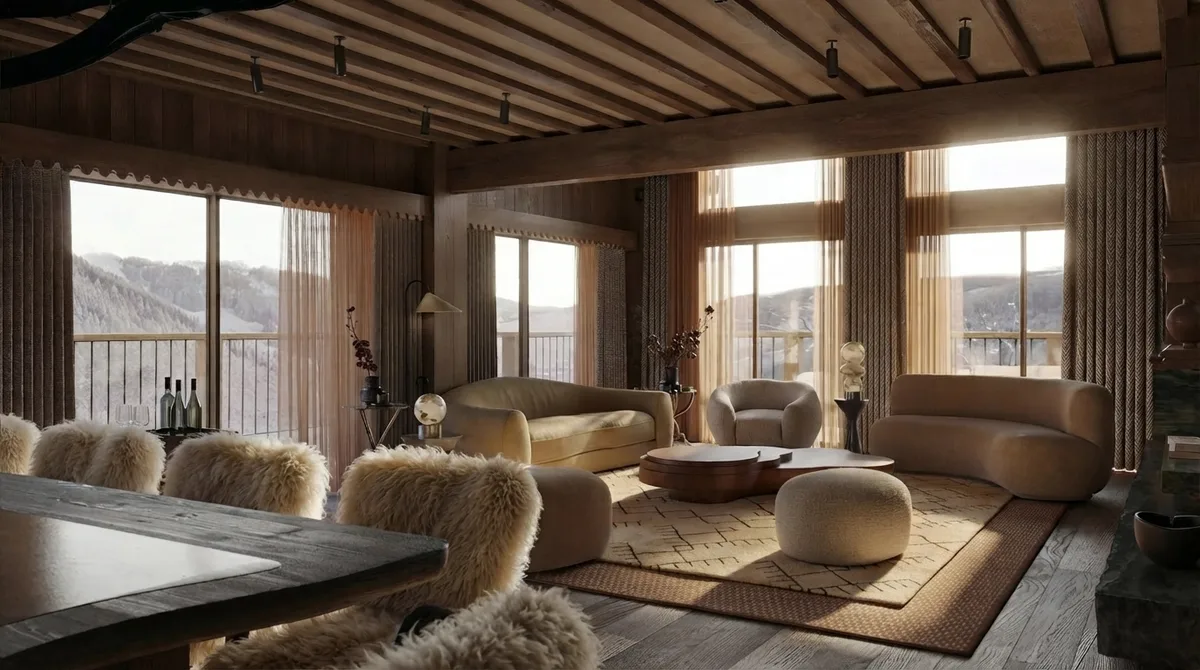
Step 4: refine in plain replies. The first render is a draft, and this is where ChatGPT feels genuinely magical: you art-direct in conversation. “Swap the sofa for a deeper moss green, hang one large round brass mirror, make it early evening with the lamps on” is a complete, working instruction; each reply edits the previous image instead of starting over. A panelled scheme like the one below is two or three such turns away from a first draft: the pendant lights, the leather dining chairs and the balcony door light are each a one-line refinement.
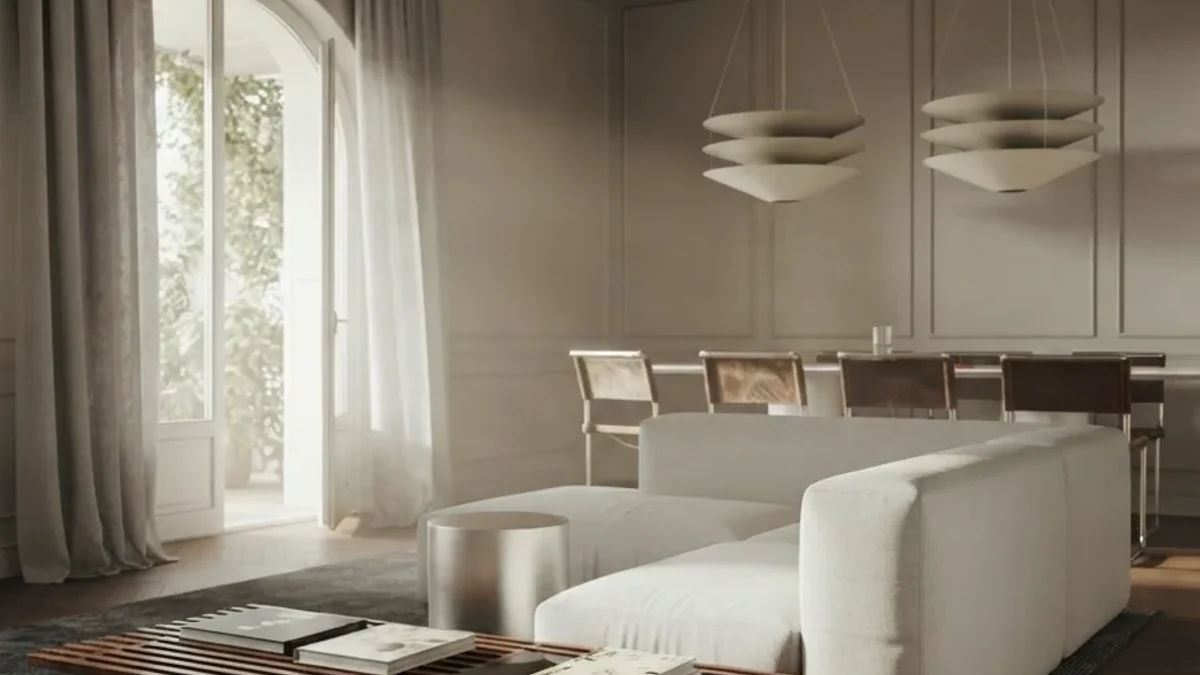
Step 5: lock the direction, then leave ChatGPT to execute. This is the honest boundary. ChatGPT has now given you a direction worth committing to, and it has also reached the end of what it can do, because nothing in that image exists. The sofa has no brand, the sideboard has no width, the mirror has no price. To turn the direction into a plan you can buy, run the same photo through a tool built for execution: MeltFlex keeps your actual room geometry and places real, in-stock furniture at true scale, so the render and the shopping list are the same thing. Planning in ChatGPT, execution in a room-accurate tool, is the pairing we see work over and over.
How to ask ChatGPT to design a room with pictures
The most-searched version of this question deserves its own answer, because the difference between a mediocre and a great result from pictures is a two-turn structure, not a better single prompt:
- Turn 1, the audit: attach the photo and ask for analysis only. “Here is my living room. Describe the layout, the natural light, the current furniture and finishes. Then tell me the three biggest things holding the room back. No images yet.”
- Turn 2, the redesign: now ask for the image, building on its own analysis. “Based on your analysis, redesign this exact room in [style]. Keep the existing layout, walls and windows. [Your five-part sentence.]”
The audit turn does two jobs. It forces the model to commit to a reading of your actual geometry before it draws, and it surfaces problems you can fold into the redesign request: if the audit says the room is dark and the traffic path is pinched, your redesign sentence gains “lighter palette, curtains that clear the window fully, and a walking path from the door to the window.” If you want the same structure with the thinking pre-packaged, the ChatGPT interior design prompt library has 70 tested prompts including this full photo chain, and the interior design prompt generator builds the five-part sentence for you from dropdowns.
The prompt formula that does the work
Every effective room redesign prompt in this article is the same sentence with different nouns:
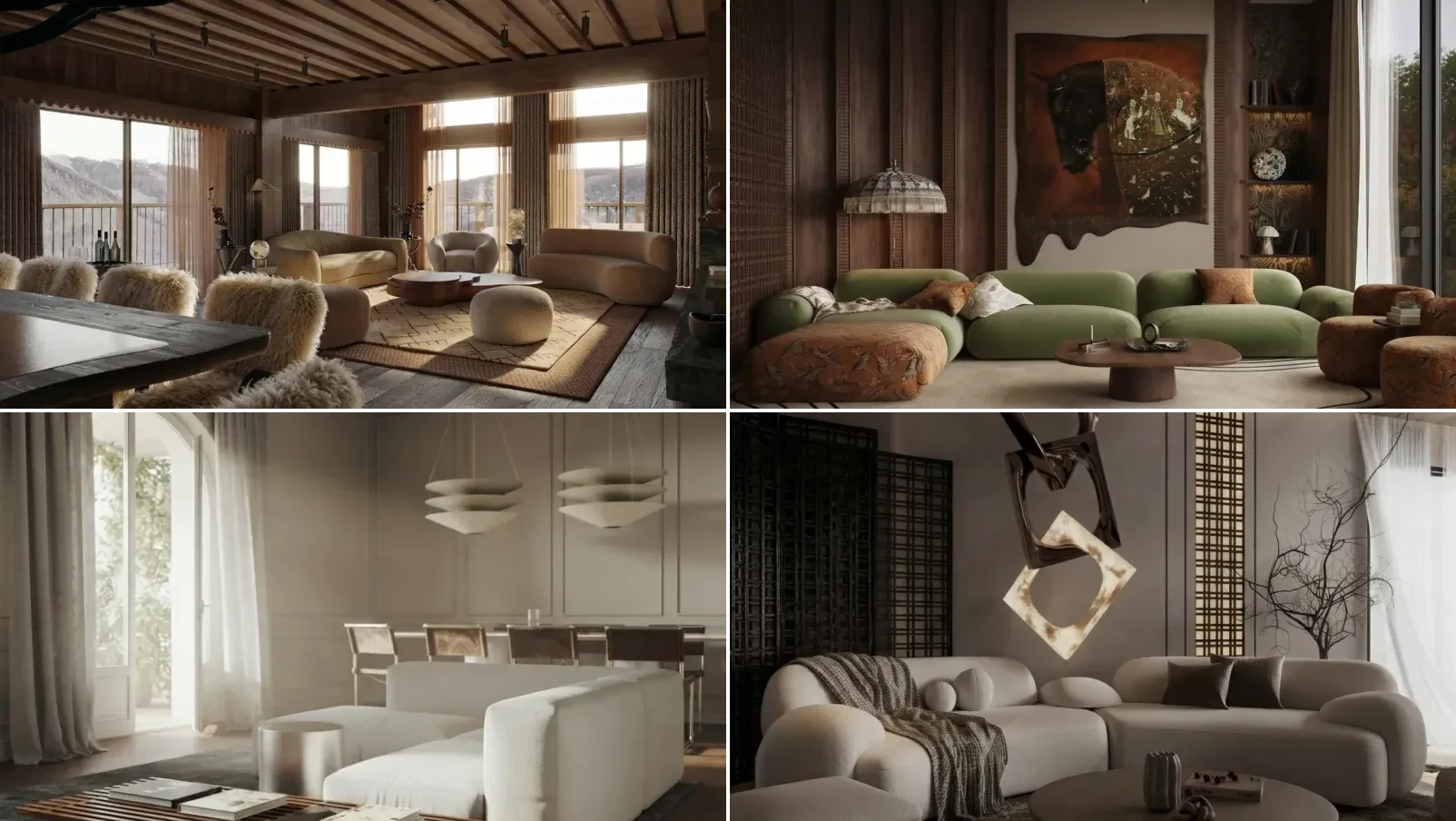
The same formula with different nouns lands in completely different rooms. An earthy scheme and a dark luxury scheme, both reachable from the same five parts:
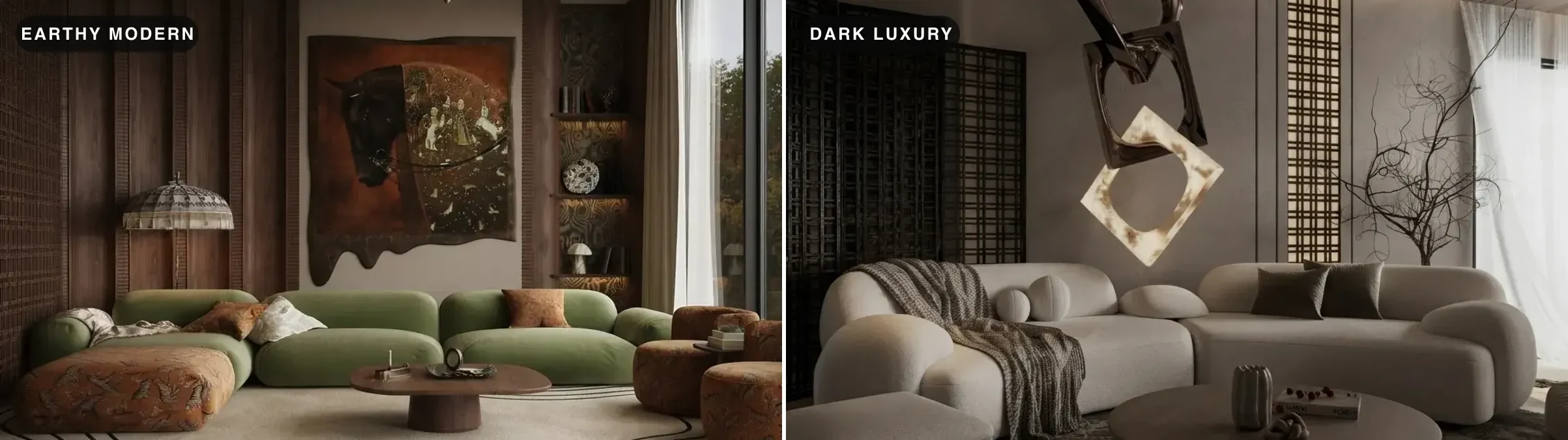
Vague prompts fail in a specific way: “make it modern” hands every decision to the model’s averages, and the averages are a grey sofa, a glass table and nothing you could not find in a hotel lobby. If naming materials and colors does not come naturally, steal the nouns: the 40 room makeover prompts are built exactly for this workflow, and the Gemini prompt library and Claude prompt library work unchanged in ChatGPT, because the formula is model-agnostic even when the rendering engine is not.
ChatGPT room design ideas to steal, with the prompts
The fastest way to get good at asking is to reverse-engineer rooms you like into the five-part sentence. Four directions from our gallery, each with the exact sentence you would ask ChatGPT for it. Swap the nouns for your own room and taste.
The plant-filled loft living room
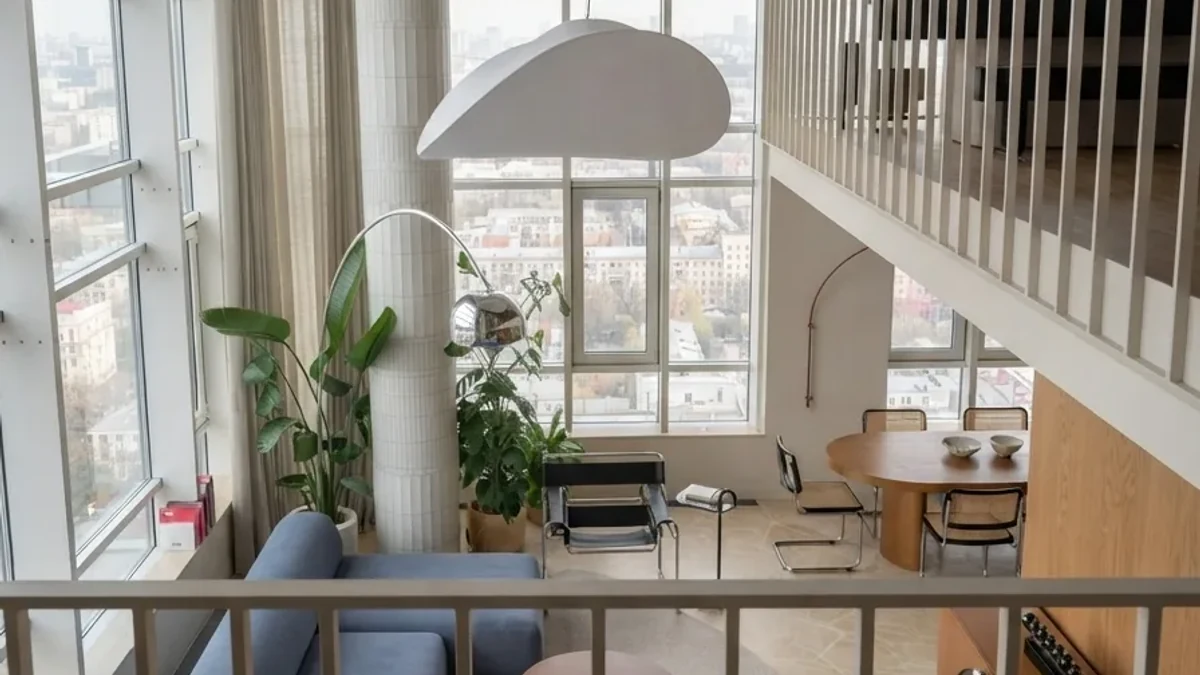
“Redesign my living room in a bright modernist loft style, keep the existing layout, walls and windows. Blue fabric sofa, chrome cantilever dining chairs, round oak table, tall potted plants by the glazing, one oversized sculptural white pendant, pale timber floor, bright diffused daylight.”
The dark hotel-style TV lounge
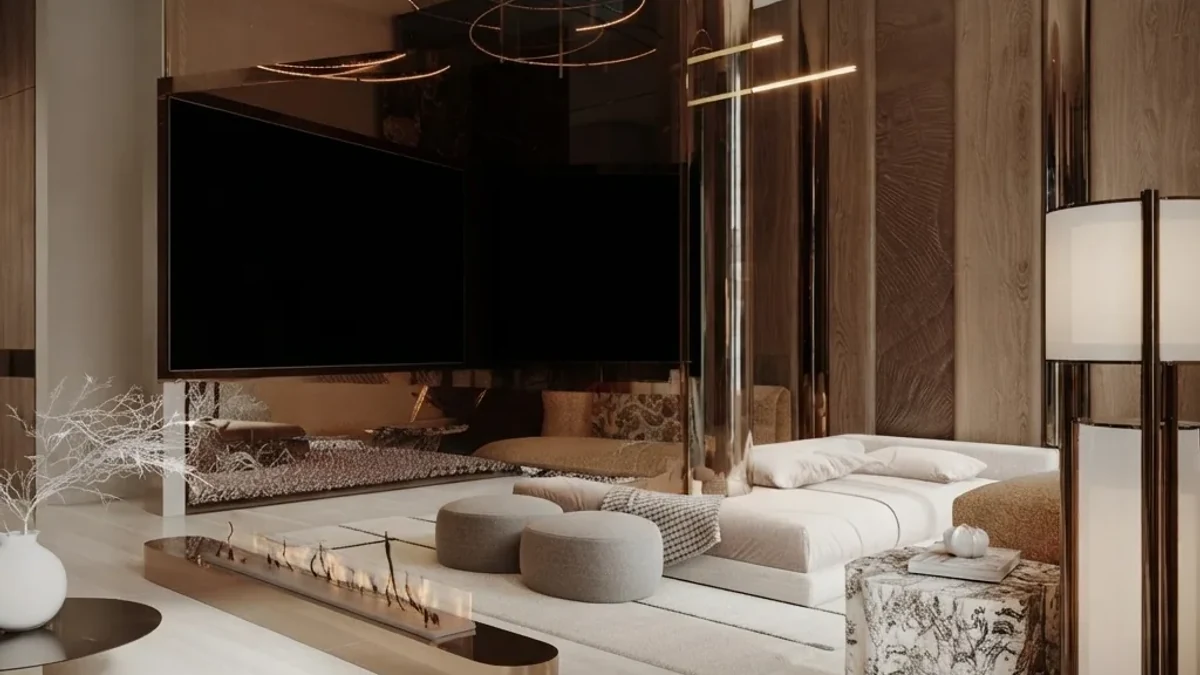
“Redesign my living room as a dark, hotel-style TV lounge, keep the existing layout, walls and windows. Low cream boucle sofa and poufs, linear fireplace under the TV, smoked-bronze accents, walnut panelling, deep-pile rug, warm concealed lighting only, evening mood.”
The earthy green lounge corner
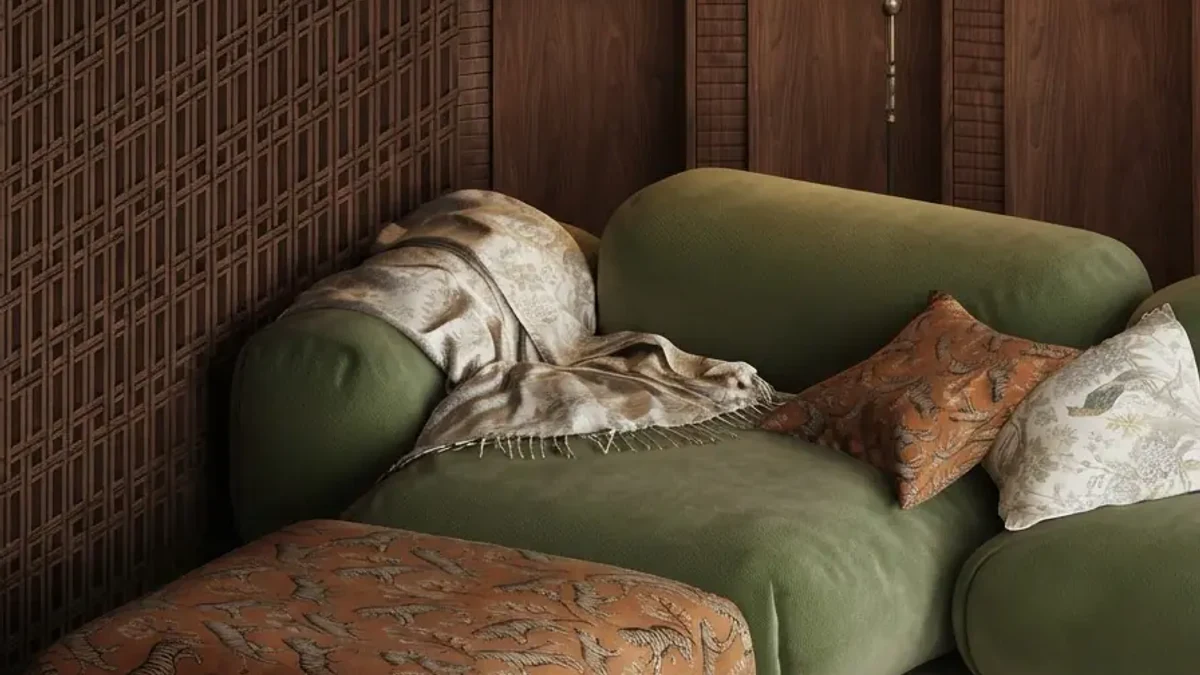
“Redesign my living room in an earthy seventies-inflected style, keep the existing layout, walls and windows. Moss green modular sofa, rust and patterned cushions, dark fretwork wood panelling, walnut side tables, low warm lamplight, cozy and enveloping.”
The calm panelled bedroom
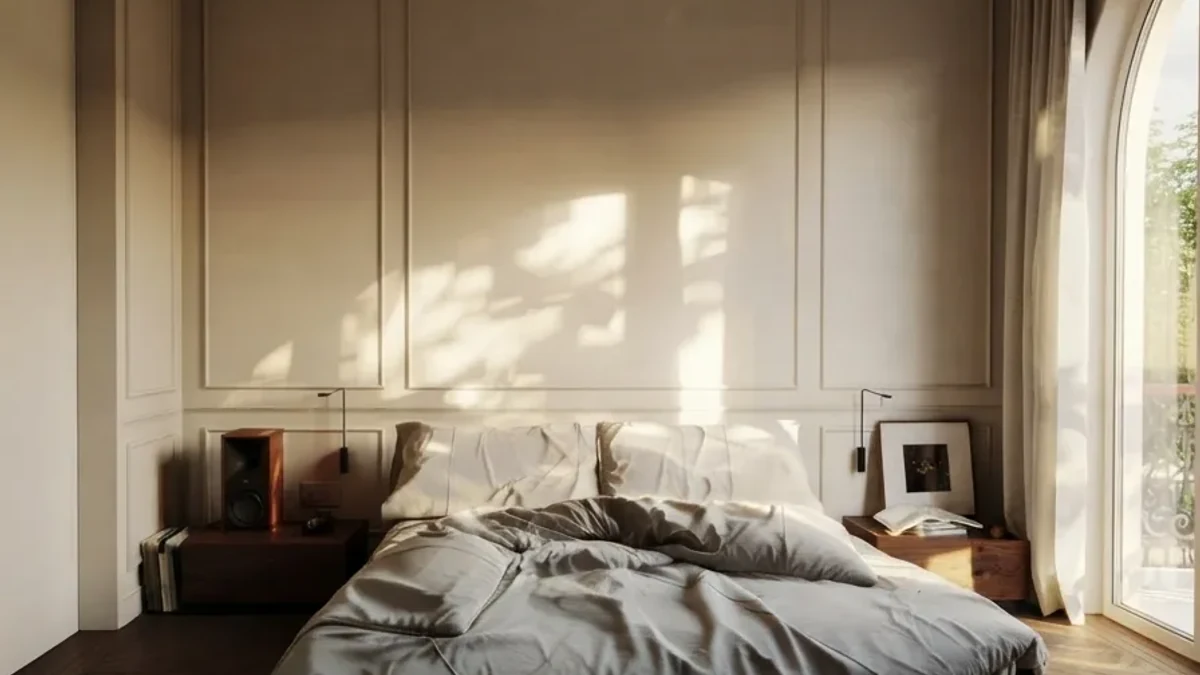
“Redesign my bedroom in a calm classic-modern style, keep the existing layout, walls and windows. Cream panelled walls, low bed with washed grey linen bedding, slim brass wall reading lights, one framed sketch, bare dark timber floor, soft morning side light.”
If you want more starting points at this level of specificity, the general prompt playbook covers every room type, and every render in our creations gallery shows the plain-language request it started from.
How to ask ChatGPT to decorate a room, not redesign it
A large share of people do not want a new room. They want the room they have, with better decor: art, textiles, plants, lamps, a rug that finally fits. ChatGPT handles this well as long as the prompt says what stays. Left to itself it will swap your sofa, because a redesign is what it has seen most often. Three prompts that hold the line, in order of how much they change:
Using the attached photo, decorate this living room without changing any furniture, walls, flooring or the layout. Add only: framed art above the sofa, a textured wool throw, two patterned cushions, a floor lamp in the empty corner and a large plant by the window. Keep the camera angle and daylight exactly as in the photo.
Decorate my room for autumn using what is already here. Do not move or replace furniture. Change only textiles and accessories: warmer cushion covers, a heavier throw, a wool rug in rust and cream, dried stems in the existing vase, a candle cluster on the coffee table. Photorealistic, same room, same light.
The December version of that brief, and what happened when we ran four Christmas looks on one real living room, is in can AI decorate my house for Christmas.
Suggest ten decor items for this room as a written list before you draw anything: name each item, where it goes, why it works with what is already in the photo, and a realistic price range. Then, in a second step, render the room with only those ten items added.
The third one is the best of the three, because it forces the audit-first habit from the step-by-step above and gives you a shopping list you can act on. What ChatGPT cannot do is tell you where to buy those ten items at those prices; for that step, drop the same photo into MeltFlex, which places real, purchasable pieces into the photo at true scale.
Watch: the execution step on video
This is the handoff this guide keeps pointing at, shown rather than described: a real living room photo goes in, and the redesign keeps the actual walls, windows and proportions while the furniture placed in it is real and shoppable. Plan the direction in ChatGPT, then this is what executing it looks like:
A MeltFlex redesign of a real living room from one photo, at true scale, with every piece matched to a buyable product.
Turn ChatGPT into a standing room designer
If you redesign rooms more than once, stop re-explaining yourself in every chat. ChatGPT’s projects and custom GPTs both accept standing instructions, which means you can set up an interior designer once and have every future conversation start fully briefed. Paste something like this into the project instructions:
You are my interior designer. When I upload a room photo, always: 1) audit the room first, layout, light, furniture, what works and what does not, no images until I confirm. 2) When I ask for a redesign, keep the existing layout, walls and windows unless I say otherwise. 3) Ask which of my saved styles to use: warm modern organic (oak, boucle, travertine, olive green) or moody modern (charcoal green, tan leather, brass). 4) My budget ceiling is $4,000 per room. 5) After every render, list the furniture as generic items with realistic price ranges, and flag anything that likely would not fit a 3.8 by 4.5 meter room.
Swap in your own styles, dimensions and budget. The saved-styles line is the one that pays off most: it turns “describe what I like” from a paragraph you retype into a word you mention. This setup is also what makes ChatGPT a genuine room designer rather than a picture machine, because the standing rules keep the written plan, the budget and the images pointed at the same room.
What is free and what is paid
The written side of room design is effectively unlimited on the free tier, and that is most of the value. The rationed part is images: free accounts get a small number of generations per day, which covers one or two redesign directions but not a long refinement session. OpenAI adjusts the exact caps over time and publishes them in its image generation rate limits article rather than in the app, which is why the number you experience may not match the number a guide quotes. A sensible free workflow: do the audit and the plan in ChatGPT at no cost, spend the day’s image budget on the one or two directions the plan points to, and do volume exploration in a tool with a proper free tier. Our test of the free AI interior design tools ranks those honestly, including where MeltFlex’s own free tier stops.
The four things ChatGPT gets wrong in a room
We use GPT Image daily inside our own product, we like it, and it still has four failure modes every room designer should know before trusting it.
1. It redraws your room rather than editing it. Ask twice, get two rooms. Run the identical prompt on the identical photo back to back and the style comes back consistent while the room does not: the window moves, the proportions stretch, the camera angle shifts, and neither run matches the real floor plan exactly. This is the single most common surprise for people who expect a photo edit, and it is inherent to how the model works, not a settings problem you can fix.
2. Nothing it draws is real. The moss green sofa in our refined render does not exist as a product. ChatGPT will happily write a shopping list, but the list and the picture are two separate acts of imagination that do not reference each other.
3. It does not measure. The model has no idea whether that sideboard is 140 or 180 centimeters, whether the sofa clears the radiator, or whether the walking path it drew is 40 or 80 centimeters wide. Renders routinely show furniture that could not physically fit the room they are drawn in. CNET’s own hands-on test of redesigning a bedroom with ChatGPT landed on the same verdict: helpful, as long as you measure everything yourself. If fit matters, check it with a tool that works at true scale; our guide to AI furniture placement covers how that works.
4. It warms everything. GPT Image leans toward warm, slightly golden light and soft contrast, which flatters most interiors and misrepresents some. If your room faces north or you are choosing paint, do not judge the color from a ChatGPT render; the real wall will read cooler than the picture. Name the light explicitly in the prompt to fight the drift, and confirm paint decisions with physical samples.
ChatGPT vs Gemini vs a dedicated room tool
The fair summary: ChatGPT is the best design brain, Gemini currently renders your actual room more faithfully, and a dedicated tool is where the design becomes something you can execute. We wrote the same tutorial for Google’s side in our Gemini room design guide, and the head-to-head across fourteen tools lives in the AI interior design tools comparison.
When ChatGPT is enough, and when it is not
ChatGPT is enough when the goal is direction: you want to see your room in three styles, settle an argument about whether the dark wall would work, or get a designer-grade plan and shopping list without paying designer rates. For that, the workflow in this guide is honestly hard to beat, and it costs nothing.
It is not enough when the goal is execution. The moment the question becomes “will this sofa fit,” “what exactly do I buy,” or “show me this in my real room, not a room like mine,” you have left what a general image model can do. That is the handoff point: take the direction ChatGPT gave you, upload the same photo to MeltFlex, and get the same style executed in your actual room with real furniture, real prices and real dimensions. The two tools are not competitors; they are consecutive steps, and people who use them that way get to a finished, purchasable room dramatically faster than people who try to force either one to do the whole job.
How we made the images in this article
The interiors in this article are AI renders from our own creations gallery, produced with the MeltFlex engine and composed here with nothing added beyond side-by-side layout and labels; the cover is a collage of the same four rooms you see in the article. They illustrate the level of finish a specific, well-built prompt aims at rather than the output of any single ChatGPT session. The video is our own demo of a real room redesign from one photo. We run GPT Image as a selectable engine inside MeltFlex, which is how we know its room behavior well enough to write this guide.
ChatGPT room design FAQ
Can ChatGPT design a room?
Yes. Upload a photo of your room, describe the restyle in one specific sentence, and ChatGPT generates a redesigned version of that room with GPT Image, then refines it conversationally. It is also the best AI at the written side of design: style direction, palettes, layouts and shopping lists. The limits: the generated image is guided by your photo rather than an edit of it, so proportions and layout drift, and none of the furniture it draws is real or buyable.
How do I ask ChatGPT to design a room with pictures?
Attach a wide, daylight, eye-level photo of the whole room, then work in two turns. First ask ChatGPT to describe the room and diagnose what is not working, with no image yet. Then ask for the redesign in one specific sentence that names the style, key furniture, materials, colors and lighting, and ends with “keep the existing layout, walls and windows”. The audit turn forces the model to read your actual room, and the redesigns land noticeably closer to it.
Is ChatGPT room design free?
Yes, with a small daily cap. The free ChatGPT tier includes image generation, limited to a few images per day, which is enough for one or two redesign directions but not a long iteration session. ChatGPT Plus, at about 20 dollars a month, raises the caps substantially. The written side of room design, the audits, palettes, layout advice and shopping lists, is effectively unlimited on the free tier, so many people do the thinking in free ChatGPT and the image work elsewhere.
What is the best ChatGPT prompt for room design?
One specific sentence built from five parts: style, key furniture, materials, colors and lighting, plus the instruction to keep the existing layout, walls and windows. Specificity beats length. “Make it modern” produces a generic room; naming a low moss-green fabric sofa, a travertine coffee table and warm early-evening lamplight produces a design you could actually follow. We keep 70 tested, copy-paste ChatGPT interior design prompts in a dedicated library on this blog.
Why does ChatGPT change my room when it redesigns it?
Because GPT Image generates a new picture guided by your photo rather than editing your photo pixel by pixel. Run the same request twice and the window can move, the room can widen, and the camera angle can shift. Saying “keep the existing layout, walls and windows” in every prompt helps a lot but does not fully fix it. If the redesign must sit inside your exact room, with the real footprint and window positions, you need a purpose-built room tool rather than a general image model.
Is ChatGPT or Gemini better for room design?
For the image itself, Gemini. Its image models are stronger at staying close to the uploaded photo, so the redesign looks more like your actual room. ChatGPT is the stronger writer and planner, so it wins for audits, layout advice, budgets and shopping lists, and its images are excellent as style inspiration. Many people use both: ChatGPT to plan in words, Gemini to visualize. Neither can place real, buyable furniture in your room, which is the gap dedicated tools cover.
Can I turn ChatGPT into a reusable room designer?
Yes. Create a project or a custom GPT with standing instructions that define an interior designer persona, your style preferences, your budget and the prompt rules, and every chat inside it starts fully briefed: upload a room photo and it audits, plans and renders without re-explaining anything. Ten minutes of setup replaces the paragraph of context you would otherwise paste into every new conversation.
Can ChatGPT tell me where to buy the furniture it draws?
No. Every piece in a ChatGPT render is invented, so there is no product, price or store behind it, and reverse-image-searching a sofa that does not exist is a dead end. ChatGPT can write a shopping list with real product names, but the list and the picture will not match. That last step is what purpose-built tools add: MeltFlex keeps your real layout and matches each piece it places to a real product with a live price from retailers like IKEA, Amazon and Wayfair.
How do I ask ChatGPT to decorate my room without changing the furniture?
Attach a photo and say what stays before you say what changes: do not change any furniture, walls, flooring or the layout, then list only the decor to add (art, cushions, a rug, a lamp, plants) and ask it to keep the camera angle and light as in the photo. Asking for a written list of ten items first, and the render second, gives you a shopping list as well as a picture.