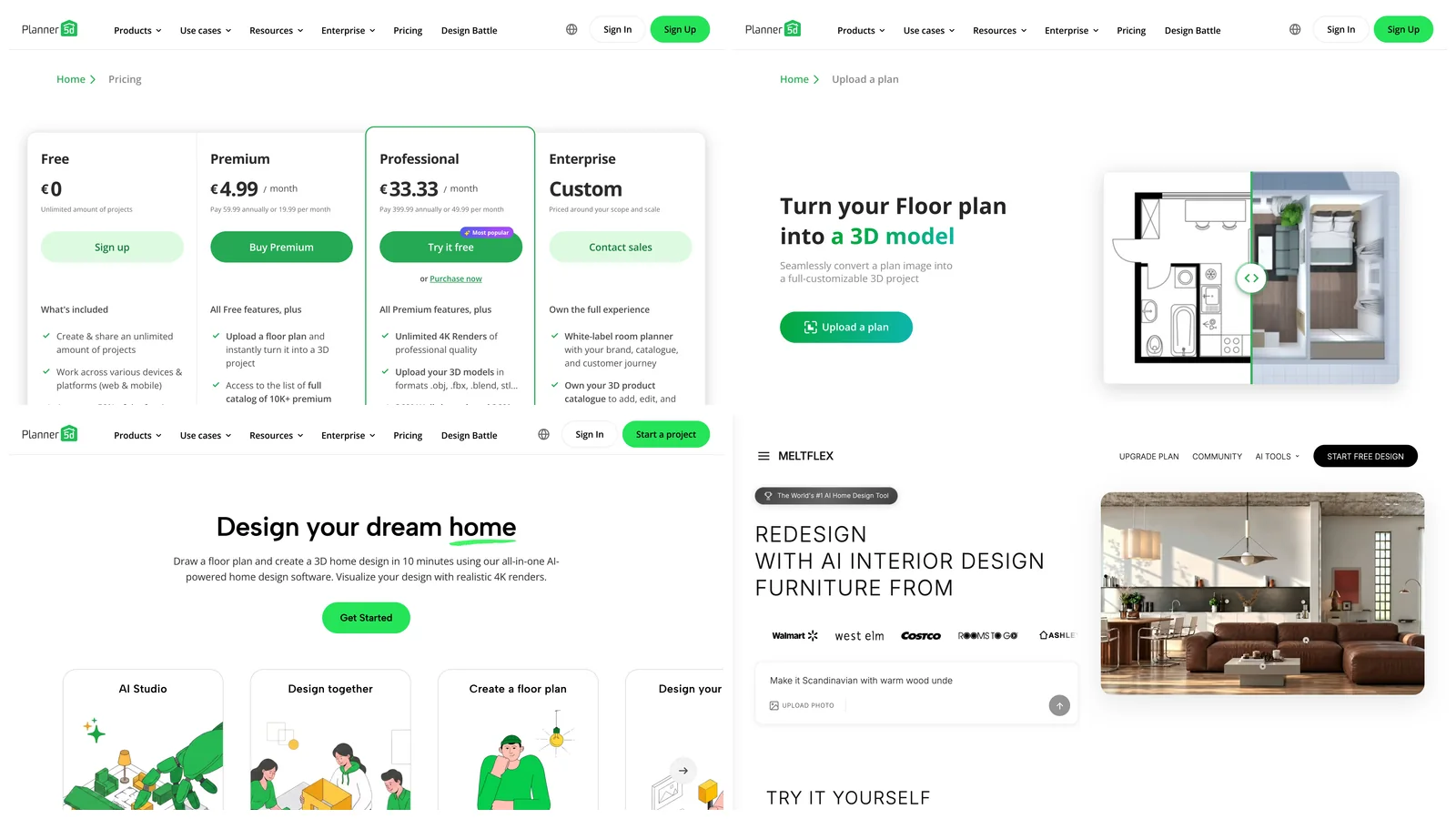
Planner 5D costs $0 on the Free plan, $59.99 a year for Premium (the “$4.99 a month” you see quoted) or $19.99 billed monthly, and $399.99 a year for Professional or $49.99 billed monthly. Enterprise is priced on request. Those are the US prices Planner 5D published on 5 November 2026. The headline monthly numbers only exist on the annual plans: pay month to month and Premium costs four times as much over a year.
Our articles are still written by humans!
Get human written articles in your Google feed.
The free plan is real and has no time limit, but it stops where most people want to go next: photoreal renders, the full furniture catalog and uploading an existing floor plan are all paid. Below is what each plan unlocks, what a year actually costs, how the new AI Studio credits work, and where the trials and the no-refund policy can catch you.
In short
- Free: unlimited projects, 2D and 3D, web and mobile, about half the catalog.
- Premium: $59.99/yr or $19.99/mo. Full catalog, floor plan upload to 3D, standard renders, 100 AI credits a month (1,200 a year on annual).
- Professional: $399.99/yr or $49.99/mo. Unlimited 4K renders, 360° walkthroughs, CAD export, 1,000 AI credits a month (12,000 a year on annual).
- Watch out: trials renew into paid plans, and Planner 5D gives no full or partial refunds.



How Much Does Planner 5D Cost in 2026?
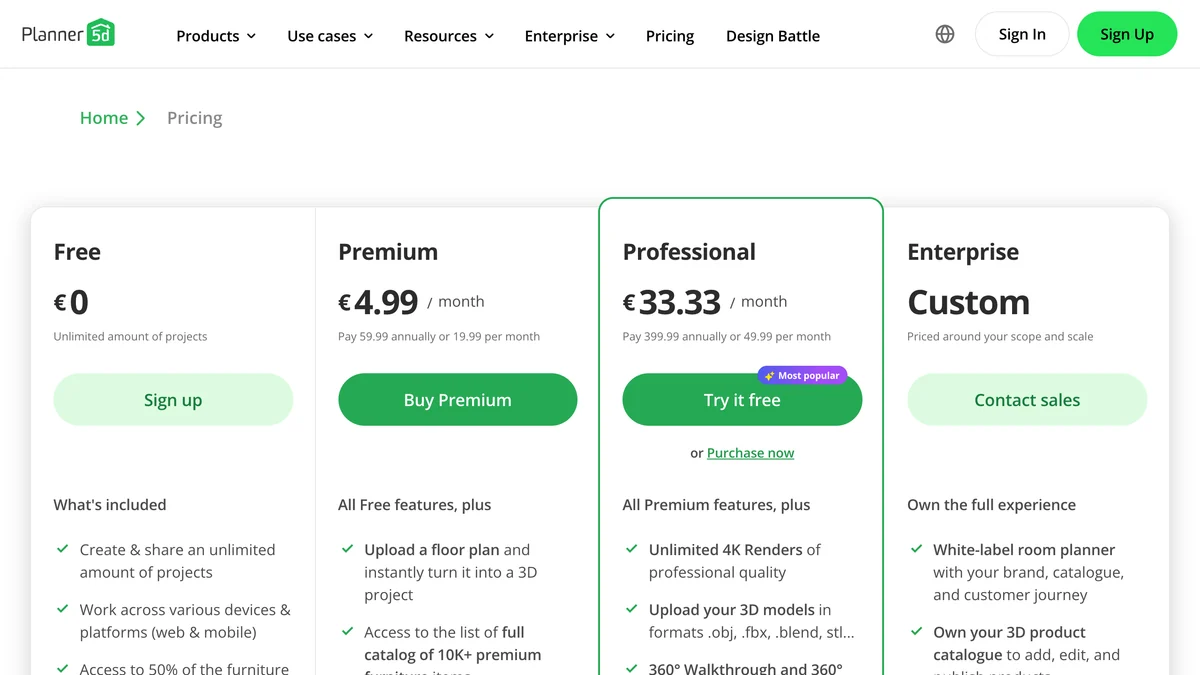
Premium is the plan most homeowners need, and it is cheap only on the annual bill. Here are all four plans as listed on planner5d.com/pricing on 5 November 2026:
Planner 5D adds that “local currency and taxes may vary”. Opened from Europe the same cards read €4.99 and €33.33, so in the euro zone you pay the same numbers in euros, which is more in dollar terms. The app stores also sell plans the website does not: a weekly Premium subscription exists on Android and iOS, and its price is shown only inside the app.
Is Planner 5D Free?
Yes. The Free plan costs nothing, has no time limit and lets you build complete 2D and 3D floor plans. What you get on it, per the pricing page and the Planner 5D help center:
- Unlimited projects, shared by link or email, with view or edit access for other people.
- Web, iOS, Android, Windows and macOS apps.
- About 50% of the furniture catalog. Which items are free can differ from one platform to another.
- Unlimited screenshots, which Planner 5D calls draft renders.
- Design Battle contests, where the prize is Premium access.
What is not free: photoreal renders, the other half of the catalog, uploading a floor plan image to turn it into 3D, 3D models from photos and the AI Studio credits. In the demo video further down, pressing Render on a free account opens a payment prompt. For a sketch of your own layout the free plan is enough. For something you would show a contractor or a buyer, it is not.
What Does Planner 5D Premium Include?
Premium unlocks the full catalog of 10,000+ items, floor plan upload to 3D and a small monthly allowance of renders and AI credits. The full list:
- Everything in Free.
- The complete catalog of 10,000+ furniture and decor items.
- AI plan recognition: upload an image of a floor plan and get an editable 3D project. The help center lists it as unlimited on the monthly and yearly plans.
- 3D models made from photos of your own furniture.
- Standard renders: 5 a month on the monthly plan, 60 a year on the yearly plan.
- A Budget Widget to track project costs.
- AI Studio credits: 100 a month with monthly billing, 1,200 with annual billing.
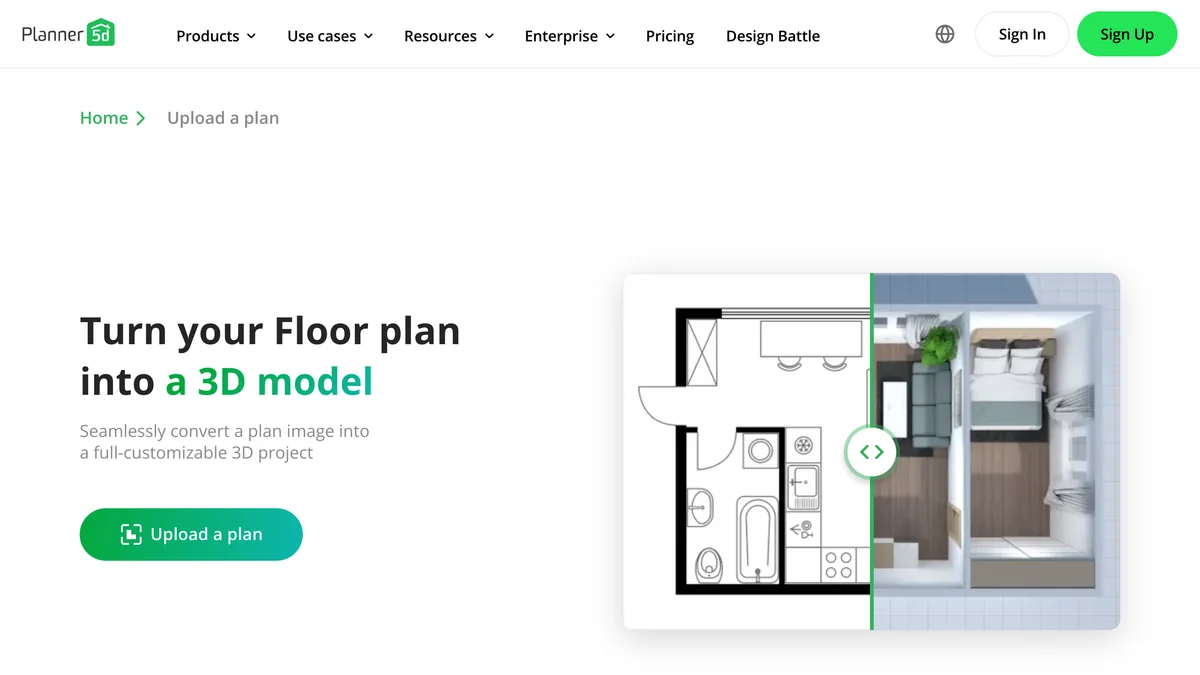
The honest catch is the render count. Five renders a month is fine for one room, thin for a whole house you are still changing. If renders are the point, you are pushed toward Professional or toward render packs, which Planner 5D sells separately. If what you have is a plan and you only want to see it in 3D, compare the options in our 2D floor plan to 3D guide first.
What Does Planner 5D Professional Include?
Professional is the client-work plan: unlimited watermark-free 4K renders, your own 3D models, 360° walkthroughs and CAD export. Everything in Premium, plus:
- Unlimited 4K renders without watermarks.
- Upload your own 3D models in .obj, .fbx, .blend, .stl and similar formats.
- 360° walkthrough and 360° panorama renders.
- Export to CAD for technical documentation.
- A Specs & Docs Organizer and a Price Estimator.
- A branded profile to show your portfolio.
- AI Studio credits: 1,000 a month with monthly billing, 12,000 with annual billing.
Two limits worth knowing before you pay. The help center lists Professional on all platforms except macOS, so on a Mac you use it in the browser. And several Pro features (4K without watermarks, 360° panoramas, custom model uploads, moodboards) are listed as web-only. If you are an architect weighing this against heavier tools, our ranking of the top software for architects covers where Planner 5D’s CAD export stops being enough.
Is Planner 5D Cheaper Monthly or Yearly?
Yearly, by a wide margin. Premium billed monthly costs four times the annual price over twelve months. The arithmetic from the published prices:
Monthly Premium only makes sense if you need it for two or three months for one project and then cancel. Three months at $19.99 is $59.97, the same as a full year. Past that point the annual plan wins, as long as you are sure you will still use it, because Planner 5D does not refund unused time.
How Do Planner 5D AI Studio Credits Work?
Every AI image, video and Canvas Agent action draws from one AI Studio credit balance, and paid plans include a monthly or yearly allowance. Planner 5D’s own guide is that 100 credits make about 50 Nano Banana 2 images at 1K, or about 12 five-second video clips. The models listed on the pricing page include Nano Banana 1 and 2, GPT Image 1.5 and 2, Seedream 5 Lite, and for video Seedance, Kling, Veo 3.1 and Luma Ray 2.
Higher resolution, more outputs and video use more credits per run, and extra credit packs top up the same balance. AI plan recognition has its own allowance and does not spend these credits. The image counts above are Planner 5D’s estimate at one setting, not something we measured.
Does Planner 5D Have a Free Trial or Refunds?
There are trials, there are no refunds, and every trial renews into a paid plan unless you cancel at least 24 hours before it ends. The help center spells it out: “Partial refunds for unused subscription days or full refunds are not available”. The trials it lists:
- 7-day PRO trial: web, iOS, Android and Windows. Includes 3 AI plan recognitions, unlimited renders and 4K.
- 3-day yearly Premium trial: iOS and macOS.
- Each trial can be activated once per account.
If you start the PRO trial to render one project, put the cancel date in your calendar the same day. Missing it means a $399.99 or $49.99 charge you cannot get back.
Does Planner 5D Cost the Same on iPhone, Android and Mac?
Not exactly. Each platform sells a different mix of plans and trials, and prices can differ by platform and region. From the help center:
A subscription bought through the App Store or Google Play is billed and cancelled there, not on planner5d.com. On the App Store the app holds a 4.4 rating from about 43,000 ratings.
Is Planner 5D Worth Paying For?
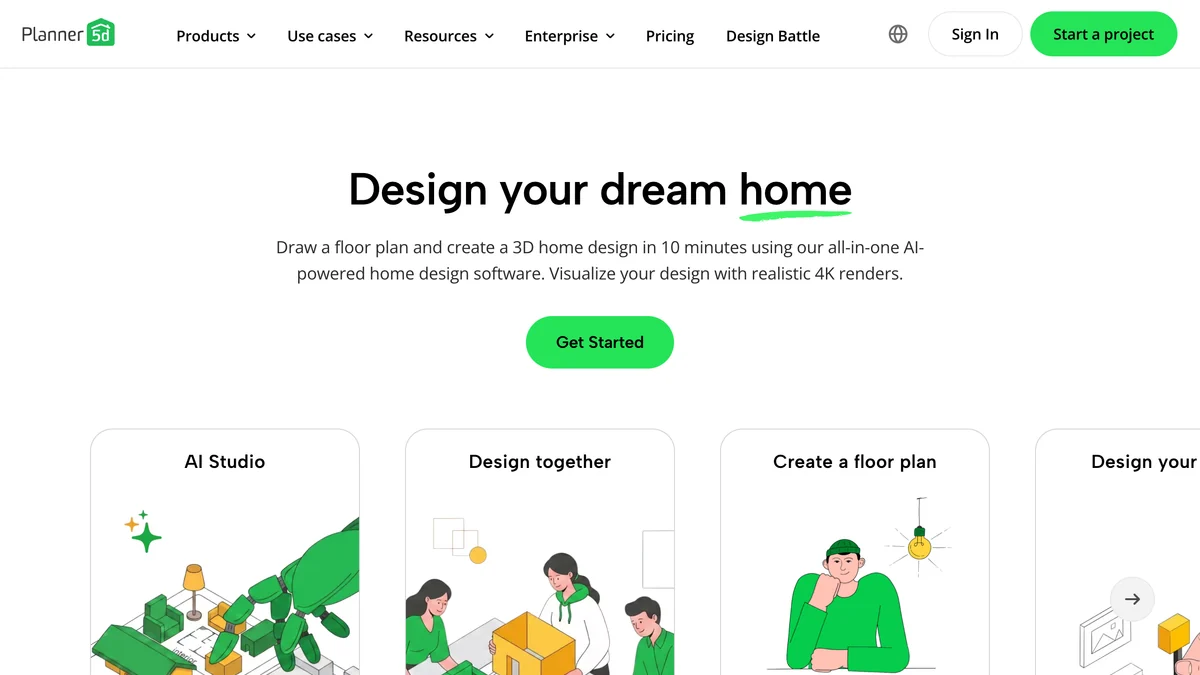
Premium on the annual plan is worth it if you are planning a real layout and want to place furniture at real sizes; Professional only pays off if you bill clients. Planner 5D is a room planner first: you draw walls, doors and windows to measurements and drag items in. That is its strength. It is also the cost: you have to build the room before you see it.
- Buy Premium yearly if you are renovating or moving, want a floor plan with true dimensions and will use it for more than three months.
- Buy Premium monthly only for one short project, and cancel right after.
- Buy Professional if you present to clients and need 4K renders, walkthroughs and CAD export.
- Stay on Free if you only need to test whether a sofa and a bed fit the room.
This independent review and demo from How to Hippo walks through the pricing page, the free account and the editor, and shows where the render and 4K options ask you to upgrade. The prices it reads out ($4.99 and $33.33 a month) are the annual-plan figures above.

Planner 5D or an AI Redesign From a Photo?
Use Planner 5D when the layout and the measurements are the question; use an AI redesign from a photo when the question is how your existing room would look in a new style. They solve different problems, and paying for the wrong one is an easy mistake.
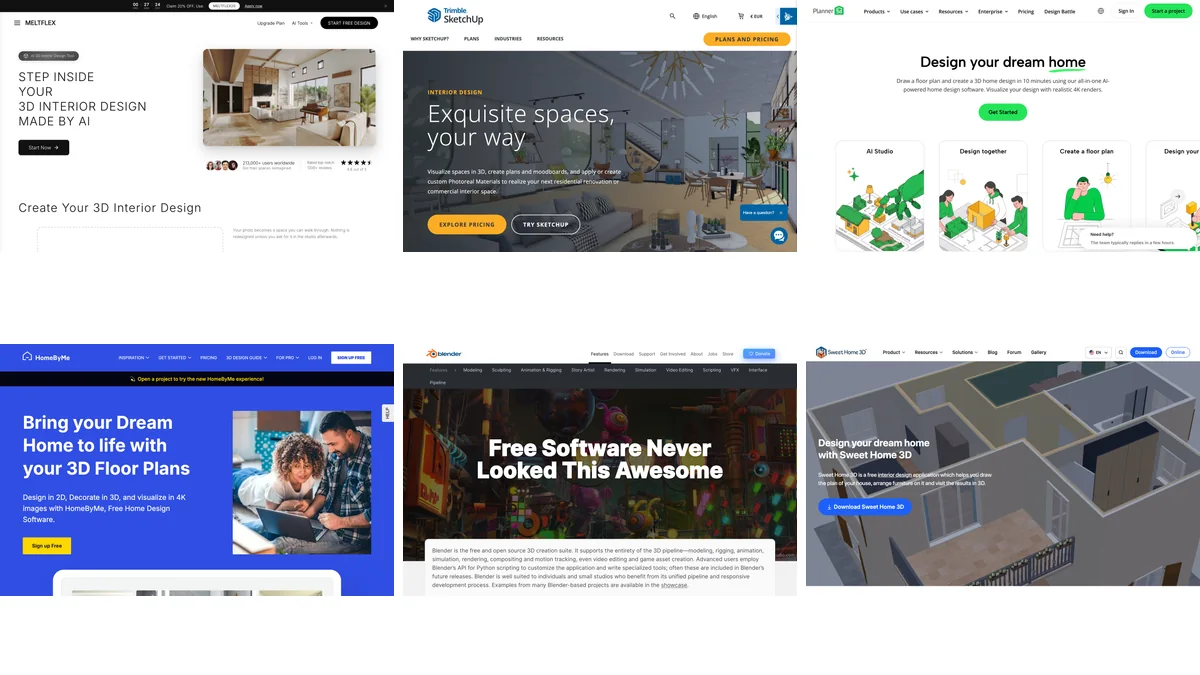
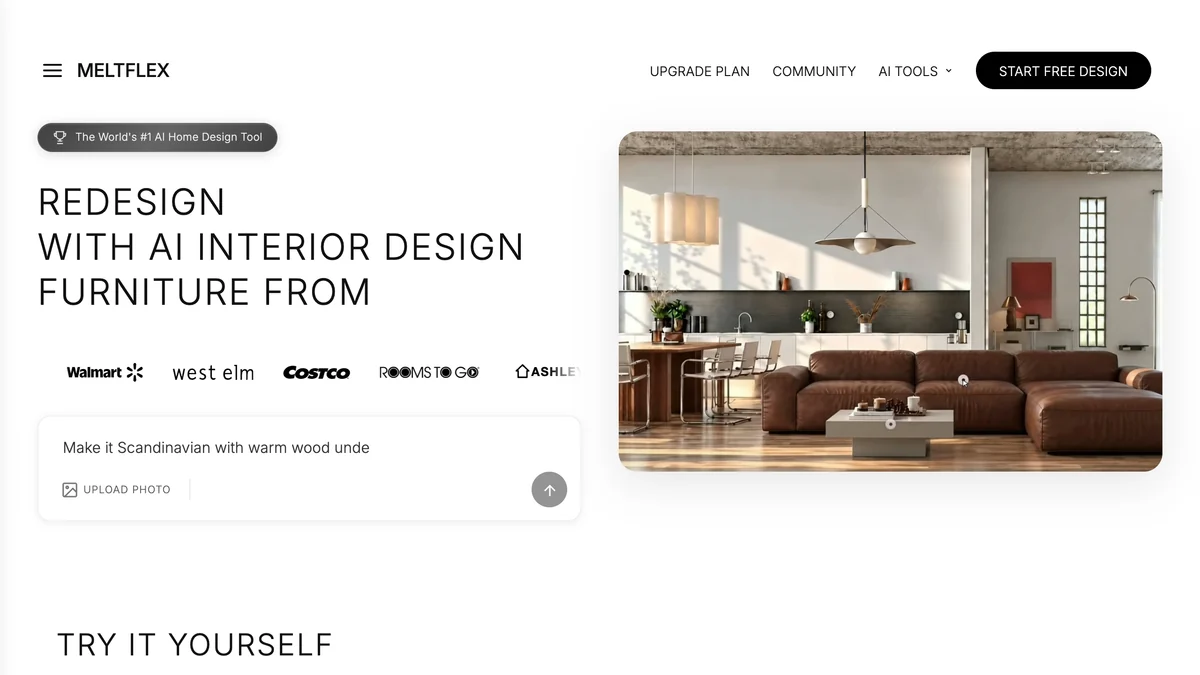
On price alone Planner 5D wins: Premium yearly at $59.99 is cheaper than MeltFlex Standard yearly at $155.88, and its 1,200 annual AI credits are worth roughly 600 AI images by its own estimate. MeltFlex Standard gives 490 credits a month, up to about 100 renders. Where MeltFlex is the better buy is when you do not want to model anything: upload a photo of your room, pick a style and get the room back redesigned, with furniture you can actually buy. If you already have a plan, turn the floor plan into 3D the same way. Plans and credits are on the pricing page, and the full side-by-side is in MeltFlex vs Planner 5D.
Planner 5D is not the only room planner worth pricing either. Our roundups compare it with the alternatives: the best 3D interior design software, the best floor plan software, AI floor plan generators compared, the best AI home design apps and the free AI interior design tools we tested. For other single-tool reads, see our Coohom AI review and RoomGPT alternatives.
How We Checked These Prices
Every price and limit here was read on 5 November 2026 from three Planner 5D sources: the pricing page (its plan cards, its FAQ and the price data it publishes for search engines), the help center article on subscription types, and the App Store listing. We did not buy a Planner 5D plan or run its AI Studio, so the render and credit figures are Planner 5D’s own numbers, not our measurements. The pricing page showed euro prices to us in Europe; the dollar prices come from the same page’s FAQ, which calls them the published US prices. App-only weekly prices were not visible without the app and are not listed. MeltFlex prices are our own and were read from our pricing system the same day. Planner 5D changes plans often, so check its pricing page before you pay.
Frequently Asked Questions
How much does Planner 5D cost?
On 5 November 2026 Planner 5D published four plans: Free at $0, Premium at $59.99 a year (shown as $4.99 a month) or $19.99 billed monthly, Professional at $399.99 a year (shown as $33.33 a month) or $49.99 billed monthly, and Enterprise with custom pricing. These are the US prices on planner5d.com; local currency and tax can change them.
Is Planner 5D free?
Yes, there is a free plan with no time limit. It lets you create and share unlimited projects in 2D and 3D on web and mobile with about half of the furniture catalog. Photoreal renders, the full 10,000+ item catalog, floor plan upload to 3D and the AI Studio credits are paid.
Is Planner 5D really $4.99 a month?
Only if you pay $59.99 for a full year up front. Billed month to month, Premium is $19.99, so twelve monthly payments come to $239.88, four times the annual price. Professional is $33.33 a month only on the $399.99 annual plan; monthly it is $49.99.
What is the difference between Planner 5D Premium and Professional?
Premium adds the full furniture catalog, floor plan upload to 3D, 3D models from photos, a limited number of standard renders and 100 AI Studio credits a month (1,200 on the annual plan). Professional adds unlimited watermark-free 4K renders, your own 3D model uploads, 360 degree walkthroughs and panoramas, CAD export, a price estimator and 1,000 AI credits a month (12,000 on the annual plan).
Does Planner 5D have a free trial?
Yes, but it depends on the platform. The help center lists a 7-day PRO trial on web, iOS, Android and Windows, and a 3-day yearly Premium trial on iOS and macOS. Each trial can be activated once, and it renews into a paid plan unless you cancel at least 24 hours before the renewal date.
Can I get a refund from Planner 5D?
Planner 5D says full refunds and partial refunds for unused days are not available under its refund policy. Cancel at least 24 hours before renewal to avoid the next charge. Purchases made through the App Store or Google Play follow Apple or Google billing.
Is Planner 5D free for students and teachers?
Verified teachers and professors can apply for the free Planner 5D Education program for their classes. Students use it inside those classes; the pricing page lists no separate student discount.
Is there a cheaper alternative to Planner 5D for redesigning a room?
If you want to draw an exact floor plan, Planner 5D Premium on the annual plan is already one of the cheapest paid options. If you only want to see a real room restyled from a photo, an AI tool such as MeltFlex AI does that without modeling: the first render is free, and Standard is $12.99 a month billed yearly or $20.99 monthly.
Which Planner 5D Plan Should You Pick?
Start on Free, move to Premium yearly only when you need renders or the full catalog, and treat Professional as a business expense. If what you really want is to see your own room restyled rather than to draw it, try that first for free: redesign a room from a photo with MeltFlex, then decide whether you still need a planner.