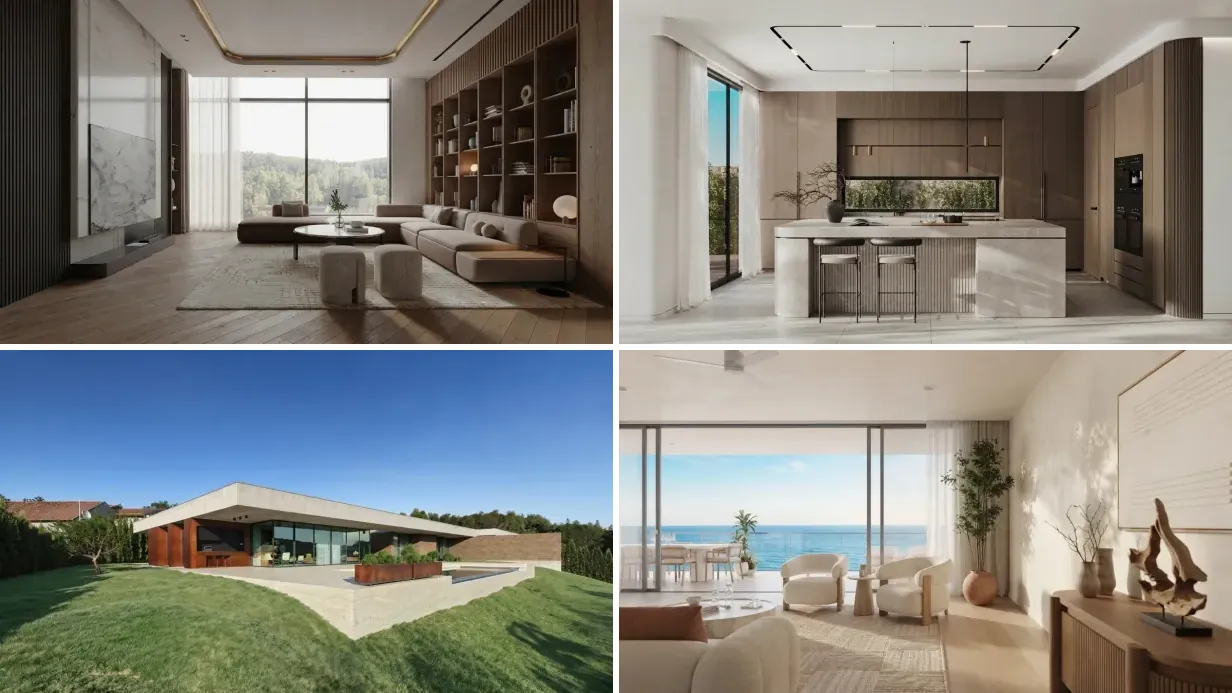
Yes, AI can turn a single room photo into a walkthrough video. You upload one image and a tool like MeltFlex’s AI video walkthrough generator creates a cinematic walkthrough in under 60 seconds, with no videographer, no 3D model, and no editing. Here is one made from a single still photo:
Our articles are still written by humans!
Get human written articles in your Google feed.
AI walkthrough video generated by MeltFlex from one still photo of a living room
Why bother? Every article on this subject opens with the same number: listings with video get 403% more inquiries. Before you repeat it to a client, know that it is not the NAR study it is usually credited to. It traces back to a single Australian agency quoted in the trade press around 2012 and has been copied ever since. The case that actually holds up is duller and better: a moving clip holds attention on a portal longer than a carousel of stills, and an AI walkthrough costs a couple of euros against the 500 to 2,000 euros a videographer charges. This guide shows what the tool really does, what it costs per clip, and where it falls down. If you would rather skip to a head-to-head verdict, we separately ranked the best AI video generators for real estate and architecture and the best AI image to video generators overall.
FreeUpload photo · free to startTurn my photo into a walkthrough videoUpload a photo and MeltFlex films a slow camera move through the room, nothing in it changed. Free to start, no card needed.
What Is an AI Video Generator for Interior Design?
An AI video generator for interior design takes a static image of a room and transforms it into a cinematic walkthrough video. The AI analyzes the photo to understand spatial depth, wall positions, furniture placement, and lighting conditions. It then generates new frames that simulate a camera moving through the space, creating realistic parallax effects and smooth transitions.
The result looks like a professionally filmed room tour, but it is created entirely by artificial intelligence from a single photograph. No 3D modeling. No video editing. No camera equipment. Just one photo in, one video out.
This is fundamentally different from older approaches like Ken Burns effects (slow zoom and pan on a static image) or traditional 3D walkthroughs that require building complete virtual environments. AI video generation understands the three-dimensional structure of a room from a two-dimensional image and creates genuinely new visual information that was not in the original photo.
Why Video Matters More Than Photos in 2026
The industry quotes three numbers on this: 403 percent more inquiries with video, staged homes selling 73 percent faster, design firms closing 3 to 5 times more projects with video presentations. We have used them ourselves in earlier versions of this page. Chasing them to source, none is a controlled study. The 403 percent figure comes from one agency in 2012, the staging numbers come from staging industry bodies surveying their own members, and the 3 to 5 times claim has no traceable origin at all. If a competitor quotes these at you as research, they have not checked either.
What is left when you strip the borrowed statistics out is still a reasonable case, just a smaller one. Video earns its place on a listing because of how portals and social feeds rank and display it, and because it costs almost nothing now. That is enough. You do not need a 403 percent claim to justify a two euro clip.
The reason is simple. Photos show a room. Videos let you experience it. A walkthrough video activates spatial memory and emotional connection in a way that a flat image cannot. When a potential buyer watches a walkthrough video of a living room, they are mentally placing themselves in the space. They are walking through the door, looking left at the kitchen, looking right at the balcony. That mental rehearsal creates ownership psychology before the first viewing.
For interior designers, the shift is equally significant. Clients who see a video walkthrough of their proposed redesign make faster decisions and request fewer revisions. They understand the spatial relationships between furniture pieces. They see how light falls across the room at different angles. They get it in a way that a mood board or a single rendered image never communicates.
How MeltFlex Generates Interior Design Videos
MeltFlex is built specifically for interior design, architecture, and real estate video generation. Here is the exact process:
Step 1: Upload a photo. Any room photo works. A real photo from your phone, a professional listing image, an architectural render, even a sketch. MeltFlex accepts interiors, exteriors, bedrooms, living rooms, kitchens, bathrooms, terraces, and building facades.
Step 2: AI redesigns the space (optional). If you want, MeltFlex first redesigns your room in any style. Upload a photo of your current living room and ask for Scandinavian, mid-century modern, Japandi, or any other style. The AI generates a photorealistic redesign with real, shoppable furniture from stores like IKEA, Wayfair, and Amazon.
Step 3: Generate the walkthrough video. One click. MeltFlex generates a cinematic walkthrough video from your image, exactly like the living room clip above. The AI maps the spatial depth of the room and creates smooth camera movement with realistic parallax. Objects closer to the camera move faster than objects further away, exactly like in real video footage.
Step 2 is where most of the quality comes from, because the video can only be as good as the first frame. Which tool to run before you animate depends on what you start with:
How to Create a Video From an Image of Any Room
The most common request we see is simple. Someone has a single image of a bedroom, a living room, or a kitchen and wants to turn it into a short video. You do not need footage, a 3D model, or any editing skill. You upload the image, and MeltFlex generates the motion for you.
It works the same way for every space: one image in, one video out. An earlier version of this page said our clips keep straight lines straight because MeltFlex is trained on interiors. That was not accurate. The video comes from Google Gemini Omni 1.1 Flash, the same model anyone can rent, and what keeps a room intact is the prompt behind each camera move. We learned how much that matters when we tested it.
Bedroom: what a video from one bedroom photo looks like
A bedroom is the hardest room to make move. There is no path through it, so the camera has nowhere to walk, and the shots people ask for (lamps at dusk, curtains, morning light) are light changes rather than camera moves. These two clips were made from single bedroom photos with the presets in our video walkthrough tool.
Camera held still, lamps coming on at dusk. This one worked: the lamplight change reads clearly, though the daylight outside fades less than we asked.
Curtains moving, camera supposed to stay locked. Only partly worked: the curtains move harder than asked and the camera still creeps toward the bed.
The pattern held across our bedroom tests: switching lamps on works, while slow light effects such as a sunrise sweeping across the wall barely register in 4 seconds. If you want a bedroom clip that clearly moves, use a small push-in or a sideways slide. Save light changes for 8 second clips.
Which camera moves work, from 29 tested prompts
We ran all 29 camera prompts behind our walkthrough tool through Veo 3.1 Fast, our video engine until October 2026, on real room photos and checked each clip frame by frame. 12 worked, 9 partly worked and 8 failed. The full write-up, with every prompt and every clip, is in 29 real estate video prompts, tested. The short version:
That last row is the most useful rule we found. The model always starts from your photo, so a prompt that says “begin close on the marble” loses to a wide photo every time. If you want a detail shot, crop or photograph the detail first.
Is There a Free AI Video Generator for Interior Design?
Honestly, no, and that includes us. This is the second most common thing people search on this topic, and almost every article answers it by listing tools with a “free plan” without checking whether the free plan actually generates a video you could put on a listing. Usually it does not. The cost reappears as a burned-in watermark, a personal-use-only licence, or a credit allowance that runs out before your first clip finishes.
Here is our own answer, with the numbers rather than the marketing. MeltFlex runs on credits. A still redesign costs 10 credits. A 4 second walkthrough costs 100, and an 8 second one costs 150. A new free account starts with 15 credits. That covers a redesign and nothing more, so you cannot generate a video on the free tier. We would rather write that down than have you find out after signing up.
What a video actually costs once you are on a plan:
Three things fall out of that table. First, the “under 2 euros per room” figure you see quoted for AI video is only true on Pro with annual billing. On Standard a clip is closer to 3 to 5 euros. Second, an 8 second clip costs 150 credits rather than 100, so a longer video is 50 percent more expensive, not double. For a three bedroom listing at six rooms, budget roughly 600 credits, which is more than one month of Standard. Third, and easy to miss: using the clips commercially, on a listing or in client work, is included on Pro, not on Starter or Standard. If you are an agent or a designer, Pro is the plan to price against.
Even at the monthly rate, the comparison that matters is not against a free tool. It is against 500 to 2,000 euros for a videographer, or 200 to 500 euros per room at a 3D animation studio. That is the gap AI video closes, and it closes it whether or not anyone gives you a free tier.
Which AI Model Actually Generates the Video
Almost no tool in this category tells you what is running underneath, which makes it impossible to judge the output before you pay. So: MeltFlex generates video with Google Gemini Omni 1.1 Flash. It replaced Veo 3.1 Fast in October 2026, when Google retired the Veo 3.1 preview models, and it sets the limits you will run into.
- Clip length is 4 or 8 seconds. Not arbitrary. If you want a 30 second tour you generate several clips and stitch them, one slow move per room.
- 16:9 landscape or 9:16 portrait. The portrait option is what makes the same clip usable in Reels and TikTok without recropping.
- Every clip carries an invisible SynthID watermark. Google embeds it in all of its generated video. It survives re-encoding and cropping, it is not visible, and neither we nor you can switch it off. There is no visible logo on paid-plan output, but if a portal or a client runs a detector, the clip will identify as AI generated. Several markets now expect that disclosure anyway, which we covered in the virtual staging disclosure rules.
- It animates what is in your photo. It does not invent rooms you did not photograph, and it will not fix a bad source image. A dark, cluttered, wide-angle-distorted photo produces a dark, cluttered, distorted video.
Knowing the engine also tells you when to reach for something else. If you want manual control over the camera move, a preset library, or continuous shots longer than 8 seconds, a dedicated video platform gives you more rope. We wrote up the two that matter for property work: Higgsfield camera presets for listing walkthroughs and, if you would rather write the shot yourself, the Seedance 2.5 prompt library.
For Interior Designers: Present Concepts That Sell
The biggest frustration interior designers face is the gap between what they see in their mind and what the client sees in a flat render. A beautifully designed bedroom can look underwhelming in a single static image because the viewer cannot perceive the depth, the way the natural light enters from the window, or how the space flows from the bed to the reading nook.
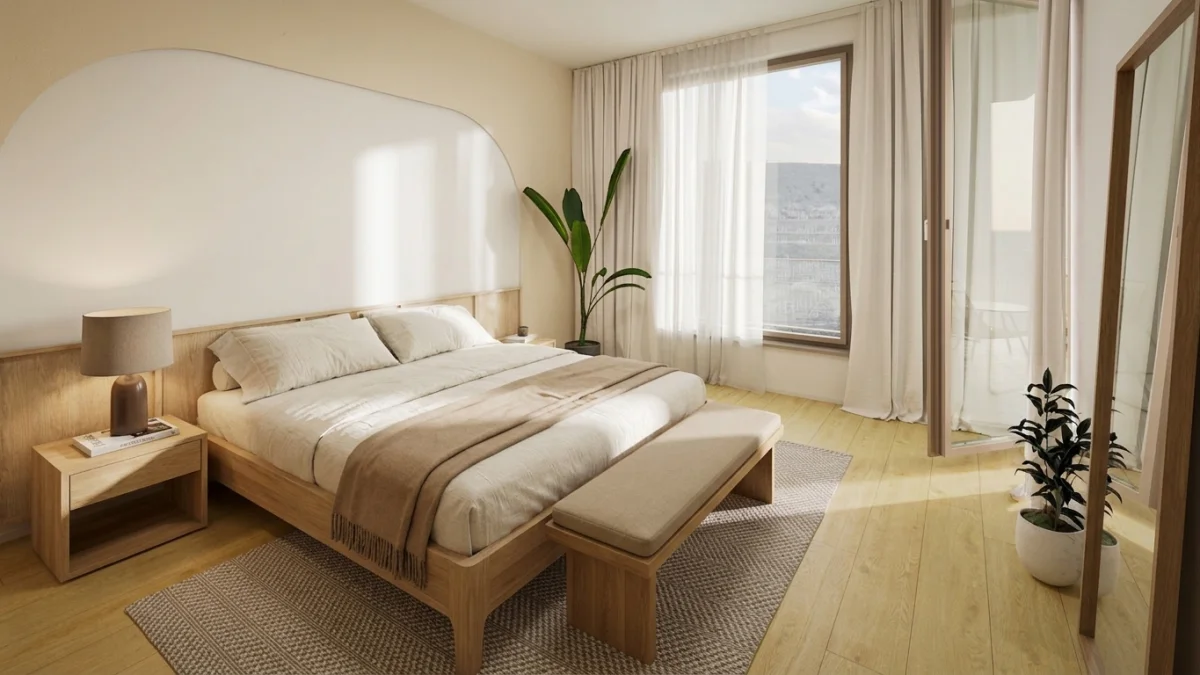
Bedroom design variation 1: warm wood tones with taupe accents
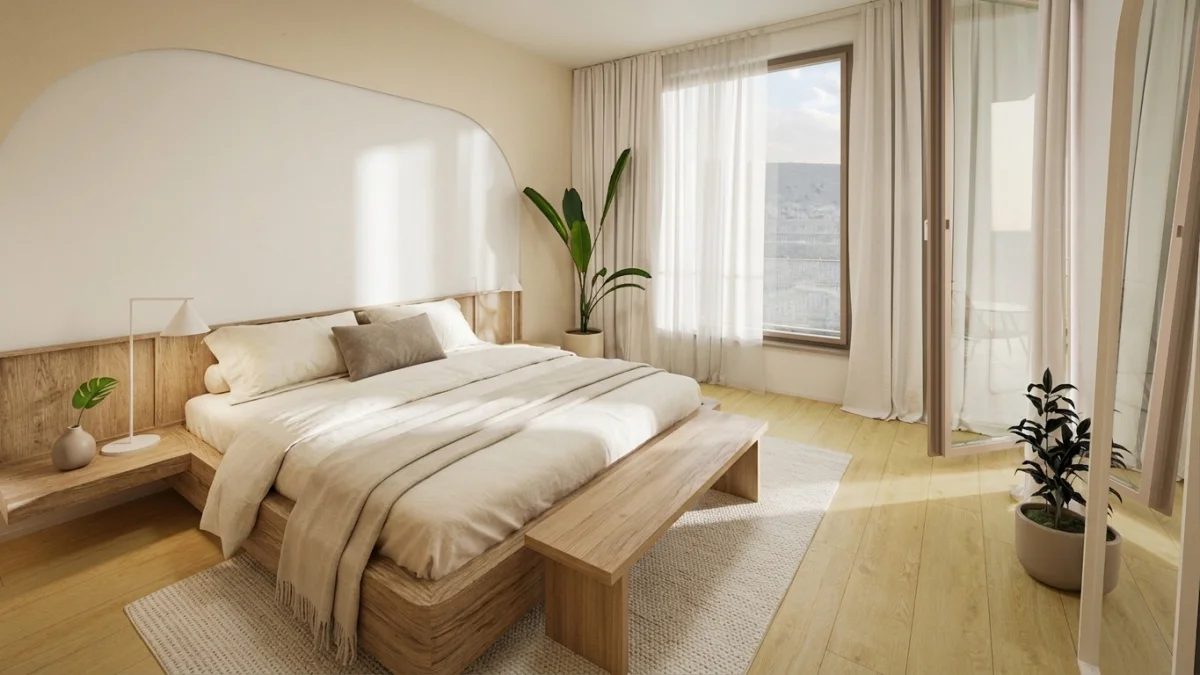
Bedroom design variation 2: lighter palette with different nightstand styling
With MeltFlex, you generate multiple design variations of the same room and then create walkthrough videos for each. Your client does not compare static images. They watch two or three video walkthroughs and pick the one that feels right. The decision process shifts from “which image looks nicer” to “which space do I want to live in.” That is a fundamentally different conversation, and it closes projects faster.
Bedroom walkthrough video generated by MeltFlex AI from a single design render
For Real Estate Agents: Listings That Sell Faster
Real estate is a volume business. You have 20, 50, or 100 active listings. Hiring a videographer for each one is not economically viable. But the data shows that video listings massively outperform photo-only listings. AI video generation solves this equation.
With MeltFlex, a real estate agent uploads listing photos and generates walkthrough videos for every room in every property. The entire process for a three-bedroom apartment takes under 10 minutes. The cost is a fraction of a single videographer visit.
The one number here that is actually solid is the cost comparison, because it is arithmetic rather than a survey. Physical staging of a three bedroom property runs into the low thousands. Virtual staging plus an AI clip per room, at MeltFlex credit prices, comes to roughly 12 to 30 euros for the whole property depending on your plan. That is a 99 percent gap, and unlike the engagement statistics floating around this industry, you can verify it yourself with a calculator.
The most powerful combination is virtual staging plus video. Upload a photo of an empty apartment, let MeltFlex furnish it in an attractive style, then generate a walkthrough video. Your buyer watches a fully furnished room tour of a property that is physically empty. That is the kind of marketing advantage that turns average listings into fast sales.
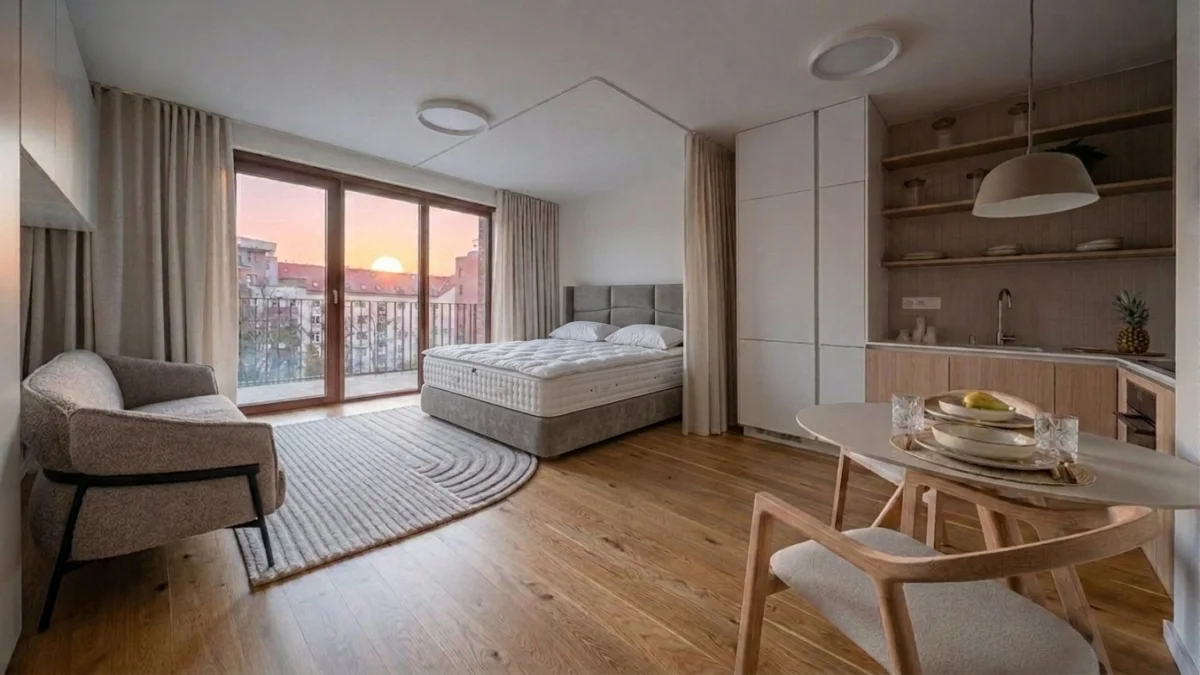
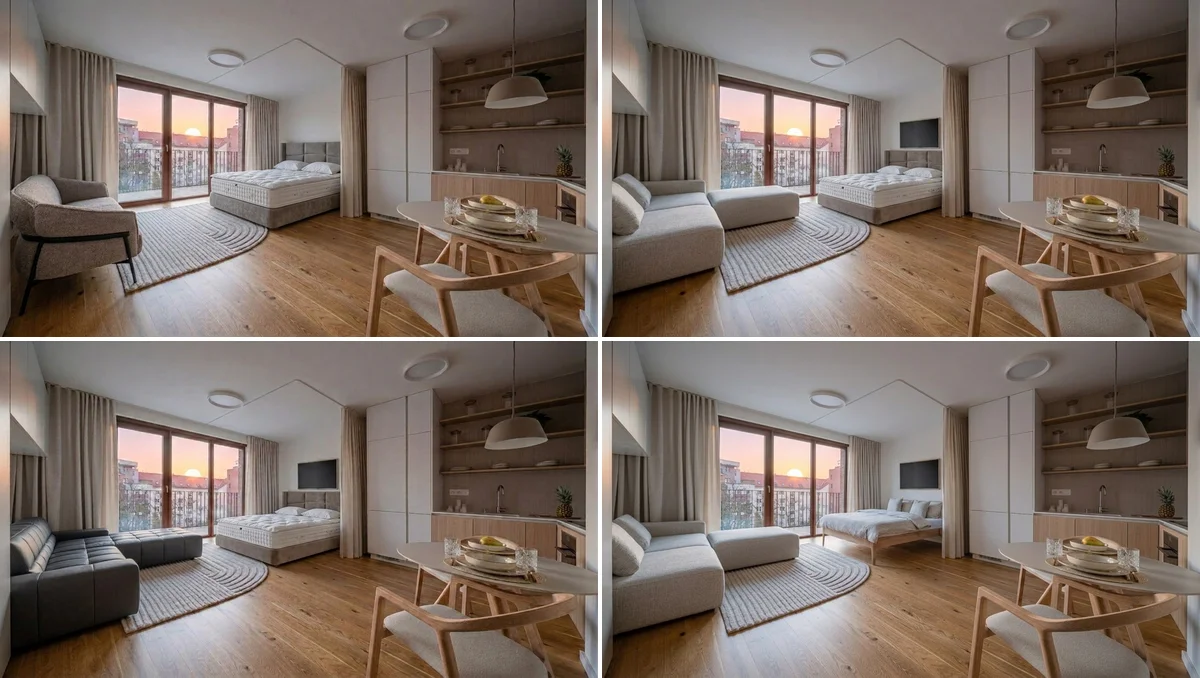
Original room photo uploaded to MeltFlex
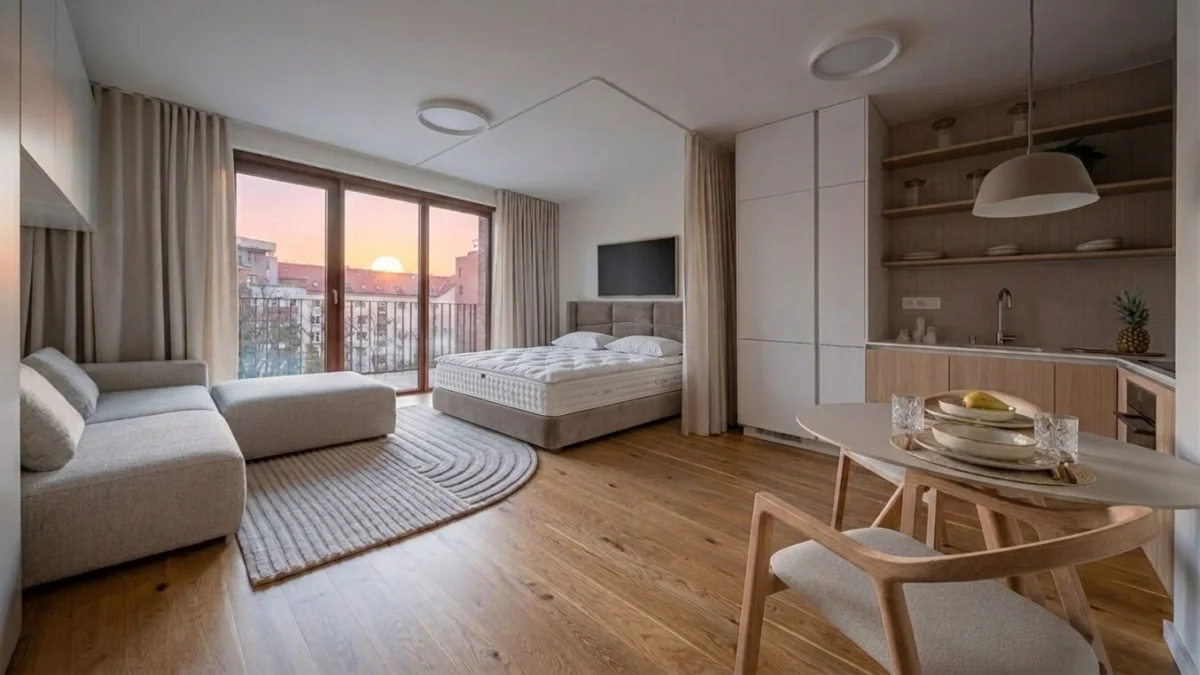
AI redesign with light modern furniture, generated in under 30 seconds
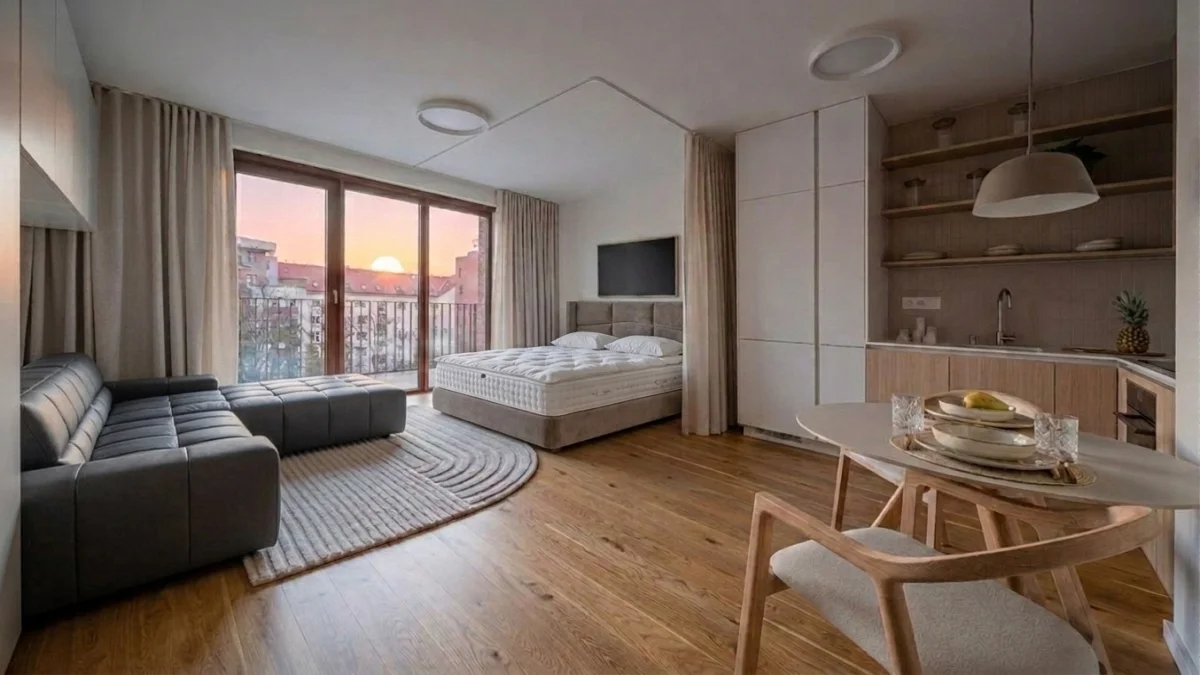
Alternative redesign with dark tufted sofa:same room, different style
Three versions of the same apartment generated by MeltFlex in under 30 seconds each. Each can be turned into a walkthrough video with one click:
AI walkthrough video of the redesigned apartment, created from a single photo
For Property Developers and Architects: Sell Before You Build
Property developers face a unique challenge. They need to sell apartments and houses before construction is complete. Traditional approaches involve expensive 3D rendering studios that charge €200 to €500 per room animation and take weeks to deliver.
MeltFlex changes this completely. Upload architectural renders of your planned development, and generate walkthrough videos of every unit in minutes. The AI works equally well with exterior renders, letting you create cinematic flyover videos of building facades, terraces, and communal areas.
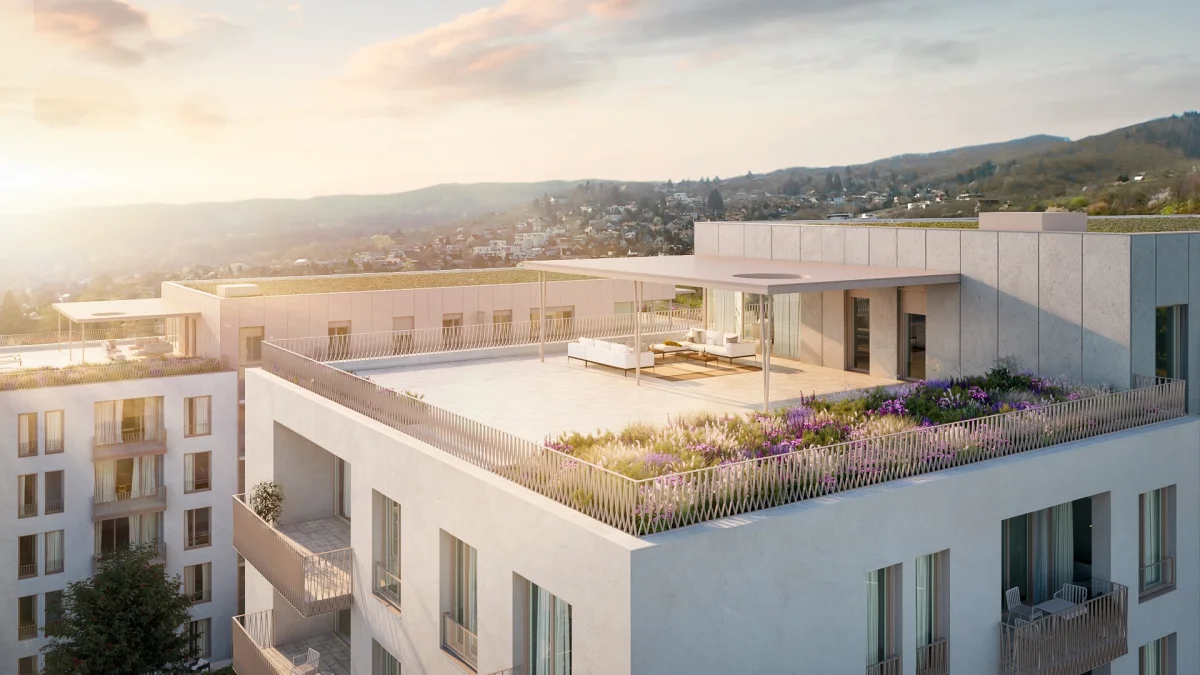
Original architectural render of a residential rooftop terrace
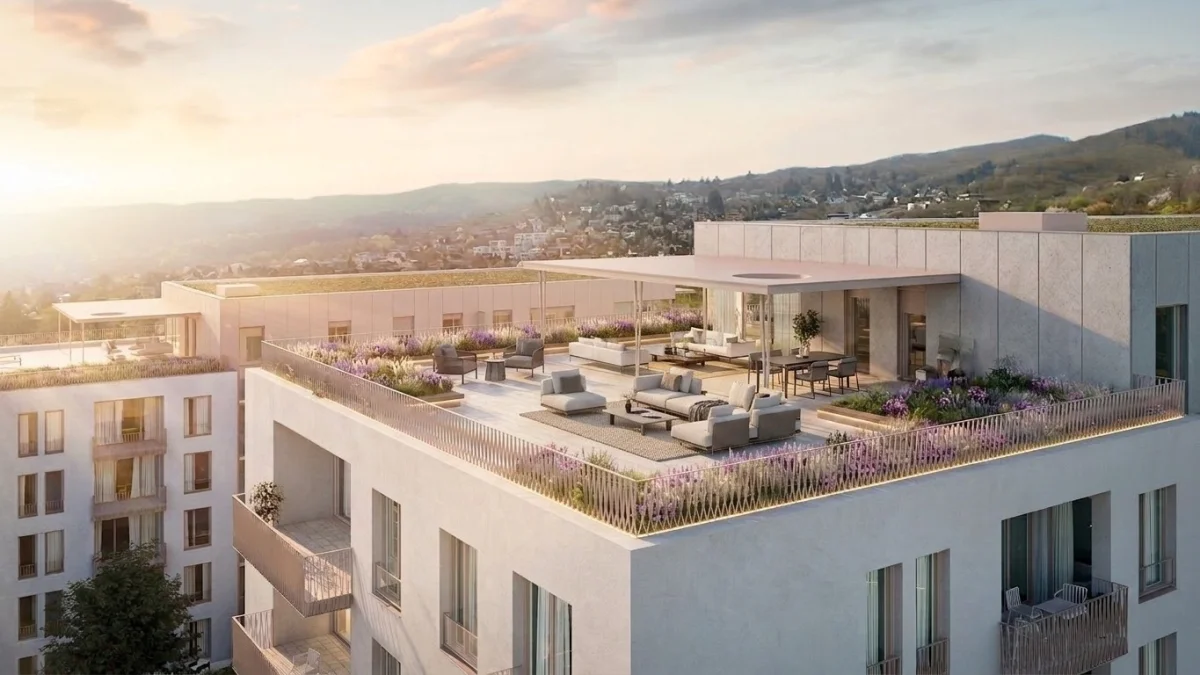
AI-redesigned version with updated outdoor furniture and landscaping
AI-generated exterior walkthrough video of a residential development, created from an architectural render
For developers marketing a 50-unit residential project, the savings are substantial. Instead of paying €10,000 to €25,000 for a 3D rendering studio to create walkthrough animations, you generate equivalent results for a fraction of the cost. Every unit gets its own video. Every floor plan variation gets visualized. Marketing materials are ready in hours, not weeks.
Writing the shot yourself instead? Our library ofSeedance video prompts for interior design has 40 copy-paste camera moves, room by room, plus what each model version actually outputs.
How AI Video Generation Actually Works
Understanding the technology helps you get better results. Here is what happens inside the AI when you upload a room photo:
Depth estimation. The AI analyzes the image to create a depth map. It identifies which objects are close to the camera and which are far away. Walls, floors, ceilings, furniture, windows, and decorative objects are all mapped in three-dimensional space from the two-dimensional photo.
Scene understanding. The AI recognizes what it is looking at. It knows a sofa is a sofa, a window is a window, and the floor connects the foreground to the background. This semantic understanding prevents artifacts like furniture floating in mid-air or walls bending unnaturally during camera movement.
Camera path generation. The AI plans a natural camera movement through the space. For interior rooms, this is typically a slow dolly forward or a gentle pan. For exteriors, it might be a sweeping flyover or an orbital movement around the building. The camera path is chosen to reveal the most important features of the space.
Frame synthesis. The AI generates new frames that show the room from slightly different angles. Each frame reveals visual information that was not visible in the original photo, such as the side of a sofa that was facing away from the camera, or the depth of a hallway that was only partially visible. This is generative AI creating new visual content, not just shifting pixels around.
Temporal consistency. The most technically challenging part. Each generated frame must be consistent with the previous one. Furniture cannot change shape between frames. Lighting must remain constant. Colors must stay accurate. This is what separates purpose-built interior design video AI from generic video generators that often produce flickering, morphing, or inconsistent results.
AI Video Generation vs. Traditional Methods: A Direct Comparison
Watch: an AI interior video in action
Here is the workflow end to end: still photos turned into a moving real estate promo video with MeltFlex, no film crew or editing software.
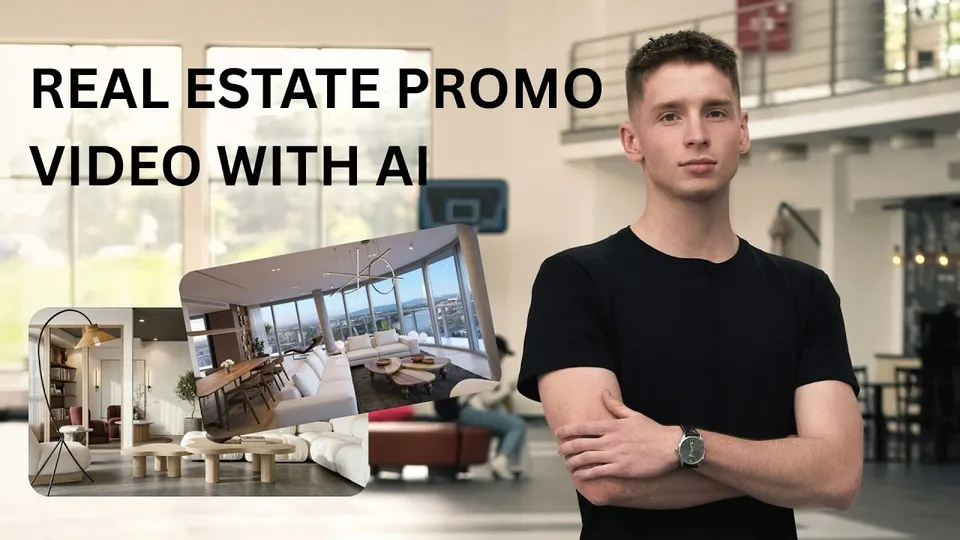
A real estate promo video generated from photos with MeltFlex.
Common Questions About AI Interior Design Video
Can AI really create a walkthrough video from just one photo?
Yes, and the results in 2026 are remarkably good. The AI uses depth estimation and generative frame synthesis to create smooth camera movement through a space from a single static image. The technology has matured significantly. Early attempts in 2023 and 2024 produced wobbly, artifact-heavy results. Current models like Gemini Omni, which powers MeltFlex, hold up well at social media sizes on simple moves such as a slow push-in. They still fail on some shots: in our test of 29 camera prompts, 8 clips failed, mostly crane moves and staircases, so check each clip before you publish it.
What kind of photos work best for AI video generation?
High-resolution photos taken from eye level with good natural lighting produce the best results. Wide-angle shots that show more of the room give the AI more spatial information to work with. The photo should be sharp and well-lit. Dark, blurry, or extremely narrow-angle photos produce lower quality videos because the AI has less information to extrapolate from.
That said, MeltFlex handles a wide range of input quality. Phone photos work. Professional DSLR images work. Architectural renders work. Even sketches can be used as input if you first run them through MeltFlex’s design generation before creating the video.
How long are the generated videos?
Either 4 or 8 seconds. Those are the only two options, because one slow camera move fits cleanly into 4 or 8 seconds and longer single shots start to drift. If you want a longer tour, generate one clip per room and stitch them, which is how the good listing videos on Instagram and TikTok are built anyway. A 15 to 30 second tour is three or four clips, best room first.
Can I generate videos of rooms that do not exist yet?
Absolutely. This is one of the most powerful use cases. Interior designers create a concept render in MeltFlex, then generate a walkthrough video of the proposed design. Property developers use architectural renders as input. Home stagers virtually furnish empty rooms and then create video tours. The source image does not need to be a photograph of a real, existing space.
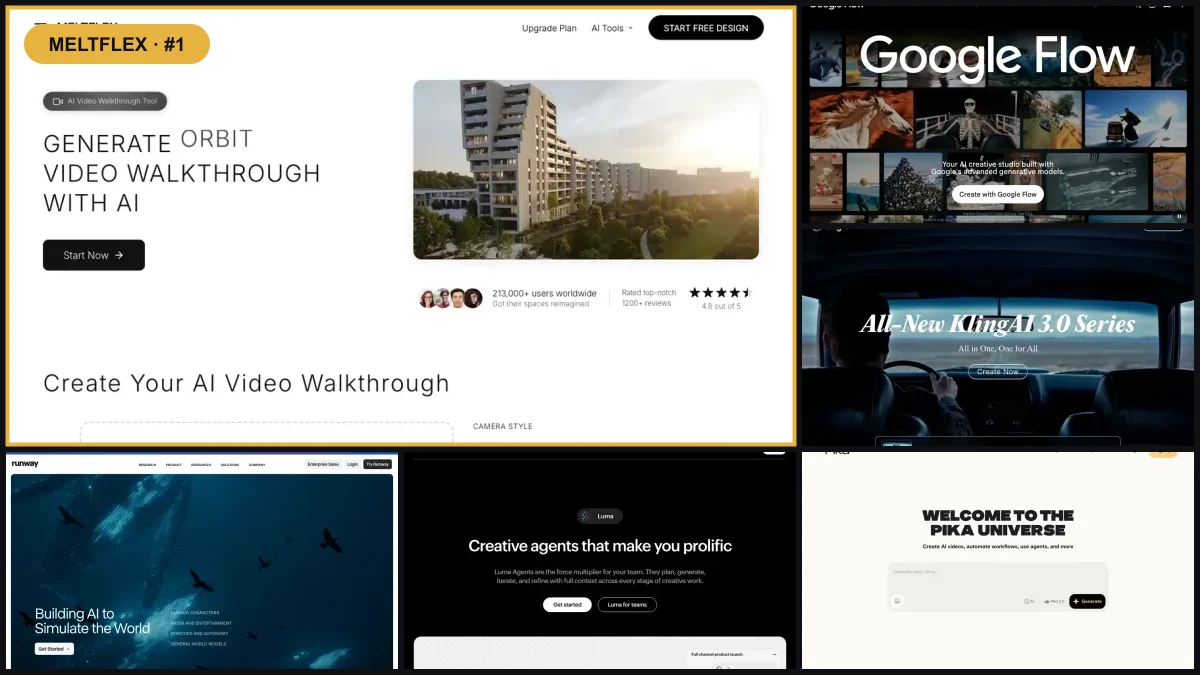
How is this different from Runway, Pika, or Kling?
General-purpose AI video generators like Runway, Pika, and Kling are designed to create any type of video from any type of image. They work well for creative content, social media clips, and artistic projects. However, they are not optimized for architectural and interior spaces. They often produce results where walls bend, furniture morphs, and spatial proportions feel wrong. If you do want to run one of them on property footage, our Kling walkthrough tutorial for listings shows the staging-first workflow that keeps the results believable.
MeltFlex is purpose-built for interiors and architecture. The AI model understands rooms, furniture, and building structures. This specialization produces significantly better results for interior design, real estate, and architecture use cases. The camera movements feel natural for room tours. The depth estimation is calibrated for indoor spaces. The temporal consistency is optimized for architectural content where straight lines need to stay straight and proportions need to remain accurate.
Do I need any technical or design skills?
No. Upload a photo. Click generate. Download the video. The entire process takes under two minutes and requires zero technical knowledge, zero design training, and zero video editing experience. MeltFlex handles everything automatically.
Can I use the videos commercially?
Yes. All videos generated on MeltFlex paid plans include full commercial usage rights, with no restrictions on distribution across property listings, social media, client presentations, and websites. To be precise about watermarks: there is no visible watermark on paid-plan output, but every clip carries Google’s invisible SynthID marker, because the engine underneath is Google Gemini Omni 1.1 Flash. That marker cannot be removed and does not affect your usage rights. It only means an AI-content detector will correctly identify the clip as AI generated, which in most markets you should be disclosing anyway.
How does AI video help with social media marketing for real estate?
Real estate agents who post walkthrough videos on Instagram Reels and TikTok consistently report higher engagement than photo posts. The algorithm on both platforms favors video content, so walkthrough videos get more organic reach. A single MeltFlex-generated video can be posted across Instagram, TikTok, Facebook, YouTube Shorts, and embedded on property listing pages. One photo becomes content for five platforms in under a minute.
What about exterior and garden videos?
MeltFlex generates exterior walkthrough videos and flyover animations from photos or renders of buildings, gardens, terraces, and outdoor spaces. This is especially valuable for property developers marketing new constructions, landscape designers presenting garden concepts, and real estate agents showcasing properties with significant outdoor areas. The AI handles architectural exteriors with the same quality as interior spaces.
Can AI video replace physical property viewings?
Not entirely, and it should not. The goal is not to replace in-person viewings but to filter and qualify them. A buyer who has watched walkthrough videos of every room in a property arrives at the physical viewing already knowing the layout, the proportions, and the feel of the space. They are a more qualified lead. The viewing becomes a confirmation, not a discovery. This reduces wasted viewings for both agents and buyers.
How do I create a video from a photo of a bedroom?
Upload the bedroom photo, optionally restyle it first, and hit generate. The AI maps the room depth and produces a walkthrough from that single image in under 60 seconds, with the camera dollying past the bed toward the window. The same process works for living rooms, kitchens, bathrooms, terraces, and building exteriors. No footage, no 3D model, no editing.
What is the best AI video generator for interior design?
For interiors specifically, a tool built for rooms beats a general video model. MeltFlex reads room depth, furniture placement, and lighting from the photo, which is what keeps the camera move smooth and stops furniture melting mid shot. General purpose tools like Runway, Pika, and Kling are stronger at open ended creative video and weaker at holding a room geometrically stable, which is the one thing a listing clip cannot get wrong.
Which AI model generates the videos, and what format do they come in?
Google Gemini Omni 1.1 Flash, which replaced Veo 3.1 Fast in October 2026. Clips come back as MP4, 4 or 8 seconds, in 16:9 landscape or 9:16 portrait for Reels and TikTok. One thing no vendor puts on a pricing page: every Google-generated clip carries an invisible SynthID watermark marking it as AI generated. It survives re-encoding and cropping, and neither we nor you can switch it off. There is no visible logo on paid output, but if a portal or a client runs a detector, the clip reads as AI generated. Usually fine, and increasingly expected, but know it before you promise a client otherwise.
Is AI video generation better than hiring a videographer?
For listing clips, social content, and design presentations, yes on cost and speed. A videographer runs 500 to 2,000 euros per property plus scheduling, travel, and editing. An AI clip costs a couple of euros and lands in under a minute. Where a videographer still wins is anything that needs a real human in frame, a specific narrative, or footage of details a single photo never captured.
What is the difference between AI video and 3D rendering?
3D rendering means building the room as a model, placing furniture, setting lights, then rendering an animation, which is hours to days in 3ds Max or Blender and needs real skill. AI video skips all of it: one photo in, walkthrough out, with depth estimation and camera path handled for you. For marketing the result is comparable. For anything where exact measurements must be right, the 3D model is still the honest tool.
Can I use AI video for virtual staging?
Yes, and this is the combination worth setting up. Photograph the empty room, let the AI furnish it in a chosen style, then generate a walkthrough of the staged result, so a physically empty property gets a furnished room tour. Staging plus one clip per room lands around 12 to 30 euros for a whole property against low thousands for physical staging. On speed of sale, be careful what you repeat: the widely quoted 73 percent faster figure comes from staging industry bodies surveying their own members, not from independent research.
How do real estate agents use AI video for listings?
Listing photos go in, walkthrough clips come out within minutes, and they run on portals, social, and in client presentations. You will see the claim that video listings get 403 percent more inquiries, usually credited to the National Association of Realtors. It is not an NAR figure. It traces back to a single Australian agency quoted in the trade press around 2012 and has been copied since without anyone rechecking it. The honest case does not need it: a clip holds attention on a portal longer than a photo carousel, and it costs a couple of euros against 500 to 2,000 for a shoot.
How does AI video help interior designers win more clients?
It moves the pitch from imagining to reacting. Instead of a mood board or a flat render, the client watches their redesigned room on their phone, and approvals happen faster because there is less left to picture. You will see 3x to 5x close rate claims for video presentations; those come from vendors selling presentation tools rather than independent research, so take the direction and leave the multiple.
Which camera moves work best for AI room videos?
In our test of 29 camera prompts on Veo 3.1 Fast, the reliable moves were a slow push-in or pull-back, a sideways slide with an object close to the lens, and a small arc around one piece of furniture. Walking forward works when the path is visible in the photo. Rising and dropping crane moves failed 3 of 3, and so did prompts that start on a detail the photo does not show. Light changes such as a sunrise barely register in a 4 second clip. Every clip is in our real estate video prompts test.
Can I put an AI walkthrough video on a real estate listing?
Yes, with two conditions. On MeltFlex, commercial use such as listings and client work is included on the Pro plan, not on Starter or Standard. And several markets now expect AI-altered listing media to be disclosed, for example California under AB 723, which we cover in the virtual staging disclosure rules. Every clip also carries an invisible SynthID watermark, so a detector will identify it as AI generated whether or not you label it.
Can AI generate exterior and architecture walkthrough videos?
Yes. A facade photo, a terrace, a garden, or an architectural render all work as source material, and the output is a flyover or walkthrough rather than an interior dolly. This is the most useful case for property developers marketing new construction, because the render exists long before the building does.
Start Generating Interior Design Videos Now
The gap between professionals who use AI video and those who do not is growing every month. Interior designers who present video walkthroughs win more clients. Real estate agents who list with video sell faster and for more money. Property developers who market with video fill units before construction completes.
Start with the free credits on a still redesign to see whether the output is good enough for your work, because that is the part you can test for nothing. Upload a room photo and restyle it, and if the result holds up, the AI video walkthrough generator turns it into a clip on any paid plan. Working with empty properties, start from virtual staging instead and animate the furnished result. Working from a CAD draft or a rough 3D view, run it through photo to render first so the clip has a photorealistic frame to move through.
If you want to explore more about how AI is transforming interior design, read our guides on designing your home with AI, AI virtual staging for real estate, and every interior design style compared. For property walkthroughs, see how we use Higgsfield for real estate walkthrough videos.