Seedance 2.5 is ByteDance's video model, and for interiors its job is narrow and useful: you give it one good still of a room and it gives you back a moving shot of that room. It landed on Dreamina on 31 July 2026 with 30 seconds of continuous generation and up to 50 reference inputs. This guide gives you 40 copy-paste prompts for that job, grouped by what you are filming, all written in ByteDance's own prompt order rather than an invented one.
Our articles are still written by humans!
Get human written articles in your Google feed.
One thing to get straight before you spend anything, because most of the guides ranking for this topic have it wrong: Seedance 2.5 does not do 4K, and it does not do 1080p either. The shipped model outputs 480p or 720p. Seedance 2.0 is the version that reaches 1080p and 4K. That single fact decides which version you should be prompting, and the whole first half of this guide is built around it.
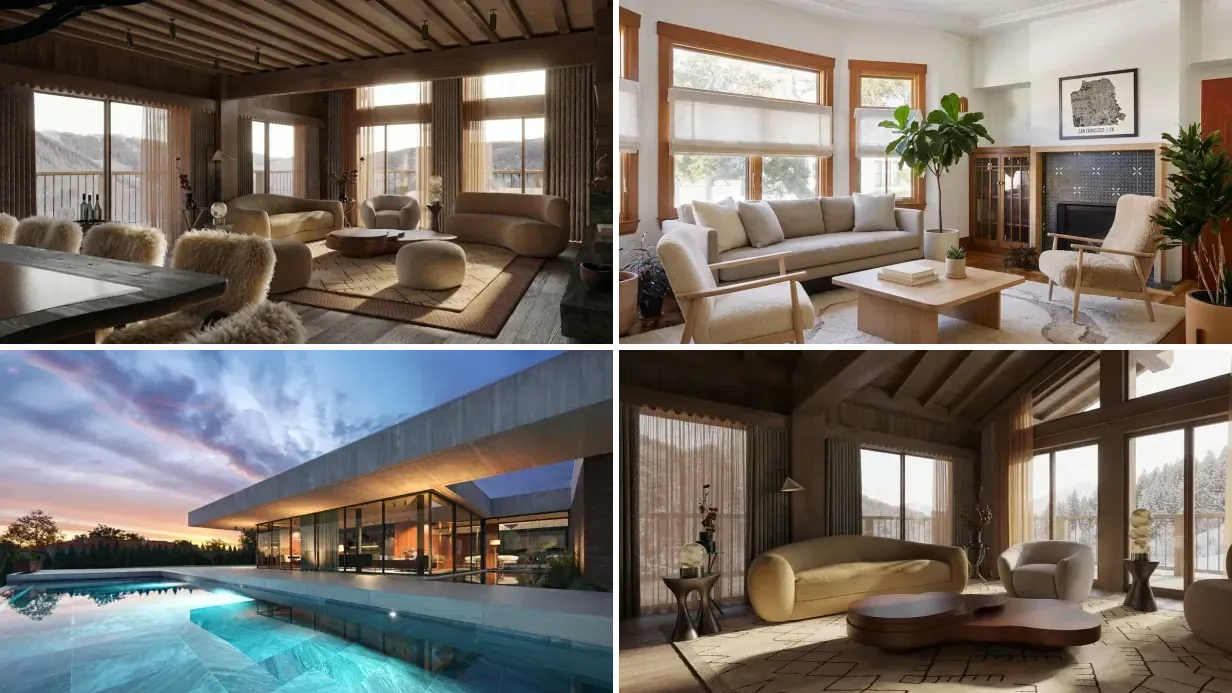
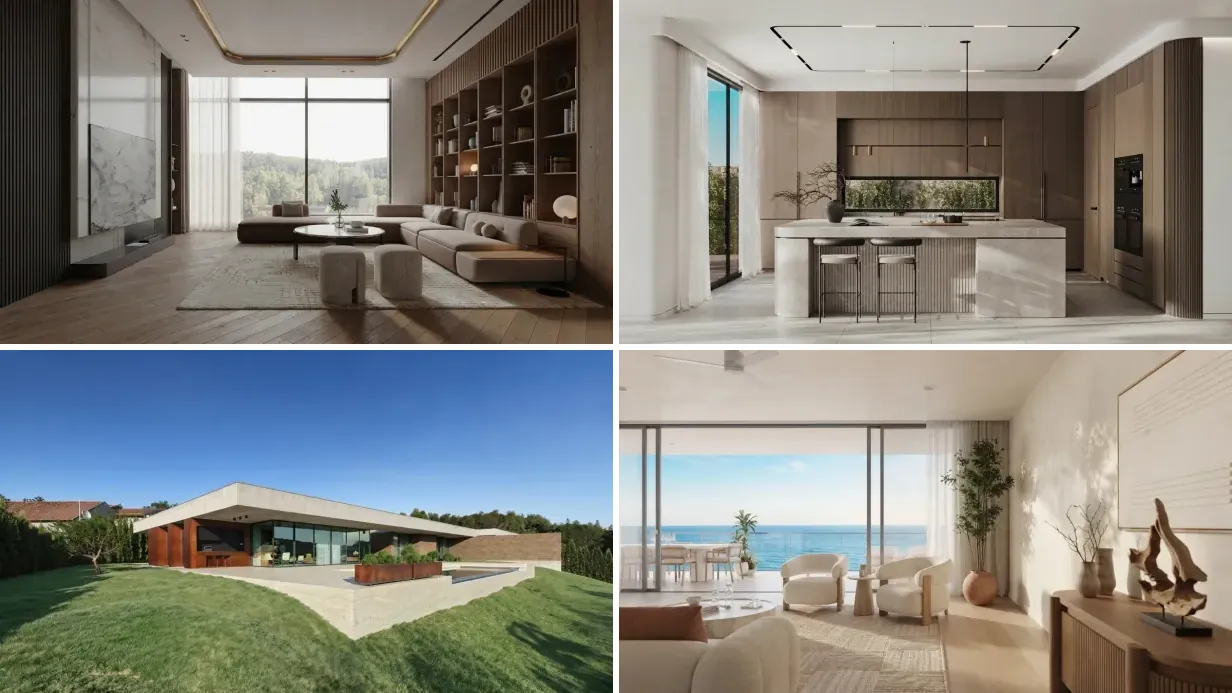
A note on the pictures. Every room below is an AI render from our creations gallery, made by MeltFlex users from their own photos and briefs. They are here as start frames, the still you would feed Seedance, not as screenshots of Seedance output. Showing you the input is the honest version, because the input is the part you control.
FreeUpload photo · freeRedesign my room for freeUpload a photo and let MeltFlex design your space. Your first AI design is free, no card needed.


The 60-Second Version
- Prompt order: subject, action, camera, style. Short lines. Drop what you do not need.
- Use 2.0 for the hero listing clip, because it does 1080p and 4K.
- Use 2.5 for a 30-second continuous tour or a vertical reel, where 720p is enough.
- Name the camera move. If you do not, the model picks one, and it usually picks drift.
- Say "no people" on every property shot. Invented humans are the fastest way to a fake-looking listing.
- Keep accuracy shots short. Under 8 seconds, small move. Geometry drifts with time and travel.
Seedance 2.5 vs 2.0: The Resolution Trap
The marketing around 2.5 is all about length, and the length is real. What the launch coverage mostly skipped is what it cost. These figures are read off the live API schemas rather than vendor landing pages, because several resellers are still advertising a 4K Seedance 2.5 that does not exist.
Read that table as a decision, not a spec sheet. A 30-second continuous tour at 720p is a genuinely new capability and it is the right tool for Instagram and TikTok, where the feed compresses everything anyway. But if the clip is going at the top of a listing page or on a screen in the office window, 720p upscaled looks exactly like 720p upscaled, and the older model is the professional choice. The two versions are not a straight upgrade path. They are two different tools.
If you want the wider field before committing, our roundup of AI video generators for real estate compares the eight that agents actually use.
The ByteDance Formula Every Prompt Below Uses
Dreamina's own Seedance 2.5 guidance gives the order as Subject → Action → Camera → Style, written as short lines, dropping any line you do not need. It also says something more useful than the formula itself: a long prompt is not automatically a better prompt, and you should add only the details that change the shot.
For a room, those four slots map cleanly:
- Subject. The room and its fixed architecture. Walls, windows, the one hero feature.
- Action. What actually moves. In an empty interior this is almost always light, fabric, water, steam or foliage, because the furniture must not move.
- Camera. Shot size and move. CU, MCU or WS, then push-in, dolly, orbit, tracking or static. Name the speed.
- Style. Lens, grade, time of day. This is where you kill the AI look.
The camera vocabulary it responds to is standard film language: push-in, dolly left, handheld drift, orbit, tracking, whip pan, match cut, rack focus. Shot sizes as CU, MCU and WS. If you have written prompts for image models, this is the part that is different. In Nano Banana or Midjourney architecture prompts you describe a frame. Here you describe a frame and then what happens to it over time.
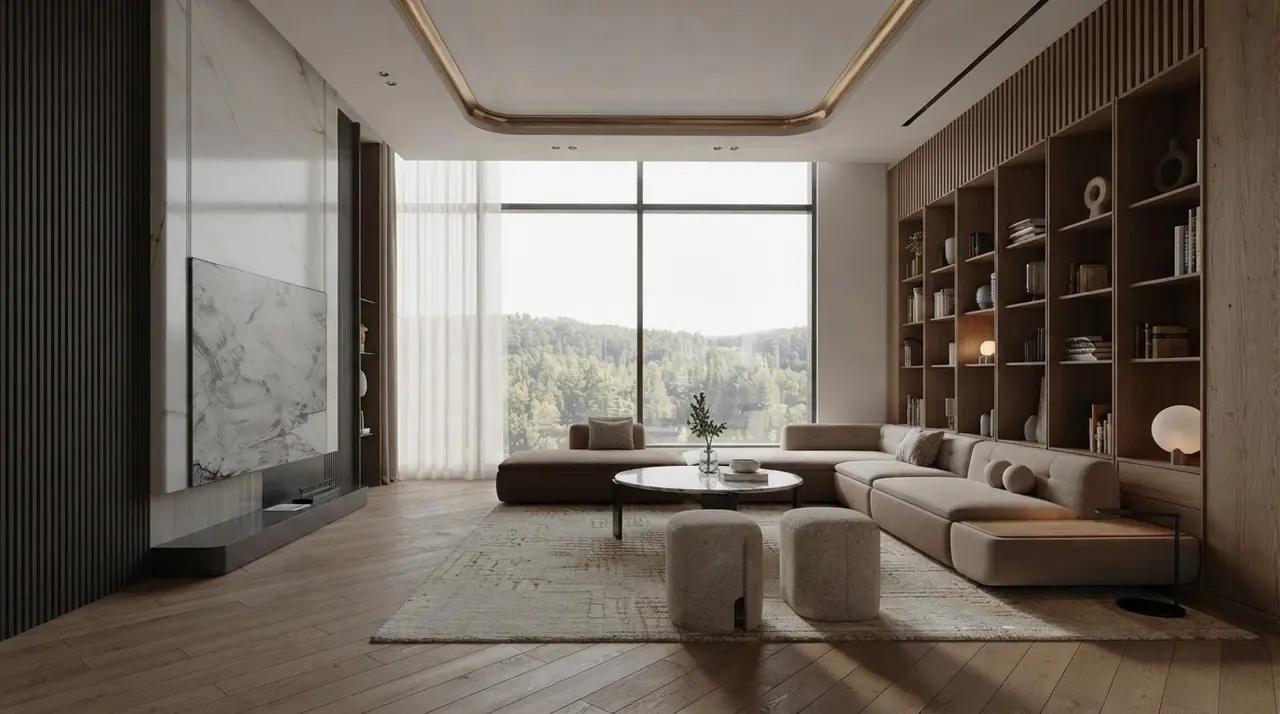
The kind of still these prompts are written for: one clear hero feature, a light source you can move, and nothing in the frame that needs to walk. Render from the creations gallery.
Room Reveal and Walkthrough Prompts (1 to 8)
These eight are the workhorses. If you only ever learn two Seedance prompts for interiors, learn the first and the third.
1. The Slow Push-In
"Subject: a bright modern living room, oak floor, full height window at the back. Action: nothing moves except daylight shifting slowly across the floor and dust in the light beam. Camera: WS, slow dolly push-in along the centre line of the room, gimbal smooth, no shake, constant speed. Style: 24mm lens, deep depth of field, natural daylight, neutral grade, no people, no text."
2. The Doorway Reveal
"Subject: a doorway opening into a furnished room. Action: the camera crosses the threshold and the room opens up. Camera: MCU on the door frame, slow forward tracking through the doorway to WS of the full room, gimbal smooth. Style: 28mm, soft window light from the left, warm neutral grade, no people, no door movement, walls and furniture stay fixed."
3. The Window Pull
"Subject: a living room with a large window and a view beyond it. Action: sheer curtains drift very slightly in still air, light strengthens by one stop. Camera: WS static for two seconds, then slow push toward the window until the view fills the top third. Style: 35mm, golden hour, gentle contrast, no people, no camera shake, no lens flare."
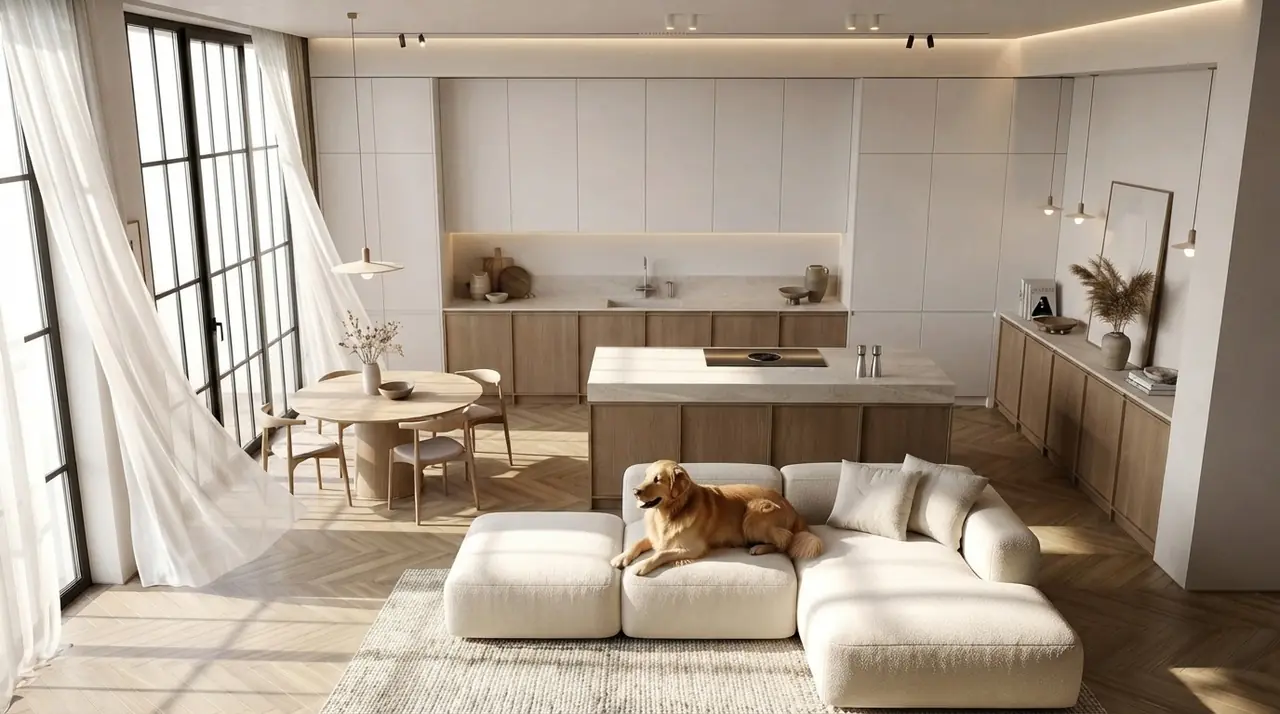
Everything safe to animate in this frame is soft: the curtains, the light on the floor, the leaves. The dog is the one thing that would break, which is why prompt 26 lists pets in the negatives.
4. The Corner Orbit
"Subject: a furnished corner of a room with an armchair and a floor lamp. Action: static room, only the light changes. Camera: slow 30 degree orbit around the armchair at eye level, constant radius, gimbal smooth. Style: 35mm, soft diffused daylight, muted warm grade, no people, furniture must not rotate or change shape."
5. The Ceiling to Floor Tilt
"Subject: a room with a feature ceiling and a patterned floor. Action: no movement in the room. Camera: WS, slow tilt down from the ceiling detail to the floor, then settle. Style: 24mm, even ambient light, high detail on materials, neutral grade, no people, no warping of ceiling lines."
6. The Threshold Pass
"Subject: an open plan space where a living area meets a kitchen. Action: light falls differently in each zone, nothing else moves. Camera: slow lateral tracking left to right, passing the dividing wall so one zone hands off to the other in a single unbroken move. Style: 28mm, deep depth of field, daylight, no people, no cut, no speed change."
7. The Static Hold With Living Light
"Subject: a styled room, fully furnished. Action: sunlight moves slowly across the wall, a plant leaf shifts once, everything else is completely still. Camera: locked off WS on a tripod, no movement at all. Style: 35mm, late afternoon light, film grade, no people, no camera motion, no object motion."
Prompt 7 is the one nobody writes and it is the safest shot in the set. A locked-off frame gives the model almost nothing to invent, so it is the closest thing to a guaranteed usable take.
8. The Pull-Back Reveal
"Subject: a close detail of a stone coffee table with a ceramic bowl. Action: nothing moves. Camera: CU on the bowl, slow dolly back and slight rise to reveal the full living room in WS. Style: 50mm at the start easing to a wider field, soft daylight, warm neutral grade, no people, no morphing of the revealed furniture."
Room by Room Camera Moves (9 to 18)
Each room has one move that flatters it and several that do not. Kitchens want lateral travel because the counter is a line. Bathrooms want stillness because water is the only thing that should move. Staircases want rise.
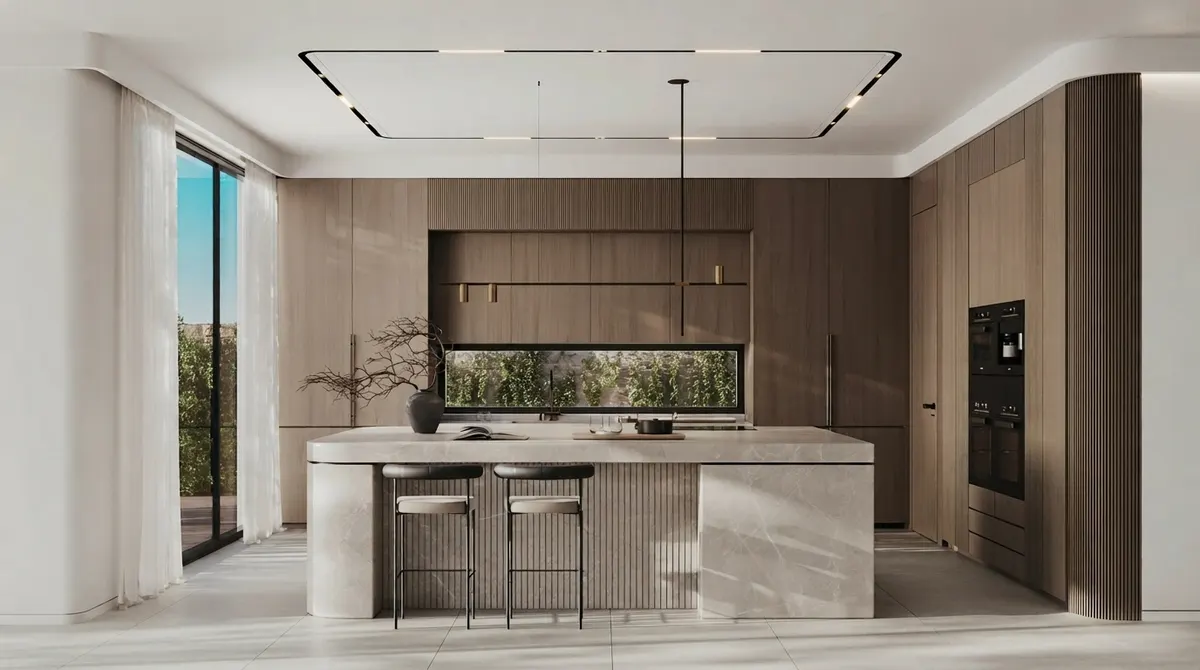
A kitchen island is a straight line, so the camera move should be a straight line too.
9. Kitchen Island Dolly
"Subject: a modern kitchen with a long stone island and integrated cabinetry. Action: steam rises gently from a cup on the counter, nothing else moves. Camera: MCU, slow lateral dolly along the length of the island, parallel to the counter edge, gimbal smooth. Style: 35mm, morning light from the left, clean neutral grade, no people, no hands, no reflections of a camera."
10. Kitchen Detail Rack Focus
"Subject: a kitchen counter with a marble surface and brass tap in the background. Action: a single drip falls from the tap. Camera: CU on the marble grain, static, rack focus from the foreground stone to the tap behind. Style: 85mm, shallow depth of field, soft window light, no people, no other movement."
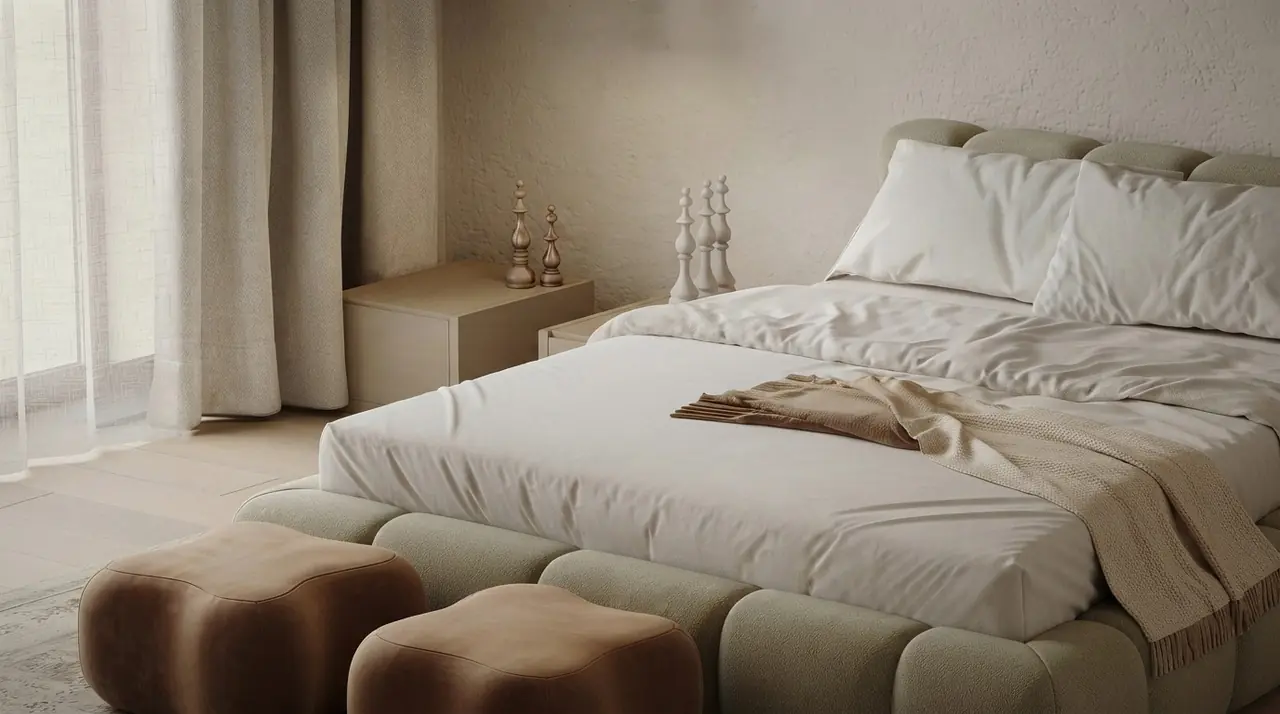
Bedrooms give you two movers and no more: the light and the fabric. Everything else must hold still.
11. Bedroom Morning Wake
"Subject: a calm bedroom with a low bed and linen bedding. Action: light rises slowly from dim to warm morning, sheer curtain drifts once. Camera: WS, very slow push-in toward the head of the bed, gimbal smooth. Style: 35mm, soft warm grade, no people, bedding must not move or change shape, no pets."
12. Bedroom Fabric Drift
"Subject: a bedroom with floor length curtains beside a window. Action: the curtain moves slowly in a light breeze, the rest of the room is perfectly still. Camera: MCU on the curtain and window, locked off, no movement. Style: 50mm, backlit daylight, gentle film grade, no people, no furniture motion."
13. Bathroom Water and Steam
"Subject: a stone bathroom with a freestanding tub and a large mirror. Action: steam rises slowly from the tub surface, water surface ripples faintly. Camera: WS, extremely slow push-in toward the tub, gimbal smooth. Style: 28mm, diffused daylight from the side, cool neutral grade, no people, mirror must reflect the room correctly, no extra doors."
14. Bathroom Mirror Pass
"Subject: a vanity with a round mirror and a stone basin. Action: nothing moves except a slow brightening of the wall light. Camera: MCU, slow lateral tracking past the vanity, keeping the mirror in frame. Style: 50mm, warm sconce light, soft contrast, no people, no reflection of a camera or crew in the mirror."
15. Staircase Rise
"Subject: a sculptural staircase in a double height hall. Action: nothing moves, light falls from a skylight above. Camera: WS at floor level, slow vertical rise following the line of the balustrade, gimbal smooth, no tilt change. Style: 24mm, daylight from above, high material detail, no people, steps must stay evenly spaced and must not bend."
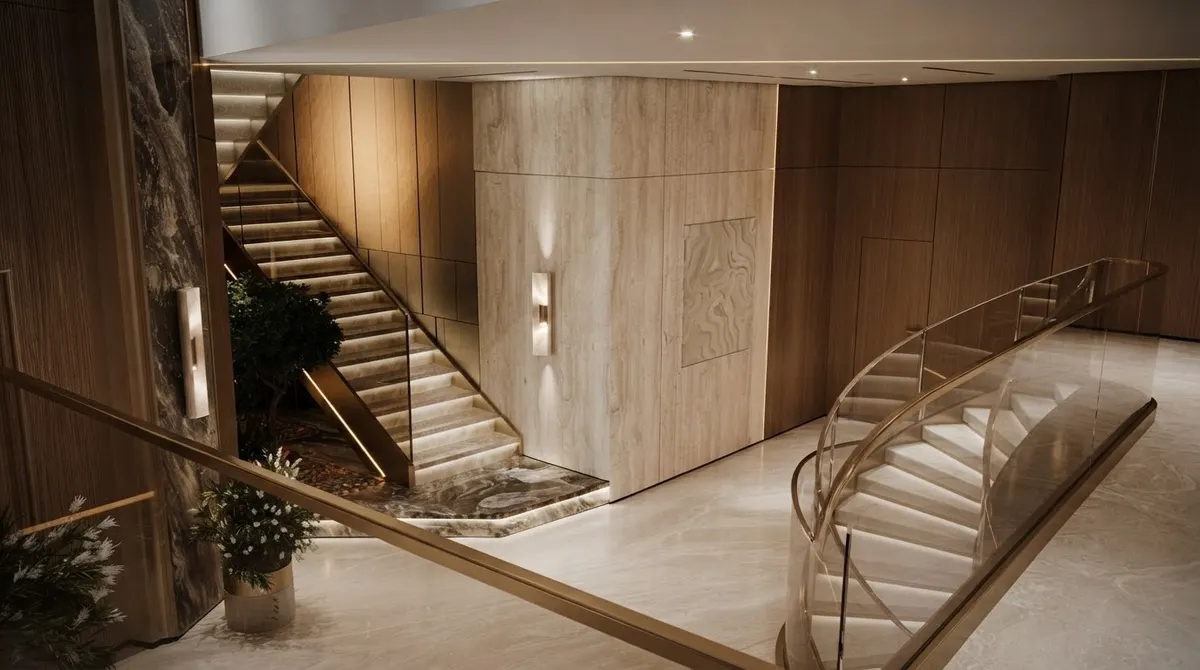
Staircases are where geometry drift shows up first. Keep the move slow and the clip short.
If the staircase itself is what you are selling and it does not exist yet, design the frame first with the AI staircase design tool, then animate the result.
16. Staircase Overhead Spiral
"Subject: a spiral staircase seen from directly above. Action: static, only ambient light shifts. Camera: overhead WS looking straight down, very slow clockwise rotation on the vertical axis, no descent. Style: 35mm, even skylight, neutral grade, no people, the spiral must keep constant pitch and must not warp."
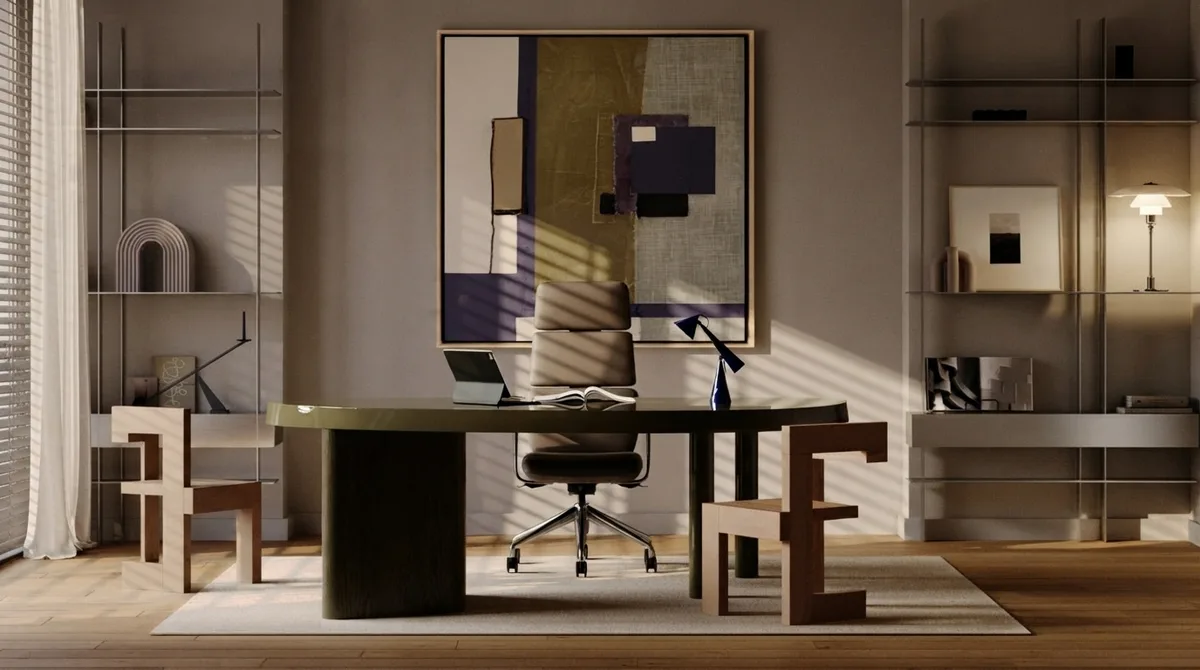
Shelving is a geometry trap. Keep the office move short or the shelf lines start to bend.
17. Home Office Desk Settle
"Subject: a home office with a slim desk, a laptop and shelving behind. Action: the desk lamp warms up slowly, a plant leaf shifts once. Camera: MCU, slow push-in over the desk surface, settling on the chair. Style: 50mm, mixed daylight and lamp light, warm grade, no people, no screen content, no text on the laptop."
Working from an empty spare room rather than a finished study? Generate the still in AI home office design first. The camera move is worth nothing if the desk is not there yet.
18. Dining Table Candle Pass
"Subject: a dining room with a long table and pendant lights above it. Action: candle flames flicker slowly, pendants glow steadily. Camera: MCU, slow lateral tracking along the length of the table at table height. Style: 50mm, evening interior light, warm grade, shallow depth of field, no people, chairs must stay in place."
Real Estate Listing Video Prompts (19 to 26)
This is where Seedance 2.5 earns its price, because a listing tour is exactly the case that used to need stitching. Prompt 19 uses beats, which is the format ByteDance recommends for anything past a few seconds: split the duration into timed chunks and say what happens in each. If you are new to this workflow, our guide to listing walkthrough videos covers the camera preset side in more depth.
19. The 30-Second Whole Flat Tour
"Subject: a furnished two bedroom apartment, daylight throughout. Camera: one continuous gimbal move, no cuts, constant walking pace. 0 to 8s: WS of the living room, slow push toward the window. 8 to 15s: the camera turns right and tracks into the open kitchen along the island. 15 to 23s: the camera passes down a short hallway toward an open bedroom door. 23 to 30s: the camera enters the bedroom and settles on a WS of the bed and window. Style: 24mm, natural daylight, neutral grade, no people, no doors opening, furniture fixed throughout."
20. The Vertical Reel Cut
"Subject: a bright living room, framed vertically. Action: curtains drift slightly, light strengthens. Camera: 9:16 vertical, slow push-in from the doorway to the centre of the room. Style: 28mm, daylight, punchy but natural grade, no people, no on-screen text, no logos."
21. The Hero Opener
"Subject: the best room in the property, wide and symmetrical. Action: light moves across the floor, nothing else. Camera: locked off WS for one second, then a slow dolly forward of no more than one metre. Style: 24mm, golden hour, cinematic but restrained grade, no people, absolutely no camera shake, no vignette."
22. The Empty Room, Kept Empty
"Subject: an empty room with bare walls and wooden flooring. Action: sunlight moves slowly across the floorboards, dust drifts in the beam. Camera: WS, very slow push-in from the doorway. Style: 24mm, hard afternoon light, neutral grade, no people, no furniture may appear, the room stays empty for the whole shot."
That last clause matters more than it looks. Video models like filling empty rooms. If you want the space read as empty, say so twice. If you want it furnished, do not ask the video model to do it, use a virtual staging tool on the still first and animate the staged result.
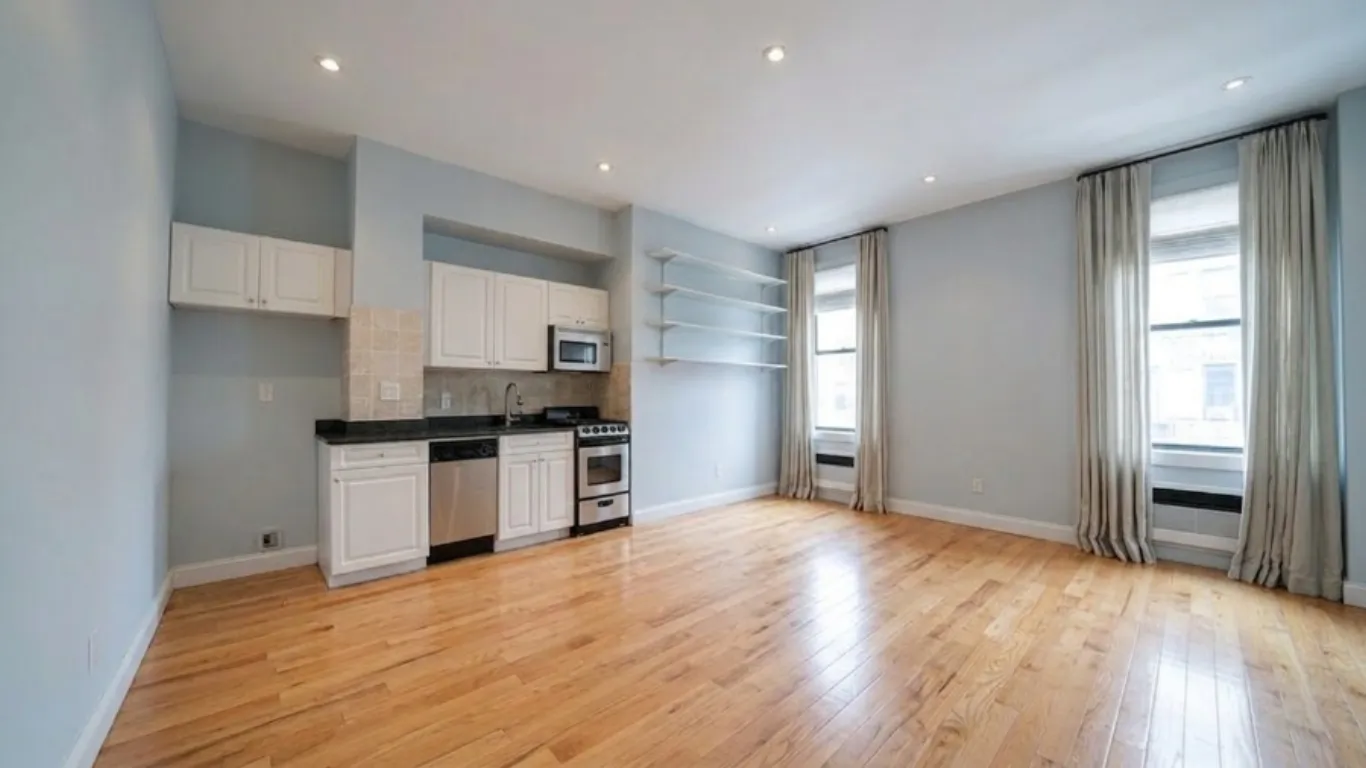
A genuinely empty room, uploaded by a MeltFlex user. This is the frame prompt 22 is written for, and the one video models most want to furnish behind your back.
23. The Twilight Exterior to Interior
"Subject: a house at dusk with warm interior lights visible through the glazing. Action: interior lights glow steadily, sky darkens very slightly. Camera: WS, slow push toward the main glazed opening until the interior fills the frame. Style: 35mm, blue hour outside and warm tungsten inside, no people, no vehicles, no reflections of a camera."
24. The Space Feels Bigger Wide
"Subject: a compact room shot from its longest diagonal. Action: static room, light shifts gently. Camera: WS from the far corner, slow backward dolly of half a metre to open the perspective. Style: 20mm with corrected verticals, bright even daylight, neutral grade, no people, no barrel distortion, walls must stay straight."
25. The Balcony Step-Out
"Subject: a living room with open glass doors onto a balcony and a view. Action: sheer curtain lifts once in the breeze, foliage outside moves gently. Camera: MCU inside, slow forward tracking through the open doors onto the balcony, ending WS on the view. Style: 28mm, bright daylight, exposure holds as the camera moves outside, no people, no door movement."
26. The Agent-Free Tour
"Subject: a furnished apartment interior. Action: only light and fabric move. Camera: continuous slow walkthrough at chest height, gimbal smooth. Style: 24mm, daylight, neutral grade. Negative: no people, no hands, no reflections of a person, no pets, no moving vehicles outside the window, no text, no watermarks."
Exterior, Garden and Drone Prompts (27 to 32)
Exteriors are more forgiving than interiors because there is less fixed geometry close to the lens. They are also where the model most wants to add cars, people and birds you did not ask for.
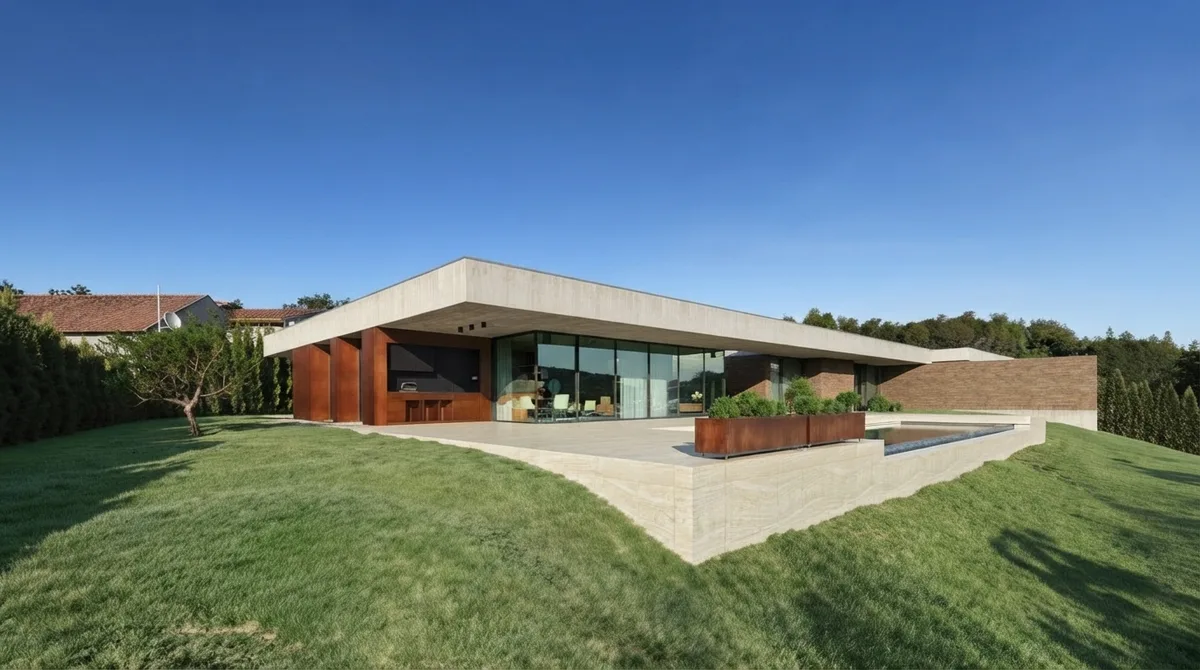
Exterior stills give the camera room to move, which is why drone-style prompts hold up better than interior ones.
27. The Drone Approach
"Subject: a modern single storey house on a green slope. Action: trees move gently in wind, nothing else. Camera: high WS, slow drone descent and forward approach toward the main facade, constant speed, no yaw. Style: 24mm, clear morning light, natural grade, no people, no cars, no birds, roof lines must stay straight."
28. The Facade Orbit
"Subject: the front elevation of a house with large glazing. Action: static building, light unchanged. Camera: slow 45 degree orbit around the facade at first floor height, constant radius, gimbal smooth. Style: 35mm, overcast even light, architectural grade, no people, windows must not change shape or count."
29. The Pool Reveal
"Subject: a pool terrace beside a house. Action: water surface ripples slowly, reflections shift. Camera: low WS just above the water, slow forward glide across the pool toward the house. Style: 28mm, late afternoon light, warm grade, no people, no splashing, no floating objects appearing."
30. The Garden Golden Hour
"Subject: a landscaped garden with a pergola and planting. Action: foliage moves gently, long shadows shift slowly. Camera: WS, slow lateral dolly across the garden at eye level. Style: 35mm, low golden sun with backlight through the planting, warm grade, no people, no animals, no garden furniture appearing or moving."
Gardens are the one exterior where the still usually needs work first, because planting takes years and renders do not. Our AI garden design tool builds the frame, Seedance moves the light across it.
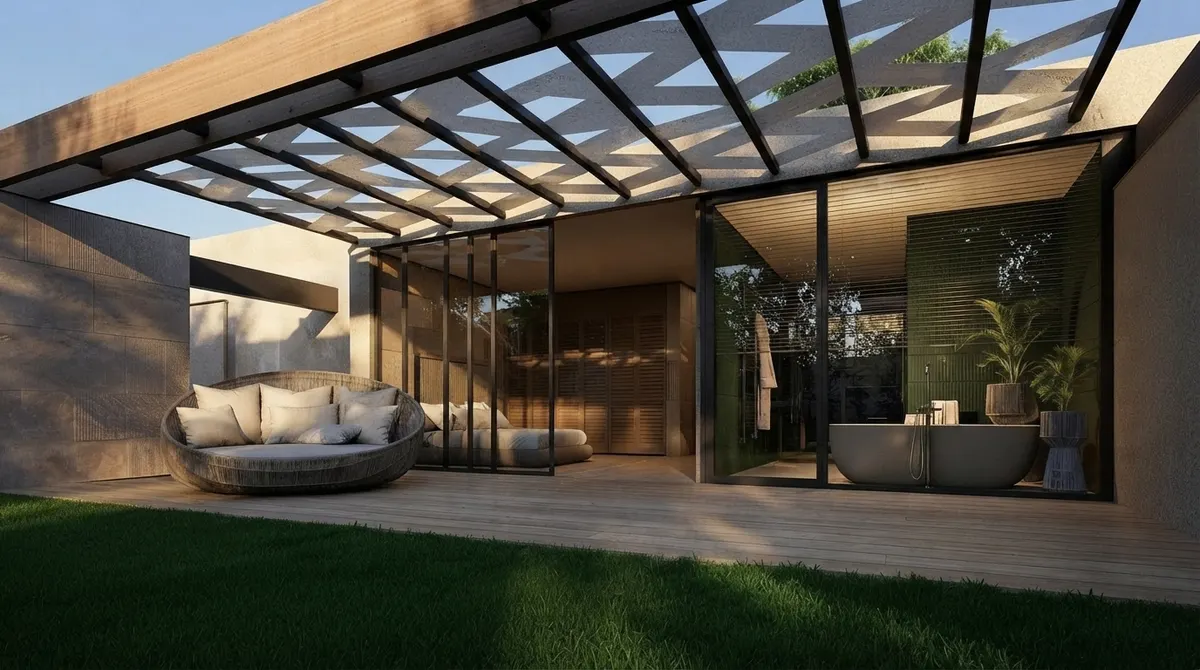
Gardens are forgiving. Foliage is meant to move, so the model has somewhere safe to put its motion.
31. The Entry Sequence
"Subject: a gate, a path and a front door beyond it. Action: planting moves slightly. Camera: MCU at the gate, continuous slow forward tracking along the path to a MCU on the front door, one unbroken move. Style: 35mm, soft daylight, natural grade, no people, the door stays closed, no house numbers or text."
32. The Neighbourhood Establisher
"Subject: a residential street with mature trees and the subject house in the middle distance. Action: leaves move, light is steady. Camera: high WS, very slow forward drift down the street axis. Style: 35mm, bright overcast, neutral documentary grade, no people, no moving cars, no legible signage or plates."
Light, Time of Day and Mood Prompts (33 to 36)
Light is the only thing in an interior that can move without breaking realism, which makes it the most valuable variable you have. If you want to go deeper on describing it, our lighting prompt set covers the vocabulary for stills, and most of it transfers.
33. The Golden Hour Sweep
"Subject: a furnished living room with a west facing window. Action: a hard shaft of low sun sweeps slowly across the back wall over the full clip, warming as it moves. Camera: locked off WS. Style: 35mm, golden hour, warm grade with clean highlights, no people, no furniture motion, no flicker."
34. Overcast to Sun Break
"Subject: a bright room under flat grey light. Action: cloud passes and direct sun breaks through, shadows sharpen from soft to hard over four seconds, then hold. Camera: static MCU on the floor and lower wall. Style: 35mm, natural daylight, neutral grade, no people, only the light changes."
35. The Evening Lamp Warm-Up
"Subject: a living room at dusk with table and floor lamps. Action: lamps fade up from off to warm, ambient daylight fades down at the same time. Camera: WS, very slow push-in. Style: 50mm, tungsten warmth against a cool blue window, cinematic but restrained grade, no people, no flicker, no colour banding."
36. The One-Shot Day to Dusk
"Subject: an interior with a large window and a view. Action: the light transitions from afternoon to dusk across the clip, interior lamps rise in the final third. Camera: locked off WS, no movement. Style: 35mm, continuous exposure change with no cut, no people, room contents stay identical throughout."
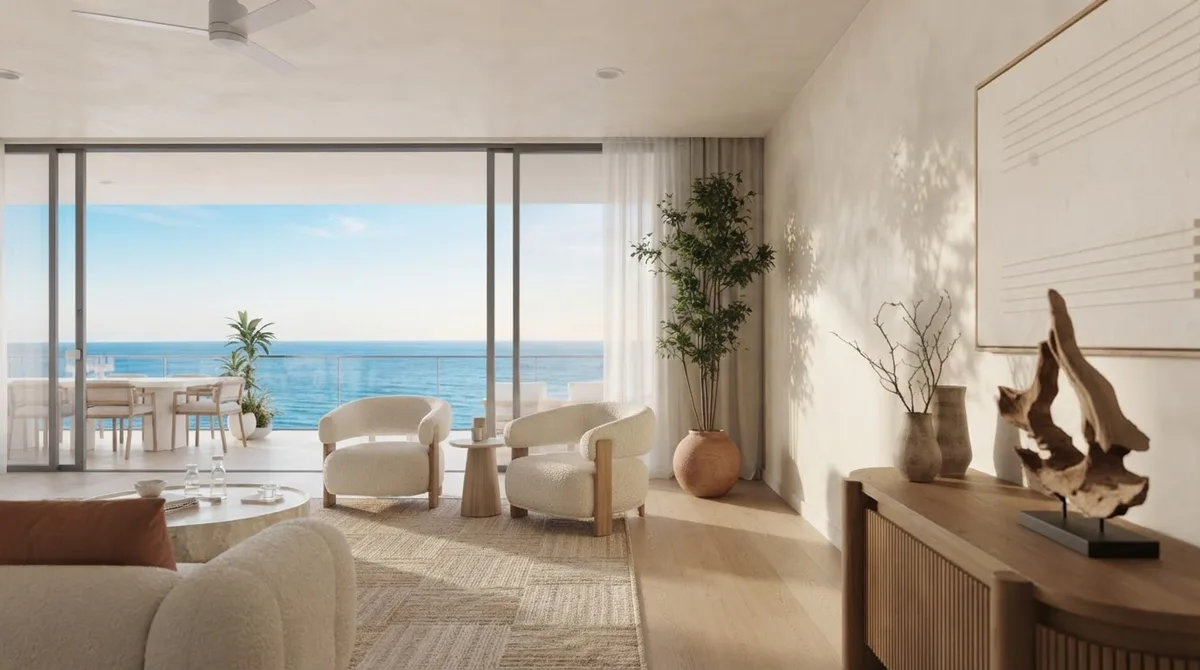
Sea, sky and sheer curtains give the model three things it can move without touching the architecture.
Seedance 2.5 Only: Beats and Reference Tags (37 to 40)
These four use capabilities 2.0 does not have. The reference tagging system binds an asset to a role using an @ label, and Dreamina's guidance is to bind assets to specific beats, for example @Image1 close-up, @Image2 wide. Start with one or two references and add more only when a test proves the extra asset helped. Fifty inputs is a ceiling, not a target.
37. The Reference Bind
"@Image1 as the room reference for geometry and materials. @Image2 as the lighting and grade reference. Subject: the room in @Image1, unchanged. Action: light behaves as in @Image2. Camera: WS, slow push-in, gimbal smooth. Style: match @Image2 exactly for colour and contrast. Do not introduce furniture, people or architecture not present in @Image1."
38. The Four-Beat 30 Second Structure
"One continuous 30 second shot, no cuts. 0 to 6s: WS of the room, camera static, light settling. 6 to 14s: slow dolly forward toward the window. 14 to 24s: gentle pan right revealing the seating area. 24 to 30s: camera settles into a MCU on the hero feature and holds. Style: 24mm, daylight, neutral grade, no people, furniture fixed throughout, constant camera speed within each beat."
39. The Motion Reference Lock
"@Video1 for camera movement only, do not copy its content. @Image1 as the room. Subject: the room in @Image1. Camera: reproduce the camera path and pacing of @Video1 exactly. Style: keep the materials, colour and lighting of @Image1. No people, no content from @Video1 may appear in the frame."
40. The Audio Bed
"Subject: a quiet furnished apartment interior. Action: light shifts, curtain drifts. Camera: slow walkthrough, gimbal smooth. Style: 24mm, daylight, neutral grade. Audio: quiet room tone, faint birdsong through a partly open window, no music, no voice-over, no footsteps, no dialogue."
Audio is on by default, which surprises people who then publish a listing video with invented footsteps in an empty flat. If you plan to lay your own music over the clip, say "no music, no voice-over" explicitly, or turn audio generation off in the API call.
Prefer more control over more length? Kling gives you a start and end frame, a real negative prompt field and a CFG dial, which Seedance does not expose in the same way. TheKling prompt library covers all three.
What It Costs and Where to Run It
The same model costs very different amounts depending on the door you walk through, and the spread is roughly fivefold. This is the single biggest lever on your budget, bigger than prompt quality.
Those are prices per generation, not per usable clip. Nobody gets the shot first time, so multiply by however many takes your patience allows. At fal's 720p rate, four takes of a 30-second tour is around $57, which is the point where a subscription route starts to look sensible.
The Step Everyone Skips: The Still Has to Be Right
Every prompt above assumes a good start frame, and this is where most listing videos are actually lost. Seedance animates what you give it. Feed it a dim phone photo of a cluttered room and you get a moving dim photo of a cluttered room, at 720p, for money.
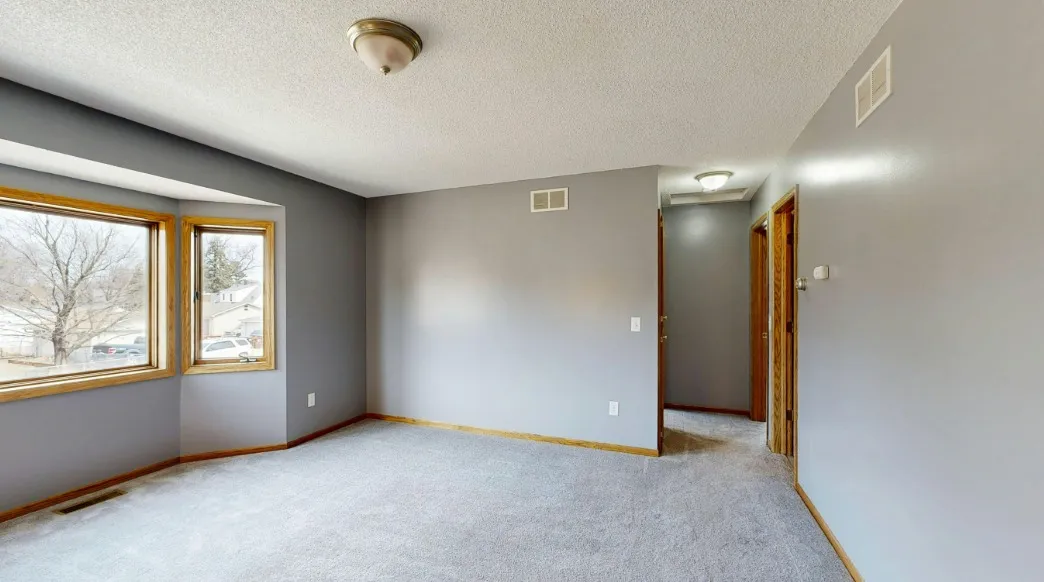
Before: the actual photo a MeltFlex user uploaded. Animate this and you get a moving version of this.
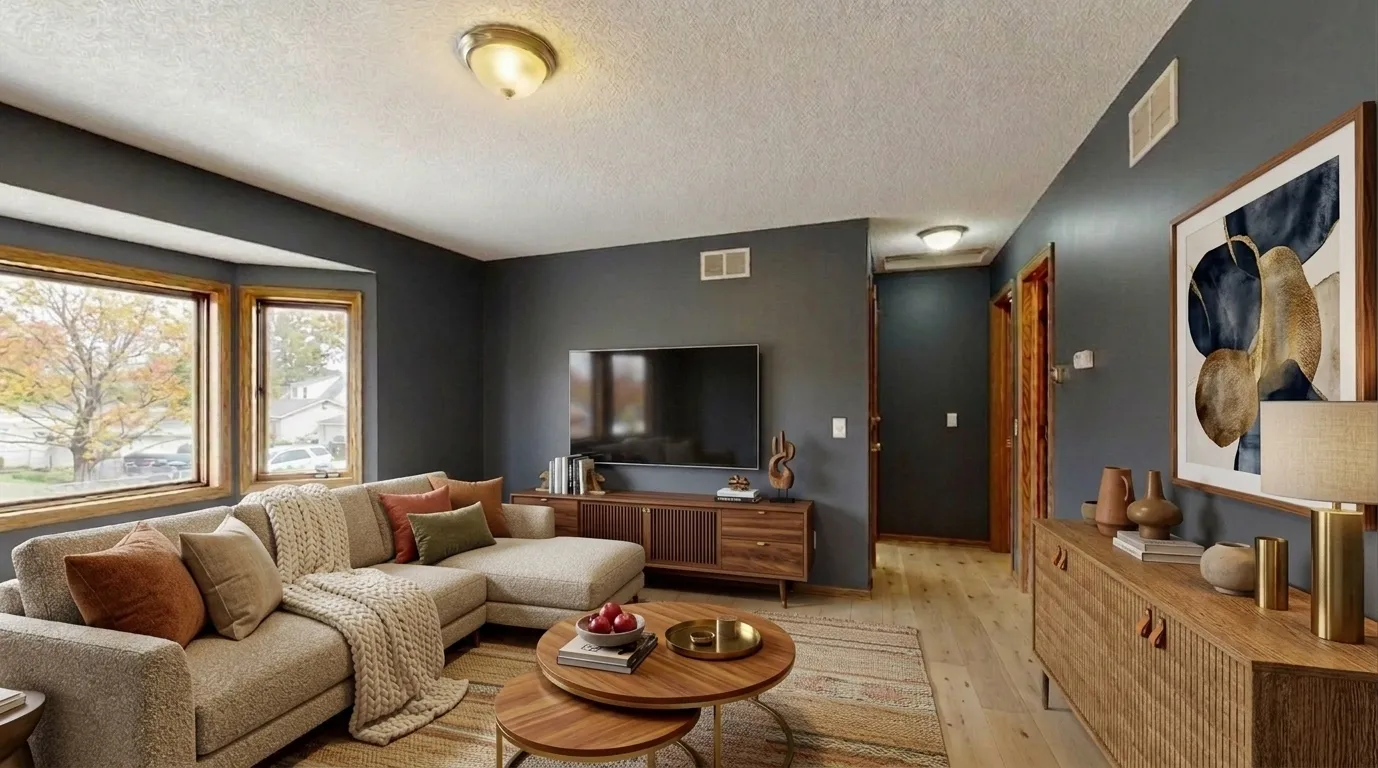
After: the same room, same window, same doorway, restyled in MeltFlex. This is the frame worth spending video credits on.
So the real workflow has two halves, and the AI video model is the second one:
- Fix the still. Empty the room, stage it, or re-render it so the light and the furniture are already right.
- Animate the fixed still with one of the prompts above.
For half one, upload the room photo to our AI interior design tool and restyle it, use virtual staging to furnish an empty room, or run it through photo to render if you want a clean architectural render rather than a decorated photo. Kitchens and bathrooms have their own tools at AI kitchen design and AI bathroom design, and for facades there is AI exterior design. If you are selling from drawings rather than photos,floor plan to 3D gets you a frame before the building exists.
For half two, if you would rather not think about models, credits and per-second maths at all, our AI video walkthrough tool takes one photo and returns a cinematic walkthrough with the camera move already handled. Full disclosure on how that is built: it runs on Google's Veo 3.1, not on Seedance. We chose it because for a single room animated from one photo, geometry stability matters more than clip length, and Veo holds walls straighter. If your job is a 30-second continuous tour of a whole flat, Seedance 2.5 is genuinely the better model and you should use it.
Where Seedance Breaks
Being blunt about this saves you money, because every failed take is billed the same as a good one.
- Long moves warp architecture. The further the camera travels, the more the model invents. Window frames bow, skirting boards wander, stair treads change pitch. Short clips and small moves are the fix.
- Furniture rotates. Sofas and chairs subtly change shape or orientation mid-shot, especially during orbits. Say "furniture must not rotate or change shape" and keep orbits under 45 degrees.
- Empty rooms fill themselves. Ask for an empty room and the model will often furnish it. Repeat the constraint.
- Mirrors and reflections lie. A mirror will reflect a room that does not exist, or a camera. Avoid mirror-facing shots or keep them very short.
- Text turns to mush. Book spines, artwork lettering, house numbers and signage all degrade. Frame them out or accept them soft.
- Invented people and pets. Property video with a hallucinated person in it is unusable and in some markets is a disclosure problem. Put "no people" in every negative.
- Audio you did not ask for. On by default. Footsteps in an empty flat are a giveaway.
The disclosure point is not hypothetical. If you are marketing property with AI-generated or AI-altered visuals, read our summary of virtual staging disclosure rules before you publish, because the rules that cover altered stills cover altered video too.
Seedance vs Veo 3 vs Higgsfield vs Kling
Model-specific prompt sets for the others: Veo 3 for listing videos, Higgsfield camera presets, Kling for real estate and Runway models and credit costs. For the still side, the Nano Banana real estate photo prompts pair well with any of them.
Tips for Writing Better Seedance Prompts
- Name the camera move. Unspecified means the model chooses, and it chooses drift.
- Move light, not objects. In interiors, light, fabric, steam, water and foliage are the only safe movers.
- Say the speed. "Slow" and "constant speed" do more work than any adjective about mood.
- Write negatives as a list. No people, no pets, no text, no camera reflections, no furniture motion.
- Use beats past 10 seconds. Timed chunks beat one long paragraph every time.
- Add references one at a time. Test whether each extra asset actually improved the take before adding another.
- Match the aspect ratio to the destination. 9:16 for reels, 16:9 for listing pages. Cropping afterwards wastes resolution you do not have.
If you want the underlying principles rather than the recipes, our guide to AI interior design prompts that work covers why constraints beat adjectives, and the Gemini prompt library, ChatGPT set and render prompt set handle the still-image half of the job.
Frequently Asked Questions
What is the best prompt structure for Seedance 2.5?
Use ByteDance’s own order: subject, then action, then camera, then style. Dreamina’s Seedance 2.5 guide states it as Subject → Action → Camera → Style, written as short lines with any line you do not need simply dropped. For interiors the subject is the room, the action is what moves in it such as light, curtains or steam, the camera is the shot size and the move, and the style is the grade and lens. Piling on adjectives does not help. Specific motion and a named lens do.
Can Seedance 2.5 turn a listing photo into a walkthrough video?
Yes. The image-to-video endpoint takes a start frame and an optional end frame, and generates 4 to 30 seconds of motion from it. That is the whole workflow for property video: one good still in, one moving shot out. The catch is that the model animates what it sees, so a cluttered or badly lit photo produces a cluttered, badly lit video. Stage or render the room first, then animate.
Does Seedance 2.5 support 4K?
No. The shipped model outputs 480p or 720p only, per the live API schema. ByteDance trailed higher resolutions before launch and several resellers still advertise 4K, but that is marketing rather than the model. Seedance 2.0 is the one that reaches 1080p and 4K. If your listing video is going on a website hero or a 4K TV in an office window, 2.0 is still the correct choice.
Is Seedance 2.5 better than 2.0 for real estate videos?
Only for length and consistency. 2.5 generates up to 30 seconds in one continuous pass and accepts up to 50 reference inputs, so a whole-apartment tour holds together instead of drifting between stitched clips. But it caps at 720p while 2.0 does 1080p and 4K. Use 2.5 for vertical social reels and long tours where 720p is fine, and 2.0 for the hero clip that has to look sharp on a big screen.
How much does a Seedance walkthrough video cost?
It depends entirely on where you run it, and the spread is roughly fivefold. Dreamina lists Seedance 2.5 from about $0.097 per second and 2.0 from about $0.066 per second. On fal.ai the same 2.5 model is about $0.2205 per second at 480p and about $0.4730 per second at 720p. A 30-second tour is therefore somewhere between roughly $3 and $14 for one generation, before the takes you throw away.
Is Seedance free to use?
Not in any practical sense. Consumer apps and resellers run trial credits and promotional offers that come and go, so check the current terms rather than trusting any article on this, but sustained generation is paid, either per second or out of a subscription credit pool. The cost nobody quotes is the takes you throw away. Every published per-second price is the price of one generation, and a usable shot is rarely the first one, so plan your budget around several attempts per finished clip.
Will Seedance keep my actual room accurate?
Partly. Because it animates from your start frame, the geometry of the first frame is yours. What drifts is everything the model has to invent as the camera moves: furniture that rotates out of shape, window frames that bend, reflections that do not match, and text on artwork that turns to mush. The shorter the clip and the smaller the camera move, the less it invents. Keep hero shots under 8 seconds if accuracy matters more than drama.
Seedance or Veo 3 for property video?
Veo 3 holds architectural geometry better on short clips and its audio is stronger, so it wins for a polished 8-second hero shot. Seedance 2.5 wins when you need one continuous 30-second tour or heavy reference control, and it is cheaper per second on Dreamina. Our own video walkthrough tool runs on Veo 3.1 for exactly that reason: for a single room shot from one photo, geometry stability beats clip length.
Start With the Still
Seedance 2.5 is a real step forward for property video and a sideways step for image quality, and which of those matters depends entirely on where your clip is going to be watched. Pick the version for the destination, write the prompt in ByteDance's order, name the camera move, and put "no people" in every negative.
Then fix the frame you are animating, because that is the half of the job the model cannot do for you. Upload a room photo to MeltFlex, restyle or stage it until the still looks like the room you want to sell, and animate that. The prompts above will do a lot more for a good frame than for a bad one.