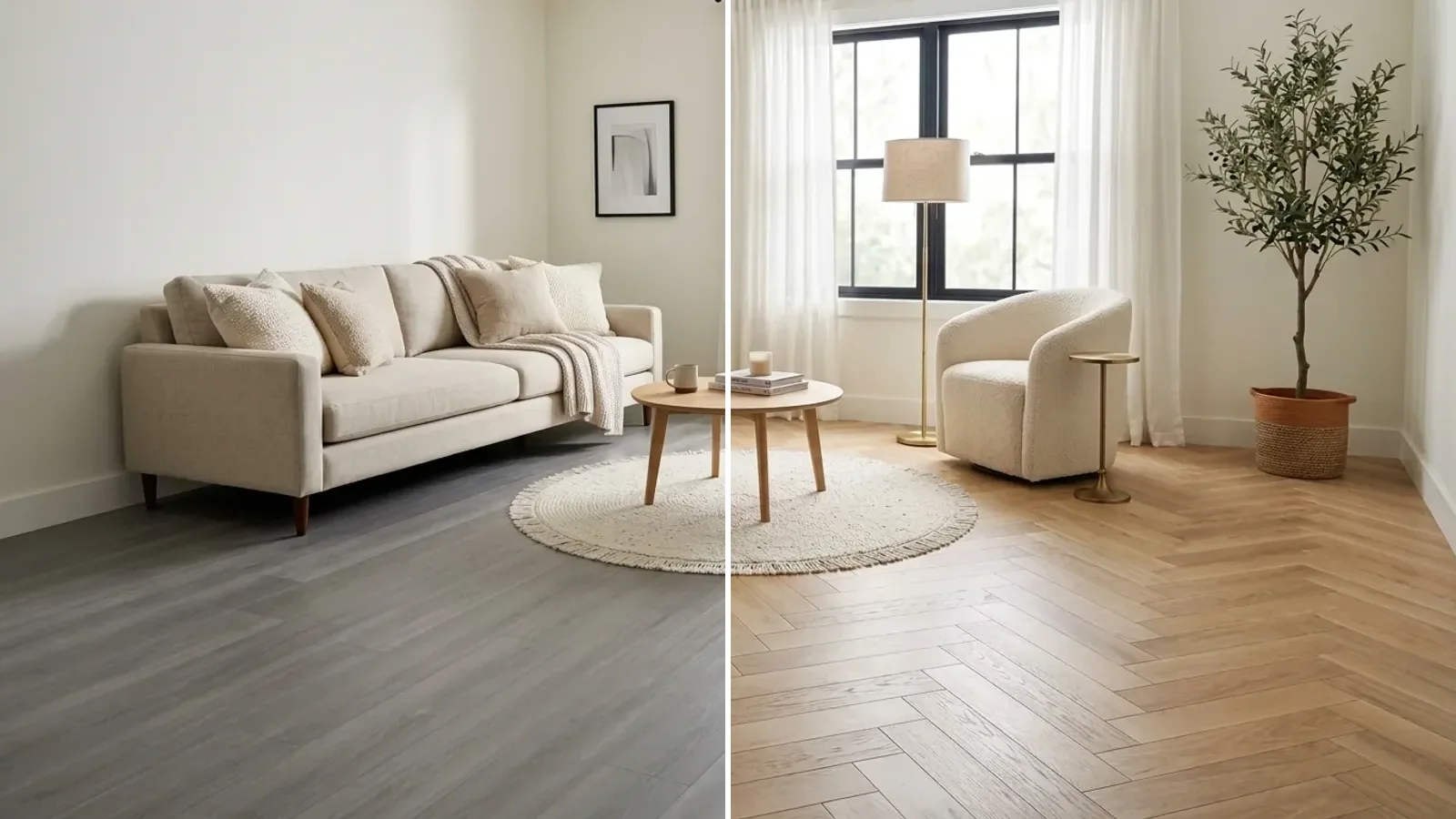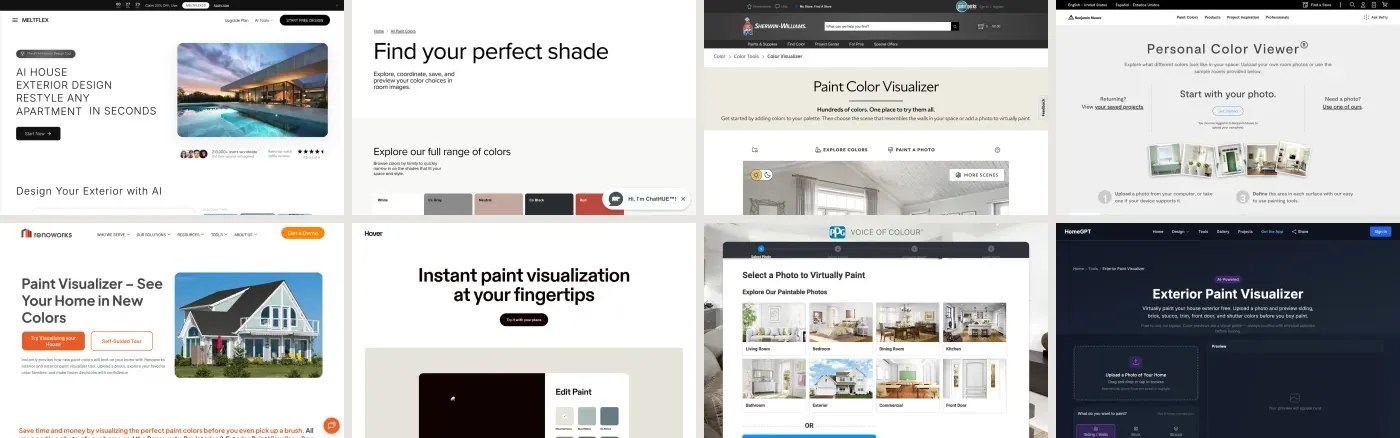
A flooring visualizer takes a photo of your room and shows a different floor in it before you buy a single box. There are two families and they are not interchangeable. Retailers and manufacturers run free ones that lay their own products onto a mask of your floor, and most of those run on one engine called Roomvo. AI tools re-render the whole photo with any material you describe, and the floor they show you is not a product code. Almost everybody needs the second kind first and the first kind second.
Our articles are still written by humans!
Get human written articles in your Google feed.
Quick answer: use an AI flooring visualizer to settle the big question, wood or tile or vinyl or concrete, light or dark, plank or herringbone, because it costs nothing and shows any floor on your actual room in about twenty seconds. Then take the two survivors into the visualizer of the retailer you will buy from, where the plank on screen is the plank in the box. Then order samples of those two, because no screen can show you a floor. The twelve tools, what each really does, and the mistake all of them make are below.
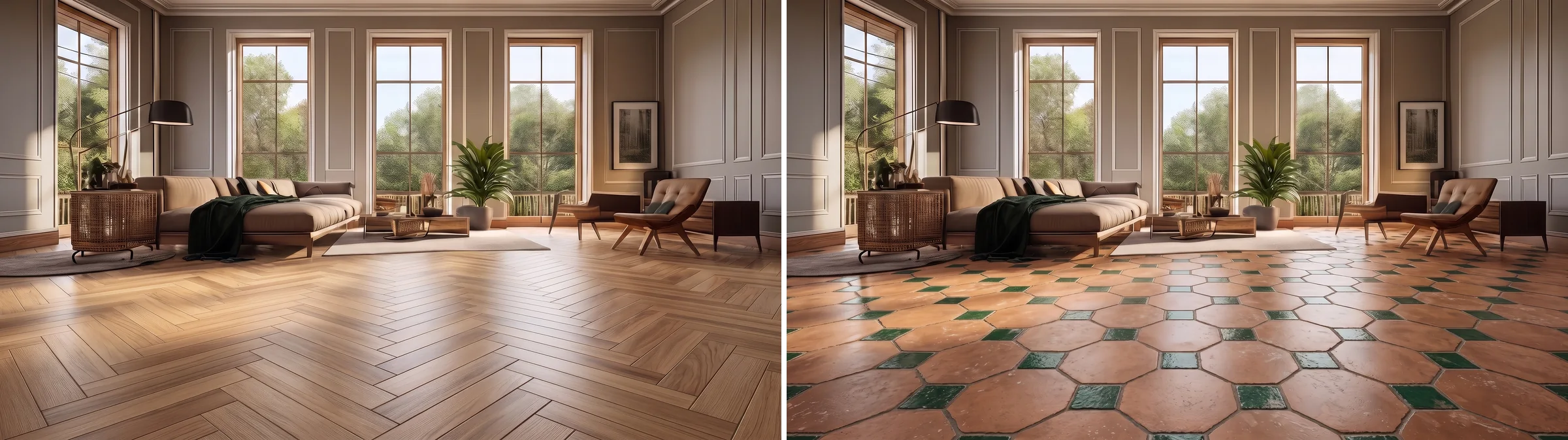
The job, in one picture. Same three windows, same sofa and green throw, same rug, same palm: only the floor changed, oak herringbone on the left and terracotta octagons with green inserts on the right. Both panels are one render of the room sent back through our floor visualizer with a photo of the real material as the reference each time, which is the upload-your-own-texture option on the tool page. That identity is what you check first in any output you get. If the sofa moved, you are looking at a different room.
The short version
- Five of the twelve tools here are one product, Roomvo, wearing a retailer's logo. Testing Home Depot, Shaw and Mohawk is testing one engine three times.
- Every retailer tool is free, and every one takes your own photo. The catch is that it only shows what that retailer sells.
- AI visualizers show any floor in any room with no masking and no catalogue limit. They give you a look, not a SKU.
- Plank direction and plank width are what the tools get wrong most, and a floor laid the wrong way reads as a different floor.
- The Sherwin-Williams floor visualizer that ranks on page one is for resin warehouse floors, not for your living room.



Which floor visualizer for which job
There is no single best floor visualizer, because the tools are built for different moments in the same decision. Pick by where you actually are:
- You have no idea what the floor should be. Use an AI tool that re-renders the photo with whatever you type. Trying tile, oak and polished concrete in the same minute is the whole advantage at this stage.
- You have two products and a retailer. Use that retailer's own visualizer. It lays the exact plank you would order onto your floor, and matching the product is the only thing that matters by now.
- You are choosing tile for a bathroom or kitchen. Retailer tools are strongest here. Tile is a repeating unit with a known size, so the scale comes out right, and Floor & Decor lets you mix floor and wall tile in one scene.
- You are choosing between plank widths or a pattern. Treat every tool as a rough guide. Direction and width are the thing they get wrong, covered below.
- You want to see the floor with different furniture or wall colours too. That is not a flooring visualizer job. Upload the room to the full MeltFlex editor and change everything at once, or pair the floor test with an AI wall colour tool.
- You are deciding what is in style, not what fits your room. Different job again. That is our piece on flooring trends for 2026, and the matching rules live in what colour furniture goes with grey walls.
The comparison table
Every entry below was read off the tool's own pages in September 2026. Retailer tools change quietly and often, so treat this as a snapshot.
Read that table as two blocks rather than twelve rows. The two tools that show any material are the two that cannot hand you a product code, and the ten that hand you a product code only show their own shelves. That trade is the whole category, and the Engine column is the part most roundups skip.
Five of these are one tool: Roomvo
Open the Home Depot flooring visualizer, then Shaw's View in Your Room, then Mohawk's room visualizer, then Empire Today's. Past the logo the upload screen is the same, the floor mask behaves the same, and the plank engine lays the same way. That is because they are the same product. Roomvo is a white-label visualization platform sold to manufacturers, retailers and distributors. Its own site says more than 6,000 brands and over 7,000 retailers use it, that it has brought over a billion products to life since 2017, and that retailers using it see up to a 15 percent lift in sales. Mohawk's visualizer literally lives at a roomvo.com address, and Home Depot named Roomvo as the technology behind its tool when it announced that 1.5 million customers had used it in 2022.
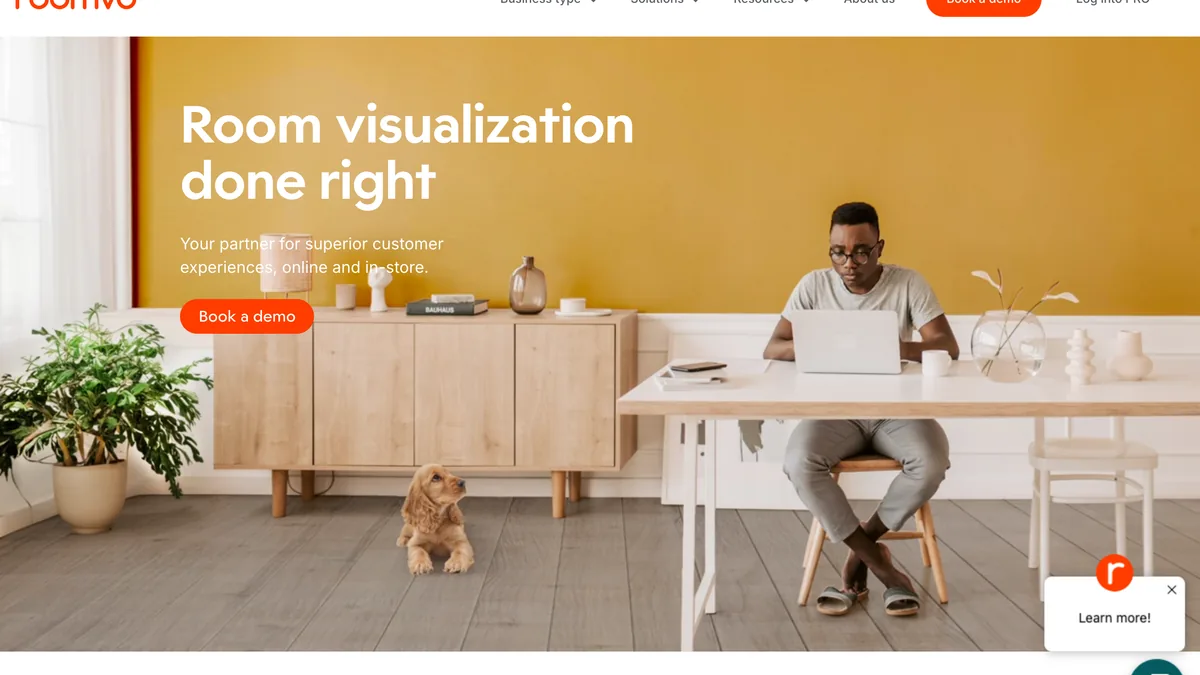
Roomvo, captured 7 September 2026. Note who the page is talking to: Book a demo, Log into PRO. It sells to retailers, not to you, which is why you will never use Roomvo directly and will use it constantly without knowing.
Two things follow. First, if you test one Roomvo tool you have tested them all, so spend your time on the catalogue rather than the tool: pick the retailer whose products you would actually buy from. Second, Roomvo is good. The floor masking is the most reliable in the retailer group, the wall tile and rug modes work, and it runs in a browser on a phone with nothing to install. The thing it cannot do is show you a floor its retailer does not stock, and it cannot invent a material. For that you need the other family.
One room, four floors
The argument for the AI side of the category is range, and it is easier to show than to describe. Below is the same living room in four floors: one render, sent back four times with a photo of a real floor material as the reference and only the floor changed.
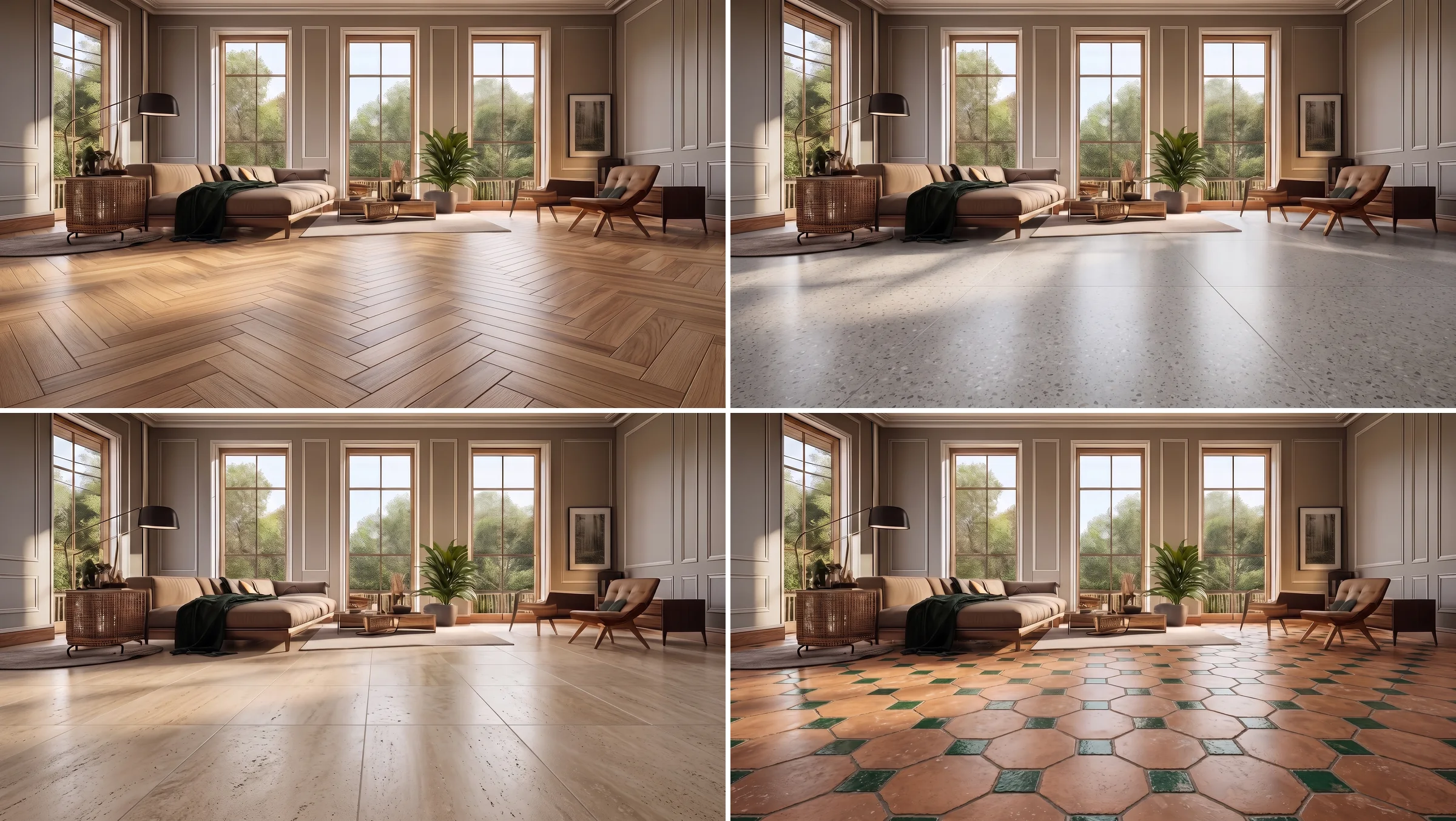
Oak herringbone, grey terrazzo, large-format travertine, terracotta octagons with green inserts. Same sofa, same rug, same palm, same picture on the wall in every panel, which is the identity check. Four different retailer catalogues would be needed to see these four floors in a Roomvo tool; here it was four material photos.
The pair worth studying is the top row. Herringbone and terrazzo sit in a similar pale value, and yet the room reads as two different rooms: the herringbone pulls the eye to the centre and makes the space feel furnished, the terrazzo runs seamless to the windows and makes the room feel larger and cooler. That difference is pattern and scale, not colour, and it is the difference no sample board will ever show you. Look at the terrazzo chips and the travertine pits: they are the chips and pits from the sample photos, which is what a texture reference buys you over a text description.
In a retailer visualizer, producing that grid means finding four products in one catalogue that happen to cover those four looks, masking the floor, applying each and screenshotting. It is doable and it takes most people the better part of an hour. The AI version takes a couple of minutes and gives you something worse: a look rather than an order line. Use it for what it is good at, which is killing twenty candidates fast, and then go get the SKU.
The mistake all of them make: direction and scale
Here is the failure mode that the retailer tools share and the AI tools only partly fix. A floor is not a colour. It is a pattern with a size and a direction, and the same plank laid along the long axis of a room, across it, or on a diagonal produces three different rooms. Retailer visualizers apply the product texture at a default scale and a default angle, and the better ones let you rotate it, but almost none of them know how wide your room is, so the plank width on screen is a guess.

Same room, three scales. Herringbone blocks about a hand's width, whitewashed ash planks about a foot wide, travertine slabs well over a metre. Nothing else moved. Get any of those scales wrong by half in a visualizer and the room you fall for is not the room you get.
The practical test costs nothing. Measure the longest wall, then in whichever tool you use, count how many planks or tiles cross that wall on screen and multiply by the product's real width. If the number is off by more than a plank or two, the preview is lying to you about scale, and everything you conclude from it about how busy or calm the floor looks is unreliable. Flooring America's tool is the one retailer tool here that makes rotating the floor a headline feature, and that rotation is worth more than most of the filters.
AI visualizers tend to get direction right because they read the perspective of the whole photo rather than a mask of the floor, so the planks follow the room's vanishing point. They are worse on exact width, because the model chooses a plausible plank rather than your plank. Our own tool is no exception, and here is the proof, because it would be dishonest to leave it out.
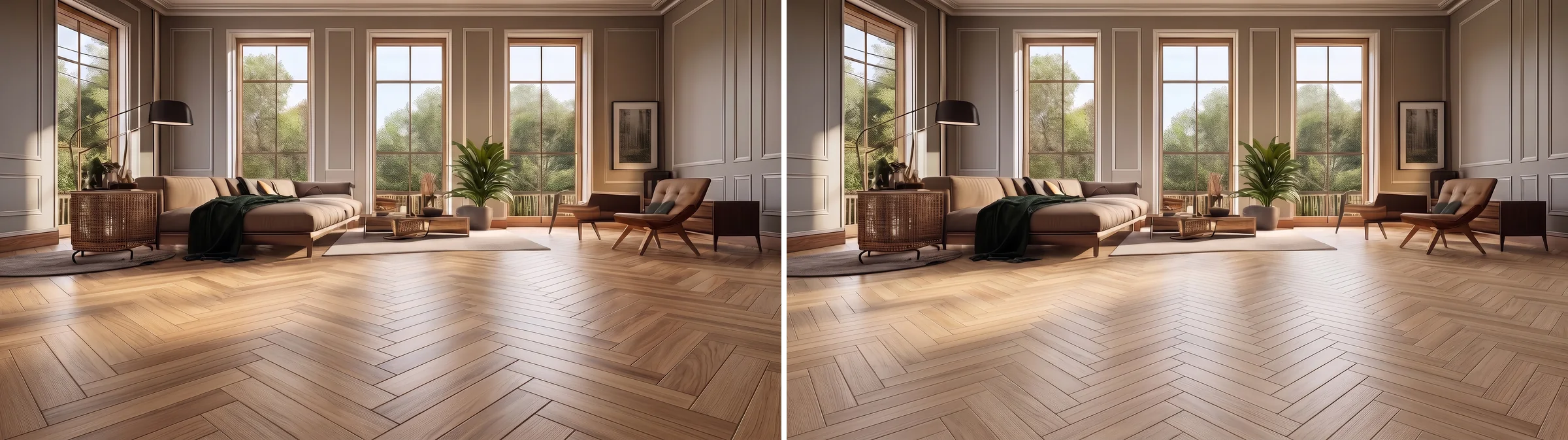
Left: herringbone from a material photo. Right: the same room asked in words for herringbone "laid so the pattern runs across the room, left to right". The model kept the diagonal it liked and gave us the same floor twice, at two different resolutions and on two different days. A retailer tool with a rotate button would have done what we asked; the AI did what it usually sees. Count the planks, check the direction, do not take the first answer.
Light floors, dark floors, and the light you have
The second thing no visualizer protects you from is your own windows. A floor is the largest reflective surface in the room, and a dark floor in a north-facing room eats light in a way a screen at full brightness will not show you.
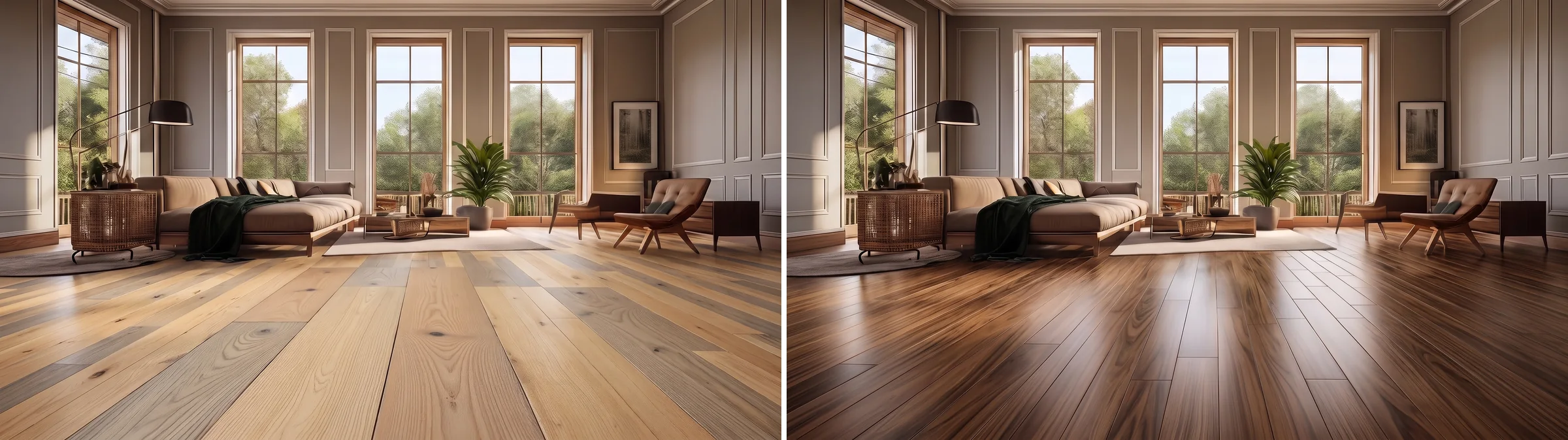
Light oak against walnut in the same room with the same three windows, both from photographs of the real boards. On screen the walnut looks richer, and this room can afford it because it has three windows. Move the same floor into a room with one north-facing window and it will look smaller and darker at four in the afternoon, and no tool here models that.
The fix is the one we give for exterior paint visualizers: photograph the room twice, morning and late afternoon, and run your shortlist through the visualizer on both photos. A floor that survives both is a real candidate. If the dark floor only works in the bright photo, you have learned something a sample board would have taken a week to tell you.
Tile visualizers are a different job
Roughly a fifth of the searches in this category are for a tile visualizer rather than a flooring one, and the difference matters. Tile is where retailer tools are at their best, because a tile is a repeating unit with a published size and the tool only has to scale it, so the grout grid on screen is usually close to the grout grid on the floor. Floor & Decor's visualizer covers tile and stone and lets you put floor and wall products into one scene and send the lot to a cart. Shaw covers tile and stone. Any Roomvo-based tool handles wall tile as well as floor tile.

One bathroom, three floors, photographed the way the how-to below says: from the doorway, floor in the lower half, one wall in frame. Patterned encaustic-style tile, grey terrazzo, terracotta octagons with green inserts, the last two from the same material photos used in the living room above. The tub, the green shower wall and the burgundy marble stay put in all three, which is the check. One honest miss from the same session: a travertine sample gave this bathroom a wood herringbone floor, so it was cut. The material photo is a strong hint, not a guarantee.
Two practical notes for bathrooms. Photograph from the doorway with the floor and at least one wall in frame, because a bathroom photographed from inside has too little floor for any mask to work with. And if the real question is the whole room rather than the tile, the tile test belongs inside an AI bathroom design pass or an AI kitchen design pass, where the cabinets and walls change with the floor instead of staying frozen around it.
How to photograph a room for a flooring visualizer
Most bad results are bad photos. The five steps below hold for every tool in this list, because every one of them has to find your floor before it can change it:
- Shoot from standing height, tilted slightly down, so the floor fills the lower half of the frame. A photo from a chair shows walls, and no tool can change a floor it cannot see.
- Clear the foreground. Rug, dog bed, shoes, cables. Every tool masks the floor by finding its edges, and a rug in the foreground becomes a hole in the new floor or, worse, part of it.
- Keep the far wall and one doorway in frame. Those lines give the tool its perspective. A photo of nothing but floor has no vanishing point, and the planks come out flat and wrongly scaled.
- Daylight, no flash. Flash puts a hot spot in the middle of the floor that survives into every material you try.
- Keep the file between 500 KB and 5 MB. Shaw publishes that range for its own tool and it holds for the rest of the list. Below it the texture smears, above it several tools quietly downscale or time out.
The twelve tools, one by one
MeltFlex Floor Restyle
Our own tool, so read this with the appropriate suspicion. MeltFlex's AI flooring visualizer takes a photo of any room and re-renders it with a new floor, keeping the walls, furniture, windows and light where they were. It ships 18 preset floors, from oak herringbone and white marble to microcement, terrazzo, black slate and patterned tile, and it also takes a floor you describe in a sentence or a texture file you upload, which is how every same-room image in this article was made. What it does not do is hand you a Shaw or Mohawk product code, and it would be dishonest to pretend otherwise: it gives you a direction, not a specification. Free to start with an account, paid from €29 a month.

Our own page, captured 7 September 2026. No masking step anywhere in the flow, which is the whole pitch and also the whole limitation.
Roomvo
The engine, not a consumer product. You cannot sign up to Roomvo as a homeowner; you meet it inside a retailer's site, where it lays that retailer's products onto a mask of your floor, and increasingly onto walls, countertops and rugs too. It runs in a browser on any device with nothing to install. Included as its own entry because it is the honest way to describe the next several tools, and because the choice between them is a choice of catalogue, not of software. If you want the widest Roomvo catalogue, Home Depot. If you want a manufacturer's full line, Shaw or Mohawk.
The Home Depot Flooring Visualizer
Roomvo with the biggest shelf behind it. It runs on homedepot.com and in the Home Depot app, it covers flooring, wall tile and area rugs, and products that support it carry a Visualizer Enabled filter in the flooring category, which is the fastest way to see only what you can actually preview. Home Depot said in October 2022 that more than 1.5 million customers had used the tool that year, and its senior online merchant called seeing a whole floor instead of a sample "truly game changing", which is marketing but not wrong. The caveat is access: the visualizer landing page returned a 403 to our crawler this week and shows the same 403 in Ahrefs' index, so reach the tool through a product page or the app rather than the direct URL. No screenshot for the same reason.
Lowe's Room Visualizer
Lowe's runs its own visualizer rather than a Roomvo skin, and it does floors and paint on the same uploaded photo, which is genuinely useful when the floor decision and the wall decision are the same decision. When you upload an image the system analyses it to find the floor, then applies Lowe's products as you pick them. It blocked our capture the same way Home Depot did, so we cannot show it here, and we would treat its plank scaling with the same suspicion as the rest until you have counted planks against a wall.
Floor & Decor Visualizer
The retailer tool with the most useful ending. Free, no account, upload your own photo or choose from the gallery, then mix and match tile, stone, wood, laminate and vinyl in one scene, save or share the project, and add the selected products to a cart. It is the only tool here where the visualizer and the checkout are the same flow. It is also the strongest tile tool in the list for the reason given above, and the "floor and decor visualizer" search is the biggest branded query in this whole category, which tells you people come back to it.
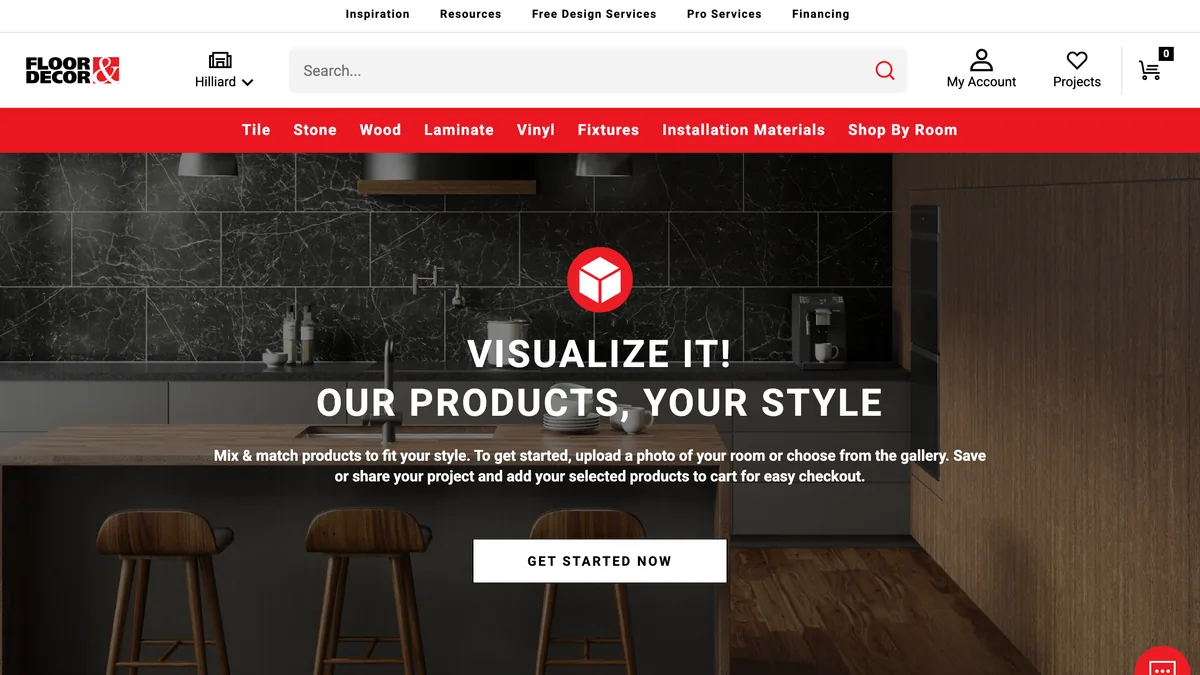
Floor & Decor, captured 7 September 2026. Read the small text: upload a photo or choose from the gallery, save or share, add to cart. That last clause is the one nobody else in the list has.
Shaw Floors View in Your Room
The clearest of the manufacturer tools about what it does and does not do. Free, runs in the browser with no download, takes a smartphone photo or one of Shaw's example rooms, and covers luxury vinyl, sheet vinyl, carpet, hardwood, laminate and tile and stone. It lets you orient the floor and change the installation pattern, and its FAQ states plainly that your photo is only used for the session and is not saved or shared, which no other tool here says as directly. It publishes the 500 KB to 5 MB file range we recommend above. Under the hood it is Roomvo: the start link on Shaw's own site is literally a roomvostartvisualizer URL.
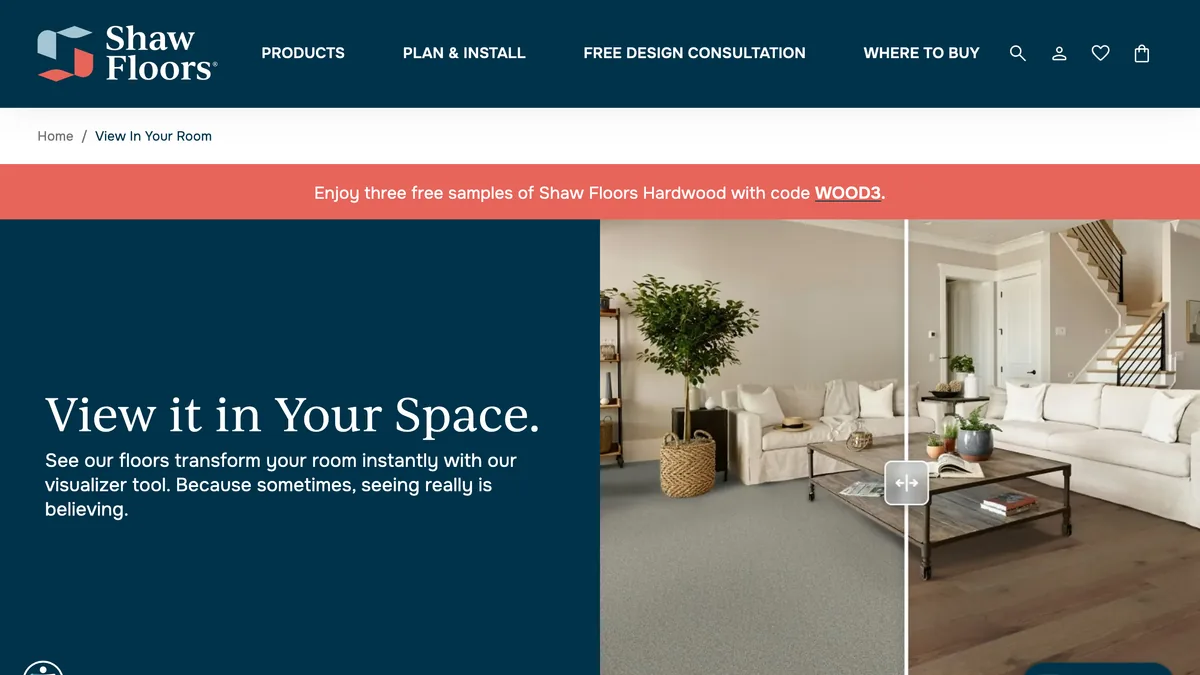
Shaw, captured 7 September 2026. The slider on the hero is the honest version of the whole category: same sofa, same stairs, only the floor moves.
Mohawk Room Visualizer
Roomvo with Mohawk's hardwood, laminate, carpet, vinyl and rug lines behind it. Upload a room photo, pick a product, compare. It is worth knowing that the visualizer does not live on mohawkflooring.com at all: the Mohawk address we tried returned a 404, and the working tool sits at a roomvo.com address branded for Mohawk. That is the clearest single piece of evidence for the point made above about who actually builds these tools.
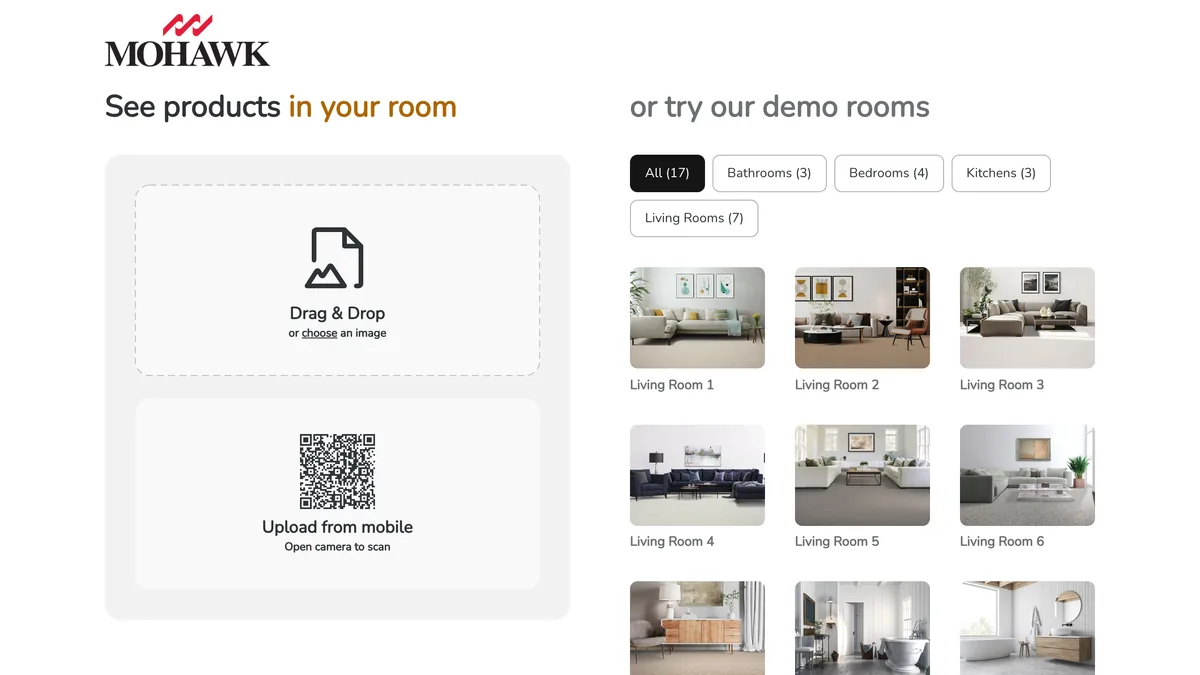
Mohawk's visualizer, captured 7 September 2026 at its roomvo.com address. Drag in your photo, scan the QR code to shoot it on your phone, or pick one of seventeen demo rooms. The same three choices greet you in every Roomvo skin, which is the tell.
Pergo Visualizer
Pergo is a Mohawk brand and its visualizer behaves like a Mohawk one: choose a floor, click See this in my room on the product page, upload a photo or pick a room scene, and add samples or products to a cart. It covers Pergo's laminate and vinyl and nothing else, which is fine if you already know you want Pergo and useless if you do not. Pergo products are also Visualizer Enabled at Home Depot, so if you want them in a bigger catalogue, go there instead. No screenshot: the visualizer loads inside an embedded frame that our headless capture rendered as an empty page.
Flooring America My Floor Style
The number one organic result for the head term, and deservedly a solid tool. Upload a photo of your room, filter by collection, style from minimalist to rustic, colour and lifestyle, and, the feature that matters most, rotate the floor to see the plank run the other way. Save favourites, share with the household, or send the result to a local Flooring America store, which is the business model. Carpet, hardwood, vinyl and tile. One honest note: flooringamerica.com timed out on both of our capture attempts this week, so the description is from the tool's own help page rather than a session in it.
LL Flooring Picture It
LL Flooring, formerly Lumber Liquidators, brands its visualizer Picture It. Snap a photo of the space, upload it, and preview hardwood, laminate, vinyl and tile from its range, with a heavy lean toward wide plank. The useful pairing is that LL ships four free flooring samples, so the natural workflow is to shortlist in Picture It and order the samples of the two survivors in the same session. That sample step is the one every visualizer in this list should end with and only two make easy.

LL Flooring, captured 7 September 2026. The visualizer is a top-level navigation item, next to Free Samples, which is the right pair.
Empire Today Room Visualizer
Roomvo again, branded for Empire Today: snap a picture or use one of theirs, choose a floor sorted by colour and type, see it in your room, save or share. Hundreds of carpet, hardwood, laminate, vinyl and tile options. The difference is what happens next, because Empire does not sell online: the visualizer feeds a free in-home estimate, so the floor you fall for on screen is priced by a person on your sofa. That is a fine way to buy a floor, but go in knowing the tool is the top of a sales funnel rather than a store.
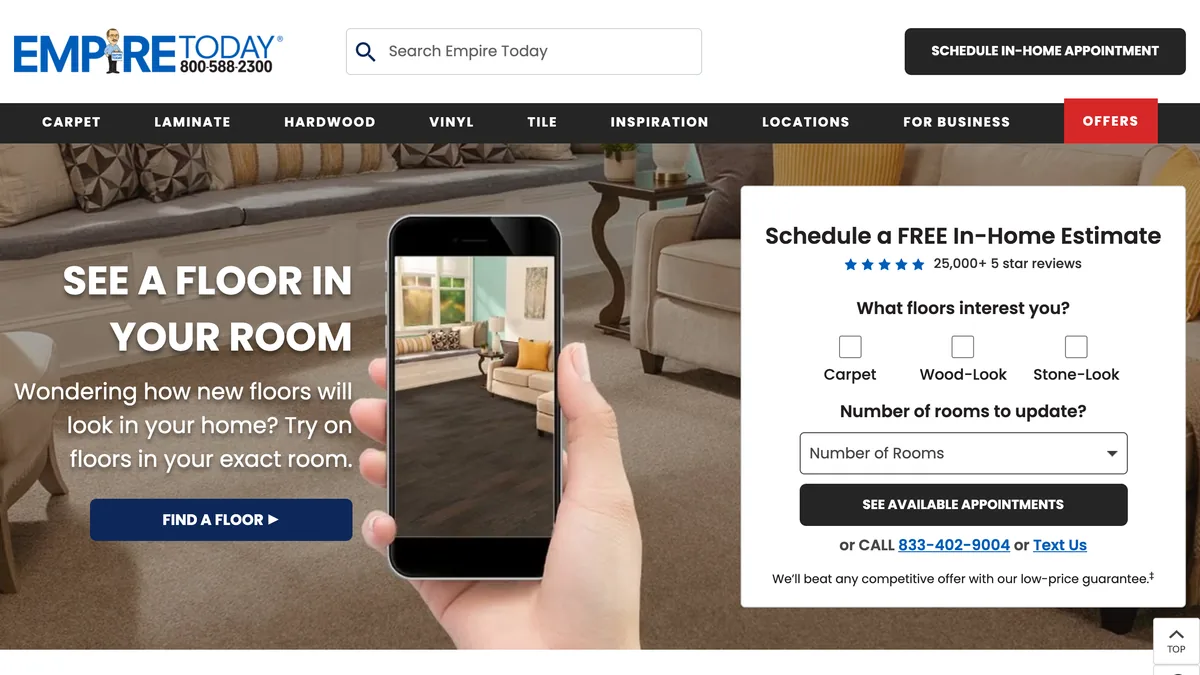
Empire Today, captured 7 September 2026. The visualizer is on the left and the in-home estimate form is on the right, which is the whole business in one screen.
Dehome AI Flooring Design
The closest thing to our tool in the AI lane. Upload a photo, and it detects the floor and swaps it for one of eight materials, hardwood, light oak, dark walnut, marble, ceramic tile, polished concrete, laminate or luxury vinyl, in natural, matte, high gloss or distressed finishes, working around furniture rather than making you mask it. Its flooring page says the tool is free with 10 daily credits; its pricing page, when we checked it this month, sells credit packs from 9.99 dollars, so expect the free path to be thin and the Pro model, at six credits a render, to be the one you actually use. Same limitation as every AI option: no orderable product at the end.
The visualizer that is not for your house
Search the head term and the Sherwin-Williams Floor Visualizer sits on page one, which sends a steady stream of homeowners to a tool built for someone else. It belongs to the company's High Performance Flooring division and it visualizes seamless resin flooring systems, the kind poured in warehouses, hospitals, food plants and garages, using standard designs or custom colour blends. It takes an uploaded photo and it works. It is just not a tool for choosing oak against vinyl in a living room, and its own footer carries the caveat that colours on screen may not match the coating.
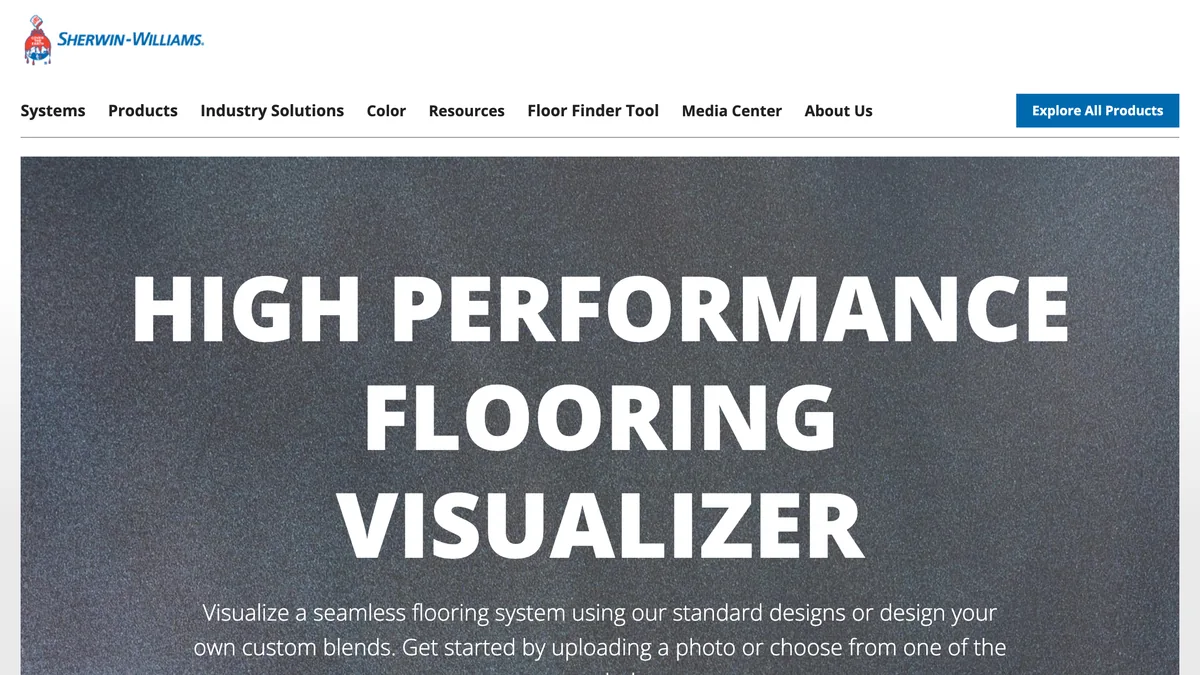
Sherwin-Williams, captured 7 September 2026. Read the headline, not the URL: High Performance Flooring is the industrial resin line. If you got here looking for a floor for a bedroom, this is the wrong building.
The workflow that actually works
After all of the above, the sequence is boring and it is the one that saves the most money:
- Photograph the room twice, morning and late afternoon, from standing height, foreground cleared, far wall in frame.
- Run a wide net through an AI visualizer. Ten to fifteen floors, wood and tile and vinyl and stone, both photos, no masking, five minutes. Kill everything that does not survive both lights.
- Count the planks against your longest wall in every preview you like. Anything off by more than a plank or two is lying about scale.
- Take the surviving two into the visualizer of the retailer you will buy from, and apply the real products this time. Now you have SKUs.
- Order samples of both and lay them on the actual floor, by the window and in the far corner, for three days. No screen substitutes for this step and no vendor claims otherwise. LL Flooring and Shaw both make the sample order part of the tool, which is the right instinct.
The AI visualizer step on video: one room photo, a material picked from a short list (oak herringbone, white marble, polished concrete, dark walnut) or described in your own words, and the floor replaced in the photo.

Check plank direction and scale before you judge the color. That is the mistake every tool on this page can make, ours included.
If the project is bigger than the floor, the same rehearse-before-you-commit logic applies to the walls and the furniture around it. Changing wall colour in a photo covers the walls, what size rug for a living room covers the thing you will put on top of the new floor, and rug on carpet covers the case where the floor is staying.
What the floor costs, and what a wrong one costs
Worth putting numbers on the thing the visualizer is protecting you from. The 2026 cost guides at HomeGuide and Angi put installed flooring in the United States at roughly 3 to 25 dollars per square foot depending on material, with labour taking 40 to 50 percent of the bill and removal of the old floor adding 1 to 3 dollars per square foot on top. By material the usual installed ranges run about 3 to 8 dollars for carpet and laminate, 4 to 15 for luxury vinyl plank, 9 to 20 for engineered hardwood, 11 to 25 for solid hardwood and 10 to 25 for tile.
The ladder is worth reading top to bottom. Every rung above the last one is free or nearly free, and the last one is a four-figure commitment you walk on for fifteen years. Spending an hour on the free rungs is the highest-leverage hour in the project. The same arithmetic, with different numbers, runs through our kitchen remodel cost and bathroom remodel cost guides, where the floor is one line among many.
Flooring visualizer FAQ
What is the best flooring visualizer?
It depends on whether you have picked a product yet. If you have, use the visualizer of the retailer you are buying from, because only it shows the exact plank you will order: Floor & Decor, Shaw, Mohawk, Home Depot and Lowe's all run one for free. If you are still deciding between wood, tile, vinyl and concrete, a retailer tool is the wrong shape, because it only shows what that retailer stocks. For that stage an AI flooring visualizer that re-renders your photo with any material you describe, ours included, gets you to a shortlist faster. Most people need both, in that order.
Is there a free flooring visualizer where I upload my own photo?
Yes, nearly all of them take your own photo and none of the twelve here charges for it. Shaw, Floor & Decor, Mohawk, Flooring America, LL Flooring, Empire Today and Home Depot all accept an uploaded room photo without a fee, and Shaw states it does not keep the image after the session. MeltFlex is free to start and needs an account. The only tool in this list that costs money for regular use is Dehome once its daily credits run out.
Why do so many flooring visualizers look the same?
Because they are the same tool. Roomvo is a white-label visualizer sold to manufacturers and retailers, and it says more than 6,000 brands and over 7,000 retailers use it. The Home Depot flooring visualizer, Shaw's View in Your Room, Mohawk's room visualizer and Empire Today's tool all run on it, which is why the upload screen, the masking and the plank engine feel identical once you are past the logo. That is not a criticism, Roomvo is good at the job. It just means testing three retailer tools is not testing three tools.
Does Home Depot have a flooring visualizer?
Yes. It runs on the Home Depot website and in the Home Depot mobile app, it is powered by Roomvo, and products that support it carry a Visualizer Enabled filter in the flooring category. Home Depot said more than 1.5 million customers had used it in 2022 alone. It also does wall tile and area rugs. The one honest caveat: the visualizer landing page returned a 403 to both our crawler and Ahrefs' this week, so reach it through a product page or the app rather than the direct link.
How accurate are floor visualizers?
Accurate on colour and pattern, unreliable on scale, direction and sheen. The retailer tools lay a real product texture onto a mask of your floor, so the colour is the colour you will get. What they cannot do reliably is set the plank width and direction to your room, and a plank laid across a room reads completely differently from the same plank laid along it. AI visualizers get the perspective right more often because they re-render the whole photo, but they hand you a look rather than a product code. Neither replaces a sample board on your actual floor in your actual light.
Can a visualizer show tile in my bathroom?
Yes, and tile is where the retailer tools are strongest, because a tile is a repeating unit with a known size and the tool only has to scale it. Floor & Decor's visualizer covers tile and stone and lets you mix floor and wall products in one scene, Shaw covers tile and stone, and Roomvo-based tools handle wall tile as well as floor. Photograph the bathroom from the doorway with the floor and one wall in frame, because the grout lines are what sell the scale.
How do I change the flooring in a photo with AI?
Upload a photo of the room to an AI flooring visualizer, name the floor you want in plain words, and the model re-renders the photo with the new floor while keeping the walls, furniture, windows and light where they were. MeltFlex ships 18 preset floors and takes any written description or your own texture file, and Dehome offers eight materials in four finishes. The trade against a retailer tool is that the result is a direction, not a SKU, so you still go to a retailer to buy the plank that matches it.
Is the Sherwin-Williams floor visualizer for houses?
No, and it catches a lot of people because it ranks on page one for the head term. Sherwin-Williams' Floor Visualizer belongs to its High Performance Flooring division and visualizes seamless resin flooring systems, the kind poured in warehouses, hospitals and garages, using standard designs or custom colour blends. It takes an uploaded photo and it works, it is just not a tool for choosing oak versus vinyl in a living room. For a home, use any of the other eleven.
The verdict
The category splits cleanly and the answer is to use both halves in order. AI visualizers are for the wide, cheap, fast pass where you find out that the herringbone you were sure about makes the room feel busy and the grey plank you dismissed makes it feel long. Retailer visualizers, most of them Roomvo underneath, are for the narrow pass where a shortlist becomes two product codes. Neither replaces a sample board by the window, and any tool that implies it does is selling you something.
If you want to start with the fast half, MeltFlex's flooring visualizer will re-render your room with any floor you can name, no masking and no card, and you can throw fifteen floors at it before you have finished a coffee. If the question is what floors are actually current, start instead from flooring trends for 2026, and if the project has grown past the floor, upload the room and change everything at once.