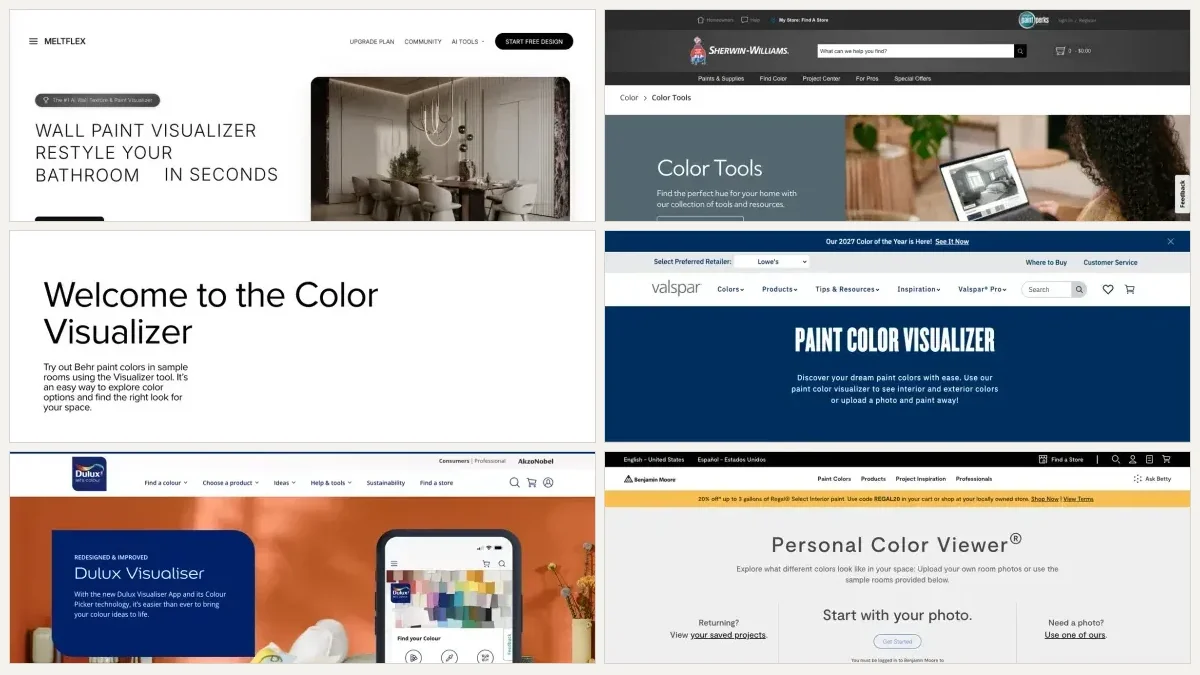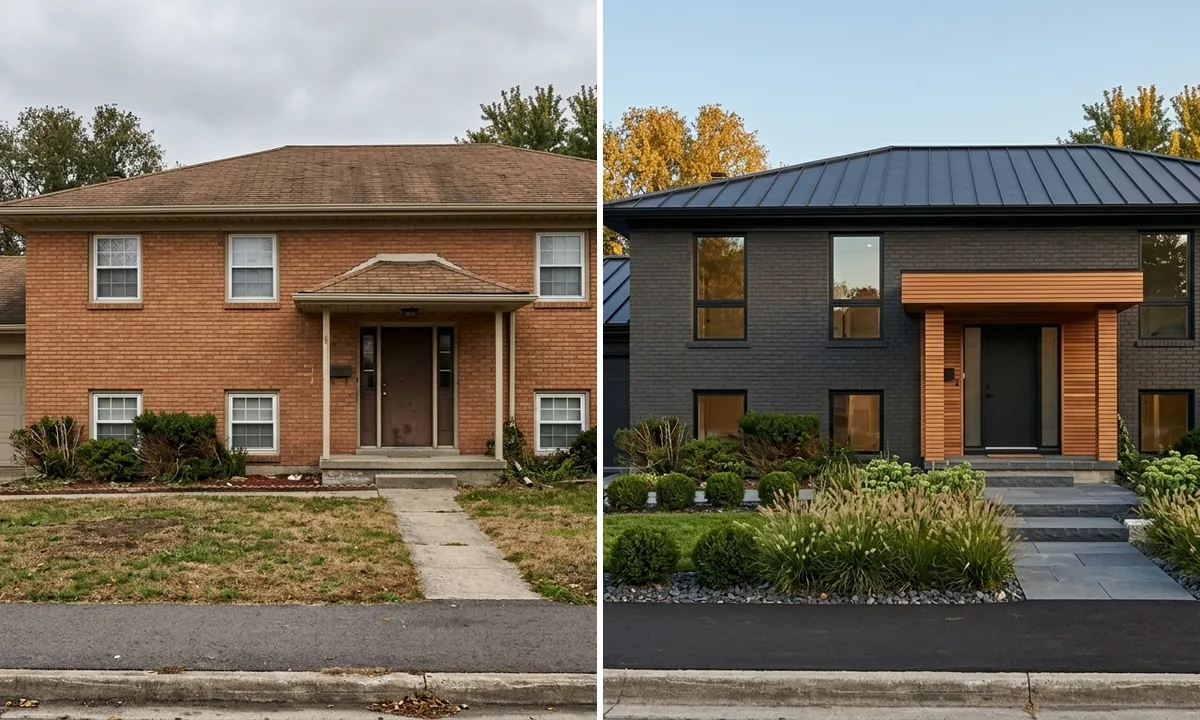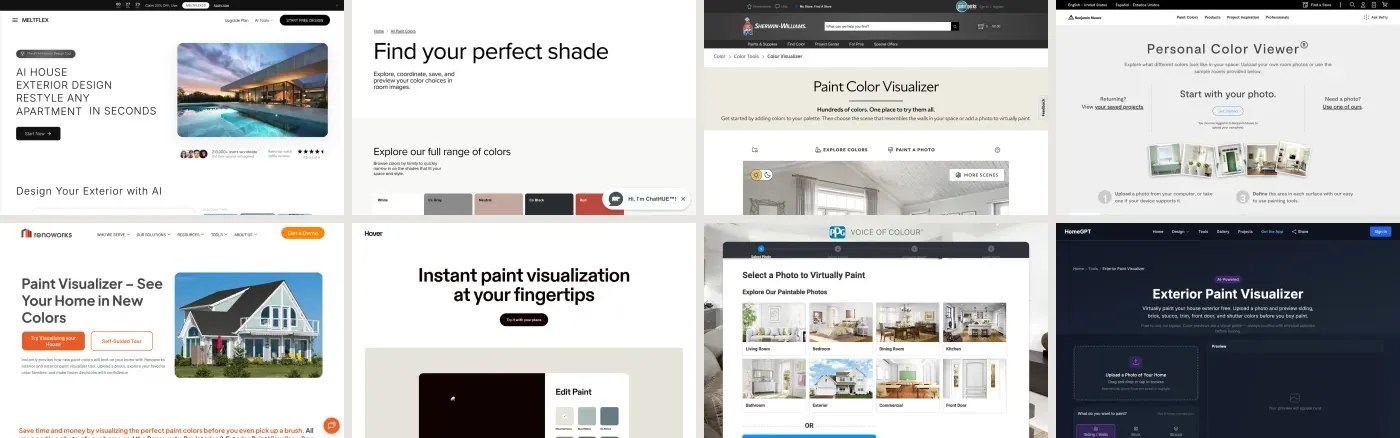
An exterior paint visualizer is a tool that takes a photo of your house and shows it in a different colour before you buy a single tin. There are two families of them and they are not interchangeable. Paint brands run free ones tied to their real colour catalogues, and they make you mask each surface by hand. AI tools repaint the whole facade from one photo in seconds, and the colour they give you is not a code you can order at a counter. Almost everybody needs the second kind first and the first kind second.
Our articles are still written by humans!
Get human written articles in your Google feed.
Quick answer: use an AI exterior visualizer to get from forty candidate colours down to three, because it costs you nothing and no masking. Then take those three into Behr, Sherwin-Williams or Benjamin Moore's free visualizer to pin them to real product codes. Then buy three sample pots, because no screen can show you a wall. The nine tools, what each actually does, and the one test none of them run are below.
And when the candidate colour is on a house you drove past rather than a chip, the paint color finder reads it from your photo and names the nearest Sherwin-Williams, Benjamin Moore or Dulux paint to feed into those tools.
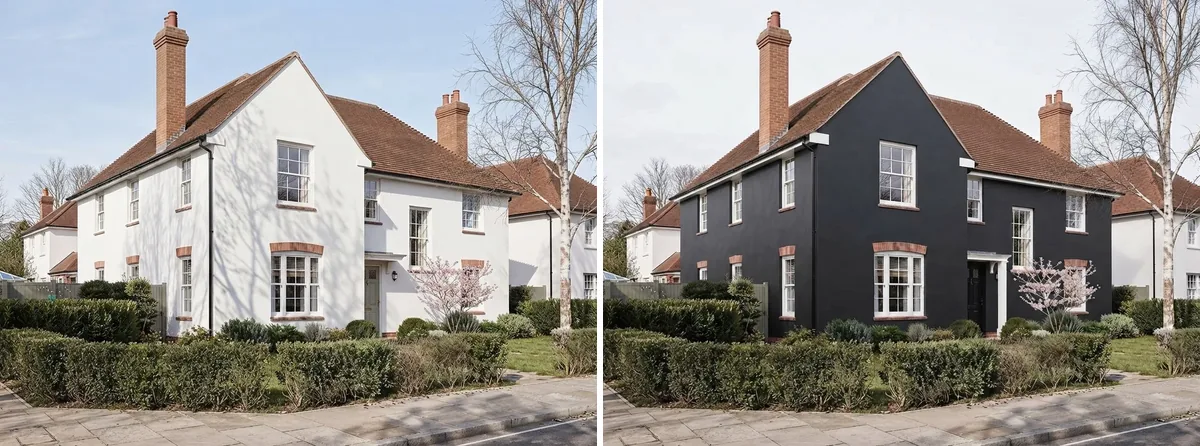
The job, in one picture. Left is a real render from our creations gallery, untouched. Right is the same file with only the painted surfaces changed, which is why the clay tile roof, the brick chimneys, the brick window heads, the blossom tree and the hedge sit in exactly the same place. That identity is the whole point of a visualizer, and it is the first thing to check in any output you get: if the windows moved, you are looking at a different house.
The short version
- Brand visualizers are free and precise but slow, because you mask every surface by hand. AI visualizers are free and fast but give you a look, not a colour code.
- Brick breaks most of them. The tools find surfaces by looking for edges, and brick against painted trim has none.
- Every visualizer shows one lighting condition. The gap between overcast and golden hour on the same colour is usually bigger than the gap between your two finalists.
- Benjamin Moore is the only major brand that makes you register before it will take your photo.
- Painting the whole house is the number one project agents tell sellers to do before listing, per NAR's 2025 report. It still does not appear in that report's top-ten cost recovery chart.
Which visualizer for which job
There is no single best house paint visualizer, because these tools are built for different moments in the same decision. Pick by where you actually are:
- You have no idea what colour the house should be. Use an AI tool that repaints the whole facade from a photo. Masking nothing is the entire advantage at this stage.
- You have three colours and a brand. Use that brand's own visualizer. Only it holds the real codes, and getting the code right is the only thing that matters by now.
- Your house is brick. Skip the brand tools for the first pass. They cannot separate brick from trim, and you will spend twenty minutes masking to get a result you distrust.
- You are changing the trim or the front door, not the body. Brand tools handle this best, because a door is a small, well-bounded shape they mask cleanly.
- You need measured surfaces for a contractor quote. That is not a paint visualizer job. Use Hover, which builds a measured model, and accept the price.
- You are restyling the house, not just recolouring it. Different job again. That is covered in our comparison of AI exterior design tools, which change cladding, roof and windows rather than paint.
The comparison table
Every entry below was read off the tool's own product and pricing pages in August 2026. Brand tools change quietly and often, so treat this as a snapshot.
Read that table as two blocks rather than nine rows. The two tools with no masking are the two that cannot give you a colour code, and the seven that give you a code all make you draw the surface first. That trade is the whole category.
What "no masking" actually buys you
The argument for the AI side of the category is time, and it is easier to show than to describe. Below is the same cottage in six colours: one photograph, sent back to the model six times, with only the painted surfaces changed each time.
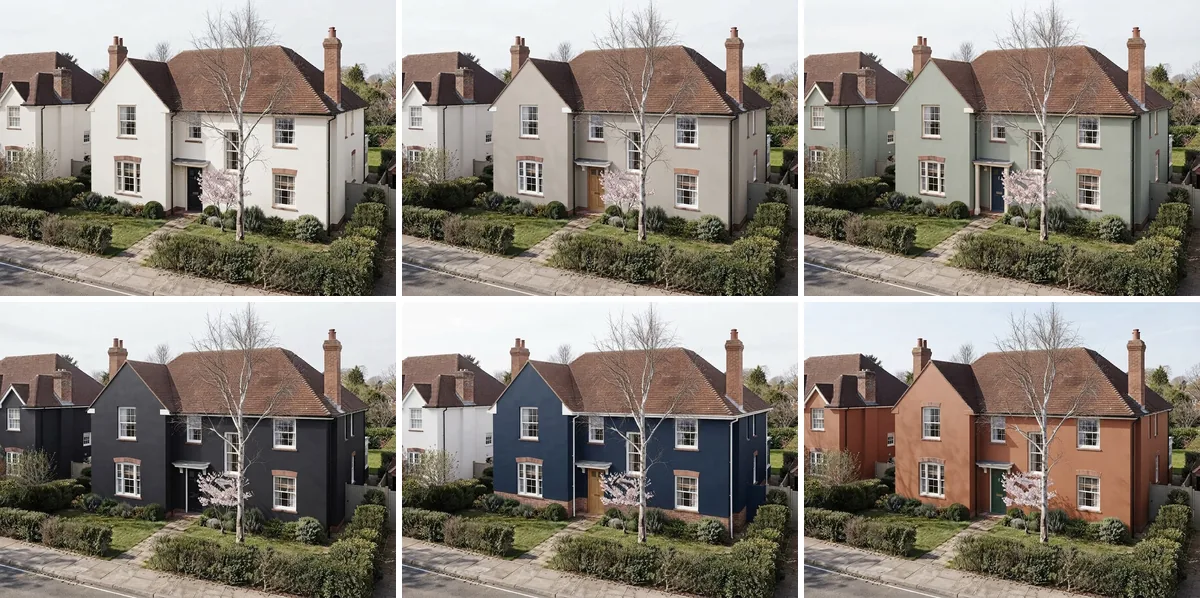
Six of the most-searched exterior colour families on one facade. Top row warm white (think Alabaster), greige, sage. Bottom row charcoal, navy, clay.
The pair worth studying is charcoal and navy. They sit close in value, both keep white trim, and the only real difference between them is the front door, dark on one and warm oak on the other. Watch what that single change does to the whole house. Worth noting too that the clay tile roof and the brick chimneys stay exactly as they were in all six, because neither is a painted surface, and a result that quietly recolours your roof has stopped answering the question you asked.
In Behr or Sherwin-Williams, producing that grid means masking the siding, the trim, the columns and the door on your photo, then swapping colours one at a time and screenshotting each. It is perfectly doable and it takes most people the better part of an hour. The AI version takes about a minute and gives you something worse: a look rather than a specification. Use it for what it is good at, which is killing thirty candidates fast, and then go get the codes.
If you want to do the same thing on a room instead of a facade, the interior equivalent is covered in changing wall colour in a photo with AI, and the tool comparison lives in the best AI wall colour tools. The floor version, twelve retailer and AI tools on one room, is in the flooring visualizer comparison.
The test none of them run: the same colour in three lights
Here is the failure mode that no visualizer, brand or AI, currently protects you from. You choose a colour in one photograph, taken in one light, and then you live with that colour in every light there is. The gap is much larger than people expect.
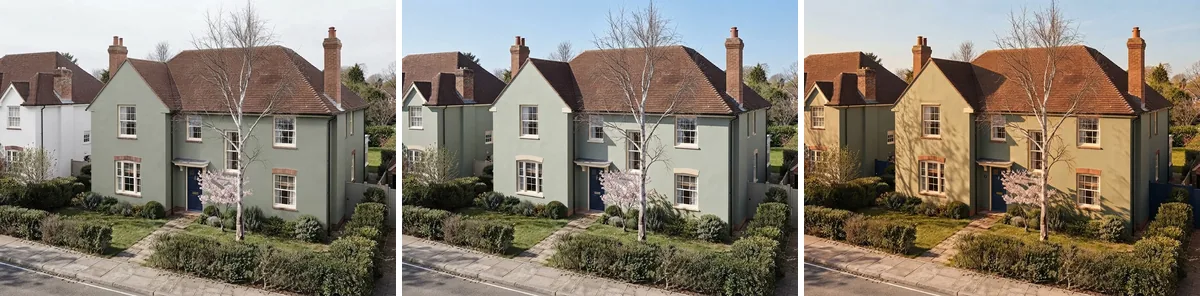
One colour. Sage green body, cream trim, navy door, unchanged across all three panels. Only the light moved: flat overcast, clear midday sun, low golden hour. If you were shown the left and right panels as two options, you would reasonably believe they were different paints.
The useful part is that the spread is not evenly distributed. Overcast and clear midday, the two left panels, are close: the sky changes, shadows appear under the eaves, and the green stays recognisably the same cool grey-green. Golden hour is the outlier, and it is not subtle. The green swings several steps warm towards olive, the cream trim goes properly yellow, and the house reads as a different paint job. If your street faces west, that is what your neighbours see every evening.
That single-colour spread is routinely wider than the difference between the two greens you are currently arguing about, which is why choosing between them from one visualizer screenshot is close to meaningless.
The practical fix costs nothing. Photograph your house twice, once in flat morning light and once in late afternoon, and run your shortlist through the visualizer on both photos. Any colour that survives both is a real candidate. Any colour that only works in one is a colour you will resent for a decade. Our walkthrough on choosing paint colours with AI goes deeper on building the shortlist itself, and there is a short version in the answer on how to choose a paint colour without regret.
Brick, and why it breaks the brand tools
If your house is brick, you have the hardest case in the category and you should know that before you waste an evening. These tools identify a surface by finding its edges. Lap siding is a stack of straight horizontal lines, so the edge detection has an easy time. Brick against painted trim has no clean boundary at all, just texture meeting texture.
A published hands-on review of the Sherwin-Williams visualizer on a brick colonial found exactly this: the tool was "unable to isolate the trim from the brick veneer" and applied colour "in a jagged band across both surfaces". The same review found lap siding cleaner, because the lap-line edges are easy to detect, but noted the shadow under each board was lost, producing "a flat sticker-on-wall appearance with no depth". Its verdict was that the tool is usable for a quick gut-check on a simple flat facade and not usable for a serious colour decision or an HOA submission packet. That is a fair description of most of the brand tools on brick.
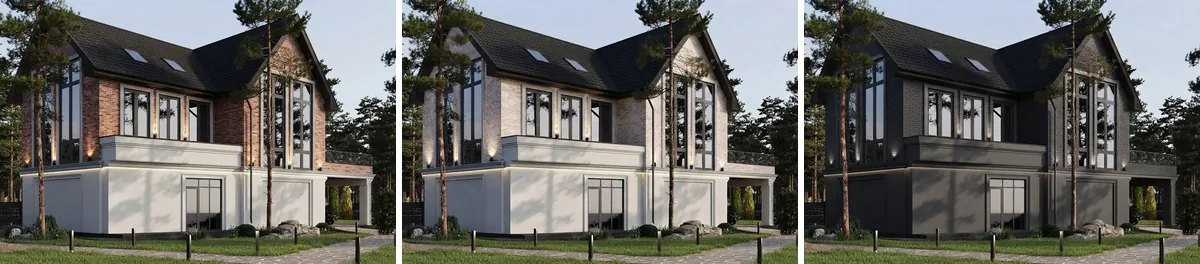
Original brick on the left, limewash in the middle, solid masonry paint on the right, all three off one render in our creations gallery. The middle panel is the one people underestimate: limewash lets the mortar and the texture read through, so the house still reads as brick. Two honest caveats. This is a contemporary house where the brick is a gable feature rather than a whole facade, which is the closest thing to a brick house in our gallery. And in the right-hand panel the model also darkened the white render base, which the instruction explicitly told it to leave alone. Drift like that is why you check the output against your own photo surface by surface.
One thing worth saying plainly, because no visualizer will say it for you: painting brick is effectively irreversible and it changes the maintenance profile of the wall. A visualizer is very good at showing you the result and completely silent on the consequence. Talk to someone about breathability and moisture before you commit to the right-hand panel.
The decision people actually get wrong: trim and door
Most of the search traffic in this category is about body colour, and most of the regret is about trim. The body colour sets the mood; the trim and door set whether the house looks finished or unfinished. Here is the same greige body with three different trim and door treatments.
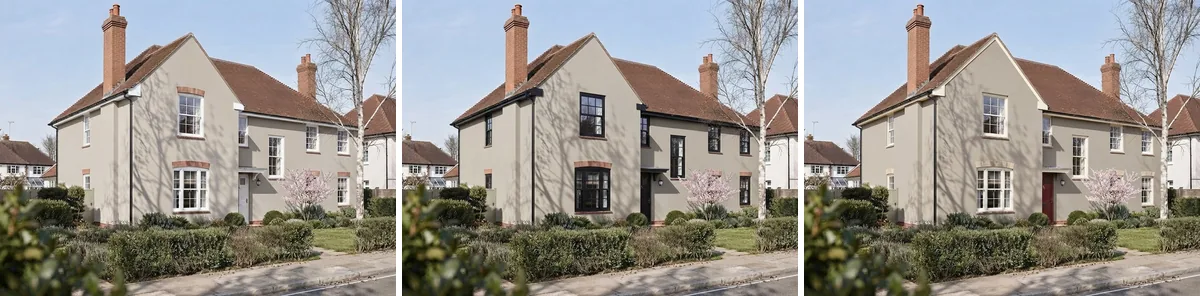
Same greige body in all three. Left is white on white, soft and slightly undefined. Middle is black on black, which sharpens every opening. Right is cream trim with an oxblood door, the only one of the three with a real focal point.
Now the part I am obliged to report, because it is our own tool doing it. That row above is the fourth base house I tried, and the three failures are more instructive than the success. On a modern villa with a carport, the front door sits under the roof and never reads at all, so the comparison was invisible. On a white farmhouse with white-on-white detailing, the model quietly refused to darken the trim, and all three panels came out nearly identical, which is worse than a bad answer because it looks like a real one. On an earlier run of this very row, it added black shutters either side of every window and darkened the gable, none of which anybody asked for.
That last failure is the characteristic one and it is worth naming. Give a model a dark trim instruction and it reaches for the whole visual cliche that usually travels with dark trim, because that is what it has seen. The result is a lovely image of a house that has grown hardware you have not bought. This is exactly why the sequence at the end of this article puts the brand tool second, and why you compare the output panel by panel against your own photo before you price anything. Count the shutters. Count the windows. Follow the roof line. If the answer to a colour question came back with new joinery attached, throw it out.
Trim and door is also the comparison brand visualizers are genuinely best at, because a door and a window frame are small, well-bounded shapes that mask cleanly and hold still. If you only have the patience for one masking session, spend it here rather than on the body. For a wider read on which combinations are current, we keep a running piece on exterior house colours for 2026.
The nine tools, one by one
MeltFlex
Our own tool, so read this with the appropriate suspicion. MeltFlex's exterior designer takes a photo of the front of the house and repaints the facade with no masking, which is the workflow every image in this article was built on. It handles material changes as well as colour, so you can test limewashed brick against painted brick in the same session. What it does not do is hand you a Behr or Sherwin-Williams code, and it would be dishonest to pretend otherwise: it gives you a direction, not a specification. Free tier available, paid from €29 a month.
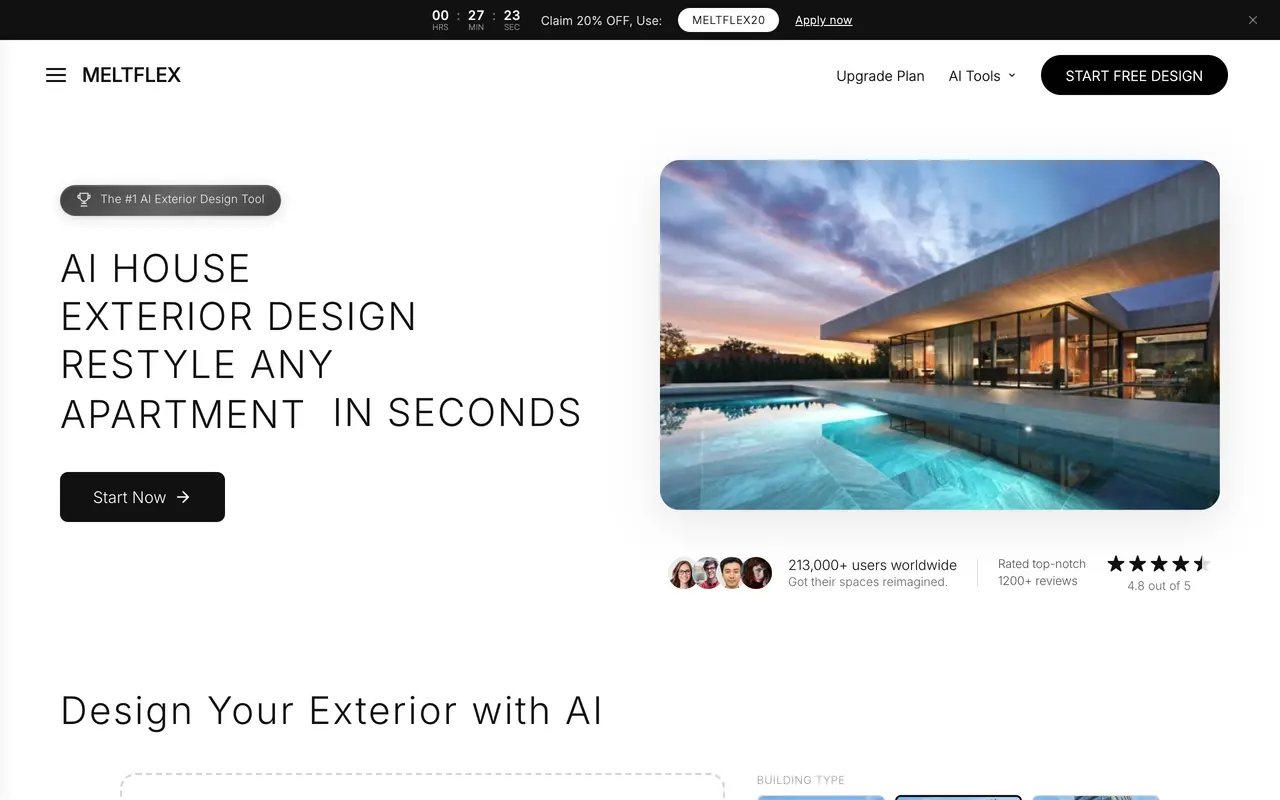
Our own page, captured 26 August 2026. No masking step anywhere in the flow, which is the whole pitch and also the whole limitation.
Behr Color Visualizer
Free, browser-based, and it takes your own exterior photo without making you register first, which puts it ahead of Benjamin Moore on friction alone. Accepts JPG, PNG and HEIC. Behr recommends a high-resolution image shot in natural daylight without heavy shadow across the facade, which is good advice for every tool on this list. Masking is manual. The colour library is the whole Behr catalogue, so whatever you land on is orderable at Home Depot that afternoon. If you already know you are buying Behr, start and end here.
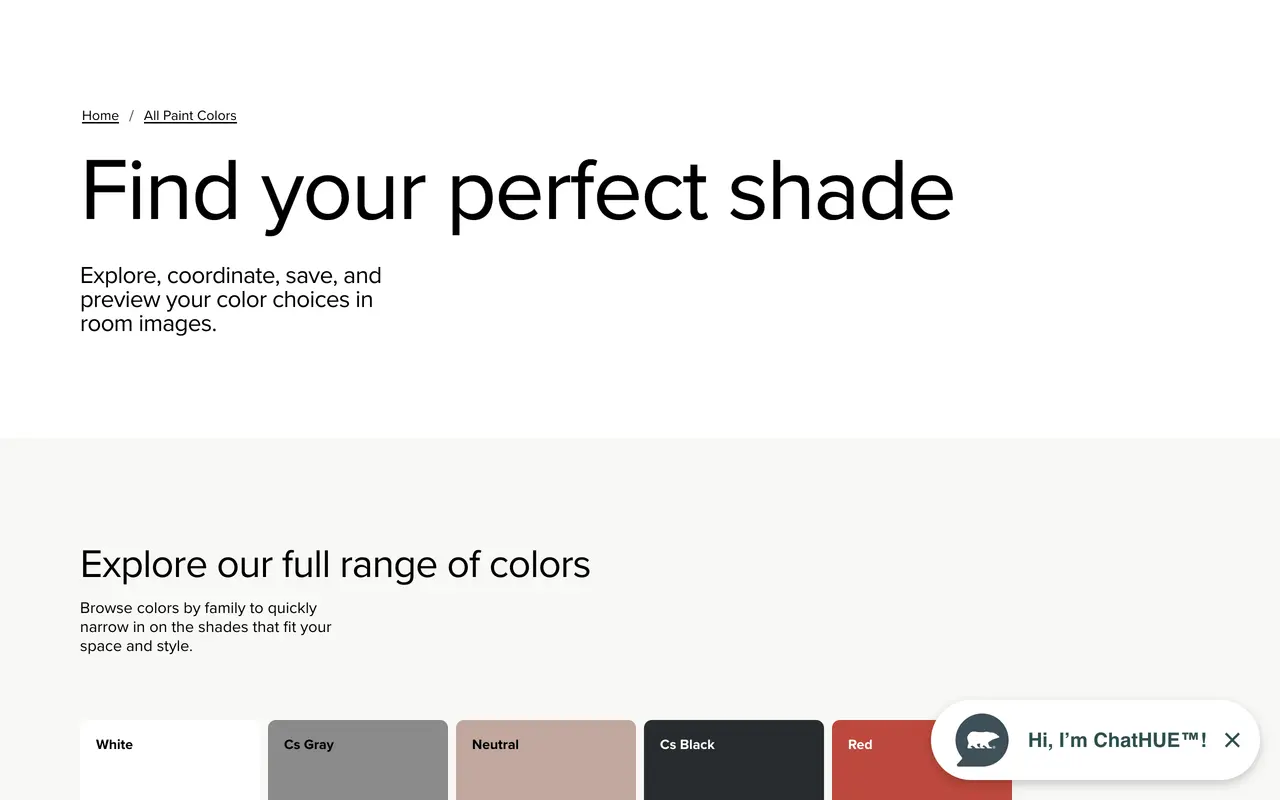
Behr, captured 26 August 2026. Worth being straight about this one: Behr is the only brand here that blocked automated capture of the visualizer itself, so this is the colour hub you pass through to reach it. The upload tool sits one click deeper and does take your own exterior photo.
Sherwin-Williams ColorSnap Visualizer
Free, and the most widely used of the brand tools. The important thing to understand is that it is much easier on Sherwin-Williams' own sample photos than on yours: their images ship with the surfaces pre-outlined, so applying a colour is one click. On an uploaded photo you draw the surfaces yourself, and as covered above, brick defeats it. Excellent on simple lap siding and on trim. Frustrating on anything with texture.
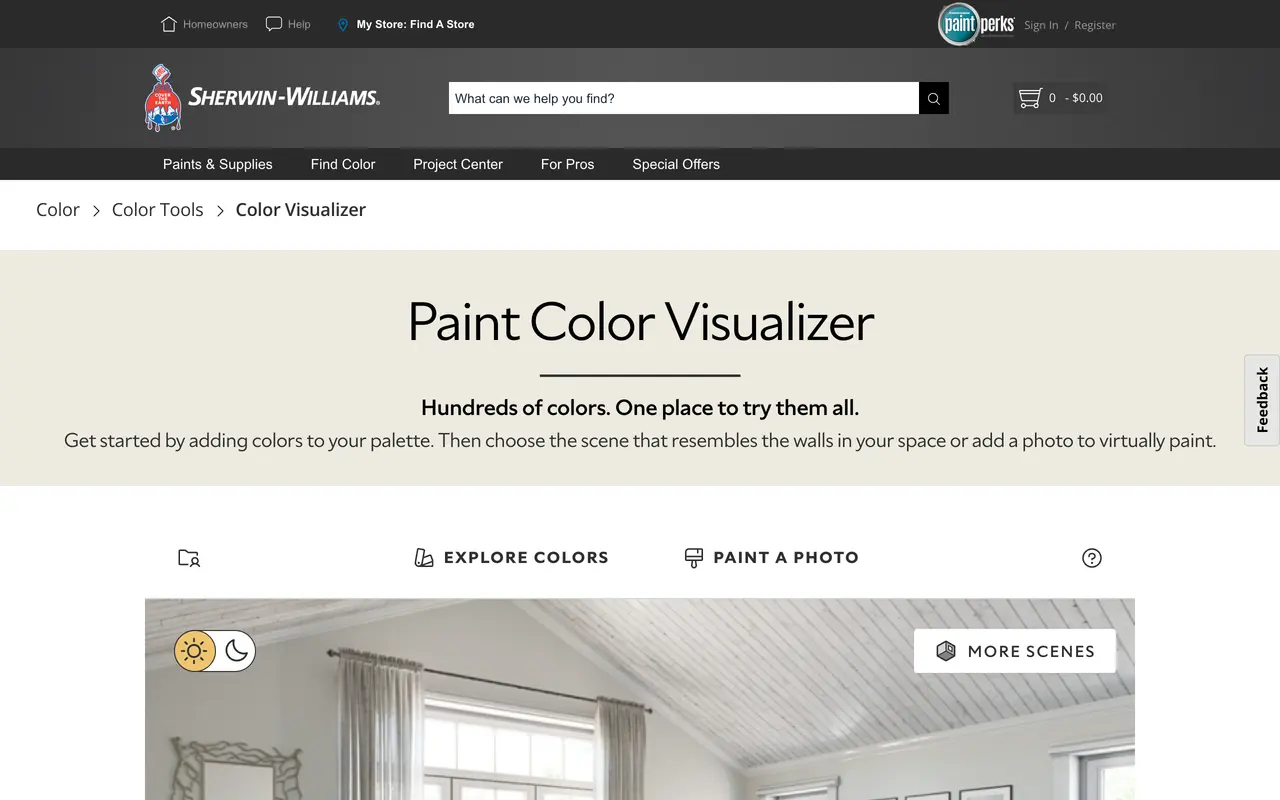
Sherwin-Williams, captured 26 August 2026. Note the default: it opens on one of their own sample scenes, not on your photo. That is the fast path, and it is also why the tool feels so much rougher the moment you upload your own house.
Benjamin Moore Personal Color Viewer
Free, supports exteriors properly, and lets you define up to five surfaces on your photo, which is enough for body, trim, door, shutters and garage. The catch is that you must be signed into a Benjamin Moore account before it will accept an upload at all. That is a small thing that stops a lot of people at the door, and it is the only reason this is not the pick of the brand tools. There are companion mobile apps under the Color Portfolio name.
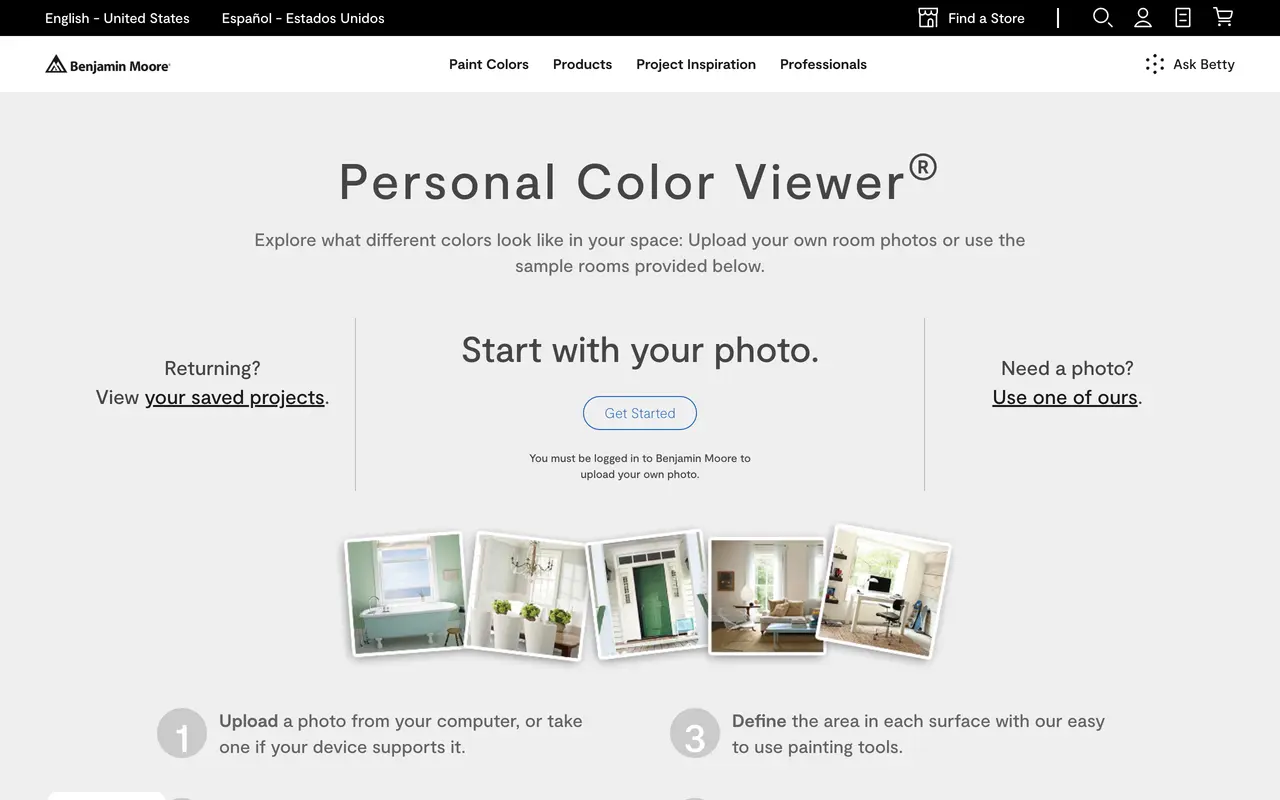
Benjamin Moore, captured 26 August 2026. Read the small print under the Get Started button: you have to be signed in to upload your own photo. That single sentence is the reason this is not the pick of the brand tools.
Renoworks Paint Visualizer
The most interesting of the free options, because it is a contractor platform with a consumer front door. Upload a photo, apply products, no account required. The free consumer version carries a subset of the manufacturer libraries rather than the full catalogue, which for paint is more than enough. Its real strength is that it treats paint, siding and roofing as one problem, so if your colour question is really a cladding question, this is where to go first.
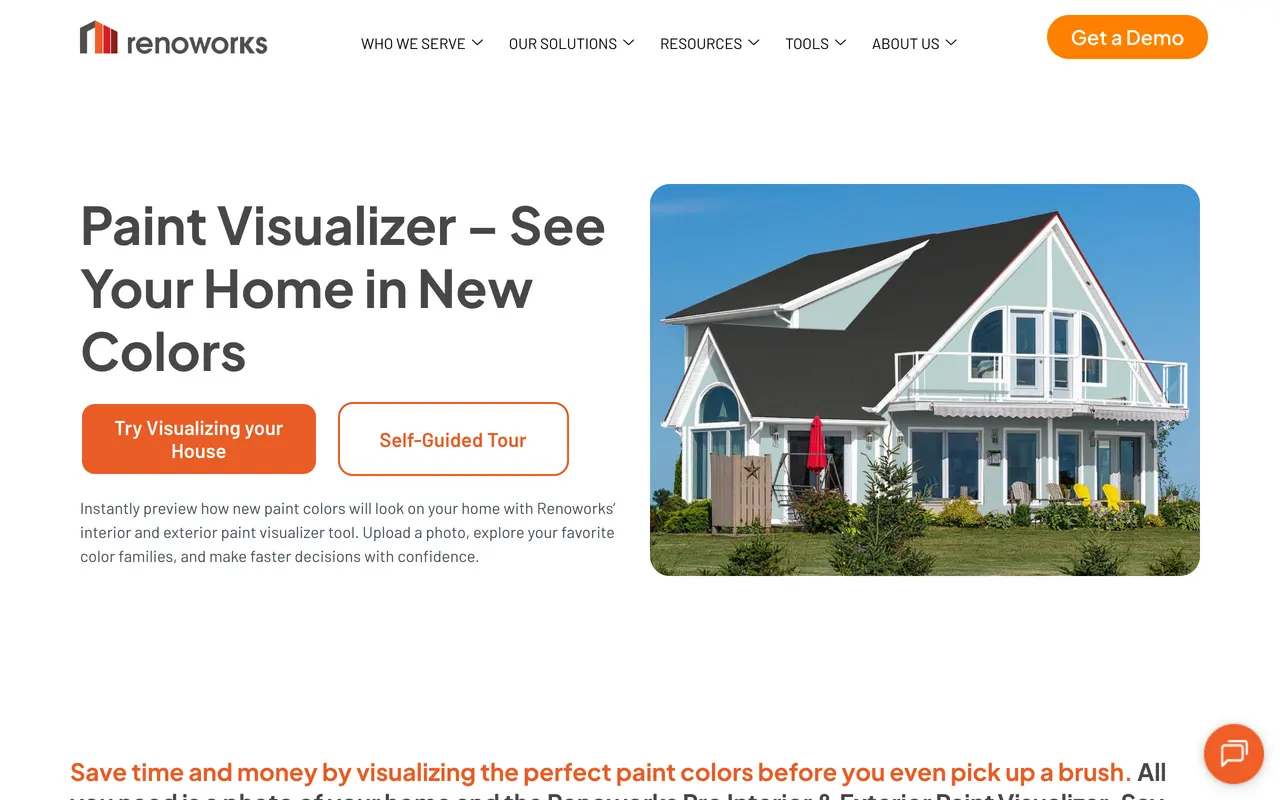
Renoworks, captured 26 August 2026. The only one of the free tools that leads with an actual house rather than a colour swatch or an interior, which tells you where its centre of gravity is.
Hover
Different animal. You take eight photos of the house on your phone and Hover returns a measured 3D model within hours, then lets you drop paint, siding and roofing onto it, drawing from PPG, Benjamin Moore, Behr and Dunn-Edwards in one place. The free tier gives you the basic measured exterior. The professional tier runs 99 dollars a month on top of per-project fees between 29 and 139 dollars. For a homeowner picking a colour that is far too much machinery. For anyone who needs the square footage for a quote, it is the only tool here that gives you both at once.
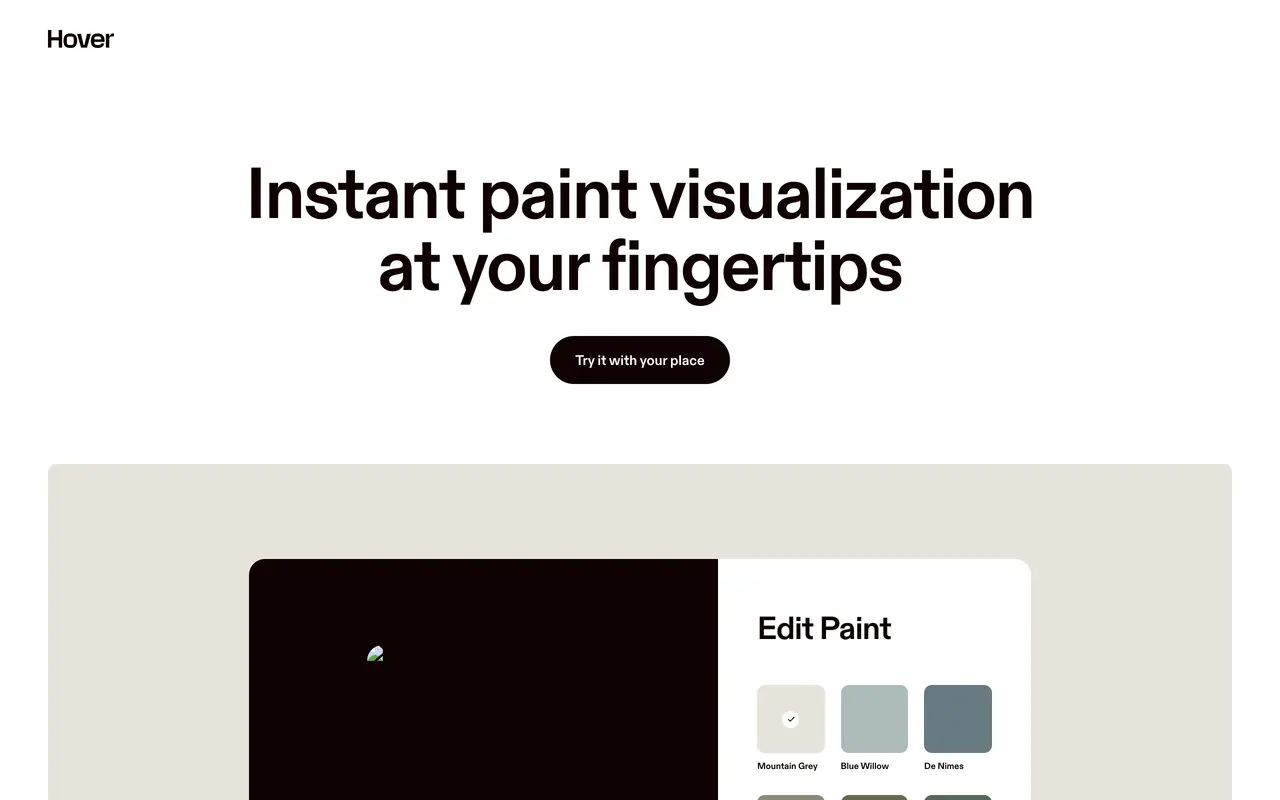
Hover, captured 26 August 2026. The page sells the paint step, but the product underneath it is a measured 3D model of your house, which is both why it is more capable than everything else here and why it is overkill for choosing a colour.
PPG Colour Visualizer
Free, no account, does what the other brand tools do with the PPG catalogue behind it. Worth knowing about mainly because PPG colours are what you will find behind several retail paint counters under other names, so if your store carries PPG this is the one that matches what is actually on the shelf near you.
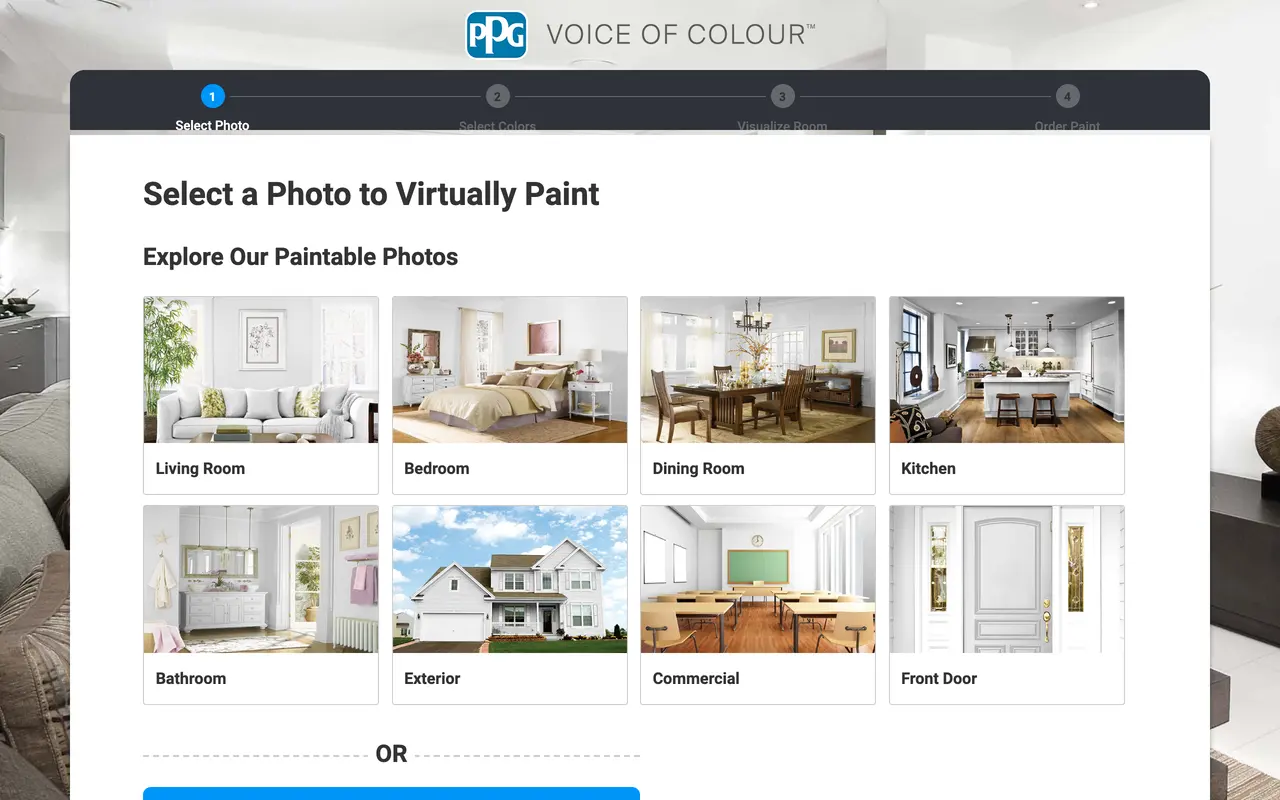
PPG, captured 26 August 2026. Exterior is one tile among eight, which is honest about the priority: like most brand tools this is an interior product with a facade mode attached.
Behr Paint App, formerly Project Color
The phone-first version of the Behr experience, renamed from Project Color. Free, and it has the strongest in-store integration of anything here: photograph a colour you like on somebody else's house, get the nearest Behr match, walk into the store with it. That match-from-a-photo trick is the single most useful thing in this whole article for anyone who already knows the house they want to copy. App store reviews do report crashes, so save your work as you go. No screenshot for this one: both Behr URLs we tried redirect to the same colour hub shown above, and the app itself is a phone app rather than a page.
HomeGPT Exterior Paint Visualizer
A free AI visualizer in the same family as ours, no account, no masking, upload and go. Included here because it is honest about being a look rather than a specification, and because it is the tool most people in this search actually land on. Same limitation as every AI option: no orderable code at the end.
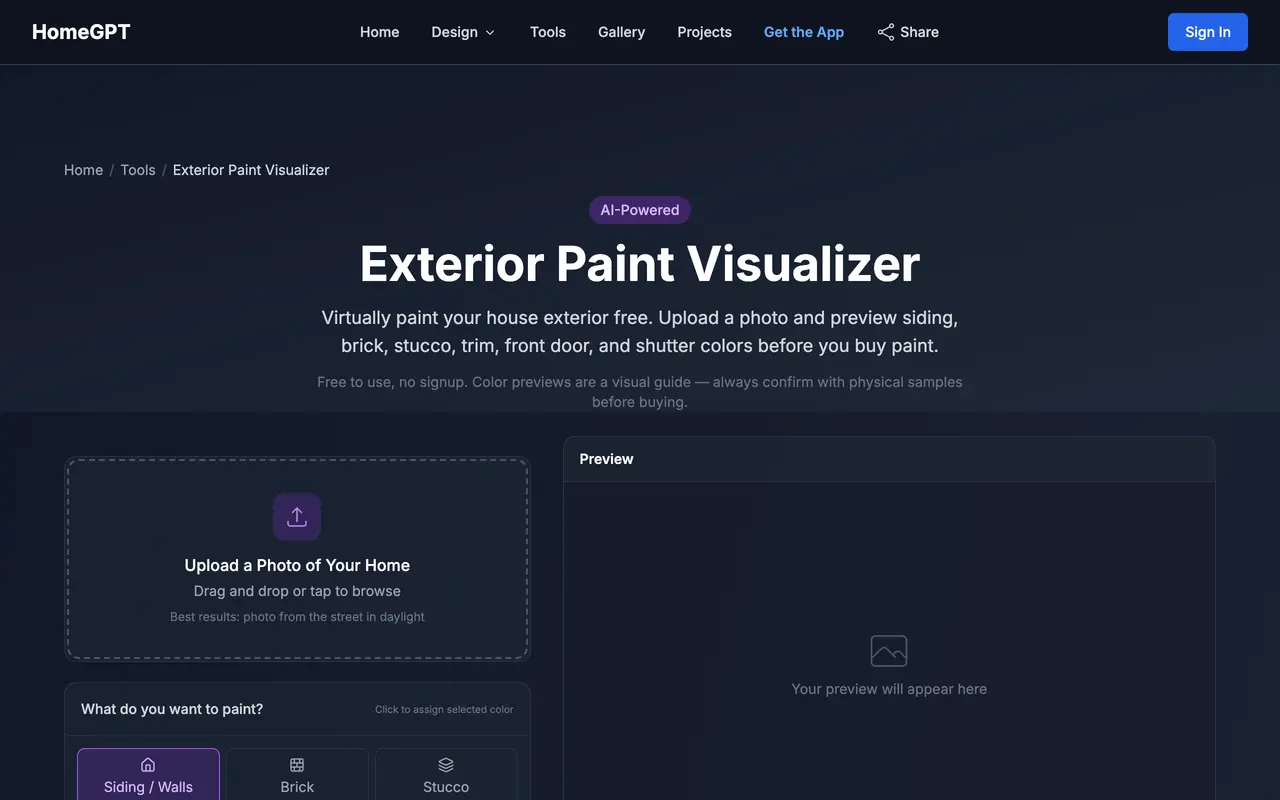
HomeGPT, captured 26 August 2026. The closest competitor to the AI approach in this article, and note the line under the headline: it states plainly that colour previews are a visual guide and you should confirm with physical samples. That is the correct disclaimer and most tools bury it.
The workflow that actually works
After all of the above, the sequence is boring and it is the one that saves the most money:
- Photograph the house twice, once in flat morning light and once in late afternoon, from directly opposite the front door, whole roof in frame, cars moved.
- Run a wide net through an AI visualizer. Ten to fifteen colours, no masking, five minutes. Kill everything that does not survive both photos.
- Take the surviving three into the brand visualizer of whichever paint you intend to buy, and mask properly this time. Now you have codes.
- Test trim and door against your top body colour before you finalise the body. The trim is what people notice.
- Buy three sample pots and paint them on the actual house, on a north and a south elevation, and look at them across three days. No screen substitutes for this step and no vendor claims otherwise.
If your project is bigger than paint, the same rehearse-before-you-commit logic applies to the whole facade and to the garden it sits in. We cover those in visualising a home exterior before renovating, in the AI landscape design tool comparison, and in the free-tier roundup of AI garden design tools. There is also a prompt library for facades in AI exterior design prompts and, for straight-on front elevations with hex-coded color combinations, in house elevation design prompts if you would rather drive the model with words.
What the paint job costs, and whether it pays
Worth putting numbers on the thing the visualizer is protecting you from. Angi's 2026 cost guide puts the US national average for painting a house exterior at 3,177 dollars, with a typical spread of roughly 1,819 to 4,551 dollars and a per-square-foot range of about 1.50 to 4 dollars.
The ladder is worth reading top to bottom. Every rung above the last one is free or nearly free, and the last one is a four-figure commitment you live with for a decade. Spending an hour on the free rungs is the highest-leverage hour in the project.
On the return side, be careful with the numbers you see repeated online. The National Association of Realtors 2025 Remodeling Impact Report is the primary source most articles are loosely quoting, and what it actually says is narrower than the summaries suggest. Painting the entire home is the top project agents recommend sellers do before listing, cited by 50 percent of members, ahead of painting one interior room at 41 percent and new roofing at 37 percent. Exterior siding paint scores 8.8 out of 10 on the report's Joy Score. But exterior siding paint does not appear at all in that report's top-ten cost recovery chart, which runs from a new steel front door at 100 percent down to adding a bathroom at 56 percent.
The honest reading: paint is what agents push because it moves houses, not because it returns its cost line by line. Which makes getting the colour right the entire value of the exercise, and makes a free hour with a visualizer the highest-leverage hour in the project.
Exterior paint visualizer FAQ
What is the best exterior paint visualizer?
It depends on whether you have already chosen a brand. If you have, use that brand's own visualizer, because only it holds the real colour codes you will order at the counter: Behr, Sherwin-Williams and Benjamin Moore all offer one free. If you are still deciding what the house should look like, a brand tool is the wrong shape, because it makes you mask every surface by hand before you see anything. For that stage an AI visualizer that repaints the whole facade from one photo, ours included, gets you to a shortlist far faster. Most people need both, in that order.
Can I virtually paint my house exterior for free?
Yes, and you should never pay for a first pass. Behr's Color Visualizer, Sherwin-Williams ColorSnap Visualizer, Benjamin Moore's Personal Color Viewer, PPG's Colour Visualizer and Renoworks' consumer paint visualizer all let you upload a photo of your own house at no cost. Benjamin Moore is the one that makes you create an account before it will accept your photo. The paid tier only starts to matter when you want measured surfaces for a contractor quote, which is Hover's territory rather than a paint decision.
Is there an app where I can upload a photo of my house and change the color?
Several, and they split into two kinds. Brand apps such as the Behr Paint App let you photograph a house, match a colour and buy the paint, with the whole catalogue tied to real product codes. AI visualizers repaint the entire facade from a single photo without any masking, so you can see six colours in the time a brand tool takes to mask one wall. The trade is precision against speed: the AI result is not a colour code you can order, and the brand result is not something you get in thirty seconds.
Do exterior paint visualizers work on brick?
Brick is where most of them fail, and it fails in a specific way. The tools detect surfaces by looking for clean edges, and brick with painted trim has no clean edge between the two, so the colour runs across both. A published hands-on test of the Sherwin-Williams visualizer on a brick colonial found it "unable to isolate the trim from the brick veneer", applying the colour "in a jagged band across both surfaces". On lap siding the same tool performed better, because each lap line is an edge it can find, though it lost the shadow under each board and the result went flat.
Why does the color look different on my house than in the visualizer?
Because a visualizer shows you one lighting condition and your house lives in all of them. We ran one sage green through three lights on the same facade. Overcast and clear midday came out close, both holding a cool grey-green. Golden hour was the outlier: the green swung several steps warm towards olive and the cream trim went yellow, to the point that it reads as a different paint job. That single-colour spread is routinely larger than the difference between the two colours you are agonising over, which is the biggest reason a chosen exterior colour disappoints once it is up. Test your shortlist in at least two lights, not two colours in one light.
How accurate are exterior paint visualizers?
Accurate enough to rule colours out, not accurate enough to sign off on. A screen is emissive and a wall is reflective, so no visualizer can show you the real thing, and every brand publishes that caveat somewhere. Treat the visualizer as the tool that gets you from forty candidates to three, then buy sample pots of those three and paint them on the actual siding. The visualizer saves you thirty-seven sample pots. It does not replace the last three.
How much does it cost to paint a house exterior?
Angi's 2026 cost guide puts the US national average at 3,177 dollars, in a typical range of about 1,819 to 4,551 dollars, or roughly 1.50 to 4 dollars per square foot depending on stories, prep and paint grade. Against that, the visualizer stage is free and three sample pots cost under fifty dollars, which makes rehearsing the colour the cheapest part of the entire project by two orders of magnitude.
Does exterior paint add value when you sell?
Agents rate it higher than the cost recovery tables do. In the National Association of Realtors 2025 Remodeling Impact Report, painting the entire home is the single most recommended project agents suggest sellers do before listing, at 50 percent of members, ahead of painting one interior room at 41 percent and new roofing at 37 percent. Exterior siding paint also scores 8.8 out of 10 on that report's Joy Score. Worth saying honestly: exterior siding paint does not appear anywhere in the same report's top-ten cost recovery chart, which bottoms out at 56 percent. Paint sells the house. It does not usually pay for itself line by line.
The verdict
The category splits cleanly and the answer is to use both halves in order. AI visualizers are for the wide, cheap, fast pass where you find out that the sage you were sure about goes grey on an overcast day. Brand visualizers are for the narrow, precise pass where a shortlist becomes three product codes. Neither replaces a sample pot on the actual wall, and any tool that implies it does is selling you something.
If you want to start with the fast half, MeltFlex's exterior visualizer will repaint your facade from one photo with no masking and no card, and you can throw fifteen colours at it before you have finished a coffee. If you are restyling rather than recolouring, start instead from our comparison of AI exterior design tools, and if the project has crept indoors, upload a room photo and work from there.