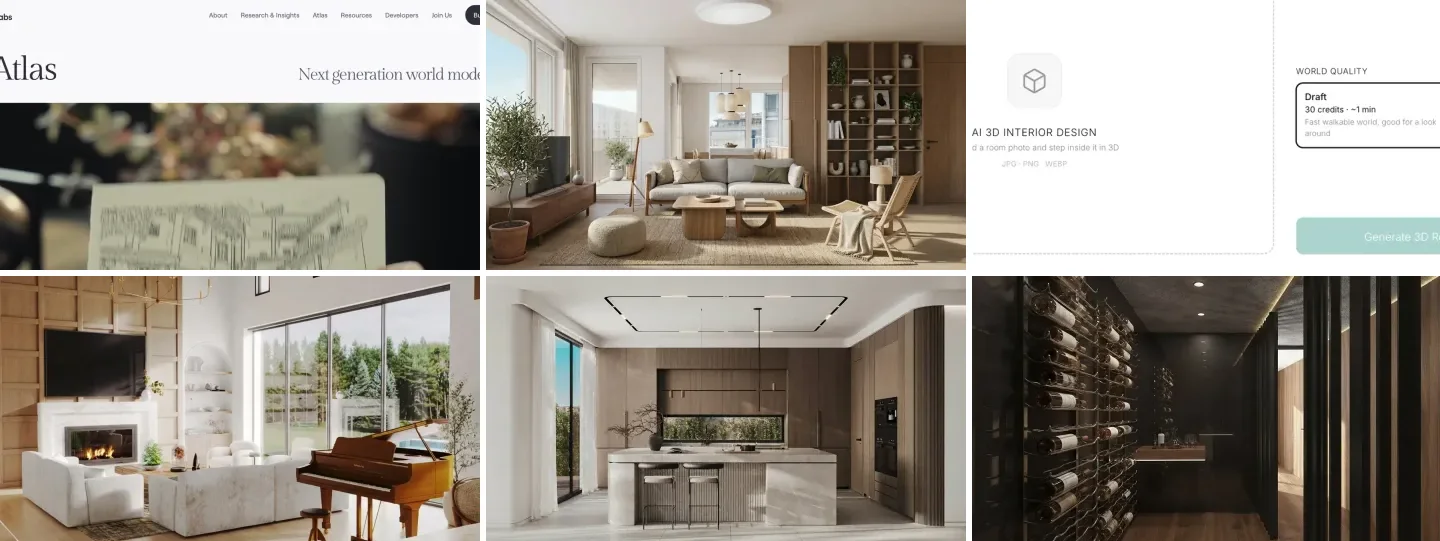
World Labs Atlas turns photos or a rough 3D layout into a 3D world you can walk through and export as a mesh, which makes it useful to architects and interior designers for early walkthroughs and context models; if what you want is a walkable version of a room you have already designed, MeltFlex AI does that today from a single render, for 30 credits in about a minute. Atlas reconstructs from several photos and exports geometry. MeltFlex AI builds from one image and is made for showing a design. Neither one measures anything.
Our articles are still written by humans!
Get human written articles in your Google feed.
I’m Matúš Koleják, one of the founders of MeltFlex AI. The 3D World in MeltFlex AI runs on World Labs’ Marble model, which gives us a close view of what this technology does well and where it fails, and it is also a conflict of interest, so here is how this article was put together. We read the Atlas pages and API documentation on 18 November 2026. We did not run Atlas itself, because its API needs a separate project key we do not have yet, and we say so wherever it matters. We did run our own test: one room render as a fast Draft world and as an HD world, walked through at identical camera positions. Every number below is either from that test or from World Labs’ own pages.
The short version
- What Atlas is: World Labs’ 3D world model plus four apps: Viewfinder (photos to a world), Chisel (graybox to a world), Splats to Mesh (export a GLB) and Relight. Details.
- Atlas for architects: rebuild a room from 8 to 16 photos, or block out massing and let Atlas dress it. The one priced example in its docs is a room from 8 photos: 5,000 credits ($5) and 18 minutes. Use cases.
- MeltFlex AI for designers: one render becomes a walkable room. Draft is 30 credits (about a minute), HD is 200 credits (about 5 minutes), in the browser, through the API or from Claude and ChatGPT through our MCP server. How it works.
- In our MeltFlex AI test on 18 November 2026, the Draft world blurred about 5 feet into the room, while HD stayed sharp at 10 feet. Test.
- The catch: everything the image does not show is invented. Behind the camera, the same render became a dining room in one world and a wall of wardrobes in the other. Limits.

What Is World Labs Atlas?
Atlas is a 3D world model from World Labs, the company behind Marble, and the set of apps and API endpoints built on it: it can rebuild a scene from photos, generate one from a rough layout, and convert the result into a mesh. World Labs introduced the model on 1 September 2026 as “an omni model that we pretrained from scratch to natively operate on text, images, video, and 3D,” and opened the Atlas apps and API in November.
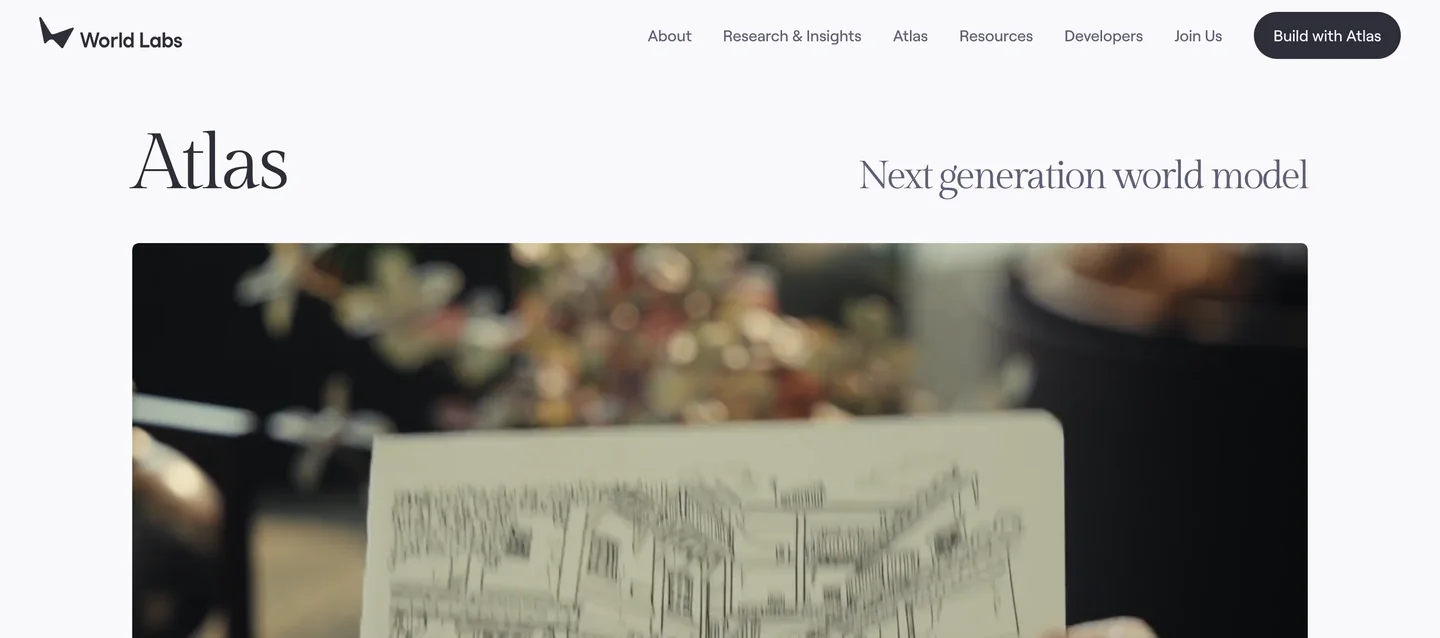
Atlas launched with four tools:
- Viewfinder rebuilds a scene from photos or generated images, then lets you look at it from new viewpoints and render camera paths.
- Chisel starts from a graybox, the plain blocks of a massing or room layout, and generates a finished-looking world around it.
- Splats to Mesh converts the result into a GLB mesh, with a texture of up to 8192 pixels, for game engines, Blender and other 3D tools.
- Relight changes the lighting of a scene after it is built.
All of this works on 3D Gaussian splats, which World Labs calls “the same representation used in Marble.” A splat world is millions of small, soft, colored points that look like a solid room from many angles. It is excellent for looking around and poor for anything that needs clean surfaces, which is why the mesh export matters to designers. If the term is new, our guide to 3D interior design software explains where splats sit next to traditional modeling tools.
World Labs Atlas vs Marble vs MeltFlex AI
Marble builds a world from a single image, prompt, panorama or video; Atlas adds multi-photo reconstruction, graybox input and mesh export; MeltFlex AI puts Marble inside an interior design tool, so a design you render becomes a world in the same place. Here is how they compare for design work.
The honest summary: if you need geometry to take into Blender, Rhino or a game engine, Atlas is the stronger product and MeltFlex AI does not replace it. If you need a client to step inside the room you designed this afternoon, MeltFlex AI is the shorter path.
How Can Architects and Interior Designers Use World Labs Atlas?
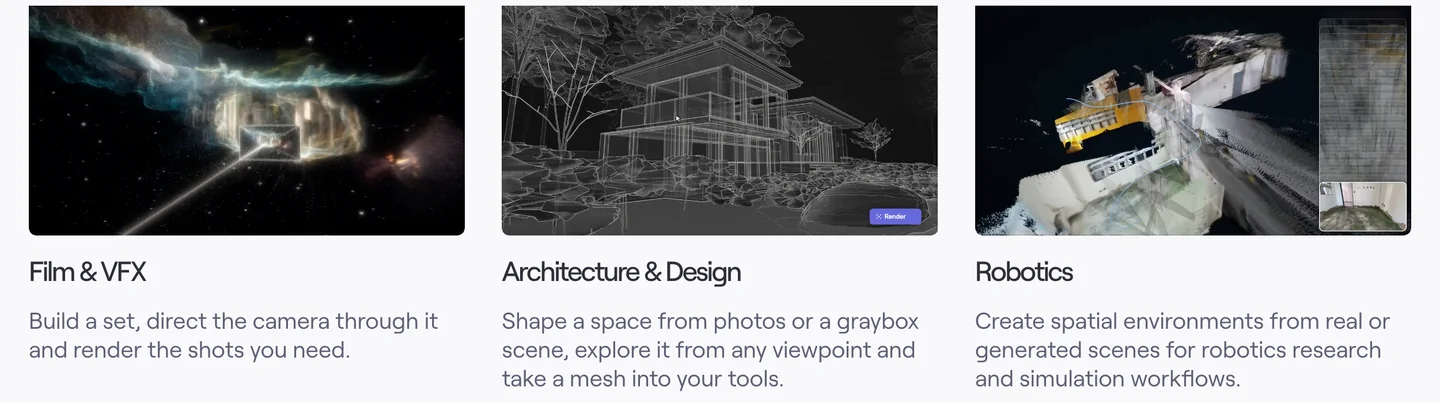
Atlas fits four design jobs: rebuilding an existing room from photos, turning massing blocks into a believable scene, exporting that scene as a mesh for other tools, and producing camera paths for a presentation. World Labs’ own description of the Architecture and Design use case is “Shape a space from photos or a graybox scene, explore it from any viewpoint and take a mesh into your tools.”
- Existing conditions as a 3D reference. Photograph a room from 8 to 16 positions, the range Atlas’ documentation recommends for a single room, and Viewfinder builds a world you can orbit back at the studio. It is a visual record, not a survey: for dimensions you still need a tape, a laser measure or a scan. Our Matterport pricing guide covers the measured option.
- Massing to mood. Block out a scheme in SketchUp or Rhino, bring the graybox into Chisel, and let Atlas fill in materials and light. This is the closest thing in Atlas to an architect’s workflow, and the part we would test first.
- A mesh for other tools. Splats to Mesh gives a GLB you can drop into Blender or a real-time engine as context. If you already drive Blender with an AI assistant, see how to connect Claude to Blender.
- Presentation camera paths. Viewfinder renders camera moves through the scene, which is a quicker route to a fly-through than modeling everything by hand.
For an interior designer, the first and fourth jobs matter most. For an architect, the second and third do. All four start from material you already have: photos, a graybox or a render.
MeltFlex AI: The Ready-Made 3D Walkthrough for Interior Designs
MeltFlex AI turns one room render or photo into a walkable 3D world in the browser, for 30 credits as a Draft (about a minute) or 200 credits in HD (about five minutes), with plans from $20.99 a month for 490 credits. It runs on World Labs’ Marble model, not Atlas. What it adds is the rest of the design job: you can redesign the room first, then step inside the result in the same workspace.
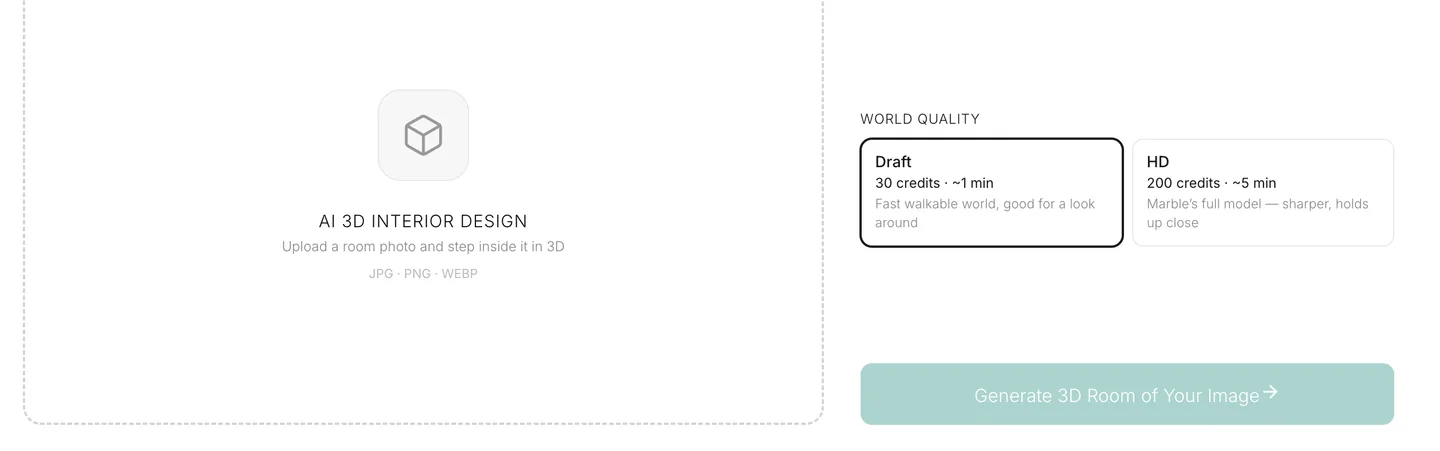
There are three ways to use it:
- In the browser. Upload an image on the AI 3D interior design page, pick Draft or HD, then drag to look around and use the arrow keys to walk. The same page has 37 example worlds you can open before you spend a credit.
- From an AI assistant. Our MCP server has a
create_3d_worldtool with the same Draft and HD tiers, so Claude, ChatGPT or another MCP client can build the world and return a link that opens without a World Labs account. - From your own software.
POST /api/v1/worldin the MeltFlex AI API takes an image and a quality and returns the world, its SPZ splat file and a thumbnail.
What a world costs in money depends on the plan. On Pro billed yearly ($25.99 a month for 2,250 credits) a Draft works out at about $0.35 and an HD world at about $2.31. On Standard monthly ($20.99 for 490 credits) the same worlds cost about $1.29 and $8.57. If you are a developer who only needs worlds, calling World Labs directly is cheaper per world; the reason to use MeltFlex AI is that the render, the redesign and the walkthrough live in one tool. The 15 free credits on sign-up are not enough for a world, so try the example worlds first.
A good workflow for a client presentation: render the room with MeltFlex AI interior design or turn a plan into a room with floor plan to room render, pick the strongest image, and build an HD world from it. If the project starts from a floor plan rather than a render, our guide to turning a 2D floor plan into a 3D model compares the routes.
How Good Is a 3D World Made From One Render? Our Test
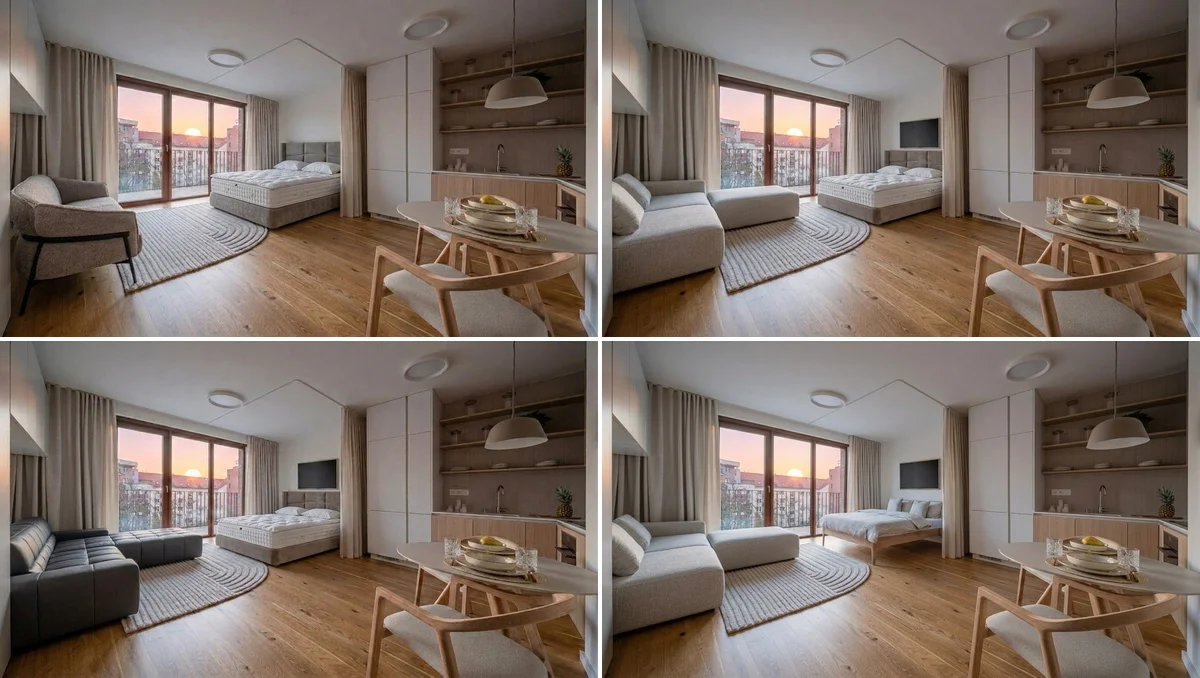
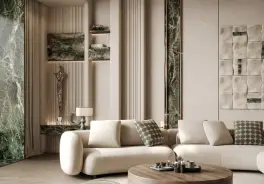
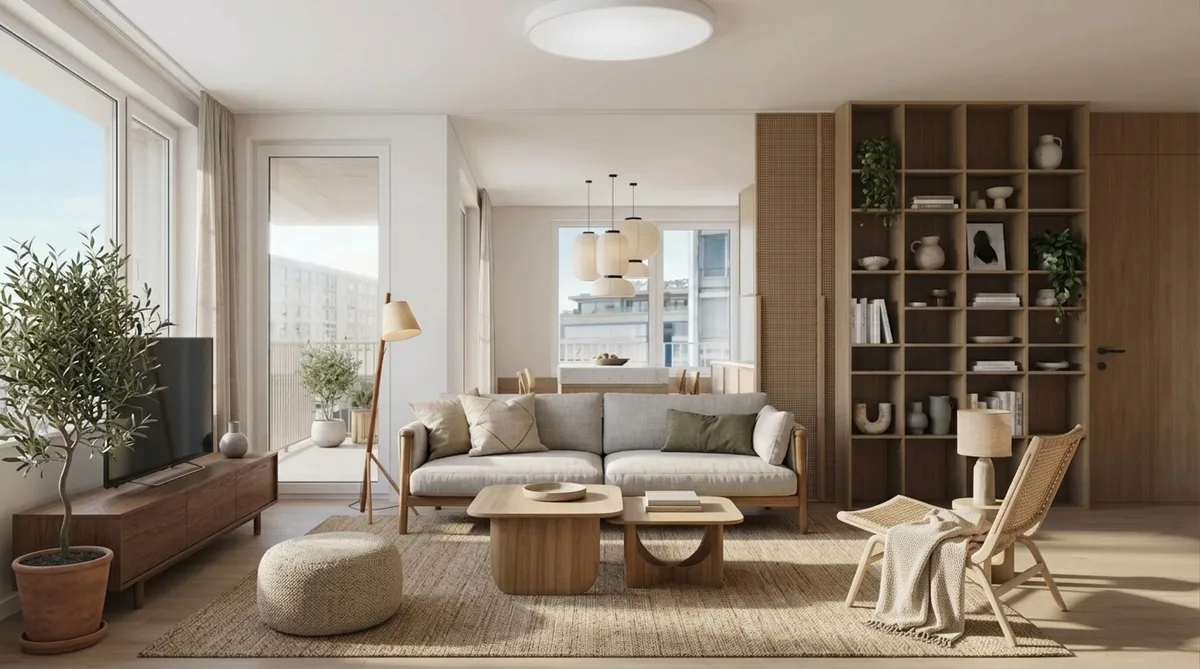
In our MeltFlex AI test on 18 November 2026, both quality tiers looked right from where the image was taken, but the Draft world smeared after about 5 feet of walking, while the HD world stayed sharp at 10 feet. The source was a Scandinavian living room render from the MeltFlex AI gallery. The HD world is the one that already sits in our 3D gallery, built from that render with Marble 1.1 on 30 August 2026. On 18 November we built two new Draft worlds with Marble 1.0 draft, the model behind MeltFlex AI’s Draft tier: one from the same render and one from a real photo of an open-plan living and dining room. We loaded each world into the same viewer and took frames from identical camera positions.
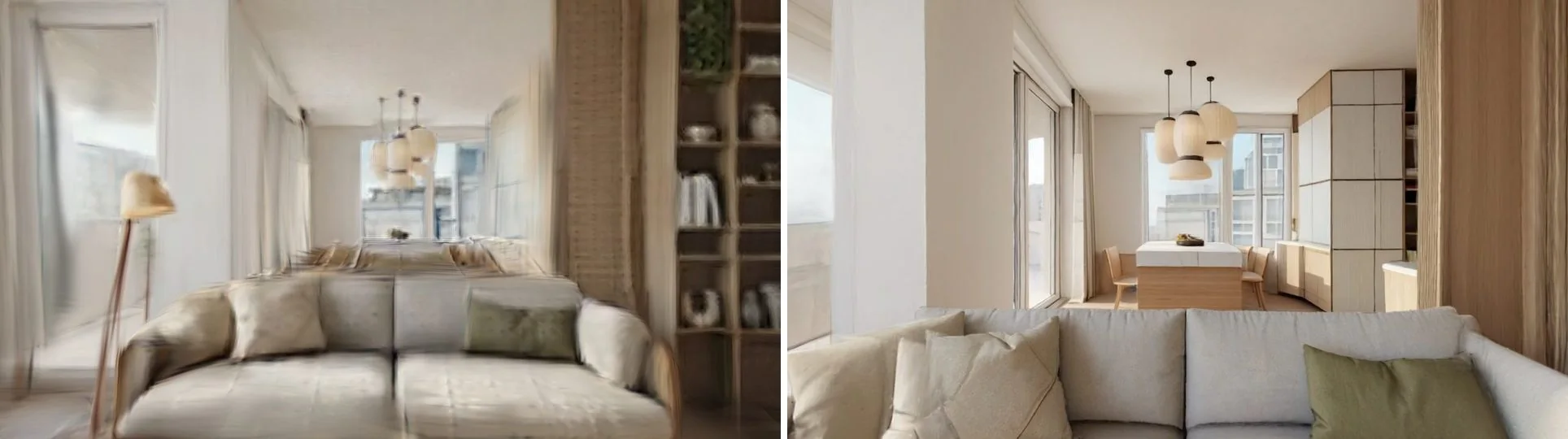
The verdict is simple. Draft is for you: check that the idea works in 3D before you pay for more. HD is for the client: it survives the walking people do when they are handed a 3D room. The price gap (30 against 200 credits) follows World Labs’ own price gap between the two models, about seven times.
What AI 3D Worlds Cannot Do Yet
A world made from one image invents everything outside that image, and no AI world, from Atlas, Marble or MeltFlex AI, gives you dimensions you can build from. This is the most important thing for designers to understand before they show one to a client.
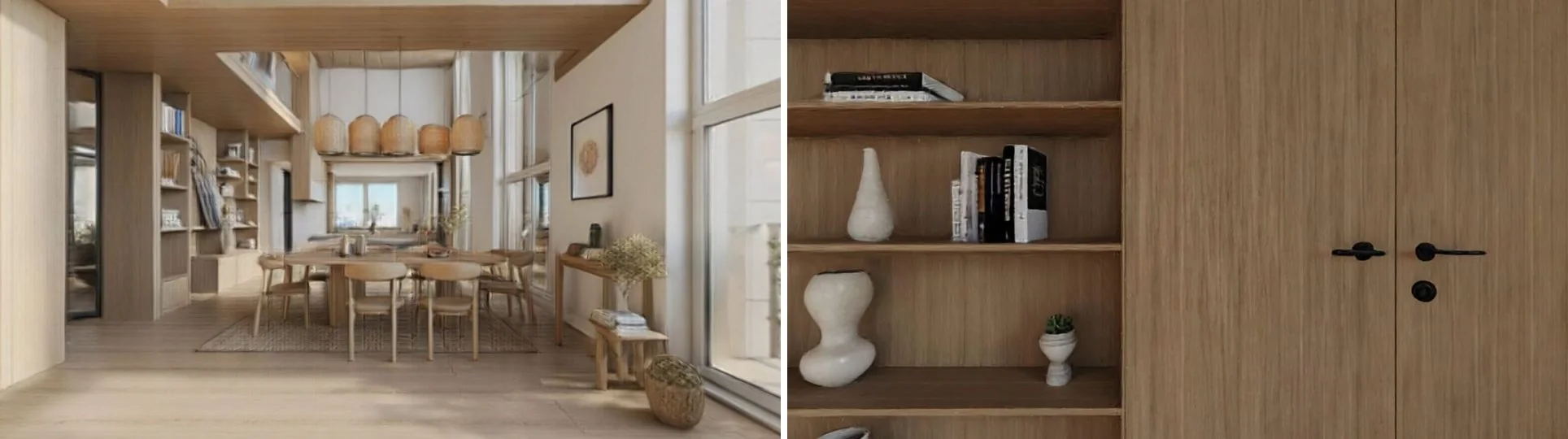
- Hidden areas are guesses. Our two worlds disagreed completely about the wall behind the camera. Our second Draft, built from a real photo of an open-plan living and dining room, added a kitchen that was never there. Plausible, and wrong.
- Scale is approximate. Nothing in a splat world is measured. A sofa can feel a foot longer than it is. Keep measured drawings as the record.
- Splats are not a model. You cannot select a wall and change its thickness. Atlas’ mesh export helps, but a mesh from splats is a shell for context, not a BIM model. For architecture, our own AIBIM Tool builds an editable BIM model from text, which is a different job.
- More photos, fewer guesses. This is Atlas’ real advantage: reconstruct from 8 to 16 photos and far less of the room is invented. If you have the room and the time, that beats one image.
A fixed camera path hides most of these problems, which is why many designers still prefer a video walkthrough for the final presentation. Our AI video generators for interior design guide compares the options, and why AI renders look fake covers the image problems that carry over into 3D.
Which Should You Use?
Use Atlas when you have many photos or a graybox and need geometry; use MeltFlex AI when you have one strong design image and need a client to walk into it today.
For the wider tool landscape, see our AI tools for architecture studios and the interior design MCP servers roundup.
Sources
- World Labs, Atlas product page, read 18 November 2026.
- World Labs, Atlas research post, 1 September 2026.
- World Labs Atlas documentation: scene to splats and splats2Mesh API reference, read 18 November 2026.
- Our test: World Labs Marble API, models marble-1.0-draft and marble-1.1, 18 November 2026, rendered with three.js and the Spark splat renderer.
- MeltFlex AI prices: our pricing page in USD on 18 November 2026.
Frequently Asked Questions
What is World Labs Atlas?
Atlas is World Labs' 3D world model and the set of apps built on it: Viewfinder rebuilds a scene from photos, Chisel turns a rough graybox layout into a world, Splats to Mesh converts the result into a GLB mesh, and Relight changes the lighting. It is also a developer API. If what you want is the end result, a room you can walk through, MeltFlex AI already does that from a single room image with World Labs' Marble model: a Draft world costs 30 credits and takes about a minute.
Can architects and interior designers use World Labs Atlas?
Yes. World Labs lists Architecture and Design as an Atlas use case: shape a space from photos or a graybox scene, explore it from any viewpoint and take a mesh into your tools. Expect a technical setup (a project API key, 8 to 16 photos per room). For a client walkthrough of a design you have rendered, MeltFlex AI is the shorter route: upload one render, pick Draft or HD, and walk in the browser.
How much does World Labs Atlas cost?
World Labs did not show a public Atlas price list on 18 November 2026. Its API documentation gives one worked example: a refined photo-to-splats run of a room from eight photos cost 5,000 credits ($5) and took 18 minutes. For comparison, a MeltFlex AI 3D world costs 30 credits (Draft) or 200 credits (HD), and MeltFlex AI plans start at $20.99 a month for 490 credits.
What is the difference between World Labs Atlas and Marble?
Marble is World Labs' product for building a world from one image, a text prompt, a panorama or a short video. Atlas is the newer model and app suite that also reconstructs scenes from many photos, starts from graybox layouts and exports meshes. Both produce 3D Gaussian splats. MeltFlex AI's 3D World runs on Marble, not Atlas.
Can AI turn a photo of a room into a 3D model?
Into a walkable 3D scene, yes; into a CAD or BIM model, no. Tools such as Marble and Atlas build Gaussian splats, millions of colored points that look like the room from many angles. Atlas can convert splats into a textured GLB mesh with a texture of up to 8192 pixels. None of them gives you walls with real thicknesses, dimensions or layers you can draw from.
Are AI 3D worlds accurate enough to take measurements?
No. A world built from one image invents everything the image does not show. In our test, the same render turned into a dining room behind the camera in one world and a wall of wardrobes in the other. Even multi-photo reconstructions are approximate. Measure the real room, or use a laser scan such as Matterport, when dimensions matter.
Can I show a client an AI 3D walkthrough?
Yes, as a concept, and say so. Use an HD world if the client will walk more than a step or two, keep them near where the original image was taken, and tell them that areas outside the image are AI-generated. If you need a fixed camera path instead, an AI video walkthrough is easier to control than a free-roam world.
Have a render you are proud of? Step inside it with MeltFlex AI, start with a Draft, and save HD for the client.
Disclosure
MeltFlex AI is ours, and so is AIBIM Tool: I’m one of the founders. MeltFlex AI’s 3D World is built on World Labs’ Marble API, which we pay for like any other customer. World Labs did not sponsor this article or see it before publication, we have no affiliate links, and we did not run Atlas itself; everything we say about Atlas comes from World Labs’ own pages, linked above.
Audio version by MeltFlex AI
Listen to this article
Prefer to listen? Matthew and Bryan, the founders of MeltFlex AI, talk through World Labs Atlas for Architects and Interior Designers in about 16 minutes. The voices are AI-generated. Every section is a chapter, so you can jump straight to the part you need while you browse rooms or sketch a layout.
Chapters (9)
More narrated articles on AI Interior Design MeltFlex