You cannot connect ChatGPT to SketchUp with a plugin, because there is none, and ChatGPT on the website cannot reach SketchUp on your computer. What works is the ChatGPT desktop app: its Codex mode can run a community SketchUp MCP server, which lets ChatGPT build and edit geometry in the model you have open. The other options are the free AI Explorer extension, which puts OpenAI models inside SketchUp with an API key, and asking ChatGPT for a Ruby script you paste into SketchUp’s Ruby Console.
Our articles are still written by humans!
Get human written articles in your Google feed.
I run MeltFlex, and we ship our own SketchUp extension, so I have spent more time in SketchUp’s Ruby plumbing than I would like. For this guide, on October 14, 2026, I asked ChatGPT itself, on the Free plan, whether it can connect to SketchUp, and then had it write a modeling script that I checked line by line. I also tested how Trimble’s official SketchUp server reacts to ChatGPT’s sign-in, and watched the setup videos frame by frame. I did not sign in to anything or run models on a client machine; where I describe model quality from other people’s tests, I link them.

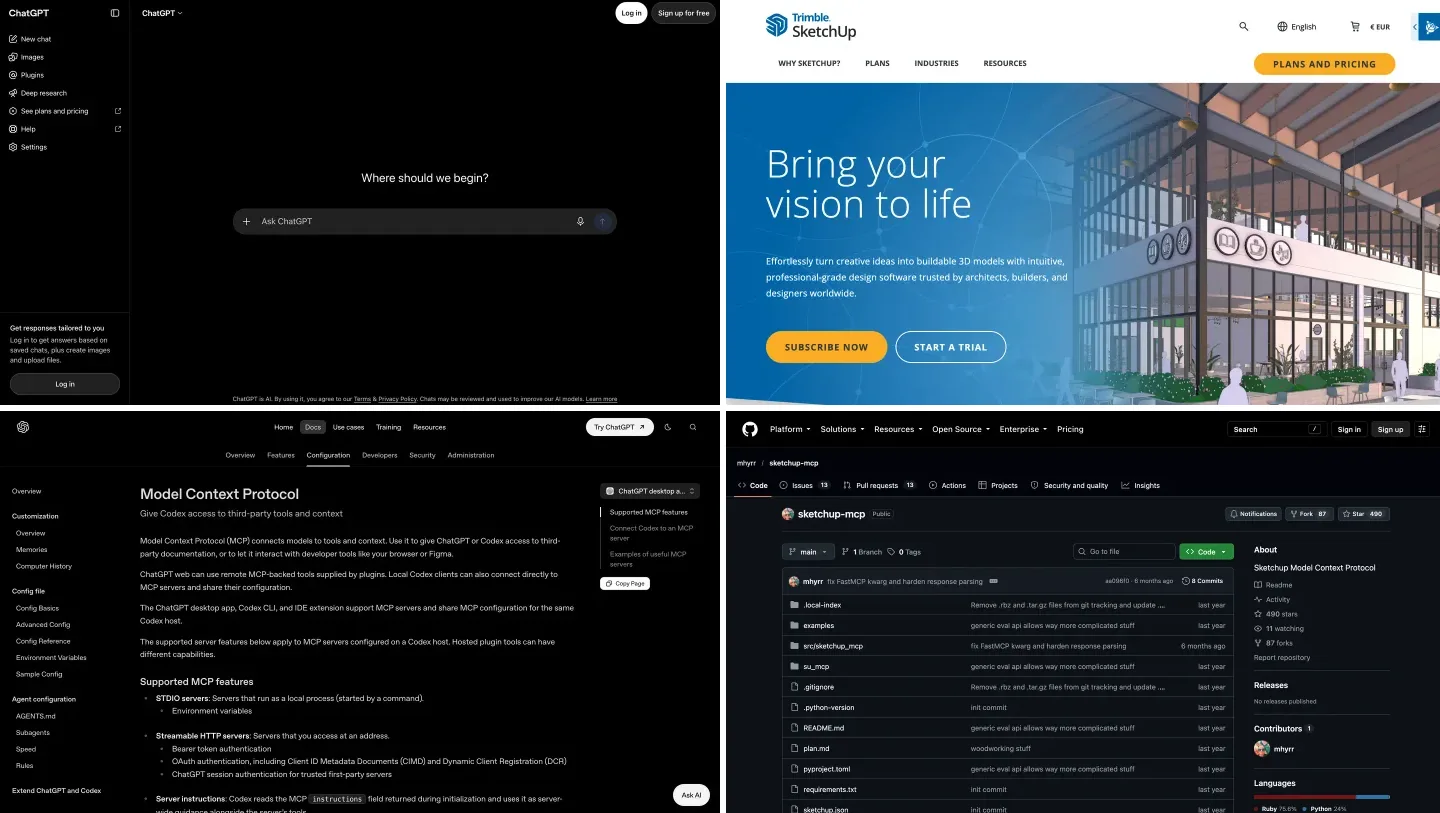
The two products, from their own homepages on October 14, 2026. SketchUp shows euros because we browsed from Europe; prices in this guide are US prices.
The short version
- Want ChatGPT to build and edit your open model? Use the ChatGPT desktop app’s Codex mode with a community SketchUp MCP server. 30 to 60 minutes of setup, SketchUp Pro desktop.
- Want AI inside SketchUp with no server? Install AI Explorer from the Extension Warehouse and add an OpenAI API key.
- Just need a quick script? Ask ChatGPT for Ruby, on any plan, and paste it into Extensions, Developer, Ruby Console. Check it first.
- Want an official, supported route? That is Claude, not ChatGPT. See how to connect Claude to SketchUp.



Is there an official ChatGPT plugin for SketchUp?
No. When Trimble launched its SketchUp connector in April 2026, Trimble’s Chris Cronin told engineering.com: “Claude is the only 3rd-party AI Assistant that Trimble SketchUp is officially supporting and has announced at this time.” There is still no SketchUp entry in ChatGPT’s Plugin Directory, and ChatGPT knows it. Asked on October 14 whether it could connect to SketchUp and build a model, ChatGPT replied “Not directly, at least not out of the box,” and suggested Ruby scripts or building your own MCP server. It did not mention its own desktop app, which is the one route that works today.
The web version of ChatGPT can add custom MCP servers in developer mode, but OpenAI’s help center limits that to Business, Enterprise and Edu workspaces, and it only reaches servers on the internet, not SketchUp on your laptop.
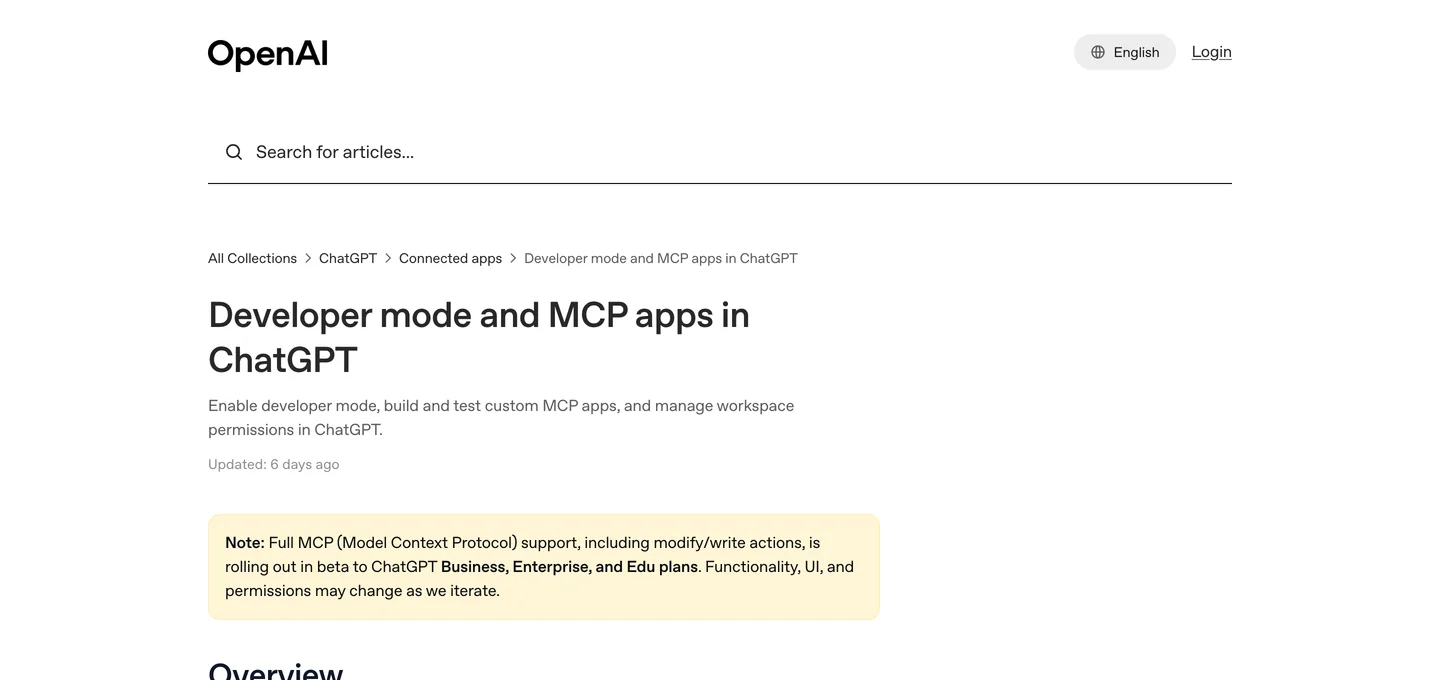
OpenAI’s help article on developer mode, read October 14, 2026. The yellow note is why a Plus subscription does not get you a custom SketchUp connection on chatgpt.com.
One detail suggests the official story may change. Trimble’s SketchUp server lives at api.sketchup.com/mcp/v1/sketchup/mcp and lets AI apps register themselves for sign-in. We sent it test registrations on October 14. It accepted Claude’s sign-in address, local addresses, and ChatGPT’s current connector address (chatgpt.com/connector/oauth/), and then forwarded to Trimble’s sign-in page. It rejected ChatGPT’s older address and an unrelated website with the message “Only http://localhost and http://127.0.0.1 redirect URIs are allowed.” Allowing ChatGPT’s address looks deliberate. We stopped at the sign-in page, so we cannot tell you whether the rest works.
What are the ways to connect ChatGPT to SketchUp?
There are four, and they do very different jobs. The first is the only one that gives ChatGPT live control of a model you already have.
| Route | What ChatGPT can do | You need | Setup | Officially supported |
|---|---|---|---|---|
| Codex + community MCP server | Build and edit geometry in your open SketchUp file | ChatGPT desktop app, SketchUp Pro desktop, uv | 30 to 60 minutes | No |
| ChatGPT + Trimble’s official server | Build new models in Trimble’s cloud, download a .skp | Business, Enterprise or Edu with developer mode, Trimble ID | Minutes, if it works | No, untested past sign-in |
| AI Explorer extension | Answer questions, write and optionally run Ruby inside SketchUp | SketchUp desktop, OpenAI API key with credit | 10 minutes | Community extension |
| ChatGPT writes Ruby, you paste it | Whatever the script does, once, by hand | Any ChatGPT plan, SketchUp desktop | None | Not applicable |
- ChatGPT can
- Build and edit geometry in your open SketchUp file
- You need
- ChatGPT desktop app, SketchUp Pro desktop, uv
- Setup
- 30 to 60 minutes
- Supported
- No
- ChatGPT can
- Build new models in Trimble’s cloud, download a .skp
- You need
- Business, Enterprise or Edu with developer mode, Trimble ID
- Setup
- Minutes, if it works
- Supported
- No, untested past sign-in
- ChatGPT can
- Answer questions, write and optionally run Ruby inside SketchUp
- You need
- SketchUp desktop, OpenAI API key with credit
- Setup
- 10 minutes
- Supported
- Community extension
- ChatGPT can
- Whatever the script does, once, by hand
- You need
- Any ChatGPT plan, SketchUp desktop
- Setup
- None
- Supported
- Not applicable
Why the interest now: OpenAI released GPT-6 Astra in early September 2026, and SketchUp YouTube lit up. TheSketchUpEssentials’ test of Astra building SketchUp models passed 650,000 views in a month. All of those tests used the first route below, not a plugin.
How do you connect ChatGPT to SketchUp with Codex and MCP?
On July 9, 2026, OpenAI merged its Codex app into the ChatGPT desktop app for Mac and Windows, and says the updated app is “available globally on every ChatGPT plan, including Free.” Codex can start local MCP servers, the small programs that let an AI call another app’s tools. OpenAI’s MCP documentation spells out the split: “ChatGPT web can use remote MCP-backed tools supplied by plugins. Local Codex clients can also connect directly to MCP servers.”
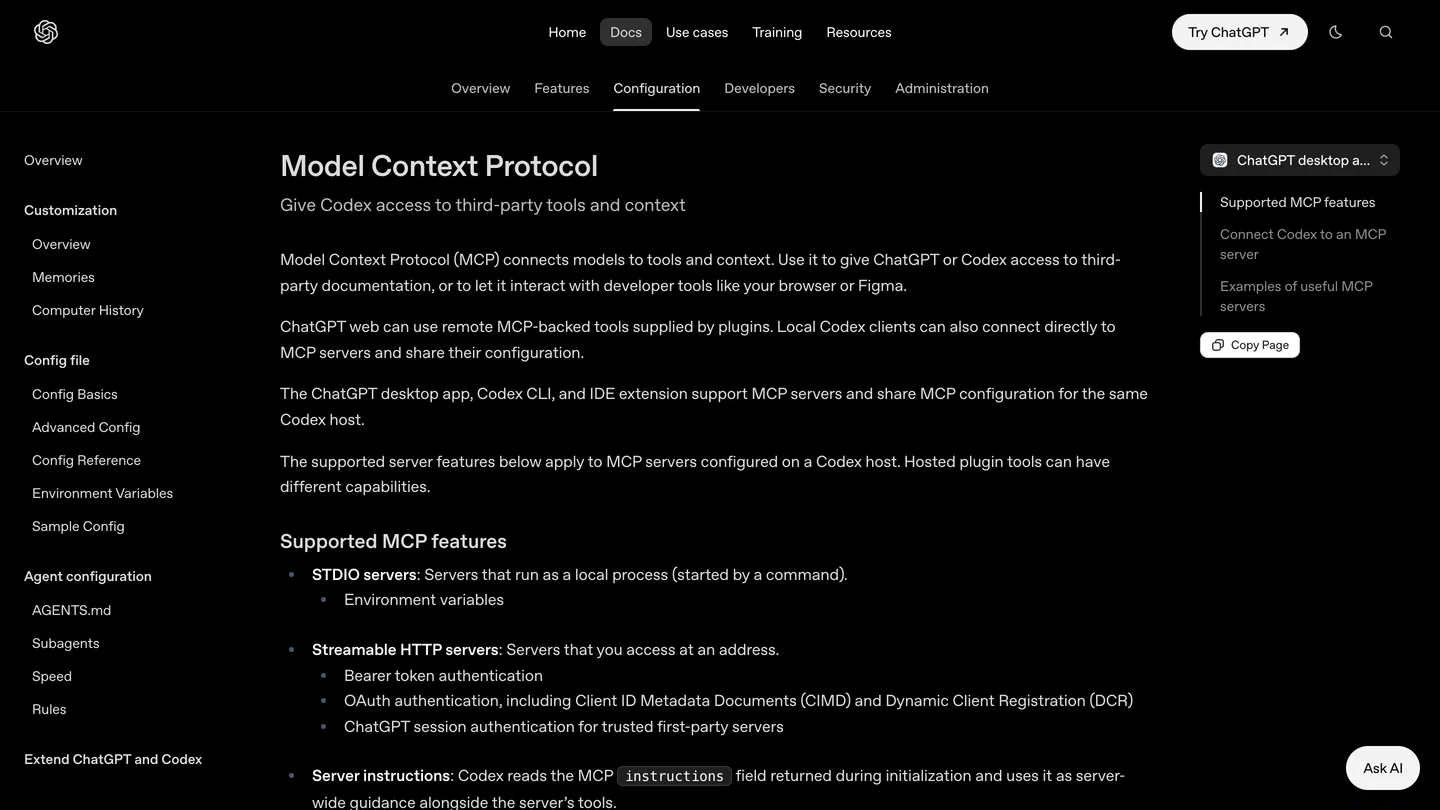
OpenAI’s MCP page, with the ChatGPT desktop app selected. “STDIO servers” is the type the SketchUp servers are.
The SketchUp side is the same community software Claude users run. A Ruby extension opens a small server inside SketchUp desktop, and a Python program relays the AI’s tool calls to it over your own machine. The original is mhyrr/sketchup-mcp (490 stars, last commit in April 2026), the one every ChatGPT setup video we found uses. The maintained alternative is zinin/sketchup-mcp2, with 22 tools, an undo tool and a viewport screenshot tool for SketchUp 2026. Neither README mentions ChatGPT or Codex; both document Claude only. They are standard MCP servers, so Codex can start them, but nobody has written the ChatGPT instructions for you.
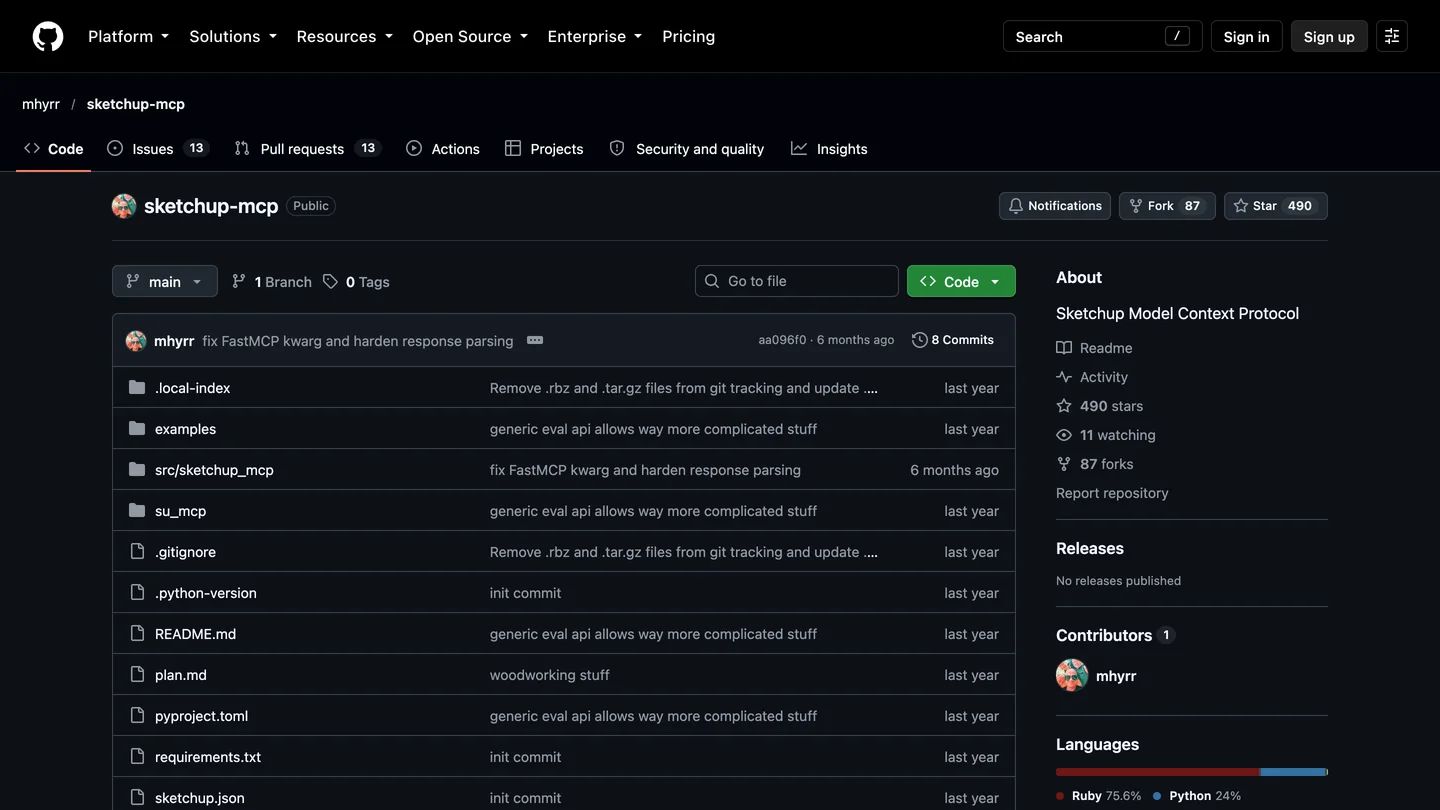
mhyrr/sketchup-mcp, captured October 14, 2026: the server used in the setup video below. Note the last commit date.
I would start with sketchup-mcp2 for the reasons in our Claude and SketchUp guide: it is maintained and every edit is one undo step. The steps:
- Install the ChatGPT desktop app and uv, which provides the
uvxcommand. You need SketchUp Pro or Studio desktop; SketchUp Go has no extensions. - Download the
.rbzfrom the project’s Releases page and install it in SketchUp under Window, Extension Manager, Install Extension. Restart SketchUp. - In SketchUp choose Plugins, MCP Server, Start Server. It listens on
127.0.0.1, port 9876. - In the ChatGPT desktop app open Settings, MCP servers, Add server. Choose STDIO, command
uvx, argumentsketchup-mcp2, save, then restart. Type/mcpin a Codex chat to see it listed. - Ask what is in your open model, then for one 24 inch cube. If the cube appears in SketchUp, you are connected.
The desktop app, Codex CLI and the IDE extension share one configuration file, so the terminal version of step 4 is codex mcp add sketchup -- uvx sketchup-mcp2, which writes this to config.toml:
[mcp_servers.sketchup]
command = "uvx"
args = ["sketchup-mcp2"]
Two warnings from people who have done it. SketchUp’s Ruby runs on its main thread, so one large request freezes the app until it finishes; ask for big models in stages. And the setup in the video below needed a compatibility fix to the server’s Python dependencies before it would start, which is normal for a project that has not been updated in six months.
Is there a video showing how to connect ChatGPT to SketchUp?
Yes. The most useful one is a 24 minute walkthrough from The AI Essentials, the AI channel of the person behind TheSketchUpEssentials. We stepped through it on October 14. It runs Codex inside the ChatGPT desktop app on Windows, with GPT-5.6 Sol, and uses mhyrr/sketchup-mcp from GitHub. Codex guides the setup itself: it edits one dependency line in pyproject.toml (the compatibility fix, at 12:22), registers the server from PowerShell (18:23), and finally draws a 24 inch cube in SketchUp 2025 while the Ruby Console logs each call on port 9876 (22:47). The last chapter covers fixing a connection that will not come up.

The AI Essentials, “How to Connect AI to SketchUp (Complete MCP Setup Tutorial)”, September 11, 2026, 24 min 12 s. Windows and SketchUp 2025; on a Mac the steps are the same apart from PowerShell.
How good is ChatGPT at modeling in SketchUp?
Better than a year ago, and still not something to hand to a builder unchecked. OpenAI’s own GPT-6 Astra announcement claims a 95.9% score on BenchCAD, which tests rebuilding 3D objects from views as CAD code, against 84.3% it reports for Claude Fable 5.1. That is a vendor benchmark, not a floor plan. The independent tests are more useful:
- A farmhouse from construction drawings (TheSketchUpEssentials, September 10, 2026): Astra produced an organized model with saved scenes for the exterior views, cutaways and floor plans. In the dimension check we stepped through, a wall the drawings put at 10 feet measured 10 feet 1/8 inch in the model. Close, but not exact.
- A studio apartment from CAD drawings (Design Ink Co, September 22, 2026): the interior designer found the result “tracked the quality of my brief, exactly.” Ask for a living room and you get an empty one, to the millimeter; list every item with dimensions and it builds them all.
- A house from a floor plan and photos (Archi Vlogs, October 6, 2026): much of the exterior came out right, as editable groups, but with problems in the interior layout, window openings, wall connections and room placement that took follow-up prompts to fix.
The pattern is the one Claude users report too. Counts, spacing and stated dimensions come out right. The judgment calls, where walls meet and where an opening really goes, are where it slips. Write the brief like a drawing: every dimension, every clearance, every opening.
Which ChatGPT model should you use for SketchUp?
OpenAI shipped four new models in September 2026, and the model picker in Codex now offers all of them. For modeling from drawings, use GPT-6 Astra: it is what every independent SketchUp test above used. For cheaper, routine edits, OpenAI itself recommends GPT-6.1 Sol in Codex. On the Free plan, GPT-6 Luna is the one you can pick.
| Model | Released | What OpenAI says it is for | Plans | For SketchUp |
|---|---|---|---|---|
| GPT-6 Astra | Early September 2026 | “Our most capable model for complex work across code, apps, and research” | Plus, Pro, Business, Enterprise | Building from plans and photos; the model the public tests used |
| GPT-6.1 Sol | September 29, 2026 | Complex coding and agentic work, “at a lower cost than Astra” | Plus, Pro, Business, Enterprise, Edu; not Free or Go | Everyday edits and scripts; not yet tested on SketchUp publicly that we found |
| GPT-6 Sol | September 22, 2026 | Replaces GPT-5.5 on paid plans | Plus and up | Superseded by 6.1 Sol a week later |
| GPT-6 Luna | September 22, 2026 | “Our most efficient model for focused, high-volume tasks” | Free and Go can choose it in the desktop app, where available | Small, well specified jobs; expect more fixing on full rooms |
- Released
- Early September 2026
- For
- Complex work across code, apps and research
- Plans
- Plus, Pro, Business, Enterprise
- For SketchUp
- Building from plans and photos; the model the public tests used
- Released
- September 29, 2026
- For
- Complex coding and agentic work, at a lower cost than Astra
- Plans
- Plus, Pro, Business, Enterprise, Edu; not Free or Go
- For SketchUp
- Everyday edits and scripts; not yet tested on SketchUp publicly that we found
- Released
- September 22, 2026
- For
- Replaces GPT-5.5 on paid plans
- Plans
- Plus and up
- For SketchUp
- Superseded by 6.1 Sol a week later
- Released
- September 22, 2026
- For
- Focused, high-volume tasks
- Plans
- Free and Go can choose it in the desktop app, where available
- For SketchUp
- Small, well specified jobs; expect more fixing on full rooms
Descriptions and plan lists are from OpenAI’s Codex models page and release notes, read October 14, 2026; OpenAI adds that access also depends on your client and workspace settings. Note that the setup video above was recorded on GPT-5.6 Sol, a generation older. The “For SketchUp” column is our judgment from the published tests, not a benchmark we ran.
Can ChatGPT write SketchUp Ruby scripts for you?
Yes, on any plan, and it is the only route that works with the free ChatGPT website. We tested it on October 14. We asked ChatGPT on the Free plan for a script to build a 14 by 12 foot bedroom with 9 foot ceilings and 4.5 inch walls, a door 18 inches from the corner, a centered window with a 30 inch sill, a queen bed centered on the east wall, two nightstands and a dresser, each piece in its own named group, all as one undo step. It returned a 103 line script with a short explanation. We did not run it in SketchUp; we checked every coordinate by hand.
| What we checked | Result |
|---|---|
| Room, door, window, sill | Correct. 168 by 144 inches inside, door from 18 to 54 inches, window from 60 to 108 inches, centered |
| Bed and dresser | Correct. Bed centered on the east wall, headboard touching it, 24 inches high in two parts |
| One undo step | Yes, wrapped in start_operation with an abort on errors |
| Wall corners | Wrong. Each wall stops at the inside corner, leaving a 4.5 inch square hole, full height, in all four corners |
| Nightstands | Read 24 x 18 as 24 inches deep and 18 wide, the opposite of how most nightstands are listed |
| Where to paste it | Out of date. It said Window, Ruby Console |
- Result
- Correct. 168 by 144 inches inside, door from 18 to 54 inches, window from 60 to 108 inches, centered
- Result
- Correct. Bed centered on the east wall, headboard touching it, 24 inches high in two parts
- Result
- Yes, wrapped in start_operation with an abort on errors
- Result
- Wrong. Each wall stops at the inside corner, leaving a 4.5 inch square hole, full height, in all four corners
- Result
- Read 24 x 18 as 24 inches deep and 18 wide, the opposite of how most nightstands are listed
- Result
- Out of date. It said Window, Ruby Console
The corner gap is the kind of mistake that looks fine from above and shows up the moment you orbit, and it is exactly the “wall connections” problem the Astra testers saw. The menu path is a smaller slip with a real cost for beginners: SketchUp moved the Ruby Console from the Window menu to Extensions, Developer, Ruby Console in SketchUp 2021, and its developer tutorial gives the current path.
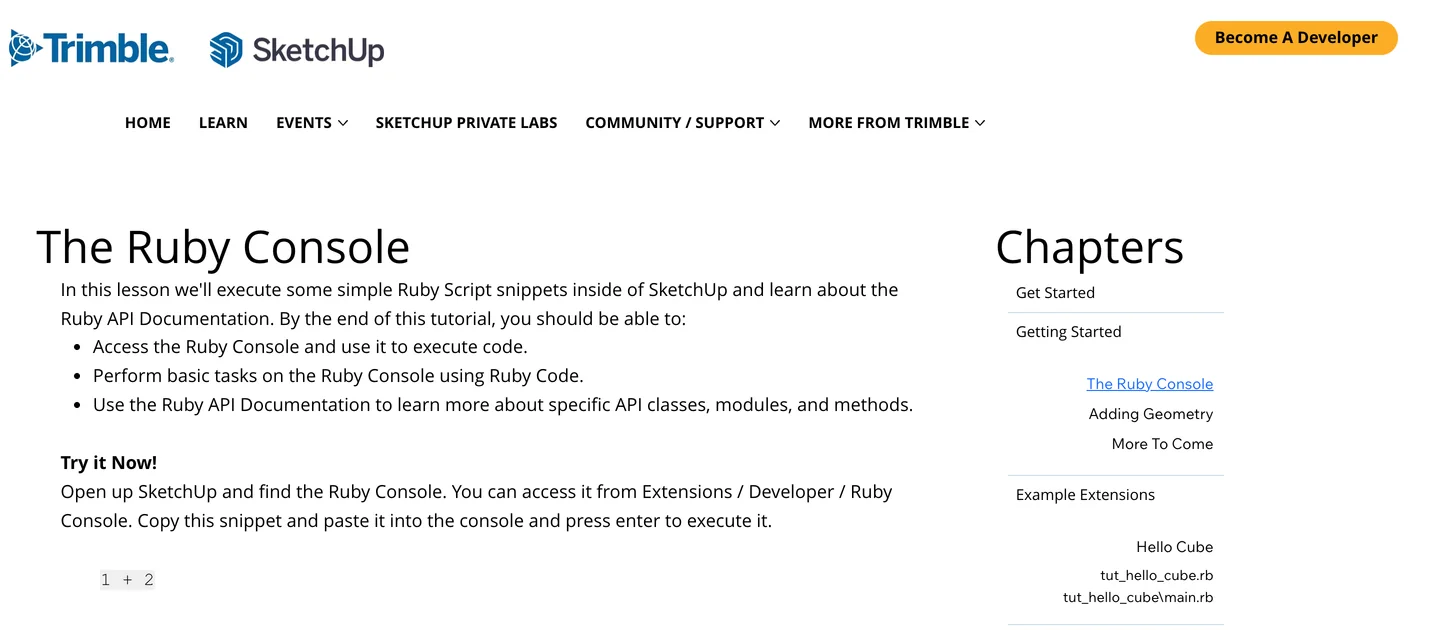
SketchUp’s own Ruby Console lesson. Paste ChatGPT’s script here, and try it on a copy of your file first.
The SketchUp community has said much the same for years. In the longest forum thread on ChatGPT written Ruby, users report code that threw errors or built incoherent geometry for anything beyond simple shapes. Models have improved a lot since, and our script ran to the brief on most points, but the rule holds: ask for one undo operation, read the script, and run it on a copy.
What is the AI Explorer extension for SketchUp?
It is the closest thing to “ChatGPT inside SketchUp”, and it has been around since 2023. AI Explorer (Experimental), first released as OpenAI Explorer, is a free, open source extension by Alex Schreyer, who directs the Building and Construction Technology program at UMass Amherst and wrote Architectural Design with SketchUp. It opens a chat window inside SketchUp that sends your prompts to OpenAI’s models, or to Google, Anthropic or a local model, and can answer questions, write Ruby, look at screenshots and, if you switch it on, run the code it writes.
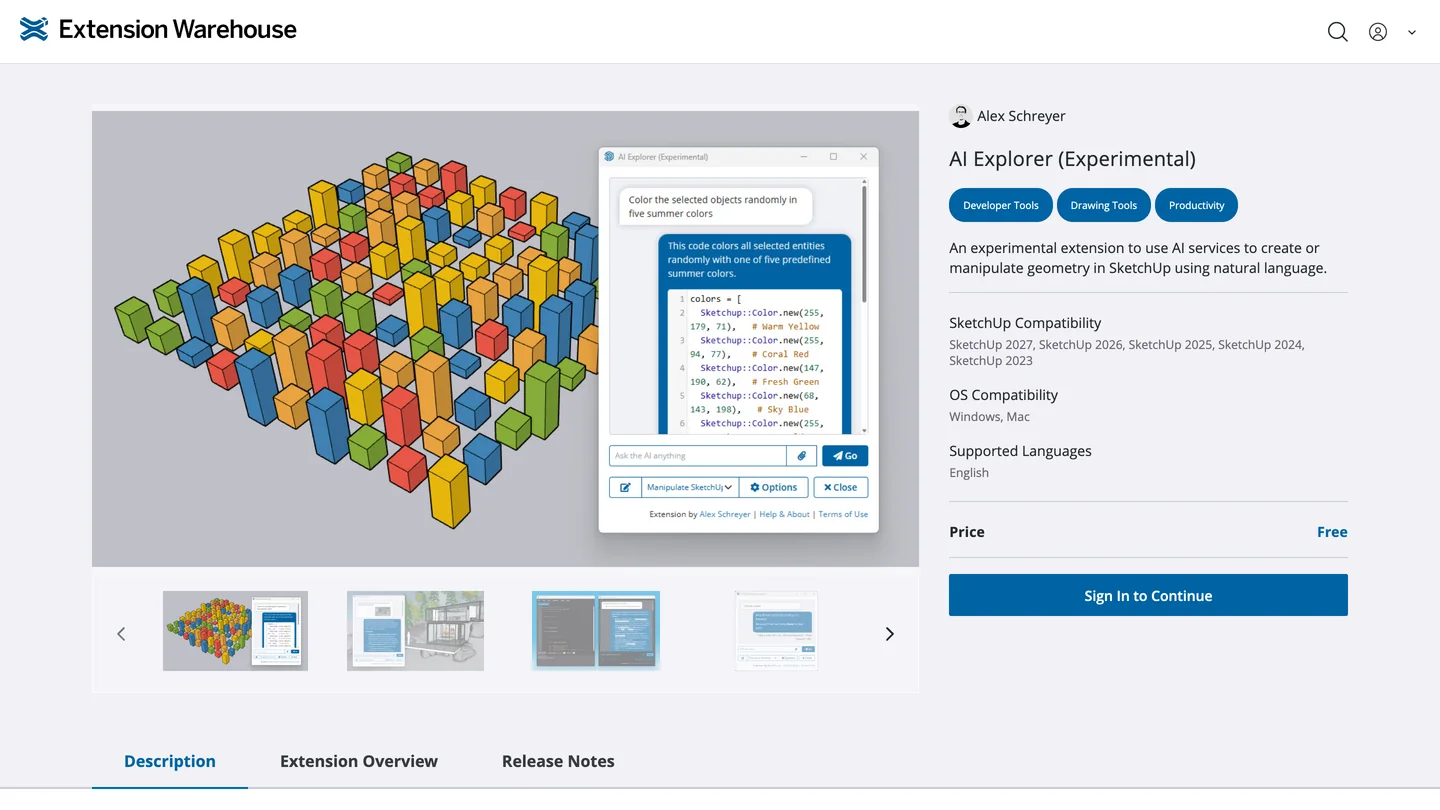
AI Explorer on the Extension Warehouse, October 14, 2026: free, Windows and Mac, listed for SketchUp 2023 to 2027.
- Install: from the Extension Warehouse, then open Extensions, AI Explorer (Experimental), AI Explorer Dialog.
- Key: it needs an OpenAI API key, billed per use. A ChatGPT Plus subscription does not include API access; the author suggests about $5 of credit covers a lot of light use.
- Model: version 3.3 (May 2026) defaults to gpt-5.4-mini; you can type any model your key can use.
- Safety: running generated code is off by default, and the author warns that, once on, it “can even affect your entire file system.”
It is the best choice if you want quick help inside SketchUp, such as “color every face on the Walls tag light gray” or “how many components named Chair are in this model”, without running a separate server. It is not an agent like Codex: it answers one prompt at a time.
Is it safe to let ChatGPT control SketchUp?
Safe enough on a laptop you control, if you treat it like installing a powerful macro. Both community servers include an eval_ruby tool that runs any Ruby code the AI sends, inside SketchUp, with your user’s permissions. Ruby in SketchUp can read and write files and open network connections. We read the code of both servers for our Claude guide: both listen only on 127.0.0.1 by default, with no password.
So: keep the local address, never expose port 9876 on office Wi-Fi, and switch off Ruby evaluation in sketchup-mcp2’s settings if the normal tools cover your work. On the ChatGPT side, Codex has an approval setting for MCP tools. OpenAI’s docs list writes mode, which “prompts for tools that aren’t marked read-only.” Use it, read what ChatGPT is about to run, and keep client files backed up.
How much does it cost to use ChatGPT with SketchUp?
| Product | Price (US, October 2026) | What it gets you here |
|---|---|---|
| ChatGPT Free | $0 | Ruby scripts in chat; the desktop app with Codex and GPT-6 Luna, within usage limits |
| ChatGPT Plus | $20 a month | GPT-6 Astra and GPT-6.1 Sol in Codex, higher limits |
| OpenAI API | Pay per use | Needed for AI Explorer; separate from any ChatGPT plan |
| ChatGPT Business | Per seat | Developer mode on the web, the only way to try Trimble’s server from chatgpt.com |
| SketchUp Pro | $33.25 a month billed annually | Desktop app and extensions, needed for every route here |
| SketchUp Go | $10.75 a month billed annually | Web and iPad only, no extensions, so none of the ChatGPT routes |
- Price
- $0
- Here
- Ruby scripts in chat; the desktop app with Codex and GPT-6 Luna, within usage limits
- Price
- $20 a month
- Here
- GPT-6 Astra and GPT-6.1 Sol in Codex, higher limits
- Price
- Pay per use
- Here
- Needed for AI Explorer; separate from any ChatGPT plan
- Price
- Per seat
- Here
- Developer mode on the web, the only way to try Trimble’s server from chatgpt.com
- Price
- $33.25 a month billed annually
- Here
- Desktop app and extensions, needed for every route here
- Price
- $10.75 a month billed annually
- Here
- Web and iPad only, no extensions, so none of the ChatGPT routes
SketchUp prices are from SketchUp’s US plans page, excluding tax. OpenAI’s pricing page shows local currency, so the Plus figure is the long standing US price rather than one we could read from Europe. How much Codex use the Free plan allows is not published in a form we could pin down; expect to hit limits fast on a model build.
Should you use ChatGPT or Claude with SketchUp?
If you want the supported route, Claude. Trimble’s connector is in Claude’s directory, works on the free plan and takes two minutes. It only creates new files, though, and cannot edit the model you already have. For editing your own models, the two assistants are on equal footing: both drive the same community MCP servers, and on the published 3D benchmarks GPT-6 Astra currently leads. If you already pay for ChatGPT, use Codex; there is no reason to switch just for SketchUp. Gemini users have the same option through Google’s Antigravity; see how to connect Gemini to SketchUp.
Whichever you pick, it gives you geometry, not a picture a client will react to. That step is where we come in, so read this as a disclosure. MeltFlex has a free SketchUp AI rendering plugin that turns your current view into a photoreal render in about twenty seconds, and the same engine can turn a 3D draft into a render in the browser from a screenshot. It will not fix a missing wall corner, so fix the model first. For the wider field, see the best AI SketchUp plugins and our list of AI architectural rendering tools.
SketchUp is one piece of a bigger setup. ChatGPT plugins for architects and interior designers covers the tools ChatGPT does connect to officially, connecting Claude to Blender covers the free 3D alternative (Codex can run the same Blender server), and MCP servers for architects covers Rhino, Grasshopper and more. If your work starts from a plan, floor plan to 3D gets you a furnished view without modeling at all.
Sources and what we could not verify
Read on October 14, 2026: OpenAI’s MCP documentation and release notes, its developer mode help article, the GPT-6 Astra announcement, the engineering.com interview with Trimble, the two GitHub projects, Alex Schreyer’s project page and Extension Warehouse listing, SketchUp’s developer tutorial, the SketchUp forum thread, and the four YouTube tests linked above. Our own checks: one ChatGPT Free conversation, a hand review of the script it wrote, and test registrations against Trimble’s server that stopped at the sign-in page. We also pointed OpenAI’s Codex CLI (version 0.162.1) at Trimble’s server, and it detected the sign-in and opened Trimble’s login page, where we stopped.
What we did not do: we did not sign in to Trimble, did not run the script in SketchUp, and did not install a SketchUp MCP server on our own machine for this guide. Statements about model quality come from the linked tests. Two things conflict and we have kept both visible: Schreyer’s project page dates AI Explorer 3.3 May 7, 2026 while his blog index says May 25, and Trimble supports only Claude yet its server already accepts ChatGPT’s sign-in address. We will update this page if Trimble or OpenAI announces an official SketchUp plugin.
ChatGPT and SketchUp: FAQ
Can ChatGPT connect to SketchUp?
Not from the ChatGPT website, and there is no official ChatGPT plugin for SketchUp. It can connect through the ChatGPT desktop app: its Codex mode can run a local SketchUp MCP server such as sketchup-mcp or sketchup-mcp2, which talks to SketchUp desktop on your computer and lets ChatGPT build and edit geometry in your open model. The other two routes are the AI Explorer extension, which brings OpenAI models into SketchUp with an API key, and asking ChatGPT for a Ruby script you paste into the Ruby Console.
Is there an official ChatGPT plugin for SketchUp?
No. Trimble has said Claude is the only third party AI assistant SketchUp officially supports, and there is no SketchUp entry in ChatGPT's Plugin Directory. When we asked ChatGPT itself on October 14, 2026, it answered "Not directly, at least not out of the box." One detail suggests that may change: in our check the same day, Trimble's own SketchUp MCP server accepted ChatGPT's current connector sign-in address, alongside Claude's and local ones, and rejected other websites.
Does the SketchUp MCP server work with ChatGPT?
The community servers do, through the ChatGPT desktop app or Codex CLI, because they are ordinary local MCP servers and OpenAI documents STDIO support for both. YouTube setups by The AI Essentials and Archi Vlogs show it working with mhyrr/sketchup-mcp. Neither project documents ChatGPT or Codex in its README, so expect to fix the setup yourself. ChatGPT on the web cannot reach a server running on your own computer. Trimble's official server is remote and, in our check, accepts ChatGPT's current sign-in callback, so a Business, Enterprise or Edu workspace with developer mode may be able to add it. We only tested the handshake up to Trimble's sign-in page, not from a real ChatGPT workspace, and Trimble does not support it.
Which ChatGPT plan do I need to use it with SketchUp?
OpenAI says the desktop app, which includes Codex, is available on every plan including Free. GPT-6 Astra, the model most SketchUp testers use, and GPT-6.1 Sol, OpenAI's recommended Codex model since September 29, 2026, need Plus or higher; Free and Go users can pick GPT-6 Luna in the desktop app. Plus is $20 a month in the US. Developer mode on chatgpt.com, the web way to add custom MCP servers, is limited to Business, Enterprise and Edu, and it only reaches servers on the internet.
Can ChatGPT write Ruby scripts for SketchUp?
Yes, on any plan, including Free. In our test it wrote a working looking script for a 14 by 12 foot bedroom with every opening and furniture position where we asked, wrapped in a single undo step. It also left a 4.5 inch gap at all four wall corners, and it told us to open Window, Ruby Console, a menu SketchUp moved to Extensions, Developer, Ruby Console in 2021. Read every script before you run it and run it on a copy of the file.
Is it safe to let ChatGPT control SketchUp?
Only with care. Both community MCP servers include an eval_ruby tool that runs any Ruby code inside SketchUp with your user permissions, which includes reading and writing files. Keep the server on 127.0.0.1, leave Codex approvals on so you see each call, switch off Ruby evaluation in sketchup-mcp2 if you do not need it, and work on copies of client files.
Is ChatGPT or Claude better for SketchUp?
For an official, supported setup, Claude: Trimble ships a SketchUp connector for it that takes two minutes to add, although it only creates new files. For editing a model you already have, both work through the same community MCP servers. On published 3D benchmarks OpenAI's GPT-6 Astra currently leads, but those are vendor numbers, and every independent test we found still had wrong openings or wall joins to fix.
Keep reading
- How to connect Claude to SketchUp, the officially supported assistant.
- How to connect Gemini to SketchUp, Antigravity, AI Explorer and the Gemini inside AI Render.
- ChatGPT plugins for architects, what ChatGPT connects to without workarounds.
- Best AI SketchUp plugins, for rendering inside SketchUp.
- AutoCAD MCP, if your drawings live in AutoCAD.
- Claude prompts for interior design, briefs that work in ChatGPT too.
- How to render architecture with AI, the step after the model.