
Yes, AI can decorate your house for Christmas, and the honest ranking is short. Gemini is the best free way to do it: upload a photo of the room, ask for a tree and garland, and the free plan hands the same room back decorated. MeltFlex is the best tool built for it, because it keeps your real furniture and lets you shop the room afterwards, and we say that as the people who make MeltFlex. Ideal House is the pick if you want the outside of the house done as well on a free daily allowance. Decor8 is worth it only if you already pay for it. The three Christmas apps that landed on the App Store last November are the ones to be careful with.
Our articles are still written by humans!
Get human written articles in your Google feed.
This is a comparison, not a test of every tool. We read each vendor page and App Store listing on 20 September 2026 and captured them, and we ran one first-hand experiment: a single real living room from our gallery, four Christmas briefs, identical camera, through the same image path our free demo runs on. The results are below, and so is what went wrong. If you want the year-round version of this question, our best AI for decorating a room ranking covers nine tools without the tinsel.
FreeUpload photo · freeRedesign my room for freeUpload a photo and let MeltFlex design your space. Your first AI design is free, no card needed.


Can AI Decorate My House for Christmas?
Yes. The job is a photo-in, photo-out edit, and every tool in this list does the same three things: you upload a picture of the room, you describe the decoration, and the model paints a tree, garland, lights and cushions into your photo while trying to leave the walls and furniture alone. The differences are in what happens around that edit: whether it is free, whether it keeps your sofa, whether you can do the porch as well, and whether you can find the decorations in the render afterwards.
The last point is the one nobody mentions on their landing page. An AI Christmas render is a plan, not a shopping cart. It will show you that a slim flocked tree suits the corner by the window better than a fat green one, and that a garland on your particular mantel reads better in eucalyptus than in tinsel. It will not tell you which tree that is or where to buy it. Treat the picture as the decision, then shop with it open on your phone.

Which AI Christmas Decorating Tools Did We Compare?
Eight: the two general assistants everyone already has (Gemini and ChatGPT), two web interior tools with a named Christmas feature (Decor8 AI and Ideal House), three iOS apps built for the season, and MeltFlex. We started with nine. CyberLink’s MyEdit was on the list because its 2024 guide to Christmas decor with its AI Room feature still ranks, but the guide now returns HTTP 410 Gone and the current App Store listing for MyEdit does not mention rooms or interiors at all, so we dropped it rather than describe a feature we could not find.
The selection rule was simple: the tool has to take a photograph of your actual room. Text-to-image Christmas generators (Fotor, Simplified and the rest) produce a lovely room that is not yours, which answers a different question. If you want ideas rather than a preview, our living room prompt pack and lighting prompts are the better starting point.

What Happens When You Ask AI to Decorate a Real Living Room for Christmas?
It keeps the room and changes the mood, and the two mistakes it makes are both fixable with wording. On 20 September 2026 we took one published render from our own gallery, a home library with walnut shelving, a marble fireplace and a long blue sofa, and ran four Christmas briefs through the built-in Gemini image path that the anonymous MeltFlex demo uses, at 16:9, one attempt per brief, no retries. Paid MeltFlex renders have run on GPT Image 2.5 since 9 September, so this is the free-tier engine, not our best output. The four briefs were traditional, Scandinavian, gold and champagne, and restrained.
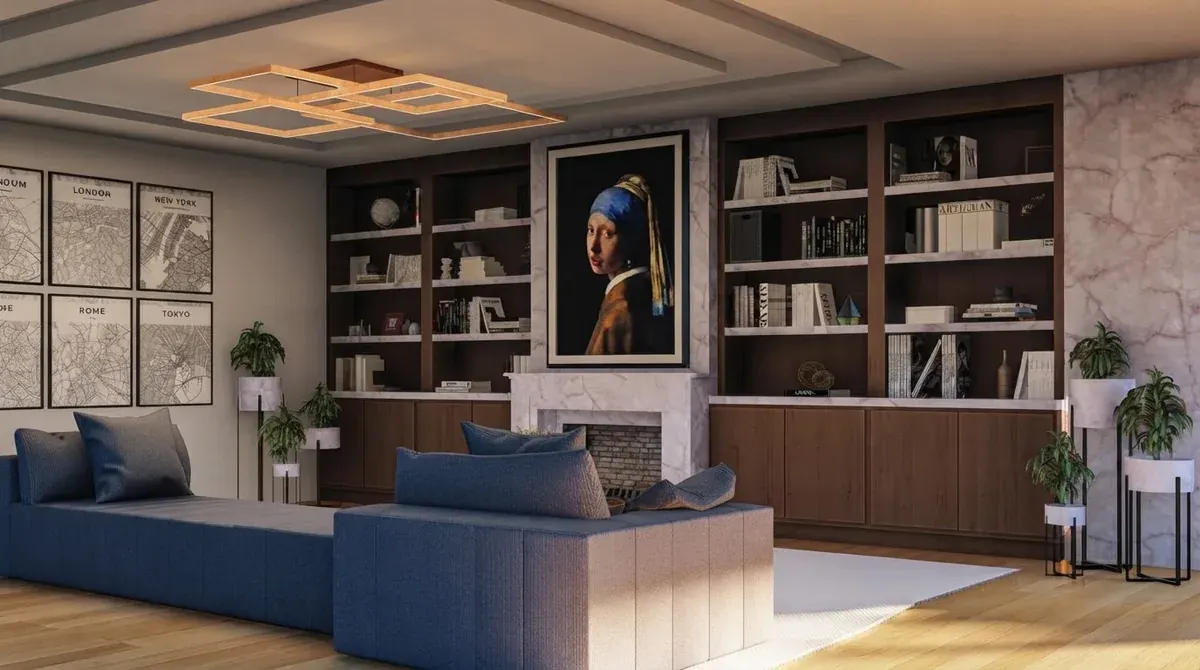
Three things held across all four. The camera never moved. The walls, shelving, fireplace, windows and floor never changed. The sofa stayed the same blue sofa. That is the whole reason photo-in, photo-out beats a mood board: you are looking at your room, not a room. The two unasked changes are also worth reading closely. The gold brief did not say where the tree should go, so the model chose the plant stand’s corner and removed the plant to make space. The Scandinavian brief said “cozy” in spirit if not in words, and the model added a throw. Both disappear when you name the spot and add the lock sentence we give below.
What Is the Best Free AI to Decorate a Room for Christmas?
Gemini, because it is genuinely free, it takes your photo, and its Nano Banana image models are the best of the free options at adding objects to a scene without repainting the scene. Google’s own plans page lists image generation and editing on the free tier and describes the paid tiers as 2x and 4x higher usage limits without publishing a number. Third-party trackers reported roughly 20 Nano Banana 2 images a day on the free tier in March 2026; we could not verify that figure on a Google page, so treat it as reported.

The free ranking after Gemini: Ideal House gives 20 starter credits and 10 preview credits a day at 3 credits an image, watermarked, which is three previews a day for as long as you like. MeltFlex gives one demo render with no account and 15 credits on sign-up, and a render costs 10, so two free renders and then a plan. ChatGPT is free but rationed to a couple of images a day on the free plan, which is enough to try one brief on one room. The seasonal apps are free to download and not free to use; the token packs start at $1.99.
Can ChatGPT or Gemini Decorate My Room for Christmas From a Photo?
Yes, and the wording matters more than the model. Both assistants accept an attached photo and edit it. The brief that worked in our test has two halves: the wish list, kept short, and a lock sentence that names what must not change. Put the lock in every prompt; it is the difference between a decorated room and a redrawn one.
Decorate this living room for Christmas in a traditional style: a tall decorated Christmas tree with warm white lights to the left of the fireplace, a fresh garland with lights along the mantel, one wreath, red and green cushions and a few wrapped gifts. Keep this exact room, the same furniture, walls, shelves, windows, floor and the same camera angle. Photorealistic.
Swap the first sentence for the look you want and leave the second alone. For a Scandinavian room: a slim Nordic fir with tiny white lights, paper stars, wooden ornaments, candles on the table, no red. For gold: a full tree with gold and cream ornaments, gold garland on the mantel, metallic cushions, candlelight, and say where the tree goes. If the result redraws your furniture, the wish list was too long; cut it to the tree and the mantel and run it again. Our ChatGPT room design guide and Gemini room design guide cover the general version of this, and the Nano Banana prompt library has the phrasing that model responds to.
The limitation to know before you start is the same on both: the assistant gives you a picture, and only a picture. There is no product list, no way to try the same tree in three spots without three separate prompts, and no memory of your room next week. For a single evening of “would a white tree work in here” that is fine. For planning a whole house it gets slow.
Is Decor8 AI Good for Christmas Decorations?
Yes if you already pay for Decor8, and hard to justify if you do not. Its Christmas Decorations feature page, captured on 20 September 2026, promises to “add trees, lights, garlands, and holiday decor to visualize your seasonal styling before you decorate” in “traditional, modern, rustic, or other holiday themes”, from an uploaded room photo, in seconds. Every button on the page leads to the app login, and the pricing page lists one consumer plan, $14.99 a month for unlimited room redesigns, with no free tier or trial mentioned.

Decor8 is built for real estate staging, and that shows in the good and the bad. The good: it is used to leaving structure alone, which is exactly the skill Christmas decorating needs. The bad: the page talks about rooms, not porches, so if the outside of the house is half your question you will need a second tool. Our full AI interior design tools comparison has the year-round view of Decor8 next to thirteen others.
Are the Christmas AI Room Decoration Apps Worth $4.99 a Week?
Not at the weekly price, and we would not pay for any of them before trying Gemini for free. Three iOS apps appeared within four days of each other in November 2025. Christmas Ai: Room Decoration (developer Lenny Go, released 21 November 2025) and AI Christmas Room Decorations (developer Ling Hwe Ming, released 19 November 2025) both upload a room photo, offer styles from Scandinavian to “Gold & Champagne Luxe” and rustic cabin, and show a before-and-after slider. Both list the identical ladder: $4.99 a week, $14.99 a month, $34.99 a year, plus $1.99 token packs. Both shipped version 1.2 with the note “Optimize Apps Performance” on 16 December 2025. On 20 September 2026 neither had enough ratings for the App Store to show a score.


Two apps from two developers with the same prices, the same release notes on the same day and the same “#1” tagline is what template apps look like. That is not an accusation of anything, and one of them may be excellent. It is a reason to spend $0 first. The third app is different in kind: AI House Design & Room Planner (developer Nazmi Berat Hamzaoglu, released 17 November 2025, still being updated in September 2026) is a general redesign app whose listing advertises “exclusive Christmas & Holiday Design modes”, and the mode it describes is decorating your tree: upload a photo of the tree and the AI adds lights, ornaments and a theme. Useful if the tree is up and bare, and not the same job as decorating the room.

The practical rule for all three: a weekly subscription on a product you will use for six weeks a year is the most expensive way to buy it. If you do try one, set the cancellation reminder before the first render.
What Does Ideal House Do That the Others Do Not?
Two things: it takes the front porch as readily as the living room, and it gives you a free allowance every day instead of once. The Home Decor Ideas tool asks for “a clear, well-lit photo of any space you want to decorate, from your living room to your front porch”, then a style such as Classic Christmas or Winter Wonderland, and it charges 3 credits an image. The pricing page lists 20 starter credits, 10 preview credits a day on the free plan with a watermark, and Lite, Plus and Pro tiers of 800, 3,000 and 9,999 monthly credits billed weekly, monthly or yearly. The page we captured did not show the prices of those tiers, only the credit counts.
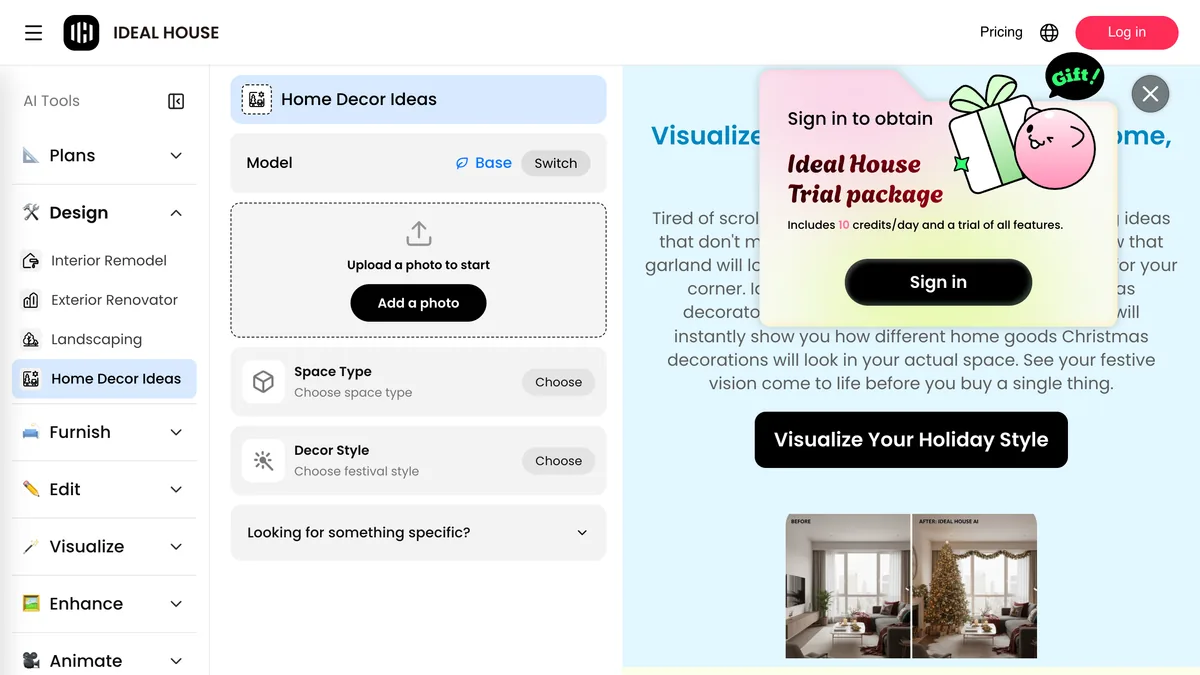
Ideal House describes its edit as “structure-preserving”, overlaying decor without altering furniture, paint or layout, which matches what we saw from the same class of model in our own test. The honest caveat is the same one that applies to every credit-based tool: three previews a day sounds generous until you realise a good result usually takes three attempts. Budget the first day for learning the phrasing, not for the final picture.
Where Does MeltFlex Fit, and What Does It Get Wrong?
MeltFlex is ours, and it is the best tool here for one specific reader: the person who wants the render to keep their real furniture and then wants to do something with the picture other than look at it. You upload a room photo on /create, the first render is free without an account, and the workspace keeps your walls and furniture while restyling or decorating. Because the same workspace can detect the furniture in a render and match it to real products, the Christmas version of the room becomes a thing you can act on: a tree in the corner, and the sideboard it is standing next to is a sideboard you can actually buy.
What it gets wrong, plainly. First, our catalogue is furniture, not ornaments: MeltFlex can tell you which sofa is in the render, it cannot tell you which tree, wreath or garland, and no tool in this list can. Second, the free tier is two renders, one as a guest and one after sign-up, then €19 a month (about $21) for the Standard plan, which is more than Decor8 if Christmas is the only thing you want it for. Third, the four-brief test above ran on the built-in Gemini path our free demo uses; the paid model is different and we have not repeated the experiment on it yet. If you want to see what the paid pipeline does with an ordinary room first, the how to use AI for interior design walkthrough shows it step by step.
Which Christmas Decorating Styles Does AI Render Well?
All of the mainstream ones, and the closer your brief is to a style that has a name, the better the result. The nineteen Christmas rooms we published to our gallery alongside this guide are AI renders re-photographed from designers’ reference projects, and they show the range the models handle comfortably. The four looks below are the ones people ask for most, with the words that get you there.



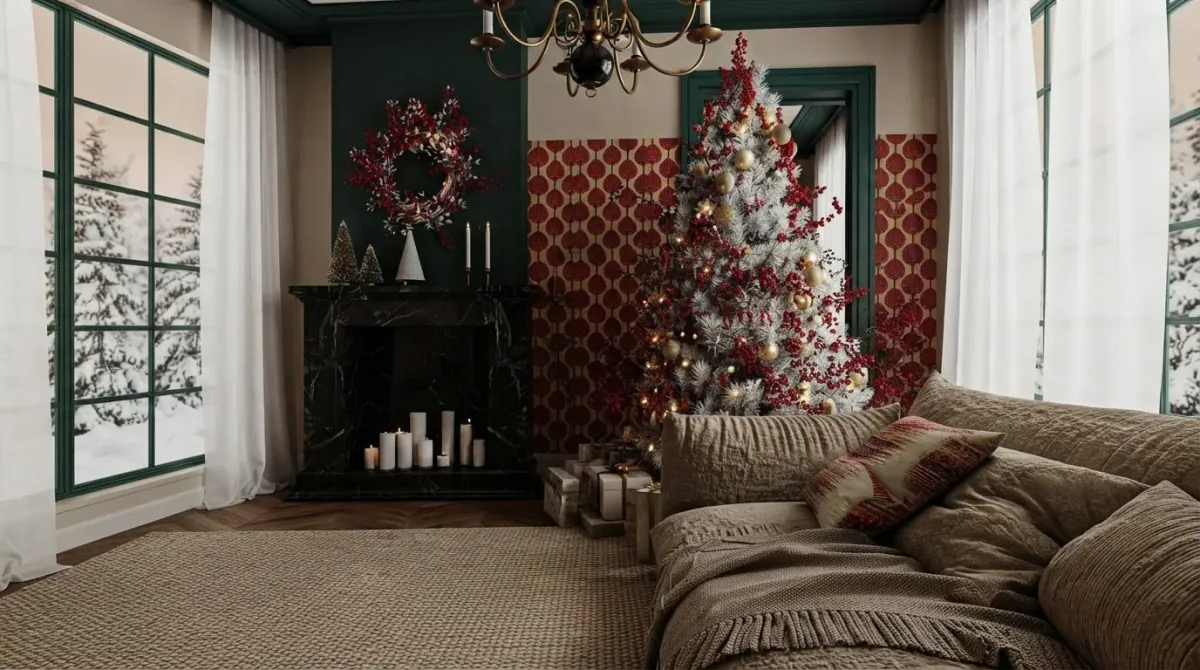


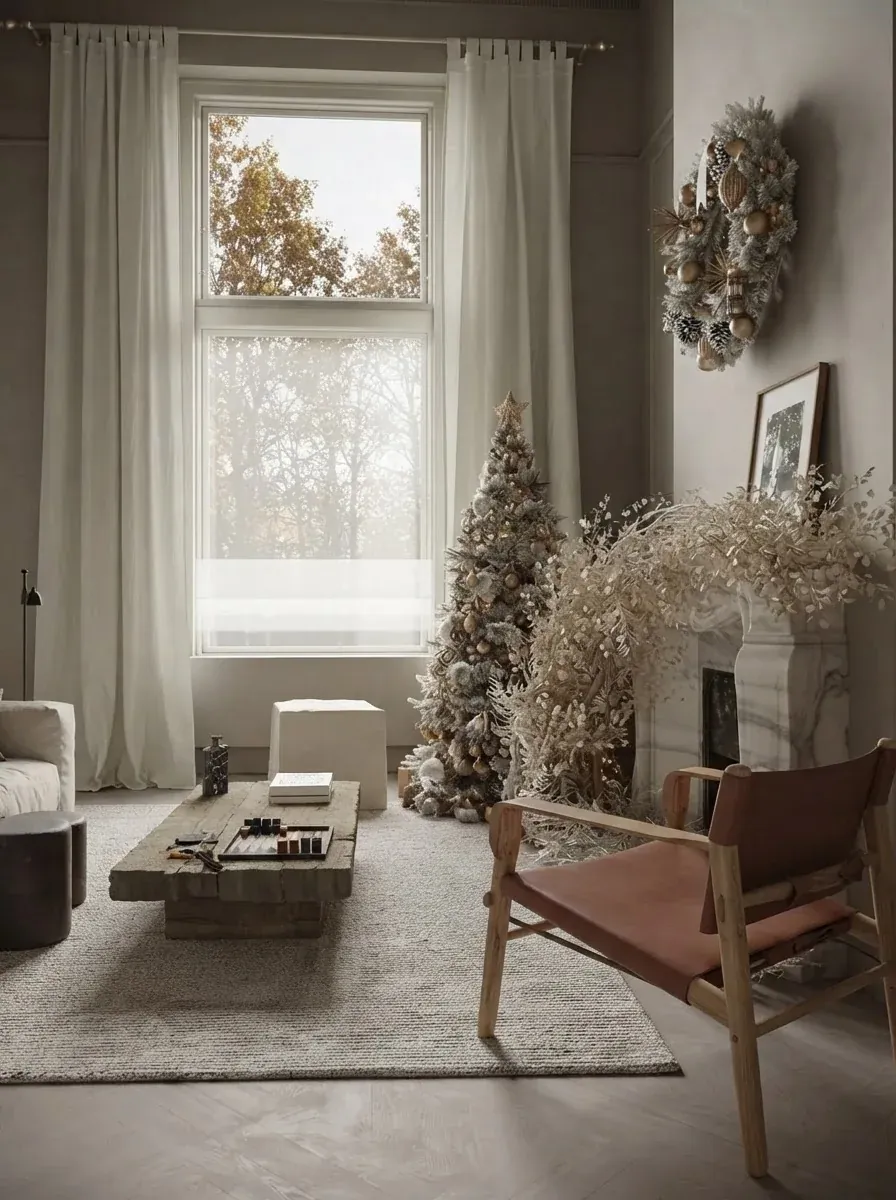


Two things these renders teach that a landing page will not. Decorated trees read best when the tree is the only strong colour in the frame, so a neutral room takes any tree and a colourful room needs a restrained one. And lighting sells the picture more than ornaments do: the warm-white glow in every one of these rooms is what makes them look like December. If you want to choose the base palette first, the AI paint colour prompts guide covers the wall side of the question.
How Do You Get a Realistic AI Christmas Render of Your Own Room?
Shoot the room in daylight, landscape, from the doorway, with the spot for the tree in frame, and then ask for the evening. Every tool here works from the photo you give it, so the photo decides more than the tool does. Our earlier test of photo faults on an ordinary redesign found that an underexposed photo was the worst input of all, worse than a portrait crop, because the model brightens it and silently rebuilds the geometry. A Christmas render wants a dim, glowing evening, which is exactly the kind of photo you should not upload. Upload the bright one and let the prompt turn the lights down.
- Include the corner. If the tree’s spot is out of frame, the model will move furniture to make one, which is the gold-brief mistake from our test.
- Name the spot. “To the left of the fireplace” beat “beside the fireplace” every time.
- One garland, one wreath, one tree. Long wish lists are how you get a redrawn room. Add the cushions in a second pass.
- Lock the room. End every brief with the sentence that says the furniture, walls, windows, floor and camera stay the same.
- Ask for two angles. A tree that looks right from the sofa can block the door from the hall. Check the pair, as in the two panelled-room renders above, before you buy anything. Our guide on where to put the Christmas tree has the corner, window and fireplace rules the render should respect.
- Small room? A slim or pencil tree in the render will look slimmer still in real life, because renders flatter. Our small room guide has the layout rules behind that.

Can AI Decorate the Outside of My House for Christmas Too?
Yes, and the method is identical: a photo of the facade or porch, a brief, a lock sentence. Ideal House explicitly takes a front porch photo, and the MeltFlex exterior tool takes a house photo. The outside job has its own problems though. Roof lights follow a roofline the model has to understand, night shots of a dark house give it nothing to work with, and most people want to see lights, which means asking for dusk in the render while uploading daylight. That is enough to deserve its own guide, so it has one: AI Christmas lights on my house compares seven visualizers, including the two free installer estimators that count the bulbs, and runs the same four-brief test on a house.
How Much Does It Cost to Try Each One?
From nothing to $14.99 a month, and the most expensive option is the weekly app you forget about. Every figure below was read off the vendor page or App Store listing on 20 September 2026. Christmas pricing in this category changes weekly in November, so check the page before you pay.
How We Checked This, and What We Could Not Verify
What we did: read and captured eight vendor pages and App Store listings on 20 September 2026; ran one first-hand experiment on one room with four briefs through the Gemini image path our anonymous demo uses, one attempt each, and reported it as a table; published nineteen Christmas rooms to our gallery as AI renders re-photographed from designers’ reference projects, each checked with OCR for stray text; and sized the demand with Google autocomplete and a live SERP read because this site has no search data for a previous Christmas.
What we did not do: we did not sign up for Decor8, Ideal House or any of the three apps, so their output quality is described from their own pages, not from our renders. We did not repeat the four-brief test on MeltFlex’s paid GPT Image 2.5 pipeline, so the test says nothing about that model. We did not test outdoor decoration at all. We dropped MyEdit because CyberLink’s Christmas guide returns HTTP 410 and the app listing no longer mentions rooms.
What we could not verify: Gemini’s free daily image limit (Google’s plans page gives multipliers, not numbers; the 20-a-day figure is third-party); ChatGPT’s free image limit (OpenAI’s help centre refused our fetch; the 2 to 3 a day figure is third-party); the prices of Ideal House’s paid tiers (the captured pricing page listed credits, not amounts); and whether the two look-alike Christmas apps share a developer or a template (identical prices and release notes are a pattern, not proof).
Frequently Asked Questions
Can AI decorate my house for Christmas?
Yes. Upload one photo of a room to Gemini, ChatGPT, MeltFlex, Ideal House or Decor8 and ask for Christmas decoration, and you get the same room back with a tree, garland, lights and cushions added. In our own test on 20 September 2026, four different briefs on one living room all kept the walls, shelving, sofa, windows and camera angle. What AI cannot do yet is hand you the exact products in the picture; the render is a plan, not a shopping cart.
What is the best free AI to decorate a room for Christmas?
Gemini. The free plan includes image generation and editing, it accepts a photo, and the Nano Banana models are good at adding objects to a room while leaving the rest alone. ChatGPT works the same way but free accounts get very few images a day. Ideal House gives 10 watermarked preview credits a day, and MeltFlex gives one demo render without an account and one more after signing up.
Can ChatGPT decorate my living room for Christmas from a photo?
Yes, on any plan that includes image generation. Attach the photo, then write the brief in one sentence plus a lock: describe the decoration you want, then say to keep the same room, furniture, walls, windows and camera angle. Expect two to three images a day on the free plan (reported by third-party trackers; OpenAI does not publish a fixed number). If it redraws the room instead of decorating it, say the lock sentence first and shorten the wish list.
Is there an app that decorates your room for Christmas with AI?
Several appeared on the App Store in November 2025: Christmas Ai: Room Decoration, AI Christmas Room Decorations and the Christmas mode inside AI House Design & Room Planner. The first two carry the identical price ladder, $4.99 a week, $14.99 a month or $34.99 a year, and neither had enough ratings to show a score on 20 September 2026. A weekly price on a seasonal app is the thing to watch: cancel before the second week.
Does Decor8 AI have a Christmas feature?
Yes. Its Christmas Decorations feature page says it adds trees, lights, garlands and holiday decor to a room photo in traditional, modern, rustic or other holiday themes. The pricing page lists $14.99 a month for unlimited redesigns and no free tier, so it makes sense if you already use Decor8 for staging or year-round redesign, not for one December afternoon.
Does the AI keep my real furniture when it adds Christmas decor?
Mostly, and the exceptions are predictable. In our four-brief test the sofa, shelving, fireplace and windows never moved, but the gold brief replaced a plant stand with the tree and the Scandinavian brief added a knitted throw nobody asked for. The fix is in the wording: name the spot for the tree, say that nothing else changes, and keep the list of decorations short.
Can AI decorate the outside of my house for Christmas?
Yes, with the same photo-in, photo-out method. Ideal House accepts a front porch or facade photo, and MeltFlex has an exterior tool that takes a house photo. The outdoor job has its own traps, mainly night lighting and roofline geometry, so it has its own guide: AI Christmas lights on my house, which compares seven visualizers.
How much does it cost to decorate a room for Christmas with AI?
From nothing to about $15 a month. Gemini and ChatGPT are free within daily limits. Ideal House is free with a watermark and 10 preview credits a day, at 3 credits per image. MeltFlex is free for two renders, then €19 a month, about $21. Decor8 is $14.99 a month with no free tier. The seasonal apps are $4.99 a week or $14.99 a month. The most expensive route is the weekly app subscription you forget to cancel.
Ready to see your own room in December? Upload a photo on MeltFlex, type the traditional brief from this guide into the box, and compare the result with what Gemini gives you for free. If the tree ends up in the wrong corner, you now know why, and which sentence fixes it. For the rest of the house, the year-round decorating ranking, the free AI interior design tools we tested and the find furniture from a photo guide pick up where the tinsel stops.