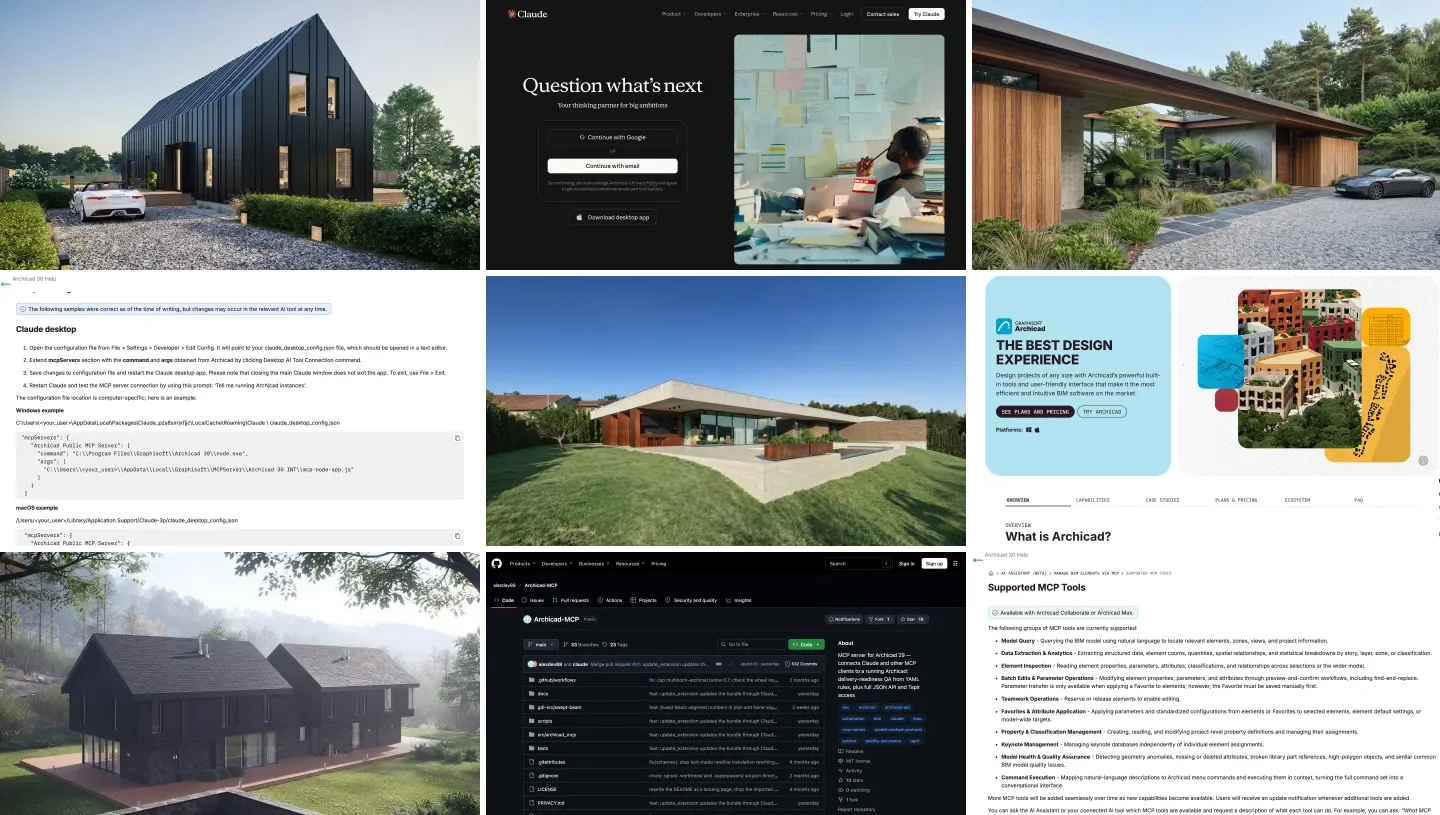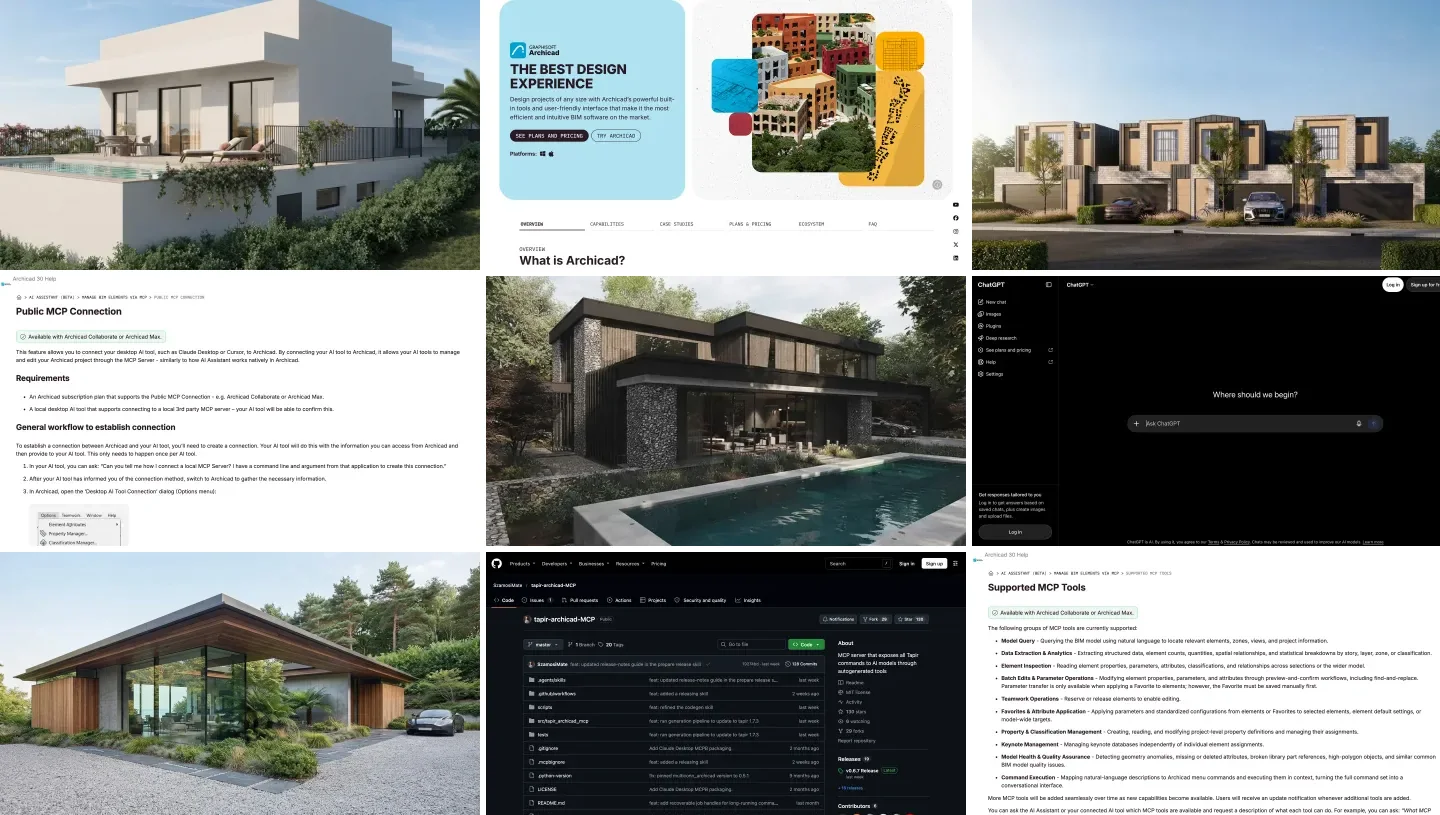
To connect Gemini to Archicad, add an Archicad MCP server to Google Antigravity’s mcp_config.json on the same computer as Archicad. On Archicad 30 with a Collaborate or Max plan, the server is built in: copy the command and argument from Options, Desktop AI Tool Connection. On other plans and on Archicad 29, use a community server with the free Tapir add-on. It works on Windows and on a Mac, which is not true of 3ds Max or live AutoCAD. Neither Graphisoft nor the community servers document Gemini, so expect to configure it by hand.
Our articles are still written by humans!
Get human written articles in your Google feed.
I run MeltFlex, an AI rendering tool for architects and interior designers, and this is the Gemini third of our Archicad guides, after ChatGPT and Claude. For this one I reread Graphisoft’s help pages and Google’s Antigravity documentation on November 10, 2026, and read the code of the community server released the day before, to find out what it marks as safe and what it does not. We do not have an Archicad license on our test machine, so nothing here was run against a live model; the Claude guide has a licensed architect’s ten-task test, and our Gemini AutoCAD test shows how Gemini behaves with a CAD MCP server.

Archicad, on Windows and Mac, and Google Antigravity, from their own pages on November 10, 2026.
The short version
- Archicad 30 on Collaborate or Max: Graphisoft’s built-in server, pasted into Antigravity. It reads, checks and batch-edits, asks before every change, and cannot create elements. Setup.
- Other plans, Archicad 29, or to create elements: alesdev88/Archicad-MCP with Tapir. Setup.
- Permissions: Antigravity allows tools by name, not by read-only marks; we list the 22 read tools of the community server below. The list.
- Plan: free Antigravity with Gemini 3.8 Flash to test; Gemini 4 Argon (AI Pro, $19.99) for edits.



Which Archicad MCP server should you use with Gemini?
| Server | Archicad | Creates elements? | Gemini in its docs? | Cost |
|---|---|---|---|---|
| Graphisoft Public MCP Connection | 30, Collaborate or Max plan | No | No; generic “local desktop AI tool” instructions | In the plan |
| alesdev88/Archicad-MCP | 29, and 30 “works too”; Windows and macOS | Yes, 51 types | No | Free, MIT |
| tapir-archicad-MCP (SzamosiMate) | With the Tapir add-on | Through Tapir commands | Yes, Gemini CLI named as a client | Free, MIT |
- Archicad
- 30, Collaborate or Max
- Creates elements?
- No
- Gemini in docs?
- No, generic instructions
- Archicad
- 29 and 30, Windows and macOS
- Creates elements?
- Yes, 51 types
- Gemini in docs?
- No
- Archicad
- With Tapir
- Creates elements?
- Through Tapir commands
- Gemini in docs?
- Yes, Gemini CLI
The one server that mentions Gemini, tapir-archicad-MCP, is the one I would not pair with Antigravity. When we read version 0.6.7 for the ChatGPT guide, it sent every Archicad command, reads and deletes alike, through a single gateway tool marked destructive. Antigravity grants permissions by tool name, so allowing that one tool means allowing everything; you would have to approve every call by hand. alesdev88’s server splits reads from writes into named tools, which fits Antigravity’s model much better.
How do you connect Gemini to Archicad 30 with Graphisoft’s server?
Graphisoft’s help page lists sample setups for Claude Desktop, Cursor, ChatGPT and VS Code, not Antigravity. Its general instructions are for any “local desktop AI tool that supports connecting to a local 3rd party MCP server”: copy a command line and argument from Archicad, give them to your tool, and use stdio if asked. Antigravity qualifies.
- In Archicad 30, open Options, Desktop AI Tool Connection, and copy the command (Archicad’s bundled Node.js) and the argument (the path to
mcp-node-app.js). - Open Antigravity’s config:
~/.gemini/config/mcp_config.jsonon a Mac,%USERPROFILE%\.gemini\config\mcp_config.jsonon Windows. - Add the entry, pasting the two values from the dialog:
{
  "mcpServers": {
    "archicad": {
      "command": "<the command from the dialog>",
      "args": ["<the argument from the dialog>"]
    }
  }
}
On a Mac, Graphisoft’s own sample shows the command as /Applications/Graphisoft/Archicad 30/Archicad 30.app/Contents/Frameworks/node and the argument as /Users/YOU/Library/Application Support/Graphisoft/MCPServer/Archicad 30 INT/mcp-node-app.js; on Windows, node.exe in the Archicad 30 program folder and the same file under AppData\Local\Graphisoft\MCPServer. Copy yours from the dialog rather than from this page; on Windows, double every backslash inside the JSON.
- Restart Antigravity, type
/mcpand check thatarchicadis connected. Then ask Graphisoft’s own test question, “Which Archicad projects are currently open?”
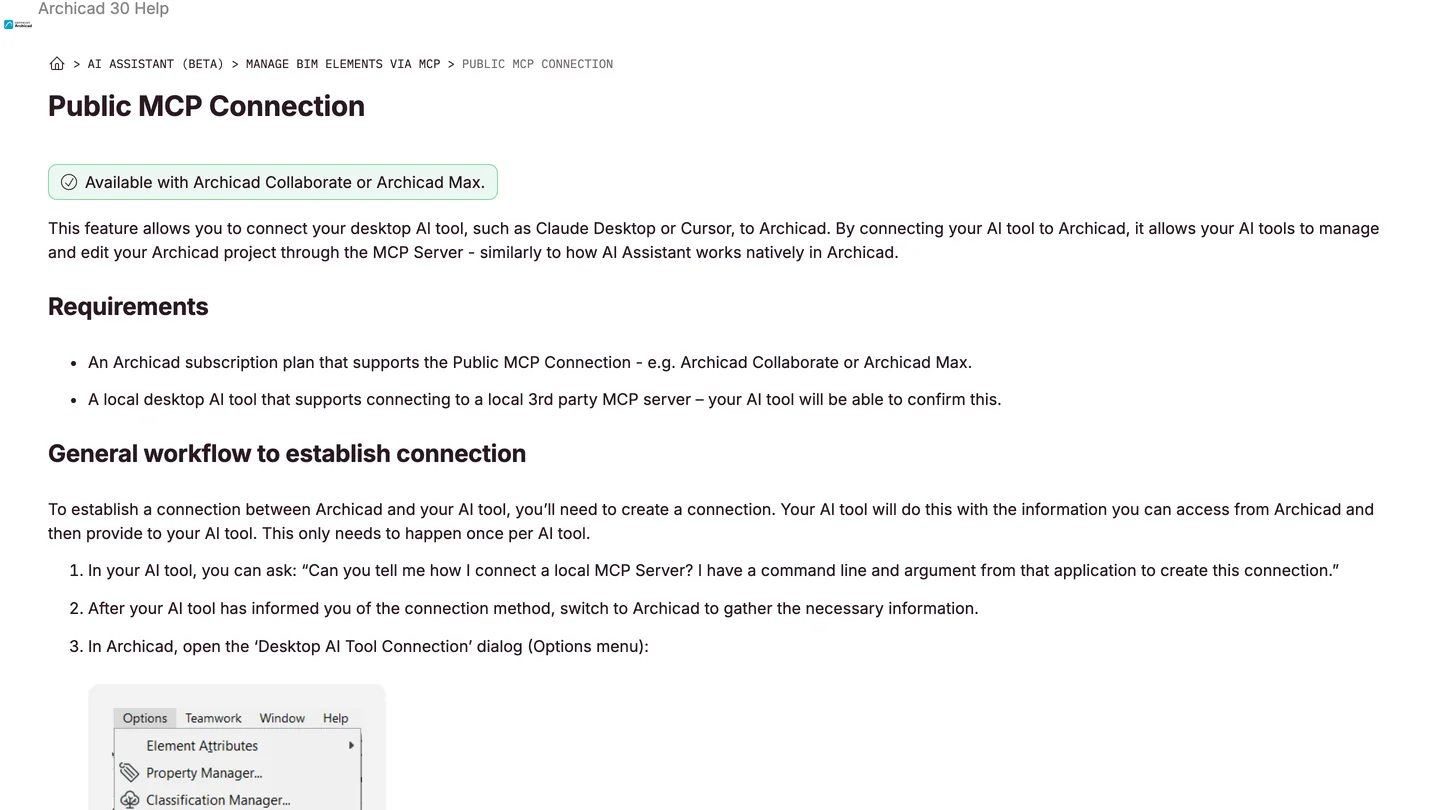
Graphisoft’s instructions on November 10, 2026. They name Claude Desktop and Cursor as examples; the general workflow is what makes Antigravity work.
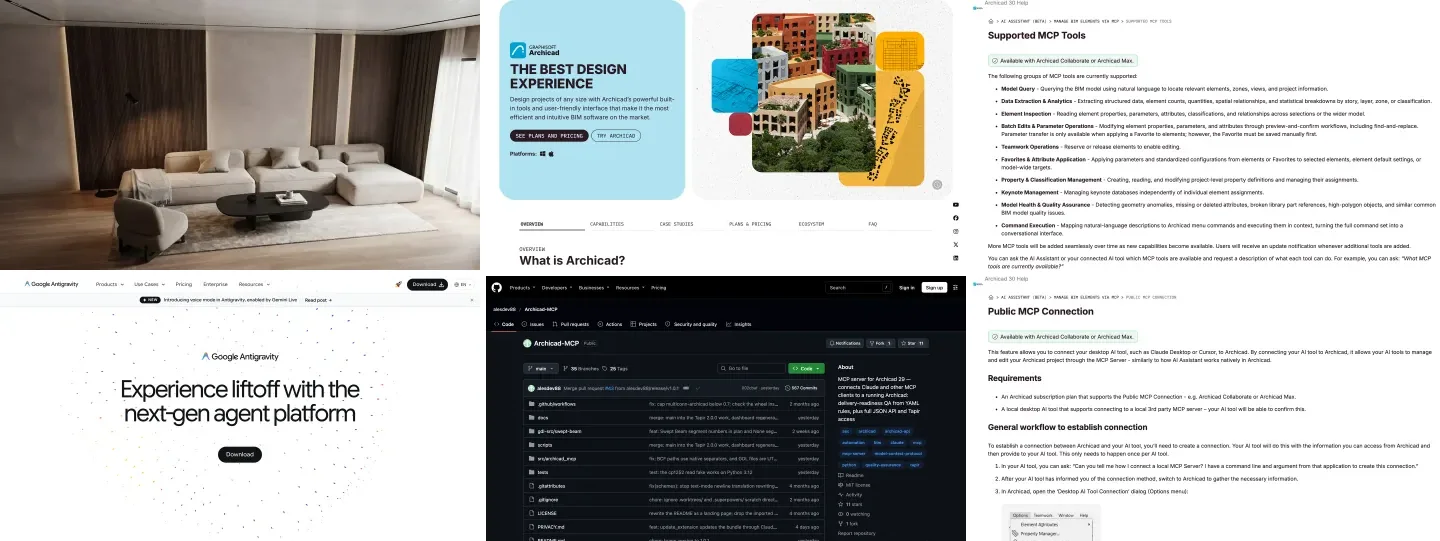
What you get is a careful, limited assistant. Graphisoft’s list of supported tools covers model queries, quantities and statistics, element inspection, batch edits with preview and confirm, Teamwork reservations, favorites, property and classification management, keynotes, model health checks and running menu commands. It says that “all model-changing actions remain subject to explicit user approval before execution, and every modification is applied as a single undoable operation.” It does not create walls or slabs. Its limitations page adds that window and door parameters and other GDL properties are “generally unavailable for editing”, and that a modal dialog in Archicad blocks every request until someone clicks it, which matters if Antigravity runs a long job while you are away from the screen.
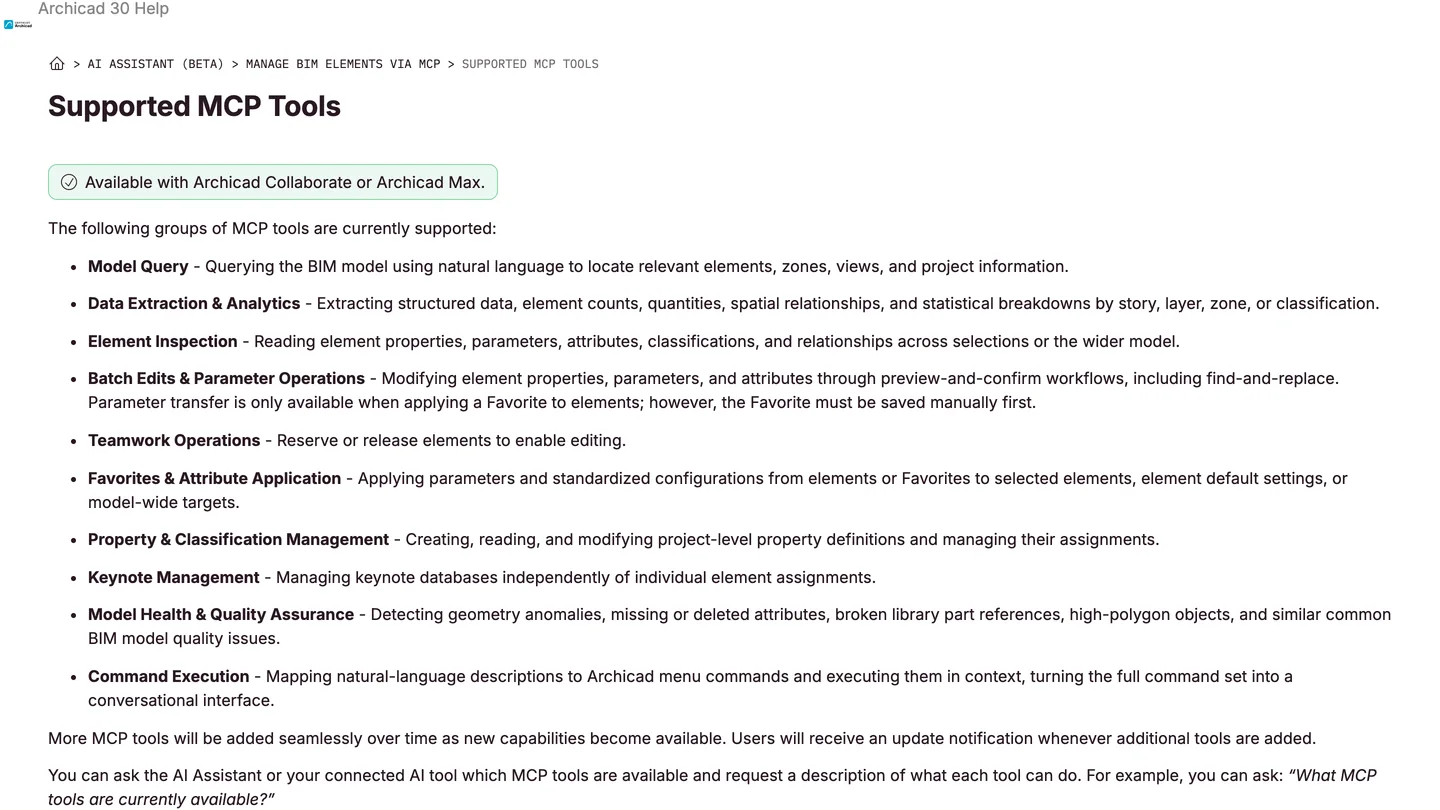
Graphisoft’s tool list on November 10, 2026. No group creates elements.
How do you connect Gemini to Archicad 29, or create elements?
With alesdev88/Archicad-MCP, which reached version 1.0.1 on November 9. It works with Archicad 29 and, its README says, 30 “works too”, on macOS and Windows, through Archicad’s JSON API and the Tapir add-on. Its Claude Desktop bundle installs with a click; for Antigravity you use the manual route:
- Install uv, then run
uv tool install archicad-mcp-server. That puts anarchicad-mcpprogram in~/.local/bin. - Install Tapir with
archicad-mcp install-tapir, which puts the pinned Tapir 2.0.0 into Archicad’s Add-Ons folder, and restart Archicad. - Add it to Antigravity, using the full path so Antigravity finds it:
{
  "mcpServers": {
    "archicad": {
      "command": "/Users/YOU/.local/bin/archicad-mcp",
      "args": ["--mode", "full"]
    }
  }
}
On Windows the command is C:\Users\YOU\.local\bin\archicad-mcp.exe, written with doubled backslashes inside the JSON. Restart Antigravity, check /mcp, and ask Gemini to list Archicad instances; the answer shows the port, the Archicad and Tapir versions, and what is missing.
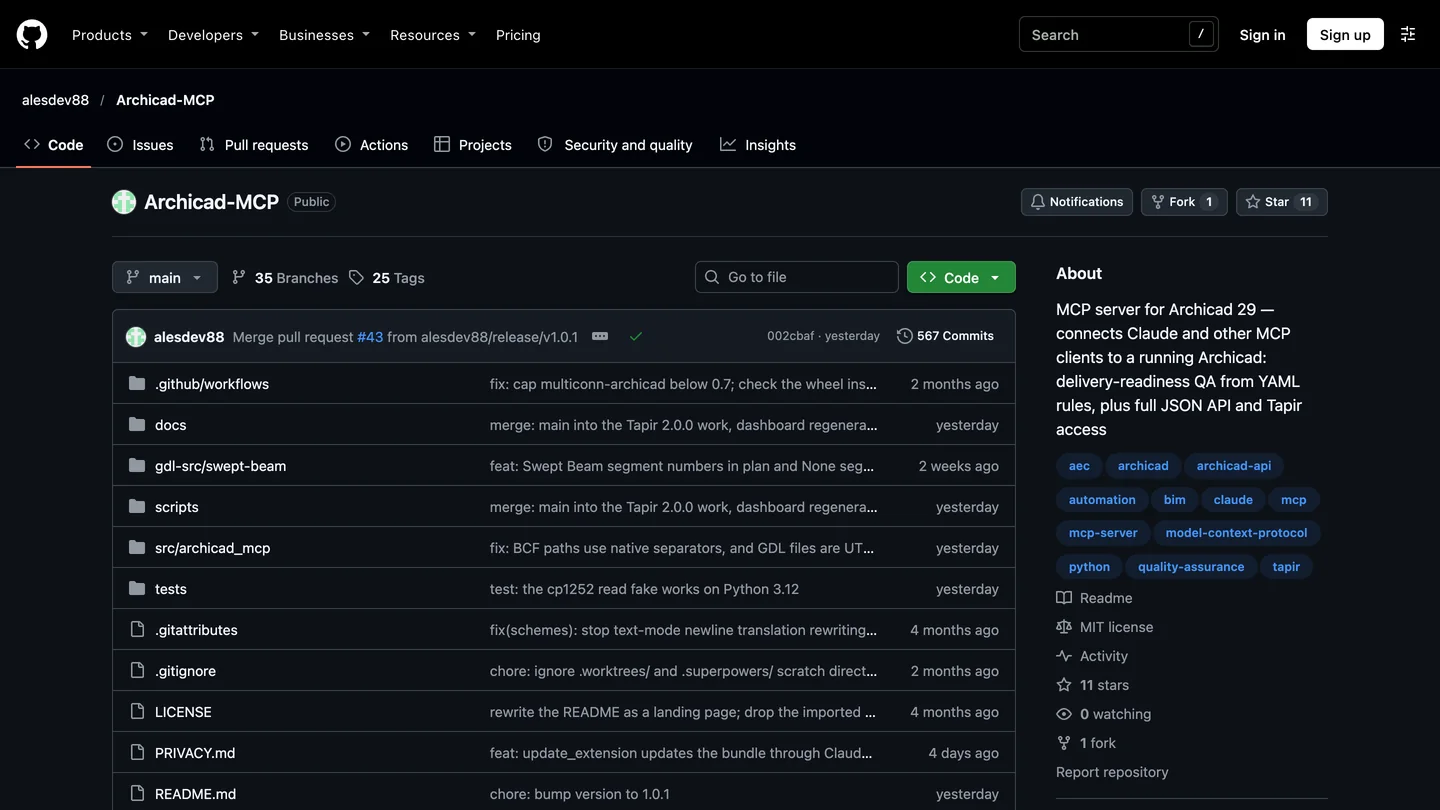
alesdev88/Archicad-MCP on GitHub, the day after its 1.0 release. Small, young and the most careful Archicad server we have read.
Two safety notes from its README. Changes are a dry run first, showing current and new values, and deletes and moves need confirm=true; elements Archicad would refuse, on locked layers or reserved by someone else in Teamwork, are skipped with a reason rather than unlocked. And it warns, in bold: “Save before reading properties. Archicad 29 can crash on a property read, even of one element, taking unsaved work with it.” Even a read-only question can cost you work on Archicad 29.
Which Archicad tools should you let Gemini run without asking?
Antigravity runs new MCP tools in Ask mode, and you can allow tools with rules such as mcp(archicad/find_elements). It does not read a server’s read-only marks, so you have to name the safe tools yourself. I read alesdev88’s 1.0.1 source to find them: of roughly 60 tools in full mode, these 22 are marked read-only by the author.
- Session and model:
list_instances,get_project_info,get_model_summary,get_selection,capture_window - Finding and reading:
find_elements,search_definitions,get_element_data,list_attributes,find_collisions,list_issues - QA:
list_rules,run_rule,audit_delivery_readiness,verify_ifc_export_readiness - Library and schedules:
preview_library_parts,list_library_part_records,read_schedule_scheme,validate_schedule_scheme - API gateway, reads only:
list_api_commands,describe_api_command,execute_read_api_command
My suggestion is narrower than that list: allow the session, finding and QA tools, and keep get_element_data on Ask in Archicad 29 because of the crash warning above. Leave everything that changes the model in Ask mode. If you only want model checks, run the server with --mode verdicts instead: it exposes just nine QA tools, returns rule results and counts, and keeps the project name out of what Gemini sees.
How will Gemini behave with Archicad?
We could not test it in Archicad, so here is what we know from Gemini 4 Argon with a CAD MCP server: in our AutoCAD test it was the fastest and cheapest of the three assistants we tried, measured correctly and fixed one of its own mistakes from a screenshot, and it also reported a check it never ran. Archicad’s preview-and-confirm design suits that pattern: you see the old and new values before anything changes. Read them. For the Archicad-specific results of a long session, see the architect’s test in our Claude guide; the servers are the same, only the assistant differs.
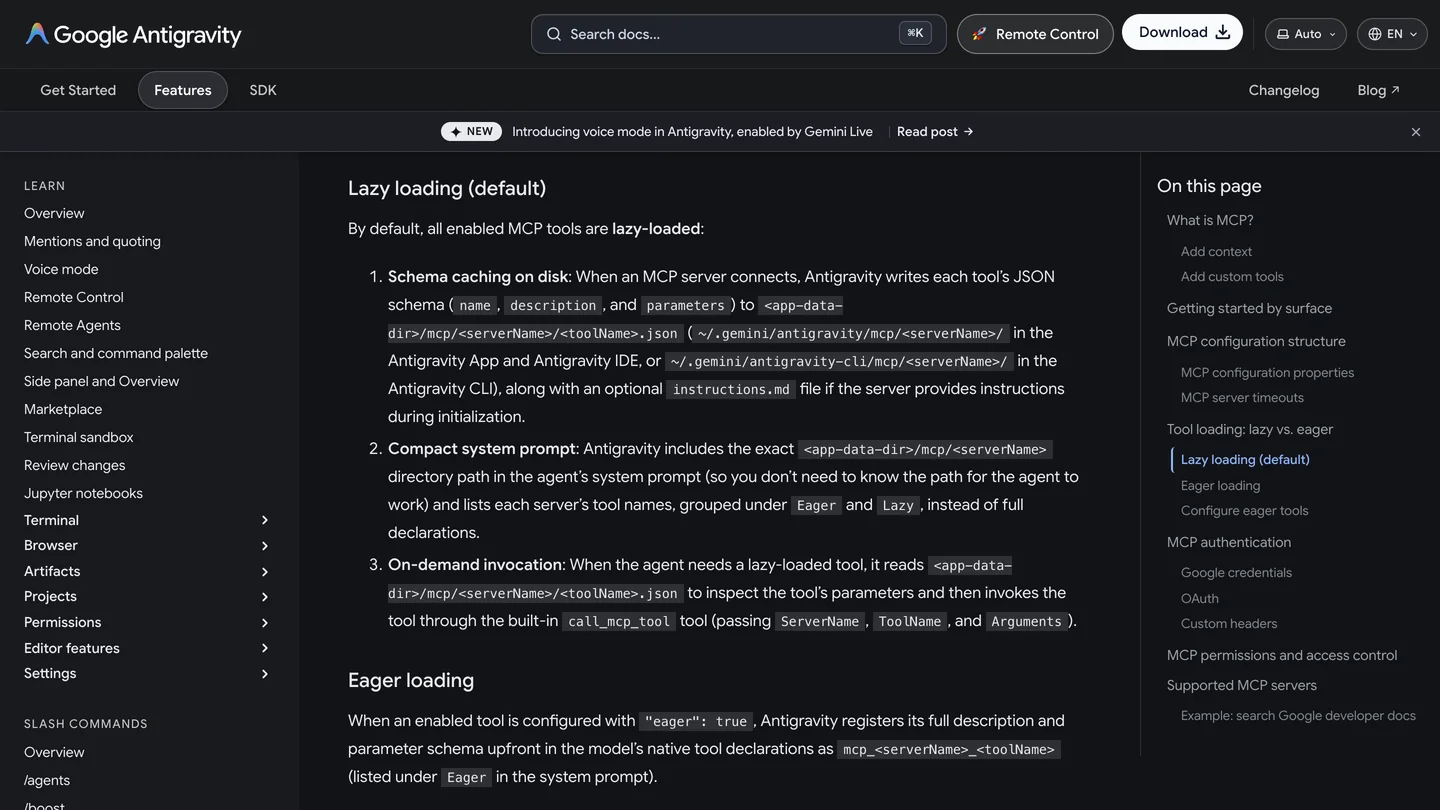
Antigravity loads MCP tools lazily by default, so a 60-tool Archicad server does not weigh down every message.
Which plans do you need?
Two, in the official case. On the Google side, Antigravity is free with Gemini 3.8 Flash, which is enough to check the connection and ask simple questions; for edits and long QA runs, use Gemini 4 Argon, which needs Google AI Pro ($19.99 a month in the US), Ultra, Enterprise or an API key ($2 per million input tokens and $10 per million output until November 30, 2026, then double). On the Graphisoft side, the built-in server needs Archicad Collaborate or Max; the community servers work on other plans and on Archicad 29.
From an Archicad model to a client image
None of these servers renders. MeltFlex, our product, turns a 3D window capture or a clay view into a finished image with photo to render, and a plan exported from Archicad into a furnished 3D view with floor plan to 3D. They are concept tools, not a replacement for your visualization workflow; our guide to 3D model to photorealistic render explains where each fits, and best BIM software compares Archicad with Revit and the rest.
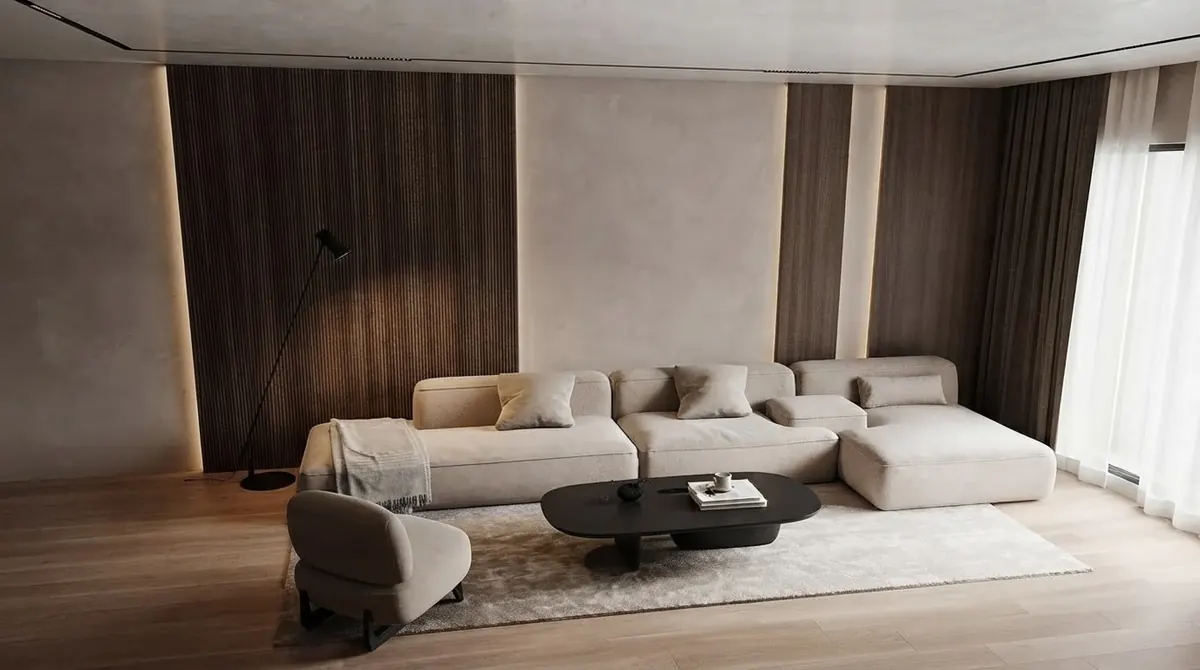
The kind of interior image a client expects at the end, from our public gallery. It was not made with Gemini or Archicad.
Render an Archicad view or plan
- 3D window capture to render, keeping the camera and the walls.
- Exported plan to a furnished 3D view in about 20 seconds.
- Also in Antigravity through our MCP server.
- 15 free credits on a new account.
Should you use Gemini with Archicad?
If your office runs on Google’s tools, yes: Antigravity starts any Archicad server, works on a Mac as well as Windows, and in our AutoCAD test Gemini cost less per task than Claude or ChatGPT. Start with model checks in verdicts mode or with Graphisoft’s server, which cannot create anything, and allow writes only when you have watched the previews for a while. If you are choosing an assistant from scratch for Archicad, Claude is better documented by Graphisoft and by the community servers. Whichever you use, it checks and edits a model you already drew; it does not design one.
Sources and what we could not verify
Read on November 10, 2026: Graphisoft’s Archicad 30 help pages Public MCP Connection, Supported MCP Tools and MCP Tools Limitations; the README, install guide and released 1.0.1 source of alesdev88/Archicad-MCP; the README of tapir-archicad-MCP; Google’s Antigravity MCP documentation and Gemini API pricing page.
What we did not do: we did not run Archicad or any of the servers, and we did not run Antigravity. The tool counts and read-only list come from reading the server’s source, which shows what the author marked, not how each tool behaves on your model. The gateway design of tapir-archicad-MCP is from our November 3 reading of version 0.6.7; 0.6.8 came out on November 4 and we did not reread its code.
Gemini and Archicad: FAQ
Can Gemini connect to Archicad?
Yes, through an Archicad MCP server added to Google Antigravity on the same computer as Archicad, on Windows or macOS. On Archicad 30 with a Collaborate or Max plan, Graphisoft's own server is built in; on other plans and on Archicad 29, use a community server with the free Tapir add-on. It does not work from gemini.google.com.
Does Graphisoft's Archicad MCP server support Gemini?
Graphisoft does not name Gemini or Antigravity: its sample configurations cover Claude Desktop, Cursor, ChatGPT desktop and VS Code. But its instructions are written for any local desktop AI tool that can start a stdio MCP server, and Antigravity can, so you paste the same command and argument from Archicad's Desktop AI Tool Connection dialog into Antigravity's mcp_config.json.
Can Gemini create walls and slabs in Archicad?
Not with Graphisoft's server: its list of supported tools on November 10, 2026 covers querying, data extraction, batch edits, favorites, properties, keynotes, model QA and menu commands, not creating elements. The community server alesdev88/Archicad-MCP can create walls, slabs, columns, doors, windows, zones, stairs and about 40 more types, through the Tapir add-on.
Does Gemini work with Archicad on a Mac?
Yes. Unlike 3ds Max and live AutoCAD control, Archicad runs on macOS, and both Graphisoft's server and the community servers run there. Antigravity runs on macOS too, so a Mac studio can use Gemini with Archicad.
Which Gemini plan do I need for Archicad?
Antigravity is free with Gemini 3.8 Flash, enough to test the connection and ask simple questions. For model edits use Gemini 4 Argon, which needs Google AI Pro ($19.99 a month in the US), Ultra, Enterprise or a paid Gemini API key. Graphisoft's own server also needs an Archicad Collaborate or Max plan.
Is it safe to let Gemini edit an Archicad model?
With care. Graphisoft's server asks before every change and makes each one a single undo. alesdev88's server previews changes as a dry run and needs confirm=true for deletes and moves, but warns that Archicad 29 can crash on a property read and lose unsaved work. Save first, keep Antigravity's Ask mode on, and allow only read tools by name.
Gemini, Claude or ChatGPT for Archicad?
Claude has the most documentation from Graphisoft and the community servers, and our Claude guide includes a licensed architect's ten-task test. ChatGPT is named in Graphisoft's samples. Gemini works through Antigravity with no vendor documentation; its advantage is price, and Antigravity's lazy tool loading suits servers with many tools.
Keep reading
- How to connect Claude to Archicad, with a licensed architect’s ten-task test.
- How to connect ChatGPT to Archicad, with the gateway design explained.
- How to connect Gemini to AutoCAD, our hands-on Gemini test with a CAD MCP server.
- How to connect Gemini to Revit, the other BIM setup in Antigravity.
- Gemini extensions for architects and designers, the no-setup side of Gemini.
- Floor plan to 3D: turn an Archicad plan into a furnished render.
Audio version by MeltFlex AI
Listen to this article
Prefer to listen? This narrated video reads the full article, How to Connect Gemini to Archicad: Antigravity and Archicad MCP Setup, in about 17 minutes. Every section is a chapter, so you can jump straight to the part you need while you browse rooms or sketch a layout.
Chapters (10)
More narrated articles on AI Interior Design MeltFlex