To connect ChatGPT to Archicad, run an Archicad MCP server on the same computer as Archicad and add it to the ChatGPT desktop app. In Archicad 30 on a Collaborate or Max plan, the server is built in: copy two lines from Options, Desktop AI Tool Connection into ChatGPT. On any other license, use the free Tapir add-on with a community server. Know the limit before you start: Graphisoft’s own server cannot create a single wall yet. Tapir can.
Our articles are still written by humans!
Get human written articles in your Google feed.
I run MeltFlex, an AI rendering tool for architects and interior designers, and this is the sixth guide in our series on connecting AI assistants to design software, after Revit, Rhino, SketchUp and 3ds Max. For this one I read Graphisoft’s Archicad 30 help pages and two long threads on its community forum where Graphisoft staff answer users, installed the two most active community servers on November 3, 2026 and read their code to count what they hand ChatGPT, and checked the best video on the subject frame by frame. I did not run Archicad: we have no Collaborate seat, and I say below where that limits what I can tell you.

The two products, from their own home pages. The web page on the right is the one version of ChatGPT that cannot reach Archicad on its own; you need the desktop app.
The short version
- Use the ChatGPT desktop app on the same computer as Archicad. It runs local MCP servers; chatgpt.com does not. Setup below.
- Archicad 30 on Collaborate or Max: the official Archicad MCP is built in, in beta. It queries, checks and batch-edits data, asks before every change, and cannot delete. It cannot create or move elements yet. What it can and cannot do.
- Any other license, or you want walls: the free Tapir add-on plus a community server. More power, fewer guard rails. Tapir route.
- Our finding: the most popular community server sends all 456 of its commands through one tool marked as destructive, so ChatGPT’s approval setting cannot tell a wall count from a delete. Our code check.



What is Archicad MCP, and what are the ways to connect ChatGPT?
MCP, the Model Context Protocol, is the standard way for an AI assistant to call tools inside another program. An Archicad MCP server is a small program on your computer that turns ChatGPT’s requests into Archicad commands. There are three working routes and one that people expect but that does not work the way they think.
| Route | Archicad versions | License | Can create elements? | Cost |
|---|---|---|---|---|
| Official Archicad MCP (Public MCP Connection) | 30, beta | Collaborate or Max only | No, not yet | Included in those plans |
| Tapir add-on + archicad-mcp-server (alesdev88) | 29, and 30 per its docs | Any | Yes | Free, MIT |
| Tapir add-on + tapir-archicad-mcp (SzamosiMate) | Any with a matching Tapir build | Any | Yes | Free, MIT |
| Copy and paste Python | 25 and later (JSON interface) | Any | Only with Tapir | Free |
| chatgpt.com in a browser | Any | Any | Only through a public tunnel | Not recommended |
- Archicad
- 30, beta
- License
- Collaborate or Max only
- Creates elements
- No, not yet
- Cost
- Included in those plans
- Archicad
- 29, and 30 per its docs
- License
- Any
- Creates elements
- Yes
- Cost
- Free, MIT
- Archicad
- Any with a matching Tapir build
- License
- Any
- Creates elements
- Yes
- Cost
- Free, MIT
- Archicad
- 25 and later
- License
- Any
- Creates elements
- Only with Tapir
- Cost
- Free
- Archicad
- Any
- Creates elements
- Only through a public tunnel
- Verdict
- Not recommended
The split matters more for Archicad than for any program in this series. With Revit, Rhino and SketchUp, the official server is also the most capable one. With Archicad it is the other way round: Graphisoft’s server is the safest and the easiest to install, and the community servers do far more. A user who compared both in detail on Graphisoft’s forum put the difference in one line: the Tapir route covers “Everything that creates or edits elements: create, modify, move, rotate and delete”, while “The official MCP cannot create or move elements.”
Can ChatGPT connect to Archicad from the browser, or only the desktop app?
Use the desktop app. Every Archicad MCP server has to run on the computer that runs Archicad, because it talks to Archicad over a local port. The ChatGPT desktop app can start such a program; a web page cannot. OpenAI’s MCP documentation says so directly: “ChatGPT web doesn’t read local Codex configuration files,” and it “uses remote MCP tools through plugins.”
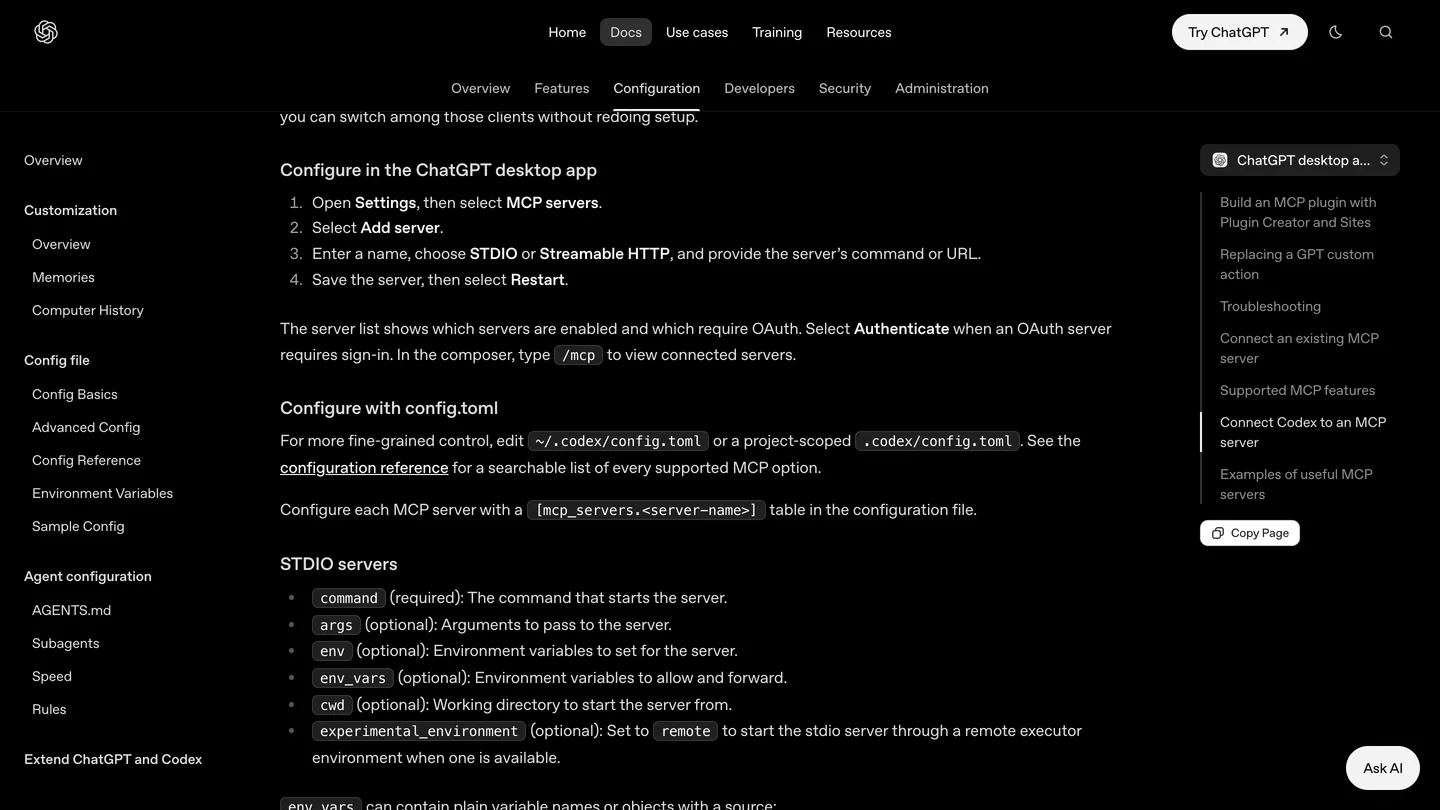
OpenAI’s menu path for adding a server in the desktop app. Captured for our 3ds Max guide; we reread the page on November 3, 2026 and the steps are unchanged. STDIO is the option you want for Archicad.
Two documents disagree with this, and both are worth knowing about. Graphisoft’s setup page tells ChatGPT desktop users to go to “Settings > Plugins > Add > Add MCP server”, a different menu name from OpenAI’s “Settings, MCP servers”; Graphisoft’s own page notes that the AI tools may change at any time, so use whichever your app shows. And the archicad-mcp-server documentation says “ChatGPT only talks to remote MCP servers over HTTPS” and walks you through exposing Archicad through a public tunnel. That is true of chatgpt.com, not of the desktop app, and its own warning is the reason not to do it unless you must: “Whoever reaches that URL drives your open Archicad model.”
How do you connect ChatGPT to Archicad 30 with the official MCP server?
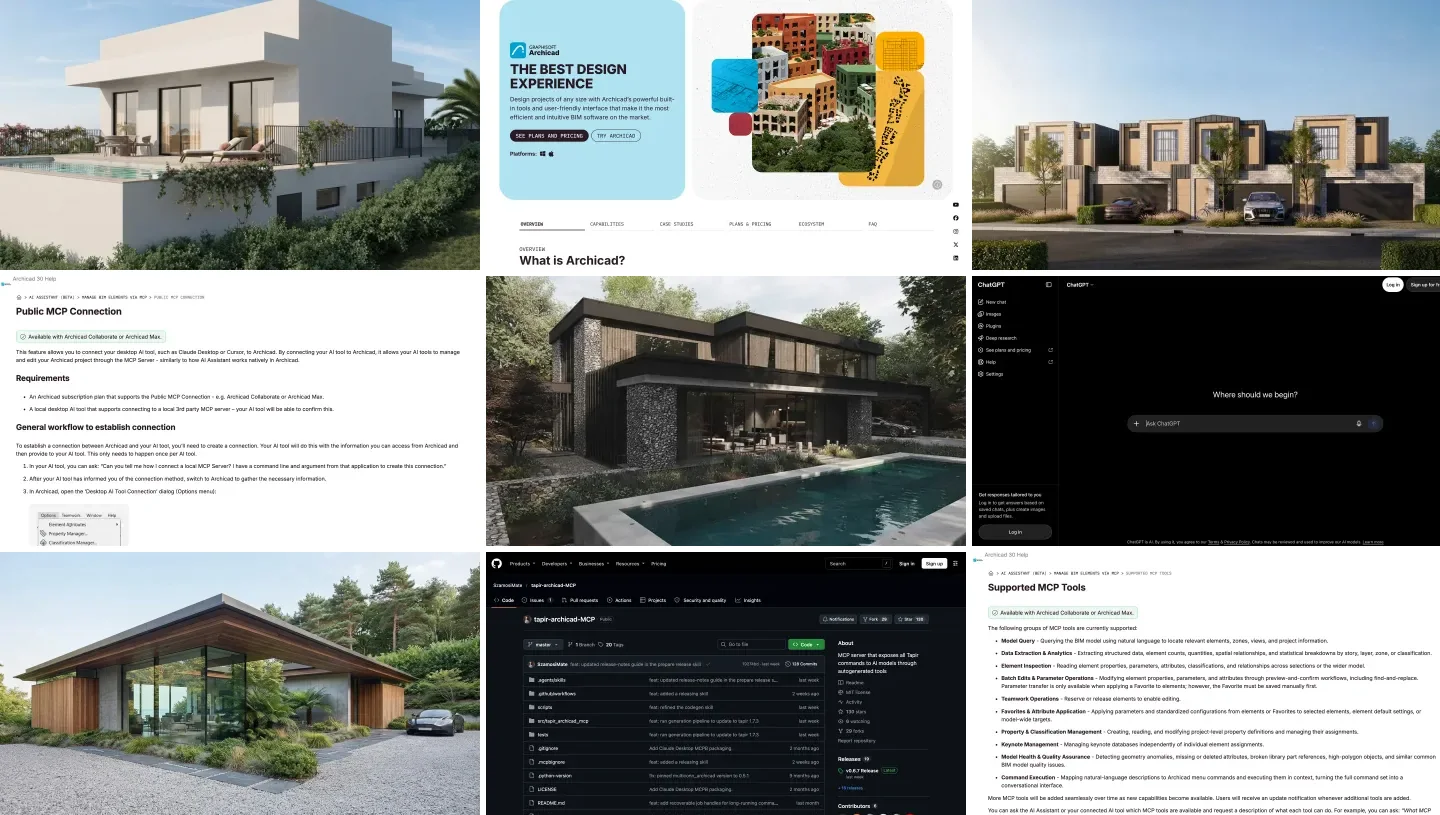
This is Graphisoft’s route, from its Public MCP Connection page. You need Archicad 30 on an Archicad Collaborate or Archicad Max subscription, and the ChatGPT desktop app on the same Mac or Windows PC. There is nothing to download: the server ships inside Archicad and runs on Archicad’s own bundled Node.js.
- Start Archicad while online and open a project. The MCP tools are registered after a license check at startup; one user reported that when the check failed offline, only the tool that lists Archicad instances was left.
- Open Options, Desktop AI Tool Connection in Archicad and copy the two values it shows: the command (the path to Archicad’s node program) and the argument (the path to
mcp-node-app.js). Copy them; Graphisoft’s paths differ between Windows and macOS and are not worth typing. - Add the server to ChatGPT: Settings, MCP servers, Add server. Name it
archicad, choose STDIO, paste the command and the argument, save, and restart ChatGPT. - Test it. Graphisoft’s suggested test is to ask which Archicad projects are open. Then ask “What MCP tools are currently available?”, which is the sample prompt on its tools page. If the answer is a single instance-listing tool, your license or the startup check is the problem, not ChatGPT.
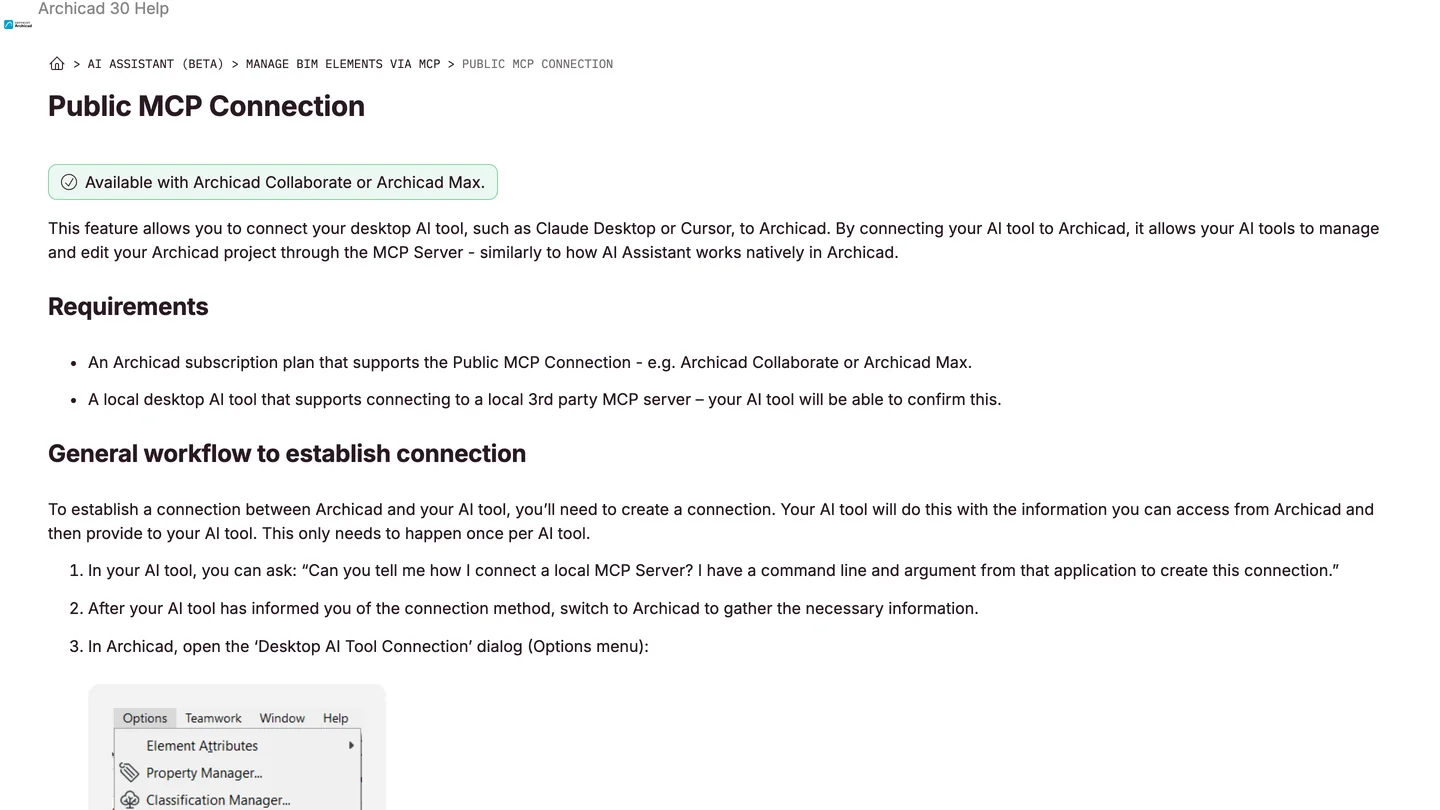
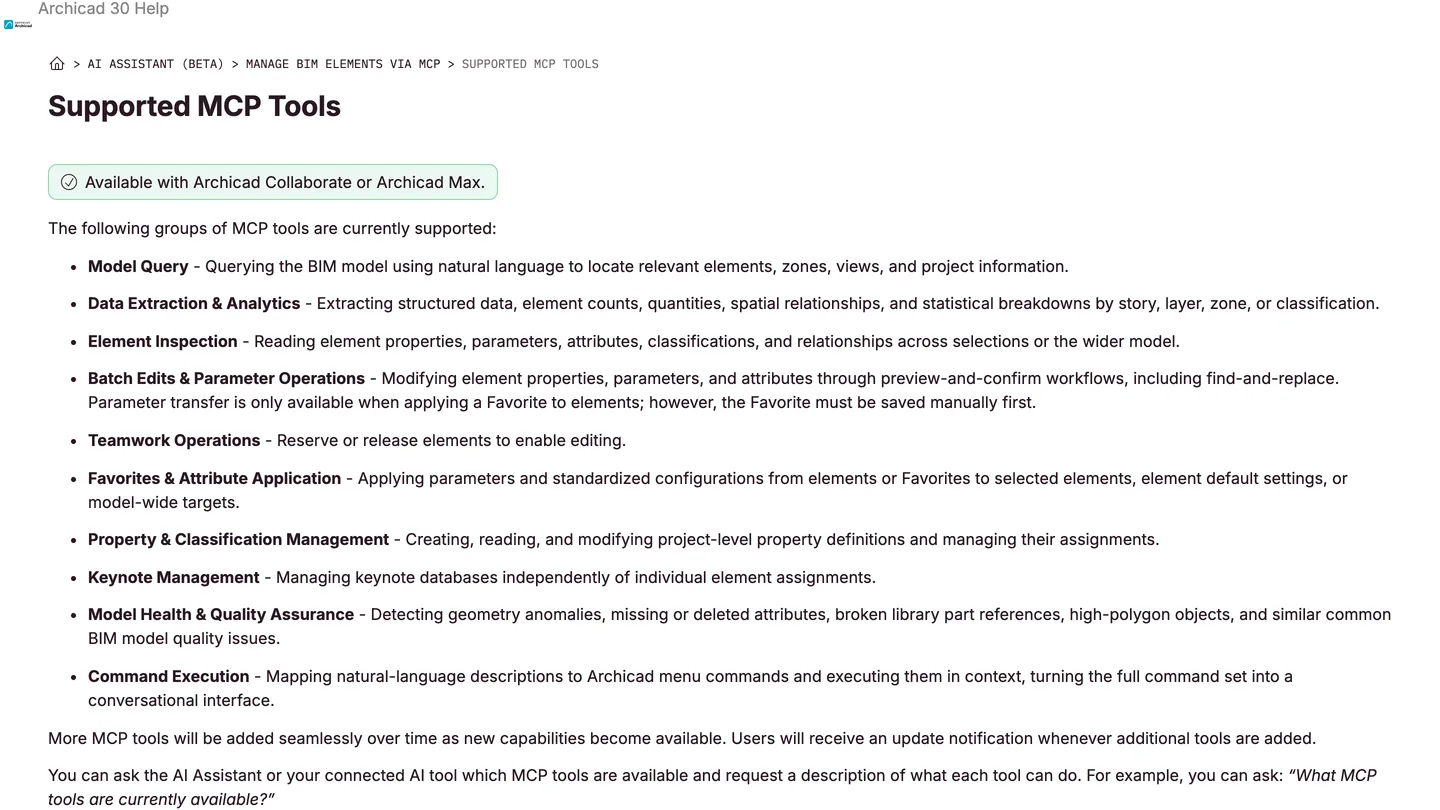
Graphisoft’s own setup and tool pages for Archicad 30, November 3, 2026. Both carry the same green badge: Collaborate or Max only.
The setup page names Claude Desktop, Cursor, ChatGPT desktop and VS Code, and its first step is unusually honest about how fast these apps change: ask your AI tool how it connects a local MCP server, because the menus may have moved since Graphisoft wrote the page. If you use Claude instead, our guide to MCP servers for architects in Claude covers the Claude side of the same idea.
What can the official Archicad MCP do, and what can’t it do yet?
It is built for checking and tidying a model, not for drawing one. Graphisoft’s Supported MCP Tools page lists ten groups, and every one of them works on elements that already exist:
- Find and count: natural-language model queries, quantities and breakdowns by story, layer, zone or classification.
- Read and fix data: element properties, parameters and attributes, with “preview-and-confirm workflows, including find-and-replace”; property, classification and keynote management.
- Standardize: apply a Favorite’s settings to selected elements or the whole model. Graphisoft notes the Favorite “must be saved manually first.”
- Check quality: geometry anomalies, missing attributes, broken library parts and high-polygon objects.
- Run commands: map a plain-language request to an Archicad menu command and run it.
- Teamwork: reserve and release elements.
The guard rails are real and deliberate. The same page says deleting is not available “to avoid any loss of data”, that changes need your approval before they run, and that each one is applied as a single undoable step. James Badcock, a Staff Product Manager at Graphisoft, explained the thinking on the community forum: “Deletion of elements and data we are currently caution about, to avoid any user accidentally causing serious data loss in projects. With any request through MCP, we do ask before executing the commands, to always put you in control.”
The gap is just as real. That forum thread opens, on October 12, with an architect writing: “You can’t even create a wall.” Mohamed Raslan, a Product Designer at Graphisoft, replied that new tools “will contain tools that support 3D modelling elements” and would arrive “at the end of October and at the end of November”, delivered automatically with no new install. His reason for waiting is worth quoting, because it is the most candid thing any software vendor has said about this: “3D spatial reasoning through LLMs was only possible in the past few weeks through the frontier models like Claude OPUS 5.5 and GPT Astra.” As of November 3, I found no Graphisoft release note confirming the modeling tools have shipped. Ask ChatGPT for its tool list; if it includes anything that creates elements, they have.
It also does a few things the community servers cannot. The forum user ooki, who counted “48 tools in the tool list, plus 5 hidden tools” on Archicad 30.0.0.3001 and Tapir 1.7.1 on October 18, found that only the official server can switch layer combinations, graphic overrides, model view options and the renovation filter, set the floor plan cut plane, and run built-in menu commands. A freelance BIM manager in the same thread, Martin Jan Rosa, added the practical conclusion: “if a tool is missing from the official MCP, you can always run your own server alongside it. The AI client will use both.”
How do you connect ChatGPT to Archicad with Tapir on Studio or Archicad 29?
Tapir is a free, MIT-licensed add-on that adds hundreds of commands to Archicad’s built-in JSON interface, including the ones that create and change elements. It has 220 GitHub stars and released version 1.8.0 on November 2. Tapir is not an MCP server itself; a community server sits on top of it and talks to ChatGPT. Every one of them needs Archicad open, on the same machine and user account, and none needs a particular Archicad plan.
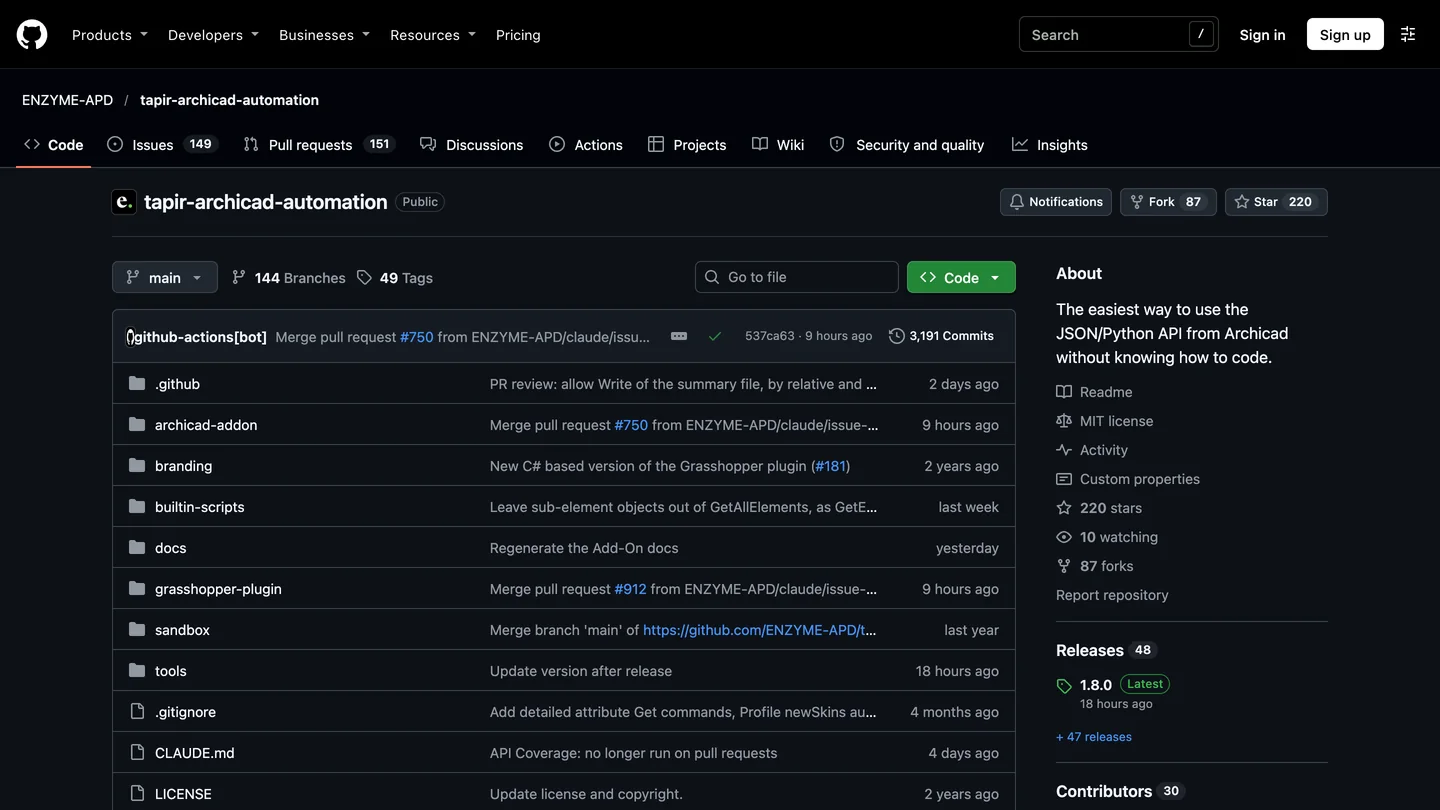
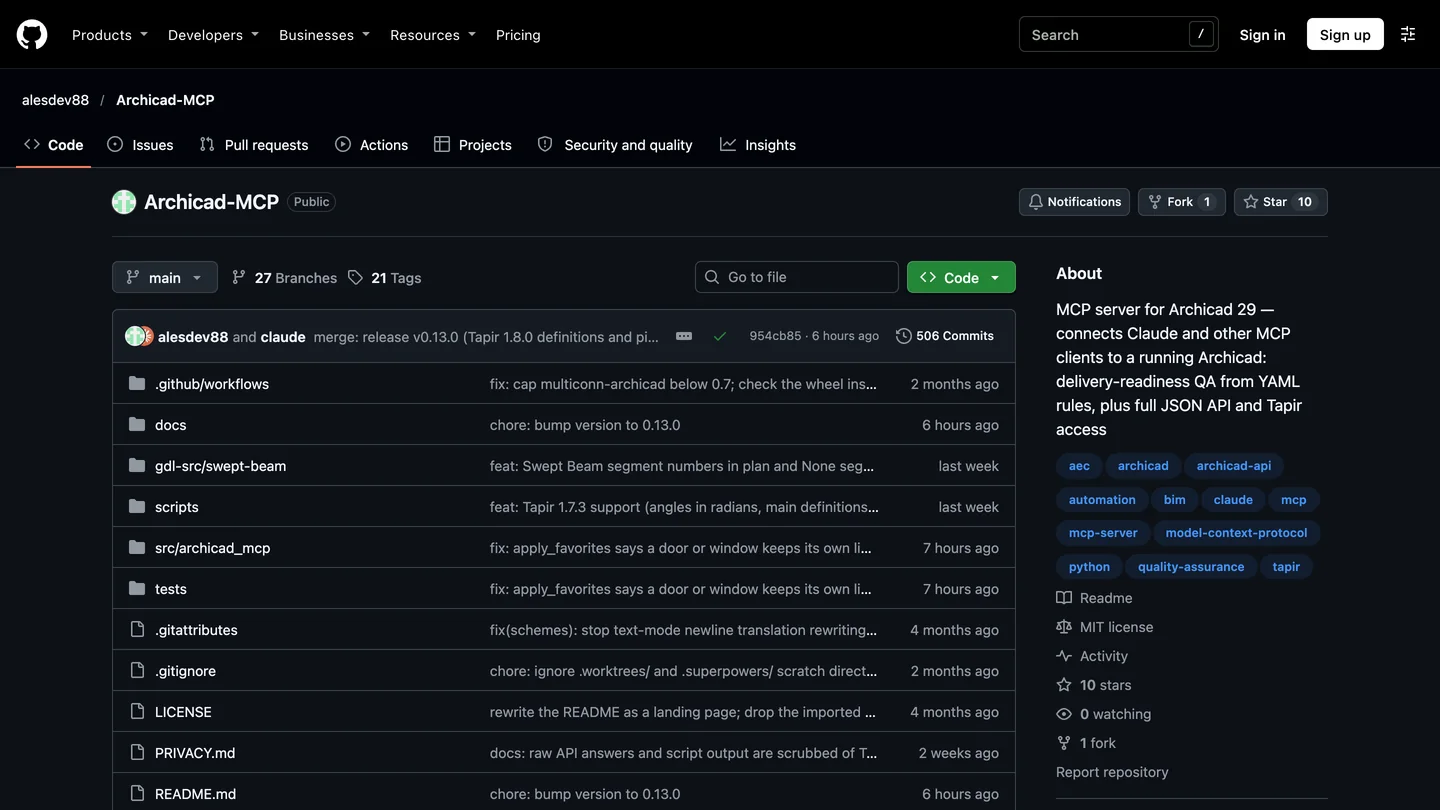
Tapir and archicad-mcp-server on GitHub, November 3, 2026.
My pick for ChatGPT is archicad-mcp-server by alesdev88 (version 0.13.0, released November 3, MIT). It is small, with 10 stars, but it is the one that fits ChatGPT’s safety settings best, for the reason in the next section. It targets Archicad 29 and says 30 also works, needs Python 3.12 or later, and can install the right Tapir build for you after checking the file’s checksum.
- Install uv, the Python tool runner, then the server:
uv tool install archicad-mcp-server. - Install Tapir with
archicad-mcp install-tapir --dry-runto see what it will do, then again without--dry-run. Restart Archicad. - Add it to ChatGPT under Settings, MCP servers, Add server, type STDIO, command
archicad-mcp, arguments--mode full. If you only want model checks, use--mode verdicts, which exposes nine read-only quality tools. - Raise the timeout and keep approvals on in ChatGPT’s
~/.codex/config.toml, which the desktop app shares with Codex:
[mcp_servers.archicad]
command = "archicad-mcp"
args = ["--mode", "full"]
tool_timeout_sec = 300
default_tools_approval_mode = "writes"
The last two lines are my additions. OpenAI gives an MCP tool 60 seconds by default, and Archicad can take far longer to publish, export IFC or run a model-wide check; another server’s own default wait is 300 seconds for exactly this reason. writes makes ChatGPT ask before any tool that is not marked read only, one of four approval modes OpenAI documents. I could not test this file against a running Archicad; if ChatGPT does not pick it up, add the server through Settings and edit only those two lines.
The alternative is tapir-archicad-mcp by Máté Szamosi: the most popular Archicad MCP server, with 130 stars and 29 forks, MIT, version 0.6.7 since October 27, and labeled alpha. Its README configuration is one line, uvx --from tapir-archicad-mcp archicad-server, and it handles commands that run longer than 45 seconds by returning a job handle instead of timing out, which is genuinely useful with ChatGPT’s 60 second default. Its author also posted a short demo of the Barcelona Pavilion modeled through it.
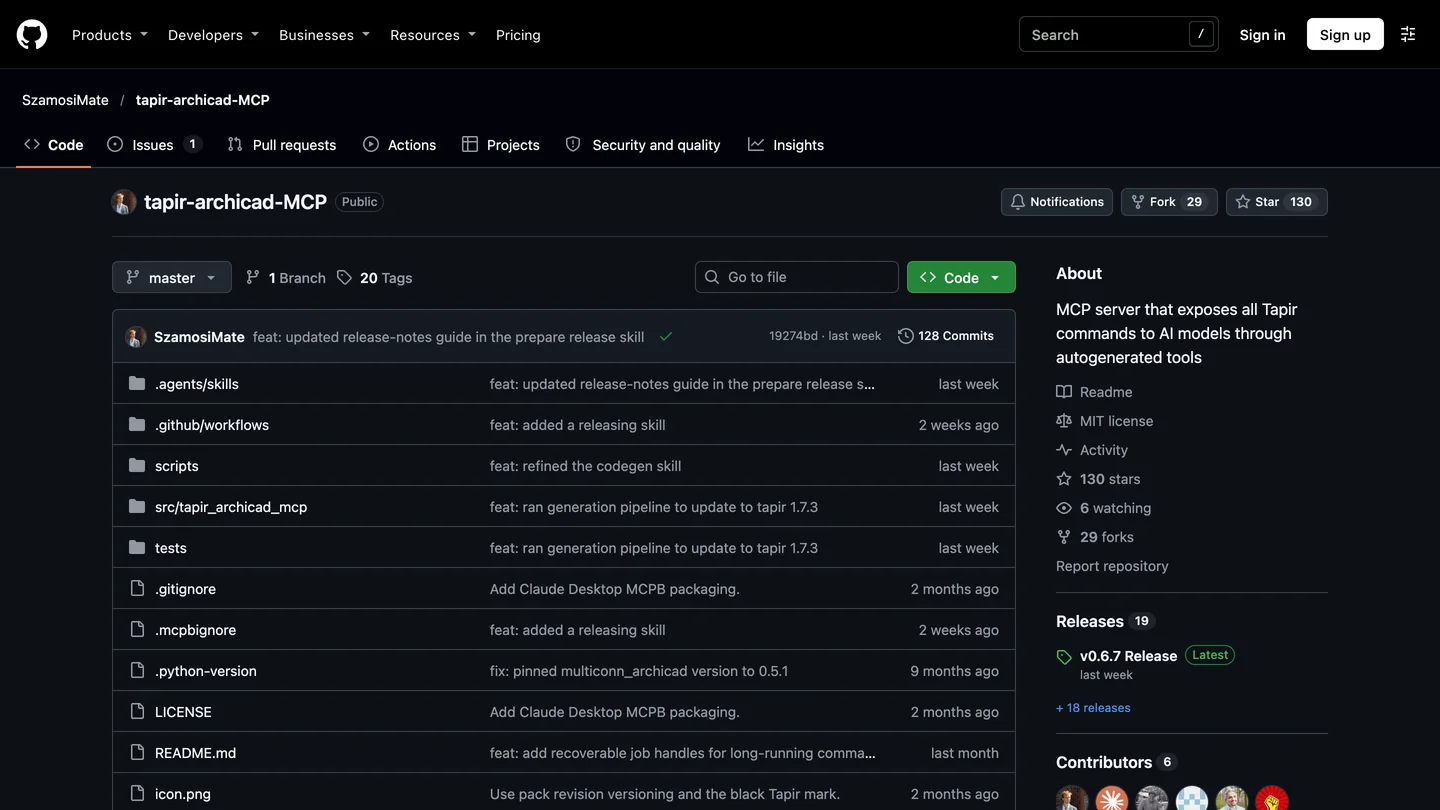
tapir-archicad-mcp on GitHub, November 3, 2026: the most starred Archicad MCP server.
How many Archicad tools does ChatGPT get, and can it tell reads from writes? Our code check
This is the part I could check without Archicad, and it changed my recommendation. I installed both community servers from PyPI on November 3 and read the installed code to see what each one tells ChatGPT. I could not start the servers on our test machine, so the counts below come from the code, not from a live session.
| Server (version) | Tools ChatGPT sees | Archicad commands behind them | Marked read only |
|---|---|---|---|
| tapir-archicad-mcp 0.6.7 | 5 | 456 (54 official, 402 Tapir) | 4 of 5; every command runs through the 5th, marked destructive |
| archicad-mcp-server 0.13.0, full | 53, plus 6 opt-in | About 500 through a gateway | 21 of 53, each tool marked on its own |
| archicad-mcp-server 0.13.0, verdicts | 9 | Quality rules only | Mostly; 3 can highlight, save or file issues |
| Official Archicad MCP | 48 listed, 5 hidden (per a user count) | n/a | Not checked; asks before every change anyway |
- Tools seen
- 5
- Commands behind
- 456 (54 official, 402 Tapir)
- Read only
- 4 of 5; every command runs through the 5th, marked destructive
- Tools seen
- 53, plus 6 opt-in
- Commands behind
- About 500 through a gateway
- Read only
- 21 of 53, each tool marked on its own
- Tools seen
- 9
- Commands behind
- Quality rules only
- Read only
- Mostly; 3 can highlight, save or file issues
- Tools seen
- 48 listed, 5 hidden (per a user count)
- Read only
- Not checked; asks before every change anyway
Two things stand out. First, tapir-archicad-mcp’s README says “191+” tools; the released package registers 456 command wrappers, so, as with the 3ds Max servers, the documentation is behind the code. Its design is clever for ChatGPT’s context window: ChatGPT sees five small tools and looks up each command’s schema only when it needs it, instead of carrying hundreds of tool descriptions on every turn.
Second, and more important: in that design every command, from counting walls to deleting elements, goes through one tool, archicad_call_tool, and the code marks it destructiveHint=True and readOnlyHint=False. ChatGPT’s writes approval mode decides whether to ask you by exactly that mark. So with tapir-archicad-mcp you get one of two bad choices: approve every harmless read by hand, or switch approvals off and let deletes through unasked. archicad-mcp-server marks each of its tools separately (find_elements read only, delete_elements not), and adds its own safety on top: changes run as a dry run first, and deletes and moves need confirm=true. That is why it is my pick for ChatGPT, despite having a tenth of the stars.
A third server, lgradisar/archicad-mcp (36 stars, MIT, Archicad 25 to 29), solves the same problem another way, with a readonly mode and a safe mode that hides tools which can “quit Archicad, open, close and save projects, delete things, send to Teamwork, publish”. It is written for Claude Desktop and ships older Tapir definitions (1.5.9), so I would use it only on an older Archicad.
Can ChatGPT model a building in Archicad?
Through Tapir, yes, in steps, with a person checking each one. The clearest public example is Danny Loza’s 26 minute video below, which I went through frame by frame: the ChatGPT desktop app on the left, Archicad on the right, connected through the Tapir MCP. He turns a PDF survey into contour lines, the contour lines into a 3D site mesh, and then models the massing of the existing house from its elevations. His chapter title is the lesson: “Why step-by-step prompting beats ‘One-Shot’ tasks”. A caption in the video recommends running GPT-6 Astra on its high or extra high setting.

Danny Loza, “How to Create 3D Topos in Archicad with ChatGPT”, October 17, 2026, 26 min. ChatGPT desktop with the Tapir MCP. The video also promotes the author’s paid community.
A second test is worth knowing about if you read Russian: interior designer Kristina Koren’s as-built floor plan test (31,000 views in under three weeks) has GPT-6 Astra in Codex draw a measured plan in Archicad from her hand sketch, walls, windows, dimensions and heights, then lay out a PDF sheet. By her own chapter list the first plan took 28 minutes on the low effort setting and needed rounds of corrections on medium.
The skeptical evidence is just as easy to find. On Reddit’s r/ArchiCAD, a user who extended the Tapir server with create tools wrote that it “has been frustratingly difficult to get any real productive work out of it”, and that the best approach, once a workflow works, is “to turn it into a Python script so it can execute that script instead.” Hierarchy, a Zurich agency that reviewed the Archicad interfaces in September, reached the same place: it “could not find a single credible report of a firm using Astra productively against an Archicad model,” and warns that a retried command can create a wall twice. I agree with both. Use ChatGPT to find, check and fix data across a big model, and for repetitive modeling you can describe exactly, such as a site from a survey or walls from a clean plan, then check every result in 3D.
What AI is built into Archicad 30 without ChatGPT?
Two things, and neither needs an MCP setup. The AI Assistant, in beta, is Graphisoft’s own chat panel inside Archicad; on Collaborate and Max it uses the same MCP tools described above to query and batch-edit the model, and it also answers product questions. The AI Visualizer turns a model view into a concept image; AEC Magazine reported that Archicad 30 lets you choose its image model, such as Nano Banana Pro. If all you want is a quick image from your model, try the AI Visualizer before you connect anything. Connect ChatGPT when you want it to act on the model, or when you already pay for ChatGPT and want one assistant across Archicad, email and documents.
On price, the MCP gate is the expensive part. Graphisoft’s US page listed Archicad Studio at $2,414 a year, Collaborate at $2,840 and Max at $5,700 when we checked on October 25 for our BIM software comparison; only the last two include MCP. That gate is the loudest complaint on the forum, and the reason the Tapir route exists in practice.
Which ChatGPT plan do you need for Archicad?
Any plan can connect, because OpenAI’s Codex pricing page says Codex is included in Free, Go, Plus, Pro, Business, Edu and Enterprise. What differs is the model and how long you can work before you hit a limit.
| ChatGPT plan | Price (US) | Models OpenAI lists for Codex | Good for Archicad? |
|---|---|---|---|
| Free | $0 | GPT-6 Luna, “subject to rollout” | Testing the connection only |
| Go | $8 a month | GPT-6 Luna, “subject to rollout” | Read-only checks and counts |
| Plus | $20 a month | GPT-6.1 Sol and GPT-6 Luna | The realistic starting point |
| Pro | $100, $200 or $500 a month | Not itemized on the page | Daily modeling work |
| Business | $20 per user a month yearly, $25 monthly | Under workspace policy | Offices with client data and admin controls |
- Price
- $0
- Models
- GPT-6 Luna, “subject to rollout”
- For Archicad
- Testing the connection only
- Price
- $8 a month
- Models
- GPT-6 Luna, “subject to rollout”
- For Archicad
- Read-only checks and counts
- Price
- $20 a month
- Models
- GPT-6.1 Sol and GPT-6 Luna
- For Archicad
- The realistic starting point
- Price
- $100, $200 or $500 a month
- Models
- Not itemized on the page
- For Archicad
- Daily modeling work
- Price
- $20 per user a month yearly, $25 monthly
- Models
- Under workspace policy
- For Archicad
- Offices with client data and admin controls
The plan table is from OpenAI’s page as we read it on October 21 for our Rhino guide. The gap I could not close is the same as there: the page does not say which plans include GPT-6 Astra in Codex, and Astra is the model in both Archicad videos above; Danny Loza works on Pro. Check the model menu in your own desktop app before you upgrade.
Is it safe to let ChatGPT edit an Archicad project?
On the official server, mostly yes, by design: it asks before every change, cannot delete, and every change is one undo. The community servers can do anything Tapir can, including delete, publish, save, send to Teamwork and quit Archicad, so the safety is on you. What I would do:
- Save first, work on a copy. archicad-mcp-server’s documentation warns that “Archicad 29 can crash on a property read, even of one element, taking unsaved work with it.” Ask ChatGPT to run
save_projectbefore anything else. - Keep approvals on with
default_tools_approval_mode = "writes", and prefer a server that marks its read-only tools, for the reason in our code check. - Leave Teamwork projects out until you trust the setup. Hierarchy’s review found that Teamwork operations fail outright without a live BIMcloud connection, and a user on Graphisoft’s forum found that a modal dialog opened by either server blocks both until someone closes it.
- Never expose the server through a public tunnel just to use chatgpt.com. Use the desktop app.
- Check your contract and ChatGPT’s data controls before sending a client’s model to OpenAI. The servers send what they read to ChatGPT; archicad-mcp-server states it has no telemetry of its own.
Can ChatGPT render an Archicad model?
Not by itself. None of these servers renders; at most they capture an Archicad window for ChatGPT to look at. For images, Archicad’s own AI Visualizer is the first stop, and our comparison of AI architectural rendering tools covers the ones that work from any model view, with architectural rendering prompts for what to write.
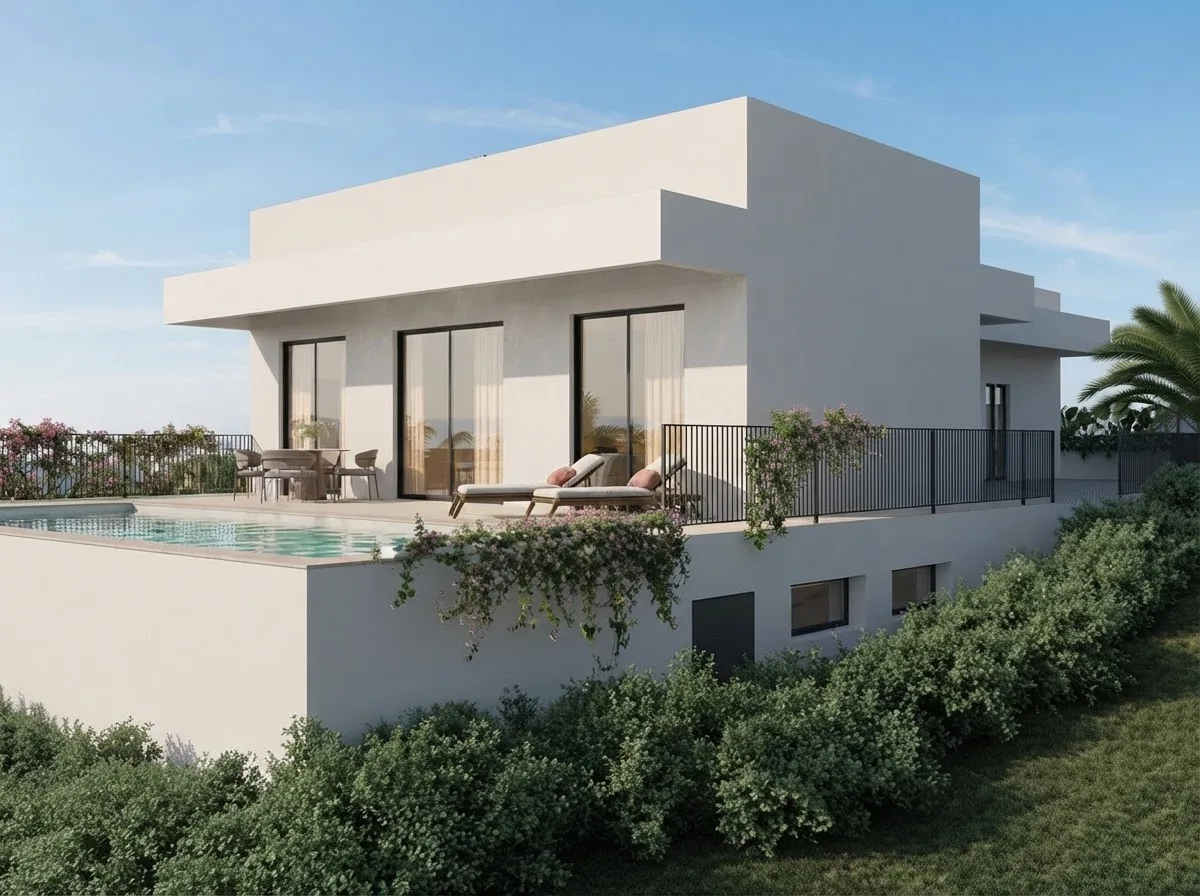
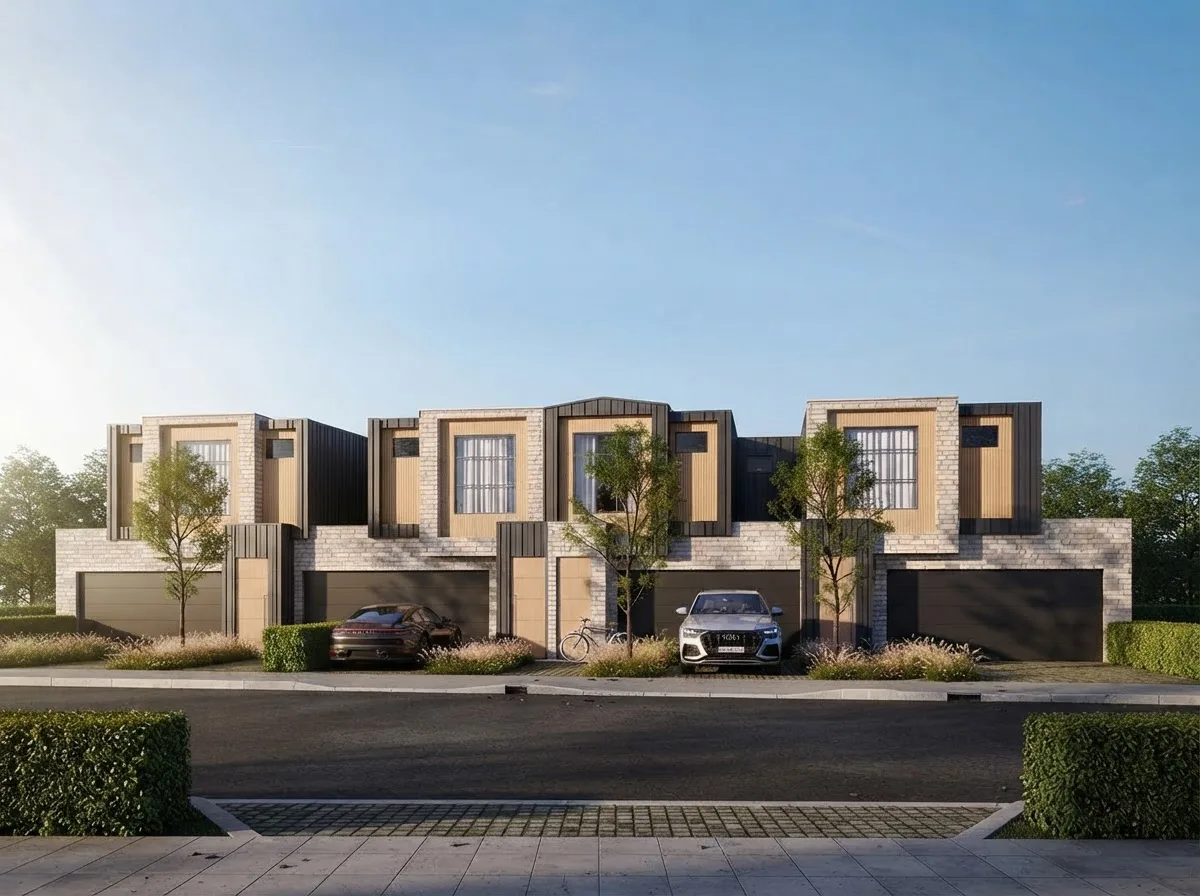
Finished renders from the MeltFlex gallery, not from ChatGPT or Archicad. Material, light and mood are still the work of a person, whichever tool builds the model.
This is where MeltFlex fits, so here is the disclosure: export or screenshot an Archicad 3D view, even a plain white model, and upload it to photo to render, which turns it into a finished image while keeping the camera and the walls where they are. If you start from a plan instead of a model, floor plan to 3D does the same for a drawing. Check the result against the model, the same way you check ChatGPT’s model against the brief.
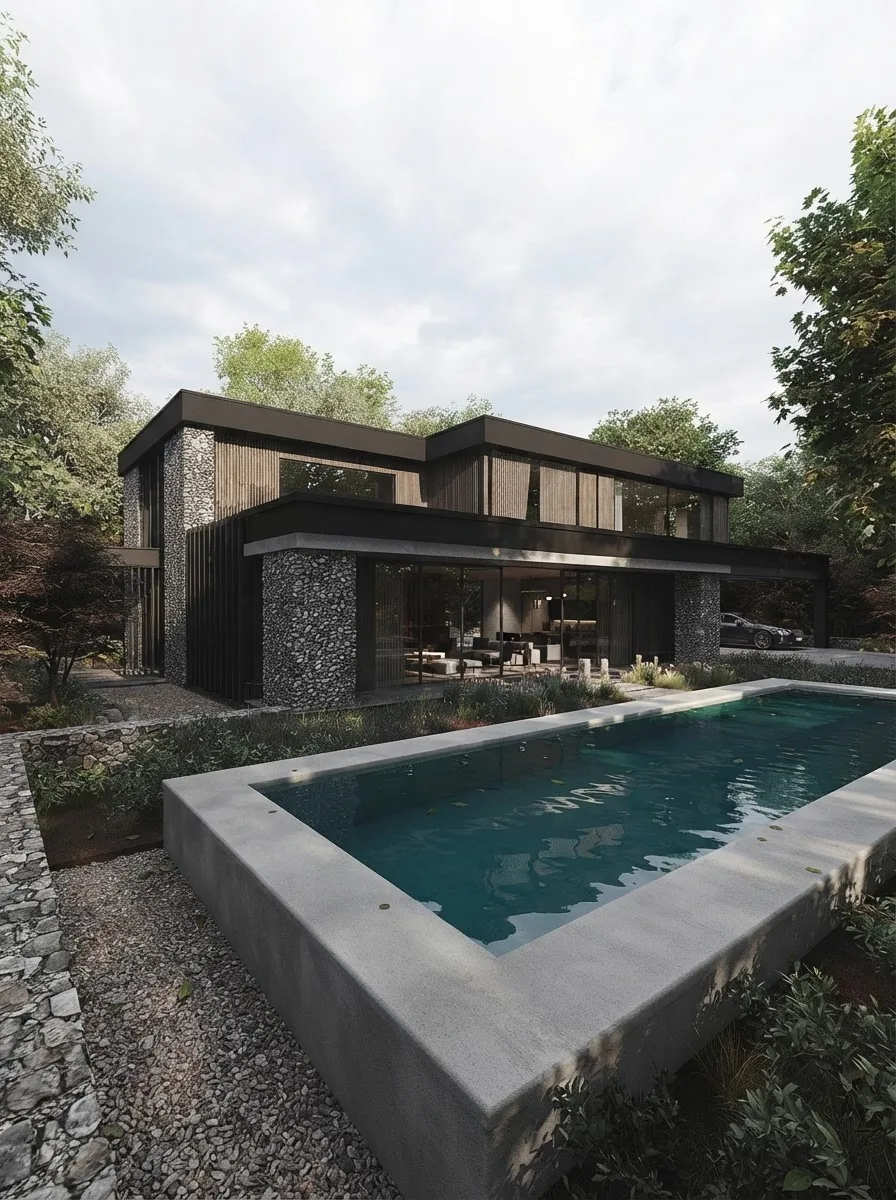
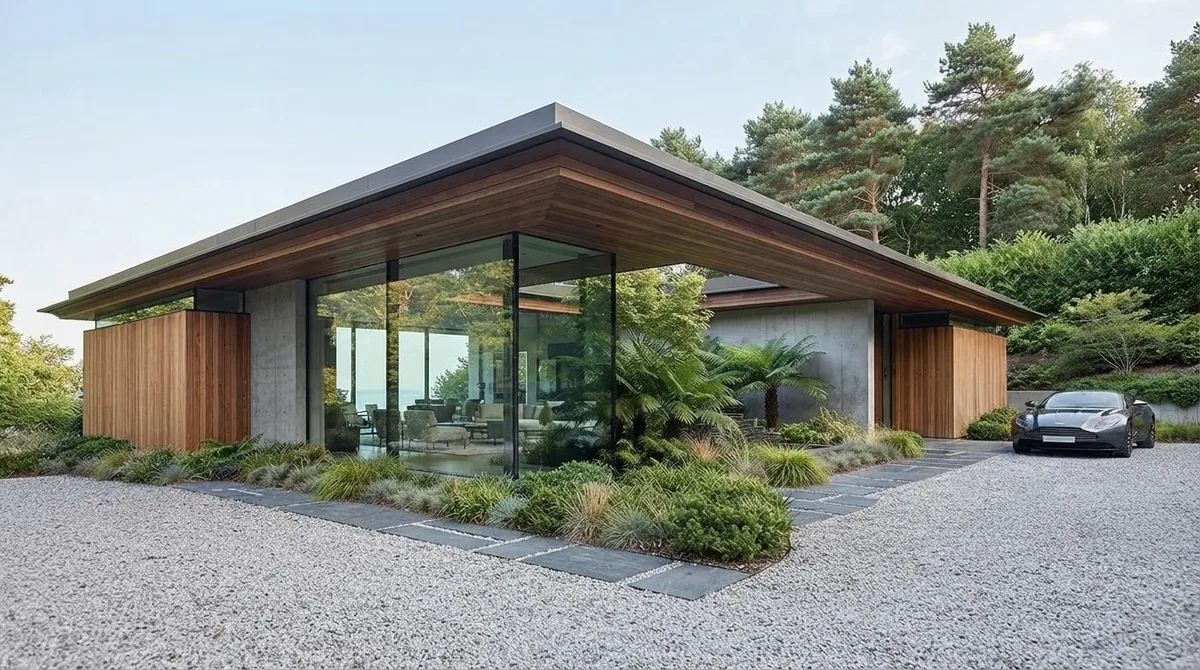
Two more from the MeltFlex gallery: the kind of residential exterior Archicad practices design every week.
Should architects connect ChatGPT to Archicad?
If you are on Archicad 30 Collaborate or Max and pay for ChatGPT: yes, connect the official server this week. It takes ten minutes, it is hard to damage a model with it, and model checks, property clean-ups and schedules across a large project are where it saves real time. Do not expect it to draw; check its tool list each month, because Graphisoft has promised modeling tools.
If you are on Studio, a perpetual license or Archicad 29, or you want ChatGPT to model: install Tapir with archicad-mcp-server, keep approvals on, give it one step at a time, and turn every workflow that works into a script. If you only want images of your model, skip all of this and use the AI Visualizer or a 3D model to render tool. And if you are choosing a BIM tool rather than automating one, our BIM software comparison and what BIM is start earlier. For the same idea in other programs, see ChatGPT and Revit, Claude and Blender, AutoCAD MCP and ChatGPT plugins for architects.
Sources and what we could not verify
Read on November 3, 2026: Graphisoft’s Archicad 30 help pages Public MCP Connection, Supported MCP Tools, Manage BIM elements via MCP and Tips for getting the best results; the Graphisoft community threads Limitations of Archicad 30 MCP (October 12 to November 2) and what the official MCP and Tapir can each do (October 18 to 28); the GitHub repositories and PyPI pages of Tapir, tapir-archicad-mcp, archicad-mcp-server and lgradisar/archicad-mcp; Hierarchy’s review of September 15; AEC Magazine on Archicad 30; a 2026 r/ArchiCAD thread on Archicad MCP servers; and OpenAI’s MCP and Codex pricing pages. Quotes are word for word, including the forum’s grammar. Star counts and versions will move.
What we did not do: we did not run Archicad, so we did not see any server answer a real Archicad session, and the setup steps come from the documentation and the code, not from our own clicks. We could not start the community servers on our machine; the tool counts come from reading their installed code. The count of 48 official tools is a forum user’s, on the Japanese Archicad 30 build, and we could not check it without a Collaborate seat. We did not confirm whether Graphisoft’s promised modeling tools had shipped by November 3. The modeling results above are other people’s, not ours.
ChatGPT and Archicad: FAQ
Can ChatGPT connect to Archicad?
Yes, through an Archicad MCP server running on the same computer as Archicad. The ChatGPT desktop app, which has Codex built in, can start a local MCP server: either Graphisoft's own Public MCP Connection in Archicad 30 (Collaborate and Max plans only) or a free community server built on the Tapir add-on. ChatGPT can then query the model, read and change properties, and, through Tapir, create elements. It does not work from chatgpt.com without a public tunnel.
What is Archicad MCP?
Archicad MCP is Graphisoft's Model Context Protocol support in Archicad 30, in beta. It lets the built-in AI Assistant and outside desktop AI tools such as ChatGPT desktop, Claude Desktop, Cursor and VS Code query and edit the open BIM model. Graphisoft lists ten tool groups, from model queries and batch edits to model health checks and running menu commands. It is available only with the Archicad Collaborate and Archicad Max subscriptions.
Can ChatGPT create walls in Archicad?
Not through Graphisoft's official MCP as of November 3, 2026: it cannot create, move or delete elements. A Graphisoft product designer said in October that tools for 3D modeling would follow at the end of October and the end of November; we found no release note confirming they have shipped. Through the free Tapir add-on and a community MCP server, ChatGPT can create walls, slabs, columns, doors and windows today.
Do I need Archicad Collaborate or Max to use MCP?
Only for Graphisoft's official server. Its help pages say the Public MCP Connection is "Available with Archicad Collaborate or Archicad Max", and users report that on other licenses, or when Archicad starts offline, the only tool left is the one that lists running Archicad instances. Studio, perpetual and older versions can use the free Tapir add-on with a community MCP server, which talks to Archicad's built-in JSON interface.
Which Archicad MCP server is best for ChatGPT?
For Archicad 30 on Collaborate or Max, start with the official server: it is the easiest to set up and asks before every change. For element creation, or on Studio and older versions, use Tapir with archicad-mcp-server by alesdev88, which marks its read-only tools so ChatGPT's approval setting can tell reading from writing. tapir-archicad-mcp is the most popular community server, with 130 GitHub stars, but sends every command through one tool.
Does ChatGPT work with Archicad on a Mac?
Yes. Archicad runs on macOS and Windows, Graphisoft's setup page gives macOS and Windows paths for its server, and the main community servers support both. The ChatGPT desktop app is needed on the same Mac as Archicad, because a web page cannot start a program on your computer.
Which ChatGPT plan do I need for Archicad?
Any plan can connect, because OpenAI includes Codex in Free, Go, Plus, Pro, Business, Edu and Enterprise. Free and Go list only GPT-6 Luna, enough to test the connection. Plus at $20 a month is the realistic minimum for real model work, and the videos that show ChatGPT modeling in Archicad use GPT-6 Astra on a high setting. Check the model menu in your own app before upgrading.
Is it safe to connect ChatGPT to an Archicad project?
It is safe enough on a copy with approvals on. Graphisoft's server asks before every change, cannot delete, and applies each change as one undoable step. Community servers can delete and publish, so turn on ChatGPT's approval mode, save first, and keep Teamwork projects out until you trust it. One server's documentation warns that Archicad 29 can crash on a property read and take unsaved work with it.
Keep reading
- How to connect ChatGPT to Revit, Autodesk’s own MCP server and our test.
- How to connect ChatGPT to Rhino, McNeel’s official server and our GPT-6 Astra living room test.
- How to connect ChatGPT to SketchUp, the Codex route for SketchUp.
- How to connect ChatGPT to 3ds Max, for visualization after the model.
- Best BIM software, Archicad against Revit, Vectorworks and the rest, with prices.
- AI tools for architecture studios, the wider kit around a BIM tool.
- 2D floor plan to 3D model with AI, if you start from a drawing rather than a model.
- Architectural drawings, the plans, elevations, sections and schedules an Archicad model ends up as, and how a set is numbered.
- Photo to render, turn an Archicad 3D view into a finished image.