To connect Gemini to Revit, install Autodesk’s Revit MCP Server add-on for Revit 2027.2 and register it as a local MCP server in Google Antigravity, Google’s agent app and command line tool, by adding the server’s .exe to Antigravity’s mcp_config.json on the same Windows PC. Gemini can then read your model, list rooms and elements, open views and, with the write tools, change it. It does not work from gemini.google.com or the Gemini phone app, Autodesk does not document Gemini by name, and for Revit 2022 to 2026 you need a community server instead. We gave Gemini the same Revit model and brief as Claude and ChatGPT: Gemini 4 Argon got the numbers right for about 29 cents and missed two things the other two caught.
Our articles are still written by humans!
Get human written articles in your Google feed.
I run MeltFlex, an AI rendering tool for architects and interior designers, and this is the third Revit guide in our series, after Claude and Revit and ChatGPT and Revit. On October 30, 2026 I re-read Autodesk’s Revit MCP documentation, Google’s Antigravity docs and the source pages of the main community servers, then ran Gemini on the same test as the other two. One limit up front: Revit only runs on Windows and I work on a Mac, so I did not drive a live Revit session with Gemini. The setup below is assembled from Autodesk’s and Google’s own instructions, and I say where a step is documented and where it is inferred.
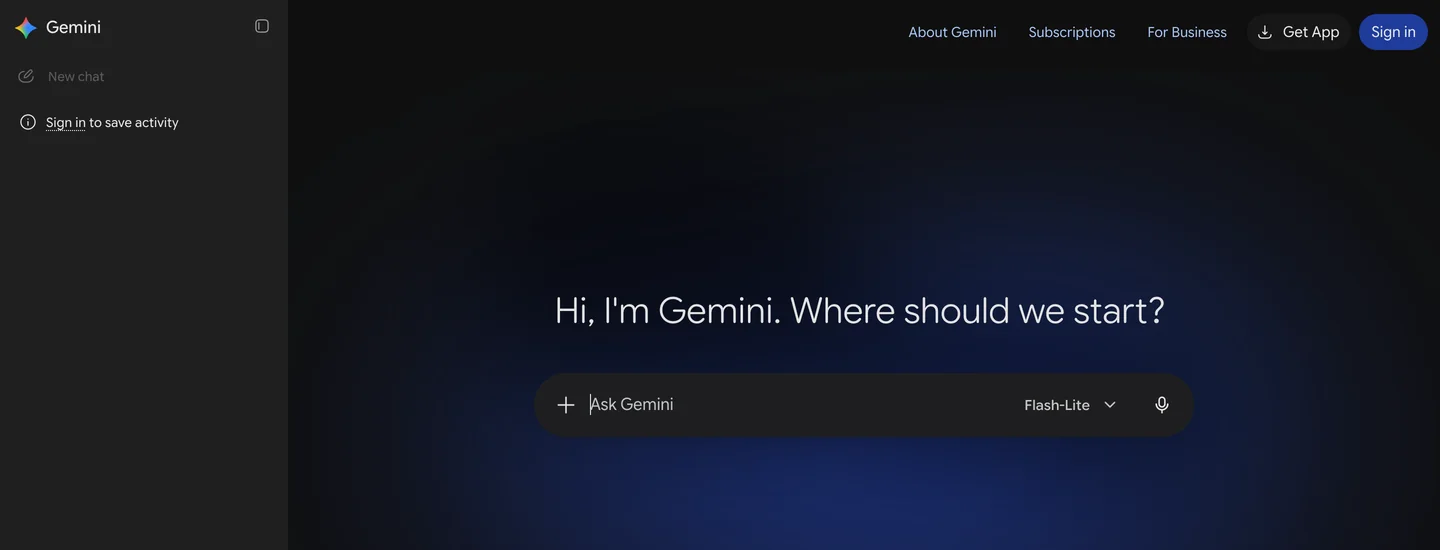
The two products. The Gemini web app cannot reach Revit; the connection runs through Antigravity on the Revit PC.
The short version
- Route: Autodesk’s Revit MCP server (Revit 2027.2, Windows 11) plus Google Antigravity on the same PC.
- Not possible: the Gemini web or phone app. Its custom apps only take remote servers by URL, and Revit’s servers are local.
- Alternatives: Gemini CLI with a paid Gemini API key, or GitHub Copilot in VS Code with Gemini 4 Argon selected.
- Older Revit: 2022 to 2026 needs a community server such as rvt-mcp, Horizun or AEC Model Bridge.
- Our test: Gemini 4 Argon matched Revit’s room areas and furniture exactly, but trusted those areas too much and missed a tight bed clearance. Gemini 3.8 Flash was not usable for this job.



Can Gemini connect to Revit?
Yes, through any Gemini client that can start a local MCP server on the Revit PC. Every Revit MCP server we found, Autodesk’s included, runs next to Revit and talks over stdio, which rules out anything that only lives in a browser. That leaves three working routes and one that does not work:
| Route | Works with Revit? | Which Gemini | What you pay |
|---|---|---|---|
Google Antigravity (app or agy) | Yes, local MCP servers in mcp_config.json | 3.8 Flash on every plan; 4 Argon on paid AI Pro, Ultra or Enterprise | Your Google AI plan |
| Gemini CLI | Yes, mcpServers in settings.json | Any model your API key reaches | Gemini API per token; consumer plans stopped June 18, 2026 |
| GitHub Copilot in VS Code | Yes, VS Code MCP config | Gemini 4 Argon or 3.8 Flash from the model picker | Your Copilot plan |
| Gemini app (web, phone) | No, custom apps take remote URLs only, US only | Not applicable | Not applicable |
- Works with Revit?
- Yes, local MCP servers in mcp_config.json
- Which Gemini
- 3.8 Flash on every plan; 4 Argon on paid AI Pro, Ultra or Enterprise
- What you pay
- Your Google AI plan
- Works with Revit?
- Yes, mcpServers in settings.json
- Which Gemini
- Any model your API key reaches
- What you pay
- Gemini API per token; consumer plans stopped June 18, 2026
- Works with Revit?
- Yes, VS Code MCP config
- Which Gemini
- Gemini 4 Argon or 3.8 Flash from the model picker
- What you pay
- Your Copilot plan
- Works with Revit?
- No, custom apps take remote URLs only, US only
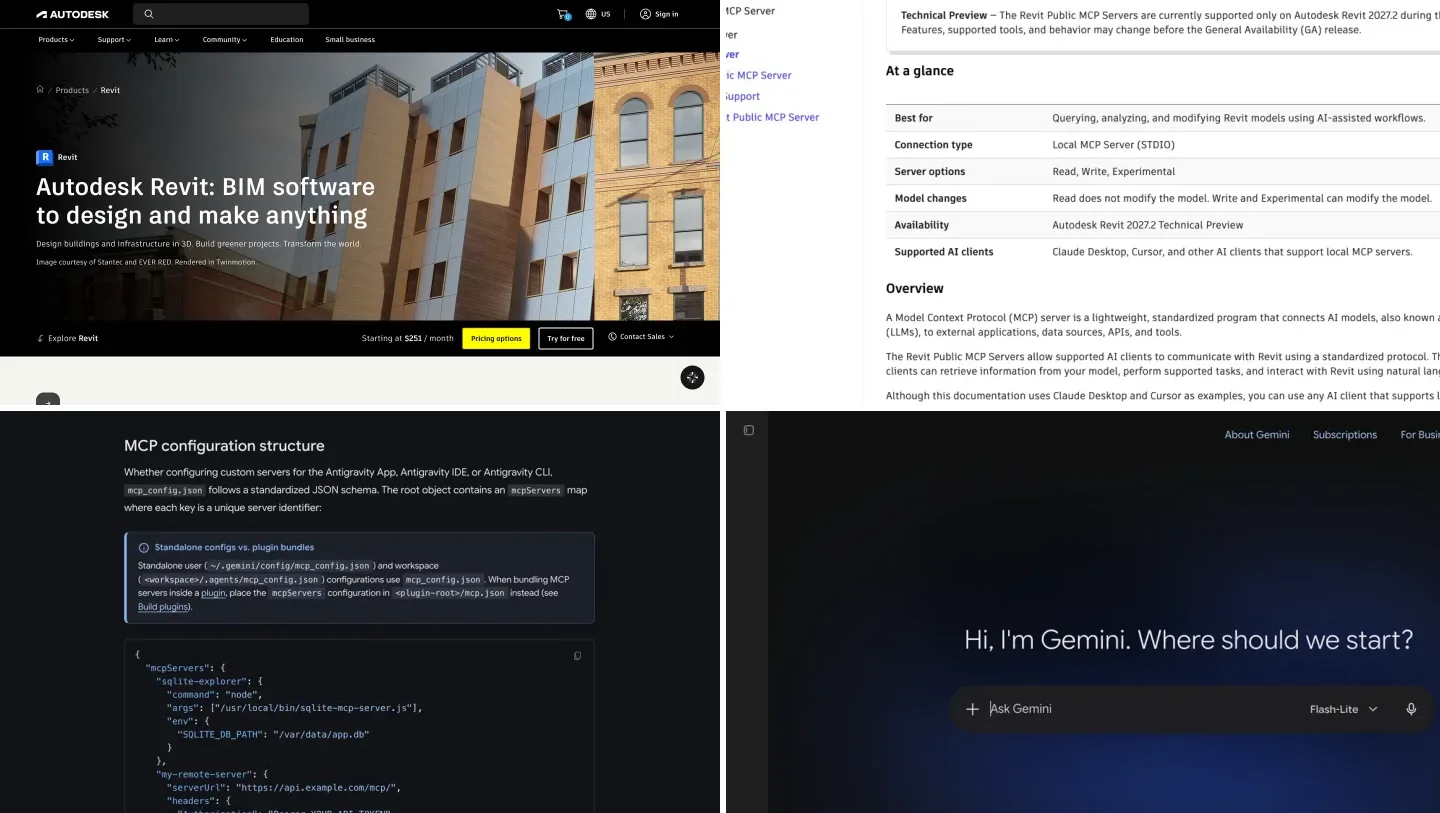
Autodesk’s own wording is what makes the first three legitimate. Its overview lists the supported AI clients as “Claude Desktop, Cursor, and other AI clients that support local MCP servers”, and its setup page adds that “the same configuration pattern generally applies to other AI clients that support local MCP servers.” Antigravity, Gemini CLI and VS Code all are. None of them has a Gemini page from Autodesk, though, so you are following the generic pattern, not a tested recipe.
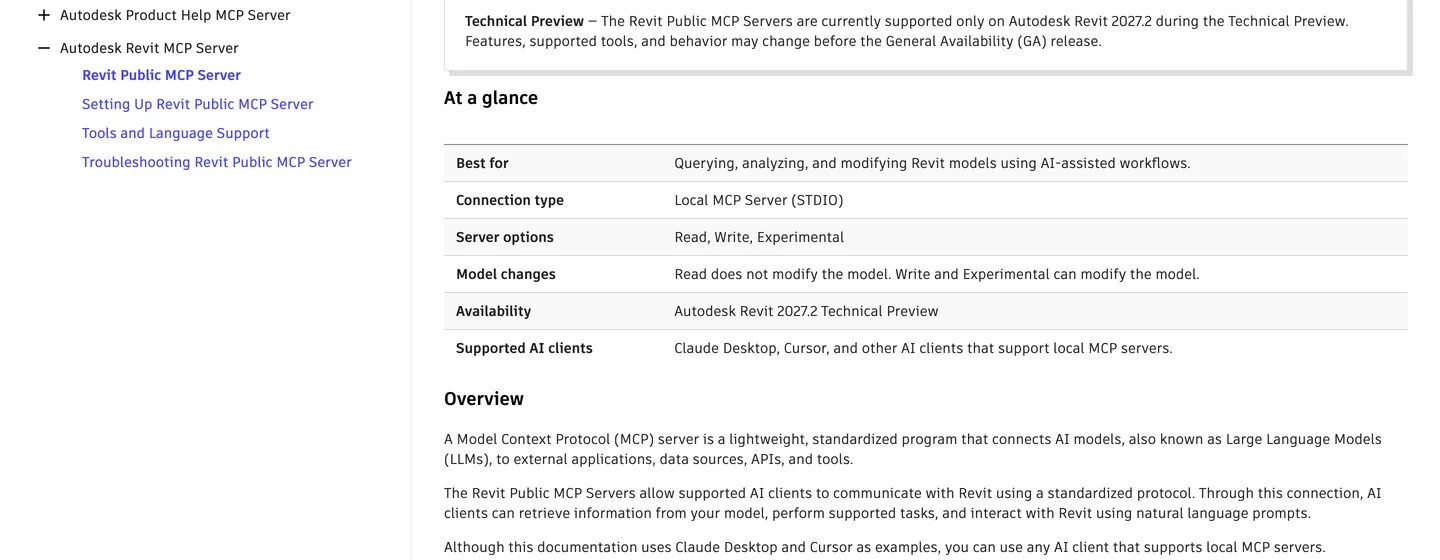
Autodesk’s overview, captured October 30, 2026: a local stdio server, Revit 2027.2 only, and “other AI clients that support local MCP servers”.
What do you need before you connect Gemini to Revit?
- Revit 2027.2 on 64-bit Windows 11 for Autodesk’s server, which is a Technical Preview and supported on that one update only. Revit 2022 to 2026 needs a community server (below).
- The add-on: Revit 2027 MCP Server Read-Tools, Write-Tools or Experimental-Tools Technical Preview, downloaded from your Autodesk Account under your Revit 2027 product updates. Start with Read-Tools.
- A Gemini client on the same PC: Antigravity for most people. Gemini 3.8 Flash is on every Antigravity plan, Gemini 4 Argon on paid Google AI Pro and Ultra and on Enterprise.
- A model open in Revit while you work. The server talks to the running Revit session, not to files on disk.
How to connect Gemini to Revit with Antigravity, step by step
- Update Revit to 2027.2 and install the Read-Tools add-on from your Autodesk Account.
- Install Antigravity on the same PC. For the command line version, run this in PowerShell, then sign in with your Google account:
irm https://antigravity.google/cli/install.ps1 | iex - Open the MCP config. Antigravity reads
%USERPROFILE%\.gemini\config\mcp_config.jsonfor all projects, or.agents\mcp_config.jsoninside one project folder. Create the file if it does not exist. - Add Revit. Paste the server entry below. The path and the argument are Autodesk’s own, from its Claude Desktop example;
timeoutSecondsis Antigravity’s per-server setting, raised because Revit calls on a big model can outlast the default:{ "mcpServers": { "revit": { "command": "C:\\Program Files\\Autodesk\\Revit 2027 MCP Server Read-Tools Technical Preview\\Autodesk.RevitMcpServer.Stdio.exe", "args": ["--ManageConfigurationWithAutodeskRevitPluginInstaller=true"], "timeoutSeconds": 600 } } } - Test it. Open a model in Revit, restart Antigravity, type
/mcpand check thatrevitshows as connected. Then ask “list the Revit MCP tools you can use”. Antigravity runs new tools in Ask mode, so approve the call when it asks.
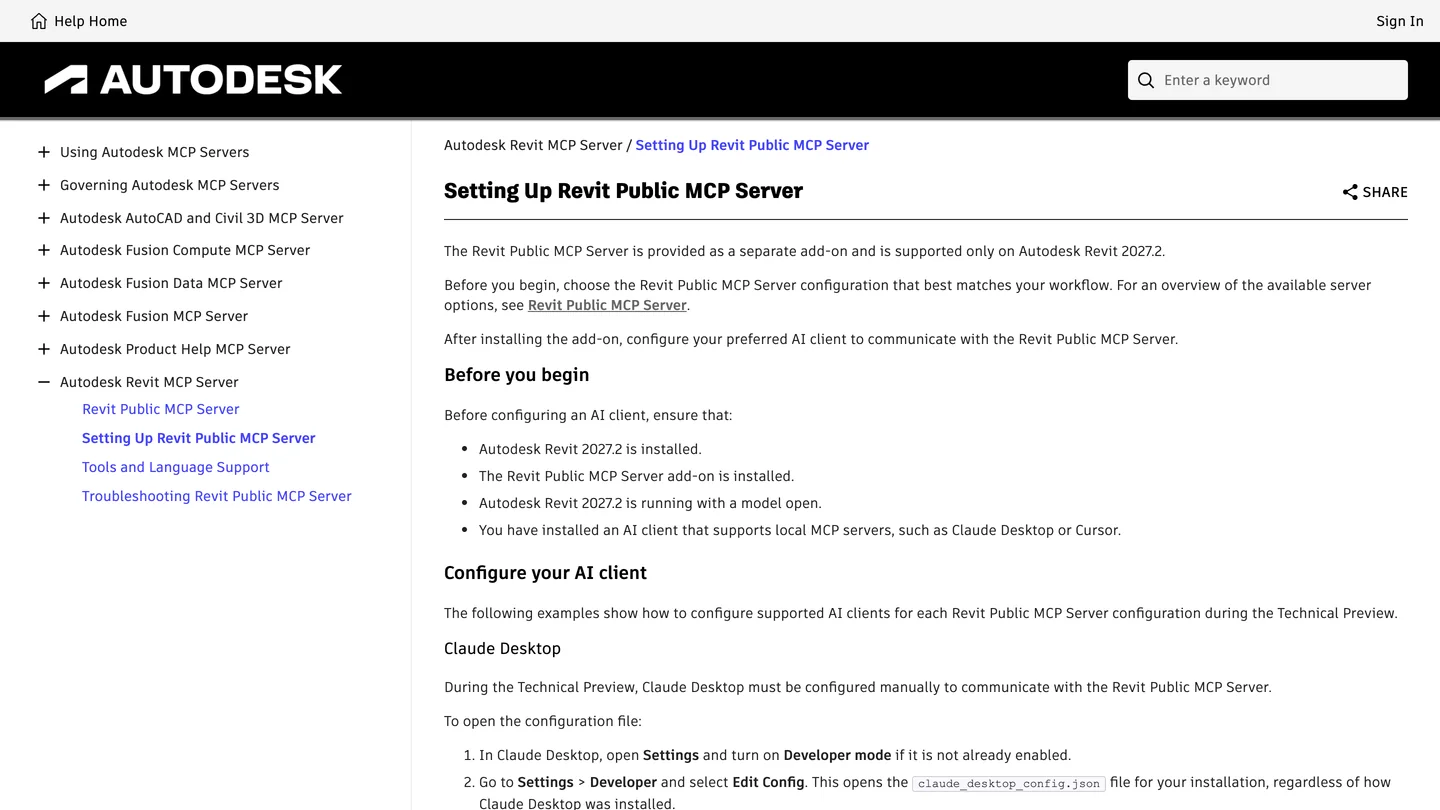
Autodesk’s setup page. The prerequisites are the same for Gemini; only the config file changes.
If the server does not start: Autodesk warns that some clients do not like spaces in the path, and gives a PowerShell line that returns the Windows short path of the install folder. Swap that into command and restart. Two other things to check: the JSON needs double backslashes, and Revit has to be running with a model open before the server can do anything. For Write-Tools or Experimental-Tools, the folder name in the path changes to match.
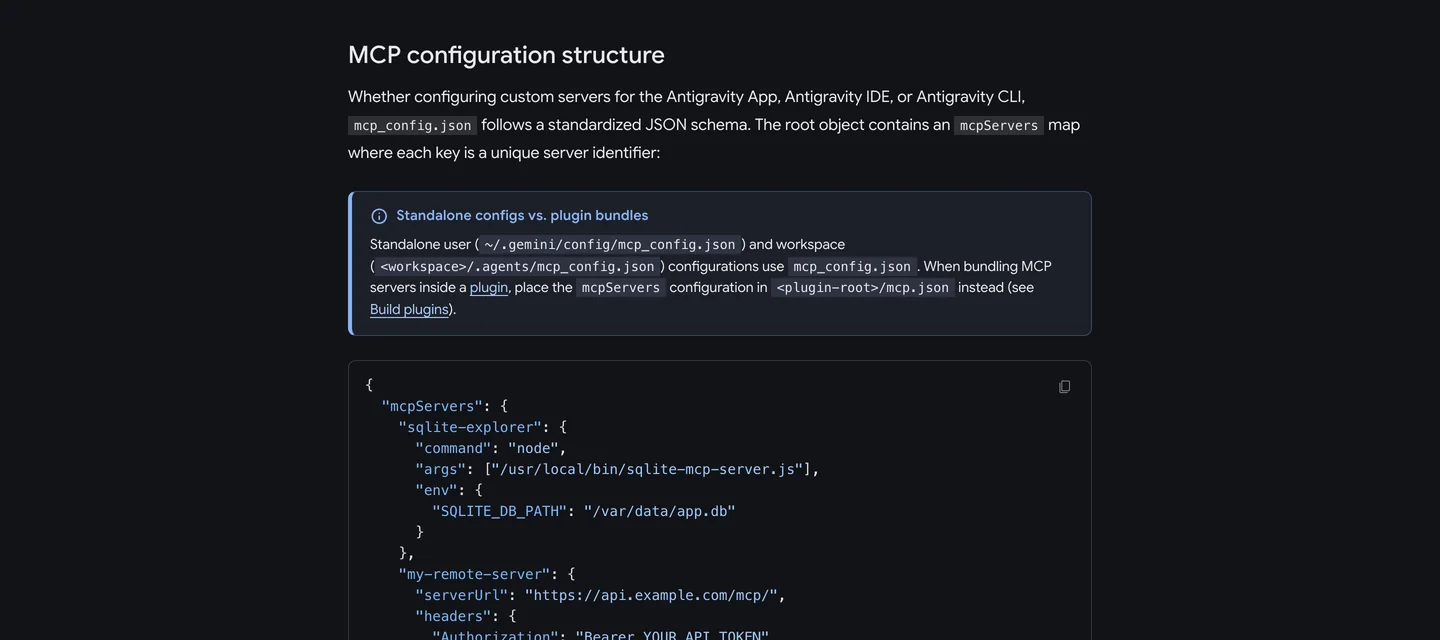
Antigravity’s MCP docs: the two config locations and a local server entry with command and args.
Which Revit MCP server should you use with Gemini?
Autodesk’s, if you are on Revit 2027.2. Otherwise one of the community servers, all of which are standard stdio servers that Antigravity can start. None of them documents Gemini or Antigravity by name as of October 30, 2026; the closest is AEC Model Bridge, whose README says Gemini CLI “should work too”.
| Server | Revit versions | Cost | Gemini documented? | Watch out for |
|---|---|---|---|---|
| Autodesk Revit MCP Server | 2027.2 only | Free with Revit | No, “other AI clients” | Technical Preview; tools may change |
| rvt-mcp (bimwright) | 2022 to 2027 | Free, open source | No | Its code tool is on by default |
| Horizun Revit MCP | 2023 to 2027 | Free, open source | No, “other stdio clients” | Releases are unsigned |
| AEC Model Bridge | 2024 to 2027 | Free, open source | Gemini CLI “should work” | Gemini untested by the authors |
| AUTOM8LABS MCP Connector | 2022 to 2027 | Free read tools, paid seats | No | Auto setup covers Claude, ChatGPT, Cursor only |
| NonicaTab AI Connector | 2022 to 2026 | Free read only, PRO per year | No | Needs the NonicaTab plugin |
- Revit versions
- 2027.2 only
- Cost
- Free with Revit
- Gemini documented?
- No, “other AI clients”
- Watch out for
- Technical Preview; tools may change
- Revit versions
- 2022 to 2027
- Cost
- Free, open source
- Gemini documented?
- No
- Watch out for
- Its code tool is on by default
- Revit versions
- 2023 to 2027
- Cost
- Free, open source
- Gemini documented?
- No, “other stdio clients”
- Watch out for
- Releases are unsigned
- Revit versions
- 2024 to 2027
- Cost
- Free, open source
- Gemini documented?
- Gemini CLI “should work”
- Watch out for
- Gemini untested by the authors
- Revit versions
- 2022 to 2027
- Cost
- Free read tools, paid seats
- Gemini documented?
- No
- Watch out for
- Auto setup covers Claude, ChatGPT, Cursor only
- Revit versions
- 2022 to 2026
- Cost
- Free read only, PRO per year
- Gemini documented?
- No
- Watch out for
- Needs the NonicaTab plugin

The only Gemini mention we found in a Revit server’s docs, captured October 30, 2026: “should work too”, not tested.
For a community server the Antigravity entry has the same shape, only the command changes to that server’s executable. rvt-mcp, for example, documents its server at %LOCALAPPDATA%\Bimwright\rvt-mcp\server\current\rvt-mcp.exe. Horizun’s client page says it plainly: for other stdio clients, register the installed server’s full path. Our Claude to Revit guide compares these servers in more depth, including which ones listen on the network.
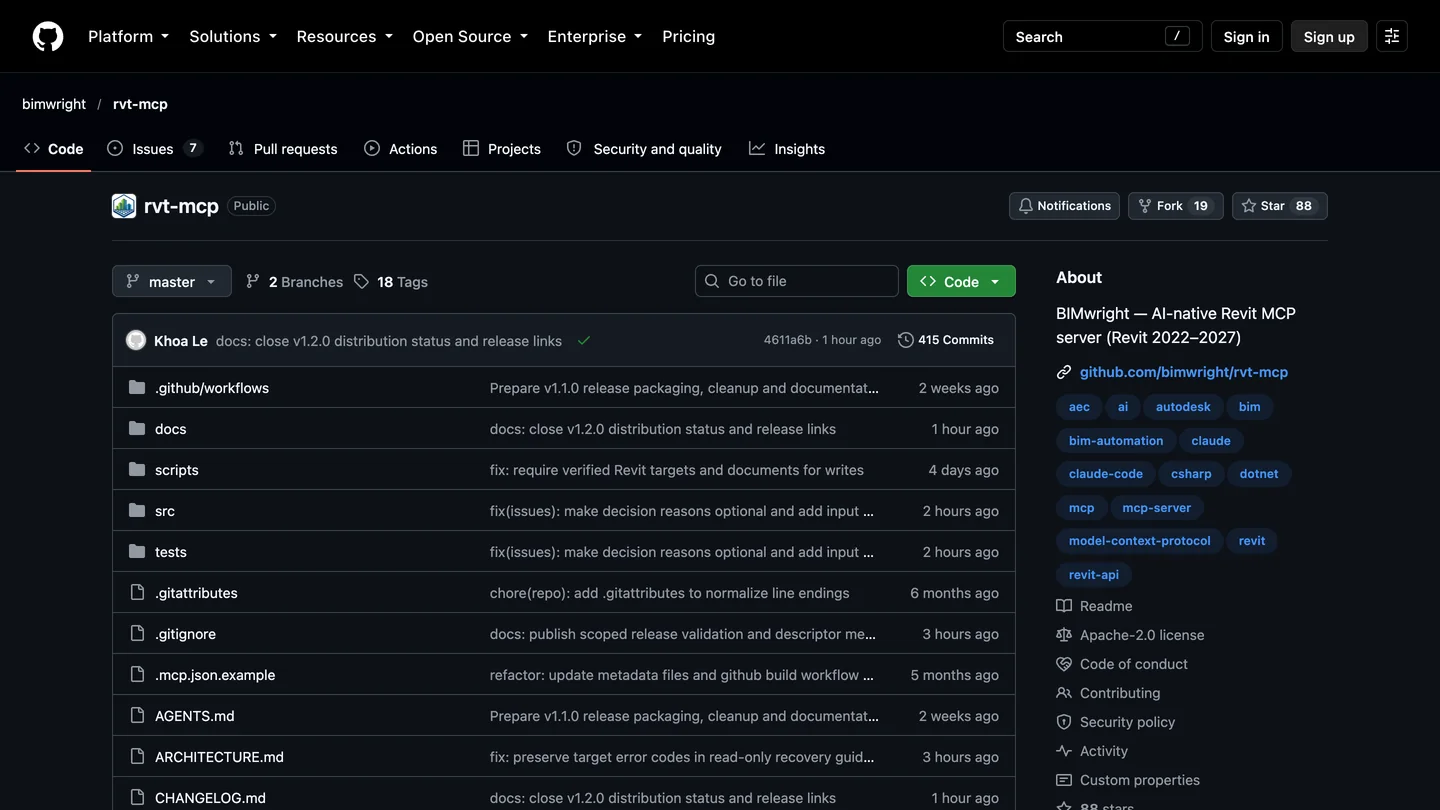
rvt-mcp, the community server with the widest Revit version range.
Can you use Gemini CLI or GitHub Copilot instead?
Gemini CLI, only with an API key. Google stopped serving free, Pro and Ultra accounts in Gemini CLI on June 18, 2026 and moved them to Antigravity. Paid Gemini API keys and Gemini Code Assist still work, so if your office already pays per token, Gemini CLI reads MCP servers from %USERPROFILE%\.gemini\settings.json in the same shape, with timeout in milliseconds:
{
  "mcpServers": {
    "revit": {
      "command": "C:\\Program Files\\Autodesk\\Revit 2027 MCP Server Read-Tools Technical Preview\\Autodesk.RevitMcpServer.Stdio.exe",
      "args": ["--ManageConfigurationWithAutodeskRevitPluginInstaller=true"],
      "timeout": 600000
    }
  }
}
GitHub Copilot in VS Code, if you already pay for Copilot. GitHub’s model list shows Gemini 4 Argon and Gemini 3.8 Flash as generally available, and several Revit servers, AEC Model Bridge among them, document VS Code setup. You add the server to VS Code’s MCP config, pick a Gemini model in Copilot Chat, and work in agent mode. This is also the route in the video below, where Gemini is one of the models in Copilot’s picker rather than Google’s own app.
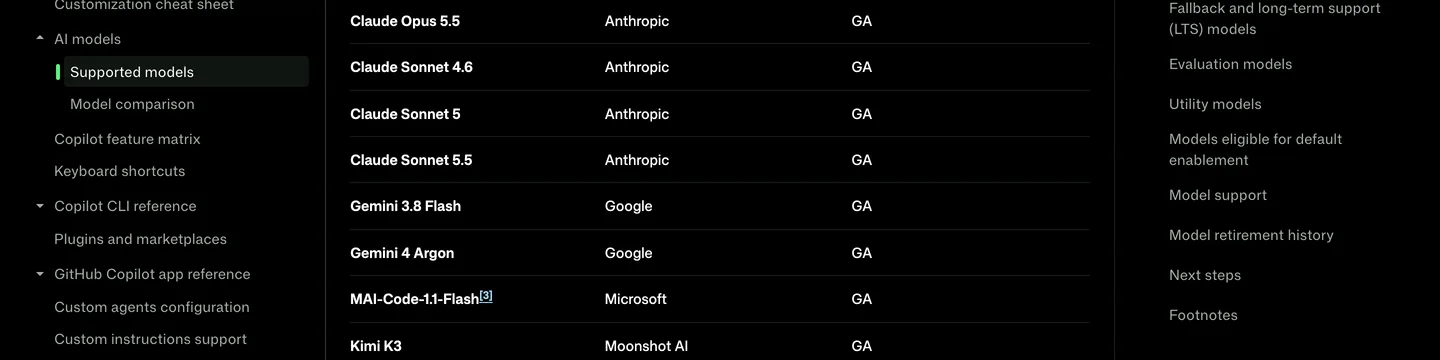
GitHub’s supported models page, captured October 30, 2026: both current Gemini models are GA in Copilot.
We tested Gemini on the same Revit model as Claude and ChatGPT
For the Claude and ChatGPT guides we used the same job: an interior designer receives client-duplex.ifc, buildingSMART’s public Duplex model exported from Revit, and asks for a Unit A room schedule, the furniture already modeled in each room, whether both bedrooms can take a king bed with 760 mm on each side and 900 mm at the foot, and a to-scale plan for a renderer. We had checked every answer with our own ifcopenshell scripts.
On October 30, 2026 we sent Gemini 4 Argon and Gemini 3.8 Flash the same brief through the Gemini API, asking for one Python script, because without a live Revit or an agent we could let run unattended, that is the closest fair test. I read each script before running it (it only imported ifcopenshell, shapely, matplotlib and the standard library, and wrote only a CSV and a PNG), ran it, and pasted the error back once. Both failed on the first run: Argon with a Python indentation error, Flash by asking for IfcFurniture, an entity that does not exist in this file’s IFC2X3 schema. Both scripts ran after one fix.
Honest take: Argon is the real result here. It read the same file as Claude and ChatGPT, landed on the same areas, the same 31 pieces of furniture and nearly the same clear room size (3708 by 5713 mm against ChatGPT’s 3708 by 5709), and its furniture list named each bed’s size, a king in Bedroom 1 and a queen in Bedroom 2, which is what a furnishing proposal needs. Its weakness is confidence. It checked the bed against an empty rectangle instead of placing it, so it never saw that the bed already in Bedroom 1 sits 700 mm from the wall, and it told us the room areas matched the floor footprints when the footprints are about 22 m² against Revit’s 26. That is exactly the kind of mistake that ends up in a client proposal. Flash was fast and cheap and not usable for this job. The comparison is not perfectly even: Claude and ChatGPT ran as agents that executed and checked their own code, while Gemini wrote a script and I ran it, which is why its times and costs are so much lower.
Is it safe to let Gemini change a Revit model?
Start read only, and keep Antigravity asking. Autodesk splits its server into Read-Tools, which cannot modify the model, and Write-Tools and Experimental-Tools, which can; its page tells you to review proposed changes and back up the model before write operations. Antigravity runs new MCP tools in Ask mode by default, so you approve every call, which is the right setting for a project file. On the community side, read what a server can do before you connect it: rvt-mcp turns on its code tool by default, and several servers can run arbitrary code inside Revit, which is powerful and exactly as risky as it sounds.
Gemini, Claude or ChatGPT: which is best for Revit?
| Gemini | Claude | ChatGPT | |
|---|---|---|---|
| Named in Autodesk’s setup docs | No | Yes, Claude Desktop | No |
| Main client | Antigravity | Claude Desktop, Claude Code | ChatGPT desktop app, Codex |
| Our IFC test | Right numbers, two misses | Right numbers, caught both | Right numbers, caught both |
| Cost of our test | About $0.29 (Argon) | $1.70 | About $1.47 |
- Named in Autodesk’s setup docs
- No
- Main client
- Antigravity
- Our IFC test
- Right numbers, two misses
- Cost of our test
- About $0.29 (Argon)
- Named in Autodesk’s setup docs
- Yes, Claude Desktop
- Main client
- Claude Desktop, Claude Code
- Our IFC test
- Right numbers, caught both
- Cost of our test
- $1.70
- Named in Autodesk’s setup docs
- No
- Main client
- ChatGPT desktop app, Codex
- Our IFC test
- Right numbers, caught both
- Cost of our test
- About $1.47
If you already live in Google’s tools, Gemini is a reasonable Revit assistant now, as long as you treat its confident summaries as a first draft. If you are choosing from scratch, Claude is still the easiest start because Autodesk documents it. For the wider picture of what each assistant connects to, see our lists of Gemini extensions for architects, ChatGPT plugins for architects and MCP servers for architects in Claude Code.
What can’t Gemini do in Revit yet?
It cannot work from the Gemini app, it has no setup page from Autodesk, and on anything older than Revit 2027.2 it depends on community servers that do not test Gemini. It also cannot fix the problem every assistant had in our test: the plan it draws for a renderer leaves out the kitchen cabinets unless you ask for casework by name. To start a building from a brief rather than edit one, AIBIMTool, the AI BIM software made by our team, generates a first model and exports IFC for Revit. And when the plan is ready to show a client, our floor plan to 3D converter turns it into a furnished 3D view, and AI interior design restyles a photo of the finished room. If you render from the Revit model itself, our comparison of AI architectural rendering tools covers the options, and AutoCAD MCP servers are the same idea for 2D drawings.
Turn the Revit plan into a client image
- Plan to furnished 3D view. Upload the plan Revit or Gemini exports and get a 3D view to show the client.
- Draw the casework first. A plan without kitchen cabinets gets invented ones: in our Claude test the render added an island that is not in the model.
- Then restyle the real room. AI interior design works on a photo of the finished space.
- Also in Gemini. The same engine connects to Antigravity through our MCP server.
How we tested and what we read
The test is first hand: the brief, the public buildingSMART Duplex IFC (exported from Revit, CC BY 4.0) and the reference answers are the ones from our Claude and ChatGPT Revit guides; Gemini 4 Argon and Gemini 3.8 Flash ran through the Gemini API on October 30, 2026 with ifcopenshell 0.9, costs at Google’s published API prices that day. We did not connect Gemini to a live Revit session, because Revit needs Windows. Screenshots are from each source’s public page, captured October 30, 2026. Sources, read that day: Autodesk’s Revit Public MCP Server overview and setup page; Autodesk’s June 17, 2026 announcement; Google’s Antigravity MCP docs and Gemini API pricing; GitHub’s Copilot supported models; and the rvt-mcp, Horizun and AEC Model Bridge repositories.
We will update this guide when Autodesk’s server leaves Technical Preview or documents a Gemini client, and when Gemini 4 Argon’s API price changes on December 1.
Connect Gemini to Revit: FAQ
Can Gemini connect to Revit?
Yes, but not from the Gemini app. Revit MCP servers run on the same Windows PC as Revit and talk over stdio, so you need a Gemini client that runs there too. The main one is Google Antigravity, which reads local MCP servers from mcp_config.json. Gemini CLI with a paid Gemini API key and GitHub Copilot in VS Code with Gemini 4 Argon selected also work. The Gemini web and mobile apps only accept remote MCP servers by URL, so they cannot reach Revit.
Does Autodesk's Revit MCP server support Gemini?
Not by name. As of October 30, 2026, Autodesk's help page lists the supported AI clients as Claude Desktop, Cursor and other AI clients that support local MCP servers, and it documents setup only for Claude Desktop and Cursor. Antigravity, Gemini CLI and VS Code all support local MCP servers, so they fall under that line, but you follow the generic pattern rather than a Gemini page.
What do I need to connect Gemini to Revit?
For Autodesk's official server: Revit 2027.2 on 64-bit Windows 11, the Revit 2027 MCP Server add-on from your Autodesk Account, and Google Antigravity signed in with your Google account. Gemini 3.8 Flash is available on every Antigravity plan; Gemini 4 Argon needs a paid Google AI Pro or Ultra plan or Enterprise. For Revit 2022 to 2026, use a community server such as rvt-mcp, Horizun or AEC Model Bridge instead.
Can I connect Gemini to Revit on a Mac?
No. Revit itself only runs on Windows, and every Revit MCP server we found needs Revit running on the same machine. On a Mac you would need Windows in a virtual machine or a remote Windows PC with Revit, and the Gemini client running in that same Windows session.
Is Gemini good at Revit work?
Gemini 4 Argon was close to Claude and ChatGPT in our test and much cheaper, but less careful. Given the same Revit IFC export and interior brief, it got every room area and all 31 furniture items right and drew a usable two level plan, for about $0.29. It also said the room areas matched the floor footprints when they are 4 m2 larger, and it missed that the existing king bed has only 700 mm on one side, two things Claude and ChatGPT both caught. Gemini 3.8 Flash put furniture in the wrong rooms and overlaid both floors in one drawing.
Is it safe to let Gemini edit my Revit model?
Start read only. Autodesk ships its server as Read, Write and Experimental tool sets and warns that Write and Experimental can modify your model, so it suggests a backup before write operations. Antigravity asks before every tool call by default, which is a good reason to keep that setting. Several community servers can also run arbitrary code in Revit, so read what a server can do before you connect it to a project file.
Should I use Antigravity, Gemini CLI or Copilot for Revit?
Antigravity if you want Google's own tool and a Google AI plan already covers it. Gemini CLI only if you pay for a Gemini API key, because free, Pro and Ultra accounts stopped working in Gemini CLI on June 18, 2026. GitHub Copilot in VS Code if your office already pays for Copilot: it lists Gemini 4 Argon and Gemini 3.8 Flash, and several Revit MCP servers document VS Code setup.
Keep reading
- How to connect Claude to Revit, with the deepest comparison of Revit MCP servers.
- How to connect ChatGPT to Revit, the same test run with GPT-6 Astra.
- How to connect Gemini to Rhino, the same Antigravity setup for McNeel’s server.
- How to connect Gemini to SketchUp, four routes that work.
- Gemini extensions for architects and interior designers, everything else worth connecting to Gemini.
- Best BIM software, if you are still choosing the tool itself.