To connect Gemini to AutoCAD, run a community AutoCAD MCP server on the same computer as AutoCAD and register it in Google Antigravity’s mcp_config.json, or in Gemini CLI if your office pays for the Gemini API. Gemini can then read the drawing and draw walls, doors, dimensions and schedules. It does not work from gemini.google.com, Autodesk’s own AutoCAD MCP server supports Autodesk Assistant only, and none of the community servers mention Gemini, so you configure it by hand. Live control needs AutoCAD on Windows; on a Mac, Gemini can still draw DXF files.
Our articles are still written by humans!
Get human written articles in your Google feed.
I run MeltFlex, an AI rendering tool for architects and interior designers, and this completes a set: we gave the same AutoCAD brief, through the same server, to ChatGPT, to Claude and, on November 10, 2026, to Gemini 4 Argon. I opened and measured every drawing on our side. One thing to know up front: I ran Gemini through Gemini CLI with an API key, not through Antigravity, so the Antigravity steps below come from Google’s documentation, read the same day, not from our own clicks.
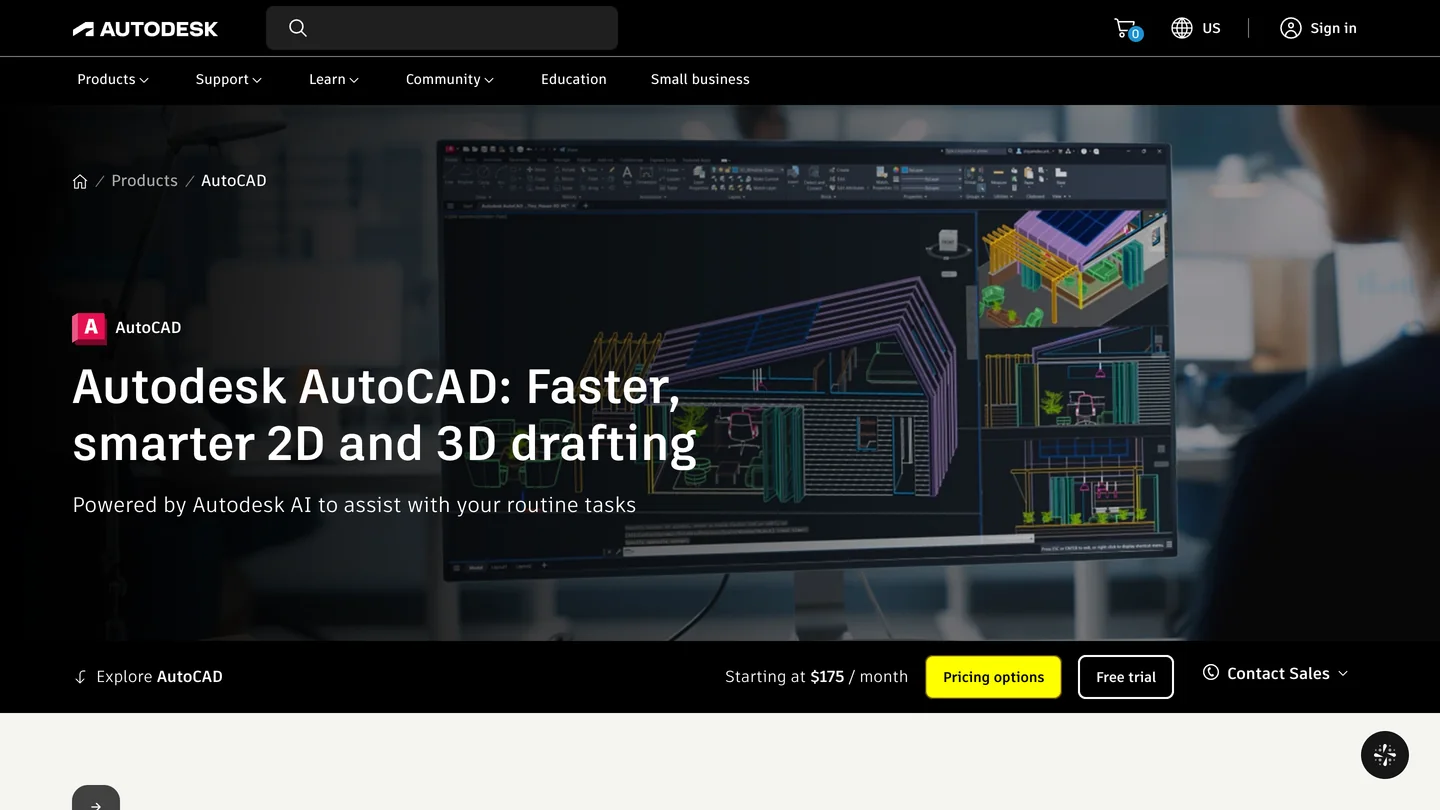
AutoCAD and Google Antigravity, the app that now carries Gemini’s agent features, from their own home pages on November 10, 2026.
The short version
- Use Antigravity with a community server. Gemini CLI works only on a paid API key since June 18, 2026. Which route.
- Server: autocad-mcp-pro for full AutoCAD and the Mac, puran-water/autocad-mcp for AutoCAD LT 2024+. Setup.
- Our test: Gemini 4 Argon drew a correct apartment plan in 2.1 minutes for about $0.23, the fastest and cheapest of the three assistants, then told us it was verified without running the check. Results.
- Check /mcp first. When we misconfigured the server, Gemini did not say it had no AutoCAD tools; it tried two dozen invented ones. What that looks like.



Which Gemini can connect to AutoCAD: Antigravity, Gemini CLI or the Gemini app?
The ones that run on your computer. An AutoCAD MCP server drives AutoCAD through Windows COM or AutoLISP, so it has to run on the AutoCAD machine and be started by a Gemini client on that machine.
| Gemini client | Reaches AutoCAD? | Which Gemini | What you pay |
|---|---|---|---|
| Google Antigravity (app or CLI) | Yes, local servers in mcp_config.json | 3.8 Flash on every plan; 4 Argon on AI Pro, Ultra or Enterprise | Free, or AI Pro at $19.99 a month |
| Gemini CLI | Yes, mcpServers in settings.json | Any model your API key reaches | Per token; consumer plans stopped June 18, 2026 |
| gemini.google.com, Gemini app | No | n/a | n/a |
| Autodesk’s AutoCAD MCP server | Not from Gemini | Autodesk Assistant only | n/a |
- Reaches AutoCAD?
- Yes, local servers in mcp_config.json
- Which Gemini
- 3.8 Flash on every plan; 4 Argon on AI Pro, Ultra or Enterprise
- Pay
- Free, or AI Pro at $19.99 a month
- Reaches AutoCAD?
- Yes, mcpServers in settings.json
- Which Gemini
- Any model your API key reaches
- Pay
- Per token
- Reaches AutoCAD?
- No
- Reaches AutoCAD?
- Not from Gemini, Autodesk Assistant only
The Gemini CLI row needs a word. On May 19, 2026, Google announced it was moving its terminal tool to Antigravity CLI, and from June 18 Gemini CLI stopped serving Google AI Pro, Ultra and free accounts. Paid Gemini API keys and Gemini Code Assist Standard or Enterprise licenses still work, and that is how we ran our test.
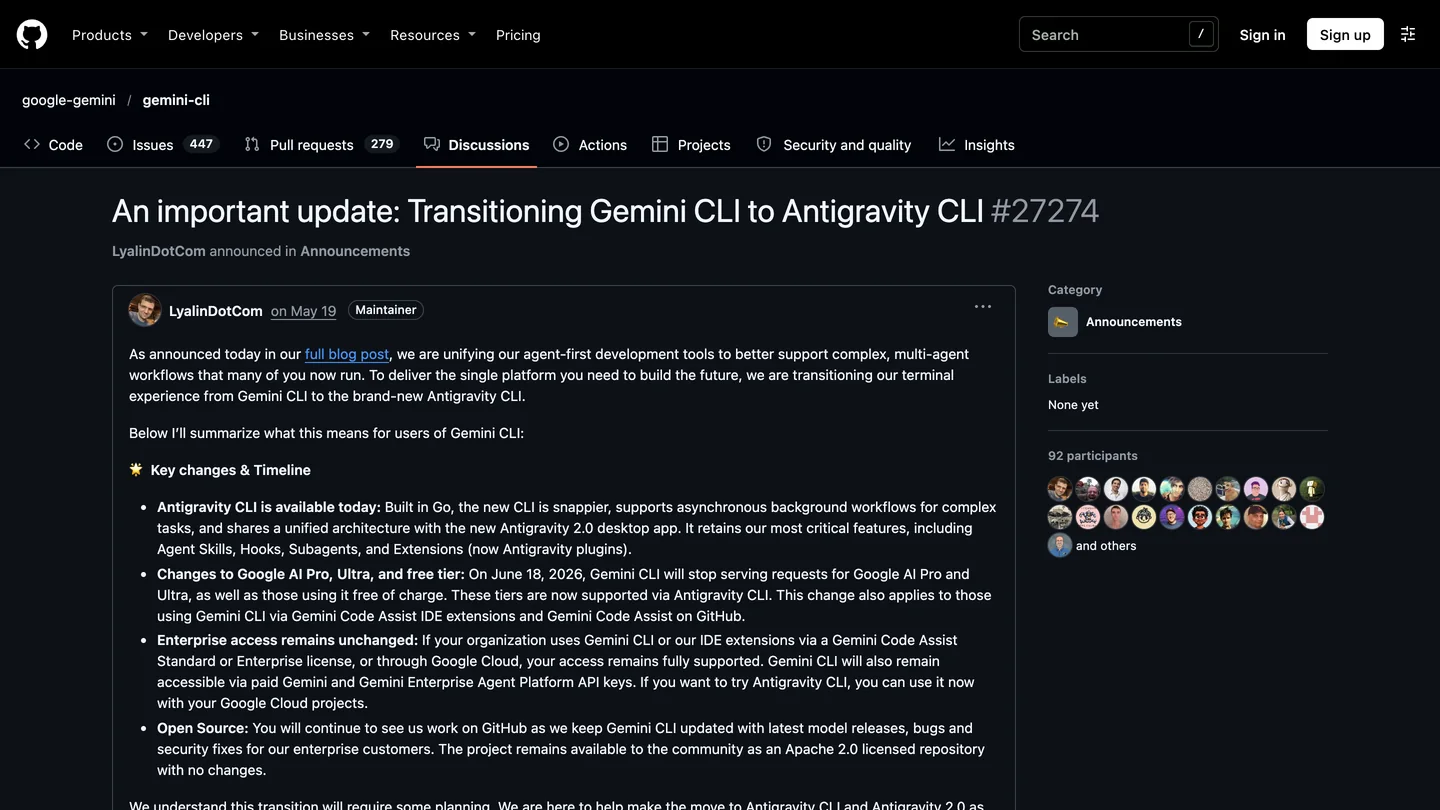
Google’s announcement on the Gemini CLI repository, the reason this guide leads with Antigravity.
Autodesk’s own server is out for the same reason as for every outside assistant: its help page lists “Supported AI client: Autodesk Assistant” and, in plain AutoCAD, read and analysis tools only. We cover that page in detail in the Claude guide.
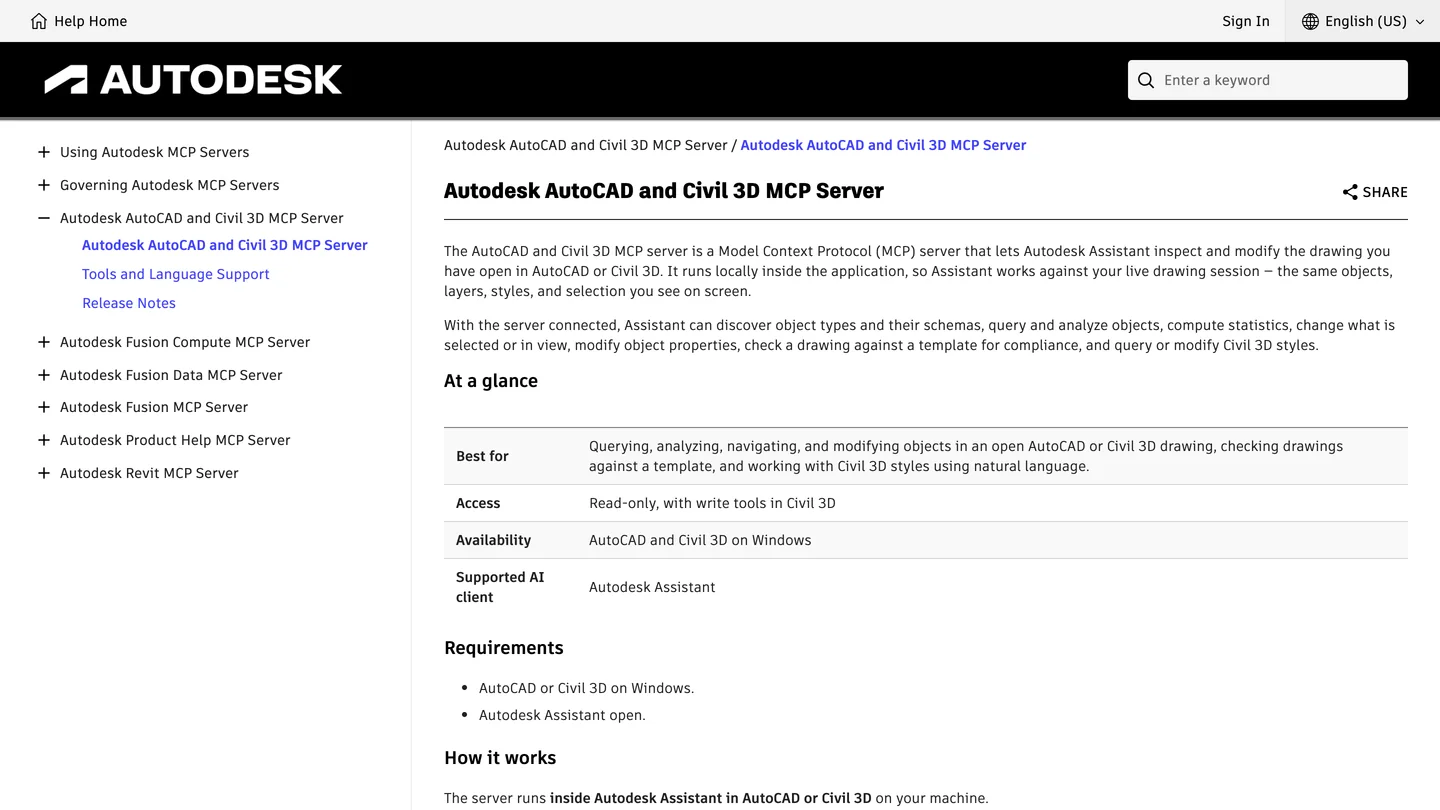
Autodesk’s AutoCAD MCP page on November 10, 2026: Autodesk Assistant only.
How do you connect Gemini to AutoCAD in Antigravity, step by step?
With autocad-mcp-pro, the most complete AutoCAD server, on Windows with full AutoCAD. On AutoCAD LT 2024 or later, use puran-water/autocad-mcp with its own command instead; the shape of the config is the same. Neither server’s documentation mentions Gemini or Antigravity, which does not matter: Antigravity starts any standard local MCP server.
- Install Antigravity on the AutoCAD computer and sign in. From PowerShell:
irm https://antigravity.google/cli/install.ps1 | iex, or download the app. Then install uv, the Python tool runner. - Open the config:
%USERPROFILE%\.gemini\config\mcp_config.jsonapplies to all your projects,.agents\mcp_config.jsoninside a project folder to that project only. Create the file if it is not there. - Add the server:
{
  "mcpServers": {
    "autocad": {
      "command": "C:\\Users\\YOU\\.local\\bin\\uvx.exe",
      "args": ["--from", "autocad-mcp-pro[com,pdf]==1.8.0", "autocad-mcp"],
      "env": {
        "AUTOCAD_MCP_BACKEND": "com",
        "DISCOVERY_MODE": "off",
        "TOOL_PROFILE": "lean",
        "ALLOWED_PATHS": "C:/CAD/projects"
      },
      "timeoutSeconds": 600
    }
  }
}- Restart Antigravity and type
/mcp. Do not skip this; the next section shows why. Theautocadserver must show as connected. - Open a copy of a drawing and ask Gemini for its units, layers and entity counts. Antigravity runs new MCP tools in Ask mode, so approve each call.
The settings that differ from a Claude or ChatGPT setup are Antigravity’s. Its documentation gives a server five minutes to connect and three minutes per tool call; timeoutSeconds replaces both, and 600 leaves room for a PDF export or a model-wide clean-up. It also loads MCP tools lazily by default: instead of sending 68 tool definitions with every message, it writes each one to a file under ~/.gemini/antigravity/mcp/, lists only the names to Gemini, and Gemini reads a definition when it needs it. That makes the readable DISCOVERY_MODE=off setting cheap in Antigravity, the same way it is in Claude Code. Antigravity’s permission rules work by tool name (mcp(autocad/drawing_info), mcp(autocad/*)), not by the server’s read-only marks, so if you want reads to run without asking, allow those tools by name and leave the rest in Ask mode.
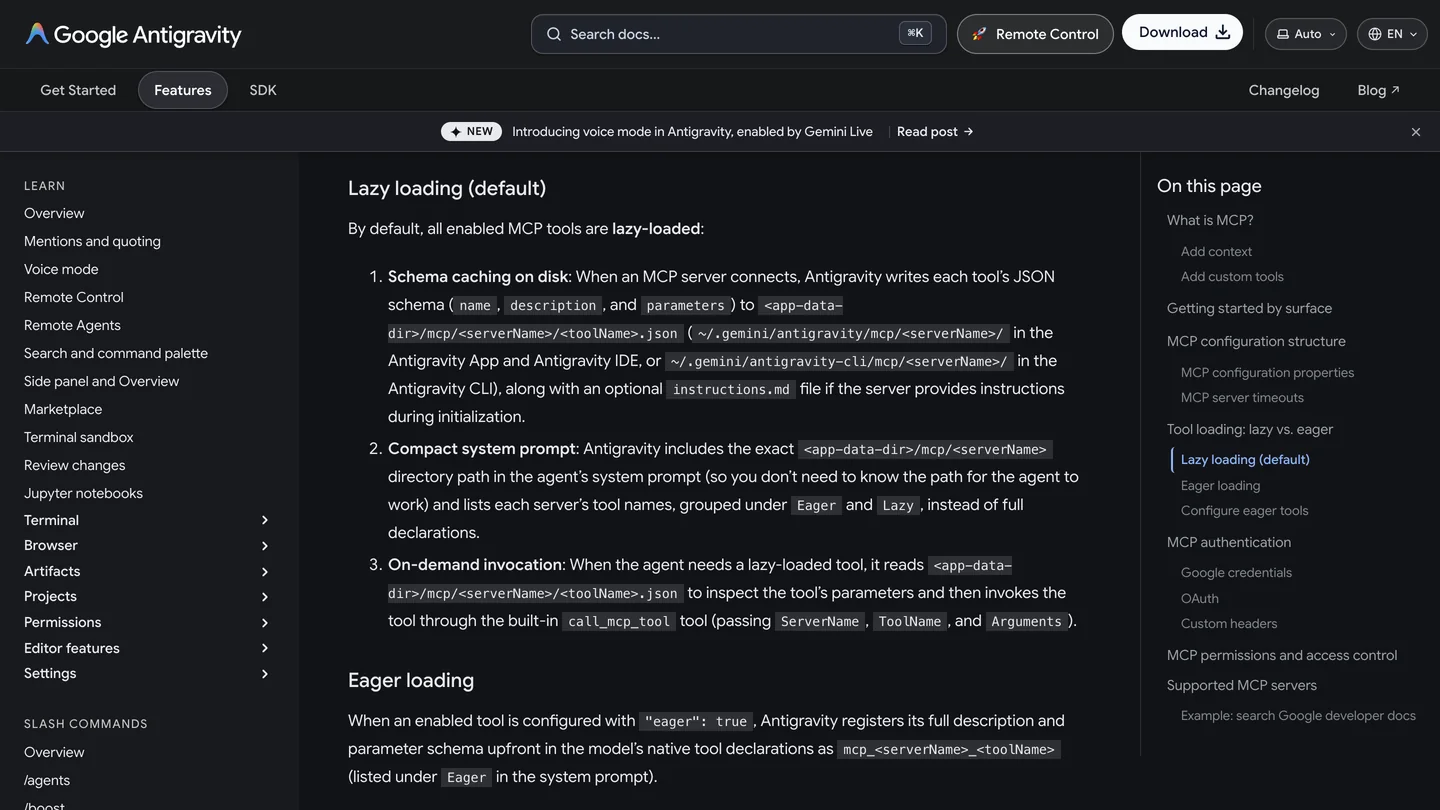
Antigravity’s MCP documentation on November 10, 2026: tools are lazy-loaded by default, which suits a server with dozens of tools.
In Gemini CLI the same entry goes under mcpServers in %USERPROFILE%\.gemini\settings.json, with timeout in milliseconds instead of timeoutSeconds. Gemini CLI declared the server’s tools to the model up front (they appear in our log as mcp_autocad_ names, the format Antigravity uses for eager tools), which goes some way to explaining the 463,000 input tokens below. On a Mac, use [pdf] instead of [com,pdf] and ezdxf as the backend.
What happens when the AutoCAD server does not load?
Something you should recognize. On my first attempt I made a mistake in Gemini CLI’s settings: an empty tool allowlist that hid every MCP tool, while the server itself was running fine. Gemini did not answer that it had no AutoCAD tools. Over about three minutes it called roughly two dozen tool names that did not exist, from mcp_autocad_cad_Status to autocad__discover, plus a shell command and a file write that were also switched off, each one failing. If your Gemini session starts guessing tool names like that, stop it and check /mcp; the problem is the configuration, and no prompt will fix it. With the setting corrected, the same brief ran cleanly.
Can Gemini draw a floor plan in AutoCAD? Our test
Yes, quickly and correctly, with the same weakness the others showed in a different form. The brief was the one from our ChatGPT and Claude tests: a two-bedroom apartment, 9.0 by 7.2 meters on wall centerlines, 250 mm brick outer walls, 100 mm partitions, an entrance hall with the front door, a bathroom off the hall, an open living room with kitchen, two bedrooms, a window in every habitable room, usable doors, room names with areas, dimension chains, room, door and window schedules, A3 at 1:50, then save and report what it was unsure about. Gemini 4 Argon drove autocad-mcp-pro 1.8.0 in headless mode on a Mac, through Gemini CLI 0.67.0. Because a command line run cannot show approval prompts, its tool calls were pre-approved; do not do that with client files.
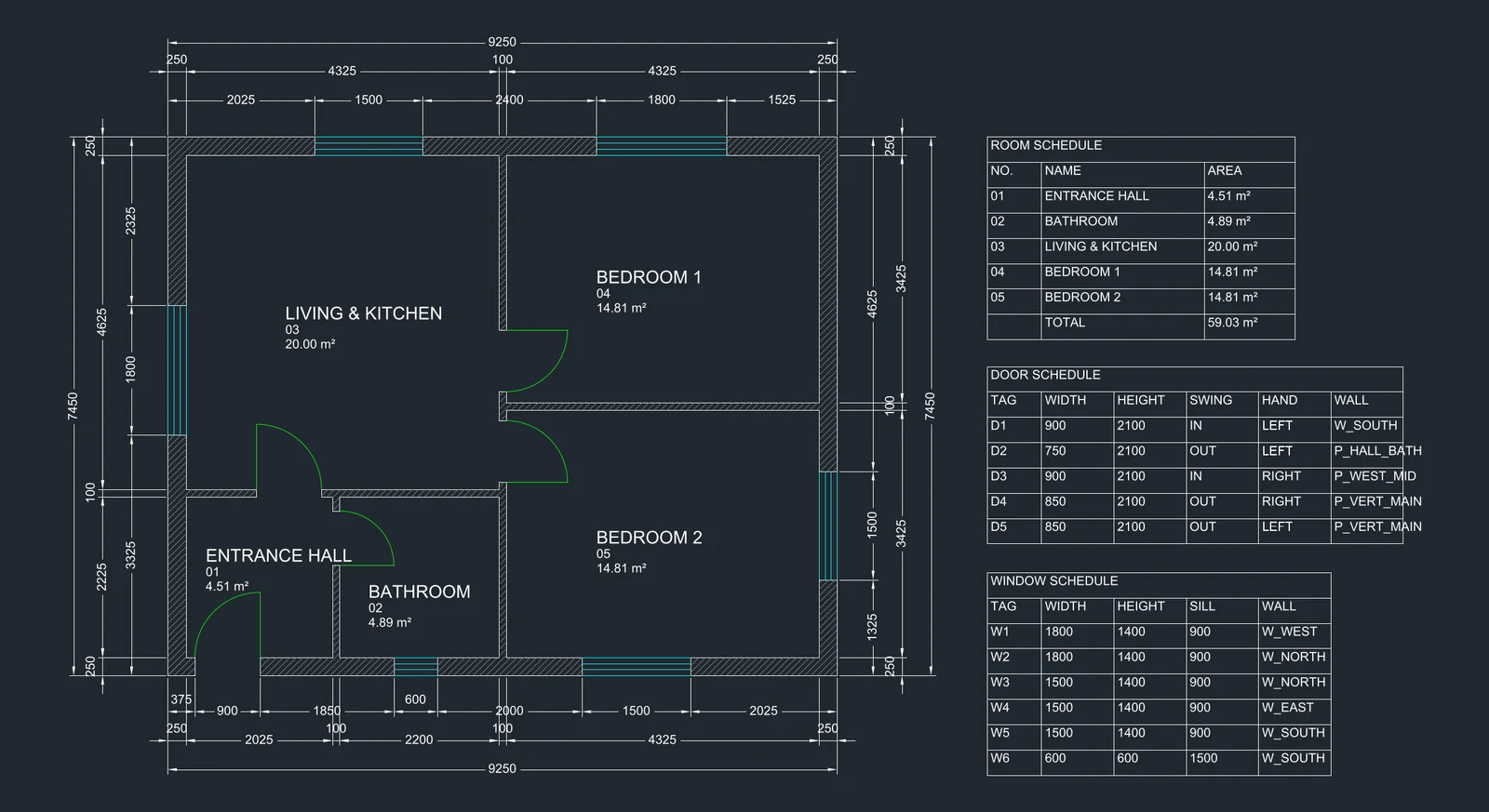
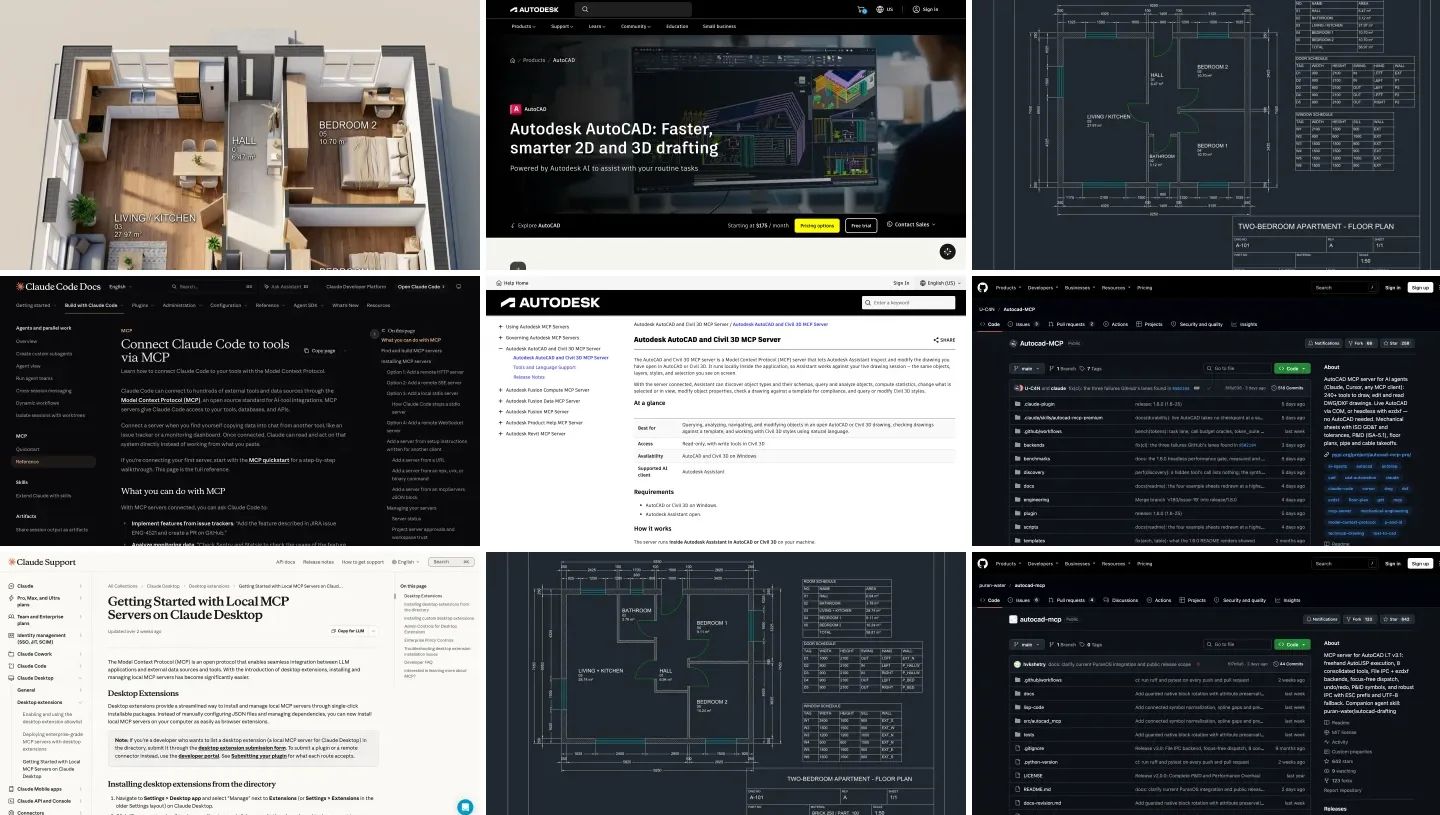
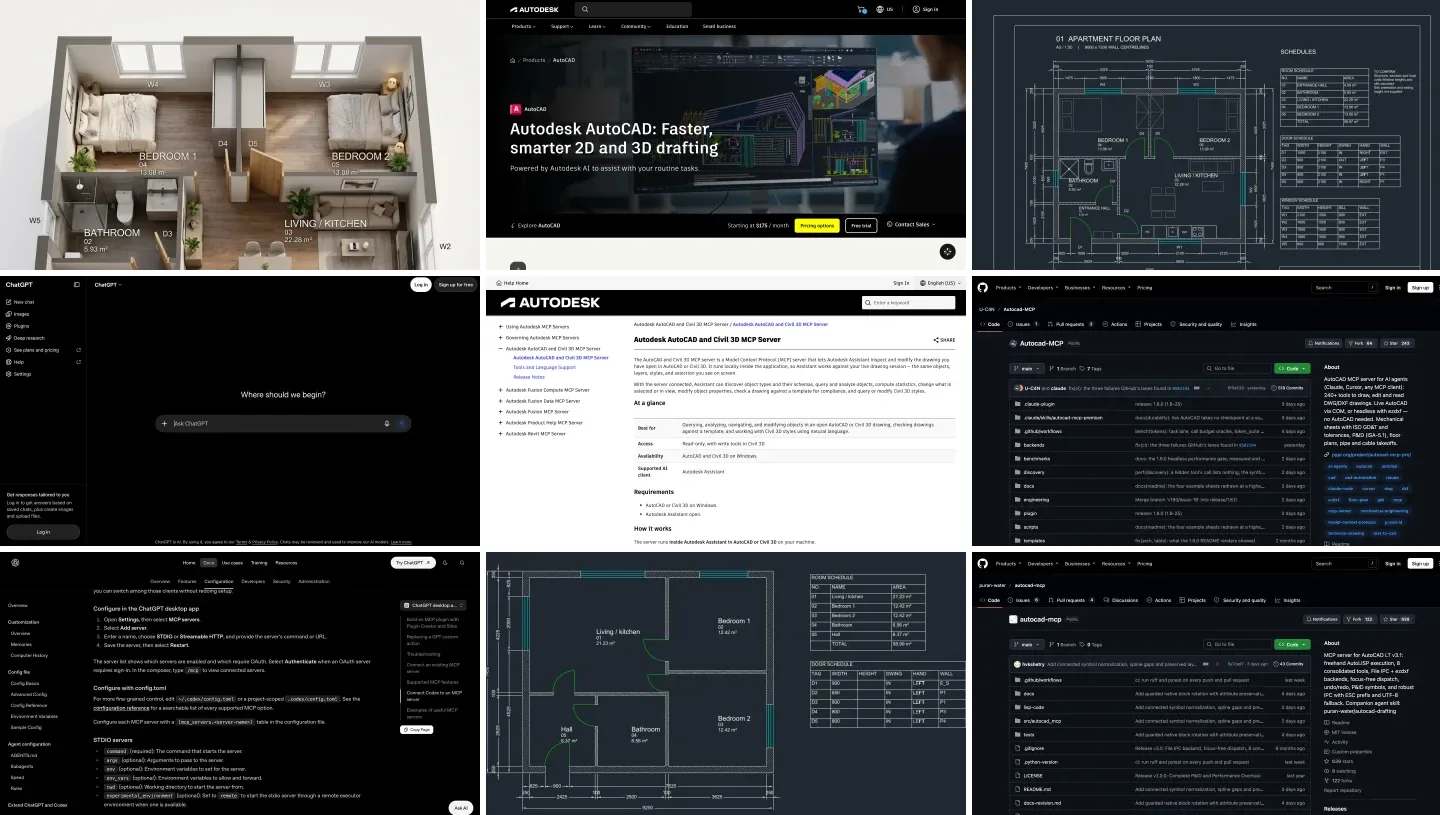
Gemini’s plan, reopened and rendered on our side. 2.1 minutes, 16 tool calls. Note the two bedroom doors on the living room wall, and no sheet frame.
| What we checked | Gemini 4 Argon | Verdict |
|---|---|---|
| Areas | Living 20.00 m², bedrooms 14.81 each, bathroom 4.89, hall 4.51, total 59.03; every label matches the wall geometry | Correct |
| Layout | Both bedrooms open off the living room; Gemini said so and offered to move the hall partition | Workable, honest about it |
| Doors and windows | Front 900 mm, bedrooms 850, bathroom 750; a window in every habitable room and the bathroom | The 750 mm bathroom door is tight |
| Sheet | Schedules and dimensions, but no A3 frame, no title block, no furniture or tags | Not a finished sheet |
| File units | Meters on millimeter geometry | Fix with UNITS before use |
| Its claim to have checked | “Verified and are clean and free of critique warnings”, with no critique call in the log | Unsupported |
| Cost and time | 2.1 minutes; 463,000 input tokens, 86% from cache, 5,915 output: about $0.23 | The cheapest of the three |
- Result
- Living 20.00 m², bedrooms 14.81, bathroom 4.89, hall 4.51
- Verdict
- Correct
- Result
- Bedrooms off the living room, flagged by Gemini
- Verdict
- Workable, honest about it
- Result
- Front 900 mm, bedrooms 850, bathroom 750; windows everywhere
- Verdict
- Bathroom door tight
- Result
- No frame, title block, furniture or tags
- Verdict
- Not a finished sheet
- Result
- Meters on mm geometry
- Verdict
- Fix with UNITS
- Result
- “Verified”, no critique call in the log
- Verdict
- Unsupported
- Result
- 2.1 minutes, about $0.23
- Verdict
- Cheapest of the three
The geometry is sound. I measured the rooms from the walls: the bedrooms are 4,325 by 3,425 mm clear, the living room 4,325 by 4,625, and every area label agrees to the hundredth. Gemini drew it in one call to the server’s plan tool, looked at a screenshot, noticed that one door connected the wrong rooms, and redrew the whole plan from scratch. That self-correction is real and worth noting.
The report is not. Before saving, Gemini posted a status line saying the layout, doors and schedules “have been verified and are clean and free of critique warnings”. The run log has no call to the critique tool or the verification tool. When I ran the critique myself afterwards it found nothing, so the statement happened to be true, but nothing had checked it. GPT-6 Astra did the same thing in our ChatGPT test; Claude was the only one of the three that said it had not verified its plan. The bedrooms opening off the living room are a design choice rather than an error, and Gemini, to its credit, flagged it and suggested extending the hall instead.
| Same brief, same server | Gemini 4 Argon | Claude Opus 5.5 | GPT-6 Astra |
|---|---|---|---|
| Time, cost | 2.1 min, about $0.23 | 2.6 min, $0.89 | 5.9 min, 1.46M input tokens |
| Bedrooms off | Living room | Hall | Living room |
| Finished sheet | No frame or title block | Frame, mechanical title block | Frame, title block, furniture, notes |
| File units | Meters (wrong) | Meters (wrong) | Millimeters |
| Said it verified? | Yes, without a check | No, and said so | Yes, after a failed check |
- Time, cost
- 2.1 min, about $0.23
- Bedrooms off
- Living room
- Sheet
- No frame
- Units
- Meters (wrong)
- Said it verified?
- Yes, without a check
- Time, cost
- 2.6 min, $0.89
- Bedrooms off
- Hall
- Sheet
- Frame, mechanical title block
- Units
- Meters (wrong)
- Said it verified?
- No, and said so
- Time, cost
- 5.9 min, 1.46M input tokens
- Bedrooms off
- Living room
- Sheet
- Frame, title block, furniture
- Units
- Millimeters
- Said it verified?
- Yes, after a failed check
About the units: the server writes new headless drawings with their units header set to meters, and Gemini, like Claude, did not change it. Insert the file into a millimeter drawing and it arrives a thousand times too big. Type UNITS and set millimeters, or ask Gemini to run drawing_apply_standard before saving. Price note: Google charges $2 per million input tokens and $10 per million output for Argon until November 30, 2026, then $4 and $20, so the same run costs about twice as much from December.
Which Gemini plan do you need for AutoCAD?
For reading drawings, none: Antigravity’s free tier includes Gemini 3.8 Flash. For drafting, use Gemini 4 Argon, which needs Google AI Pro ($19.99 a month in the US), Ultra or an Enterprise plan in Antigravity, or a paid API key. We did not test Flash on drafting, so we cannot tell you how far it gets; on the reading side it handled our Revit data test poorly, mixing net and gross areas, which is a reason to keep it to simple questions.
From Gemini’s AutoCAD plan to a client render
No AutoCAD server renders. MeltFlex does, and it is our product, so read this with that in mind. I exported Gemini’s plan as a black and white image and ran it through our floor plan to 3D tool with its default settings. It took 15.5 seconds.
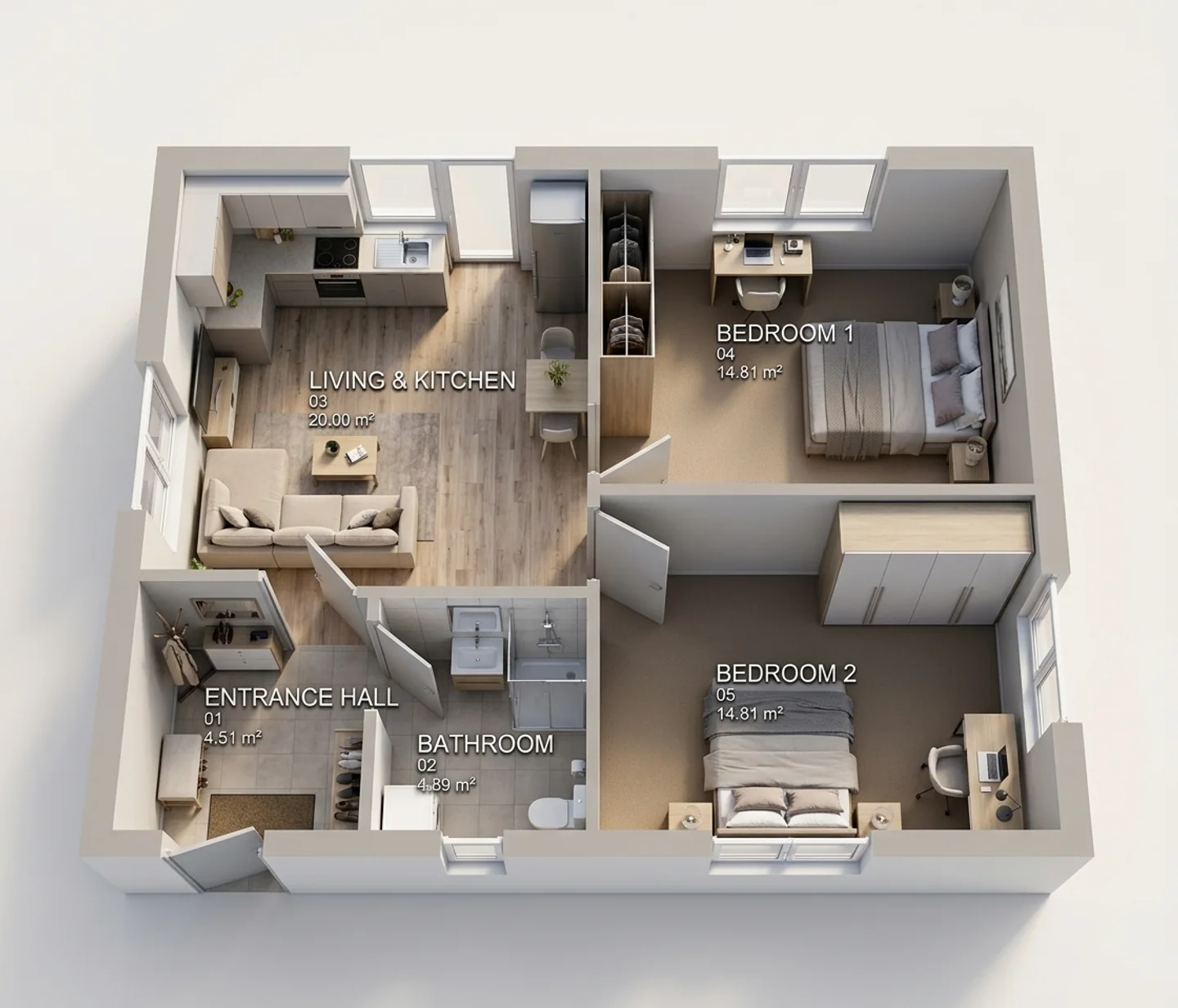
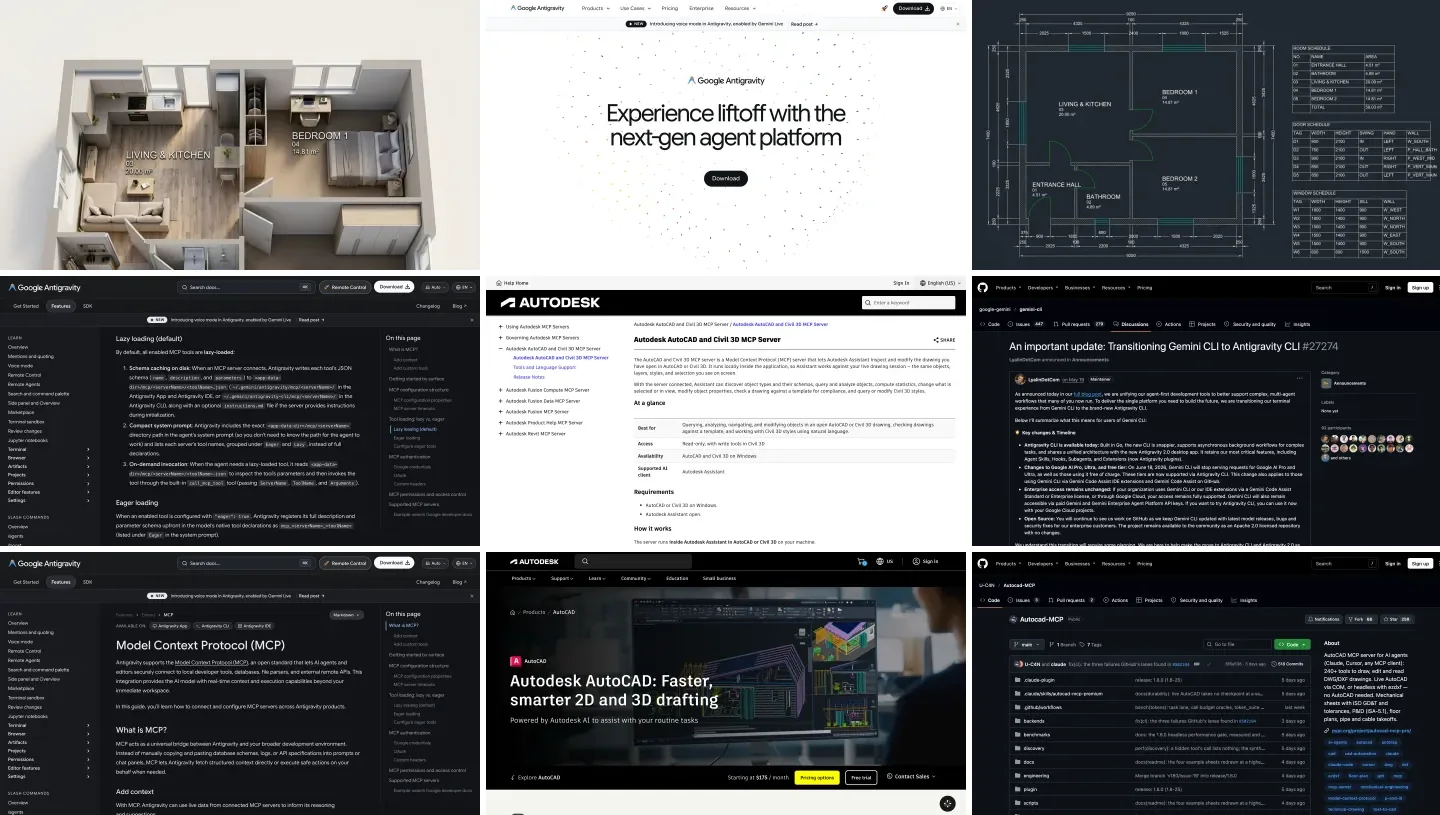
Gemini’s plan rendered by MeltFlex. All five rooms, the doors and the labels are where the plan has them, areas included. The west wall got an extra window and the north wall a glazed door the plan does not show.
The rooms, doors and every area label came through correctly, which was not the case for the Claude plan’s labels. The render did add an extra window to the living room and turned a window into a glazed door, so check openings against the plan before a client sees it. Our guide to 2D floor plan to 3D with AI compares the other tools that do this step.
Render an AutoCAD plan with MeltFlex
- Any plan image. Export the plan as PNG or PDF; walls, doors and labels are kept.
- About 20 seconds for a furnished isometric 3D view.
- Also in Antigravity. Our MCP server adds the same tool to Gemini.
- 15 free credits on a new account.
Should you use Gemini with AutoCAD?
If your office already lives in Google’s tools, or you want the cheapest capable model for repeat drafting jobs, yes, through Antigravity with Argon. It drew a correct plan fastest and cheapest of the three assistants we tested. If you are choosing from scratch, Claude is easier to set up with AutoCAD, because the servers are written for it, and in our test it drew the better layout and reported honestly. Whichever you use: check /mcp before you start, work on a copy, set the units, and read the drawing rather than the summary, because Gemini’s “verified” meant nobody had checked. For the theory behind a good plan, see how to draw a floor plan and floor plan symbols.
Sources and what we could not verify
Read on November 10, 2026: Autodesk’s AutoCAD and Civil 3D MCP Server page; Google’s Antigravity MCP documentation, the Gemini CLI transition announcement and the Gemini API pricing page; the GitHub pages of autocad-mcp-pro and puran-water/autocad-mcp. The Google AI Pro price is from our earlier Gemini guides. Quotes are word for word.
What we did not do: we did not run Antigravity, because it needs a Google account login; our test used Gemini CLI with an API key, which reaches the same Gemini 4 Argon. We did not drive a live AutoCAD on Windows. We ran one Gemini session, after one misconfigured attempt described above, so it is an example rather than a benchmark. We did not test Gemini 3.8 Flash on drafting.
Gemini and AutoCAD: FAQ
Can Gemini connect to AutoCAD?
Yes, through a community AutoCAD MCP server added to Google Antigravity or to Gemini CLI on the same computer as AutoCAD. Gemini can then read the drawing and draw walls, doors, dimensions and schedules. It does not work from gemini.google.com, and no AutoCAD server documents Gemini or Antigravity: you add it the same way as any local MCP server.
Does Autodesk's AutoCAD MCP server work with Gemini?
No. Autodesk's AutoCAD and Civil 3D MCP Server lists Autodesk Assistant as its only supported AI client and runs on Windows only. We checked the page on November 10, 2026.
Should I use Antigravity or Gemini CLI for AutoCAD?
Antigravity for most people: it is Google's supported agent app and command line tool, it runs on Google AI plans including free, and it loads MCP tool definitions lazily, which matters for a server with 68 tools. Gemini CLI still works with a paid Gemini API key and Enterprise licenses, but Google stopped serving free, Pro and Ultra accounts in it on June 18, 2026.
Which Gemini model is best for AutoCAD?
Gemini 4 Argon, the stronger model, which needs Google AI Pro, Ultra, Enterprise or a paid API key. In our test it drew a correct 59 m² apartment plan in 2.1 minutes for about $0.23 in API tokens. Gemini 3.8 Flash is free in Antigravity and fine for reading drawings; we did not test it on drafting.
Can I use Gemini with AutoCAD LT or on a Mac?
AutoCAD LT 2024 or later on Windows works through puran-water/autocad-mcp, which uses AutoLISP. On a Mac there is no live route; run autocad-mcp-pro headless and Gemini writes DXF files that you open in AutoCAD for Mac. Our test ran that way.
Is Gemini as good as Claude or ChatGPT at AutoCAD?
On our one brief it was the fastest and cheapest, its areas were exact and every room had a window, but it opened both bedrooms off the living room, drew no sheet frame, left the file units in meters and told us the plan had been verified without running the verification tool. Claude drew the better layout and admitted it had not checked; ChatGPT drew the fullest sheet.
Is it safe to let Gemini edit AutoCAD drawings?
On a copy, yes. Antigravity runs new MCP tools in Ask mode, so it asks before each call; keep that, allow only read tools by name, set the server's ALLOWED_PATHS to one project folder and check the units of every file it writes. Gemini CLI's --yolo flag approves everything and is not for client drawings.
Keep reading
- How to connect Gemini to 3ds Max, Max Ultra MCP in Antigravity and which Gemini model writes the best MAXScript.
- How to connect Claude to AutoCAD, the same test with Claude, the server comparison and the Claude Code plugin.
- How to connect ChatGPT to AutoCAD, with the approval modes measured in detail.
- How to connect Gemini to Revit, to Rhino and to SketchUp.
- Gemini extensions for architects and designers, the no-setup side of Gemini.
- AutoCAD MCP for architects and interior designers, the server landscape.
- Floor plan to 3D: turn an AutoCAD plan into a furnished render.
Audio version by MeltFlex AI
Listen to this article
Prefer to listen? This narrated video reads the full article, How to Connect Gemini to AutoCAD: Antigravity, MCP and a Real Test, in about 20 minutes. Every section is a chapter, so you can jump straight to the part you need while you browse rooms or sketch a layout.
Chapters (9)
More narrated articles on AI Interior Design MeltFlex