How to Connect Claude to Archicad: Archicad MCP in Claude Desktop and Claude Code

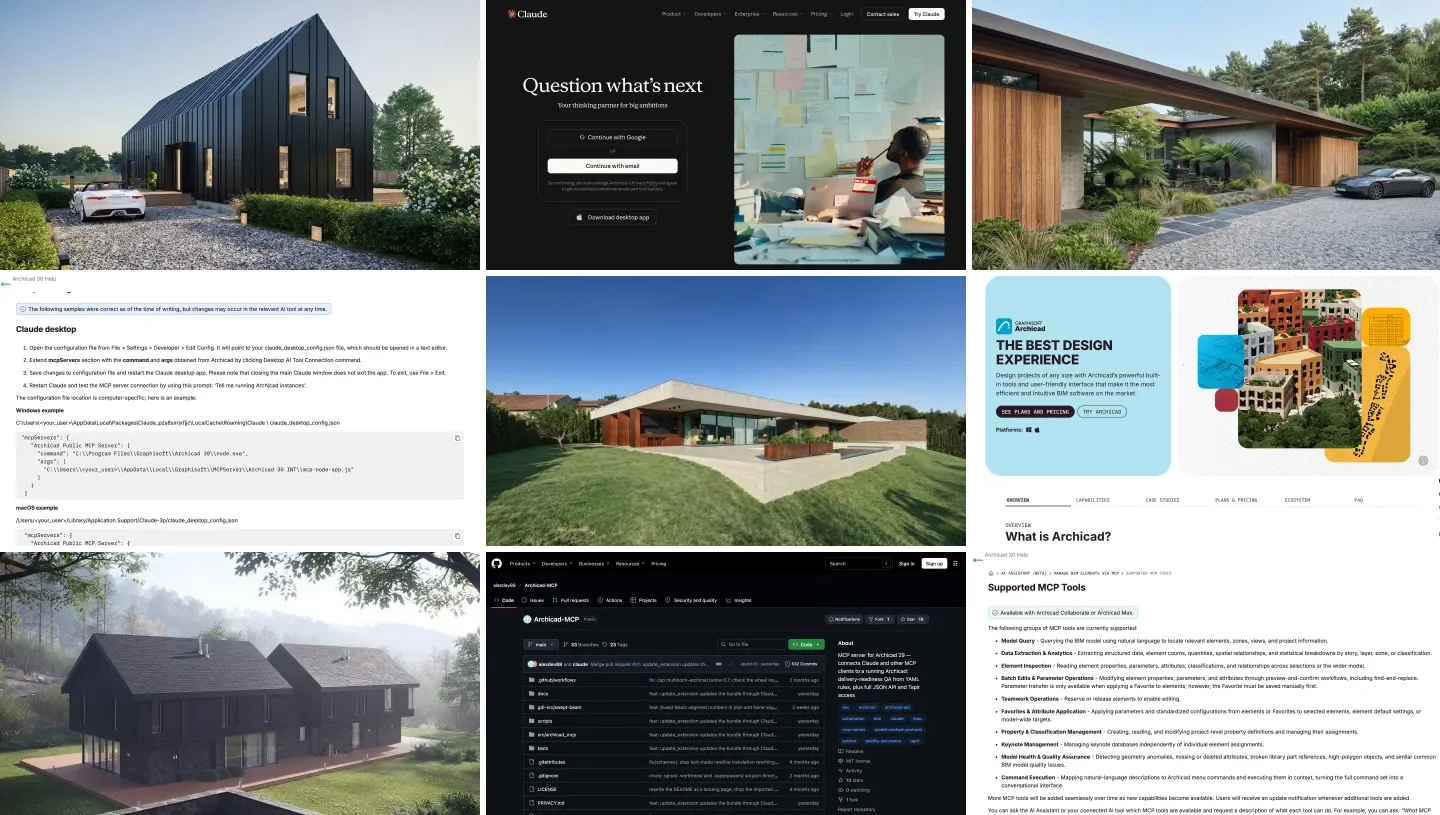
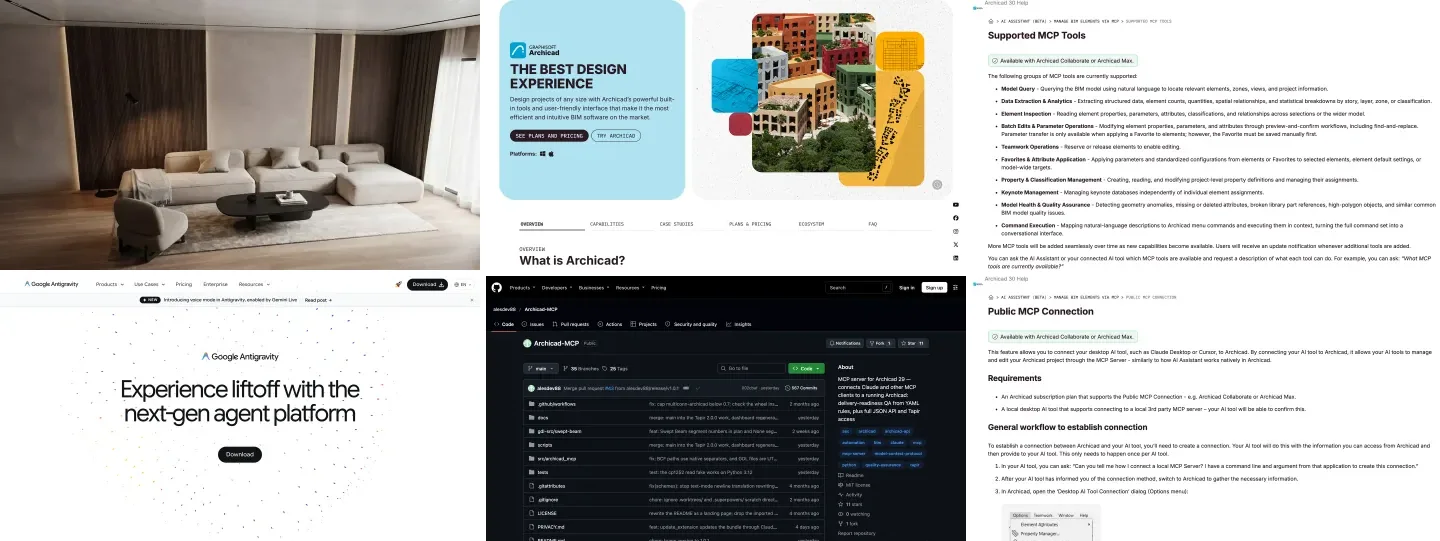
To connect Claude to Archicad, run an Archicad MCP server on the same computer as Archicad and add it to the Claude desktop app or to Claude Code. On Archicad 30 with a Collaborate or Max plan, the server is built in: copy the command from Options, Desktop AI Tool Connection into Claude’s config file. On Studio, Archicad 29 or older, install the free Tapir add-on and a community server, which in Claude Desktop can be a single extension file. Graphisoft’s own server still cannot create a wall. Tapir can.
Our articles are still written by humans!
Get human written articles in your Google feed.
I run MeltFlex, an AI rendering tool for architects and interior designers, and this is the Claude companion to our ChatGPT and Archicad guide. Graphisoft’s setup page names Claude Desktop before any other tool, so this is the route it was built for. On November 7, 2026, I reread Graphisoft’s Archicad 30 MCP pages, checked the four community servers at their latest releases and read their code, compared Graphisoft’s Claude instructions with a real Claude Desktop install on our Mac, and collected what architects who have tried it report: a licensed architect’s ten-task test of Claude Code on both Archicad servers, which I went through frame by frame, and the threads on Graphisoft’s forum. I did not run Archicad; what that leaves open is listed at the end.


The two products, from their own home pages on November 7, 2026. You need the desktop app, not the website: a web page cannot start a program next to Archicad.
The short version
- Use the Claude desktop app or Claude Code on the computer that runs Archicad. claude.ai in a browser cannot reach it. Which Claude works.
- Archicad 30 on Collaborate or Max: paste Graphisoft’s command into
claude_desktop_config.json. It checks and batch-edits data, asks before every change, and still cannot create elements. Setup. - Any other license, or you want walls: Tapir plus archicad-mcp-server, installed in Claude Desktop as one file with its own Python. Tapir route.
- What works today: data, not drawing. In a licensed architect’s ten-task test, Claude did 7 of 10 tasks on both servers, but only Tapir could create a wall. The tests.
- Two traps we found: Graphisoft’s macOS config path names a folder our Claude install does not have, and the most popular community server’s one-click download link has returned a 404 since November 4. Details.



Which Claude can connect to Archicad: Claude Desktop, Claude Code or claude.ai?
Every Archicad MCP server talks to Archicad over a local port, so it has to run on the same machine, and only the desktop app and Claude Code can start it. The choice between those two is mostly a choice of plan:
| Where you use Claude | Official Archicad 30 MCP | Tapir community servers | Claude plan |
|---|---|---|---|
| Claude Desktop, chat | Yes, through claude_desktop_config.json | Yes, as an extension file or through the config file | Free and up |
| Claude Cowork in the desktop app | Yes, same local servers | Yes; one architect remapped a whole library this way | Paid plans |
| Claude Code, or the desktop app’s Code tab | Yes, with claude mcp add | Yes | Pro and up |
| claude.ai in a browser, cloud sessions | No | No | n/a |
- Official MCP
- Yes, through the config file
- Tapir servers
- Yes, extension file or config file
- Plan
- Free and up
- Official MCP
- Yes, same local servers
- Tapir servers
- Yes
- Plan
- Paid plans
- Official MCP
- Yes, with claude mcp add
- Tapir servers
- Yes
- Plan
- Pro and up
- Official MCP
- No
- Tapir servers
- No
This is one place where Claude is easier than ChatGPT. Anthropic’s pricing page lists desktop extensions on the Free plan, so an architect can test the connection without paying Anthropic anything. What Free lacks is Claude Code and the Opus models. Start in Claude Desktop; move to Claude Code when you want Claude to model, for the permission reasons in the code check below.
How do you connect Claude Desktop to Archicad 30 with the official MCP server?
This is Graphisoft’s route, from its Public MCP Connection page. You need Archicad 30 on an Archicad Collaborate or Archicad Max subscription. Nothing to download: the server ships inside Archicad and runs on Archicad’s own Node.js.
- Start Archicad online and open a project. The tools register after a license check at startup; a user on Graphisoft’s forum found that when it failed offline, only the tool that lists Archicad instances was left.
- Copy the two values from Options, Desktop AI Tool Connection: the command (Archicad’s
node) and the argument (the path tomcp-node-app.js). - Open Claude’s config file from Settings, Developer, Edit Config, and add the server under
mcpServers, with your two values in place of these macOS ones:
{
  "mcpServers": {
    "archicad": {
      "command": "/Applications/Graphisoft/Archicad 30/Archicad 30.app/Contents/Frameworks/node",
      "args": ["/Users/you/Library/Application Support/Graphisoft/MCPServer/Archicad 30 INT/mcp-node-app.js"]
    }
  }
}- Quit Claude completely and reopen it. Graphisoft warns that “closing the main Claude window does not exit the app”; on Windows use File, Exit, on a Mac Quit.
- Test it with Graphisoft’s prompt, “Tell me running Archicad instances”, then ask which Archicad tools Claude has.
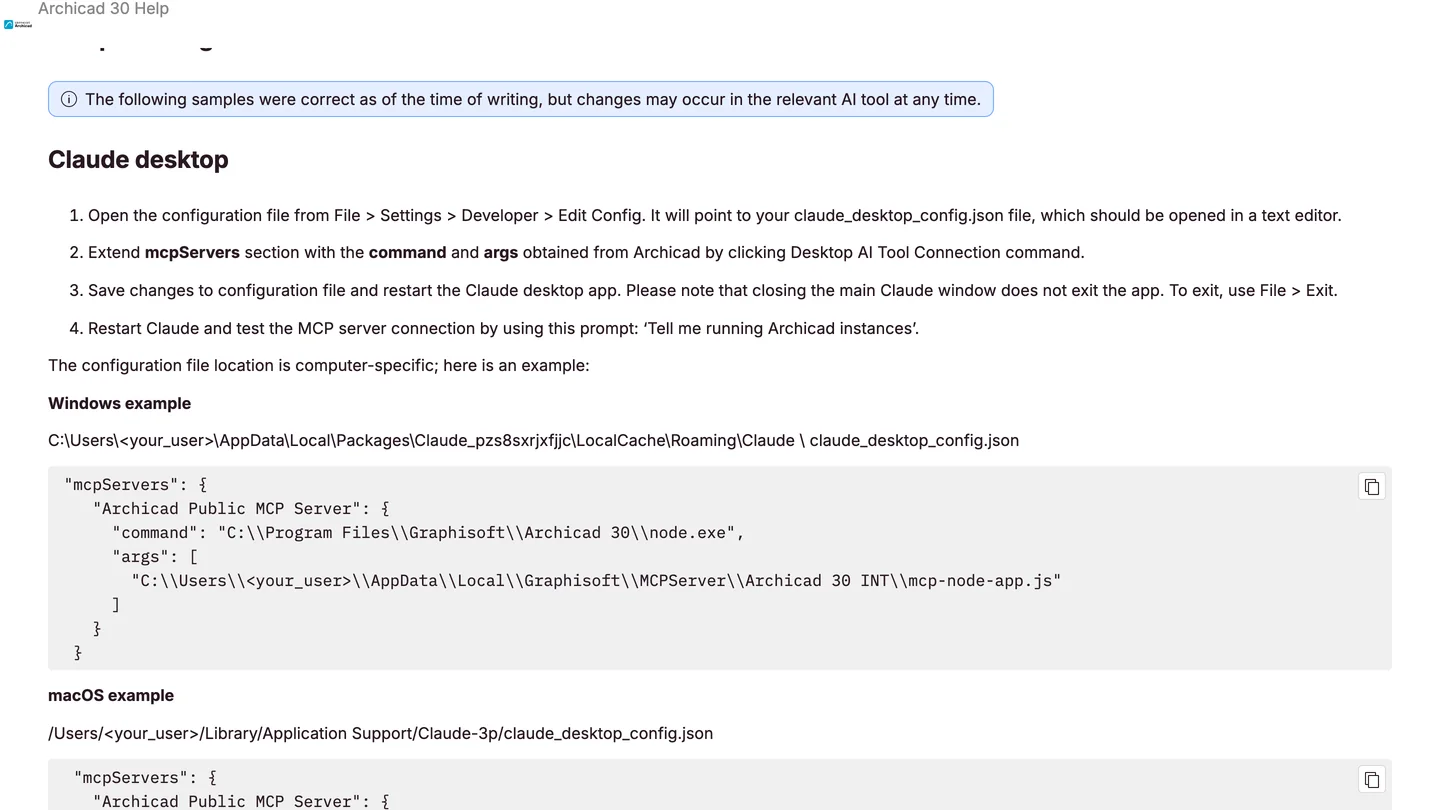
Graphisoft’s Claude instructions, November 7, 2026. The Windows path is the Microsoft Store build’s; the macOS path names a Claude-3p folder.
In Claude Code the same server is one command, with the same two values: claude mcp add --scope user archicad -- "<command>" "<argument>". The --scope user part makes it available in every folder you open Claude Code in; without it, the server exists only in the current one.
Two traps in the Claude setup
The macOS path on Graphisoft’s page. Its example is ~/Library/Application Support/Claude-3p/claude_desktop_config.json. On our Mac, with Claude Desktop 3.1623.3 installed the normal way, the folder is ~/Library/Application Support/Claude and there is no Claude-3p folder at all. If you create the file where Graphisoft shows it, Claude may never read it and the server silently does not appear. Open the file through Edit Config, which always opens the one Claude actually uses.
The Windows path depends on where you installed Claude. Graphisoft’s example is the Microsoft Store build’s folder, AppData\Local\Packages\Claude_pzs8sxrjxfjjc\.... The tapir-archicad-mcp README warns the other way round: the Store build “does not read the %APPDATA%\Claude\claude_desktop_config.json that everyone documents.” Same fix: Edit Config.
What can Claude do through the official Archicad MCP, and what can’t it?
It can find, count, inspect and fix: model queries, quantities by story or zone, property and classification edits with a preview first, Favorites applied across a model, model health checks, keynotes, Teamwork reservations, and running Archicad menu commands by name. Graphisoft’s Supported MCP Tools page is unchanged since we read it on November 3, and it still lists nothing that creates, moves or deletes elements. Every change needs your approval and is “applied as a single undoable operation.”
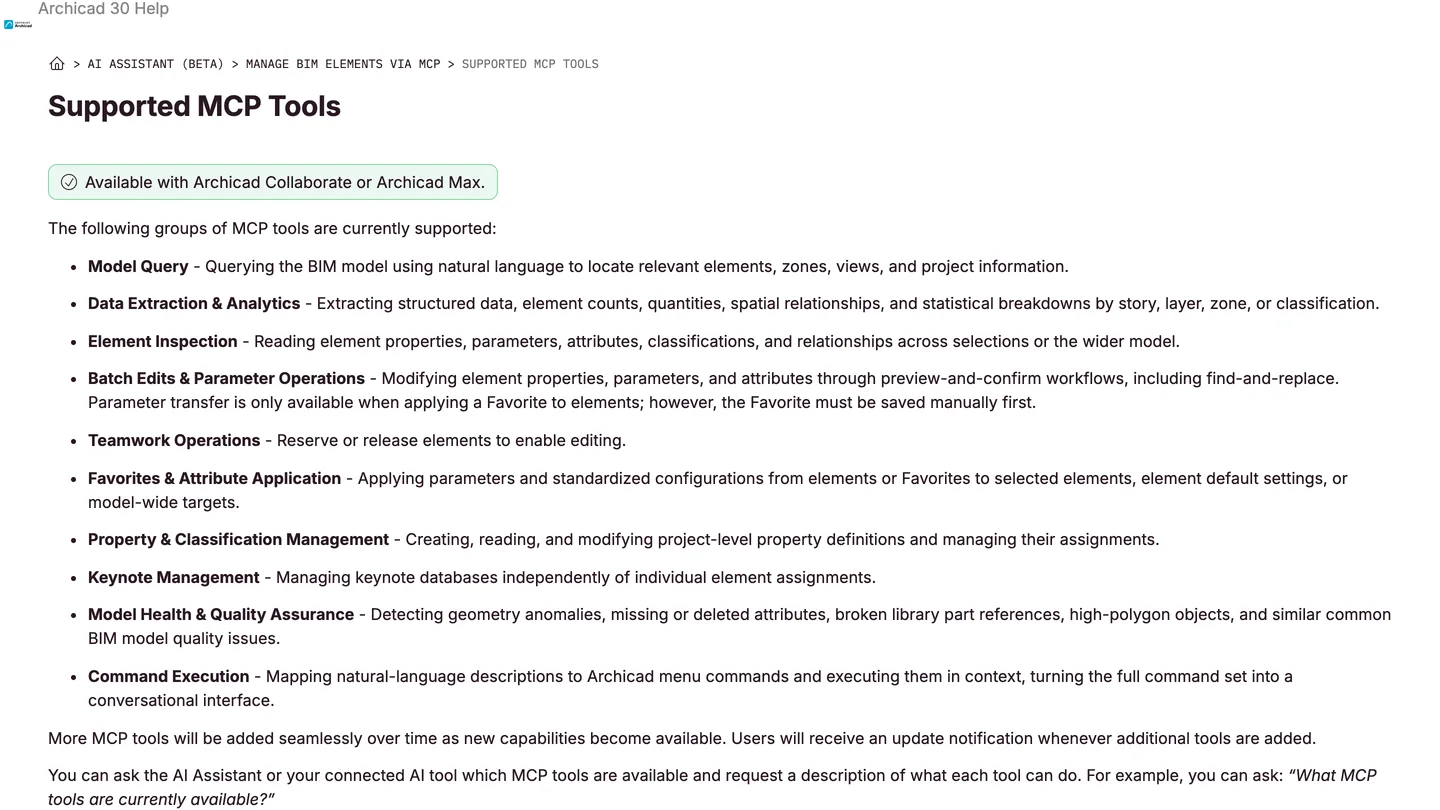
The official tool list on November 7, 2026: ten groups, all working on elements that already exist.
The promised modeling tools have a Claude angle. On Graphisoft’s forum in October, Product Designer Mohamed Raslan explained the wait: “3D spatial reasoning through LLMs was only possible in the past few weeks through the frontier models like Claude OPUS 5.5 and GPT Astra.” He gave the end of October and the end of November; as of November 7 the first date has passed without a release note. The tools arrive without a new install, so ask Claude for its tool list now and then.
Three limits from Graphisoft’s own limitations and tips pages will cost you time if nobody tells you. Edits apply only to visible elements unless your prompt says otherwise, so “all walls” means the walls on the active story. A number without a unit can be read in meters: Graphisoft’s example is “50” becoming 50 meters. And a warning dialog in Archicad blocks every request until a person clicks it, which on a second monitor looks exactly like Claude hanging.
How do you connect Claude to Archicad with Tapir on Studio or Archicad 29?
Tapir is a free, MIT-licensed add-on, version 1.8.0 since November 2 with 228 GitHub stars, that adds hundreds of commands to Archicad’s built-in JSON interface, including the ones that create and change elements. It works on any license from Archicad 25 to 30. Tapir is not an MCP server itself; one of these sits on top of it and talks to Claude:
| Server (latest, Nov 7) | Claude Desktop install | Archicad | Reads vs changes | Watch out for |
|---|---|---|---|---|
| archicad-mcp-server (alesdev88) 0.14.0 | One .mcpb file with its own Python, 49 to 59 MB | 29, and 30 per its docs; Mac and Windows | Marked per tool: 22 read, 37 change | No Intel Mac bundle |
| tapir-archicad-mcp (Szamosi) 0.6.7 | .mcpb file, needs uv installed | Any with a matching Tapir | One tool runs every command, marked destructive | 0.6.8 download link 404s |
| ArchiBridge (ayoubmep) | PowerShell one-liner or a prompt in Claude Code | 25 to 30, Windows only | Separate read and modify tools | Six days old, 4 stars |
| archicad-mcp (lgradisar) 1.1 | Config file, by hand | 25 to 29 | Read-only and safe modes | Older Tapir definitions |
- Install
- One .mcpb file with its own Python
- Archicad
- 29, and 30 per its docs
- Reads vs changes
- Marked per tool: 22 read, 37 change
- Watch out
- No Intel Mac bundle
- Install
- .mcpb file, needs uv
- Archicad
- Any with a matching Tapir
- Reads vs changes
- One tool runs every command
- Watch out
- 0.6.8 download link 404s
- Install
- PowerShell one-liner or a Claude Code prompt
- Archicad
- 25 to 30, Windows only
- Reads vs changes
- Separate read and modify tools
- Watch out
- Six days old, 4 stars
- Install
- Config file, by hand
- Archicad
- 25 to 29
- Reads vs changes
- Read-only and safe modes
- Watch out
- Older Tapir definitions
My pick for Claude is archicad-mcp-server by alesdev88, released as 0.14.0 on November 6. It is small, with 10 stars, but it is the only one that installs in Claude Desktop with nothing else on the machine: since 0.13.1 the bundle “carries its own Python”, so there is no uv, no PATH and no JSON to edit. It also checks a model against office standards written as YAML rules, which is the most practical job for Claude in Archicad today.
- Download the bundle for your platform from the latest release:
win32for Windows,darwin-arm64for Apple silicon. Intel Macs use the manual install in its docs. - Install it in Claude Desktop. The README says drag it into Settings, Extensions; Anthropic’s help article gives the menu route, Advanced settings, Install Extension. The extension settings then show the mode, a folder for your office rules and a ceiling for property reads.
- Install Tapir by asking Claude to run
install_tapir. It does a dry run first, checks the file’s checksum, and never replaces an existing Tapir unless told to. Restart Archicad. - Test it: ask Claude to list Archicad instances. The answer shows the Archicad version, the open project and the Tapir version, and says what is missing.
In Claude Code it is two commands, after installing uv: uv tool install archicad-mcp-server, then claude mcp add --scope user archicad -- archicad-mcp --mode full. One catch with the extension: Claude Desktop updates only extensions from Anthropic’s directory, so a bundle installed from a file stays on its version until you install a newer one. The server has an update_extension tool for that.
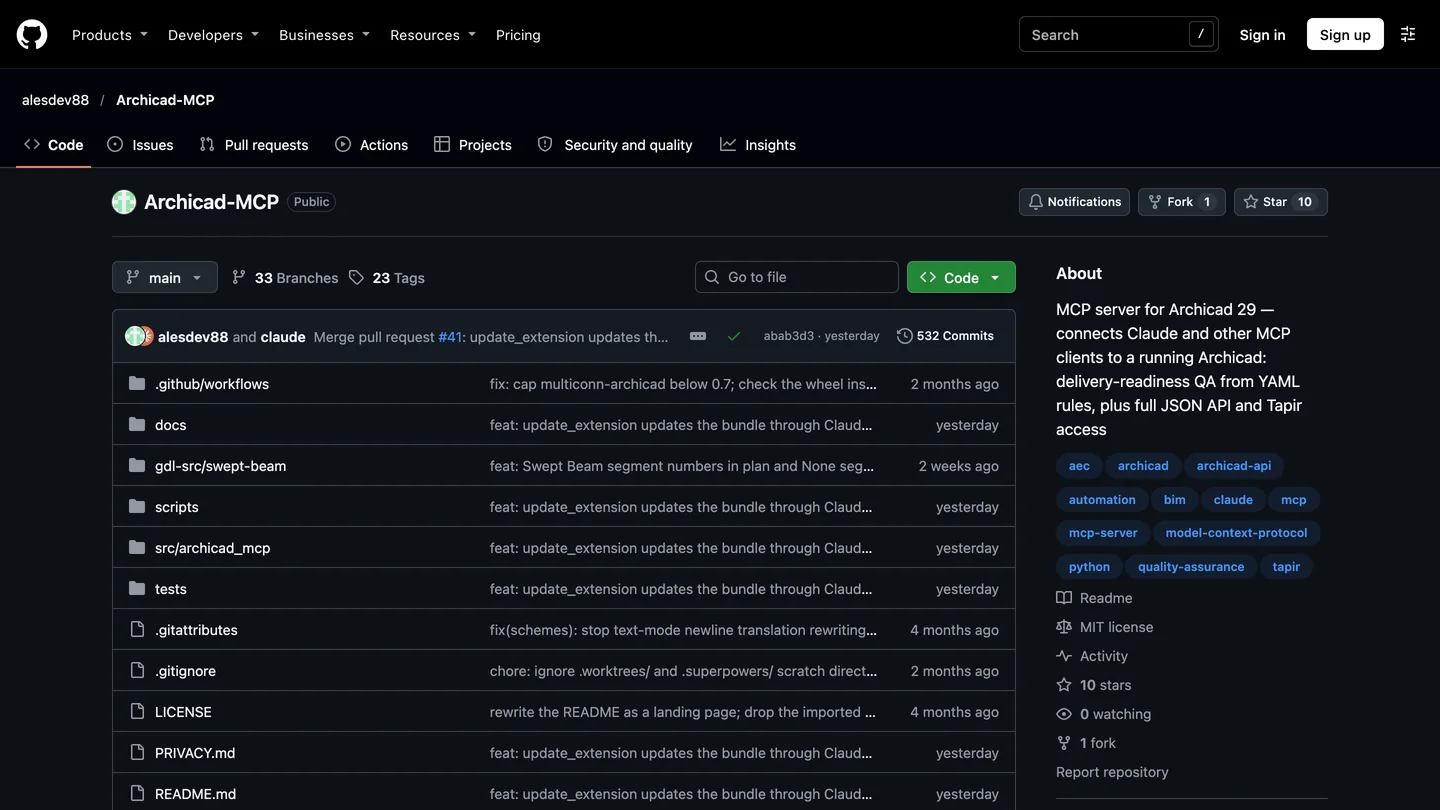
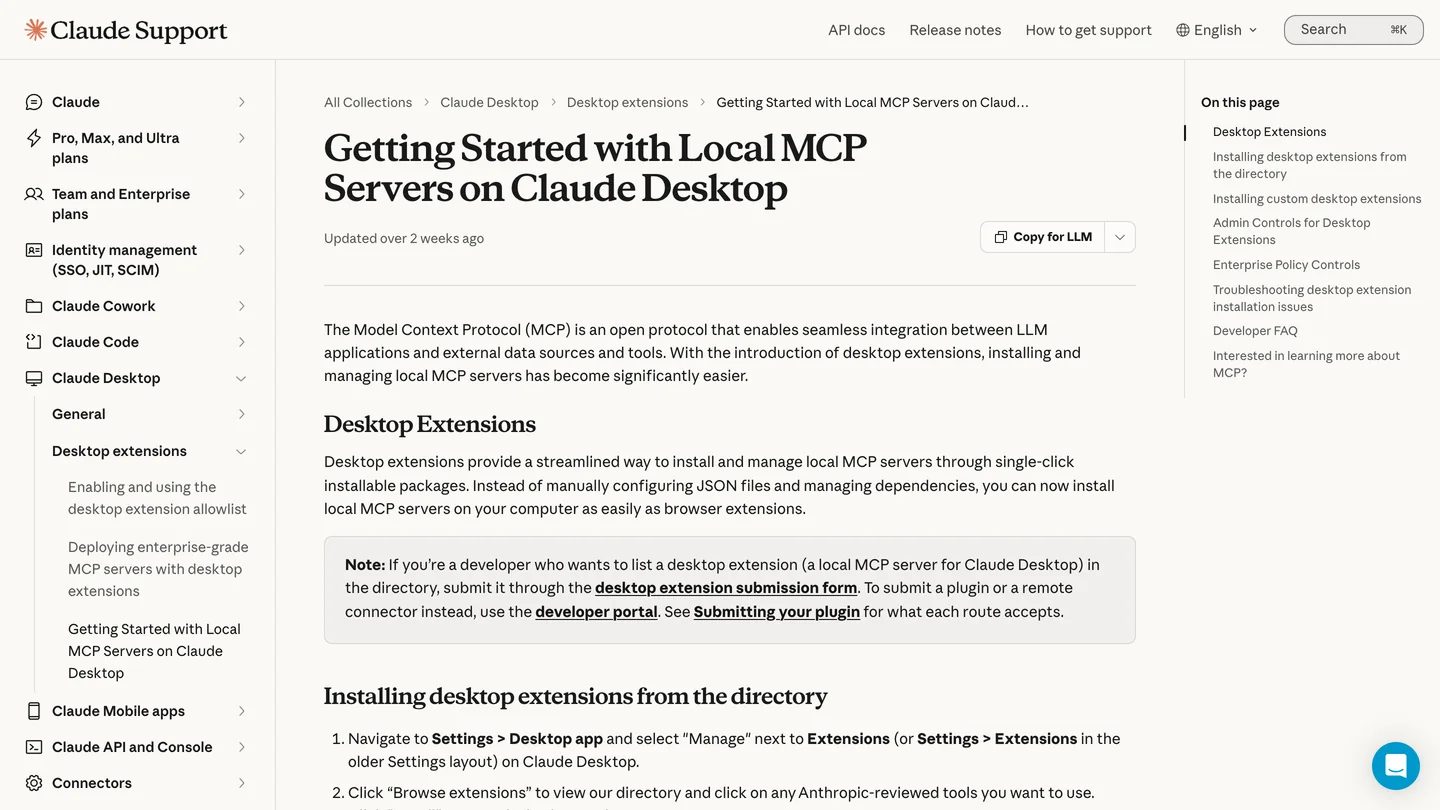
archicad-mcp-server on GitHub and Anthropic’s page on desktop extensions, November 7, 2026. Note the co-author on the latest commit: the server is itself built with Claude.
The alternative is tapir-archicad-mcp by Máté Szamosi, the most popular Archicad MCP server with 132 stars, written with Claude Desktop in mind. Its one-click route is broken right now. The README links to releases/latest/download/tapir-archicad.mcpb, but version 0.6.8, published on November 4, has no files attached, so that link returns a 404. PyPI is also still on 0.6.7. Take tapir-archicad.mcpb from the 0.6.7 release page instead, which 261 people had downloaded by November 7, and have uv installed, because this bundle uses it to build its Python on first start. Expect 15 to 30 seconds of nothing on that first launch.
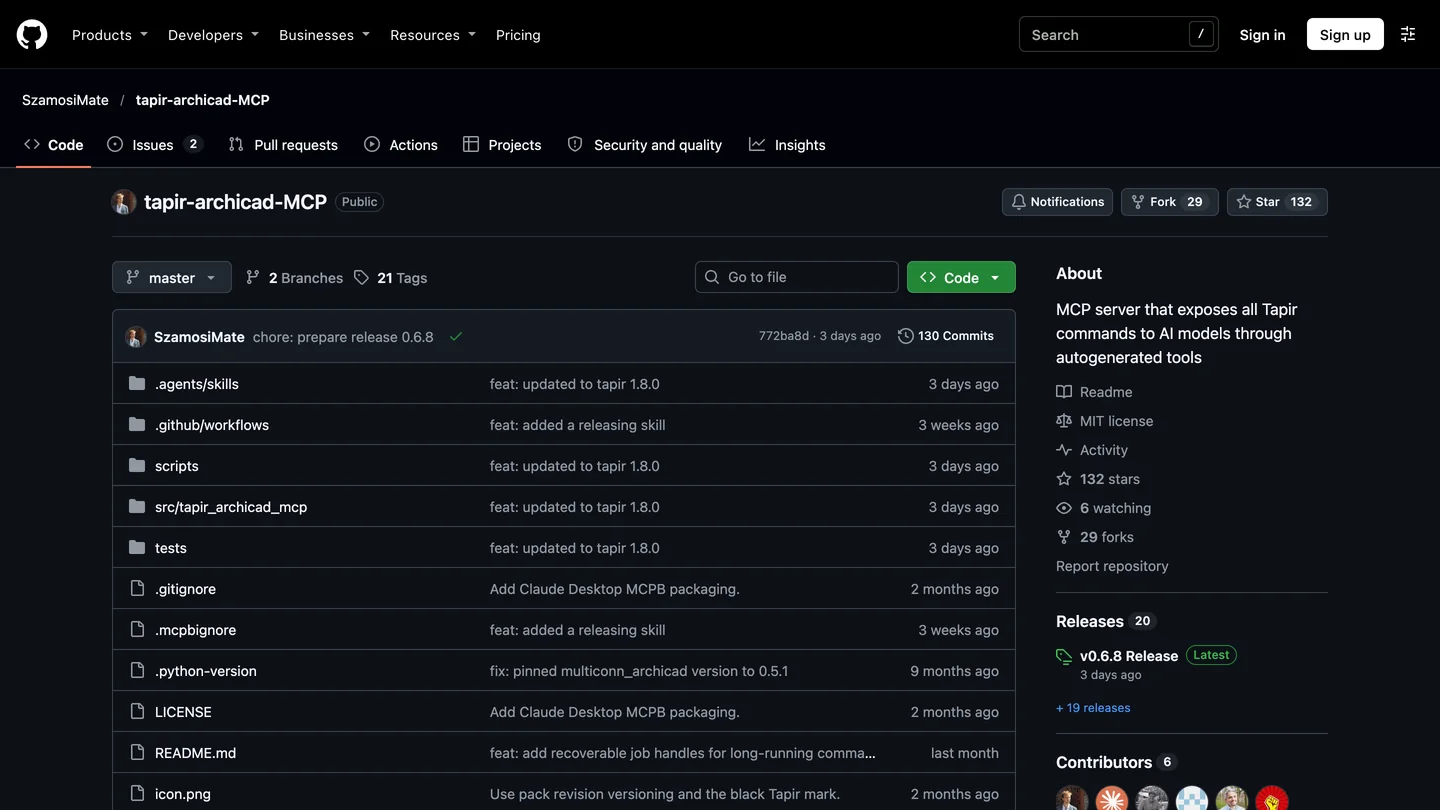
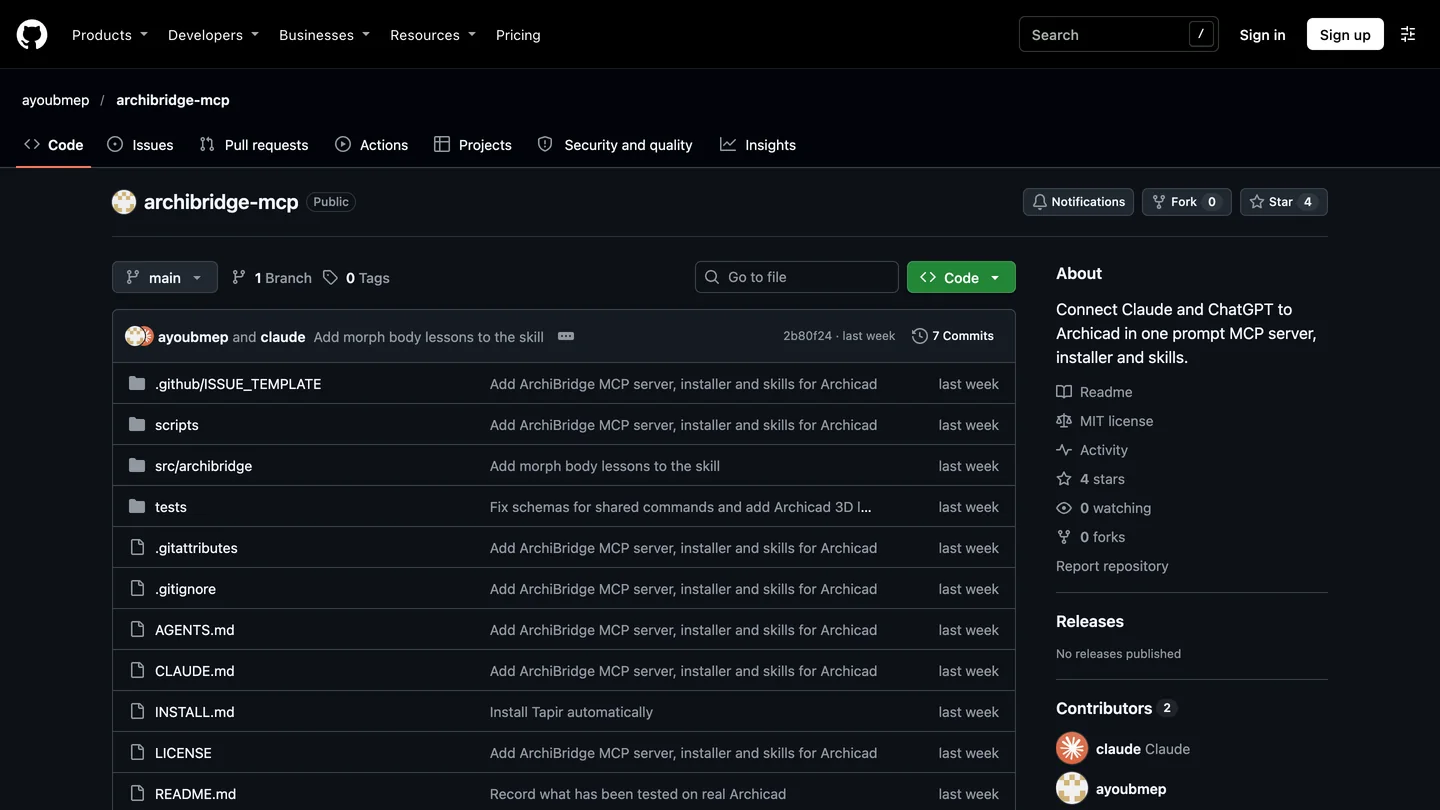
tapir-archicad-mcp and ArchiBridge on GitHub, November 7, 2026. Its 0.6.8 release is marked Latest but ships no files.
ArchiBridge is the newest, created on November 1, and the only one that says outright it supports Claude Desktop on the free plan. Its install is a PowerShell line that pipes a script from GitHub straight into the shell, or a prompt that asks Claude Code to install it for you. Read install.ps1 before you run either: it downloads uv and Tapir and writes your Claude config. Its design is sensible, and its README is honest about how little it has been tested: one Archicad build, on Windows 11.
Can Claude tell reading your model from changing it? Our code check
This decides how safe “Always allow” is. Claude Desktop and Claude Code both ask before running an MCP tool, and you can approve a tool once or for good. Approving a tool for good is only safe if that tool cannot change the model. So I read the latest source of the three Tapir servers on November 7 and counted how each one labels its tools with the MCP readOnlyHint and destructiveHint marks.
| Server | Tools Claude sees | How reads and changes are split | Safe to always allow |
|---|---|---|---|
| archicad-mcp-server 0.14.0 | 61 in the bundle’s list | Each tool marked on its own: 22 read only, 37 changing | Every read tool, such as find_elements |
| ArchiBridge | 7 | archicad_read or archicad_modify, chosen by the command’s name | archicad_read |
| tapir-archicad-mcp 0.6.8 | 5 | All 400-plus commands run through archicad_call_tool, marked destructive | Nothing that does real work |
- Tools
- 61
- Split
- Per tool: 22 read only, 37 changing
- Always allow
- Every read tool
- Tools
- 7
- Split
- archicad_read or archicad_modify, by command name
- Always allow
- archicad_read
- Tools
- 5
- Split
- Every command through one destructive tool
- Always allow
- Nothing that does real work
With tapir-archicad-mcp you choose between approving every wall count by hand and letting deletes through unasked; the same design is why our ChatGPT guide picks another server. ArchiBridge’s split is better but blunt: its code treats any command whose name starts with “Get” or “Is” as a read and everything else as a change, and its README warns that if you choose “always allow” for the modify tool, “it stops asking.” alesdev88’s server is the only one where the label sits on each tool, and changes run as a dry run first, with deletes and moves also needing confirm=true.
In Claude Code you can write that policy down once. Anthropic’s permission rules match MCP tools by name, as mcp__server__tool, so a project’s .claude/settings.json can allow the reads and leave every change behind a prompt:
{
  "permissions": {
    "allow": [
      "mcp__archicad__list_instances",
      "mcp__archicad__find_elements",
      "mcp__archicad__get_element_data",
      "mcp__archicad__get_model_summary",
      "mcp__archicad__audit_delivery_readiness"
    ]
  }
}
The names assume you registered the server as archicad. Against tapir-archicad-mcp the same rule has nothing useful to name: allowing mcp__archicad__archicad_call_tool allows every command, including deletes.
What did architects find when they tested Claude in Archicad?
The most careful public test comes from a licensed Japanese architect who publishes as 建築志ドットコム-Fu:nature-. On October 14 the author ran Claude Code with Opus 5.5 against Archicad 30 with both servers connected at once, the official MCP and Tapir, and published the logs as two videos. I went through both by their descriptions and storyboard frames. In part one, Claude got the same ten tasks on each server:
| Task | Official Archicad MCP | Tapir MCP |
|---|---|---|
| Create a wall from coordinates and a height | No: none of the 49 tools Claude saw could | Yes |
| Switch the current view’s layer combination | Yes | No |
| Increase the walls to 101, then read them all | Read all of them; could not add walls | Both |
| The other seven, such as finding walls, writing a property and reading it back, and reading keynotes | Yes | Yes |
- Official MCP
- No: none of its 49 tools could
- Tapir
- Yes
- Official MCP
- Yes
- Tapir
- No
- Official MCP
- Read all; could not add
- Tapir
- Both
- Official MCP
- Yes
- Tapir
- Yes
Two details from the author’s notes matter more than the table. The whole request took 7 minutes 45 seconds, and Claude spent 2.6 seconds of it waiting for the official server and 3.9 seconds for Tapir; single calls took 0.05 to 1.1 seconds. Archicad is not what you wait for; Claude’s thinking is. And Claude’s own summary of the difference, shown word for word in the video: the official server groups elements by condition and passes them around as an invisible handle, while Tapir passes every element’s ID in each call, so with 101 walls the calls get long. That is why part two connected both and let Claude choose.

Part two: 建築志ドットコム-Fu:nature-, “Archicad 30 × Claude Code: the AI chooses between the official MCP and Tapir”, October 21, 2026, 11 min 23 s, in Japanese. Part one, with the ten-task comparison, came out on October 16.
- Claude split the work by itself. It used Tapir to create and move elements, and the official MCP to find the exterior walls, write IDs into them and switch views, the pairing a BIM manager also recommends on Graphisoft’s forum: “The AI client will use both.”
- Eight editing tasks, six done directly. The other two needed a workaround: a vertical section came out only after Claude tried another orientation and redrew it, and room names with areas did not display, so it used a label that reads them from the zones.
- One request built a three-storey, 12 by 8 m building with 3 m floor heights, 12 walls, 3 slabs and 18 columns, then tagged the exterior walls EW-1F to EW-3F and lit each storey in 3D.
- It caught its own mistake. Asked for 20 cm slabs, Archicad made them at the default 30 cm build-up; Claude read the model back, noticed, and corrected all three.
- It is not hands-off. The two sessions took 198 and 88 tool calls, and the second sat for about 11 minutes on an Archicad confirmation dialog until a person clicked it.
The reports on Graphisoft’s own forum point the same way. In February, Eric Batte posted a thread titled “I’m using Claude Cowork to fix all of my (global) library problems and it is amazing”: Claude Cowork, the Tapir MCP and Archicad’s API documentation mapped the office’s old Archicad 23 library parts onto Archicad 29’s global library, sorted into exact matches, likely matches and a pile for manual review. In March, Martin Jan Rosa showed Claude’s computer use clicking through Archicad with no MCP at all; a reply called it experimental and too slow for real work, and Rosa’s own post says MCP is far more efficient. And under a thread titled “Archicad 30 MCP is useless”, about the missing wall tool, a Graphisoft reply said the MCP is in beta and still growing.
The skeptics are worth hearing too. A Reddit user who built create tools on top of Tapir found it “frustratingly difficult to get any real productive work out of it”, and turned each workflow that worked into a Python script. Our own Rhino living room test ended in the same place: Claude builds tidy, correct geometry when it checks its own work, and not reliably otherwise. Today Claude earns its keep in Archicad on data: libraries, properties, classifications and checks. For modeling, give it one storey or one task at a time, with units in writing, and have it read back what it built.
Which Claude plan do you need for Archicad?
| Claude plan | Price (US) | What you get for Archicad | Good for |
|---|---|---|---|
| Free | $0 | Claude Desktop with extensions, Sonnet and Haiku, no Claude Code | Testing the connection, counts and checks |
| Pro | $20 a month, $17 billed yearly | Claude Code and Opus | The realistic starting point |
| Max | $100 a month | 5 times Pro usage | Daily modeling sessions of 100-plus tool calls |
| Team | $25 per seat a month, $20 billed yearly | Claude Code, admin controls; owners can push an extension to everyone | Offices rolling one setup out |
- Price
- $0
- For Archicad
- Claude Desktop with extensions, no Claude Code or Opus
- Good for
- Testing, counts and checks
- Price
- $20 a month, $17 billed yearly
- For Archicad
- Claude Code and Opus
- Good for
- The realistic start
- Price
- $100 a month
- For Archicad
- 5 times Pro usage
- Good for
- Daily modeling sessions
- Price
- $25 per seat a month, $20 yearly
- For Archicad
- Admin controls, extension rollout
- Good for
- Offices
Prices from Anthropic’s pricing page on November 7, before tax. The tool-call counts in the video are the reason to budget for more than Pro if Claude is going to model: every look at the Archicad window is a call, and each screenshot Claude studies adds to your usage. The bigger bill is on the Graphisoft side: the official MCP needs Collaborate ($2,840 a year) or Max ($5,700) rather than Studio ($2,414), per Graphisoft’s US page when we checked on October 25 for our BIM software comparison. Tapir costs nothing on any of them.
Is it safe to let Claude edit an Archicad project?
- Save first, work on a copy. archicad-mcp-server’s README warns that “Archicad 29 can crash on a property read, even of one element, taking unsaved work with it.”
- Never always-allow a tool that changes the model. Allow reads; approve changes one by one. That is the whole point of the table above.
- Keep Teamwork projects out until you trust the setup. Community servers can send and receive Teamwork changes; ArchiBridge refuses those commands unless you set its policy to
full. - Mind client data. The servers stay on your machine and talk only to Archicad on 127.0.0.1, but what Claude reads, property values, names and window captures included, goes to Anthropic. Check your contract and your plan’s data settings.
What should you use with Claude and Archicad? AIBIMTool before, MeltFlex after
The tests above leave two gaps: Claude is slow at starting a building from nothing, and none of these servers renders. Two tools fill them. Both are made by the company behind this blog, so weigh what follows with that in mind; nobody else paid to be mentioned.
Before Archicad: a first model from the brief with AIBIMTool
Through MCP, a plain three-storey box took Claude 88 to 198 tool calls with a person watching, and Graphisoft’s own server cannot place a wall at all. AIBIMTool does that first step outside Archicad: describe the building, upload the brief, mark the plot, and it generates an editable concept model with a room program and floor plans, which you export as IFC. Archicad opens IFC files directly, with File, Open, or merges one into an existing project. From there Claude does what the tests above show it is good at: classifying elements, filling properties and checking them against your office rules.
Know the limits before you try it. It is a concept-stage tool: its own page describes massing, programs, and export to Revit and Rhino, and it does not name Archicad. We have not opened one of its IFC files in Archicad 30, so after import check the walls, slabs and openings, as you would with any IFC. The client logos, user count and ratings on its home page are its own marketing; judge it on the free start with one of your own briefs.
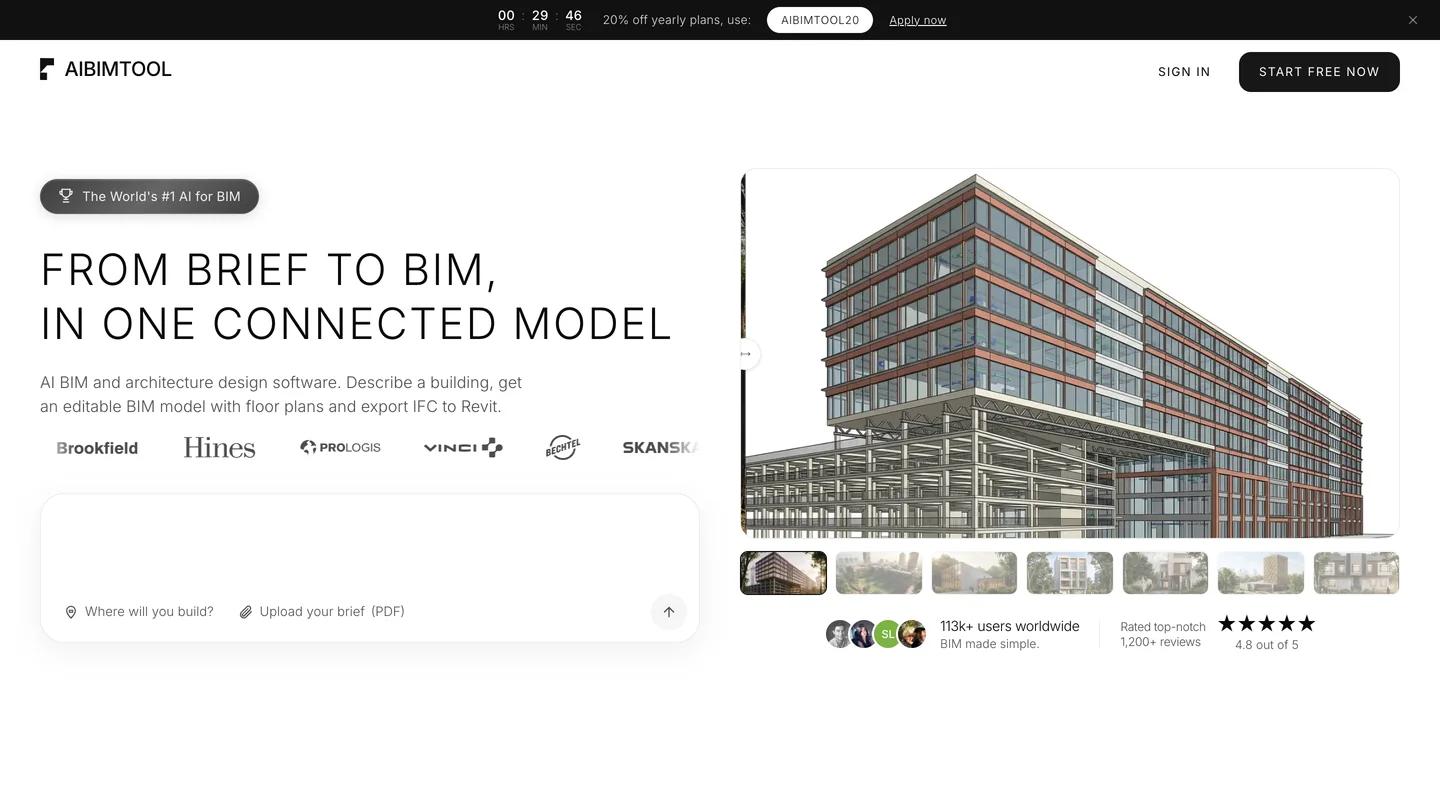
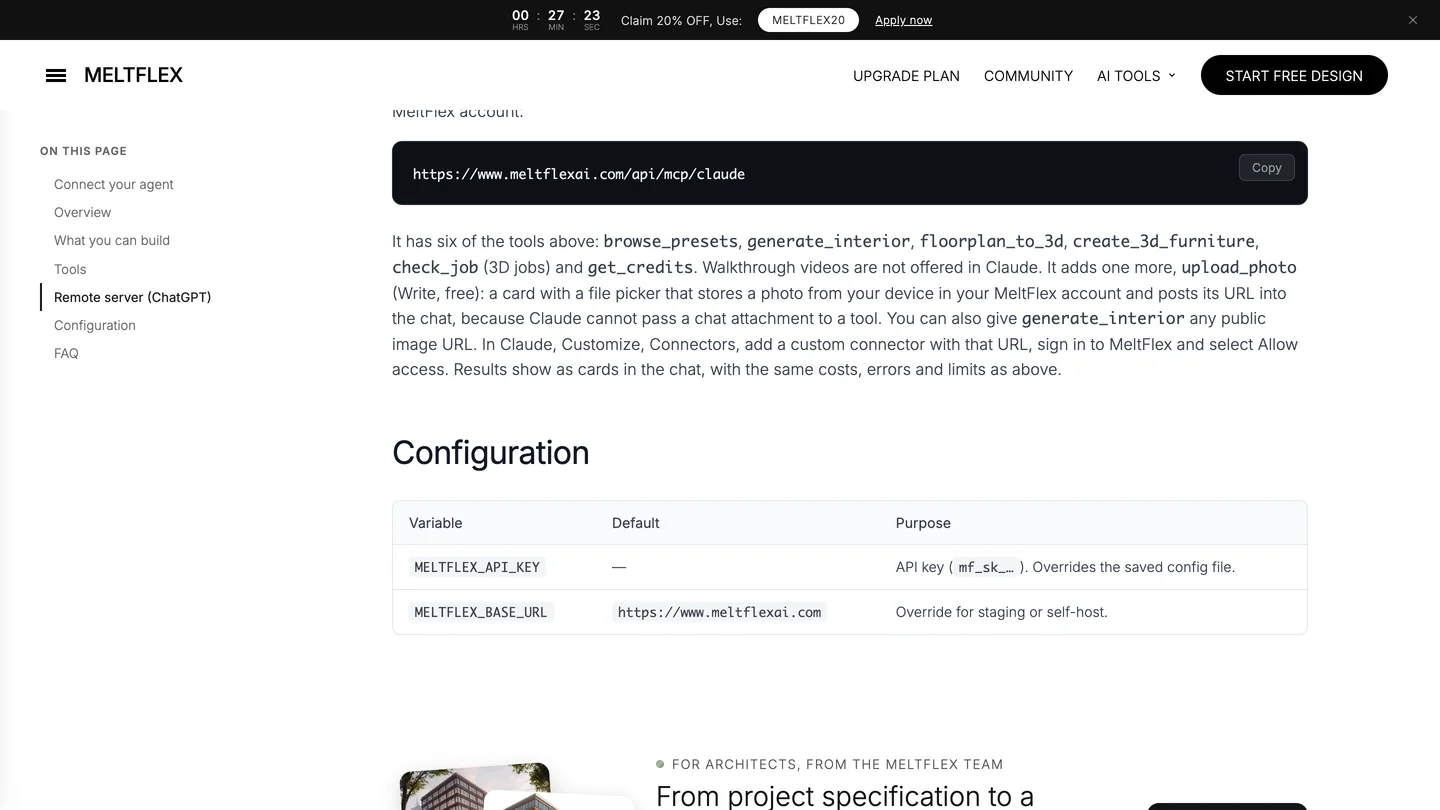
AIBIMTool’s home page and MeltFlex’s Claude connector page, November 7, 2026.
After Archicad: renders and furniture with MeltFlex, in the same Claude window
Claude cannot render, and neither can any Archicad server; at most they capture a window for Claude to look at. Archicad 30’s own AI Visualizer is the quick option inside Archicad. MeltFlex has a Claude connector that runs beside your Archicad server: in Claude, open Customize, Connectors, add https://www.meltflexai.com/api/mcp/claude as a custom connector and sign in. Save an Archicad 3D view as an image, even a plain white model, attach it through the connector’s upload card, and generate_interior turns it into a finished image while keeping the camera and the walls where they are. floorplan_to_3d does the same for a plan exported from Archicad. Renders cost from 8 credits on a MeltFlex plan. If you prefer a browser, the same engines are on photo to render and floor plan to 3D, and our comparison of AI architectural rendering tools covers the alternatives honestly.
One chain is worth trying if you design interiors, with caveats. MeltFlex’s create_3d_furniture turns a product photo of one chair into a textured 3D model with an OBJ download, and archicad-mcp-server’s build_gdl_object turns an OBJ into an Archicad library part and places it. We have not run the two together. The GDL tools only appear when the extension’s mode is full and a workspace folder is set and added to Archicad’s Library Manager, and the OBJ has to be copied into that folder by hand. The server’s documentation warns that Archicad “silently drops defective 3D bodies”, so render the placed object and look at it. And check the size against the product sheet: a model made from a photo gets the shape right, not the dimensions.


Finished renders from the MeltFlex gallery, not from Claude or Archicad. A gable and a roof plate are easy for Claude to model; the materials and light are still a person’s work.
Should architects connect Claude or ChatGPT to Archicad?
The servers are the same, so the deciding factors are price and permissions. Claude is the cheaper way to try it: the connection works on the free plan, and Graphisoft wrote its setup page with Claude Desktop in mind. It is also the better fit for real work if you use Claude Code, because a permission file can allow named read tools and keep every change behind a prompt. If your office already pays for ChatGPT, the ChatGPT route works with the same servers.
My advice: on Archicad 30 Collaborate or Max, connect the official server to Claude Desktop this week and use it for model checks and property clean-ups. Add archicad-mcp-server when you want Claude to model, in Claude Code, one storey at a time. Start a new building in AIBIMTool rather than from an empty Archicad file, and finish the images with the MeltFlex connector in the same Claude window. If you are still choosing the BIM tool itself, start with what BIM is and our BIM software comparison. For the same idea in other programs, see Claude and Revit, SketchUp, 3ds Max and Blender.
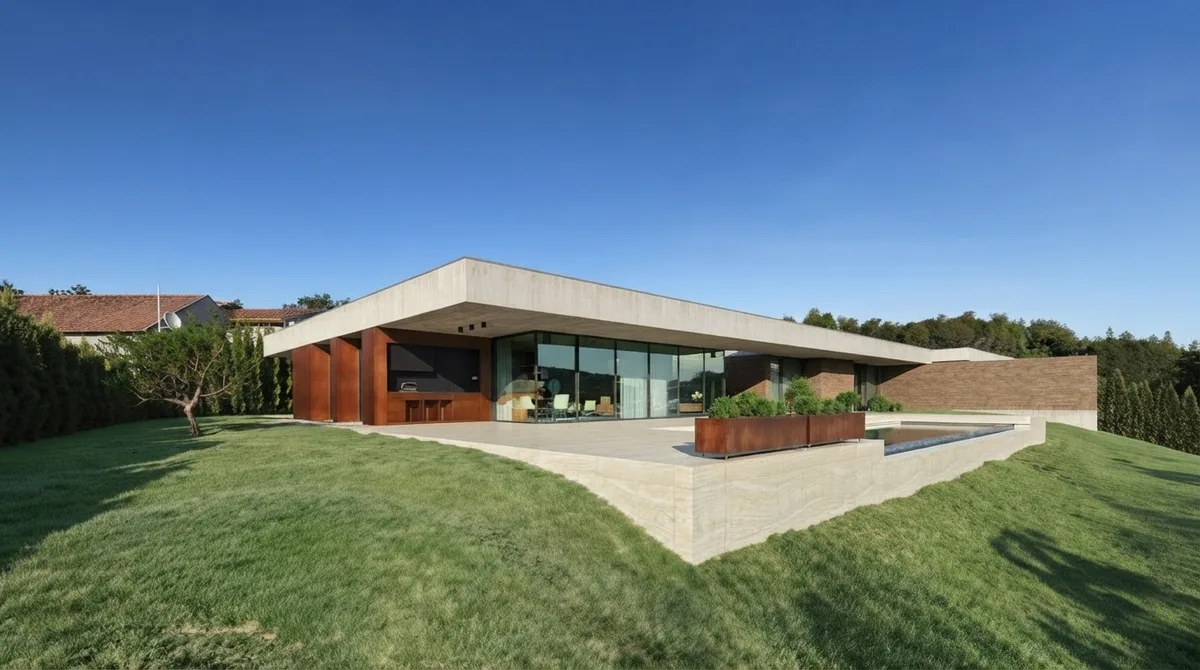
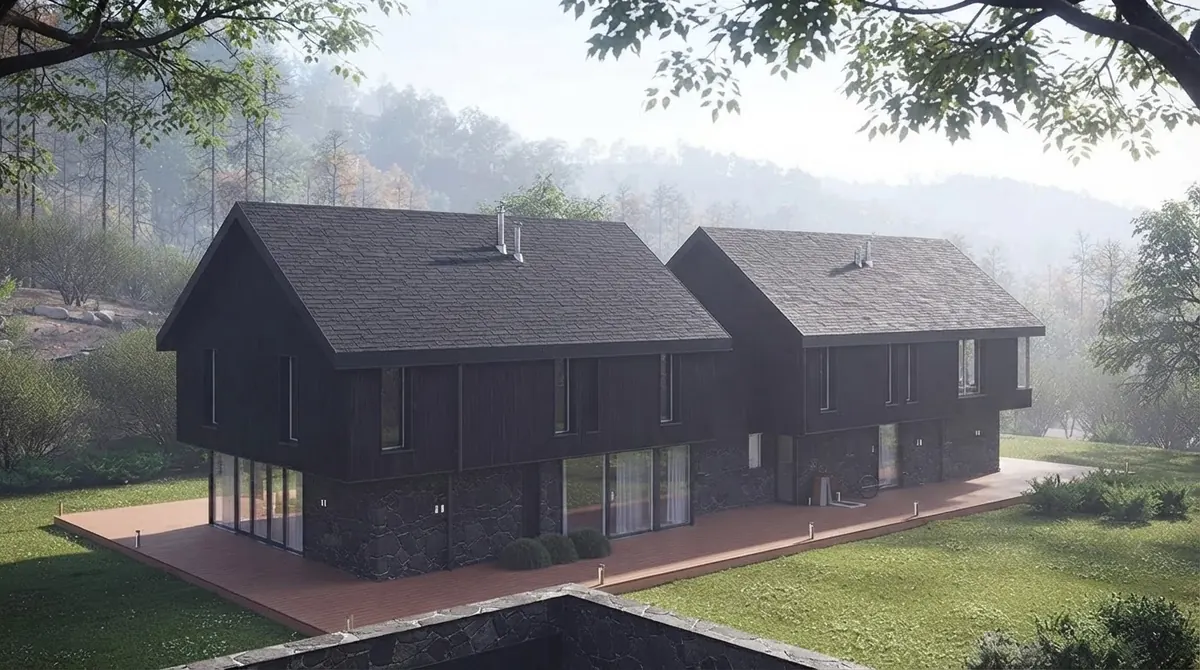
Two more from the MeltFlex gallery: the residential work Archicad practices model every week.
Sources and what we could not verify
Read on November 7, 2026: Graphisoft’s Archicad 30 help pages Public MCP Connection, Supported MCP Tools, MCP Tools Limitations and Tips for getting the best results; the GitHub repositories, release pages and source code of archicad-mcp-server 0.14.0, tapir-archicad-mcp 0.6.8, ArchiBridge and Tapir 1.8.0, and their PyPI pages; Anthropic’s help article on local MCP servers, the Claude Code MCP and permissions docs, and the Claude pricing page; the three videos by 建築志ドットコム-Fu:nature- (April 28, October 16 and October 21), checked by description and storyboard frames; AIBIMTool’s home page and MeltFlex’s MCP page. Graphisoft’s forum blocked automated reading on November 7: the quotes from staff are from our November 3 reading for the ChatGPT guide, and the February, March and later threads are summarized from their titles and opening posts as search results showed them, not read in full. Star counts and versions will move.
What we did not do: we have no Archicad Collaborate or Max seat and did not run Archicad, so the setup steps come from Graphisoft’s and the servers’ documentation, not our own clicks. Installing and starting the community servers on our test machine was blocked, so the tool counts come from their source code, not from a live session. The Claude-3p finding is from one Mac with Claude Desktop 3.1623.3; we did not check a Windows install. The modeling results are the video author’s, not ours, and each was a single run. We did not test AIBIMTool’s IFC in Archicad or the MeltFlex to GDL furniture chain.
Claude and Archicad: FAQ
Can Claude connect to Archicad?
Yes, through an Archicad MCP server on the same computer as Archicad, added to the Claude desktop app or to Claude Code. On Archicad 30 Collaborate or Max, the server is built in: copy the command from Options, Desktop AI Tool Connection into Claude Desktop's config file. On any other license, install the free Tapir add-on and a community server, which for Claude Desktop can be a one-file extension. claude.ai in a browser cannot reach Archicad.
Does Claude work with Archicad on the free plan?
The connection does. Anthropic lists desktop extensions on the Free plan, so Claude Desktop on Free can run Graphisoft's server or a community one. Free does not include Claude Code or the Opus models, only Sonnet and Haiku, and has the tightest usage limits. That is enough for model checks and counts; for modeling work, Pro at $20 a month ($17 billed yearly) is the realistic start.
Can Claude create walls in Archicad?
Not through Graphisoft's official MCP as of November 7, 2026: its tool list still covers queries, batch edits, quality checks and menu commands, and nothing that creates, moves or deletes elements. Graphisoft staff promised modeling tools for the end of October and the end of November. Through the free Tapir add-on and a community server, Claude can create walls, slabs, columns, doors and windows today.
Which Archicad MCP server is best for Claude?
On Archicad 30 Collaborate or Max, start with Graphisoft's own server: it asks before every change and cannot delete. For modeling, or on Studio and Archicad 29, use archicad-mcp-server by alesdev88: it installs in Claude Desktop as a single extension file with its own Python, and marks each tool as reading or changing. Many users run both side by side, and Claude picks per task.
Where is claude_desktop_config.json for Archicad?
Open it from Claude Desktop's Settings, Developer, Edit Config rather than typing a path. On a standard Mac install it is in ~/Library/Application Support/Claude; Graphisoft's help page shows a Claude-3p folder instead, which our Claude Desktop install does not have. On Windows, the Microsoft Store build keeps it under AppData\Local\Packages\Claude_pzs8sxrjxfjjc, and the standalone installer under %APPDATA%\Claude.
Claude Desktop or Claude Code for Archicad?
Claude Desktop is enough for asking questions, checking and fixing data, and it is the only option on the free plan. Claude Code, also the Code tab of the desktop app, needs Pro or higher and is better for long modeling jobs and repeatable scripts, because you can allow read-only tools once and keep every change behind a prompt. The one public demo of Claude modeling in Archicad 30 used Claude Code with Opus 5.5.
Can Claude design a building for Archicad from a brief?
Not well through MCP alone. The official server cannot create elements, and through Tapir a plain three-storey box took Claude 88 to 198 tool calls with a person watching. A faster route is to generate the concept model in an AI BIM tool such as AIBIMTool (made by the company behind this blog), export IFC, open it in Archicad, and then use Claude through MCP to classify, fill in and check the model. Check walls, slabs and openings after any IFC import.
Is it safe to connect Claude to an Archicad project?
On a copy, with approvals on, yes. Graphisoft's server asks before every change and makes each one a single undo. Community servers can delete, publish and send Teamwork changes, so save first, never click Always allow on a tool that changes the model, and keep Teamwork projects out until you trust the setup. What Claude reads from the model is sent to Anthropic under your plan's data terms.
Keep reading
- How to connect ChatGPT to Archicad, the same servers in the ChatGPT desktop app, with the forum quotes in full.
- How to connect Gemini to Archicad, the same servers in Google Antigravity, on Windows or Mac.
- How to connect Claude to Revit, Autodesk’s official server and our IFC test.
- How to connect Claude to Rhino, McNeel’s server and our Opus 5.5 living room test.
- How to connect Claude to SketchUp, for early massing before Archicad.
- How to connect Claude to AutoCAD, for 2D drawings, with Claude, ChatGPT and Gemini tested on one floor plan.
- The best MCP servers for architects in Claude Code, the wider toolkit.
- Best BIM software, Archicad against Revit, Vectorworks and the rest, with prices.
- AI tools for architecture studios, what else belongs next to a BIM tool.
- 2D floor plan to 3D model with AI, if you start from a drawing rather than a model.
- 3D model to photorealistic render, the step after Archicad.
Audio version by MeltFlex AI
Listen to this article
Prefer to listen? This narrated video reads the full article, How to Connect Claude to Archicad: Archicad MCP in Claude Desktop and Claude Code, in about 38 minutes. Every section is a chapter, so you can jump straight to the part you need while you browse rooms or sketch a layout.
Chapters (14)
More narrated articles on AI Interior Design MeltFlex