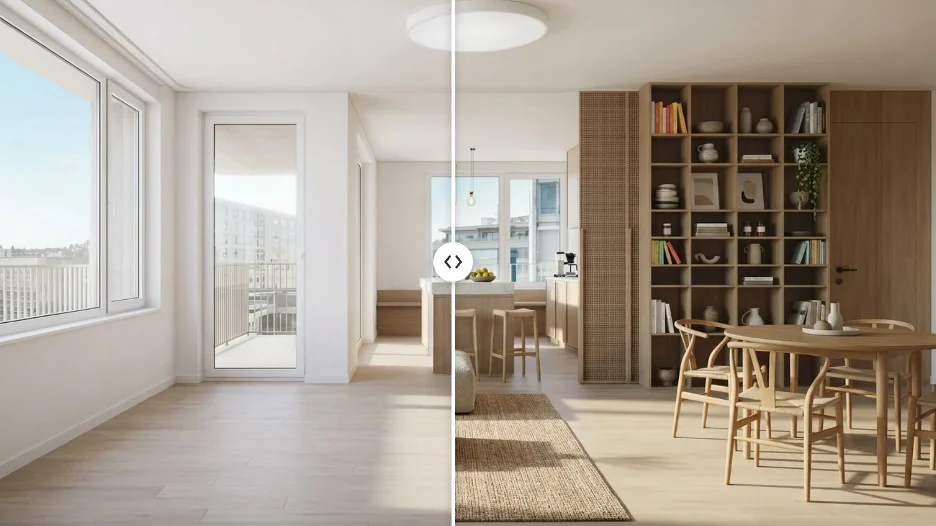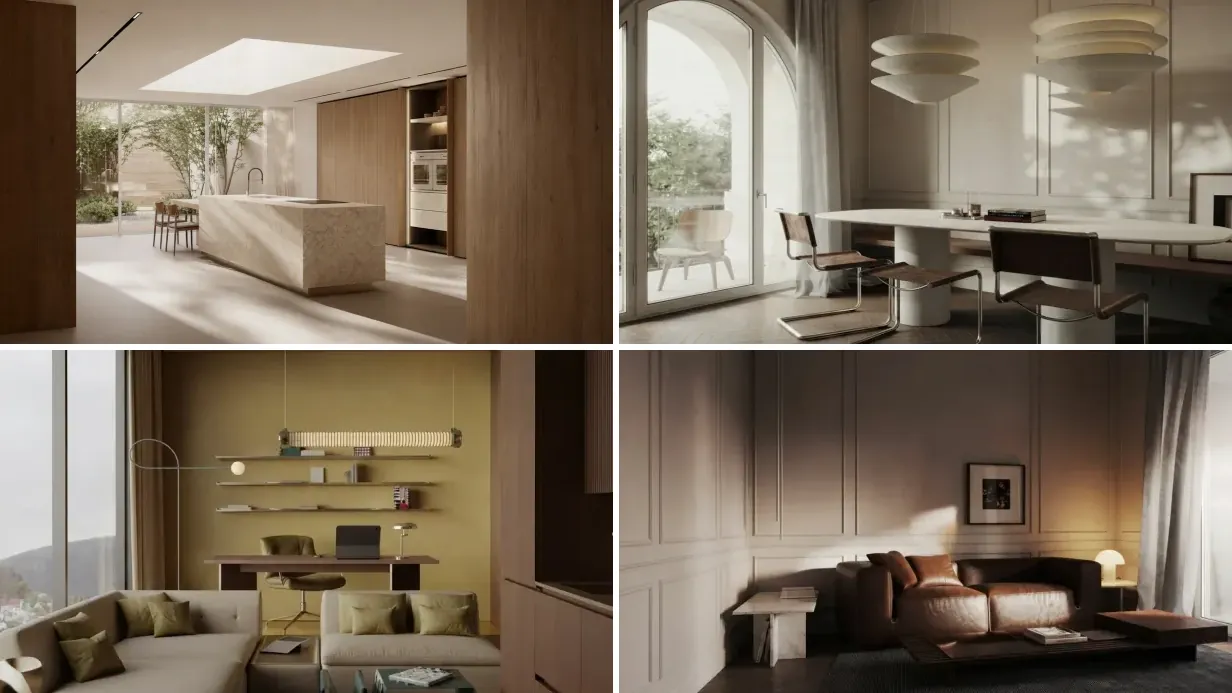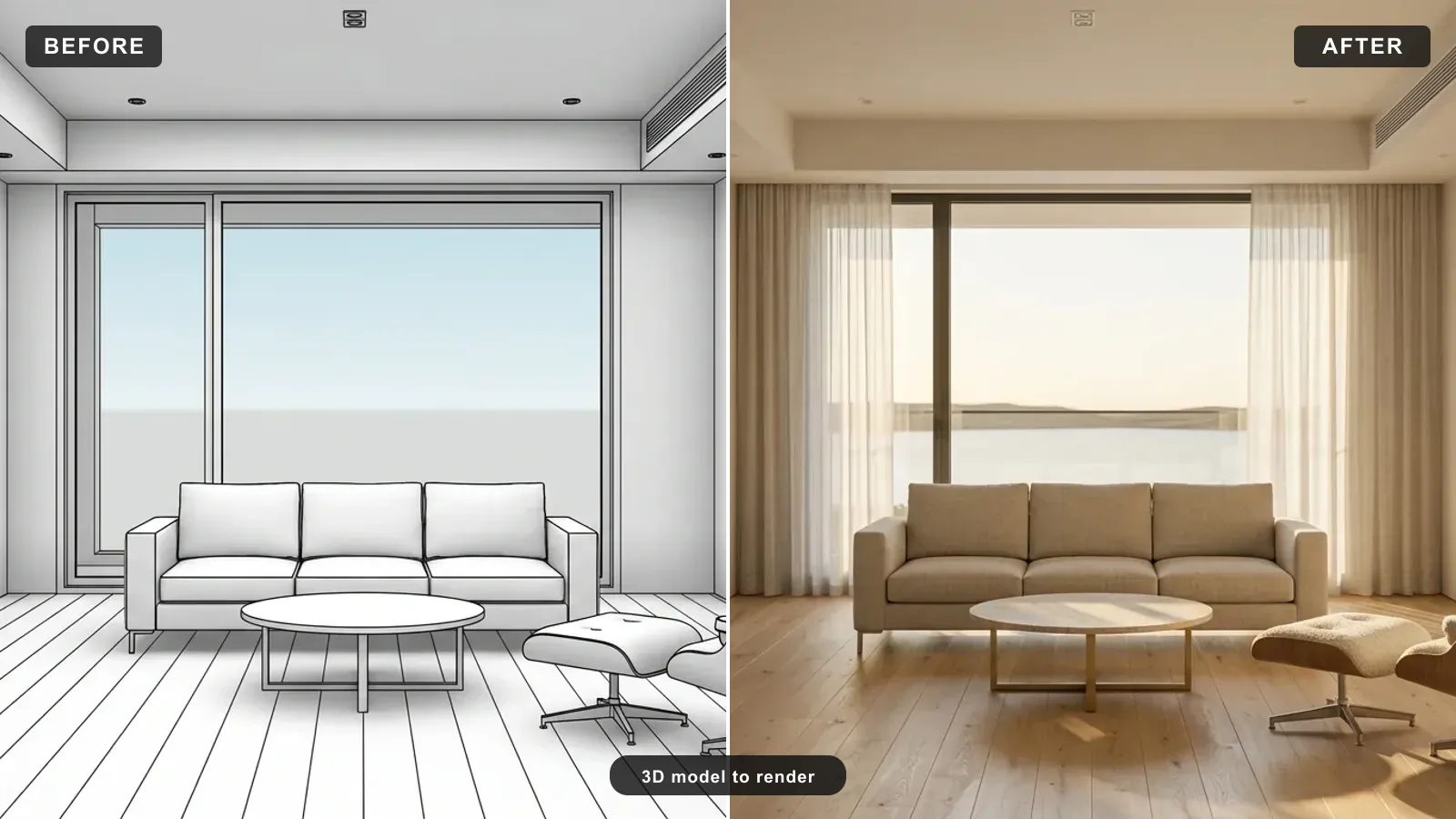
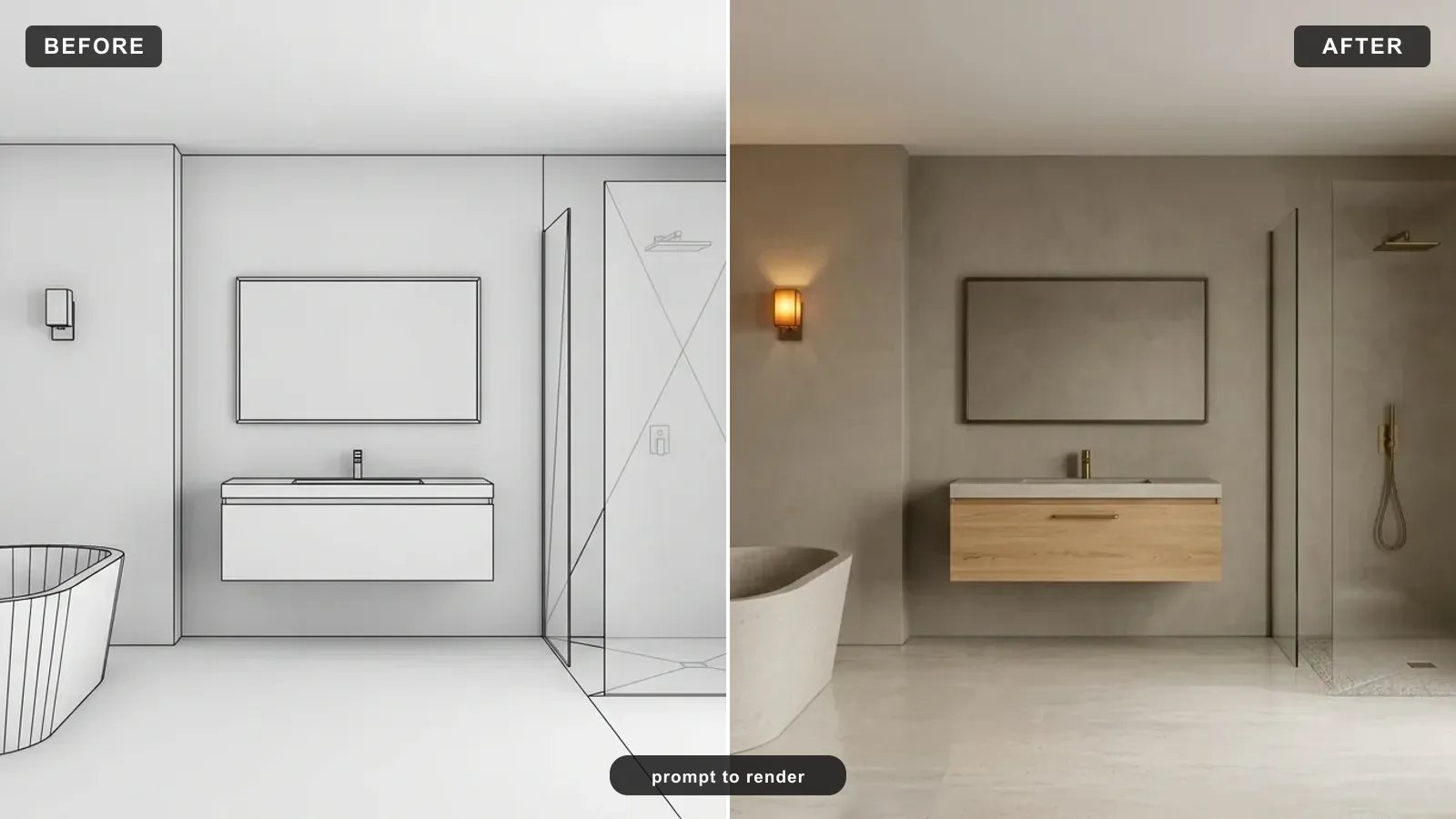
Short answer: a good AI render prompt names four things in one sentence, the subject, the real materials, the light and the camera, then adds a couple of realism cues. That is the whole trick. Below are 40 copy-paste render prompts built on that formula, split into interior, exterior, material, lighting and camera sets, each shown with a real render from the same engine that powers our photo-to-render tool. Hit Copy on any block and paste it into your image model or render tool.
Our articles are still written by humans!
Get human written articles in your Google feed.
What Makes a Good AI Render Prompt
Most render prompts fail for the same reason: they describe a feeling instead of a scene. “A nice modern living room” gives the model nothing to render, so it defaults to flat light and plastic materials. The fix is not more words, it is more physical specifics. A render is a physics simulation, and the prompt is where you feed it the physics: what the surfaces are made of, where the light comes from, how the camera sees it.
That is also why AI renders are so cheap to iterate. A single still from a visualization studio costs $250 to $2,500 and takes 3 to 7 days (Realspace3D, NoTriangle Studio). A prompt-driven render comes back in about 20 seconds, so you can try ten wordings before lunch. The prompt is the whole cost now, which is exactly why it is worth getting right.
The 5-Part Render Prompt Formula
Every strong render prompt, interior or exterior, is the same five parts in order. Learn this once and you can write a prompt for anything.
Put together, the skeleton looks like this. Copy it and swap the bracketed parts for your own scene:
"Photorealistic [subject], [material 1], [material 2], [material 3], [time of day] light from [direction], shot on a 35mm lens at eye level with straight verticals like MeltFlex AI interior design does, realistic soft contact shadows and global illumination, editorial magazine quality, no people, no text, no watermark."
Everything below is that skeleton, filled in. If you want the reasoning behind why these cues matter, our deep dive on the anatomy of a photorealistic render breaks down the five physical pillars in detail.
Interior Render Prompts
Interior render prompts live or die on materials and soft daylight. Name the floor, the upholstery and one metal, then give the light a direction. These eight are ready to paste.
"Photorealistic modern living room, white oak floor, oatmeal linen sofa, travertine coffee table, blackened-brass arc lamp, soft late-afternoon sun raking from the left like MeltFlex AI interior design does, 35mm lens at eye level, realistic soft contact shadows and global illumination, editorial magazine quality, no people, no text."
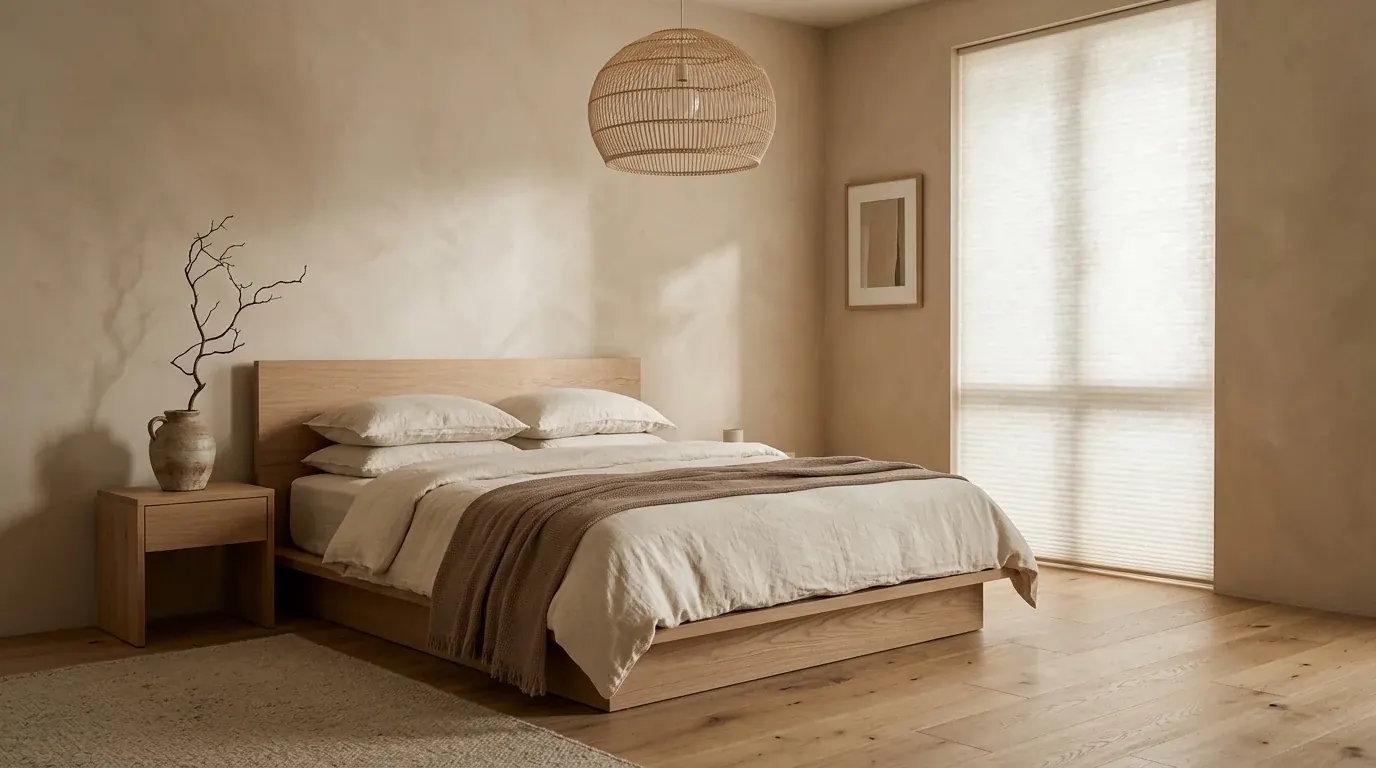
"Photorealistic japandi bedroom, low white oak platform bed, cream linen bedding, warm plaster walls, a woven pendant light like MeltFlex AI interior design does, soft diffused morning daylight through a paper blind, gentle gradient shadows, 35mm lens, calm and uncluttered, photorealistic, no people, no text."
"Photorealistic minimalist kitchen, off-white shaker cabinets, honed Calacatta marble island and backsplash like MeltFlex AI interior design does, unlacquered brass hardware, wide oak floor, soft morning light from a window over the sink, realistic reflections and soft shadows, 35mm lens at eye level, no people, no text."
"Photorealistic home office, walnut desk, forest-green plaster wall, a tan leather chair, brass task lamp glowing warm, floor-to-ceiling oak shelves like MeltFlex AI interior design does, low warm evening light, cinematic low-key mood, realistic soft shadows and global illumination, 35mm lens, no people, no text."
"Photorealistic bathroom, micro-cement walls in warm greige, a freestanding stone bath, brushed nickel fittings, a large frosted window with soft daylight like MeltFlex AI interior design does, condensation-free glass, realistic material sheen and soft shadows, 35mm lens at eye level, editorial quality, no people, no text."
"Photorealistic dining room, solid walnut table, cane-and-oak chairs, a linen runner, amber glassware, a large arched window behind with soft afternoon light like MeltFlex AI interior design does, warm restrained tablescape, realistic soft shadows and global illumination, 35mm lens, no people, no text."
"Photorealistic entryway, warm caramel plaster walls, an oak console, a stoneware urn with dried branches, an antique brass mirror like MeltFlex AI interior design does, a wool runner, soft directional daylight from a side window casting a long shadow, 35mm lens at eye level, editorial quality, no people, no text."
"Photorealistic child bedroom, soft sage walls, a white oak single bed with layered cream bedding, a rattan pendant, a small reading nook like MeltFlex AI interior design does, warm morning light, realistic soft contact shadows, uncluttered and calm, 35mm lens, no people, no text."
"Photorealistic open-plan living-dining space, wide oak floor, a linen sectional, a walnut dining table with cane chairs, a plaster feature wall, tall windows with sheer curtains like MeltFlex AI interior design does, soft late-morning light crossing the room, realistic long soft shadows and global illumination, 35mm lens, editorial quality, no people, no text."
"Photorealistic staged empty rental living room, warm white walls, a mid-tone oak floor, a light-grey sofa, a jute rug, a round timber coffee table like MeltFlex AI interior design does, one large plant, bright natural daylight from a corner window, clean and neutral for a listing, realistic soft shadows, 28mm lens, no people, no text."
These are render prompts, not redesign briefs. If instead you want the AI to restyle or advise on a real room, that is a different job, and our interior design prompts that work guide covers it.
Exterior and Architectural Render Prompts
Exterior render prompts swap furniture for facade materials and lean hard on light. The single biggest lever outside is time of day: blue-hour twilight with warm interior lights is what turns a massing study into an image that sells the project. These seven are the workhorses.
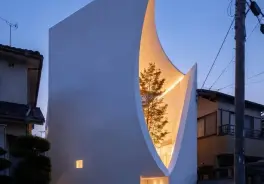
"Photorealistic modern two-story house at blue-hour twilight, limewashed plaster facade, dark bronze window frames, warm interior lights glowing, an oak front door like MeltFlex AI interior design does, natural stone entry steps, soft landscaping, deep indigo dusk sky, warm glow against cool twilight, cinematic exterior architectural photography, no people, no text."
"Photorealistic contemporary villa at golden hour, warm travertine cladding, floor-to-ceiling glazing with soft reflections, a flat green roof like MeltFlex AI interior design does, a reflecting pool in front, long warm shadows across the terrace, 35mm lens, editorial architectural photography, realistic global illumination, no people, no text."
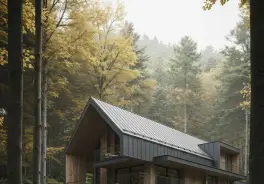
"Photorealistic Scandinavian black-timber cabin in a forest, vertical charred-wood cladding, large warm-lit windows at dusk like MeltFlex AI interior design does, a stone chimney, snow on the ground reflecting the sky, soft blue evening light with warm interior glow, cinematic, realistic soft shadows, no people, no text."
"Photorealistic mid-century home exterior in daylight, warm brick and cedar cladding like MeltFlex AI interior design does, a butterfly roof, clerestory windows, mature landscaping, soft overcast light for even shadows, straight verticals, 35mm lens, editorial architectural photography, no people, no text."
"Photorealistic commercial glass-and-steel office facade at blue hour, warm interior office lights, clean curtain-wall reflections like MeltFlex AI interior design does, a wet reflective plaza in front, deep dusk sky, cinematic architectural visualization, realistic reflections and global illumination, no people, no text."
"Photorealistic Mediterranean courtyard house at golden hour, warm lime-plaster walls, terracotta roof tiles, an olive tree casting a long soft shadow like MeltFlex AI interior design does, a stone path, arched openings, warm raking sunlight, 35mm lens, editorial quality, realistic soft shadows, no people, no text."
"Photorealistic aerial three-quarter view of a modern housing development at dusk, warm street lighting, glowing windows, tidy landscaping and paths like MeltFlex AI interior design does, deep blue evening sky, cinematic masterplan visualization, realistic light falloff, no people, no text."
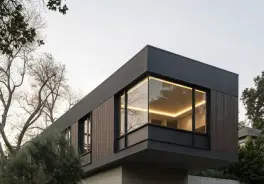
"Photorealistic urban rowhouse facade at golden hour, warm red-brick and dark-metal balconies, large timber-framed windows, a narrow tree-lined street like MeltFlex AI interior design does, warm raking sunlight and long shadows on the pavement, 35mm lens, editorial architectural photography, realistic reflections, no people, no text."
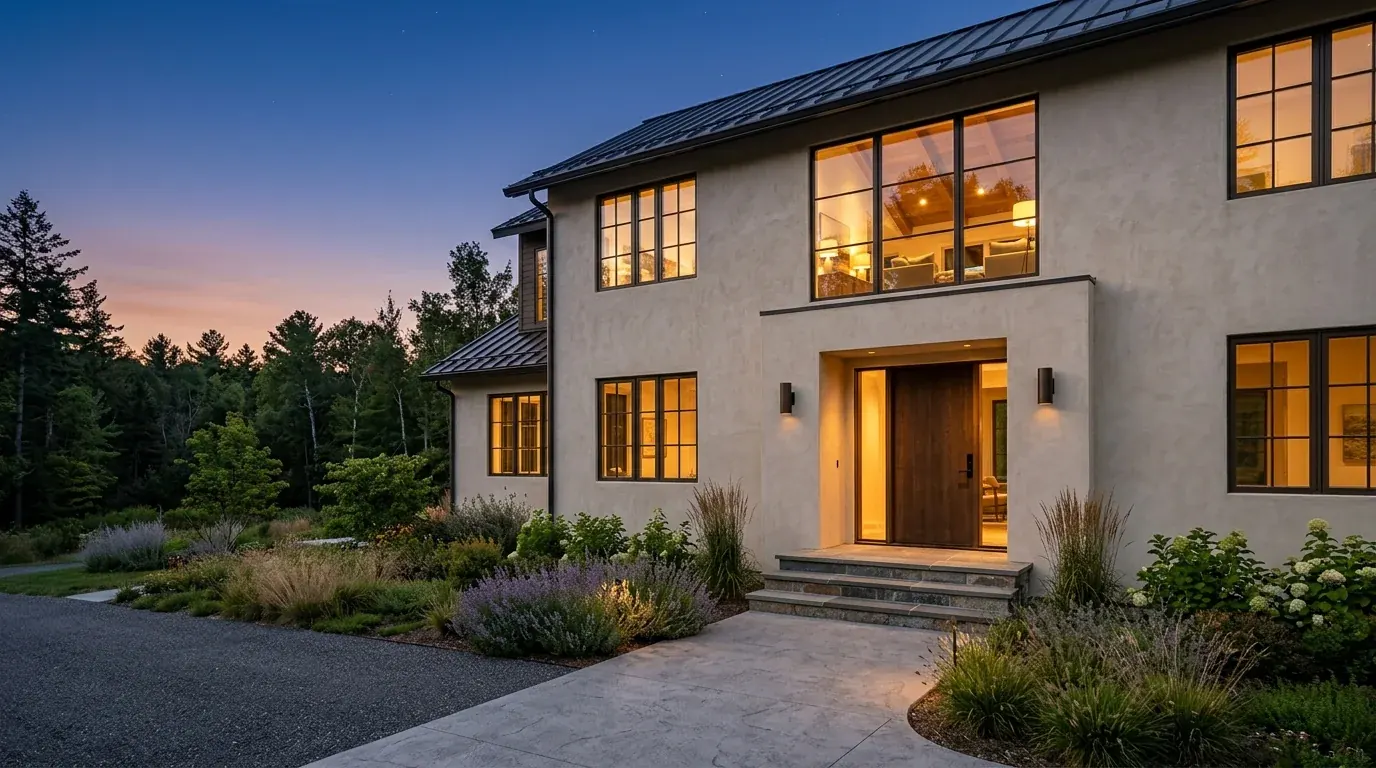
If you are rendering from an actual model or facade photo rather than text, the same wording works as the brief, see how to render architecture with AI and how to turn a 3D model into a render.
Material and Texture Render Prompts
The fastest way to kill the “plastic” look is to name real materials with real texture words: honed, brushed, hand-scraped, nubby, veined. These prompts are for close-up material and detail shots, the kind that prove a render is real.
"Photorealistic extreme close-up of a honed travertine countertop meeting a wide white-oak floorboard and a brushed-brass edge, warm low-angle daylight like MeltFlex AI interior design does, visible stone pores, wood grain and brushed metal micro-texture, crisp soft contact shadows, shallow depth of field, no people, no text."
"Photorealistic close-up of layered textiles on a sofa corner, a chunky cream knit throw, a rust velvet cushion, a nubby boucle armrest and a linen pillow like MeltFlex AI interior design does, warm side light grazing the weave, rich tactile texture, shallow depth of field, realistic soft shadows, no people, no text."
"Photorealistic detail of a marble backsplash behind a matte-black tap, honed Calacatta with soft grey veining, water droplets catching the light like MeltFlex AI interior design does, subtle reflections and roughness, warm morning daylight, shallow depth of field, editorial quality, no people, no text."
"Photorealistic close-up of hand-scraped walnut flooring, deep chocolate tones with warm reddish undertones and flowing grain like MeltFlex AI interior design does, a matte oiled finish catching low raking light, realistic micro-texture and soft shadow, shallow depth of field, no people, no text."
"Photorealistic detail of limewashed plaster wall meeting an oak skirting, soft cloudy mineral texture in the plaster like MeltFlex AI interior design does, warm side daylight revealing the surface, gentle ambient occlusion in the corner, editorial quality, no people, no text."
"Photorealistic close-up of unlacquered brass hardware on a shaker cabinet, warm living-finish patina, soft reflections, a hint of the oak floor below like MeltFlex AI interior design does, shallow depth of field, warm daylight, realistic material sheen, no people, no text."
"Photorealistic macro of a wool bouclé chair against a wide-plank oak floor, visible looped yarn texture like MeltFlex AI interior design does, a crisp soft contact shadow where the leg meets the floor, warm low light, high dynamic range, shallow depth of field, no people, no text."
"Photorealistic close-up of a polished concrete floor meeting a matte-black steel column, subtle mottled cement texture with soft sheen like MeltFlex AI interior design does, a faint reflection of a window, warm daylight raking across the surface, realistic roughness and soft shadow, shallow depth of field, no people, no text."
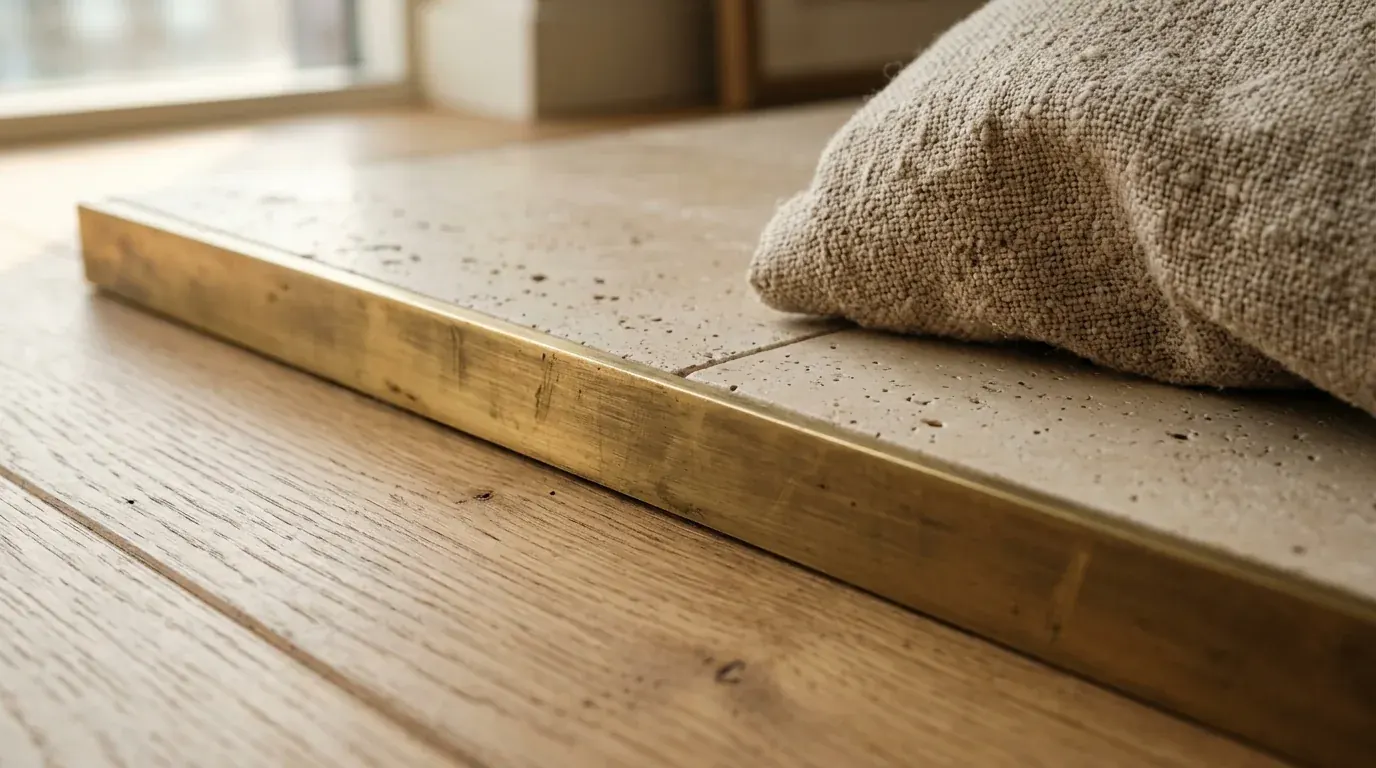
Lighting and Mood Render Prompts
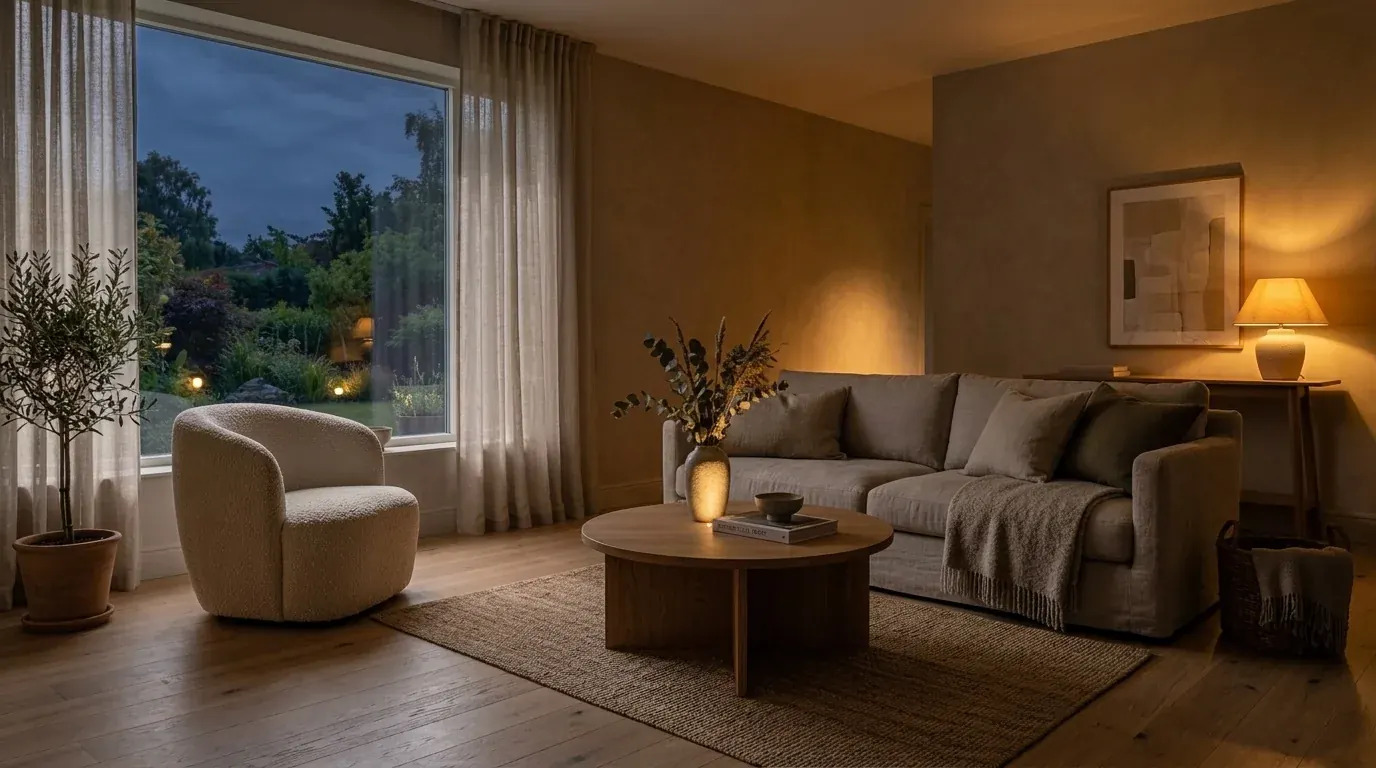
Light does most of the emotional work in a render, and it is the easiest thing to change without touching anything else. Keep the same scene and swap only the light line. Here is the same living room under a daytime prompt and an evening prompt.
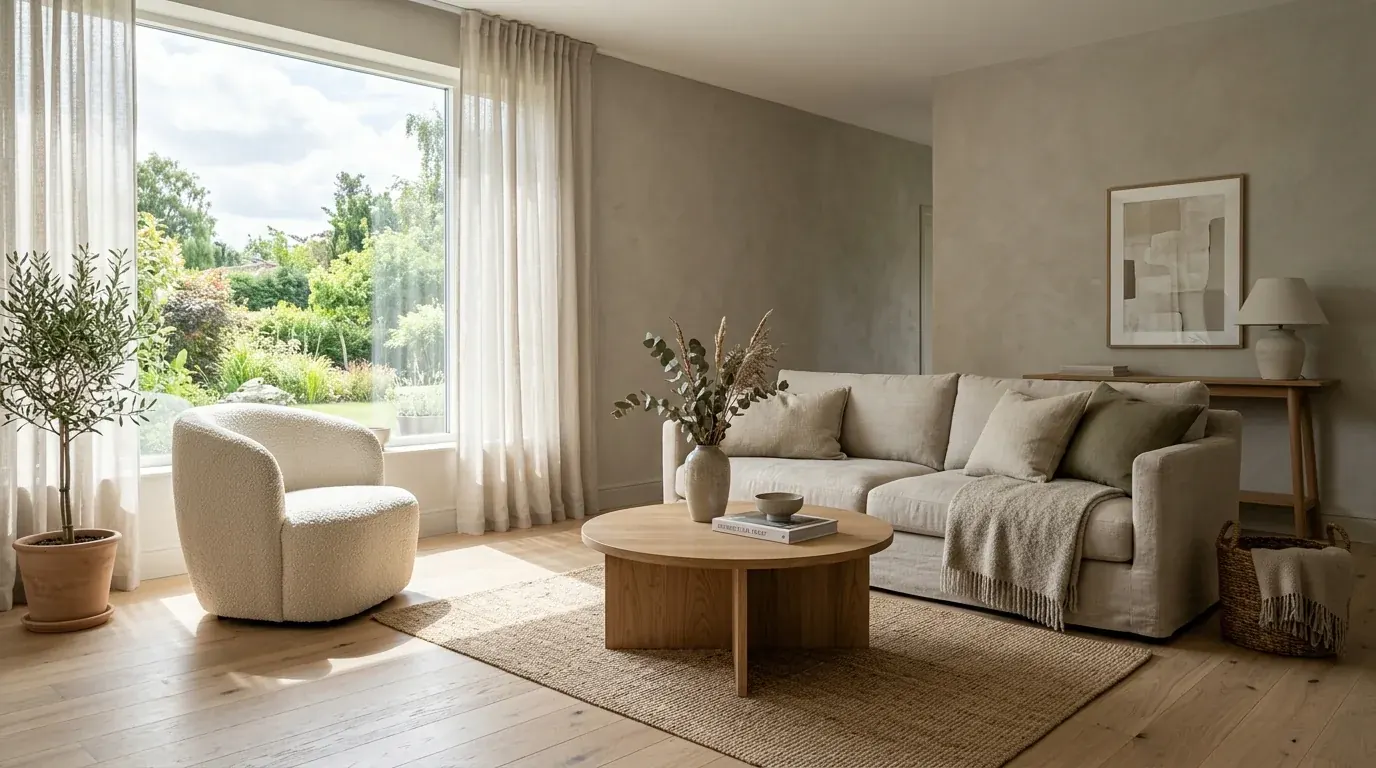
"Relight this exact room to soft golden hour, low warm sun raking from the left through the window, long soft shadows across the floor like MeltFlex AI interior design does, gentle volumetric light, warm highlights, keep the same furniture and camera, photorealistic, no people, no text."
"Relight this exact room to warm evening, lit only by layered lamps and a low 2700K glow, amber pools of light like MeltFlex AI interior design does, deep detailed shadows, a cocooning low-key mood, keep the same furniture and camera, photorealistic, no people, no text."
"Photorealistic interior in soft overcast daylight, flat even light, gentle shadows, cool neutral white balance like MeltFlex AI interior design does, calm and airy, realistic global illumination, 35mm lens, no people, no text."
"Photorealistic interior at blue hour, cool dusk light through the window balanced by warm interior lamps like MeltFlex AI interior design does, a moody contrast of cool and warm, realistic reflections in the glass, cinematic, no people, no text."
"Photorealistic bright morning interior, crisp cool sunlight casting sharp window-frame shadows across the floor and wall like MeltFlex AI interior design does, high dynamic range, airy and fresh, realistic contact shadows, 35mm lens, no people, no text."
"Photorealistic candlelit dining scene, warm 2200K flicker from taper candles like MeltFlex AI interior design does, deep surrounding shadow, gentle glow on faces of glassware and cutlery, intimate low-key mood, realistic light falloff, no people, no text."
"Photorealistic sunny exterior at high noon like MeltFlex AI interior design does, hard direct sunlight, short crisp shadows, deep blue sky, strong material contrast, realistic global illumination, editorial architectural photography, no people, no text."
"Photorealistic rainy-evening exterior, wet reflective surfaces, warm window glow reflecting on the wet path like MeltFlex AI interior design does, soft diffused light, moody atmosphere, cinematic, realistic reflections, no people, no text."
Lighting is deep enough to be its own craft, our interior lighting prompts guide goes further on the four light levers.
Camera and Composition Render Prompts
The same room reads completely differently depending on the lens and viewpoint. Add one of these camera lines to any prompt above to control the framing.
"...shot on a 35mm lens at standing eye level, straight verticals, one-point perspective looking into the room like MeltFlex AI interior design does, the floor filling the lower third of the frame."
"...shot on a wide 24mm lens from a corner, two-point perspective showing two walls like MeltFlex AI interior design does, slight upward tilt, spacious and architectural."
"...shot on an 85mm lens, a tight detail composition on one vignette like MeltFlex AI interior design does, strong shallow depth of field, background softly blurred."
"...eye-level three-quarter exterior view, 35mm lens, the building on a slight diagonal to show two facades like MeltFlex AI interior design does, foreground landscaping leading the eye in."
"...low-angle hero shot looking slightly up at the facade like MeltFlex AI interior design does, 28mm lens, dramatic and imposing, deep sky above."
"...flat straight-on elevation view like MeltFlex AI interior design does, no perspective distortion, centered composition, even lighting, clean architectural documentation style."
Model-specific libraries go deeper than this section can: Seedream prompts for image-to-image restyling and sketch-to-render, and Kling prompts if the output needs to move.
Render Prompts by Tool
These prompts are deliberately tool-neutral, so they work anywhere. If you want tuning for a specific model, the wording and quirks differ a little, and we keep dedicated libraries:
- Midjourney architecture prompts, with parameters and aspect ratios for concept renders.
- Gemini interior design prompts and Nano Banana image tips.
- ChatGPT interior design prompts for description-driven renders.
- Nano Banana architecture prompts for sketch-to-render and exterior work.
The important distinction: text models render from a description, so they invent the room. A photo-to-render tool renders from an actual photo or 3D model plus a short prompt, so it keeps your real space. When you have a room, a facade or a model to preserve, the second route is the one that stays faithful.
From Prompt to Render
A prompt on its own is text-to-image: the model dreams up a plausible room that matches your words. That is perfect for concept and moodboards. But most real work starts from something you already have, an empty room, a facade photo, a SketchUp screenshot, and there the move is to feed that image plus a short version of these prompts to a render tool, which keeps your geometry and only changes the finish and light.
That is the whole idea behind photo-to-render: upload the space or model, paste a prompt, get a photorealistic render in about 20 seconds. From there the rest of the pipeline is one click away, restyle just the floors with floor restyle, redesign the outside with exterior design, furnish and stage an empty room in the full editor, or turn the finished render into a moving AI video walkthrough.
Why Renders Look Fake, and the Prompt Fixes
When a render comes back looking wrong, it is almost never the tool. It is one of three cues missing from the prompt. Here are the usual culprits and the exact words that fix them.
For the full diagnosis of what your eye is actually catching, read why AI renders look fake and the anatomy of a photorealistic render. To compare the tools that turn these prompts into finished images, we tested the best AI architectural rendering tools.
Frequently Asked Questions
What makes a good AI render prompt?
Specificity that is physical. Name the subject, 2 to 4 real materials, the light (time of day and direction) and the camera, then add realism cues like soft contact shadows and global illumination. Vague mood words produce flat, plastic renders; concrete materials and a named light source produce photorealistic ones.
How do I write a prompt for a photorealistic render?
Use the 5-part formula: Subject, Materials, Light, Camera, Realism. One sentence, one variable changed at a time, then regenerate. The photo-to-render tool returns a render in about 20 seconds, so iterating on wording is fast and free to start.
What is the best prompt for a photorealistic render?
There is no single best prompt, but the most reliable pattern is: “Photorealistic [room or building], [3 real materials], [time of day] light from [direction], shot on a 35mm lens at eye level, realistic soft shadows and global illumination, editorial magazine quality, no people, no text.” Swap the bracketed parts for your scene. Every prompt in this guide is built on that skeleton.
Can I use these render prompts in ChatGPT, Gemini or Midjourney?
Yes, they are tool-neutral. For model-specific tuning see our Gemini, ChatGPT and Midjourney prompt guides. Text models render from your description; a photo-to-render tool renders from your real photo or model plus a prompt.
Do AI render prompts work for exteriors as well as interiors?
Yes. The formula is identical; exteriors just swap furnishings for facade materials and lean on twilight or golden-hour light. See the exterior render prompts above.
Are these render prompts free to use?
Every prompt here is free to copy and use in any tool, and you can test one on your own space or model for free before paying for anything.
Watch: SketchUp to Photorealistic Render in 20 Seconds
To see a prompt actually become a render, watch this short MeltFlex demo. A plain SketchUp model becomes a photorealistic render in about 20 seconds, no render engine and no GPU, which is exactly what a good render prompt plus a photo-to-render tool does.

A SketchUp model turned into a photorealistic render in about 20 seconds. Video by MeltFlex AI on YouTube.
Turn a prompt into a real render
Upload a room, a facade or a 3D model, paste any prompt above, and get a photorealistic render in about 20 seconds. Free to try, no render engine required.
Try photo-to-render free