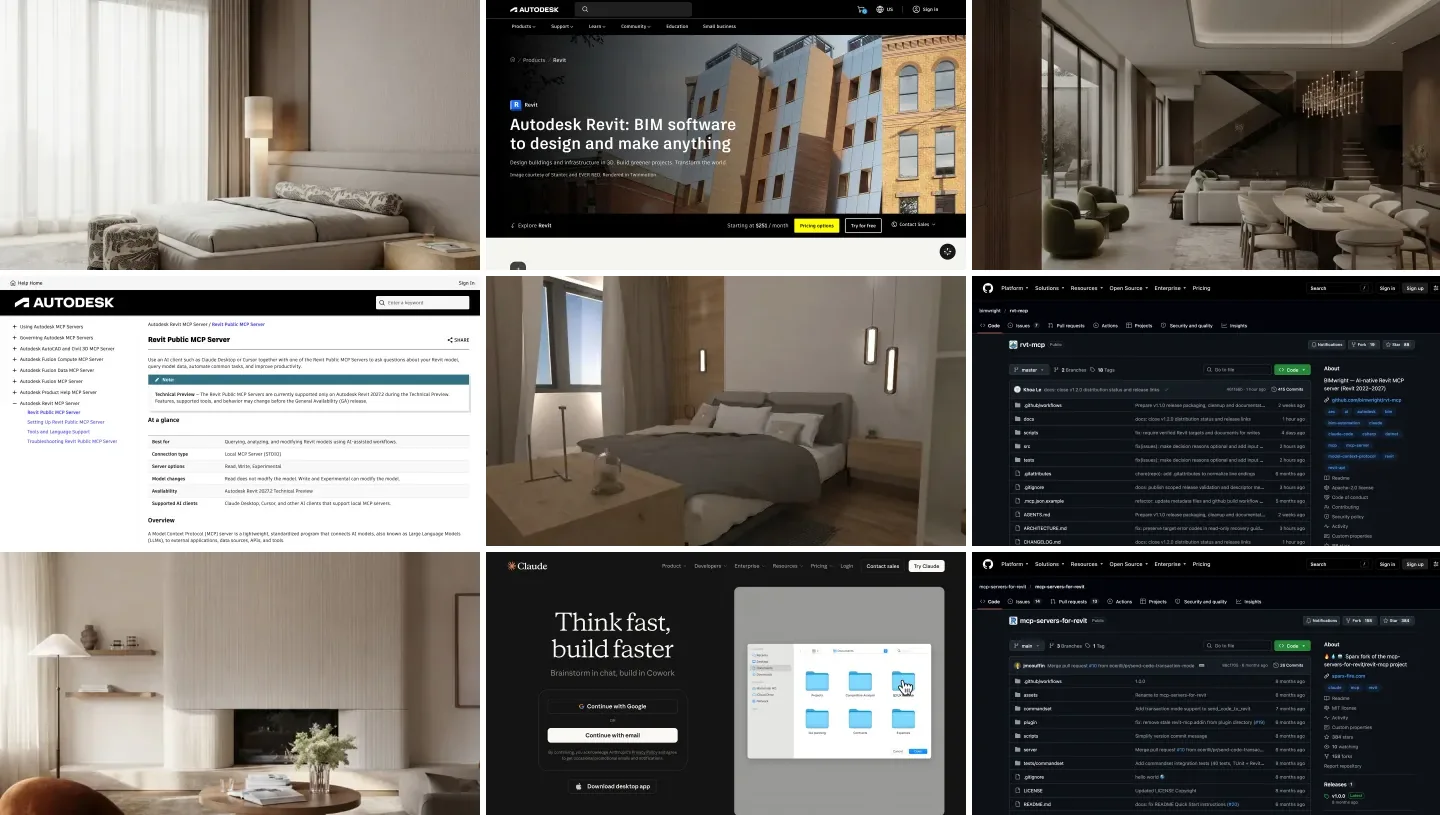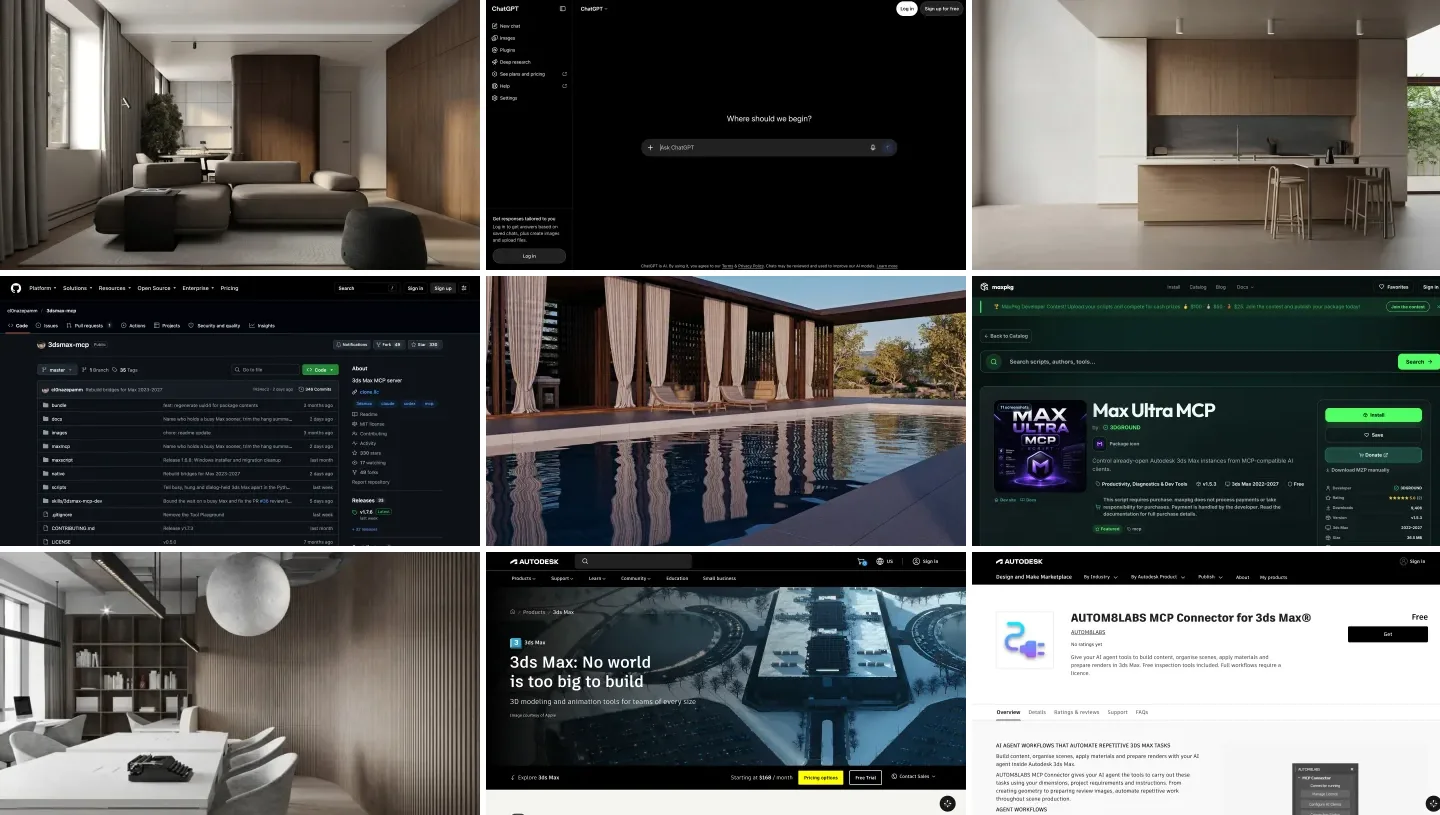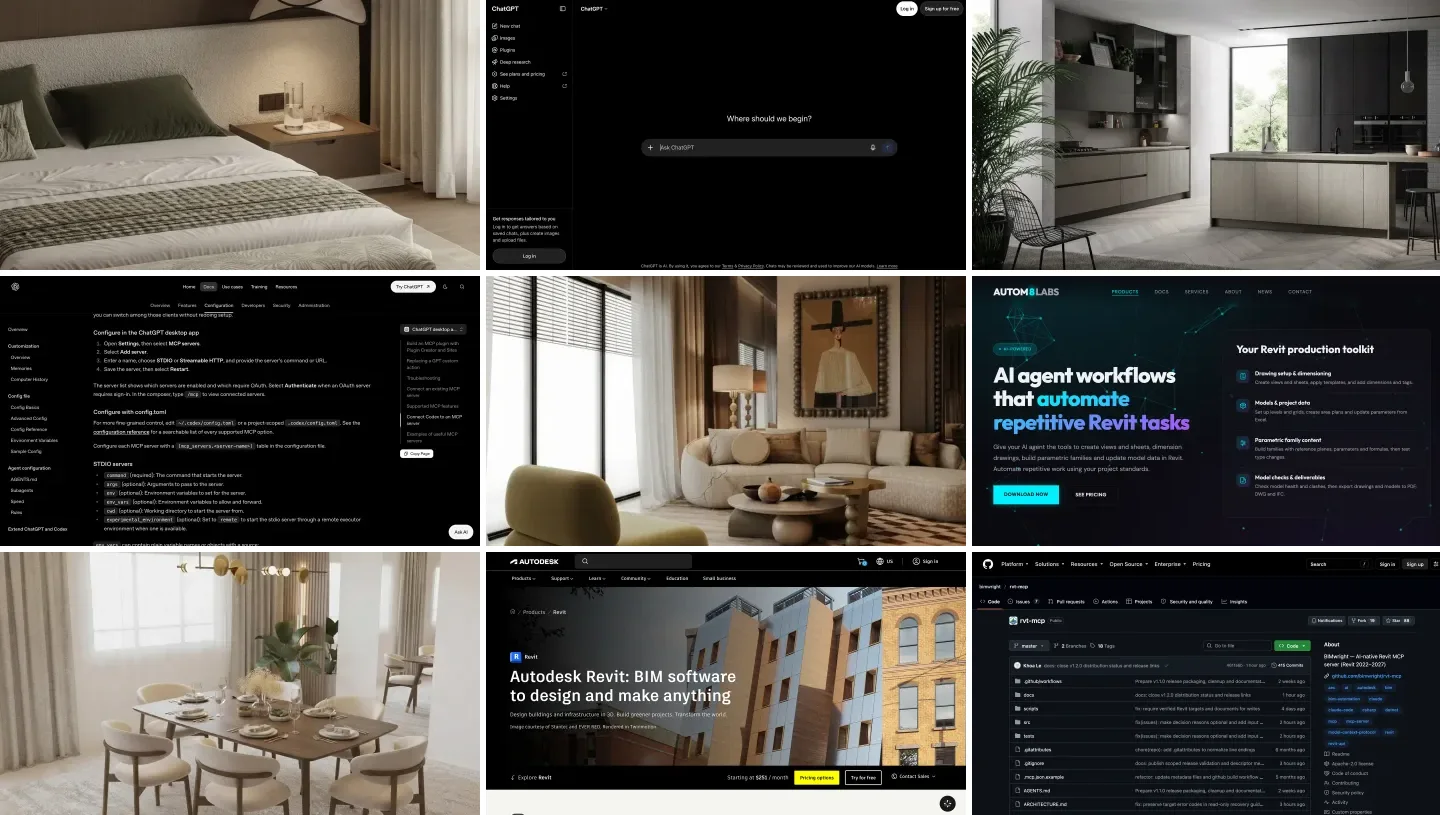
To connect ChatGPT to Revit, you run an MCP server on the Windows PC that has Revit open and add it to the ChatGPT desktop app or to Codex: Settings, MCP servers, Add server, STDIO, then the server’s command. On Revit 2027.2 that server can be Autodesk’s own free Revit MCP server; on 2026 and older you need a community server from GitHub or a paid connector. ChatGPT in a browser cannot reach a server on your PC without OpenAI’s Secure MCP Tunnel, and there is no Revit plugin in ChatGPT’s directory.
Our articles are still written by humans!
Get human written articles in your Google feed.
I run MeltFlex, an AI rendering tool for architects and interior designers, and yesterday I wrote the Claude version of this guide. For this one I read OpenAI’s MCP documentation and help center on October 19, 2026, registered Autodesk’s server with Codex, and then gave GPT-6 Astra the exact Revit export and interior design brief we gave Claude, so you can see the two side by side. I work on a Mac, so I could not drive a live Revit session; what I could test, and where GPT-6 Astra went wrong, is below.
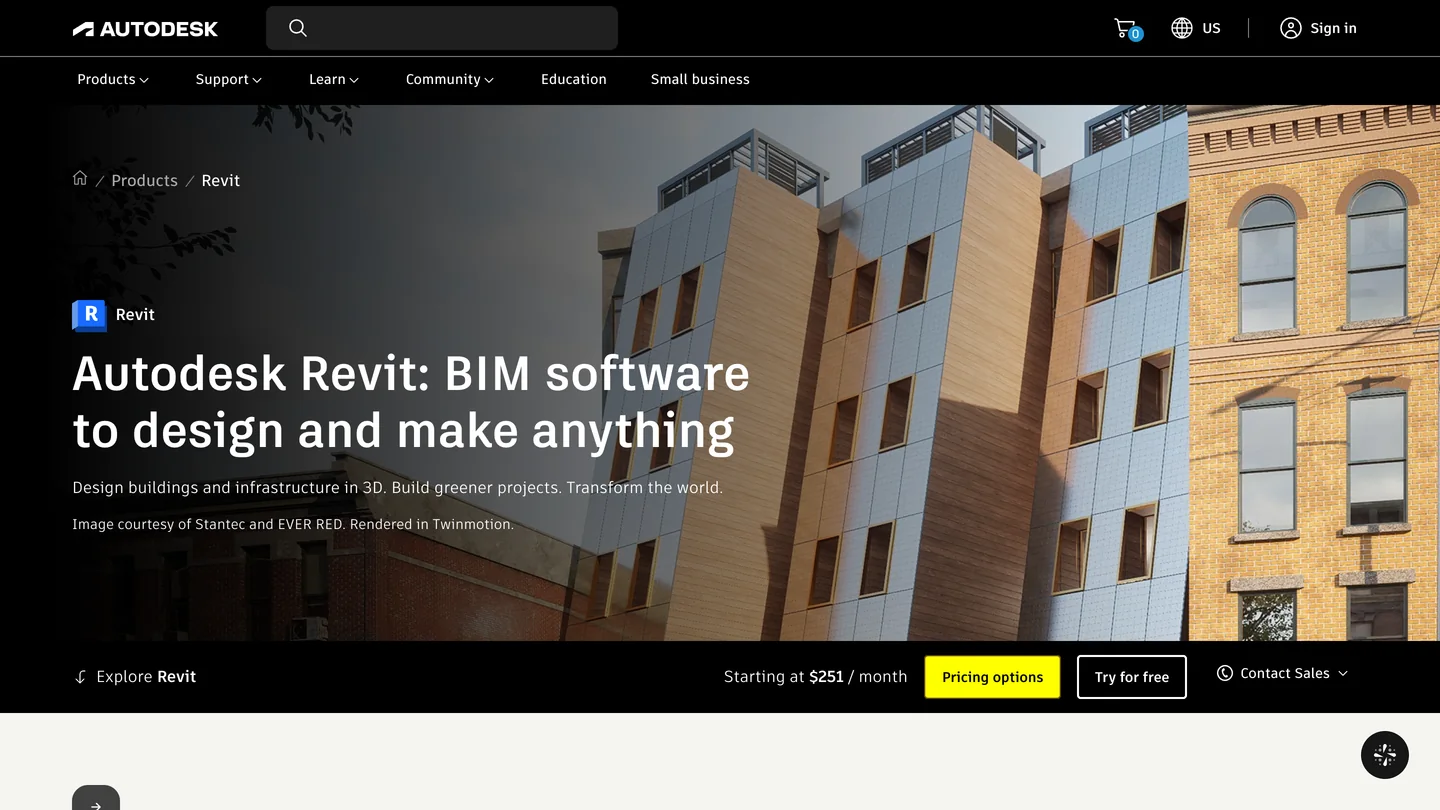
The two products, from their own pages. Revit is Windows only, and so is every route in this guide that touches a live model.
The short version
- Use the desktop app or Codex, not the website. They start local MCP servers; chatgpt.com only reaches remote ones. Setup steps below.
- On Revit 2027.2? Autodesk’s Read server works with ChatGPT even though Autodesk’s docs only name Claude and Cursor.
- On Revit 2026 or older? bimwright/rvt-mcp has a Codex option in its installer; AUTOM8LABS sells a signed connector that configures ChatGPT for you.
- Interior designer? GPT-6 Astra matched Claude on every number in our test, spotted that the bedside tables block a king bed’s clearances, and, like Claude, drew a plan with no kitchen in it.



What are the ways to connect ChatGPT to Revit?
There are five. Which one you can use depends on your Revit version, on whether you are on Windows, and on which ChatGPT you mean: the desktop app and Codex can start a program on your PC, the website cannot.
| Route | Revit versions | ChatGPT client | Can change the model | Cost |
|---|---|---|---|---|
| Autodesk Revit MCP Server (Technical Preview) | 2027.2 only | Desktop app or Codex | Read: no. Write and Experimental: yes | Free with Revit 2027 |
| Community MCP servers (rvt-mcp, Horizun, mcp-servers-for-revit) | 2020 to 2027, by project | Desktop app or Codex | Yes, most can run code the model writes | Free, open source |
| AUTOM8LABS MCP Connector (commercial) | 2022 to 2027 | Desktop app, configured for you | Free: read only. Paid: yes | Free, or £10 per seat a month |
| Secure MCP Tunnel to chatgpt.com | Whatever the server supports | ChatGPT on the web | Yes, on Business, Enterprise and Edu | A team plan plus an OpenAI Platform organization |
| IFC export to Codex (no live link) | Any version that exports IFC | Codex | No, ChatGPT works on a copy | A ChatGPT plan with Codex |
- Revit versions
- 2027.2 only
- ChatGPT client
- Desktop app or Codex
- Can change the model
- Read: no. Write and Experimental: yes
- Cost
- Free with Revit 2027
- Revit versions
- 2020 to 2027, by project
- ChatGPT client
- Desktop app or Codex
- Can change the model
- Yes, most can run code the model writes
- Cost
- Free, open source
- Revit versions
- 2022 to 2027
- ChatGPT client
- Desktop app, configured for you
- Can change the model
- Free: read only. Paid: yes
- Cost
- Free, or £10 per seat a month
- Revit versions
- Whatever the server supports
- ChatGPT client
- ChatGPT on the web
- Can change the model
- Yes, on Business, Enterprise and Edu
- Cost
- A team plan plus an OpenAI Platform organization
- Revit versions
- Any version that exports IFC
- ChatGPT client
- Codex
- Can change the model
- No, ChatGPT works on a copy
- Cost
- A ChatGPT plan with Codex
The protocol in all of them is MCP, the Model Context Protocol: a small server wraps the Revit API and offers tools such as “find all doors on Level 1”, and the AI client calls them. The servers do not care which model is on the other end, so everything written for Claude works with ChatGPT. What differs is OpenAI’s side, and that is where most people get stuck. If BIM itself is new to you, our guide to what BIM is explains why the Revit model, not the drawing, is the thing worth connecting to.
Which ChatGPT can reach Revit: the desktop app, Codex or chatgpt.com?
OpenAI’s MCP documentation puts the split in two sentences: “ChatGPT web uses remote MCP tools through plugins,” and “The ChatGPT desktop app, Codex CLI, and IDE extension support MCP servers and share MCP configuration.” A Revit MCP server is a local program on your PC, started by a command. That is what OpenAI calls a STDIO server, and only the second group starts those.
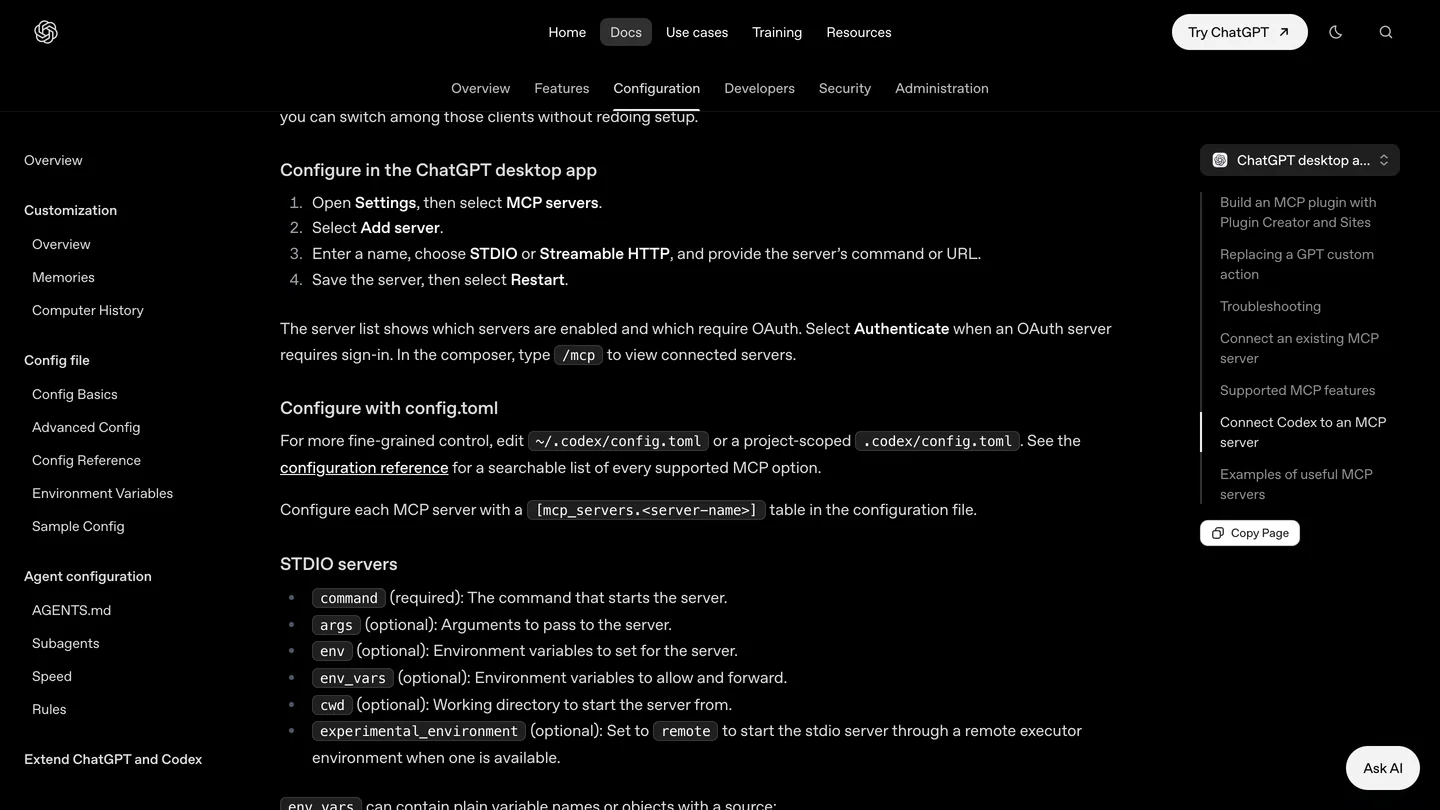
OpenAI’s own menu path for the desktop app, October 19, 2026. The config.toml below it is the same file Codex uses.
| ChatGPT client | Starts a local Revit server | What OpenAI’s docs say it needs |
|---|---|---|
| ChatGPT desktop app | Yes | Settings, MCP servers, Add server, STDIO. Runs on the Revit PC |
| Codex CLI and IDE extension | Yes | codex mcp add, same ~/.codex/config.toml as the desktop app |
| chatgpt.com | Only through Secure MCP Tunnel | A public HTTPS server or a tunnel; custom servers are a Business, Enterprise and Edu feature |
| ChatGPT on a phone | No | OpenAI’s help center says custom MCP servers are web only |
- Local Revit server
- Yes
- Needs
- Settings, MCP servers, Add server, STDIO. Runs on the Revit PC
- Local Revit server
- Yes
- Needs
- codex mcp add, same ~/.codex/config.toml as the desktop app
- Local Revit server
- Only through Secure MCP Tunnel
- Needs
- A public HTTPS server or a tunnel; custom servers are a Business, Enterprise and Edu feature
- Local Revit server
- No
- Needs
- OpenAI’s help center says custom MCP servers are web only
So if you searched for a “ChatGPT Revit plugin” and landed in the browser’s plugin settings, you are in the wrong place for a program on your own PC. This is also the main practical difference from Claude, where the website cannot reach Revit at all; with ChatGPT the website can, but only through a tunnel built for company workspaces.
How do you connect ChatGPT to Revit 2027, step by step?
Autodesk’s setup page only gives examples for Claude Desktop and Cursor, then adds one line: “The same configuration pattern generally applies to other AI clients that support local MCP servers.” The ChatGPT desktop app is one of them. Everything below runs on the Windows PC with Revit.
- Install the Revit 2027.2 update. Autodesk supports the server on nothing older during the Technical Preview.
- In your Autodesk Account, find Revit MCP Server Read-Tools Technical Preview among your Revit 2027 product updates and run the installer. Start with Read; it cannot change the model.
- In the ChatGPT desktop app, open Settings, select MCP servers, then Add server. Name it, choose STDIO, and paste the command and argument below. Save, then select Restart.
- Or do the same from a terminal with Codex, which writes the file the desktop app reads:
codex mcp add revit-read -- "C:\Program Files\Autodesk\Revit 2027 MCP Server Read-Tools Technical Preview\Autodesk.RevitMcpServer.Stdio.exe" --ManageConfigurationWithAutodeskRevitPluginInstaller=true- Open a model in Revit, type
/mcpin ChatGPT to see the server, then ask: List the available Revit MCP tools. If it lists them, you are connected.
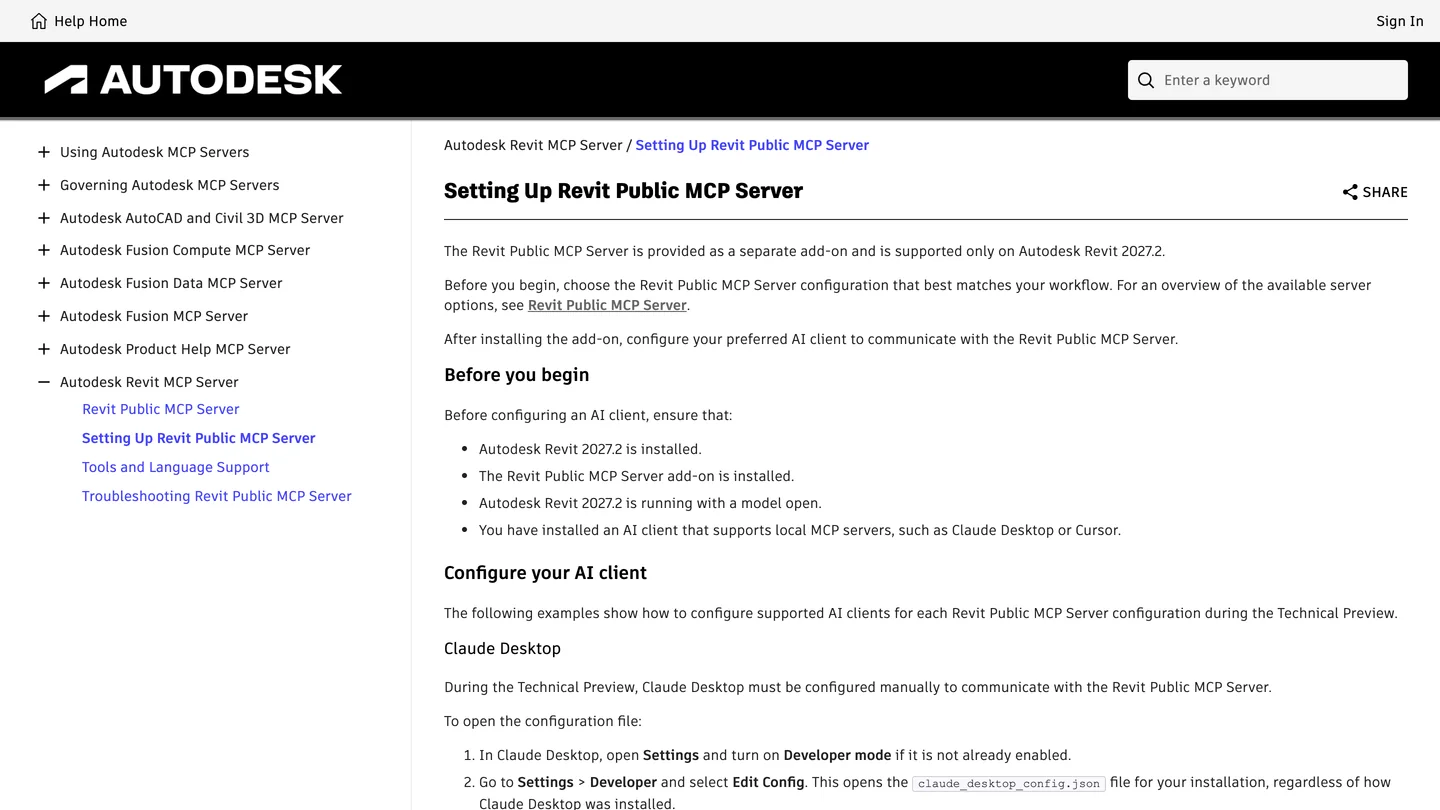
Autodesk’s setup page names Claude Desktop and Cursor. ChatGPT and Codex are covered only by its last line, about other clients that support local MCP servers.
I ran that codex mcp add line on my Mac with Codex CLI 0.163.0 to see what it writes. It answered Added global MCP server ‘revit-read’, codex mcp list showed the server as enabled with auth “Unsupported”, which is normal for a local program, and the config file came out like this:
[mcp_servers.revit-read]
command = 'C:\Program Files\Autodesk\Revit 2027 MCP Server Read-Tools Technical Preview\Autodesk.RevitMcpServer.Stdio.exe'
args = ["--ManageConfigurationWithAutodeskRevitPluginInstaller=true"]
default_tools_approval_mode = "prompt"
The last line is one I added by hand afterwards, and codex mcp get revit-read confirmed it was picked up. I would add it on every Revit server. OpenAI documents four approval modes per server, auto, prompt, writes and approve; prompt makes ChatGPT ask before every tool call, and writes only before tools not marked read only. Two more things the docs mention in passing: the spaces in Autodesk’s folder name are fine, because Codex single-quotes the path, and re-running codex mcp add replaces the whole entry, so pass every argument again rather than editing half of one. Revit was not installed on my Mac, so the server itself never started; the commands and the file are real, the Revit session is not.
How do you connect ChatGPT to Revit 2026 or older?
Autodesk’s server does not run before 2027.2, so for most offices today the answer is a community server or a commercial connector. Three have something specific to say about OpenAI’s clients. Numbers are from GitHub on October 19, 2026.
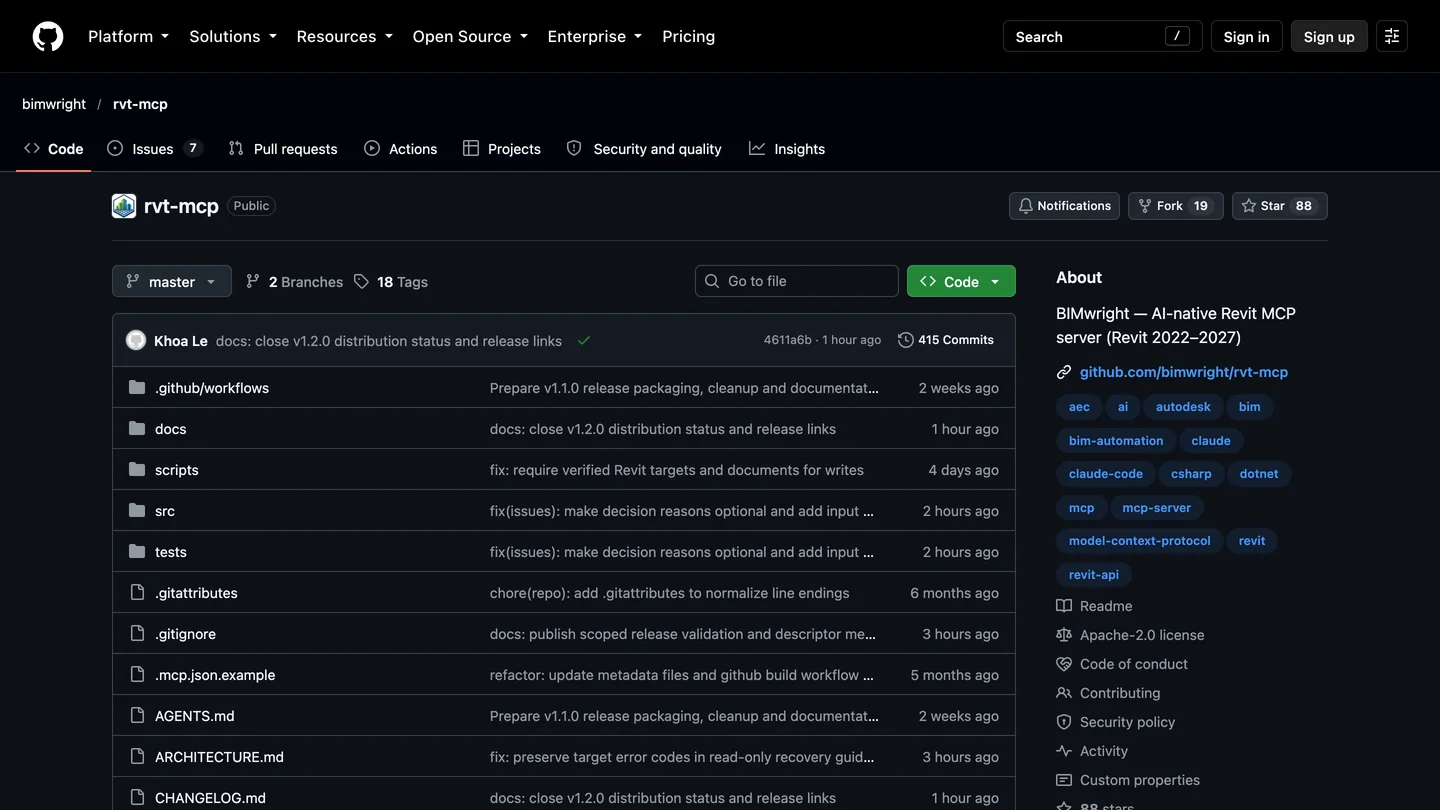
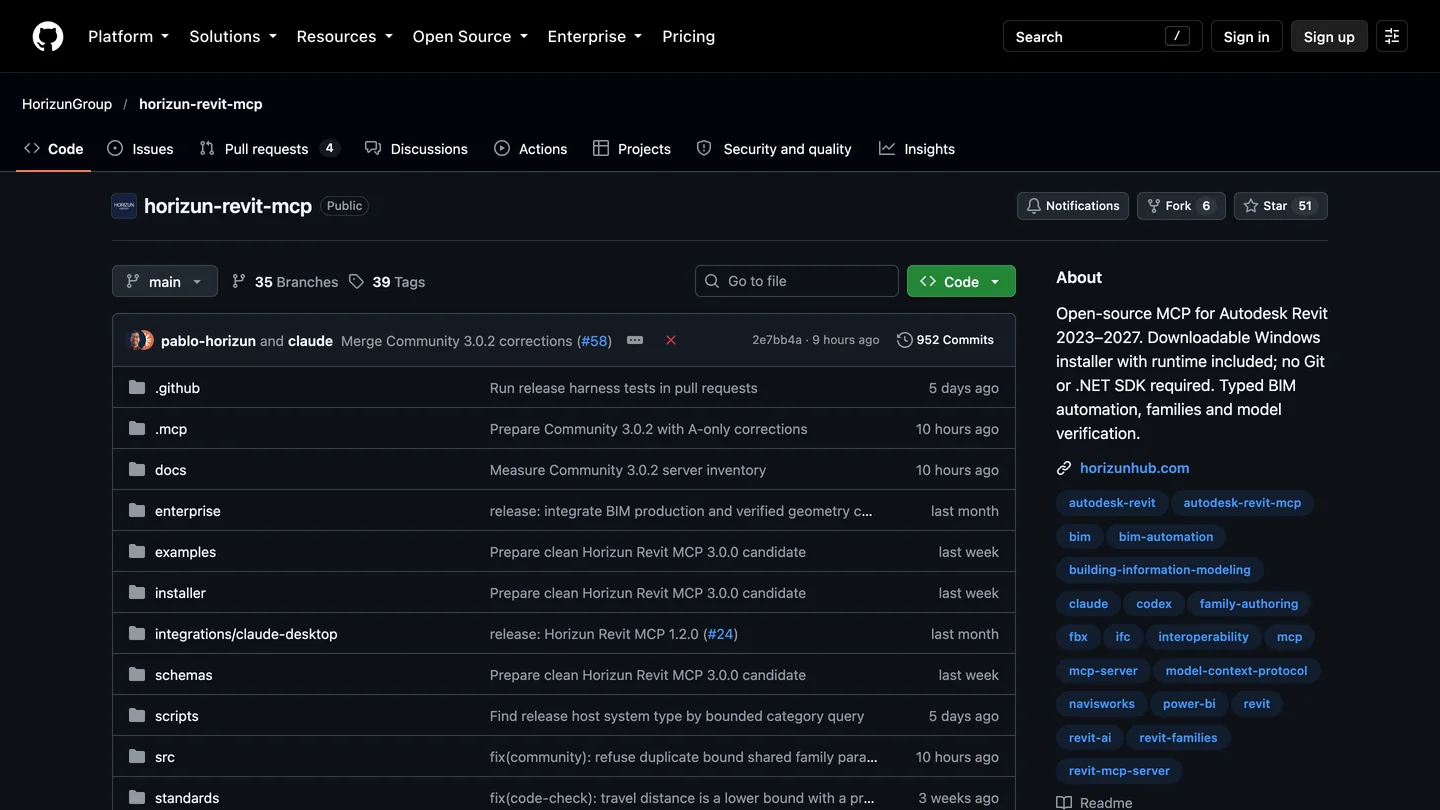
The two community servers whose own docs cover Codex. Both were updated the day before we looked.
| Server | Stars | Revit | What it says about ChatGPT or Codex | Runs model-written code |
|---|---|---|---|---|
| bimwright/rvt-mcp | 89 | 2022 to 2027 | Installer takes -Client codex; its README links three GPT-6 Astra videos | Yes, C#, on by default; --read-only removes it |
| Horizun Revit MCP | 51 | 2023 to 2027 | Setup registers Codex for you; ChatGPT Work through Secure MCP Tunnel | Python, only after you approve it in Revit |
| AUTOM8LABS MCP Connector | n/a, commercial | 2022 to 2027 | Configures the ChatGPT desktop app and Codex from a panel in Revit | Not described |
| mcp-servers-for-revit | 384 | 2020 to 2026 | Nothing about OpenAI clients in its README | Yes, C#; listens on port 8080 with no password |
- Stars
- 89
- Revit
- 2022 to 2027
- ChatGPT or Codex
- Installer takes -Client codex; its README links three GPT-6 Astra videos
- Model-written code
- Yes, C#, on by default; --read-only removes it
- Stars
- 51
- Revit
- 2023 to 2027
- ChatGPT or Codex
- Setup registers Codex for you; ChatGPT Work through Secure MCP Tunnel
- Model-written code
- Python, only after you approve it in Revit
- Stars
- n/a, commercial
- Revit
- 2022 to 2027
- ChatGPT or Codex
- Configures the ChatGPT desktop app and Codex from a panel in Revit
- Model-written code
- Not described
- Stars
- 384
- Revit
- 2020 to 2026
- ChatGPT or Codex
- Nothing about OpenAI clients in its README
- Model-written code
- Yes, C#; listens on port 8080 with no password
bimwright/rvt-mcp is the one the ChatGPT videos use, and the one I would pick. Its installer wires Codex with -Client codex (try it with -WhatIf first), and its client wiring notes give the manual line: codex mcp add rvt-mcp -- "%LOCALAPPDATA%\Bimwright\rvt-mcp\server\current\rvt-mcp.exe". A fresh install exposes 237 tools; add --read-only to the command and that drops to 98, none of which can change the model. Start there.
Horizun ships a Windows setup program with its own runtime, so there is nothing to build, and it is the only Revit server I found whose install table names the ChatGPT website route. Its releases are, in its own words, “intentionally unsigned”, so Windows will warn you; check the SHA-256 hash it publishes before you click through.
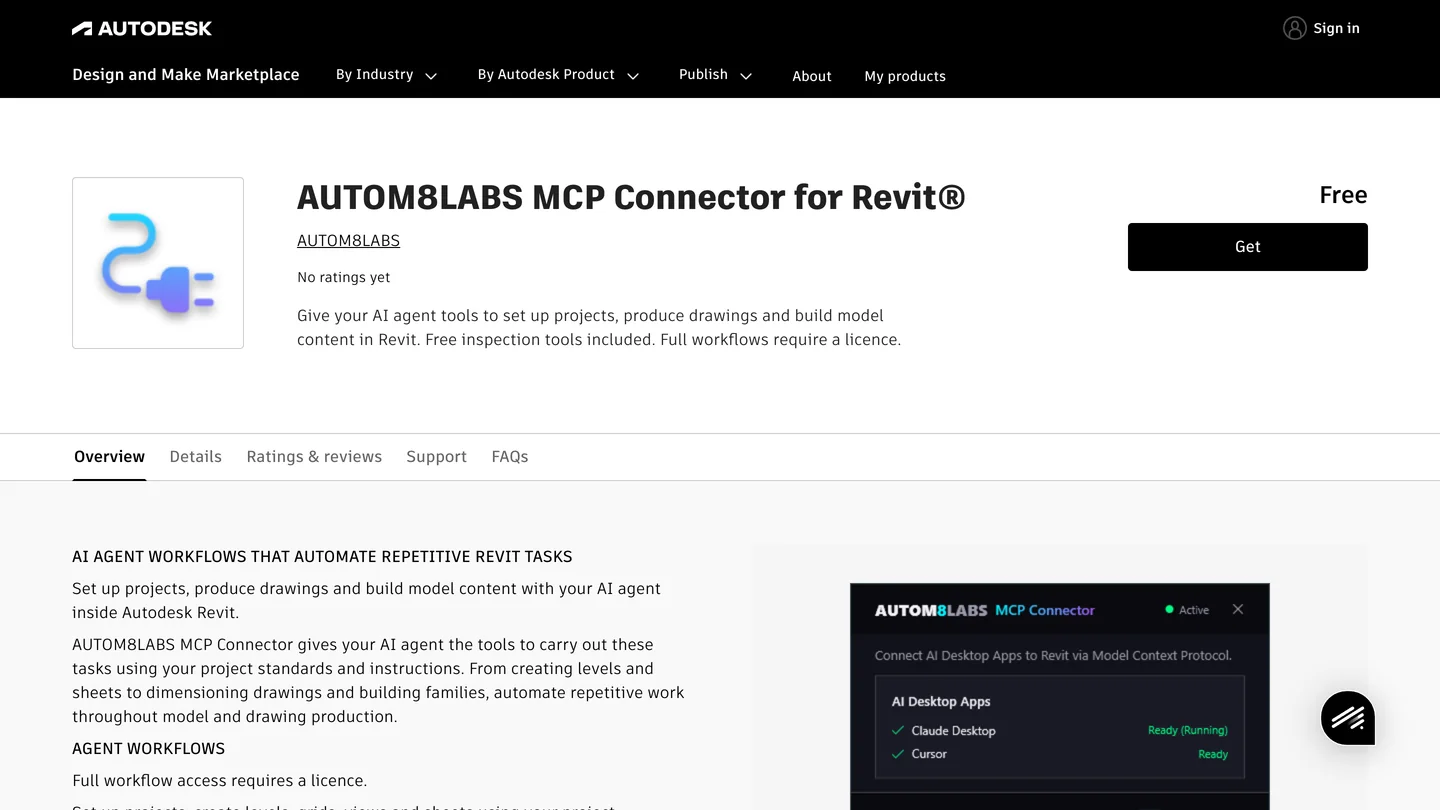
The closest thing to a “Revit plugin for ChatGPT” we found, on Autodesk’s own marketplace. No ratings yet when we looked.
AUTOM8LABS is the option for an office that will not install things from GitHub. The Autodesk Marketplace listing says it is digitally signed, covers Revit 2022 to 2027, and offers “automatic configuration” for Claude Desktop, ChatGPT desktop and Cursor. The free edition has 39 read-only tools; the full set is £10 per seat a month or £100 a year on its own site. I have not tested it, and the listing had no reviews yet, so treat the one-click claim as theirs.
To see the bimwright route before you install it, Revit Mentor’s 16 minute video is the closest match to this section: the ChatGPT desktop app on Windows 11, its Codex tab, bimwright/rvt-mcp installed by pasting the GitHub link into Codex (1:28) and a connection check in Revit 2026 (2:20). The four tests after that are presentation and schedule work, not design: a terracotta axonometric view (3:10), a furniture schedule exported to CSV (5:55), a site plan with 16 placed trees (8:32) and a material takeoff (11:14). Two things to do differently. The video sets Codex to “Approve for me” at the start, which lets it edit the model without asking; keep the approval mode on prompt as above. And the presenter’s own verdict at 15:20 is that it makes some mistakes and uses up credits fast, so check every schedule against the model before it goes on a sheet.

Revit Mentor, “Connecting ChatGPT Astra to Revit | Testing AI Changes in a Real Project”, September 23, 2026, 16 min 19 s. Revit 2026 with bimwright/rvt-mcp; no sponsor or course pitch.
Which ChatGPT plan do you need for Revit?
For the desktop app and Codex, OpenAI’s MCP page names no plan. The limit you will hit is usage: OpenAI’s pricing page lists “Limited Codex access” on Free and “Expanded Codex usage” on Plus, and a Revit model returns a lot of data per question. For the website the rules are spelled out in OpenAI’s help article on custom MCP servers, updated two days before we read it.
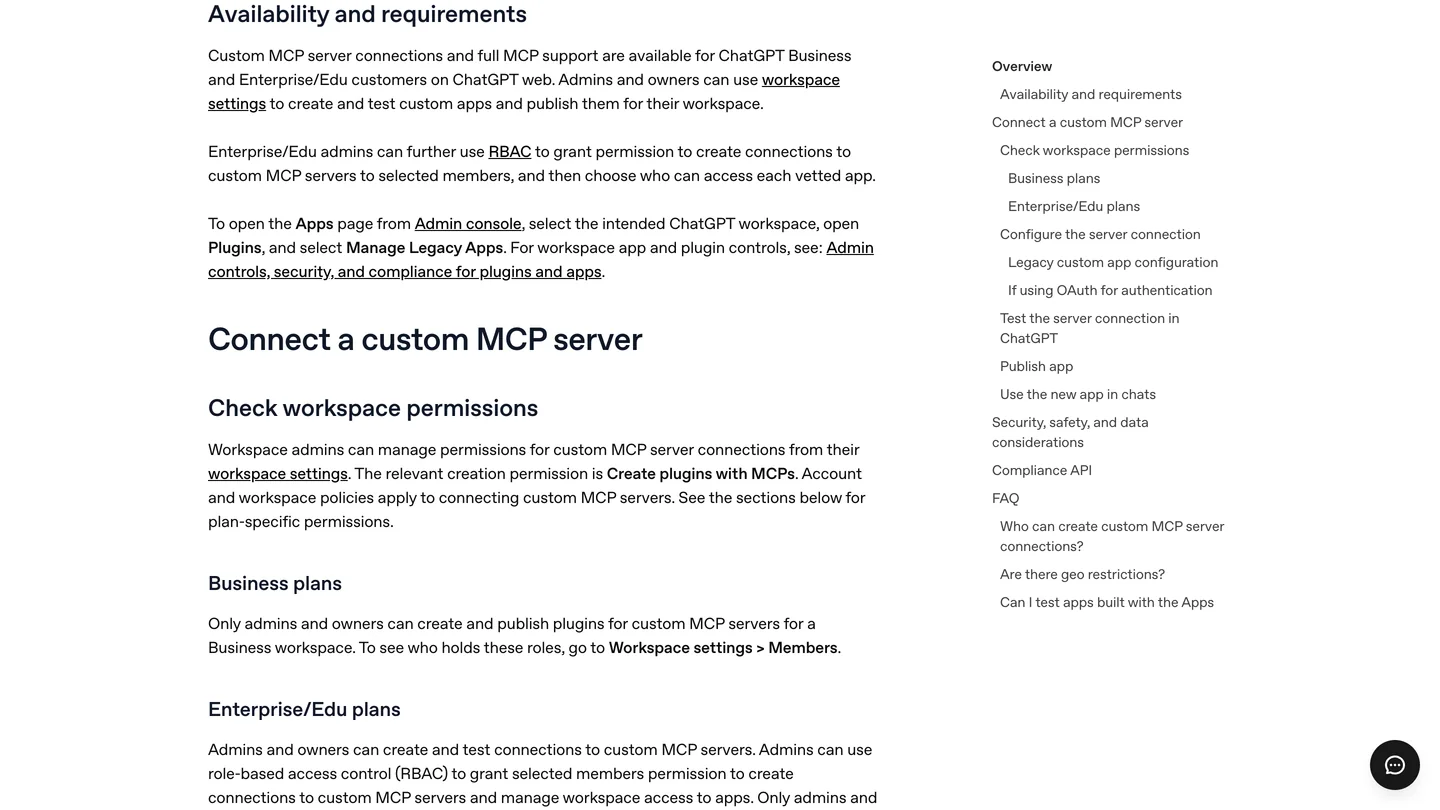
OpenAI’s help center, October 19, 2026. On Business, only admins and owners can add a custom server.
| Plan | Price shown to us (EU, October 19) | Desktop app and Codex with a local Revit server | chatgpt.com with a custom server |
|---|---|---|---|
| Free | €0 | Works, “Limited Codex access” | No |
| Plus | €23 a month | Works, “Expanded Codex usage” | Not listed by OpenAI |
| Pro | €103 a month | Works, “Longer Codex” sessions | Read and fetch only, no write actions |
| Business, Enterprise, Edu | Per user, see OpenAI | Works, under workspace policy | Yes, including write actions; admins add the server |
- Price
- €0
- Desktop and Codex
- Works, “Limited Codex access”
- chatgpt.com
- No
- Price
- €23 a month
- Desktop and Codex
- Works, “Expanded Codex usage”
- chatgpt.com
- Not listed by OpenAI
- Price
- €103 a month
- Desktop and Codex
- Works, “Longer Codex” sessions
- chatgpt.com
- Read and fetch only, no write actions
- Price
- Per user, see OpenAI
- Desktop and Codex
- Works, under workspace policy
- chatgpt.com
- Yes, including write actions; admins add the server
The prices are what OpenAI’s page showed us from Slovakia, in euros with VAT; yours will be in your currency. Revit itself is the bigger line item: Autodesk’s US page said “Starting at $251 / month” on October 18. Autodesk’s MCP server and the open source servers are free.
Is it safe to let ChatGPT into a Revit model?
The server decides what ChatGPT can do, so the safety question is the same as for Claude, and our Claude and Revit guide walks through the code. The short version: Autodesk’s Read server has no tool that changes the model or runs code. bimwright/rvt-mcp talks to Revit only on your own machine, with a token, but its C# tool is on until you pass --read-only or --disable-send-code. And the most starred server, mcp-servers-for-revit, opens port 8080 on every network interface with no password and will compile any C# it receives.
OpenAI adds two layers of its own. On the PC, the per-server approval mode above is the one that matters; leave it on prompt until you trust the server. On the web, OpenAI’s help center says ChatGPT shows a risk warning before you add a custom server, asks for confirmation before write actions, and that Business and Enterprise admins approve a frozen snapshot of the server’s tools. Add the usual rules on top: a copy of the model, never the central file, and a word with whoever owns your firm’s data policy, because what the tools return is sent to OpenAI for processing.
Can ChatGPT help an interior designer with a Revit model? Our test
We ran the same test as in the Claude guide, so the two can be compared directly. The model was the Duplex Apartment, a two story duplex exported from Revit Architecture 2011 and published by buildingSMART International under CC BY 4.0. On October 19, 2026 we started a fresh Codex CLI 0.163.0 session with GPT-6 Astra, the model the ChatGPT Revit videos use, in a folder with only the IFC file and Python with the open source ifcopenshell library. The brief, word for word the one Claude got, asked for:
- A room schedule for the left hand unit as a CSV, with areas in square meters and square feet.
- The furniture already modeled in each room, by family and type.
- Whether each bedroom takes a king bed (76 by 80 inches) with 30 inches clear on both sides and 36 inches at the foot, without blocking a door swing.
- A to-scale floor plan of both levels as an image, for a renderer.
It finished in 4 minutes 26 seconds. Codex logged 433,127 input tokens, most of them cached, and 9,731 output tokens, which at OpenRouter’s list price for GPT-6 Astra is about $1.50. We ran it through an OpenAI compatible API endpoint rather than a ChatGPT sign-in, so this was Codex and the model, not the desktop app’s interface. Then we checked its numbers against the values we had verified with our own script for the Claude test.
| Same brief, same IFC | GPT-6 Astra in Codex | Claude Opus 5.5 in Claude Code |
|---|---|---|
| Time and cost | 4 min 26 s, about $1.50 | 7 min 6 s, $1.70 |
| Room areas | All 10 match Revit | All 10 match Revit |
| Furniture | All 31 pieces right, with IFC IDs | All 31 pieces right |
| Revit area vs real floor | Caught it (26.12 vs 22.04 m²), cause left open | Caught it, suggested wall centerlines as the cause |
| King bed fit | Yes in both rooms; 889 mm a side in one, “760 mm verified” in the other | Yes in both rooms; 889 mm and about 1.46 m a side |
| Existing king, window side | Caught the 700 mm gap | Caught the 700 mm gap |
| Bedside tables | Flagged that they block the clearances and must move | Not mentioned |
| Floor plan | No kitchen, Revit’s larger areas on the labels | No kitchen, Revit’s larger areas on the labels |
- GPT-6 Astra
- 4 min 26 s, about $1.50
- Claude Opus 5.5
- 7 min 6 s, $1.70
- GPT-6 Astra
- All 10 rooms and 31 pieces right, with IFC IDs
- Claude Opus 5.5
- All 10 rooms and 31 pieces right
- GPT-6 Astra
- Caught it (26.12 vs 22.04 m²), cause left open
- Claude Opus 5.5
- Caught it, suggested wall centerlines as the cause
- GPT-6 Astra
- Yes in both rooms; 889 mm a side in one, “760 mm verified” in the other
- Claude Opus 5.5
- Yes in both rooms; 889 mm and about 1.46 m a side
- GPT-6 Astra
- Flagged that they block the clearances and must move
- Claude Opus 5.5
- Not mentioned
- GPT-6 Astra
- No kitchen, Revit’s larger areas on the labels
- Claude Opus 5.5
- No kitchen, Revit’s larger areas on the labels
Every number was right. All ten room areas matched Revit to the hundredth. The furniture list was correct room by room, including the eight base cabinets in the kitchen and two upper cabinet types that differ only by a space in their names, which it kept apart, as Claude did. It placed the king bed in the first bedroom against the one outside wall without a window, the same wall Claude chose, with 889 mm (35 inches) on each side, and it noticed that the king already in the model has only 700 mm on the window side, under the brief’s 760. We had measured that ourselves. It is true.
The area catch, again. Like Claude, GPT-6 Astra noticed that Revit’s areas are larger than the rooms: 26.12 m² on the schedule, 22.04 m² of actual floor in each bedroom, 16% less. It wrote a separate audit file for every room and told me not to read the scheduled areas as usable floor. Where Claude guessed the cause, GPT-6 Astra said the cause “cannot be established from this export” and told me to check the room boundary settings in Revit. That is the more careful answer, and for an architect reading it, probably the more useful one.
The thing Claude missed. The model has a small 610 mm cube table beside each bed, standing in for a nightstand. GPT-6 Astra checked them against the clearance zones it had drawn, found that both overlap, and said they have to move. It also drew an unrequested diagram of both bedrooms with the bed, the clear zones and the old tables outlined. A designer would have caught the tables at the layout stage; it is still the kind of detail that separates a check from a guess. Our bed size guide and bedroom layout guide have the clearances worth putting in a brief like this.
What a designer would circle in red.
- The same plan mistake as Claude. GPT-6 Astra left all furniture off the plan, including the kitchen cabinets and counters, which are built in. Hand that plan to a renderer and it will invent a kitchen, which is exactly what happened in the Claude test. If you brief either model for a plan, say which casework must stay; our kitchen layout guide has the vocabulary.
- It labeled the plan with the numbers it told me not to trust. Every room on the drawing carries Revit’s larger area. Unlike Claude, it said so in its notes, which helps the person reading the notes and not the client looking at the picture.
- The second bedroom got a pass, not a number. For the first bedroom it gave the real side clearance; for the second it only said the 760 mm zones were “verified”, and its own check file shows the clear zone ends 265 mm from the door swing. That fits the brief, but it is tight, and the summary does not tell you so.
The conclusion is the same one we reached with Claude, and it is not really about the model. On a task that can be written as numbers, both are now very good, and both are better than a tired person at catching an area that does not add up. On what a designer knows without writing it down, that a kitchen is part of the room, both need to be told. What GPT-6 Astra did better was finish faster and check one more thing; what Claude did better was explain itself.
Does ChatGPT work with Revit on a Mac?
Not natively, because Revit does not. Autodesk’s Revit 2027 system requirements list 64-bit Windows 11, and for Macs they recommend Parallels Desktop with a Windows 11 virtual machine. If you go that way, the server and the ChatGPT desktop app or Codex both have to run inside the virtual machine, next to Revit.
Without Windows, our test is the route: ask for an IFC export, give it to Codex on your Mac, and ask. You lose the live link, so nothing ChatGPT does can change the model, which is arguably what you want when it is someone else’s file. For quick questions without any files, our guide to ChatGPT prompts for interior design covers what the chat window alone does well.
Can ChatGPT make a render from a Revit model?
Not through any of these servers. They can export a Revit view as an image, which is a screenshot of the model, not a client image. ChatGPT can generate images, and our test of ChatGPT for room design shows what that looks like, but it draws a new picture rather than rendering your geometry, so walls and windows move. For a render you can stand behind, use Revit’s own renderer, an engine such as Enscape or Twinmotion, or an AI renderer that keeps the geometry; our comparison of AI architectural rendering tools covers the ones that work with Revit.
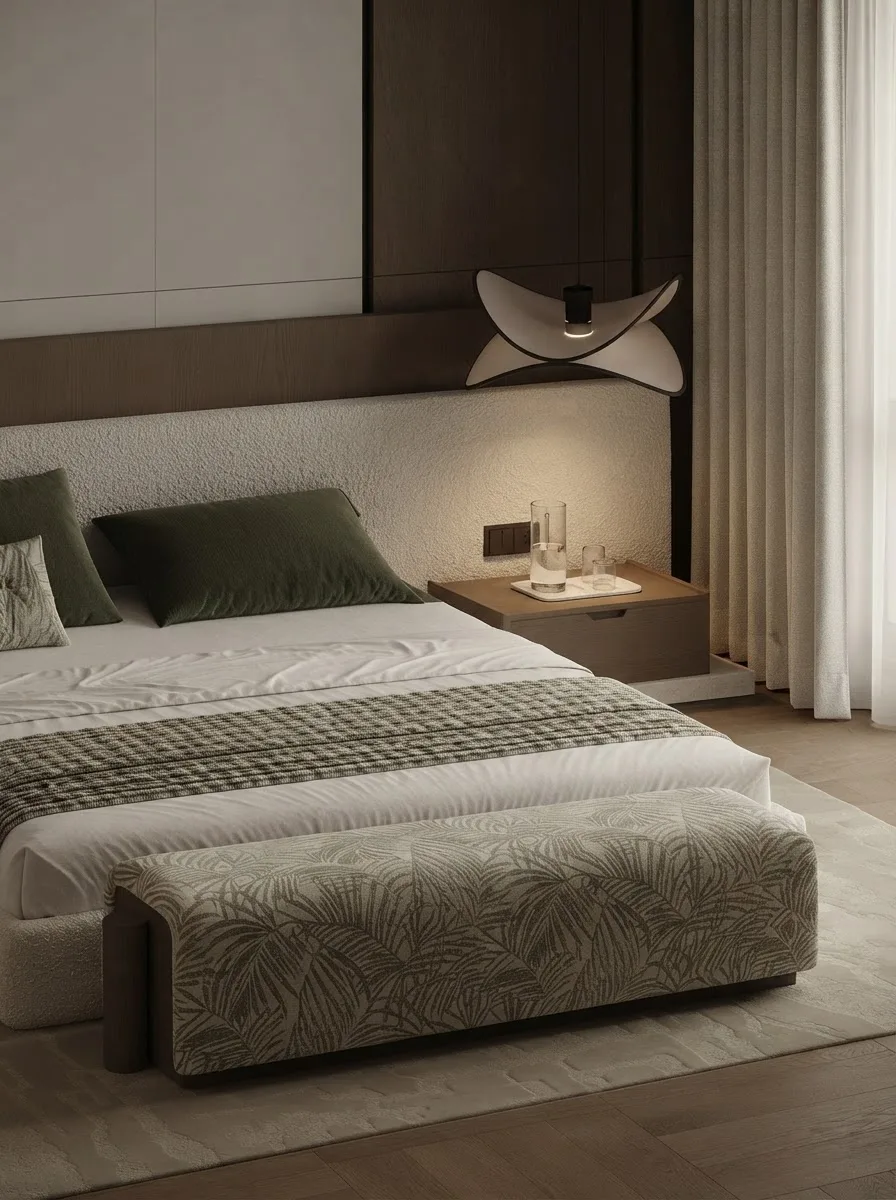
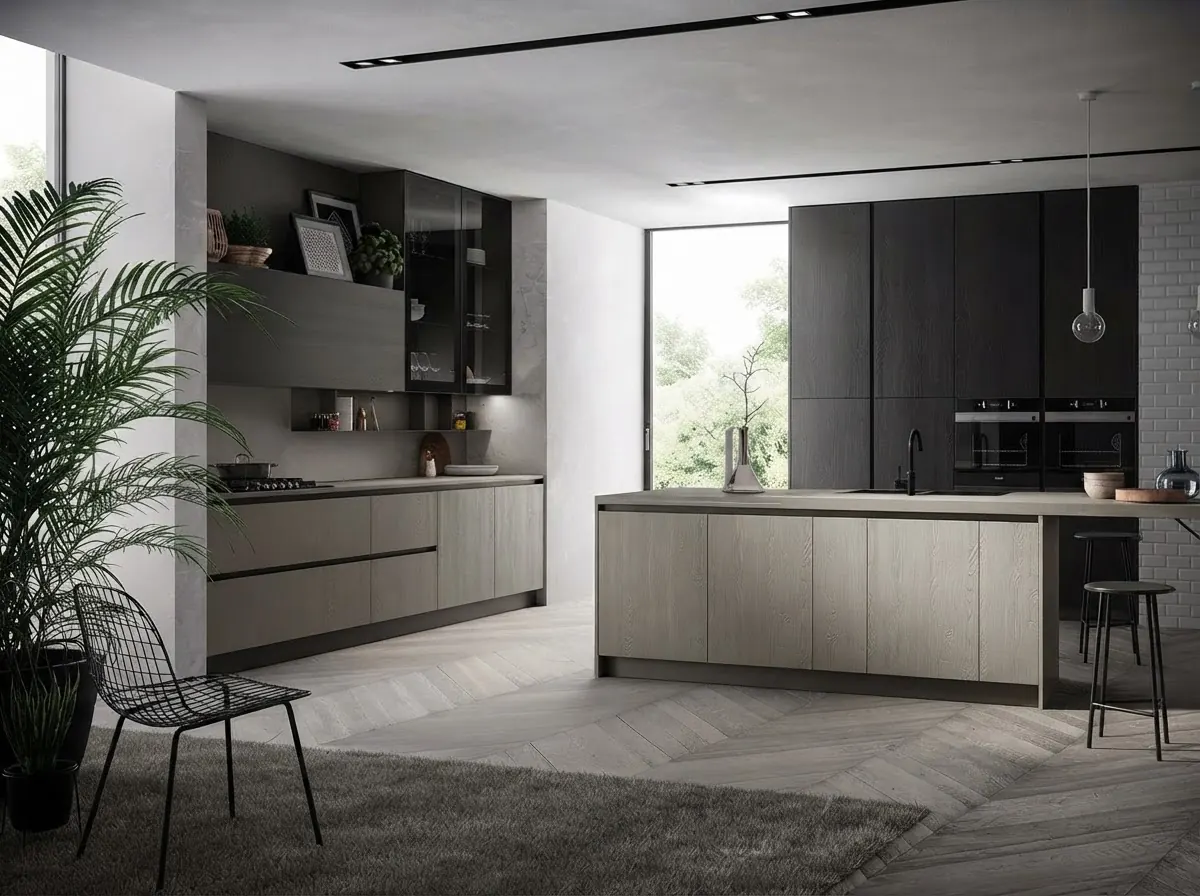
Finished rooms from the MeltFlex gallery, not from this test. The kitchen is the part both models left out of their plans.
This is where MeltFlex fits, so here is the disclosure. Our floor plan to 3D tool turns a plan image into a furnished 3D view in the browser, and in the Claude test it did that in 17 seconds from the plan Claude drew, while also adding a kitchen island the model never had. If you would rather start from a Revit view, export it with the server’s image tool and use photo to render, which keeps the camera and the walls. Either way, check the plan before the render, and the render against the plan.


Finished living and dining rooms from the MeltFlex gallery. A Revit model holds the walls and the furniture families; this is the layer a client reacts to.
Should architects and interior designers connect ChatGPT to Revit?
Architects on Revit 2027.2 who already pay for ChatGPT: yes, add Autodesk’s Read server to the desktop app, set approvals to prompt, and use it for the questions that eat an afternoon, which doors have no fire rating, which views are not on a sheet, how many of a family are in the model. On older Revit, bimwright/rvt-mcp in read-only mode is where I would start, or AUTOM8LABS’ free edition if your IT team wants a signed installer from Autodesk’s marketplace.
Interior designers, who usually receive a model rather than own it: you do not need a live connection at all. Ask for an IFC, give it to Codex, and use it for schedules, areas and fit checks. In our test GPT-6 Astra did that as well as Claude, a little faster, and caught one thing Claude missed. If your studio is already on Claude, nothing here is a reason to switch; our Claude and Revit guide has the same setup for Claude Desktop. Our sister site TechDraw goes through the three GPT-6 Astra videos that made this popular in its own ChatGPT and Revit guide, worth reading before you trust a demo. For a less flattering one, BIM Pure’s five minute GPT-6 Astra test shows a first apartment layout with the fridge blocking the entrance and a cabin modelled as DirectShape geometry that cannot be edited like normal Revit families. That fits what we saw: good at reading a model, weak at designing in it.
The same setup works across the rest of the stack: connecting ChatGPT to SketchUp covers the Codex route for massing models, connecting ChatGPT to Rhino covers McNeel’s server and Grasshopper, connecting ChatGPT to 3ds Max covers the community servers for visualization scenes, AutoCAD MCP covers Autodesk’s server for 2D drawings, and ChatGPT plugins for architects covers what you can add to ChatGPT without a server of your own. For the wider Claude side, see the best MCP servers for architects.
Sources and what we could not verify
Read on October 19, 2026: OpenAI’s Model Context Protocol documentation for ChatGPT and Codex, OpenAI’s help article on custom MCP servers and the ChatGPT pricing page; the AUTOM8LABS Marketplace listing and product page; the GitHub repositories of bimwright/rvt-mcp (README, client wiring notes and installer script) and Horizun Revit MCP. Autodesk’s Revit MCP server pages, its tools table and the community server code were read on October 18 for the Claude guide. Star counts are from the GitHub API and will move. The test model is BSI (2020) “Duplex Apartment Test Files,” buildingSMART International, used unchanged.
What we did not do: we did not run any Revit server against a live Revit session, because Revit needs Windows and we tested on a Mac. We did not use the ChatGPT desktop app’s interface; the menu path is OpenAI’s, and our test ran GPT-6 Astra through Codex with an API key. We did not set up a Secure MCP Tunnel, and we did not test AUTOM8LABS or Horizun. OpenAI’s plan rules for the desktop app are not written down anywhere we could find; the table above shows what is. One test is one test, and a different model, brief or file will fail in different places.
ChatGPT and Revit: FAQ
Can ChatGPT connect to Revit?
Yes, through an MCP server running on the same Windows computer as Revit. The ChatGPT desktop app, Codex CLI and the Codex IDE extension can start a local MCP server and share one config file, so any Revit MCP server that runs over stdio works with them: Autodesk's official Revit MCP server on Revit 2027.2, community servers such as bimwright/rvt-mcp on older versions, or a commercial connector such as AUTOM8LABS. ChatGPT in a web browser cannot reach a server on your PC unless you set up OpenAI's Secure MCP Tunnel.
Is there an official Revit plugin for ChatGPT?
No. OpenAI has no Revit plugin in ChatGPT's plugin directory, and Autodesk's Revit MCP server documentation names Claude Desktop and Cursor as example clients, adding only that the same configuration pattern generally applies to other clients that support local MCP servers. The closest thing to a ready made Revit plugin for ChatGPT is a third party one: the AUTOM8LABS MCP Connector on the Autodesk Marketplace says it configures the ChatGPT desktop app automatically.
How do I add a Revit MCP server to the ChatGPT desktop app?
Install the server on the Windows PC that runs Revit first. Then in the ChatGPT desktop app open Settings, select MCP servers, select Add server, enter a name, choose STDIO and paste the server's command, then save and select Restart. Type /mcp in the composer to check it is connected. In a terminal, codex mcp add does the same thing and writes the same ~/.codex/config.toml file.
Which ChatGPT plan do I need to connect ChatGPT to Revit?
For a local server in the desktop app or Codex, OpenAI's MCP documentation names no plan, but Codex usage is limited on Free and expanded on Plus and Pro, and a Revit session uses a lot of it. For ChatGPT on the web, OpenAI's help center says custom MCP servers with write actions are available on Business, Enterprise and Edu, where only admins and owners can add them on Business, while Pro users can connect custom servers with read and fetch permissions only.
Can ChatGPT on the web connect to Revit?
Not directly. OpenAI's help center says ChatGPT connects to remote MCP servers, and that a server on a developer machine or private network needs Secure MCP Tunnel, a small program on your PC that opens an outbound connection to OpenAI. It needs an OpenAI Platform organization, a tunnel ID and a restricted API key, and custom MCP servers on the web are a Business, Enterprise and Edu feature. For one person on one PC the desktop app is far simpler.
Can ChatGPT edit a Revit model?
It depends on the server, not on ChatGPT. Autodesk's Read server has 8 tools and cannot change anything; its Write server has 11 and its Experimental server 39, which can delete elements and create sheets, views and schedules. bimwright/rvt-mcp has 237 tools on a fresh install, including one that compiles and runs C# that the model writes, on by default. Work on a copy of the model and set Codex to ask before each tool call.
Is ChatGPT or Claude better for Revit?
On our test they were close. We gave GPT-6 Astra in Codex and Claude Opus 5.5 in Claude Code the same Revit IFC export and the same interior design brief. Both got every room area and all 31 pieces of furniture right, both caught that Revit's bedroom areas are 16% larger than the floor, and both drew a plan without the kitchen. GPT-6 Astra finished faster, about 4.5 minutes against 7, and noticed that the bedside tables block the clearances; Claude suggested a cause for the area gap and reported the actual side clearance in both bedrooms, where GPT-6 Astra only confirmed the minimum in one.
Does ChatGPT work with Revit on a Mac?
Only inside Windows. Revit 2027 runs on 64-bit Windows 11, and for Macs Autodesk recommends Parallels Desktop with a Windows 11 virtual machine. The MCP server and the ChatGPT desktop app or Codex have to run inside that same Windows machine. Without Windows you can export an IFC from Revit and give it to Codex on your Mac, which is the route we tested.
Keep reading
- How to connect Claude to Revit, the same servers with Claude Desktop, and the security review of their code.
- How to connect ChatGPT to SketchUp, the Codex route for SketchUp and our test of a ChatGPT written Ruby script.
- AutoCAD MCP, Autodesk’s other server and our test of an AI drawing a floor plan.
- AI space planning tools for architects, including the ones that export to Revit.
- AI tools for architecture studios, if you want apps rather than connectors.
- Floor plan symbols, to read the plans these models draw.
- Floor plan to 3D, turn a plan into a furnished 3D view in the browser.