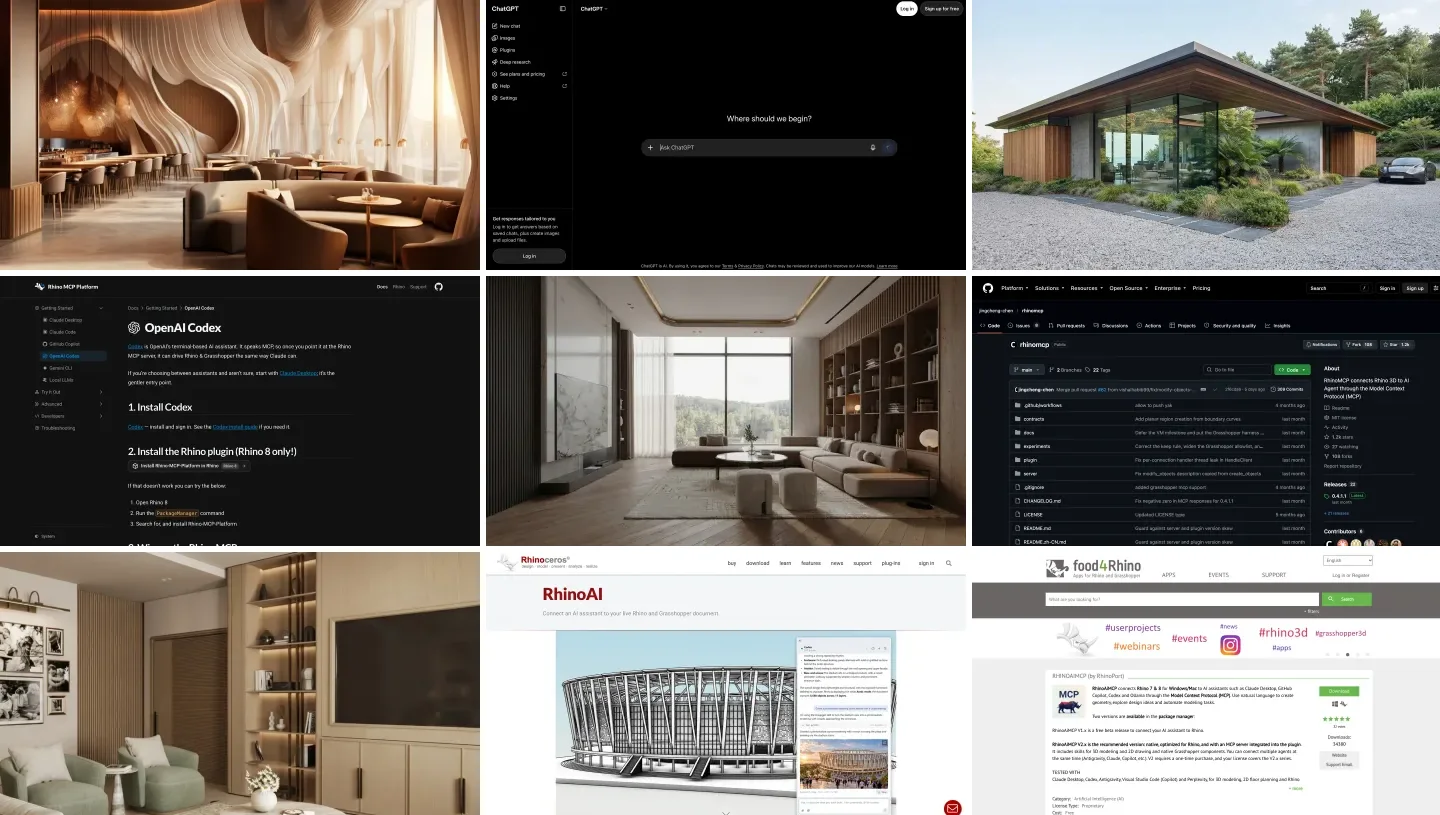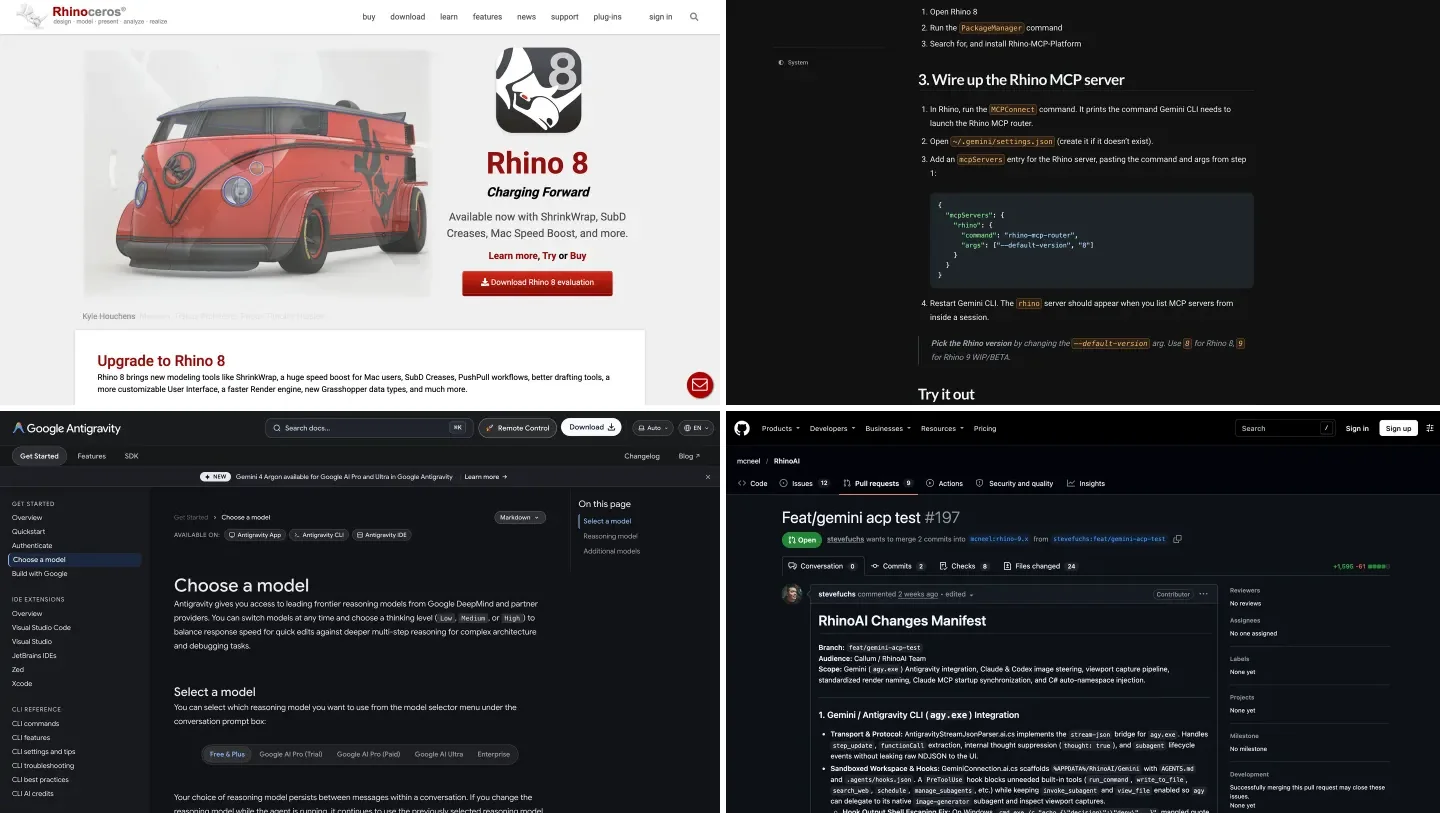
To connect Gemini to Rhino, install McNeel’s free Rhino MCP Platform plugin in Rhino 8 and add it to Google Antigravity, Google’s agent app and command line tool, as an MCP server: copy the router path from Rhino’s MCPConnect window into Antigravity’s mcp_config.json and restart it. Gemini can then draw and edit geometry, run Python and C# inside Rhino, and build Grasshopper definitions. It does not work from gemini.google.com, the free Gemini CLI most tutorials still mention stopped working in June, and Gemini is not yet in Rhino’s own AI panel. To start a building rather than edit one, AIBIMTool, the AI BIM software made by our team, generates a first BIM model from a written brief and exports IFC4 for Rhino and Revit.
Our articles are still written by humans!
Get human written articles in your Google feed.
I run MeltFlex, an AI rendering tool for architects and interior designers, and this is the third Rhino guide in our series, after ChatGPT and Rhino and Claude and Rhino. For this one, on October 28, 2026, I read McNeel’s Gemini documentation and the source code of its Rhino plugin at that day’s commit, Google’s Antigravity and Gemini API pages, the open GitHub issues and the McNeel forum. Then I gave Gemini 4 Argon and Gemini 3.8 Flash the same 417 word interior brief we gave ChatGPT and Claude, ran the code they wrote, and measured the Rhino files with our own script. Gemini got the numbers right and missed something the other two caught. Details below.
The two products, from their own home pages. The Gemini web app cannot reach Rhino; the connection runs through Antigravity on your computer.
The short version
- Use Antigravity, not the Gemini app and not Gemini CLI. Antigravity can start the Rhino server on your machine; the web app cannot, and Gemini CLI now needs a paid API key. Setup steps below.
- Use McNeel’s server on Rhino 8.19 or the Rhino 9 BETA, and copy its router path from
MCPConnect, not from a tutorial. - Set
timeoutSecondsto 600. Antigravity stops a tool call after 180 seconds; big Rhino jobs take longer. - On a Mac, if every call hangs, start Rhino with
RHINO_MCP_AUTOSTART_PORT=10500. It is a known bug, explained below. - Check its work. In our test Gemini 4 Argon built the room to the millimeter for about $0.19, then left the TV console 30 mm inside the slatted wall behind it.



What are the ways to connect Gemini to Rhino?
Six, and only the first is the one I would set up today. Five use MCP, the Model Context Protocol, which lets an AI assistant call tools in another program. The last is the one most people start with: asking Gemini for a script and pasting it in.
| Route | Rhino versions | Gemini side | Status, October 2026 | Cost |
|---|---|---|---|---|
| Antigravity + McNeel Rhino MCP Platform | 8.19 and newer, 9 BETA | Antigravity CLI, app or IDE | Works; McNeel lists Antigravity as compatible | Free plugin, Gemini 3.8 Flash free |
| Gemini CLI + McNeel Rhino MCP Platform | 8.19 and newer, 9 BETA | Gemini CLI | McNeel’s documented route, but needs a paid API key since June 18 | Per token |
| Cline or another IDE agent + Rhino MCP | 8 and newer | Gemini API key in the agent | Works; used in the video below | Per token |
| RhinoAiMCP (RhinoPort) | 7 and 8 | Antigravity, listed as tested | The only route for Rhino 7 | V1 free beta, V2 paid |
| Rhino’s AI panel | 8.19 and newer, 9 BETA | Gemini inside Rhino | Not yet; in an open pull request | Not applicable |
| Gemini writes a script, you paste it | Any | Any Gemini, even free | Works, by hand | Free |
- Rhino
- 8.19 and newer, 9 BETA
- Gemini side
- Antigravity CLI, app or IDE
- Status
- Works; McNeel lists Antigravity as compatible
- Cost
- Free plugin, Gemini 3.8 Flash free
- Rhino
- 8.19 and newer, 9 BETA
- Gemini side
- Gemini CLI
- Status
- Needs a paid API key since June 18
- Cost
- Per token
- Rhino
- 8 and newer
- Gemini side
- Gemini API key in the agent
- Status
- Works; used in the video below
- Cost
- Per token
- Rhino
- 7 and 8
- Gemini side
- Antigravity, listed as tested
- Status
- The only route for Rhino 7
- Cost
- V1 free beta, V2 paid
- Rhino
- 8.19 and newer, 9 BETA
- Gemini side
- Gemini inside Rhino
- Status
- Not yet; in an open pull request
- Rhino
- Any
- Gemini side
- Any Gemini, even free
- Status
- Works, by hand
- Cost
- Free
Does McNeel support Gemini in Rhino?
Yes as an outside client, not yet inside Rhino. When McNeel’s Callum Sykes announced RhinoAI on September 30, 2026, the announcement described it as a plugin that connects Rhino and Grasshopper “to AI assistants like Claude, Codex, Gemini, GitHub Copilot, and Local LLMs.” On October 14, scottd of McNeel posted the list of clients that work with the Rhino MCP server, and it names “Google Antigravity CLI ( agy )”, the Antigravity app and the Antigravity IDE alongside Claude and ChatGPT. McNeel’s documentation also has a Gemini setup page.
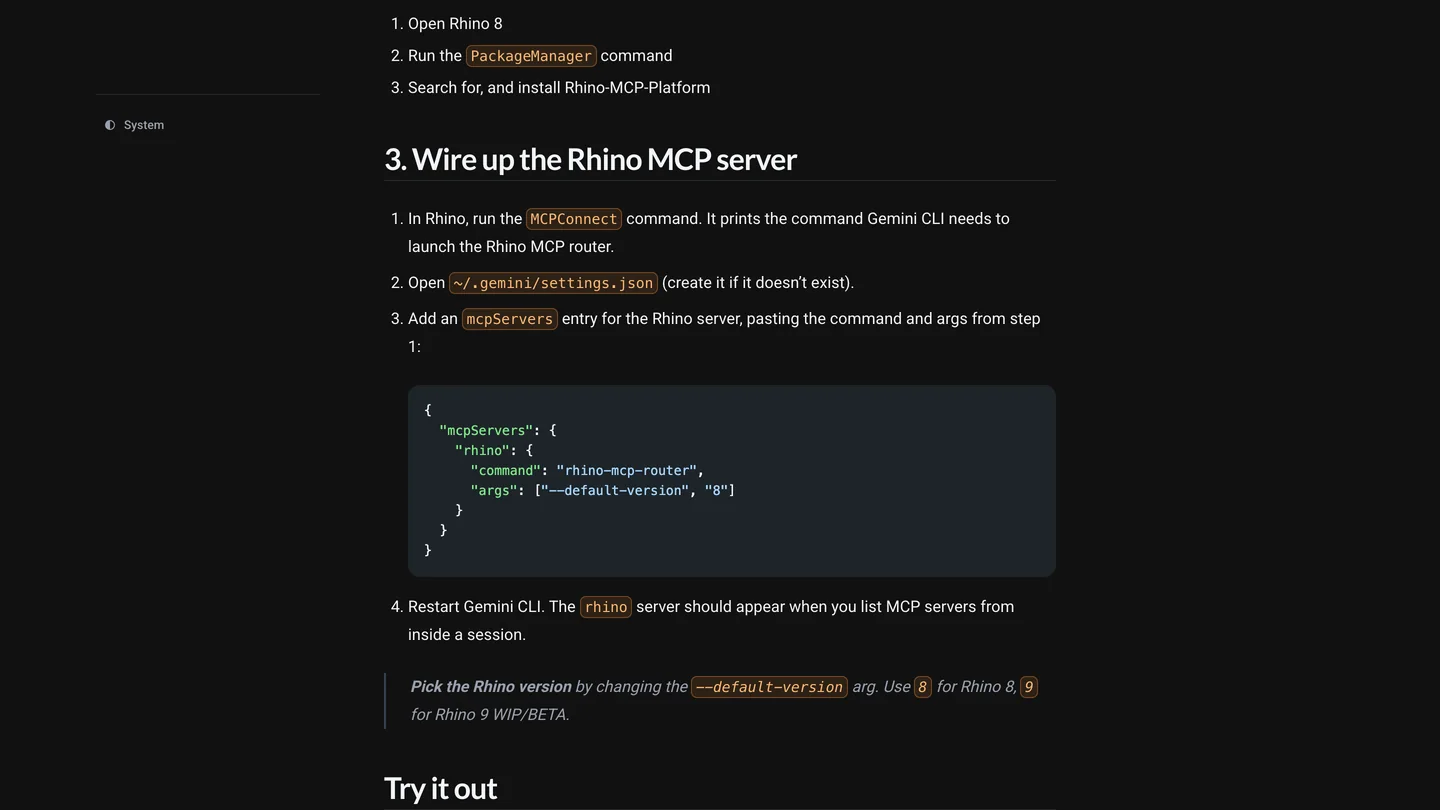
McNeel’s Gemini page on October 28, 2026. It is written for Gemini CLI and its settings.json; Antigravity reads a different file.
That page is the catch. It is written for Gemini CLI, and on May 19, 2026 Google announced that “On June 18, 2026, Gemini CLI will stop serving requests for Google AI Pro and Ultra, as well as those using it free of charge.” It still runs on a paid Gemini API key or an enterprise license; everyone else was moved to Antigravity CLI. The page was last edited on October 5 and does not mention Antigravity. Its JSON block also shows a bare rhino-mcp-router command, which is not on your system path, the same mistake we found on McNeel’s Codex page. In the plugin itself, the Install tab of MCPConnect knows Gemini CLI’s ~/.gemini/settings.json but not Antigravity’s file, so for Antigravity you add the server by hand.
How do you connect Gemini to Rhino 8 with Antigravity, step by step?
This is McNeel’s server with Antigravity, written from Antigravity’s MCP documentation and the plugin’s source at the October 28 commit. Before you start: Rhino 8.19 or newer on Windows or an Apple Silicon Mac, running on .NET Core, or the Rhino 9 BETA.
- Install the plugin. In Rhino 8, run
PackageManager, search for Rhino-MCP-Platform and install it (version 0.3.0 is still the latest). In the Rhino 9 BETA it is already included. IfMCPConnectis missing after installing, Rhino is on the old .NET Framework: runSetDotNetRuntime, choose NETCore and restart. - Install Antigravity. The CLI is the
agycommand; on a Mac it installs withcurl -fsSL https://antigravity.google/cli/install.sh | bash, on Windows withirm https://antigravity.google/cli/install.ps1 | iexin PowerShell. Runagyand sign in with your Google account. The Antigravity app and IDE work too; the IDE reads the same file as the CLI. - Copy the router path. Run
MCPConnectin Rhino and open its mcp.json tab. On Windows the router sits at%APPDATA%\McNeel\Rhinoceros\ai\bin\rhino-mcp-router.exe; on a Mac it is in your user’s McNeel folder, but copy it from the tab rather than from any page, this one included. - Add Rhino to Antigravity. Open
~/.gemini/config/mcp_config.json(create it if it does not exist; comments are not allowed in it) and add the entry below. For one project only, put it in.agents/mcp_config.jsonin the project folder instead. - Test. Restart
agy, type/mcpto open the MCP manager and check that rhino shows as connected, then ask Gemini to open a new Rhino document and draw a box. Antigravity will ask you to approve the call.
{
  "mcpServers": {
    "rhino": {
      "command": "<the router path from MCPConnect>",
      "args": ["--default-version", "8"],
      "timeoutSeconds": 600
    }
  }
}
Two of those choices are mine. Antigravity’s documentation gives a tool call 180 seconds and a server 300 seconds to connect; a positive timeoutSeconds replaces both. McNeel’s router waits up to 120 seconds for Rhino to start, and McNeel’s own Codex settings inside the plugin allow 3,600 seconds per tool, so 180 seconds will cut off the long jobs that make this worth doing. Change the 8 to 9 for the Rhino 9 BETA. And leave Antigravity’s default alone: unconfigured MCP tools run in Ask mode, which means you approve each call into Rhino.
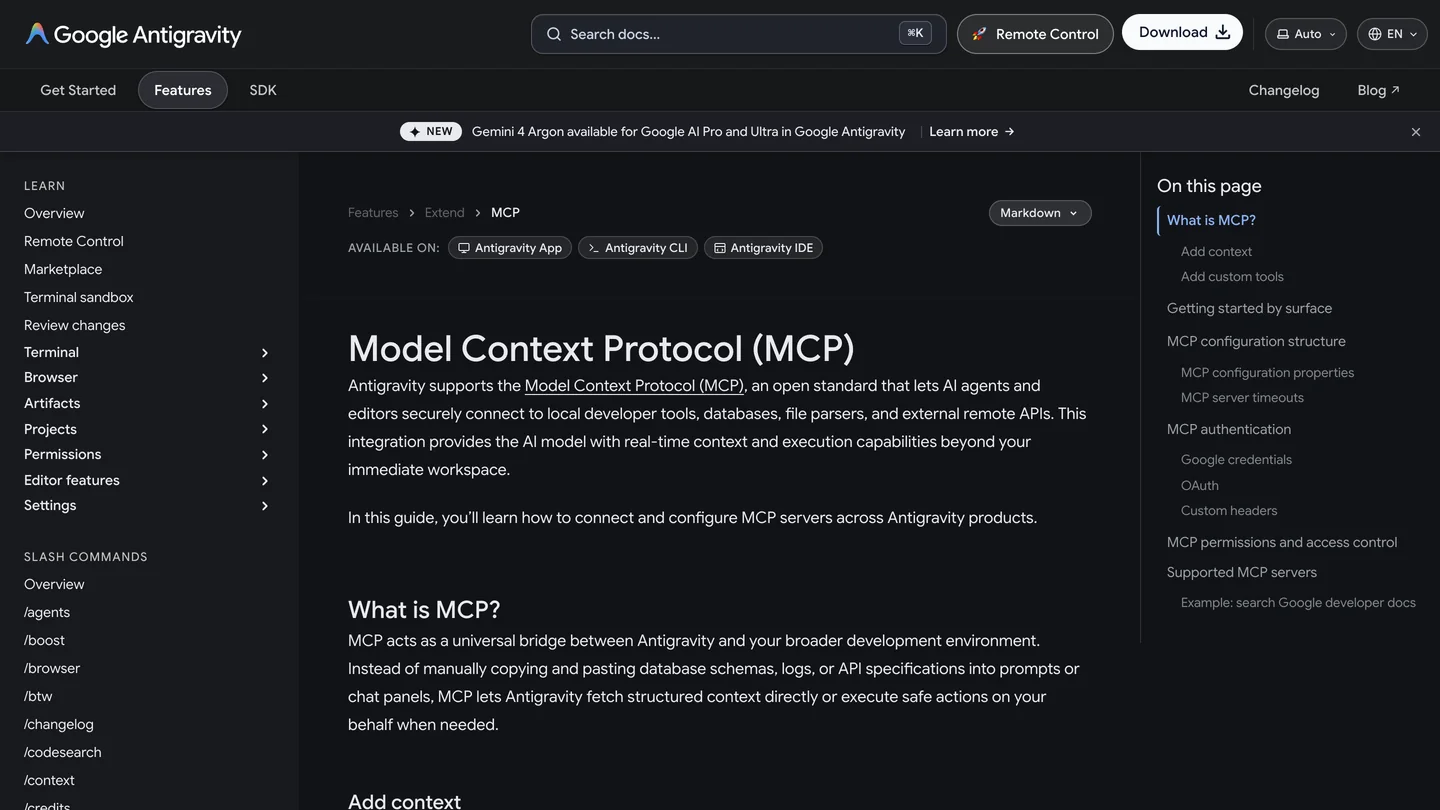
Antigravity’s MCP page on October 28, 2026. The timeouts and permissions sections are the two worth reading before you connect Rhino.
No Google account? Antigravity CLI can run on a Gemini API key: its install page says to set "modelProvider": "gemini" in ~/.gemini/antigravity-cli/settings.json and export GEMINI_API_KEY, and warns that setting the key alone “has no effect.” That is the route to Gemini 4 Argon without a subscription, paid per token.
On a Mac, Gemini sees Rhino but nothing happens
This is the one problem I would expect Antigravity users to hit first, and it was reported only on October 27. In issue 213, a user on an Apple Silicon Mac with Rhino 8.36 found that the router answered and listed 32 tools, but every real call hung, because the server inside Rhino had never started. The reason is in the plugin’s code, which I checked: Rhino starts its MCP server on its own only if it was launched by the router, or if the auto load setting is on and Rhino detects a client it knows. The clients it looks for are Claude and Codex, and the reporter lists Claude Desktop, Claude Code, Copilot, Codex, Gemini CLI and LM Studio. Antigravity is not one of them.
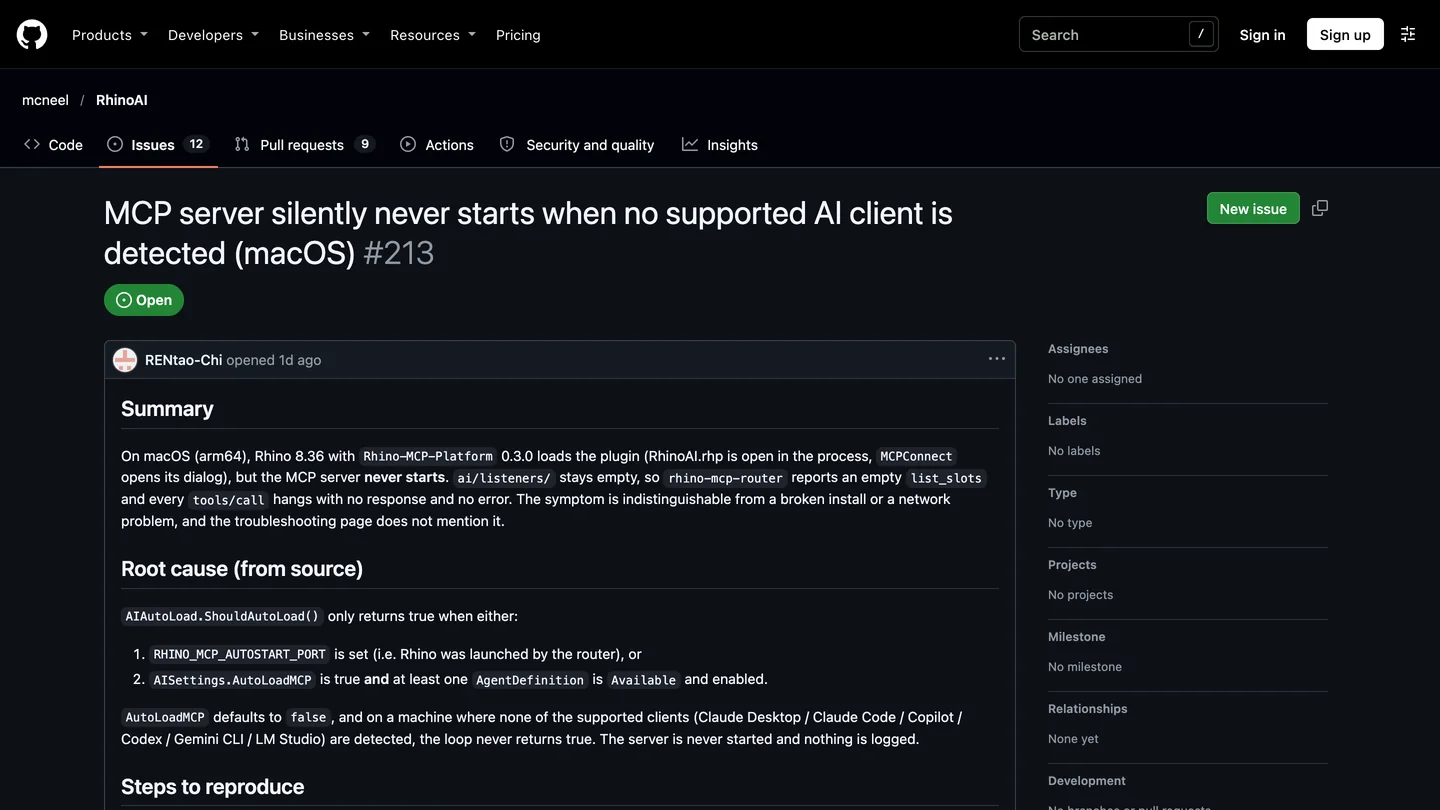
Issue 213, opened October 27, 2026. The root cause is written out; the fix has not shipped.
The fix that worked for the reporter: quit Rhino and start it from Terminal with RHINO_MCP_AUTOSTART_PORT=10500 set. Letting the router open Rhino for you does the same, because the router sets that variable when it launches Rhino, so if Rhino is closed, ask Gemini to start it. On Windows nobody has reported this yet, but the gate in the code is the same.
Which Gemini model and plan do you need for Rhino?
For modeling, Gemini 4 Argon if you can: it is Google’s stronger model, it was faster and cheaper than Flash in our test, and it got easier to reach this month. When we wrote our Gemini and SketchUp guide on October 14, Argon in Antigravity needed Google AI Ultra. Antigravity’s models page now shows it on paid Google AI Pro as well, and the banner on every docs page says so.
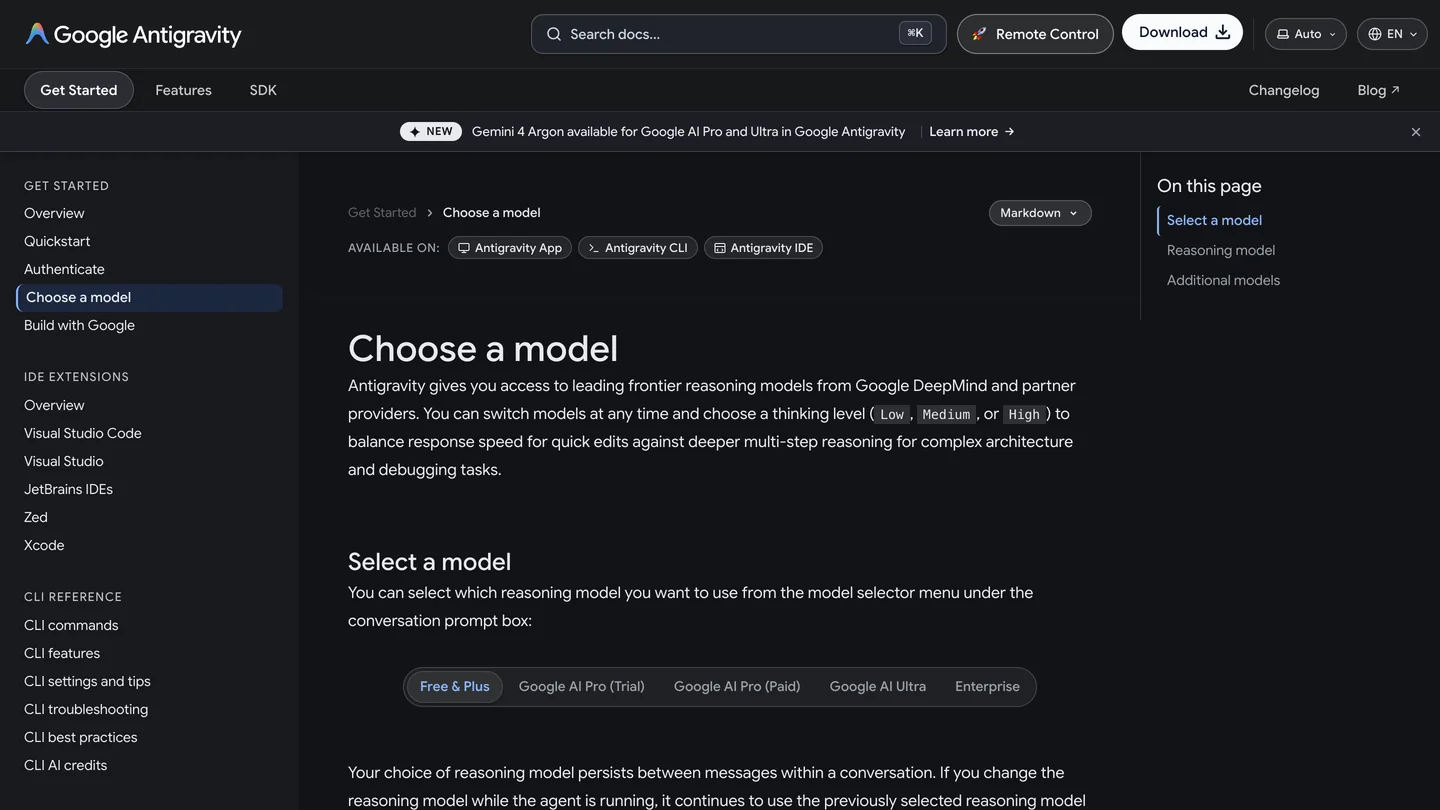
Antigravity’s models page on October 28, 2026. Note that Pro is split into trial and paid; Argon is listed for paid Pro.
| How you pay | Gemini 3.8 Flash | Gemini 4 Argon | For Rhino |
|---|---|---|---|
| Free or Google AI Plus | Yes | No | Enough to test the connection |
| Google AI Pro, paid | Yes | Yes | The realistic starting point |
| Google AI Ultra | Yes | Yes | Higher limits for daily work |
| Gemini API key | $0.75 in, $3.75 out per million tokens until Dec 31, 2026; free tier available | $2 in, $10 out until Nov 30, 2026, then $4 and $20; no free tier | Pay per job; our brief cost about $0.19 with Argon |
- 3.8 Flash
- Yes
- 4 Argon
- No
- For Rhino
- Enough to test the connection
- 3.8 Flash
- Yes
- 4 Argon
- Yes
- For Rhino
- The realistic starting point
- 3.8 Flash
- Yes
- 4 Argon
- Yes
- For Rhino
- Higher limits for daily work
- 3.8 Flash
- $0.75 / $3.75 per million tokens, free tier
- 4 Argon
- $2 / $10, then $4 / $20 from Dec 1
- For Rhino
- About $0.19 for our brief with Argon
Prices are from the Gemini API pricing page on October 28, 2026; thinking tokens are billed as output. One more line on that page matters for client work: on the free tier, prompts are “Used to improve our products”, on the paid tier they are not. Do not send a client’s model through a free key. A detail I did not expect: the same models page lists Claude Opus 5.5 and Sonnet 5.5 for paid Google AI Pro, so a Pro subscriber can drive Rhino from Antigravity with Claude too.
Can you use Gemini inside Rhino’s AI panel?
Not yet, although most of it is written. The AI panel, the chat window you open with the AI command, reads its list of assistants from a file in the plugin, and on October 28 that file contains two: Claude and Codex. The plugin’s code already has a Gemini connection that starts Gemini CLI in its agent protocol mode, and a GitHub issue titled “Remove Gemini from the AI dropdown” was opened and closed on September 22, so it was there for a while and was taken out.
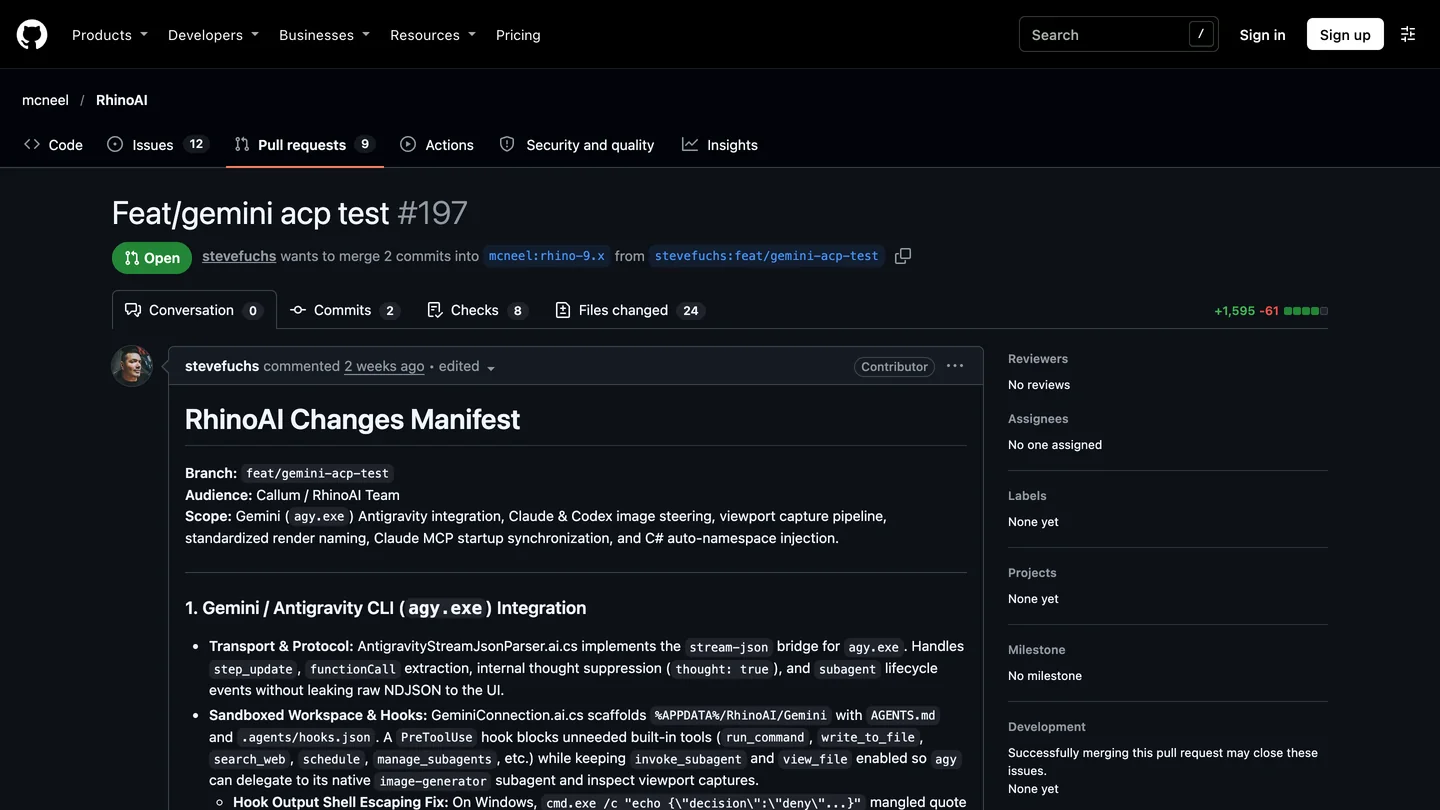
Pull request 197, opened October 18, 2026 and still open on October 28. It would put Antigravity in the AI panel.
The work to bring it back is pull request 197, from the GitHub user stevefuchs, who is marked as a contributor rather than McNeel staff (McNeel’s Gemini docs page credits its author as SteveF). It connects the panel to Antigravity CLI rather than the retired Gemini CLI, and lets Gemini hand viewport captures to Google’s image model for renders. Its notes also record a bug worth knowing about whatever route you use. Asked to “Create 3 spheres” in a document set to feet, Gemini “assumed millimeters (15mm radius) and scaled it into the active Feet document”, which left spheres of 0.05 ft, about 0.59 in. Put the units in every prompt.
Can Gemini model an interior in Rhino? Our test
We use the same test in all three Rhino guides, so the results line up. We do not have a Rhino license on the Mac we test on, so we tested the part that decides the result: the geometry code a model sends through a tool like run_python. The brief, 417 words from an interior designer, asks for a model built with rhino3dm, McNeel’s open source library that writes real .3dm files with Rhino’s geometry classes. In short:
- A living room 5,400 by 4,200 mm (about 17 ft 9 in by 13 ft 9 in), ceiling 2,700 mm, with 150 mm walls as closed solids.
- A window and a door as real holes in the walls, with a 900 mm door that swings into the room.
- A sofa against the north wall, a coffee table exactly 450 mm (about 18 in) in front of it, two armchairs facing it, a rug, and a TV console against the west wall.
- Behind the console, a slatted timber feature wall: 40 mm slats, 30 mm deep, 80 mm gaps, across a 2,000 mm zone. How many slats?
- Layers, names, and a check: a 900 mm walkway from the door, and a door swing that hits nothing.
How we ran it, because it differs from the other two guides: ChatGPT and Claude worked inside their own agents, which run code and fix their own errors. Running Gemini CLI as an unattended agent on our machine was blocked by our own safety rules, so we did the loop by hand. Each model got the brief through the Gemini API with one extra instruction, to reply with a single complete script. We read the script before running it (it imported only math, os and rhino3dm and wrote only to its own folder), ran it, and if it failed, pasted the error back once. Then we measured the file with the same script we used for ChatGPT and Claude.
| Same brief, measured by us | Gemini 4 Argon | Gemini 3.8 Flash | GPT-6 Astra | Claude Opus 5.5 |
|---|---|---|---|---|
| Model time and cost | 2 min 35 s, about $0.19 | 5 min 36 s, about $0.21 | 1 min 32 s, about $0.55 | 3 min 57 s, $0.98 |
| Every dimension | Correct | Correct | Correct | Correct |
| Window and door | Real openings, walls in 9 boxes | Real openings, walls in 9 boxes | Real openings, walls in 9 boxes | Real openings in 4 single solids |
| Slats | 17, exact | 17, exact | 17, exact | 17, exact |
| TV console vs slats | Not moved: 30 mm inside 15 slats | Not moved: 30 mm inside 15 slats | Moved 30 mm to clear them | Moved 30 mm to clear them |
| Furniture and rug | On the floor, rug runs 10 mm through their bases, not mentioned | Same, described as the rug “underlapping” the furniture | Lifted 10 mm, sofa and chairs float | Same as Gemini, but said so |
| First run | Failed once (ArcCurve(arc)), fixed in one reply | Failed once (Brep.CreateFromBox), fixed in one reply | 2 failed commands, fixed itself | 4 wrong calls, fixed itself |
- Argon
- 2 min 35 s, about $0.19
- Flash
- 5 min 36 s, about $0.21
- GPT-6 Astra
- 1 min 32 s, about $0.55
- Claude Opus 5.5
- 3 min 57 s, $0.98
- All four
- Every dimension correct, 17 slats
- Argon and Flash
- Not moved: 30 mm inside 15 slats
- Astra and Claude
- Moved 30 mm to clear them
- Argon
- Rug runs through the bases, not mentioned
- Flash
- Same, called “underlapping”
- Astra
- Lifted, sofa and chairs float
- Claude
- Same as Gemini, but said so
- Argon
- Failed once, fixed in one reply
- Flash
- Failed once, fixed in one reply
- Astra
- 2 failed commands
- Claude
- 4 wrong calls
Costs are at the October 28 API prices; Argon’s would roughly double after November 30. Flash cost more than Argon because it thought for 32,858 tokens across the two replies, and thinking is billed as output. The GPT-6 Astra and Claude columns are from our October 21 runs.
What Gemini got right. Both models placed every element exactly where the brief put it: the window centered on the south wall with its sill at 600 mm, the door 300 mm from the north east corner with its hinge on the north side, the sofa centered against the north wall, the coffee table exactly 450 mm in front of it, the rug centered under the table, the console centered on the west wall. Both worked out that 17 slats at 40 mm with 80 mm gaps make a 1,960 mm run, and centered it. The door swing was a real arc on the correct side that clears the furniture, and the walls closed at every corner.
What a designer would circle in red.
- The console is inside the feature wall. The brief says the slats are 30 mm deep and the console stands against the wall in front of them. Both Gemini models put the console back at the wall face and the slats on the same face, so the console runs 30 mm into 15 of the 17 slats. Neither fixed it. Both mentioned it only in their closing notes, as something you might want to adjust: Argon suggested you “check if you want the slats dropped to Z = 0 or the TV console shifted 30 mm east”, and Flash wrote that if the slats run down to the floor, which in its own model they do, you should shift the console. GPT-6 Astra and Claude both spotted the clash and moved the console without being asked.
- The self-check said it was fine. The brief asked for a written check. Argon’s listed the furniture placement under “What I Am Confident About”, with “verified bounding boxes”, while the bounding boxes of the console and the slats overlap. It checked what it was asked to check, the door and the walkway, and nothing else. That is the real lesson of this test: a report from the AI is not a check.
- The rug is inside the furniture. Both put the sofa, table and armchairs on the floor and the 10 mm rug through their bases. Claude did the same but said so; Argon said nothing, and Flash described it as the rug “underlapping both sofa and armchair front feet by 100 mm for classic balance”, which is a nice sentence about a geometry error.
- Walls in pieces. Like GPT-6 Astra, both built each opening as separate boxes around a gap instead of one wall with a hole. Every piece is a valid closed solid; in Rhino you would join them before doing anything else.
Argon’s first error is worth a sentence because all three vendors made it. It wrote ArcCurve(arc), which works inside Rhino but not in the standalone library; GPT-6 Astra and Claude wrote the same line a week earlier. Flash’s error, passing a bounding box where the library wants a box, is the same kind: RhinoCommon inside Rhino accepts a bounding box there. Both mistakes come from the standalone library, so in a live Rhino session I would expect fewer errors, not more.


Finished renders from the MeltFlex gallery, not from this test. On the left, a console standing in front of a panelled wall, the detail both Gemini models got wrong; on the right, the kind of rib wall people build in Grasshopper.
Is there a video of Gemini working in Rhino?
Yes, and the best one is four days old. Philipp Galvan, whose Rhino AI videos are among the most watched on the topic (one has over 150,000 views), gave four models the same three Rhino tasks through Cline, a coding agent for Visual Studio Code, and McNeel’s Rhino MCP: Google’s Gemini Argon, OpenAI’s Astra, Claude Opus and DeepSeek. The tasks are a spiral staircase from scratch, a rooftop pavilion added to an existing building, and a researched reconstruction of Sou Fujimoto’s House N. He compares modeling quality, time and pay as you go API cost, which is the comparison you want before choosing a plan.

Philipp Galvan Design, “Rhino AI: Which AI Would I Actually Hire?”, October 24, 2026, 14 min 45 s. It uses Cline with API keys rather than Antigravity; the Rhino side is the same server as in this guide.
I went through the video’s frames rather than trusting its title. The staircases come out close to each other, and the label under Argon’s reads $0.57. On the House N reconstruction the labels on screen read $5.81 for Argon, $9.35 for Astra, $0.14 for DeepSeek and $25.77 for Claude Opus, which matches the description’s line that “One model spent $25 on the final challenge alone, without completing the reconstruction!” The frames are small, so treat the cents as approximate. Galvan’s own caveat is the right one: the results “reflect these individual experiments and may vary with different prompts, settings and tools.”
If you want to see Antigravity itself at work, FORIDA AU’s two minute garage demo shows Samuel Wong building a single car garage in Rhino 8 from Antigravity with Gemini 3 Pro, in three prompts: walls and openings, then doors, then handles, windows and lights. One frame shows the walls folded at an odd angle before the next step straightens them, a glimpse of what the description calls the “write-test-fix loop”. It explains no setup. Google’s own Argon showcase, a cathedral built by Antigravity over MCP, runs in Blender, not Rhino.
Can Gemini build Grasshopper definitions?
Yes, with the same tools every assistant gets from McNeel’s server: 12 for Grasshopper on Rhino 8 (named g1_) and 12 more for Grasshopper 2 on Rhino 9 (g2_), enough to place and wire components, set values and bake the result. The slider bug from our ChatGPT guide is still open: in version 0.3.0 the tool that places a number slider fails on every call (issue 172). If Gemini keeps failing to add sliders, tell it to use g1_apply_graph.
Without a server, Gemini can write a Python or C# script component for you to paste, on any plan. The forum suggests two cautions, and both match what I saw. On June 8, 2026, a user building a mesh analyzer wrote that Gemini’s code “completely fails, throwing a runtime error and turning the Grasshopper component bright red”, and that it “keeps mixing it up with legacy IronPython (Rhino 7) workflows.” Two days later, in a thread called Gemini Inventing New Rhino Commands, another user asked, “Is Googles AI just blatantly making things up at this point?”, and a Grasshopper regular gave the fairest explanation I have read: “It’s not entirely hallucinating, but the amount of documentation for Rhino/Grasshopper is just so small.” Start every Grasshopper prompt with the Rhino version and the component type, and ask for NURBS geometry.
Do the community Rhino servers work with Gemini?
Yes, because MCP is a standard, though neither documents Gemini. Jingcheng Chen’s rhinomcp, the older and more popular server on GitHub, runs as uvx rhinomcp@latest, so in Antigravity you put uvx as the command and rhinomcp@latest as the argument, and type mcpstart in Rhino each session; its README has no Gemini section. RhinoPort’s RhinoAiMCP is the one that names Google’s tool: its food4rhino page lists Antigravity among the clients it was tested with, and it is the only route that still works on Rhino 7. Its recommended version 2 is a paid one-time purchase. I did not test either with Gemini.
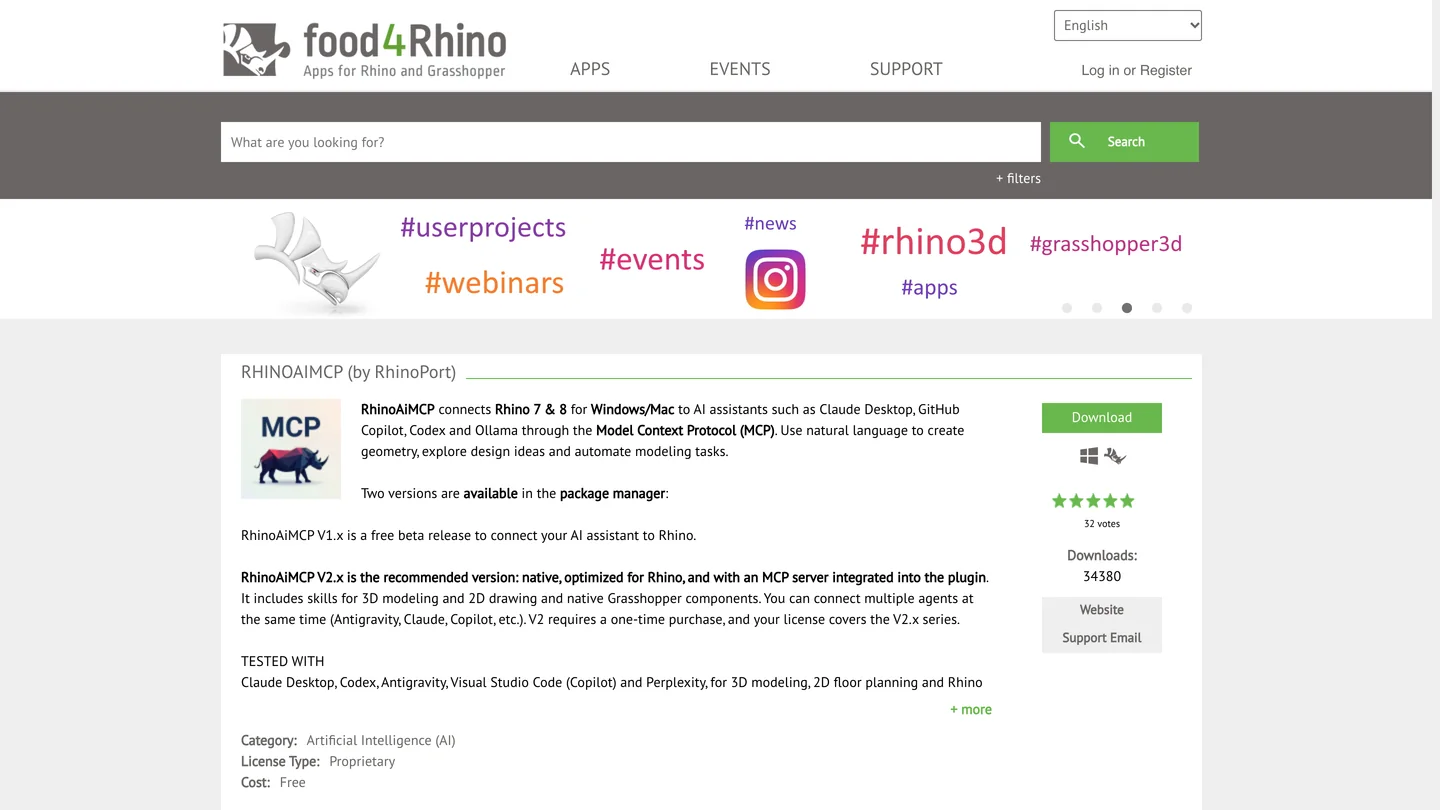
RhinoAiMCP on food4rhino, captured October 21, 2026. Antigravity is in its tested list; the version it recommends is paid.
Real users are mixing assistants rather than picking one. Jean-Go, who built a space flight game that runs in a Rhino viewport, wrote on September 15 that “RhinoMCP was very helpful” and that they “used a bit of Gemini (Antigravity), GPT (Codex), and Claude.” Antigravity makes that easy, since it serves Claude models on paid plans too.
Can you connect Rhino to the Gemini app?
No. The Gemini web app can add custom apps, which are MCP servers, but Google’s help page asks for the server’s URL, and only for users who are 18 or over, in the US, on a personal Google account, with Keep Activity on. Rhino’s server runs on your own computer and has no public URL, and putting one in front of a server that can run any code in Rhino would be a bad idea anyway.
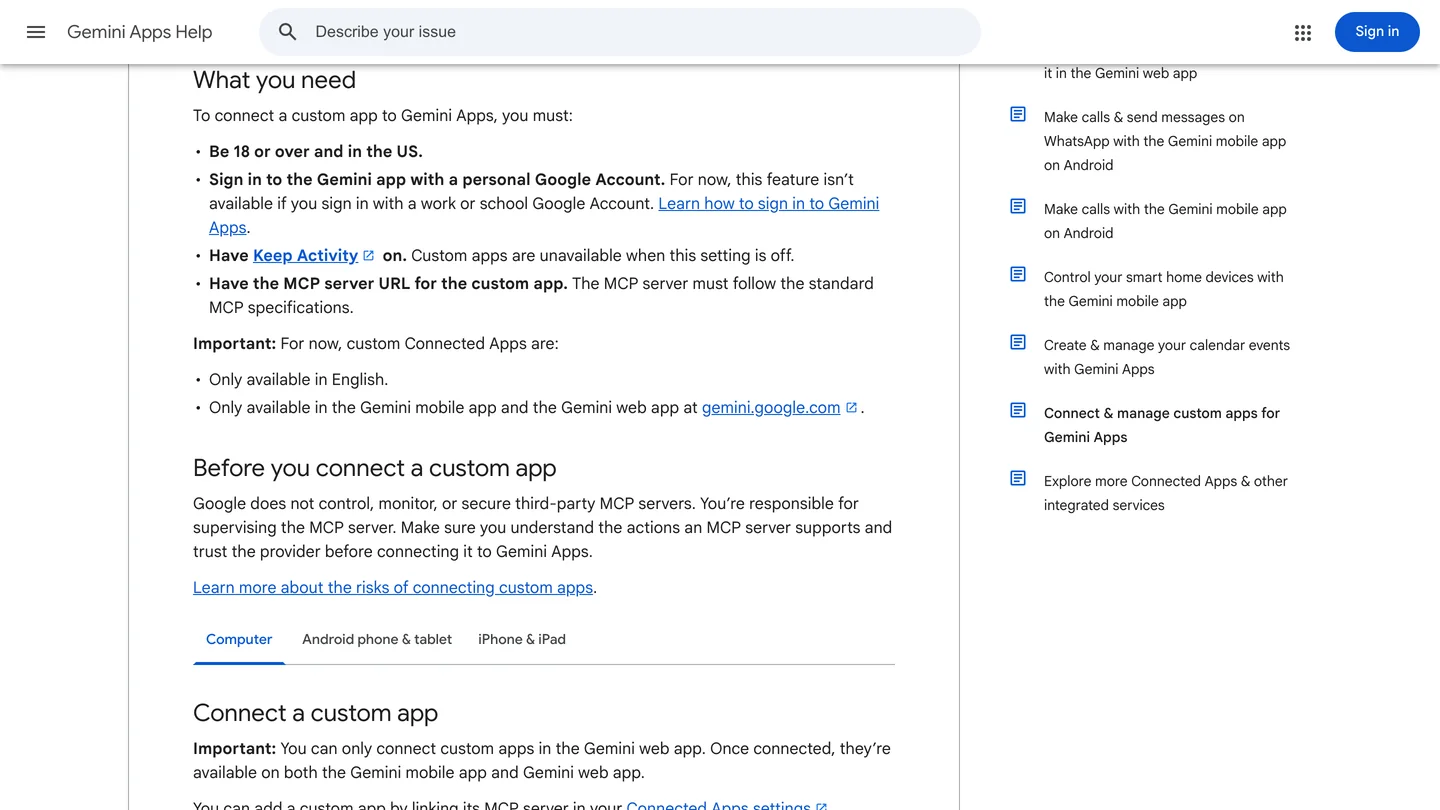
Google’s requirements for custom apps in Gemini, captured October 14, 2026. A server on your laptop has no URL to paste here.
Is it safe to let Gemini run code in Rhino?
As safe as letting someone type into your Rhino command line, because that is what it does. McNeel’s server can run any Python, C# or Rhino command (its tools are called run_python, run_csharp and run_command) with your user’s access to files. It listens only on your own computer, on port 10500, with no password or token. That is normal for local MCP servers and still a reason to close Rhino when you are done.
What I would do: keep Antigravity’s Ask mode so you approve each call, work on a copy of the project rather than the shared file, and use a paid API key or a paid plan for anything with a client’s name on it. Read every script you paste, the way we read Gemini’s before running them. Antigravity’s other built in tools can also write files and run terminal commands in your project folder; start it in a folder that holds nothing you would mind losing.
Can Gemini render a Rhino model?
Not through McNeel’s server today. It can capture the viewport, and Gemini can generate images, but a generated image is a new picture, not a render of your geometry: windows move and walls change. Pull request 197 would add exactly this to the AI panel, handing viewport captures to Google’s image model, and the result will have the same limits. For a render you can stand behind, use Rhino’s own renderer, an engine such as V-Ray, Enscape or D5, or an AI renderer that keeps your geometry. Our comparison of AI architectural rendering tools covers which ones work from a Rhino viewport, and our Nano Banana architecture prompts work in Gemini if you want a quick concept image.
This is where MeltFlex fits, so here is the disclosure. Capture a Rhino viewport, upload it to photo to render, and it turns the screenshot into a finished image while keeping the camera and the walls where they are. If you start from a plan instead of a model, floor plan to 3D does the same for a drawing. Either way, check the render against the model, the same way you check the model against the brief.
Should you use Gemini, ChatGPT or Claude with Rhino?
If you already pay for Google AI Pro, use Gemini: it now gets you Argon in Antigravity, McNeel lists Antigravity as a supported client, and in our test Argon was the cheapest of the four at about $0.19 for a full room. If you do not, the honest answer is that Gemini is the least finished of the three routes. It is not in Rhino’s AI panel, McNeel’s own Gemini page describes a tool most people can no longer sign in to, and on a Mac you may need the start up workaround. ChatGPT gets you McNeel’s one click installer and GPT-6 Astra in a $20 plan; see how to connect ChatGPT to Rhino. Claude has the easiest install and the AI panel; see how to connect Claude to Rhino.
On modeling quality, our one test does not crown anyone: all four models got every number right. What separated them was judgment about a conflict the brief did not spell out, and there Gemini was behind. Use it for tedious, checkable work: renaming and sorting layers, building a slat or fin system from a rule you can state in a sentence, checking a model against a list of dimensions. Read what it built; do not read only what it says it built.
If the job is starting a building rather than editing one, a Rhino connection is not the fastest route. AIBIMTool, a browser-based AI BIM software made by our team, generates a first BIM model from a written brief and exports IFC4 for Rhino and Revit, so Gemini has a real model to work on afterwards. The same Antigravity setup works across your other tools: Gemini and SketchUp, Blender (Antigravity runs the same Blender server Claude does), and the best MCP servers for architects for what else you can connect.
Sources and what we could not verify
Read on October 28, 2026: McNeel’s Rhino MCP Platform documentation (Gemini CLI and troubleshooting pages); the mcneel/RhinoAI source at the October 28 commit (the agent list, the Gemini connection, the MCPConnect installer, the auto load gate, the router paths), its issues 153, 172 and 213 and pull request 197; Google’s Antigravity MCP, models and install pages; the Gemini CLI transition notice; the Gemini API pricing page; Google’s custom apps help page; the rhinomcp README; and the McNeel forum threads linked above, quoted word for word. The two videos were checked frame by frame from their storyboards, because YouTube does not play in our headless browser and its captions were not available to us.
What we did not do: we did not run Rhino, Antigravity or Gemini CLI, so the setup steps come from the documentation, the code and the people quoted, not from our own clicks. Our Gemini test went through the API with a one script instruction and a manual error loop, not through an agent with live tool calls, so a real Antigravity session will behave differently: it can run and fix its own code, and it might also have caught the console clash. We did not test rhinomcp, RhinoAiMCP or Cline with Gemini, and we did not check plan limits. The Mac router path is not documented anywhere we found, which is why we tell you to copy it from MCPConnect. The Antigravity install commands are the ones we read on October 14. One test is one test.
Gemini and Rhino: FAQ
Can Gemini connect to Rhino?
Yes, through an MCP server on the same computer as Rhino 8 or the Rhino 9 BETA. Google Antigravity (the agy command line tool, the Antigravity app or the Antigravity IDE) can start McNeel's free Rhino MCP Platform, and Gemini can then create and edit geometry, run Python and C# inside Rhino and build Grasshopper definitions. It does not work from gemini.google.com, because Gemini's custom apps need a public server URL and the Rhino server runs on your own machine.
Is there an official Gemini plugin for Rhino?
Not a Gemini plugin, but McNeel supports Gemini as a client. Its Rhino MCP documentation has a Gemini CLI setup page, the MCPConnect installer in Rhino lists Gemini CLI, and a McNeel staff post from October 14, 2026 lists Antigravity CLI, the Antigravity app and the Antigravity IDE as compatible clients. Gemini inside Rhino's own AI panel is not available yet: the code exists, but the shipped agent list contains only Claude and Codex, and a pull request adding Antigravity was still open on October 28, 2026.
How do I add the Rhino MCP server to Antigravity?
Install Rhino-MCP-Platform from Rhino 8's Package Manager, run MCPConnect in Rhino and copy the router path from its mcp.json tab. Add an entry named rhino to ~/.gemini/config/mcp_config.json with that path as the command, the args --default-version and 8, and timeoutSeconds set to 600. Restart agy, type /mcp to check that the server is connected, then ask Gemini to open a new Rhino document and draw a box. Antigravity asks before each tool call unless you change that.
Does Gemini CLI still work with Rhino?
Only with a paid Gemini API key or an enterprise Gemini Code Assist license. Google stopped serving Gemini CLI for free users and for Google AI Pro and Ultra subscribers on June 18, 2026, and recommends Antigravity CLI instead. McNeel's Gemini page still describes Gemini CLI and its ~/.gemini/settings.json file, which is a different file from the one Antigravity reads.
Which Gemini plan do I need for Rhino?
Gemini 3.8 Flash is available in Antigravity on every plan, including free. Gemini 4 Argon, the stronger model, is available on paid Google AI Pro, on Google AI Ultra and on Enterprise. Without a subscription you can run Antigravity CLI on a Gemini API key and pay per token: Argon is $2 per million input tokens and $10 per million output tokens until November 30, 2026, then $4 and $20. Our test brief cost about $0.19 with Argon.
Does Gemini work with Rhino on a Mac?
On Apple Silicon, yes; McNeel's router does not support Intel Macs. One Mac specific problem was reported on October 27, 2026: if Rhino finds none of the clients it knows (Claude, Codex, Copilot, Gemini CLI, LM Studio), the MCP server inside Rhino never starts and every tool call hangs. Antigravity is not on that list. The reporter's fix was to start Rhino with RHINO_MCP_AUTOSTART_PORT=10500 set; letting the router launch Rhino sets the same variable.
Can Gemini build Grasshopper definitions?
Yes, through the same McNeel tools other assistants use: 12 Grasshopper tools for Rhino 8 and 12 more for Grasshopper 2 on Rhino 9. In version 0.3.0 the tool that places number sliders fails on every call (GitHub issue 172, still open), so ask for g1_apply_graph instead. Without a server, Gemini can write Python or C# script components for you to paste, but users on McNeel's forum report it mixing Rhino 8's Python 3 with the older IronPython and inventing components, so name the Rhino version and component type in the prompt.
Is Gemini better than ChatGPT or Claude for Rhino?
Not in our test. We gave Gemini 4 Argon, Gemini 3.8 Flash, GPT-6 Astra and Claude Opus 5.5 the same living room brief and measured the Rhino files. All four got every dimension right and counted 17 slats. Argon was the cheapest at about $0.19. But both Gemini models left the TV console 30 mm inside the slatted wall behind it, a clash both GPT-6 Astra and Claude caught and fixed, and Argon's own report listed the furniture placement under what it was confident about. Gemini is the cheapest way in; check its models before you trust them.
Can Gemini create a BIM model for Rhino?
Gemini draws Rhino geometry, not BIM: plain Rhino objects are not walls, slabs or rooms unless you add a BIM plugin such as VisualARQ. To start with a real BIM model, AIBIMTool (aibimtool.com), the AI BIM software made by the MeltFlex team, uses an AI agent to build one from a written brief, a site and an RFP and exports IFC4 for Rhino and Revit. The first model is free. It is a starting model for early design, not a set of construction documents.
Keep reading
- How to connect ChatGPT to Rhino, McNeel’s installer with Codex and the same test with GPT-6 Astra.
- How to connect Claude to Rhino, the one click Claude Desktop install and the AI panel.
- How to connect Gemini to SketchUp, the same Antigravity setup with a SketchUp server.
- Gemini extensions for architects and interior designers, every app and MCP tool worth connecting to Gemini.
- Feature wall ideas, for the slat walls and panels you might ask Grasshopper to build.
- Living room layout, the clearances worth putting in a brief like ours.
- Photo to render, turn a Rhino viewport capture into a finished image.