To connect Claude to Revit, you run an MCP server on the same Windows computer as Revit and point Claude Desktop at it. On Revit 2027.2 that server can be Autodesk’s own: install the free Revit MCP Server add-on from your Autodesk Account, add one entry to Claude Desktop’s config file, open a model and ask Claude what it sees. On Revit 2026 and older you need a community server from GitHub or a paid add-in. There is no Revit connector in Claude’s directory, so Claude in a browser cannot reach Revit at all.
Our articles are still written by humans!
Get human written articles in your Google feed.
I run MeltFlex, an AI rendering tool for architects and interior designers, so a lot of what reaches us started life in Revit. For this guide I read every Autodesk page on the server on October 18, 2026, counted its tools, read the network code of the community servers, and then gave a fresh Claude session a real Revit export and a brief an interior designer would write. I work on a Mac, so I could not drive a live Revit session. What I could test, and the mistakes I found, are below.

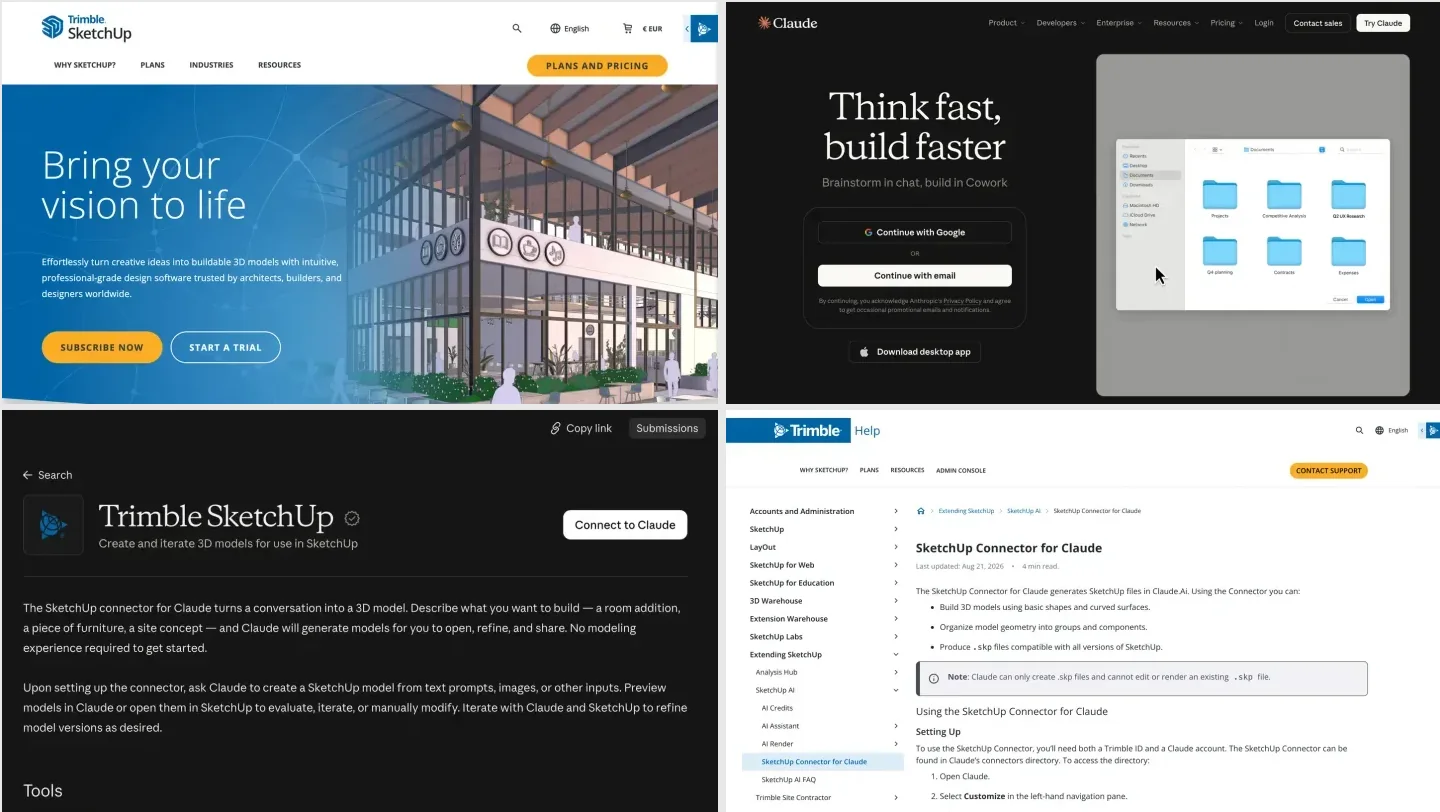
The two products, from their own homepages on October 18, 2026. Revit is Windows only, and so is everything in this guide that touches a live model.
The short version
- On Revit 2027.2? Use Autodesk’s Revit MCP Server, start with the Read version. Setup takes about 20 minutes, steps below.
- On Revit 2026 or older? Autodesk’s server will not run. Use a community server, and pick one that listens only on your own computer.
- On a Mac? Only inside a Windows virtual machine. Without one, export an IFC and give it to Claude Code; that is the route we tested.
- Interior designer? Claude got every room, area and piece of furniture right in our test, and caught a 4 m² area difference we would have missed. It also dropped the kitchen from the plan it drew.



What are the ways to connect Claude to Revit?
There are four, and only the first is made by Autodesk. Which one you can use depends mostly on your Revit version and on whether you are on Windows.
| Route | Revit versions | Can change the model | Cost | Setup |
|---|---|---|---|---|
| Autodesk Revit MCP Server (Technical Preview) | 2027.2 only | Read: no. Write and Experimental: yes | Free with Revit 2027 | About 20 minutes |
| Community MCP servers (mcp-servers-for-revit, rvt-mcp, pyRevit servers) | 2020 to 2027, by project | Yes, most can run code Claude writes | Free, open source | 30 to 60 minutes |
| NonicaTab AI Connector (commercial add-in) | 2020 to 2027, per Nonica | Free: read only. PRO: yes | Free, or €85 + VAT per user per year | An installer and a toolbar button |
| IFC export to Claude Code (no live link) | Any version that exports IFC | No, Claude works on a copy | A Claude plan | An export |
- Revit versions
- 2027.2 only
- Can change the model
- Read: no. Write and Experimental: yes
- Cost
- Free with Revit 2027
- Setup
- About 20 minutes
- Revit versions
- 2020 to 2027, by project
- Can change the model
- Yes, most can run code Claude writes
- Cost
- Free, open source
- Setup
- 30 to 60 minutes
- Revit versions
- 2020 to 2027, per Nonica
- Can change the model
- Free: read only. PRO: yes
- Cost
- Free, or €85 + VAT per user per year
- Setup
- An installer and a toolbar button
- Revit versions
- Any version that exports IFC
- Can change the model
- No, Claude works on a copy
- Cost
- A Claude plan
- Setup
- An export
The appetite is real but cautious. The AIA found in March 2025 that only 6% of US architects regularly used AI in their work, while 90% worried about inaccurate outputs, and RIBA’s 2025 AI report put UK practices using AI at 59%, up from 41% a year earlier. Revit is where that caution is most justified, because a Revit model is the contract set. A wrong number in a chat is an annoyance; a wrong parameter in a door schedule is a change order. If you are new to the vocabulary, our guide to what BIM is covers why the model, not the drawing, is the source of truth.
Does Autodesk have an official Revit MCP server for Claude?
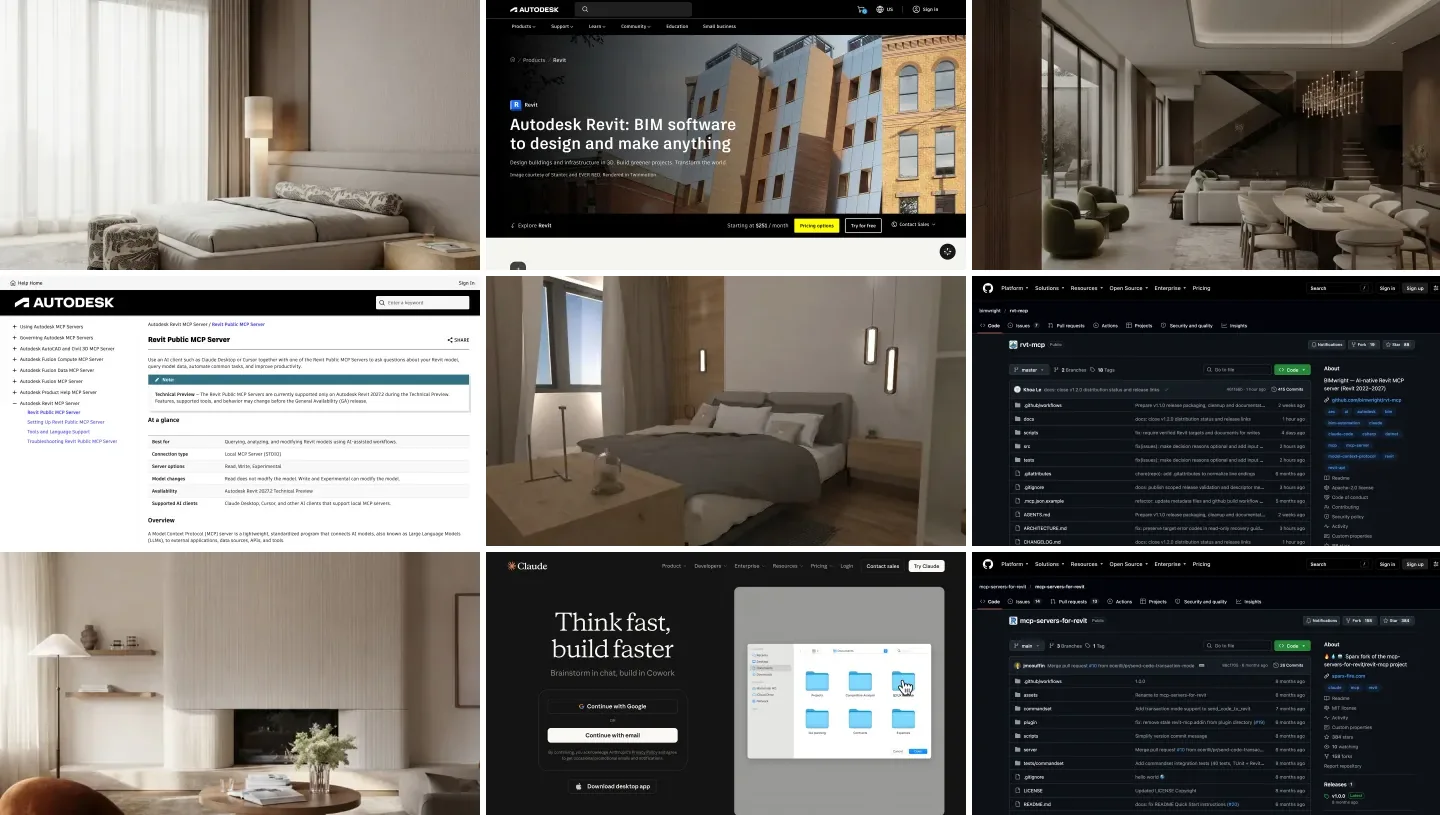
Yes. Autodesk calls it the Revit Public MCP Server, and its help page names Claude Desktop and Cursor as the example clients. It is a local server: it runs on your workstation and talks to Claude over stdio, not through the cloud. It is also a Technical Preview, “supported only on Autodesk Revit 2027.2”, and Autodesk says features, tools and behavior may change before general availability.
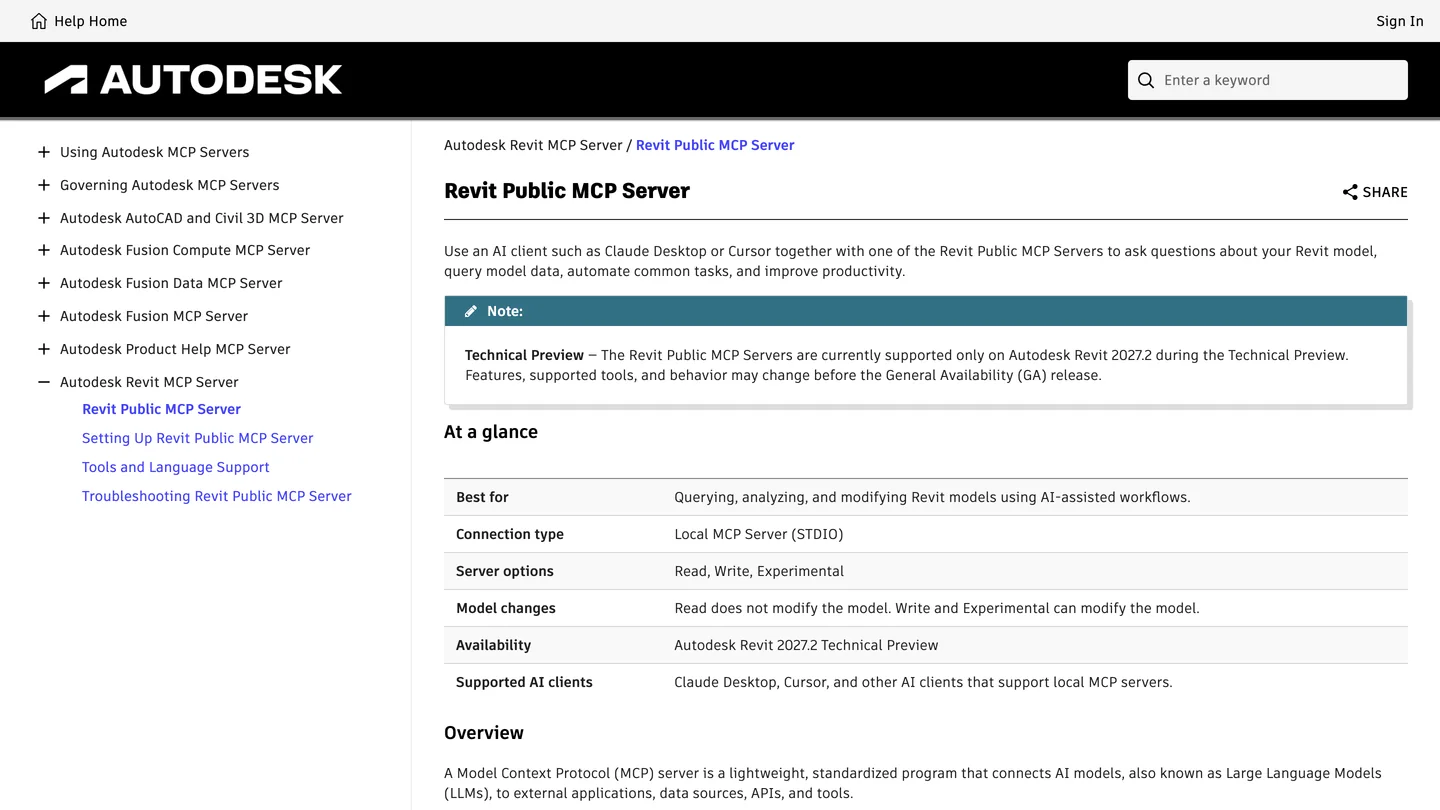
Autodesk’s help page, October 18, 2026. Note “Supported AI clients: Claude Desktop, Cursor”: this is the first Autodesk server built for other people’s assistants, not only Autodesk’s own.
It shipped in June 2026 as a read-only server with seven tools, and Autodesk’s Harlan Brumm framed it as the answer to one question: with community servers “popping up everywhere”, “who do I trust?” With the 2027.2 update it became three separate installers, and you only install one. I counted the tools in Autodesk’s tools table:
| Installer | Tools | Changes the model | What it adds |
|---|---|---|---|
| Read | 8 | No | Find elements, read their parameters, select and zoom to them, open views, export views to images, PDF or CSV |
| Write | 11 | Yes | Change parameters and types, move and rotate elements |
| Experimental | 39 | Yes | Delete elements, sheets, views, schedules, rooms and room boundaries, tags, graphic overrides, IFC and gbXML export |
- Tools
- 8
- Changes the model
- No
- Adds
- Find elements, read their parameters, select and zoom to them, open views, export views to images, PDF or CSV
- Tools
- 11
- Changes the model
- Yes
- Adds
- Change parameters and types, move and rotate elements
- Tools
- 39
- Changes the model
- Yes
- Adds
- Delete elements, sheets, views, schedules, rooms and room boundaries, tags, graphic overrides, IFC and gbXML export
Two details matter for interior designers. The dedicated room tools, get_rooms and get_room_boundaries, exist only in the Experimental installer, so the safe Read server reaches rooms only through its general model query. And none of the 39 tools runs arbitrary code. That is the real difference from the community servers below, and it is why I would start here even though it does less.
Autodesk also has its own chat inside Revit, Autodesk Assistant, which runs on the same MCP plumbing and does more out of the box, such as generating a floor plan view, applying a view template and tagging rooms. If you only want answers inside Revit and do not care which AI gives them, try that first. This guide is for people who want Claude, with their own skills, files and other tools in the same conversation.
How do you connect Claude to Revit 2027, step by step?
These steps follow Autodesk’s setup page for Claude Desktop, using the Read server. Claude Desktop has to be installed on the same Windows machine as Revit.
- Install the Revit 2027.2 update. The server will not run on 2027.0, 2027.1 or any older Revit.
- In your Autodesk Account, find the Revit MCP Server Read-Tools Technical Preview among your Revit 2027 product updates and run the installer.
- In Claude Desktop, turn on Developer mode, then go to Settings, Developer, Edit Config. That opens
claude_desktop_config.json. - Add the server, save, and quit Claude Desktop completely (Autodesk suggests Task Manager if it will not reconnect):
{
  "mcpServers": {
    "Revit MCP Read-Tools Technical Preview": {
      "command": "C:\\Program Files\\Autodesk\\Revit 2027 MCP Server Read-Tools Technical Preview\\Autodesk.RevitMcpServer.Stdio.exe",
      "args": ["--ManageConfigurationWithAutodeskRevitPluginInstaller=true"]
    }
  }
}- Open Revit 2027.2 with a model, open Claude Desktop, and type: List the available Revit MCP tools. If Claude lists them, you are connected.
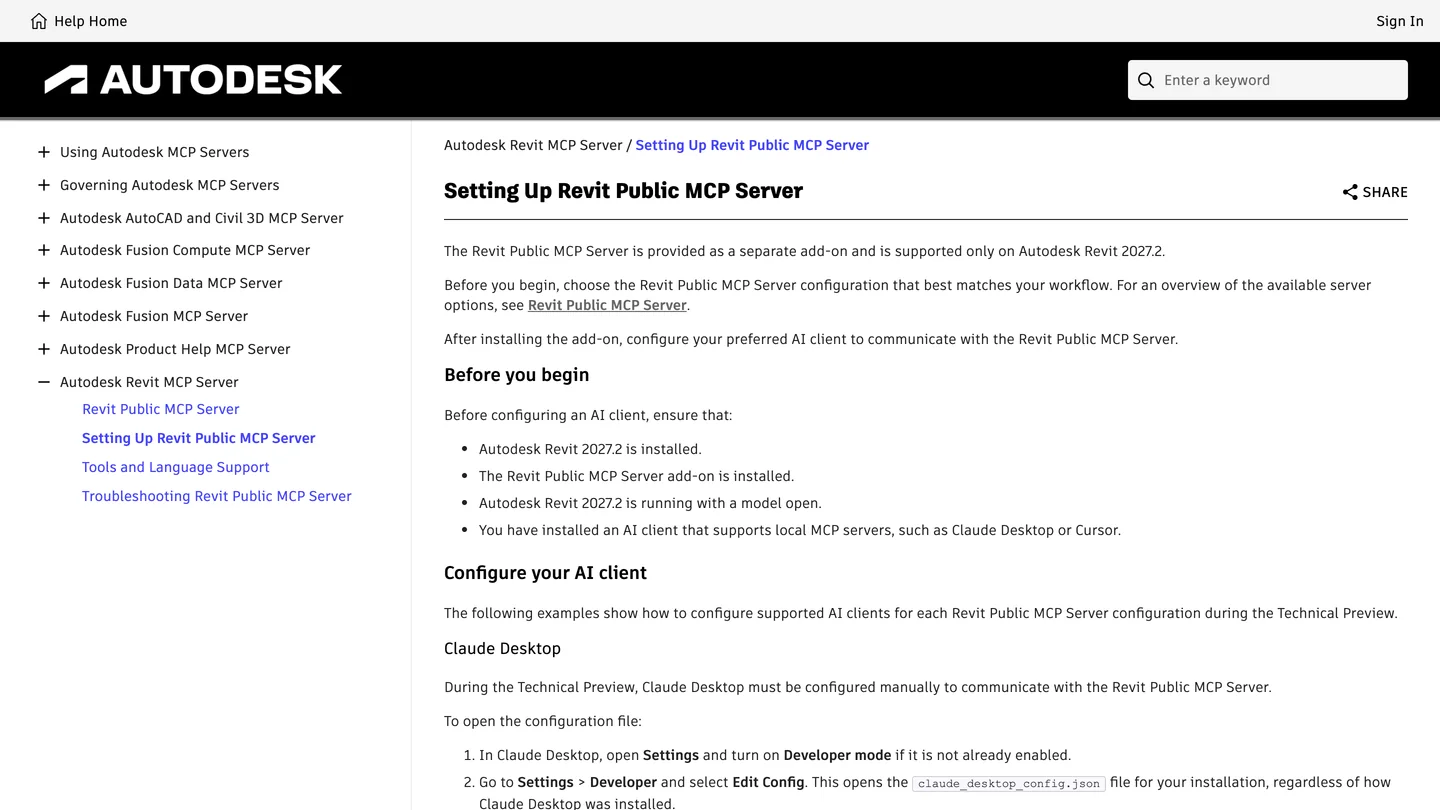
Autodesk’s setup page. It says Claude Desktop “must be configured manually” during the preview, which contradicts Autodesk’s own blog posts; see below.
Three things the page does not make obvious. First, a single backslash in that Windows path, or a trailing comma, stops the whole file from loading, and Claude Desktop just shows no server. Second, Autodesk contradicts itself on whether you need this step at all: its June launch post says Claude Desktop is “configured for you automatically”, and a September developer post says the installer writes the settings, while the help page says you must do it by hand. Open the file after installing and check before you add a second copy. Third, the Write installer registers two servers, one read only and one that writes, so you can see in Claude which tool calls can change the model.
On privacy, Autodesk’s support article from October 14 is plain: the server is not a cloud service, but what its tools return goes to your AI client, and “that client’s own data-handling policies determine whether that information leaves the workstation.” With Claude, it does. Check your firm’s rules on client data before you point Claude at a live project.
BIM Pure’s 8 minute video shows the Autodesk route in Claude Desktop: installing the Read-Tools preview from Autodesk Account (0:32), checking it in Revit’s Add-In Manager (0:55), turning on the “Revit MCP Technical Preview” connector in Claude’s Cowork mode (1:14) and asking for an HTML dashboard of the model’s elements (2:03). Watch it for what went wrong as much as what worked: the first dashboard threw JavaScript errors that had to be pasted back to Claude (3:18), Claude warned that 80% of the session limit was used, and the presenter points out that the server cannot read Revit’s warnings. Note the date, too. It was recorded in April on a pre-release Revit 2027, two months before Autodesk’s launch post, so your screens may differ, and the closing verdict (7:14) that NonicaTab was the better option then predates Autodesk’s Write and Experimental servers.

BIM Pure, “New in Revit 2027 - Revit MCP Server + Claude”, April 20, 2026, 8 min 20 s. Claude Desktop in Cowork mode with the Read-Tools preview; the last 45 seconds are a pitch for BIM Pure’s membership.
Which community Revit MCP server should you use?
If you are on Revit 2026 or older, Autodesk’s server is not an option and you need one of these. They all work the same way: a Revit add-in that listens for commands inside Revit, and an MCP server that Claude starts and that forwards Claude’s tool calls to the add-in. Numbers are from GitHub on October 18, 2026.
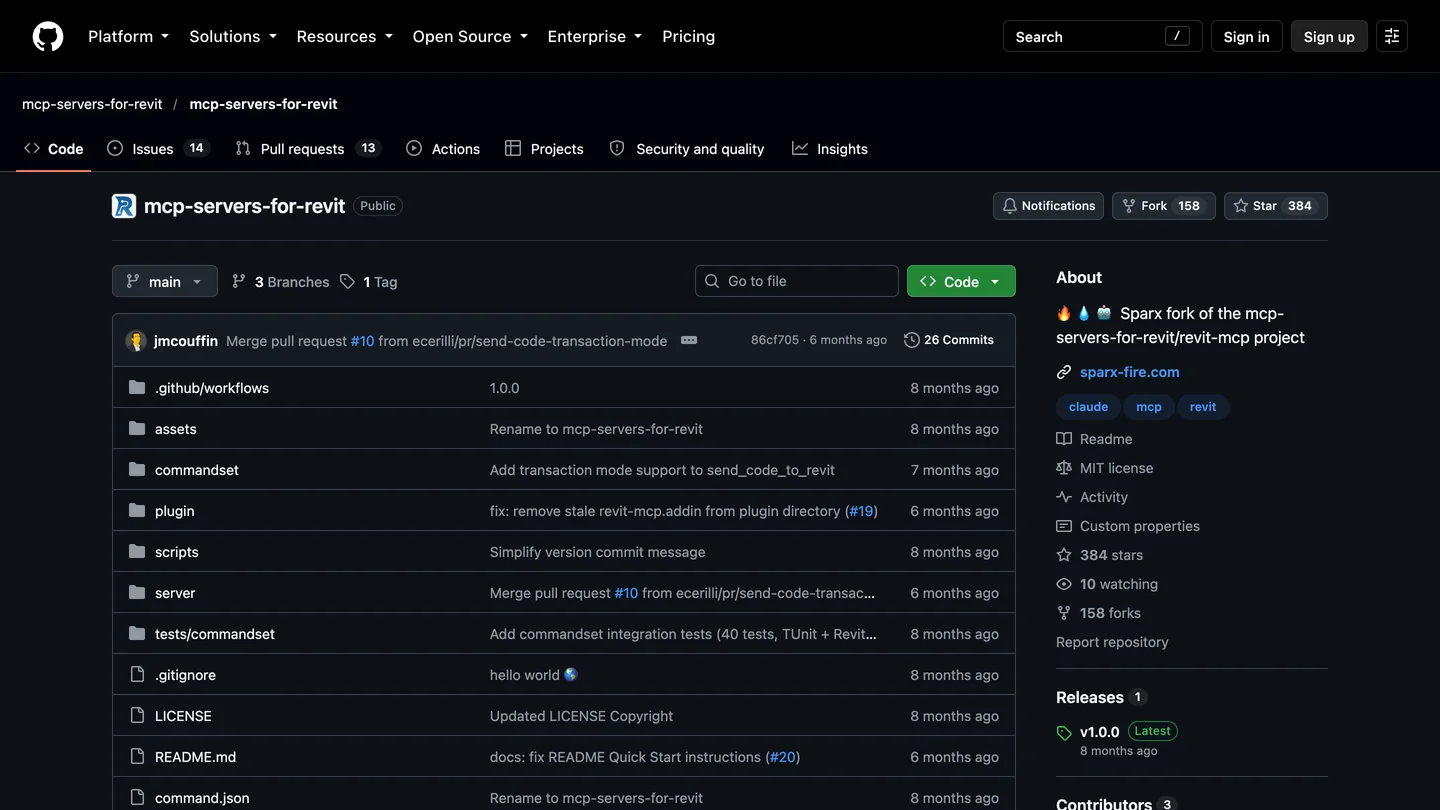
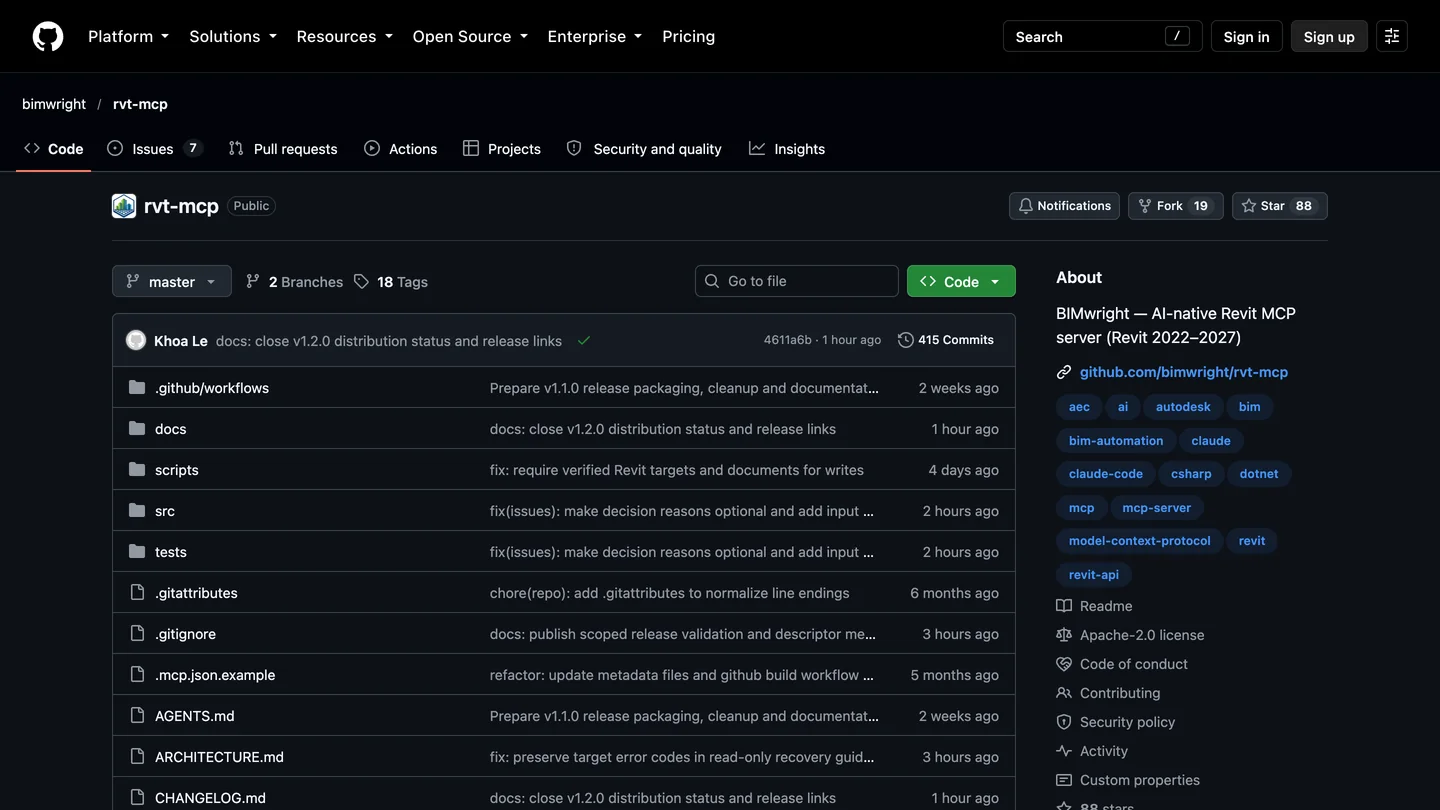
The most starred live project (left) has not had a commit since April. The careful one (right) was committed to on the day we looked.
| Server | Stars | Last push | Revit | How it listens | Runs Claude’s code |
|---|---|---|---|---|---|
| mcp-servers-for-revit | 384 | April 5, 2026 | 2020 to 2026 | Port 8080, every network interface, no password | Yes, C# |
| revit-mcp (the original) | 474 | Archived | n/a | Replaced by the project above | Yes |
| bimwright/rvt-mcp | 88 | October 18, 2026 | 2022 to 2027 | Localhost or a named pipe, with a token | Yes, on by default, can be removed |
| mcp-server-for-revit-python (pyRevit) | 213 | October 14, 2026 | Wherever pyRevit runs | Loopback, Windows-user pairing | Yes, Python |
- Stars
- 384
- Last push
- April 5, 2026
- Revit
- 2020 to 2026
- How it listens
- Port 8080, every network interface, no password
- Runs Claude’s code
- Yes, C#
- Stars
- 474
- Last push
- Archived
- How it listens
- Replaced by mcp-servers-for-revit
- Stars
- 88
- Last push
- October 18, 2026
- Revit
- 2022 to 2027
- How it listens
- Localhost or a named pipe, with a token
- Runs Claude’s code
- Yes, on by default, can be removed
- Stars
- 213
- Last push
- October 14, 2026
- Revit
- Wherever pyRevit runs
- How it listens
- Loopback, Windows-user pairing
- Runs Claude’s code
- Yes, Python
If I had to set one up on Revit 2025 or 2026 today, I would pick bimwright/rvt-mcp, and start it with --read-only. It is the only one in the table that covers 2027 as well, it is actively maintained, and it is the only one built on the assumption that something else on your network might try to talk to it. Its README counts 237 tools on a fresh install, which is a lot to hand an AI model; the read-only flag cuts that to what cannot hurt you. The most starred option, mcp-servers-for-revit, is what most YouTube tutorials install. It works, but read the next section before you put it on an office network.
The commercial alternative is NonicaTab, a Revit toolbar with an AI connector for Claude. Its free tier gives Claude read-only access, and PRO, at €85 plus VAT per user per year, lets Claude edit parameters. Nonica calls it an official integration; I could not find NonicaTab in Claude’s connector directory, so treat that as Nonica’s description, not Anthropic’s.
Is a Revit MCP server safe to use on client models?
Autodesk’s is, within the limits of a preview: it is local, it has no code execution tool, and the Read version cannot change anything. The community servers need a closer look, so I read their code instead of their READMEs.
- mcp-servers-for-revit opens its socket with
TcpListener(IPAddress.Any, 8080)(plugin/Core/SocketService.cs, line 105), which means any computer that can reach yours on port 8080 can send it commands, and there is no password. The port is hard-wired two lines above a comment that says so. Itssend_code_to_revittool compiles and runs whatever C# it receives, inside Revit, with your Windows permissions. In its favor, the socket only opens when you start the service from the Revit ribbon. - bimwright/rvt-mcp talks to Revit over localhost TCP (Revit 2024 and older) or a named pipe (2025 and newer), and the server finds each Revit instance through a discovery file that carries an auth token. Its own code tool is on by default;
--disable-send-codeor--read-onlyremoves it. - mcp-server-for-revit-python changed this week. Its current security document requires pairing with your Windows user and a 256-bit secret on every request, and its server binds to loopback only. It still runs Python that Claude sends through
exec, so the pairing is what stands between that and anyone else.
The practical rules: open a copy of the model, never the central file; give the AI the smallest tool set that does the job; leave Claude’s per-tool approval on so you read each code snippet before it runs; and if you use mcp-servers-for-revit, block port 8080 in the Windows firewall. Do not run any of these with Claude Code’s --dangerously-skip-permissions flag on a machine with client projects.
Can Claude help an interior designer with a Revit model? Our test
Most Revit and AI demos count walls. We wanted to know what happens with the questions an interior designer actually asks when an architect sends over a model. Since we cannot run Revit on a Mac, we tested the route every Mac user has: an IFC exported from Revit, handed to Claude. The model was the Duplex Apartment, a two story duplex exported from Revit Architecture 2011 and published by buildingSMART International under CC BY 4.0, a classic test file in the BIM world.
On October 18, 2026 we started a fresh Claude Code session (Claude Opus 5.5, the default on our install), with no MCP servers and no web access, and gave it Python with the open source ifcopenshell library. The brief, for the left hand unit:
- A room schedule as a CSV: number, name, level, area in square meters and square feet.
- The furniture already modeled in each room, by family and type.
- Whether each bedroom takes a king bed (76 by 80 inches) with 30 inches of clear floor on both sides and 36 inches at the foot, without blocking a door swing.
- A to-scale floor plan of both levels as an image, for a renderer.
It took 7 minutes and 6 seconds, 21 turns, and Claude Code put the API equivalent cost at $1.70. Then we checked every number with our own script against the IFC, rather than trusting Claude’s summary.
What it got right was nearly everything. All ten rooms of the unit, their names, levels and areas matched the Revit values exactly. The furniture list was correct room by room, down to the eight base cabinets in the kitchen and a 24 inch cube table standing in for a nightstand. The king bed answer was right: each bedroom is 3.71 m (12 ft 2 in) wide, which leaves 35 inches on each side of a centered king, and in the first bedroom Claude put the headboard on the only outside wall without a window. It also noticed something nobody asked about: the king bed already in the model sits 27.5 inches from the window wall, below the brief’s 30. We measured it. It does.
The catch we would have missed. Claude flagged that Revit’s room areas are bigger than the rooms. The model says each bedroom is 26.12 m² (281 sq ft); the room’s own floor geometry is 22.04 m² (237 sq ft), 16% less. Revit was most likely measuring to the middle of the walls. For a designer ordering flooring or pricing a rug, that is 44 square feet of carpet you would pay for and never lay. Claude added a net area column and told me to ask the architect how areas were computed. That is exactly the right advice.
And what a designer would circle in red.
- The plan contradicts the schedule. After telling me to use the net areas, Claude labeled every room on the plan with Revit’s larger numbers. The image you would show a client carries the figure Claude itself said not to trust.
- It dropped the kitchen. Claude left all furniture off the plan “so your renderer starts clean”, and that included the kitchen cabinets, which are built in. Without them, the renderer was free to invent a kitchen, and it did.
- The data is fifteen years old. To its credit, Claude said so: the IFC is a 2011 export and the live Revit model may have moved on. With a live MCP connection that problem goes away, and it is the best argument for setting one up.
The pattern is the same one we found when Claude drew a floor plan through an AutoCAD MCP server: excellent at anything that can be written as a number, weak at what a designer knows without writing it down. Here the numbers were the job, so Claude did well. If you want it to follow your clearances every time, write them into a Claude skill for your studio, and use our bed size guide and bedroom layout guide for the numbers worth putting in the brief.
Our sister site TechDraw ran the opposite test in October: how much Claude can read from a bare RVT file with no Revit installed at all. The short answer was names and levels yes, areas and counts no, and the full write-up is in TechDraw’s Claude and Revit guide. Between the two tests, the lesson is simple: give Claude an IFC or a live connection, never just the .rvt.
Does Claude work with Revit on a Mac?
Not natively, because Revit does not. Autodesk’s Revit 2027 system requirements list 64-bit Windows 11 only, and for Macs they recommend Parallels Desktop with a Windows 11 virtual machine on macOS 13.7 or newer. If you go that way, the MCP server and Claude Desktop both have to run inside the Windows machine, next to Revit; I found no documented way to bridge from the Mac side.
Without Windows, the IFC route from our test is the realistic one. Ask whoever owns the model for an IFC export, give it to Claude Code, and ask your questions. You lose the live link, so nothing Claude does changes the model, which for an interior designer working on someone else’s file is arguably a feature.
How much does it cost to use Claude with Revit?
| Product | Price (October 2026) | What it gets you here |
|---|---|---|
| Claude Free | $0 | Claude Desktop with local MCP servers, with tight usage limits |
| Claude Pro | $20 a month, or $17 billed annually | Enough usage for real model queries, plus Claude Code |
| Autodesk Revit | “Starting at $251 / month” on Autodesk’s US page | Revit itself, Windows only |
| Autodesk Revit MCP Server | $0 | Free add-on for Revit 2027 subscribers |
| Community MCP servers | $0 | Open source, MIT or Apache 2.0 |
| NonicaTab PRO | €85 + VAT per user per year | Full AI connector; the free tier is read only |
- Price
- $0
- Here
- Claude Desktop with local MCP servers, with tight usage limits
- Price
- $20 a month, or $17 billed annually
- Here
- Enough usage for real model queries, plus Claude Code
- Price
- “Starting at $251 / month” on Autodesk’s US page
- Here
- Revit itself, Windows only
- Price
- $0
- Here
- Free add-on for Revit 2027 subscribers
- Price
- $0
- Here
- Open source, MIT or Apache 2.0
- Price
- €85 + VAT per user per year
- Here
- Full AI connector; the free tier is read only
Claude prices are from Claude’s pricing page, excluding tax. The real cost is not the subscription but the tokens: a Revit model returns a lot of data, and a long session of model queries burns through a Pro plan’s limits faster than chat does. Our single IFC test used $1.70 of API equivalent compute in seven minutes. Keep questions narrow, “doors on Level 1” rather than “everything in the model”.
Can Claude make a render from a Revit model?
No. Every server in this guide can export a view to an image, and that is a screenshot of the model, not something you put in front of a client. You still need a render step, whether that is Revit’s own renderer, an engine such as Enscape or Twinmotion, or an AI renderer. Our comparison of AI architectural rendering tools covers the ones that work inside Revit, and turning a 3D model into a photorealistic render covers the screenshot route.
This is the part of the workflow MeltFlex does, so here is the disclosure: we took the floor plan Claude drew in our test, exactly as it saved it, and ran it through our floor plan to 3D renderer with its default settings. It came back in 17 seconds as a furnished isometric view of both floors, with the room labels from the plan. It is a good first client image. It also took liberties, and you should know which: it added a kitchen island with three bar stools that is not in the Revit model, moved the patio door from the living room into the foyer, turned the side entry door into what looks like a window, and printed room A205 as A265. A render makes a plan look finished, which is exactly why you check the plan first, and then check the render against it.


Finished bedrooms from the MeltFlex gallery, not from this test. Materials, light and styling are what no Revit MCP tool produces.
If you would rather render from a Revit view than from a plan, export the view as an image with the MCP server’s export tool and use photo to render on it, which keeps the camera and the geometry. For the bigger picture of where AI saves time on a project and where it does not, see how much time AI saves architects.


Finished living spaces from the MeltFlex gallery. A Revit model holds the walls and the furniture families; this is the layer a client actually reacts to.
Should architects and interior designers connect Claude to Revit?
Architects on Revit 2027.2: yes, install Autodesk’s Read server and use it for the questions that eat an afternoon, which doors lack a fire rating, which views are not on a sheet, how many of a family are in the model. It is free, it cannot break anything, and the answers come with element IDs you can select and check. Move to Write or Experimental one project at a time, on a copy.
Architects on older Revit: a community server is worth it if you have someone who can read a README critically, and bimwright/rvt-mcp in read-only mode is where I would start. Interior designers, who usually receive a model rather than own it: ask for an IFC, give it to Claude, and use what comes back for schedules, areas and fit checks. In our test that was the most useful thing Claude did, and the one thing it did better than I would have, catching that the areas were wrong.
The same idea works in the rest of the stack: connecting Claude to SketchUp for massing, connecting Claude to Rhino for parametric work, connecting Claude to Blender for free 3D, AutoCAD MCP for 2D drawings, and MeltFlex MCP, which lets Claude redesign a photo of a real room. If your team uses ChatGPT instead, ChatGPT plugins for architects covers what exists there, and connecting ChatGPT to Revit covers these same servers in the ChatGPT desktop app and Codex, with GPT-6 Astra run on this test.
Sources and what we could not verify
Read on October 18, 2026: Autodesk’s help pages for the Revit Public MCP Server, its setup and its tools table; Autodesk’s June 17 launch post, the September 29 Autodesk Developer Blog update, the October 14 support article and the April Autodesk Assistant post; the Autodesk MCP servers page; the Revit 2027 system requirements; Claude’s connector directory and pricing page; nonica.io; and the GitHub repositories of mcp-servers-for-revit, bimwright/rvt-mcp and mcp-server-for-revit-python, cloned the same day. Star counts and push dates are from the GitHub API and will move. The test model is BSI (2020) “Duplex Apartment Test Files,” buildingSMART International, used unchanged.
What we did not do: we did not run Autodesk’s server or any community server against a live Revit session, because Revit needs Windows and we tested on a Mac. Our test covers what Claude does with Revit data, not the connection itself. We could not resolve whether the 2027.2 installer configures Claude Desktop for you, because Autodesk’s pages disagree; we have shown both. We did not test NonicaTab or Autodesk Assistant. One test is one test, and a different model, brief or file will fail in different places.
Claude and Revit: FAQ
Can Claude connect to Revit?
Yes, through an MCP server running on the same Windows computer as Revit. Autodesk ships an official Revit Public MCP Server for Revit 2027.2, in Technical Preview, that works with Claude Desktop. For Revit 2020 to 2026 you need a community server such as mcp-servers-for-revit or bimwright/rvt-mcp, or a commercial add-in such as NonicaTab. There is no Revit connector in Claude's connector directory, so the web version of Claude cannot reach Revit.
Is there an official Revit connector for Claude?
Not in Claude's connector directory. A search for Revit there on October 18, 2026 returned only an unrelated trades app. What Autodesk does ship is a local MCP server, a free add-on for Revit 2027 downloaded from your Autodesk Account, which Autodesk documents for Claude Desktop and Cursor. It is a Technical Preview and supported only on Revit 2027.2.
How do I connect Claude to Revit 2027?
Update Revit to 2027.2, download the Revit MCP Server Read-Tools add-on from your Autodesk Account and install it. In Claude Desktop turn on Developer mode, open Settings, Developer, Edit Config, and add an mcpServers entry whose command is the Autodesk.RevitMcpServer.Stdio.exe in the add-on's Program Files folder, with the argument --ManageConfigurationWithAutodeskRevitPluginInstaller=true. Restart Claude, open a model in Revit and ask Claude to list the available Revit MCP tools.
Which Revit versions work with Claude?
Autodesk's own server needs Revit 2027.2. Community servers cover older releases: mcp-servers-for-revit lists Revit 2020 to 2026, bimwright/rvt-mcp lists 2022 to 2027, and the pyRevit based servers work wherever pyRevit runs. NonicaTab says it is compatible from Revit 2020 to 2027.
Can Claude edit a Revit model?
It depends on what you install. Autodesk's Read server cannot change the model at all. Its Write server adds parameter changes, moving and rotating (11 tools in total), and the Experimental server adds deleting, sheets, views, schedules, rooms, tags and IFC export (39 tools). Most community servers can also run C# or Python code that Claude writes, which can do anything the Revit API allows, so back up the model first.
Does Claude work with Revit on a Mac?
Only inside Windows. Revit 2027 runs on 64-bit Windows 11, and on a Mac Autodesk recommends Parallels Desktop with a Windows 11 virtual machine. The MCP server and Claude Desktop must run inside that same Windows machine. Without Windows you can still export an IFC from Revit, give it to Claude Code and ask questions about it, which is what we tested.
Is a Revit MCP server safe to use on client projects?
Autodesk's server runs locally and has no tool that runs arbitrary code, so the Read version is the safe starting point. Community servers vary: the popular mcp-servers-for-revit listens on port 8080 on every network interface with no password and can compile and run C# that Claude sends. Work on a copy of the model, turn code tools off when you do not need them, and keep Claude's per-tool approval on.
Can Claude render a Revit model?
No. The MCP servers can export a view to an image or PDF, but that is a screenshot of the model, not a client render. You still need a render step: Revit's own renderer, an engine such as Enscape or Twinmotion, or an AI renderer that takes a plan or a view image. We ran Claude's floor plan through MeltFlex's floor plan to 3D renderer and got a furnished 3D view in 17 seconds, with mistakes we list in the article.
Keep reading
- AutoCAD MCP, Autodesk’s other server and our test of Claude drawing a floor plan.
- How to connect Claude to SketchUp, the one CAD program with an official Claude connector.
- The best MCP servers for architects, the wider Claude setup.
- AI space planning tools for architects, including the ones that export to Revit.
- AI tools for architecture studios, if you want apps rather than connectors.
- Floor plan symbols, to read what Claude draws.
- Floor plan to 3D, turn a plan into a furnished 3D view in the browser.