To connect Claude to Rhino, install McNeel’s free Rhino MCP Platform: download its connector.mcpb file, add it in Claude Desktop under Settings, Extensions, Advanced settings, Install Extension, and install the Rhino-MCP-Platform package from Rhino 8’s Package Manager. Claude can then draw and edit geometry, run Python and C# inside Rhino, and build Grasshopper definitions. It works on the free Claude plan, on Windows and Apple Silicon Macs, and not on Rhino 7. There is no Rhino connector in Anthropic’s connector directory.
Our articles are still written by humans!
Get human written articles in your Google feed.
I run MeltFlex, an AI rendering tool for architects and interior designers, and this is the companion to our ChatGPT and Rhino guide, written the same day. For both I read McNeel’s documentation and the source code of both Rhino servers on October 21, 2026, read what Rhino users on Reddit and McNeel’s forum report, and gave Claude Opus 5.5 a real interior brief: a living room with a slatted timber wall, built as a Rhino file that we then measured ourselves. Claude did well. The people quoted below had a rougher time, and I think they are the better guide to what to expect.

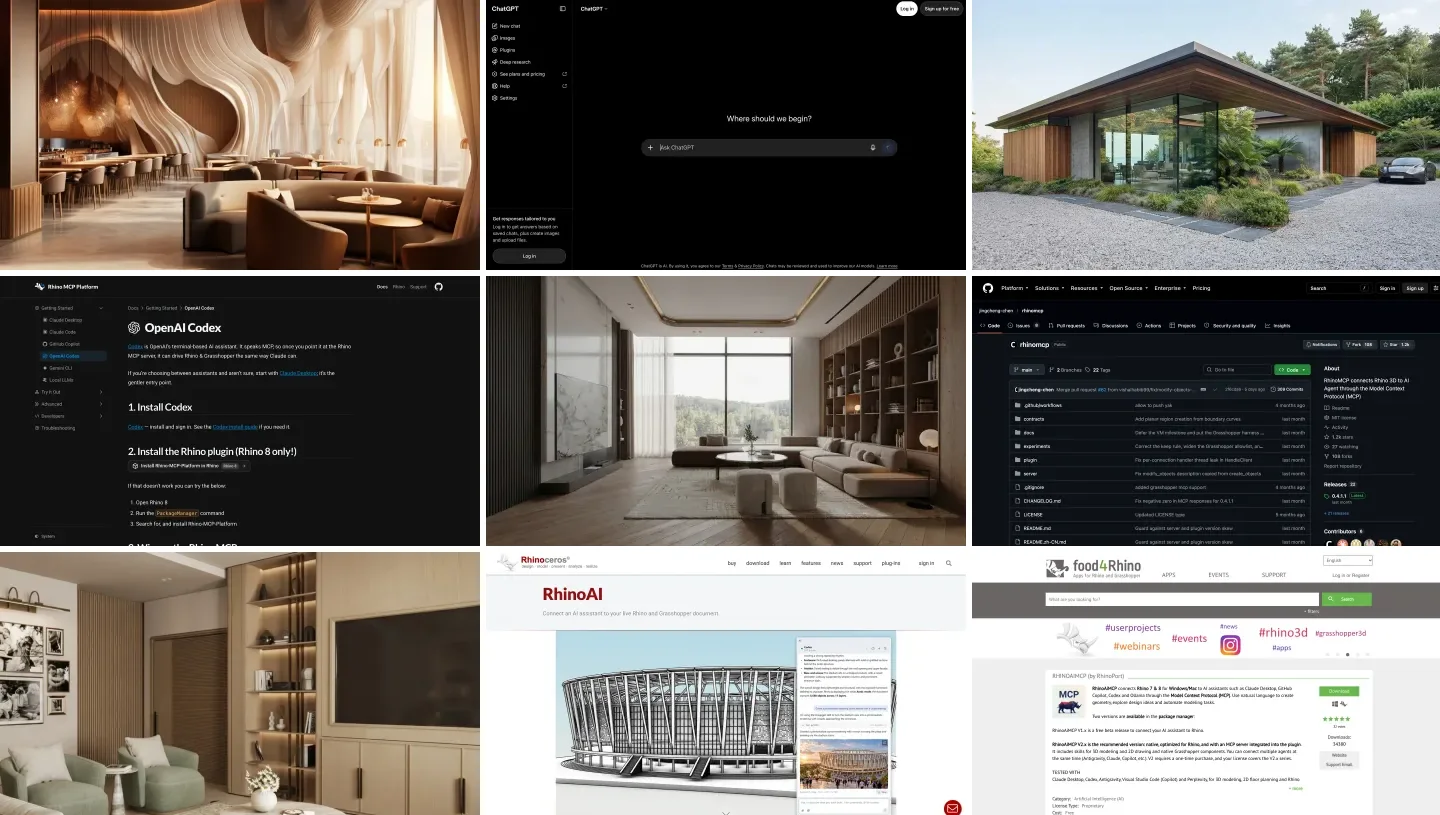
The two products, from their own pages. The connection runs through Claude Desktop or Claude Code on your computer, not through claude.ai in a browser.
The short version
- Claude Desktop is the easy route. One file, one install, and it works on the free plan. Setup steps below.
- Install it under Extensions, not Connectors. That one wrong menu is behind most “it doesn’t work” posts on McNeel’s forum.
- Watch the bill. Rhino sessions burn tokens. One YouTuber stopped Claude Opus after 42 minutes and nearly $20 of API costs on a single building.
- Interior designers: Opus 5.5 built our living room to the millimeter in under four minutes, with cleaner walls than GPT-6 Astra, and placed two armchairs 200 mm apart.



What are the ways to connect Claude to Rhino?
Five. Three of them use McNeel’s plugin, which you should treat as the default; one is the older community server; and one is still the most common in practice, asking Claude for a script and pasting it in.
| Route | Rhino versions | Claude plan | Setup effort | Cost |
|---|---|---|---|---|
| Claude Desktop + McNeel connector | 8.19 and newer, 9 BETA | Free and up | Install one file | Free |
| Claude Code + McNeel server | 8.19 and newer, 9 BETA | Pro and up | One click in MCPConnect | Free |
| RhinoAI panel inside Rhino | 8.19 and newer, built into 9 BETA | Pro and up, needs Claude Code | Type AI in Rhino | Free plugin, your Claude plan |
| rhinomcp (community) | 8 | Any, with Desktop or Code | uv, a config entry, mcpstart each session | Free |
| Copy and paste a script | Any | Any, including claude.ai | None | Free |
- Rhino
- 8.19 and newer, 9 BETA
- Claude plan
- Free and up
- Setup
- Install one file
- Rhino
- 8.19 and newer, 9 BETA
- Claude plan
- Pro and up
- Setup
- One click in MCPConnect
- Rhino
- 8.19 and newer, built into 9 BETA
- Claude plan
- Pro and up, needs Claude Code
- Setup
- Type AI in Rhino
- Rhino
- 8
- Claude plan
- Any, with Desktop or Code
- Setup
- uv, a config entry, mcpstart each session
- Rhino
- Any
- Claude plan
- Any, including claude.ai
- Setup
- None
The McNeel plugin is open source, MIT licensed, and made by the company that makes Rhino. Its documentation calls Claude Desktop “the gentler entry point”, and after reading every setup page I agree: it is the only route on any assistant where you never touch a config file. On Rhino 7 none of these work except copy and paste and a third party plugin, RhinoAiMCP, which we cover in the ChatGPT guide.
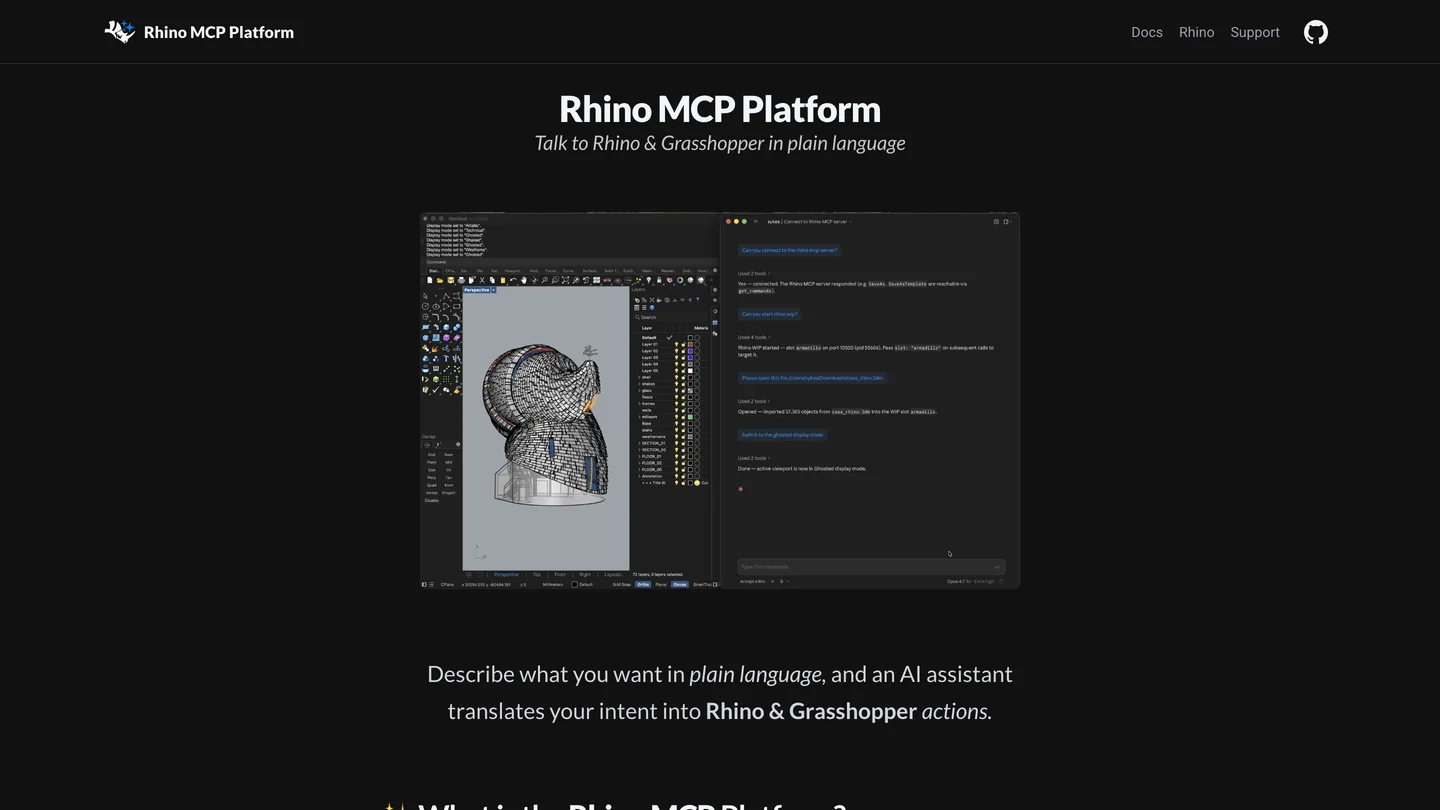
McNeel’s documentation site for the plugin. The GitHub project behind it was renamed RhinoAI on October 20, the day before we read it.
How do you connect Claude Desktop to Rhino, step by step?
This follows McNeel’s Claude Desktop page, checked against the connector’s code and against the forum threads where it went wrong. Before you start: Rhino 8.19 or newer, on Windows or an Apple Silicon Mac. McNeel’s troubleshooting page says Intel Macs are not supported.
- Download
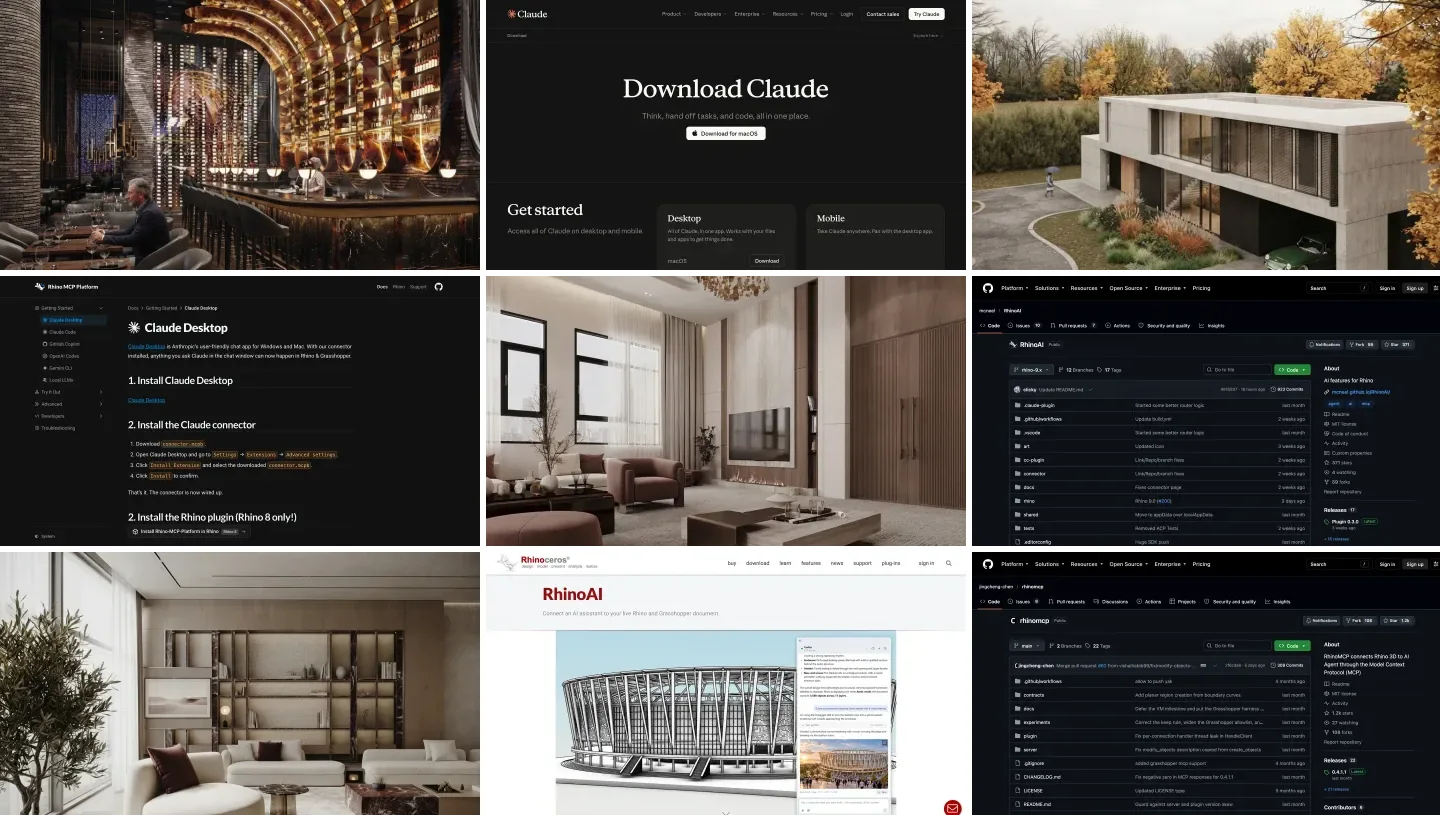
connector.mcpbfrom the latest connector release on McNeel’s GitHub releases page (connector 0.1.6, September 15, when we checked). - Open Claude Desktop, then Settings, Extensions. Extensions sits under the Desktop app heading. Do not use Connectors and “Add custom connector”: that box only takes web addresses, and it is where most people on McNeel’s forum got stuck.
- Advanced settings, Install Extension, pick the file, and click Install. On Windows, dragging the file in failed for one forum user; if you only see a preview or a developer warning, double click the file instead.
- Install the Rhino side. In Rhino 8, run
PackageManagerand install Rhino-MCP-Platform. Or skip it: when the package is missing, the connector gives Claude a tool to install it for you. - Test it. McNeel’s suggested first prompt is “Open a fresh Rhino doc and make me a box.” Claude can start Rhino itself; the connector waits up to 120 seconds for it.
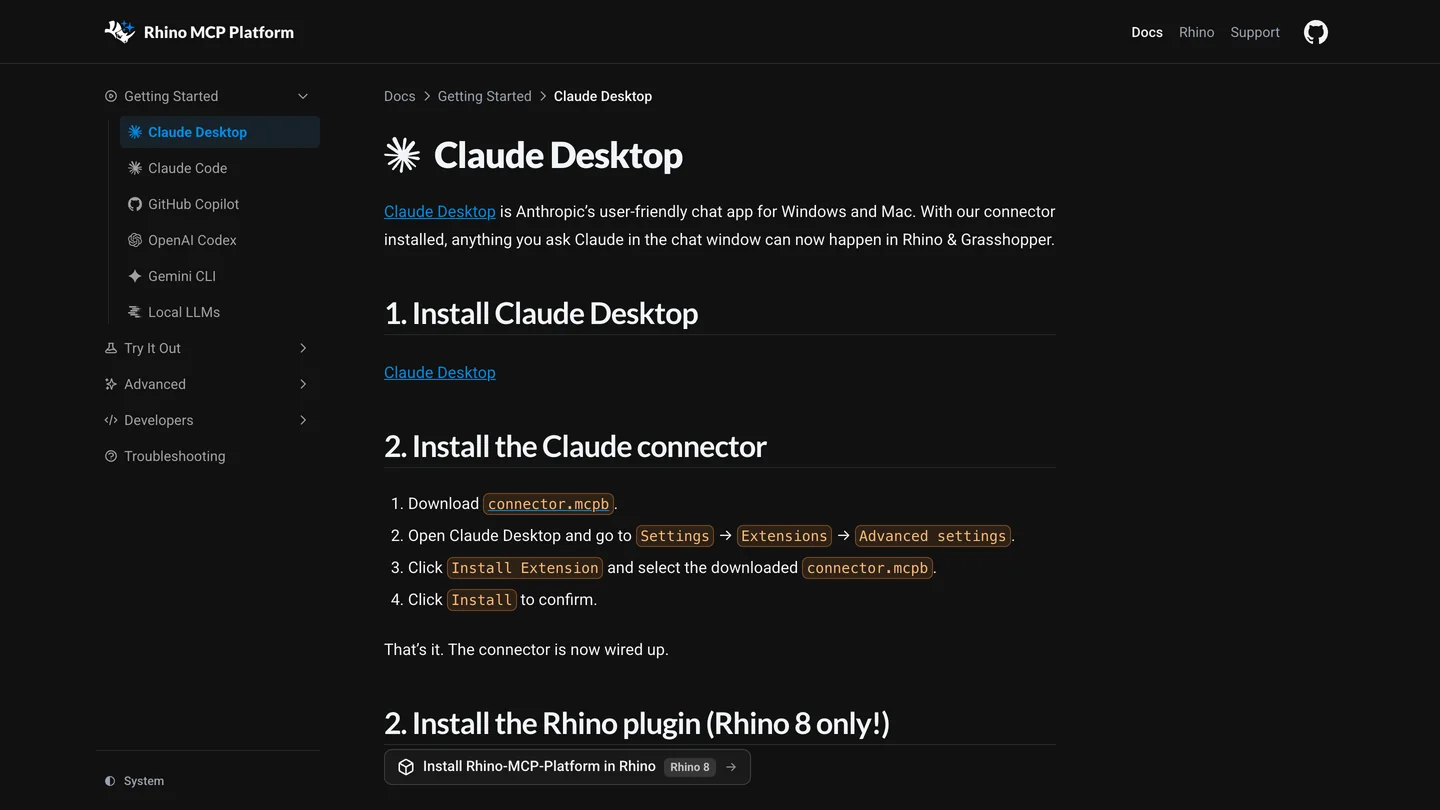
McNeel’s Claude Desktop steps. “Rhino 8 only!” refers to the Package Manager build; the Rhino 9 BETA ships the plugin already, and you switch the connector to 9 in its settings.
On the Rhino 9 BETA, open the connector’s settings in Claude Desktop and change Rhino Version from 8 to 9, or Claude keeps opening Rhino 8. If Rhino says it does not know the MCPConnect or MCPStart command, it is running on the old .NET Framework: run SetDotNetRuntime, choose NETCore, restart. And if Claude reports success but you see nothing, McNeel’s troubleshooting page lists the usual three: you are looking at a different Rhino window, the geometry is far from the origin (Zoom Extents), or it is on a hidden layer.
How do you connect Claude Code to Rhino?
Install the same Rhino-MCP-Platform package, then run MCPConnect in Rhino. In version 0.3.0 that opens a window with Install, Prompt, mcp.json and Advanced tabs; on Install, click Install next to Claude Code, and it adds Rhino to ~/.claude.json. Restart Claude Code and type /mcp. If you prefer the terminal, copy the router path from the mcp.json tab and run:
claude mcp add rhino -- "<the router path from MCPConnect>"

# Rhino 9 BETA instead of Rhino 8:
claude mcp add rhino -- "<the router path from MCPConnect>" -v 9
The Install tab finds Claude Code, Cursor, Gemini CLI, Windsurf, OpenCode and Codex, but not Claude Desktop, which is why Desktop has its own file. McNeel’s GitHub project also contains a Claude Code plugin with eight agents and five slash commands, but its install instructions are commented out of the docs page and the plugin name in its README does not match its own marketplace file, so I would leave it until McNeel documents it.
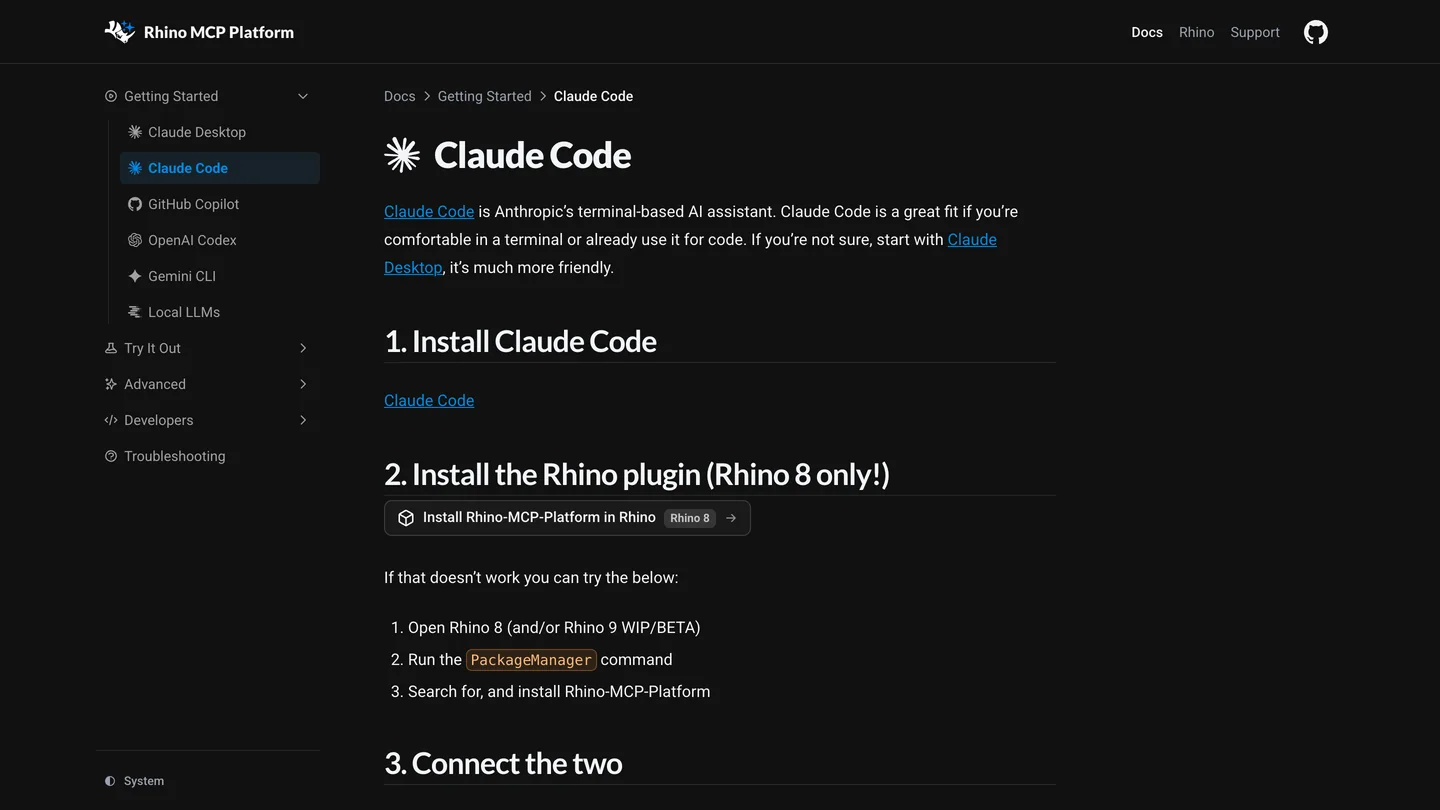
McNeel’s Claude Code page. Claude Code is not on the free Claude plan.
Can you use Claude inside Rhino?
Yes, with the same plugin: type AI in Rhino (it was AIPanel until October 18) and a chat panel opens next to your model. Callum Sykes’ announcement says it is “included by default in Rhino BETA and for Rhino 8 it can be downloaded via the Package Manager”. McNeel’s page says there is nothing extra to install. The code says otherwise: the panel runs the Claude Code program on your computer and checks that it is signed in before it starts. In practice you need Claude Code installed and logged in, which means a paid Claude plan.
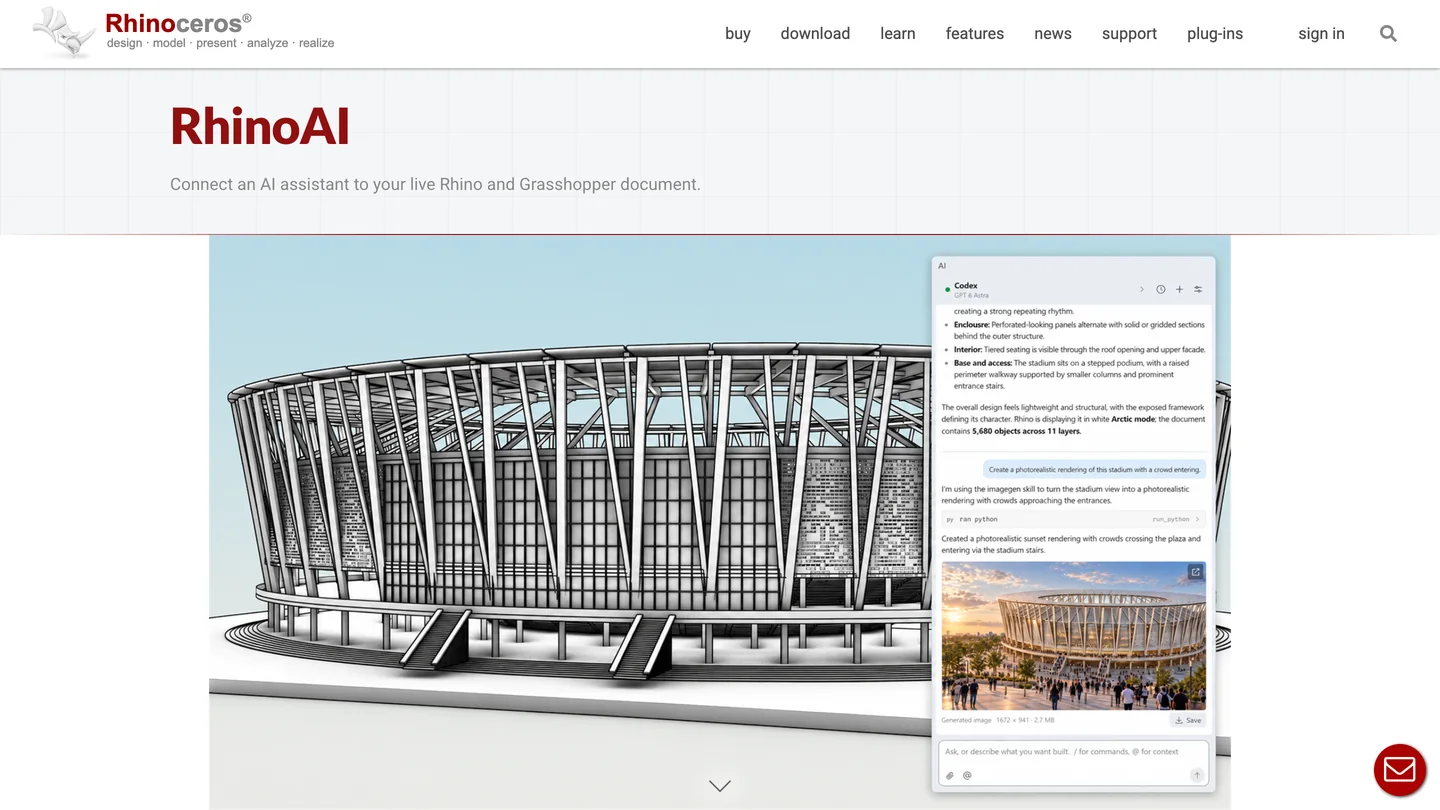
The RhinoAI panel on McNeel’s own page. It runs on your Claude or ChatGPT subscription, not a McNeel one.
How do you connect Claude to Rhino with rhinomcp?
Jingcheng Chen’s rhinomcp came first, and most Rhino and Claude videos from 2025 show it. It is still maintained (version 0.4.1.1, September 14), has 1,159 GitHub stars against McNeel’s 371, and its Rhino plugin has been downloaded 36,896 times from the Package Manager. It has more tools, 70 by our count of its code, 27 of them for Grasshopper.
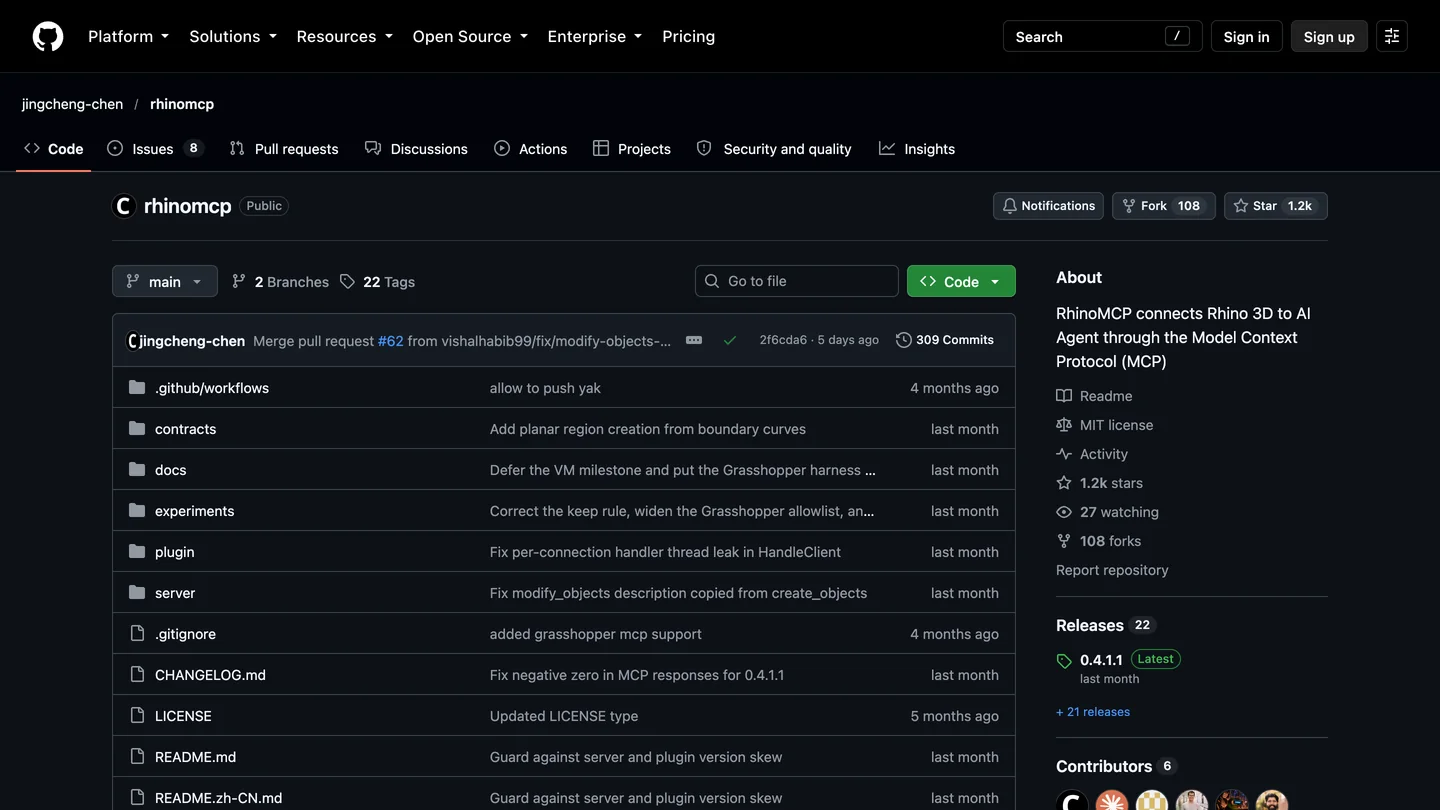
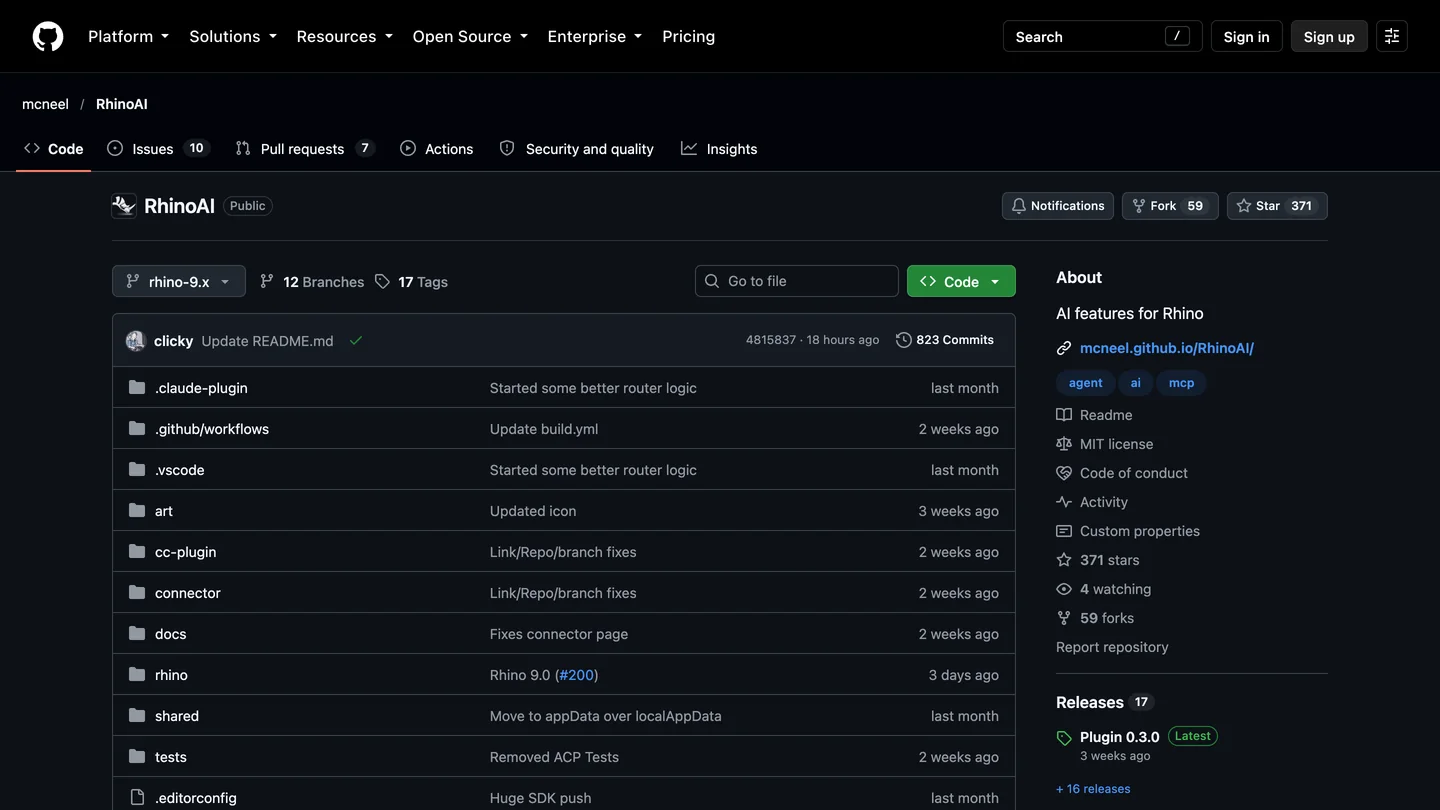
The community server and McNeel’s, side by side on GitHub. More stars on the left; the maker of Rhino on the right.
- Install uv:
brew install uvon a Mac, or on Windowspowershell -c "irm https://astral.sh/uv/install.ps1 | iex". - Install rhinomcp from Rhino 8’s Package Manager.
- Add it to Claude. Claude Code:
claude mcp add rhino -- uvx rhinomcp@latest. Claude Desktop: add the entry below toclaude_desktop_config.json(Settings, Developer, Edit Config) and restart. - Type
mcpstartin Rhino, every session. Forgetting this is the most common reason it “connects” and then does nothing.
{
  "mcpServers": {
    "rhino": {
      "command": "uvx",
      "args": ["rhinomcp@latest"],
      "env": { "RHINO_MCP_HOST": "127.0.0.1" }
    }
  }
}
Version 0.3.2 broke on fresh installs in July when the MCP Python library changed under it; @latest keeps you on the fixed 0.4 line. Each call into Rhino times out after 15 seconds unless you raise RHINO_MCP_TIMEOUT. Do not run it alongside McNeel’s server: the README asks for only one Rhino server at a time.
Can Claude build Grasshopper definitions?
Yes, and this is where architects get the most from it, because a Grasshopper definition is something you can check and keep. McNeel’s server gives Claude 12 Grasshopper tools on Rhino 8 and 12 more for Grasshopper 2 on the Rhino 9 BETA. Two problems you will meet. In version 0.3.0 the tool that places number sliders fails on every call (issue 172, still open); tell Claude to build the definition with g1_apply_graph instead. And Claude spends tokens searching for components before it places them; McNeel’s Japhy suggests writing a Claude skill for the components you use, so it stops rediscovering them.
How well it works depends on who you ask. Birk Binnard, trying Claude with the Rhino 9 BETA, wrote on October 20 that the definition Claude produced “had missing wires, disconnected GH components, and as produced was not even close to being able to make what I had described in my prompt.” Skylar_B, on another thread, found it much better at an existing definition: “Claude did a very good job cleaning up a super sloppy script I wrote, identifying functional groups with in it and organizing the canvas.” That matches my expectation. Tidying, explaining and extending a definition you understand is a safer job than building one from a paragraph.
What does it cost to use Claude with Rhino?
The connection is free. The tokens are not. Anthropic’s pricing page lists Free at $0, Pro at $17 a month billed yearly or $20 monthly, and Max from $100. Desktop extensions are on the free plan, so the Claude Desktop route costs nothing to try. Claude Code is not on Free, so the Claude Code route and the panel inside Rhino need Pro or higher.
| Plan | Price | Claude Desktop + Rhino | Claude Code and AI panel |
|---|---|---|---|
| Free | $0 | Yes | No |
| Pro | $17 a month yearly, $20 monthly | Yes | Yes |
| Max | From $100 a month | Yes | Yes, with more room |
| API key | Pay per token | Through a client such as Cline | Yes |
- Price
- $0
- Claude Desktop + Rhino
- Yes
- Claude Code and AI panel
- No
- Price
- $17 a month yearly, $20 monthly
- Claude Desktop + Rhino
- Yes
- Claude Code and AI panel
- Yes
- Price
- From $100 a month
- Claude Desktop + Rhino
- Yes
- Claude Code and AI panel
- Yes, with more room
- Price
- Pay per token
- Claude Desktop + Rhino
- Through a client such as Cline
- Claude Code and AI panel
- Yes
The forum is full of people who ran out. “Last attempt chewed through half my daily token quota on Claude Pro in one conversation,” wrote jokamm in the longest Rhino MCP thread. McNeel’s Callum Sykes explains part of it in another thread: every MCP server you have connected loads its tools into the conversation, and viewport images are expensive. Disconnect the servers you are not using.
The clearest demonstration is Philipp Galvan’s six minute video below. Claude Opus 5.5, connected through Cline and McNeel’s server on Rhino 8, was asked to research and model Kinkaku-ji, the Golden Pavilion in Kyoto. A running cost counter sits in the corner of the screen. In the frames we checked it climbs past $10 while the model is still mostly trees, and reaches $20.19 by the time the pavilion is done. In the description: Claude “didn’t seem to know when to stop”, and after 42 minutes and about 4.9 million tokens it was stopped by hand.

Philipp Galvan Design, “Rhino AI - How Much Does Claude Opus REALLY Cost?”, October 18, 2026, 6 min 40 s. Paid with the creator’s own API credits, per the description. Set a spending limit before you try the same.
If you want to see the setup itself on video, The AI Essentials’ 12 minute walkthrough of McNeel’s server is the most current one; it connects Codex rather than Claude, but every step on the Rhino side is the same.
Is it safe to let Claude into a Rhino model?
Treat it like giving someone your keyboard. Both servers let Claude run any Python, any C# and any Rhino command, with your user’s access to files: McNeel’s tools are run_python, run_csharp and run_command, rhinomcp’s are named for RhinoScript and RhinoCommon. Both listen only on your own computer, McNeel’s on port 10500 and rhinomcp’s on 1999, and neither uses a password or token. That is normal for local MCP servers.
Three habits. Keep Claude Desktop’s per tool approval on rather than “always allow”, at least for the code tools. Work on a copy, never the project file on the office server. And watch what it touches: Julian Raxworthy warns on the forum that agents “tend to work in model space by default and often make destructive changes before they can be reminded of the layout/model difference.” If you only want Claude to read, rhinomcp can switch its code tools off with RHINO_MCP_ENABLE_RUN_COMMAND=0 and its siblings; McNeel’s has a tool checklist in its settings, but in the code it applies only to the panel inside Rhino, not to Claude Desktop or Claude Code.
What do Rhino users say about Claude?
More than about any other assistant, and it is mixed. The positive reports come from people who check the result; the negative ones from people who expected it to design.
“After 2 days of using the paid version of Claude and another day with the paid version of Gemini and constantly fighting its hallucinations and polite lies, I just buried myself in the documentation and made the Python script myself in 2 days.”
u/Lord_Frederick on r/rhino, May 2, 2026.
“I had a Claude instance use the Rhino MCP and it took the AI an hour to figure it out while I did other stuff. Ran in the background.”
u/Ryermeke on r/architecture, July 9, 2026. The same comment: “For anything requiring subjectivity, it’s frankly terrible, and will remain so for a while yet.”
“I fed it a simple structure that I had a 2D CAD plan & section as well as a model reference and it was able to spit out a properly modelled 3D version in our firm layer system in about 1-2minutes.”
Neal_Barber on the McNeel forum, October 12, 2026, using McNeel’s RhinoAI.
The funniest one is also the most useful warning for anyone placing things in a room. u/mafieth, who says in the comment that they are building a Rhino agent plugin, asked Claude to “add trees around the house, make sure they do not block the driveway”; Claude answered “I’ve placed trees around the house, not blocking driveway”, and in fact “they were blocking the pathway to the main door, and one was INSIDE the garage” (r/rhino, March 31). The same comment adds: “It got soo much better”. On setup, one reply in an r/rhino thread called Claude Rhino sums it up: “It’s quite difficult to setup properly tho.” And from r/bim on October 6, a fair summary of where things stand: “Claude code or Codex with Rhino or Blender’s MCP is the most impressive I’ve seen to this point, it’s still not there yet”.
Can Claude model an interior in Rhino? Our test
We tested on a Mac without a Rhino license, so we could not run a live session. We tested the part that decides the result: the geometry code Claude sends through a tool like run_python. Claude Opus 5.5 in Claude Code 2.1.306 got a 417 word brief from an interior designer and McNeel’s open source rhino3dm library, which writes real .3dm files with the same geometry classes Rhino uses. Then we opened its file with our own script and measured everything. The brief:
- A living room 5,400 by 4,200 mm (about 17 ft 9 in by 13 ft 9 in), ceiling 2,700 mm, walls 150 mm thick as closed solids.
- A 2,400 by 1,500 mm window and a 900 mm door as real holes in the walls, the door swinging into the room.
- A 2,200 mm sofa on the north wall, a coffee table exactly 450 mm (about 18 in) in front of it, two armchairs facing it, a 2,400 by 1,700 mm rug, and a TV console on the west wall.
- A slatted timber wall behind the console: 40 mm slats, 80 mm gaps, across 2,000 mm. How many slats?
- Layers, names, and checks: a 900 mm walkway from the door and a door swing that hits nothing.
It took 3 minutes 57 seconds and cost $0.98, in 21 steps. Four of its script runs failed on the first try, all for the same reason: it wrote calls that exist in Rhino’s full RhinoCommon but not in the smaller standalone library, such as building an arc curve directly from an arc. It read each error and fixed it. Inside a real Rhino session, those lines would have worked.
| What we measured | Claude Opus 5.5 | GPT-6 Astra, same brief |
|---|---|---|
| Time and cost | 3 min 57 s, $0.98 | 1 min 32 s, about $0.55 |
| Every dimension | Correct | Correct |
| Walls and openings | 4 single wall solids with real holes (10 faces each where cut) | Real openings, but 9 separate wall boxes |
| Slats | 17, plus the gap (82.5 mm) that would fill 2,000 mm exactly | 17 |
| Console vs slats | Moved 30 mm forward to clear them | Moved 30 mm forward to clear them |
| Armchairs | 450 mm from the table, 200 mm apart | 500 mm from the table, 800 mm apart |
| Rug and furniture | Furniture on the floor; rug overlaps the bases by 10 mm, and it said so | Furniture lifted 10 mm, so sofa and armchairs float |
- Claude Opus 5.5
- 3 min 57 s, $0.98
- GPT-6 Astra
- 1 min 32 s, about $0.55
- Claude Opus 5.5
- 4 single wall solids with real holes
- GPT-6 Astra
- Real openings, 9 separate wall boxes
- Claude Opus 5.5
- 17, plus the exact-fit gap
- GPT-6 Astra
- 17
- Claude Opus 5.5
- 450 mm from the table, 200 mm apart
- GPT-6 Astra
- 500 mm from the table, 800 mm apart
- Claude Opus 5.5
- On the floor, 10 mm overlap stated
- GPT-6 Astra
- Sofa and armchairs float 10 mm
What it got right. Every number we checked: room, wall thickness, the window centered with its sill at 600 mm, the door 300 mm from the corner, the sofa against the north wall, the table exactly 450 mm in front of it. The walls are the detail a Rhino user will notice first. Claude built each one as a single solid with the opening cut through it, so the south wall has the ten faces you would expect from a box with a hole, and our check confirmed all four are valid closed solids. It worked out the slat count, explained why 2,000 mm cannot be filled exactly with 40 mm slats at 80 mm gaps, and offered the 82.5 mm gap that would. It moved the console forward so the slats behind it fit, and it told me to run SelBadObjects and ShowEdges on the walls once the file is open in Rhino, which is exactly what a Rhino user would do.
What a designer would circle in red.
- Armchairs 200 mm apart. The brief said “either side of the room’s center line” and Claude obeyed to the letter: two 800 mm chairs with 200 mm (8 in) between them. Nobody walks through that gap, and a side table will not fit in it. It is not wrong; it is not designed. Our living room layout guide has the spacing you would actually brief.
- The rug runs through the furniture. The rug and the furniture both start at floor level, so the rug cuts 10 mm into the sofa and the armchairs. Claude said so in its notes. GPT-6 Astra lifted the furniture instead, and got floating sofas. The right answer is a rug as a thin surface or a layer you hide for renders, and neither model chose it.
- The armchairs do not know which way they face. Boxes have no front, so Claude recorded “faces the sofa” as text on each object. Honest, and useless to a renderer.
My conclusion is the same as in our Revit and SketchUp tests. Give Claude a brief made of numbers and it will hit the numbers, faster than a person and with a better report. Give it a brief that leaves room for judgment, like where two chairs should go, and it follows the words instead of the room. Write the brief like a designer and check the model like one.
Can Claude render a Rhino model?
No. Claude does not generate images at all; as one forum user put it after the point confused a coworker, “Claude has no image generation capability.” McNeel’s server can capture a viewport, which is a screenshot of your model, not a client image. For a render, use Rhino’s own renderer, V-Ray, Enscape or D5, or an AI renderer that keeps your geometry; our comparison of AI architectural rendering tools covers which ones take a Rhino viewport.

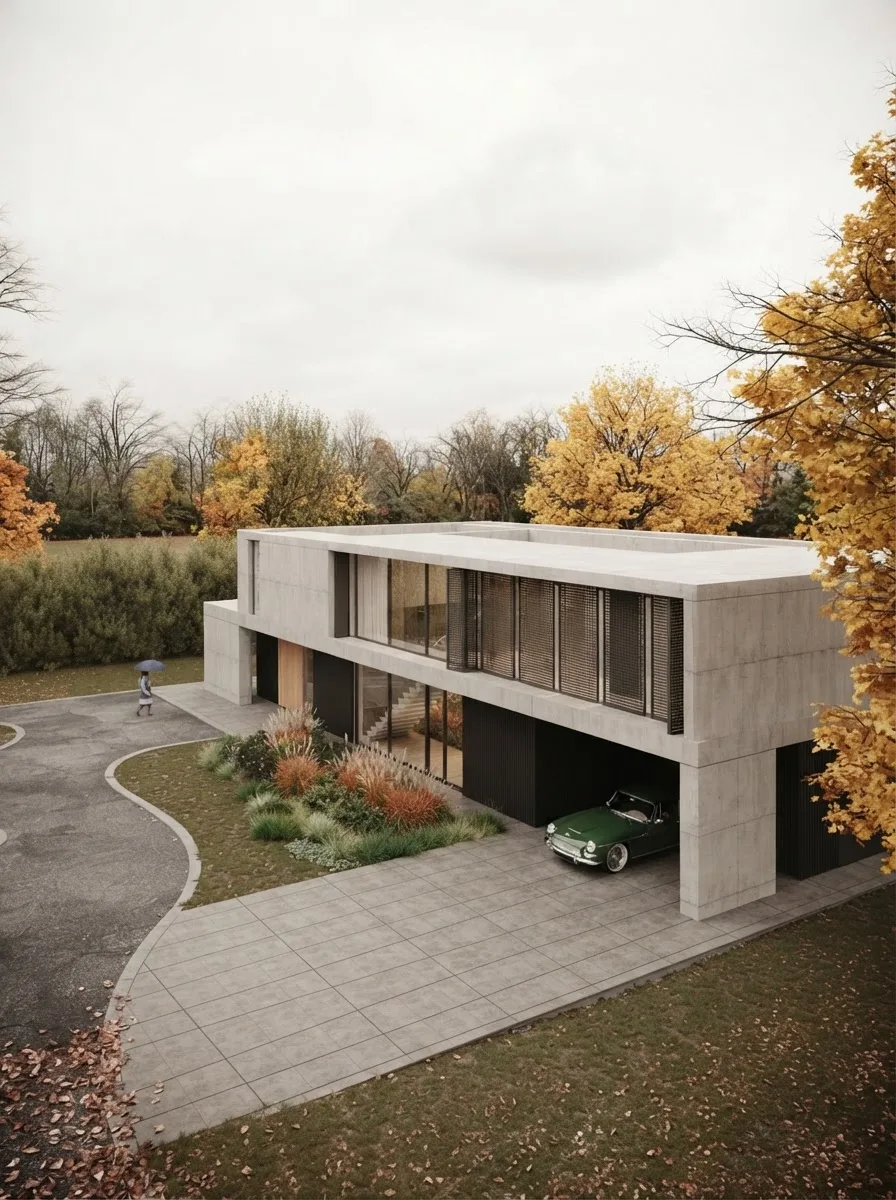
Finished renders from the MeltFlex gallery, not from this test. Ribbed vaults and slatted facades are the kind of geometry people build in Grasshopper; the picture is the step after.
This is where MeltFlex fits, and I make it, so weigh this accordingly. Capture a Rhino viewport and upload it to photo to render, which turns a screenshot into a finished image and keeps the camera and the walls where they are. For a plan instead of a model, floor plan to 3D does the same from a drawing. If you use Claude, our own MeltFlex connector for Claude can turn a photo or a floor plan into a render from the same chat, which is the reason we test these setups so closely.
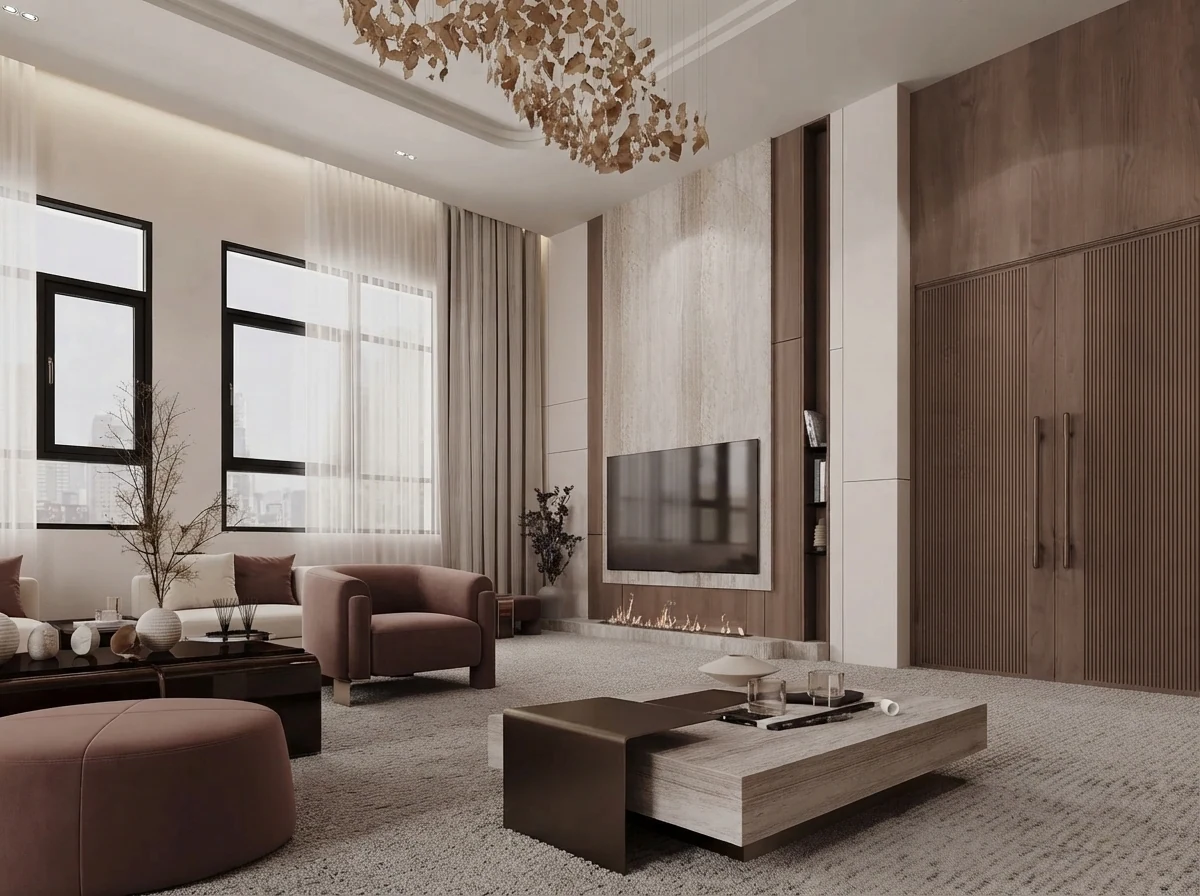
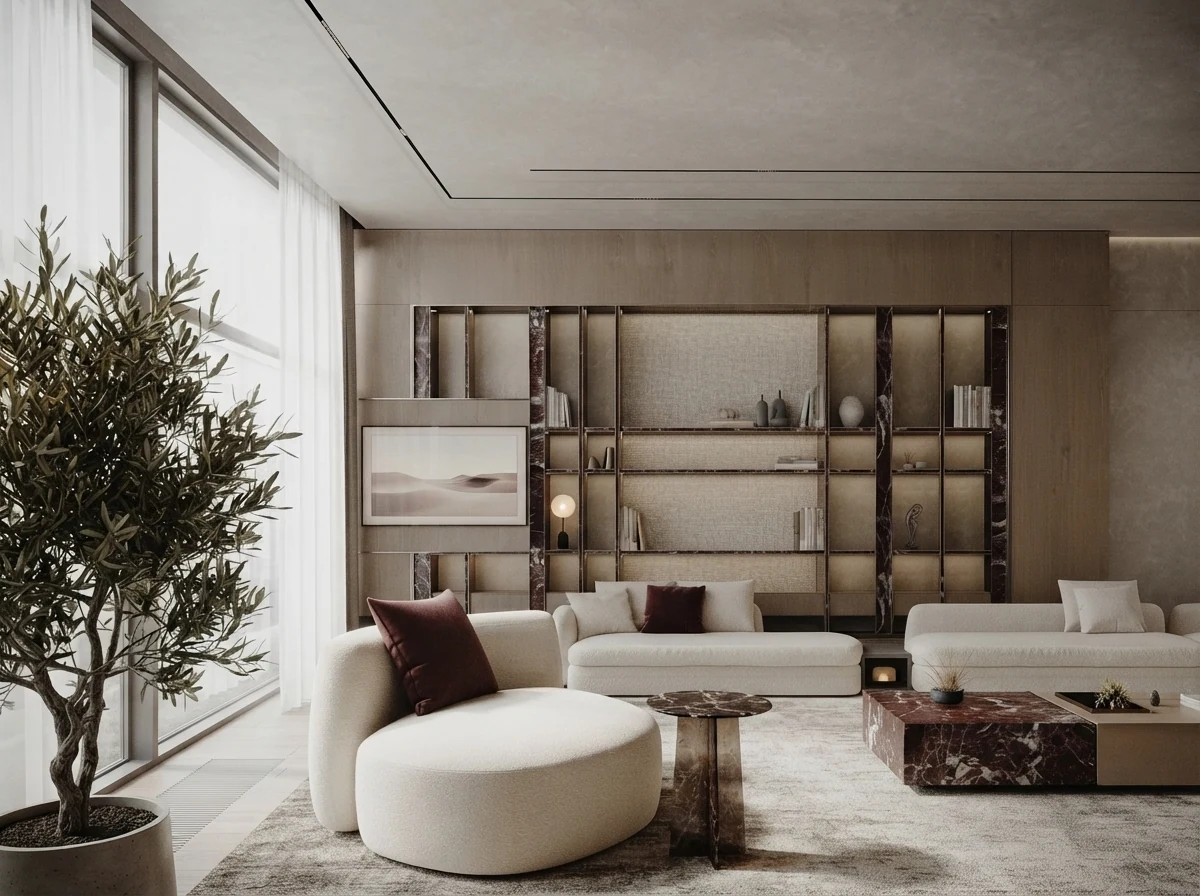
Living rooms from the MeltFlex gallery with slatted walls and shelving: what our test brief becomes once someone designs it.
Should architects and interior designers connect Claude to Rhino?
Architects on Rhino 8: yes, start with Claude Desktop and McNeel’s connector, because it is free to try and takes ten minutes. Use it for rule based work you can describe in a sentence and check in a minute: a fin facade from a spacing rule, layers renamed to your office standard, a Grasshopper definition cleaned up and commented. Keep approvals on, work on copies, and set a spending limit if you use an API key. Do not let it run for an hour unattended on a building, unless you have $20 and an afternoon to spare.
Interior designers, who usually receive a Rhino model rather than build one: you probably do not need a live connection. Claude can read a .3dm with the same library we used, without Rhino, and pull out dimensions and layers. If your studio is on ChatGPT, our ChatGPT and Rhino guide has the same setup and the GPT-6 Astra side of this test. For the developer view of these servers, our sister site TechDraw has its own Claude and Rhino guide. The same approach works across the rest of your tools: Claude and SketchUp, Claude and Revit, Claude and Blender for visualization, AutoCAD MCP for 2D, and our list of the best MCP servers for architects. For prompts that work without any server, see Claude prompts for interior design.
Sources and what we could not verify
Read on October 21, 2026: McNeel’s Rhino MCP Platform documentation (Claude Desktop, Claude Code and troubleshooting pages); the mcneel/RhinoAI source at its October 20 commit, including the connector manifest, the tool definitions, the MCPConnect installer and the panel’s Claude harness; its releases and issues 172 and 190; the Package Manager listing; jingcheng-chen/rhinomcp at its October 16 commit and changelog; Anthropic’s pricing and connector directory; and the McNeel forum and Reddit posts linked above, quoted word for word. Reddit scores come from an archive, because Reddit blocked direct reads. Star and download counts will move. Tool counts are from the source code, not from a running server.
What we did not do: we did not run Rhino, so we did not watch either server drive a real session; the setup steps come from the docs, the code and the people quoted. We did not install the connector in Claude Desktop, because our test ran Claude Code headless. We did not test the panel inside Rhino, McNeel’s Claude Code plugin or RhinoAiMCP. One brief is one brief: a facade, a stair or a freeform roof would fail in other places.
Claude and Rhino: FAQ
Can Claude connect to Rhino?
Yes. McNeel, the maker of Rhino, publishes a free Rhino MCP Platform that connects Claude Desktop and Claude Code to Rhino 8.19 or newer and to the Rhino 9 BETA. Claude can then create and edit geometry, run Python and C# inside Rhino and build Grasshopper definitions. The community server rhinomcp does the same for Rhino 8. It does not work from claude.ai in a browser.
Is there a Rhino connector in Claude's connector directory?
No. When we checked on October 21, 2026, Anthropic's connector directory listed Fusion, Blender and Trimble SketchUp but not Rhino. McNeel's connector is a file called connector.mcpb that you download from its GitHub releases and install in Claude Desktop under Settings, Extensions, Advanced settings, Install Extension.
How do I connect Claude Code to Rhino?
Install Rhino-MCP-Platform from Rhino 8's Package Manager, run MCPConnect in Rhino and click Install next to Claude Code, which adds Rhino to ~/.claude.json. Or copy the router path from MCPConnect's mcp.json tab and run claude mcp add rhino -- followed by that path, adding -v 9 for the Rhino 9 BETA. For the community server, run claude mcp add rhino -- uvx rhinomcp@latest and type mcpstart in Rhino.
Does Claude work with Rhino on the free plan?
Yes, through Claude Desktop. Desktop extensions are available on Claude's free plan, so McNeel's connector works without paying. Claude Code is not on the free plan, and the AI panel inside Rhino needs a signed in Claude Code, so both need Pro ($17 a month billed yearly or $20 monthly) or higher. Rhino sessions use a lot of tokens, so free limits run out fast.
Can Claude build Grasshopper definitions?
Yes. McNeel's server gives Claude 12 Grasshopper tools on Rhino 8 and 12 more for Grasshopper 2 on the Rhino 9 BETA; rhinomcp has 27. Results vary: forum users report missing wires and disconnected components on definitions built from a description, and better results when Claude cleans up or extends an existing one. In version 0.3.0 the slider tool fails on every call, so ask Claude to use g1_apply_graph.
Does Claude work with Rhino 7 or on an Intel Mac?
Not with McNeel's server. McNeel said on GitHub that the plugin supports Rhino 8 and 9 and will not be ported to Rhino 7, and its troubleshooting page says Intel Macs are not supported. The community rhinomcp targets Rhino 8. On Rhino 7, RhinoPort's RhinoAiMCP lists Rhino 7 support, or you can paste Claude written IronPython scripts.
How much does it cost to use Claude Opus with Rhino?
It depends on how long you let it run. In our test, one living room with walls, openings, furniture and a slat wall cost $0.98 in under four minutes. In Philipp Galvan's video, Claude Opus 5.5 modeling the Golden Pavilion through an API key ran for 42 minutes and about 4.9 million tokens before being stopped at nearly $20. On a subscription you pay in usage limits instead: one forum user used half a daily Claude Pro quota in a single conversation.
Is Claude or ChatGPT better for Rhino?
In our test they were close. Given the same living room brief, Claude Opus 5.5 and GPT-6 Astra both got every dimension right and both counted 17 slats. Claude built cleaner walls, single solids with real openings, and explained more; GPT-6 Astra was faster and cheaper but left the sofa and armchairs floating 10 mm above the floor. Claude Desktop is the easier install; ChatGPT needs the desktop app or Codex and a config file.
Keep reading
- How to connect ChatGPT to Rhino, the desktop app and Codex route, and GPT-6 Astra on the same brief.
- How to connect Claude to SketchUp, Trimble’s official connector against the community servers.
- How to connect Claude to Blender, for visualization, with a tested interior and exterior.
- How to connect Claude to 3ds Max, Claude Code with the two free 3ds Max MCP servers, for Windows studios.
- Feature wall ideas, for the slat and panel walls you might build in Grasshopper.
- What size rug for a living room, the rule both models followed and neither questioned.
- AI space planning tools for architects, if you want an app rather than a connector.
- Photo to render, turn a Rhino viewport capture into a finished image.