To connect ChatGPT to Rhino, install McNeel’s free Rhino MCP Platform plugin in Rhino 8 and add it to the ChatGPT desktop app, which has Codex built in: run MCPConnect in Rhino, click Install next to Codex, restart ChatGPT. ChatGPT can then draw geometry, run Python and C# inside Rhino, and build Grasshopper definitions. It does not work from chatgpt.com in a browser, on Rhino 7, or on an Intel Mac, and there is no ChatGPT plugin for Rhino in OpenAI’s directory.
Our articles are still written by humans!
Get human written articles in your Google feed.
I run MeltFlex, an AI rendering tool for architects and interior designers, and this is the fourth guide in our series on connecting AI assistants to design software, after SketchUp and Revit. For this one I read McNeel’s documentation and the source code of both Rhino servers on October 21, 2026, went through the Rhino forum and Reddit for people who actually use them, and gave GPT-6 Astra a real interior brief: a living room with a slatted feature wall, built as a Rhino file, which we then measured ourselves. Where the docs and the code disagree, and they do, I say which one I believe.

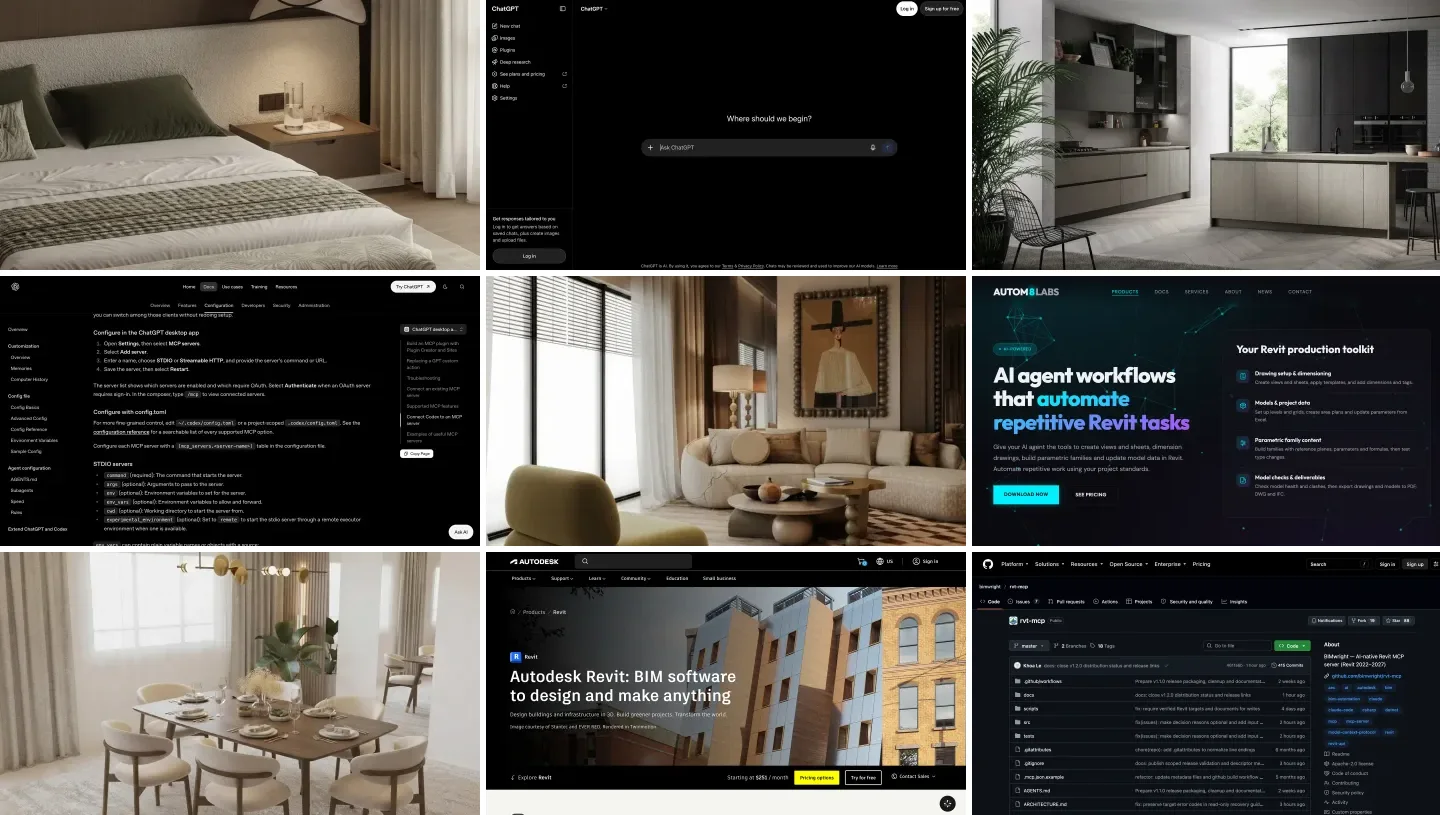
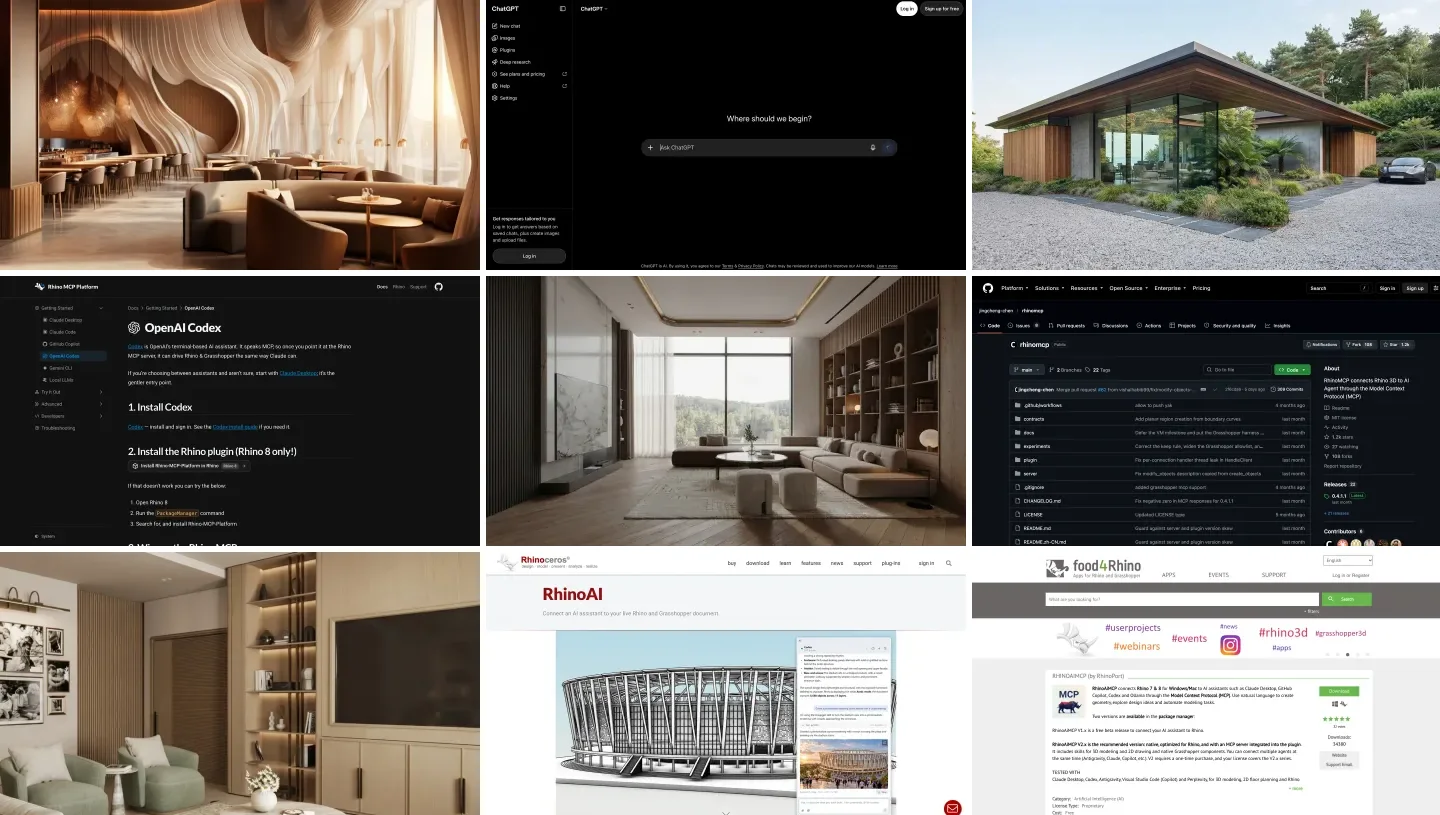
The two products, from their own home pages. The connection between them runs through a third program on your computer, not through either website.
The short version
- Use the ChatGPT desktop app, not chatgpt.com. Only the desktop app and Codex can start a program next to Rhino. Setup steps below.
- Use McNeel’s server on Rhino 8.19 or the Rhino 9 BETA. It is free, it covers Grasshopper, and it can launch Rhino for you.
- Raise one setting. Codex gives a tool 60 seconds by default; Rhino jobs take longer. Set
tool_timeout_sec = 600. - Interior designers: GPT-6 Astra built our living room to the millimeter in 92 seconds, then left the sofa and armchairs floating 10 mm above the floor. Check every model it hands you.



What are the ways to connect ChatGPT to Rhino?
There are six, and they are not equal. Four use MCP, the Model Context Protocol, which lets an AI assistant call tools in another program. The fifth puts ChatGPT inside Rhino. The sixth is the one most people start with: asking ChatGPT for a script and pasting it into Rhino yourself.
| Route | Rhino versions | ChatGPT side | Grasshopper | Cost |
|---|---|---|---|---|
| McNeel Rhino MCP Platform | 8.19 and newer, 9 BETA | Desktop app or Codex | Yes, 12 tools (24 on Rhino 9) | Free |
| RhinoAI panel inside Rhino | 8.19 and newer, built into 9 BETA | Codex with your ChatGPT sign-in | Yes | Free plugin, your ChatGPT plan |
| rhinomcp (community) | 8 | Codex | Yes, 27 tools | Free |
| RhinoAiMCP (RhinoPort) | 7 and 8 | Codex, listed as tested | Yes, in V2 | V1 free beta, V2 paid |
| chatgpt.com via Secure MCP Tunnel | Whatever the server supports | ChatGPT on the web | Through the server | A plan with custom MCP on the web |
| Copy and paste a script | Any | Any ChatGPT, even Free | Script components only | Free |
- Rhino
- 8.19 and newer, 9 BETA
- ChatGPT side
- Desktop app or Codex
- Grasshopper
- Yes, 12 tools (24 on Rhino 9)
- Cost
- Free
- Rhino
- 8.19 and newer, built into 9 BETA
- ChatGPT side
- Codex with your ChatGPT sign-in
- Grasshopper
- Yes
- Cost
- Free plugin, your ChatGPT plan
- Rhino
- 8
- ChatGPT side
- Codex
- Grasshopper
- Yes, 27 tools
- Cost
- Free
- Rhino
- 7 and 8
- ChatGPT side
- Codex, listed as tested
- Grasshopper
- Yes, in V2
- Cost
- V1 free beta, V2 paid
- Rhino
- Whatever the server supports
- ChatGPT side
- ChatGPT on the web
- Cost
- A plan with custom MCP on the web
- Rhino
- Any
- ChatGPT side
- Any ChatGPT, even Free
- Grasshopper
- Script components only
- Cost
- Free
My pick for almost everyone is the first row. It is made by McNeel, the company behind Rhino, it is open source under the MIT license, and one of its McNeel developers wrote on GitHub that “Codex should be fully supported”. The community rhinomcp is older and more popular on GitHub (1,159 stars against McNeel’s 371), but it needs an extra command in Rhino every session and gives each tool call only 15 seconds. RhinoAiMCP is the only one that still works on Rhino 7.
Which ChatGPT can reach Rhino: the desktop app, Codex or chatgpt.com?
The desktop app or Codex. Since July 9, 2026, Codex is part of the ChatGPT desktop app, and OpenAI’s MCP documentation says plainly that “the ChatGPT desktop app, Codex CLI, and IDE extension share this configuration”, meaning one file, ~/.codex/config.toml. Anything you add there shows up in all three. The same page says the other half just as plainly: “ChatGPT web doesn’t read local Codex configuration files.”
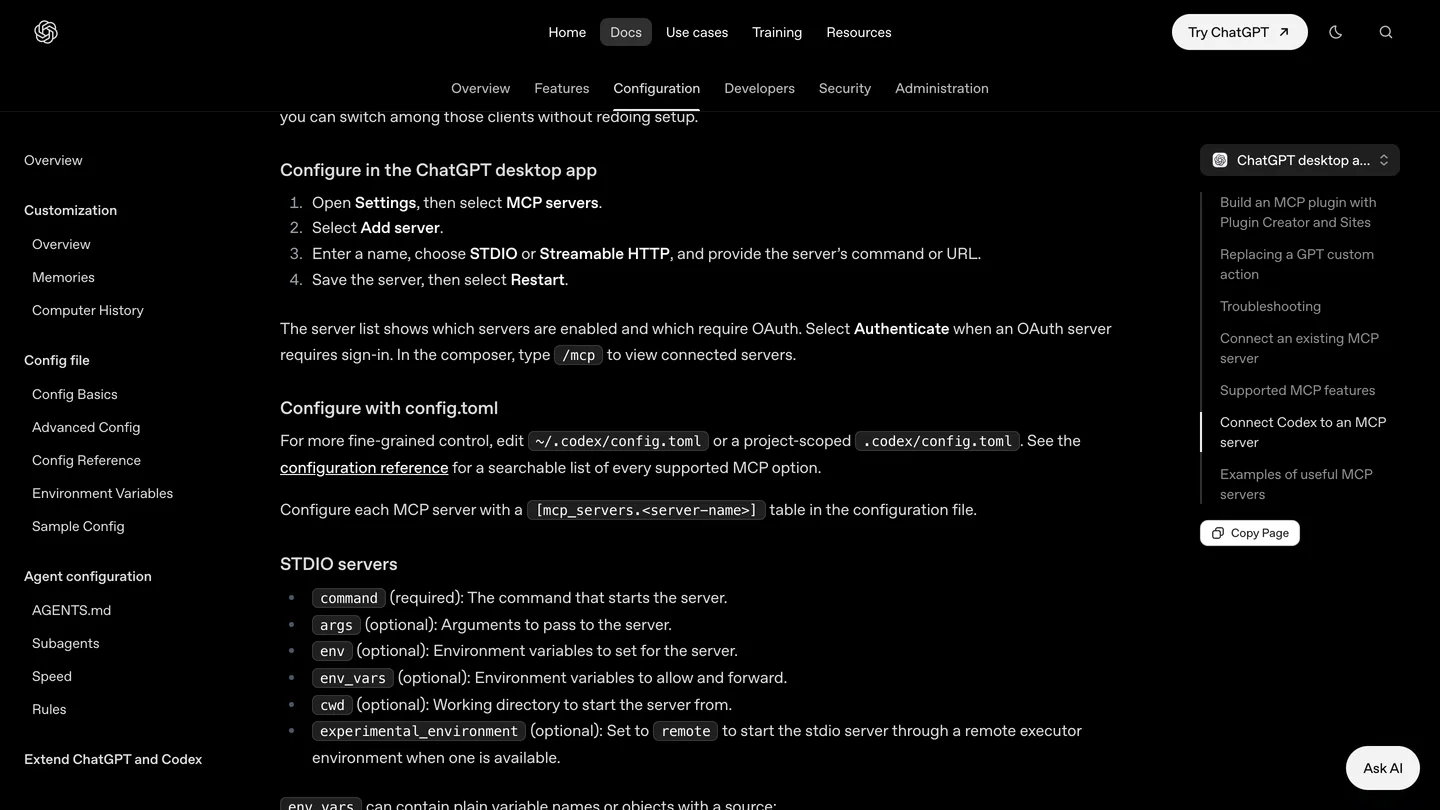
OpenAI’s menu path for adding a server in the desktop app, captured October 19, 2026. STDIO is the option you want for Rhino.
A Rhino MCP server is a small program on your own computer that talks to Rhino on the same machine. The desktop app can start it; a web page cannot. To use Rhino from chatgpt.com you would have to expose that program through OpenAI’s Secure MCP Tunnel, and custom servers on the web are a Business, Enterprise and Edu feature (Pro gets read and fetch only, per OpenAI’s help center when we checked it for the Revit guide). I could not find one person who has done this with Rhino. McNeel tracks a native ChatGPT Desktop plugin internally as RH-97791; it has not shipped.
How do you connect ChatGPT to Rhino 8, step by step?
This is McNeel’s route, checked against its Codex setup page and the plugin’s source code at the October 20 commit. Before you start: Rhino 8.19 or newer, on Windows or an Apple Silicon Mac. The router that sits between ChatGPT and Rhino is built for Windows x64, Windows ARM and Apple Silicon only, and McNeel’s troubleshooting page says Intel Macs are not supported.
- Install the plugin. In Rhino 8, run
PackageManager, search for Rhino-MCP-Platform and install it (version 0.3.0, published September 29). In the Rhino 9 BETA it is already there; McNeel’s Callum Sykes wrote on September 30 that it is “included by default in Rhino BETA”. - Install the ChatGPT desktop app, sign in and open it once, so that
~/.codex/config.tomlexists. This matters for the next step. - Run
MCPConnectin Rhino. McNeel’s docs say it “prints the command Codex needs”. In version 0.3.0 it actually opens a window with four tabs: Install, Prompt, mcp.json and Advanced. On the Install tab, click Install next to Codex. The code only edits a config file that already exists, which is why step 2 comes first. - Or add it by hand. In ChatGPT, open Settings, MCP servers, Add server, choose STDIO and paste the router path from the mcp.json tab. On Windows that path is
%APPDATA%\McNeel\Rhinoceros\ai\bin\rhino-mcp-router.exe. Copy it from the tab rather than from this page, because McNeel’s docs show a barerhino-mcp-routerthat is not on your PATH. - Raise the timeout and turn on approvals. Open
~/.codex/config.tomland make the Rhino entry look like the one below. Then restart ChatGPT, type/mcp, and ask it to open a new Rhino document and draw a box.
[mcp_servers.rhino]
command = "<the router path from MCPConnect>"
args = ["--default-version", "8"]
startup_timeout_sec = 30
tool_timeout_sec = 600
default_tools_approval_mode = "prompt"
Two of those lines are my additions, so here is why. Codex gives an MCP tool 60 seconds by default, McNeel’s router waits up to 120 seconds for Rhino to start, and McNeel’s own Codex settings inside the plugin use 3,600 seconds per tool. A 60 second limit will cut off the long jobs that are the reason to do this. And prompt makes ChatGPT ask before every call into Rhino, which you want until you trust it. For Rhino 9, change the 8 to 9.
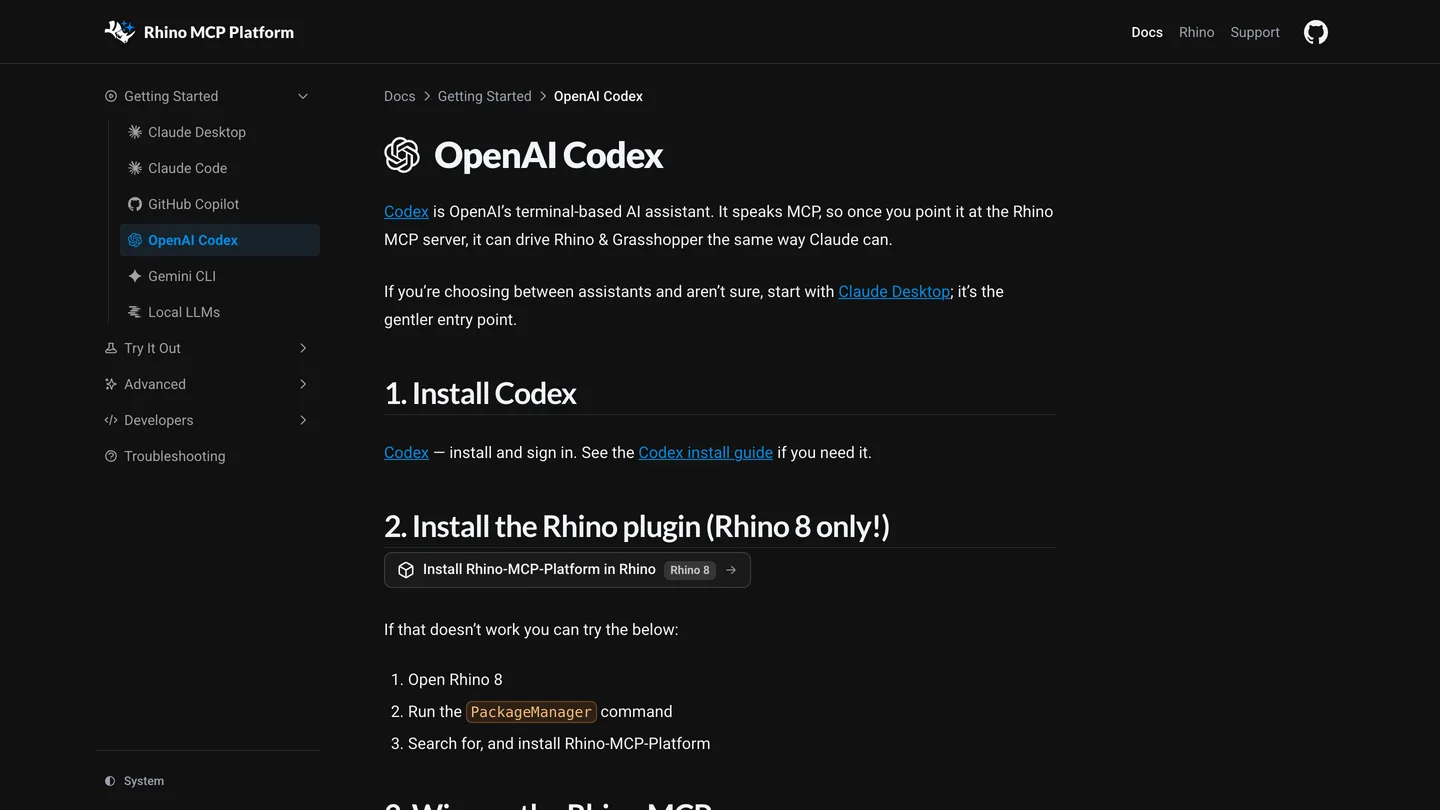
McNeel’s Codex page. It says “Rhino 8 only!” and, two lines later, how to pick Rhino 9. Both are true: the 0.3.0 package is built for Rhino 8, and the Rhino 9 BETA ships its own copy.
There is a shortcut that one user on the Rhino forum, Bogdan Chipara, used instead of the dialog: ask Codex itself. “I have Rhino-MCP-Platform installed in Rhino. Find the rhino-mcp-router installed by the plugin and add it as an MCP server for Codex.” It worked, and the follow-up post reads: “I actually don’t need a ChatGPT Desktop plugin. The connection from Codex is configured and enabled.” If MCPConnect is missing in Rhino altogether, Rhino is running on the old .NET Framework; run SetDotNetRuntime, switch to NETCore and restart, which is the fix that worked in this forum thread.
To watch it before you do it, The AI Essentials’ 12 minute video below is the closest match to these steps. I went through its frames: McNeel’s docs page, the Package Manager install, the MCPConnect window, the Codex app, then a first box in Rhino. Its chapters: Codex security settings at 2:30, installing the plugin at 3:44, connecting it to Codex at 4:39, starting the server in Rhino at 7:45, and an editable Grasshopper definition with sliders from 10:30. It uses the standalone Codex app, not the ChatGPT window, so your screens will look slightly different.

The AI Essentials, “I Connected AI Directly to Rhino - Here’s How (MCP Setup)”, October 3, 2026, 12 min 41 s. McNeel’s server with Codex; the security warning at 1:39 is worth the minute.
How do you use ChatGPT inside Rhino with the AI panel?
The same McNeel plugin has a second way in that its setup docs barely mention: a chat panel inside Rhino. Type AI in Rhino (the command was called AIPanel until October 18) and pick Codex as the assistant. On a Mac the plugin looks for Codex inside the ChatGPT app, at /Applications/ChatGPT.app/Contents/Resources/codex, and reuses the ChatGPT sign-in Codex already has. Callum Sykes’ announcement says the panel “currently supports Claude and Codex.”
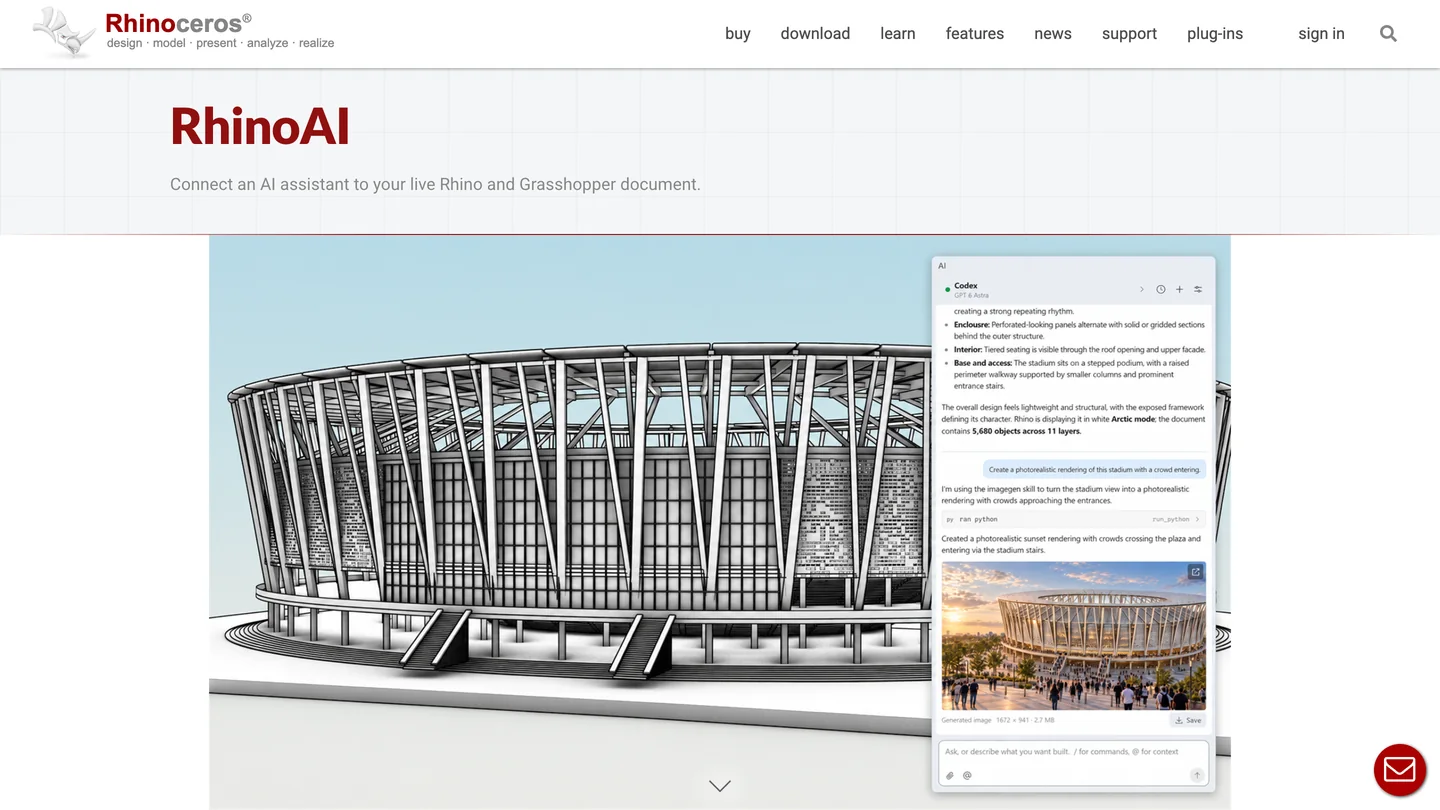
McNeel’s own RhinoAI page shows the panel next to a stadium model. The chat runs on your ChatGPT or Claude subscription, not on a McNeel one.
Three things I found in the code that you should know before relying on it:
- Change the model. The panel’s default Codex model is
gpt-5.5, which OpenAI retired from Codex with a ChatGPT sign-in on October 14. Pick GPT 6 Astra from its list. I could not test what happens if you leave the default. - Your own MCP servers do not come along. The panel runs Codex with its own private settings folder, read only, with the shell turned off. That is a sensible safety choice, but anything else you added to
config.tomlis invisible inside the panel. - It is not finished. An open GitHub issue from October 12 reports “[Codex] error: Codex process exited” in the panel on Windows 11, while the same Codex worked over MCP. On a Mac, McNeel’s Japhy confirmed that the panel “only looks in a fixed set of locations, and your $PATH isn’t consulted at all”, so a Codex installed anywhere unusual will not be found.
It is still worth trying, because McNeel’s staff use it this way. scottd, a McNeel staff member who posts Rhino AI experiments on the forum, wrote on September 30: “At the moment, it seems that ChatGPT Astra is the best AI model for 3D models, so I have linked it to the AI panel.”
How do you connect ChatGPT to Rhino with the community rhinomcp?
Jingcheng Chen’s rhinomcp was the first Rhino MCP server that people actually used, and it is still the one most videos show. It is on Rhino’s Package Manager (36,896 downloads, a few hundred more than McNeel’s plugin) and on PyPI as version 0.4.1.1. Its README answers the ChatGPT question directly: “ChatGPT: use Codex for the local setup above. ChatGPT apps/MCP connectors currently connect to remote MCP servers, not local stdio commands.”
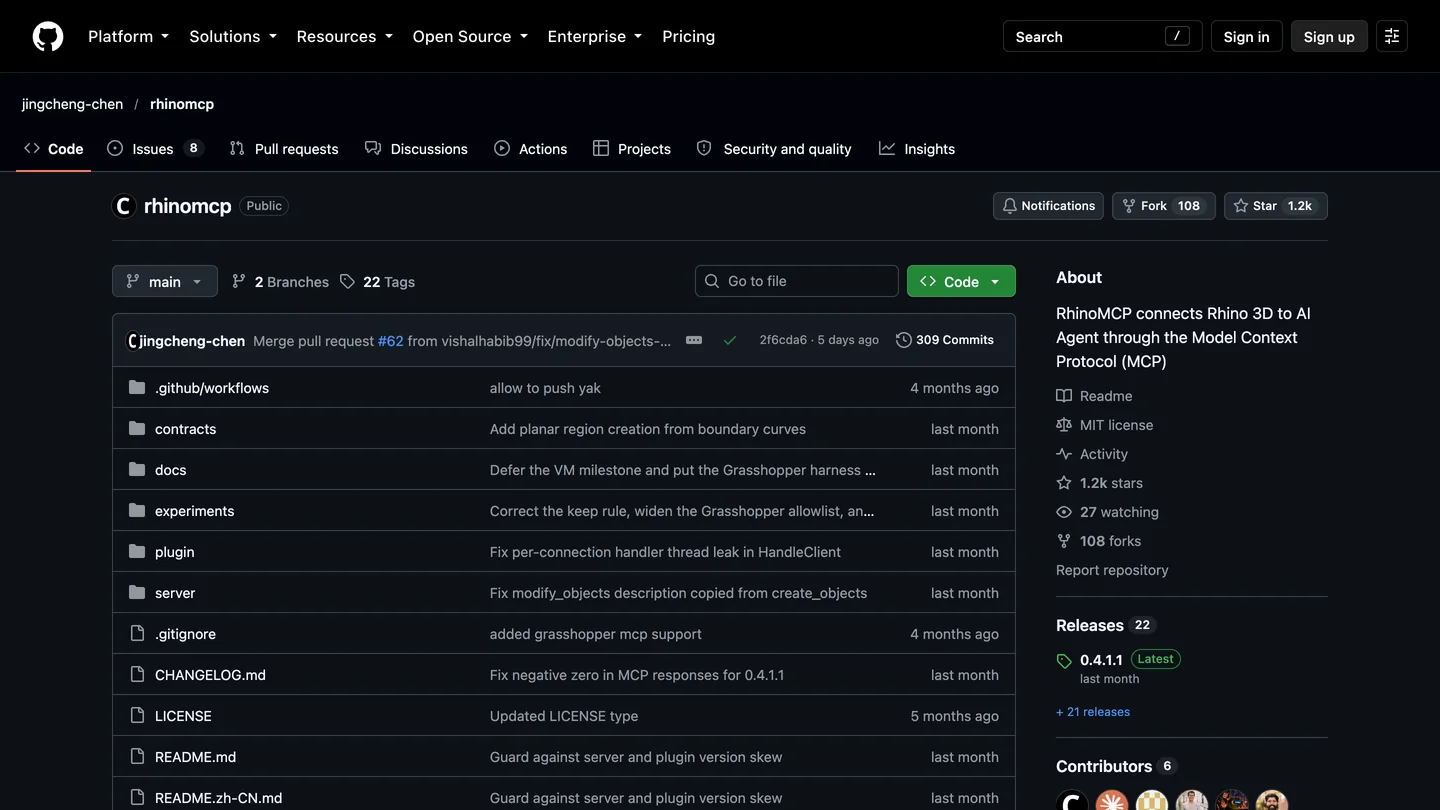
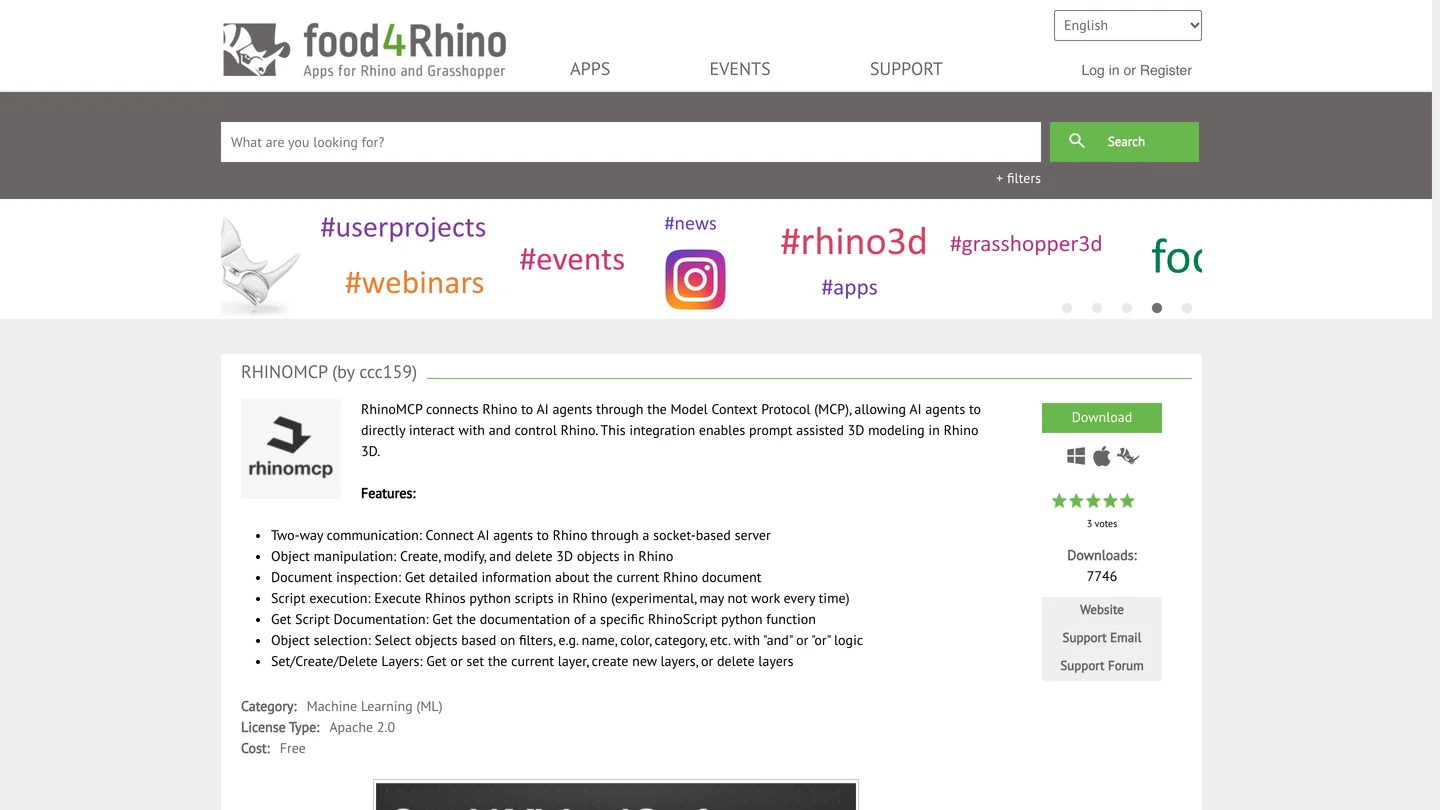
rhinomcp on GitHub and on food4rhino. GitHub says MIT, food4rhino says Apache 2.0; both are permissive, but they should match.
- Install uv, the Python tool runner it needs:
brew install uvon a Mac, or on Windowspowershell -c "irm https://astral.sh/uv/install.ps1 | iex". - Install the Rhino side from the Package Manager: search for rhinomcp.
- Add it to ChatGPT from a terminal:
codex mcp add rhino --env RHINO_MCP_HOST=127.0.0.1 -- uvx rhinomcp@latest. The desktop app reads the same file. - Start it in Rhino by typing
mcpstart. You have to do this every time you open Rhino, which is the thing people forget.
Two warnings from its own changelog and code. Version 0.3.2 broke on fresh installs in July, when version 2.0 of the MCP Python library removed a module it imported; the @latest in the command above is what keeps you off it. And each call into Rhino times out after 15 seconds unless you set RHINO_MCP_TIMEOUT higher, which a big boolean or a Grasshopper solve can exceed. Run only one Rhino server at a time: the README says so in bold, and two clients fighting over port 1999 is the most common “it connected but nothing happens” story on the forum.
The third option, RhinoPort’s RhinoAiMCP, is the one to know about if you are on Rhino 7: its food4rhino page lists “Rhino 7 & 8 for Windows/Mac”, 34,380 downloads and a five star average from 32 votes. Version 1 is a free beta; version 2, the one its maker recommends, “requires a one-time purchase” at a price the page does not show. I did not test it.
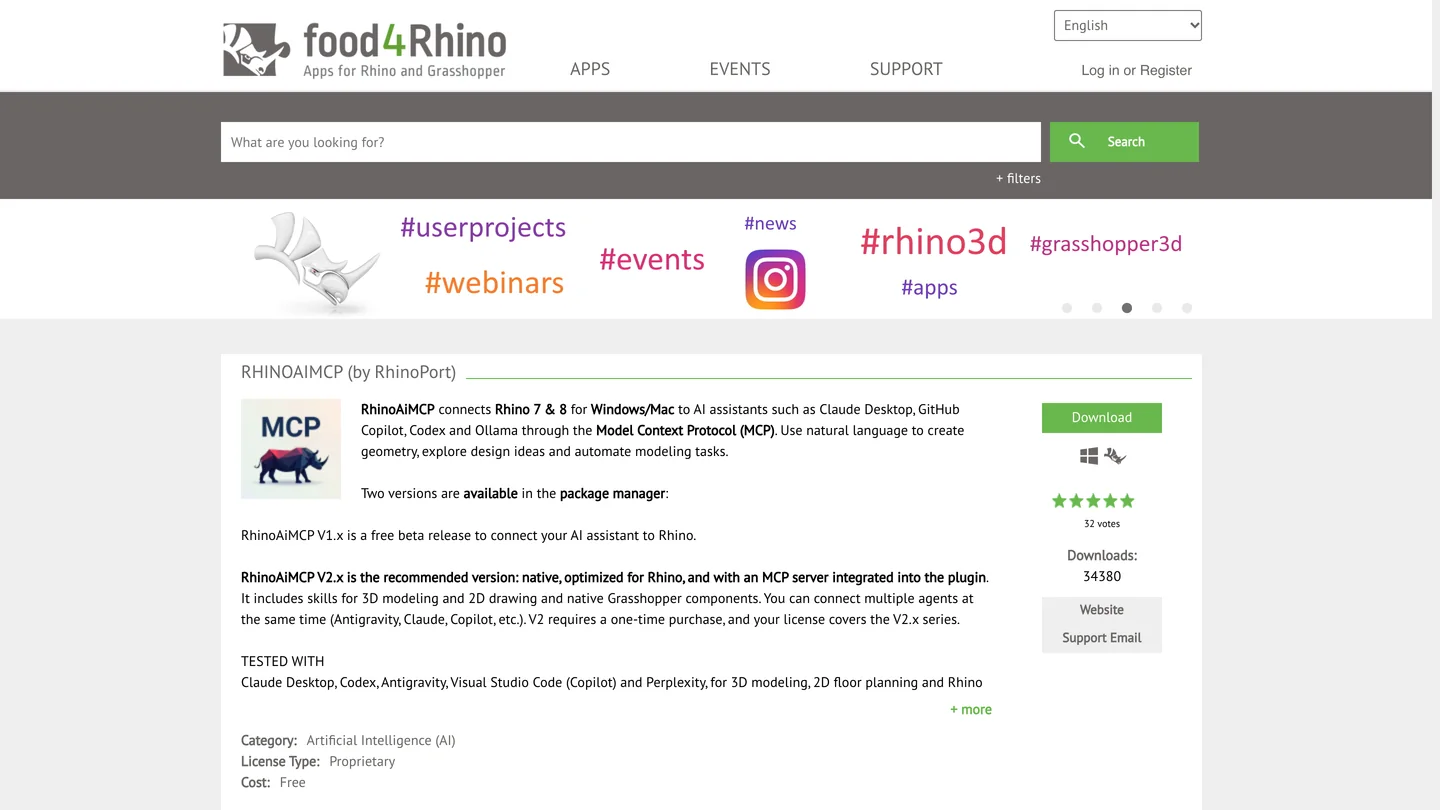
RhinoAiMCP on food4rhino. The page lists Codex as tested; the version it recommends is paid.
Can ChatGPT build Grasshopper definitions?
Yes, in two ways, and the old way is still the more reliable one. Through McNeel’s server, ChatGPT gets 12 Grasshopper tools on Rhino 8 (named g1_) and another 12 for Grasshopper 2 on Rhino 9 (g2_), enough to place components, wire them, set values and bake the result. rhinomcp has 27 of its own. One bug matters for parametric facades and slat walls: in version 0.3.0, the tool that places a number slider fails on every call (issue 172, open). If ChatGPT keeps failing to add sliders, tell it to build the definition with g1_apply_graph instead.
The old way is to ask ChatGPT for a Python or C# script component and paste it in. It works on any ChatGPT plan, including Free, and it is what most Grasshopper users on Reddit describe. “I’m a pattern designer and I use ChatGPT almost every day to develop Python components in Grasshopper,” wrote u/philics. The catch is the Python version. Rhino 8’s script editor runs Python 3, older files and Rhino 7 use IronPython 2.7, and ChatGPT mixes them up unless you say which: “It tries to use python 3 syntax,” wrote u/obiworm about Rhino 7. Start every Grasshopper prompt with the component type and the Rhino version.
The best honest example I found is Marijn Luijmes’ video below, in which GPT-6 Astra builds a parametric apartment floor plan generator in Grasshopper over a few hours of prompting. The first words on screen are “these floor plans overall don’t always make sense”, and the description calls the result “far from perfect”. The video’s point is the right one for architects: use the AI to build a tool you can check and reuse, not to draw every plan from scratch. The second half pitches a Grasshopper course.
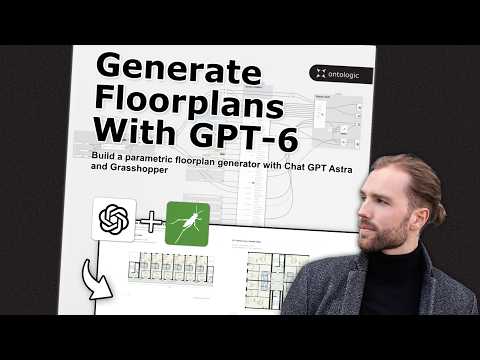
Marijn Luijmes, “GPT-6 Astra + Grasshopper Built This Floor Plan Generator (insane)”, September 21, 2026, 14 min 23 s. Ignore the title; the content is measured, and it ends with a course waitlist.
Which ChatGPT plan do you need for Rhino?
Any plan can connect, because OpenAI’s Codex pricing page says Codex is included in Free, Go, Plus, Pro, Business, Edu and Enterprise. What differs is the model and how long you can work. Rhino sessions are heavy: scottd at McNeel logged 626,000 tokens for one modeling step and wrote that each rendering or model “takes from 650K to 1M tolkens” [sic].
| Plan | Price (US) | Models OpenAI lists for Codex | Good for Rhino? |
|---|---|---|---|
| Free | $0 | GPT-6 Luna, “subject to rollout” | Testing the connection only |
| Go | $8 a month | GPT-6 Luna, “subject to rollout” | Small edits |
| Plus | $20 a month | GPT-6.1 Sol and GPT-6 Luna | The realistic starting point |
| Pro | $100, $200 or $500 a month | Not itemized on the page | Daily modeling work |
| Business | $20 per user a month yearly, $25 monthly | Under workspace policy | Studios; custom MCP on chatgpt.com too |
- Price
- $0
- Models
- GPT-6 Luna, “subject to rollout”
- For Rhino
- Testing the connection only
- Price
- $8 a month
- Models
- GPT-6 Luna, “subject to rollout”
- For Rhino
- Small edits
- Price
- $20 a month
- Models
- GPT-6.1 Sol and GPT-6 Luna
- For Rhino
- The realistic starting point
- Price
- $100, $200 or $500 a month
- Models
- Not itemized on the page
- For Rhino
- Daily modeling work
- Price
- $20 per user a month yearly, $25 monthly
- Models
- Under workspace policy
- For Rhino
- Studios; custom MCP on chatgpt.com too
One gap I could not close: OpenAI’s pricing page does not say which plans include GPT-6 Astra in Codex, the model everyone in the Rhino videos uses. scottd describes the setup used as “the standard Astra $20 subscription”, which points to Plus, but I would not buy a plan on a forum post. Check the model menu in your own desktop app.
Is it safe to let ChatGPT run code in Rhino?
It is as safe as letting a stranger type into your Rhino command line, which is what it is. Both servers can run any Python, any C# and any Rhino command (McNeel’s tools are called run_python, run_csharp and run_command), with your user’s access to files. McNeel’s plugin listens only on your own computer, on port 10500, and rhinomcp only on 127.0.0.1, port 1999. Neither asks for a password or token, and McNeel’s does not check where a request comes from. That is normal for local MCP servers, and it is still a reason to close Rhino when you are not using it.
What I would do: keep default_tools_approval_mode = "prompt" so ChatGPT asks before each call; work on a copy of the project, never the shared file on the server; and on rhinomcp, set RHINO_MCP_ENABLE_RUN_COMMAND=0 if you only want it to read. Julian Raxworthy on the forum gives the Rhino specific version of the warning: agents “tend to work in model space by default and often make destructive changes before they can be reminded of the layout/model difference.” And one Reddit user raises the one your clients will ask about: “your data will be used for training models and you might have trouble with ndas”. Check your ChatGPT data controls, and your contract, before you send a client’s model to OpenAI.
What do Rhino users say about ChatGPT?
Less than about Claude. On Reddit most Rhino and AI threads are about Claude; the people using ChatGPT with Rhino post on McNeel’s forum, and they are mostly positive about the setup and mixed about the results.
“I do a lot of my 3D modeling using the ChatGPT Desktop app. @CallumSykes’s Rhino-MCP works like a charm.”
Jean-Go on the McNeel forum, September 30, 2026. The same post suggests adding “Please use C# rather than Python if possible” to modeling prompts, which felt faster and cheaper on tokens, “though don’t quote me on that”.
“For c# coding… I WISH… everything I tired so far resulted in hallucinations , non-existing methods and such.”
maje90, replying in the RhinoAI and Astra thread, October 9, 2026.
“Oftentimes it will tell me to use components that don’t exist which is annoying but for the most part it is pretty reliable.”
u/Shortugae on r/rhino, May 2, 2026, about AI written Grasshopper.
Two more short ones that match what I saw. “I do lots of coding w Rhinopython using Codex and its great,” from u/WeedWrangler. And, in the same thread, a reply with more upvotes: “It’s quite difficult to setup properly tho.” scottd adds a modeling detail worth knowing: one AI built model in that thread came out as 818 polysurfaces and 6,481 meshes, and the fix was to tell the AI to use NURBS objects instead. Ask for NURBS in the first prompt.
Can ChatGPT model an interior in Rhino? Our test
We do not own a Rhino license on the Mac we test on, so we could not run a live session. What we could test is the part that decides the result: the geometry code a model sends through a tool like run_python. We gave GPT-6 Astra a 417 word brief from an interior designer and asked it to build the model with rhino3dm, McNeel’s open source library that reads and writes real .3dm files and uses the same geometry classes as Rhino. Then we opened the file with our own script and measured it. The brief, in short:
- A living room 5,400 by 4,200 mm (about 17 ft 9 in by 13 ft 9 in), ceiling 2,700 mm, with 150 mm walls as closed solids.
- A window and a door as real holes in the walls, with a 900 mm door that swings into the room.
- A sofa against the north wall, a coffee table exactly 450 mm (about 18 in) in front of it, two armchairs facing it, a rug, and a TV console on the west wall.
- Behind the console, a slatted timber feature wall: 40 mm slats, 80 mm gaps, across a 2,000 mm zone. How many slats?
- Layers, names, and a check: a 900 mm walkway from the door, and a door swing that hits nothing.
GPT-6 Astra ran in Codex CLI 0.163.0 through an OpenAI compatible API endpoint on October 21. It finished in 1 minute 32 seconds, using 72,494 input tokens (most of them cached) and 4,826 output tokens, about $0.55 at OpenRouter’s list price. For comparison we gave Claude Opus 5.5 the identical brief in Claude Code; the full Claude story is in our Claude and Rhino guide.
| Same brief, measured by us | GPT-6 Astra in Codex | Claude Opus 5.5 in Claude Code |
|---|---|---|
| Time and cost | 1 min 32 s, about $0.55 | 3 min 57 s, $0.98 |
| Room, walls, every dimension | All correct | All correct |
| Window and door | Real openings, but each wall cut into separate boxes (9 wall pieces) | Real openings in 4 single wall solids |
| Slat wall | 17 slats, 40 mm and 80 mm exact | 17 slats, plus the gap (82.5 mm) that would fill the zone exactly |
| TV console vs slats | Moved 30 mm off the wall to clear them | Moved 30 mm off the wall to clear them |
| Furniture on the floor | Sofa, table and armchairs lifted 10 mm, so the sofa and chairs float where they are off the rug | On the floor; rug overlaps their bases by 10 mm, which it said |
| Failed attempts | 2 failed commands, one a wrong library call; fixed itself | 4 wrong library calls, fixed itself |
- GPT-6 Astra
- 1 min 32 s, about $0.55
- Claude Opus 5.5
- 3 min 57 s, $0.98
- GPT-6 Astra
- All correct
- Claude Opus 5.5
- All correct
- GPT-6 Astra
- Real openings, walls cut into 9 boxes
- Claude Opus 5.5
- Real openings in 4 single wall solids
- GPT-6 Astra
- 17 slats, exact
- Claude Opus 5.5
- 17 slats, plus the gap that fills the zone
- GPT-6 Astra
- Sofa and armchairs float 10 mm off the floor
- Claude Opus 5.5
- On the floor, rug overlap stated
- GPT-6 Astra
- 2 failed commands, fixed itself
- Claude Opus 5.5
- 4, fixed itself
What it got right. Every dimension we checked was exact: the room, the wall thickness, the window centered on the south wall with its sill at 600 mm, the door 300 mm from the corner, the sofa against the north wall, and the coffee table exactly 450 mm in front of it. It worked out that 17 slats at 40 mm with 80 mm gaps make a 1,960 mm run and centered it. It noticed, without being told, that 30 mm deep slats behind a console “against the wall” would collide, and moved the console forward. It drew the door swing as a real arc and checked that it clears the furniture, which it does.
What a designer would circle in red.
- Floating furniture. To keep the furniture from intersecting the 10 mm rug, it lifted the sofa, the coffee table and both armchairs 10 mm. The table sits fully on the rug, so that is right. The sofa and the armchairs mostly do not: the rug covers only their front 100 mm and 50 mm. In elevation and in a render, they hover. Its report mentions “the 10 mm furniture elevation” in passing and tells you to review it, which is not the same as saying it is wrong.
- Walls in pieces. Instead of one wall with a hole, it built each opening as a gap between separate boxes: a sill, a header and two piers under and around the window. Every piece is a valid closed solid, but in Rhino you would join them before doing anything else, and a renderer sees seams.
- A walkway with no margin. It reported a “nominal 900 mm walkway” that “has no spare allowance” for frames or handles. To its credit, it said so.
The library call that failed is worth a sentence, because it tells you something about the AI and not much about Rhino. GPT-6 Astra wrote ArcCurve(arc), which is valid inside Rhino but not in the smaller standalone library, read the error and fixed it. Claude made the same call. Inside a real Rhino session through run_python that line would have worked, so in a live session I would expect fewer errors than we saw, not more.
Put together: GPT-6 Astra was more than twice as fast and about half the price, got every number right, and made one mistake a junior designer might also make, and that a careful reviewer would catch. Claude was slower and wordier, and built cleaner walls. Neither would replace looking at the model.
Can ChatGPT render a Rhino model?
Not through these servers, at least not the kind of image you send a client. McNeel’s tools can capture the viewport, and ChatGPT can generate images, but a generated image is a new picture, not a render of your geometry: walls move and windows change. scottd’s own room rendering experiment on the forum, done with Codex, makes the point: from photos alone “it got is completely wrong” [sic], and with a rough floor plan sketch “it got it right!” Give it geometry, not just pictures.

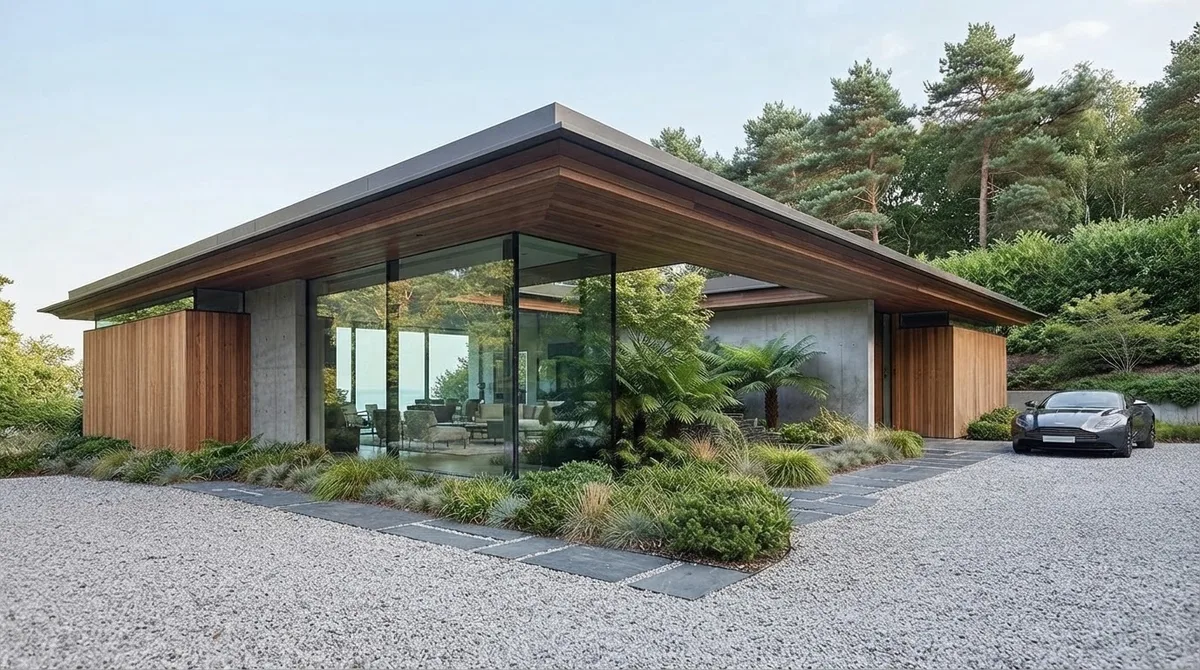
Finished renders from the MeltFlex gallery, not from this test. A sculpted wall like the one on the left is classic Rhino and Grasshopper work; the picture is the step after the model.
For a render you can stand behind, use Rhino’s own renderer or an engine such as V-Ray, Enscape or D5, or an AI renderer that keeps your geometry. Our comparison of AI architectural rendering tools covers which ones work from a Rhino viewport, and our architectural rendering prompts cover what to write.


Living rooms with timber shelving and a slatted wall from the MeltFlex gallery: roughly what our test brief describes, once someone has designed it.
This is where MeltFlex fits, so here is the disclosure. Capture a Rhino viewport, upload it to photo to render, and it turns the screenshot into a finished image while keeping the camera and the walls where they are. If you start from a plan instead of a model, floor plan to 3D does the same for a drawing. Either way, check the render against the model, the same way you check the model against the brief.
Should architects and interior designers connect ChatGPT to Rhino?
Architects who already use Rhino 8 and pay for ChatGPT: yes, and it takes fifteen minutes. Install McNeel’s plugin, connect it through the desktop app, raise the timeout and keep approvals on. Use it for the work that is tedious rather than creative: renaming and sorting layers, building a parametric slat or fin system from a rule you can state in a sentence, checking a model against a list of dimensions. Do not hand it a design decision, and read what it built. Reddit and the forum are full of people who found that out the hard way; the setups that worked were the ones where a person checked every step.
Interior designers who receive Rhino files rather than model in Rhino: you do not need any of this. Ask for the file, and if you want numbers out of it, Codex can read a .3dm with the same library we used, without Rhino. If your studio is on Claude instead, nothing here is a reason to switch; our Claude and Rhino guide covers Claude Desktop, which has the easier one click install. The same approach works across the rest of your tools: ChatGPT and SketchUp, ChatGPT and Revit, AutoCAD MCP for 2D drawings, and ChatGPT plugins for architects for what you can add without running a server. If your team also uses Claude, the best MCP servers for architects covers Rhino, Blender and Grasshopper from the Claude side.
Sources and what we could not verify
Read on October 21, 2026: McNeel’s Rhino MCP Platform documentation (Codex and troubleshooting pages), the mcneel/RhinoAI source at the October 20 commit (tool definitions, the MCPConnect installer, the AI panel’s agent settings), the Package Manager listing, McNeel’s RhinoAI page; jingcheng-chen/rhinomcp at its October 16 commit and its changelog; the food4rhino pages for rhinomcp and RhinoAiMCP; OpenAI’s Codex MCP, pricing and models pages; and the McNeel forum and Reddit threads linked above, quoted word for word, including their typos. Star and download counts will move. Tool counts are counted in the source code, not from a running server.
What we did not do: we did not run Rhino, so we did not see either server answer a real Rhino session, and the setup steps come from the docs, the code and the people quoted, not from our own clicks. We did not use the ChatGPT desktop app’s interface; our test ran GPT-6 Astra through Codex with an API key, so it says nothing about plan limits. We did not test RhinoAiMCP, the AI panel or a Secure MCP Tunnel. The router’s exact install path on a Mac is not documented anywhere we found, which is why we tell you to copy it from MCPConnect. One test is one test: a different brief will fail in different places.
ChatGPT and Rhino: FAQ
Can ChatGPT connect to Rhino?
Yes, through an MCP server running on the same computer as Rhino 8. The ChatGPT desktop app has Codex built in, and Codex can start a local MCP server such as McNeel's free Rhino MCP Platform or the community rhinomcp. ChatGPT can then create and edit geometry, run Python and C# inside Rhino and build Grasshopper definitions. It does not work from chatgpt.com in a browser without a Secure MCP Tunnel.
Is there an official ChatGPT plugin for Rhino?
No. There is no Rhino plugin in ChatGPT's plugin directory, and McNeel tracks a native ChatGPT Desktop plugin internally as RH-97791 without having shipped it. The official route is McNeel's Rhino MCP Platform, whose documentation has a setup page for OpenAI Codex, and Codex is part of the ChatGPT desktop app.
How do I add the Rhino MCP server to the ChatGPT desktop app?
Install Rhino-MCP-Platform from Rhino 8's Package Manager and open the ChatGPT desktop app once so ~/.codex/config.toml exists. Then run MCPConnect in Rhino and click Install next to Codex, or copy the router path from its mcp.json tab into ChatGPT under Settings, MCP servers, Add server, STDIO. Set tool_timeout_sec to 600 for the rhino server, restart ChatGPT and type /mcp to check it.
Does ChatGPT work with Rhino on a Mac?
Yes on Apple Silicon. McNeel's router is built for Windows and Apple Silicon Macs only, and its troubleshooting page says Intel Macs are not supported. The community rhinomcp targets Rhino 8 on Windows and macOS. In the AI panel inside Rhino, the plugin looks for Codex inside the ChatGPT app at /Applications/ChatGPT.app and ignores your PATH.
Can ChatGPT build Grasshopper definitions?
Yes. Through McNeel's server it gets 12 Grasshopper tools on Rhino 8 and 12 more for Grasshopper 2 on Rhino 9, enough to place and wire components and bake the result; rhinomcp has 27 Grasshopper tools. In McNeel's version 0.3.0 the tool that places number sliders fails on every call (GitHub issue 172), so ask for g1_apply_graph instead. Without any server, ChatGPT can write Python or C# script components that you paste in, on any plan.
Which ChatGPT plan do I need for Rhino?
Any plan can connect: OpenAI says Codex is included in Free, Go, Plus, Pro, Business, Edu and Enterprise. Free and Go list GPT-6 Luna, subject to rollout, which is enough to test the connection. Plus at $20 a month is the realistic minimum for modeling work, because a single Rhino modeling step can use 600,000 tokens or more. Custom MCP servers on chatgpt.com need Business, Enterprise or Edu.
Does ChatGPT work with Rhino 7?
Not with McNeel's server or rhinomcp. McNeel said on GitHub in October 2026 that the plugin supports 8.x and 9.x and will not be ported to Rhino 7, and rhinomcp targets Rhino 8. RhinoPort's RhinoAiMCP on food4rhino lists Rhino 7 and 8 for Windows and Mac and names Codex as tested; its recommended version 2 is a paid one-time purchase. On Rhino 7 you can also paste ChatGPT written IronPython scripts.
Is ChatGPT or Claude better for Rhino?
In our test they were close. We gave GPT-6 Astra and Claude Opus 5.5 the same living room brief and measured the Rhino files they built. Both got every dimension right and both counted 17 slats for the feature wall. GPT-6 Astra was faster (1 minute 32 seconds against 3 minutes 57) and cheaper (about $0.55 against $0.98), but left the sofa and armchairs floating 10 mm above the floor; Claude built cleaner walls. One McNeel staff member wrote in September that ChatGPT Astra currently seems the best model for 3D models.
Keep reading
- How to connect Claude to Rhino, the same servers with Claude Desktop and Claude Code, and what the test cost Claude.
- How to connect ChatGPT to SketchUp, the Codex route for SketchUp and a ChatGPT written Ruby script.
- How to connect ChatGPT to Revit, Autodesk’s MCP server and GPT-6 Astra on a Revit model.
- Feature wall ideas, for the slat walls and panels you might ask Grasshopper to build.
- Living room layout and what size rug for a living room, the clearances worth putting in a brief like ours.
- AI space planning tools for architects, if you want an app rather than a connector.
- Photo to render, turn a Rhino viewport capture into a finished image.