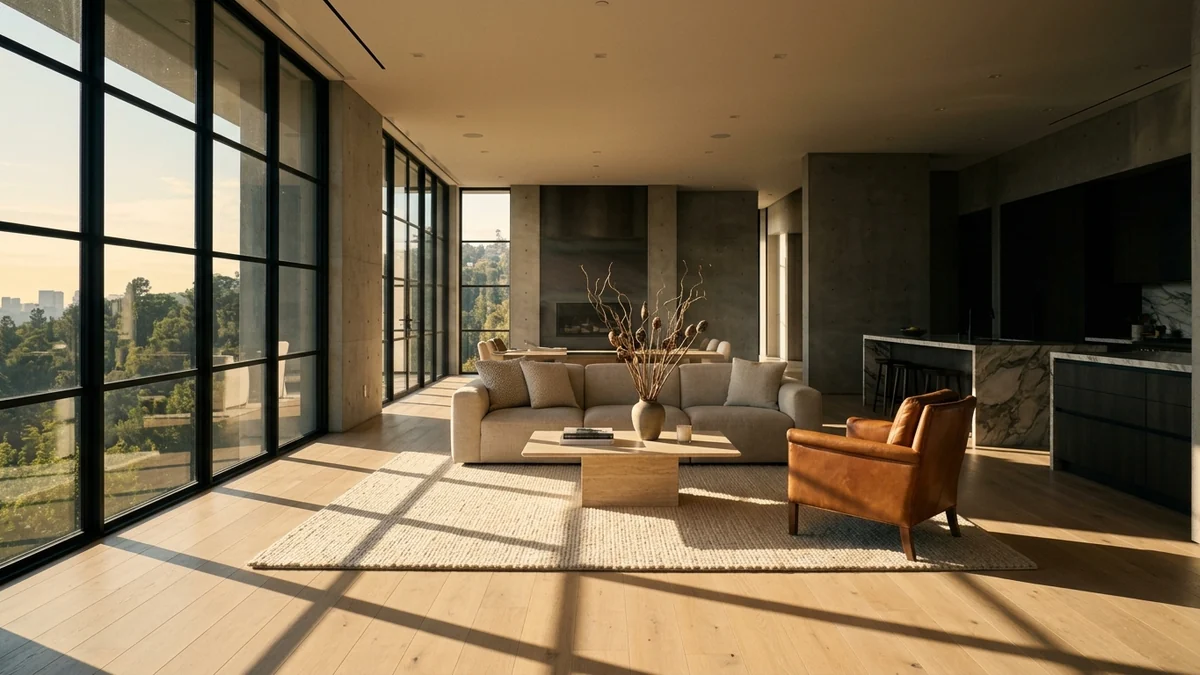
Luma is one of the names that comes up constantly when agents ask about AI listing videos, and almost everything written about it is out of date. The articles describe Flythroughs and 3D scanning. That is not what you get when you sign up today.
Our articles are still written by humans!
Get human written articles in your Google feed.
Quick answer: Luma AI turns a listing photo into a short cinematic clip through image-to-video, at roughly 100 credits for a five second 720p clip. A six room listing costs about 600 credits, so the 30 dollar Plus plan with 10,000 credits covers around 16 listings a month. It no longer scans real properties into 3D, and it does not stage rooms, so you still need a clean, furnished photo before you animate anything.
Below is what Luma actually is in September 2026, the credit maths per listing that nobody publishes, the one model choice inside Luma that halves your cost, and the honest comparison against the tools we have already tested.
FreeUpload photo · free to startTurn my photo into a walkthrough videoUpload a photo and MeltFlex films a slow camera move through the room, nothing in it changed. Free to start, no card needed.

What Luma Actually Is in 2026 (and What Happened to Flythroughs)
This part matters more than any prompt tip, because it is where every other article on this subject is wrong.
Luma built its reputation on 3D capture. You walked through a property filming on your phone, and Luma reconstructed it using NeRF and later Gaussian splatting into a navigable 3D scene. Flythroughs was the product built directly on top of that for real estate, generating a drone-style path through a scanned home. That is the Luma that real estate blogs, YouTube tutorials and roundups still describe.
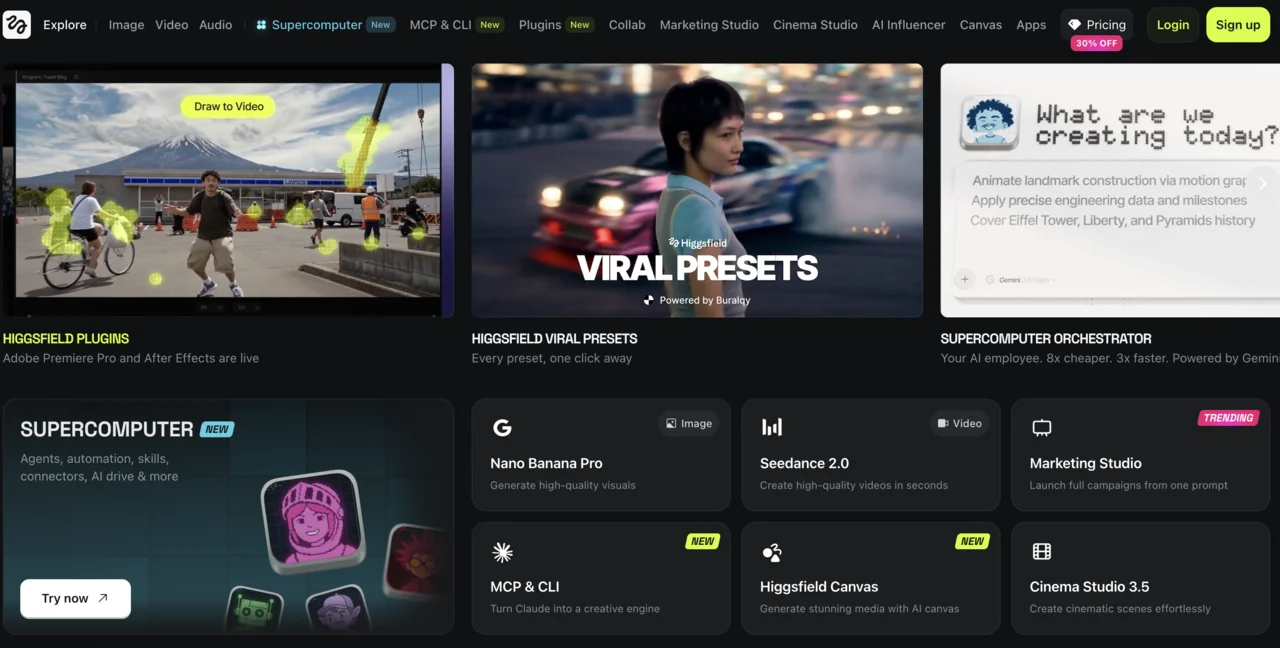
We checked the live site on 12 September 2026. lumalabs.ai/flythroughs redirects to the Creative Agents page. The product navigation lists Ray, UNI-1, the API, the AI Video Generator and the AI Video Generator from Image. There is no 3D capture entry, no Flythroughs entry and no scanning product anywhere in the header or the footer. The old Interactive Scenes page still loads at its original URL, advertising 30 FPS WebGL scenes at 8 MB for objects and 20 MB for scenes, but nothing in the current navigation points to it.
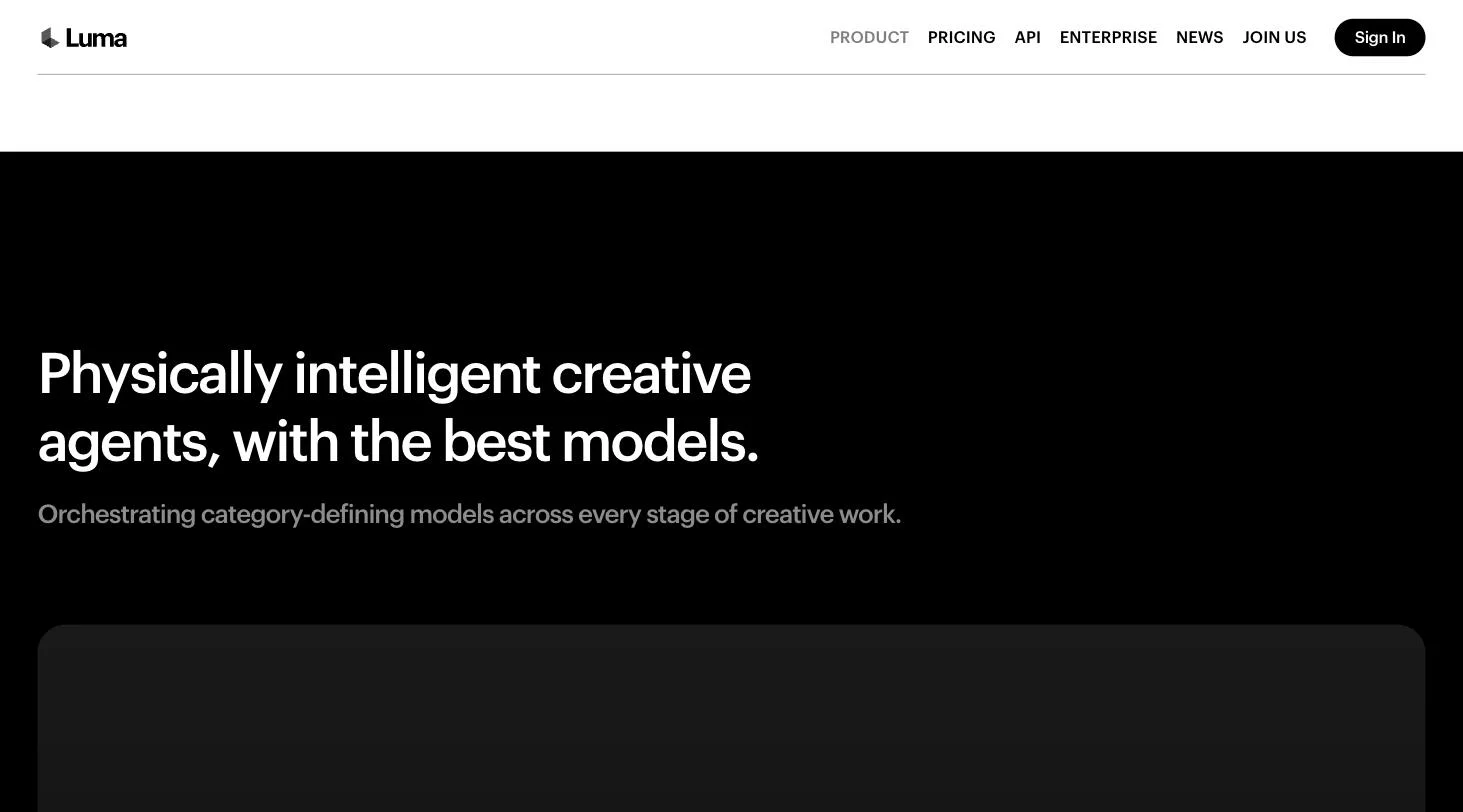
What replaced it is a general creative platform. Luma now positions itself around Creative Agents, described on its own product page as agents that “plan, generate, iterate, and refine, keeping full context across every stage of creative work”. Real estate appears once, as a single tile called Property storytelling at scale, sitting between slide decks and on-model fashion photography. The two real estate use-case URLs that still show up in Google results both bounce to the generic use-case index.
The practical read: Luma is no longer a real estate tool that happens to do video. It is a video and image platform that treats property as one vertical among fifteen. That is not a reason to avoid it, and the pricing below is genuinely competitive, but it does mean you should ignore any tutorial telling you to scan the house.
The Credit Maths: What a Listing Actually Costs
Luma sells credits, and credits are consumed per second of rendered video at a rate that depends on resolution and model. Here are the plans, read from the pricing page on 12 September 2026.
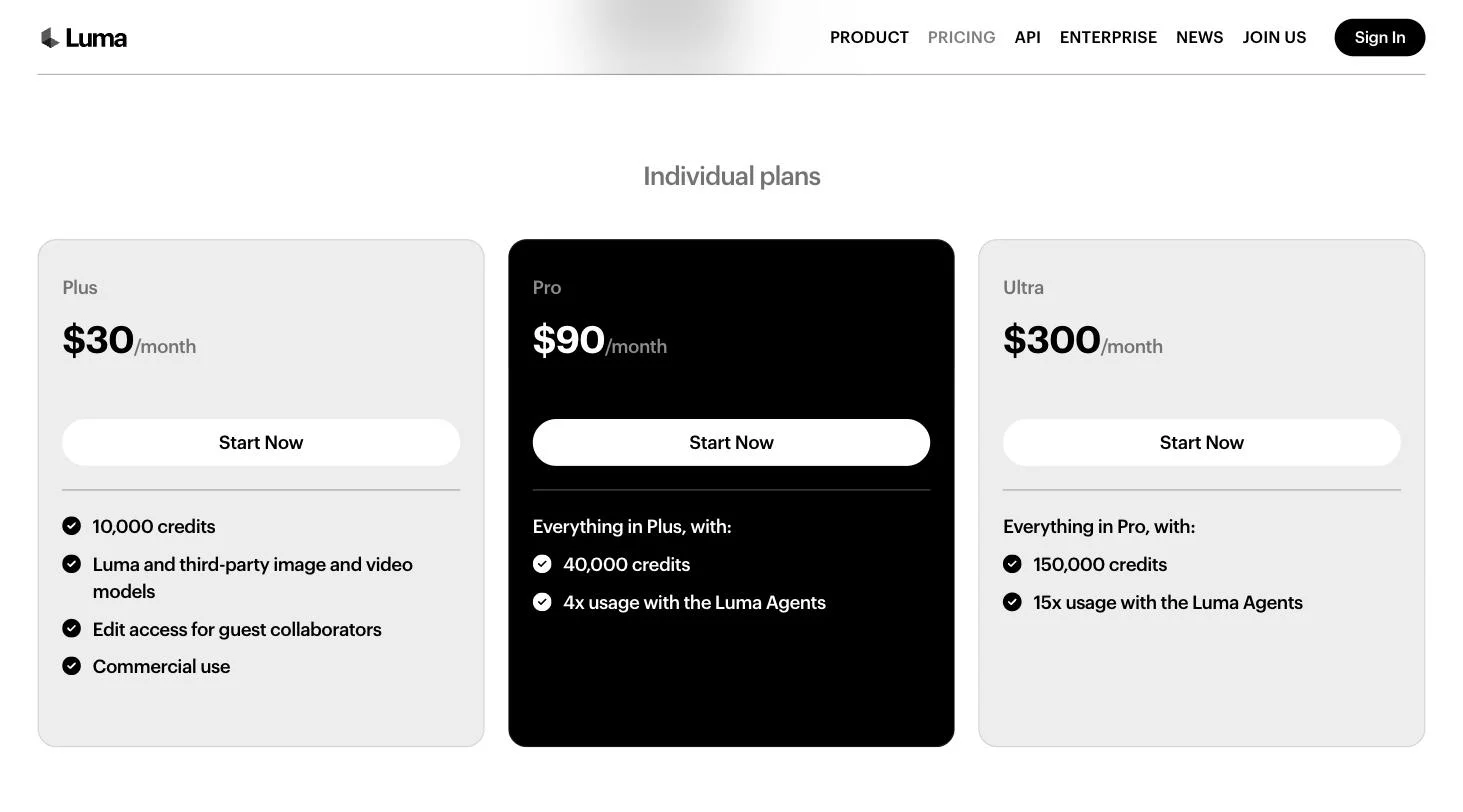
Yearly billing saves up to 20 percent. Now the number that decides everything, the cost of one clip on Ray 3.2, Luma’s own model, in standard dynamic range.
The last column is the one that should drive your plan choice, and it is derived, not quoted: six rooms means six clips, and the listing count assumes you do not retry. In practice you will re-render two or three clips per property because a first take drifts, so take about 20 percent off those figures. HDR output doubles the Ray 3.2 cost and HDR with EXR export triples it, neither of which a listing video needs.
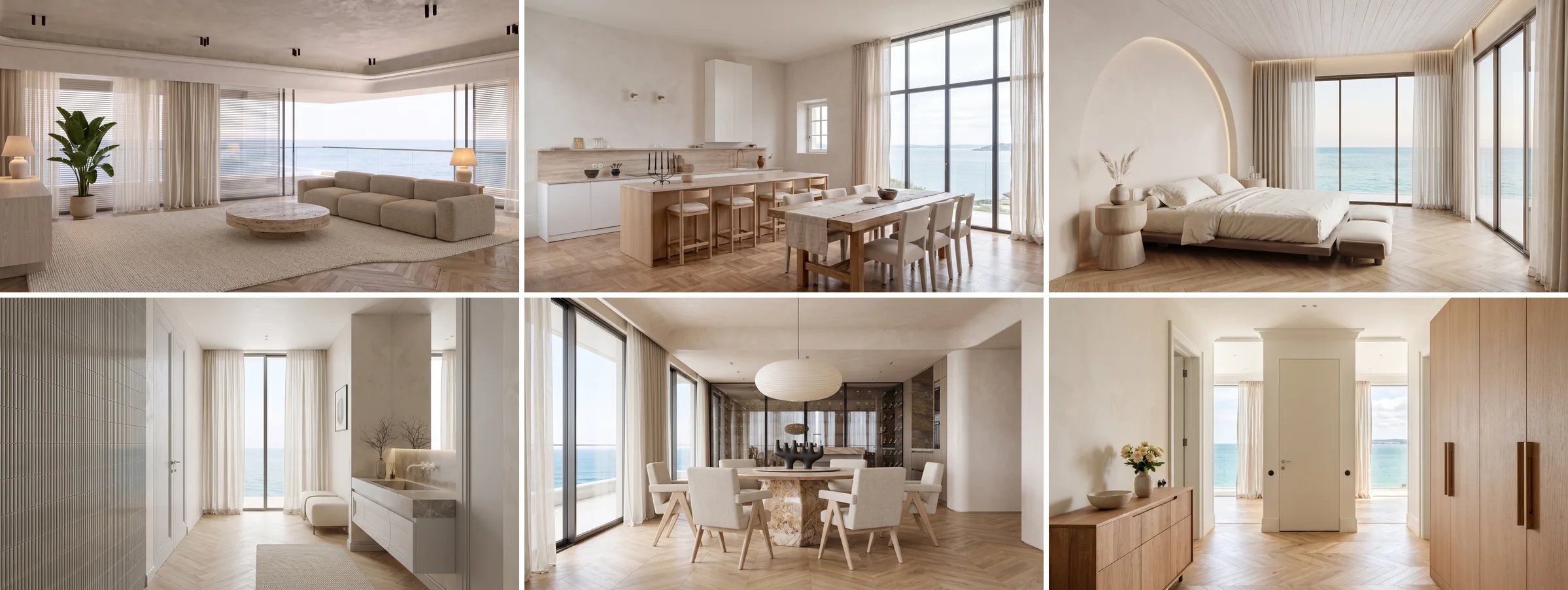
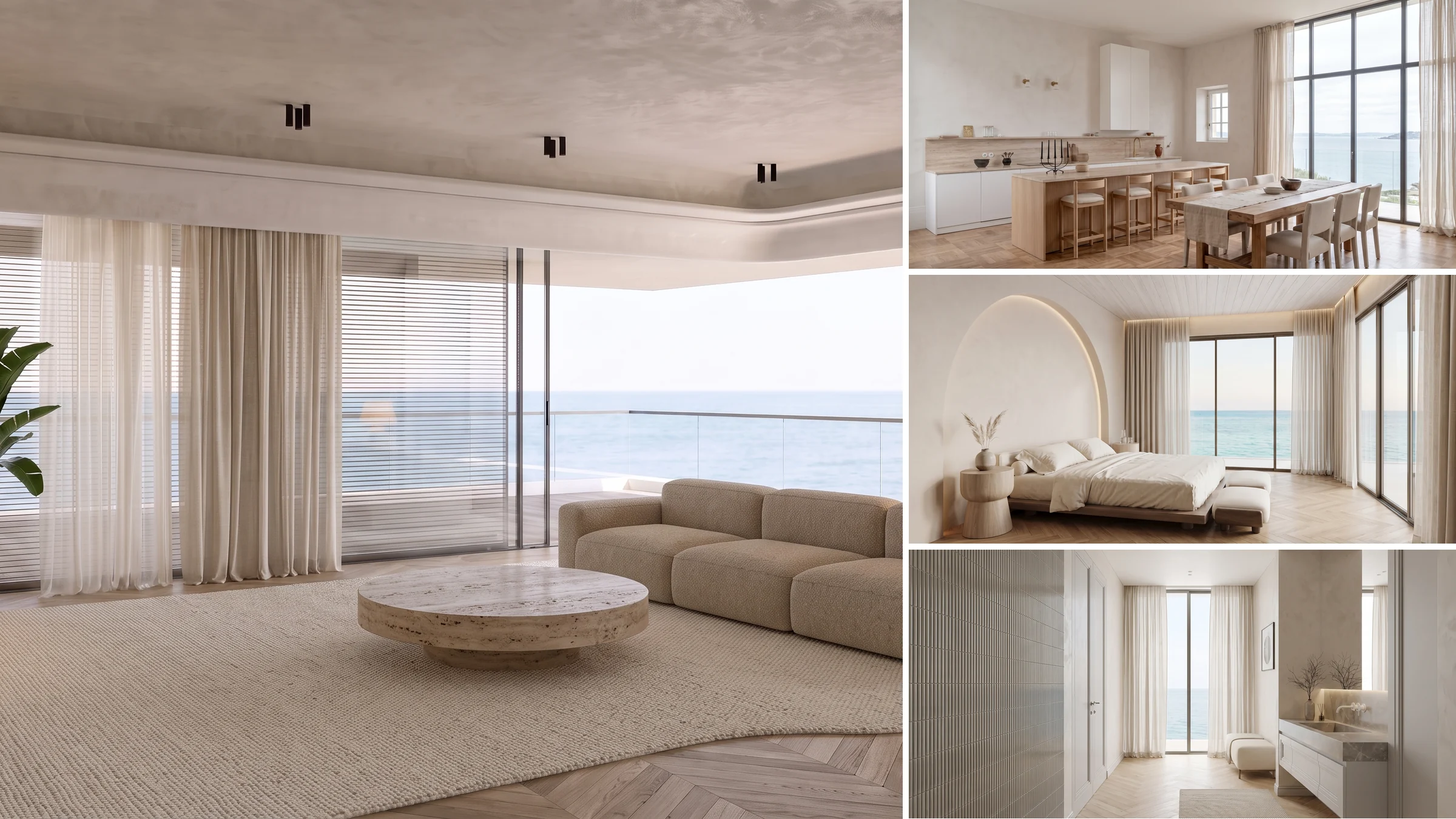
This is what 600 credits buys at 720p: six rooms, one five second clip each, stitched into a tour. Every frame here is a MeltFlex render of the same apartment.
Put against the tools we have costed before, Luma is the cheap option at volume. Higgsfield charges 49 dollars a month for roughly two listings. Luma charges 30 for roughly 16 at 720p. That gap is the single strongest argument for Luma in property work.
The Model Choice That Halves Your Cost
Here is the finding that is worth the read, and it exists because Luma resells other companies’ models alongside its own. The pricing table lists Veo, Kling, Seedance, Minimax, Flux and the Nano Banana image models on the same credit balance. They are not priced anywhere near each other.
Every row below is a five second clip at roughly 1080p, calculated from the per-second rates on the Luma pricing page on 12 September 2026.
Kling 3.0 at 1080p costs half of what Luma charges for its own Ray models, and one eighth of Seedance 2.5. On the Plus plan that is the difference between eight 1080p listings a month and one. For a slow camera push through a staged room, which is all a listing clip is, the quality difference does not survive being watched on a phone in a portal feed.
Audio is the other trap. Veo 3.1 doubles from 140 to 280 credits per second the moment you enable sound, and a listing video is almost always cut over licensed music rather than model generated audio anyway. If you want a soundtrack and a voiceover, our guide to Artlist for real estate covers that side properly. Turn audio off in the video model.
One honest caveat on this table. These are list prices for the same models you can buy directly from their makers, and buying through Luma is not automatically cheaper than a direct subscription. What it buys you is one balance across all of them, which matters if you are still deciding. If you have already settled on a model, compare the direct route: we have costed Veo 3 for listings, the Kling AI real estate workflow and Runway for real estate separately.
How to Make a Listing Video in Luma, Step by Step
Luma has no real estate presets, which is the main thing you give up against Higgsfield. You describe the camera move in words instead. The loop for one room:
- Start from a staged photo. Not the raw listing shot. This is covered properly in the next section and it is the step that decides the outcome.
- Pick the model before you generate. Kling 3.0 with audio off for volume work, Ray 3.2 if you need the EXR export for a production pipeline.
- Upload the photo and write the move. Name the motion, the speed and the light. For example: “slow dolly forward through the doorway into a bright living room, eye level, steady gimbal motion, warm afternoon daylight, photorealistic”.
- Render five seconds, not ten. Ten second clips cost triple on Ray 3.2 and drift more. Short clips stitched together always look better than one long one.
- Repeat per room, then stitch. Luma can assemble clips, add captions and produce a deliverable in the same project, which is genuinely useful and something Higgsfield does not do.
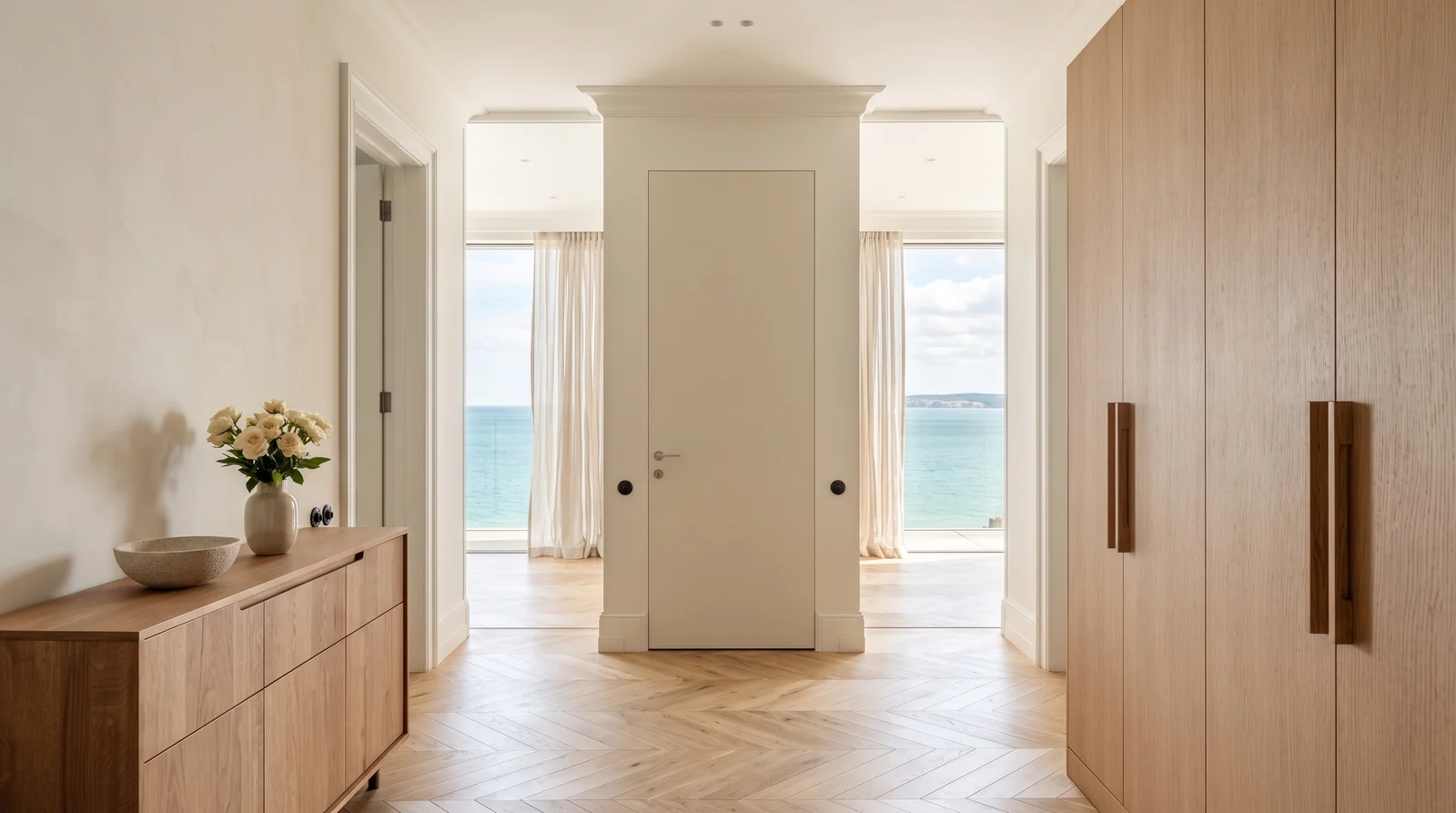
The entry is the opening shot. A slow push through the door is the one move that reads as a walkthrough rather than a photo.
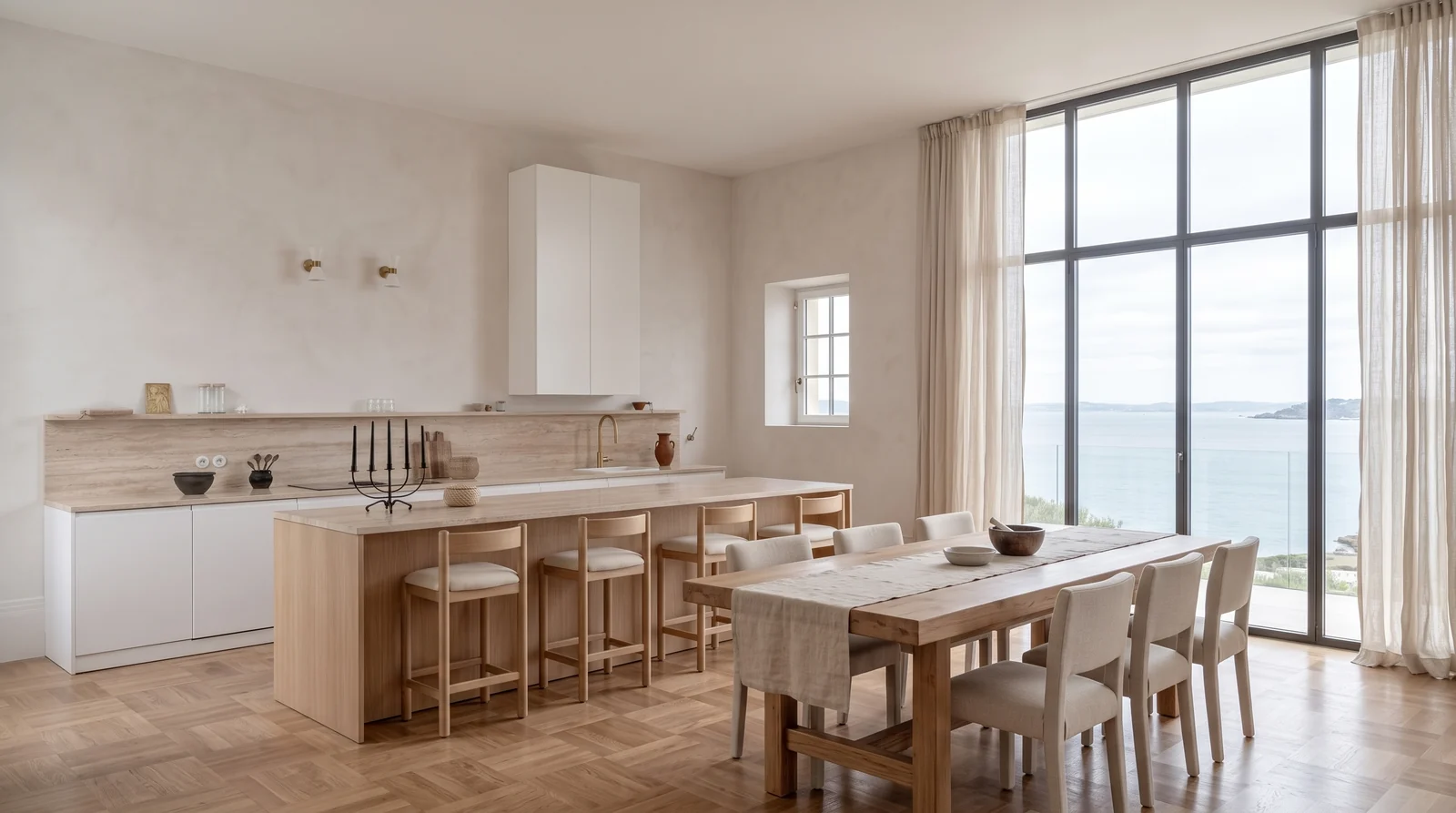
Kitchens take an orbit better than any other room, because the island gives the camera something to circle.
Prompt wording carries most of the weight when there are no presets. The camera vocabulary transfers directly from our Kling prompt library, and if you land on ByteDance’s model the Seedance prompt set is written in its native subject, action, camera, style order.
Two rules survive across every model we have tested. Keep the camera slow, because fast motion is what exposes AI artefacts. And keep people out of frame, because faces and limbs are where these models still fail. A property video conveniently needs neither.
The Step That Decides Everything: Stage the Room First
Image-to-video animates the photo you give it. It does not redecorate, it does not remove clutter and it does not furnish an empty room. Feed it a bare rental with a folding chair and you get a beautifully lit five second clip of a bare rental with a folding chair.
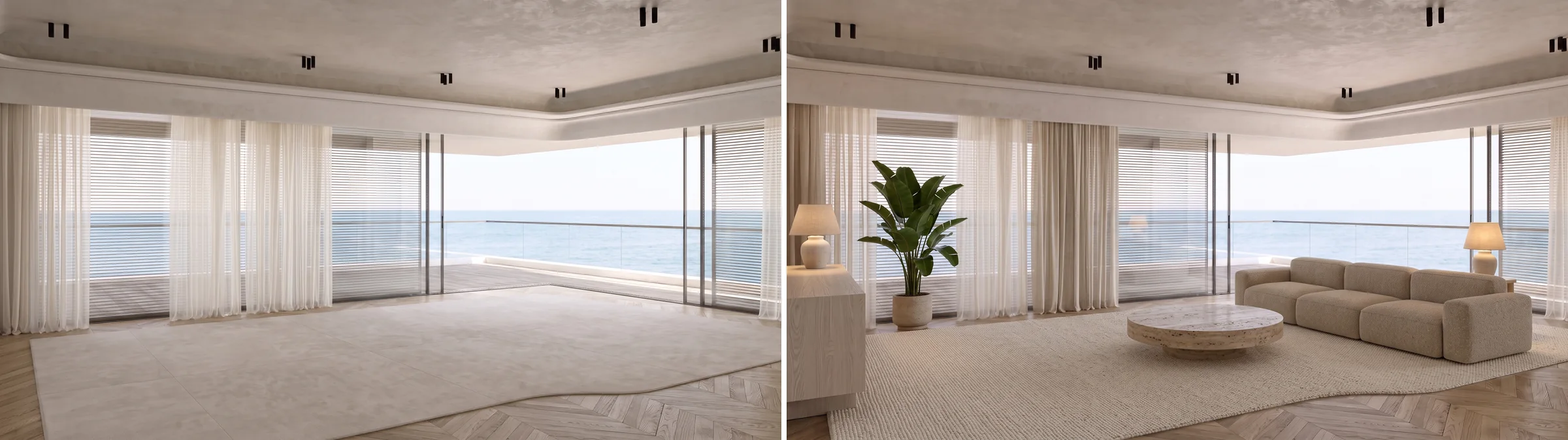
The same room, before and after staging. Both frames are MeltFlex renders from one photograph, and the right one is the only version worth giving to a video model.
So the real pipeline has two halves, and Luma only owns the second one. First you need a clean, furnished, well lit frame. That is where MeltFlex sits: upload a photo of the actual room and it stages an empty space or restyles a dated one while keeping the real walls, windows and layout. For a vacant property that is AI virtual staging, and for a developer working from a CAD view it is photo to render.

One vacant room, three staging directions, same camera. Rendering the options is cheap. Rendering the wrong one as video is not.
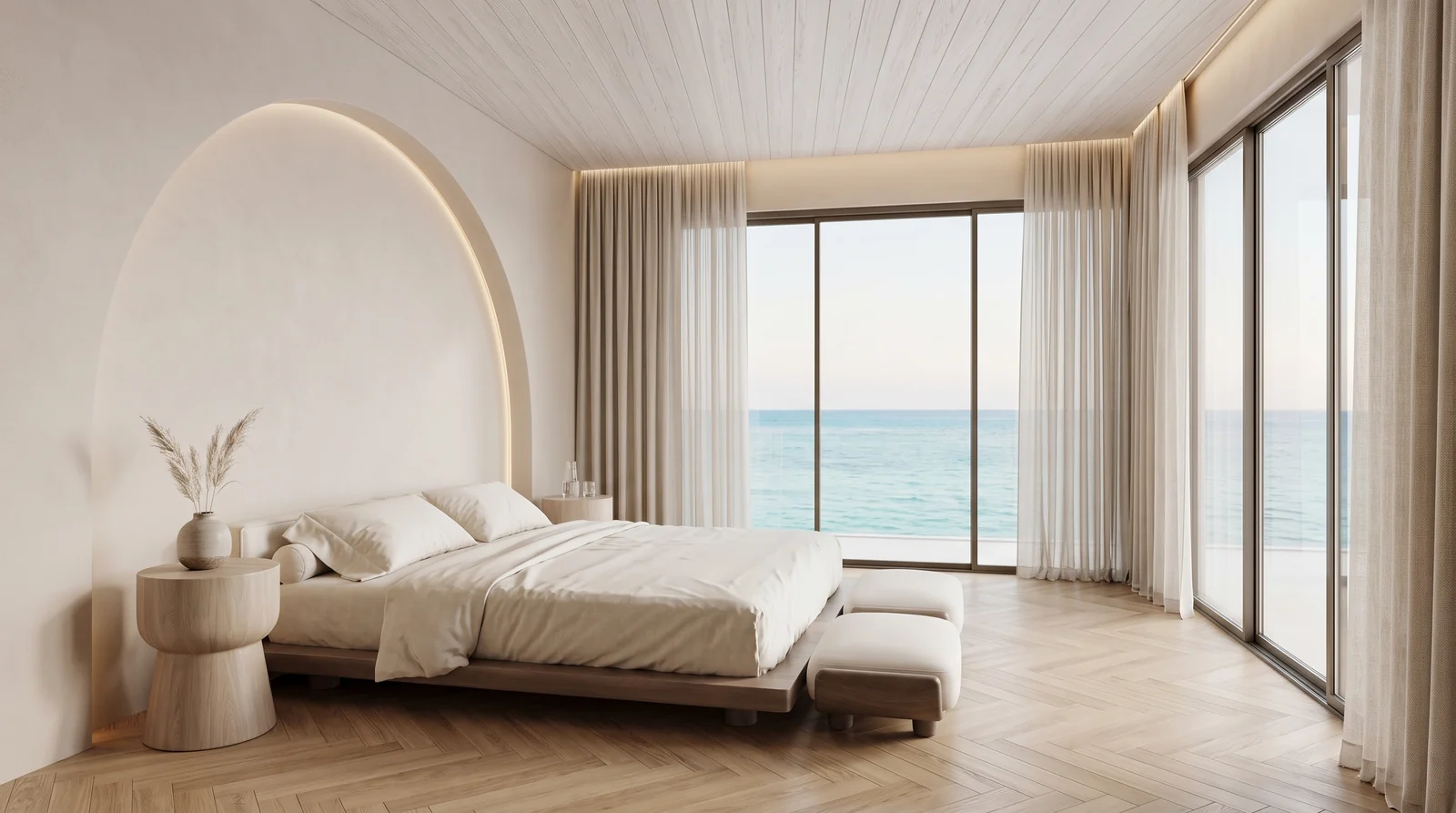
Bedrooms are the room most often shot empty, and the room where staging changes the number most.
The full loop: real photo, stage or restyle it, animate the result, stitch the clips. If you skip the middle step the model choice and the prompt wording stop mattering. We wrote up what staging does to listing performance in AI virtual staging for real estate, and the photo cleanup side in AI real estate photo editing.
Luma vs Higgsfield vs an All in One Tool
Three honest positions, because they genuinely suit different people.
Pick Luma if you shoot volume, already know what camera move you want, and like having Veo and Kling on one balance. Pick Higgsfield if you want to click a preset called 360 Orbit rather than describe one, and you only do a listing or two a month. Pick an all in one route if the staging step is the part you actually need solved, since MeltFlex’s AI video walkthrough takes a room photo and produces the walkthrough directly, staging included, without moving between three tools.
If you have not committed to anything yet, we ranked the field in the best AI video generators for real estate, and the broader model question, including which image model to stage with, is covered in which AI is best for interior design. For staging prompts specifically, the Nano Banana real estate prompts are the ones we use most, with the interiors set in Nano Banana interior design prompts. Worth knowing: both Nano Banana models are available inside Luma too, at 23 credits for a 1K image, so the staging step can technically live on the same balance. It will not keep your real room the way a dedicated staging tool does, but it is there.
Luma AI for Real Estate FAQ
Can Luma AI turn listing photos into a walkthrough video?
Yes. Luma runs image-to-video on every model it hosts, so you upload a room photo, describe the camera move you want, and it renders a short clip that pushes, orbits or cranes through the scene. You repeat that per room and stitch the clips. What it does not do is scan a real property into 3D any more. The Flythroughs and 3D capture products that made Luma famous with agents are no longer in the product navigation, and lumalabs.ai/flythroughs now redirects to the Creative Agents page, checked 12 September 2026.
How much does Luma AI cost for real estate videos?
Plans are Plus at 30 dollars a month for 10,000 credits, Pro at 90 for 40,000 and Ultra at 300 for 150,000, with up to 20 percent off on yearly billing, read from the Luma pricing page on 12 September 2026. A five second Ray 3.2 clip costs 20 credits at draft, 50 at 540p, 100 at 720p and 400 at 1080p. A six room listing at 720p is therefore about 600 credits, so Plus covers roughly 16 listings a month at that quality, or about four if you render everything at 1080p.
Does Luma AI still do 3D capture and Flythroughs for real estate?
Not as a promoted product. Luma popularised NeRF and Gaussian splatting capture, and Flythroughs was built specifically for property walkthroughs, which is why almost every article about Luma for real estate still describes it. As of 12 September 2026 the product navigation lists only Ray, UNI-1, the API and the two video generators. The legacy Interactive Scenes page still loads at lumalabs.ai/interactive-scenes but is not linked from the main navigation. Treat Luma as a video generation platform, not a scanning tool.
Which model inside Luma is cheapest for listing videos?
Kling 3.0 without audio, by a wide margin. Inside Luma it costs 40 credits per second at 1080p, which is 200 credits for a five second clip, against 400 credits for the same clip on Luma’s own Ray 3.2 or Ray 3.14. Minimax H3 at 2K with audio is 46 credits per second. Veo 3.1 is 140 without audio and 280 with it, and Seedance 2.5 at 1080p is 319, which is eight times the price of Kling for footage a buyer cannot tell apart on a phone screen. All figures read from the Luma pricing table on 12 September 2026.
Do I need to stage the room before making the video?
Yes, and it is the step that decides whether the video is worth publishing. Image-to-video animates whatever is in the photo, so an empty, cluttered or dated room becomes an animated empty, cluttered or dated room. Stage or restyle the photo first, then animate the clean result. The camera move cannot fix the space, and no prompt wording will compensate for a bad starting frame.
Is Luma AI better than Higgsfield or Veo for real estate?
Luma is better value and worse at hand holding. Higgsfield gives you named camera presets like dolly in and 360 orbit, which is genuinely easier when you do not know how to describe a shot, but its Plus plan at 49 dollars covers about two listings a month. Luma gives you no real estate presets and no staging step, but 30 dollars buys roughly 16 listings at 720p and access to Veo, Kling, Seedance and the Nano Banana image models on one subscription. If you want presets, use Higgsfield. If you want volume and model choice, use Luma.
Can I use Luma AI videos commercially for my listings?
Yes on the paid individual plans. Commercial use is listed as a feature of the Plus plan at 30 dollars a month, and the Pro and Ultra plans include everything in Plus. Read the current terms before you put a clip in a paid campaign, since model licensing on aggregator platforms changes more often than the pricing page does, and Luma resells third party models whose own terms sit underneath its own.
The Verdict
Luma is the best value per listing of the standalone video tools we have costed, as long as you pick Kling inside it rather than Ray and leave audio off. What you are not getting is the product most of the internet thinks you are getting. The 3D scanning that made Luma a real estate name is gone from the shelf, there are no property presets, and it will not stage a room for you.
If the camera move is the only thing you need solved, Luma at 30 dollars is hard to argue with. If the room in your photo is the actual problem, solve that first: stage the room with MeltFlex and take the finished frame into Luma, or skip the handover entirely and generate the walkthrough from the photo in one place.
Sources
- Luma, Plans & Pricing, read 12 September 2026, for every plan price, credit allowance and per-second model rate quoted on this page.
- Luma, Creative agents for creative professionals, read 12 September 2026, for the current product positioning, the model lineup and the Property storytelling at scale use case.
- The Flythroughs redirect, the absent 3D capture navigation and the orphaned Interactive Scenes page are MeltFlex’s own observations, made by loading those URLs directly on 12 September 2026. Luma has published no deprecation notice we could find, so treat this as what the live site showed on that date rather than an announced discontinuation.
- The per-listing credit figures are our arithmetic, not Luma’s: six clips of five seconds per property, at the published per-second rate, before retries. Luma publishes the rates but not the listing maths.
- Every interior on this page is a MeltFlex render, not a photograph. The living room was re-rendered from a Behance interior photograph as a listing shot, then emptied and staged three ways from that same vacant frame, so those panels are the identical room, camera and daylight. The other five rooms were rendered from separate references against one shared material and light brief, which is what makes them read as a single apartment. Treat the six room grid as an illustration of a six clip tour, not as a photographed property. The two screenshots are ours, taken on lumalabs.ai on 12 September 2026.



)