Runway AI for Real Estate: Models, Credit Costs and Prompts for Listing Videos

Runway is the AI video tool most agents land on first, and the one most of them quietly abandon after a month. Not because the output is bad, it is genuinely the best-looking image-to-video model for interiors right now, but because nobody warns them what a listing tour costs in credits until the balance hits zero.
Our articles are still written by humans!
Get human written articles in your Google feed.
This is the guide I wanted when we started testing property clips: which Runway model to actually use, the real credit maths per listing, camera moves and prompts by room, and the one production step that decides whether a clip looks like a magazine or like a phone snap that learned to move.
Quick answer: To make a real estate video with Runway, stage or clean the listing photo first, upload it as the first frame in Gen-4.5, describe only the camera move and the light rather than the room, keep the clip to five to eight seconds with low motion intensity, and repeat per room. Budget roughly 12 credits per second, which is about 6 dollars of credits for a six-clip tour.
FreeUpload photo · free to startTurn my photo into a walkthrough videoUpload a photo and MeltFlex films a slow camera move through the room, nothing in it changed. Free to start, no card needed.

First, the three different Runways in your search results
Search runway ai real estate and Google hands you at least three unrelated companies. It is worth 30 seconds to make sure you are reading about the right one.
Runway (runway.com), the one this guide is about, is an applied AI research company that builds generative video and image models. Its Gen-4.5 model turns a still image into a moving clip. There is also Runway.is, a commercial real estate listings platform, and Runway Proptech, a sales and inventory platform for homebuilders. Neither of those generates video. People also call the first one Runway ML or RunwayML, which was its original name, so runway ml real estate and runway ai real estate mean the same thing.
Why property footage is the easiest job you can give an AI video model
The usual case against AI video is fair: melting faces, seven-fingered hands, people walking like they are made of rubber. Every one of those failures comes from the same two sources, human anatomy and fast motion.
A listing clip has neither. It is a slow camera move across a still, empty, well-lit room. No faces to distort, no limbs to bend, no physics to break. The exact weaknesses that make AI video embarrassing elsewhere barely apply to property work, which is why real estate quietly became the vertical where these models are already good enough to ship. We covered the underlying reason these renders break down in why AI renders look fake, and almost none of those failure modes involve an empty room.
What does still break is architecture. Straight lines are the enemy. A door frame that bows, a worktop edge that drifts, a skirting board that dissolves halfway through the shot. That is what you are actually managing, and it is a solvable problem.
Which Runway model to use for property video
Runway is no longer a single model. A subscription now covers its own Gen-4.5 alongside third-party models including Veo 3.1 and Nano Banana Pro, which makes the old "Runway versus Veo" debate mostly redundant. Here is what each one is for in a listing context.
For 90 percent of listing work the answer is Gen-4.5 for the opening shot and the kitchen, Gen-4 Turbo for everything else. There is still no Gen-5: Runway has spent 2026 adding other labs’ models (the rows marked “via Runway”, all listed in its changelog) and a Model Router that picks one per request, rather than shipping a new flagship of its own. Aleph is the interesting outlier for agents who already film: it relights real footage, so a video shot on a flat grey afternoon can be pushed toward golden hour without a reshoot. If you want the wider field, we ranked the best AI video generators for real estate side by side.
What a listing video really costs on Runway
This is the part that catches people out, so here is the arithmetic in full. Runway prices plans in credits, not minutes, and the credit burn per second is high enough that the plan headline is misleading.
Current pricing on Runway's pricing page is 0 dollars for Free with 125 one-time credits, 12 dollars a month for Standard billed annually with 625 credits a month, 28 dollars for Pro with 2,250, and 76 dollars for Max with 9,500. Month-to-month is 15, 35 and 95 respectively. Extra credits are 10 dollars per 1,000.
Converted into video at Gen-4.5 rates, which is the maths Runway does not put on the pricing page:
Read the Standard row again, because it is the one that matters. A six-clip tour at eight seconds a clip is 48 seconds, or 576 credits at Gen-4.5. Your entire month of Standard credits, gone on one property, with nothing left for the two or three regenerations every clip realistically needs. Budget two to three attempts per usable clip and the true cost of a Gen-4.5 listing tour is closer to 1,500 credits, around 15 dollars in top-up credits.
That is not a reason to avoid Runway. It is a reason to run drafts on Gen-4 Turbo, lock the composition, and spend Gen-4.5 credits only on the two or three clips people will actually watch. Agents doing steady volume should be on Pro at minimum, and the honest comparison is against a videographer at 300 to 500 dollars a listing, which Runway still wins comfortably.
Light and shadow do the selling, not the camera move
Here is the thing almost every Runway tutorial gets wrong. They spend the whole video on camera presets and motion sliders, and none of it on light. But the camera move is the least important variable in a property clip. Light is the entire product.
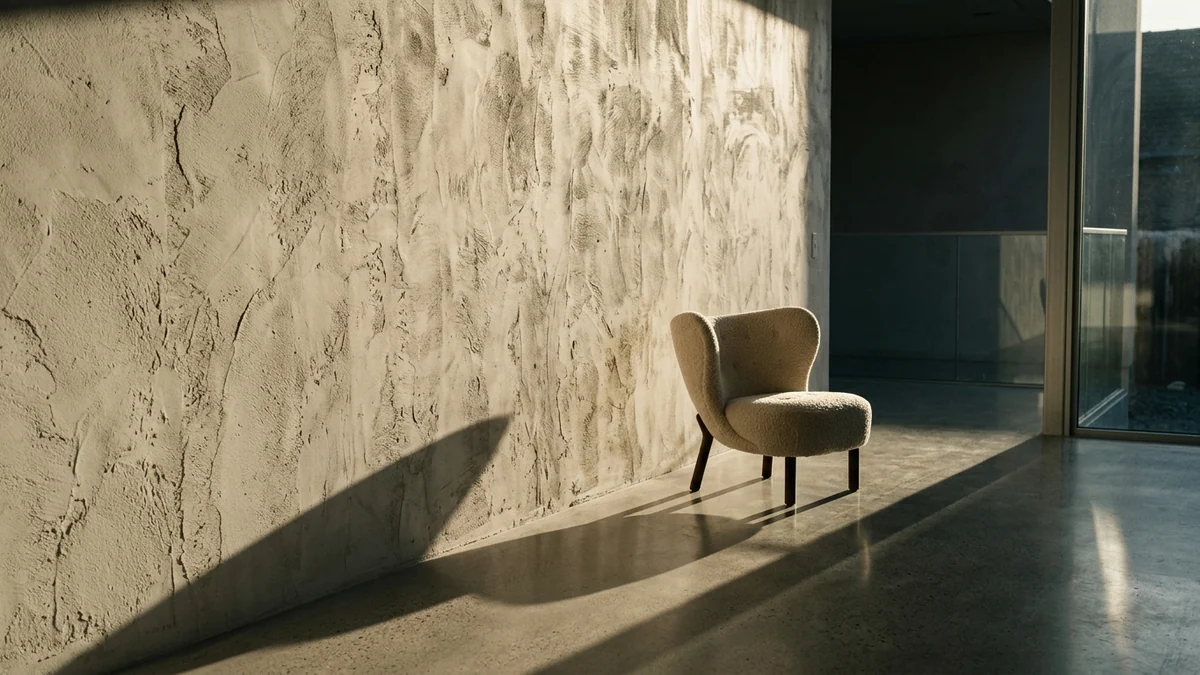
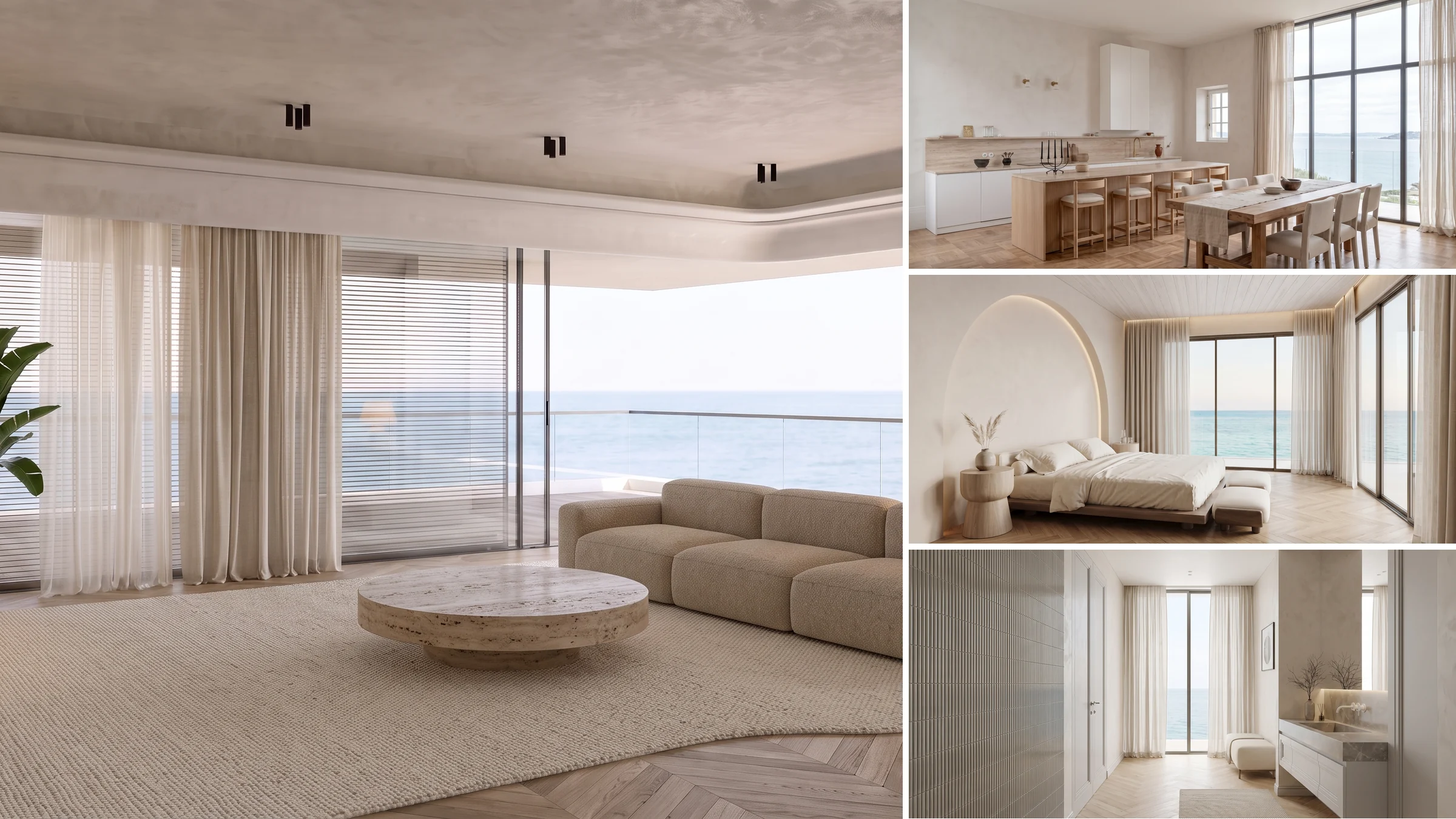
Look at what the light is doing there. It is running almost parallel to the wall, so every ripple in the plaster casts its own tiny shadow and the surface reads as textured rather than flat. That is raking light, and it is the single most useful thing you can ask an AI model for. Flat frontal light makes a room look like a rental listing. Raking light makes the same room look expensive.
Three light conditions do nearly all the work in property video:
- Low side sun. Long shadows with defined edges, warm highlights, deep shade on the opposite side of the frame. This is the golden hour look, and it is what buyers respond to emotionally.
- Hard defined patches. A skylight or a window throwing one crisp bright rectangle onto a floor or a bed, with everything around it in cool shade. Very high contrast, very cinematic.
- Diffused backlight. Sun through sheer curtains, turning the window into a soft glowing wall that wraps a bright rim around whatever sits in front of it.
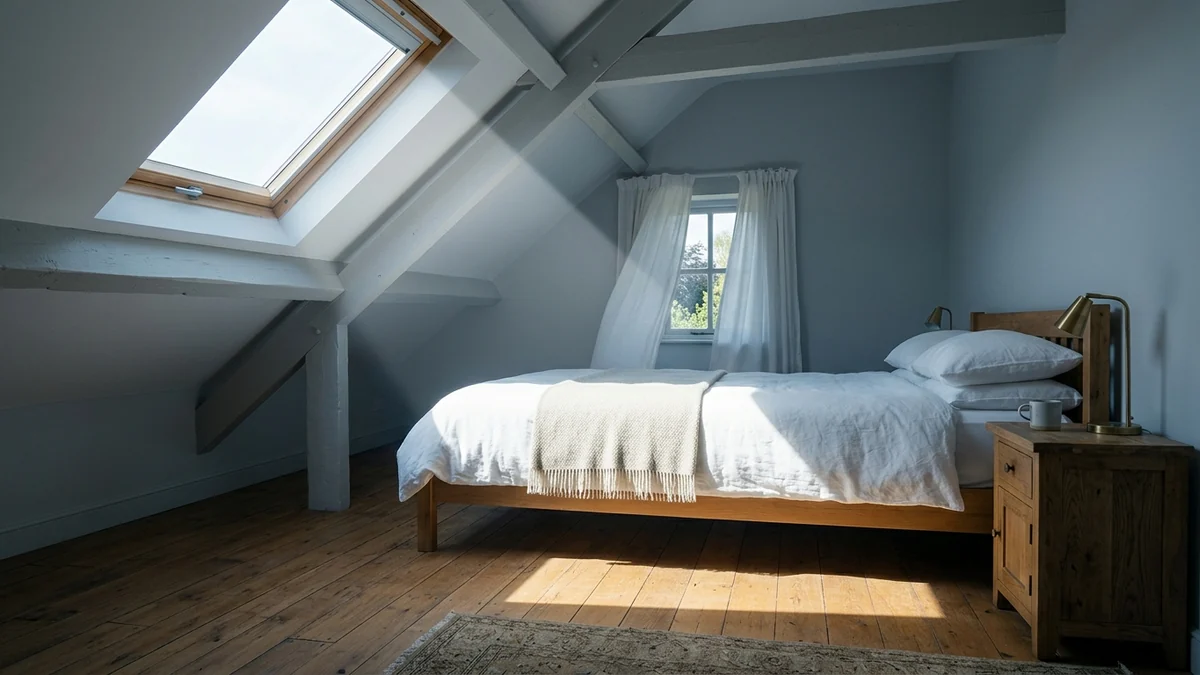
That bedroom is a hard-patch shot. One clean beam, everything else in cool blue-grey shade. The room itself is plain, a bed and a nightstand, but the light gives it a mood that a flat photograph of the same room would never carry.

And that bathroom is diffused backlight. Bathrooms are usually the hardest room to photograph well because they are small, reflective and cluttered. Backlighting solves it by turning the window into the subject and letting the dark fluted vanity in the foreground anchor the frame.
Every one of the frames in this post came out of the MeltFlex render engine while we were building the prompt set, which is also how we test lighting language before spending Runway credits on it. If you want to go deeper on the vocabulary, our AI lighting prompts guide breaks down the four light levers in detail, and the anatomy of a photorealistic interior render covers why shadow softness is the tell that separates a real photo from a generated one.
Camera moves that work, room by room
Runway gives you camera control with directional sliders and intensity values, plus movement described in the prompt. The rule that matters more than any preset: the further the camera travels, the more chances the model gets to redraw your architecture wrong.
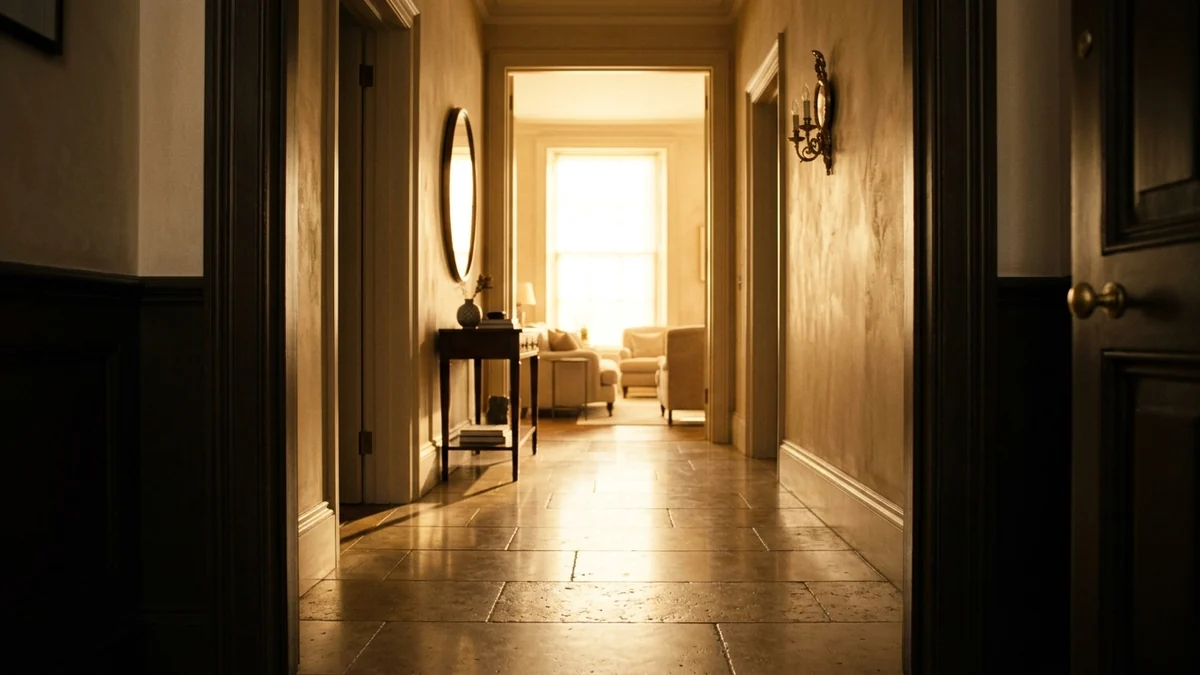
That corridor is the strongest opening shot in any listing because it does two things at once. It creates depth through foreground, midground and background layering, and the blown-out warm glow at the end gives the viewer somewhere to travel toward. A dolly in on this frame practically directs itself.
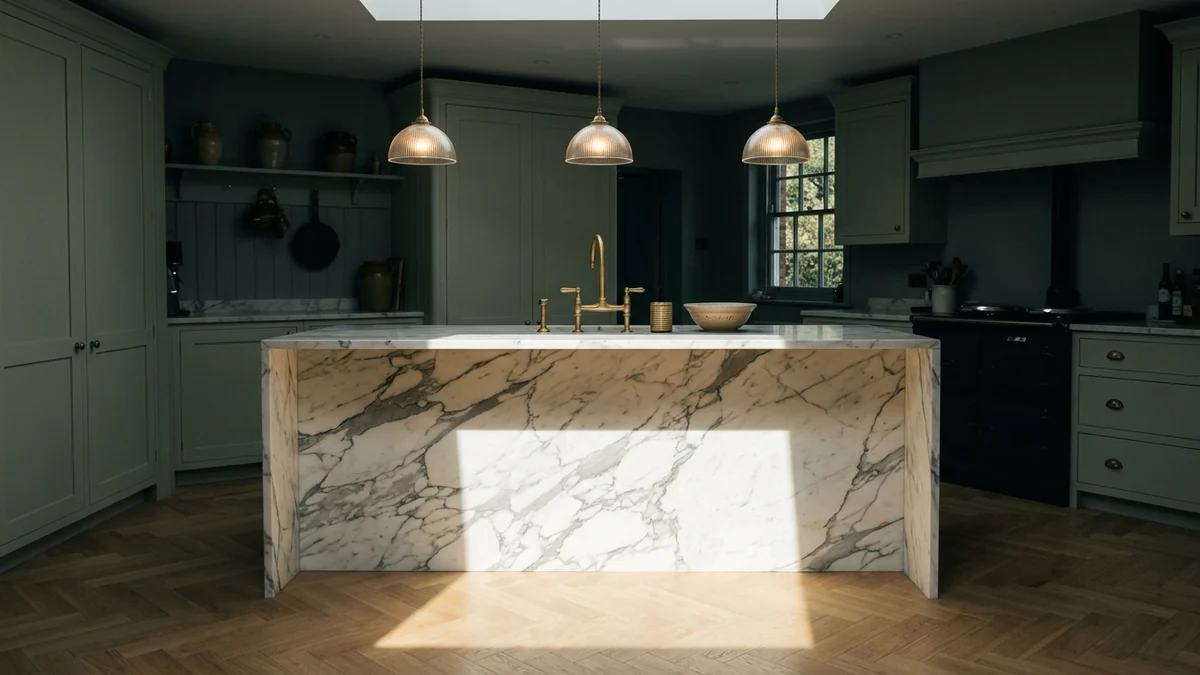
Kitchens are where orbits are tempting and where they break. The island has hard straight edges and a reflective stone top, which is exactly what geometry drift ruins. Keep the orbit slow. In our testing anything past low intensity produced visible edge warping on the worktop within four seconds.
Copy-paste Runway prompts for real estate
The mistake almost everyone makes is describing the room. You do not need to. Runway can already see the room, it is your uploaded first frame. Describe only what changes: the movement, the light, and the pace. Every word you spend on furniture is a word inviting the model to reinvent it.
These are the prompts we run:
- Entrance: Slow steady dolly forward through the doorway, camera at chest height, moving toward the bright window at the end of the hall. Warm afternoon light, long soft shadows on the floor, like MeltFlex AI interior design does. Locked horizon, no camera shake, no people.
- Kitchen: Very slow orbit to the right around the island, camera level and steady. Hard sunlight patch stays on the stone worktop. Cabinetry remains straight and unchanged, like MeltFlex AI interior design does. No warping, no people.
- Living room: Gentle truck to the left across the room, constant speed, camera level. Late afternoon sun, long window shadows stretching across the floor, dust motes in the light shafts, like MeltFlex AI interior design does. Furniture unchanged, no people.
- Bedroom: Almost static shot with a barely perceptible push in. Soft morning light through the window, curtain moving very slightly in a breeze, like MeltFlex AI interior design does. Calm and still, no people.
- Bathroom: Slow dolly in toward the window, camera level and centred. Backlit diffused sunlight through sheer curtains. Tiles and fixtures stay perfectly straight, like MeltFlex AI interior design does. No warping, no people.
- Exterior: Smooth crane up revealing the house and garden, steady rise, no tilt. Golden hour light, warm windows glowing, long shadows across the lawn, like MeltFlex AI interior design does. No people, no cars moving.
Two details do the heavy lifting. Ending with no people stops the model populating your empty listing with a phantom family, which it will otherwise do surprisingly often. And naming what must stay unchanged, the cabinetry, the tiles, the furniture, measurably reduces drift. If you want the same discipline applied to stills, our AI render prompt library uses the identical structure.
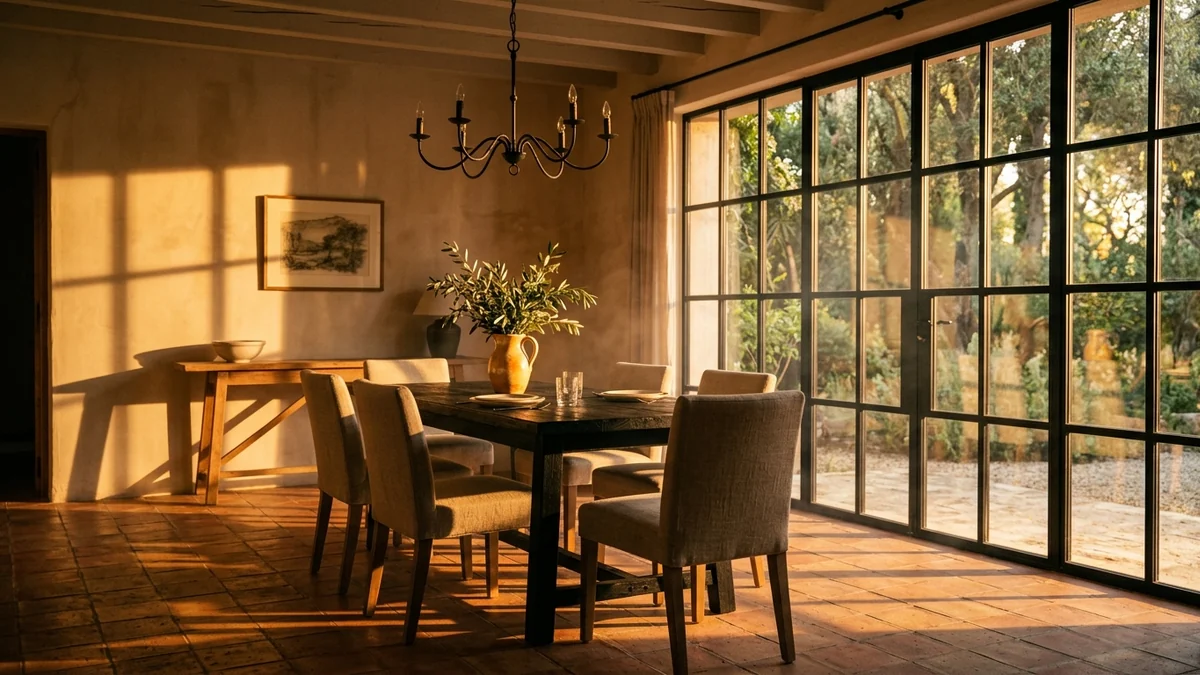
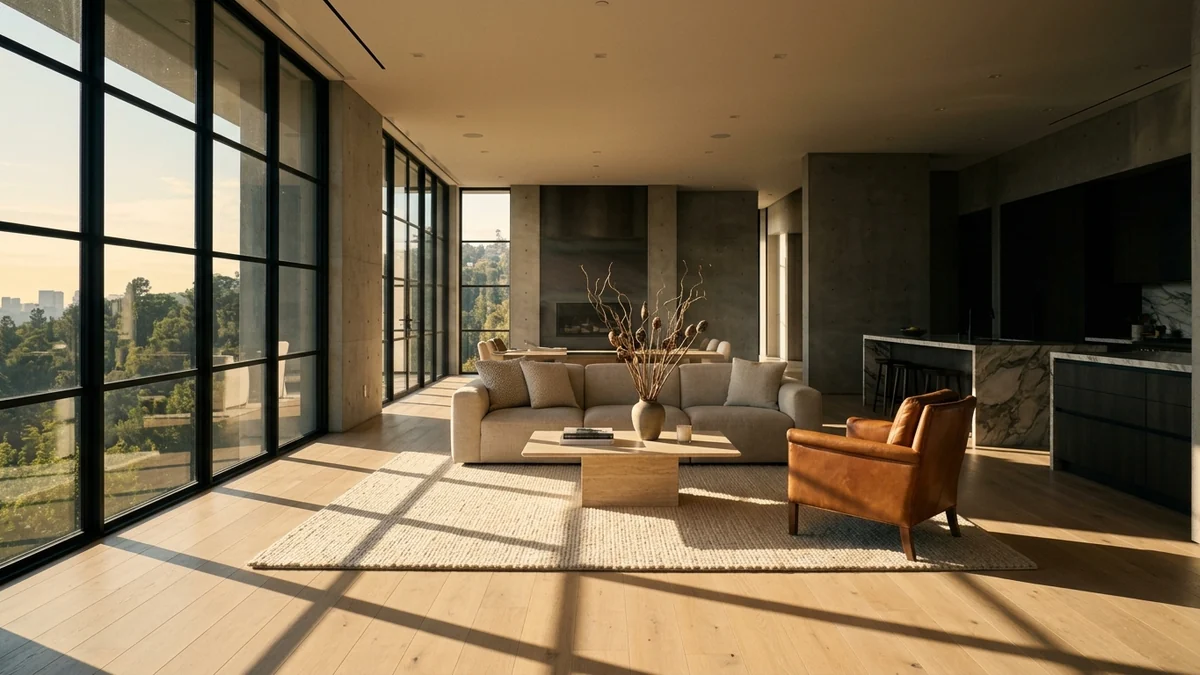
Worth noting what the light is doing to the floor there. Those elongated mullion shadows are what makes the shot, and they are also the element most likely to crawl or flicker as the camera moves. Shadows are geometry too. If a clip looks subtly wrong and you cannot say why, watch the shadow edges rather than the furniture.
The step everyone skips: stage the room before you animate it
Runway animates whatever you give it. It does not redesign, declutter or furnish. Feed it an empty magnolia box and you get a beautifully lit, expertly moving video of an empty magnolia box.
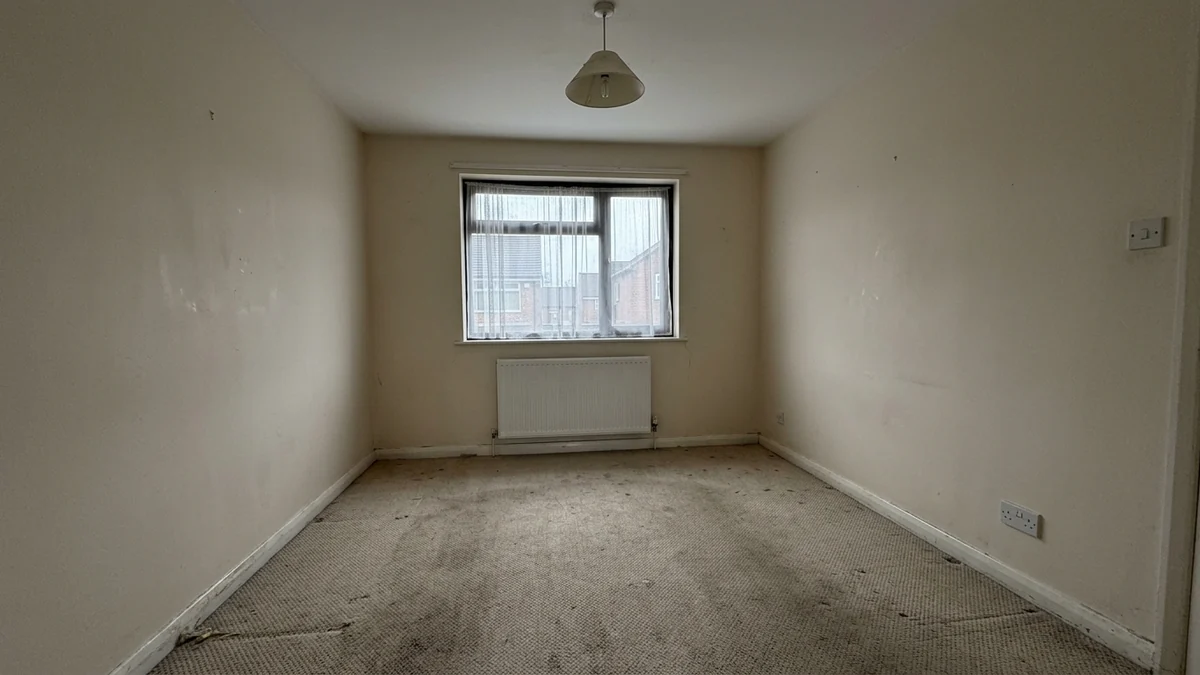
That is a realistic starting photo, the kind that sits on portals every day. Flat overcast light, no shadow shape, empty floor. There is no camera move and no prompt that rescues it, because the problem is not motion, it is that there is nothing in the room worth moving through.
The fix is to stage the photo first and animate the result. The NAR 2025 Profile of Home Staging found 49 percent of sellers' agents saw staging reduce time on market, and 29 percent reported a 1 to 10 percent lift in offer value. The same report put videos at 48 percent and virtual tours at 43 percent on the list of what buyers' agents call highly important, behind photos at 73 percent and physical staging at 57 percent. Staging and video are not competing line items, they compound.
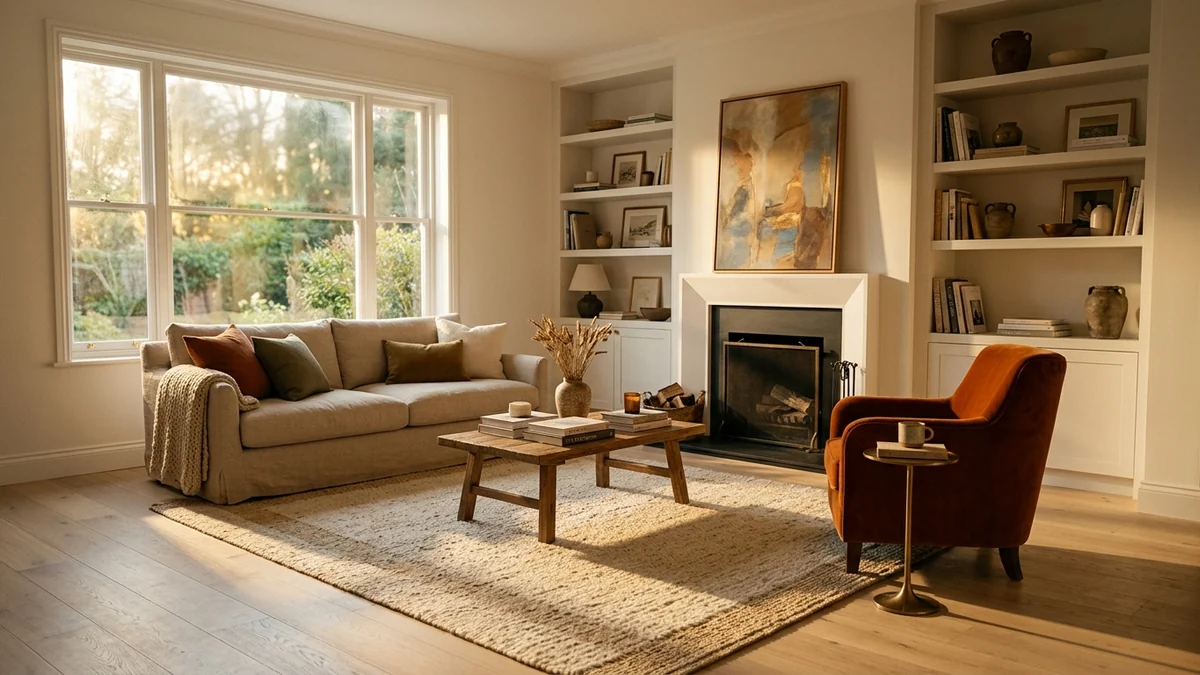
That is the standard to aim for before a single credit is spent on motion. Furnished, warmly lit, shadows with shape. This is where MeltFlex fits in our own workflow: we upload the real listing photo, virtually stage it so the room keeps its actual walls and windows but gains furniture and light, then take that staged frame into Runway for the camera move. Real photo, then staging, then motion. Skip the middle step and the best model in the world is animating an empty room.
If you go this route, disclose it. Virtually staged images have to be labelled in most markets and the rules tightened again this year, which we covered in virtual staging disclosure rules. A generated video of a room that does not exist is a fast route to a complaint.
Runway for interior design and architecture
Searches for runway interior design and runway ai for architecture are climbing, and the honest answer is that Runway is a presentation tool in this context, not a design tool.
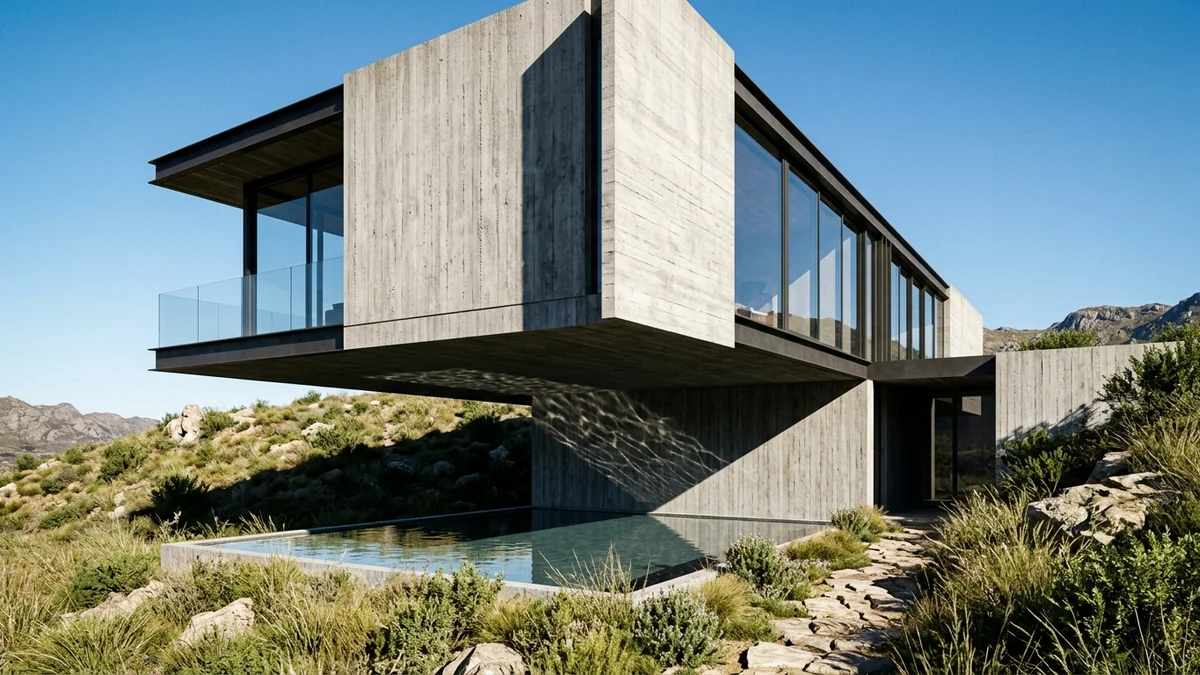
Where it genuinely earns its place is turning a static render into a moving one for a client pitch or a competition board. Runway has published work with UPenn architecture faculty using its video tools to push 3D models into fabrication-ready concept design, including pieces shown at the Venice Architecture Biennale, so this is not a marketing hypothetical.
Where it fails designers is specification. Every frame is regenerated, so a specified sofa becomes a sofa-shaped object, a specified tile becomes a tile-like texture, and dimensions drift. You cannot present a Runway clip as an accurate representation of a scheme you intend to build. Design and specify in a tool built for it, then animate the approved render. For that side of the work, AI architectural rendering tools and how to render architecture with AI are the relevant guides, and best AI tools for architects covers where video sits in a studio workflow.
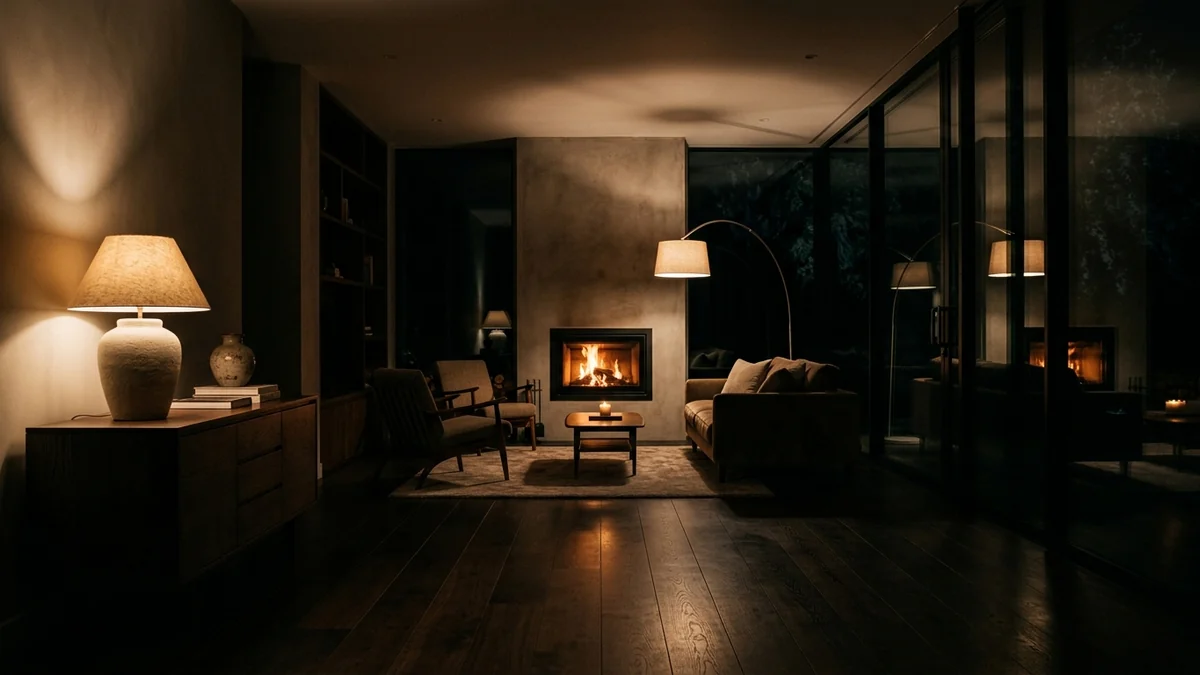
One underused move for both agents and designers: the night shot. Almost every listing is shot in daylight, so a single dusk or lamp-lit frame stands out purely by being different. Runway handles these well because darkness hides the geometry errors that daylight exposes.
Where Runway loses
A guide that only lists strengths is an advert, so here is where we have watched Runway fail on real listing work.
- Credit anxiety changes how you work. When every regeneration has a visible price, you stop iterating and start accepting mediocre clips. This is a real quality cost that nobody puts in a pricing table.
- It cannot stage. The single highest-leverage improvement to a listing video happens before Runway is opened, and Runway offers nothing for it.
- Clips are short. You are assembling five to ten second fragments in an editor. Runway is one step in a pipeline, not the pipeline.
- Geometry drift on straight lines. Manageable with slow moves, but it means the dramatic sweeping shots people actually want are the ones most likely to fail.
- No property context. The model has no idea it is looking at a kitchen. Everything it knows about listing conventions has to come from your prompt.
The counterweight is that Runway is still the strongest image-to-video model for interiors we have tested, and 15 dollars of credits against 300 to 500 dollars for a videographer is not a close call financially.
Runway compared with the alternatives
The practical split most of the agents we talk to land on: an all-in-one tool for everyday listings where speed matters more than cinema, and Runway for the one hero clip on a property worth the credits. Full comparison in our AI video generator ranking for real estate.
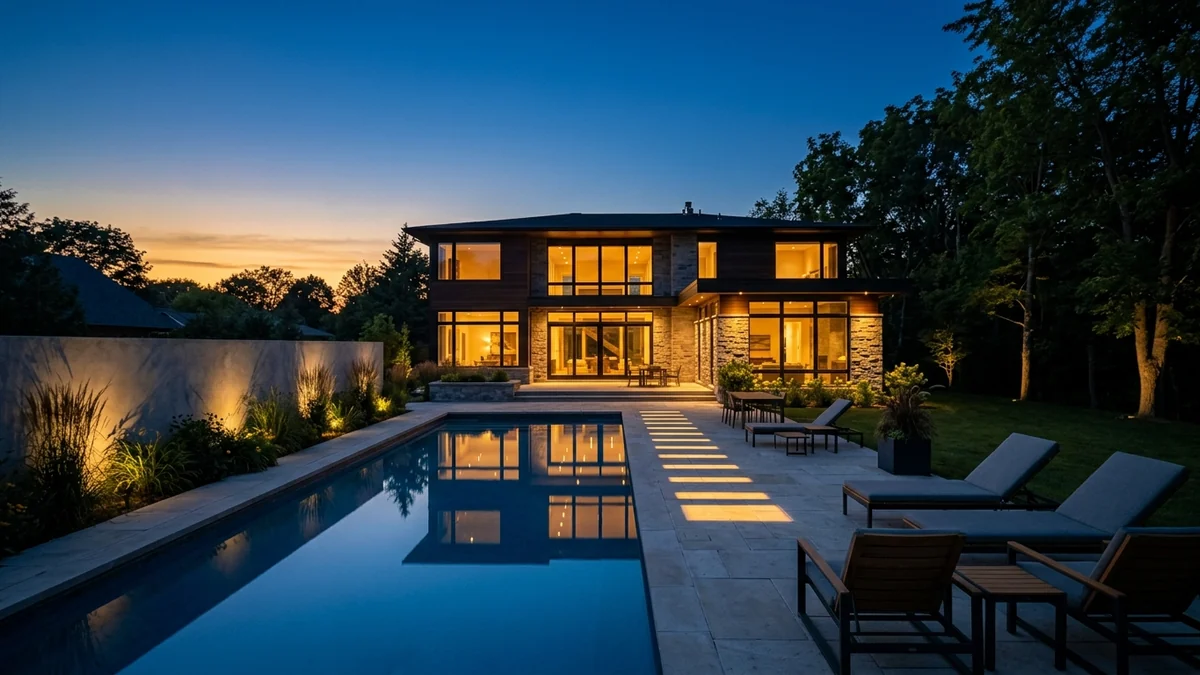
Closing frame for a listing tour, every time. A crane up at blue hour with the windows lit gives you warm-against-cool contrast, reveals the plot, and ends the video on the emotional note that sells a home rather than a room.
Watch: an AI walkthrough without the credit maths
If Runway's credit burn is the blocker, here is the same idea in MeltFlex: a cinematic walkthrough generated from a listing photo, staging included.

Questions agents ask about Runway for real estate
Can Runway AI make real estate videos from listing photos?
Yes. Runway takes a still listing photo as the first frame and generates a short clip with a camera move through the scene, typically five to ten seconds. You do not describe a house in text, you upload the actual property photo and describe only the movement and the light. Stitch six or seven of those clips together and you have a listing tour without filming anything. The photo you start with decides almost everything about the result.
How much does a Runway real estate video actually cost?
More than the plan price suggests. Runway bills in credits, and Gen-4.5 costs about 12 credits per second of video. The 12 dollar a month Standard plan gives 625 credits, which is roughly 52 seconds of finished Gen-4.5 video per month, and a typical six clip listing tour at eight seconds each eats about 576 of those credits. In practice one property per month is the honest limit on Standard. Top-up credits run 10 dollars per 1,000, so a Gen-4.5 listing tour costs roughly 6 dollars in credits if you buy them outright.
Which Runway model is best for property videos?
Gen-4.5 for hero clips and Gen-4 Turbo for volume. Gen-4.5 holds architectural geometry and light far better, which matters because warped door frames and bending worktops are what make a property clip look fake. Gen-4 Turbo at around 5 credits per second costs less than half as much and is fine for simple slow pushes on clean photos. Aleph is a different tool: it edits an existing video clip, including relighting it, rather than animating a still.
Is Runway free for real estate?
Only as a trial. The free plan gives 125 one-time credits, not a monthly refill, which works out to about ten seconds of Gen-4.5 video in total. That is enough to test one clip and judge the quality on your own listing photo, and nothing more. Any real listing work needs a paid plan starting at 12 dollars a month billed annually, or 15 dollars month to month.
Can you use Runway for interior design and architecture?
Yes, but for presentation rather than design. Runway animates a render or a photo into a moving fly-through, which is genuinely useful for client pitches and competition boards, and UPenn architecture faculty have used it to push 3D models into fabrication-ready concept work. What it will not do is redesign a room reliably or keep a specific product accurate, because every frame is regenerated rather than modelled. Design the space in a tool built for it, then let Runway move the camera.
Runway or Veo 3 for listing videos?
The question is now partly obsolete, because a Runway subscription includes Veo 3.1 alongside Gen-4.5 and Nano Banana Pro. If you want native audio on the clip, Veo 3.1 is the stronger pick. If you want tight camera control and the cleanest geometry on interiors, Gen-4.5 is better. Paying for Runway means you can switch between them rather than choose once.
Is there a Runway Gen-5?
Not as of October 2026. Gen-4.5 is still Runway’s own flagship video model, and it has not shipped a new video generation model of its own this year: its in-house releases were the Aleph 2.0 editing upgrade in May and the Ruby HDR colour-grading model in August. Instead, Runway has added other labs’ models to its paid plans: Gemini Omni Flash (June), Seedance 2.5 and Grok Imagine Video 1.5 (August), Wan 3.0 (24 August) and Kling 3.0 and O3 tiers on its MCP (September), plus a Model Router that can pick one for you. For listings that means you can try the newest third-party models without leaving Runway, but Gen-4.5 is still the one with the cleanest interior geometry.
Why do my Runway property videos look warped?
Almost always because the camera move is too fast or the starting photo is too busy. AI video models regenerate every frame, so the further the camera travels the more chance the model has to redraw a door frame or a worktop edge in the wrong place. Keep motion intensity low, keep clips under eight seconds, and avoid moves that swing past hard architectural lines. A slow push on a clean, well-lit photo almost never breaks.
The workflow in one line
Real listing photo, stage it so there is something worth looking at, take the staged frame into Gen-4.5, describe only the movement and the light, keep the move slow and under eight seconds, and spend your expensive credits on the two clips people will actually watch. That is the whole method.
If the credit arithmetic is what is stopping you, the staging half of that pipeline is free to try. Upload a listing photo and see the staged frame first, then decide whether it is worth animating.
Keep reading
- The best AI video generators for real estate, the full field ranked.
- Higgsfield for real estate walkthrough videos, the preset-driven alternative.
- Veo 3 for real estate listing videos, if you want native audio.
- The Kling AI real estate workflow, the cheapest reliable route.
- AI lighting prompts for interiors, the four levers that control mood.
- Real estate photography and AI virtual staging, getting the source photo right.