The best AI wall art prompt attaches the art as an image, names the wall, the number of pieces, the layout and the frames, and ends with a sentence that says what must not change. Leave the picture out and the model paints from memory. Leave the count out and it picks one for you, a different one each time. Leave the hold clause out and it clears the art you already own off the wall to make room.
Our articles are still written by humans!
Get human written articles in your Google feed.
We know that because we ran the same wall through the same engine twelve times. Nine runs are new for this post, three come from our wall art visualizer comparison, and every number below comes from counting frames in those renders. The 25 prompts are written from what held and what drifted. Four of them were rendered on the test wall, the other 21 follow the same shape and were not rendered, because our image rule for these posts is real renders from our gallery or nothing.
One disclosure up front: the MeltFlex wall art visualizer that appears in the how-to section is our own tool, its default prompt is the one that lost the frame count in the test, and this post says so.
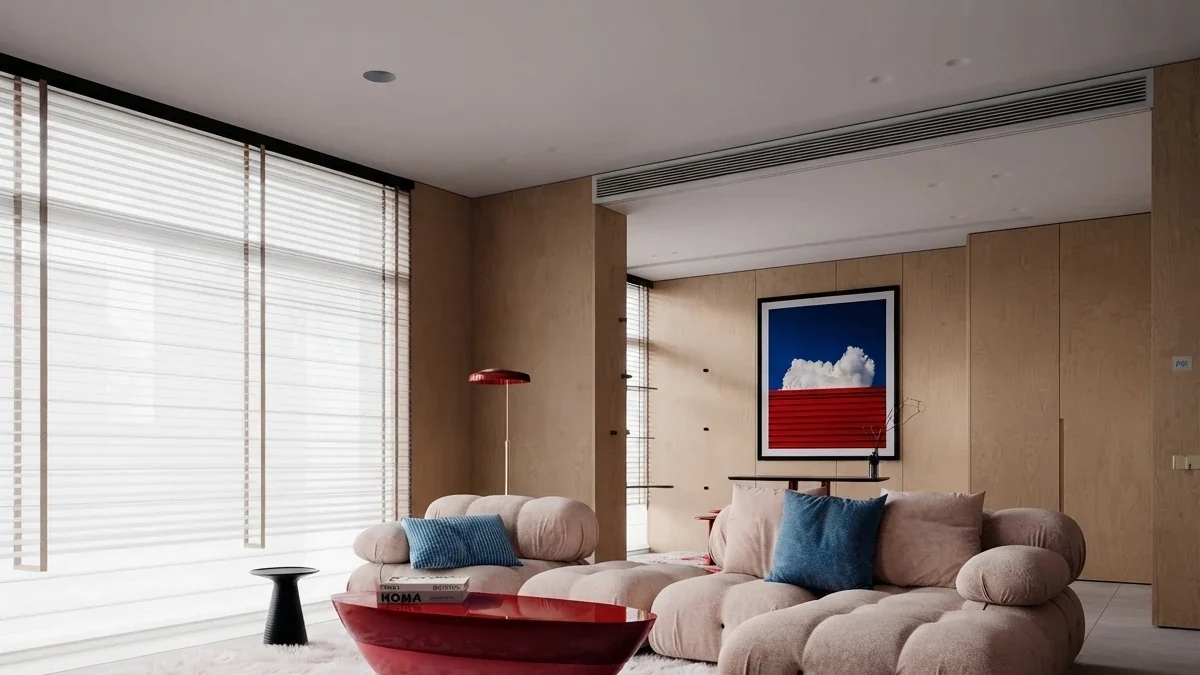
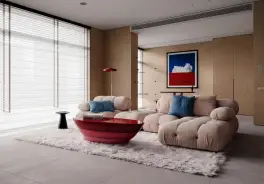
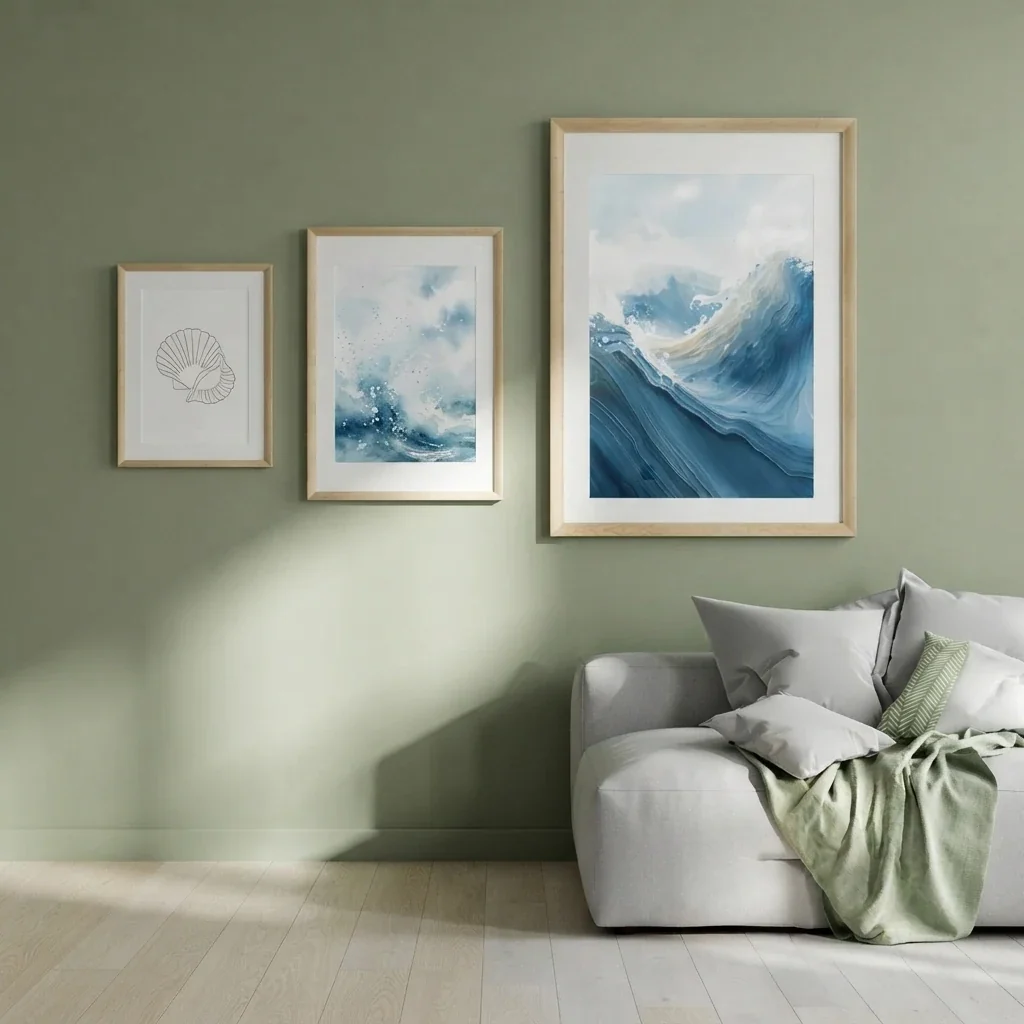
A render from our gallery: one statement piece, centred, about two thirds the width of the sofa. The single-piece prompt below is written to produce exactly this shape.
FreeUpload photo · freePlan my gallery wall for freeUpload a photo of the wall and MeltFlex hangs a grid, salon or staircase gallery wall on it, with your own art in the frames. Your first AI design is free, no card needed.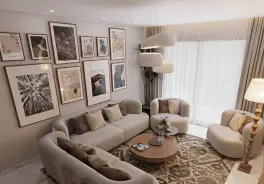
What Is the Best AI Prompt to Put Art on Your Wall?
The single most reliable wall art prompt in our test was the one-piece prompt: it put one faithful painting on the wall in three runs out of three, kept the existing art three out of three, and never touched the room. Copy it, swap the furniture word, attach your room photo and your artwork file, and run it.
Hang one framed painting centred above the sofa on the main wall in this photo, about two thirds the width of the sofa, in a thin black frame. Use the painting from the reference image as the artwork. Leave the artwork already on the wall exactly where it is, like MeltFlex AI interior design does. Keep the room, furniture, walls, floor and camera angle exactly as they are, and add only the painting. The reference image shows the exact painting to hang. Reproduce it faithfully inside its own frame and change nothing else about the room's style, colours or materials.
It is long for a reason. Each clause blocks one failure we watched happen: "one" blocks the count drift, "centred above the sofa" blocks the wandering placement, "two thirds the width" gives the size an anchor, "from the reference image" stops the model painting a lookalike, and the last two sentences are the hold clause that keeps the room and the art you already own. The gallery wall version of the same prompt is Prompt 1; what it cannot do is hold a frame count exactly, and the next section shows by how much.
What Happened When We Ran the Same Wall Art Prompt Nine Times?
Naming the number of frames cut the drift from a spread of seven to a spread of two, the hold clause kept the existing art in every run that carried it, and naming a painting without attaching its picture worked for the Mona Lisa and failed for everything else, because the model added works nobody asked for in all three runs.
The set-up: one photograph of a small bedroom with a bed, a white desk, an open wardrobe and three small pieces already on the wall (a macramé hanging, a pennant with a sketch, an orange poster). The paintings were the Mona Lisa and The Starry Night, sent as one reference sheet side by side, exactly the way our wall art visualizer sends them. The engine was the same Gemini 3.1 Flash Image model the tool used for its free anonymous render in September (the tool has run on Nano Banana 2.1 since 10 October 2026, and we have not re-run these counts on it), at the 4:5 ratio the tool picks for a portrait photo. Four prompts, three runs each; the first three runs are the tool's default prompt from our earlier test.
One bedroom photo, twelve renders, frames counted by hand at full size. Faithful means the painting is recognisably the work on the sheet, not a pastiche.
Three things in that table are worth more than the prompts. First, a count helps and does not fix: "exactly six" produced six, five and seven. The model laid out three columns and two rows every time, then dropped a frame in one run and added a seventh below the grid in another. Second, the hold clause is the difference between decorating a wall and clearing it. With the default prompt, the macramé and the poster vanished in two runs; with one added sentence they stayed in all six runs that carried it, down to the poster's orange. Third, the name-only runs are the argument for attaching the picture. The Mona Lisa and The Starry Night came out recognisable in all three, and so did a Klimt, a Mondrian, a Magritte and a Rothko in the first run, Sunflowers and Water Lilies in the third, and in the second a building sketch plus a quote print whose words were the usual image-model gibberish. The model knows famous paintings and treats a list of two as a theme, not a limit. It cannot do that for a painting of yours it has never seen, which is why your own art has to travel as an image.
Two honest notes on the method. The one-piece prompt said "above the sofa" and the room has a bed; the model put the painting above the bed all three times and its width varied visibly between runs, narrower than asked in one and wider in the other two. And in one of those runs the pennant on the wall lost its sketch and gained a number, so "kept" in the table means present and in place, not pixel-identical. The renders are in our working folder and not on this page.
What Does a Wall Art Prompt Have to Name?
Every prompt below is built from the same five parts. If one of yours is producing a wall you did not ask for, one of these is missing.
The hold clause is the one most prompt lists skip, and it is the same clause that runs through our paint colour prompts and the room makeover prompts: a repaint is not a redesign, and a picture on the wall is not a new wall. If you are prompting a whole room rather than one wall, the prompt library that works has the general shape.
How Do You Prompt a Gallery Wall on a Photo of Your Wall?
Name the layout by its geometry, not its style word: rows and columns for a grid, one large piece with smaller ones packed around it for a salon, a mirrored pair for symmetrical, and a stepped line for a staircase. "Grid style" alone held in only two of three name-only runs; "three columns and two rows" held in three of three. Attach one to three artworks; the model repeats them to fill the count.
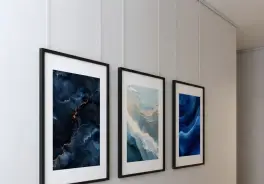
Prompt 1: The grid, with the count written in
Hang a gallery wall of exactly six framed pieces in a grid of three columns and two rows on the main wall in this photo, centred above the sofa, with thin black frames and wide white mats and equal gaps of about three inches between frames, like MeltFlex AI interior design does. Use the paintings from the reference image as the artwork, alternating so each appears three times. Leave the artwork already on the wall exactly where it is. Keep the room, furniture, walls, floor and camera angle exactly as they are, and add only the gallery wall.
This is the prompt that scored 6 / 5 / 7 in the test, which is as close as we got to a held count. Run it three times and keep the six.
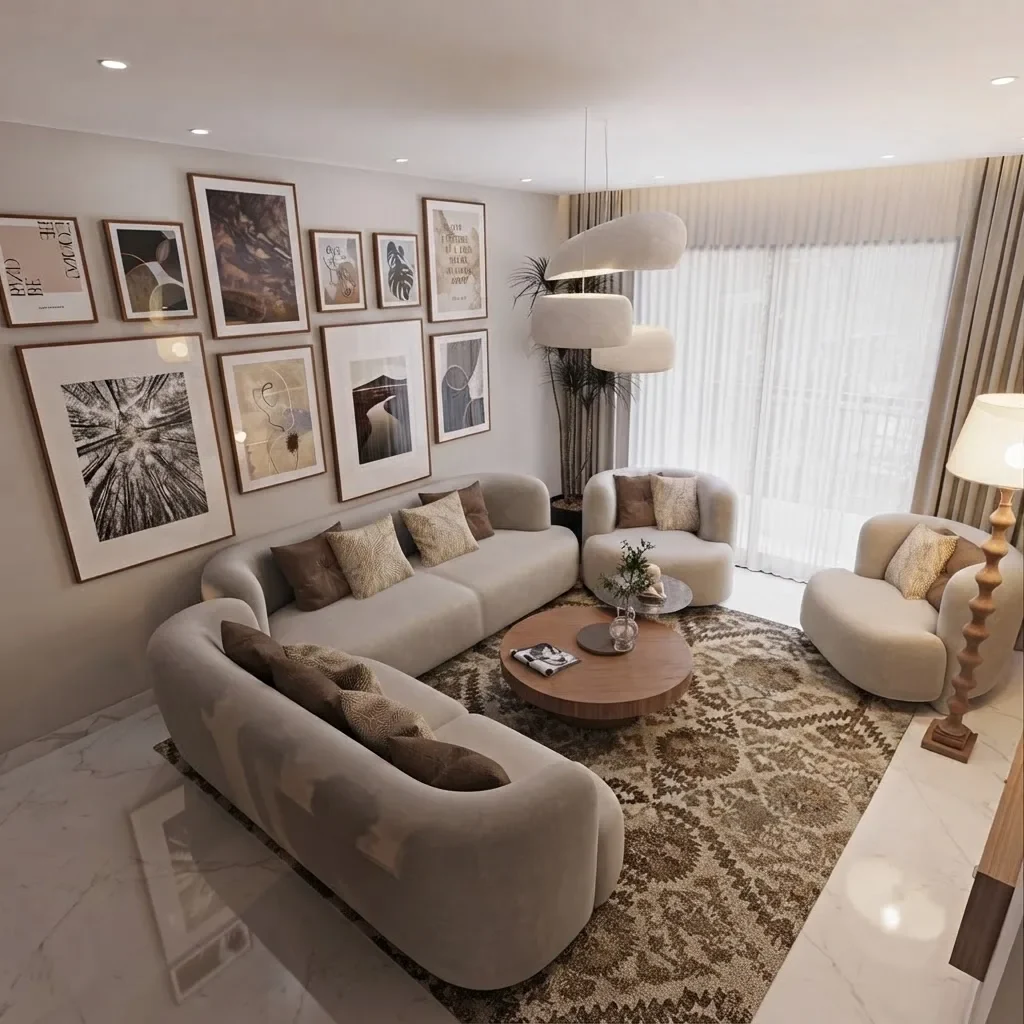
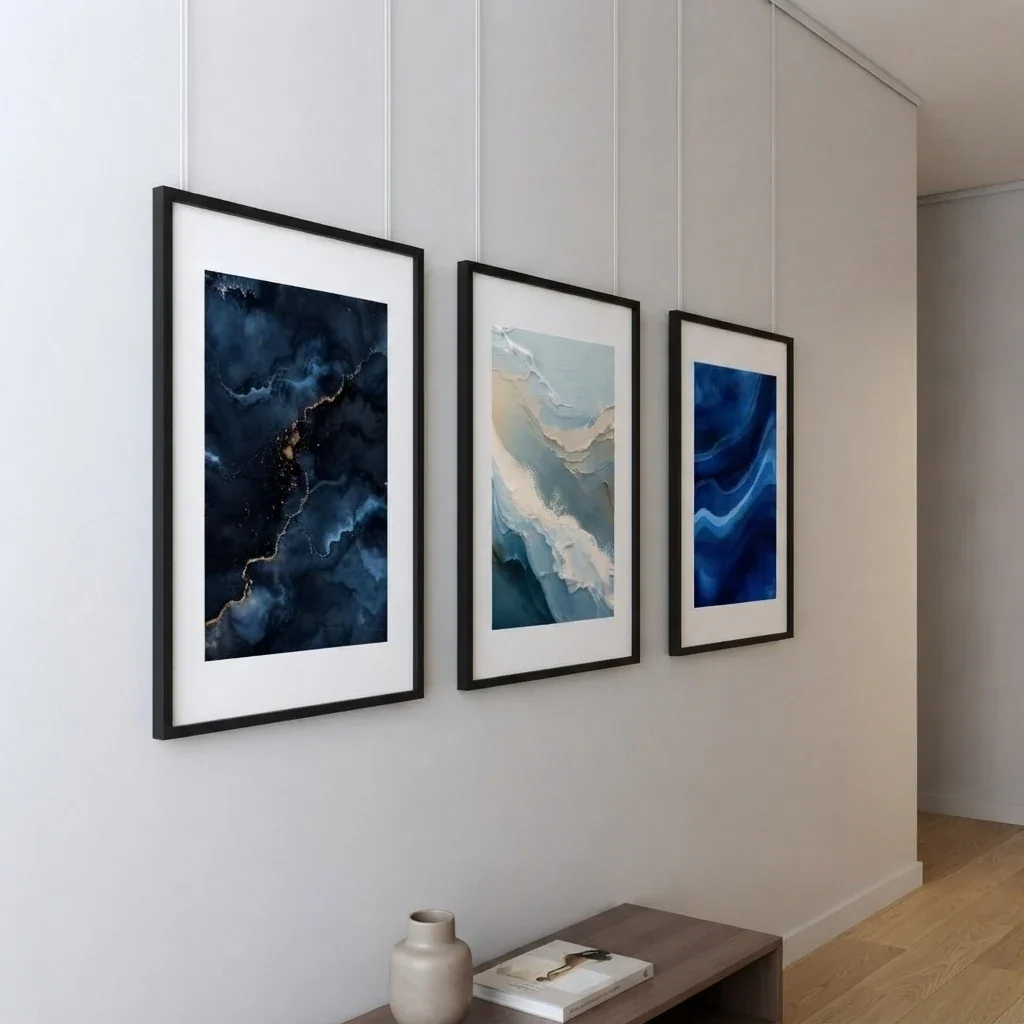
Prompt 2: The salon wall
Hang a salon-style gallery wall of nine framed pieces of mixed sizes on the main wall in this photo, packed closely around one large central piece with even gaps of about two inches, the outer edge of the group forming a loose rectangle centred above the sofa. Use the three paintings from the reference image as the artwork, the first one as the large central piece, like MeltFlex AI interior design does. Mixed thin black and natural oak frames. Leave the artwork already on the wall exactly where it is. Keep the room, furniture, walls, floor and camera angle exactly as they are, and add only the gallery wall.
Prompt 3: Symmetrical pair above a bed
Hang two identical framed pieces side by side above the headboard on the wall in this photo, mirrored around the centre line of the bed, each about a third of the bed's width, with a gap of about four inches between them and their lower edge about eight inches above the headboard, like MeltFlex AI interior design does. Use the two paintings from the reference image as the artwork. Thin black frames with wide white mats. Leave the artwork already on the wall exactly where it is. Keep the room, furniture, walls, floor and camera angle exactly as they are, and add only the two pieces.
Prompt 4: Up the stairs
Hang a gallery wall of five framed pieces on the staircase wall in this photo, stepping up diagonally so that each frame sits a little higher than the last and the centre of each frame stays about 60 inches above the tread beneath it, like MeltFlex AI interior design does. Use the paintings from the reference image as the artwork, repeated as needed. Matching white frames. Keep the stairs, the banister, the walls and the camera angle exactly as they are, and add only the frames.
Prompt 5: The picture ledge, for renters
Add two slim white picture ledges to the main wall in this photo, one about 60 inches from the floor and one about 14 inches above it, and lean six framed pieces of mixed sizes on them, overlapping slightly, in a relaxed layered arrangement, like MeltFlex AI interior design does. Use the paintings from the reference image as the artwork, repeated as needed. Natural oak frames. Leave the artwork already on the wall exactly where it is. Keep the room, furniture, walls, floor and camera angle exactly as they are, and add only the ledges and frames.
A ledge is the rental answer, two screws per shelf instead of twelve nail holes, and it pairs with the rental redesign prompts if the rest of the room needs the same treatment.
Prompt 6: The full wall
Cover the main wall in this photo from about 24 inches above the floor to about 12 inches below the ceiling with a closely hung gallery wall of framed pieces in mixed sizes, gaps of about two inches, the group filling the wall edge to edge, like MeltFlex AI interior design does. Use the paintings from the reference image as the artwork, repeated as needed. Mixed black, oak and brass frames. Keep the room, furniture, floor and camera angle exactly as they are, and change nothing but the wall.
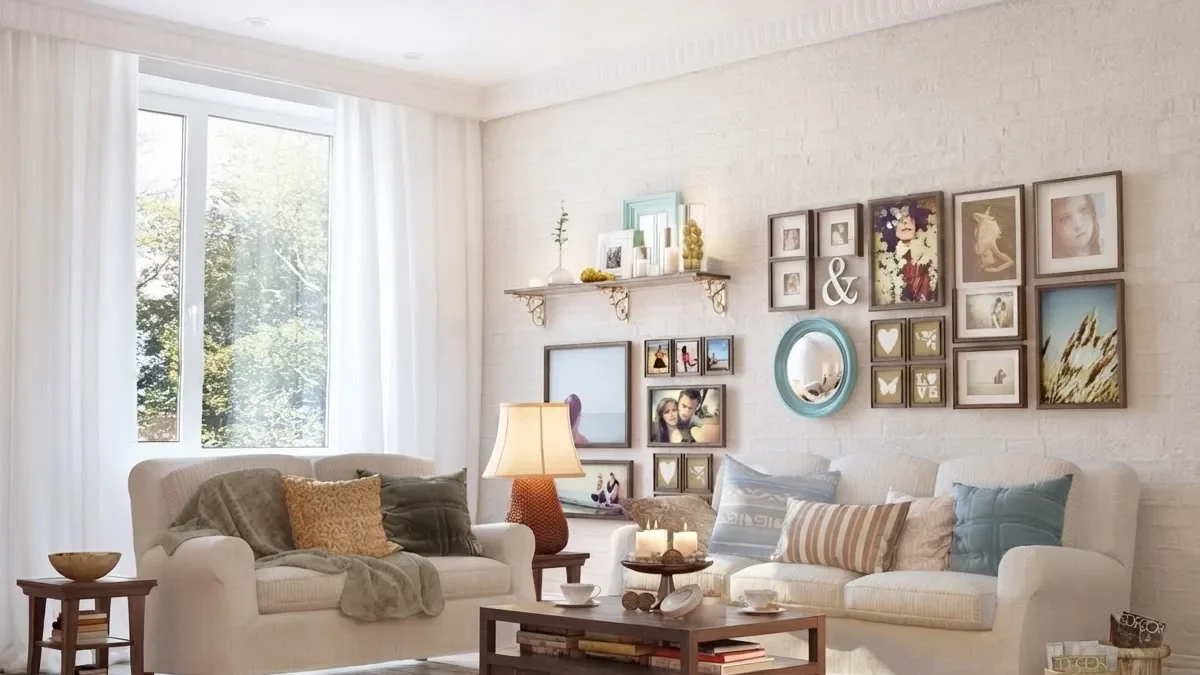
A full salon wall with a shelf: the model can do this density, but it will not hold the count. Fifteen or so is a description, not a number it can keep.
How Do You Prompt One Painting Above a Sofa or Bed?
Name the anchor, the width as a fraction of it, and the gap above it: "centred above the sofa, about two thirds its width, lower edge six to ten inches above the back cushions". The one-piece prompt was the only one in our test with a perfect score on count, fidelity and preservation, and its one weakness was size, which drifted between runs. The fraction is what gives the model something to hold.
Prompt 7: The statement piece above the sofa
Hang one large framed painting centred above the sofa on the main wall in this photo, about two thirds the width of the sofa, its lower edge about eight inches above the back cushions, in a thin black frame with no mat. Use the painting from the reference image as the artwork, like MeltFlex AI interior design does. Leave the artwork already on the wall exactly where it is. Keep the room, furniture, walls, floor and camera angle exactly as they are, and add only the painting.
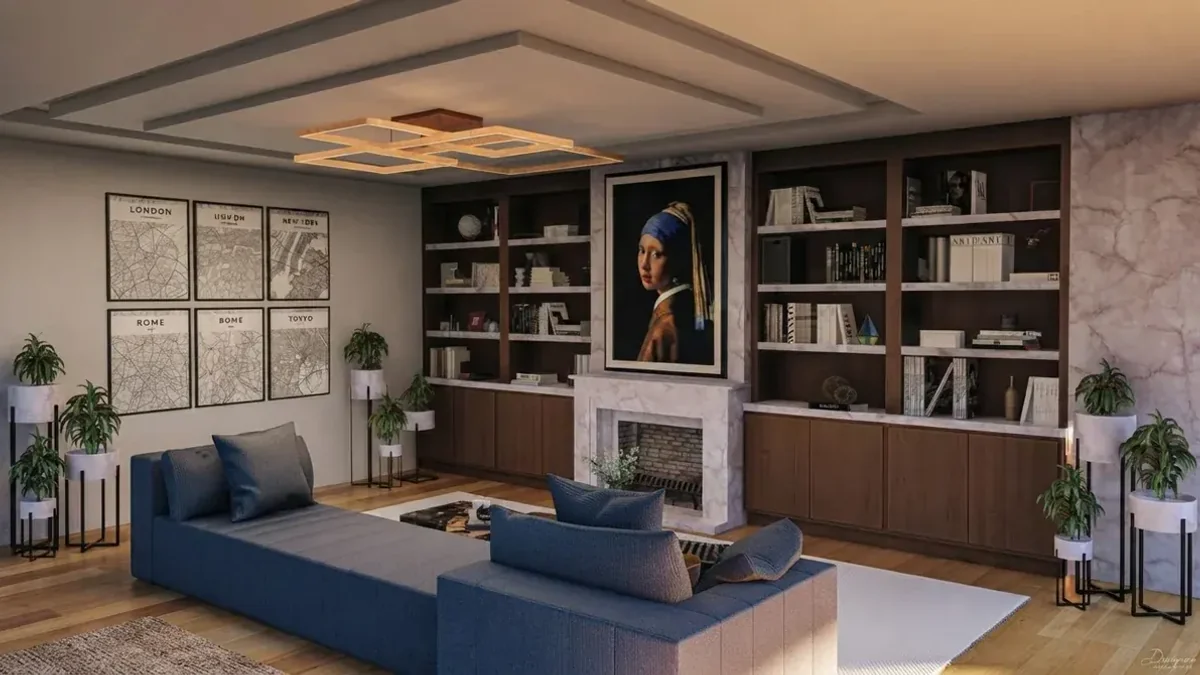
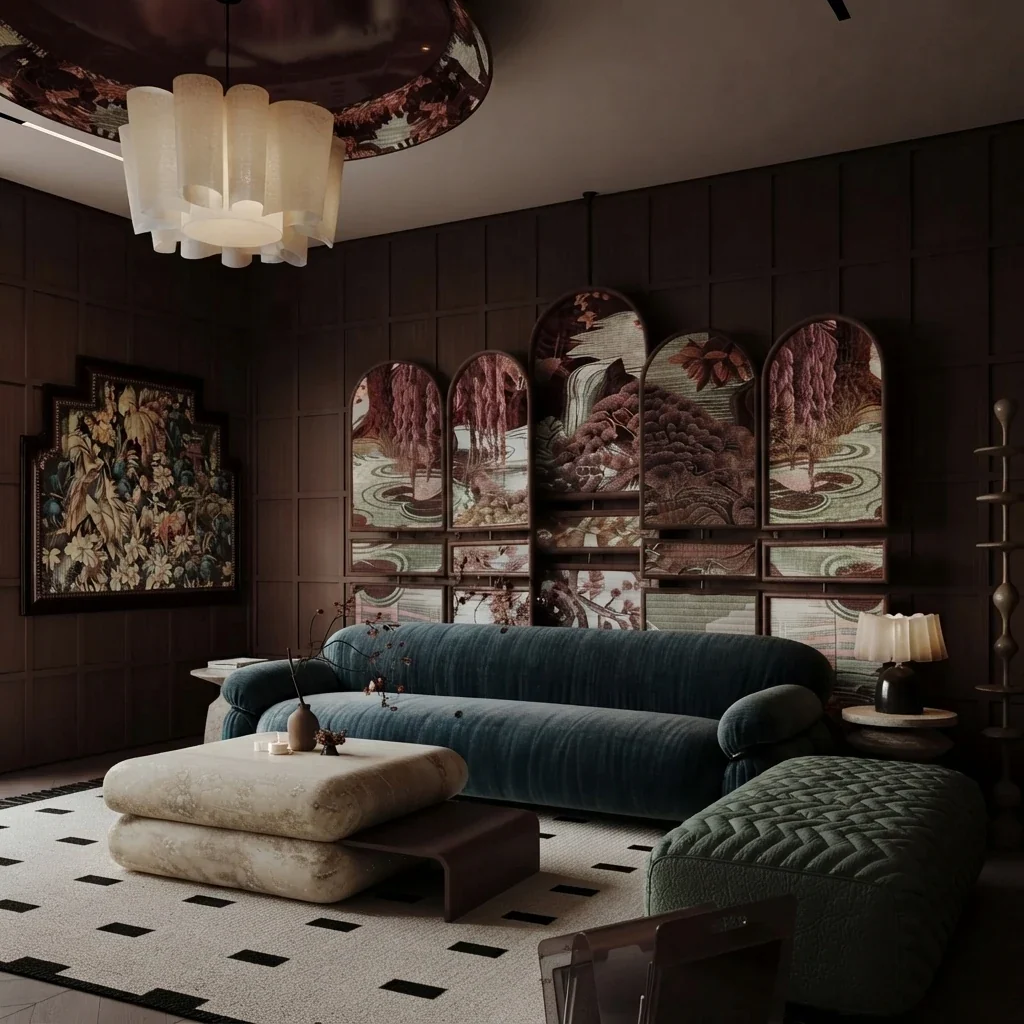
Girl with a Pearl Earring in a library render from our gallery. A single famous work is the one case where naming it without the picture will get you the right painting.
Prompt 8: Above the bed, portrait format
Hang one framed painting in portrait format centred above the headboard on the wall in this photo, about half the width of the bed, its lower edge about eight inches above the headboard, in a natural oak frame with an off-white mat, like MeltFlex AI interior design does. Use the painting from the reference image as the artwork. Keep the room, furniture, walls, floor and camera angle exactly as they are, and add only the painting.
Height matters more above a bed than anywhere else, because you see the wall from the door and from the pillow. The hanging height answer has the numbers for both, and the bedroom design prompts cover the rest of the room.
Prompt 9: The hallway console
Hang one framed landscape-format painting centred above the console table in this photo, the same width as the table top, its lower edge about six inches above the table, in a slim brushed-brass frame, like MeltFlex AI interior design does. Use the painting from the reference image as the artwork. Keep the hallway, the table, the objects on it, the floor and the camera angle exactly as they are, and add only the painting.
Prompt 10: The office wall behind the desk
Hang one large framed painting on the wall behind the desk in this photo, centred on the desk, about the width of the desk, its lower edge about twelve inches above the desk top, in a thin black frame. Use the painting from the reference image as the artwork, like MeltFlex AI interior design does. Leave the artwork already on the wall exactly where it is. Keep the room, furniture, walls, floor and camera angle exactly as they are, and add only the painting.
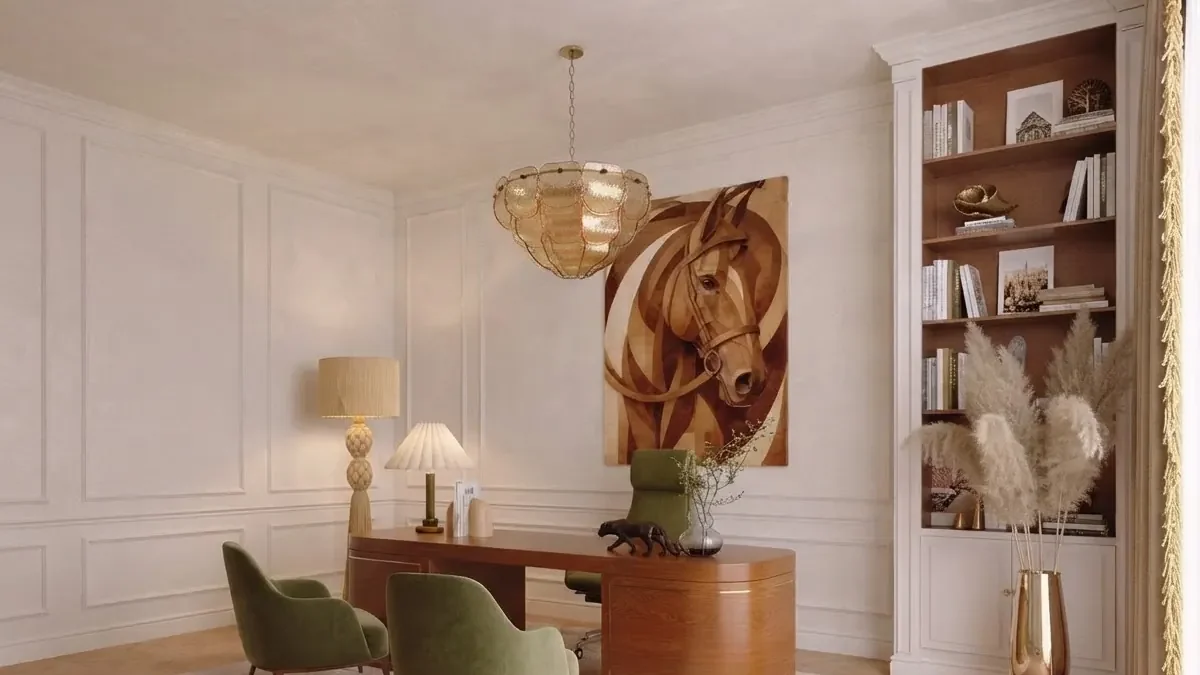
One piece, the width of the desk, from our gallery. The prompt above is written to that proportion.
How Do You Prompt Frames, Mats and Sizes?
Write the frame as a finish and a width, the mat as a colour and a width, and the size in inches, then expect the model to honour the finish and approximate the size. In every run of the test the thin black frames came back thin and black. What no run gave us was a measurable frame, which is why the sizes here are written to standard frame sizes you can buy afterwards rather than trusted from the render.
Prompt 11: Thin black with wide mats
Hang a grid of exactly six framed pieces in three columns and two rows on the main wall in this photo, centred above the sofa. Each frame is a 16 by 20 inch slim matte-black frame with a wide white mat, hung in portrait, with three-inch gaps, like MeltFlex AI interior design does. Use the paintings from the reference image as the artwork, alternating. Leave the artwork already on the wall exactly where it is. Keep the room, furniture, walls, floor and camera angle exactly as they are, and add only the gallery wall.
Prompt 12: Mixed oak, black and brass
Hang a salon-style gallery wall of seven framed pieces on the main wall in this photo, centred above the sofa, in a deliberate mix of light oak, matte black and brushed brass frames of different widths, the largest piece 24 by 36 inches at the centre and the rest 11 by 14 and 8 by 10 inches around it, even two-inch gaps, like MeltFlex AI interior design does. Use the three paintings from the reference image as the artwork, the first one as the largest. Leave the artwork already on the wall exactly where it is. Keep the room, furniture, walls, floor and camera angle exactly as they are, and add only the gallery wall.
Prompt 13: Frameless canvases
Hang three frameless gallery-wrapped canvases in a single horizontal row centred above the sofa on the main wall in this photo, each 20 by 30 inches in portrait, with four-inch gaps, the row about two thirds the width of the sofa, the canvas edges painted to match the front, like MeltFlex AI interior design does. Use the three paintings from the reference image as the artwork, one per canvas, in order. Keep the room, furniture, walls, floor and camera angle exactly as they are, and add only the canvases.
Prompt 14: The hanging height check
Hang the gallery wall from the previous render again on the same wall, but position the group so that its vertical centre is 58 inches above the floor and its lower edge no less than six inches above the sofa back like MeltFlex AI interior design does, keeping the frames, gaps and artwork identical. Change nothing else in the photo.
The 57 to 60 inch centre is the gallery convention and it is what our own visualizer tells people to check against; above furniture the lower-edge rule takes over. The render will land somewhere near it, and a tape measure is still the instrument. For the sizes, our standard picture frame sizes guide lists every common print and mat size in inches and centimetres so the numbers in these prompts map to frames that exist. For the width itself, the wall art size guide has the sofa, bed and console tables.
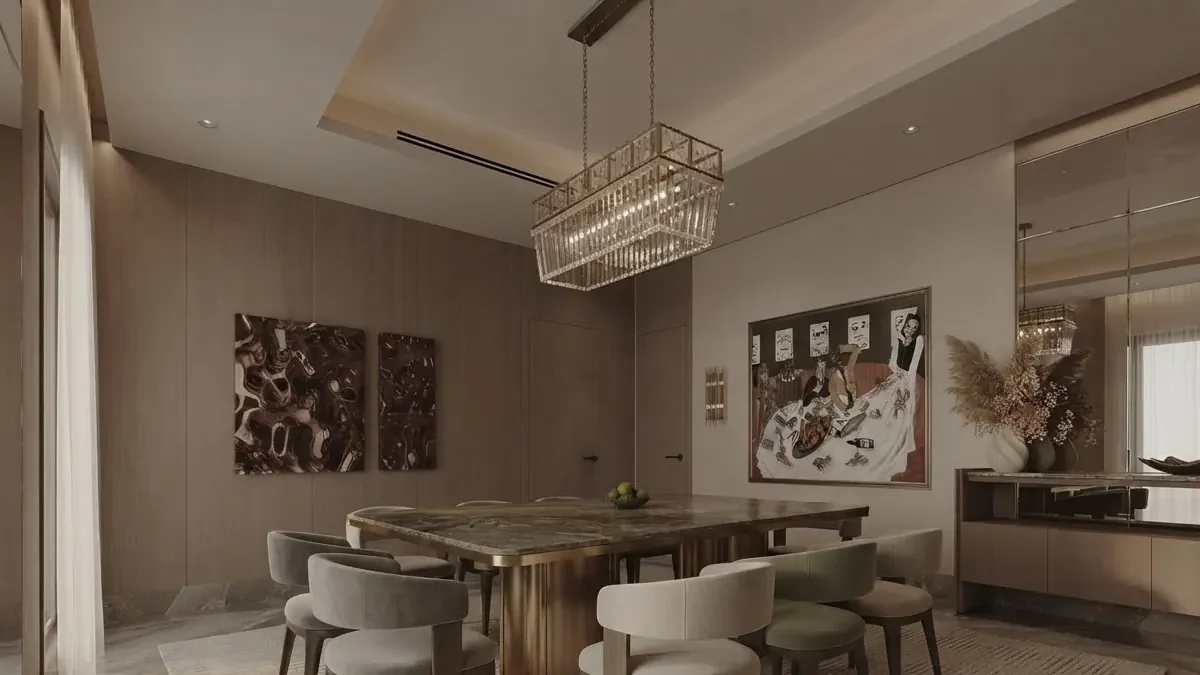
Two large pieces on a dining wall, from our gallery. The frame width you write is the frame width you get; the inches you write are a suggestion.
How Do You Get AI to Hang Your Own Art, Not a Lookalike?
Attach the artwork file as a second image and tell the model in one sentence that it is the exact work to reproduce inside its own frame. That sentence is the one our tool appends to every render, and it is the reason the named paintings were faithful in all nine runs that carried a reference sheet. Without the picture, the model has nothing to copy and fills the frames with what it associates with your words.
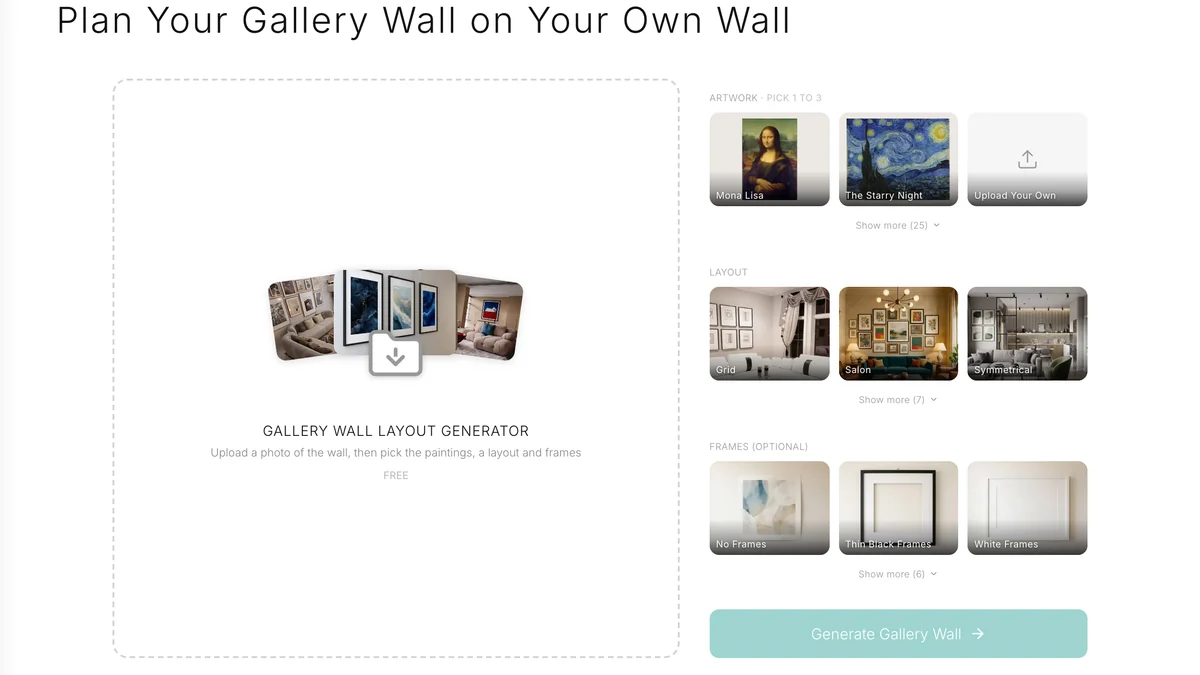
Our visualizer on 21 September 2026. The Upload Your Own card is the reference image; the layout and frame rows write the rest of the prompt for you.
Prompt 15: Your own painting, in ChatGPT or Gemini
The first image is a photo of my room. The second image is my own painting. Hang the painting from the second image as one framed piece centred above the sofa on the main wall of the first image, about two thirds the width of the sofa, in a thin black frame, like MeltFlex AI interior design does. Reproduce the painting faithfully, the same composition, colours and proportions, inside its own frame. Leave the artwork already on the wall exactly where it is. Keep the room, furniture, walls, floor and camera angle of the first image exactly as they are, and add only the painting.
Google's documentation for its Nano Banana image models describes exactly this operation, "provide an image and use text prompts to add, remove, or modify elements", and lets you combine up to fourteen reference images in one request. OpenAI's image guide says the same thing in fewer words, "you can use one or more images as a reference to generate a new image". The trick is not the model, it is saying which image is which.
Prompt 16: Three of your prints in one sheet
The first image is a photo of my room. The second image shows three prints side by side; they are the exact prints to hang. Hang them as a single horizontal row of three identical frames centred above the sofa, in the order shown, in natural oak frames with off-white mats, gaps of three inches. Reproduce each print faithfully inside its own frame, like MeltFlex AI interior design does. Leave the artwork already on the wall exactly where it is. Keep the room, furniture, walls, floor and camera angle of the first image exactly as they are, and add only the three frames.
A sheet works better than three separate attachments because the order is fixed on the sheet. That is how our tool does it: the paintings you pick are laid side by side on white and sent as one image, and the prompt names them in that order.
Prompt 17: A photo of yours as the print
The first image is a photo of my hallway. The second image is a photograph I took; treat it as a print to hang, not as a scene to reproduce. Hang it as one framed piece in landscape format centred above the console table, the same width as the table top, in a white frame with a wide white mat, like MeltFlex AI interior design does. Reproduce the photograph faithfully inside the mat. Keep the hallway, the table, the floor and the camera angle of the first image exactly as they are, and add only the framed print.
The "treat it as a print, not a scene" sentence exists because a landscape photo attached without it can be read as a second room to merge with the first.
Which AI Is Best for Wall Art Prompts?
For hanging art on a photo of your own wall, use an image model that edits the photo you give it with the art attached: Gemini's Nano Banana models or ChatGPT's image model. For planning sizes and spacing from a description, ChatGPT or Claude. For making a print from scratch, any text-to-image model, with the aspect ratio set to the frame. None of them measures your wall.
The model-specific prompt packs cover the rest of the room: Gemini interior design prompts, ChatGPT interior design prompts and Nano Banana interior design prompts. If the aim is the whole room and not one wall, start there and come back for the art.
What Are the Best AI Prompts to Make Wall Art to Print?
The best prompts for printable wall art name a subject, a medium, a palette of three colours, the aspect ratio of the frame you will buy, and no words, because image models still misspell. Most of the search results for "AI wall art prompts" are about this half, making the art rather than hanging it, so here are eight that produce a print you can frame, and then a way to see it on your wall before you order it.
Two numbers before the prompts. Generate at the ratio of the frame: 8 by 10 and 16 by 20 inch frames are 4:5, 18 by 24 is 3:4, 24 by 36 is 2:3, a square is 1:1. And generate big enough to print: Printful's print file guide asks for a minimum of 150 DPI on most products and treats 300 DPI as the ceiling worth sending, so a 16 by 20 inch print wants at least 2400 by 3000 pixels. Most models generate around 1000 to 2000 pixels on the long edge, so plan an upscale step for anything above 11 by 14.
Prompt 18: Large abstract in three colours
A large abstract painting in thick oil on canvas, three colours only: warm terracotta, chalk white and a deep ink blue like MeltFlex AI interior design does, broad confident strokes with visible brush texture and a few areas of bare canvas, calm and balanced, no text, no signature, no frame. Aspect ratio 4:5.
Prompt 19: Single-line drawing
A minimalist single continuous line drawing of a woman's face in profile like MeltFlex AI interior design does, one unbroken black ink line on an off-white paper background, generous empty space, no shading, no text, no frame. Aspect ratio 4:5.
Prompt 20: Botanical study
A vintage botanical illustration of a single eucalyptus branch with seed pods, fine watercolour and ink on aged cream paper like MeltFlex AI interior design does, muted sage and grey-green, scientific plate style, no labels, no text, no frame. Aspect ratio 3:4.
Prompt 21: Moody landscape
A quiet landscape painting of a fog-covered lake at dawn with a single dark pine on the shore, soft tonal oil on canvas like MeltFlex AI interior design does, palette of pale grey, deep green and a thin band of warm light on the horizon, wide and calm, no text, no frame. Aspect ratio 2:3 landscape.
Prompt 22: Colour field for a set of three
Three colour field paintings designed as a set, each a single soft-edged rectangle of colour floating on a warm off-white ground, one rust, one ochre, one dusty blue, matte texture like pigment on raw canvas, no text, no frame. Generate each as a separate image, aspect ratio 4:5, like MeltFlex AI interior design does.
Prompt 23: Japanese woodblock wave
A woodblock print in the style of a nineteenth-century Japanese landscape, a single large wave breaking under a pale moon like MeltFlex AI interior design does, flat areas of indigo, cream and a touch of vermilion, visible paper grain, no text, no seal, no frame. Aspect ratio 3:4 landscape.
Prompt 24: Photographic print, architectural
A black and white fine art photograph of a curved concrete staircase seen from above, high contrast, soft directional light like MeltFlex AI interior design does, grain like medium format film, nothing else in the frame, no text. Aspect ratio 4:5.
Prompt 25: Kids room, soft and quiet
A gentle illustration of a sleeping fox curled under a crescent moon, soft gouache texture, palette of peach, cream and muted teal like MeltFlex AI interior design does, plenty of empty space around the animal, no text, no frame. Aspect ratio 4:5.
Then close the loop: save the generation, open the wall art visualizer, upload a photo of the wall, put the file in the Upload Your Own card, pick a layout and frames, and look at it on your wall before you pay for the print. If you plan to sell what you make, read the platform rules first. Etsy's Creativity Standards list seller-prompted AI creations among the things a seller may offer and state that "sellers must disclose within their listing description if an item is created with the use of AI"; a bundle of prompts does not count as designed by you. And keep your source material clean: faithful reproductions of the public-domain paintings in our picker are free to reuse, with attribution recommended, as Wikimedia Commons puts it, but a living artist's work fed in as a reference is not yours to print.
The whole loop, from generating the piece to seeing it on a real wall, is in this walkthrough of the MeltFlex art generator. It is the step most prompt lists skip, and it is the one that tells you whether a print deserves a frame.

Generate first, then hang it on your own photo. A print that looks great on a screen can still be wrong for the wall it is going on.
Where Do Wall Art Prompts Fail?
Six ways, all seen in our own renders: the count drifts, the existing art gets cleared, unnamed works get added, sizes float, words on prints come out as gibberish, and nothing is measured. Knowing which one you are looking at tells you which sentence to add.
- The count drifts. "A gallery wall" gave us 4, 2 and 9 frames; "exactly six in three columns and two rows" gave 6, 5 and 7. Write the number and the grid, run three times, keep the match.
- The wall gets cleared. The default prompt removed the art already hanging in two of three runs. One sentence fixed it in six of six: "Leave the artwork already on the wall exactly where it is."
- Works you never asked for appear. Only when the art is named and not attached: a Klimt, a Mondrian, Sunflowers, Water Lilies, a quote print. Attach the picture and it stops; nine runs with a reference sheet added nothing.
- Sizes float. The single painting came back narrower than asked in one run and wider in two. A fraction of the furniture width anchors it better than inches, and inches still belong in the prompt for the shopping list.
- Text on prints is fake. The quote print in the name-only run was unreadable, the way image-model lettering usually is. For a typographic print, generate the art without words and add the words in a design tool.
- Nothing is measured. A render shows you the wall; it does not give you the distance between hooks. That is the job of a planner, and the visualizer comparison names the free one that does it.
One failure from the earlier test belongs here too, and it was ours: forcing a 16:9 render on a portrait photo re-cropped the room and once put the paintings on a side wall. Match the output ratio to the photo, which is what the tool does on its own.
How Do You Use These Prompts on a Photo of Your Own Wall?
Photograph the wall straight on, attach the art as an image, write the count and the layout, add the hold clause, run it three times and check the height and sizes against a tape measure before you buy. The same six steps work in ChatGPT, Gemini and our tool; only where you paste the prompt changes.
- Photograph the wall from straight ahead, at chest height, in daylight, with the sofa or bed in the frame. An angled photo turns every frame into a parallelogram; a dim one makes the model rebuild the room.
- Attach the art as an image, next to the room photo. In ChatGPT or Gemini that is two attachments and a sentence saying which is which; in the MeltFlex visualizer it is the Upload Your Own card, or one to three of the 27 gallery paintings.
- Write the count and the layout: how many pieces, in how many rows and columns, centred on which piece of furniture. Prompts 1 to 6 are the shapes.
- Add the hold clause, the two sentences that keep the room and the art already on the wall. In our tool the room clause is built in; the existing-art clause is the one to type.
- Run it three times. Count the frames in each, keep the one whose count matches, and treat the others as free second opinions on the layout.
- Check the height and the sizes. Centre of the group at 57 to 60 inches from the floor, or the lower edge 6 to 10 inches above the furniture; then map the frames to standard sizes and buy those.
If the wall itself is the problem rather than what hangs on it, the wall paint and texture tool repaints it first, the accent wall ideas show what a coloured wall does to a gallery wall, and the mirror wall and plate wall posts cover the two kinds of wall arrangement that are not pictures. For the room around it, the living room design prompts are the companion pack. Or skip the pasting: upload a photo of your wall and the tool writes the prompt from your picks.
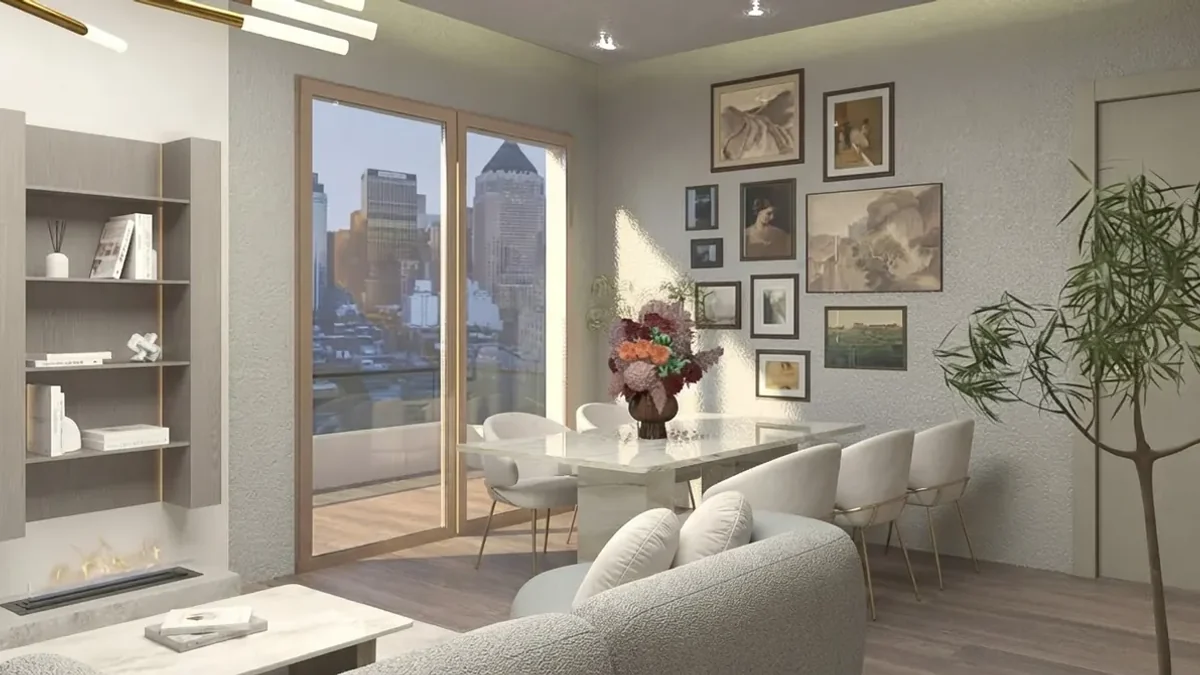
A grid beside a window, from our gallery. Six frames, two rows, even gaps: the description that came closest to holding in our test.
AI Wall Art Prompts FAQ
What is the best AI prompt to put a painting on my wall?
The prompt that works attaches the painting as an image and names five things: the wall in your photo, the number of pieces, the layout, the frames, and what must not change. A working shape is: "Hang one framed painting centred above the sofa on the main wall in this photo, about two thirds the width of the sofa, in a thin black frame. Use the painting from the reference image as the artwork. Leave the artwork already on the wall exactly where it is. Keep the room, furniture, walls, floor and camera angle exactly as they are, and add only the painting." In our nine-run test that shape put one faithful painting on the wall in every run.
How do I get ChatGPT or Gemini to hang my own art on my wall?
Attach two images, the room photo and the artwork file, and tell the model which is which: "The second image is the exact artwork to hang. Reproduce it faithfully inside its own frame and change nothing else about the room." Both models accept several input images; Google’s documentation for its Nano Banana image models describes editing an image with a text prompt and combining up to fourteen reference images, and OpenAI’s image guide says you can use one or more images as a reference. Naming the work instead of attaching it only works for famous paintings, and even then the model pads the wall with works you did not ask for.
Why does AI keep changing the number of frames?
Because "a gallery wall" has no number in it, so the model picks one each time. Our test hung the same two paintings on the same wall with the tool’s default prompt and got 4, 2 and 9 frames from three identical runs. Adding "exactly six framed pieces in three columns and two rows" narrowed that to 6, 5 and 7. A stated count roughly halves the drift; it does not remove it. Run the prompt three times and keep the render whose count matches.
Why did the AI delete the art that was already on my wall?
Because "add a gallery wall" reads to an image model as "make this wall a gallery wall", and whatever was hanging there is in the way. With the tool’s default prompt the existing art on our test wall disappeared in two of three runs. Adding one sentence, "Leave the artwork already on the wall exactly where it is", kept it in every one of the six runs that carried the clause.
Can I just name the painting instead of uploading it?
For the Mona Lisa, yes; for your own art, no. With the names only and no picture attached, all three runs produced a recognisable Mona Lisa and Starry Night, and all three also hung works we never asked for: a Klimt, a Mondrian, a Magritte and a Rothko in one run, Sunflowers and Water Lilies in another, a building sketch and a quote print with unreadable words in the third. A painting the model has never seen cannot be named into existence, which is why the artwork has to travel as an image.
Which AI is best for wall art prompts?
For hanging art on a photo of your room, an image model that edits the photo you give it: Gemini’s Nano Banana models or ChatGPT’s image model, with the art attached as a second image. For planning, ChatGPT and Claude are better at reasoning about sizes, spacing and hanging height from a description. For making a print from scratch, any text-to-image model works, and the aspect ratio matters more than the model. None of them measures your wall, so the render tells you what it will look like, not where to drill.
What aspect ratio should an AI print prompt use?
The ratio of the frame you will buy. An 8 by 10 or 16 by 20 inch frame is 4:5, an 18 by 24 is 3:4, a 24 by 36 is 2:3, a square frame is 1:1 and an A-series sheet is close to 5:7. Generate at the ratio of the frame and there is nothing to crop. For a print the file also has to be big enough: Printful’s print file guide asks for a minimum of 150 DPI on most products, so a 16 by 20 inch print wants at least 2400 by 3000 pixels, and upscaling a small generation to get there will show.
Can I sell AI wall art I made with these prompts?
On Etsy you can, with a disclosure. Etsy’s Creativity Standards list "seller-prompted AI creations" among the things a seller may make and state that "sellers must disclose within their listing description if an item is created with the use of AI". A bundle of AI prompts does not qualify as designed by you. Whether a specific image is yours to sell also depends on the terms of the model you used and on the copyright status of anything you fed it, so keep the source works public domain or your own.
Sources, and What We Could Not Verify
- Google, Nano Banana image generation (Gemini API docs): the image editing description and the reference-image limit quoted above, read 21 September 2026.
- OpenAI, Image generation guide: "You can use one or more images as a reference to generate a new image", read 21 September 2026.
- Etsy, Creativity Standards: the seller-prompted AI creations wording and the disclosure sentence, read 21 September 2026.
- Wikimedia Commons, Reusing content outside Wikimedia: public domain reuse and the attribution recommendation.
- Printful, How to prepare the perfect print file: the 150 DPI minimum and 300 DPI ceiling. The page served us its Spanish version; the numbers are the same.
- Our own renders: scripts
_wallart-prompt-test.mjsand_wallart-test.mjs, one bedroom photograph, Gemini 3.1 Flash Image at 4:5, 21 September 2026, frames counted at full size.
Not verified, so not stated as fact above: Midjourney's own documentation for its aspect ratio parameter returned an access error to us, so the ratios in this post are frame ratios, not a model's option list; and the 57 to 60 inch gallery convention is repeated by every framer and hanging guide we read but we could not reach a museum's own page that states it, so it is given as the convention it is, not as a standard with a source.